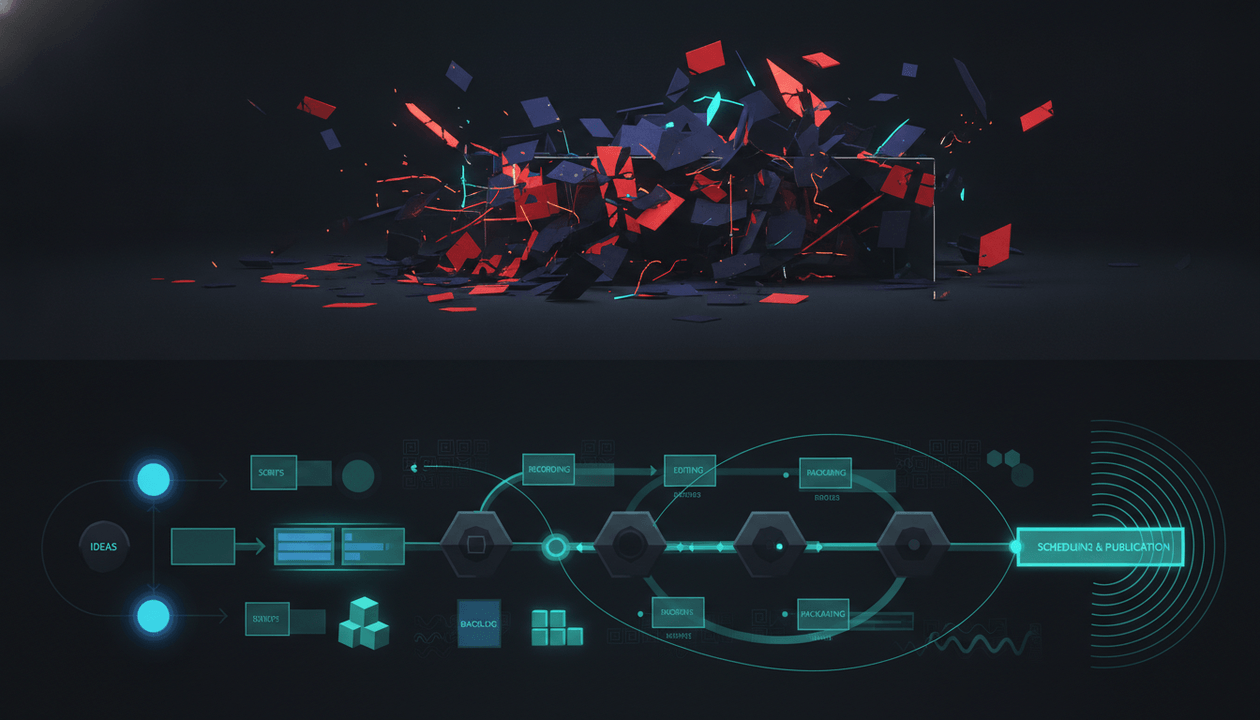
Most YouTube videos fail before the script is written.
Not because the idea is bad.
Because nobody translated the idea into a production-ready brief.
The title is chosen too late. The thumbnail is guessed after editing. The hook does not match the packaging. The writer does not know the viewer’s real pain. The editor does not know which moments matter. The thumbnail designer does not know what emotion to create. The video has no clear CTA. The team publishes, waits, and then blames the algorithm.
That is not a YouTube problem.
That is a briefing problem.
A YouTube video brief template fixes this by turning strategy into execution before production starts. It connects the viewer, title, thumbnail, hook, structure, retention plan, proof, CTA, visual direction, distribution plan, and success metric into one document.
This guide gives you a complete YouTube video brief system for creators, faceless channels, YouTube agencies, SaaS teams, documentary channels, educational channels, product-led channels, and creator-led businesses.
The goal is simple:
Stop handing your team video ideas. Start handing them production-ready video briefs.
Key Takeaways
- A YouTube video brief is the operating document that turns a video idea into a clear production plan for writers, editors, designers, strategists, voiceover artists, and distribution teams.
- A strong brief should define the viewer, promise, title direction, thumbnail concept, hook, structure, proof, retention plan, CTA, visual needs, distribution plan, and success metrics.
- The best briefs are built before the script, not after. If the title, thumbnail, viewer promise, and first 30 seconds are unclear, the video is already fragile.
- YouTube’s Reach analytics can show how viewers discover videos through traffic sources like YouTube Search, Suggested Videos, Browse features, playlists, end screens, cards, Shorts, and external sources. Source: YouTube Help
- YouTube’s audience retention report helps creators understand where viewers stay, rewatch, skip, or leave. YouTube also notes that a strong intro can mean the first 30 seconds matched the viewer’s expectation from the title and thumbnail. Source: YouTube Help
- A video brief is not a script. The brief explains what the video must accomplish. The script explains what the video says.
- OverseerOS helps creators reverse-engineer successful channels, analyze viral videos, plan topics, improve scripts, generate better titles, analyze thumbnails, produce faceless videos, and turn one video into distribution assets.
What Is a YouTube Video Brief?
A YouTube video brief is a structured document that explains exactly what a video should do before the team writes, records, edits, designs, or publishes it.
It answers:
- Who is this video for?
- Why would that viewer click?
- What promise does the title make?
- What emotion should the thumbnail create?
- What must happen in the first 30 seconds?
- What is the viewer supposed to understand by the end?
- What proof, examples, or sources are needed?
- What structure should the video follow?
- What moments need visual support?
- What should the editor emphasize?
- What should the CTA be?
- What Shorts or social posts should come from it?
- What metric tells us the video worked?
A weak brief says:
Make a video about YouTube thumbnails.
A strong brief says:
Make a video for intermediate creators whose videos get impressions but low CTR. The promise is that their thumbnails are not failing because they are ugly. They are failing because the visual question is unclear. The video should open with a before/after thumbnail diagnosis, explain the three most common clarity mistakes, show examples, and end with a CTA to analyze their thumbnail workflow.
That is a real brief.
It gives the team a target.
Why YouTube Video Briefs Matter
A YouTube video is not one asset.
It is a chain of decisions.
- Topic
- Angle
- Title
- Thumbnail
- Hook
- Script
- Voiceover
- Footage
- Edit rhythm
- Visual examples
- CTA
- Description
- Shorts
- Social posts
- Playlist
- Follow-up video
If one link is weak, the whole video can underperform.
The most common failure is mismatch.
Examples:
| Mismatch | What Happens |
|---|---|
| Strong topic, weak title | The right viewer never clicks |
| Strong title, weak thumbnail | The promise is not obvious fast enough |
| Strong packaging, weak hook | Viewers leave early |
| Strong hook, weak structure | The video loses momentum |
| Strong script, weak visuals | The idea feels flat |
| Strong value, weak CTA | The viewer leaves without taking the next step |
| Strong video, no distribution | The asset does not get enough mileage |
| Strong views, wrong audience | The video grows vanity metrics but not the business |
A brief prevents these mismatches before they become expensive.
It forces the team to align on the whole video, not just the topic.
The Difference Between a Video Idea, a Script Brief, and a Video Brief
Creators often confuse these.
They are different.
| Asset | Purpose | Example |
|---|---|---|
| Video idea | The rough topic | “YouTube title mistakes” |
| Video brief | The full strategic and production plan | Viewer, promise, title, thumbnail, hook, structure, CTA, visuals |
| Script brief | The writing instructions | Sections, tone, pacing, examples, transitions |
| Thumbnail brief | The visual click plan | Emotion, composition, contrast, text, visual metaphor |
| Edit brief | The post-production direction | Pacing, b-roll, captions, cuts, visual emphasis |
| Distribution brief | The repurposing plan | Shorts, X posts, Reddit posts, LinkedIn posts, newsletter |
A video brief sits above the others.
It is the master brief.
The script brief, thumbnail brief, edit brief, and distribution brief should all come from it.
The Core Rule: Brief the Click Before You Brief the Script
Most creators start with the script.
That is backwards.
On YouTube, the viewer experiences the video in this order:
- They see the title and thumbnail.
- They decide whether to click.
- They watch the first few seconds.
- They decide whether to continue.
- They watch the structure unfold.
- They decide whether to trust, subscribe, click, buy, or watch another video.
That means the brief should start with the click and the first 30 seconds.
Not the body of the script.
Before writing, define:
- viewer pain
- title promise
- thumbnail question
- first 30-second payoff
- retention path
- final outcome
If those are weak, the script will not save the video.
A polished script built on a weak promise is still a weak video.
The YouTube Video Brief Template
Use this template for every serious video.
| Section | What to Define |
|---|---|
| 1. Video Strategy | Why this video exists |
| 2. Target Viewer | Who the video is for |
| 3. Viewer Pain | What problem or desire triggers the click |
| 4. Video Promise | What the viewer gets by watching |
| 5. Title Direction | The clickable framing |
| 6. Thumbnail Direction | The visual promise |
| 7. Hook Plan | The first 30 seconds |
| 8. Structure | The main beats of the video |
| 9. Proof and Examples | What makes the video credible |
| 10. Retention Plan | How the video keeps attention |
| 11. Visual Direction | What the viewer should see |
| 12. CTA | What happens after watching |
| 13. Distribution Plan | Shorts and platform-native assets |
| 14. Success Metric | How performance will be judged |
| 15. Production Notes | Role-specific instructions |
Now let’s break each section down.
Section 1: Video Strategy
Start by defining why the video exists.
Do not make videos because the topic sounds interesting.
Make videos because they serve a strategic job.
Use this table.
| Field | Answer |
|---|---|
| Video idea | [Short topic] |
| Content pillar | [Which pillar this belongs to] |
| Format | Tutorial, teardown, comparison, documentary, checklist, case study |
| Funnel stage | Discovery, education, trust, conversion, retention |
| Business goal | Subscribers, trials, demos, sponsor value, affiliate clicks, product education |
| Viewer goal | What the viewer wants |
| Channel goal | What the channel wants to become known for |
| Strategic reason | Why this video should exist now |
Example:
| Field | Answer |
|---|---|
| Video idea | YouTube video brief template |
| Content pillar | Creator operations and content planning systems |
| Format | Framework guide |
| Funnel stage | Education + conversion |
| Business goal | Attract creators, agencies, and teams who need better production workflows |
| Viewer goal | Learn how to brief a video before production |
| Channel goal | Become known for practical YouTube operating systems |
| Strategic reason | Most creators have ideas but no execution system |
If the strategic reason is weak, the video should not move forward.
Section 2: Target Viewer
A video for everyone usually feels like a video for nobody.
Define the viewer clearly.
| Field | Answer |
|---|---|
| Primary viewer | [Who is this for?] |
| Experience level | Beginner, intermediate, advanced, operator, buyer |
| Current situation | [What is happening in their world?] |
| Pain | [What frustrates them?] |
| Desired outcome | [What do they want?] |
| What they already believe | [Assumptions they bring] |
| What they misunderstand | [Wrong belief to correct] |
| Why they would click today | [Immediate trigger] |
Example:
| Field | Answer |
|---|---|
| Primary viewer | YouTube creator, faceless channel operator, agency strategist, or SaaS content lead |
| Experience level | Intermediate to advanced |
| Current situation | They publish videos but production feels messy or inconsistent |
| Pain | Writers, editors, and designers are not aligned |
| Desired outcome | A repeatable brief that improves execution |
| What they already believe | Better scripts will fix performance |
| What they misunderstand | The video often fails before the script because the promise is unclear |
| Why they would click today | They want fewer misses and better team execution |
This gives the video a real person to serve.
Section 3: Viewer Pain
Pain creates urgency.
If the pain is weak, the video feels optional.
Define the pain in plain language.
Bad:
Creators need better video planning.
Better:
The creator keeps publishing videos that looked good in the idea stage but fall apart in production because the title, thumbnail, hook, script, and CTA were never aligned.
Use this structure:
| Pain Layer | Question |
|---|---|
| Surface pain | What does the viewer complain about? |
| Deeper pain | What is actually causing it? |
| Cost | What happens if they do not fix it? |
| Emotional tension | How does it feel? |
| Better future | What changes after solving it? |
Example:
| Pain Layer | Answer |
|---|---|
| Surface pain | “My videos feel inconsistent.” |
| Deeper pain | The team is producing from loose ideas instead of clear briefs |
| Cost | Wasted production time, weak packaging, poor retention, unclear CTAs |
| Emotional tension | Frustration because everyone worked hard but the video still missed |
| Better future | Every role knows what the video is trying to accomplish before production starts |
The pain should appear in the hook.
If the pain is only hidden in the strategy document, the viewer will not feel it.
Section 4: Video Promise
The promise is what the viewer gets in exchange for their time.
It should be specific.
Weak promise:
Learn about YouTube briefs.
Stronger promise:
Learn how to write a production-ready YouTube video brief that aligns the title, thumbnail, hook, script, edit, CTA, and distribution plan before anyone starts creating.
Use this formula:
After watching this video, the viewer will be able to [specific outcome] without [specific pain].
Examples:
- After watching this video, you will be able to write a YouTube video brief that prevents your team from guessing the title, thumbnail, hook, and CTA separately.
- After watching this video, you will be able to turn a raw idea into a production-ready plan before wasting time on the wrong script.
- After watching this video, you will know how to brief writers, designers, editors, and strategists from one source of truth.
The promise should match the title and thumbnail.
If the title promises “production-ready brief,” the video should deliver a template.
If the thumbnail implies “messy idea → clear plan,” the video should show that transformation.
Section 5: Title Direction
A brief should include title direction before the script is written.
The title defines the mental doorway into the video.
Use multiple title options.
| Title Type | Example |
|---|---|
| Direct search title | YouTube Video Brief Template |
| Pain-driven title | Your Videos Fail Because Your Briefs Are Weak |
| Outcome title | How to Brief a YouTube Video Before Writing the Script |
| Mistake title | The Briefing Mistake That Ruins YouTube Videos Before Production |
| Operator title | The YouTube Video Brief System Serious Creators Use |
| Team title | How to Align Writers, Editors, and Designers Before Making a Video |
| Business title | How to Turn YouTube Ideas Into Production-Ready Assets |
A strong brief should include:
- primary title
- backup title
- search-focused title
- suggested/browse-focused title
- title risk notes
Example:
| Field | Answer |
|---|---|
| Primary title | YouTube Video Brief Template: Turn Ideas Into Production-Ready Videos |
| Backup title | The YouTube Video Brief System Serious Creators Use Before Production |
| Search version | YouTube Video Brief Template |
| Suggested version | Your YouTube Videos Are Failing Before the Script Is Written |
| Risk note | Avoid making it sound like a generic project management template |
The title should not be finalized in isolation.
It should be paired with the thumbnail and hook.
Section 6: Thumbnail Direction
A thumbnail is not decoration.
It is the visual half of the promise.
The brief should explain:
- what emotion the thumbnail should create
- what contrast it should show
- what object or scene should represent the idea
- what text, if any, should appear
- what should not appear
- what the viewer should understand in one second
Use this template.
| Field | Answer |
|---|---|
| Thumbnail emotion | Confusion, clarity, urgency, curiosity, relief |
| Visual metaphor | Messy notes turning into a clean production brief |
| Main object | Video idea card, title, thumbnail, script, edit timeline |
| Contrast | Random idea chaos vs clear execution plan |
| Text direction | “WEAK BRIEF?” or “FIX THIS FIRST” |
| Avoid | Generic laptop, too many UI screens, unreadable text |
| Mobile test | Must be understood at small size |
| Brand style | Dark premium SaaS, clean creator operations look |
Example thumbnail concept:
Split-screen image. Left side: messy video idea notes, disconnected title, thumbnail, script, and editor timeline. Right side: clean YouTube video brief dashboard connecting title, thumbnail, hook, script, edit, CTA, and distribution. Emotion: “this is why your production feels chaotic.”
That is a real thumbnail brief.
Not:
Make it look nice.
Section 7: Hook Plan
The first 30 seconds must pay off the title and thumbnail.
YouTube’s audience retention help page says intro retention shows what percentage of viewers were still watching after the first 30 seconds, and a high intro percentage may mean the content matched the viewer’s expectation from the title and thumbnail. Source: YouTube Help
That is why the hook must be briefed clearly.
Use this hook structure.
| Hook Beat | Purpose |
|---|---|
| Pain statement | Make the viewer feel seen |
| Reframe | Show the problem is deeper than they think |
| Stakes | Explain why it matters |
| Promise | Tell them what they will get |
| Preview | Show the structure or payoff |
Example hook:
Most YouTube videos do not fail in the edit. They fail in the brief. The writer thinks the video is about one thing. The thumbnail designer sells another thing. The editor cuts for a third thing. Then the creator wonders why the video got impressions but no retention. In this video, I’ll show you the YouTube video brief template that aligns the title, thumbnail, hook, script, edit, CTA, and distribution plan before production starts.
That hook does four things:
- names the pain
- creates a reframe
- explains the cost
- promises a template
A brief should include the hook before the script is assigned.
Section 8: Video Structure
The structure is the skeleton of the video.
Do not just tell the writer:
Make it engaging.
Give them the beats.
Use this template.
| Section | Purpose | Notes |
|---|---|---|
| 1. Hook | Earn the next minute | Pain + reframe + promise |
| 2. Problem | Explain why normal workflow fails | Show mismatches |
| 3. Framework | Introduce the brief system | Give mental model |
| 4. Template | Walk through each section | Make it usable |
| 5. Example | Show a completed brief | Make it concrete |
| 6. Mistakes | Warn what to avoid | Add practical value |
| 7. Workflow | Explain who uses the brief | Writer, editor, designer, strategist |
| 8. CTA | Give next step | Product, template, related video |
A more advanced structure:
| Beat | Viewer Question |
|---|---|
| Hook | “Why should I care?” |
| Diagnosis | “What is actually broken?” |
| Reframe | “What should I think instead?” |
| Framework | “What is the system?” |
| Walkthrough | “How do I use it?” |
| Example | “What does this look like?” |
| Warning | “What mistakes should I avoid?” |
| Next step | “What should I do now?” |
The structure should create momentum.
Not just information.
Section 9: Proof and Examples
A video brief should define what proof is needed.
Proof can include:
- examples from successful videos
- screenshots
- analytics
- before/after titles
- thumbnail comparisons
- retention charts
- audience comments
- customer examples
- creator mistakes
- competitor patterns
- source links
- product workflows
- expert explanations
- case studies
- internal data
- public examples
Use this table.
| Claim | Proof Needed |
|---|---|
| Weak briefs cause production mismatch | Example of title/thumbnail/hook mismatch |
| First 30 seconds must match packaging | YouTube audience retention source |
| Traffic source matters for video strategy | YouTube Reach analytics source |
| A brief helps teams align | Example workflow by role |
| Titles should be planned before scripts | Before/after title and hook example |
| CTAs should match viewer intent | CTA map by funnel stage |
If the video makes a strong claim, the brief should say what supports it.
This protects quality.
It also helps writers avoid generic advice.
Section 10: Retention Plan
Retention should not be discovered only after publishing.
The brief should include a retention plan.
Use this template.
| Retention Element | Plan |
|---|---|
| First 30 seconds | Pain + reframe + promise |
| Open loops | Promise template, example, and mistakes later |
| Pattern interrupts | Switch between explanation, table, example, and before/after |
| Visual changes | Show brief sections as cards or workflow map |
| Examples | Include before/after weak vs strong brief |
| Stakes reminders | Keep returning to wasted production time and mismatched execution |
| Compression | Remove long theory before template |
| Payoff | Give full brief template and example |
| Re-engagement | Add mistake section after template |
| Ending | Clear next step and related workflow |
YouTube’s audience retention report can show flat parts, gradual declines, spikes, and dips; YouTube says spikes may mean viewers rewatched or shared parts, while dips can show where viewers skipped or stopped watching. Source: YouTube Help
Use that thinking before publishing.
Ask:
- Where might viewers drop?
- What part could feel too slow?
- Where do we need an example?
- Where should we show visual proof?
- Where does the viewer need a payoff?
- What section can be cut?
- What moment should become a Short?
Retention is not magic.
It is planned clarity.
Section 11: Visual Direction
Writers think in words.
Editors and designers need visuals.
A video brief should explain what the viewer sees.
Use this table.
| Moment | Visual Direction |
|---|---|
| Opening pain | Messy production workflow with disconnected title, thumbnail, script, edit |
| Reframe | “Idea is not a brief” visual |
| Template overview | Full brief as structured cards |
| Title section | Multiple title options with different intent labels |
| Thumbnail section | Before/after thumbnail concept boards |
| Hook section | First 30-second timeline |
| Structure section | Video beat map |
| Retention plan | Attention curve with risk points |
| CTA section | Funnel-based CTA map |
| Distribution section | One video splitting into Shorts, X, Reddit, LinkedIn, newsletter |
| OverseerOS section | Channel research, planning, script, title, thumbnail, distribution workflow |
For faceless videos, this is critical.
The visual direction helps avoid generic stock footage.
It also makes the editor’s job easier.
Section 12: CTA
Every video needs a next step.
But not every video needs the same next step.
Match the CTA to the viewer’s readiness.
| Video Type | Best CTA |
|---|---|
| Beginner education | Watch next video or download checklist |
| Workflow tutorial | Use template or try workflow |
| Product-led tutorial | Start trial or use feature |
| Comparison video | Book demo or view comparison |
| Teardown | Request audit or watch related teardown |
| Sponsor strategy video | Download sponsor template |
| Agency workflow video | Book call or use client checklist |
| Activation video | Complete next product action |
| Distribution video | Turn video into platform-native assets |
For a YouTube video brief template article/video, good CTAs include:
- Download the brief template.
- Watch the video on YouTube content pillar mapping.
- Try building a brief from competitor research in OverseerOS.
- Use OverseerOS Channel Content Planner to turn strategy into production-ready briefs.
- Use OverseerOS Distribution Studio after publishing.
Bad CTA:
Subscribe.
That is fine as a secondary CTA.
It is weak as the main business action.
Section 13: Distribution Plan
A serious YouTube video brief should include distribution from the start.
Do not wait until after publishing to ask:
What should we post on LinkedIn?
Plan it early.
| Asset | Plan |
|---|---|
| Shorts | 3 to 7 clips from the strongest lessons |
| X posts | One sharp thread with the main framework |
| LinkedIn post | Business/operator angle |
| Reddit post | Discussion-first, no spam |
| Newsletter | Practical template breakdown |
| Blog post | Search-friendly long-form version |
| Sales asset | Short clip explaining why briefs matter |
| Community post | Ask creators where production breaks |
| Follow-up video | Deep dive on script brief, thumbnail brief, or distribution brief |
Example Shorts from this topic:
- “A video idea is not a video brief.”
- “Your title should be planned before the script.”
- “The first 30 seconds must pay off the thumbnail.”
- “The writer and thumbnail designer should not be guessing separately.”
- “Every YouTube brief needs one clear CTA.”
- “If a video has no viewer pain, it has no reason to exist.”
Distribution should be built into the production plan.
Not bolted on later.
Section 14: Success Metrics
The brief should say how the video will be judged.
Not every video has the same goal.
Use this table.
| Goal | Metrics |
|---|---|
| Discovery | Impressions, CTR, views, new viewers |
| Search capture | YouTube Search traffic, external traffic, evergreen views |
| Suggested growth | Suggested traffic, watch time, session flow |
| Trust | Retention, comments, returning viewers |
| Conversion | CTA clicks, trials, demos, email signups |
| Sponsor value | Brand-safe views, audience fit, watch time |
| Activation | Feature usage, support reduction, onboarding completion |
| Distribution | Shorts views, social engagement, referral traffic |
| Sales enablement | Sales usage, prospect replies, deal influence |
For a video brief template, useful success metrics might include:
- CTR
- average view duration
- retention after first 30 seconds
- comments asking for the template
- clicks to related template or product workflow
- saves/bookmarks if posted socially
- distribution performance from Shorts
- sales or agency usage
The metric should match the strategy.
A video can be a success even if it does not go viral.
Section 15: Production Notes by Role
The brief should help every role.
Strategist
Needs:
- viewer
- promise
- pillar
- format
- CTA
- success metric
Writer
Needs:
- hook
- structure
- proof
- examples
- tone
- pacing notes
Thumbnail Designer
Needs:
- emotion
- contrast
- visual metaphor
- text direction
- forbidden visuals
- title context
Editor
Needs:
- retention plan
- visual moments
- pacing direction
- b-roll needs
- emphasis moments
- Shorts candidates
Voiceover Artist
Needs:
- tone
- energy
- pacing
- emotional shifts
- pronunciation notes
Distribution Manager
Needs:
- Shorts moments
- social post angles
- platform-specific hooks
- newsletter angle
- community question
Channel Owner
Needs:
- strategic reason
- business goal
- approval checklist
- performance expectation
The more people involved, the more valuable the brief becomes.
A creator working alone still benefits.
A team cannot scale without it.
The Complete YouTube Video Brief Template
Use this as your master template.
| Section | Answer |
|---|---|
| Working title | [Title] |
| Backup titles | [3 to 5 options] |
| Content pillar | [Pillar] |
| Format | [Tutorial, teardown, comparison, checklist, documentary, case study] |
| Funnel stage | [Discovery, education, trust, conversion, retention] |
| Target viewer | [Specific viewer] |
| Viewer level | [Beginner, intermediate, advanced, operator, buyer] |
| Viewer pain | [Problem they feel] |
| Deeper problem | [What is really causing it] |
| Video promise | [What they get by watching] |
| Click trigger | [Curiosity, pain, fear, opportunity, proof, comparison] |
| Thumbnail concept | [Visual idea] |
| Thumbnail emotion | [Emotion] |
| Hook | [First 30 seconds] |
| Main structure | [Section beats] |
| Proof needed | [Sources, examples, data, screenshots] |
| Visual direction | [Key visuals] |
| Retention plan | [How attention is held] |
| CTA | [Next step] |
| Internal links | [Related videos/blogs] |
| Distribution plan | [Shorts, social, newsletter, blog] |
| Success metric | [How success is judged] |
| Owner | [Person responsible] |
| Deadline | [Date] |
| Approval status | [Draft, approved, needs revision] |
This is the minimum.
For high-stakes videos, add:
- sponsor requirements
- affiliate disclosure
- legal/policy notes
- source log
- edit notes
- thumbnail variants
- title testing notes
- product messaging notes
- competitor examples
- sales enablement notes
Example Completed YouTube Video Brief
Here is an example for the topic you are reading now.
| Section | Answer |
|---|---|
| Working title | YouTube Video Brief Template: Turn Ideas Into Production-Ready Videos |
| Backup titles | The YouTube Video Brief System Serious Creators Use; Your Videos Are Failing Before the Script Is Written; How to Brief a YouTube Video Before Production |
| Content pillar | Creator operations and content planning systems |
| Format | Framework guide |
| Funnel stage | Education + conversion |
| Target viewer | YouTube creators, faceless teams, agencies, SaaS content teams |
| Viewer level | Intermediate to advanced |
| Viewer pain | Their videos feel inconsistent because the team starts from loose ideas |
| Deeper problem | Title, thumbnail, hook, script, edit, and CTA are not aligned before production |
| Video promise | Give the viewer a complete video brief template they can use before making the next video |
| Click trigger | Production chaos and wasted effort |
| Thumbnail concept | Messy idea board turning into a clean production brief |
| Thumbnail emotion | Relief and clarity |
| Hook | Most videos do not fail in the edit. They fail in the brief. |
| Main structure | Problem, framework, template sections, example, mistakes, workflow, CTA |
| Proof needed | YouTube Reach and audience retention sources, before/after examples |
| Visual direction | Brief cards, title options, thumbnail concept board, retention timeline |
| Retention plan | Keep switching from explanation to templates, examples, and mistakes |
| CTA | Use OverseerOS to turn channel research into production-ready video plans |
| Internal links | YouTube Content Pillar Map, YouTube Competitor Positioning Map, YouTube Script Brief Template, YouTube Thumbnail Brief Template |
| Distribution plan | Shorts from key principles, LinkedIn framework post, X thread, newsletter template |
| Success metric | Template clicks, retention, saves, comments, product workflow clicks |
| Owner | Content strategist |
| Deadline | [Date] |
| Approval status | Draft |
This is specific enough for a team to execute.
The YouTube Video Brief Workflow
A brief is not just a document.
It is a workflow.
Use this process.
Step 1: Start From Strategy
Inputs:
- content pillar
- competitor research
- viewer pain
- business goal
- topic opportunity
Output:
- video idea and strategic reason
Step 2: Build the Packaging First
Define:
- title options
- thumbnail concept
- click trigger
- viewer promise
Output:
- packaging direction
Step 3: Write the Hook
Define:
- pain
- reframe
- stakes
- promise
- preview
Output:
- first 30-second plan
Step 4: Build the Structure
Define:
- main sections
- proof
- examples
- transitions
- payoff
Output:
- video skeleton
Step 5: Add Production Direction
Define:
- visuals
- edit pacing
- voiceover tone
- b-roll
- graphics
- Shorts candidates
Output:
- production-ready instructions
Step 6: Add CTA and Distribution
Define:
- next step
- internal links
- Shorts
- social posts
- newsletter
- blog
- sales asset
Output:
- post-publish plan
Step 7: Approve Before Production
Check:
- title/thumbnail alignment
- hook strength
- viewer pain
- CTA fit
- proof
- role clarity
Output:
- approved brief
This workflow saves time because it prevents late-stage confusion.
The Brief Approval Checklist
Before production starts, ask:
Strategy
- Is the target viewer specific?
- Is the video tied to a content pillar?
- Is the viewer pain clear?
- Is the strategic reason strong?
- Is the business goal defined?
- Is the CTA aligned with viewer intent?
Packaging
- Does the title make a clear promise?
- Does the thumbnail support the title?
- Is the click trigger obvious?
- Is the thumbnail understandable on mobile?
- Is the title not too vague?
- Is the packaging truthful?
Hook
- Does the first line create urgency?
- Does the hook pay off the title and thumbnail?
- Does it avoid slow introductions?
- Does it explain why the viewer should keep watching?
- Does it preview a real payoff?
Script and Structure
- Is the video structure clear?
- Does each section have a job?
- Are proof and examples defined?
- Are weak or generic sections removed?
- Does the video build toward a payoff?
Production
- Does the editor know what to emphasize?
- Does the designer understand the emotion?
- Does the writer know the tone?
- Does the voiceover direction match the topic?
- Are visuals planned?
Distribution
- Are Shorts moments identified?
- Is the social angle clear?
- Is the internal linking plan clear?
- Is the description CTA defined?
- Is the success metric defined?
If the answer is no to several of these, do not start production.
Fix the brief first.
The Video Brief Scorecard
Score each brief from 0 to 30.
| Category | Score 0 | Score 1 | Score 2 | Score 3 |
|---|---|---|---|---|
| Viewer clarity | Vague | Broad | Clear | Very specific |
| Pain strength | Weak | Mild | Clear | Urgent |
| Title promise | Vague | Somewhat clear | Strong | Very clickable |
| Thumbnail direction | Missing | Generic | Clear | Strong visual contrast |
| Hook | Slow | Basic | Good | Sharp and immediate |
| Structure | Loose | Some beats | Clear | Strong progression |
| Proof | None | Weak | Some | Strong |
| Retention plan | None | Basic | Good | Specific risk points |
| CTA fit | Generic | Somewhat related | Clear | Perfect intent match |
| Distribution plan | Missing | Basic | Good | Multi-platform ready |
Total score:
| Score | Decision |
|---|---|
| 0 to 12 | Do not produce |
| 13 to 18 | Needs revision |
| 19 to 24 | Good enough to produce |
| 25 to 30 | Strong brief |
This creates quality control before work begins.
Weak Brief vs Strong Brief
Weak Brief
| Field | Answer |
|---|---|
| Topic | YouTube thumbnails |
| Title | How to Make Better Thumbnails |
| Thumbnail | Something with thumbnails |
| Script | Explain thumbnail tips |
| CTA | Subscribe |
| Notes | Make it engaging |
This brief gives almost no direction.
The writer, designer, and editor must guess.
Strong Brief
| Field | Answer |
|---|---|
| Topic | Thumbnail clarity mistakes |
| Title | Why Your YouTube Thumbnails Get Impressions But No Clicks |
| Thumbnail | Split-screen: busy unclear thumbnail vs clean high-contrast thumbnail |
| Viewer | Intermediate creators with low CTR despite decent topics |
| Pain | They think their thumbnails are ugly, but the real issue is unclear visual promise |
| Hook | “If people see your thumbnail but do not click, your design may not be the problem. Your question is unclear.” |
| Structure | Diagnose clarity, show three mistakes, before/after examples, brief template |
| CTA | Analyze your next thumbnail concept with OverseerOS Thumbnail Analyzer |
| Notes | Avoid generic design tips. Focus on visual promise and click psychology. |
This is production-ready.
Common YouTube Video Brief Mistakes
Mistake 1: Starting With the Script
The script is not the first decision.
The viewer clicks before they hear the script.
Start with the viewer, title, thumbnail, and hook.
Mistake 2: Using a Topic as a Brief
A topic is not enough.
“AI tools for YouTube” does not tell the team who the video is for, what the angle is, what the thumbnail should create, or what the viewer should do next.
Mistake 3: Writing the Title After the Script
If the title comes after the script, the video may not be built around a clear promise.
Plan the title early.
You can refine it later.
Mistake 4: Separating Thumbnail From Strategy
A thumbnail designer should not receive a finished script and be told to “make something clickable.”
They need the viewer pain, emotional trigger, title promise, and visual metaphor.
Mistake 5: No Hook Plan
Many videos start too slowly because the hook was not briefed.
The intro should not be:
Welcome back to the channel.
It should immediately pay off the click.
Mistake 6: No Proof Requirements
If the brief does not define proof, the script may become generic.
Tell the writer what examples, sources, screenshots, or comparisons are needed.
Mistake 7: Generic CTA
“Subscribe” is not a strategy.
The CTA should match the viewer’s readiness and the video’s purpose.
Mistake 8: No Distribution Plan
If the video is worth making, it is worth distributing.
Plan Shorts, social posts, newsletter angles, internal links, and follow-up videos before publishing.
Mistake 9: No Success Metric
If nobody defines success, the team will judge the video emotionally.
Set the primary metric before publishing.
Mistake 10: Making the Brief Too Long to Use
A brief should be complete, but not bloated.
If nobody reads it, it failed.
Keep it structured, specific, and practical.
YouTube Video Brief Template for Faceless Channels
Faceless channels need extra visual and production detail because the video cannot rely on a host’s personality.
Use these extra fields.
| Field | Why It Matters |
|---|---|
| Narration tone | Defines the emotional delivery |
| Visual style | Prevents generic AI or stock visuals |
| Scene types | Helps editor plan each beat |
| Image/footage references | Keeps visuals consistent |
| Motion direction | Prevents static visual pacing |
| Caption style | Supports retention and clarity |
| AI visual policy | Avoids misleading or low-quality visuals |
| Music mood | Supports emotion |
| Sound design notes | Adds polish |
| Scene density | Controls pacing |
Example:
| Field | Answer |
|---|---|
| Narration tone | Direct, premium, analytical |
| Visual style | Dark SaaS command center, clean cards, no clutter |
| Scene types | Workflow maps, brief cards, title/thumbnail examples |
| Motion direction | Smooth zooms, card reveals, timeline progression |
| Caption style | Minimal emphasis captions for key phrases |
| Music mood | Low-intensity, modern, strategic |
| AI visual policy | Use abstract workflow visuals, no fake real people |
| Scene density | New visual beat every 5 to 8 seconds |
Faceless production needs tighter briefs because visuals carry more of the experience.
YouTube Video Brief Template for Agencies
Agencies need briefs because multiple people touch each asset.
Add these fields.
| Field | Why It Matters |
|---|---|
| Client goal | Aligns content with business objective |
| Brand boundaries | Prevents off-brand ideas |
| Approval owner | Clarifies sign-off |
| Sponsor/client claims | Protects accuracy |
| Required assets | Logos, screenshots, product footage |
| Revision rules | Prevents endless edits |
| Delivery format | Defines what the team must provide |
| Reporting metric | Connects video to client outcome |
Example:
| Field | Answer |
|---|---|
| Client goal | Drive demo interest from SaaS marketers |
| Brand boundaries | No hype, no fake viral promises |
| Approval owner | Head of marketing |
| Sponsor/client claims | Use approved product messaging only |
| Required assets | Product screenshots, dashboard footage |
| Revision rules | One strategy review, one edit review |
| Delivery format | Long-form video, 5 Shorts, LinkedIn post, blog summary |
| Reporting metric | Demo clicks, retention, qualified comments |
This makes the agency look professional.
It also reduces client chaos.
YouTube Video Brief Template for SaaS Teams
SaaS teams need briefs that connect content to pipeline and product education.
Add these fields.
| Field | Why It Matters |
|---|---|
| Buyer stage | Shows where video fits in funnel |
| Product bridge | Explains how product enters naturally |
| Feature shown | Prevents random product demos |
| Sales objection | Turns video into sales enablement |
| Trial/demo CTA | Defines conversion path |
| Attribution plan | Helps measure influence |
| Product accuracy owner | Prevents outdated feature claims |
| Use in lifecycle | Sales, onboarding, activation, expansion |
Example:
| Field | Answer |
|---|---|
| Buyer stage | Solution aware |
| Product bridge | Show how competitor research turns into content planning |
| Feature shown | OverseerOS Channel Blueprint Cloner and Channel Content Planner |
| Sales objection | “We already use YouTube Analytics” |
| Trial/demo CTA | Try channel analysis workflow |
| Attribution plan | UTM in description and pinned comment |
| Product accuracy owner | Product marketing |
| Use in lifecycle | Sales enablement and trial activation |
This turns YouTube into a business asset, not just a brand channel.
How OverseerOS Helps Create Better YouTube Video Briefs
A good video brief should not come from a blank page.
It should come from evidence.
That is where OverseerOS fits.
OverseerOS is built for YouTube intelligence. It helps creators reverse-engineer successful channels, analyze viral videos, find proven patterns, plan content, improve scripts, generate stronger titles, analyze thumbnails, track performance, and turn content into distribution assets.
For video briefs, that matters because each section of the brief needs real inputs.
| Brief Section | How OverseerOS Helps |
|---|---|
| Video strategy | Use OverseerOS Channel Analyzer to understand growth patterns, content strategy, upload frequency, engagement signals, and what makes a channel perform |
| Competitor inputs | Use OverseerOS Channel Blueprint Cloner to turn a channel URL into a strategy blueprint with tone DNA, hook patterns, pacing, topic formulas, tags, keywords, hidden insights, and untapped opportunities |
| Topic opportunity | Use OverseerOS Viral Channel Finder to discover breakout channels and videos in a niche |
| Video angle | Use OverseerOS Viral X-Ray to analyze individual videos, including titles, thumbnails, hooks, structure, and audience engagement patterns |
| Content planning | Use OverseerOS Channel Content Planner to generate data-backed topics, briefs, and content ideas based on strategy |
| Script direction | Use OverseerOS Script Studio and OverseerOS Script ReSpark to strengthen hooks, pacing, clarity, emotional delivery, and retention structure |
| Title direction | Use OverseerOS Viral Title Generator to create high-performing title ideas based on proven patterns |
| Thumbnail direction | Use OverseerOS Thumbnail Analyzer and OverseerOS Thumbnail Cloner to improve thumbnail concepts from proven visual patterns |
| Performance feedback | Use OverseerOS Channel Pulse to track your own channel performance, including traffic sources, retention, and per-video stats |
| Production | Use OverseerOS Auto Edit Studio to turn finished scripts and voiceovers into structured faceless YouTube video workflows with scene-by-scene structure, AI visuals, captions, background music, motion, FX, and export controls |
| Distribution | Use OverseerOS Distribution Studio to turn one piece of content into native posts for X, Reddit, Facebook, and more |
The key idea:
A brief should not be a guess. It should be the result of channel strategy, competitor intelligence, proven patterns, viewer intent, and a clear production plan.
Start with OverseerOS Channel Blueprint Cloner for YouTube channel reverse engineering, use OverseerOS Viral Channel Finder to discover breakout channels in any niche, and connect the brief to your YouTube Content Pillar Map, YouTube Competitor Positioning Map, YouTube Script Brief Template, and YouTube Thumbnail Brief Template.
The 30-Minute YouTube Video Brief Sprint
Use this when you need to brief a video quickly.
Minutes 0-5: Strategy
Answer:
- What pillar is this video part of?
- Who is the viewer?
- Why does this video matter?
- What is the business goal?
Minutes 5-10: Packaging
Answer:
- What is the title promise?
- What is the thumbnail emotion?
- What is the click trigger?
- What is the visual contrast?
Minutes 10-15: Hook
Answer:
- What pain opens the video?
- What is the reframe?
- What is the payoff?
- What does the viewer get?
Minutes 15-20: Structure
Answer:
- What are the main sections?
- What examples are needed?
- What proof is required?
- What should be cut?
Minutes 20-25: Production
Answer:
- What visuals are needed?
- What edit rhythm fits?
- What tone should the voiceover use?
- What Shorts moments are likely?
Minutes 25-30: CTA and Approval
Answer:
- What is the next step?
- How will success be judged?
- Who owns production?
- Is the brief ready?
This sprint is enough for many videos.
For high-stakes videos, spend longer.
But never skip the brief.
The 7-Day YouTube Briefing System for Teams
Use this weekly.
Day 1: Research
- Review competitor videos.
- Review channel analytics.
- Review comments.
- Review topic backlog.
- Choose video opportunities.
Day 2: Strategy
- Select pillar.
- Define viewer.
- Define business goal.
- Choose format.
- Write strategic reason.
Day 3: Packaging
- Draft titles.
- Draft thumbnail concepts.
- Pick click trigger.
- Align title and thumbnail.
Day 4: Hook and Structure
- Write hook.
- Build main beats.
- Add proof.
- Define examples.
Day 5: Production Brief
- Add visuals.
- Add edit notes.
- Add voiceover notes.
- Add design notes.
- Add retention plan.
Day 6: Distribution Brief
- Define Shorts.
- Define social posts.
- Define blog/newsletter angle.
- Define internal links.
- Define CTA.
Day 7: Approval
- Review brief.
- Fix weak sections.
- Assign roles.
- Start production.
This creates a professional YouTube operating rhythm.
The Monthly Video Brief Review
Once per month, review briefs against performance.
Ask:
- Which briefs produced the highest CTR?
- Which briefs produced the strongest first 30 seconds?
- Which briefs had the best retention?
- Which briefs drove the most CTA clicks?
- Which briefs created the best Shorts?
- Which briefs were easiest for the team to execute?
- Which briefs caused confusion?
- Which sections were consistently weak?
- Which brief assumptions were wrong?
- What should change next month?
Use this table.
| Video | Brief Score | CTR | Intro Retention | Watch Time | CTA Clicks | Lesson |
|---|---|---|---|---|---|---|
| Video 1 | 26 | Strong | Strong | Good | Medium | Packaging matched hook |
| Video 2 | 18 | Weak | Good | Medium | Low | Title was too vague |
| Video 3 | 24 | Good | Weak | Weak | Low | Hook did not pay off thumbnail |
| Video 4 | 28 | Strong | Strong | Strong | High | Clear pain and CTA |
| Video 5 | 21 | Medium | Medium | Good | Strong | Business intent was strong despite modest views |
This is how briefs improve over time.
Do not only review videos.
Review the briefs that created them.
Final Verdict
A YouTube video brief is one of the highest-leverage assets in a creator workflow.
It prevents random production.
It aligns the title, thumbnail, hook, script, edit, CTA, and distribution plan before the team spends time creating.
It gives writers better direction.
It gives designers a clearer visual promise.
It gives editors a retention plan.
It gives voiceover artists tone.
It gives strategists a way to protect the channel position.
It gives creators a way to stop guessing.
It gives teams a source of truth.
Most creators do not need more raw ideas.
They need better translation from idea to execution.
A good brief turns:
Make a video about this.
Into:
Make this specific video for this specific viewer, with this title promise, this thumbnail emotion, this hook, this structure, this proof, this CTA, and this distribution plan.
That is how YouTube production becomes repeatable.
If you want to build better video briefs from proven patterns instead of blank-page guessing, use OverseerOS to analyze channels, reverse-engineer viral videos, plan topics, improve scripts, create stronger titles and thumbnails, track performance, and turn each video into platform-native distribution assets.
A video idea is not a strategy.
A production-ready brief is where the strategy becomes real.
FAQ
What is a YouTube video brief?
A YouTube video brief is a structured document that explains the strategy and production plan for a video before work begins. It defines the viewer, pain, promise, title, thumbnail, hook, structure, proof, retention plan, CTA, visual direction, distribution plan, and success metrics.
Why do YouTube creators need video briefs?
YouTube creators need video briefs because videos often fail when the title, thumbnail, hook, script, edit, and CTA are not aligned. A brief gives the creator or team one source of truth before production starts.
What should a YouTube video brief include?
A YouTube video brief should include the target viewer, video promise, content pillar, format, title options, thumbnail direction, hook, structure, proof needed, retention plan, visual direction, CTA, distribution plan, production notes, and success metric.
Is a YouTube video brief the same as a script brief?
No. A video brief is the master plan for the entire video. A script brief focuses specifically on writing the script. The video brief should guide the script brief, thumbnail brief, edit brief, and distribution brief.
Should I write the title before the script?
Yes, at least a working title should be created before the script. The title defines the promise of the video. You can refine the title later, but the script should be built around a clear viewer promise from the start.
Should the thumbnail be planned before the video is made?
Yes. The thumbnail should be planned early because it shapes the viewer’s expectation. The hook and first 30 seconds should pay off what the title and thumbnail promised.
How long should a YouTube video brief be?
A YouTube video brief should be long enough to align the team but short enough to use. For simple videos, one page may be enough. For high-stakes videos, sponsored videos, faceless productions, or agency projects, the brief may be several pages.
Who should use a YouTube video brief?
YouTube video briefs are useful for solo creators, faceless YouTube channels, YouTube agencies, SaaS teams, writers, editors, thumbnail designers, voiceover artists, content strategists, and production managers.
How does a YouTube video brief improve retention?
A good brief improves retention by planning the hook, structure, proof, examples, visual pacing, pattern interrupts, and payoff before production starts. It helps the team avoid slow intros, weak sections, and mismatches between packaging and content.
How does OverseerOS help create YouTube video briefs?
OverseerOS helps creators create stronger YouTube video briefs by analyzing channels, reverse-engineering competitor strategies, studying viral videos, discovering breakout channels, planning content, improving scripts, generating title ideas, analyzing thumbnails, tracking performance, producing faceless videos, and turning content into platform-native distribution assets through tools like OverseerOS Channel Analyzer, OverseerOS Channel Blueprint Cloner, OverseerOS Viral Channel Finder, OverseerOS Viral X-Ray, OverseerOS Channel Content Planner, OverseerOS Script Studio, OverseerOS Script ReSpark, OverseerOS Viral Title Generator, OverseerOS Thumbnail Analyzer, OverseerOS Thumbnail Cloner, OverseerOS Channel Pulse, OverseerOS Auto Edit Studio, and OverseerOS Distribution Studio.