A YouTube thumbnail brief is the missing step between a good title and a thumbnail that actually gets clicked.
Most creators do not have a thumbnail problem.
They have a briefing problem.
They tell a designer:
Make this thumbnail viral.
Or they tell an AI thumbnail tool:
Create a high-CTR YouTube thumbnail.
That is not direction.
That is a wish.
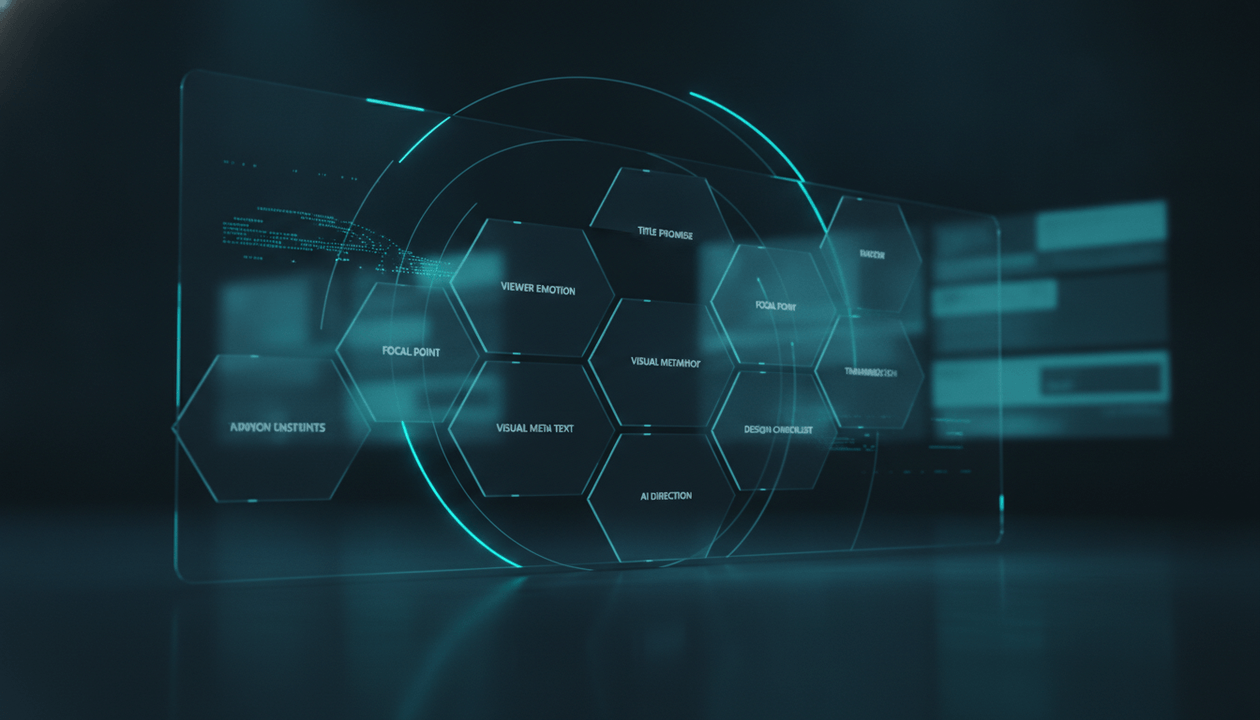
A strong thumbnail brief explains the title promise, viewer emotion, focal point, visual metaphor, proof element, text direction, style, constraints, and what the thumbnail must not imply.
That is how you avoid beautiful thumbnails that do not match the video.
That is how you avoid AI thumbnails that look polished but generic.
That is how you avoid clickbait that gets the click but damages trust.
This guide gives you a complete YouTube thumbnail brief template for creators, faceless YouTube teams, agencies, thumbnail designers, and AI-assisted production workflows.
Key Takeaways
- A YouTube thumbnail brief is a structured creative document that tells a designer or AI tool what the thumbnail needs to communicate before it is created.
- The best thumbnail briefs do not start with colors or style. They start with the viewer question, the title promise, and the emotional reason someone would click.
- A thumbnail should not repeat the title. It should complete the title by creating a visual question.
- Thumbnail briefs should define the focal point, emotion, contrast, visual metaphor, text, proof element, brand style, and constraints.
- YouTube’s own creator tools increasingly treat title and thumbnail as connected packaging. YouTube has expanded testing for titles and thumbnail/title combinations for eligible creators, with tests evaluated by watch time. Source: The Verge
- Misleading thumbnails are a real trust problem. YouTube has addressed egregious clickbait where titles or thumbnails promise something the video does not deliver, especially around current events. Source: The Verge
- AI thumbnail workflows need careful direction because creator backlash around AI thumbnail tools has shown that “inspired by successful creators” can cross ethical lines if it becomes copying, face-swapping, or mimicking someone else’s creative work. Source: Business Insider
- OverseerOS helps creators analyze thumbnail psychology, study successful videos, plan topics, generate scripts, and create thumbnail concepts based on proven visual patterns without copying another creator’s exact work.
What Is a YouTube Thumbnail Brief?
A YouTube thumbnail brief is a short creative document that explains what a thumbnail should communicate before anyone designs it.
It gives direction for:
- The title promise
- The viewer’s question
- The emotional hook
- The main visual idea
- The focal point
- The thumbnail text
- The visual style
- The proof element
- The brand constraints
- The ethical limits
- The versions to create
- The approval criteria
A weak thumbnail brief says:
Make a thumbnail about AI voiceover.
A strong thumbnail brief says:
The title is “AI Voiceover QA for YouTube.” The viewer should feel: “My AI narration might be hurting retention.” The thumbnail should show a polished voiceover dashboard with waveform, warning markers, and a creator production checklist. No robot faces. No fake YouTube logo. No readable tool names. Make it feel premium, serious, and workflow-driven.
That is usable direction.
Why Thumbnail Briefs Matter
Most thumbnail problems happen before design starts.
The title is unclear.
The visual idea is vague.
The script promise is not defined.
The designer does not know the audience.
The AI tool receives a generic prompt.
The founder gives feedback based on taste instead of strategy.
The final image looks nice but does not create the right click.
A thumbnail brief prevents that.
It aligns:
- Founder
- Strategist
- Writer
- Thumbnail designer
- AI image tool
- Editor
- Channel manager
- Client
- Sponsor manager
The point is not to control every pixel.
The point is to define what the thumbnail must achieve.
The Core Rule: The Thumbnail Should Complete the Title
A common mistake is making the thumbnail repeat the title.
Title:
AI Voiceover QA for YouTube
Bad thumbnail text:
AI Voiceover QA
That adds nothing.
Better thumbnail direction:
Show a clean waveform with warning markers and a production approval checklist.
Now the title says what the video is about, and the thumbnail shows why the viewer should care.
The title creates the subject.
The thumbnail creates the feeling.
Together, they create the click.
Title vs Thumbnail: What Each One Should Do
| Element | Job |
|---|---|
| Title | Defines the promise |
| Thumbnail | Makes the promise emotionally visible |
| Hook | Confirms the click immediately |
| Script | Delivers the promise |
| Edit | Keeps the promise watchable |
| Upload settings | Package the promise correctly |
When the title, thumbnail, hook, and script all point in different directions, the video feels broken.
When they all point at the same viewer question, the video feels intentional.
The YouTube Thumbnail Brief Template
Use this template before creating any thumbnail.
| Field | What to Fill In |
|---|---|
| Video title | The current working or final title |
| Target viewer | Who the thumbnail is trying to stop |
| Viewer question | What question should appear in the viewer’s head? |
| Core emotion | Fear, curiosity, urgency, trust, surprise, status, relief |
| Main visual idea | The central image concept |
| Focal point | The one thing the viewer should notice first |
| Visual metaphor | What the image represents |
| Proof element | What makes it feel real, specific, or credible |
| Thumbnail text | Optional 0 to 4 words |
| Style direction | Documentary, SaaS, premium, chaotic, clean, dark, bright |
| Color direction | Broad palette or contrast direction |
| Must include | Required elements |
| Must avoid | Things that would mislead, copy, clutter, or weaken |
| Reference patterns | Patterns to study, not copy |
| Variations needed | Number and direction of versions |
| Approval rule | What must be true before approval |
Example Thumbnail Brief
| Field | Example |
|---|---|
| Video title | YouTube Thumbnail Brief Template: How to Give Designers or AI Better Direction |
| Target viewer | YouTube creators, faceless channel operators, agencies, and creator teams |
| Viewer question | “Is my thumbnail process too random?” |
| Core emotion | Control, clarity, fear of wasted design work |
| Main visual idea | A premium thumbnail planning dashboard with title, viewer emotion, focal point, and approval gates |
| Focal point | A central thumbnail concept card being reviewed |
| Visual metaphor | Thumbnail creation as a production system, not a random design task |
| Proof element | Workflow cards, checklist gates, visual direction board |
| Thumbnail text | “BRIEF FIRST” or no text |
| Style direction | Premium SaaS, strategic, clean, dark, creator operations aesthetic |
| Color direction | Navy, cyan, subtle warning accent |
| Must include | Thumbnail brief cards, title/thumbnail connection, approval checklist |
| Must avoid | Real YouTube logo, creator faces, copyrighted thumbnails, fake CTR numbers, cluttered text |
| Reference patterns | Clean creator dashboard visuals, premium production workflow UI |
| Variations needed | 3 versions: workflow dashboard, before/after chaos, designer handoff |
| Approval rule | The thumbnail must make the viewer feel that better thumbnails start before design begins |
That is a real brief.
A designer can use it.
An AI tool can use it.
A founder can approve against it.
The 10-Part Thumbnail Brief Framework
Use this framework for every serious video.
| Part | Question |
|---|---|
| 1. Title Promise | What does the title promise? |
| 2. Viewer State | What is the viewer worried about or chasing? |
| 3. Emotional Trigger | What should the thumbnail make them feel? |
| 4. Visual Metaphor | What image represents the idea? |
| 5. Focal Point | What should the eye see first? |
| 6. Contrast | What tension makes the image interesting? |
| 7. Proof Element | What makes it feel specific or credible? |
| 8. Text | What words, if any, should appear? |
| 9. Constraints | What should not be shown? |
| 10. Variations | What concepts should be tested? |
This keeps thumbnail creation strategic.
Part 1: Title Promise
The thumbnail brief starts with the title.
Not the design style.
Not the colors.
Not the font.
The title.
Why?
Because the thumbnail must support the title promise.
Title Promise Questions
Ask:
- What is the video promising?
- What does the viewer expect after reading the title?
- What pain, desire, fear, or curiosity is the title activating?
- What would be dishonest to show?
- What would be too vague to show?
- What would make the title feel more clickable?
- What should the first 30 seconds of the video confirm?
Title Promise Examples
| Title | Promise |
|---|---|
| AI Voiceover QA for YouTube | Improve narration before publishing |
| YouTube Sponsor Pitch System | Get better brand deals with a repeatable process |
| YouTube Competitor Monitoring Report | Stop guessing and track weekly market signals |
| YouTube Content Approval Workflow | Review videos before weak work reaches publish |
| YouTube SOP Library | Scale production without chaos |
The thumbnail should make the promise visual.
Part 2: Viewer State
A thumbnail does not speak to everyone.
It speaks to a viewer in a specific state.
The viewer may be:
- Confused
- Curious
- Afraid of wasting time
- Worried about quality
- Trying to grow faster
- Trying to avoid mistakes
- Comparing tools
- Looking for a template
- Managing freelancers
- Trying to scale
- Trying to look professional
Viewer State Template
| Question | Answer |
|---|---|
| Who is this viewer? | |
| What are they trying to do? | |
| What are they afraid of? | |
| What have they tried already? | |
| What would make them stop scrolling? | |
| What would make them trust the video? |
Example
For a video about thumbnail briefs:
| Question | Answer |
|---|---|
| Who is this viewer? | Creator, agency, or faceless channel operator |
| What are they trying to do? | Get better thumbnails from designers or AI tools |
| What are they afraid of? | Paying for thumbnails that look good but do not match the title |
| What have they tried already? | Generic prompts, designer references, random revisions |
| What would make them stop scrolling? | Seeing thumbnail creation presented as a controllable system |
| What would make them trust the video? | A clear template, not vague design tips |
Now the design has a job.
Part 3: Emotional Trigger
Every thumbnail should create an emotional micro-reaction.
Not huge drama.
A small reaction.
Examples:
- “I might be doing this wrong.”
- “That looks useful.”
- “I want that system.”
- “That feels dangerous.”
- “That looks clean.”
- “I need to fix this.”
- “I did not think about it that way.”
- “This looks like the missing step.”
Common Thumbnail Emotions
| Emotion | When to Use |
|---|---|
| Curiosity | Explainers, documentaries, teardowns |
| Urgency | Trend, news, platform changes |
| Concern | Mistakes, risks, demonetization, sponsor safety |
| Relief | Templates, workflows, checklists |
| Status | Business, luxury, authority, premium systems |
| Surprise | Contrarian topics, hidden mechanisms |
| Trust | Tutorials, operational guides, software workflows |
| Tension | Before/after, problem/solution, old/new |
Emotional Trigger Example
Topic:
YouTube Thumbnail Brief Template
Weak emotion:
Design tips.
Strong emotion:
“My thumbnail process is too random, and this template gives me control.”
That is what the thumbnail should communicate.
Part 4: Visual Metaphor
A visual metaphor turns an abstract idea into an image.
This matters because many high-intent creator topics are abstract:
- workflow
- strategy
- approval
- research
- QA
- competitor monitoring
- sponsor pitching
- retention
- voiceover
- script structure
- content planning
You need a visual metaphor.
Visual Metaphor Examples
| Abstract Idea | Visual Metaphor |
|---|---|
| Thumbnail brief | Design control panel |
| Content approval | Production gate before publish |
| Script QA | Fact-check dashboard |
| Sponsor pitch | Brand deal pipeline |
| Competitor monitoring | Strategy radar |
| AI voiceover QA | Audio waveform with warning markers |
| SOP library | Operations manual or workflow map |
| Retention problem | Viewers dropping from a timeline |
| Title testing | Three title cards competing |
| AI slop | Polished video with hidden warning signs |
The thumbnail should not explain everything.
It should make the idea visible.
Part 5: Focal Point
A thumbnail needs one dominant focal point.
Not five.
Not a collage.
Not a mini-poster.
One thing the eye sees first.
Focal Point Options
| Focal Point | Best For |
|---|---|
| Human face | Emotional reaction, personal brands, drama |
| Object | Simple metaphor, clear topic |
| Dashboard | SaaS, workflow, creator operations |
| Warning symbol | Risk, mistake, failure, danger |
| Before/after split | Transformation |
| Text block | Simple strong message |
| Product screenshot | Tool tutorials, demos |
| Timeline | retention, process, workflow |
| File or checklist | SOPs, QA, templates |
| Money or deal card | sponsors, monetization |
Focal Point Rule
The viewer should understand the focal point in one second.
If the viewer has to study the thumbnail, it is too complex.
Part 6: Contrast
Contrast creates tension.
Not only color contrast.
Concept contrast.
Examples:
- Good vs bad
- Before vs after
- Fake vs real
- Chaos vs system
- Guessing vs proof
- Cheap vs premium
- AI slop vs controlled workflow
- Random design vs thumbnail brief
- Generic prompt vs strategic direction
- Views vs trust
Contrast Template
| Contrast Type | Example |
|---|---|
| Visual contrast | Messy design board vs clean brief dashboard |
| Emotional contrast | Panic vs control |
| Status contrast | Amateur workflow vs professional system |
| Risk contrast | Clickbait warning vs honest packaging |
| Time contrast | Old process vs new process |
| Quality contrast | Generic AI output vs directed creative brief |
For the thumbnail brief topic, the contrast is:
Random thumbnail requests vs clear creative direction.
That contrast should appear visually.
Part 7: Proof Element
A proof element makes the thumbnail feel specific.
It stops the image from feeling like generic AI art.
Proof elements can include:
- A checklist
- A dashboard
- A marked-up thumbnail
- A title card
- A design brief
- A workflow map
- An approval gate
- A file handoff
- A before/after comparison
- A visual scorecard
- A comments panel
- A sponsor card
- A script page
- A waveform
- A planner board
Proof Element Examples
| Topic | Proof Element |
|---|---|
| Thumbnail brief | Design brief card with visual direction blocks |
| Sponsor pitch | Brand deal pipeline and media kit card |
| Competitor monitoring | Breakout video tracker |
| Voiceover QA | Audio waveform with pronunciation checklist |
| Content approval | Review gate before upload |
| Script fact checker | Source log and claim checklist |
| SOP library | Operations board with process cards |
A good proof element makes the thumbnail feel grounded.
Part 8: Thumbnail Text
Thumbnail text is optional.
Not every thumbnail needs words.
When you use text, make it short.
Usually 0 to 4 words.
Thumbnail Text Rules
- Use fewer words.
- Do not repeat the title.
- Make the text create tension.
- Keep it readable on mobile.
- Avoid small subtitles.
- Avoid full sentences.
- Avoid fake numbers.
- Avoid words that need context.
- Make sure the script delivers the implication.
Good Thumbnail Text Examples
| Topic | Thumbnail Text |
|---|---|
| Thumbnail brief | BRIEF FIRST |
| AI voiceover QA | SOUNDS FAKE? |
| Sponsor pitch | BRAND DEALS |
| Content approval | NOT READY |
| Competitor monitoring | WATCHLIST |
| SOP library | SYSTEMS |
| Script fact checker | PROVE IT |
| AI content QA | AI SLOP? |
Bad Thumbnail Text Examples
- How to make better thumbnails
- Complete YouTube thumbnail workflow
- YouTube thumbnail brief template
- Best strategy for thumbnail designers
- Improve your YouTube CTR today
Too long. Too explanatory. Too much like a title.
The thumbnail text should sharpen the click, not replace the title.
Part 9: Constraints
Constraints protect the channel.
They tell the designer or AI tool what not to do.
This is especially important with AI-generated thumbnails.
Common Thumbnail Constraints
- No real YouTube logo.
- No copyrighted thumbnails.
- No real creator faces unless licensed or intentionally used.
- No fake screenshots.
- No fake platform UI.
- No fake CTR or revenue numbers.
- No misleading “before and after.”
- No public figure doing something they did not do.
- No copying a competitor’s exact layout.
- No text too small to read.
- No cluttered collage.
- No sponsor logo unless approved.
- No implying a claim the video does not prove.
AI thumbnail tools can create polished images that accidentally imply false things.
The brief must prevent that.
Part 10: Variations
Do not ask for one thumbnail.
Ask for concepts.
The first concept is rarely the best.
Variation Types
| Variation | Purpose |
|---|---|
| Concept A | Direct workflow angle |
| Concept B | Problem/chaos angle |
| Concept C | Premium system angle |
| Concept D | Risk/warning angle |
| Concept E | Before/after angle |
For a thumbnail brief video:
| Version | Direction |
|---|---|
| A | Clean thumbnail brief dashboard |
| B | Messy designer feedback turning into structured brief |
| C | AI thumbnail prompt failing vs strategic brief winning |
| D | Warning gate before bad thumbnail goes live |
| E | Title and thumbnail puzzle pieces locking together |
You are not testing random images.
You are testing different click questions.
The Complete YouTube Thumbnail Brief Template
Use this for every video.
| Section | Fill This In |
|---|---|
| Video title | |
| Target viewer | |
| Viewer state | |
| Title promise | |
| Viewer question | |
| Core emotion | |
| Main visual idea | |
| Visual metaphor | |
| Focal point | |
| Contrast | |
| Proof element | |
| Thumbnail text | |
| Style direction | |
| Color direction | |
| Must include | |
| Must avoid | |
| Ethical constraints | |
| Reference patterns | |
| Variations needed | |
| Mobile readability rule | |
| Approval owner | |
| Approval rule |
Filled Example: AI Voiceover QA Thumbnail Brief
| Section | Example |
|---|---|
| Video title | AI Voiceover QA for YouTube: Checklist for Better Narration |
| Target viewer | Faceless YouTube creators using AI voiceover |
| Viewer state | Worried their narration sounds robotic or cheap |
| Title promise | A QA checklist for better AI narration |
| Viewer question | “Is my AI voice hurting my videos?” |
| Core emotion | Concern and control |
| Main visual idea | AI voiceover dashboard with waveform and QA warnings |
| Visual metaphor | Voiceover as a production system |
| Focal point | Waveform with warning markers |
| Contrast | Polished audio file vs hidden quality problems |
| Proof element | Pronunciation, pacing, emotion checklist cards |
| Thumbnail text | SOUNDS FAKE? |
| Style direction | Premium SaaS, clean, dark, creator workflow |
| Color direction | Navy, cyan, subtle red warning accents |
| Must include | Waveform, checklist, audio review interface |
| Must avoid | Robot head, fake YouTube logo, clutter |
| Ethical constraints | Do not imply impersonation of a real person |
| Reference patterns | Clean creator dashboard visuals |
| Variations needed | Warning dashboard, mobile review, before/after voice file |
| Mobile readability rule | One focal point and maximum 2 words |
| Approval owner | Founder or thumbnail lead |
| Approval rule | The thumbnail must instantly communicate that AI voiceover quality needs review before publishing |
Filled Example: Sponsor Pitch Thumbnail Brief
| Section | Example |
|---|---|
| Video title | YouTube Sponsor Pitch System: How to Get Better Brand Deals |
| Target viewer | Creators and faceless channels trying to monetize with sponsors |
| Viewer state | Wants brand deals but does not know how to pitch professionally |
| Title promise | A repeatable system for sponsor outreach and renewals |
| Viewer question | “Can I turn my channel into a brand deal asset?” |
| Core emotion | Opportunity and professionalism |
| Main visual idea | Sponsor pipeline dashboard with brand cards and media kit |
| Visual metaphor | Brand deals as a sales pipeline |
| Focal point | Sponsorship deal card moving through pipeline |
| Contrast | Random cold emails vs structured sponsor system |
| Proof element | Media kit preview, package cards, campaign report |
| Thumbnail text | BRAND DEALS |
| Style direction | Premium creator business, SaaS dashboard |
| Color direction | Navy, cyan, green success accent |
| Must include | Pipeline, media kit, deal card |
| Must avoid | Fake brand logos, fake revenue numbers, real logos without permission |
| Ethical constraints | Do not imply guaranteed sponsor income |
| Reference patterns | Sales dashboard, media kit, creator business visuals |
| Variations needed | Pipeline, media kit, sponsor email workflow |
| Mobile readability rule | Deal card must be visible at small size |
| Approval owner | Founder or sponsor manager |
| Approval rule | Thumbnail should make the viewer feel sponsorship is a system, not luck |
Thumbnail Brief for AI Tools
AI thumbnail tools need even clearer briefs than human designers.
A human designer can ask follow-up questions.
AI usually gives you what you asked for, even if you asked badly.
AI Thumbnail Prompt Structure
Use this structure:
| Prompt Part | Purpose |
|---|---|
| Scene | What the image should show |
| Subject | Main focal point |
| Emotion | What the viewer should feel |
| Style | Visual direction |
| Composition | Layout and focus |
| Constraints | What not to include |
| Output | Aspect ratio, no readable text if needed |
AI Thumbnail Prompt Template
| Field | Direction |
|---|---|
| Scene | A premium creator workflow dashboard for planning YouTube thumbnails |
| Subject | A central thumbnail brief card connected to title, emotion, focal point, and approval checklist |
| Emotion | Strategic control, not random guessing |
| Style | Dark premium SaaS editorial, cinematic, clean |
| Composition | One central focal point, simple readable layout, high contrast |
| Constraints | No real YouTube logo, no readable text, no real creator faces, no copyrighted thumbnails, no fake analytics numbers |
| Output | 16:9 thumbnail hero image |
Do not use internal product names, real creator names, or copyrighted thumbnail references unless you have the rights and a good reason.
AI Thumbnail Ethics: Pattern Inspiration vs Copying
AI thumbnail tools create a new risk.
Creators want “proven” thumbnails.
But proven does not mean free to copy.
In 2025, MrBeast removed an AI thumbnail generator from Viewstats after backlash from creators who objected to a tool that could mimic existing thumbnail artwork and swap faces. Source: Business Insider
That controversy matters because it shows where the line is.
Do Not Copy
- Exact composition
- Exact text
- Exact face
- Exact background
- Exact color system
- Exact prop layout
- Exact screenshot
- Exact creator identity
- Exact thumbnail concept from one creator
Model Responsibly
- Emotional structure
- Simplicity
- Focal point
- Contrast
- Visual hierarchy
- Category language
- Proof element
- Click question
- Problem/solution framing
- Pattern across many examples
A strong thumbnail brief should say:
Study the pattern, not the person.
That protects originality and brand trust.
Thumbnail Brief for Human Designers
Human designers need fewer prompt words and more decision context.
Do not overload the designer with 500 random instructions.
Give them the strategy.
Designer Brief Structure
| Section | What the Designer Needs |
|---|---|
| Video goal | Why this video exists |
| Viewer emotion | What the thumbnail should make the viewer feel |
| Title | Current title |
| Main concept | The visual idea |
| Must include | Required objects or themes |
| Must avoid | Anything misleading or off-brand |
| References | Pattern references, not exact copies |
| Deliverables | Number of concepts and sizes |
| Deadline | When drafts are due |
| Review criteria | How it will be judged |
Designer Feedback Rules
Bad feedback:
- “Make it pop.”
- “More viral.”
- “I don’t like it.”
- “Can you make it better?”
- “Looks too boring.”
Good feedback:
- “The focal point is unclear on mobile.”
- “The thumbnail repeats the title instead of adding a visual question.”
- “The emotion feels too playful for a serious topic.”
- “The red warning symbol makes it look like a scandal, but the video is a workflow guide.”
- “The AI dashboard is useful, but it needs one stronger focal point.”
- “The concept is good, but the text is too small.”
Good feedback is tied to the brief.
Thumbnail Brief for Faceless YouTube Channels
Faceless channels rely heavily on packaging.
The viewer often does not know the creator personally, so the thumbnail has to carry more of the click.
A faceless thumbnail brief should focus on:
- Concept clarity
- Emotional promise
- Visual metaphor
- Trust
- Proof
- Originality
- Mobile readability
- Consistent channel identity
Faceless Thumbnail Brief Checklist
- The thumbnail does not depend on a known creator face.
- The focal point is clear without personal branding.
- The emotion is visible through objects, contrast, or scene.
- The thumbnail supports the title promise.
- The image feels original, not generic AI art.
- The style can repeat across the channel.
- The concept is understandable on mobile.
- The thumbnail does not imply fake evidence.
- The visual metaphor is specific to the video.
- The viewer knows why to click.
Faceless thumbnails can still feel premium.
They just need stronger visual ideas.
Thumbnail Brief for Agencies
Agencies need thumbnail briefs because they manage approval across multiple people.
Without a brief, the client gives taste-based feedback.
The strategist gives performance-based feedback.
The designer gives visual feedback.
The editor gives production feedback.
Nobody is judging the same thing.
A thumbnail brief creates one standard.
Agency Thumbnail Brief Workflow
| Stage | Owner | Output |
|---|---|---|
| Topic approval | Strategist | Approved topic |
| Title direction | Strategist or writer | Working title |
| Thumbnail brief | Strategist or creative lead | Creative brief |
| Concept design | Designer or AI operator | 3 to 5 concepts |
| Internal review | Creative lead | Shortlist |
| Client review | Client or founder | Approved concept |
| Final polish | Designer | Final thumbnail |
| Upload QA | Channel manager | Correct file attached |
| Performance review | Strategist | Lessons for next brief |
Agency Approval Rule
The client should approve against the brief, not personal taste.
Ask:
Does this thumbnail communicate the approved viewer question?
That is better than:
Do you like it?
Thumbnail Brief for Sponsors
Sponsored videos need extra thumbnail care.
The sponsor may want their product or logo shown.
That can work, but it can also hurt the click or create approval risk.
Sponsored Thumbnail Questions
Ask:
- Does the sponsor need to appear in the thumbnail?
- Is the video a sponsor integration or a dedicated video?
- Is the sponsor logo approved for thumbnail use?
- Does the thumbnail make a claim about the sponsor?
- Does the visual imply a result the video does not prove?
- Does sponsor branding reduce click appeal?
- Does the thumbnail still serve the viewer first?
- Has the sponsor approved the visual if required?
Sponsored Thumbnail Brief Template
| Field | Notes |
|---|---|
| Sponsor | |
| Video type | Integration or dedicated |
| Sponsor thumbnail requirement | Logo, product, no requirement |
| Approved claims | |
| Forbidden claims | |
| Visual role of sponsor | Main subject, supporting element, not shown |
| Disclosure notes | |
| Approval owner | |
| Final sponsor review needed | Yes or no |
A sponsored thumbnail should not become an ad banner unless the video itself is built for that.
Thumbnail Truth Check
A thumbnail can be dramatic.
It should not be dishonest.
YouTube has addressed egregious clickbait where the title or thumbnail promises something the video does not deliver, especially around news or current events. Source: The Verge
The operational rule is simple:
The thumbnail can create curiosity, but the video must satisfy the curiosity honestly.
Thumbnail Truth Checklist
- Does the thumbnail imply an event that actually happened?
- Does the thumbnail imply a person said or did something?
- Does the video prove that implication?
- Does the thumbnail exaggerate a result?
- Does the thumbnail use a fake screenshot?
- Does the thumbnail imply a platform warning or ban?
- Does the thumbnail imply revenue or performance numbers?
- Does the title and hook deliver on the visual promise?
- Would a viewer feel tricked after watching?
- Would the thumbnail still feel fair if the viewer pauses at the end?
If the answer creates doubt, change the thumbnail.
Short-term clicks are not worth long-term trust damage.
Thumbnail Brief Scorecard
Score your thumbnail brief before design starts.
| Criteria | Score 1 to 5 |
|---|---|
| Title promise is clear | |
| Viewer question is specific | |
| Emotion is defined | |
| Visual metaphor is strong | |
| Focal point is clear | |
| Contrast is strong | |
| Proof element is specific | |
| Text direction is clear | |
| Constraints are clear | |
| Variations are useful |
Score Meaning
| Total Score | Decision |
|---|---|
| 40 to 50 | Ready for design |
| 30 to 39 | Needs sharper focal point or emotion |
| 20 to 29 | Too vague, rewrite the brief |
| Under 20 | Do not design yet |
A weak brief creates weak thumbnails.
Fix the brief first.
Thumbnail Approval Checklist
Use this before uploading.
Strategy Fit
- Thumbnail supports the title promise.
- Thumbnail creates a clear viewer question.
- Thumbnail emotion matches the video.
- Thumbnail does not repeat the title lazily.
- Thumbnail matches the hook.
- Thumbnail fits the channel identity.
Visual Clarity
- One focal point.
- Clear visual hierarchy.
- Strong contrast.
- Text is readable if used.
- Not cluttered.
- Works on mobile.
- Looks intentional at small size.
Truth and Trust
- No fake event.
- No fake screenshot.
- No misleading person/face implication.
- No unsupported result.
- No fake platform warning.
- No copied competitor thumbnail.
- No sponsor claim without approval.
- Video delivers the visual promise.
Production Fit
- Correct aspect ratio.
- Final file exported correctly.
- Correct version used.
- Approved by owner.
- Stored in the right project folder.
- Added to upload checklist.
- Ready for thumbnail/title testing if available.
How OverseerOS Helps With Thumbnail Briefs
Thumbnail briefs are stronger when they are built from evidence.
That is where OverseerOS fits.
OverseerOS helps creators reverse-engineer successful channels, study viral videos, understand title and thumbnail patterns, plan topics, write scripts, and create visual concepts from proven YouTube signals.
OverseerOS Channel Analyzer helps creators study public channel performance, top-performing videos, content strategy, upload patterns, and engagement signals before choosing what to make.
OverseerOS Viral X-Ray helps creators analyze individual videos so they can understand title structure, hook patterns, outline flow, engagement signals, and thumbnail psychology.
OverseerOS Thumbnail Analyzer helps creators understand what makes thumbnails effective by reviewing visual patterns, emotional triggers, composition, and click potential.
OverseerOS Thumbnail Concept Creator helps creators generate thumbnail ideas from the video topic, title, and visual direction instead of starting from a blank prompt.
OverseerOS Smart Content Planner helps creators organize topics, competitor inspiration, reference videos, scripts, voiceovers, and production statuses so the thumbnail brief stays connected to the larger workflow.
OverseerOS AI YouTube Script Studio helps creators move from topic to outline to script with Creator DNA tone, hook workflows, retention commands, Add Evidence commands, Add Proof Safely commands, voiceover handoff, thumbnail handoff, and planner saving.
The key is not to copy a winning thumbnail.
The key is to understand why the thumbnail worked, then create an original thumbnail brief that matches your title, viewer, and video promise.
You can explore the research side here: OverseerOS AI YouTube Channel Analyzer
And if you want to move from script and voiceover into a structured faceless video workflow, you can explore OverseerOS Auto Edit for faceless YouTube videos.
Thumbnail Brief Workflow for Creator Teams
Use this workflow for every video.
| Stage | Owner | Output |
|---|---|---|
| Topic approval | Founder or strategist | Approved video idea |
| Title direction | Writer or strategist | Working title |
| Thumbnail brief | Strategist or founder | Creative direction |
| Concept generation | Designer or AI operator | 3 to 5 concepts |
| Concept review | Founder or thumbnail lead | Shortlist |
| Final design | Designer | Approved thumbnail |
| Upload QA | Channel manager | Correct thumbnail attached |
| Post-publish review | Strategist | Packaging lesson |
The thumbnail should not be a last-minute upload asset.
It should be part of the strategy from the beginning.
The 15-Minute Thumbnail Brief Sprint
Use this when you need to brief fast.
Minute 0 to 2: Confirm the Title Promise
Write one sentence:
This video promises to help [viewer] achieve or avoid [specific thing].
Minute 2 to 4: Define the Viewer Question
Write:
The thumbnail should make the viewer wonder: [question].
Minute 4 to 6: Pick the Emotion
Choose one:
- curiosity
- concern
- urgency
- relief
- trust
- surprise
- status
- tension
Minute 6 to 8: Choose the Visual Metaphor
Pick one image idea that makes the abstract topic visible.
Minute 8 to 10: Define the Focal Point
Choose the one thing the eye should see first.
Minute 10 to 12: Add Constraints
List what not to show.
Minute 12 to 15: Create Three Variations
Write three concept directions:
- direct concept
- risk concept
- premium system concept
That is enough to start.
Common Thumbnail Brief Mistakes
Mistake 1: Starting With Style Instead of Strategy
“Make it dark and cinematic” is not a brief.
Fix:
Start with the title promise, viewer question, and emotional trigger.
Mistake 2: Repeating the Title in the Thumbnail
If the title and thumbnail say the same thing, one of them is wasted.
Fix:
Use the thumbnail to add visual tension, not duplicate words.
Mistake 3: Giving AI a Generic Prompt
Generic prompts create generic thumbnails.
Fix:
Include focal point, emotion, metaphor, constraints, and what not to show.
Mistake 4: Copying a Competitor’s Thumbnail Too Closely
That creates ethical, brand, and originality risk.
Fix:
Model patterns across multiple examples, not one creator’s exact execution.
Mistake 5: No Mobile Test
Most thumbnails are seen small.
Fix:
Zoom out or view the thumbnail on mobile before approval.
Mistake 6: Too Many Ideas in One Image
A thumbnail is not a poster.
Fix:
One focal point. One emotion. One click question.
Mistake 7: No Truth Check
The thumbnail gets clicks but the video does not deliver.
Fix:
Run the Thumbnail Truth Checklist before upload.
Final Verdict: Better Thumbnails Start Before Design
A great thumbnail is not created at the end of the workflow.
It starts before design.
It starts when the team understands:
- who the viewer is
- what the title promises
- what emotion should be triggered
- what question the thumbnail should create
- what visual metaphor makes the idea clear
- what proof element makes it specific
- what constraints protect trust
- what variations are worth testing
That is what a thumbnail brief does.
It turns thumbnail creation from guessing into direction.
It helps designers make better decisions.
It helps AI tools create less generic images.
It helps founders give better feedback.
It helps teams avoid misleading visuals.
It helps the final video feel more intentional.
The goal is not to make thumbnails louder.
The goal is to make thumbnails clearer, sharper, more truthful, and more connected to the video promise.
That is how you build packaging that earns clicks without sacrificing trust.
And if you want to build thumbnail briefs from proven YouTube patterns instead of random design guesses, OverseerOS helps you analyze successful channels, study viral videos, understand thumbnail psychology, plan topics, create scripts, and move each idea through a stronger production workflow.
FAQ
What is a YouTube thumbnail brief?
A YouTube thumbnail brief is a creative document that explains what a thumbnail should communicate before it is designed. It usually includes the title promise, target viewer, viewer question, core emotion, visual metaphor, focal point, thumbnail text, style direction, constraints, and approval criteria.
Why do YouTube creators need a thumbnail brief?
YouTube creators need thumbnail briefs because vague instructions create vague thumbnails. A brief helps designers, AI tools, founders, and teams align around the same click promise before design starts.
What should be included in a YouTube thumbnail brief?
A strong YouTube thumbnail brief should include the video title, target viewer, title promise, viewer question, core emotion, main visual idea, focal point, contrast, proof element, thumbnail text, style direction, must-include items, must-avoid items, reference patterns, variations, and approval rule.
How do I brief a thumbnail designer?
Give the designer the strategy, not just style preferences. Explain the title promise, viewer emotion, visual idea, focal point, constraints, references, number of concepts needed, deadline, and how the thumbnail will be judged.
How do I write a prompt for an AI YouTube thumbnail?
Write the AI prompt with a clear scene, subject, emotion, style, composition, constraints, and output format. Avoid asking AI to copy a specific creator, use real logos, create fake screenshots, or mimic copyrighted thumbnails.
Should a YouTube thumbnail repeat the title?
Usually, no. The thumbnail should complete the title, not repeat it. The title defines the promise, while the thumbnail makes that promise emotionally visible.
How many words should be on a YouTube thumbnail?
Many thumbnails work best with 0 to 4 words. The words should be large, readable, and different from the title. Avoid full sentences and small text that disappears on mobile.
What makes a thumbnail misleading?
A thumbnail becomes misleading when it implies something the video does not deliver, such as a fake event, fake screenshot, fake result, false person reaction, unsupported claim, or visual promise that the script never proves.
How does OverseerOS help with YouTube thumbnails?
OverseerOS helps creators analyze successful channels, study viral videos, understand thumbnail psychology, generate thumbnail concepts, plan topics, write scripts, and connect thumbnail direction to the larger YouTube production workflow.
What is the biggest thumbnail brief mistake?
The biggest mistake is starting with design style instead of viewer strategy. A thumbnail brief should begin with the title promise, viewer question, emotional trigger, visual metaphor, and focal point before talking about colors or fonts.