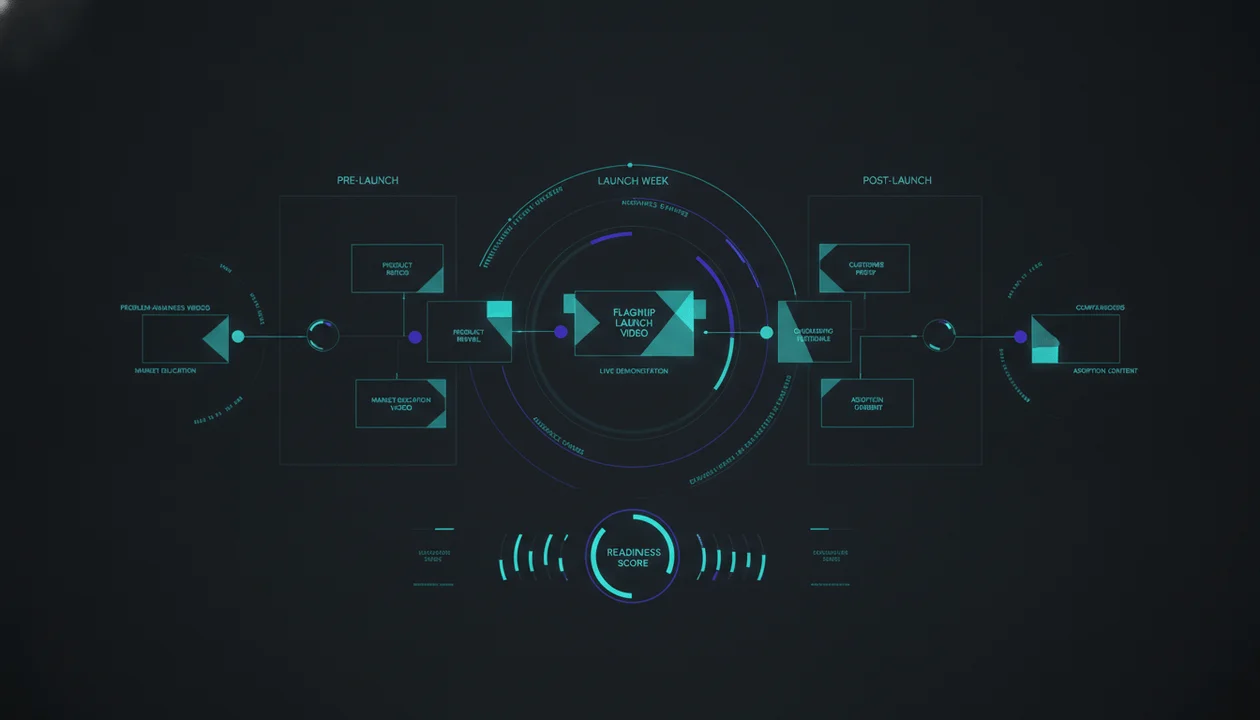
A product launch should not begin with one polished announcement video published on launch day.
By the time that video appears, the audience should already understand:
- The problem
- Why the problem matters now
- Why existing solutions fall short
- What changed
- Who the new product is for
- What result it creates
- Why the company is credible
- What the viewer should do next
That understanding is built through a sequence of videos before, during, and after the launch.
The strongest YouTube product launch content plan does not treat YouTube as a place to upload a commercial. It uses YouTube to create demand, educate the market, prove the product, answer objections, support adoption, and build an evergreen content library that keeps working after launch week ends.
This guide gives you a complete 90-day YouTube product launch plan covering:
- The seven jobs launch content must perform
- A day-by-day strategic timeline
- Pre-launch, launch, and post-launch video ideas
- SaaS, ecommerce, creator-product, and service examples
- Launch video scripts and structures
- Title and thumbnail strategies
- YouTube Premieres, live streams, posts, playlists, cards, and end screens
- Conversion paths
- Metrics and attribution
- A 100-point launch readiness score
- A complete planning template
- A workflow for operating the campaign inside OverseerOS
Key Takeaways
- Your launch video is one part of the campaign, not the entire campaign.
- Begin creating demand before introducing the product.
- Most pre-launch videos should focus on the viewer’s problem, desired outcome, and failed alternatives.
- Reveal the product only after the audience understands why it needs to exist.
- Launch week should combine announcement, proof, demonstration, interaction, and conversion content.
- Post-launch content is where objections, implementation questions, comparisons, customer results, and adoption opportunities become visible.
- Do not make every launch video promotional. Useful educational content earns the attention that promotional content later converts.
- The flagship launch video should connect the product to a meaningful change in the viewer’s situation.
- One product usually needs several videos because buyers have different questions, awareness levels, use cases, and objections.
- Build every video with a defined audience, content job, CTA, next video, and measurement plan.
- Use YouTube-specific tools such as Premieres, posts, playlists, cards, end screens, and title-thumbnail testing deliberately rather than adding them automatically.
- OverseerOS helps teams research proven content patterns, organize the launch calendar, develop scripts and packaging, create platform-native distribution assets, and analyze connected-channel performance.
What Is a YouTube Product Launch Content Plan?
A YouTube product launch content plan is a coordinated sequence of videos designed to support a product before, during, and after its release.
It defines:
- Who each video targets
- Which question it answers
- Where it sits in the launch timeline
- Which stage of awareness it serves
- What format it uses
- What proof it provides
- Which CTA it contains
- Which video should follow it
- How performance will be evaluated
The plan may include:
- Problem-awareness videos
- Market or category explainers
- Founder stories
- Product announcements
- Product demos
- Use-case tutorials
- Comparisons
- Customer stories
- Behind-the-scenes videos
- Live demonstrations
- YouTube Premieres
- Shorts
- Community posts
- FAQs
- Objection-handling videos
- Onboarding videos
- Product-update videos
The goal is not to mention the product as many times as possible.
The goal is to move the right viewer from indifference to understanding, from understanding to trust, and from trust to action.
Why One Product Launch Video Is Not Enough
A single launch video is usually expected to do too many jobs.
It must supposedly:
- Introduce the problem
- Explain the market
- Reveal the product
- Demonstrate the interface
- Tell the company story
- Address objections
- Compare alternatives
- Show proof
- Explain pricing
- Drive conversion
- Support current customers
- Satisfy the YouTube audience
The result is often a six-minute advertisement with no clear audience.
Different viewers need different information.
| Viewer | Primary Question |
|---|---|
| Problem-unaware viewer | Why should I care? |
| Problem-aware viewer | Why does this keep happening? |
| Solution-aware viewer | Which type of solution works? |
| Product-aware viewer | Why should I choose this product? |
| High-intent buyer | Is it worth the cost and effort? |
| New customer | How do I get the result? |
| Existing customer | What changed and how should I use it? |
One video can move a viewer one or two steps.
A content system moves different viewers through the complete journey.
Your Audience Does Not Care That You Launched
A launch matters internally because the team has spent months or years building the product.
The audience did not experience that work.
It cares about the launch only when the product changes something meaningful:
- A frustrating task becomes easier
- An expensive process becomes cheaper
- A slow workflow becomes faster
- A confusing decision becomes clearer
- A previously inaccessible result becomes possible
- A risk becomes easier to avoid
- A customer gains a competitive advantage
- A creator can produce something they could not produce before
Weak launch message:
We are excited to announce our revolutionary new platform.
Stronger launch message:
Small YouTube teams can now move from a finished script and voiceover to a structured faceless video workflow without assembling every scene manually.
The first sentence announces an internal event.
The second explains why the event matters.
Define the Type of Launch Before Planning Content
Not every launch needs the same campaign.
1. New Product Launch
A genuinely new product often requires the most education.
The audience may need to understand:
- The problem
- The category
- The mechanism
- The use case
- The product
- The proof
- The implementation
Recommended campaign depth:
High
2. Major Feature Launch
A major feature may expand what an existing product can do.
The campaign should explain:
- Which existing limitation it removes
- Who benefits most
- What workflow changes
- How it compares with the old process
- How current customers can adopt it
Recommended campaign depth:
Moderate to high
3. Minor Feature Release
A small feature rarely deserves a 90-day campaign.
Use:
- One focused video
- A Short
- A Community post
- Documentation
- An email
- A product update
Recommended campaign depth:
Low
4. Product Relaunch or Repositioning
The product already exists, but the company is changing:
- Its audience
- Its promise
- Its category
- Its pricing
- Its use case
- Its brand
- Its delivery model
The content must explain why the new position is more relevant without confusing existing customers.
Recommended campaign depth:
High
5. Beta or Waitlist Launch
A beta campaign should attract qualified testers rather than the largest possible audience.
Use content to identify viewers who:
- Experience the target problem
- Can provide useful feedback
- Understand the category
- Will tolerate early limitations
- Match the future customer profile
Recommended campaign depth:
Focused
6. Seasonal or Limited Launch
Examples include:
- Cohort-based courses
- Events
- Limited product drops
- Annual memberships
- Seasonal collections
- Time-sensitive offers
The campaign needs a stronger deadline and compressed conversion path.
Recommended campaign depth:
Time-sensitive
The Seven Jobs of Product Launch Content
Every video in the plan should perform at least one defined job.
Job 1: Expose the Problem
Help the audience recognize the problem.
Examples:
- Why Your AI Scripts All Sound the Same
- The Hidden Cost of Managing Content Across Seven Tools
- Why Most Product Demos Lose the Buyer in the First Minute
- Your Team Does Not Need More Content Ideas. It Needs Better Decisions.
The viewer should think:
That is exactly what is happening to me.
Job 2: Increase the Stakes
Explain why the problem matters now.
Possible stakes include:
- Lost time
- Wasted production budget
- Missed demand
- Competitive pressure
- Poor customer experience
- Increasing complexity
- Market change
- New platform behavior
- Team bottlenecks
Example:
A weak topic decision does not cost only one upload. It wastes the script, thumbnail, voiceover, editing, and publishing budget attached to it.
Job 3: Reframe the Solution
Show why the normal approach fails.
Examples:
- More ideas are not the same as better ideas.
- Faster AI output is not useful when the strategy is wrong.
- A polished demo cannot rescue an irrelevant product promise.
- Repurposing one message unchanged across every platform weakens distribution.
- A larger content calendar does not create a stronger content system.
This stage creates space for a different mechanism.
Job 4: Introduce the Mechanism
Explain the new way of solving the problem without turning the video into a commercial.
Examples:
- Evidence-backed topic validation
- Script-first video production
- Audience-language research
- Platform-native distribution
- Baseline-relative competitor analysis
- Workflow-driven content planning
The mechanism should be understandable even when the viewer has never seen the product.
Job 5: Prove the Product
Show:
- What the product does
- How the workflow operates
- Which result it creates
- Who it is for
- What its limitations are
- How it compares with alternatives
Useful proof formats include:
- Real demonstrations
- Before-and-after examples
- Customer stories
- Experiments
- Workflow breakdowns
- Comparisons
- Transparent limitations
Job 6: Remove Friction
Answer the questions preventing action.
Examples:
- Is it difficult to set up?
- Does it work for my niche?
- What does it replace?
- What access does it need?
- How much time does it save?
- Can my team use it?
- What happens to my existing workflow?
- Which plan do I need?
- What does it not do?
Job 7: Support Adoption
The launch does not end when someone clicks the product link.
Post-launch content should help customers:
- Get started
- Reach the first useful result
- Understand the workflow
- Avoid common mistakes
- Discover advanced use cases
- Connect multiple features
- Share feedback
- Continue using the product
A launch that produces signups without activation has not completed the job.
The 90-Day YouTube Product Launch Framework
This framework covers an exact 90-day window:
- Days -60 to -31: Build problem awareness
- Days -30 to -8: Build category understanding and proof
- Days -7 to 0: Reveal and launch
- Days +1 to +29: Drive adoption and compound demand
Day 0 is launch day.
The framework is a starting point, not an official YouTube requirement. Adjust the volume to the product, market, audience size, production capacity, and launch risk.
Phase 1: Days -60 to -31
Goal: Make the Problem Visible
Do not open this phase by repeatedly teasing a secret product.
Most viewers do not care about a mystery they have no reason to solve.
Use the first 30 days to establish:
- The problem
- The audience
- The cost
- The market change
- The failed approaches
- The desired outcome
Recommended Content Jobs
- Problem education
- Market analysis
- Voice of Customer content
- Failed-solution analysis
- Trend interpretation
- Audience research
- Competitive context
Video 1: The Problem Diagnosis
Explain the painful situation clearly.
Examples:
- Why Your Content Team Still Feels Slow After Adding AI
- The Real Reason Your YouTube Workflow Keeps Breaking
- Why Most Product Launch Videos Feel Like Ads
- Why Your Customer Research Never Reaches the Content Team
CTA:
Watch the next video to understand the hidden cause.
Do not force the product into the first CTA.
Video 2: The Cost of the Old Method
Quantify or demonstrate the consequences where reliable evidence is available.
Examples:
- I Audited Our Entire Content Workflow. Here Is Where the Time Disappeared.
- The Seven-Tool Workflow That Made One Video Harder to Produce
- What a Bad YouTube Topic Actually Costs
- Why Rewriting Generic AI Content Is More Expensive Than It Looks
CTA:
Download the checklist, join the waitlist, or watch the related breakdown.
Video 3: The Market Shift
Explain what changed.
Examples:
- Why AI Content Is Moving From Generation to Judgment
- The New YouTube Workflow Small Teams Are Building
- Why Product Education Is Becoming a Growth Channel
- The End of One-Size-Fits-All Content Repurposing
The product should feel connected to a real shift rather than manufactured urgency.
Video 4: The Failed Solutions
Show why common approaches fail.
Examples:
- Five Ways Teams Try to Fix Content Operations and Why They Break
- Why More AI Tools Made Our Workflow Worse
- Why Keyword Research Alone Cannot Build a YouTube Strategy
- The Problem With Launching From One Demo Video
CTA:
Introduce the alternative mechanism, not necessarily the product.
Phase 2: Days -30 to -8
Goal: Build Category Understanding and Proof
The audience now understands the problem.
The next phase explains:
- The better approach
- The mechanism
- The category
- The use cases
- The early proof
- The strategic difference
This is where the product can begin entering the story naturally.
Video 5: The New Framework
Teach the method behind the product.
Example:
The Evidence-Backed YouTube Workflow: Research, Package, Script, Produce, Measure
A strong framework video can rank and generate trust long after the launch.
Video 6: The Build-in-Public Story
Show selected parts of the journey:
- Why the product was built
- Which problem triggered it
- Which alternatives failed
- What the team learned
- Which customer behavior changed the direction
- Which difficult decision shaped the product
Avoid creating a founder diary that matters only to the founder.
Connect every behind-the-scenes moment to the viewer’s problem.
Weak:
Here is what our team did this week.
Stronger:
We removed half the workflow after watching where creators actually got stuck.
Video 7: The Use-Case Demonstration
Demonstrate the mechanism on a real task.
Examples:
- I Used Public Channel Evidence to Plan 30 Original Video Ideas
- Turning One Webinar Into Platform-Native Posts
- From Finished Voiceover to a Structured Faceless Video
- Building a Product Launch Content Calendar From Customer Questions
At this stage, the product may be visible without a hard sales push.
Video 8: The Alternative Comparison
Compare approaches fairly.
Examples:
- Spreadsheet vs Dedicated Content Planner
- Generic AI Chatbot vs YouTube Intelligence Platform
- Manual Repurposing vs Platform-Native Distribution
- Freelancer Stack vs Integrated Production Workflow
A comparison should identify:
- Best-fit user
- Strengths
- Weaknesses
- Costs beyond price
- Setup complexity
- Limitations
- Decision criteria
Do not create a comparison designed to make every alternative look absurd.
Video 9: Early Customer or Beta Proof
Possible formats:
- Customer interview
- Workflow case study
- Before-and-after
- Team reaction
- Implementation diary
- First-results analysis
Be precise about what the evidence proves.
Do not turn one successful result into a universal outcome claim.
Video 10: The Objection Preview
Address the biggest concern before launch.
Examples:
- Will This Replace My Editor?
- Does This Work Outside the AI Niche?
- Is This Only for Large Channels?
- How Much Setup Does the Workflow Require?
- What Happens to My Existing Projects?
The strongest launch campaigns answer objections before the purchase page must answer them alone.
Phase 3: Days -7 to 0
Goal: Reveal, Demonstrate, and Convert
This phase should feel more concentrated.
The audience should now understand:
- The problem
- The new mechanism
- The product’s role
- The expected result
- The launch date
- The next action
Day -7: The Official Reveal
The reveal video should answer:
- What is launching?
- Who is it for?
- Which problem does it solve?
- How is it different?
- When is it available?
- What should the viewer do now?
Example title:
We Built the YouTube Operating System We Could Not Find
Alternative search-led title:
Introducing [Product]: A New Workflow for [Specific Outcome]
The first title is more story-driven.
The second is more explicit.
Choose according to the existing audience and discovery source.
Day -5: The Complete Product Demo
The demo should not begin by touring the navigation.
Begin with the result.
Recommended structure:
- Show the final outcome.
- Define the viewer and problem.
- Show the starting input.
- Complete one realistic workflow.
- Explain the key decisions.
- Show the output.
- Clarify limitations.
- Explain the next step.
For a detailed script framework, use the product demo video script guide.
Day -3: The Founder or Product Story
The story should answer:
- Why did this need to exist?
- What did the team misunderstand initially?
- Which moment exposed the real problem?
- What was difficult to solve?
- What principle guided the final product?
- What does the launch make possible?
Use conflict and decision, not a chronological company history.
Day -2: The FAQ and Objection Video
Answer the questions most likely to delay action.
Possible sections:
- Who it is for
- Who it is not for
- Setup
- Pricing structure
- Access
- Migration
- Privacy
- Workflow fit
- Limitations
- Support
- Release status
Do not bury important limitations.
Clear limitations can increase trust and reduce poor-fit signups.
Day -1: The Launch Reminder
Use:
- A Short
- A Community post
- An email
- A pinned comment
- A social post
- A Premiere watch page
- A brief reminder video when the launch is large enough
The reminder should add information.
Weak:
Tomorrow is the big day.
Stronger:
Tomorrow we will demonstrate the complete workflow live, including the three steps most teams currently do across separate tools.
Day 0: The Flagship Launch Video
The flagship launch video should connect the entire narrative.
Recommended structure:
1. Open With the Change
For years, creating a faceless YouTube video meant turning a finished script into dozens of separate scene, visual, audio, caption, and editing decisions. Today, that workflow changes.
2. Show the Old Reality
Demonstrate the friction.
3. Explain the Insight
Reveal what the team learned about the problem.
4. Introduce the Product
Explain the product in one clear sentence.
5. Demonstrate the Core Workflow
Show the most valuable result.
6. Provide Proof
Use examples, beta feedback, or transparent product evidence.
7. Define Best Fit
Say who should use it.
8. Clarify Limitations
Explain what still requires human judgment.
9. Give One CTA
Choose:
- Start a trial
- Join the waitlist
- Request a demo
- Buy
- Watch the full walkthrough
- Attend the launch event
Do not present five equal CTAs.
Phase 4: Days +1 to +29
Goal: Convert Attention Into Adoption
Most teams reduce content immediately after launch.
That is often when the best content questions finally become visible.
After launch, you now have:
- Real customer questions
- Real objections
- Real workflows
- Real usage patterns
- Real support issues
- Real comparison behavior
- Real feedback
- Real results
The post-launch calendar should respond to this evidence.
Video 11: Getting Started
Publish a clear first-result tutorial.
Example:
How to Build Your First YouTube Channel Blueprint With OverseerOS
The video should help a new customer reach value quickly.
Video 12: Best-Fit Use Case
Create a focused workflow for one segment.
Examples:
- OverseerOS for Faceless YouTube Teams
- OverseerOS for YouTube Agencies
- OverseerOS for Scriptwriters
- OverseerOS for Creators Entering a New Niche
Segment-specific videos often convert more effectively than one universal demo.
Video 13: Comparison
Target the decision the buyer is already making.
Examples:
- OverseerOS vs Generic AI Chatbots for YouTube Strategy
- In-House Video Production vs AI-Assisted Workflow
- Content Calendar vs YouTube Content Operating System
Use accurate and current comparisons.
Do not hide cases where the alternative is a better fit.
Video 14: Objection Deep Dive
Turn a repeated sales or support question into a complete video.
Example:
Does AI-Assisted YouTube Production Create Repetitive Content?
A strong objection video can produce:
- Search traffic
- Trust
- Qualified conversions
- Support deflection
- Sales enablement
Video 15: Customer Workflow
Show how someone actually uses the product.
Focus on:
- Starting problem
- Previous method
- New workflow
- Implementation
- Useful result
- Remaining limitations
- Next step
Video 16: Advanced Tutorial
Help activated users move deeper.
Examples:
- How to Turn One Breakout Video Into a Complete Content Series
- How to Build a Multi-Channel Research System
- How to Connect Audience Research to Script Planning
- How to Turn One Video Into Platform-Native Distribution Assets
Video 17: What We Learned After Launch
A transparent post-launch review may include:
- What customers used most
- What confused them
- What changed
- What the team fixed
- What remains limited
- What comes next
This is not a victory speech.
It is evidence that the company listens and improves.
The Complete 90-Day Product Launch Video Calendar
The calendar below assumes approximately one long-form video per week during the early phases, followed by higher activity near launch.
Reduce or expand the volume according to capacity.
| Timing | Main Video | Content Job | CTA |
|---|---|---|---|
| Day -60 | Problem diagnosis | Expose the problem | Watch related guide |
| Day -53 | Cost of current process | Increase stakes | Download checklist |
| Day -46 | Market shift | Create urgency | Subscribe to series |
| Day -39 | Failed solutions | Reframe solution | Watch framework |
| Day -32 | Audience or customer research | Validate demand | Join research list |
| Day -28 | New framework | Introduce mechanism | Join waitlist |
| Day -24 | Build-in-public lesson | Build trust | Follow launch |
| Day -20 | Real workflow test | Demonstrate use case | Join beta or waitlist |
| Day -16 | Approach comparison | Support evaluation | Read comparison |
| Day -12 | Beta or customer proof | Provide proof | Request access |
| Day -9 | Objection preview | Remove friction | Submit questions |
| Day -7 | Official reveal | Introduce product | Set reminder |
| Day -5 | Complete demo | Show workflow | Start or join waitlist |
| Day -3 | Founder or product story | Build belief | Watch demo |
| Day -2 | FAQ | Remove friction | Visit launch page |
| Day -1 | Reminder Short or post | Increase attendance | Set reminder |
| Day 0 | Flagship launch video | Convert | Start trial or buy |
| Day +1 | Getting-started tutorial | Activate | Complete first workflow |
| Day +4 | Live Q&A or replay | Answer questions | Start trial |
| Day +7 | Segment use case | Improve relevance | Use workflow |
| Day +11 | Product comparison | Support decision | Compare or start |
| Day +15 | Customer workflow | Prove use | Start trial |
| Day +20 | Advanced tutorial | Expand adoption | Use next feature |
| Day +24 | Objection deep dive | Reduce hesitation | Start or request demo |
| Day +29 | Launch review and roadmap | Sustain trust | Follow next release |
The campaign does not need 25 long-form videos.
Many entries can become:
- Shorts
- Community posts
- Live sessions
- Email content
- Social posts
- Clips
- Blog posts
- Sales assets
- Onboarding content
The strategy is the sequence of questions, not a mandatory production quota.
Lean, Standard, and High-Intensity Launch Plans
Lean Launch Plan
Best for:
- Small teams
- Early-stage products
- Founder-led launches
- Lower-risk releases
Suggested output:
- Six to eight long-form videos
- One launch demo
- One live session or Premiere
- Eight to twelve Shorts
- Weekly Community posts
- Post-launch FAQ and onboarding videos
Prioritize:
- Problem
- Framework
- Proof
- Reveal
- Demo
- FAQ
- Onboarding
- Customer workflow
Standard Launch Plan
Best for:
- Established products
- SaaS companies
- Creator businesses
- Funded launches
- Companies with existing audiences
Suggested output:
- Ten to sixteen long-form videos
- Product reveal
- Flagship launch video
- Complete demo
- Customer proof
- Comparison
- Live Q&A
- Fifteen to twenty-five Shorts
- Regular posts
- Segment-specific post-launch content
High-Intensity Launch Plan
Best for:
- Major category launches
- Established audiences
- Time-sensitive releases
- Products with substantial launch investment
- Companies with production and distribution teams
Possible output:
- Multiple weekly long-form videos
- Trailer
- Premiere
- Live pre-show
- Flagship launch film
- Live demonstration
- Customer stories
- Creator or partner videos
- Daily Shorts near launch
- Paid amplification
- Press assets
- Sales-enablement library
- Onboarding series
More content does not automatically create more impact.
A high-intensity plan requires:
- Strong positioning
- Production capacity
- Approval speed
- Distribution
- Audience fit
- Clear measurement
The Product Launch Content Mix by Phase
Use this as a starting model.
| Phase | Problem and Education | Product and Proof | Community and Interaction |
|---|---|---|---|
| Days -60 to -31 | 80% | 10% | 10% |
| Days -30 to -8 | 55% | 30% | 15% |
| Days -7 to 0 | 25% | 55% | 20% |
| Days +1 to +29 | 25% | 55% | 20% |
The purpose is not to follow percentages mechanically.
It is to prevent the common mistake of turning the entire pre-launch period into product promotion before the audience understands the problem.
The Best YouTube Video Formats for a Product Launch
1. Problem Explainer
Best for:
- Early awareness
- Search demand
- Audience relevance
Example:
Why Small Marketing Teams Cannot Scale Content by Adding More Tools
2. Contrarian Video
Best for:
- Challenging the current belief
- Introducing a new mechanism
- Browse-driven packaging
Example:
Your Content Calendar Is Not a Content Strategy
3. Market Analysis
Best for:
- Timely launches
- Category education
- Executive audiences
Example:
Why YouTube Software Is Moving Beyond Keywords and SEO Scores
4. Founder Story
Best for:
- Trust
- Personality-led brands
- Major company moments
Example:
We Spent a Year Solving the Wrong YouTube Problem
5. Product Demo
Best for:
- Product-aware viewers
- Search
- Conversion
- Customer activation
Example:
How OverseerOS Turns a Channel URL Into a Content Strategy
6. Workflow Experiment
Best for:
- Proof
- Skeptical viewers
- Technical audiences
Example:
I Planned a Month of YouTube Content Using Public Channel Evidence
7. Comparison
Best for:
- High-intent buyers
- Search
- Decision support
Example:
YouTube Research Spreadsheet vs OverseerOS: Which Workflow Fits Your Team?
8. Customer Case Study
Best for:
- Trust
- Specific use cases
- Buying confidence
Example:
How a Faceless Channel Team Rebuilt Its Research Workflow
9. Live Demonstration
Best for:
- Questions
- Community
- Complex products
- High-intent buyers
Example:
Build a Complete YouTube Content Plan With Us Live
10. Objection Video
Best for:
- Sales enablement
- Conversion
- Search
- Trust
Example:
Is OverseerOS Only for Faceless Channels?
11. Onboarding Tutorial
Best for:
- Activation
- Customer support
- Adoption
Example:
Your First 15 Minutes Inside OverseerOS
12. Post-Launch Review
Best for:
- Transparency
- Community trust
- Product improvement
Example:
What Creators Actually Used After the Launch
How to Structure the Flagship Product Launch Video
Use this launch structure.
1. The Change
State what is now possible.
Weak:
We have been working hard on something exciting.
Stronger:
You can now turn one finished script and voiceover into a structured faceless video workflow without planning every scene manually.
2. The Old Problem
Show the existing friction.
Use:
- A recognizable scene
- A real workflow
- A customer statement
- A failed approach
- A clear consequence
3. The Insight
Explain what the company learned.
Example:
The bottleneck was not generating more visuals. It was maintaining a coherent scene system across the entire video.
4. The New Mechanism
Explain the method in plain language.
5. The Product
Introduce the name and one-sentence promise.
6. The Demonstration
Show one complete path from input to result.
Do not jump between ten disconnected features.
7. The Proof
Possible proof:
- Customer workflow
- Beta feedback
- Transparent test
- Before-and-after
- Use-case demonstration
- Public methodology
8. Best Fit and Limitations
State:
- Who benefits
- Who may not
- What still requires judgment
- What setup is required
9. The CTA
Choose one action.
Example:
Start your first channel analysis and build the launch content plan from the patterns already working in your market.
Product Launch Titles That Attract Viewers
Launch titles usually fall into six groups.
1. Direct Announcement
- Introducing [Product]
- Meet [Product]: [Clear Outcome]
- [Product] Is Now Available
Best for:
- Existing audience
- Branded demand
- Clear product interest
2. Transformation
- We Rebuilt the Entire [Workflow]
- The New Way to [Outcome]
- [Difficult Process] Just Changed
Best for:
- Browse
- Broad relevance
- Product categories requiring education
3. Conflict
- We Spent a Year Solving the Wrong Problem
- Why We Removed Half the Product Before Launch
- The Workflow We Refused to Automate
Best for:
- Founder-led channels
- Story-driven launches
- Trust
4. Demonstration
- I Used [Product] to [Specific Result]
- Build [Outcome] With [Product]
- From [Input] to [Result] in One Workflow
Best for:
- Product-aware buyers
- Search
- Evaluation
5. Comparison
- [Product] vs [Alternative]
- The Best [Category] for [Specific User]
- Should You Use [Product] or [Alternative]?
Best for:
- High-intent search
- Category demand
- Buyers comparing options
6. Objection
- Is [Product] Worth It?
- Who Should Not Use [Product]?
- Does [Product] Work for [Use Case]?
- Can [Product] Replace [Current Process]?
Best for:
- Late-stage evaluation
- Post-launch search
- Sales enablement
Product Launch Thumbnail Directions
The thumbnail should visualize the change, not repeat “NEW PRODUCT.”
Before and After
Show:
- Old workflow
- New workflow
- Visible reduction
- Changed result
One Input to One Result
Examples:
- Script entering the product
- Finished video emerging
- Channel URL entering
- Complete strategy emerging
Broken Workflow to Unified System
Show:
- Multiple disconnected tools
- One organized workspace
- Visual reduction in complexity
Hidden Problem
Show:
- A launch video failing
- The missing content surrounding it
- One video isolated from a full campaign
Product Reveal
Use:
- One interface
- One transformation
- One central product action
Do not fill the thumbnail with the entire dashboard.
Human Reaction
Useful for founder-led or creator launches when the emotion is authentic.
The title and thumbnail should create one question together.
Use YouTube Premieres Strategically
A YouTube Premiere creates a public watch page before the video begins. Viewers can set reminders, comment, and participate in live chat while watching the uploaded video together. After the Premiere ends, the video remains on the channel as a normal upload.
YouTube recommends scheduling a Premiere at least 24 hours in advance when you want audiences to have time to discover the watch page and set reminders. Source: YouTube Help
A Premiere can work when:
- The audience already cares
- The launch is genuinely significant
- The team will attend the chat
- The video benefits from a shared moment
- A live Q&A or follow-up exists
- The watch page can be distributed beforehand
A Premiere is weaker when:
- The channel has little active audience
- The launch is minor
- Nobody from the team will participate
- The video is primarily evergreen search content
- The campaign has created no anticipation
Do not use a Premiere only because the feature exists.
Use a Live Stream When Interaction Matters
A launch live stream can support:
- Product demonstration
- Audience questions
- Customer interviews
- Founder discussion
- Live implementation
- Objection handling
- Roadmap discussion
YouTube recommends sharing a scheduled live-stream link before the event, creating teaser content, and organizing the replay and highlights afterward. Source: YouTube Help
Possible sequence:
- Fifteen-minute pre-show
- Flagship launch video or Premiere
- Live demonstration
- Customer story
- Q&A
- Clear CTA
- Post-event highlights
Do not create a two-hour live stream when the useful information could be delivered in twenty minutes.
Use YouTube Posts to Build Participation
YouTube posts can include:
- Text
- Images
- Polls
- Quizzes
- GIFs
- Videos
Posts may appear on the channel, homepage, and Subscriptions feed. Image posts may also appear in the Shorts feed. Source: YouTube Help
Useful launch posts include:
- Which problem should we demonstrate?
- Which workflow should we test live?
- Guess what changed.
- Submit your launch questions.
- Choose the next tutorial.
- Here is the before-and-after result.
- The launch replay is now available.
- Which feature needs a deeper explanation?
Use posts to collect intelligence, not only broadcast announcements.
Build a Product Launch Playlist
Create one playlist containing the complete journey:
- Problem
- Framework
- Reveal
- Launch video
- Demo
- Comparison
- FAQ
- Onboarding
- Customer story
- Advanced workflow
A verified channel can mark a playlist as an official series. YouTube says this may affect how videos in the playlist are presented or discovered together. A video can belong to only one official series playlist. Source: YouTube Help
Possible playlist titles:
- Start Here: [Product] Complete Guide
- [Product] Launch and Tutorials
- Build [Outcome] With [Product]
- The Complete [Category] Workflow
- [Product] for [Audience]
Do not organize the campaign only by upload date.
Organize it around the viewer journey.
Use Cards and End Screens to Create the Journey
YouTube end screens can appear during the final 5 to 20 seconds of eligible videos and can promote other videos, playlists, subscriptions, and supported external actions. Source: YouTube Help
Use end screens to move viewers from:
- Problem video to framework video
- Framework video to product demo
- Launch video to onboarding
- Comparison to case study
- Tutorial to advanced workflow
YouTube info cards can also point viewers toward relevant videos, playlists, channels, and, for eligible YouTube Partner Program channels, external websites. Source: YouTube Help
Do not insert the card at a random timestamp.
Place it when the viewer naturally needs the next resource.
Test Titles and Thumbnails After Launch
YouTube Studio currently allows eligible creators to test and compare up to three titles, thumbnails, or title-thumbnail combinations on supported long-form content.
The result is determined using watch-time performance, not click-through rate alone. Scheduled live streams and active Premieres are not eligible, but a Premiere can become eligible after it ends and converts into a normal long-form upload. Source: YouTube Help
Test meaningful strategic differences.
Weak test:
- Same thumbnail with a slightly different shade
Stronger test:
- Product interface versus user outcome
- Founder reaction versus workflow transformation
- Before-and-after versus single result
- Direct title versus story title
- Product-led title versus problem-led title
Testing should answer a question that improves future launch content.
Build the Product Launch Conversion Path
Every video should have one primary next step.
Early Pre-Launch
Best CTAs:
- Watch another video
- Answer a poll
- Join a newsletter
- Download a checklist
- Subscribe to the series
- Share a problem
- Join a research group
Late Pre-Launch
Best CTAs:
- Join the waitlist
- Request beta access
- Set a reminder
- Submit a question
- Register for the live event
- Watch the product demonstration
Launch Day
Best CTAs:
- Start a trial
- Purchase
- Request a demo
- Join the waitlist
- Activate the feature
- Watch the complete walkthrough
Post-Launch
Best CTAs:
- Complete onboarding
- Use a specific workflow
- Compare plans
- Watch an advanced tutorial
- Submit feedback
- Share a result
- Invite a teammate
Do not send every viewer to the homepage.
Send the viewer to the page or video that resolves the next decision.
Separate Viewer Content From Buyer Content
The content that earns the most views may not generate the most customers.
Viewer-Led Content
Examples:
- Market changes
- Broad problems
- Industry stories
- Trends
- Contrarian opinions
Primary value:
- Reach
- Awareness
- Audience growth
Buyer-Led Content
Examples:
- Comparisons
- Product demos
- Implementation
- Pricing logic
- Alternatives
- Use cases
- Objection videos
Primary value:
- Evaluation
- Conversion
- Sales support
Customer-Led Content
Examples:
- Getting started
- Tutorials
- Troubleshooting
- Advanced workflows
- Updates
Primary value:
- Activation
- Retention
- Support reduction
A complete launch needs all three.
Product Launch Metrics That Matter
Measure the launch in layers.
Awareness Metrics
- Impressions
- Unique viewers
- New viewers
- Views
- Traffic sources
- Branded search
- Video reach
- Post engagement
Attention Metrics
- Watch time
- Average view duration
- Average percentage viewed
- Audience retention
- Returning viewers
- Playlist progression
- End-screen clicks
Intent Metrics
- Product-page visits
- Waitlist signups
- Event registrations
- Trial starts
- Demo requests
- Pricing-page visits
- Comparison-page visits
- Qualified comments and questions
Conversion Metrics
- Purchases
- Subscriptions
- Activated trials
- Qualified leads
- Influenced opportunities
- Assisted revenue
Adoption Metrics
- First workflow completed
- Onboarding-video views
- Feature activation
- Time to first useful result
- Repeat usage
- Support questions
- Expansion
- Cancellation feedback
Operational Metrics
- Videos delivered
- Approval time
- Production cycle
- Cost per asset
- Revisions
- Asset reuse
- Publishing consistency
- Response time to audience questions
Do not declare success from views alone.
A launch video can earn attention without generating qualified action.
A lower-view tutorial may activate more customers than the flagship announcement.
Establish the Baseline Before Launch
Record the channel’s typical performance before the campaign.
Use:
- Median views
- Median watch time
- Median average view duration
- Median subscriber conversion
- Normal traffic-source mix
- Typical returning viewers
- Typical website traffic
- Normal trial or lead volume
Compare launch videos with similar formats and age windows.
Do not compare:
- A two-day-old product demo
- With a two-year-old viral video
Use:
- First 24 hours
- First seven days
- First 28 days
- First 90 days
The launch should create a new baseline, not merely one temporary spike.
The 100-Point Product Launch Content Readiness Score
Use this internal framework before production begins.
| Category | Maximum Score |
|---|---|
| Audience and problem clarity | 15 |
| Positioning and message | 15 |
| Content coverage | 20 |
| Proof | 15 |
| Packaging | 10 |
| Conversion path | 10 |
| Distribution | 5 |
| Production readiness | 5 |
| Measurement | 5 |
| Total | 100 |
1. Audience and Problem Clarity: 0 to 15
Ask:
- Is the target viewer specific?
- Is the trigger understood?
- Is the problem urgent?
- Is the audience language documented?
- Are buyers separated from general viewers?
Use the YouTube voice of customer research framework to collect real problem, objection, and desired-outcome language.
2. Positioning and Message: 0 to 15
Ask:
- Can the product be explained in one sentence?
- Is the category clear?
- Is the new mechanism clear?
- Is the alternative clear?
- Is the promised result credible?
- Are limitations documented?
3. Content Coverage: 0 to 20
Check whether the plan covers:
- Problem
- Stakes
- Failed alternatives
- Mechanism
- Reveal
- Demo
- Proof
- FAQ
- Comparison
- Onboarding
- Adoption
4. Proof: 0 to 15
Possible evidence:
- Real product
- Real workflow
- Beta user
- Customer story
- Experiment
- Transparent methodology
- Limitations
- Third-party validation
5. Packaging: 0 to 10
Check:
- Every long-form video has a title direction.
- Every video has a thumbnail concept.
- The title and thumbnail perform different jobs.
- The concept remains clear at feed size.
- The packaging targets the intended awareness stage.
6. Conversion Path: 0 to 10
Check:
- Every video has one primary CTA.
- The landing page matches the video.
- Tracking is prepared.
- The next video is defined.
- New customers have an onboarding path.
7. Distribution: 0 to 5
Check:
- Social
- Community
- Partners
- Website
- Paid support
- Sales enablement
- Internal advocacy
Use only the channels the audience actually uses.
8. Production Readiness: 0 to 5
Check:
- Scripts
- Product footage
- Approvals
- Legal review
- Customer permissions
- Launch date
- Editing capacity
- Contingency plan
9. Measurement: 0 to 5
Check:
- Baselines
- Analytics access
- Links
- Attribution
- Reporting owner
- Review dates
- Decision rules
Readiness Score Interpretation
| Score | Verdict |
|---|---|
| 85 to 100 | Ready for coordinated launch |
| 70 to 84 | Strong plan with specific gaps |
| 55 to 69 | Significant execution risk |
| 40 to 54 | Message or workflow remains unclear |
| Below 40 | Do not scale production yet |
A high score does not guarantee launch success.
It indicates that the team has reduced avoidable strategic and operational risk.
YouTube Product Launch Example: SaaS Platform
Product
An AI research and planning platform for YouTube creators.
Target Viewer
Solo creators, faceless-channel operators, and agencies choosing topics, formats, scripts, and packaging.
Core Problem
Creators can generate unlimited ideas but struggle to identify which ideas have enough evidence to justify production.
Pre-Launch Videos
- Why More YouTube Ideas Are Making Creators Less Decisive
- The Real Cost of Producing the Wrong Video
- Search Volume Is Not Enough to Validate a YouTube Topic
- How to Find Breakout Channels Before a Niche Gets Crowded
- The Evidence-Backed YouTube Content Workflow
- I Planned 30 Videos Using Public Channel Patterns
Launch Videos
- Introducing the New YouTube Intelligence Workflow
- Complete Product Demo
- Founder Story
- Live Channel Analysis
- FAQ
Post-Launch Videos
- Build Your First Channel Blueprint
- Product vs Generic AI Chatbot
- Workflow for YouTube Agencies
- How to Turn One Breakout Into a Series
- Customer Case Study
- What We Changed After Launch
YouTube Product Launch Example: Ecommerce Product
Product
A premium travel backpack.
Target Viewer
Frequent travelers who want one carry-on bag for work and personal trips.
Core Problem
Travel bags force a compromise between organization, comfort, professional appearance, and airline constraints.
Pre-Launch Videos
- Why Most Travel Backpacks Become Uncomfortable
- What Fits in a Seven-Day Carry-On
- Backpack vs Roller Bag for International Travel
- We Tested Five Carry-On Layouts
- Why We Removed Three Compartments From the Final Design
Launch Videos
- Introducing the Backpack
- Complete Packing Test
- Founder Design Story
- Live Q&A
- Size and Airline FAQ
Post-Launch Videos
- How to Pack It
- One-Bag Business Trip
- Comparison With a Conventional Carry-On
- Customer Packing Setups
- Cleaning and Maintenance
- What We Changed After Customer Feedback
YouTube Product Launch Example: Online Course
Product
A cohort-based program for YouTube scriptwriters.
Target Viewer
Intermediate writers who can explain information but struggle with hooks, progression, and retention.
Pre-Launch Videos
- Why Informative YouTube Scripts Still Lose Viewers
- The Difference Between a Topic and a Story Question
- How to Build Section-Level Escalation
- I Audited 20 Weak Video Intros
- The Script Review System Professional Writers Use
Launch Videos
- Introducing the Cohort
- Curriculum Walkthrough
- Student Script Review
- Live Workshop
- Who the Course Is and Is Not For
Post-Launch Videos
- Student Transformation
- Course FAQ
- Behind-the-Scenes Workshop
- Common Enrollment Objections
- Next Cohort Waitlist
YouTube Product Launch Example: Agency Service
Service
YouTube strategy and production for B2B SaaS companies.
Target Viewer
Marketing leaders who want YouTube to support authority, product education, and qualified demand.
Pre-Launch Videos
- Why Most B2B YouTube Channels Become Video Libraries
- Product Tutorials Are Not a Complete YouTube Strategy
- The Four Video Jobs Every SaaS Channel Needs
- How to Measure YouTube Beyond Views
- In-House Team vs YouTube Agency
Launch Videos
- Introducing the Agency Offer
- Complete Operating Model
- Client Case Study
- Live Channel Audit
- Pricing and Fit FAQ
Post-Launch Videos
- First 30 Days With a Client
- YouTube Strategy Proposal Breakdown
- How We Build a 90-Day Content Plan
- Who Should Not Hire a YouTube Agency
- Client Reporting Workflow
The Product Launch Team and Responsibility Matrix
| Task | Product | Marketing | YouTube Lead | Sales | Customer Success |
|---|---|---|---|---|---|
| Product truth | Responsible | Informed | Informed | Informed | Consulted |
| Audience research | Consulted | Responsible | Responsible | Consulted | Consulted |
| Positioning | Consulted | Responsible | Consulted | Consulted | Consulted |
| Topic planning | Informed | Consulted | Responsible | Informed | Informed |
| Scripts | Consulted | Consulted | Responsible | Informed | Consulted |
| Product footage | Responsible | Consulted | Responsible | Informed | Informed |
| Title and thumbnail | Informed | Consulted | Responsible | Informed | Informed |
| Legal and claim review | Consulted | Responsible | Supports | Informed | Informed |
| Publishing | Informed | Consulted | Responsible | Informed | Informed |
| Lead follow-up | Informed | Consulted | Informed | Responsible | Informed |
| Onboarding content | Consulted | Informed | Supports | Informed | Responsible |
| Reporting | Informed | Responsible | Responsible | Consulted | Consulted |
One person may own several roles in a small company.
The responsibility still needs to be explicit.
How OverseerOS Helps Build a Product Launch Content Plan
Most launch calendars begin with internal brainstorming.
That creates a predictable bias:
The company plans videos around what it wants to announce rather than what the audience wants to understand.
OverseerOS helps teams begin with public YouTube evidence and move the strongest opportunities into a connected planning and creation workflow.
Step 1: Research the Market With OverseerOS Viral Channel Finder
OverseerOS Viral Channel Finder helps teams discover breakout and fast-growing channels using public YouTube signals.
Use OverseerOS Viral Channel Finder to study:
- Relevant product categories
- Audience problems
- Emerging formats
- Breakout videos
- Smaller channels gaining momentum
- Competitor positioning
- Launch-related content patterns
Do not study only direct product competitors.
Also study channels serving the same audience.
A creator-software company might examine:
- YouTube education channels
- Faceless-channel channels
- Creator-business channels
- AI-workflow channels
- Agency channels
- Content-operations channels
The audience may reveal stronger launch angles than the product category alone.
Step 2: Analyze Relevant Channels With OverseerOS Channel Analyzer
OverseerOS Channel Analyzer helps examine public channel patterns such as:
- Growth
- Upload behavior
- Content strategy
- Top-performing videos
- Recent uploads
- Engagement signals
Use OverseerOS Channel Analyzer to identify:
- Which audience problems repeatedly attract attention
- Which topics produce outliers
- Which formats appear sustainable
- Which competitor launches created follow-up demand
- Which content gaps remain open
This supports the pre-launch problem and market phases.
Step 3: Inspect Launch Videos With OverseerOS Viral X-Ray
OverseerOS Viral X-Ray helps analyze individual public videos, including elements such as:
- Titles
- Thumbnails
- Hooks
- Structure
- Tone
- Apparent audience
- Calls to action
Use OverseerOS Viral X-Ray across several launch videos to identify:
- How the product was framed
- Where the reveal happened
- Whether the opening began with the company or customer
- Which proof appeared
- How the CTA was positioned
- What could be adapted responsibly
The goal is to study strategic patterns and create original work, not reproduce another company’s launch execution.
Step 4: Build the Calendar With OverseerOS Channel Content Planner
OverseerOS Channel Content Planner helps organize a data-backed publishing calendar around:
- Topics
- Titles
- Briefs
- Content ideas
- Scripts
- Thumbnails
- Channel strategy
Create launch lanes such as:
- Problem
- Category
- Proof
- Reveal
- Demo
- Conversion
- Onboarding
- Adoption
For every topic, record:
- Launch date
- Phase
- Audience
- Awareness level
- Content job
- Title
- Thumbnail direction
- Script status
- CTA
- Next video
- Success metric
This turns the launch from a list of ideas into an operational system.
Step 5: Develop Scripts With OverseerOS Script Studio
OverseerOS Script Studio provides an AI-assisted YouTube writing environment with autocomplete, a command palette, and real-time writing support.
Use OverseerOS Script Studio to develop:
- Problem explainers
- Product demos
- Founder stories
- Comparison scripts
- FAQ videos
- Onboarding tutorials
The product team should still verify:
- Claims
- Pricing
- Release status
- Feature behavior
- Customer results
- Limitations
- Legal or regulated statements
AI can accelerate the draft.
It cannot approve product truth.
Step 6: Build Platform-Native Launch Distribution With OverseerOS Distribution Studio
OverseerOS Distribution Studio can turn a source video, article, or page into platform-native drafts for supported channels such as X, Reddit, Facebook, LinkedIn, and short-form video.
Use OverseerOS Distribution Studio after each major launch asset.
Example source:
Product launch video
Possible derivative assets:
- X launch thread
- LinkedIn founder insight
- Reddit discussion
- Facebook explanation
- Short-form spoken script
Do not publish the same caption everywhere.
Each platform has different:
- Context
- Expectations
- Structure
- Tone
- Tolerance for promotion
Distribution should adapt the idea, not repeat the upload description.
Step 7: Measure the Campaign With OverseerOS Channel Pulse
For connected channels, OverseerOS Channel Pulse helps creators examine performance signals such as:
- Traffic sources
- Retention
- Per-video statistics
Use OverseerOS Channel Pulse to compare:
- Problem videos
- Product videos
- Demos
- Comparisons
- Customer tutorials
- Shorts
- Launch-week content
- Post-launch content
The goal is to determine:
- Which audience arrived
- Which message earned attention
- Which videos created progression
- Where viewers left
- What should be repeated
- What the next launch should change
The strongest launch system compounds.
Every video makes the next launch smarter.
Explore the complete OverseerOS YouTube intelligence workflow.
Complete YouTube Product Launch Content Plan Template
PRODUCT

Product name:
[Name]

Launch type:
[New product, major feature, relaunch, beta, seasonal launch]

Launch date:
[Date]

Launch owner:
[Name]

YouTube owner:
[Name]


BUSINESS OBJECTIVE

Primary objective:
[Revenue, trials, waitlist, adoption, leads, awareness, retention]

Secondary objective:
[Objective]

Launch success definition:
[What must happen?]


TARGET AUDIENCE

Primary viewer:
[Specific person]

Primary buyer:
[Specific person]

Existing customer segment:
[Segment]

Trigger:
[Why does the problem matter now?]

Current problem:
[Problem]

Desired outcome:
[Outcome]

Failed solutions:
[List]

Objections:
[List]

Proof requirements:
[List]


POSITIONING

Category:
[Category]

One-sentence product promise:
[Promise]

Old method:
[Current approach]

New mechanism:
[How the product solves it differently]

Primary differentiation:
[Differentiation]

Limitations:
[List]


CONTENT JOBS

Problem:
[What must the audience understand?]

Stakes:
[Why does it matter?]

Reframe:
[Which belief must change?]

Mechanism:
[Which method should they understand?]

Proof:
[What evidence will be shown?]

Friction:
[Which objections must be removed?]

Adoption:
[What must customers learn?]


90-DAY PHASES

DAYS -60 TO -31

Goal:
Build problem awareness.

Videos:
1.
2.
3.
4.

Shorts:
1.
2.
3.

Posts:
1.
2.

Primary CTA:
[CTA]


DAYS -30 TO -8

Goal:
Build category understanding and proof.

Videos:
1.
2.
3.
4.

Shorts:
1.
2.
3.

Posts:
1.
2.

Primary CTA:
[CTA]


DAYS -7 TO 0

Goal:
Reveal, demonstrate, and convert.

Reveal video:
[Topic]

Demo:
[Topic]

Founder story:
[Topic]

FAQ:
[Topic]

Launch video:
[Topic]

Live or Premiere:
[Plan]

Primary CTA:
[CTA]


DAYS +1 TO +29

Goal:
Drive adoption and compound demand.

Getting-started video:
[Topic]

Use-case video:
[Topic]

Comparison:
[Topic]

Customer story:
[Topic]

Objection video:
[Topic]

Advanced tutorial:
[Topic]

Launch review:
[Topic]


VIDEO RECORD

Video title:
[Title]

Launch phase:
[Phase]

Audience:
[Viewer]

Awareness level:
[Level]

Content job:
[Job]

Primary question:
[Question]

Promise:
[Promise]

Thumbnail direction:
[Direction]

Hook:
[Hook]

Proof:
[Proof]

Primary CTA:
[CTA]

Next video:
[Video]

Publish date:
[Date]

Owner:
[Name]

Status:
[Research, brief, script, production, review, scheduled, published]

Primary metric:
[Metric]


DISTRIBUTION

YouTube:
[Plan]

Shorts:
[Plan]

Email:
[Plan]

X:
[Plan]

LinkedIn:
[Plan]

Reddit:
[Plan]

Facebook:
[Plan]

Website:
[Plan]

Partners:
[Plan]

Sales:
[Plan]


MEASUREMENT

Awareness metrics:
[List]

Attention metrics:
[List]

Intent metrics:
[List]

Conversion metrics:
[List]

Adoption metrics:
[List]

Operational metrics:
[List]

Baseline period:
[Period]

Launch review dates:
[Dates]


RISKS

Message risk:
[Risk]

Product risk:
[Risk]

Production risk:
[Risk]

Approval risk:
[Risk]

Legal or claim risk:
[Risk]

Distribution risk:
[Risk]

Contingency:
[Plan]
Product Launch Content Checklist
Strategy
- The launch type is defined.
- The target viewer is specific.
- The buyer is separated from the general viewer.
- The core problem is clear.
- The trigger is documented.
- The new mechanism is understandable.
- The product can be explained in one sentence.
- Limitations are documented.
- The business goal is measurable.
Pre-Launch
- Problem-awareness content is planned.
- Failed alternatives are addressed.
- The market shift is explained.
- A framework or category video exists.
- Early proof is available.
- The audience can submit questions.
- The waitlist or event page is ready.
Launch Week
- The reveal video is complete.
- The product demo shows one realistic workflow.
- The flagship launch video has one CTA.
- The FAQ addresses real objections.
- The title and thumbnail are approved.
- The watch page or live link is ready.
- The team will attend the chat.
- Claims have been verified.
- Tracking links work.
Post-Launch
- A getting-started video is ready.
- Segment-specific use cases are planned.
- Comparison content is planned.
- Customer proof is being collected.
- Support questions feed the content calendar.
- Onboarding content has an owner.
- The launch review date is scheduled.
- The next content cycle will use launch evidence.
Measurement
- Baselines are recorded.
- Awareness metrics are defined.
- Conversion metrics are defined.
- Adoption metrics are defined.
- Attribution limitations are understood.
- Every video has one primary metric.
- Reporting produces decisions.
Common YouTube Product Launch Mistakes
Publishing Only One Announcement
One announcement cannot create awareness, trust, proof, conversion, and adoption.
Build a sequence.
Starting With the Product
The audience must first recognize the problem and outcome.
Earn relevance before asking for attention.
Making Every Video Promotional
An audience will tolerate promotion when the surrounding content is genuinely useful.
A campaign made entirely of commercials weakens trust.
Hiding the Product Until Launch Day
Mystery can create curiosity among loyal fans.
It rarely creates category understanding among cold viewers.
Introduce the mechanism and problem before the full reveal.
Revealing Too Early
The opposite mistake is introducing the product before:
- The message is stable
- The demo works
- Proof exists
- The landing page is ready
- The team can support demand
Coordinate content with product readiness.
Showing Every Feature
The flagship video should demonstrate the main transformation.
Use separate videos for secondary capabilities.
Using One Message for Every Audience
A founder, creator, agency, customer, and enterprise buyer may need different evidence.
Create segment-specific content.
Ignoring Search Demand
Launch excitement fades.
Search-led demos, comparisons, tutorials, and FAQs can keep attracting qualified viewers.
Ignoring Browse Packaging
A title such as:
Product Version 4.7 Release Notes
may inform existing users but attract little broader interest.
Create a viewer-centered promise.
Using Fake Urgency
Do not manufacture deadlines, scarcity, or demand.
Use real:
- Release dates
- Capacity limits
- Cohort deadlines
- Beta limits
- Pricing transitions
- Seasonal availability
Treating Views as the Final Result
Measure:
- Qualified traffic
- Trials
- Purchases
- Activation
- Adoption
- Assisted pipeline
- Customer questions
Ending Content After Launch Week
Post-launch questions are the raw material for the strongest conversion and onboarding content.
Ignoring Existing Customers
A launch can confuse or frustrate current customers when the company does not explain:
- What changes
- What remains
- How to migrate
- How pricing works
- What action is required
Overproducing the Launch Film
A cinematic video cannot compensate for:
- Weak positioning
- Irrelevant problem
- Confusing product
- Missing proof
- Broken onboarding
Production should strengthen the message, not hide its weakness.
Failing to Connect the Videos
Use:
- Playlists
- End screens
- Cards
- Pinned comments
- Descriptions
- Verbal transitions
Every video should lead somewhere.
Final Verdict
A successful YouTube product launch is not one day.
It is a sequence of beliefs.
Before launch, the audience should understand:
- The problem
- The stakes
- The failed alternatives
- The new mechanism
During launch, it should understand:
- The product
- The workflow
- The proof
- The next action
After launch, it should understand:
- How to begin
- How to apply the product
- Why it fits
- How others use it
- What comes next
That is why the best launch campaigns do not behave like temporary advertising campaigns.
They build permanent content assets:
- Problem explainers
- Category education
- Product demos
- Comparisons
- Customer stories
- FAQs
- Onboarding
- Advanced tutorials
Those assets can continue generating discovery, trust, conversions, and adoption long after launch week ends.
Start 60 days before launch.
Build demand before promotion.
Give every video one job.
Connect every video to the next decision.
Use real audience language.
Show the product working.
State the limitations.
Measure the entire journey.
Then use what the launch teaches you to make the next product, campaign, and content cycle stronger.
FAQ
What is a YouTube product launch content plan?
A YouTube product launch content plan is a coordinated sequence of videos published before, during, and after a product release. It builds problem awareness, explains the category, introduces the product, demonstrates proof, answers objections, drives conversion, and supports customer adoption.
How far before a product launch should YouTube content begin?
A major product launch can benefit from beginning approximately 30 to 60 days before launch. The correct timeline depends on the product, audience, campaign complexity, production capacity, and how much category education is required.
How many YouTube videos should a product launch have?
There is no universal number. A lean launch may use six to eight long-form videos supported by Shorts and posts. A major launch may use ten or more videos covering problem awareness, proof, reveal, demonstration, objections, comparisons, and onboarding.
What videos should I publish before launching a product?
Useful pre-launch videos include problem explainers, market analysis, failed-solution breakdowns, frameworks, build-in-public stories, workflow demonstrations, comparisons, beta stories, and objection previews.
What should a product launch video include?
A product launch video should explain the change, the old problem, the new mechanism, the product, a realistic workflow, supporting proof, best-fit users, limitations, and one clear CTA.
Should a product launch video be a YouTube Premiere?
A Premiere can work when the channel has an active audience, the launch is significant, the team will participate in chat, and the campaign can distribute the watch page beforehand. A normal upload may be better for smaller launches or evergreen search-led videos.
How early should I schedule a YouTube Premiere?
YouTube recommends scheduling a Premiere at least 24 hours before it begins when you want viewers to have time to discover the watch page and set reminders.
Should I live stream a product launch?
A live stream can be useful when the audience needs demonstrations, Q&A, customer interviews, or real-time interaction. Keep the event focused and publish useful highlights or replays afterward.
What should I post on YouTube after a product launch?
Publish getting-started tutorials, segment-specific use cases, comparisons, customer workflows, FAQ videos, objection deep dives, advanced tutorials, product updates, and a transparent launch review.
How do I promote a product launch on YouTube?
Use a connected sequence of long-form videos, Shorts, posts, a launch playlist, end screens, cards, pinned comments, email, social distribution, partnerships, and an appropriate Premiere or live stream.
How do I create product-launch demand before revealing the product?
Publish content explaining the viewer’s problem, the cost of the current approach, failed alternatives, market changes, and a better mechanism. The audience should understand why the product needs to exist before the full reveal.
What is the difference between a product announcement and a product launch video?
A product announcement states that something is available. A strong launch video explains why the product matters, which problem it solves, how it works, who it is for, what proof supports it, and what the viewer should do next.
What makes a good SaaS launch video?
A good SaaS launch video begins with the buyer’s workflow or problem, demonstrates one realistic use case, explains the mechanism, shows the result, states limitations, and connects to a trial, demo, or next educational asset.
Should the launch video show the entire product?
Usually not. Show the core transformation and the workflow required to understand it. Use separate demo, use-case, FAQ, and onboarding videos for additional capabilities.
How do I measure a YouTube product launch?
Measure awareness, attention, intent, conversion, adoption, and operations. Useful metrics may include views, watch time, retention, returning viewers, product visits, waitlist signups, trials, purchases, activation, onboarding usage, and production performance.
Should product launch content target existing customers or new buyers?
A complete campaign should serve both, but not always in the same video. New buyers need problem, differentiation, proof, and decision content. Existing customers need migration, setup, use-case, update, and adoption content.
How do I make product launch content rank after launch?
Publish evergreen demos, tutorials, comparisons, alternatives, FAQs, use cases, and implementation guides using the language buyers search. Connect them through playlists, cards, end screens, descriptions, and companion pages.
Can I A/B test a product launch title and thumbnail on YouTube?
Eligible creators can currently test up to three titles, thumbnails, or combinations on supported long-form videos. Active Premieres are not eligible, but the video may become eligible after the Premiere ends and converts into a normal upload.
How does OverseerOS help plan a YouTube product launch?
OverseerOS Viral Channel Finder helps discover breakout channels and launch patterns. OverseerOS Channel Analyzer adds public channel context. OverseerOS Viral X-Ray supports video-level research. OverseerOS Channel Content Planner organizes topics, titles, briefs, scripts, and thumbnails. OverseerOS Script Studio supports script development, OverseerOS Distribution Studio creates platform-native distribution drafts, and OverseerOS Channel Pulse helps connected channels analyze launch performance.