The first draft is not finished when the last sentence is written.
It is finished when the script has survived every reason a viewer might leave.
That distinction matters because most YouTube script reviews are too shallow.
The writer checks grammar.
The creator removes a few repeated words.
Someone reads the opening aloud.
The script is approved.
Then production begins.
Only after the voiceover is recorded, the footage is filmed, or the edit is assembled does the team discover that:
- The title promises something the script never fully delivers.
- The hook creates curiosity but delays the actual value.
- Two sections repeat the same idea.
- A major claim has no reliable source.
- The strongest example appears too late.
- The middle has no progression.
- The narrator keeps running out of breath.
- The visual instructions are impossible to produce.
- The call to action interrupts the payoff.
- The ending summarises the video instead of landing it.
- The script sounds polished, but could belong to almost any channel.
These problems become more expensive at every production stage.
Changing a weak paragraph before voiceover takes minutes.
Changing it after narration may require a pickup.
Changing it after editing may require new audio, new visuals, new captions, new timing, and another review round.
A YouTube script editing checklist catches those problems while the script is still cheap to change.
This guide gives you a complete script-editing system for long-form videos, Shorts, tutorials, documentaries, commentary, founder-led content, faceless channels, reviews, and educational videos.
It includes:
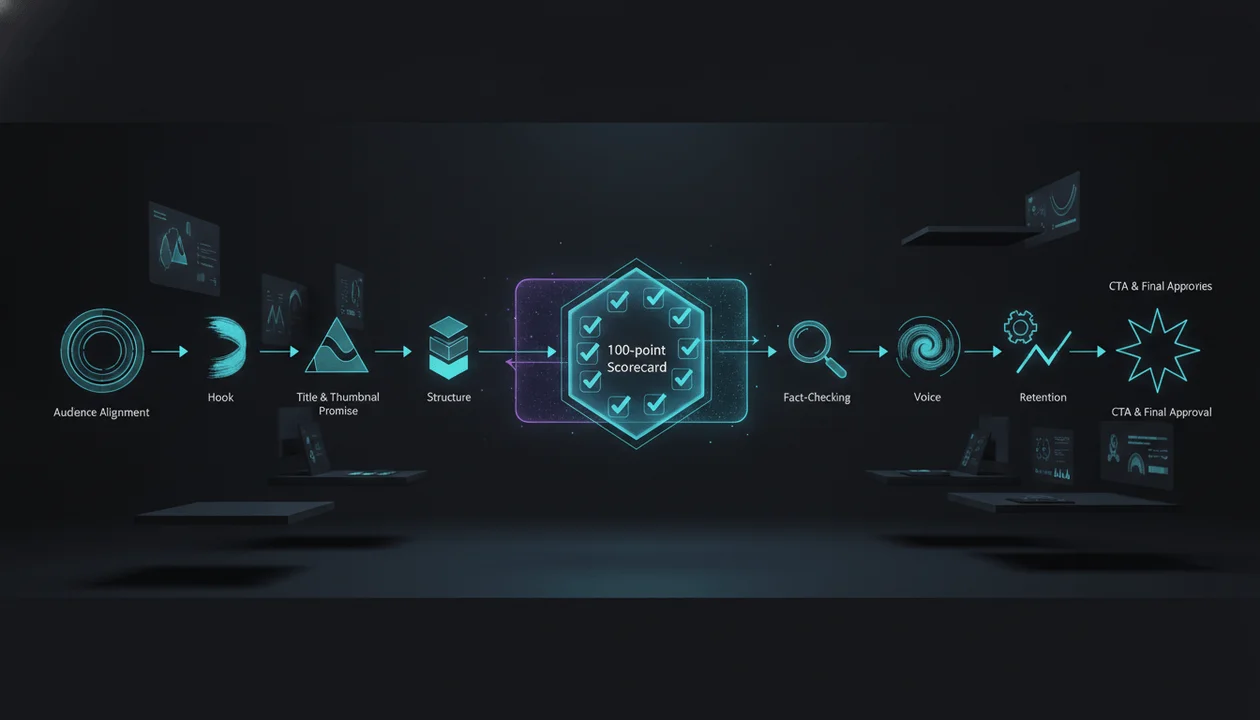
- A ten-pass editing workflow
- A 100-point YouTube script scorecard
- Hook, structure, retention, accuracy, voice, and originality checks
- A read-aloud test
- A table-read workflow
- An AI-script cleanup process
- Format-specific editing rules
- A production-readiness gate
- Copy-and-paste editor templates
- A full master checklist
- AI audit and revision prompts
- A post-publication learning system
The objective is not to make every script perfect.
It is to stop preventable script problems from becoming expensive video problems.
Key Takeaways
- A YouTube script editing checklist is a structured quality-control process used before recording, voiceover, filming, animation, or final production.
- Script editing should happen from the largest decisions to the smallest: strategy, promise, structure, evidence, voice, pacing, wording, and proofreading.
- Do not polish sentences before confirming that the topic, viewer, angle, title promise, and structure are correct.
- The first 30 seconds should confirm the expectation created by the title and thumbnail, establish relevance, and create a credible reason to continue.
- Every major section should change what the viewer knows, feels, believes, or can do.
- A retention edit is not the process of adding random curiosity loops. It is the process of removing delay and creating meaningful progression.
- Read every final script aloud. Sentences that work on a page can fail in narration.
- Separate factual claims, interpretation, opinion, estimates, anecdotes, and hypothetical examples.
- Check the script against both the reference material and the channel’s own catalogue for copied or repetitive phrasing, structure, examples, and conclusions.
- AI-assisted scripts need a dedicated generic-language pass because grammatical quality does not guarantee originality, specificity, or natural delivery.
- Production notes should explain what the viewer needs to see, not merely say “add B-roll”.
- The final CTA should continue the viewer’s intent rather than interrupting the video with several unrelated requests.
- A score below 70 out of 100 usually needs structural work, not line editing.
- OverseerOS Script Studio can help creators build and refine scripts section by section, while OverseerOS Script ReSpark can help rebuild weak existing drafts before they move into voiceover or production.
What Is a YouTube Script Editing Checklist?
A YouTube script editing checklist is a repeatable set of questions and quality standards used to review a video script before production.
It evaluates whether the script is:
- Strategically focused
- Aligned with the title and thumbnail
- Useful to a specific viewer
- Structurally clear
- Accurate
- Original
- Natural when spoken
- Capable of holding attention
- Consistent with the channel voice
- Practical to film or edit
- Ready for voiceover
- Complete at the ending
A proper checklist does more than correct grammar.
It asks whether the video itself works before the team spends money producing it.
Quick Answer: What Should You Check Before Approving a YouTube Script?
Before approving a YouTube script, confirm that:
- The target viewer is specific.
- The script has one clear central promise.
- The title and thumbnail promise match the actual content.
- The first 30 seconds confirm the click.
- The hook is interesting without being misleading.
- The script has a clear thesis or viewing engine.
- Each section adds new information or progression.
- Major claims have reliable support.
- Examples are specific and original.
- The writing sounds natural aloud.
- Slow setup, filler, repetition, and generic AI language are removed.
- Visual notes are useful and producible.
- The CTA matches the viewer’s next logical action.
- The ending delivers the promised payoff.
- The final script is formatted for the narrator and production team.
Script Editing vs Rewriting vs Proofreading
These are different jobs.
| Process | Main Question | Typical Changes |
|---|---|---|
| Strategic edit | Is this the right video for this viewer? | Audience, angle, promise, thesis |
| Structural edit | Does the argument or story progress properly? | Order, sections, setup, payoff |
| Retention edit | Does each moment earn the next one? | Delays, rehooks, examples, escalation |
| Fact-check | Are the claims accurate and appropriately framed? | Sources, dates, numbers, qualifications |
| Originality review | Is the expression and contribution genuinely original? | Phrasing, examples, structure, references |
| Voice edit | Does this sound recognisably like the channel? | Tone, vocabulary, pacing, personality |
| Line edit | Is each sentence clear, concise, and natural? | Wording, rhythm, repetition |
| Proofread | Is the final text technically clean? | Grammar, spelling, punctuation, formatting |
| Production edit | Can the script be recorded and visualised efficiently? | Visual notes, pronunciation, timing, assets |
| Rewrite | Does a weak section need to be rebuilt rather than polished? | New hook, new section, new structure |
Proofreading a strategically broken script produces a clean failure.
Line editing a repetitive structure produces a smoother repetitive structure.
The order matters.
The Correct Order for Editing a YouTube Script
Use this sequence:
- Package and audience
- Central promise
- Hook and first 30 seconds
- Structure and progression
- Evidence and originality
- Voice and spoken language
- Retention and pacing
- Production readiness
- CTA and ending
- Final proof and approval
This is the macro-to-micro rule.
Do not spend twenty minutes debating one adjective when the entire third section should be removed.
When Should You Edit the Script?
A professional workflow contains several review points.
Review 1: Before the Full Draft
Review:
- Topic
- Viewer
- Angle
- Working title
- Thumbnail direction
- Promise
- Thesis
- Outline
- Evidence plan
This catches strategic failure before the writer produces thousands of words.
Review 2: After the First Draft
Review:
- Structure
- Argument
- Story
- Evidence
- Examples
- Section progression
- Tone
- Originality
This is the main editorial review.
Review 3: After Revisions
Review:
- Sentence clarity
- Spoken rhythm
- Repetition
- Transitions
- Timing
- Production notes
- CTA
- Ending
Review 4: During the Read-Aloud Test
Review:
- Breath
- Pronunciation
- Pace
- Emphasis
- Awkward wording
- Unnatural formality
- Accidental ambiguity
Review 5: Before Production Lock
Confirm:
- Script version
- Final title direction
- Final visual requirements
- Sources
- Legal or compliance review
- Pronunciation notes
- Voiceover formatting
- Approval
Review 6: After Publication
Use performance data to improve the next script.
YouTube’s audience-retention report can show introductions, gradual declines, top moments, spikes, and dips. These signals should inform future hypotheses, but they do not always reveal a single cause.
A retention dip may reflect:
- Weak scripting
- Confusing delivery
- Repetitive visuals
- A misleading package
- Technical interruption
- An unnecessary CTA
- A topic subsection viewers did not want
- An editing problem
- A chapter people intentionally skipped
Use the data to investigate, not to invent certainty.
The 100-Point YouTube Script Editing Scorecard
Score each category from 0 to 10.
| Category | Points |
|---|---|
| 1. Viewer and strategic focus | 10 |
| 2. Package and promise alignment | 10 |
| 3. Hook and first 30 seconds | 10 |
| 4. Structure and progression | 10 |
| 5. Evidence and accuracy | 10 |
| 6. Originality and creative contribution | 10 |
| 7. Voice and spoken language | 10 |
| 8. Retention and pacing | 10 |
| 9. Production readiness | 10 |
| 10. CTA, ending, and final QA | 10 |
| Total | 100 |
Score Interpretation
| Score | Status | Recommended Action |
|---|---|---|
| 90 to 100 | Production-ready | Complete final approval and lock the version |
| 85 to 89 | Strong | Fix the remaining targeted weaknesses |
| 75 to 84 | Promising | Run another focused editorial pass |
| 70 to 74 | Borderline | Do not record until the weak categories are repaired |
| 50 to 69 | Structurally weak | Rebuild the hook, outline, thesis, or evidence |
| Below 50 | Wrong foundation | Return to the topic, viewer, package, and angle |
A high total score does not excuse a critical failure.
A script with unsupported legal claims, copied expression, or a misleading hook should not enter production even when other categories score well.
Pass 1: Viewer and Strategic Focus
The first question is not:
Is this well written?
It is:
Is this the right video for a specific viewer?
Viewer Checklist
- The primary viewer can be described in one sentence.
- The viewer’s knowledge level is clear.
- The script addresses a real viewer problem, desire, tension, or question.
- The script uses examples relevant to that viewer.
- The language matches the viewer’s experience.
- The script does not try to serve beginners and experts equally without a clear reason.
- The viewer’s starting belief is understood.
- The desired ending belief or action is clear.
- The video has one primary outcome.
- The script removes information that is interesting but irrelevant to that outcome.
Weak Audience Definition
People who want to improve on YouTube.
Stronger Audience Definition
Small faceless-channel teams that already publish consistently but lack a reliable process for reviewing scripts before voiceover and editing.
The stronger definition changes:
- Vocabulary
- Examples
- Assumed knowledge
- Depth
- CTA
- Production advice
Strategic Focus Test
Complete this sentence:
This video helps [specific viewer] understand or achieve [specific outcome] by showing [distinctive mechanism, evidence, story, or framework].
Example:
This video helps YouTube teams approve stronger scripts by showing a ten-pass review system that catches structural, factual, stylistic, and production problems before voiceover.
When the sentence contains several unrelated outcomes, the script may be trying to do too much.
One-Video Rule
One video can contain several sections.
It should still have one central job.
Weak:
This video explains how to write scripts, edit videos, make thumbnails, use AI, build a team, and monetise a channel.
Stronger:
This video explains how to review a completed YouTube script before recording.
The narrower promise often creates a more useful video.
Strategic Focus Score
9 to 10
- Viewer is specific
- Problem is real
- Outcome is clear
- Depth fits the viewer
- Every section serves the main job
7 to 8
- Strong direction
- Minor audience or scope drift
4 to 6
- Broad viewer
- Several competing outcomes
- Examples feel generic
0 to 3
- No clear viewer
- No meaningful problem
- Script is mainly a collection of information
Pass 2: Package and Promise Alignment
The script does not begin when the narrator speaks.
It begins when the viewer sees the title and thumbnail.
That package creates an expectation.
The script must fulfil it.
Package Alignment Checklist
- The working title expresses the same core idea as the script.
- The thumbnail adds tension or context without promising a different video.
- The first lines confirm the subject.
- The script answers the question implied by the title.
- The most important promised result is not buried near the end.
- The script does not change direction halfway through.
- The title does not make a stronger claim than the evidence supports.
- The thumbnail is not contradicted by the video.
- Every major section contributes to the package promise.
- The ending closes the same promise established at the click.
The Promise Statement
Write the package promise in one sentence.
By the end of this video, the viewer will understand [specific answer, process, result, decision, or story resolution].
Then test every section against it.
| Section | Supports the Promise? | Essential? | Action |
|---|---|---|---|
| Opening problem | Yes | Yes | Keep |
| Long company history | Partly | No | Cut or compress |
| Ten-pass system | Yes | Yes | Keep |
| Editing-software comparison | No | No | Remove |
| Final approval checklist | Yes | Yes | Keep |
The Package-Script Mismatch Test
Ask:
- Could the script use a completely different title without major changes?
- Does the hook talk around the topic rather than confirming it?
- Does the script deliver a weaker version of the title?
- Does the thumbnail suggest a case study while the script provides general tips?
- Does the title promise a verdict while the script avoids choosing?
- Does the title promise a template while the script provides no reusable template?
- Does the title promise current information while the research is outdated?
A mismatch can hurt both trust and retention.
YouTube’s retention guidance notes that a strong intro percentage can indicate that the first 30 seconds matched the expectation created by the title and thumbnail.
A/B Testing Does Not Repair a Broken Promise
YouTube currently allows eligible creators to test up to three titles, thumbnails, or combinations on supported long-form videos.
The winning option is determined by watch time rather than click-through rate alone.
That is important.
A package should not only attract the click.
It should attract the right viewer to a video that fulfils the promise.
A script review should therefore ask:
Could each proposed title and thumbnail be honestly supported by this exact video?
Package Alignment Score
9 to 10
Package, opening, body, and payoff express one coherent promise.
7 to 8
The promise is strong, but one or two sections drift.
4 to 6
The package is more compelling than the script.
0 to 3
The viewer clicks for one video and receives another.
Pass 3: Hook and First 30 Seconds
The opening should not perform every possible job.
It should perform the right jobs quickly.
The Four Opening Jobs
A strong first 30 seconds usually needs to:
- Confirm the subject
- Establish relevance or stakes
- Create a credible reason to continue
- Move into the video
Depending on the format, it may also:
- Establish authority
- Introduce a mystery
- Present evidence
- State the result
- Challenge a belief
- Begin inside a story
Hook Checklist
- The first line creates immediate relevance.
- The subject is clear.
- The hook matches the package.
- The viewer understands why the topic matters.
- Curiosity comes from a real information gap.
- The wording is specific.
- The hook avoids unsupported drama.
- The script does not begin with housekeeping.
- The opening does not repeat the title word for word.
- The hook moves into the first meaningful section without delay.
Openings to Remove
- “Hey guys, welcome back to the channel.”
- “In today’s video, we are going to talk about…”
- “Before we get started, make sure to…”
- “This is a very important topic.”
- “Have you ever wondered…”
- “In today’s fast-paced world…”
- “Without further ado, let’s dive in.”
- Long personal biographies
- Definitions the viewer already knows
- Statistics with no immediate relevance
- Several rhetorical questions in a row
These openings are not automatically forbidden.
They fail when they delay the viewer’s reason to care.
Hook Accuracy Test
A hook should be:
- Interesting
- True
- Defensible
- Connected to the body
- Proportionate to the evidence
Weak:
This script mistake destroys every YouTube channel.
Stronger:
One unclear script decision can create extra revisions across voiceover, editing, thumbnails, and publishing.
The second line is less dramatic but more specific and defensible.
Hook Compression Test
Remove the first sentence.
Does the opening improve?
Remove the first paragraph.
Does the video reach the value faster?
Many scripts contain a pre-intro before the real intro.
Example:
Creating content for YouTube can be challenging. There are so many different elements to consider, from the initial idea to the final edit. One of the most important elements is the script.
The actual opening may begin here:
A weak script becomes more expensive every time it moves deeper into production.
Start there.
The First Insight Deadline
Set a channel-specific standard.
Examples:
- Short: immediate
- Tutorial: within the opening
- Educational video: within 30 to 60 seconds
- Documentary: early evidence, event, or unresolved question
- Case study: clear result or conflict before extended background
- Founder story: specific decision or consequence before general reflection
Do not apply one universal timestamp to every format.
The rule is:
Give the viewer meaningful proof that the video can deliver before asking for prolonged patience.
Hook Score
9 to 10
Immediate, specific, accurate, package-aligned, and efficient.
7 to 8
Strong but slightly long or familiar.
4 to 6
Interesting idea weakened by generic setup or excessive explanation.
0 to 3
Misleading, unclear, slow, or unrelated to the package.
Pass 4: Structure and Progression
A script is not strong because every individual section is useful.
The sections must create a useful sequence.
Structure Checklist
- The script has one recognisable viewing engine.
- Sections appear in the best order for understanding or tension.
- Early sections create the foundation needed for later sections.
- Each section has a distinct job.
- No two sections make substantially the same point.
- The strongest material is not unnecessarily delayed.
- Background appears only when the viewer needs it.
- The script escalates in value, consequence, complexity, or discovery.
- The climax or most important answer receives enough space.
- The ending feels like the logical destination.
Common Viewing Engines
Problem to Solution
- Problem
- Cause
- Failed approaches
- Better system
- Application
- Decision rule
Mystery to Explanation
- Unresolved event
- Evidence
- Competing explanations
- New discovery
- Resolution
- Consequence
Case Study
- Starting situation
- Decision
- Execution
- Result
- Interpretation
- Transferable lesson
Comparison
- Decision context
- Criteria
- Option analysis
- Trade-offs
- Best fit by viewer
- Verdict
Tutorial
- Outcome
- Requirements
- Steps
- Demonstration
- Common failure
- Final check
Argument
- Common belief
- Problem with the belief
- Evidence
- Counterargument
- Better model
- Implication
The structure should match the viewer’s intent.
Section Purpose Label
Write one purpose beside every section.
Example:
| Section | Purpose |
|---|---|
| Why editing matters | Establish cost of late changes |
| Ten-pass overview | Give the viewer the framework |
| Package review | Prevent click-promise mismatch |
| Spoken test | Prepare the draft for narration |
| Scorecard | Make approval measurable |
When two sections have the same purpose, combine them.
The Progression Question
After every section, ask:
What does the viewer understand now that they did not understand before?
Possible answers:
- A new fact
- A new mechanism
- A new consequence
- A better decision
- A resolved question
- A stronger emotional understanding
- A practical action
- A changed belief
When the answer is “the same point with different wording”, cut or rebuild the section.
The Escalation Test
Escalation does not require increasing drama.
It can mean increasing:
- Specificity
- Stakes
- Evidence
- Practical usefulness
- Difficulty
- Surprise
- Emotional weight
- Strategic importance
A tutorial may escalate from setup to complete execution.
A documentary may escalate from anomaly to consequence.
A buyer’s guide may escalate from features to trade-offs to final choice.
Structure Score
9 to 10
Clear viewing engine, distinct sections, strong order, meaningful progression.
7 to 8
Strong structure with one slow, repeated, or misplaced section.
4 to 6
Useful information without sufficient movement.
0 to 3
A collection of points rather than a designed video.
Pass 5: Evidence and Accuracy
A watchable script can still be dangerous when it is wrong.
Accuracy matters especially for:
- News
- Finance
- Health
- Legal subjects
- Science
- History
- Politics
- Product reviews
- Current software
- Public figures
- Business claims
- Statistics
- Sponsorships
Claim Classification
Mark important statements as:
- Verified fact
- Direct quote
- Client-provided fact
- Estimate
- Interpretation
- Opinion
- Hypothesis
- Anecdote
- Hypothetical example
- Dramatisation
- Unknown
The language should match the category.
Evidence Checklist
- Every major factual claim has a source.
- Current facts have been checked recently.
- Dates are verified.
- Names and titles are correct.
- Statistics include context.
- Percentages have a clear denominator.
- Currency and pricing include relevant timing where needed.
- Product features reflect the current product.
- Quotes match the source.
- The script distinguishes evidence from interpretation.
- Disputed claims are attributed.
- Uncertainty is stated when the evidence is incomplete.
- Hypothetical examples are not presented as real events.
- Sponsor claims have been approved.
- The hook does not exaggerate beyond the evidence.
Source Hierarchy
Prefer:
- Primary records
- Official documentation
- Original research
- Direct data
- Peer-reviewed research
- Reputable specialist sources
- High-quality reporting
- Expert commentary
- Secondary summaries
- Social posts and unsourced claims
The correct source depends on the claim.
A product feature should usually be verified through current official documentation.
A disputed public event may require several reputable sources.
A scientific claim should not rely on a marketing blog.
Evidence Language
Use:
- “YouTube’s documentation states…”
- “The published data shows…”
- “The available evidence suggests…”
- “One possible explanation is…”
- “The company reported…”
- “According to the study…”
- “In this hypothetical example…”
- “We cannot confirm…”
Avoid:
- “Everyone knows…”
- “Studies prove…” without naming the study
- “Experts say…” without identifying experts
- “This always happens…”
- “This guarantees…”
- “The algorithm wants…” without reliable evidence
For a dedicated process, use the YouTube Script Fact Checker.
Statistics Audit
For every number, ask:
- What does it measure?
- Who measured it?
- When?
- Using which sample?
- Is it average, median, total, estimate, or projection?
- Is the unit clear?
- Is the comparison fair?
- Is the number still current?
- Does the viewer need the exact number?
- Can the narrator say it naturally?
A precise number can create false authority when its context is weak.
Quote Audit
Check:
- Exact wording
- Speaker
- Date
- Original context
- Whether the quote was translated
- Whether surrounding words change the meaning
- Whether permission is required for the intended use
- Whether the quote is necessary
Do not rebuild a script from long extracts of other people’s expression.
Accuracy Score
9 to 10
Major claims are supported, current, correctly framed, and appropriately qualified.
7 to 8
Strong evidence with minor gaps or wording issues.
4 to 6
Several claims rely on weak or missing sources.
0 to 3
The script is materially unreliable or misleading.
Pass 6: Originality and Creative Contribution
Changing the words is not enough.
A script can avoid exact copying while still duplicating:
- Thesis
- Section order
- Examples
- Jokes
- Metaphors
- Reveal
- Emotional arc
- Case-study sequence
- Visual concept
- Conclusion
Originality Checklist
- The script has an original thesis, angle, or contribution.
- Reference material is used for research, not expression.
- Distinctive phrases are not copied.
- Examples are independently selected.
- Jokes and metaphors are original.
- Sections are organised around this video’s argument.
- The script does not preserve another creator’s reveal sequence.
- Personal experiences are authentic.
- AI-generated examples have been checked for invention.
- The script adds new analysis, evidence, application, or perspective.
- It does not feel interchangeable with recent videos from the same channel.
- It does not rely on a generic template with only nouns replaced.
YouTube’s current channel monetisation policies emphasise original and authentic content and identify generic, repetitive, or mass-produced material as a monetisation concern.
A recurring format can still be original.
The substance of each video must remain meaningfully different.
The Creative Contribution Statement
Complete:
This video deserves to exist because it adds…
Possible answers:
- New firsthand experience
- New evidence
- A clearer framework
- A different audience application
- A stronger comparison
- A missing counterargument
- A current update
- An original case study
- Better synthesis
- A new experiment
- A different conclusion
Weak answer:
It explains the same topic in our own words.
That is not always enough.
Reference Distance Test
For every major reference, ask:
- Did we preserve its exact argument?
- Did we use the same section order?
- Did we use the same examples?
- Did we use the same metaphor?
- Did we create the same payoff?
- Would someone familiar with the source recognise the script too easily?
- Does our script still make sense without the reference?
Use the YouTube Script Similarity Checker for a deeper phrase, structure, and concept review.
Channel-Catalogue Originality
Compare the script against your own recent uploads.
Check whether you have recently used the same:
- Hook family
- Opening sentence
- Example
- Three-part framework
- Main argument
- Emotional arc
- Analogy
- CTA
- Ending
- Thumbnail promise
A script can be original relative to competitors and repetitive relative to its own channel.
Originality Score
9 to 10
Distinct thesis, original expression, useful contribution, catalogue variation.
7 to 8
Strong originality with some familiar structural elements.
4 to 6
Mostly derivative framing or generic AI execution.
0 to 3
Copied, lightly paraphrased, or substantially interchangeable.
Pass 7: Voice and Spoken Language
Written clarity and spoken clarity are not identical.
A sentence can look elegant and sound impossible.
Spoken-Language Checklist
- Every sentence can be understood on the first listen.
- Most sentences contain one main idea.
- Long sentences are broken where necessary.
- Contractions are used naturally.
- Technical terms are explained or familiar to the viewer.
- Acronyms are introduced.
- Numbers are easy to narrate.
- Pronunciation notes are included.
- Lists are short enough to follow by ear.
- Paragraphs have natural breathing points.
- The narrator’s personality is present.
- The script avoids written-report language.
- The tone matches the channel’s YouTube script style guide.
- Important lines receive enough space to land.
- The script has rhythmic variation.
The One-Idea Sentence Rule
Weak:
After analysing the channel’s performance, which included reviewing the latest videos, comparing their click-through rates, and looking at retention patterns, the team concluded that the main issue, despite earlier assumptions, was topic selection.
Stronger:
The team reviewed the latest videos, click-through rates, and retention patterns.
The original assumption was wrong.
The main problem was topic selection.
The stronger version is easier to hear.
Spoken vs Written Language
Written:
The implementation of the aforementioned process provides creators with an opportunity to facilitate improved consistency across subsequent script-development activities.
Spoken:
This process makes the next script easier to review.
Prefer the simplest wording that preserves the meaning.
Sentence Rhythm
A script with only short sentences sounds mechanical.
A script with only long sentences sounds exhausting.
Use variation.
Example:
The draft looked finished.
It was not.
The hook worked, the examples were useful, and the ending felt strong.
But the middle repeated the same idea for almost three minutes.
The variation creates movement.
The Read-Aloud Test
Read the complete script aloud at the intended delivery energy.
Mark:
- Breath failures
- Tongue twisters
- Unclear references
- Long lists
- Flat passages
- Overwritten sentences
- Repeated sentence patterns
- Accidental rhymes
- Difficult names
- Unnatural emphasis
- Places where the narrator wants to change the wording
Do not silently correct the wording while reading.
The written script must contain the version the narrator will actually say.
The Voice-Recording Test
Record the first two minutes on a phone.
Then listen without reading the script.
Ask:
- Is the subject clear?
- Does it sound natural?
- Can the listener follow every sentence?
- Does the energy match the content?
- Does any line sound like marketing copy?
- Which words receive accidental emphasis?
- Does the narrator sound like the channel?
The recording reveals problems the page hides.
Voice Consistency
Compare the script against the channel voice.
Check:
- Vocabulary
- Sentence length
- Pacing
- Humour
- Confidence
- Emotional intensity
- Explanation style
- Rhetorical questions
- Transitions
- CTA language
OverseerOS Creator DNA can help analyse tone, pacing, sentence structure, vocabulary, openings, transitions, emotional delivery, and storytelling patterns from selected channel references.
The final editor should still decide which patterns are intentional and which should not be repeated.
Voice Score
9 to 10
Natural, clear, narratable, recognisable, and rhythmically varied.
7 to 8
Strong voice with a few formal or awkward passages.
4 to 6
Readable but generic or difficult to speak.
0 to 3
Robotic, confusing, inconsistent, or unsuitable for narration.
Pass 8: Retention and Pacing
Retention editing is not the process of inserting:
- Random questions
- Fake suspense
- Constant “but” transitions
- Unrelated pattern breaks
- Promises that never pay off
Retention comes from relevance, clarity, progression, and payoff.
Retention Checklist
- The opening reaches meaningful value quickly.
- Background is delayed until it becomes necessary.
- Each section creates a reason for the next section.
- Important information appears before minor detail.
- Examples arrive when abstract ideas need proof.
- Repetition is removed.
- Section lengths match their importance.
- The middle contains progression rather than maintenance.
- Open questions receive payoffs.
- Rehooks are specific to the argument.
- The strongest insight is not hidden after unnecessary filler.
- Emotional and informational intensity varies.
- The video creates breathing space where needed.
- CTAs do not interrupt key momentum.
- The ending begins before the script has already finished.
The Retention Unit
Divide the script into units of 20 to 60 seconds, depending on the format.
For each unit, identify its job.
| Time | Job | New Value | Reason to Continue |
|---|---|---|---|
| 0:00 to 0:20 | Establish problem | Late edits multiply production cost | Learn the prevention system |
| 0:20 to 0:50 | Define checklist | Clarify what script editing includes | See the ten passes |
| 0:50 to 1:30 | Explain edit order | Macro before micro | Avoid polishing wrong sections |
A unit with no new value may need to be cut, combined, or rewritten.
The Delay Audit
Highlight every sentence that delays the main value.
Common delay includes:
- Repeating the premise
- Explaining why the topic is important several times
- Introducing obvious definitions
- Describing what will be discussed instead of discussing it
- Excessive channel biography
- Redundant examples
- Restating the previous section
- Generic transitions
- Multiple CTAs
- Unnecessary disclaimers
Not all delay is bad.
Suspense, emotional preparation, and context can be useful when the delay creates a stronger payoff.
The question is:
Is the delay intentional, and does it improve the viewing experience?
The Rehook Audit
A good rehook can:
- Introduce a new problem
- Reveal a contradiction
- Escalate the consequence
- Challenge the previous conclusion
- Promise an application
- Open a meaningful question
- Transition from principle to example
Weak:
But there’s more.
Stronger:
The structure is now clear. The script can still fail during narration.
The second line creates a specific new problem.
The Payoff Ledger
List every promise or open question.
| Promise | Opened | Paid Off | Location |
|---|---|---|---|
| Ten-pass system | Opening | Yes | Main body |
| 100-point score | Opening | Yes | Scorecard |
| Copyable checklist | Opening | Yes | Final checklist |
| AI audit prompt | Opening | Yes | Prompt section |
Unpaid promises damage trust.
Pacing by Format
Tutorial
Move quickly into the result and steps.
Documentary
Allow tension and context, but reveal meaningful evidence early.
Commentary
State the position and evidence before extended reaction.
Founder Story
Reach the real decision, failure, or consequence before broad lessons.
Review
Define criteria and verdict logic early.
Faceless Educational
Use specific examples and visual shifts to prevent abstract narration from becoming flat.
Short
Remove almost all setup. One claim, one progression, one payoff.
Retention Score
9 to 10
Efficient, progressive, varied, and consistently rewarding.
7 to 8
Strong pacing with one slower section.
4 to 6
Useful but repetitive, front-loaded, or flat in the middle.
0 to 3
Delayed value, weak progression, and little reason to continue.
Pass 9: Production Readiness
A script may be editorially strong and operationally unusable.
Production readiness asks:
Can the narrator, editor, producer, designer, and fact-checker execute this script without guessing?
Production Checklist
- The final script version is clearly labelled.
- Narration is separated from production notes.
- Visual notes explain what the viewer should see.
- Required assets are identified.
- Difficult visuals have alternatives.
- Screenshots and documents are linked.
- Charts include data sources.
- Quotes include source information.
- Pronunciation notes are included.
- On-screen text is concise.
- Sponsor language is marked.
- Disclosures are marked.
- Sound or music moments are intentional.
- Scene changes are clear where needed.
- The estimated runtime is realistic.
- The production complexity fits the budget and deadline.
- Sensitive or restricted assets are flagged.
- The script contains no unresolved placeholders.
- Required approvals are recorded.
- The production team can locate every supporting file.
Weak Visual Notes
- Add B-roll
- Show something interesting
- Add animation
- Put a chart here
- Use dramatic footage
These notes transfer the creative problem to the editor.
Stronger Visual Notes
NARRATION:
A change that takes two minutes in the script can require four departments after production begins.

VISUAL:
Show one sentence moving through four stages: script, voiceover waveform, editing timeline, caption file. Add a cost or time icon at each stage.

ON-SCREEN TEXT:
Cheap to change early
Expensive to change late
The note explains the visual purpose.
Visual Evidence vs Decoration
Visuals may:
- Prove
- Explain
- Compare
- Orient
- Demonstrate
- Humanise
- Create atmosphere
- Reset attention
Identify the job.
A visual that merely fills the screen may not improve the video.
Production Complexity Audit
Label each visual:
- Existing asset
- Easy to capture
- Standard stock
- Screen recording
- Custom design
- Motion graphic
- Original filming
- AI-generated
- Licensed archive
- Difficult or uncertain
A script containing ten complex visual requests may not fit a standard weekly production budget.
Fix the mismatch before approval.
Timing Estimate
Spoken pace varies by narrator, tone, complexity, and format.
Do not rely only on word count.
Time a real read.
Record:
- Total words
- Read-aloud duration
- Intended final duration
- Space needed for demonstrations
- Pauses
- Interviews
- Visual-only moments
- Sponsor section
- CTA
A 1,500-word tutorial with screen demonstrations may run far longer than the narration estimate.
Voiceover Handoff
The final voiceover script should include:
- Narration only or clearly separated notes
- Pronunciation
- Emphasis where necessary
- Pauses
- Alternative approved wording
- Speaker labels
- Tone notes
- File naming
- Version number
Do not send the narrator a document containing unresolved comments and three competing versions of the hook.
AI and Synthetic Production Notes
YouTube currently treats AI used to create or improve a script, outline, title, thumbnail, or infographic as production assistance that does not itself require altered-content disclosure.
Realistic synthetic audio or visuals may create separate disclosure requirements. Review the current YouTube altered-content guidance during production planning.
The script should flag scenes that may involve:
- A realistic generated event
- A generated public figure
- Someone else’s cloned voice
- Synthetic music
- A realistic scene that never occurred
- Meaningfully altered evidence
Production Score
9 to 10
Clear, timed, sourced, visualised, affordable, and ready for handoff.
7 to 8
Strong with a few unresolved assets or notes.
4 to 6
Production team will need substantial clarification.
0 to 3
Unproducible, unapproved, or operationally incomplete.
Pass 10: CTA, Ending, and Final QA
Many strong scripts weaken in their final minute.
The writer has delivered the main value and begins filling space.
The video receives:
- A long summary
- Several unrelated CTAs
- Generic encouragement
- A sudden sponsor message
- A weak thank-you
- An ending that occurs three times
The ending should feel designed.
CTA Checklist
- The script has one primary CTA.
- The CTA matches the viewer’s current intent.
- It explains why the action is useful.
- It appears at a natural moment.
- It does not interrupt the main payoff.
- It does not ask for several actions at once.
- Product claims are accurate.
- Sponsor claims are approved.
- The CTA is short enough for the video.
- The next-video recommendation is contextually relevant.
Weak CTA
Make sure to like, subscribe, turn on notifications, leave a comment, share this video, join the newsletter, and check out all the links below.
Stronger CTA
Run your next draft through the checklist before generating the voiceover. Fixing the script now is cheaper than rebuilding the edit later.
Ending Checklist
- The ending delivers the main promise.
- The conclusion follows from the evidence.
- The script does not introduce a new major topic.
- The viewer receives a final decision, insight, or emotional resolution.
- The ending is not a complete repetition of the body.
- The last line is intentional.
- The video stops after the ending.
- The end-screen transition is planned.
Strong Ending Types
Decision Rule
When a section cannot explain how it changes the viewer’s understanding, it is not ready for production.
Reframed Opening
Opening:
The most expensive script mistake is the one found after the video is edited.
Ending:
The checklist does not make production slower. It moves the hard decisions to the cheapest stage.
Practical Next Step
Score the draft. Repair the lowest category. Then read the complete script aloud before you lock it.
Emotional Resolution
A channel voice should not disappear when one writer leaves. A documented review system is how the standard survives.
Final QA Checklist
- Correct version
- Correct title
- Correct names
- Correct links
- Correct dates
- Correct numbers
- Correct sponsor wording
- Correct pronunciation
- No unresolved comments
- No placeholder text
- No duplicated paragraphs
- No accidental internal notes in narration
- Consistent formatting
- Required sources stored
- Required approvals complete
- Word count recorded
- Runtime tested
- Final owner named
CTA and Ending Score
9 to 10
Natural CTA, complete payoff, strong final line, clean approval.
7 to 8
Strong ending with minor repetition or CTA friction.
4 to 6
Generic summary or several competing CTAs.
0 to 3
No payoff, abrupt stop, misleading CTA, or incomplete final QA.
The Ten-Pass Editing Workflow
Use the scorecard as a workflow, not only a final grade.
Pass 1: Strategy
Review:
- Viewer
- Problem
- Outcome
- Thesis
- Scope
Do not edit sentences yet.
Pass 2: Package
Review:
- Title
- Thumbnail
- Promise
- Opening alignment
- Payoff
Pass 3: Hook
Rewrite only:
- First line
- First paragraph
- First 30 seconds
- Transition into the body
Pass 4: Structure
Work from the outline view.
Move, merge, shorten, or delete sections.
Pass 5: Evidence and Originality
Verify claims and rebuild derivative sections.
Pass 6: Voice
Apply the channel style guide.
Remove generic or off-brand wording.
Pass 7: Retention
Mark delay, repetition, progression, rehooks, and payoffs.
Pass 8: Spoken Edit
Read aloud.
Rewrite every line that fails in narration.
Pass 9: Production
Add useful visuals, sources, pronunciation, timing, and handoff notes.
Pass 10: Final Approval
Score the script, proofread it, lock the version, and record the approver.
The Three-Level Editing System
Not every problem needs the same response.
Level 1: Cut
Use when the line or section:
- Repeats
- Delays
- Distracts
- Adds no new value
- Exists only as filler
Level 2: Repair
Use when the idea is useful but the execution is weak.
Repair:
- Wording
- Evidence
- Example
- Transition
- Tone
- Length
Level 3: Rebuild
Use when the underlying decision is wrong.
Rebuild:
- Hook
- Thesis
- Angle
- Section
- Structure
- Ending
Do not repair a section that needs rebuilding.
The Script Editor’s Comment System
Editorial feedback should tell the writer what type of problem exists.
Use labels.
| Label | Meaning |
|---|---|
| STRATEGY | Viewer, angle, promise, or thesis problem |
| STRUCTURE | Order, progression, or section-purpose problem |
| EVIDENCE | Claim needs support, correction, or qualification |
| ORIGINALITY | Expression or structure is too derivative |
| VOICE | Tone or channel identity mismatch |
| CLARITY | Meaning is difficult to understand |
| RETENTION | Delay, repetition, or weak reason to continue |
| SPOKEN | Awkward for narration |
| PRODUCTION | Visual or operational issue |
| COPY | Grammar, spelling, or line-level correction |
Useful Comment
STRUCTURE: This section repeats the argument from section two. Keep the new case study, cut the repeated explanation, and use the example to introduce the next decision.
Weak Comment
Make this better.
The writer should understand:
- What is wrong
- Why it matters
- What type of change is required
- Whether the editor is requesting a repair or a rebuild
Copy-and-Paste Script Review Template
VIDEO:
[Working title]

SCRIPT VERSION:
[Version]

REVIEWER:
[Name]

DATE:
[Date]

PRIMARY VIEWER:
[Viewer]

CORE PROMISE:
[Promise]

TITLE DIRECTION:
[Title]

THUMBNAIL DIRECTION:
[Thumbnail concept]

TARGET DURATION:
[Duration]

OVERALL SCORE:
[Score]/100

CATEGORY SCORES

1. Viewer and strategic focus: [ ]/10
2. Package and promise alignment: [ ]/10
3. Hook and first 30 seconds: [ ]/10
4. Structure and progression: [ ]/10
5. Evidence and accuracy: [ ]/10
6. Originality and creative contribution: [ ]/10
7. Voice and spoken language: [ ]/10
8. Retention and pacing: [ ]/10
9. Production readiness: [ ]/10
10. CTA, ending, and final QA: [ ]/10

CRITICAL BLOCKERS

- [Blocker]
- [Blocker]

TOP FIVE REQUIRED CHANGES

1. [Change]
2. [Change]
3. [Change]
4. [Change]
5. [Change]

SECTIONS TO CUT

- [Section]

SECTIONS TO REBUILD

- [Section]

CLAIMS REQUIRING VERIFICATION

- [Claim]

ORIGINALITY RISKS

- [Risk]

PRODUCTION RISKS

- [Risk]

APPROVAL STATUS

[ ] Approved
[ ] Approved after listed corrections
[ ] Major revision required
[ ] Return to outline
[ ] Return to topic and package
Copy-and-Paste Master YouTube Script Editing Checklist
YOUTUBE SCRIPT EDITING CHECKLIST

STRATEGY

[ ] The primary viewer is specific.
[ ] The viewer’s knowledge level is clear.
[ ] The script solves one main problem or fulfils one main desire.
[ ] The viewer’s starting and ending states are defined.
[ ] The video has one central promise.
[ ] The thesis or viewing engine is clear.
[ ] Every section supports the main outcome.
[ ] Irrelevant but interesting material has been removed.

PACKAGE

[ ] The working title matches the script.
[ ] The thumbnail direction matches the script.
[ ] The first lines confirm the click.
[ ] The script delivers the full title promise.
[ ] The package does not exaggerate beyond the evidence.
[ ] The ending closes the opening promise.
[ ] Every planned title or thumbnail variation is honestly supported.

HOOK AND INTRO

[ ] The first line creates immediate relevance.
[ ] The subject is clear.
[ ] The stakes or value are specific.
[ ] The curiosity gap is credible.
[ ] The opening avoids housekeeping.
[ ] The opening avoids generic setup.
[ ] The first meaningful insight arrives quickly.
[ ] The intro moves cleanly into the body.
[ ] The opening contains no unsupported claim.
[ ] The hook does not repeat the title word for word.

STRUCTURE

[ ] The script has one clear viewing engine.
[ ] Sections are in the strongest order.
[ ] Every section has a distinct purpose.
[ ] Each section changes the viewer’s understanding.
[ ] Repeated sections have been merged or removed.
[ ] Background appears only when needed.
[ ] The script escalates in value, evidence, stakes, or discovery.
[ ] The strongest material is not delayed unnecessarily.
[ ] Open questions receive payoffs.
[ ] The final answer receives enough space.

EVIDENCE

[ ] Every major factual claim has a source.
[ ] Current facts have been checked recently.
[ ] Names, dates, titles, and numbers are correct.
[ ] Statistics include relevant context.
[ ] Quotes match the original source.
[ ] Disputed claims are attributed.
[ ] Fact, estimate, opinion, and interpretation are separated.
[ ] Hypothetical examples are labelled as hypothetical.
[ ] Sponsor and product claims are approved.
[ ] The hook is no stronger than the evidence.

ORIGINALITY

[ ] The script has an original contribution.
[ ] Reference material is used for research, not expression.
[ ] Distinctive phrases are not copied.
[ ] Examples are independently selected.
[ ] Metaphors and jokes are original.
[ ] Section order fits this script’s argument.
[ ] The reveal does not copy another video.
[ ] Personal stories are authentic.
[ ] AI-generated examples have been checked.
[ ] The script differs meaningfully from recent channel uploads.
[ ] The video would still make sense without the main reference.

VOICE AND SPOKEN LANGUAGE

[ ] The voice matches the channel style guide.
[ ] Every sentence can be understood on first listen.
[ ] Most sentences contain one main idea.
[ ] Long sentences are broken.
[ ] Contractions sound natural.
[ ] Technical terms are explained where needed.
[ ] Acronyms are introduced.
[ ] Numbers are easy to narrate.
[ ] Pronunciation notes are included.
[ ] Paragraphs contain natural breathing points.
[ ] Sentence rhythm varies.
[ ] Written-report language is removed.
[ ] Generic AI phrasing is removed.
[ ] The complete script has been read aloud.

RETENTION AND PACING

[ ] The script reaches value quickly.
[ ] Setup is proportionate.
[ ] Each section creates a reason for the next.
[ ] Important information comes before minor detail.
[ ] Examples appear when needed.
[ ] Repetition is removed.
[ ] Section length matches importance.
[ ] The middle progresses.
[ ] Rehooks are specific.
[ ] Promises are paid off.
[ ] Emotional and informational intensity varies.
[ ] The CTA does not interrupt momentum.
[ ] The ending begins at the right time.
[ ] No section exists only to increase length.

PRODUCTION READINESS

[ ] Narration and visual notes are separated.
[ ] Visual notes explain their purpose.
[ ] Required assets are identified.
[ ] Difficult visuals have alternatives.
[ ] Screenshots and documents are linked.
[ ] Charts include sources.
[ ] Quotes include sources.
[ ] On-screen text is concise.
[ ] Sponsor sections are marked.
[ ] Disclosure requirements are marked.
[ ] Scene changes are clear where needed.
[ ] Runtime has been tested.
[ ] Production complexity fits the budget.
[ ] There are no unresolved placeholders.
[ ] Supporting files are accessible.
[ ] The voiceover version is clean.
[ ] The script version is clearly labelled.

CTA AND ENDING

[ ] There is one primary CTA.
[ ] The CTA matches viewer intent.
[ ] The CTA explains the benefit.
[ ] The CTA appears naturally.
[ ] The CTA does not ask for several unrelated actions.
[ ] The ending delivers the main promise.
[ ] The conclusion follows from the evidence.
[ ] No new major topic is introduced.
[ ] The final line is intentional.
[ ] The end-screen path is planned.
[ ] The script ends once.

FINAL QA

[ ] Correct version.
[ ] Correct title.
[ ] Correct names.
[ ] Correct dates.
[ ] Correct numbers.
[ ] Correct links.
[ ] Correct sponsor language.
[ ] Correct pronunciation.
[ ] No unresolved comments.
[ ] No placeholders.
[ ] No duplicate paragraphs.
[ ] No internal notes inside narration.
[ ] Formatting is consistent.
[ ] Required approvals are complete.
[ ] Final owner is named.
AI Script Editing Checklist
AI-assisted drafts need all the normal checks plus several extra ones.
Generic AI Patterns to Remove
- “In today’s fast-paced world”
- “Let’s dive in”
- “But here’s the thing”
- “You might be wondering”
- “The answer may surprise you”
- “Whether you are a beginner or an expert”
- “It is important to note”
- “This changes everything”
- “Unlock your potential”
- “Take your content to the next level”
- “Without further ado”
- Repeated three-item lists
- Perfectly symmetrical sections
- Excessive rhetorical questions
- Fake quotes
- Invented statistics
- Generic examples
- Motivational conclusions
- Repeated “not only X, but Y”
- Repeated “this is where X comes in”
The problem is not that one phrase can never appear.
The problem is accumulated genericity.
AI Draft Audit
- The model did not invent facts.
- The model did not invent sources.
- Examples are real or clearly hypothetical.
- The draft does not imitate the reference too closely.
- The script has a human-selected thesis.
- Sections are not mechanically equal in length.
- Transitions reflect the argument.
- The narrator has a recognisable point of view.
- Repeated syntax is removed.
- Every confident claim has been reviewed.
- Generic emotional language has been replaced with specifics.
- The conclusion follows from the actual evidence.
- The final script has received human approval.
Do Not Ask AI to “Make It More Engaging”
Use targeted instructions.
Weak:
Make this section more engaging.
Stronger:
Cut the first 70 words of setup. Open with the cost of discovering this mistake after voiceover. Preserve the factual claims. Add one concrete production example. End by creating the specific question answered in the next section.
Targeted editing preserves control.
AI Script Audit Prompt
You are a senior YouTube script editor.

Audit the script below. Do not rewrite the full script yet.

Evaluate it using these ten categories:

1. Viewer and strategic focus
2. Package and promise alignment
3. Hook and first 30 seconds
4. Structure and progression
5. Evidence and accuracy
6. Originality and creative contribution
7. Voice and spoken language
8. Retention and pacing
9. Production readiness
10. CTA, ending, and final QA

For each category:

- Score it from 0 to 10
- Explain the score
- Quote only the minimum necessary line from the script
- Identify the highest-impact problem
- Recommend a specific correction

Then provide:

- Total score out of 100
- Production-ready, targeted revision, structural rewrite, or return-to-outline verdict
- Five highest-priority changes
- Sections to cut
- Sections to merge
- Sections to rebuild
- Claims requiring verification
- Generic AI language
- Repeated ideas
- Originality risks
- Spoken-language problems
- Production risks
- Unpaid promises or curiosity loops

Important:

- Do not invent performance guarantees.
- Do not assume that a retention technique will work without evidence.
- Do not replace specific language with generic hype.
- Do not copy wording from reference material.
- Distinguish factual problems from stylistic preferences.
- Preserve the creator’s intended point of view.

VIDEO BRIEF:
[PASTE BRIEF]

TITLE:
[PASTE TITLE]

THUMBNAIL DIRECTION:
[PASTE THUMBNAIL]

STYLE GUIDE:
[PASTE COMPACT STYLE GUIDE]

SCRIPT:
[PASTE SCRIPT]
Targeted Revision Prompt
Revise only the section below.

PROBLEM TYPE:
[STRATEGY, STRUCTURE, EVIDENCE, ORIGINALITY, VOICE, CLARITY, RETENTION, SPOKEN, OR PRODUCTION]

CURRENT SECTION:
[PASTE SECTION]

SECTION PURPOSE:
[EXPLAIN ITS JOB]

NEXT SECTION:
[PASTE OR SUMMARISE NEXT SECTION]

REQUIRED CHANGES:
- [Change]
- [Change]
- [Change]

FACTS THAT MUST REMAIN:
- [Fact]
- [Fact]

STYLE RULES:
[PASTE RELEVANT RULES]

ORIGINALITY RULE:
Create original wording, examples, transitions, and structure. Do not copy or lightly paraphrase any reference.

OUTPUT:
Return the revised section only.
The Table-Read Workflow
A table read is not only for film productions.
It is one of the fastest ways to identify script problems.
Participants
Depending on the channel:
- Writer
- Creator
- Narrator
- Editor
- Producer
- Subject expert
- Fact-checker
Table-Read Process
- Lock a review version.
- Assign the actual narrator where possible.
- Read the script without silently correcting it.
- Time each section.
- Mark every stumble.
- Mark every moment attention drops.
- Mark unclear references.
- Mark where visuals are essential.
- Collect notes after the read.
- Consolidate feedback.
- Revise once.
- Run a shorter confirmation read.
Table-Read Questions
- Does the opening sound as strong as it looked?
- Where did the narrator lose energy?
- Which sentence needed a second attempt?
- Which section felt longer than expected?
- Which example was difficult to follow?
- Which transition felt artificial?
- Where did someone ask for context?
- Which visual is doing too much explanatory work?
- Did the ending feel final?
- Did the CTA feel natural?
Format-Specific Script Editing
One checklist should not flatten every video into the same structure.
Long-Form Educational Video
Prioritise:
- Clear viewer problem
- Early practical value
- Logical progression
- Concrete examples
- Definitions only when necessary
- Demonstrations
- Edge cases
- Decision rule
Remove:
- Long theoretical setup
- Repeated summaries
- Abstract advice without application
- Too many frameworks
Faceless Documentary
Prioritise:
- Evidence
- Narrative tension
- Clear chronology
- Source distinction
- Visual feasibility
- Emotional restraint
- Meaningful reveal
- Consequence
Remove:
- Manufactured fear
- Unsupported reconstruction
- Generic ominous language
- Repeated dramatic questions
- Narration that describes what the viewer can already see
Commentary Video
Prioritise:
- Clear position
- Fair representation of the issue
- Evidence
- Counterargument
- Original interpretation
- Strong conclusion
Remove:
- Reactions without analysis
- Personal attacks
- Repeated outrage
- Claims stronger than the source
- Long clips used in place of commentary
Founder-Led Video
Prioritise:
- Specific situation
- Real decision
- Consequence
- Honest limitation
- Transferable lesson
- Natural voice
Remove:
- Artificial hero narrative
- Corporate language
- Generic lessons disconnected from the story
- Retrospective certainty the founder did not have at the time
Tutorial
Prioritise:
- Outcome first
- Requirements
- Correct sequence
- Demonstration
- Troubleshooting
- Completion check
Remove:
- History before action
- Unnecessary feature tours
- Steps that do not affect the result
- Instructions that rely on outdated interfaces
Product Review
Prioritise:
- Viewer and use case
- Test conditions
- Criteria
- Evidence
- Strengths
- Limitations
- Alternatives
- Verdict by buyer type
Remove:
- Vague praise
- Undisclosed commercial influence
- Feature lists without evaluation
- One universal verdict for every buyer
YouTube Shorts
Prioritise:
- Immediate subject
- One core idea
- One progression
- One payoff
- Spoken simplicity
- Visual clarity
Remove:
- Greetings
- Roadmaps
- Multiple examples
- Several CTAs
- Context that can be shown visually
- Long conclusions
Script Editing for Faceless YouTube Teams
Faceless channels often separate:
- Research
- Writing
- Voiceover
- Editing
- Thumbnail design
- Publishing
This makes script clarity more important.
The editor cannot rely on the creator to explain the intended tone during filming.
The script must transfer:
- Meaning
- Pace
- Emotional direction
- Evidence
- Visual intent
- Pronunciation
- CTA
- Production requirements
Faceless Handoff Checklist
- Research pack linked
- Script version locked
- Narration clean
- Visual notes separated
- Pronunciation marked
- Generated visual scenes flagged
- Stock requirements listed
- Character references linked
- Voice profile confirmed
- Music direction included
- Disclosure questions flagged
- Final runtime tested
- Thumbnail promise confirmed
- Final approver recorded
The Writer-Editor Approval Workflow
Use clear status stages.
- Draft
- Writer self-review
- Strategic review
- Evidence and originality review
- Structural revision
- Voice and retention edit
- Read-aloud test
- Production review
- Final corrections
- Approved
- Locked for voiceover
- Locked for production
Do not use “final” for five different versions.
Version Naming
Use:
CHANNEL_TOPIC_SCRIPT_V01_DRAFT
CHANNEL_TOPIC_SCRIPT_V02_STRATEGY-REVISED
CHANNEL_TOPIC_SCRIPT_V03_FACT-CHECKED
CHANNEL_TOPIC_SCRIPT_V04_READ-ALOUD
CHANNEL_TOPIC_SCRIPT_V05_APPROVED
CHANNEL_TOPIC_SCRIPT_V05_LOCKED
The exact naming format matters less than consistency.
Change Control After Script Lock
Once the script is locked, changes should be categorised.
| Change | Treatment |
|---|---|
| Spelling or pronunciation correction | Correct immediately |
| Agency or writer error | Correct without consuming client revision |
| Small clarity change | Update script and affected production asset |
| New factual update | Review impact and update |
| New topic or angle | Rebrief |
| New section after voiceover | Scope and schedule review |
| Large structural change during editing | Formal approval required |
A locked script can still change.
The cost and consequences should be visible.
How OverseerOS Supports Script Editing
Disclosure: OverseerOS is our platform.
OverseerOS connects YouTube research, planning, scripting, rewriting, voice, packaging, and supported faceless production.
The final creator or editor remains responsible for judgment, accuracy, originality, and approval.
Use OverseerOS Script Studio Before the Draft Drifts
OverseerOS Script Studio supports a connected writing workflow built around:
- Title
- Creative intent
- Outline
- Section-by-section writing
- Tone
- Creator DNA
- Hooks
- Rehooks
- Evidence
- Examples
- Transitions
- Retention passes
- Long-form and short-form workflows
- Planner saving
- Voiceover and thumbnail handoff
This helps move some editorial decisions earlier.
A better outline reduces the amount of structural repair required after the first draft.
Use OverseerOS Script ReSpark for Weak Existing Drafts
OverseerOS Script ReSpark is designed to improve existing scripts, transcripts, article-based material, and rough drafts.
It can support work such as:
- Strengthening hooks
- Improving pacing
- Clarifying sections
- Reworking transitions
- Applying a selected Creator DNA direction
- Editing highlighted sections
- Saving the improved script into the content planner
Use a rewrite when the section’s idea is valid but the execution is weak.
Return to the brief when the angle itself is wrong.
Use OverseerOS Creator DNA for Voice Review
OverseerOS Creator DNA can analyse selected channel videos for patterns including:
- Tone
- Pacing
- Sentence structure
- Vocabulary
- Openings
- Transitions
- Emotional delivery
- Storytelling
- Calls to action
Use those patterns as evidence for a YouTube script style guide.
Do not treat every detected habit as a rule.
The editor should decide which patterns are:
- Core
- Format-specific
- Outdated
- Unwanted
- Too repetitive
- Too close to another creator
Use OverseerOS Channel Blueprint Cloner for Strategic Context
OverseerOS Channel Blueprint Cloner can analyse supported public channel patterns such as tone, hooks, pacing, topic formulas, keywords, and strategic opportunities.
This helps the editor review whether the script fits the intended channel direction.
The goal is to extract strategy and create original work, not copy another channel’s script.
Use OverseerOS Channel Content Planner for Approval Context
The content planner can connect:
- Topic
- Title
- Brief
- Script
- Voiceover
- Production readiness
- Publishing plan
This reduces the chance that the writer, editor, and thumbnail designer work from different versions of the idea.
Use OverseerOS Auto Edit Studio After Approval
OverseerOS Auto Edit Studio can turn a finished script and voiceover into a structured faceless-video workflow with scenes, AI visuals, style direction, captions, music, motion, FX, and export controls.
The script should pass the production-readiness gate first.
Do not use editing technology to compensate for a weak promise, repetitive middle, unsupported claim, or generic ending.
Common YouTube Script Editing Mistakes
Mistake 1: Editing Grammar First
Grammar is visible.
Structural failure is more important.
Mistake 2: Reviewing Without the Title and Thumbnail
The editor cannot verify the promise without seeing the package.
Mistake 3: Protecting Every Written Section
Words already written are not automatically valuable.
Mistake 4: Asking Only “Is This Engaging?”
Engagement is too broad.
Ask whether the section creates relevance, clarity, evidence, progression, tension, or payoff.
Mistake 5: Adding Curiosity Without Payoff
Open loops become broken promises.
Mistake 6: Treating Every Dip as a Script Failure
Post-publication retention reflects the complete viewing experience.
Mistake 7: Using One Retention Formula for Every Format
A documentary and tutorial create attention differently.
Mistake 8: Leaving Fact-Checking Until the End
A corrected fact may require changing the hook, structure, and conclusion.
Mistake 9: Calling Paraphrasing Originality
Original work requires more than different words.
Mistake 10: Removing the Creator’s Personality
A line edit can become too clean and generic.
Mistake 11: Making Every Sentence Short
Rhythm needs variation.
Mistake 12: Ignoring Narration
The script is read silently but never spoken.
Mistake 13: Allowing Several Reviewers to Comment Separately
Conflicting sequential feedback creates unnecessary rounds.
Mistake 14: Giving Vague Notes
“More engaging” and “make it punchier” do not define the problem.
Mistake 15: Fixing a Structural Problem With Transitional Language
A smooth bridge cannot repair two unrelated sections.
Mistake 16: Adding Visual Notes After Script Approval
The team discovers that the argument cannot be shown affordably.
Mistake 17: Sending Comments to the Voice Actor
The narrator needs a clean locked version.
Mistake 18: No Version Control
Production uses the wrong draft.
Mistake 19: Several CTAs
The viewer receives no clear next action.
Mistake 20: Ending Three Times
The main payoff, summary, CTA, thank-you, and end-screen bridge compete.
Mistake 21: Approving Based on Word Count
Length does not prove completeness or quality.
Mistake 22: Using AI to Rewrite the Whole Script After Every Note
Focused problems should receive focused edits.
Mistake 23: Scoring Without Explaining the Score
A number without evidence does not improve the draft.
Mistake 24: Never Updating the Checklist
The channel’s own performance should refine its editorial standards.
Build a Channel-Specific Script Checklist
The master checklist is a foundation.
Add rules based on your channel.
Examples:
Documentary Channel
- Every reconstruction is labelled.
- No unverified emotional detail is invented.
- Every major reveal has visual evidence.
- Ominous language is not used without a factual basis.
Tutorial Channel
- The result appears before the history.
- Every step has a visible action.
- Interface instructions are current.
- Troubleshooting covers the most likely failure.
Personal Brand
- First-person claims are authentic.
- The script does not make the creator sound more certain than they are.
- Stories contain specific decisions.
- Lessons include limitations.
Psychology Channel
- Behaviour is not presented as diagnosis.
- The script avoids creating paranoia.
- Clinical claims use appropriate sources.
- Advice does not replace professional support.
Finance Channel
- Figures, currencies, and dates are clear.
- Risks are explained.
- Hypothetical returns are labelled.
- The script avoids guaranteed outcomes.
Post-Publication Script Review
After a video has enough data, compare the script with performance.
Review
- First 30-second retention
- Gradual declines
- Top moments
- Spikes
- Dips
- Average view duration
- Viewer comments
- Frequently replayed explanations
- Search terms
- New vs returning viewers
- End-screen activity
Create a Learning Record
| Observation | Possible Explanation | Evidence Needed | Next Script Test |
|---|---|---|---|
| Dip during long definition | Context may arrive too early | Compare similar videos | Move definition after example |
| Spike during framework graphic | Useful or unclear | Review comments and playback | Introduce framework earlier |
| Strong first 30 seconds | Package and intro may align | Compare several uploads | Preserve direct-opening principle |
| Drop at CTA | CTA may interrupt payoff | Review placement across videos | Move CTA after conclusion |
Avoid turning one video into a universal rule.
Look for patterns across several relevant videos.
Script Editing SOP
Use this repeatable operating procedure.
Inputs
- Approved topic
- Viewer
- Working title
- Thumbnail direction
- Brief
- Sources
- First draft
- Style guide
- Production constraints
Process
- Confirm document version.
- Read the brief.
- Read the script without editing.
- Write the central promise.
- Score all ten categories.
- Identify critical blockers.
- Complete structural edits.
- Verify evidence.
- Complete originality review.
- Apply voice and line edits.
- Run retention pass.
- Read aloud.
- Add or verify production notes.
- Review CTA and ending.
- Proofread.
- Re-score.
- Approve or return.
- Lock the production version.
Outputs
- Scored review
- Consolidated notes
- Verified source record
- Approved script
- Voiceover version
- Production version
- Version history
- Final approver
Final Script Approval Gate
A script may enter production when:
- No critical factual blocker remains.
- No major originality risk remains.
- Viewer and promise are clear.
- Package and script align.
- Structure progresses.
- Hook is accurate.
- Script sounds natural aloud.
- Production notes are executable.
- Runtime is tested.
- CTA and ending are complete.
- Final version is approved and locked.
The approval question is not:
Is there anything else we could improve?
Every script can be improved indefinitely.
The question is:
Does this version meet the channel’s standard and justify the cost of production?
Final Verdict
The cheapest place to fix a YouTube video is inside the script.
Before voiceover, a weak section is text.
After voiceover, it becomes audio.
After editing, it becomes audio, visuals, captions, timing, music, transitions, and review work.
After publishing, it becomes a lesson the channel paid to learn publicly.
A YouTube script editing checklist moves the important decisions earlier.
It verifies:
- The right viewer
- The right promise
- The right opening
- The right structure
- The right evidence
- Original expression
- Natural narration
- Meaningful progression
- Producible visuals
- A complete ending
Use the ten passes in order.
Do not polish before the foundation is correct.
Score the script honestly.
Repair targeted problems.
Rebuild structural problems.
Read the final version aloud.
Lock one approved production script.
Then use post-publication retention data to improve the next draft rather than rewriting history around one graph.
OverseerOS Script Studio can help build stronger scripts from the title, outline, creative intent, Creator DNA, and channel context.
OverseerOS Script ReSpark can help improve weak drafts without forcing the creator to start again.
OverseerOS does not remove the need for editorial judgment.
It gives that judgment a connected place to work.
The final standard remains human:
Is this accurate, original, watchable, recognisably ours, and worth producing?
When the answer is yes, lock the script.
Then make the video.
Frequently Asked Questions
What is a YouTube script editing checklist?
A YouTube script editing checklist is a structured quality-control process used to review a script before recording or production.
It checks strategy, package alignment, hook, structure, evidence, originality, voice, pacing, production readiness, CTA, and final approval.
Why should I edit a YouTube script before recording?
Script changes are cheaper before voiceover, filming, animation, captions, and editing begin.
Early review also prevents misleading hooks, repeated sections, unsupported claims, and production confusion.
What is the difference between script editing and proofreading?
Script editing evaluates the video’s strategy, structure, clarity, evidence, pacing, voice, and production readiness.
Proofreading corrects spelling, grammar, punctuation, and formatting.
Proofreading should happen after major editing.
What should I edit first in a YouTube script?
Edit in this order:
- Viewer
- Promise
- Title and thumbnail alignment
- Hook
- Structure
- Evidence
- Originality
- Voice
- Retention
- Production and final wording
How do I know whether a script is ready to record?
A script is ready when:
- The promise is clear.
- The title and thumbnail match it.
- The hook is accurate.
- Sections progress.
- Claims are verified.
- The wording is original.
- It sounds natural aloud.
- Production notes are clear.
- The CTA and ending are complete.
- The final version is approved.
What is a good YouTube script score?
Using the 100-point framework in this guide:
- 90 to 100 is production-ready.
- 85 to 89 is strong with targeted fixes.
- 75 to 84 needs another editorial pass.
- Below 70 usually requires structural work.
Critical factual or originality problems override the numerical score.
How long should a YouTube script take to edit?
It depends on:
- Script length
- Topic complexity
- Evidence requirements
- Number of reviewers
- Draft quality
- Format
- Production complexity
A short simple script may take less than an hour.
A long documentary or regulated topic may require several review stages.
Should the writer edit their own script?
Yes, but self-editing should not be the only review for important videos.
Writers know the intention, which can make missing logic harder to notice.
A separate editor, creator, producer, or subject expert can identify different problems.
How many editing passes should a YouTube script receive?
Use enough passes to separate different decisions.
The ten-pass system in this guide covers:
- Strategy
- Package
- Hook
- Structure
- Evidence
- Originality
- Voice
- Retention
- Production
- Final approval
Small channels can combine passes while preserving the order.
How do I edit a YouTube hook?
Check whether the hook:
- Confirms the title and thumbnail
- Makes the subject clear
- Establishes relevance
- Creates credible curiosity
- Avoids excessive setup
- Moves quickly into the first insight
- Makes no unsupported promise
How long should a YouTube intro be?
There is no universal ideal length.
The intro should be long enough to establish the viewing contract and short enough to avoid delaying meaningful value.
A Short may need immediate value.
A documentary may use more setup when the setup itself contains tension or evidence.
Does the first 30 seconds matter?
YouTube’s audience-retention report specifically includes an intro measure showing what percentage of viewers remain after the first 30 seconds.
YouTube notes that a strong intro can indicate alignment between the first 30 seconds and the title and thumbnail expectation.
Should every section have a rehook?
Every section needs a clear reason to exist.
It does not always need an obvious rhetorical rehook.
Useful progression, evidence, story, contrast, and application can maintain attention without artificial suspense.
How often should a script include pattern breaks?
There is no universal interval.
Use a pattern break when the viewing experience needs a meaningful change in visual, emotional, informational, or structural rhythm.
Do not insert random changes only to satisfy a timer.
How do I remove filler from a YouTube script?
Ask of every paragraph:
- Does it add new information?
- Does it clarify?
- Does it prove?
- Does it create progression?
- Does it prepare a payoff?
- Does it change the viewer’s understanding?
Cut or combine paragraphs that do none of these.
How do I make a YouTube script sound natural?
- Use spoken language.
- Keep most sentences focused on one idea.
- Use contractions naturally.
- Break long clauses.
- Vary sentence length.
- Add pronunciation notes.
- Read the complete script aloud.
- Record a test narration.
Should I write exactly how I speak?
Not always.
Natural spoken delivery may contain repetition, filler, and incomplete thoughts.
A script should preserve the creator’s personality while improving clarity and structure.
How do I edit an AI-generated YouTube script?
Review:
- Invented facts
- Generic language
- Repeated syntax
- Weak examples
- Excessive rhetorical questions
- Perfectly symmetrical sections
- Unsupported certainty
- Derivative structure
- Missing point of view
- Generic CTA and ending
Then apply targeted revisions rather than asking AI to rewrite everything repeatedly.
Does using AI to edit a YouTube script require disclosure?
YouTube currently categorises generative AI used to create or improve a script, outline, title, thumbnail, or infographic as production assistance that does not itself require altered-content disclosure.
Realistic synthetic audio or visuals may create separate disclosure requirements.
How do I check whether a script is original?
Compare it against:
- Source material
- Competitor scripts
- Reference videos
- Your recent channel catalogue
Check phrasing, thesis, section order, examples, metaphors, jokes, reveals, and conclusions.
Can I use a competitor video as a script reference?
You can study public topic and strategy patterns.
Do not copy or lightly paraphrase distinctive wording, examples, stories, humour, structure, or creative expression.
Build an original contribution for your own viewer.
How do I fact-check a YouTube script?
Extract the factual claims.
Classify them.
Verify each major claim using appropriate sources.
Check dates, numbers, names, quotes, product features, and current information.
Then adjust certainty to match the evidence.
Should every statistic stay in the script?
No.
Keep a statistic when it materially improves understanding, proof, comparison, or stakes.
Remove it when it adds complexity without helping the viewer.
What is the best way to review YouTube script structure?
Write one sentence describing the purpose of every section.
Then check:
- Order
- Repetition
- Progression
- Dependencies
- Escalation
- Payoff
Merge or remove sections with the same purpose.
How do I edit a script for retention?
Remove unnecessary delay.
Strengthen progression.
Move useful material earlier.
Add specific examples.
Create meaningful transitions.
Pay off promises.
Vary pace.
Retention editing should improve the viewer experience rather than manufacture empty suspense.
Can a good script guarantee high audience retention?
No.
Retention is affected by the package, script, delivery, visuals, editing, viewer source, topic, expectations, and other factors.
A strong script improves the foundation but cannot guarantee performance.
What does a YouTube audience-retention dip mean?
A dip shows that viewers skipped or stopped watching at that moment.
It may reflect weak scripting, confusing delivery, an unwanted subsection, repetitive visuals, a CTA, or another factor.
Review the complete viewing experience before assigning a cause.
What should visual notes include?
Visual notes should explain:
- What appears
- Why it appears
- Which claim it supports
- Which asset is required
- Whether it is evidence, explanation, comparison, or atmosphere
- Any on-screen text
“Add B-roll” is rarely enough.
Should script editors review the thumbnail?
Yes.
The title, thumbnail, hook, body, and ending should fulfil the same central promise.
The editor cannot evaluate promise alignment without seeing the package.
When should the thumbnail be created?
At least the thumbnail direction should exist before final script approval.
Packaging decisions can affect the promise, hook, examples, and structure.
The final design may continue later in production.
What should a YouTube CTA include?
A strong CTA should:
- Ask for one primary action
- Match viewer intent
- Explain the benefit
- Appear naturally
- Remain short
- Avoid interrupting the main payoff
What makes a strong YouTube ending?
A strong ending delivers the promise and gives the viewer a final decision, insight, resolution, or practical next step.
It should not introduce a major new idea or repeat the complete video.
Should scripts include B-roll instructions?
Include useful visual direction when production depends on it.
Keep narration and visual notes clearly separated.
The level of detail should match the production workflow.
How do I estimate script runtime?
Use a timed read-aloud test with the intended narrator.
Word-count estimates can help, but demonstrations, pauses, interviews, visual-only moments, and delivery style affect the final duration.
What is a locked script?
A locked script is the approved version used for voiceover, filming, or production.
Later changes should be controlled because they can affect several production assets.
Who should approve the final script?
The approver depends on the channel.
It may be:
- Creator
- Editorial lead
- Producer
- Client
- Subject expert
- Legal or compliance reviewer
One person should own final operational approval.
How does OverseerOS Script Studio help with script editing?
OverseerOS Script Studio connects title, creative intent, outline, Creator DNA tone, hooks, sections, retention passes, evidence, transitions, voiceover, thumbnail, and planner workflows.
This helps creators improve the script before production.
How does OverseerOS Script ReSpark help?
OverseerOS Script ReSpark helps improve existing scripts, transcripts, article-based material, and rough drafts.
It supports stronger hooks, pacing, clarity, tone, transitions, and section-level rewriting.
Can OverseerOS guarantee a high-retention script?
No.
No software can guarantee viewer behaviour.
OverseerOS provides research, planning, writing, rewriting, and production workflows. The creator remains responsible for the topic, accuracy, originality, judgment, and final execution.
What is the fastest YouTube script editing process?
Use this minimum process:
- Confirm the viewer and promise.
- Check title and thumbnail alignment.
- Fix the first 30 seconds.
- Remove repeated sections.
- Verify major claims.
- Check originality.
- Read the script aloud.
- Add production notes.
- Fix the CTA and ending.
- Lock the approved version.
That process catches most expensive problems before production.