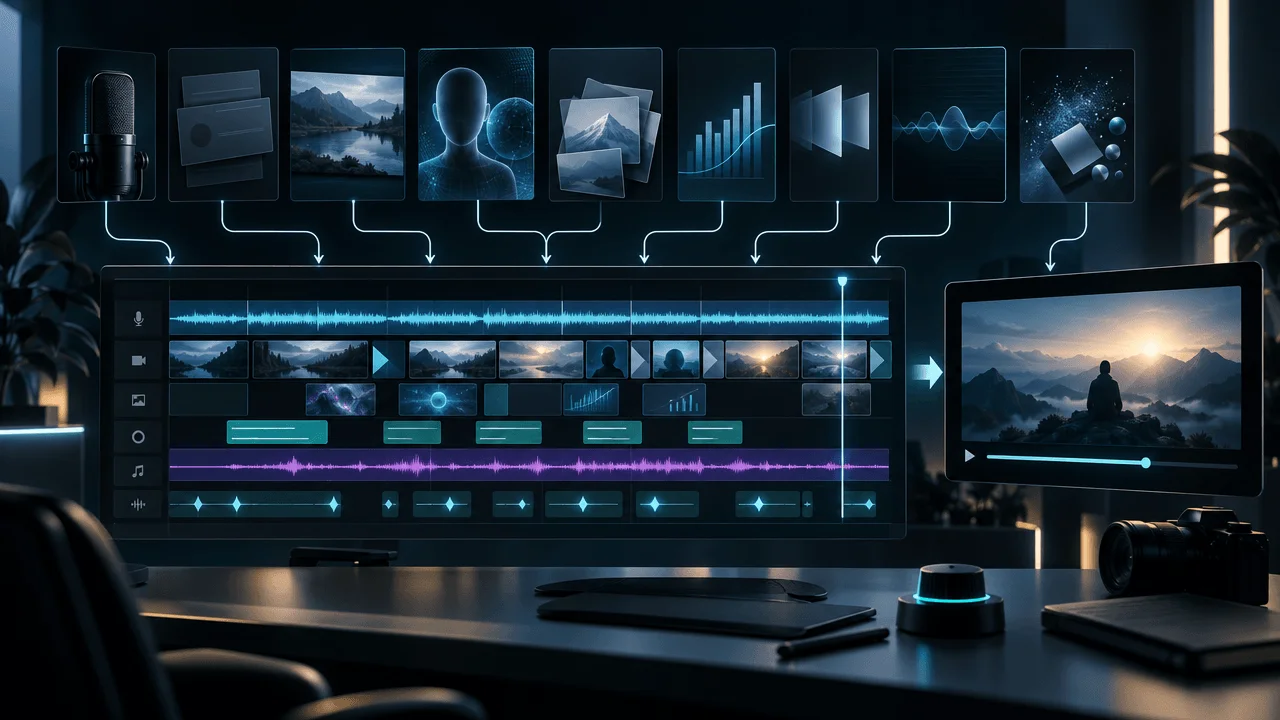
Editing was the single largest named creator challenge in our latest YouTube audience research.
Across 9,677 actionable creator comments, OverseerOS classified:
2,073 comments as editing and production problems.
That was:
21.4% of all actionable comments
and more than:
- monetization
- platform problems
- automation
- analytics
- consistency
- idea research
- scripts
- thumbnails
But the deeper finding was more interesting.
Creators were not primarily saying:
Editing is painful.
They were asking:
How do I actually do this better?
Among the 2,073 editing and production comments:
- 39.7% contained a how-to question
- 21.0% contained a content request
- 9.9% requested a tool
- 7.4% identified a missing capability
- 5.6% requested a comparison
- only 14.5% were primarily pain points
- only 6.7% were objections
When we combined the implementation-oriented signals, 82.4% of editing comments contained at least one request related to how to do the work, what to use, what was missing, or which option to choose.
Across creator problems overall, that figure was only:
59.2%.
So the strongest answer to "Why is YouTube video editing so hard?" is not simply:
It takes a long time.
It is:
Video editing forces creators to make a large number of interconnected production decisions, and most editing frustration in our dataset was really implementation friction: how to make the video, which tools to use, what visuals to choose, what to automate, what to keep manual, and how to turn raw material into a finished video consistently.
That distinction matters.
If the real problem were only time, the solution would be:
edit faster.
If the real problem is implementation complexity, the better solution is:
reduce the number of decisions, standardize the repeatable ones, and preserve human judgment where it actually affects the video.
Key Findings
| Finding | Result |
|---|---|
| Actionable creator comments in full cohort | 9,677 |
| Editing and production comments | 2,073 |
| Share of all actionable comments | 21.4% |
| Source videos containing editing signals | 614 |
| Channels containing editing signals | 41 |
| How-to questions | 822, 39.7% |
| Content requests | 435, 21.0% |
| Pain points | 300, 14.5% |
| Tool requests | 206, 9.9% |
| Missing capabilities | 153, 7.4% |
| Objections | 139, 6.7% |
| Comparison requests | 117, 5.6% |
| How-to or content-request comments | 1,250, 60.3% |
| Tool or comparison requests | 323, 15.6% |
| Pain or objection comments | 432, 20.8% |
| Any implementation-oriented signal | 1,709, 82.4% |
| Explicitly stated needs | 379, 18.3% |
| Implied needs | 1,694, 81.7% |
| Comments with at least one like | 34.8% |
| Median likes | 0 |
| 75th percentile likes | 1 |
| 90th percentile likes | 3 |
The central finding is:
Editing was the largest creator problem in the dataset, but it behaved more like an execution problem than a frustration problem.
Why Is YouTube Video Editing So Hard?
Because editing is not one task.
It is a chain of decisions.
A creator may have to decide:
- what footage belongs in the video
- what should be removed
- where the pacing feels slow
- which sentence needs a visual
- what that visual should be
- whether to use footage, images, animation, screen recordings, or graphics
- where captions should appear
- how audio should be balanced
- when music should enter
- when a scene should change
- which transitions are necessary
- what style should remain consistent
- what can safely be automated
- what needs human review
- whether the final result still delivers the original promise
A video editor is therefore not merely:
cutting clips.
The editor is repeatedly answering:
What should the viewer experience next?
That is why a 10-minute finished video can represent far more than 10 minutes of decision-making.
Finding 1: Editing Was the Largest Named Creator Challenge
The full actionable dataset contained:
9,677 comments.
The largest categories were:
| Creator challenge | Comments | Share |
|---|---|---|
| Editing and production | 2,073 | 21.4% |
| Monetization | 1,514 | 15.6% |
| Platform and account issues | 1,510 | 15.6% |
| Faceless and automation | 1,171 | 12.1% |
| Other | 963 | 10.0% |
| Analytics and growth | 935 | 9.7% |
| Consistency and channel management | 491 | 5.1% |
| Ideas and topic research | 427 | 4.4% |
| Niche selection | 296 | 3.1% |
| Scripts, hooks, and retention | 177 | 1.8% |
| Thumbnails, titles, and CTR | 110 | 1.1% |
| Competitor research | 10 | 0.1% |
Editing alone represented more than:
one in five actionable creator comments.
This supports an important operating principle:
The bottleneck does not necessarily end when the idea and script are finished. For many creators, production becomes the next constraint.
You can have:
- a validated topic
- a strong title
- a good script
- a clear thumbnail
and still struggle to publish consistently because the production layer is too heavy.
Finding 2: 39.7% Were How-To Questions
The largest editing signal was:
how-to questions.
There were:
822
representing:
39.7% of editing comments.
Across actionable creator comments overall, how-to questions represented:
34.4%.
Editing therefore leaned even more heavily toward practical execution.
That suggests creators frequently know:
what they want.
They do not necessarily know:
how to create it.
Examples of the underlying question can include:
- How do I create this visual?
- How do I structure these scenes?
- How do I make the audio work?
- How do I reproduce this style?
- How do I create this effect?
- How do I make the workflow faster?
- How do I use this software?
- How do I produce this type of faceless video?
The production problem is often specific.
Generic advice such as:
Improve your editing.
does not solve it.
"Edit Better" Is Bad Advice
Editing quality is not one variable.
A video can have:
clean cuts
but weak pacing.
It can have:
beautiful visuals
but poor visual relevance.
It can have:
excellent animation
but unnecessary animation.
It can have:
professional audio
but a weak story.
The useful question is not:
How do I improve editing?
It is:
Which production decision is currently reducing clarity, retention, speed, or consistency?
That makes the problem diagnosable.
Finding 3: 60.3% Wanted Instructions or More Content
We combined:
- how-to questions
- content requests
That produced:
1,250 comments.
Or:
60.3% of the editing cohort.
More than three out of five editing signals therefore involved creators effectively asking for:
more explanation.
This is important because it suggests editing difficulty is partly a knowledge-transfer problem.
The creator sees the result.
They cannot see the production decisions that created it.
A polished video hides:
- rejected clips
- scene planning
- visual selection
- timing decisions
- failed generations
- audio cleanup
- revisions
- timeline organization
The finished product makes the process look simpler than it was.
The Invisible Editing Problem
Viewers experience:
the final frame.
Editors experience:
the decision tree.
Imagine a 20-second sequence.
The viewer sees:
- narration
- B-roll
- cut
- image
- caption
- music
- transition
The creator may have considered:
- four B-roll clips
- three images
- two caption positions
- five music tracks
- several scene lengths
- different transition styles
The viewer sees one answer.
The editor dealt with every rejected answer too.
That is where production time disappears.
Finding 4: Tool and Comparison Requests Were More Than Twice as Common
There were:
323 unique editing comments
containing either:
- a tool request
- a comparison request
That equals:
15.6% of the editing cohort.
Across all actionable creator comments, only:
6.7%
contained one of those signals.
Editing comments were therefore about:
2.3 times as likely
to involve:
What tool should I use?
or:
Which option is better?
This is one of the clearest signs that editing difficulty is partly:
tool-selection friction.
Too Many Editing Tools Can Become Another Editing Problem
A creator may assemble:
- one transcription tool
- one editor
- one caption tool
- one image generator
- one video generator
- one voice tool
- one music source
- one upscaler
- one export workflow
Each individual tool may save time.
The system can still become slower.
Why?
Because every handoff creates:
- exports
- imports
- file naming
- format conversion
- project switching
- context switching
- style inconsistencies
- rework
The goal is therefore not:
use the most AI tools.
It is:
use the smallest workflow that reliably creates the required result.
Tool Count Is Not Workflow Quality
Consider two creators.
Creator A
Uses:
9 specialized tools.
Every video requires:
- exporting
- downloading
- uploading
- copying prompts
- moving files
- reformatting assets
Creator B
Uses:
3 tools.
The workflow is more limited.
But the handoffs are clear.
Which creator publishes faster?
You cannot answer from the number of tools.
A tool is valuable only if the time it removes exceeds the coordination it creates.
Finding 5: Editing Was Much Less Pain-Dominated Than Monetization
This result was surprising.
Only:
20.8%
of editing comments contained either:
- a pain point
- an objection
Across actionable creator comments overall:
43.7%
contained pain or objection.
So editing had:
less than half the pain-or-objection rate
of the broader creator problem set.
This does not mean editing is easy.
It suggests something more useful.
Creators often approach editing with:
Help me solve this.
rather than:
This cannot be solved.
That is a very different type of problem.
Editing Is Often a Systems Problem
A creator struggling with production may not need:
motivation.
They may need:
- a reusable structure
- a visual system
- a simpler stack
- better asset organization
- clearer scene planning
- fewer manual tasks
- stronger automation boundaries
That makes editing unusually suitable for:
workflow improvement.
Finding 6: 82.4% Contained an Implementation-Oriented Signal
We created a broader research lens called:
implementation-oriented signals.
It includes any comment containing:
- how-to question
- content request
- tool request
- missing capability
- comparison request
Among editing comments:
1,709 of 2,073
contained at least one.
That is:
82.4%.
Across all actionable creator comments:
59.2%.
Editing therefore over-indexed dramatically toward:
Help me execute this.
This may be the single most useful finding for product designers, educators, and creators.
The editing bottleneck is not solved by another inspirational article.
It is solved by making execution:
- clearer
- repeatable
- cheaper
- faster
The Production Decision Tax
Every repeated manual decision creates a tax.
Suppose each video requires the creator to decide from scratch:
- caption style
- visual style
- transition style
- music volume
- scene duration
- text position
- image model
- visual prompt structure
- motion settings
- export settings
Even if each decision takes only:
one minute
ten decisions across:
20 scenes
can become substantial overhead.
The exact arithmetic varies.
The principle does not.
Repeated creative decisions should become rules when the answer is already known.
What Should Become a Rule?
Good candidates include:
Caption formatting
If every video uses the same caption system, stop redesigning it.
Export settings
If the platform and format are stable, save them.
Brand fonts
Choose once.
Music loudness
Create a repeatable range.
Scene-transition defaults
Start from a standard rather than zero.
Asset folders
Use predictable naming.
Visual style
Store the approved direction.
Aspect ratio
Do not repeatedly re-decide the obvious.
The creator's limited attention should remain available for decisions that affect:
meaning.
What Should Stay Creative?
Not everything should be automated.
Important judgment includes:
Which idea deserves the scene?
Which sentence needs visual emphasis?
When should the pace accelerate?
When should the edit become quiet?
Which image communicates the concept accurately?
Does the visual contradict the narration?
Does the edit preserve the intended emotion?
Does the result still feel original?
Those decisions affect the viewer experience directly.
Automation should reduce:
mechanical work.
It should not blindly erase:
editorial judgment.
Finding 7: Editing Needs Were More Explicit Than Creator Needs Overall
Among editing comments:
18.3%
expressed the need explicitly.
Across actionable creator comments overall:
approximately:
9.7%.
So editing needs were almost:
twice as likely
to be directly stated.
That fits the implementation pattern.
It is easier to say:
How do I create this effect?
than:
My deeper channel positioning is wrong.
Editing problems often have visible objects:
- clip
- caption
- audio
- visual
- software
- export
- effect
Concrete problems produce concrete questions.
Finding 8: Software and Tool Language Appeared Frequently
We ran a secondary keyword scan across the classifier-generated editing need summaries.
This was exploratory rather than a fixed taxonomy.
The categories can overlap.
They should not be interpreted as mutually exclusive market shares.
Still, the pattern gives useful context.
| Exploratory production theme | Comments containing related language |
|---|---|
| Software, editors, or tools | 400 |
| Visuals, footage, images, or animation | 274 |
| Audio, sound, music, or voice | 215 |
| Cost, hiring, or outsourcing | 215 |
| AI or automation | 194 |
| Time or speed | 81 |
| Rendering, hardware, export, or performance | 57 |
| Captions or subtitles | 12 |
Again:
these categories overlap.
And comments outside these keyword groups can still describe the same problems using different words.
But the distribution reinforces the larger finding.
Editing difficulty spans multiple production layers.
There is no single:
editing problem.
The Seven Layers of YouTube Editing Friction
A useful production model is:
Layer 1: Story
What belongs in the video?
Layer 2: Structure
What should happen next?
Layer 3: Visuals
What should the viewer see?
Layer 4: Audio
What should the viewer hear?
Layer 5: Timing
When should everything change?
Layer 6: Tools
How will the result actually be produced?
Layer 7: Quality control
Is the final result accurate, coherent, and worth publishing?
A bottleneck in any layer can make the entire workflow feel:
slow.
Layer 1: Story Decisions
Editing begins before the timeline.
If the script is unclear, the editor has to repair:
- logic
- pacing
- repetition
- transitions
inside production.
That is expensive.
A stronger script reduces editing ambiguity.
The editor should not have to repeatedly ask:
What is this section trying to say?
If the answer is unclear before editing begins, production becomes:
writing with extra steps.
Layer 2: Scene Planning
A script gives you:
words.
Editing needs:
scenes.
The missing transformation is often:
narration -> visual intent
Example narration:
The company lost $2 billion in six months.
The editor still needs to decide:
- company building?
- financial chart?
- collapsing stock price?
- executive footage?
- headline montage?
- animated number?
Scene planning separates:
what the narration says
from:
what the viewer should see.
Without it, every line becomes a fresh research problem.
Layer 3: Visual Selection
Visual production is not merely:
add B-roll.
The visual should have a job.
Possible jobs:
Evidence
Show what is being discussed.
Explanation
Make an abstract concept understandable.
Emotion
Strengthen the feeling.
Orientation
Show where or when something happens.
Reset
Refresh attention.
Emphasis
Make one idea memorable.
If the editor does not know the visual's job, asset selection becomes endless.
The "Why Is This Visual Here?" Test
Ask about every important visual:
Why is this on screen?
Weak answer:
Because the video needed something.
Better:
It proves the claim.
Better:
It makes the mechanism understandable.
Better:
It creates contrast with the previous scene.
Better:
It establishes the person being discussed.
A clear visual purpose makes selection faster.
Layer 4: Audio
Audio introduces another decision system.
The editor may be balancing:
- narration
- dialogue
- music
- sound effects
- silence
- room tone
The goal is not:
maximum sound.
It is:
hierarchy.
At any moment, the viewer should understand what deserves attention.
If music competes with narration, the edit feels harder to follow even when the visuals are excellent.
Layer 5: Timing
Timing is where technically correct editing can still feel wrong.
A shot may be:
good
but stay too long.
A transition may be:
clean
but arrive too early.
A visual may be:
relevant
but appear before the narration establishes context.
Editing therefore involves continuous synchronization between:
- information
- attention
- emotion
- rhythm
That is difficult to automate perfectly because timing is contextual.
Layer 6: Software and Tools
The creator then has to translate all those decisions into:
software operations.
That is a separate skill.
Knowing:
what should happen
does not mean knowing:
which button makes it happen.
This explains why tool requests were so common in the comment dataset.
The creator may understand the creative goal and still be blocked by:
- unfamiliar interfaces
- model limitations
- file formats
- rendering
- integrations
Creative knowledge and software knowledge are not the same thing.
Layer 7: Quality Control
The first render is rarely the real finish line.
A useful final review asks:
Story
Does every section still make sense?
Accuracy
Do the visuals represent what the narration actually says?
Pacing
Are there dead moments?
Audio
Is narration always clear?
Consistency
Do fonts, captions, and visuals belong to the same video?
Technical
Are there broken assets or export problems?
Viewer promise
Does the video deliver what the title and thumbnail promised?
Editing becomes much easier when these checks are:
explicit.
Without a checklist, creators repeatedly watch the entire video asking:
Does something feel wrong?
That is slow.
Why Faceless Videos Can Be Especially Production-Heavy
Faceless videos remove one obvious visual source:
the creator on camera.
That means the production system must continuously answer:
What should be shown instead?
Depending on the format, that can require:
- generated images
- stock footage
- archive material
- screen recordings
- graphics
- animation
- text
- maps
- charts
The absence of a talking head can reduce filming complexity.
It can increase:
visual planning complexity.
That tradeoff should be understood before choosing the format.
The Wrong Way to Speed Up Editing
The worst efficiency strategy is:
make every creative decision automatically.
That can make production faster.
It can also make the video:
- generic
- repetitive
- visually irrelevant
- inconsistent with the narration
Speed has value only if the output remains usable.
A better strategy separates:
mechanical decisions
from:
editorial decisions.
What to Automate vs What to Review
| Production task | Automation potential | Human review importance |
|---|---|---|
| Transcription | High | Low |
| Basic caption timing | High | Medium |
| Silence cleanup | High | Medium |
| File naming | High | Low |
| Scene splitting | Medium to high | Medium |
| Visual prompt drafting | High | High |
| Asset generation | High | High |
| Basic audio normalization | High | Medium |
| Visual selection | Medium | High |
| Pacing | Medium | High |
| Story emphasis | Low to medium | Very high |
| Factual visual accuracy | Medium | Very high |
| Final quality control | Low | Very high |
The rule is:
Automate repetition first. Automate judgment last.
Why AI Does Not Eliminate Editing
AI can generate:
- images
- clips
- captions
- music
- transcripts
- draft scene plans
But generation creates a new question:
Which output is right?
If AI generates four possible visuals, the creator now has:
four options to evaluate.
So AI can reduce:
production labor
while increasing:
selection labor.
The workflow only becomes faster when the AI system also improves:
- context
- constraints
- consistency
- quality filtering
The Best AI Editing Workflow Starts Before Editing
The weak workflow is:
script -> timeline -> figure everything out
A stronger workflow is:
script -> scene plan -> visual intent -> asset generation -> assembly -> review
The difference is:
decisions happen before expensive production.
This mirrors what strong software engineering does.
Resolve the architecture first.
Then implement.
Step 1: Lock the Video Promise
Before editing, define:
What is the viewer expecting this video to deliver?
That promise should already be visible in:
- title
- thumbnail
- opening
- script
Editing should reinforce it.
Not invent a new one.
Step 2: Create a Scene Map
Break the script into:
visual units.
Each unit should have:
Narration
What is said.
Visual intent
What should be communicated visually.
Asset type
Image, footage, screen recording, graphic, animation, text.
Purpose
Evidence, explanation, emotion, orientation, emphasis.
Now the editor is executing a plan rather than discovering the plan inside the timeline.
Step 3: Separate Required Visuals From Optional Polish
Not every sentence needs:
- a new scene
- animation
- a zoom
- a sound effect
Classify assets.
Required
Without it, the viewer cannot understand the point.
Helpful
It improves clarity or retention.
Decorative
It adds polish.
Create required assets first.
Then helpful.
Decorative work comes last.
This prevents creators from spending:
30 minutes polishing a scene the video did not need.
Step 4: Batch Similar Work
Context switching is expensive.
Instead of:
edit scene -> find music -> generate image -> caption -> edit next scene
batch:
- scene planning
- visuals
- captions
- audio
- motion
- QA
The exact sequence can vary.
The principle is:
Stay inside one type of decision long enough to build momentum.
Step 5: Create Style Defaults
Save recurring choices.
Examples:
- caption style
- font
- aspect ratio
- visual style
- transition defaults
- music range
- scene motion
- export format
Defaults are not constraints.
They are starting points.
The creator can override them when the story needs something different.
Step 6: Build Exception-Based Editing
Instead of manually approving:
every normal decision
create a workflow where the creator focuses on:
exceptions.
Example:
Default scene length:
approved.
Default captions:
approved.
Default style:
approved.
Now review only:
- unusual scenes
- bad generations
- factual visuals
- major emotional moments
- transitions between sections
The human spends attention where the risk is highest.
Step 7: Review the Video at Multiple Levels
Do not do one giant review.
Pass 1: Story
Ignore polish.
Does it make sense?
Pass 2: Visual meaning
Are the visuals correct and useful?
Pass 3: Pace
Does anything drag?
Pass 4: Audio
Can everything important be heard?
Pass 5: Technical QA
Any broken captions, assets, timing, or export problems?
Separate review passes make defects easier to detect.
How to Edit YouTube Videos Faster Without Making Them Worse
The objective is not:
minimum editing time.
It is:
minimum unnecessary editing time.
A useful production equation is:
Useful editing time = decisions that improve the viewer experience
Everything else should be questioned.
Ask:
If I remove this production step, does the viewer experience get worse?
If no:
consider removing or automating it.
The Editing ROI Test
Before adding any recurring production step, ask:
Viewer value
Does the viewer notice?
Retention value
Does it make the video easier to follow?
Brand value
Does it make the content recognizably yours?
Production cost
How much time or money does it consume?
Repeatability
Can the process be maintained across 50 videos?
A beautiful editing technique that doubles production time may be:
a bad system
if it adds little viewer value.
Production Complexity Has a Compounding Cost
Suppose every video adds one new manual requirement.
Video 1:
- captions
Video 2:
- captions
- custom transitions
Video 3:
- captions
- custom transitions
- animated maps
Video 4:
- all of the above
- custom generated B-roll
Soon the channel becomes difficult to operate.
Creators often think quality means:
add more.
Sometimes quality comes from:
remove unnecessary production while making the important moments stronger.
The Minimum Effective Edit
Ask:
What is the least production required to fully deliver this video's promise?
For a tutorial:
maybe:
- screen recording
- clear narration
- occasional zooms
- captions
For a documentary:
maybe:
- extensive evidence visuals
- archival imagery
- maps
- music
- motion
For commentary:
maybe:
- host footage
- screenshots
- occasional B-roll
Do not import the editing standard of one format into another.
Why Outsourcing Does Not Automatically Solve Editing
Our exploratory theme scan found:
215 editing comments
containing language related to:
- cost
- hiring
- outsourcing
Outsourcing moves work.
It does not remove:
decision complexity.
If the creator cannot communicate:
- visual style
- pacing
- references
- quality bar
- scene intent
the editor receives an ambiguous brief.
Ambiguity becomes:
- revisions
- delays
- cost
The better the production system, the easier it becomes to delegate.
Document the Editing System Before Hiring
A useful editor handoff should include:
Channel style
What should this feel like?
Visual rules
What belongs and what does not?
Pacing examples
Which videos represent the desired rhythm?
Scene logic
When should visuals change?
Caption rules
What is standard?
Audio rules
How should narration and music interact?
Non-negotiables
What must always be reviewed?
The goal is not to control every frame.
It is to eliminate avoidable ambiguity.
Why Editing Becomes a Growth Constraint
A creator can only publish ideas that survive production.
Suppose you find:
20 validated video opportunities.
But editing capacity is:
2 videos per month.
Your strategy is not limited by:
ideas.
It is limited by:
throughput.
This is why our broader study on what YouTube creators struggle with most placed editing and production at the top.
The bottleneck moved downstream.
The Growth Equation Changes When Production Is the Constraint
Early creator problem:
What should I make?
Later problem:
How do I make enough good videos without collapsing the workflow?
That shifts optimization from:
ideation volume
toward:
production leverage.
The right question becomes:
How do I preserve the quality-driving decisions while reducing everything else?
The Production Bottleneck Test
Answer five questions.
1. How many validated ideas are waiting?
If zero:
production may not be the bottleneck.
2. How many scripts are ready?
If scripts are not ready:
the bottleneck is upstream.
3. How many videos are stuck in editing?
If many:
production is likely constrained.
4. What step consumes the most time?
Do not guess.
Track it.
5. Is the slowest step creative or mechanical?
That determines whether you need:
- better process
- automation
- delegation
- better creative direction
The Four Editing Bottlenecks
Most workflows eventually reveal one dominant constraint.
Knowledge bottleneck
You do not know how to create the result.
Fix:
- tutorials
- examples
- documentation
- practice
Decision bottleneck
Too many choices.
Fix:
- defaults
- templates
- style systems
- scene plans
Labor bottleneck
The steps are understood but manually expensive.
Fix:
- automation
- batch processing
- delegation
Quality bottleneck
The process is fast but output is weak.
Fix:
- stronger review
- better creative direction
- higher-quality inputs
Do not prescribe:
AI automation
to a knowledge problem.
Do not prescribe:
more tutorials
to a labor problem.
Diagnose first.
How OverseerOS Fits Into the Production Bottleneck
The purpose of a production system should not be:
remove the creator.
It should be:
remove repeated mechanical decisions so the creator can spend more attention on high-value creative decisions.
For faceless production, OverseerOS Auto Edit provides a structured workflow around a finished script and voiceover, including scene planning and downstream production stages.
The useful sequence is:
validated idea -> script -> scene plan -> production -> review
rather than:
random idea -> generate everything -> hope
The YouTube Content Planner can keep the upstream topic, script, and production context attached to the same content decision before the project reaches editing.
That matters because editing quality depends heavily on:
the quality of what arrives at editing.
Editing Cannot Rescue Every Upstream Mistake
A weak topic cannot always be edited into strong demand.
A weak script cannot always be edited into a strong story.
A misleading title cannot always be fixed by visual polish.
A vague idea can create:
expensive production
for:
weak audience value.
The best editing optimization therefore begins before editing.
The Full YouTube Production System
A cleaner operating model is:
Research
Find proven audience demand.
Packaging
Define title and thumbnail promise.
Script
Build the narrative.
Scene planning
Translate words into visual intent.
Production
Create the required assets.
Assembly
Combine visuals, narration, captions, music, and motion.
QA
Check accuracy, pacing, consistency, and technical quality.
Publish
Ship.
Learn
Use performance to improve the next system.
Every stage should reduce uncertainty for the next one.
The Editing System Scorecard
Score each category from 1 to 5.
| Area | Question |
|---|---|
| Script readiness | Is the narrative final before editing begins? |
| Scene clarity | Does every section have a clear visual job? |
| Style consistency | Are recurring design decisions already defined? |
| Tool simplicity | Is the stack smaller than necessary, not larger? |
| Asset quality | Can usable visuals be created reliably? |
| Automation | Are repetitive mechanical tasks automated? |
| Human control | Are high-risk creative decisions reviewed? |
| Audio | Is narration consistently clear? |
| Handoffs | Can someone else understand the workflow? |
| QA | Is there a repeatable review checklist? |
| Throughput | Can the system sustain the required publishing rate? |
The lowest category is likely your next optimization target.
The Editing Rule Worth Remembering
Do not ask:
How do I make editing faster?
Ask:
Which decisions am I making repeatedly that no longer need to be decisions?
That question finds:
- templates
- defaults
- automation
- delegation opportunities
Then ask:
Which decisions still require taste, context, and judgment?
Protect those.
That is how editing becomes faster without becoming generic.
How We Analyzed the Data
This study uses the same current audience-intelligence corpus behind our broader creator-challenge research.
The dataset contained:
27,555 classified public YouTube comments
across:
1,954 videos
and:
44 creator-focused channels.
Of those comments:
9,677
contained an actionable creator signal.
The taxonomy classified:
2,073
of those actionable comments into:
editing_and_production.
Those comments came from:
- 614 videos
- 41 channels
The comments were published between approximately:
May 2 and August 13, 2026.
About:
91.1%
of the editing comments were classified as English.
Signal Types
Each actionable comment could contain one or two signal types.
The editing cohort contained:
One signal
1,974 comments, 95.2%
Two signals
99 comments, 4.8%
That is why individual signal percentages can sum above:
100%.
What We Mean by "Implementation-Oriented"
This is a grouped research lens created for this analysis.
It combines comments containing at least one of:
- how-to question
- content request
- tool request
- missing capability
- comparison request
It is not an official YouTube category.
It is useful because those signals share one basic intent:
Help me execute.
Using that definition:
Editing and production
82.4%
All actionable creator comments
59.2%
Exploratory Theme Scan
The software, visuals, audio, cost, AI, speed, technical-performance, and caption counts were generated using conservative keyword matching against the classifier's normalized specific_need summaries.
Those categories:
- overlap
- are incomplete
- are not the core taxonomy
- should not be treated as exhaustive market shares
We include them because they help illustrate the production layers represented inside the broader editing category.
The primary conclusions rely on the fixed taxonomy signal counts.
Limitations
The corpus is not a random sample of every YouTube creator
The comments came from creator-focused public videos represented in the OverseerOS audience-research corpus.
The findings describe this sample.
They are not official platform-wide percentages.
Commenters are self-selected
People who comment may be:
- more engaged
- more confused
- more motivated
- more opinionated
than silent viewers.
Editing difficulty is broader than comments can capture
A creator can struggle with production and never mention it publicly.
The taxonomy identifies expressed need
It does not independently prove:
the root cause.
A creator asking for a new editing tool may actually have:
- weak process
- weak hardware
- poor training
The comment tells us what need they expressed.
Not necessarily the final diagnosis.
Tool requests do not prove another tool is the solution
More software can create more complexity.
The study does not measure actual editing hours
We cannot conclude:
- average hours per video
- minutes per finished minute
- time saved through AI
from this dataset.
Those would require direct workflow measurements.
The exploratory subtheme analysis is keyword-based
It provides directional context only.
Likes are not importance scores
Only 34.8% of editing comments received at least one like.
That does not mean unliked needs are unimportant.
The study does not measure video quality
We analyze creator needs.
We do not independently score the finished edits associated with those comments.
Final Verdict
Why is YouTube video editing so hard?
Because editing is not simply:
cutting footage.
It is a high-decision production system.
In our analysis of:
2,073 editing and production comments across 614 videos and 41 creator-focused channels
editing was the largest named challenge in the entire actionable dataset.
But the real insight was not the size of the category.
It was the type of problem.
39.7%
were how-to questions.
21.0%
were content requests.
9.9%
requested tools.
5.6%
requested comparisons.
And:
82.4%
contained at least one implementation-oriented signal.
Across creator problems overall:
only:
59.2%
did.
Meanwhile, only:
20.8%
of editing comments contained a pain point or objection.
So creators were not primarily saying:
Editing is impossible.
They were saying:
Show me how to make this work.
That changes the solution.
Do not solve editing by adding more random tools.
Do not solve it by removing every creative decision.
Build a production system that:
- makes the important creative decisions explicit
- turns repeated decisions into defaults
- plans scenes before expensive production
- automates mechanical work
- keeps humans responsible for meaning, accuracy, pacing, and quality
- uses fewer handoffs
- reviews exceptions instead of manually rebuilding everything from zero
The goal is not:
zero editing.
The goal is:
zero unnecessary editing.
Keep the decisions that make the video better.
Systematize everything else.
Frequently Asked Questions
Why is video editing so hard?
Video editing combines storytelling, visual selection, timing, audio, software operation, and quality control. In our creator-comment study, 82.4% of editing comments contained an implementation-oriented need, suggesting execution complexity is a major source of difficulty.
Why is YouTube video editing so hard?
YouTube editing requires creators to convert an idea or script into a sequence of visual, audio, pacing, and technical decisions while maintaining viewer clarity and channel consistency.
What is the hardest part of editing YouTube videos?
There is no single hardest step for every creator. Our data showed strong demand around how-to guidance, tools, comparisons, visuals, audio, automation, and production workflows.
Is video editing the biggest problem YouTube creators face?
In our current actionable comment dataset, editing and production was the largest named category, representing 21.4% of 9,677 actionable creator comments.
How many editing comments did OverseerOS analyze?
We analyzed 2,073 editing and production comments across 614 public YouTube videos and 41 creator-focused channels.
What do creators ask about editing most?
How-to questions were the largest signal, appearing in 39.7% of editing comments. Content requests appeared in 21.0%.
Do creators mainly complain about editing?
Not in this dataset. Only 20.8% of editing comments contained a pain point or objection, while 82.4% contained an implementation-oriented signal.
Why does editing take so much time?
Editing involves many repeated decisions about structure, scenes, visuals, timing, audio, tools, and quality. This study did not directly measure editing hours, so it cannot provide a universal time estimate.
How can I edit YouTube videos faster?
Reduce repeated decisions. Use scene plans, templates, saved styles, standard export settings, batch similar tasks, automate mechanical work, and reserve human attention for creative judgment and quality control.
What should I automate when editing videos?
Good automation candidates include transcription, basic captions, file organization, some audio cleanup, and repetitive production steps. Creative pacing, visual meaning, accuracy, and final QA should receive stronger human review.
Can AI completely edit a YouTube video?
AI can automate many production tasks, but creators still need to evaluate visual relevance, pacing, factual accuracy, originality, and whether the final video fulfills its intended promise.
Does AI actually make video editing faster?
It can reduce repetitive production work, but this study did not measure editing time before and after AI adoption. AI can also create additional selection and review work if it generates many weak options.
Why do AI-edited videos sometimes look generic?
When the system automates high-level creative judgment without enough context or constraints, scenes can become repetitive, irrelevant, or stylistically inconsistent.
Should every sentence have B-roll?
No. Visuals should have a clear function such as evidence, explanation, emotion, orientation, or emphasis. Adding a new asset to every sentence can increase production cost without improving the viewer experience.
How do I know what visual to use for a scene?
Start with the purpose of the line. Ask whether the visual needs to prove something, explain something, establish context, create emotion, or refresh attention.
Should I plan scenes before I start editing?
For production-heavy videos, scene planning can reduce ambiguity because it translates narration into visual intent before the creator begins sourcing or generating assets.
How do I simplify my editing workflow?
Reduce tool handoffs, create reusable defaults, batch similar tasks, separate required visuals from optional polish, and document your review process.
Is using more editing tools better?
Not necessarily. Every additional tool can create exports, imports, file management, and context switching. A smaller reliable stack can outperform a larger fragmented stack.
When should I outsource video editing?
Outsourcing becomes easier when your style, pacing, scene logic, caption rules, and quality expectations are documented well enough for another editor to follow consistently.
Why is faceless YouTube editing difficult?
Faceless formats remove the creator's face as a default visual source, which can increase the need for scene planning, generated imagery, stock footage, graphics, screen recordings, or animation.
How can I make faceless videos faster?
Finalize the script first, create a scene map, define a reusable visual style, automate repetitive asset and caption work where appropriate, and review high-impact scenes manually.
What is the best editing workflow for YouTube?
A strong general sequence is research, packaging, script, scene planning, production, assembly, quality control, publishing, and post-publish learning. The exact workflow should match the channel format.
Should I edit the script before the video?
Yes. Resolving structural and narrative problems before production is generally more efficient than trying to repair an unclear script during editing.
How do I know if editing is my YouTube bottleneck?
If validated ideas and finished scripts are waiting while videos remain stuck in production, editing capacity is likely constraining your publishing throughput.
How can OverseerOS help with YouTube editing?
OverseerOS Auto Edit provides a structured faceless production workflow around a finished script and voiceover, while the YouTube Content Planner helps preserve the upstream topic and script context that production depends on.