A 10-minute YouTube video can cost:
$3.
Or:
$300.
Or:
$1,500+.
All three numbers can be legitimate.
The problem is that they usually describe completely different jobs.
A creator with:
- a finished recording
- clean audio
- three camera cuts
- basic captions
is buying a different service from a faceless documentary creator who needs:
- 120 visual decisions
- B-roll
- graphics
- maps
- AI-generated scenes
- captions
- transitions
- sound design
- music
And both are different from someone typing:
Make me a 10-minute video about Ancient Rome.
into an AI video generator.
So the real question is not:
How much does a 10-minute YouTube video cost?
It is:
What exactly has to happen between your starting material and the finished upload?
In 2026, current public rates span from single-digit AI generation costs to hundreds or thousands of dollars for human-led editing.
Upwork currently lists $100–$500 as a typical range for a basic 10–15 minute YouTube edit, while a more complete 10–20 minute YouTube production package with B-roll integration, captions, thumbnail work and a fuller edit can reach $500–$1,500.
At the other end of the market, some AI faceless-video platforms currently advertise finished-video generation for roughly $0.29 to $1.48 per finished minute, depending on tool, plan and workflow.
That means a nominal 10-minute AI-generated video can have a platform-generation cost measured in:
single-digit or low-double-digit dollars.
But that is not necessarily the:
true production cost.
Because somebody still has to decide whether the video is any good.
That is where most AI cost comparisons become misleading.
Quick Answer: What Does YouTube Video Editing Cost?
Here is the practical 2026 picture.
| Workflow | Rough Cost for a 10-Minute Video | What You Are Actually Buying |
|---|---|---|
| DIY editing | $0 software cost + your time | You do everything |
| Basic freelance edit | ~$100–$500 | Cuts, music, basic transitions, simple polish |
| Professional creator edit | ~$300–$1,500+ | B-roll, pacing, graphics, sound, revisions |
| In-house editor | Salary + software + overhead | Dedicated ongoing production capacity |
| AI-assisted human workflow | Tool cost + reduced human hours | AI handles repetitive work, human finishes |
| Script-to-video AI | Often single digits to low tens in generation cost | Automated first cut from script/voiceover |
| Done-for-you faceless service | Often priced per minute or project | AI/human hybrid production |
The most important distinction is:
AI generation cost is not the same as finished-video cost.
A tool may charge:
$5
to generate the first cut.
If you then spend:
three hours fixing it,
your real cost is not:
$5.
The Real Cost Formula
A better model is:
True Video Cost
=
Editing / Generation Cost
+
Human Review Time
+
Revision Time
+
Voiceover Cost
+
Asset Cost
+
Music / Licensing
+
Thumbnail Cost
+
Production Overhead
Not every project contains every category.
But this formula stops you comparing:
$7 AI render
with:
$500 finished human edit
as though they are the same product.
They are not.
The Biggest Pricing Mistake: Comparing Different Starting Points
Consider three 10-minute videos.
Video A: Talking Head
You already have:
- 20 minutes of recorded footage
- clean microphone audio
- camera
- lighting
- presenter
The editor needs to:
cut mistakes, tighten pacing, add music, captions and perhaps a little B-roll.
Video B: Faceless Documentary
You have:
- script
- voiceover
The production still needs:
- scene planning
- perhaps 100+ visuals
- asset sourcing
- graphics
- captions
- movement
- transitions
- music
- sound effects
- assembly
Video C: Prompt-to-Video
You have:
one sentence.
The system must potentially create:
- script
- narration
- shot plan
- visuals
- edit
- captions
- music
All three outputs may be:
10 minutes long.
Finished runtime tells you almost nothing about the amount of work required.
Editing Cost Is Really Transformation Cost
A better question is:
How far is the starting material from the finished video?
If you give an editor:
- perfectly recorded A-roll
- final script
- exact B-roll folder
- music
- graphics
- brand template
the transformation is relatively small.
If you give them:
Topic: Why Rome Collapsed
the transformation is enormous.
That difference should affect the price.
What Human YouTube Editors Cost in 2026
Upwork currently says video editors on its marketplace generally charge around $10–$60 per hour on one hiring page, while its rate-specific data breaks active contracts into an entry median around $10/hour, mid-tier around $40/hour, and senior median around $100/hour.
For YouTube-specific project pricing, Upwork currently lists:
| YouTube Editing Scope | Current Indicative Range |
|---|---|
| Basic 10–15 min YouTube edit | $100–$500 |
| Broader 10–20 min YouTube production | $500–$1,500 |
| Ongoing monthly retainer | $1,200–$4,800+ |
The scope matters enormously. The cheaper YouTube-edit range is described around basic cuts, transitions, music and color correction, while the larger production package includes more complete editing tasks.
This is why two creators can both say:
My editor charges $300.
while receiving dramatically different work.
Professional Editing Labor Is Expensive for a Reason
The U.S. Bureau of Labor Statistics reports a $75,420 median annual wage for film and video editors in May 2025, with the occupation's summary equivalent around $36 per hour before employer overhead.
That is not a freelance YouTube rate.
But it provides useful context.
Professional editing is skilled labor.
A real editor is making hundreds of decisions about:
- pacing
- story
- shot choice
- timing
- audio
- graphics
- emphasis
- continuity
- viewer comprehension
AI can automate many mechanical parts of that process.
It does not make judgment free.
How Much Does a Basic 10-Minute YouTube Edit Cost?
For a straightforward talking-head or podcast-style project, the current market can reasonably start around:
$100–$500 per video
for a basic freelance edit.
A basic project might include:
cuts, dead-air removal, background music, simple transitions, basic color correction and perhaps uncomplicated text.
This can be excellent value when your footage is already good.
The editor is not:
building the entire visual world.
They are refining material you already created.
How Much Does a High-Retention YouTube Edit Cost?
The price moves upward when you ask for:
- dense B-roll
- custom motion graphics
- visual pattern interrupts
- animated text
- research
- sound design
- memes
- screenshots
- maps
- complex pacing
- multiple revision rounds
At that point, paying:
hundreds of dollars per video
becomes normal.
More elaborate professional work can move above:
$1,000 per video
depending on the editor and production standard.
Upwork currently places fuller YouTube production in roughly the $500–$1,500 range for a 10–20 minute finished video.
Why Faceless YouTube Editing Can Cost More Than Talking-Head Editing
Faceless creators sometimes assume:
No camera means cheaper video.
Not necessarily.
Removing the presenter also removes the video's default visual.
A talking-head editor can leave:
the person speaking
on screen.
A faceless editor cannot.
Every section needs coverage.
That can mean:
- stock footage
- archive
- screenshots
- maps
- photographs
- charts
- animation
- AI images
- AI video
- text
- motion graphics
You have removed filming.
You may have increased:
post-production.
A 10-Minute Faceless Video Can Contain 100+ Visual Decisions
In our previous long-form visual-pacing study, 33 completed Auto Edit projects had a median runtime of 9.1 minutes and a median of 128 scenes. The middle half contained roughly 101 to 161 scenes.
That does not mean every 10-minute video should have 128 unique assets.
It does show why:
$20 per finished minute
can be a terrible way to estimate some faceless edits.
A ten-minute project with:
40 simple scenes
and one with:
160 individually designed scenes
are completely different workloads.
Cost Per Minute Is Useful, but Dangerous
Per-minute pricing looks clean.
Example:
$30 per finished minute
×
10 minutes
=
$300
Simple.
But final runtime is only one workload variable.
A better cost model also considers:
| Cost Driver | Lower Cost | Higher Cost |
|---|---|---|
| Raw footage | Clean and organized | Hours of unsorted footage |
| Visual density | Few cuts | Constant scene changes |
| B-roll | Supplied | Editor must source |
| Graphics | Template | Custom animation |
| Captions | Automatic | Highly styled |
| Sound | Basic music | Detailed sound design |
| Revisions | One round | Multiple rounds |
| Research | None | Editor must research |
| Visuals | Existing | Must generate/create |
| Brand style | Established | Must invent |
This is why a flat:
$/minute
number should never be the only thing in your quote.
How Much Does AI Video Creation Cost in 2026?
This is where the economics become radically different.
Some current AI-first faceless-video platforms advertise finished-minute costs around:
well under $2 per minute.
For example, Cliptude currently advertises documentary generation using your own voiceover from approximately $0.29 per finished minute on annual billing. EmberTube lists its Starter allowance at around $1.48 per finished minute.
Lantaw currently describes a representative workflow at roughly $1.03 per minute on its entry paid plan.
Fabula says a typical 8–10 minute generated video uses roughly 300 credits, which it equates to approximately $3 of AI usage under its credit valuation.
These are vendor-published figures.
They are not directly interchangeable.
The products may differ in:
- visual type
- resolution
- motion
- model quality
- voice
- script generation
- number of retries
- included assets
- monthly minimums
So do not conclude:
Tool A costs $3 and Tool B costs $15, therefore Tool A is five times better.
Cost is only useful after you define:
what the output actually is.
Current AI Generation Cost Examples
| Example Workflow | Advertised Cost Structure | Approx. Nominal 10-Min Cost |
|---|---|---|
| Cliptude documentary, own voice | ~$0.29/min annual | ~$2.90 |
| Fabula typical 8–10 min generation | ~$3 AI usage | ~$3 |
| Lantaw representative plan mix | ~$1.03/min | ~$10.30 |
| EmberTube Starter | ~$1.48/min | ~$14.80 |
Sources are current vendor-published pricing or cost claims and were checked in October 2026. Formats and inclusions differ, so this is not a quality ranking.
That table explains why AI-generated faceless video is economically disruptive.
The machine cost of producing ten minutes of video can now be extraordinarily low.
But this is where we need another column.
Add the Cost of Human Review
Suppose an AI platform creates a 10-minute first cut for:
$5.
You review it for:
45 minutes.
Your effective working-hour value is:
$30/hour.
Human review cost:
0.75 hours × $30
=
$22.50
True cost is now closer to:
$5 machine cost
+
$22.50 review
=
$27.50
Still inexpensive.
But no longer:
$5.
Now suppose the first cut is weak.
You spend:
three hours
regenerating visuals and fixing scenes.
At the same $30/hour:
3 × $30
=
$90
True cost:
$5
+
$90
=
$95
The AI bill did not change.
The production economics did.
The Most Important AI Cost Metric Is Correction Time
Creators obsess over:
- credits
- token cost
- cost per image
- price per minute
Those matter.
But once AI generation becomes cheap, the dominant variable can become:
How much human correction is required before I am willing to publish this?
A system that costs:
$12
and needs:
20 minutes of review
may be cheaper than one that costs:
$3
and needs:
four hours of repair.
That is why the cheapest AI generator is not automatically the cheapest production workflow.
The $5 Video That Costs You Four Hours Is Not a $5 Video
This deserves repeating.
If your time has value:
time is part of cost.
Use:
Human Time Cost
=
Hours Spent
×
Your Effective Hourly Value
If you do not know your hourly value, you can still compare:
hours per publishable video.
That metric alone can expose a bad workflow.
AI Render Time Is Also Not Human Editing Time
We previously analyzed 170 successful timed Auto Edit render attempts.
The median automated machine run was:
2 minutes 31 seconds.
But workload varied dramatically with scene count. Projects with 81–160 scenes had a median successful automated run of about 18 minutes 20 seconds, while 161+ scene projects had a median of about 28 minutes 30 seconds. Scene count had a strong relationship with processing time in the sample.
The important distinction is:
machine processing time and creator labor time are different costs.
If your computer or cloud worker is rendering for:
20 minutes
while you do something else:
that is not equivalent to:
20 minutes spent manually editing.
Automation creates value precisely because it can separate:
machine time
from:
human attention.
The Four Cost Models You Should Compare
Most creators are choosing between four real operating models.
Model 1: DIY Manual Editing
Software may be free or inexpensive.
Human time is high.
True cost:
Software
+
Your Hours
Best when:
you enjoy editing, are developing the skill, have little cash, or need maximum control.
Model 2: Human Editor
Cash cost is higher.
Your direct editing time is lower.
True cost:
Editor Fee
+
Your Review Time
+
Revision Overhead
Best when:
quality and delegation matter more than minimizing cash spend.
Model 3: AI First Cut + Human Review
Machine handles repetitive assembly.
Human handles judgment.
True cost:
AI Platform
+
Review
+
Corrections
Best when:
your workflow is structured enough for automation but quality still matters.
Model 4: AI + Human Editor
AI creates:
- transcripts
- scenes
- rough cuts
- captions
- visual candidates
Then an editor performs:
- selection
- polish
- storytelling
- sound
- final quality control
True cost:
AI Tool
+
Reduced Editor Hours
For many professional creators, this may ultimately be the most important model.
Not:
AI vs editor.
But:
AI makes the editor faster.
AI Does Not Make Every Type of Editing Cheap
Imagine:
three-camera podcast.
AI can help with:
- transcript editing
- silence removal
- camera switching
- captions
Great.
Now imagine:
cinematic travel documentary.
You may need:
- shot selection from hours of footage
- color work
- custom sound design
- story reconstruction
- music editing
- motion graphics
AI helps.
But the creative judgment remains substantial.
Now imagine:
narration-led faceless documentary.
The inputs are:
- script
- voiceover
This format is much more structurally automatable.
That is why script-to-video systems can change its economics more dramatically.
AI Video Editing vs AI Video Generation
These are often confused.
AI-Assisted Editing
You already have footage.
AI helps:
- cut
- transcribe
- caption
- remove pauses
- find clips
- reframe
- clean audio
AI Video Generation
AI creates visual material.
Automated Faceless Production
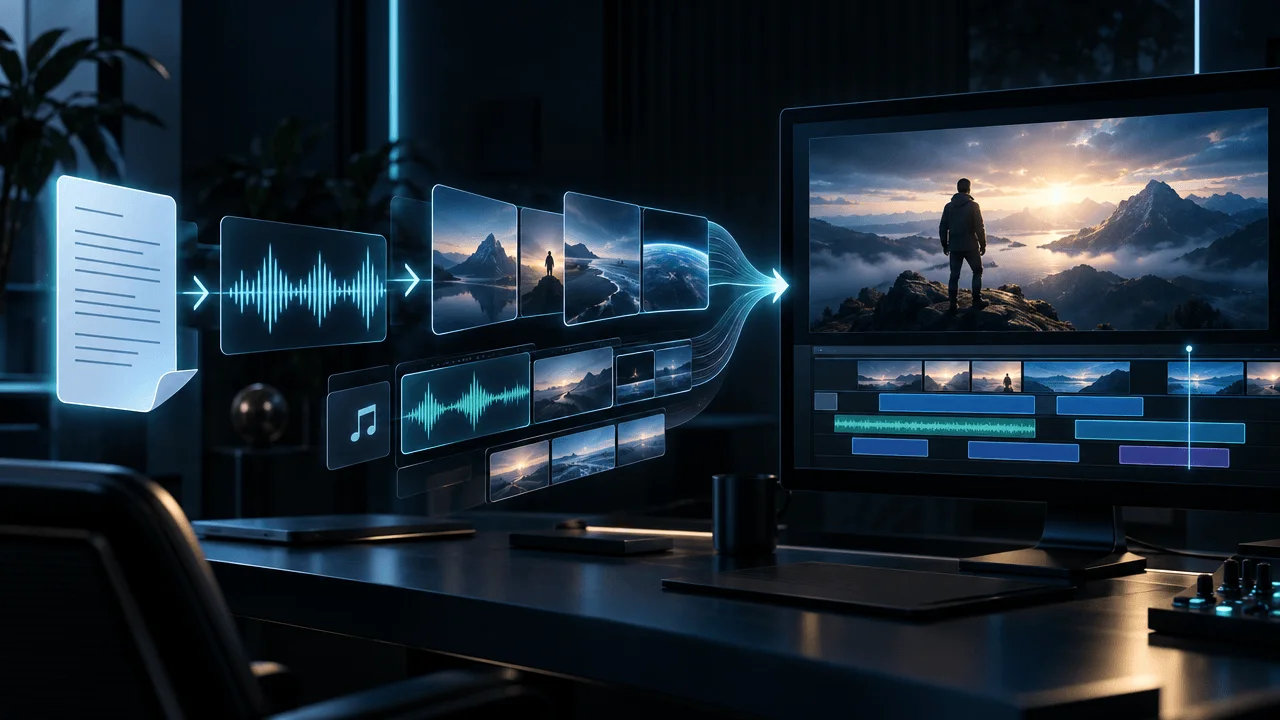
A system turns:
script
+
voiceover
↓
scenes
↓
visuals
↓
captions
↓
music
↓
finished first cut
These are not the same product.
Their economics are different.
What Does OverseerOS Auto Edit Cost?
OverseerOS does not sell Auto Edit as a simple:
$X per finished minute standalone subscription.
The production system sits inside a broader YouTube research and production platform.
Current monthly pricing is:
| Plan | Monthly Price | Included Auto Edit Bonus |
|---|---|---|
| Creator | $29 | 70 credits, about 5 min |
| Pro | $79 | 250 credits, about 18 min |
| Elite | $199 | 700 credits, about 50 min |
OverseerOS states that additional credits can be added when needed. The subscription also includes other research, scripting, planning and production features, so dividing the entire plan price by included video minutes would produce a misleading "cost per minute."
For example:
Pro is not:
$79 for 18 minutes of video.
It also includes broader:
- channel research
- scripting
- built-in voiceover allowance
- competitor workflows
- content planning
- distribution features
So the correct question is:
How much of the subscription would I already need for the rest of my YouTube workflow?
That determines the effective marginal cost of Auto Edit for you.
When OverseerOS Auto Edit Makes Economic Sense
Auto Edit is designed for a specific production problem:
finished script + voiceover → narration-led faceless video.
The current workflow can build:
- scene structure
- AI visuals
- captions
- motion
- transitions
- music
- export-ready first cuts
for long-form and Shorts workflows.
It makes less sense if your main job is:
- multi-camera podcast editing
- wedding footage
- cinematic travel footage
- frame-level VFX
- complex manual compositing
That is important.
The cheapest tool is the one built for:
your actual job.
Human Editor vs AI: A 10-Minute Example
Consider a narration-led faceless documentary.
Inputs:
- final script
- final voiceover
Desired output:
- 10 minutes
- dense visual coverage
- captions
- music
- transitions
- final MP4
Human-First Workflow
Suppose the editor quotes:
$400.
You spend:
30 minutes
reviewing the result.
One revision round follows.
Total cash:
approximately:
$400
plus your review time.
AI-First Workflow
Suppose generation costs:
$10
and you spend:
75 minutes
reviewing and correcting.
At an internal time value of:
$30/hour:
1.25 × $30
=
$37.50
True modeled cost:
$10 + $37.50
=
$47.50
That is a major difference.
But only if:
the AI result reaches publishable quality after 75 minutes.
If it requires six hours of repair:
the economics change.
This is why you should test:
one full video
before redesigning your production operation around any AI tool.
The Publishable-Video Test
Do not compare platforms using:
How long did generation take?
Compare:
How long until I had a video I would actually publish?
Start the clock when you begin production.
Stop when the finished file meets your channel standard.
Measure:
| Metric | What to Record |
|---|---|
| Tool spend | Credits + subscription allocation |
| Human minutes | Active work only |
| Regenerations | Number required |
| Manual fixes | Count or time |
| Export failures | Number |
| Revision rounds | Number |
| Final runtime | Finished minutes |
| Publishable? | Yes / no |
Then calculate:
Cost Per Publishable Minute
=
True Production Cost
÷
Finished Runtime
That number is much more meaningful than:
generation price per minute.
Why Revision Cost Matters
Imagine Editor A charges:
$250.
Editor B charges:
$350.
Editor A needs:
four revision rounds.
Editor B understands your channel and usually gets it right in one.
Which one is cheaper?
Possibly:
Editor B.
Revision cost includes:
- writing feedback
- watching new exports
- communication
- delays
- missed upload windows
- context switching
Cheap first drafts can become expensive final videos.
The same principle applies to AI.
AI Regeneration Is a Revision Round
When an AI visual is wrong and you click:
Regenerate
that is effectively a miniature revision.
Each one has:
- credit cost
- waiting time
- review time
A system that requires regenerating:
40% of your scenes
has a very different effective cost from one that needs:
5%.
So track:
first-pass acceptance rate.
That may become one of the most important AI-production metrics.
First-Pass Acceptance Rate
Formula:
Accepted Scenes on First Pass
÷
Total Scenes
×
100
Example:
100 scenes.
75 are usable immediately.
75 ÷ 100
=
75%
The remaining:
25 scenes
create correction work.
Two platforms with identical:
$5 generation cost
can have radically different economics if one has a:
90%
first-pass acceptance rate and the other:
50%.
The Cost of Voiceover
Some platforms include narration.
Others assume you bring your own.
That matters.
Your voiceover may come from:
- your own recording
- a hired voice actor
- AI TTS
- cloned/synthetic channel voice
So when comparing:
AI video price,
check whether voice is included.
A:
$4 video
without narration
and:
$8 video
with narration
are not directly comparable.
The Cost of Visual Assets
Similarly, ask whether the price includes:
- stock video
- stock images
- AI images
- AI video
- premium models
- map assets
- archive
- licensed material
Some tools build videos mostly from still images.
Some use stock.
Some generate video clips.
Some charge dramatically more for motion.
The word:
video
does not guarantee the same production method.
The Cost of Motion
AI image generation is relatively cheap.
AI video generation can be far more expensive.
That means a platform offering:
$0.30 per finished minute
may rely heavily on:
- still images
- pans
- zooms
- basic motion
while another expensive system generates true moving footage.
That is not necessarily bad.
A history documentary may be better with:
- archival photographs
- maps
- illustrations
- controlled motion
than with:
ten minutes of unstable synthetic video.
Compare:
production fit.
Not only technological impressiveness.
The Cost of Quality Control
AI creates a new job:
QA.
You need to check:
Visual Accuracy
Does the scene actually match the narration?
Historical Accuracy
Are clothing, architecture and objects plausible?
Character Continuity
Does the same character remain recognizable?
Text
Did generated visuals create nonsense text?
Captions
Are words correct and synchronized?
Timing
Does each visual stay long enough?
Style
Does the video feel like one coherent production?
Audio
Are voice, music and SFX balanced?
Claims
Does the video show something misleading?
QA is production work.
Budget for it.
The Cost of a Bad Upload
This is the cost most calculators ignore.
Suppose you save:
$150
on editing.
Then publish a video with:
- poor pacing
- wrong visuals
- unreadable captions
- weak audio
- generic style
If the topic had real potential:
saving editing money may have destroyed far more value than it preserved.
The objective is not:
minimum production cost.
It is:
maximum expected return per production dollar.
Cheap Video vs Profitable Video
Imagine:
Video A
Production cost:
$20
Views:
4,000
Video B
Production cost:
$300
Views:
200,000
Which was expensive?
You cannot answer from production cost alone.
You need:
return.
A useful metric is:
Production Cost Per 1,000 Views
=
Production Cost
÷
Views
×
1,000
Video A:
$20 ÷ 4,000 × 1,000
=
$5 per 1,000 views
Video B:
$300 ÷ 200,000 × 1,000
=
$1.50 per 1,000 views
The more expensive video produced:
cheaper reach.
But Do Not Optimize Cost Per View Too Early
One successful video can distort everything.
For a channel-level view, measure across:
10–20 uploads.
Track:
- total production spend
- total views
- revenue
- subscribers
- leads
- affiliate sales
- sponsor value
Then compare production systems.
The question becomes:
Which workflow produces the strongest channel economics?
That is much more useful than:
Which editor is cheapest?
Editing ROI for Monetized Channels
A more complete formula is:
Video Contribution
=
Ad Revenue
+
Sponsor Revenue
+
Affiliate Revenue
+
Product Revenue
+
Lead Value
-
Production Cost
You may discover:
high production spend
is completely rational.
Or:
you may discover your editing stack is eating the entire margin.
Both happen.
What Should a New YouTuber Spend on Editing?
At the beginning, the biggest risk is paying premium production costs before proving:
topic-market fit.
If your channel has:
- no stable format
- no proven topics
- no validated packaging
- no consistent publishing system
spending:
$1,000 per upload
may be premature.
Your biggest problem may not be:
production quality.
It may be:
idea quality.
A lower-cost production workflow lets you:
test more ideas.
But do not lower quality so far that your test becomes invalid.
A Failed Cheap Video Does Not Prove the Topic Was Bad
Suppose the thumbnail was good.
The idea was good.
But the video felt:
obviously automated and low effort.
It underperforms.
What did you learn?
Maybe:
nothing about the topic.
Your production quality became a confounding variable.
The ideal low-cost workflow still needs to clear a:
credible quality floor.
What Should a Growing Channel Spend?
Once a channel finds:
- repeatable topics
- stable format
- monetization
- predictable upload schedule
delegation becomes more valuable.
At this stage, a human editor may create leverage by giving the creator time to:
- research
- write
- film
- sell
- plan
- launch more channels
The editor is not simply an expense.
They buy back:
founder or creator time.
The Cost of Editing Yourself
DIY editing feels free because:
no invoice arrives.
But suppose you spend:
8 hours
editing each upload.
Four videos per month:
8 × 4
=
32 hours
That is almost:
one full workweek per month.
If outsourcing or automation frees those 32 hours for:
- better ideas
- sponsorship
- product building
- additional uploads
DIY may be the most expensive option.
Even with zero cash cost.
The Opportunity-Cost Test
Ask:
If I did not edit this video myself, what would I do with those hours?
If the answer is:
Nothing useful.
DIY may make sense.
If the answer is:
Produce another video, sell sponsorships, build my product, or research better topics.
then editing has a real opportunity cost.
AI Is Most Valuable Where Work Is Repetitive
Automation is especially powerful for:
- transcription
- captioning
- silence removal
- scene segmentation
- first-pass visual assignment
- resizing
- rough assembly
- music placement
- repetitive formatting
Humans create more value in:
- taste
- narrative judgment
- humor
- originality
- emotional timing
- unusual visual ideas
- deciding what should not be automated
The best cost reduction comes from automating:
repeatable labor
without automating away:
taste.
How to Compare Human Editors With AI Fairly
Use the same assignment.
Take:
- one script
- one voiceover
- one style brief
Produce the same video using:
Workflow A
and:
Workflow B.
Then score:
| Category | Weight |
|---|---|
| Total cash cost | 20% |
| Active human time | 20% |
| Visual relevance | 15% |
| Style consistency | 10% |
| Pacing | 10% |
| Audio | 5% |
| Revision burden | 10% |
| Publish confidence | 10% |
The weights can change.
The important thing is:
evaluate the finished workflow.
Do not compare screenshots from pricing pages.
When a Human Editor Is Worth the Money
Human editing is especially valuable when:
the raw footage is messy, humor matters, narrative needs restructuring, visual taste defines the channel, footage selection is difficult, the brand has high production expectations, or one upload has major commercial value.
In those cases:
judgment is the product.
When AI Editing Is Worth It
AI is especially attractive when:
the format is repeatable, the script is already final, voiceover drives the timeline, visual style is defined, production volume matters, and you can review outputs efficiently.
This is why faceless narration-led formats are such a natural target for automation.
The production problem is more structured.
When AI + Human Is Better Than Either Alone
Imagine an editor begins with:
nothing.
They spend hours:
- splitting narration
- finding scene boundaries
- making captions
- sourcing rough visuals
- laying music
- building first assembly
Now imagine AI produces that first cut.
The editor begins at:
80% assembled.
They spend their time on:
- weak scenes
- story rhythm
- custom moments
- audio
- polish
You may get:
better economics without removing the editor.
That is probably a more useful question for serious creators than:
Will AI replace editors?
Monthly Cost: Weekly YouTube Channel
Suppose you publish:
four 10-minute videos per month.
Basic Freelancer
At $250/video:
4 × $250
=
$1,000/month
Higher-End Editor
At $750/video:
4 × $750
=
$3,000/month
AI Workflow
Suppose machine generation averages:
$10/video
and active human review averages:
one hour/video
at an internal value of:
$30/hour.
4 × ($10 + $30)
=
$160/month modeled production cost
These are illustrative calculations.
The point is not that AI will always cost:
$160.
The point is that once machine generation becomes inexpensive:
human correction time becomes the variable you should optimize.
Annual Difference
Continue the illustration.
Human editor:
$1,000/month
× 12
=
$12,000/year
AI-first modeled workflow:
$160/month
× 12
=
$1,920/year
Difference:
$10,080.
If the output quality were truly equivalent:
that is enormous.
If the AI output damages performance:
the comparison collapses.
Quality belongs in the equation.
The Cost Curve Changes as You Scale
At:
one video per month
almost any system is manageable.
At:
30 videos per month
tiny inefficiencies become enormous.
If every AI video requires:
20 extra minutes
of cleanup:
30 × 20 minutes
=
600 minutes
=
10 hours
If every human edit needs:
30 minutes of feedback
you spend:
15 hours
giving revisions.
Scale exposes hidden workflow costs.
Track Cost Per Publishable Video
This is the metric I would use.
Not:
cost per generation.
Not:
cost per credit.
Use:
Cost Per Publishable Video
=
Total Tool Spend
+
Human Labor
+
External Costs
÷
Number of Videos You Would Actually Publish
If ten generations cost:
$5 each
but only five are publishable:
your effective generation cost is not:
$5.
It is:
$10 per publishable output
before labor.
Track Cost Per Publishable Minute
For channels with varying lengths:
Cost Per Publishable Minute
=
Total Production Cost
÷
Total Finished Minutes Published
Now you can compare:
- editors
- agencies
- AI tools
- internal teams
- workflows
on something resembling equal terms.
Track Human Minutes Per Finished Minute
This metric is especially powerful for AI.
Human Minutes Per Finished Minute
=
Active Human Production Minutes
÷
Published Video Minutes
Example:
60 minutes of review for a 10-minute video:
60 ÷ 10
=
6 human minutes per finished minute
Another system needs:
180 minutes:
180 ÷ 10
=
18 human minutes per finished minute
Even if the second platform has cheaper credits:
the first workflow may be substantially cheaper.
The Real AI Video Cost Scorecard
Before choosing a platform, record:
| Cost | Question |
|---|---|
| Subscription | What fixed amount must I pay? |
| Generation | What does one real project consume? |
| Voice | Included or separate? |
| Visuals | Still, stock, generated video? |
| Regeneration | What do corrections cost? |
| Rendering | Included? |
| Export | Included? |
| Resolution | Does better quality cost more? |
| Review time | How many active minutes? |
| Failure rate | How many attempts fail? |
| Acceptance rate | How many scenes work first try? |
| Revisions | How much cleanup remains? |
That is how you calculate:
real cost.
Do Not Ignore Subscription Waste
Suppose a platform costs:
$99/month
and includes:
100 minutes.
Sounds like:
$0.99/minute.
But you only produce:
20 minutes.
Your effective cash cost is:
$99 ÷ 20
=
$4.95/minute
Unused allowance matters.
Always calculate based on:
your actual production volume.
Do Not Ignore Credit Expiration
Ask:
- Do credits roll over?
- Do they expire?
- Can you buy top-ups?
- Are top-ups priced differently?
- Do regenerations consume credits?
- Does failed generation consume credits?
A cheap plan you cannot fully use may be more expensive than a higher-priced flexible plan.
Do Not Ignore Failed Renders
Failures create three costs:
Machine Cost
Credits may be consumed.
Time Cost
You wait.
Attention Cost
You return, diagnose, restart.
Reliability is an economic feature.
Not merely a technical one.
Do Not Ignore Switching Cost
A cheap tool can become expensive if your workflow requires:
Tool A
→ download
→ Tool B
→ export
→ Tool C
→ regenerate
→ Premiere
→ captions
→ final export
Every handoff creates:
- file management
- context switching
- export time
- failure opportunities
Integrated workflows can cost more on paper while saving money operationally.
The Cheapest Stack Is Not Always the Best Stack
Imagine:
Stack A
Five cheap tools.
Cash:
$40/month.
Human coordination:
10 hours.
Stack B
One platform.
Cash:
$100/month.
Human coordination:
2 hours.
If your time matters:
Stack B may be much cheaper.
Measure:
total workflow.
When Should You Hire an Editor Instead of Using AI?
Hire an editor when the creative decisions are the thing that makes the video valuable.
Examples:
- comedy
- personality content
- cinematic travel
- heavily filmed documentaries
- complex storytelling
- bespoke brand films
Use automation more aggressively when the production is:
- structured
- repeatable
- narration-first
- templateable
- high volume
Neither approach is universally superior.
When Should You Stop Editing Your Own Videos?
When editing is no longer your highest-value use of time.
That can happen when:
your channel earns enough to support delegation, your publishing frequency is limited by editing, you have a proven format someone else can follow, or another activity generates more value per hour.
The trigger is not:
subscriber count.
It is:
opportunity cost.
How Much Should You Budget for a YouTube Editor?
A practical budgeting method is:
Maximum Sustainable Production Cost
=
Expected Monthly Content Contribution
×
Acceptable Production Percentage
Suppose your channel generates:
$5,000/month
from ads, sponsors and affiliate revenue.
You decide production can consume:
25%.
$5,000 × 25%
=
$1,250/month
That becomes your operating budget.
Now decide whether it buys:
- freelance editing
- AI tools
- AI + editor
- in-house capacity
Budget from economics.
Not ego.
What If Your Channel Makes No Money Yet?
Then your goal is:
learning efficiently.
Keep production costs low enough that you can:
- publish consistently
- test ideas
- improve packaging
- learn from performance
But maintain enough quality that the audience can fairly judge the idea.
You want:
cheap learning.
Not:
cheap-looking videos.
The Hidden Advantage of Lower Production Cost
Lower cost gives you:
more attempts.
Suppose your budget is:
$1,000.
At:
$500/video
you can publish:
2 videos.
At:
$100/video
you can publish:
10.
If topic selection is uncertain:
more high-quality experiments can be extremely valuable.
But quantity only helps if:
each test is credible.
Ten bad videos do not produce better learning than two good ones.
The Best Cost Strategy for Most Faceless Channels
A sensible progression often looks like:
Stage 1
Low-cost production
+
high experimentation

↓

Stage 2
Proven topics
+
repeatable visual system

↓

Stage 3
Automation for repetitive production

↓

Stage 4
Human polish on high-value moments

↓

Stage 5
Scale what repeatedly works
This prevents you from paying premium production costs:
before you know what deserves premium production.
The Real Question: What Should Humans Still Own?
Even in a highly automated workflow, humans should still own:
- topic choice
- factual responsibility
- narrative judgment
- taste
- originality
- quality threshold
- final approval
The machine can produce:
a first cut.
Someone still needs to decide:
Is this worth uploading?
That decision has economic value.
Final Answer
So, how much does it cost to edit a YouTube video in 2026?
For a basic 10–15 minute freelance YouTube edit, current marketplace guidance puts a typical project around:
$100–$500.
More complete professional YouTube production can move toward:
$500–$1,500+
depending on B-roll, graphics, sound design, motion, revisions and scope.
AI-first faceless-video systems can reduce the direct machine-generation cost of a nominal 10-minute video to:
single-digit or low-double-digit dollars
in some current workflows.
But the price shown on the software page is not the real answer.
The true cost is:
machine cost + human review + corrections + assets + voice + revisions + overhead.
That makes the most important AI metric:
not cost per generation.
It is:
cost per publishable video.
And the most important human metric is:
how much creator time the workflow gives back.
If a $5 AI render requires four hours of repair:
it is not a $5 video.
If a $400 editor frees you to make another video that earns $5,000:
the editor may be cheap.
If AI gives you a publishable first cut in minutes and only needs a short review:
the economics can change dramatically.
The winner is not:
AI
or:
human.
The winner is the workflow that gives you the best combination of:
quality, speed, control and cost per publishable video.
FAQ
How much does it cost to edit a 10-minute YouTube video?
A basic freelance 10–15 minute YouTube edit can cost roughly $100–$500 on current marketplaces. More complete production involving extensive B-roll, graphics, captions, sound design and advanced editing can cost several hundred dollars to $1,500 or more.
How much does a YouTube video editor cost?
Current marketplace rates vary widely. Upwork lists video-editor hourly rates from entry-level around $10 per hour to senior specialists around $100 per hour, while YouTube projects are frequently priced per video rather than hourly.
How much should I pay an editor per YouTube video?
It depends on the scope. Basic edits may cost around $100–$500, while more advanced creator edits can cost several hundred or more than $1,000 per project. Compare deliverables rather than price alone.
Why is YouTube editing so expensive?
Video editing involves much more than cutting clips. Depending on the project, an editor may select footage, source B-roll, build graphics, clean audio, create captions, design pacing, add music, mix sound, color-correct footage and manage revisions.
How much does faceless YouTube editing cost?
Faceless editing can range from low-cost AI workflows to hundreds of dollars per video for human production. Faceless videos can require substantial visual coverage because there is no presenter remaining on screen as the default visual.
Is faceless YouTube cheaper than talking-head YouTube?
It can eliminate filming costs, but it may increase post-production because every narration section needs visual coverage. The answer depends on whether visuals are sourced manually, generated with AI, or produced by an editor.
How much does AI video editing cost?
AI software can reduce the direct generation cost substantially. Some current faceless-video platforms advertise finished-video generation below $2 per minute, but effective cost depends on subscription utilization, model quality, regenerations and human review.
Can AI make a 10-minute YouTube video for under $10?
Some current platforms advertise workflows where the nominal machine-generation cost of approximately 10 minutes falls below $10. That does not include the value of human review, corrections, external assets or other production work unless the platform explicitly includes them.
Is a $5 AI video really only $5?
Only if no meaningful additional production work is required. If you spend hours correcting visuals, captions, timing or audio, the true production cost includes that labor.
What is the real cost of an AI-generated YouTube video?
Calculate subscription or generation spend, voiceover, external assets, regenerations, active human review time and revision time. The useful metric is cost per publishable video, not cost per generation.
What is cost per publishable video?
Cost per publishable video is the total production cost divided by the number of outputs that actually meet your quality threshold and get published.
What is cost per publishable minute?
It is total production cost divided by the total number of finished video minutes you would actually publish. It allows more realistic comparisons between workflows with different video lengths.
What is human minutes per finished minute?
It measures how much active human work is required for each minute of final published video. It is particularly useful when comparing AI production platforms.
Is AI cheaper than hiring a video editor?
AI can be dramatically cheaper in direct cash cost for structured tasks, especially narration-led faceless production. Whether it is truly cheaper depends on how much human correction the output still requires.
Is AI better than a human video editor?
Not universally. AI is strong at repetitive production tasks. Human editors remain stronger where storytelling judgment, humor, taste, custom footage selection and creative problem-solving define the value of the edit.
Should I fire my editor and use AI?
Not automatically. A better model may be to use AI for repetitive assembly and let your editor spend more time on high-value creative decisions.
Can AI help human video editors work faster?
Yes. AI can automate transcription, captions, rough cuts, scene planning, silence removal, first-pass visual assignment and other repetitive tasks, leaving editors more time for creative polish.
What type of YouTube editing is easiest to automate?
Structured, narration-led production is particularly suitable because the finished script and voiceover can define scene boundaries, timing and visual requirements.
What YouTube editing is hardest to automate?
Complex filmed narratives, comedy, multi-camera projects, cinematic footage selection, custom visual effects and work where subjective taste drives most decisions remain harder to automate fully.
How much does OverseerOS Auto Edit cost?
Auto Edit uses credits inside OverseerOS. Current Creator, Pro and Elite plans include monthly Auto Edit credit bonuses, with Pro currently including about 18 minutes and Elite about 50 minutes of video capacity. Additional credits can be added when needed.
Why can't I just divide the OverseerOS plan price by Auto Edit minutes?
Because the subscription also includes research, scripting, planning, competitor intelligence and other tools. Dividing the full subscription price only by video minutes would overstate the effective Auto Edit cost for users who also use those other features.
How long does AI video editing take?
It varies with project complexity. In OverseerOS data from 170 successful timed Auto Edit runs, the median automated run took 2 minutes 31 seconds, while scene-heavy long-form projects could take considerably longer.
Does longer video always cost more to edit?
Usually, but runtime is not the only variable. A simple 20-minute podcast can require less editing work than a visually dense 10-minute documentary.
Does scene count affect editing cost?
Yes. More scenes usually mean more visual decisions, asset selection, timing work, transitions and potential corrections. Scene density can therefore matter as much as finished runtime.
Is cost per finished minute a good way to compare editors?
It is useful, but incomplete. Raw footage volume, scene density, graphics, sound design, revisions and asset sourcing can make two videos of the same length radically different workloads.
Should a new YouTuber hire an editor?
Not necessarily. Early creators often benefit from keeping production costs controlled while they validate topics, formats and packaging. Hire or automate when editing becomes a bottleneck or poor use of your time.
When should I stop editing my own YouTube videos?
Consider delegating when editing limits publishing frequency, you have a repeatable format another person can follow, or your time creates more value when spent on research, filming, sales, products or additional content.
How much should a small YouTube channel spend on video editing?
Spend an amount that lets you publish consistently and learn without creating financial pressure. There is no subscriber-based universal budget.
Is cheap YouTube editing bad?
Not automatically. A simple format may not need expensive editing. Problems begin when low cost produces weak pacing, irrelevant visuals, poor audio or excessive revision work.
Is expensive editing worth it?
It can be if higher production quality materially improves viewer experience, brand value, sponsor value or channel economics. Evaluate performance across multiple videos rather than assuming higher price means better results.
How do I calculate video editing ROI?
Compare the video's contribution from advertising, sponsorships, affiliate sales, products and leads against its total production cost. For a channel-level view, evaluate the economics across a larger group of uploads.
What is the cheapest way to make faceless YouTube videos?
The lowest cash-cost approach is usually DIY or AI-assisted production. The lowest true-cost approach depends on how much human time is still required to reach publishable quality.
What should I compare when choosing an AI video generator?
Compare total subscription cost, actual credits used per project, voiceover inclusion, visual type, regeneration cost, human review time, first-pass acceptance rate, reliability, resolution and final publishable quality.
What is the most important AI video cost metric?
For serious production, cost per publishable video and human minutes per finished minute are more useful than advertised cost per generation.
How can I lower YouTube video production costs without lowering quality?
Automate repetitive tasks, standardize reusable channel styles, improve briefs, reduce unnecessary revisions, maintain organized assets, reuse legitimate templates, and keep human attention focused on the creative decisions viewers actually notice.