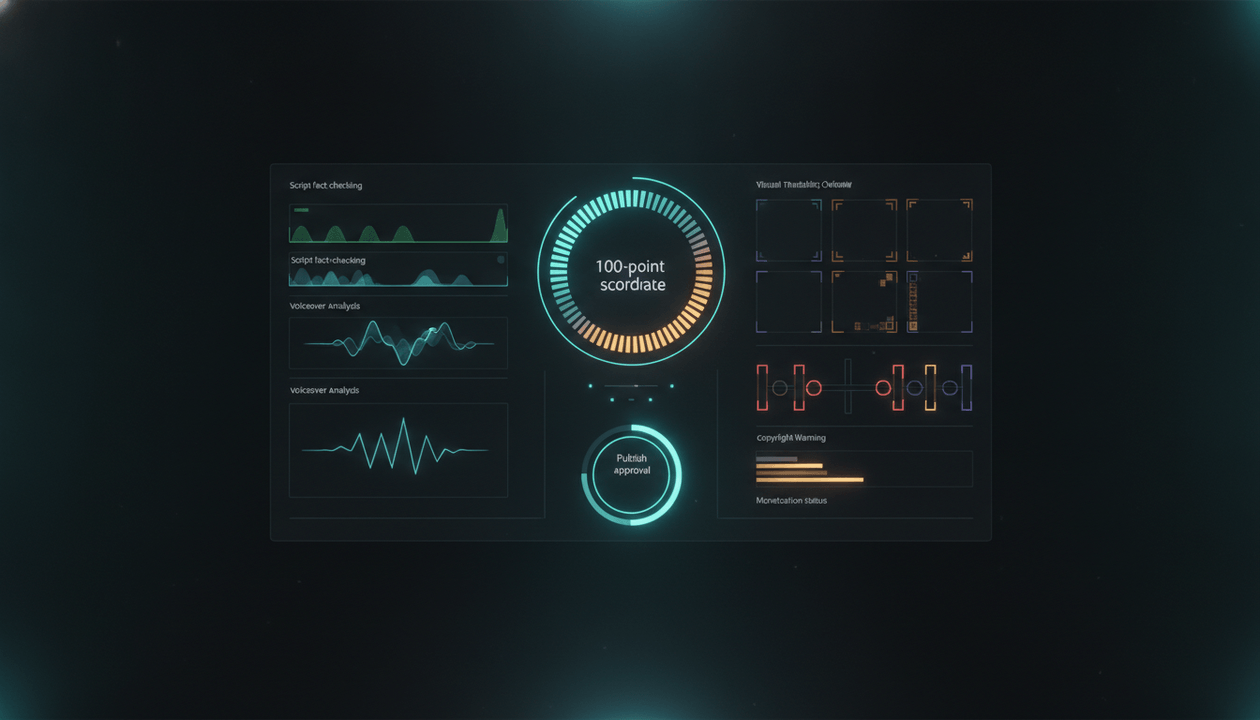
A YouTube script fact checker is not just a grammar tool, AI detector, or plagiarism checker.
For creators, it is the quality-control layer between “this script sounds good” and “this script is safe to publish, sponsor-ready, and strong enough to build a channel around.”
That distinction matters more now because AI can write a confident paragraph about almost anything. It can invent numbers. It can flatten nuance. It can mix old facts with new events. It can turn a real source into a fake claim. It can make a script sound authoritative before the research is actually solid.
A serious YouTube channel cannot run on that.
The strongest creators do not only ask, “Is this script entertaining?” They ask:
Can every important claim survive a source check, context check, policy check, sponsor check, and viewer trust check before we turn it into a video?
This guide breaks down how to fact-check AI-written YouTube scripts before publishing, what claims need the most attention, which mistakes destroy trust, and how to build a repeatable script QA workflow instead of trusting random AI output.
Key Takeaways
- A YouTube script fact checker should verify claims, sources, context, dates, numbers, quotes, visual instructions, and sponsor-sensitive statements before production.
- AI-written scripts are especially risky when they include statistics, “recent” claims, legal claims, finance claims, medical claims, product claims, public figure claims, or exact quotes.
- The best workflow is not “ask AI if the script is accurate.” The best workflow is claim extraction, risk scoring, source verification, rewrite, approval, and production handoff.
- YouTube says creators do not need to disclose AI use for normal production assistance like creating or improving scripts, outlines, titles, thumbnails, captions, or ideas. But realistic AI-generated or meaningfully altered content may require disclosure. Source: YouTube Help
- YouTube’s monetization policies reward original and authentic content, and call out mass-produced, repetitive, generic-template AI content as ineligible for monetization. Source: YouTube Help
- OverseerOS Script Studio helps creators build scripts inside a connected YouTube workflow with outlines, Creator DNA tone, hook tools, retention commands, Add Evidence commands, Add Proof Safely commands, voiceover handoff, thumbnail handoff, and planner saving.
- The goal is not to make AI write less. The goal is to make your channel publish with stronger editorial control.
What Is a YouTube Script Fact Checker?
A YouTube script fact checker is a system for reviewing a video script before it becomes a voiceover, edit, thumbnail, sponsor integration, or published video.
It checks whether the script is:
- Factually accurate
- Properly sourced
- Up to date
- Contextually fair
- Not misleading
- Not overstated
- Safe for sponsors
- Safe for monetization
- Original enough to avoid AI slop
- Clear enough for viewers to trust
Most creators think fact-checking means checking whether a statistic is true.
That is only one layer.
A YouTube script has more risk points than a blog post because the script becomes an entire media asset. A weak claim can affect the title, thumbnail, hook, visual direction, narration, captions, sponsor read, description, pinned comment, and Shorts repurposing.
A bad sentence does not stay a bad sentence.
It becomes a bad video.
Why AI-Written YouTube Scripts Need a Different Fact-Checking Workflow
AI scripts create a specific type of danger: they often sound more finished than they are.
A human writer may write:
I think this company lost a lot of users after the update.
That sounds uncertain, so an editor knows to check it.
An AI script may write:
After the update, the company lost 43% of its active users in less than six months.
That sounds specific. It feels researched. It creates authority.
But unless the script shows where that number came from, it is not authority. It is decoration.
That is the core problem.
AI does not only make mistakes. It makes mistakes with confidence, rhythm, and clean formatting.
For YouTube, that is dangerous because confidence is part of retention. The more polished the script sounds, the easier it is for a team to skip the verification step.
The YouTube-Specific Risk
A YouTube script is not judged only by factual correctness.
It is also judged by:
| Layer | What Can Go Wrong |
|---|---|
| Viewer trust | Viewers catch an error and stop believing the channel |
| Retention | Viewers sense weak evidence and drop off |
| Comments | One wrong claim becomes the top comment |
| Sponsor safety | Brands avoid channels that make unsupported claims |
| Monetization | Repetitive, low-value, or misleading AI content can create risk |
| Production cost | A false claim can require rerecording, re-editing, and republishing |
| Channel reputation | One sloppy upload can damage the credibility of the whole library |
This is why serious channels need a script fact checker before production, not after publishing.
Once the voiceover is recorded and the editor has built the video, corrections become expensive.
The 10 Types of Claims Every YouTube Script Fact Checker Must Catch
Not every sentence needs the same level of verification.
A script can have opinions, transitions, jokes, metaphors, emotional lines, and story framing. Those do not all need a source.
The danger is when a script presents something as true.
Use this table to decide what needs checking.
| Claim Type | Example | Risk Level | What to Check |
|---|---|---|---|
| Hard fact | “YouTube launched Shorts globally in 2021.” | Medium | Date, source, wording |
| Current fact | “This feature is now available to all creators.” | High | Current official source |
| Statistic | “The channel grew 312% in 90 days.” | High | Calculation, date range, data source |
| Ranking claim | “This is the fastest-growing AI channel.” | High | Dataset, criteria, timeframe |
| Quote | “The CEO said, ‘AI will replace editors.’” | High | Original quote, context, source |
| Comparison | “Tool A is cheaper than Tool B.” | Medium to high | Current pricing, plan limits |
| Legal claim | “You can use this footage under fair use.” | Very high | Avoid unless legal source supports it |
| Medical or finance claim | “This supplement improves sleep by 40%.” | Very high | Primary research, disclaimers, expert review |
| Product claim | “This sponsor reduces editing time by 80%.” | Very high | Sponsor proof, testing, disclosure |
| Visual claim | “Show the CEO being arrested.” | Very high | Is it real, symbolic, AI-generated, or misleading? |
Most AI script failures happen because the creator treats every claim the same.
That is the wrong workflow.
A YouTube script fact checker should separate claims into three buckets:
- Low-risk claims that only need common-sense review.
- Medium-risk claims that need a source check.
- High-risk claims that need stronger evidence, softer wording, or removal.
The Script Fact-Checking Workflow Serious Creators Should Use
The best workflow is simple enough to repeat, but strict enough to catch the expensive mistakes.
Here is the full process.
Step 1: Extract Every Checkable Claim
Do not start by reading the script like a viewer.
Read it like an editor.
Highlight every sentence that claims something specific about the real world.
Look for:
- Numbers
- Dates
- Rankings
- Comparisons
- Historical events
- Product capabilities
- Platform rules
- Public figure claims
- Legal or policy claims
- Health, finance, or business outcomes
- “Recent,” “now,” “today,” and “in 2026” statements
- Anything that would embarrass the channel if wrong
Example script section:
In 2026, YouTube started punishing all AI channels. Faceless channels that use AI voiceovers now have to disclose every AI-assisted script, and many creators have already lost monetization because they used ChatGPT.
Claim extraction:
| Claim | Problem |
|---|---|
| “YouTube started punishing all AI channels” | Too broad, unsupported |
| “Faceless channels that use AI voiceovers now have to disclose every AI-assisted script” | Likely inaccurate |
| “Many creators have already lost monetization because they used ChatGPT” | Needs evidence and context |
Better version after fact-checking:
YouTube does not ban AI-assisted content, but it does expect creators to disclose realistic AI-generated or meaningfully altered content when required. It also says monetized channels should be original and authentic, not mass-produced or repetitive. That means AI is not the problem by itself. Low-value automation is the risk.
That version is stronger because it is accurate, nuanced, and still useful.
Step 2: Score Each Claim by Risk
Not every claim deserves the same amount of time.
Use a 1 to 5 risk score.
| Score | Meaning | Example |
|---|---|---|
| 1 | Safe creative framing | “This is where the story gets interesting.” |
| 2 | Low-risk general claim | “Better thumbnails can improve packaging.” |
| 3 | Needs a source | “YouTube added AI disclosure settings in Studio.” |
| 4 | Needs strong source and exact wording | “YouTube says disclosure does not affect monetization eligibility.” |
| 5 | Needs expert review, official source, or removal | “This product is legally safe for all creators to promote.” |
A strong YouTube script fact checker does not waste time proving obvious writing lines.
It focuses attention where the channel can get hurt.
High-Risk Words to Search For
These words usually mean the sentence needs verification:
- always
- never
- proven
- guaranteed
- legally
- officially
- scientifically
- fastest
- first
- only
- best
- worst
- everyone
- nobody
- today
- now
- recently
- in 2026
- studies show
- experts say
- research proves
- YouTube says
- the algorithm rewards
- the platform punishes
These words are not banned.
But they require evidence.
Step 3: Source the Claim, Not the Topic
This is where most creators fail.
They search the general topic and convince themselves the script is accurate.
That is not fact-checking.
Fact-checking means verifying the exact claim.
Weak process:
Search “AI YouTube monetization rules” and read one article.
Better process:
Verify the exact claim: “Does YouTube require creators to disclose AI use when AI only helped write or improve a script?”
The answer is in YouTube’s own GenAI disclosure guidance. YouTube lists production assistance such as using generative AI to create or improve a video outline, script, thumbnail, title, infographic, captions, or ideas among examples creators do not need to disclose, as long as the content is not realistic AI-generated or meaningfully altered in a way that could mislead viewers. Source: YouTube Help
That is a source-backed claim.
This difference matters.
A source can support the topic without supporting your sentence.
Step 4: Use the Right Source Type
Every claim has a best source type.
Do not use a random blog post to verify a platform rule. Do not use a social post to verify a medical claim. Do not use an AI answer as the final source for anything sensitive.
Use this source hierarchy.
| Claim Type | Best Source |
|---|---|
| YouTube rules | YouTube Help, YouTube Creator Insider, official YouTube blog |
| Google Search guidance | Google Search Central |
| Pricing | Official pricing page |
| Product features | Official product docs, current product page |
| Company financials | Investor relations, SEC filings, earnings releases |
| Scientific claims | Peer-reviewed papers, universities, medical institutions |
| Legal claims | Official legal sources, regulators, qualified legal commentary |
| News claims | Primary reporting, official statements, multiple reputable outlets |
| Quotes | Original interview, transcript, official post, video timestamp |
| Statistics | Original dataset, official report, transparent methodology |
| Sponsor claims | Sponsor-provided proof, independent tests, approved claims doc |
For YouTube creators, the most important rule is simple:
Use official sources for platform rules. Use primary sources for numbers. Use multiple sources for disputed claims.
Step 5: Check the Date and Timeframe
A fact can be true and still ruin your script if the timeframe is wrong.
Example:
This channel gets 10 million views per month.
Maybe it did in March.
But does it still?
Better:
In March 2026, the channel crossed roughly 10 million monthly views, based on public view estimates available at the time.
That version gives the claim a timestamp and reduces overstatement.
You need date checks for:
- YouTube features
- AI tool capabilities
- platform policies
- pricing
- monetization rules
- channel performance
- sponsor data
- trending topics
- news events
- creator controversies
- product comparisons
- “best tool” recommendations
A script fact checker should treat “now” as a dangerous word.
“Now” becomes outdated fast.
Use exact dates when the claim depends on timing.
Step 6: Verify Numbers Separately
Numbers are the easiest way to make a script sound credible.
They are also the easiest way to accidentally lie.
Bad AI-generated script line:
82% of viewers decide whether to watch a video in the first 3 seconds.
This sounds believable. It may even feel “YouTube-native.”
But where did the number come from? What study? What platform? What sample? Is it about ads, websites, thumbnails, Shorts, or long-form videos? Is it current? Is it repeated from another blog with no source?
If you cannot answer those questions, rewrite it.
Better:
Viewers make fast decisions, so the first few seconds need to confirm the promise from the title and thumbnail immediately.
That keeps the useful point without inventing a statistic.
The Number Check
For every number in a script, ask:
- What is the original source?
- What year is the data from?
- What exactly was measured?
- Is the number rounded, estimated, or exact?
- Does the script explain the timeframe?
- Is the number still current?
- Is the source credible enough for the claim?
- Would this number survive a viewer asking “source?”
If not, remove the number or soften it.
Step 7: Check Quotes Like a Journalist
AI loves fake quotes.
It also loves real quotes with fake wording.
Never publish an exact quote unless you verify the original source.
Bad:
MrBeast once said, “Retention is the only thing that matters.”
Maybe he said something similar. Maybe he did not. Maybe the wording came from a Twitter paraphrase, a podcast clip, or a random creator thread.
Better:
MrBeast has repeatedly emphasized retention and viewer satisfaction as central to strong YouTube videos.
That is safer unless you have the exact source.
Quote Rules for YouTube Scripts
Use these rules:
- Exact quote requires exact source.
- Paraphrase if you cannot verify the wording.
- Include context if the quote could be misread.
- Avoid quote stacking just to create fake authority.
- Never invent a quote for drama.
- Never use AI to “remember” what someone said.
If a script needs the quote emotionally, verify it before voiceover.
If you cannot verify it, the line does not belong in the script.
Step 8: Check Visual Claims Before Production
A YouTube script does not only create narration.
It creates visuals.
That means a script fact checker should review visual instructions too.
Example:
Show Sam Altman deleting a room full of employees.
If that visual is symbolic, it needs to be clearly stylized or framed. If it looks realistic, it could imply something that did not happen.
YouTube requires disclosure when creators use AI to meaningfully alter or generate realistic content, including making a real person appear to say or do something they did not do, altering footage of a real event or place, or generating a realistic scene that did not occur. Source: YouTube Help
So do not only fact-check the spoken script.
Fact-check the implied visuals.
Visual Fact-Check Questions
Before production, ask:
- Is this visual real footage, stock footage, AI-generated, symbolic, or fictional?
- Could a normal viewer mistake it for real evidence?
- Does it show a real person doing something they did not do?
- Does it show a real event that did not happen?
- Does it exaggerate a product, company, or person unfairly?
- Does it need a disclosure, caption, or more symbolic treatment?
- Does the thumbnail imply something stronger than the video can prove?
This is especially important for documentary, business, finance, news, AI, politics, health, and controversy channels.
Step 9: Separate Fact, Analysis, and Opinion
Strong scripts mix facts and interpretation.
That is fine.
The problem is when interpretation is written like fact.
Weak:
YouTube is killing faceless channels.
Better:
YouTube is not killing faceless channels. But it is becoming less tolerant of low-effort, repetitive, mass-produced content. That creates pressure on faceless creators to prove originality through stronger scripts, better research, clearer narration, and more intentional production.
The second version is stronger because it separates the platform rule from the strategic interpretation.
Use three labels internally:
| Type | Example | How to Handle |
|---|---|---|
| Fact | “YouTube says monetized content should be original and authentic.” | Source it |
| Analysis | “This puts pressure on AI-assisted channels.” | Explain your logic |
| Opinion | “This is good for serious creators.” | Own it as perspective |
Viewers do not mind strong opinions.
They mind unsupported opinions pretending to be facts.
Step 10: Rewrite Unsupported Claims Instead of Deleting Everything
Fact-checking should not make scripts boring.
The goal is not to remove every dramatic line.
The goal is to make drama accurate.
Here is how to fix weak claims without killing retention.
| Weak Claim | Better Rewrite |
|---|---|
| “AI channels are getting banned everywhere.” | “AI channels are not automatically unsafe, but low-effort AI channels are facing more scrutiny.” |
| “This tool guarantees viral thumbnails.” | “This tool helps create thumbnails from stronger packaging patterns, but performance still depends on the idea, audience, and video.” |
| “Everyone is using this strategy.” | “This pattern is showing up across multiple high-performing channels in the niche.” |
| “This sponsor will double your revenue.” | “This sponsor is designed to help creators improve one part of their revenue workflow.” |
| “YouTube hates automation.” | “YouTube’s monetization rules focus on originality, authenticity, and avoiding mass-produced or repetitive content.” |
| “This is the best AI tool.” | “This is the best fit for creators who need this specific workflow.” |
The best fact-checked scripts do not sound weaker.
They sound more trustworthy.
The YouTube Script Fact Checker Template
Use this template before recording or generating voiceover.
| Claim | Risk Score | Source Needed? | Source Link | Status | Rewrite Needed? | Final Wording |
|---|---|---|---|---|---|---|
| YouTube requires disclosure for realistic AI-generated content | 4 | Official YouTube Help | Add link | Verified | No | Keep |
| AI-assisted scripts always need disclosure | 5 | Official YouTube Help | Add link | False | Yes | Rewrite |
| Sponsor reduces editing time by 80% | 5 | Sponsor proof or test | Missing | Unverified | Yes | Remove or soften |
| Competitor channel grew 300% in 90 days | 4 | Public data snapshot | Missing | Needs check | Yes | Add timeframe |
| This thumbnail style is common in AI niches | 2 | Pattern review | Optional | Editor judgment | Maybe | Keep with softer wording |
Status Labels
Use simple labels:
- Verified
- Unsupported
- Needs better source
- Outdated
- Too broad
- Misleading
- Opinion, not fact
- Remove
- Rewrite
- Needs human review
This creates a workflow your team can actually use.
The Fast 15-Minute Script Fact Check
Not every channel has a full editorial team.
So here is the fast version.
Use this when you need a quick pre-production pass.
Minute 1 to 3: Highlight Claims
Scan the script and highlight:
- Numbers
- Dates
- quotes
- names
- tool features
- YouTube policy claims
- product claims
- “in 2026” statements
- strong claims about cause and effect
Minute 4 to 7: Check the Highest-Risk Claims
Do not verify everything.
Verify the 5 to 10 claims most likely to damage trust.
Prioritize:
- YouTube policy
- sponsor/product promises
- money claims
- legal/health/finance claims
- current events
- public figure claims
- exact statistics
Minute 8 to 10: Rewrite the Dangerous Lines
Replace:
- fake certainty with clear context
- exact numbers with sourced numbers
- unsupported claims with analysis
- risky claims with safer wording
- outdated claims with exact dates
Minute 11 to 13: Check the Hook and Thumbnail Promise
Ask:
- Does the hook overpromise?
- Does the title imply something the video does not prove?
- Does the thumbnail make a stronger claim than the script?
- Is the emotional framing fair?
- Is the video still clickable after corrections?
Minute 14 to 15: Add Notes for Production
Tell the voiceover artist, editor, or producer:
- Which claims need on-screen source support
- Which visuals must be symbolic
- Which lines must not be exaggerated
- Which sponsor claims are approved
- Which claims should not be turned into thumbnail text
That is the minimum viable fact-check.
It is not perfect.
But it catches the mistakes that usually hurt.
The Full Script QA Checklist Before Publishing
Use this for serious videos, sponsors, sensitive topics, and channels you want to turn into real media assets.
- Every statistic has a source, date, and context.
- Every quote is verified from an original or reliable source.
- Every YouTube policy claim links back to YouTube Help or an official YouTube source.
- Every AI capability claim reflects what the tool currently does, not what people hype it to do.
- Every product or sponsor claim is approved and supportable.
- Every “best,” “fastest,” “first,” or “only” claim has evidence or has been softened.
- Every current claim has a current source.
- Every legal, health, finance, or medical claim has been removed, softened, or reviewed by a qualified source.
- Every visual direction is checked for realism, deception risk, and disclosure needs.
- The title and thumbnail do not imply something stronger than the script proves.
- The first 30 seconds do not overstate the evidence just to create retention.
- The script separates fact, analysis, and opinion.
- The final version still has tension, curiosity, and momentum after corrections.
- The voiceover script includes pronunciation notes for names, brands, and technical terms.
- The production team knows which visuals are real, symbolic, AI-generated, or illustrative.
- The description can include important sources where useful.
- A source log is saved with the script.
How OverseerOS Helps Creators Build a Safer Script Workflow
The best YouTube scripts do not start from a blank page.
They start from evidence.
That is the core advantage of OverseerOS.
OverseerOS helps creators study public YouTube patterns, analyze what is already working, build stronger outlines, write scripts in a connected workflow, improve hooks, strengthen retention, and move the final script into voiceover, thumbnails, and production.
For script fact-checking specifically, the goal is not to pretend any AI tool can magically guarantee accuracy.
The goal is to give creators a more structured workflow where the script is easier to review, improve, and prepare before production.
OverseerOS Script Studio is built as a YouTube writing workspace, not a generic AI text box. It can help creators work from titles, outlines, creative intent, Creator DNA tone, viral hook patterns, retention commands, long-form writing pipelines, Shorts workflows, voiceover generation, thumbnail creation, and planner saving.
Inside that workflow, commands like OverseerOS Add Evidence and OverseerOS Add Proof Safely are useful because they push the writer toward stronger support instead of pure filler. The creator still needs to review claims, but the writing environment is built around YouTube-specific production needs.
OverseerOS Script ReSpark is useful when a creator already has a weak draft, pasted script, article source, or available YouTube transcript. Instead of lightly paraphrasing, OverseerOS Script ReSpark is designed to reshape source material into a stronger original YouTube script with better structure, pacing, clarity, and tone.
OverseerOS Channel Analyzer helps creators start from public channel patterns, top videos, breakout signals, upload rhythm, titles, hooks, and channel blueprint context. That matters because better scripts begin with better topic evidence.
And when a script is ready for production, OverseerOS Auto Edit helps turn a finished script and voiceover into a structured faceless video workflow with scene structure, AI visuals, style direction, captions, music, motion, and export controls.
The important point is this:
OverseerOS does not remove the need for editorial judgment. It helps creators build a workflow where better judgment can happen earlier, before the video becomes expensive to fix.
That is the difference between AI slop and AI-assisted production.
What Most AI Fact Checker Tools Miss for YouTube Scripts
Generic AI fact checker tools usually focus on text.
That is useful, but incomplete for YouTube.
A YouTube script needs more than sentence-level verification.
It needs production-aware verification.
| Generic AI Fact Checker | YouTube Script Fact Checker |
|---|---|
| Checks text claims | Checks claims, hooks, visuals, sponsor lines, and thumbnail implications |
| Works like a document tool | Works before voiceover, editing, captions, and publishing |
| Flags unsupported claims | Helps rewrite claims for retention and trust |
| May check sources | Checks source quality, date, context, and platform policy |
| Treats the script as an article | Treats the script as a full video asset |
| Often ignores packaging | Checks whether title, thumbnail, and intro overpromise |
| Often ignores monetization risk | Checks originality, AI slop risk, and sponsor safety |
This is why “paste the script into a fact checker” is not enough.
A YouTube script fact checker must understand how YouTube content is made.
The Sponsor-Safe Script Pass
If the video includes a sponsor, affiliate offer, product demo, or brand mention, run a separate sponsor-safe script pass.
Sponsors do not only care about views.
They care about risk.
A sponsor may avoid a channel if the content:
- Makes exaggerated claims
- Uses fake product results
- Mixes paid claims with editorial claims
- Uses AI visuals that imply real product testing
- Makes unsupported comparisons against competitors
- Does not disclose the relationship clearly
- Creates controversy that damages brand trust
- Uses a title or thumbnail that feels deceptive
YouTube says creators need to tell YouTube when content includes paid product placements, sponsorships, endorsements, or other commercial relationships. Source: YouTube Help
For script QA, that means every sponsor line should be reviewed separately.
Sponsor Script Checklist
- Is the sponsor mention clearly separated from editorial claims?
- Are performance claims approved by the sponsor?
- Are comparison claims supported?
- Are screenshots, demos, or visuals real or clearly illustrative?
- Is the paid relationship disclosed in the video and upload settings where required?
- Does the sponsor segment fit the audience problem?
- Does the script avoid promising outcomes the sponsor cannot guarantee?
- Does the title or thumbnail imply the sponsor caused the result?
- Would the sponsor feel comfortable seeing this clip out of context?
This is how channels become easier to sponsor.
Not by being boring.
By being reliable.
The AI Slop Risk Pass
Fact-checking is not only about whether facts are true.
It is also about whether the content feels mass-produced.
YouTube’s monetization policies say monetized content should be original and authentic. They also describe inauthentic content as mass-produced or repetitive content, including generic-template AI-generated content that gives the impression of mass production without original insight or perspective. Source: YouTube Help
That means a script can be technically accurate and still weak.
A script can avoid false claims but still feel like AI slop.
Run this check:
- Does the script add original analysis?
- Does it include concrete examples?
- Does it avoid generic filler?
- Does each section say something new?
- Does the hook match the actual video?
- Does the script have a clear point of view?
- Does the channel voice feel consistent?
- Does the structure feel intentionally built?
- Does the video explain why the viewer should care now?
- Could this same script be reused for 50 topics with only names changed?
That last question is brutal, but useful.
If the answer is yes, the script is not ready.
Practical Example: Fact-Checking an AI YouTube Script
Here is a realistic example.
Original AI Script
YouTube has officially started demonetizing AI channels in 2026. Any creator who uses AI voiceovers, AI scripts, or AI thumbnails now risks getting banned from the Partner Program. This is why thousands of faceless channels are disappearing overnight. But the smart creators are using AI tools in secret to beat the algorithm.
This paragraph is dramatic.
It is also a mess.
Fact-Check Breakdown
| Claim | Issue |
|---|---|
| “YouTube has officially started demonetizing AI channels in 2026” | Too broad, needs official source |
| “Any creator who uses AI voiceovers, AI scripts, or AI thumbnails now risks getting banned” | Misleading, YouTube does not ban normal AI assistance by default |
| “Thousands of faceless channels are disappearing overnight” | Unsupported number |
| “Smart creators are using AI tools in secret to beat the algorithm” | Bad framing, encourages deceptive behavior |
Better Version
YouTube is not banning creators just because they use AI. The real risk is low-value automation: repetitive videos, generic templates, misleading realistic AI content, reused material, or scripts with no original insight. YouTube’s own guidance says creators do not usually need to disclose AI used for production assistance such as outlines, scripts, titles, thumbnails, captions, or idea generation. But realistic AI-generated or meaningfully altered content may need disclosure, and monetized channels still need to be original and authentic.
This version is still engaging.
But now it is usable.
It teaches the viewer something true.
How to Fact-Check Different YouTube Niches
Different niches have different risk profiles.
AI and Technology Channels
Check:
- Product launch dates
- model capabilities
- benchmarks
- pricing
- plan limits
- API access
- public claims from companies
- “this replaces X” claims
- whether demos are real or staged
Weak line:
This AI agent can fully replace a professional video editor.
Better:
This AI agent can automate parts of the editing workflow, but professional judgment is still needed for pacing, story, taste, and final approval.
Finance Channels
Check:
- returns
- investment claims
- interest rates
- tax rules
- market data
- risk disclaimers
- local regulations
- affiliate incentives
Weak line:
This strategy guarantees passive income.
Better:
This strategy can create recurring revenue for some creators, but it depends on traffic quality, conversion rate, offer fit, and execution.
Health Channels
Check:
- medical claims
- study quality
- dosage claims
- before/after claims
- expert consensus
- legal disclaimers
- country-specific rules
Weak line:
This supplement cures anxiety.
Better:
Some people discuss this supplement for stress support, but medical claims need qualified review and should not replace professional care.
Business and SaaS Channels
Check:
- revenue numbers
- user counts
- funding rounds
- acquisition claims
- pricing
- feature availability
- customer logos
- case study claims
Weak line:
This startup got rich because of one YouTube video.
Better:
One YouTube video can create major attention, but revenue usually depends on the offer, funnel, follow-up, trust, and sales process behind it.
Psychology and Self-Improvement Channels
Check:
- named studies
- neuroscience claims
- clinical claims
- statistics
- overgeneralizations
- “men/women always” statements
- pseudoscience framing
Weak line:
Dopamine makes you addicted to your phone.
Better:
Dopamine is involved in reward and motivation, but phone addiction is more complex than one chemical.
News and Commentary Channels
Check:
- event dates
- original source
- whether footage is real
- whether images are old or AI-generated
- whether a claim is confirmed or alleged
- whether a headline exaggerates the facts
Weak line:
The CEO was caught lying.
Better:
Critics accused the CEO of misleading users after the company’s earlier statement conflicted with the new filing.
The Best YouTube Script Fact Checker Is a Workflow, Not One Tool
There are useful tools for grammar, plagiarism, AI detection, source search, transcription, and fact-checking.
But no single tool understands your full YouTube operation.
A serious script fact checker should connect:
- Topic research
- Competitor pattern research
- Outline planning
- Script writing
- Claim extraction
- Source verification
- Rewrite
- Sponsor review
- Visual review
- Voiceover handoff
- Thumbnail alignment
- Production notes
- Final approval
That is the real workflow.
The more your channel grows, the more this matters.
Small channels can survive messy systems.
Serious channels cannot.
Common Mistakes When Fact-Checking YouTube Scripts
Mistake 1: Asking AI, “Is This Accurate?”
That is not enough.
AI can miss its own errors. It can confirm a false claim if the sentence sounds plausible. It can give you a checklist instead of doing real verification.
Better prompt:
Extract every factual claim from this script. Classify each claim by risk level. For each high-risk claim, explain what exact source type is needed to verify it. Do not mark anything verified unless a credible source is provided.
Even then, human review matters.
Mistake 2: Only Checking the Hook
The hook matters, but many false claims hide in the middle.
AI often starts strong, then fills later sections with weak numbers, fake examples, or generic claims.
Check the whole script.
Especially the parts that were expanded to hit word count.
Mistake 3: Treating “Sounds True” as Evidence
A claim can match your beliefs and still be false.
This is common in niches like:
- AI replacing jobs
- YouTube algorithm advice
- male/female psychology
- business success stories
- finance advice
- productivity hacks
- health optimization
- creator economy trends
The more satisfying a claim feels, the more carefully you should check it.
Mistake 4: Using Outdated Sources
AI, YouTube, and creator tools change fast.
A 2023 article may be useless for a 2026 script.
Always check dates for:
- YouTube features
- AI tool features
- pricing
- monetization rules
- platform policies
- creator program requirements
- sponsor platform terms
- social media integrations
Mistake 5: Keeping Unsupported Numbers Because They Sound Good
If a number has no source, remove it.
A specific unsourced number is worse than a general true statement.
Bad:
91% of creators fail because they pick the wrong niche.
Better:
Many creators struggle because they choose topics before validating demand.
The second sentence is less flashy, but more trustworthy.
Mistake 6: Fact-Checking the Script but Ignoring the Thumbnail
A misleading thumbnail can destroy trust even if the script is accurate.
Check:
- Does the thumbnail imply a fake event?
- Does it show a real person in a fictional situation?
- Does it use fake screenshots?
- Does it exaggerate the conclusion?
- Does it make a sponsor look like a scandal?
- Does it create a claim the video never proves?
A video’s “claim” starts before the viewer clicks.
Mistake 7: Publishing Without a Source Log
A source log protects the channel.
It helps with:
- viewer comments
- sponsor review
- editor questions
- corrections
- future updates
- repurposed Shorts
- blog versions
- partner trust
- team accountability
The source log does not need to be fancy.
It just needs to exist.
The Script Source Log Template
Use this for every important video.
| Section | Claim | Source | Date Checked | Notes | Approved By |
|---|---|---|---|---|---|
| Hook | YouTube requires AI disclosure for realistic altered content | YouTube Help | 2026-06-25 | Official guidance | Editor |
| Section 2 | AI-assisted script improvement does not usually need disclosure | YouTube Help | 2026-06-25 | Only if not realistic misleading content | Editor |
| Section 4 | Inauthentic AI templates may affect monetization | YouTube Help | 2026-06-25 | Use exact wording carefully | Editor |
| Sponsor | Product reduces editing time | Sponsor document | 2026-06-25 | Needs approved wording | Manager |
| Visuals | AI-generated realistic public figure scene | YouTube Help | 2026-06-25 | Avoid realistic depiction or disclose | Producer |
This is the kind of workflow that makes a channel look professional to sponsors, partners, and buyers.
When Should You Fact-Check a YouTube Script?
Fact-checking should happen before production.
The ideal order is:
- Validate topic demand.
- Build the title and thumbnail promise.
- Create the outline.
- Draft the script.
- Extract claims.
- Verify high-risk claims.
- Rewrite weak claims.
- Review title and thumbnail against the verified script.
- Record or generate voiceover.
- Edit the video.
- Final publish check.
Do not wait until the video is edited.
By then, every correction is expensive.
A Strong Script Fact Checker Makes Better Videos, Not Just Safer Videos
Some creators think fact-checking kills drama.
It does not.
Weak fact-checking kills drama because it turns every sentence into legal language.
Strong fact-checking makes drama sharper because the script knows exactly what it can prove.
Compare these two lines:
Weak dramatic claim:
YouTube is secretly destroying AI channels.
Stronger fact-checked claim:
YouTube is not banning AI channels. It is doing something more specific: drawing a line between AI-assisted content with original value and mass-produced content that looks like it was made from the same template 500 times.
The second line is more accurate.
It is also more interesting.
Why?
Because nuance creates tension.
It gives the viewer a sharper mental model.
That is what strong educational YouTube content does.
Final Verdict: The Best YouTube Script Fact Checker Is Editorial Discipline
A YouTube script fact checker should not be an afterthought.
It should be part of the production system.
AI can help creators write faster, build better outlines, improve hooks, and move from idea to production with less friction. But the more AI enters the workflow, the more valuable human editorial judgment becomes.
The winning channels in the AI era will not be the ones that publish the most generic scripts.
They will be the ones that combine speed with proof.
Better research. Better claims. Better sourcing. Better packaging. Better production handoff. Better trust.
That is the standard.
OverseerOS is built around that direction: helping creators reverse-engineer what already works on YouTube, turn proven patterns into original content, write stronger scripts, improve packaging, and move from planning to production inside one connected workflow.
Start with patterns.
Write with strategy.
Fact-check before production.
Then publish like a channel that deserves to be trusted.
FAQ
What is a YouTube script fact checker?
A YouTube script fact checker is a workflow or toolset used to verify factual claims, sources, statistics, quotes, dates, product claims, platform rules, sponsor statements, and visual implications inside a YouTube script before publishing.
Can AI fact-check a YouTube script?
AI can help extract claims, organize sources, identify risky statements, and suggest rewrites. But AI should not be the final authority for high-risk claims. For platform rules, use official sources. For numbers, use primary data. For legal, health, finance, or medical claims, use qualified sources or expert review.
Do AI-written YouTube scripts need disclosure?
YouTube says creators do not need to disclose production assistance such as using generative AI to create or improve a video outline, script, title, thumbnail, infographic, captions, or ideas. But creators must disclose realistic AI-generated or meaningfully altered content when it could mislead viewers about real people, places, events, or scenes. Source: YouTube Help
Can AI-written scripts be monetized on YouTube?
AI-assisted scripts are not automatically disallowed. The bigger issue is whether the final channel and content are original, authentic, useful, and not mass-produced or repetitive. YouTube’s monetization policies specifically warn against generic-template AI-generated content that appears mass-produced without original insight or perspective. Source: YouTube Help
What claims should I fact-check first in a YouTube script?
Start with statistics, dates, quotes, current events, YouTube policy claims, product claims, sponsor claims, health claims, finance claims, legal claims, public figure claims, and anything using words like “guaranteed,” “official,” “proven,” “first,” “only,” “always,” “never,” or “in 2026.”
Is a grammar checker the same as a script fact checker?
No. A grammar checker improves wording. A script fact checker verifies whether the script is accurate, sourced, current, fair, and safe to turn into a video. A YouTube script fact checker also reviews title, thumbnail, hook, visuals, sponsor claims, and production notes.
How does OverseerOS help with YouTube script workflows?
OverseerOS Script Studio helps creators build scripts inside a YouTube-specific workspace with outlines, creative intent, Creator DNA tone, hook tools, retention commands, Add Evidence commands, Add Proof Safely commands, voiceover handoff, thumbnail handoff, and planner saving. OverseerOS Script ReSpark helps rewrite rough drafts, available YouTube transcripts, article sources, or pasted scripts into stronger original YouTube scripts.
What is the fastest way to fact-check an AI-written YouTube script?
Extract the 5 to 10 highest-risk claims, verify them against reliable sources, rewrite unsupported lines, check whether the title and thumbnail overpromise, then add production notes for visuals, sponsor claims, and voiceover. That fast pass is not perfect, but it catches the most dangerous mistakes before production.
Should every YouTube script include sources in the description?
Not every video needs a full source list in the description. But source logs should be saved internally, especially for educational, documentary, news, finance, health, AI, business, and sponsor-heavy videos. For sensitive or research-heavy videos, including key sources in the description can improve viewer trust.
What is the difference between AI slop and AI-assisted YouTube content?
AI slop is usually generic, repetitive, unsupported, and mass-produced. AI-assisted YouTube content uses AI to speed up research, writing, visuals, voiceover, or production while still adding original structure, judgment, examples, sourcing, and creative direction. The difference is not whether AI was used. The difference is whether the final video adds real value.