Most creators look at YouTube retention like a report card.
That is the wrong way to use it.
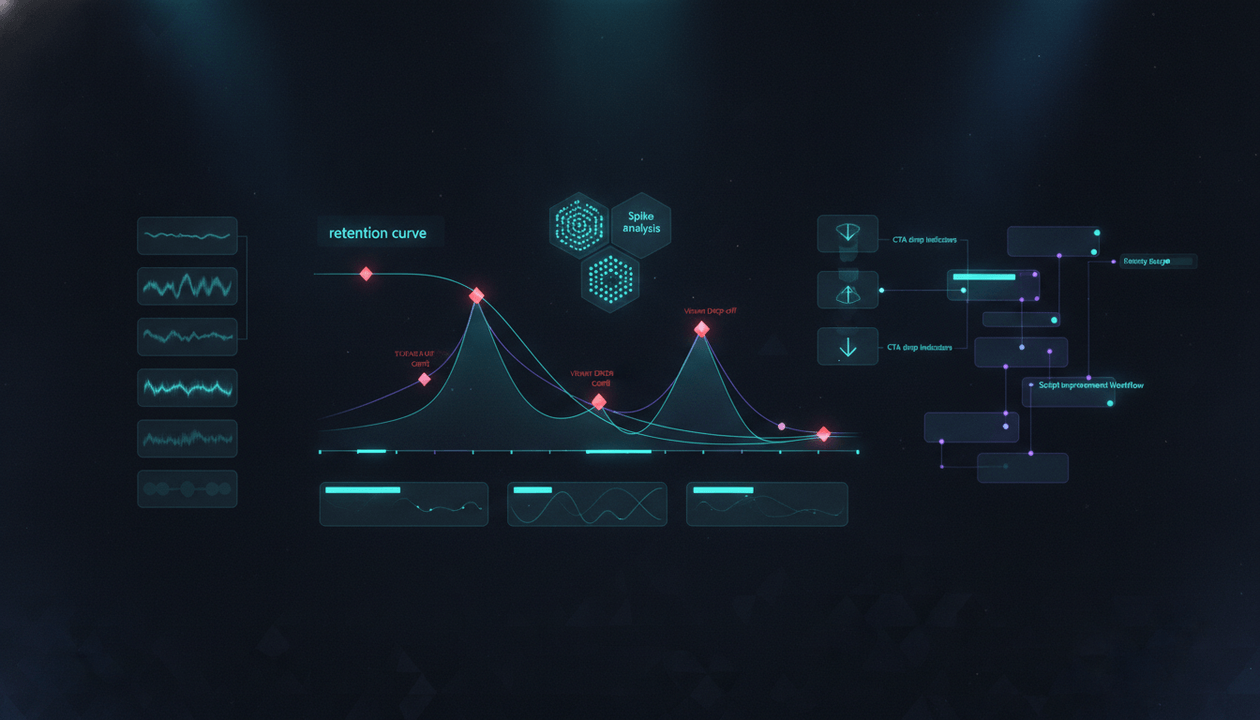
A retention curve is not just telling you whether a video performed well or badly. It is showing you where the viewer trusted you, where they got bored, where the promise weakened, where the structure dragged, where they rewatched, where they skipped, where the payoff came too late, and where the video quietly stopped earning attention.
The retention curve is not an insult.
It is a map.
A YouTube retention curve audit helps you turn that map into better titles, thumbnails, hooks, scripts, edits, pacing, formats, CTAs, and future videos.
The goal is simple:
Stop asking “was retention good?” and start asking “where did the viewer’s reason to keep watching break?”
This guide gives you a complete YouTube retention curve audit system for creators, faceless channels, YouTube agencies, SaaS teams, documentary channels, educational channels, product-led channels, and creator-led businesses.
Not generic “make videos more engaging” advice.
A real system for diagnosing the exact moments where attention is gained, lost, delayed, or wasted.
Key Takeaways
- A YouTube retention curve audit is the process of studying where viewers stay, leave, skip, rewatch, or drop off so you can improve future videos.
- YouTube’s audience retention report helps creators see how different parts of a video held viewers’ attention, including intro performance, top moments, spikes, and dips. Source: YouTube Help
- A retention curve should be interpreted together with the title, thumbnail, traffic source, video format, viewer intent, script structure, and CTA.
- Retention problems are often caused by promise mismatch, slow pacing, weak section transitions, delayed payoff, repeated points, low visual change, overexplaining, bad sequencing, or wrong viewer targeting.
- A dip does not always mean the topic was bad. It may mean the section was too slow, too obvious, too disconnected, too visually flat, or placed in the wrong order.
- A spike does not always mean the whole video worked. It means a moment was especially valuable, surprising, replayable, or shareable.
- The best creators use retention curves to build a pattern library: which hooks, transitions, examples, pacing styles, formats, visual beats, and payoff structures keep viewers watching.
- OverseerOS helps creators analyze videos, improve hooks and scripts, study viral structures, plan better briefs, track channel performance, and turn retention lessons into stronger future content.
What Is a YouTube Retention Curve Audit?
A YouTube retention curve audit is a structured review of a video’s audience retention graph.
It asks:
- Where did viewers leave?
- Where did they stay?
- Where did they rewatch?
- Where did they skip?
- Where did the video lose momentum?
- Where did the promise weaken?
- Where did the pacing slow down?
- Where did the structure become confusing?
- Where did the video become too obvious?
- Where did the viewer get the answer and leave?
- Where did the CTA appear?
- Where did the intro fail or succeed?
- Which moments should become Shorts?
- Which sections should be moved earlier next time?
- Which patterns should be repeated?
- Which patterns should be banned?
A weak retention review says:
Retention dropped. Make it more engaging.
A strong retention audit says:
The title promised a practical framework, the hook confirmed it, but the video spent 90 seconds explaining why the problem matters before showing the first step. Viewers left before the system arrived. Next time, move the framework earlier, compress the setup, and use examples inside the explanation instead of after it.
That is useful.
It tells the team what to change.
Why Retention Is Not Just About Watch Time
Retention is not only a YouTube metric.
It is a viewer trust signal.
When viewers keep watching, they are telling you:
- the promise is still alive
- the pacing feels worth it
- the information is useful
- the story has momentum
- the payoff has not arrived too late
- the video still feels relevant
- the next minute feels worth watching
When viewers leave, they may be telling you:
- I got what I came for
- this is not what I expected
- this section is too slow
- this is too obvious
- this is too hard to follow
- this feels repetitive
- this has no visual change
- this is no longer relevant to me
- the title overpromised
- the video is not delivering fast enough
The curve is not just a number.
It is the viewer voting every second.
Retention Curve vs Intro Retention
Your first 30 seconds matters.
But it is not the whole video.
Intro retention answers:
Did the opening pay off the click?
Full retention answers:
Did the video keep giving the viewer reasons to stay?
YouTube’s audience retention report includes intro retention, which shows the percentage of viewers still watching after the first 30 seconds. YouTube explains that a high intro percentage may mean the first 30 seconds matched the viewer’s expectation from the title and thumbnail and kept them interested. Source: YouTube Help
But after that, the video still has to survive:
- section one
- first example
- first transition
- first proof
- first visual shift
- midpoint
- payoff
- CTA
- ending
Many videos have a strong hook and still lose viewers because the structure after the hook is weak.
That is why a full retention curve audit matters.
The 5 Main Retention Curve Patterns
Most retention curves contain some version of these patterns.
1. The Sharp Early Drop
This means viewers clicked but left quickly.
Possible causes:
- title and thumbnail overpromised
- hook did not match the click
- intro was too slow
- viewer was not the right audience
- the video started with filler
- the opening lacked stakes
- the first sentence was generic
- the visual opening was weak
- the video delayed the promised payoff
Fix:
- audit title-thumbnail-hook alignment
- rewrite the first 30 seconds
- start with the viewer’s clicked pain
- move the payoff earlier
- remove slow setup
2. The Gradual Slide
This means viewers slowly lost interest over time.
Possible causes:
- structure lacked momentum
- sections felt similar
- pacing was too even
- examples came too late
- no open loops
- no pattern interrupts
- no escalating value
- no visual change
- video repeated itself
- viewer got tired
Fix:
- add stronger section transitions
- create clearer progression
- shorten repeated explanations
- move examples earlier
- vary visual rhythm
- add mini-payoffs throughout
3. The Midpoint Collapse
This means the video survived the intro but lost people in the middle.
Possible causes:
- the first promise was fulfilled too early
- the middle section was weaker than the setup
- pacing slowed after the hook
- examples were too long
- the video changed direction
- the viewer did not know why the next section mattered
- the structure became predictable
Fix:
- add a midpoint reframe
- introduce a new tension
- preview what is still coming
- move stronger sections earlier
- cut weak middle sections
- add a second open loop
4. The Spike
This means viewers rewatched, shared, or paid special attention to a moment.
Possible causes:
- strong example
- surprising reveal
- useful checklist
- visual payoff
- emotional moment
- clear template
- controversial point
- strong before/after
- highly quotable line
- replayable instruction
- key proof
Fix:
- turn the spike into a Short
- move similar moments earlier next time
- build future videos around that pattern
- add the insight to your content library
- use it in titles, thumbnails, or follow-up videos
5. The Late Drop
This means viewers left near the end.
Possible causes:
- they sensed the main value was over
- CTA started too early
- ending dragged
- recap was too long
- final section felt optional
- sponsor read appeared late
- payoff already happened
- no reason to stay through the conclusion
Fix:
- make endings tighter
- place CTA after value but before drag
- make final section a payoff, not a summary
- avoid long recaps
- end with a strong next step
The Retention Curve Audit Framework
Use this framework for every video.
| Layer | Audit Question | What It Reveals |
|---|---|---|
| Packaging Match | Did the retention match what the title and thumbnail promised? | Promise accuracy |
| Intro | Did viewers survive the first 30 seconds? | Click payoff |
| Section One | Did the video deliver value quickly? | Early trust |
| Transitions | Did viewers leave between sections? | Structural momentum |
| Examples | Did examples hold or lose attention? | Proof quality |
| Visuals | Did visual changes support attention? | Editing and scene value |
| Midpoint | Did the video maintain tension? | Long-form structure |
| Payoff | Did viewers stay until the promised result? | Delivery strength |
| CTA | Did the CTA cause drop-off? | Next-step fit |
| Ending | Did the ending reward viewers? | Completion value |
A retention curve should never be audited in isolation.
It should be connected to the full video promise.
Step 1: Start With the Title and Thumbnail Promise
Before looking at the curve, write down what the viewer clicked for.
Ask:
- What did the title promise?
- What did the thumbnail imply?
- What emotional expectation did the packaging create?
- Was the viewer expecting a tutorial, teardown, story, template, comparison, or diagnosis?
- Did the video deliver the same experience?
Example:
Title:
YouTube Topic Validation System: Stop Making Videos That Should Never Be Produced
Thumbnail:
Idea cards being scored, killed, refined, and approved.
Viewer expectation:
I will learn a practical system for deciding which video ideas deserve production.
Now audit the retention.
If viewers leave before the scorecard appears, the problem may be delayed payoff.
If viewers stay through the scorecard but leave during examples, the examples may be too long.
If viewers spike at the decision table, that table may be the most valuable asset.
The title and thumbnail tell you what the curve should be judged against.
Step 2: Mark the Video Timeline
Create a timeline of the video.
Do not just look at the curve as a smooth line.
Label the sections.
| Time | Section |
|---|---|
| 0:00-0:30 | Hook |
| 0:30-1:15 | Problem |
| 1:15-2:10 | Reframe |
| 2:10-4:00 | Framework |
| 4:00-6:30 | Step-by-step system |
| 6:30-8:00 | Examples |
| 8:00-9:00 | Mistakes |
| 9:00-10:00 | OverseerOS workflow |
| 10:00-10:45 | Checklist |
| 10:45-11:15 | CTA and ending |
Now compare the curve to the timeline.
Where did viewers leave?
At the problem section?
At the first framework?
At the product section?
At the examples?
At the CTA?
You cannot diagnose the curve until you map it to the content.
Step 3: Audit the First 30 Seconds
Start with the intro.
Ask:
- Did the first sentence match the title?
- Did the hook match the thumbnail?
- Did it start with viewer pain?
- Did it reframe the problem?
- Did it create stakes?
- Did it preview a payoff?
- Did it move quickly?
- Did it avoid filler?
- Did it transition into section one?
If the first 30 seconds is weak, the rest of the curve may never get a fair chance.
Use the YouTube First 30 Seconds Audit before blaming the topic.
A good topic with a weak intro can look like a bad topic.
Step 4: Audit the First Value Moment
After the hook, the viewer needs value fast.
The first value moment is the first moment where the viewer thinks:
This is useful. I should keep watching.
It could be:
- a diagnosis
- a surprising point
- a framework
- a template
- a before/after
- a strong example
- a useful table
- a clear distinction
- a visual explanation
- a data point
- a story turn
Weak videos delay the first value moment.
They spend too long on:
- why the topic matters
- broad context
- creator backstory
- definitions
- setup
- obvious advice
- repeated problem statements
Ask:
| Question | Answer |
|---|---|
| When does the first real value appear? | [Time] |
| Could it appear earlier? | Yes / No |
| Did the intro create too much setup? | Yes / No |
| Did viewers leave before the first value moment? | Yes / No |
| What should be moved up next time? | [Section] |
If the first value moment appears after minute two, many videos will struggle.
Especially tutorials, templates, and search-driven videos.
Step 5: Audit Section Transitions
Viewers often leave at transitions.
Not because the next section is bad.
Because the transition gives them permission to leave.
Weak transitions sound like:
- “Next, let’s talk about…”
- “Another thing to consider is…”
- “Now moving on…”
- “The next tip is…”
- “Also…”
Those transitions do not create momentum.
Strong transitions create a reason to continue.
Examples:
| Weak Transition | Stronger Transition |
|---|---|
| “Next, let’s talk about thumbnails.” | “But even a strong title fails if the thumbnail shows a different promise.” |
| “Now let’s discuss retention.” | “Getting the click is only the first test. The next test is whether the opening proves the click was worth it.” |
| “Another mistake is…” | “The second mistake is more expensive because it usually happens after viewers already trusted the title.” |
| “Now let’s look at examples.” | “This becomes obvious when you compare a weak brief to a production-ready one.” |
A strong transition tells the viewer why the next section matters.
Audit every drop between sections.
The problem may be the bridge, not the section.
Step 6: Audit Examples and Proof
Examples can save retention.
Or destroy it.
Good examples:
- arrive at the right time
- prove the point
- are easy to understand
- are visually clear
- are not too long
- connect to viewer pain
- create a concrete payoff
Bad examples:
- take too long to explain
- are too abstract
- feel unrelated
- require too much context
- repeat the point instead of proving it
- use examples the viewer does not care about
- come after the viewer already left
Ask:
| Question | Answer |
|---|---|
| Did retention rise during examples? | Yes / No |
| Did retention dip during examples? | Yes / No |
| Were examples too long? | Yes / No |
| Did examples appear too late? | Yes / No |
| Did examples make the concept clearer? | Yes / No |
| Which example should become a Short? | [Example] |
| Which example should be cut next time? | [Example] |
If examples create spikes, build more of them.
If examples create dips, simplify or replace them.
Step 7: Audit Visual Rhythm
Retention is not only script.
It is also visual experience.
This matters especially for:
- faceless videos
- documentary videos
- SaaS demos
- tutorial videos
- educational videos
- AI-generated videos
- long-form breakdowns
Visual rhythm includes:
- scene changes
- b-roll
- screen recordings
- graphics
- diagrams
- captions
- zooms
- cuts
- text emphasis
- before/after visuals
- examples
- pacing
- motion
- visual payoff
A section can be well-written and still lose viewers if it looks visually flat.
Ask:
| Visual Audit Question | Why It Matters |
|---|---|
| Does the visual change when the idea changes? | Prevents monotony |
| Does the viewer see the thing being explained? | Improves clarity |
| Are visuals repeating too much? | Reduces fatigue |
| Are captions helping or cluttering? | Impacts attention |
| Are examples shown or only described? | Stronger proof |
| Is the scene density appropriate? | Controls pacing |
| Are important moments visually emphasized? | Creates spikes |
| Does the edit support the script structure? | Prevents disconnect |
A faceless video with weak visual rhythm can lose viewers even if the script is strong.
The viewer needs the screen to keep earning attention too.
Step 8: Audit Pacing
Pacing is not just speed.
It is the relationship between value, tension, and time.
A fast video can still feel boring if nothing changes.
A slow video can still hold attention if the tension is strong.
Audit pacing by asking:
- Are we spending too much time on obvious points?
- Are we repeating the same idea in different words?
- Are sections too evenly weighted?
- Does the viewer get a payoff often enough?
- Are we delaying the strongest insight?
- Does every section change the viewer’s understanding?
- Are there sections that exist only because the outline said so?
- Are we letting the viewer predict everything too early?
Use this pacing table.
| Pacing Problem | Viewer Feeling | Fix |
|---|---|---|
| Too much setup | “Get to the point.” | Start closer to the pain |
| Too many equal sections | “This feels repetitive.” | Create hierarchy |
| No examples | “This is abstract.” | Add concrete proof |
| Long examples | “This is dragging.” | Compress or split |
| Late payoff | “I already waited too long.” | Move payoff earlier |
| Overexplaining | “I get it.” | Cut repeated explanation |
| Sudden product pitch | “This turned into an ad.” | Bridge from pain to product |
| Slow ending | “The value is over.” | End faster |
Pacing is usually fixed in the brief and edit.
Not after upload.
Step 9: Audit the Midpoint
The midpoint is where many long-form videos weaken.
The viewer has already heard the promise.
They have received some value.
Now they need a new reason to stay.
Midpoint retention can improve with:
- a new reframe
- a second open loop
- a stronger example
- a before/after
- a diagnostic table
- a mistake section
- a case study
- a surprising contradiction
- a practical template
- a comparison
- a “now here is where most people mess this up” turn
Weak midpoint:
More tips.
Strong midpoint:
This is where most creators misread the curve. A dip is not always a bad topic. Sometimes it is a good topic placed in the wrong order.
The midpoint should renew tension.
Not just continue the outline.
Step 10: Audit the CTA
Many videos lose retention when the CTA appears.
That does not always mean the CTA is bad.
It may mean:
- CTA came too early
- CTA interrupted value
- CTA did not match the viewer intent
- CTA was too long
- CTA felt disconnected
- CTA sounded generic
- CTA appeared after the viewer already felt the video was done
- CTA felt like a product pitch instead of a next step
A strong CTA feels like the natural next action.
Example:
Weak CTA:
Subscribe and check out OverseerOS.
Strong CTA:
If you want to turn retention lessons into better video briefs, use OverseerOS to analyze patterns, improve scripts, create stronger titles and thumbnails, and plan your next video from evidence instead of guessing.
The CTA should continue the viewer’s journey.
Not interrupt it.
Step 11: Audit the Ending
The ending should not be a slow fade.
A good ending should:
- reinforce the core lesson
- deliver the final payoff
- direct the next step
- connect to another video or workflow
- avoid long recap
- avoid repeating everything
- end before the viewer feels the value is over
Weak ending:
So that’s everything. I hope you enjoyed this video. Let me know in the comments what you think, and don’t forget to like and subscribe.
Strong ending:
Do not treat the retention curve like a grade. Treat it like a map. Every dip tells you where the viewer lost the reason to stay. Every spike tells you what they found valuable enough to replay. The next video should not start from a blank page. It should start from what the curve already taught you.
Endings matter because they affect:
- completion
- next video clicks
- comments
- trust
- subscriber conversion
- CTA clicks
- session continuation
If the value is over, end.
The YouTube Retention Curve Audit Template
Use this for every serious video review.
| Field | Answer |
|---|---|
| Video title | [Title] |
| Thumbnail promise | [What the thumbnail implied] |
| Target viewer | [Viewer] |
| Traffic source mix | Search / Suggested / Browse / External / Shorts |
| Video format | Tutorial / teardown / documentary / checklist / product-led / comparison |
| Video length | [Length] |
| First 30s retention | [Result] |
| Biggest drop | [Time and section] |
| Biggest spike | [Time and section] |
| First value moment | [Time] |
| Midpoint performance | Strong / medium / weak |
| CTA performance | Strong / medium / weak |
| Ending performance | Strong / medium / weak |
| Strongest section | [Section] |
| Weakest section | [Section] |
| Likely drop reason | [Diagnosis] |
| Pattern to repeat | [Lesson] |
| Pattern to avoid | [Lesson] |
| Shorts candidates | [Moments] |
| Rewrite direction | [Fix] |
| Next video lesson | [Action] |
This template turns retention into production intelligence.
The Retention Diagnosis Table
Use this when you see a drop.
| Drop Location | Likely Cause | Fix |
|---|---|---|
| 0-10 seconds | First sentence weak or wrong context | Start with clicked pain |
| 10-30 seconds | Hook lacks reframe, stakes, or payoff | Rewrite intro |
| 30-60 seconds | Section one delays value | Move framework/example earlier |
| Before first example | Too much theory | Add concrete proof faster |
| During example | Example too long or unclear | Compress or replace |
| Between sections | Transition weak | Add reason to continue |
| Midpoint | Structure loses tension | Add midpoint reframe |
| Product section | CTA/product bridge weak | Connect to viewer pain |
| Sponsor segment | Sponsor interrupts value | Move, shorten, or integrate better |
| Recap section | Viewer feels value is over | Cut recap |
| Ending | CTA too late or ending drags | End faster with stronger next step |
Do not assume.
Diagnose.
The Retention Spike Table
Use this when you see a spike.
| Spike Type | What It May Mean | Action |
|---|---|---|
| Framework spike | Viewers found the system useful | Turn into Short/template |
| Example spike | Example clarified the idea | Add more examples next time |
| Visual spike | The visual made the point stronger | Repeat visual format |
| Data spike | Proof created trust | Use more proof earlier |
| Controversial spike | Viewer rewatched surprising point | Consider follow-up video |
| Before/after spike | Transformation was compelling | Build title/thumbnail around it |
| Checklist spike | Practical value was high | Create downloadable asset |
| Product workflow spike | Feature demo matched pain | Use as sales/activation asset |
| Emotional spike | Story landed | Study pacing and placement |
| CTA spike | Next step was compelling | Repeat CTA style |
Spikes are not accidents.
They are clues.
How to Interpret Retention by Traffic Source
Traffic source changes viewer expectations.
YouTube’s Reach analytics can show where viewers came from, including YouTube Search, Suggested Videos, Browse features, playlists, Shorts, external sources, cards, and end screens. Source: YouTube Help
A retention curve should be interpreted based on where the viewer came from.
| Traffic Source | Viewer Expectation | Retention Fix |
|---|---|---|
| YouTube Search | Fast answer to specific query | Reduce setup, answer quickly |
| Suggested Videos | Related curiosity or session continuation | Confirm relationship fast |
| Browse Features | Broad interest and strong packaging | Create stakes immediately |
| External | Context may vary | Clarify promise quickly |
| Playlist | Continuation of a series | Reference prior/next step |
| End Screen | Viewer already trusted previous video | Continue journey |
| Shorts | Fast payoff expectation | Open instantly and cut filler |
A search viewer may leave if the answer is delayed.
A browse viewer may leave if the stakes are weak.
A suggested viewer may leave if the video does not feel related to the previous click.
Same video.
Different expectations.
How to Interpret Retention by Video Type
Different formats have different retention needs.
Tutorial Videos
Retention risk:
- too much setup
- answer comes too late
- steps feel repetitive
- examples are unclear
Fix:
- show result early
- give steps fast
- include examples
- mark progress clearly
Teardown Videos
Retention risk:
- too much background before teardown
- weak subject selection
- unclear finding
- no progressive reveal
Fix:
- preview the discovery
- start teardown earlier
- reveal patterns one by one
- show before/after lessons
Documentary Videos
Retention risk:
- slow context
- weak story tension
- too much exposition
- no midpoint turn
Fix:
- start with thesis or conflict
- escalate stakes
- use story beats
- add midpoint shift
Product-Led Videos
Retention risk:
- product appears before pain
- demo feels generic
- viewer does not see themselves
- CTA interrupts value
Fix:
- start with workflow pain
- show product as solution step
- keep demos specific
- use use-case storytelling
Faceless Videos
Retention risk:
- visuals feel disconnected
- AI scenes look generic
- narration is too flat
- no visual rhythm
Fix:
- brief scene-by-scene visuals
- match visuals to script beats
- use motion and examples
- increase visual payoff
Agency Videos
Retention risk:
- too much expertise, not enough clarity
- client pain not specific
- process feels abstract
- CTA feels sales-heavy
Fix:
- start with client chaos
- show workflow
- use templates
- make CTA a useful next step
The 30-Minute YouTube Retention Curve Audit Sprint
Use this after a video has enough data.
Minutes 0-5: Define the Promise
Answer:
- What did the title promise?
- What did the thumbnail imply?
- Who was the target viewer?
- What traffic source dominated?
Minutes 5-10: Map the Timeline
Label:
- hook
- problem
- framework
- examples
- product section
- CTA
- ending
Minutes 10-15: Find Drops
Identify:
- sharp early drop
- biggest section drop
- midpoint drop
- CTA drop
- ending drop
Minutes 15-20: Find Spikes
Identify:
- replayed moments
- high-value sections
- strong examples
- potential Shorts
Minutes 20-25: Diagnose
Ask:
- Was the drop caused by promise mismatch, slow pacing, weak transition, low visual change, delayed payoff, or wrong viewer?
- Was the spike caused by proof, example, visual payoff, controversy, template, or CTA?
Minutes 25-30: Turn Into Next Actions
Write:
- one pattern to repeat
- one pattern to stop
- one hook lesson
- one structure lesson
- one edit lesson
- one next video idea
- one Short to create
This sprint keeps retention review practical.
The Weekly Retention Review Workflow
For active channels, review retention weekly.
Step 1: Pick Videos
Choose:
- latest uploads
- high CTR but weak retention videos
- low CTR but strong retention videos
- videos with unusual spikes
- videos with strong business results
- videos that underperformed expectations
Step 2: Map Each Video
Label:
- title promise
- thumbnail promise
- traffic source
- video format
- timeline sections
Step 3: Diagnose Patterns
Look for:
- repeated early drops
- repeated CTA drops
- repeated weak midpoints
- repeated strong examples
- repeated visual pacing issues
- repeated hook patterns that work
Step 4: Update Production Rules
Create rules like:
- Move framework before minute one.
- No generic definitions in the intro.
- Use one concrete example before theory.
- Add midpoint reframe in videos over 8 minutes.
- Product demos must start with workflow pain.
- Every faceless script needs visual beats every 5 to 8 seconds.
- CTA must be tied to the viewer’s current problem.
Step 5: Update Briefs
Do not keep retention insights in analytics.
Move them into:
- video briefs
- script briefs
- thumbnail briefs
- edit notes
- hook library
- format rules
- content pillar map
- topic validation scorecard
Retention lessons should change production.
Otherwise, the audit is just reporting.
The Retention Pattern Library
Build a retention pattern library.
This is where you store what keeps viewers watching.
Include:
| Pattern Type | Example |
|---|---|
| Hook pattern | Pain + reframe + payoff |
| Transition pattern | “But this is where most creators misread the data…” |
| Example pattern | Weak vs strong side-by-side |
| Visual pattern | Dashboard card turning into diagnosis map |
| Midpoint pattern | “Now here is the part most people miss…” |
| CTA pattern | Product as next step from the pain |
| Ending pattern | Final reframe + next video |
| Short candidate | Strong one-sentence insight |
| Anti-pattern | Long definition before value |
A pattern library prevents each video from starting from zero.
It turns retention into institutional memory.
How Retention Audits Improve Video Briefs
A video brief should not be created from scratch.
It should use retention lessons from previous videos.
Add these fields to your brief:
| Brief Field | Retention Lesson |
|---|---|
| Hook risk | Where viewers usually leave early |
| First value moment | When value must appear |
| Transition notes | How to keep section momentum |
| Visual rhythm | How often visuals should change |
| Example placement | Where proof should appear |
| Midpoint reframe | How to renew attention |
| CTA bridge | How to avoid drop-off |
| Ending style | How to close without drag |
| Shorts candidates | Which moments to design for reuse |
A strong brief is not only strategy.
It is the memory of past retention lessons.
How OverseerOS Helps With YouTube Retention Curve Audits
A retention curve audit is most powerful when it improves the next video.
That means the insights need to connect to:
- topic validation
- title and thumbnail alignment
- first 30 seconds
- script structure
- video briefs
- editing notes
- distribution assets
- channel performance tracking
That is where OverseerOS helps.
OverseerOS is built for YouTube intelligence. It helps creators analyze channels, reverse-engineer viral videos, study title and thumbnail patterns, improve scripts, plan content, track performance, create better briefs, produce faceless videos, and turn videos into platform-native distribution assets.
For retention curve audits, that means creators can move from:
This video dropped here.
To:
This exact structure, hook, transition, example, or CTA needs to change in the next brief.
| Retention Audit Job | How OverseerOS Helps |
|---|---|
| Analyze your own performance | Use OverseerOS Channel Pulse to monitor traffic sources, retention, and per-video stats |
| Study winning video structures | Use OverseerOS Viral X-Ray to analyze individual videos, including titles, thumbnails, hooks, structure, and audience engagement patterns |
| Reverse-engineer channel patterns | Use OverseerOS Channel Blueprint Cloner to turn a channel URL into a strategy blueprint with tone DNA, hook patterns, pacing, viral topic formulas, tags, keywords, hidden insights, and untapped opportunities |
| Analyze competitor channels | Use OverseerOS Channel Analyzer to understand growth patterns, content strategy, upload frequency, engagement signals, and what makes a channel perform |
| Find breakout examples | Use OverseerOS Viral Channel Finder to discover fast-growing channels and breakout videos in any niche |
| Improve future scripts | Use OverseerOS Script Studio and OverseerOS Script ReSpark to strengthen hooks, pacing, emotional delivery, clarity, retention structure, and section flow |
| Build better briefs | Use OverseerOS Channel Content Planner to generate data-backed topics, briefs, and content ideas based on channel strategy |
| Improve title and thumbnail alignment | Use OverseerOS Viral Title Generator, OverseerOS Thumbnail Analyzer, and OverseerOS Thumbnail Cloner to make the promise clearer before production |
| Produce faceless videos with stronger visual structure | Use OverseerOS Auto Edit Studio to turn finished scripts and voiceovers into structured faceless YouTube video workflows with scene-by-scene structure, AI visuals, captions, background music, motion, FX, and export controls |
| Repurpose retention spikes | Use OverseerOS Distribution Studio to turn high-performing moments into native posts for X, Reddit, Facebook, and more |
The key idea:
Retention audits should not live in analytics. They should feed directly into the next topic, brief, script, edit, thumbnail, and distribution plan.
Start with OverseerOS Channel Blueprint Cloner for YouTube channel reverse engineering, use OverseerOS Viral Channel Finder to discover breakout channels in any niche, then connect your retention audit to your YouTube First 30 Seconds Audit, YouTube Title-Thumbnail-Hook Alignment System, YouTube Video Brief Template, and YouTube Topic Validation System.
Common YouTube Retention Curve Mistakes
Mistake 1: Treating Retention as a Grade
Retention is not only good or bad.
It is diagnostic.
Ask what the curve is telling you.
Mistake 2: Ignoring Traffic Source
A viewer from Search behaves differently from a viewer from Browse or Suggested Videos.
Interpret retention based on entry point.
Mistake 3: Blaming the Topic Too Quickly
A topic can be strong but poorly structured.
Check hook, pacing, examples, visual rhythm, and transitions before killing the topic.
Mistake 4: Ignoring the Title and Thumbnail
Retention is shaped before the video starts.
If the title and thumbnail create the wrong expectation, the intro may suffer.
Mistake 5: Looking Only at the Average
Average retention hides where the video worked and where it broke.
The shape of the curve matters.
Mistake 6: Ignoring Spikes
Spikes are valuable.
They show moments viewers cared about enough to replay, share, or study.
Turn them into Shorts, templates, follow-ups, or future hooks.
Mistake 7: Overreacting to One Video
One retention curve gives clues.
Multiple curves reveal patterns.
Do not rebuild the entire strategy from one upload.
Mistake 8: Not Updating the Workflow
If retention insights do not change your next brief, script, edit, or thumbnail, the audit is wasted.
The YouTube Retention Curve Audit Checklist
Use this after publishing.
Promise
- Title promise is clear.
- Thumbnail expectation is clear.
- Target viewer is clear.
- Main traffic source is known.
- Video format is known.
Timeline
- Hook section is labeled.
- First value moment is labeled.
- Main sections are labeled.
- Examples are labeled.
- Product/CTA section is labeled.
- Ending is labeled.
Drops
- Biggest early drop is identified.
- Biggest mid-video drop is identified.
- CTA drop is identified.
- Ending drop is identified.
- Likely cause is written for each drop.
Spikes
- Biggest spike is identified.
- Replayable moment is identified.
- Shorts candidates are listed.
- Future topic opportunities are listed.
- Pattern to repeat is written.
Diagnosis
- Promise mismatch is checked.
- Hook strength is checked.
- First value moment is checked.
- Section transitions are checked.
- Pacing is checked.
- Visual rhythm is checked.
- Examples are checked.
- Midpoint is checked.
- CTA is checked.
Next Actions
- One hook rule is updated.
- One script rule is updated.
- One edit rule is updated.
- One thumbnail/title rule is updated.
- One format lesson is updated.
- One next video idea is created.
- One distribution asset is created from a spike.
- Weak pattern is added to anti-pattern list.
Final Verdict
A retention curve is not just a performance report.
It is the viewer showing you where the video earned attention and where it lost it.
Every drop is a question.
Did the promise break?
Did the pacing slow?
Did the section repeat?
Did the viewer already get the answer?
Did the visual rhythm go flat?
Did the transition give them permission to leave?
Did the CTA interrupt the journey?
Did the strongest moment come too late?
Every spike is also a question.
What did viewers rewatch?
What felt useful?
What created surprise?
What should become a Short?
What should appear earlier next time?
What pattern should become part of the channel’s system?
The best creators do not stare at retention curves and feel bad.
They use them.
They turn curves into rules.
Rules into briefs.
Briefs into scripts.
Scripts into edits.
Edits into stronger videos.
Stronger videos into better future data.
That is how a YouTube channel compounds.
If you want to turn retention lessons into better videos, use OverseerOS to analyze channels, reverse-engineer viral structures, improve hooks and scripts, plan stronger briefs, track channel performance, create better titles and thumbnails, produce faceless videos, and turn your best moments into platform-native distribution assets.
Do not treat retention like judgment.
Treat it like instructions.
FAQ
What is a YouTube retention curve audit?
A YouTube retention curve audit is a structured review of where viewers stay, leave, skip, or rewatch during a video. It helps creators diagnose problems in the title promise, thumbnail expectation, hook, pacing, structure, examples, visuals, CTA, and ending.
Why is audience retention important on YouTube?
Audience retention is important because it shows how well a video keeps viewers watching after they click. It helps creators understand which parts of a video worked, which parts lost attention, and what should change in future videos.
What causes a sharp drop in YouTube retention?
A sharp early drop is often caused by title-thumbnail mismatch, a weak hook, slow setup, generic intro, wrong viewer targeting, delayed payoff, or a first 30 seconds that does not match what the viewer clicked for.
What does a spike in YouTube audience retention mean?
A spike can mean viewers rewatched, shared, or paid special attention to a moment. Spikes often happen around strong examples, useful frameworks, surprising reveals, visual payoffs, checklists, emotional moments, or important instructions.
How do I fix low audience retention on YouTube?
Fix low retention by auditing the title and thumbnail promise, improving the first 30 seconds, moving value earlier, strengthening transitions, adding examples, improving visual rhythm, cutting repeated sections, creating midpoint tension, and making the CTA feel like a natural next step.
Should I judge retention differently for Search and Suggested traffic?
Yes. Search viewers usually want a fast answer to a specific query. Suggested and Browse viewers often need stronger curiosity, relationship, and stakes. Retention should be interpreted based on how the viewer discovered the video.
What is a good first value moment?
A first value moment is the first point in the video where the viewer receives something useful, surprising, clarifying, or valuable. It could be a framework, diagnosis, example, template, visual explanation, or strong reframe.
Why do viewers leave during the middle of a YouTube video?
Viewers often leave in the middle when the video loses tension, repeats ideas, slows down, delays examples, has weak transitions, lacks visual change, or gives the viewer no new reason to keep watching.
How often should creators audit YouTube retention curves?
Creators should review retention after every major upload and run a deeper retention review weekly or monthly, depending on upload volume. The goal is to identify repeated patterns and update future briefs, scripts, edits, and packaging.
How does OverseerOS help with YouTube retention curve audits?
OverseerOS helps creators improve retention by tracking performance with OverseerOS Channel Pulse, analyzing viral video structures with OverseerOS Viral X-Ray, reverse-engineering channel patterns with OverseerOS Channel Blueprint Cloner, improving hooks and scripts with OverseerOS Script Studio and OverseerOS Script ReSpark, planning better briefs with OverseerOS Channel Content Planner, creating stronger titles and thumbnails with OverseerOS Viral Title Generator, OverseerOS Thumbnail Analyzer, and OverseerOS Thumbnail Cloner, producing structured faceless videos with OverseerOS Auto Edit Studio, and turning strong retention moments into distribution assets with OverseerOS Distribution Studio.