Most YouTube videos do not fail because the idea is bad.
They fail because the title, thumbnail, and hook are selling three different videos.
The title promises one thing.
The thumbnail creates a different expectation.
The first 30 seconds opens with something else entirely.
Then the creator wonders why the video got impressions but weak clicks, or clicks but weak retention, or retention but no trust.
That is not an algorithm problem.
That is an alignment problem.
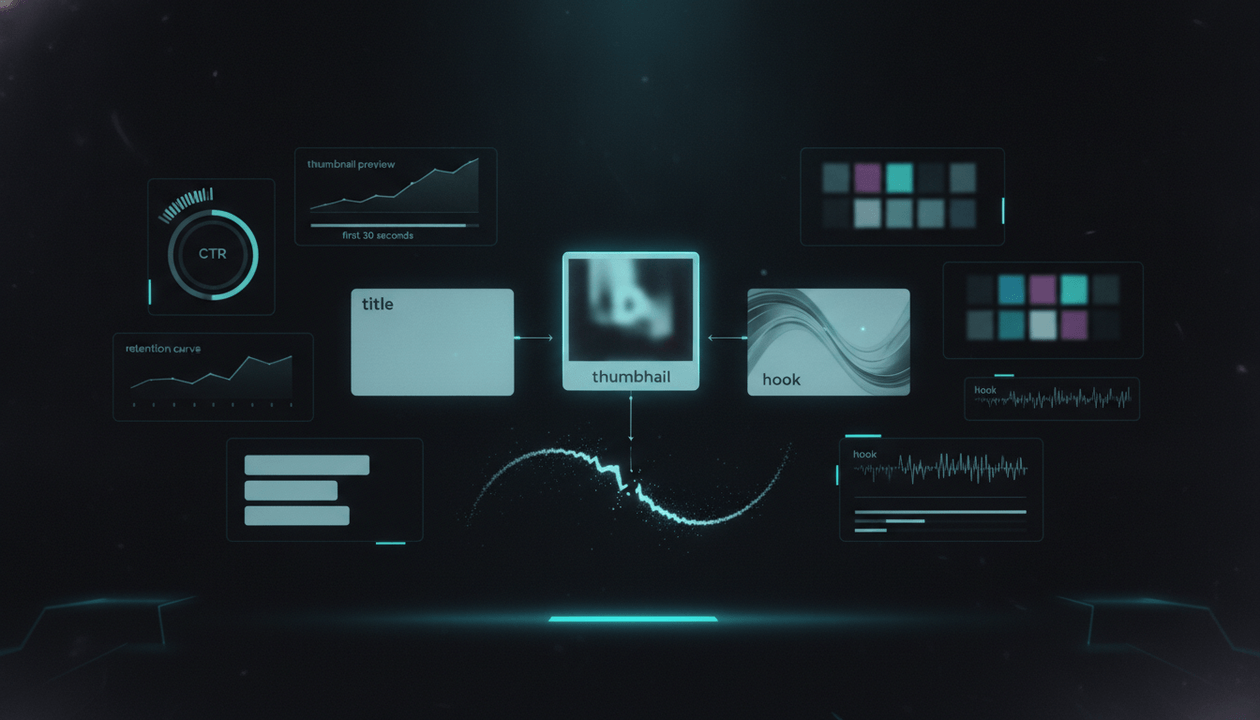
A YouTube title-thumbnail-hook alignment system makes sure the viewer experiences one clear promise from the moment they see the video to the moment they decide whether to keep watching.
The goal is simple:
Make the title create the promise, the thumbnail make the promise visible, and the hook pay off the promise immediately.
This guide gives you a complete YouTube title-thumbnail-hook alignment system for creators, faceless channels, YouTube agencies, SaaS teams, documentary channels, educational channels, product-led channels, and creator-led businesses.
Not generic “write better titles” advice.
A real system for making the click and the first 30 seconds work together.
Key Takeaways
- A YouTube title-thumbnail-hook alignment system makes sure the title, thumbnail, and first 30 seconds all sell and deliver the same video promise.
- A strong title creates the mental promise. A strong thumbnail makes that promise instantly visible. A strong hook confirms that the viewer clicked the right video.
- YouTube’s audience retention report helps creators understand where viewers stay, rewatch, skip, or leave. YouTube also explains that intro retention shows what percentage of viewers are still watching after the first 30 seconds, and strong intro retention can mean the content matched what viewers expected from the title and thumbnail. Source: YouTube Help
- YouTube’s Reach analytics can show how viewers find videos through traffic sources like YouTube Search, Suggested Videos, Browse features, playlists, Shorts, external sources, end screens, and cards. Source: YouTube Help
- Most underperforming videos have one of three problems: weak click promise, unclear visual promise, or weak first-30-second payoff.
- The best YouTube packaging is not just clickable. It is truthful, specific, emotionally clear, and immediately paid off in the hook.
- OverseerOS helps creators analyze viral videos, reverse-engineer title and thumbnail patterns, improve hooks and scripts, plan content, analyze thumbnails, generate title directions, and turn proven packaging patterns into better video briefs.
What Is YouTube Title-Thumbnail-Hook Alignment?
YouTube title-thumbnail-hook alignment is the process of making sure three parts of the video work together:
- The title
- The thumbnail
- The opening hook
Each one has a different job.
| Element | Main Job | Failure Mode |
|---|---|---|
| Title | Create the promise in words | Too vague, too broad, too clever, or misleading |
| Thumbnail | Make the promise visible fast | Too cluttered, too generic, or emotionally unclear |
| Hook | Pay off the promise immediately | Slow intro, wrong opening, weak stakes, no confirmation |
A weak alignment looks like this:
| Element | Example |
|---|---|
| Title | Why Your YouTube Channel Is Not Growing |
| Thumbnail | Random creator looking confused at analytics |
| Hook | “Hey guys, welcome back to the channel. Today we’re going to talk about some tips…” |
The title promises a diagnosis.
The thumbnail does not show the specific problem.
The hook delays the payoff.
A stronger alignment looks like this:
| Element | Example |
|---|---|
| Title | Why Your YouTube Videos Get Impressions But No Clicks |
| Thumbnail | Analytics card showing impressions high, views low, with a broken thumbnail preview |
| Hook | “If YouTube is showing your video but people are not clicking, the problem is not reach. The problem is the promise your title and thumbnail are making.” |
Now the viewer experiences one idea.
That is alignment.
Why Alignment Matters More Than “Better Titles”
Creators often try to fix performance by improving only one piece.
They ask:
- Is the title good?
- Is the thumbnail good?
- Is the hook good?
Those are useful questions.
But the better question is:
Do the title, thumbnail, and hook sell the same promise?
A title can be strong by itself and still fail with the thumbnail.
A thumbnail can be beautiful and still fail because the title creates a different expectation.
A hook can be well-written and still fail because it does not immediately pay off what the viewer clicked for.
YouTube is sequential.
The viewer does not experience the video all at once.
They experience it like this:
- They see the thumbnail and title.
- They decide whether the promise is worth clicking.
- They click.
- They ask, “Did I get what I came for?”
- They decide whether to keep watching.
If the answer to step 4 is no, they leave.
That is why alignment matters.
The Three Promises Every Video Makes
Every YouTube video makes three promises.
| Promise Type | Where It Happens | Example |
|---|---|---|
| Verbal promise | Title | “Why Your YouTube Videos Get Impressions But No Clicks” |
| Visual promise | Thumbnail | Dashboard showing impressions high but clicks low |
| Experiential promise | Hook | “The issue is not reach. It is the promise your packaging creates.” |
The viewer should feel:
I clicked for this, and this is exactly what the video is about.
That feeling creates trust.
The opposite creates drop-off.
If the title says:
I Audited 10 Channels That Get Views But Make No Money
The thumbnail should show:
- multiple channel cards
- revenue or monetization tension
- a clear “views ≠ money” contrast
The hook should open with:
I looked at 10 channels that get attention but have weak monetization paths, and the same pattern kept showing up: they built videos for views, not buyer intent.
That is alignment.
The Alignment Rule
Use this rule for every video:
The title should create the question. The thumbnail should make the question visible. The hook should answer why the question matters in the first 30 seconds.
Example:
| Element | Question |
|---|---|
| Title | “Why do my videos get impressions but no clicks?” |
| Thumbnail | “Why is this analytics chart broken?” |
| Hook | “Because your topic may have demand, but your title and thumbnail are not creating a clear promise.” |
Another example:
| Element | Question |
|---|---|
| Title | “The YouTube Video Brief System Serious Creators Use” |
| Thumbnail | “Why is this messy idea becoming a clean production brief?” |
| Hook | “Most videos do not fail in the edit. They fail because nobody aligned the title, thumbnail, hook, script, edit, CTA, and distribution plan before production started.” |
A viewer should never feel tricked.
They should feel pulled deeper.
The Title’s Job
The title is not just a label.
It is the verbal promise.
A strong YouTube title usually does one or more of these:
- names a specific pain
- creates curiosity
- promises a useful outcome
- challenges a belief
- shows a contrast
- frames a mistake
- introduces a system
- identifies a target viewer
- implies proof
- creates urgency
- makes the topic feel worth time
Weak titles are usually:
- too broad
- too generic
- too abstract
- too clever
- too similar to competitors
- too keyword-stuffed
- too disconnected from viewer pain
- too hard to visualize
Examples:
| Weak Title | Stronger Title |
|---|---|
| YouTube Analytics Explained | Why Your YouTube Videos Get Impressions But No Clicks |
| How to Make Thumbnails | The Thumbnail Mistake That Makes Good Videos Look Boring |
| YouTube Content Strategy | Stop Planning YouTube Videos Before You Validate the Topic |
| How to Grow a Channel | The YouTube Content Pillar Map That Makes Viewers Remember You |
| AI Tools for YouTube | AI YouTube Tools That Do Not Make Your Channel Look Cheap |
| YouTube Sponsorships | How to Price YouTube Sponsorships Without Underselling Your Channel |
| Video Planning Tips | YouTube Video Brief Template: Turn Ideas Into Production-Ready Videos |
The stronger titles are not just “catchier.”
They are clearer about the viewer problem.
The Thumbnail’s Job
The thumbnail is not supposed to repeat the title.
It should complete the title.
A title says the promise.
A thumbnail shows the tension.
If the title already says:
Why Your YouTube Videos Get Impressions But No Clicks
The thumbnail does not need to repeat:
NO CLICKS
It can show:
- impressions high
- views low
- a weak thumbnail preview
- a red warning marker
- a confused creator
- a broken click path
The thumbnail should make the viewer feel the problem before they read every word.
A good thumbnail creates:
- instant contrast
- emotional clarity
- visual hierarchy
- curiosity
- specificity
- mobile readability
- a clear object or scene
- one main idea
A weak thumbnail has:
- too many elements
- unreadable text
- generic screenshots
- stock images
- unclear emotion
- no visual tension
- too much decoration
- weak relationship to the title
Use this rule:
If the thumbnail cannot be understood in one second, it is probably too complicated.
The Hook’s Job
The hook is not the intro.
It is the proof that the viewer clicked the right video.
A weak hook says:
Hey everyone, welcome back. In today’s video, we are going to talk about YouTube titles and thumbnails, so make sure you watch until the end.
A strong hook says:
If your title sells one idea, your thumbnail shows another, and your first 30 seconds opens with a third, viewers do not feel intrigued. They feel lied to. That is why some videos get clicks but lose people immediately.
The hook should:
- confirm the click
- restate the pain
- sharpen the stakes
- introduce the reframe
- preview the payoff
- avoid slow greetings
- avoid generic setup
- avoid unrelated backstory
- start where the viewer’s curiosity already is
A good hook does not need to scream.
It needs to create forward motion.
The First 30 Seconds: The Trust Window
The first 30 seconds are where the viewer decides whether the video is honest.
YouTube’s audience retention help explains that intro retention shows the percentage of viewers still watching after the first 30 seconds, and a strong intro can indicate that the content matched the viewer’s expectation from the title and thumbnail. Source: YouTube Help
That is the trust window.
In those first 30 seconds, the viewer is asking:
- Is this the video I clicked for?
- Is this creator getting to the point?
- Is the promise real?
- Is there a payoff coming?
- Is this worth my time?
- Should I keep watching?
If your opening does not answer those questions, the viewer leaves.
The first 30 seconds should not be wasted on:
- long greetings
- channel updates
- vague context
- broad definitions
- sponsor reads
- irrelevant jokes
- slow backstory
- “before we get started”
- overexplaining why the topic matters
Start with the tension.
Then earn the explanation.
The Title-Thumbnail-Hook Alignment Framework
Use this framework before producing any video.
| Layer | Question | Output |
|---|---|---|
| Viewer | Who is this for? | Target viewer |
| Pain | What problem triggers the click? | Viewer motivation |
| Title | What is the verbal promise? | Clickable title |
| Thumbnail | What is the visual promise? | Thumbnail concept |
| Hook | How do we pay it off immediately? | First 30 seconds |
| Stakes | Why should they keep watching? | Urgency |
| Structure | What path delivers the promise? | Video outline |
| CTA | What should happen after watching? | Next step |
| Check | Do all parts sell the same video? | Alignment score |
A video should not move into production until this alignment is clear.
Step 1: Define the Viewer and Moment
Do not start with the title.
Start with the viewer.
Ask:
- Who is this video for?
- What are they trying to solve?
- What are they frustrated by?
- What do they already believe?
- What are they wrong about?
- What would make them stop scrolling?
- What would make them feel, “This is exactly my problem”?
Use this template.
| Field | Answer |
|---|---|
| Target viewer | [Specific viewer] |
| Experience level | Beginner / intermediate / advanced / operator / buyer |
| Current situation | [What is happening right now] |
| Pain | [What hurts] |
| Wrong belief | [What they misunderstand] |
| Desired outcome | [What they want] |
| Click trigger | Pain, curiosity, opportunity, fear, proof, comparison |
| Emotional state | Confused, skeptical, frustrated, ambitious, urgent |
Example:
| Field | Answer |
|---|---|
| Target viewer | Intermediate YouTube creator |
| Experience level | Intermediate |
| Current situation | Their videos get impressions but weak views |
| Pain | They do not understand why people are not clicking |
| Wrong belief | They think the topic is the only problem |
| Desired outcome | Diagnose whether title, thumbnail, or promise is weak |
| Click trigger | Pain + diagnosis |
| Emotional state | Frustrated and confused |
Now you can create packaging that speaks to a real moment.
Step 2: Write the Core Promise
The core promise is the sentence that everything else must align around.
Use this formula:
This video helps [viewer] understand/fix/avoid/build [specific outcome] by showing [specific mechanism].
Examples:
- This video helps creators understand why their videos get impressions but no clicks by showing how title-thumbnail mismatch weakens the viewer promise.
- This video helps SaaS teams turn YouTube videos into pipeline by showing how to create buyer-intent topics instead of broad awareness content.
- This video helps faceless creators avoid low-quality AI content by showing the production QA steps that protect trust.
- This video helps YouTube agencies improve client production by showing how to brief title, thumbnail, hook, script, edit, CTA, and distribution in one document.
If the core promise is vague, every downstream decision becomes vague.
Bad:
This video helps creators grow.
Better:
This video helps creators validate video ideas before production so they stop wasting time on topics that should never be made.
The title, thumbnail, and hook should all express this promise in different ways.
Step 3: Create the Title Promise
Now turn the core promise into title options.
Use several angles.
| Angle | Example |
|---|---|
| Pain | Why Your YouTube Videos Get Impressions But No Clicks |
| Mistake | The Title-Thumbnail Mistake That Kills Retention |
| System | The YouTube Title-Thumbnail-Hook Alignment System |
| Contrarian | Your Thumbnail Is Not the Problem. The Promise Is. |
| Operator | How Serious Creators Align Titles, Thumbnails, and Hooks Before Production |
| Diagnostic | How to Tell If Your Title, Thumbnail, or Hook Is Breaking the Video |
| Outcome | How to Make Your YouTube Packaging Match the First 30 Seconds |
Pick the title that creates the clearest viewer expectation.
Then ask:
- What does this title make the viewer expect?
- Can the video deliver that expectation?
- Can the thumbnail make it visual?
- Can the hook pay it off immediately?
- Does the title match the target viewer?
- Is the title too broad?
- Is the title too clever?
- Is the title truthful?
A title is not approved until it can be paired with a thumbnail and hook.
Step 4: Create the Thumbnail Promise
For each strong title, create a thumbnail concept.
Do not start with colors.
Start with the visual question.
Use this template.
| Field | Answer |
|---|---|
| Thumbnail emotion | [What should the viewer feel?] |
| Main visual tension | [What conflict is shown?] |
| Main object | [Analytics, calendar, thumbnail, script, competitor map, revenue chart] |
| Contrast | [Before/after, broken/fixed, low/high, chaos/clarity] |
| Optional text | [1 to 3 words, if needed] |
| What to avoid | [Clutter, fake UI, generic faces, too much text] |
| Mobile test | [Can it be understood small?] |
Example for this article:
| Field | Answer |
|---|---|
| Thumbnail emotion | Realization |
| Main visual tension | Title, thumbnail, and hook pulling in different directions |
| Main object | Three connected cards: title, thumbnail, hook |
| Contrast | Broken chain vs aligned chain |
| Optional text | “NO MATCH” or “FIX THIS” |
| What to avoid | Too many screenshots, generic YouTube logo, unreadable analytics |
| Mobile test | Viewer must instantly see mismatch vs alignment |
A strong thumbnail makes the title easier to understand.
A weak thumbnail makes the title work too hard.
Step 5: Write the Hook Payoff
The hook should directly pay off the title and thumbnail.
Use this hook framework.
| Hook Beat | Purpose |
|---|---|
| Confirm the problem | “Yes, this is what you clicked for.” |
| Reframe the issue | “Here is the deeper reason.” |
| Raise the stakes | “This is why it hurts performance.” |
| Preview the payoff | “Here is what you will learn.” |
Example:
Most creators treat the title, thumbnail, and hook like separate tasks. They write a title, ask a designer for a thumbnail, then write an intro later. But the viewer experiences all three as one promise. If that promise changes after the click, they leave. In this video, I’ll show you how to align the title, thumbnail, and first 30 seconds so the click turns into retention instead of disappointment.
This hook works because it:
- confirms the topic
- creates a reframe
- explains the cost
- promises a system
A hook should not make the viewer wait for the video they clicked.
It should make them feel they are already inside it.
Step 6: Check the Promise Chain
Now test the chain.
Ask:
| Question | Pass/Fail |
|---|---|
| Does the title create a clear promise? | Pass / Fail |
| Does the thumbnail visualize that promise? | Pass / Fail |
| Does the hook pay off the promise in the first 30 seconds? | Pass / Fail |
| Would the viewer feel tricked? | Pass / Fail |
| Is the title too broad for the hook? | Pass / Fail |
| Is the thumbnail too vague for the title? | Pass / Fail |
| Does the hook open with the same pain that triggered the click? | Pass / Fail |
| Does the structure deliver what the packaging sold? | Pass / Fail |
If any part fails, fix it before production.
Do not assume the script will solve misalignment.
The script is built on the promise chain.
The 5 Most Common Alignment Breaks
Break 1: The Title Promises a Diagnosis, But the Hook Opens With Generic Tips
Example:
| Element | Problem |
|---|---|
| Title | Why Your YouTube Channel Is Not Growing |
| Hook | “Here are 5 tips to grow faster.” |
The viewer expected a diagnosis.
They got generic advice.
Fix:
“If your channel is not growing, the problem is usually not consistency. It is that your videos are not creating a repeatable reason for the same viewer to return.”
Now the hook diagnoses.
Break 2: The Thumbnail Shows Drama, But the Video Is a Tutorial
Example:
| Element | Problem |
|---|---|
| Thumbnail | Shocked face, red arrows, “DEAD CHANNEL?” |
| Video | Calm tutorial about content planning |
The viewer expected drama.
They got a workflow.
Fix:
Make the thumbnail show the workflow tension:
- messy content calendar
- weak ideas
- validated topics
- clear system
Break 3: The Title Promises a Template, But the Video Gives Theory
Example:
| Element | Problem |
|---|---|
| Title | YouTube Video Brief Template |
| Video | Explains why briefs matter but does not give the template |
The viewer expected a usable asset.
They got philosophy.
Fix:
Give the template early and explain how to use it.
Break 4: The Thumbnail Is Too Abstract
Example:
| Element | Problem |
|---|---|
| Title | Stop Planning YouTube Videos Before You Validate the Topic |
| Thumbnail | Random glowing dashboard |
The visual does not make the idea clear.
Fix:
Show a content calendar where most ideas are rejected and only a few are approved.
Break 5: The Hook Delays the Payoff
Example:
| Element | Problem |
|---|---|
| Title | Why Your Videos Get Impressions But No Clicks |
| Hook | “I started YouTube five years ago, and I learned a lot about thumbnails…” |
The viewer clicked for a specific diagnosis.
They got biography.
Fix:
“If your video gets impressions but weak clicks, YouTube already tested your idea with viewers. The problem is that your title and thumbnail did not make the promise strong enough to earn the click.”
That pays off instantly.
The Title-Thumbnail-Hook Alignment Scorecard
Score each video before production.
| Category | Score 0 | Score 1 | Score 2 | Score 3 | Score 4 | Score 5 |
|---|---|---|---|---|---|---|
| Viewer clarity | Vague | Broad | Somewhat clear | Clear | Specific | High-value and specific |
| Title promise | Weak | Generic | Some | Clear | Strong | Very clickable and specific |
| Thumbnail clarity | Confusing | Generic | Some | Clear | Strong | Instantly understandable |
| Title-thumbnail match | No match | Weak | Some | Good | Strong | Perfectly complementary |
| Hook payoff | Slow | Generic | Some | Good | Strong | Immediate and sharp |
| Emotional tension | None | Weak | Mild | Clear | Strong | Very strong |
| Truthfulness | Misleading | Risky | Some risk | Accurate | Strong | Accurate and compelling |
| Retention setup | None | Weak | Some | Good | Strong | Natural first-30-second momentum |
| Differentiation | Copycat | Slight | Some | Clear | Strong | Hard to confuse with competitors |
| Business/channel fit | Off-strategy | Weak | Some | Good | Strong | Perfect fit |
Total score:
| Score | Decision |
|---|---|
| 0 to 18 | Do not produce |
| 19 to 29 | Needs packaging revision |
| 30 to 39 | Good enough to brief |
| 40 to 45 | Strong |
| 46 to 50 | Priority production |
A video idea should not move forward just because the topic is good.
The alignment must be good.
The Alignment Template
Use this before scriptwriting.
| Field | Answer |
|---|---|
| Target viewer | [Specific viewer] |
| Viewer pain | [Pain that triggers the click] |
| Core promise | [What the video delivers] |
| Primary title | [Title] |
| Backup titles | [3 to 5 options] |
| Title expectation | [What the viewer expects after reading it] |
| Thumbnail concept | [Visual idea] |
| Thumbnail emotion | [Emotion] |
| Thumbnail question | [What question the visual creates] |
| Hook opening line | [First sentence] |
| Hook reframe | [Deeper reason this matters] |
| Hook payoff | [What viewer will get] |
| First 30-second structure | [Beat-by-beat plan] |
| Main video structure | [How the promise is delivered] |
| CTA | [Next step] |
| Alignment risk | [Where mismatch could happen] |
| Fix | [How to reduce mismatch] |
| Score | [0 to 50] |
| Decision | Produce / revise / kill |
This should be part of your YouTube video brief.
Example: Weak Alignment vs Strong Alignment
Weak Alignment
| Element | Version |
|---|---|
| Topic | YouTube content planning |
| Title | How to Plan YouTube Videos |
| Thumbnail | Calendar screenshot |
| Hook | “Today we’re talking about planning content.” |
| Problem | Too broad, low emotion, weak visual, slow hook |
This might be accurate.
But it is not compelling.
Strong Alignment
| Element | Version |
|---|---|
| Topic | YouTube content planning |
| Title | Your YouTube Content Calendar Is Full of Ideas You Should Kill |
| Thumbnail | Calendar full of video cards, most stamped “KILL,” three marked “MAKE” |
| Hook | “Most creators do not need more video ideas. They need a way to kill weak ideas before those ideas become scripts, thumbnails, edits, and wasted uploads.” |
| Why it works | Specific pain, strong visual, immediate payoff, clear system |
Same broad topic.
Completely different alignment.
Example: Search-Driven Alignment
Search-driven videos need clarity.
Example:
| Element | Version |
|---|---|
| Target viewer | Creator looking for a production template |
| Title | YouTube Video Brief Template: Turn Ideas Into Production-Ready Videos |
| Thumbnail | Messy idea card transforming into a clean brief system |
| Hook | “A video idea is not a video brief. A real brief aligns the title, thumbnail, hook, script, edit, CTA, and distribution plan before production starts.” |
| CTA | Use a production-ready brief workflow in OverseerOS |
Why it works:
- title includes the search term
- thumbnail shows the transformation
- hook defines the difference immediately
- video gives the expected template
Search viewers want the answer fast.
Do not hide the answer behind a long story.
Example: Suggested/Browse-Driven Alignment
Suggested and Browse videos need stronger curiosity and emotional tension.
Example:
| Element | Version |
|---|---|
| Target viewer | Creator frustrated by underperforming videos |
| Title | Your Thumbnail Is Not the Problem. The Promise Is. |
| Thumbnail | Beautiful thumbnail connected to a broken title and weak hook |
| Hook | “Some thumbnails look good and still fail because the viewer does not understand what question the video answers. The design is polished, but the promise is unclear.” |
| CTA | Analyze title and thumbnail promise before production |
Why it works:
- title challenges a common belief
- thumbnail shows contradiction
- hook reframes the problem
- viewer gets a new lens
Discovery videos can be more provocative.
But they still need immediate payoff.
Example: Documentary-Style Alignment
Documentary channels need story tension.
Example:
| Element | Version |
|---|---|
| Target viewer | Creator economy viewer |
| Title | The AI YouTube Channels That Will Survive the Slop Era |
| Thumbnail | Trash pile of generic AI videos with one premium channel rising above |
| Hook | “AI did not kill faceless YouTube. It exposed which channels were never built on taste, trust, or retention in the first place.” |
| CTA | Watch related video on sponsor-safe AI content |
Why it works:
- title creates future-focused tension
- thumbnail shows survival contrast
- hook gives a strong thesis
- video promises more than a generic AI tools list
Documentary hooks should not start with encyclopedia context.
They should start with the thesis.
Example: SaaS Product-Led Alignment
SaaS videos need buyer-intent alignment.
Example:
| Element | Version |
|---|---|
| Target viewer | SaaS content lead trying to prove YouTube value |
| Title | Why Your SaaS YouTube Videos Get Views But No Pipeline |
| Thumbnail | Views chart rising while pipeline chart stays flat |
| Hook | “If your SaaS videos get views but no trials, YouTube may not be the problem. You may be attracting viewers who like the topic but do not feel the buying pain your product solves.” |
| CTA | Build a buyer-intent YouTube strategy with OverseerOS |
Why it works:
- title names business pain
- thumbnail visualizes the mismatch
- hook reframes views vs buyer intent
- CTA fits the viewer’s business goal
Product-led content should not open with the product.
It should open with the buyer’s problem.
Example: Faceless Channel Alignment
Faceless channels need extra visual clarity because there is no host personality to carry the intro.
Example:
| Element | Version |
|---|---|
| Target viewer | Faceless YouTube creator |
| Title | Why Most Faceless Channels Look Cheap |
| Thumbnail | Split-screen: low-quality AI visual mess vs cinematic premium scene |
| Hook | “The problem with most faceless channels is not that they use AI. It is that every scene feels disconnected from the script, the tone, and the viewer’s expectation.” |
| CTA | Use OverseerOS Auto Edit Studio to build a structured faceless video workflow |
Why it works:
- title names a painful identity fear
- thumbnail shows the visual difference
- hook reframes the problem from AI to coherence
- CTA connects to production workflow
Faceless videos need tighter title-thumbnail-hook alignment because the visuals are the experience.
The Alignment Workflow
Use this workflow for every serious video.
Step 1: Validate the Topic
Before alignment, make sure the topic deserves production.
Check:
- viewer
- pain
- demand
- title potential
- thumbnail potential
- retention potential
- channel fit
- business value
Use a YouTube Topic Validation System before committing.
Step 2: Write the Core Promise
One sentence:
This video helps [viewer] achieve [outcome] by showing [mechanism].
Step 3: Generate Title Options
Write at least 5 options:
- search version
- pain version
- curiosity version
- mistake version
- system version
Step 4: Sketch Thumbnail Concepts
For the top 2 titles, sketch thumbnail ideas.
Do not design yet.
Just define:
- emotion
- contrast
- object
- visual question
- text direction
Step 5: Write the First 30 Seconds
Create the exact hook direction.
Make sure it pays off the chosen title and thumbnail.
Step 6: Score Alignment
Use the scorecard.
If score is weak, revise before production.
Step 7: Build the Video Brief
Turn the approved alignment into a full YouTube Video Brief Template.
Step 8: Produce
Now write, record, edit, design, and distribute.
Do not skip the order.
The order protects quality.
The 30-Minute Title-Thumbnail-Hook Sprint
Use this when planning a video quickly.
Minutes 0-5: Viewer and Pain
Answer:
- Who is this for?
- What do they want?
- What hurts?
- Why would they care now?
Minutes 5-10: Core Promise
Write:
- one clear promise
- one wrong belief
- one desired outcome
Minutes 10-15: Titles
Write:
- 3 pain titles
- 2 curiosity titles
- 1 search title
- 1 contrarian title
Minutes 15-20: Thumbnails
For the top 2 titles, create:
- visual contrast
- main object
- emotion
- optional text
- what to avoid
Minutes 20-25: Hook
Write:
- first line
- reframe
- stakes
- payoff
Minutes 25-30: Score and Decide
Ask:
- Do all three parts sell the same video?
- Would the viewer feel tricked?
- Is the first 30 seconds strong?
- Is the concept worth briefing?
Then decide:
- approve
- revise
- save
- kill
This sprint prevents weak packaging from reaching production.
The Alignment Review After Publishing
After publishing, compare the alignment plan against performance.
Look at:
- impressions
- impressions click-through rate
- views
- average view duration
- first 30-second retention
- audience retention dips
- comments
- traffic sources
- subscriber conversion
- CTA clicks
- Shorts performance
- returning viewers
YouTube’s Reach tab can help creators understand how viewers found videos and how impressions led to views and watch time. Source: YouTube Help
YouTube’s audience retention report helps identify where viewers stayed, rewatched, skipped, or left. Source: YouTube Help
Use this diagnosis table.
| Signal | Likely Problem |
|---|---|
| High impressions, low CTR | Title/thumbnail promise not strong enough |
| High CTR, weak first 30 seconds | Hook did not pay off packaging |
| High CTR, strong intro, weak middle | Structure did not sustain promise |
| Low CTR, strong retention | Video may be good but packaging is weak |
| Strong search traffic, low subscriber conversion | Useful answer but weak channel identity |
| Strong suggested traffic, weak retention | Curiosity click but weak delivery |
| Good retention, low CTA clicks | CTA mismatch or weak business bridge |
| Comments say “not what I expected” | Packaging mismatch |
| Comments ask for template/example | Promise worked, payoff could be expanded |
| Shorts outperform long-form | Idea may be better as short-form or needs stronger long-form structure |
Do not just ask:
Did the video perform?
Ask:
Which part of the promise chain worked or broke?
The Alignment Improvement Loop
Every video should improve the next one.
After reviewing performance, update:
- title rules
- thumbnail rules
- hook patterns
- viewer pain assumptions
- content pillar definitions
- video brief templates
- editor notes
- designer notes
- script structure
- CTA paths
Example learning:
Videos with titles about “views but no revenue” get lower views but stronger comments and CTA clicks from serious creators.
Decision:
Keep making those videos as buyer-intent assets, but improve thumbnail clarity.
Example learning:
Videos with dramatic thumbnails get clicks but lower first-30-second retention.
Decision:
Reduce visual overpromise and make hooks pay off faster.
Example learning:
Search-focused templates get modest views but strong saves and backlinks.
Decision:
Keep producing templates and connect them to product workflows.
This is how packaging becomes a system.
How to Align Titles, Thumbnails, and Hooks by Video Type
Different video types need different alignment.
Tutorial Videos
| Element | Best Practice |
|---|---|
| Title | Clear outcome or problem |
| Thumbnail | Show before/after or workflow |
| Hook | State the problem and promise the steps |
| Risk | Too much intro before the tutorial |
Example:
Title: How to Validate YouTube Topics Before Production
Thumbnail: Idea cards scored and rejected
Hook: “Most creators turn weak ideas into videos because they never force the idea to prove itself first.”
Teardown Videos
| Element | Best Practice |
|---|---|
| Title | Name what is being audited and what was found |
| Thumbnail | Show subject + problem marker |
| Hook | Preview the pattern or discovery |
| Risk | Too much context before the teardown starts |
Example:
Title: I Audited 10 Channels That Get Views But No Revenue
Thumbnail: Channel cards with revenue warning icons
Hook: “These channels are not failing at attention. They are failing at turning attention into a business.”
Comparison Videos
| Element | Best Practice |
|---|---|
| Title | Clear X vs Y decision |
| Thumbnail | Visual split or decision tension |
| Hook | State who each option is for |
| Risk | Biased or vague comparison |
Example:
Title: Manual YouTube Research vs AI Channel Analysis
Thumbnail: Messy spreadsheet vs clean strategy map
Hook: “Manual research can work, but only if you know what patterns to look for. Most creators collect data and miss the actual strategy.”
Mistake Videos
| Element | Best Practice |
|---|---|
| Title | Specific mistake and consequence |
| Thumbnail | Show the mistake visually |
| Hook | Name the mistake immediately |
| Risk | Generic list with no depth |
Example:
Title: The Thumbnail Mistake That Makes Good Videos Look Boring
Thumbnail: Strong topic with dull visual promise
Hook: “A boring thumbnail is not always ugly. Sometimes it is visually correct but emotionally empty.”
Documentary Videos
| Element | Best Practice |
|---|---|
| Title | Story tension or thesis |
| Thumbnail | Cinematic conflict |
| Hook | Strong thesis or opening scene |
| Risk | Slow background context |
Example:
Title: The AI YouTube Channels That Will Survive the Slop Era
Thumbnail: AI slop pile vs premium channel signal
Hook: “AI did not destroy faceless YouTube. It exposed which channels were never built on taste.”
Product-Led Videos
| Element | Best Practice |
|---|---|
| Title | Buyer problem or workflow |
| Thumbnail | Workflow or outcome visualization |
| Hook | Start with pain, not product |
| Risk | Demo starts too early |
Example:
Title: How to Find Proven YouTube Topics Before You Make the Video
Thumbnail: Competitor videos turning into validated topic cards
Hook: “Before you script a video, you need evidence that the topic has demand, a clear title, and a thumbnail people can understand.”
The Title-Thumbnail-Hook QA Checklist
Use this before publishing.
Title
- The title names a clear viewer problem or outcome.
- The title is specific enough to attract the right viewer.
- The title is not too vague or generic.
- The title is truthful.
- The title has a clear relationship to the video structure.
- The title can be visualized.
- The title is not relying only on keywords.
- The title does not overpromise beyond the video.
Thumbnail
- The thumbnail makes the title easier to understand.
- The thumbnail has one main idea.
- The thumbnail has clear visual contrast.
- The thumbnail works on mobile.
- The thumbnail emotion is obvious.
- The thumbnail is not cluttered.
- The thumbnail does not repeat the entire title.
- The thumbnail does not imply a different video.
Hook
- The first sentence connects directly to the title/thumbnail promise.
- The hook avoids slow greetings.
- The hook states the pain or tension quickly.
- The hook provides a reframe.
- The hook previews the payoff.
- The hook does not open with unrelated context.
- The first 30 seconds prove the viewer clicked correctly.
- The hook leads naturally into the structure.
Alignment
- Title, thumbnail, and hook sell the same video.
- Viewer expectation is clear.
- There is no promise mismatch.
- The visual promise matches the verbal promise.
- The first 30 seconds pay off both.
- The CTA matches the viewer’s intent.
- The video can be summarized in one sentence.
- The team agrees on the promise before production.
If the checklist fails, do not publish yet.
Fix the alignment.
How OverseerOS Helps With Title-Thumbnail-Hook Alignment
Title-thumbnail-hook alignment is hard when creators work from a blank page.
You need to know:
- what titles are working in the niche
- what thumbnail patterns create the click
- what hooks keep people watching
- what competitors are doing
- what audience expectations already exist
- what your own channel data shows
- what topics deserve production
- what scripts need stronger first 30 seconds
That is where OverseerOS helps.
OverseerOS is built for YouTube intelligence. It helps creators reverse-engineer successful channels, analyze viral videos, discover breakout channels, plan content, improve scripts, generate stronger titles, analyze thumbnails, and turn videos into distribution assets.
For title-thumbnail-hook alignment, that means each part of the promise chain can come from evidence instead of guesswork.
| Alignment Job | How OverseerOS Helps |
|---|---|
| Find proven title and thumbnail patterns | Use OverseerOS Viral X-Ray to analyze individual videos, including titles, thumbnails, hooks, structure, and audience engagement patterns |
| Reverse-engineer channel packaging systems | Use OverseerOS Channel Blueprint Cloner to turn a channel URL into a structured strategy blueprint with tone DNA, hook patterns, pacing, viral topic formulas, tags, keywords, hidden insights, and untapped opportunities |
| Analyze competitor channels | Use OverseerOS Channel Analyzer to understand growth patterns, content strategy, upload frequency, engagement signals, and what makes a channel perform |
| Discover breakout examples | Use OverseerOS Viral Channel Finder to find fast-growing channels and breakout videos in any niche |
| Generate stronger title directions | Use OverseerOS Viral Title Generator to create high-performing title ideas based on proven patterns and channel tone |
| Improve thumbnail concepts | Use OverseerOS Thumbnail Analyzer and OverseerOS Thumbnail Cloner to study visual psychology, composition, text placement, emotional triggers, layout, colors, and proven thumbnail styles |
| Build better hooks and scripts | Use OverseerOS Script Studio and OverseerOS Script ReSpark to strengthen hooks, pacing, emotional delivery, clarity, and retention structure |
| Plan aligned briefs | Use OverseerOS Channel Content Planner to generate data-backed topics, briefs, and content ideas based on strategy |
| Track performance feedback | Use OverseerOS Channel Pulse to monitor traffic sources, retention, and per-video stats |
| Turn aligned videos into more assets | Use OverseerOS Distribution Studio to turn one piece of content into native posts for X, Reddit, Facebook, and more |
| Produce faceless videos from aligned scripts | Use OverseerOS Auto Edit Studio to turn finished scripts and voiceovers into structured faceless YouTube video workflows with scene-by-scene structure, AI visuals, captions, background music, motion, FX, and export controls |
The key idea:
OverseerOS should help you align the promise before production, not just fix the video after it underperforms.
Start with OverseerOS Channel Blueprint Cloner for YouTube channel reverse engineering, use OverseerOS Viral Channel Finder to discover breakout channels in any niche, then connect the alignment system to your YouTube Topic Validation System, YouTube Video Brief Template, YouTube Content Pillar Map, and YouTube Competitor Positioning Map.
Common Title-Thumbnail-Hook Mistakes
Mistake 1: Writing the Title After the Script
If the title is created after the script, the video may not be built around a clear promise.
Start with a working title before writing.
Refine later.
Mistake 2: Designing the Thumbnail After Editing
If the thumbnail is an afterthought, it may not match the video’s strongest promise.
Plan the thumbnail concept during the brief.
Mistake 3: Opening With a Generic Intro
The viewer already clicked.
Do not restart the sale.
Pay off the click.
Mistake 4: Making the Thumbnail Repeat the Title
The thumbnail should not just say the same thing in big text.
It should add visual tension, emotion, or contrast.
Mistake 5: Using Clickbait That the Hook Cannot Support
A dramatic title can get the click.
But if the hook cannot deliver, retention suffers.
Truthful curiosity beats fake hype.
Mistake 6: Making the Title Too Broad
Broad titles attract vague interest.
Specific titles attract the right viewer.
“Grow on YouTube” is weak.
“Why Your YouTube Videos Get Impressions But No Clicks” is sharper.
Mistake 7: Ignoring Viewer Sophistication
A beginner and an advanced creator need different promises.
Do not package an advanced video like a beginner tutorial.
Mistake 8: Optimizing for CTR Alone
CTR matters.
But if the title and thumbnail create the wrong expectation, the video may get clicks and lose trust.
Optimize for click-to-retention.
Not click alone.
The Monthly Packaging Review
Run this once per month.
Review your last 10 to 20 videos.
Create this table.
| Video | Title Promise | Thumbnail Promise | Hook Payoff | CTR | First 30s | Lesson |
|---|---|---|---|---|---|---|
| Video 1 | Clear pain | Strong visual | Fast payoff | Strong | Strong | Repeat pattern |
| Video 2 | Too broad | Generic | Good hook | Weak | Strong | Improve title/thumbnail |
| Video 3 | Strong curiosity | Overdramatic | Weak payoff | Strong | Weak | Reduce overpromise |
| Video 4 | Search clear | Simple visual | Direct | Medium | Strong | Good evergreen style |
| Video 5 | Good title | Confusing visual | Slow intro | Weak | Medium | Fix thumbnail clarity |
Then ask:
- Which titles attracted the right viewers?
- Which thumbnails were instantly clear?
- Which hooks paid off fastest?
- Which videos had high CTR but weak retention?
- Which videos had strong retention but weak CTR?
- Which title formulas should we repeat?
- Which thumbnail concepts should we avoid?
- Which hooks were too slow?
- Which videos attracted the wrong audience?
- Which packaging style fits our channel position?
The goal is not to judge emotionally.
The goal is to build a packaging system.
The Title-Thumbnail-Hook Alignment Board
Use a board with these columns.
| Column | Meaning |
|---|---|
| Raw Topic | Unvalidated idea |
| Title Options | 5 to 10 possible titles |
| Thumbnail Concepts | Visual directions |
| Hook Draft | First 30-second plan |
| Alignment Review | Score and risks |
| Approved for Brief | Ready for full video brief |
| In Production | Script, design, edit |
| Published | Live |
| Performance Notes | CTR, retention, comments |
| Pattern Library | Learnings to reuse |
This creates a repeatable workflow.
Do not let videos move from raw idea to script without passing through alignment.
Final Verdict
The title, thumbnail, and hook are not separate creative tasks.
They are one promise chain.
The title creates the promise.
The thumbnail makes the promise visible.
The hook pays off the promise immediately.
When those three parts are aligned, the viewer feels understood. They click for a reason, get that reason confirmed, and have a reason to keep watching.
When those three parts are misaligned, the viewer feels friction. They hesitate, click the wrong expectation, or leave after the first few seconds.
Most creators try to fix this too late.
They write the script, edit the video, design the thumbnail, then force a title onto the finished asset.
Serious creators reverse the order.
They validate the topic.
They define the promise.
They align the title, thumbnail, and hook.
They build the brief.
Then they produce.
That is how you turn ideas into videos that are easier to click, easier to trust, and easier to watch.
If you want to build YouTube packaging from proven patterns instead of guessing, use OverseerOS to analyze viral videos, reverse-engineer channels, generate stronger titles, study thumbnail patterns, improve hooks, plan content, and turn each video into distribution assets.
A strong video does not start with a script.
It starts with a promise the viewer can see, understand, and trust.
FAQ
What is YouTube title-thumbnail-hook alignment?
YouTube title-thumbnail-hook alignment is the process of making sure the title, thumbnail, and first 30 seconds all communicate and deliver the same video promise. The title creates the verbal promise, the thumbnail makes it visual, and the hook pays it off immediately.
Why do titles, thumbnails, and hooks need to match?
They need to match because viewers click based on the title and thumbnail, then decide quickly whether the video is what they expected. If the hook does not match the packaging, viewers may leave early, hurting retention and trust.
What is the job of a YouTube title?
The title creates the verbal promise of the video. It tells the viewer what problem, question, outcome, mistake, comparison, or curiosity the video will address.
What is the job of a YouTube thumbnail?
The thumbnail makes the video promise visible. It should create instant visual clarity, emotion, contrast, and curiosity without becoming cluttered or misleading.
What is the job of a YouTube hook?
The hook confirms that the viewer clicked the right video. It should pay off the title and thumbnail in the first 30 seconds by naming the pain, creating a reframe, raising the stakes, and previewing the payoff.
How do I know if my title and thumbnail are misaligned?
Your title and thumbnail may be misaligned if they create different expectations, if viewers click but leave quickly, if comments say the video was not what they expected, or if the thumbnail visual does not clearly support the title promise.
Should I write the title before the script?
Yes, at least a working title should be created before the script. The title defines the promise of the video, and the script should be built to deliver that promise.
Should I plan the thumbnail before writing the hook?
Yes. The thumbnail should be planned early because it shapes the viewer’s expectation. The hook should then pay off that expectation immediately.
What is a good first 30 seconds for YouTube?
A good first 30 seconds confirms the title and thumbnail promise, names the viewer pain, creates a reframe, explains why the topic matters, and previews the payoff without slow greetings or unrelated context.
How does OverseerOS help with title-thumbnail-hook alignment?
OverseerOS helps creators align titles, thumbnails, and hooks by analyzing viral videos, reverse-engineering competitor channels, generating stronger title ideas, studying thumbnail patterns, improving scripts and hooks, planning content briefs, and tracking performance through tools like OverseerOS Viral X-Ray, OverseerOS Channel Blueprint Cloner, OverseerOS Channel Analyzer, OverseerOS Viral Channel Finder, OverseerOS Viral Title Generator, OverseerOS Thumbnail Analyzer, OverseerOS Thumbnail Cloner, OverseerOS Script Studio, OverseerOS Script ReSpark, OverseerOS Channel Content Planner, OverseerOS Channel Pulse, OverseerOS Distribution Studio, and OverseerOS Auto Edit Studio.