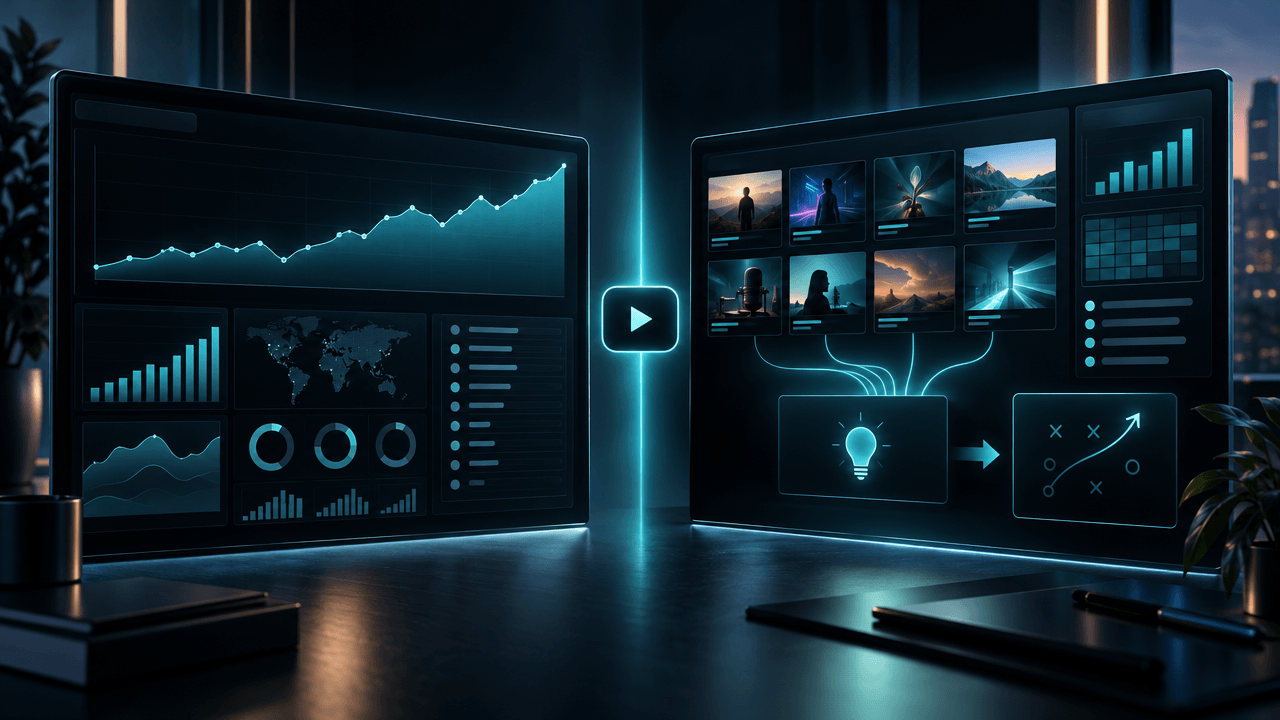
A YouTube channel analyzer and YouTube Studio can both show you views, videos, and performance signals.
That does not make them interchangeable.
YouTube Studio explains what happened inside your own channel.
A YouTube channel analyzer helps you investigate what is happening across other public channels.
That creates a clean strategic split:
- YouTube Studio gives you first-party performance truth.
- A channel analyzer gives you external market intelligence.
YouTube Studio can show whether viewers clicked your thumbnail, where they abandoned your video, how they discovered it, whether they returned, and how much revenue the video generated.
A public channel analyzer cannot see those private metrics for a competitor.
But YouTube Studio cannot give you a complete research system for analyzing any channel in your niche, comparing its historical winners with recent uploads, identifying public breakout patterns, estimating its upload rhythm, or turning those findings into your next title, script, thumbnail, and content plan.
The strongest creators do not choose between the two.
They use a channel analyzer to build the hypothesis, then use YouTube Studio to test whether the hypothesis worked.
Key Takeaways
- YouTube Studio is the best source for private analytics from a channel you own or manage.
- A YouTube channel analyzer is designed for public research across competitors, emerging channels, acquisition targets, clients, or potential partners.
- YouTube Studio can show private impressions, click-through rate, traffic sources, audience retention, viewer behavior, and actual estimated YouTube revenue.
- A public channel analyzer cannot access another creator’s private CTR, retention graph, demographics, traffic sources, RPM, or recommendation data.
- A strong channel analyzer can still reveal valuable public signals such as top videos, recent uploads, average views, upload cadence, engagement ratios, performance distribution, and breakout patterns.
- YouTube Studio answers, “Why did our content perform this way?”
- A channel analyzer answers, “What is working across the market, and what should we investigate?”
- The best workflow is: analyze the market, create a strategic hypothesis, publish, measure the result in YouTube Studio, then feed the learning back into your next decision.
- OverseerOS AI YouTube Channel Analyzer connects public channel research to deeper workflows such as blueprint cloning, title generation, hook research, scripts, thumbnails, Creator DNA, and content planning.
YouTube Channel Analyzer vs YouTube Studio: The Core Difference
| Area | YouTube Studio | YouTube Channel Analyzer |
|---|---|---|
| Primary purpose | Measure your own channel | Research public channels |
| Data access | Private first-party analytics | Publicly available signals and calculated estimates |
| Best question | Why did my video perform this way? | What appears to be working across this channel or niche? |
| Channels covered | Channels you own or have permission to manage | Public channels supported by the analyzer |
| Impressions | Yes, for your content | No private competitor impressions |
| Click-through rate | Yes, for your content | No private competitor CTR |
| Audience retention | Yes, for your content | No private competitor retention graph |
| Traffic sources | Yes, for your content | Not available privately for competitors |
| Audience demographics | Available for your channel when sufficient data exists | Not available privately for competitors |
| Exact YouTube revenue data | Estimated revenue for eligible channels you manage | Only public-data-based estimates |
| Public competitor comparison | Limited | Core use case |
| Top and recent video analysis | Your own content | Any supported public channel |
| Breakout pattern research | Possible within your own catalog | Designed to compare public video performance against channel baselines |
| Upload schedule analysis | Your publishing history | Public publishing rhythm across researched channels |
| Strategic reverse-engineering | Requires manual interpretation | Can turn signals into structured strategy context |
| Connected creation workflow | Mainly publishing and analytics | Can connect research to ideas, titles, hooks, scripts, thumbnails, and planning |
The simplest explanation is:
YouTube Studio tells you what your audience did. A channel analyzer helps you decide what the market may be telling you.
What Is YouTube Studio?
YouTube Studio is the private operating dashboard for a YouTube channel you own or have permission to manage.
Its analytics are based on first-party information that YouTube does not expose publicly.
Depending on the channel, content type, eligibility, available data, and report, YouTube Studio can show:
- Views
- Watch time
- Average view duration
- Average percentage viewed
- Impressions
- Impressions click-through rate
- Unique viewers
- New, casual, and regular viewers
- Returning viewers
- Subscribers gained or lost
- Traffic sources
- Suggested videos
- YouTube search terms
- External traffic
- Audience retention
- Retention spikes and dips
- Viewer geography
- Device type
- Viewer age and gender when available
- When viewers are on YouTube
- Other channels the audience watches
- Other content the audience watches
- Revenue data for eligible monetized channels
- Performance by video, Short, live stream, playlist, or content group
This makes YouTube Studio the source of truth for diagnosing your own channel.
The Main Question YouTube Studio Answers
YouTube Studio helps answer:
What happened after YouTube showed our content to viewers?
That includes several stages of the viewer journey:
- YouTube created an impression.
- The viewer saw the title and thumbnail.
- The viewer clicked or ignored the video.
- The viewer watched or abandoned it.
- The viewer engaged, subscribed, or left.
- The viewer returned later or disappeared.
- The video generated revenue or failed to monetize meaningfully.
Public competitor data cannot reveal that full chain.
What YouTube Studio Is Best At
YouTube Studio is strongest when you need to diagnose:
- Whether your packaging earned clicks
- Whether the opening fulfilled the promise
- Where viewers stopped watching
- Which traffic source drove the views
- Whether the video reached new viewers
- Whether those viewers returned
- Which format is producing watch time
- Which topics convert viewers into subscribers
- Which videos generate meaningful revenue
- Whether your channel is building a loyal audience
Example: Diagnosing a Weak Video
Imagine a video performs below expectations.
The title is:
I Used AI to Run My Business for 30 Days
The video received 100,000 impressions but only 2,000 views.
A public channel page tells you the video has 2,000 views.
YouTube Studio may reveal:
- 100,000 impressions
- 2 percent click-through rate
- Strong average view duration among people who clicked
- Normal audience retention
- Most impressions came from Browse features
That changes the diagnosis.
The content may not be the main problem.
The packaging failed to convert the opportunity YouTube provided.
Your next action should probably focus on the title-thumbnail combination rather than rewriting the entire video format.
Now imagine the same video had:
- 10 percent click-through rate
- A major retention collapse in the opening 20 seconds
- Strong initial traffic followed by rapid distribution decline
The diagnosis is completely different.
The packaging worked.
The opening did not deliver the promise.
Only YouTube Studio can give you that level of first-party certainty for your channel.
What Is a YouTube Channel Analyzer?
A YouTube channel analyzer studies publicly available channel and video signals to help you understand how a channel appears to operate.
It can be used for:
- Competitor research
- Niche validation
- Partnership research
- Client audits
- Sponsorship due diligence
- Channel acquisition research
- Faceless channel research
- Content strategy development
- Format analysis
- Market mapping
A basic analyzer may show:
- Subscribers
- Total views
- Total videos
- Channel age
- Average views
A stronger AI YouTube channel analyzer may also examine:
- Top-performing videos
- Recent uploads
- Upload frequency
- View distribution
- Median performance
- High-percentile videos
- Engagement ratios
- Views per day
- Breakout videos
- Video durations
- Channel tags
- Public categories
- Title patterns
- Recurring topics
- Content formats
- Historical winners compared with recent direction
- Estimated public revenue ranges
- Potential strategy patterns
The Main Question a Channel Analyzer Answers
A YouTube channel analyzer helps answer:
What can we learn from this channel’s visible behavior and public performance?
That is a different question from:
What happened inside this channel’s private analytics?
The analyzer can observe public outcomes.
It cannot see the private causes with certainty.
What a Channel Analyzer Is Best At
A channel analyzer is useful when you need to:
- Understand a competitor before modeling its strategy
- Find the videos that define a channel’s historical success
- Compare recent uploads with older winners
- Identify formats the channel repeats
- Estimate the channel’s normal view baseline
- Spot videos that appear to outperform that baseline
- Study public upload rhythm
- Evaluate whether a channel is consistently strong or dependent on one hit
- Compare several channels in one niche
- Find patterns worth investigating further
- Build a competitor brief before creating content
- Turn channel research into an original strategy
Example: Investigating a Competitor
Assume a competitor has:
- 300,000 subscribers
- 160 published videos
- 25,000 average views
- A median closer to 12,000 views
- Five videos above 500,000 views
- Three recent uploads above 100,000 views
- A consistent documentary format
- Most breakout titles built around business failures
A channel analyzer can help you identify that pattern.
You may discover that its strongest videos repeatedly use:
- A dominant company at its peak
- One overlooked strategic decision
- A competitor that initially looked harmless
- Escalating internal problems
- A collapse that feels inevitable in hindsight
That does not prove the competitor’s CTR or retention.
It gives you a strategic hypothesis:
Viewers in this market appear to respond to business stories where one underestimated decision causes a dramatic reversal.
You can now create a distinct video based on that deeper pattern.
Public Intelligence vs Private Analytics
The real difference is not “more data” versus “less data.”
It is different classes of data.
Private First-Party Analytics
YouTube Studio can provide private performance metrics because the channel owner has authorized access.
Examples:
- Impressions
- Click-through rate
- Audience retention
- Traffic sources
- Search terms
- Viewer segments
- Returning viewers
- Revenue
- Geography
- Device type
- Subscriber conversion
These metrics explain how viewers interacted with your content.
Public Market Intelligence
A channel analyzer works from information visible or inferable outside the channel’s private account.
Examples:
- Public view counts
- Subscriber count
- Publication dates
- Video durations
- Likes and comments when visible
- Titles
- Thumbnails
- Descriptions
- Tags when available
- Upload intervals
- Public channel metadata
- Relative video performance
- Views-per-day calculations
- Estimated engagement ratios
- Estimated revenue ranges
These signals help you study the market.
Why Both Matter
Private analytics without market intelligence can make you too inward-looking.
You may become excellent at explaining your previous results while missing a new format spreading across the niche.
Public research without private analytics can make you overconfident.
You may identify a competitor’s breakout video without knowing whether your own adaptation earned clicks, held attention, attracted the right audience, or built loyalty.
The two systems correct each other.
What YouTube Studio Can See That a Channel Analyzer Cannot
1. Impressions
Public view counts do not tell you how often YouTube displayed the video.
A video with 50,000 views may have received:
- 500,000 impressions and a modest CTR
- 100,000 impressions and a strong CTR
- Minimal registered impressions but large external traffic
- Significant Shorts feed distribution
- A combination of search, browse, suggested, and notifications
Those scenarios require different interpretations.
2. Click-Through Rate
A competitor’s title and thumbnail may look brilliant.
You still cannot see its private CTR.
A high view count does not prove the packaging converted unusually well.
The video may have benefited from:
- A large returning audience
- Strong search demand
- External distribution
- Notifications
- A news event
- Brand recognition
- Collaboration traffic
Use competitor packaging as a pattern to investigate, not as proof of a private metric.
3. Audience Retention
A public video can reveal structure, pacing, hook style, and editing choices.
It cannot reveal the competitor’s private retention curve.
You do not know exactly:
- Where viewers abandoned the video
- Which section created a spike
- Whether viewers rewatched a moment
- How the opening compared with later sections
- How retention differed by audience segment
You can form a hypothesis from the video.
You cannot present that hypothesis as private fact.
4. Traffic Sources
A public breakout may appear to be an algorithmic success.
Inside YouTube Studio, the creator may discover that most views came from:
- YouTube search
- Suggested videos
- Browse features
- External websites
- Paid promotion
- Shorts feed
- Channel pages
- Notifications
Without this context, you may adapt the wrong lesson.
5. Audience Quality
Public views do not reveal whether the video attracted:
- New viewers
- Regular viewers
- Subscribers
- One-time trend traffic
- The wrong audience
- Viewers from valuable geographies
- Viewers who continued into another video
A million views can grow a channel.
It can also create almost no long-term value.
6. Actual Revenue
Public revenue tools can only estimate.
YouTube Studio may show actual estimated platform revenue for a channel the user owns or manages, while finalized earnings follow YouTube and AdSense reporting processes.
Public estimates cannot know the channel’s exact:
- RPM
- Ad fill
- Viewer geography
- Monetized playbacks
- Premium revenue
- Suitability status
- Revenue mix
- Sponsorship income
- Affiliate income
- Product sales
Revenue estimates should be treated as directional ranges, not audited financial statements.
What a Channel Analyzer Can Do That YouTube Studio Cannot
YouTube Studio has useful market-facing reports, including trends and information about what your audience watches outside your channel.
That still does not make it a complete competitor intelligence system.
1. Analyze a Public Channel on Demand
YouTube Studio is centered on channels you own or manage.
A channel analyzer can begin with a public competitor URL.
That makes it useful before:
- Launching a channel
- Entering a niche
- Pitching a client
- Contacting a sponsor
- Acquiring a channel
- Building a competitor map
- Adding a reference channel to a content strategy
2. Build a Public Performance Baseline
A strong analyzer can compare a channel’s videos to estimate:
- Normal view performance
- Median results
- High-performing ranges
- Outlier candidates
- Recent momentum
- Historical winners
- Performance concentration
That lets you distinguish between:
- A giant channel getting normal views
- A smaller channel producing unusual breakouts
- A one-hit channel
- A consistent performer
- A declining channel
- A channel changing its format
3. Compare Historical Winners With Current Direction
A competitor’s most popular videos may be several years old.
Its recent strategy may be completely different.
A useful channel analysis separates:
- What worked historically
- What is working recently
- What the channel keeps publishing despite weak results
- Which older patterns it abandoned
- Which new patterns may be emerging
4. Research Before You Have Your Own Data
A new creator may have no meaningful YouTube Studio history.
There may be:
- Too few uploads
- Too few impressions
- Too few returning viewers
- Too little retention data
- No revenue data
- No stable topic baseline
Competitor analysis gives the creator a starting point before first-party evidence exists.
5. Connect Research to Creation
A normal analytics dashboard ends with a report.
A connected workflow can turn the result into:
- Channel blueprint
- Content pillars
- Topic ideas
- Title patterns
- Hook research
- Script direction
- Thumbnail references
- Creator tone
- Content planner entries
- Production briefs
That is the main positioning behind OverseerOS: the smartest creators do not start from a blank page. They start from patterns that already worked, then adapt those patterns into original content. :contentReference[oaicite:0]{index=0}
Which One Should You Use?
| Your Question | Best Starting Point |
|---|---|
| Why did my latest video underperform? | YouTube Studio |
| Which competitor videos are breaking out? | YouTube channel analyzer |
| Did my thumbnail earn clicks? | YouTube Studio |
| Which thumbnail patterns are common among market winners? | YouTube channel analyzer |
| Where did viewers leave my video? | YouTube Studio |
| Which competitor structures should I study? | YouTube channel analyzer |
| Which traffic source drove my views? | YouTube Studio |
| Which channels are worth adding to my research set? | YouTube channel analyzer |
| How much did my video earn from YouTube? | YouTube Studio |
| What might a competitor’s public view activity be worth? | Channel analyzer estimate, treated cautiously |
| What topics does my audience watch outside my channel? | YouTube Studio Audience and Trends reports |
| What topics are competitors repeatedly succeeding with? | YouTube channel analyzer |
| Should I model this public channel? | Channel analyzer first |
| Did my adaptation work for my audience? | YouTube Studio |
| I have no channel data yet. Where do I start? | Channel analyzer |
| I manage an established channel. What do I need? | Both |
The Fast Decision Rule
Use YouTube Studio when the unknown is:
What did viewers do after seeing our content?
Use a YouTube channel analyzer when the unknown is:
What public pattern appears to be working outside our channel?
Use both when the unknown is:
What should we create next, and did our version actually work?
The Evidence Loop: How the Two Tools Work Together
The strongest YouTube strategy is an evidence loop.
Step 1: Study the Market
Use a channel analyzer to research:
- Direct competitors
- Aspirational channels
- Smaller breakout channels
- Adjacent niches
- Repeated winning topics
- Title patterns
- Thumbnail patterns
- Upload rhythm
- Outlier videos
- Format shifts
The objective is not to copy an upload.
It is to form a testable hypothesis.
Example:
Smaller finance channels appear to break out when they package financial advice as an anonymous personal failure story rather than a tutorial.
Step 2: Choose an Original Angle
Turn the pattern into a distinct idea.
Reference pattern:
A high earner is secretly broke.
Original angle:
A 38-Year-Old Doctor Earned $240,000 and Still Could Not Buy a Home
Your video should use:
- Original research
- A different case
- A distinct thesis
- New examples
- Your channel’s tone
- An original title and thumbnail
- A structure built for your audience
Step 3: Define the Success Criteria Before Publishing
Decide what the video is testing.
Possible hypotheses:
- The topic will attract new viewers.
- The title structure will improve Browse CTR.
- The opening will reduce first-minute abandonment.
- The format will increase average percentage viewed.
- The story will convert more viewers into subscribers.
- The video will lead viewers into another upload.
Do not wait until after publication to invent the goal.
Step 4: Publish and Measure in YouTube Studio
Evaluate the metrics connected to the hypothesis.
| Hypothesis | YouTube Studio Signals |
|---|---|
| Packaging will earn more clicks | Impressions, CTR, views by traffic source |
| The hook will hold attention | Opening retention, dips, average view duration |
| The topic will reach new people | New viewers, unique viewers, traffic sources |
| The format will build loyalty | Returning viewers, regular viewers, follow-on views |
| The video will grow subscribers | Subscribers gained, viewer type, end-screen behavior |
| The topic is commercially valuable | Revenue, RPM context, conversion data outside YouTube |
Step 5: Compare the Hypothesis With the Result
Possible outcome:
- The competitor pattern was strong.
- Your title and thumbnail earned clicks.
- Retention collapsed because the opening delayed the core story.
- The topic reached new viewers but did not create returning viewers.
The conclusion should not be:
This idea does not work.
A stronger conclusion is:
The market and packaging signals were valid, but our execution did not deliver the promised story quickly enough.
That is a useful lesson.
Step 6: Feed the Learning Back Into Research
Update the next brief:
- Keep the topic pattern
- Keep the packaging tension
- Shorten the setup
- Reveal the contradiction earlier
- Remove unnecessary background
- Strengthen the second act
- Create a clearer next-video path
This turns competitor analysis into learning rather than imitation.
The Four-Layer YouTube Intelligence Model
A complete YouTube strategy needs four layers.
| Layer | Main Question | Best Source |
|---|---|---|
| Market | What is gaining attention across the niche? | Channel analyzer and competitor tracking |
| Packaging | What titles and thumbnails appear to create demand? | Public research plus your own Studio CTR |
| Content | What keeps viewers watching? | Public structural analysis plus your private retention |
| Audience | Who returns, subscribes, and creates business value? | YouTube Studio and your business analytics |
Layer 1: Market Intelligence
Study:
- Growing channels
- Breakout videos
- Topic clusters
- Format shifts
- Publishing frequency
- Public momentum
This tells you where attention appears to be moving.
Layer 2: Packaging Intelligence
Study public:
- Title formulas
- Thumbnail composition
- Emotional framing
- Curiosity gaps
- Repeated visual patterns
Validate privately:
- Impressions
- CTR
- Traffic source
- Performance over time
Layer 3: Content Intelligence
Study public:
- Hook structure
- Pacing
- Story sequence
- Segment length
- Visual rhythm
- Information density
Validate privately:
- Retention
- Average view duration
- Average percentage viewed
- Spikes
- Dips
- Rewatches
Layer 4: Audience Intelligence
Measure:
- New viewers
- Casual viewers
- Regular viewers
- Returning viewers
- Subscribers
- Follow-on viewing
- Revenue
- Leads
- Sales
This is where views become a durable asset.
How to Read Public Competitor Data Without Lying to Yourself
Public channel analysis is powerful, but only when its limits are respected.
Separate Observation From Inference
Observation:
The video received 600,000 public views in 12 days.
Inference:
The topic may have generated unusually strong demand relative to this channel’s baseline.
Unsupported claim:
The video had a 14 percent CTR and 70 percent retention.
The first is public.
The second is a reasonable hypothesis.
The third cannot be known without private data.
Compare Relative Performance
A video with one million views may be weak for a channel that normally receives three million.
A video with 100,000 views may be extraordinary for a channel that normally receives 5,000.
Use:
- Median views
- Recent average
- Views per day
- Channel size
- Upload age
- Repeated performance
- Similar video comparisons
Do not rank opportunities by absolute views alone.
Control for Video Age
A five-year-old video and a five-day-old video should not be compared as if they had the same time to accumulate views.
Consider:
- Publication date
- Views per day
- Initial velocity when available
- Whether growth is continuing
- Whether the topic is evergreen or event-driven
Look for Repetition
One outlier can be luck, news, controversy, or external distribution.
A repeated pattern across several videos and channels is stronger evidence.
Look for:
- Three or more relevant examples
- Multiple channels
- Similar audience tensions
- Repeated packaging mechanisms
- Recent evidence
- A production model you can execute
Avoid Fake Precision
Public estimates should not be presented as exact private facts.
This applies especially to:
- Revenue
- RPM
- CTR
- Retention
- Audience demographics
- Traffic sources
- Sponsorship rates
- Conversion performance
Ranges and confidence levels are more honest than false certainty.
A Practical Competitor Analysis Template
Use this table for every channel you investigate.
| Category | Questions |
|---|---|
| Channel position | Who is this channel for, and what promise does it make? |
| Content pillars | Which three to five topic categories appear repeatedly? |
| Historical winners | Which videos generated the largest public results? |
| Recent winners | Which recent videos are outperforming normal expectations? |
| Baseline | What does normal performance appear to look like? |
| Outliers | Which videos dramatically exceed that baseline? |
| Titles | Which curiosity, stakes, conflict, or outcome patterns repeat? |
| Thumbnails | Which focal points, emotions, objects, colors, or contrasts repeat? |
| Formats | Documentary, tutorial, experiment, reaction, list, case study, commentary, or another format? |
| Hooks | How does the channel open its strongest videos? |
| Production | What research, writing, filming, animation, editing, or expertise does the format require? |
| Audience tension | What fear, desire, problem, identity, or curiosity drives clicks? |
| Weak spots | Which topics or formats repeatedly underperform? |
| Transferability | Which principles can be adapted without copying the creator? |
| Opportunity | What angle has not been served well yet? |
| Risk | What advantage does the reference channel have that you may not possess? |
A Practical YouTube Studio Review Template
After publishing your adaptation, review:
Packaging
- Did the video receive enough impressions to evaluate the title and thumbnail?
- How did CTR differ by traffic source?
- Did CTR change as YouTube expanded distribution?
- Did the title and thumbnail attract the intended viewer?
- Did the packaging promise match the video?
Retention
- Did the first 30 seconds continue the packaging promise?
- Where did the largest early drop happen?
- Which moments created spikes?
- Which sections created dips?
- Did the video delay its first meaningful payoff?
- Did the middle maintain momentum?
- Did the ending lead viewers somewhere useful?
Audience
- Did the video reach new viewers?
- Did viewers subscribe?
- Did they watch another video?
- Did the topic attract the correct audience?
- Did returning or regular viewers respond differently?
- Did the video strengthen the channel’s core promise?
Business Value
- Did the video create meaningful watch time?
- Did it generate revenue?
- Did it create leads or product interest?
- Did it improve sponsor relevance?
- Is the format worth repeating at its production cost?
How OverseerOS Complements YouTube Studio
OverseerOS AI YouTube Channel Analyzer is not positioned as a replacement for YouTube Studio.
It solves the external research problem YouTube Studio was not primarily built to solve.
Paste a supported public YouTube channel link, handle, custom URL, user URL, or supported video URL, and OverseerOS can use public information to build a channel analysis foundation.
Depending on available public data, OverseerOS AI YouTube Channel Analyzer can examine:
- Channel name and description
- Thumbnail and banner
- Subscriber count
- Total channel views
- Video count
- Creation date and channel age
- Public category
- Tags and keywords when available
- Upload schedule
- Top-performing videos
- Recent uploads
- Average views
- Estimated current daily views
- Likes and comments
- Engagement ratios
- View distribution
- Performance percentiles
- Public-data-based revenue ranges
- Velocity and breakout baseline signals
The output is not another isolated dashboard.
The analysis can become the foundation for deeper OverseerOS workflows such as:
- OverseerOS Channel Blueprint Cloner
- OverseerOS Creator DNA
- OverseerOS Viral Title Architect
- OverseerOS Hook Library
- OverseerOS Script Studio
- OverseerOS Thumbnail Analysis
- OverseerOS Competitor Research
- OverseerOS Content Planner
That is the difference between analytics and an operating workflow.
What OverseerOS AI YouTube Channel Analyzer Does Not Claim
OverseerOS does not claim access to another creator’s:
- YouTube Studio account
- Private CTR
- Private impressions
- Audience retention
- Traffic sources
- Audience demographics
- Exact revenue
- Internal recommendation data
Its purpose is to turn public signals into more intelligent research, then help the creator adapt those patterns into original work.
OverseerOS Channel Analyzer vs YouTube Studio by Workflow
| Workflow Stage | OverseerOS AI YouTube Channel Analyzer | YouTube Studio |
|---|---|---|
| Find a reference channel | Yes | Not the primary use case |
| Analyze any supported public channel | Yes | No private access to channels you do not manage |
| Study historical winners | Yes | Yes, for your own channel |
| Compare recent uploads | Yes | Yes, for your own channel |
| Estimate a public baseline | Yes | Precise first-party baseline for your own channel |
| Find apparent breakout videos | Yes | Yes, within your own analytics |
| See competitor CTR | No | No, unless you manage that channel |
| See your CTR | No private access required | Yes |
| See competitor retention | No | No, unless you manage that channel |
| See your retention | No private access required | Yes |
| Generate a strategy blueprint | Connected workflow | Manual interpretation required |
| Turn patterns into title ideas | Connected workflow | Manual workflow |
| Turn patterns into scripts | Connected workflow | Not the main analytics function |
| Create a content plan | Connected workflow | Limited planning functions |
| Validate published performance | Public results only | Best source of truth |
| Measure actual platform revenue | No, estimates only | Yes, for eligible channels you manage |
The Best Weekly Workflow
Monday: External Market Review
Use OverseerOS AI YouTube Channel Analyzer and OverseerOS YouTube Competitor Analysis Tool to review:
- New uploads
- Recent breakouts
- Topic movement
- Title patterns
- Thumbnail patterns
- Format shifts
- Emerging channels
- Competitor momentum
Select only signals connected to your audience.
Tuesday: Build the Content Hypothesis
Write a one-sentence hypothesis:
Viewers in this niche appear to respond to [specific audience tension] when it is packaged through [specific format] and promised through [specific title-thumbnail mechanism].
Example:
Productivity viewers appear to respond to anti-advice experiments when the creator removes one popular habit and measures the result over a fixed period.
Wednesday: Create the Original Brief
Define:
- Target viewer
- Core promise
- Original thesis
- Supporting evidence
- Working title
- Thumbnail direction
- Hook
- Structure
- Production requirements
- Success metric
Publication Day: Record the Starting Conditions
Note:
- Publish time
- Video length
- Audience targeted
- Traffic source expected
- Packaging version
- Main strategic test
First Review: Packaging
Review:
- Impressions
- CTR
- Traffic-source differences
- Early view velocity
Do not make a major decision from a tiny sample.
Second Review: Content
Review:
- Opening retention
- Average view duration
- Average percentage viewed
- Spikes and dips
- End-screen behavior
Third Review: Audience and Business
Review:
- New viewers
- Returning viewers
- Subscribers
- Follow-on views
- Revenue
- Leads or sales
- Production return
Final Step: Update the Strategy
Classify the result:
- Strong market signal, strong execution
- Strong market signal, weak packaging
- Strong packaging, weak content
- Strong views, weak audience fit
- Weak result, insufficient distribution
- Weak result, wrong hypothesis
- Promising format requiring another test
That classification is more useful than calling every video a winner or failure.
For Agencies, Sponsors, and Channel Buyers
The YouTube channel analyzer versus YouTube Studio distinction matters even more when money changes hands.
For Agencies
Before a client grants channel access, public analysis can help you:
- Understand the niche
- Review the publishing history
- Identify visible winners
- Find likely format gaps
- Prepare better discovery questions
- Build an initial competitor set
After access is granted, YouTube Studio should be used to verify:
- CTR
- Retention
- Traffic sources
- Audience geography
- Viewer loyalty
- Revenue
- Content-level conversion
This produces a stronger audit than using either source alone.
For Sponsors
Public channel analysis can help evaluate:
- Posting activity
- Typical public views
- Recent momentum
- Topic fit
- Brand positioning
- Content format
- Engagement patterns
It cannot verify the full value of a sponsorship.
For serious deals, request relevant first-party information such as:
- Audience geography
- Viewer age
- Average views in the relevant format
- Previous sponsored-content results
- Relevant traffic and conversion evidence
- Authentic YouTube Studio exports or screenshots
A public revenue or audience estimate is not a substitute for due diligence.
For Channel Acquisitions
Public analysis can help identify:
- Performance concentration
- Recent decline
- Dependence on one viral video
- Upload gaps
- Format changes
- Public view stability
- Potential strategic opportunities
YouTube Studio and business records are still required to verify:
- Actual revenue
- Traffic sources
- Retention
- Audience quality
- Rights ownership
- Monetization status
- Costs
- Sponsor obligations
- Content liabilities
A public analyzer helps decide what to investigate.
It should not be treated as an acquisition audit by itself.
Common Mistakes
Mistake 1: Treating Public Views as a Full Performance Report
Views reveal the outcome.
They do not reveal:
- Impressions
- CTR
- Retention
- Traffic source
- Audience quality
- Revenue
- Conversion
Use public views as a signal, not a complete diagnosis.
Mistake 2: Expecting YouTube Studio to Find Every Competitor Opportunity
YouTube Studio provides valuable audience and trend insights.
It is still centered on your own channel and audience.
A dedicated channel analyzer provides broader, on-demand research across selected public channels.
Mistake 3: Believing Revenue Estimates Are Exact
Public revenue estimates depend on assumptions.
Actual earnings vary based on:
- Niche
- Geography
- Video length
- Monetization
- Advertiser demand
- Viewer behavior
- Content suitability
- Revenue mix
Use estimates for rough context, not financial reporting.
Mistake 4: Copying the Competitor Instead of Testing the Pattern
Do not duplicate:
- Titles
- Thumbnails
- Scripts
- Research
- Branding
- Visual assets
- Narrative sequences
Extract:
- Audience tension
- Curiosity mechanism
- Format
- Stakes
- Structure
- Packaging principle
Then create an original version.
Mistake 5: Blaming the Topic Before Checking Distribution
A video with low views may have:
- Weak packaging
- Limited impressions
- Wrong initial audience
- Strong content but poor discovery
- Good CTR but weak retention
- Good retention but low topic demand
YouTube Studio helps separate those possibilities.
Mistake 6: Looking Only at Your Own Channel
Your analytics explain your history.
They do not automatically reveal:
- New competitors
- Emerging formats
- Niche shifts
- Breakout topics
- Different packaging conventions
- Adjacent market opportunities
External research prevents strategic tunnel vision.
Mistake 7: Looking Only at Competitors
Competitor success does not guarantee audience fit for your channel.
Your audience may have different:
- Expectations
- Loyalty
- Geography
- Content history
- Format preferences
- Trust level
Use your Studio data to validate every adaptation.
Final Verdict
YouTube Studio and a YouTube channel analyzer solve different halves of the YouTube growth problem.
YouTube Studio is your private performance truth.
It tells you:
- Whether YouTube created an opportunity
- Whether viewers clicked
- Whether they kept watching
- Where they left
- How they found the video
- Whether they returned
- Whether the content created revenue
A YouTube channel analyzer is your external intelligence layer.
It helps you:
- Research public competitors
- Find historical and recent winners
- Estimate performance baselines
- Identify breakout patterns
- Study upload behavior
- Compare channels
- Build better content hypotheses
- Turn public evidence into original strategy
Do not ask a channel analyzer to reveal private competitor analytics.
Do not ask YouTube Studio to become a complete public competitor research system.
Use each tool for the evidence it can genuinely provide.
The winning workflow is simple:
- Use a channel analyzer to understand the market.
- Extract a pattern rather than copying a video.
- Build an original content hypothesis.
- Publish your version.
- Use YouTube Studio to measure what viewers actually did.
- Turn the result into a better next decision.
That is how YouTube strategy becomes cumulative.
You stop guessing.
You stop copying.
Every competitor becomes a source of public market evidence, and every upload becomes a private experiment that makes your next video smarter.
Analyze any supported public channel with OverseerOS AI YouTube Channel Analyzer, then use the result as the foundation for original titles, hooks, scripts, thumbnails, channel blueprints, and content plans.
FAQ
What is the difference between a YouTube channel analyzer and YouTube Studio?
YouTube Studio provides private first-party analytics for channels you own or manage. A YouTube channel analyzer studies public data from supported channels to help with competitor research, market analysis, and strategy development.
Is YouTube Studio a channel analyzer?
YouTube Studio analyzes your own channel and videos in significant detail. It is not a general-purpose analyzer for accessing the private analytics of public competitor channels.
Can YouTube Studio analyze competitors?
YouTube Studio can show useful external audience insights, such as other channels and content your audience watches, along with trend and content-gap information. It does not provide another creator’s private impressions, CTR, retention, traffic sources, demographics, or revenue.
Can a YouTube channel analyzer see CTR?
A public channel analyzer cannot see a competitor’s private impressions click-through rate. It can analyze public packaging and performance, but any claim about a competitor’s exact CTR would require authorized private access.
Can a YouTube channel analyzer see audience retention?
Not for an unrelated public competitor. Retention graphs are private analytics. A channel analyzer may study a video’s structure and public performance, but it cannot know the competitor’s exact retention curve.
Can a YouTube channel analyzer estimate revenue?
Some analyzers estimate revenue ranges from public views and CPM or RPM assumptions. These figures are directional estimates, not the creator’s private earnings.
Is YouTube Studio more accurate than a channel analyzer?
YouTube Studio is more authoritative for the private performance of a channel you own or manage. A channel analyzer serves a different purpose: studying public channels and market patterns that YouTube Studio does not expose as private competitor analytics.
Which tool is better for competitor research?
A dedicated YouTube channel analyzer is the stronger starting point for on-demand competitor research because it can analyze selected public channels. YouTube Studio is stronger for validating how your own version performed.
Which tool should a new YouTube creator use?
A new creator should use a channel analyzer to research the market before enough first-party data exists. After publishing, YouTube Studio becomes essential for measuring packaging, retention, audience response, and growth.
Which tool should an established creator use?
An established creator should use both. The channel analyzer reveals market movement and competitor patterns, while YouTube Studio verifies which adaptations work for the creator’s own audience.
What does OverseerOS AI YouTube Channel Analyzer analyze?
OverseerOS AI YouTube Channel Analyzer can use public channel and video signals to examine channel metadata, top-performing videos, recent uploads, average views, upload schedule, engagement ratios, view distribution, performance percentiles, estimated daily views, public-data-based revenue ranges, and breakout baseline signals when available.
Does OverseerOS access private competitor analytics?
No. OverseerOS uses public YouTube signals and user-provided inputs. It does not access another creator’s private YouTube Studio analytics, retention graphs, traffic sources, demographics, exact revenue, or internal recommendation data.
How should I use OverseerOS with YouTube Studio?
Use OverseerOS AI YouTube Channel Analyzer before production to research channels, identify patterns, and build a content hypothesis. After publishing, use YouTube Studio to measure impressions, CTR, retention, traffic sources, viewer behavior, and revenue. Feed that result back into the next OverseerOS research and planning cycle.
Is competitor channel analysis ethical?
Yes, when it uses public information for research, benchmarking, and original strategy. It becomes problematic when creators copy another channel’s scripts, thumbnails, branding, footage, or finished videos instead of adapting general patterns.
How many competitor channels should I analyze?
Start with five to ten channels across three groups: direct competitors, aspirational leaders, and smaller breakout channels. This provides broader evidence than studying one dominant creator.
How often should I analyze YouTube competitors?
Weekly analysis works well for most active channels. Fast-moving niches such as AI, finance, sports, gaming, and news may require more frequent monitoring. Slower evergreen niches can often be reviewed every two weeks.
Can a channel analyzer guarantee more views?
No. A channel analyzer can improve research and help creators make evidence-backed decisions. It cannot guarantee distribution, clicks, retention, revenue, or virality.