Most YouTube creators think production starts when the editor opens the project.
That is wrong.
Production starts when the idea becomes a decision.
The problem is that most creators skip the part between idea approval and actual production.
They approve a topic.
Then the writer guesses the angle.
The thumbnail designer guesses the visual promise.
The voiceover artist reads whatever script they receive.
The editor tries to turn disconnected pieces into a good video.
Then everyone wonders why the final result feels weaker than the original idea.
That gap is called pre-production.
And for serious YouTube creators, it is one of the most important parts of the entire workflow.
A YouTube pre-production workflow helps creators plan the video before the team spends money making it.
It turns a raw idea into a production-ready video brief.
It connects the title, thumbnail, hook, script, voiceover, visuals, editor notes, and final promise before production starts.
Because a video should not enter production as a vague idea.
It should enter production as a clear plan.
Quick Answer: What Is a YouTube Pre-Production Workflow?
A YouTube pre-production workflow is the planning process that happens before scripting, voiceover, editing, thumbnail design, and publishing.
It helps creators define:
- The target viewer
- The viewer problem
- The video promise
- The original angle
- The working title
- The thumbnail concept
- The hook direction
- The script structure
- The visual style
- The voiceover tone
- The production requirements
- The quality checklist
- The final approval criteria
A weak workflow says:
We have an idea. Start writing.
A strong workflow says:
We have a validated idea, clear viewer, title promise, thumbnail concept, script structure, visual direction, and production brief. Now start.
That difference can decide whether the video feels professional or random.
Key Takeaways
- YouTube pre-production is the planning layer between idea approval and production.
- A strong pre-production workflow prevents writers, thumbnail designers, voiceover artists, and editors from guessing.
- The best YouTube videos are usually aligned before production starts.
- Pre-production connects the viewer, title, thumbnail, hook, script, visuals, voiceover, and edit direction.
- Skipping pre-production makes videos more expensive because mistakes appear later in the workflow.
- Faceless YouTube channels need pre-production even more because the team often works across multiple roles and freelancers.
- A good pre-production workflow should include approval gates, briefs, templates, quality checks, and production handoffs.
- OverseerOS fits this workflow because it helps creators research topics, validate ideas, plan content, generate scripts, create thumbnails, produce voiceovers, and keep the workflow connected.
Why Pre-Production Matters More Than Creators Think
Most creators obsess over production quality.
They want:
- Better editing
- Better voiceovers
- Better thumbnails
- Better scripts
- Better music
- Better pacing
- Better visuals
All of that matters.
But if the video enters production with unclear direction, the team is already fighting uphill.
A writer cannot write a strong script if the angle is unclear.
A thumbnail designer cannot create a strong thumbnail if the title promise is vague.
A voiceover artist cannot deliver the right tone if the viewer emotion is undefined.
An editor cannot build the right rhythm if the script has no visual plan.
Production quality depends on pre-production clarity.
The earlier the clarity happens, the cheaper it is to fix problems.
The Hidden Cost of Skipping Pre-Production
Skipping pre-production feels faster.
But it usually creates hidden costs.
Those costs include:
- More script revisions
- Weak titles
- Confusing thumbnails
- Random visuals
- Slow editing
- More back-and-forth
- Mismatched voiceover tone
- Missed viewer promise
- Higher production waste
- Lower retention
- Lower team morale
- More videos that feel “almost good”
The worst part is that the team may not know what went wrong.
Everyone did their task.
The writer wrote.
The designer designed.
The voiceover was generated.
The editor edited.
But the video still feels disconnected.
That happens when there was no strong pre-production system.
YouTube Pre-Production vs Production
Pre-production is planning.
Production is execution.
| Pre-Production | Production |
|---|---|
| Decides what the video should become | Creates the video |
| Defines viewer, promise, angle, title, thumbnail, script structure | Writes, records, edits, designs, exports |
| Prevents confusion | Executes the plan |
| Saves time later | Uses time and resources |
| Should happen before money is spent | Happens after the plan is approved |
| Protects quality | Delivers quality |
Both matter.
But production without pre-production is expensive guessing.
YouTube Pre-Production vs Content Planning
A content planner tells you what is coming.
Pre-production tells you how each video should be built.
| Content Planning | Pre-Production |
|---|---|
| Organizes topics and dates | Turns one topic into a production-ready brief |
| Works at calendar level | Works at video level |
| Helps schedule uploads | Helps align team execution |
| Tracks status | Defines creative direction |
| Answers “what are we making?” | Answers “how should this video work?” |
A content planner is useful.
But a planner alone is not enough.
A card that says:
Video: AI agents explained
Status: Writing
is not pre-production.
A real pre-production brief says:
Viewer:
Creators and workers confused about what AI agents can actually do.

Angle:
AI agents are powerful, but reliability is the hidden bottleneck.

Title:
The AI Agent Problem No One Has Solved Yet

Thumbnail:
A clean AI network trapped by one broken connection.

Hook:
AI agents were supposed to remove boring work. But the more autonomous they become, the more one problem keeps showing up.

Script structure:
Promise → hype → hidden problem → examples → future implication.

Visual style:
Dark cinematic AI dashboard, network nodes, system failure visuals, clean diagrams.

Voiceover:
Calm, serious, documentary tone.
That is pre-production.
The 9 Stages of a Strong YouTube Pre-Production Workflow
A serious workflow should include nine stages.
1. Idea Intake
This is where raw ideas enter the system.
Ideas can come from:
- Competitor videos
- Search keywords
- Trends
- Comments
- News
- Internal analytics
- Team suggestions
- Sponsor requests
- Audience questions
- AI brainstorming
But raw ideas are not ready for production.
They are inputs.
A raw idea should include:
Raw idea:
Source:
Why it might matter:
Target viewer:
Possible angle:
Proof signal:
Never treat raw ideas as approved topics.
2. Idea Validation
Before pre-production begins, validate the idea.
Ask:
- Is there demand?
- Does this fit the channel?
- Is the viewer clear?
- Is there a fresh angle?
- Can this become a strong title?
- Can this become a clear thumbnail?
- Is the production worth the cost?
This connects closely to a YouTube Video Idea Scoring System.
If the idea fails validation, stop.
Do not send weak ideas to the team.
3. Viewer Definition
Every video needs a viewer.
Not a broad audience.
A specific viewer state.
Weak:
People interested in YouTube growth.
Better:
Faceless creators who are tired of spending money on videos that looked good in planning but failed after upload.
Weak:
People interested in AI.
Better:
Creators and workers who feel AI agents are overhyped but still want to understand what actually matters.
The viewer state shapes the hook, title, thumbnail, script, and CTA.
If the viewer is unclear, everything else becomes weaker.
4. Promise Definition
Every video makes a promise.
The promise is what the viewer expects to get.
Examples:
By the end, the viewer understands why their video workflow breaks before editing starts.
By the end, the viewer knows how to score video ideas before spending money on production.
By the end, the viewer understands the hidden bottleneck stopping AI agents from becoming reliable workers.
A vague promise creates a vague video.
A clear promise creates direction.
5. Angle Development
A topic is not an angle.
Topic:
YouTube pre-production
Weak angle:
How to plan YouTube videos
Strong angle:
Most YouTube videos fail because creators skip the planning layer before production.
Topic:
Faceless automation
Weak angle:
How faceless automation works
Strong angle:
Faceless YouTube is not dead. Lazy automation is.
The angle gives the video a point of view.
Without an angle, the script becomes generic.
6. Title and Thumbnail Direction
The title and thumbnail should be planned before the full script.
Why?
Because they define the click promise.
If the script is written before the packaging is clear, the video may not deliver what the viewer clicked for.
Create:
Working title:
Alternative titles:
Thumbnail concept:
Thumbnail text:
Main visual metaphor:
Click promise:
What the thumbnail should not show:
The title and thumbnail do not need to be final at this stage.
But the direction must be clear.
7. Script Structure
Before writing the full script, define the structure.
Common YouTube structures include:
Problem → cause → solution
Mystery → evidence → reveal
Mistake → consequence → fix
Old way → new way
Case study → lesson → application
Trend → risk → opportunity
Before → after → system
The structure prevents the writer from wandering.
A script should not be a pile of information.
It should move.
8. Production Brief
The production brief is the central document.
It should tell the team:
- What the video is
- Who it is for
- Why it matters
- What the promise is
- What the tone is
- What the visuals should feel like
- What the thumbnail should communicate
- What the voiceover should sound like
- What the editor should prioritize
This is the handoff from strategy to execution.
9. Approval Gate
Before production starts, approve the brief.
Do not approve only the topic.
Approve the full direction.
Ask:
Is the viewer clear?
Is the promise clear?
Is the angle strong?
Is the title path strong?
Is the thumbnail path visual?
Is the script structure clear?
Is the production realistic?
Does the team know what to do?
Only then should the video move into production.
The YouTube Pre-Production Checklist
Use this before any video enters production.
YouTube Pre-Production Checklist

[ ] Raw idea captured
[ ] Demand proof added
[ ] Target viewer defined
[ ] Viewer state written clearly
[ ] Core pain or curiosity identified
[ ] Video promise defined
[ ] Original angle selected
[ ] Working title created
[ ] Thumbnail concept created
[ ] Hook direction written
[ ] Script structure chosen
[ ] Visual style defined
[ ] Voiceover tone defined
[ ] Production difficulty assessed
[ ] Monetization or strategic value noted
[ ] Team roles assigned
[ ] Approval gate completed
[ ] Ready for script
If too many boxes are empty, the idea is not ready.
The YouTube Pre-Production Brief Template
Use this for every video.
YouTube Pre-Production Brief

Video status:
Raw idea:
Approved topic:
Content pillar:
Priority level:

Target viewer:
Viewer state:
Viewer pain:
Viewer desire:
Viewer fear:
Viewer question:

Demand proof:
Competitor proof:
Search proof:
Trend proof:
Comment proof:
Internal proof:

Core promise:
By the end, the viewer will understand or be able to:

Original angle:
Why this video is different:

Working title:
Alternative titles:
Thumbnail concept:
Thumbnail text:
Main visual metaphor:
Click promise:

Hook direction:
First 15 seconds should make the viewer feel:

Script structure:
Key sections:
1.
2.
3.
4.
5.

Retention mechanism:
Why will the viewer keep watching?

Visual direction:
B-roll style:
Motion graphics:
Screenshots:
Diagrams:
On-screen text:
What to avoid:

Voiceover direction:
Tone:
Pacing:
Energy:
Pronunciation notes:

Production notes:
Estimated length:
Difficulty:
Required assets:
Editor notes:
Thumbnail designer notes:
Writer notes:

CTA:
Internal links or product mention:
Monetization angle:

Approval:
Approved by:
Date:
Decision:
Produce / Improve / Park / Kill
This template prevents random execution.
It gives the team a shared map.
The Difference Between a Weak Brief and a Strong Brief
Weak Brief
Topic:
AI tools for YouTube

Instructions:
Write a script about the best AI tools creators can use.
This is not a real brief.
It gives the writer almost nothing.
Strong Brief
Topic:
AI tools for YouTube

Target viewer:
Faceless creators who are overwhelmed by AI tools and do not know which ones actually help production.

Angle:
The best AI tools are not the ones that generate the most content. They are the ones that remove bottlenecks without destroying quality.

Working title:
The AI Tools YouTubers Keep Paying For After the Hype Dies

Thumbnail concept:
A dark creator dashboard showing many faded AI tools in the background, with three tools still glowing as “kept.”

Promise:
By the end, the viewer understands how to judge AI tools by workflow value instead of hype.

Script structure:
Hype problem → tool overload → evaluation framework → examples → final checklist.

Voiceover:
Direct, practical, premium, not hyped.

Visual style:
Clean SaaS dashboard visuals, tool cards, workflow arrows, rejected tool pile, creator operating system feel.
The second brief gives the team direction.
That is the point of pre-production.
The 5 Approval Gates Before Production
Use gates to prevent weak videos from moving forward.
Gate 1: Demand Gate
Question:
Is there proof that viewers care?
Pass if:
- Competitors have relevant breakout videos
- Search demand exists
- Comments repeat the problem
- Trend signals are strong
- Internal analytics support it
Fail if:
- The idea only feels interesting internally
Gate 2: Angle Gate
Question:
Do we have a specific point of view?
Pass if:
- The angle is fresh
- The video has a clear argument
- It is not just a generic explainer
- It has a reason to exist now
Fail if:
- It sounds like every other video on the topic
Gate 3: Packaging Gate
Question:
Can this become a strong title and thumbnail?
Pass if:
- The title creates curiosity
- The thumbnail can show the promise clearly
- The title and thumbnail work together
- The packaging attracts the right viewer
Fail if:
- The thumbnail is vague
- The title needs too much explanation
Gate 4: Script Gate
Question:
Can this become a strong script?
Pass if:
- The structure is clear
- The hook direction is strong
- The sections move logically
- The video has retention potential
Fail if:
- The script would become a flat explanation
Gate 5: Production Gate
Question:
Can we produce this well with our current resources?
Pass if:
- The team can execute the style
- Assets are available
- The timeline is realistic
- The production cost matches the upside
Fail if:
- The concept requires quality the team cannot deliver
These gates save time.
More importantly, they protect the channel.
Pre-Production for Faceless YouTube Channels
Faceless YouTube needs pre-production even more than personal creator content.
Why?
Because faceless videos often involve more separate pieces:
- Research
- Script
- Voiceover
- Thumbnail
- B-roll
- Motion graphics
- Editing
- Music
- Captions
- Review
- Upload
If the brief is weak, each person makes assumptions.
The writer assumes one angle.
The designer assumes another.
The editor assumes another.
The final video becomes a mix of guesses.
A faceless channel needs a strong brief because the creator’s face is not there to unify the content.
The system must unify it.
Pre-Production for AI-Assisted YouTube Channels
AI makes pre-production more important, not less.
Why?
Because AI can generate fast.
Fast generation without direction creates more generic output.
AI can help with:
- Topic research
- Angle brainstorming
- Title variations
- Thumbnail concepts
- Script outlines
- Voiceover drafts
- Visual ideas
- Production checklists
But AI needs the right instructions.
A pre-production workflow gives AI context.
Bad AI prompt:
Write a YouTube script about faceless YouTube.
Better AI prompt:
Write a faceless YouTube script for creators who are wasting money producing videos before validating the idea.

Angle:
Most videos fail before production starts because creators skip pre-production.

Viewer:
Faceless creators with writers, voiceover artists, editors, and thumbnail designers.

Promise:
By the end, they understand how to use a pre-production workflow to align the title, thumbnail, script, voiceover, visuals, and editor before spending money.

Tone:
Direct, practical, premium, no fluff.

Structure:
Problem → hidden cost → workflow → template → final checklist.
The second prompt works because pre-production created the strategy.
The Pre-Production Board
A strong YouTube team should have a board with stages.
Raw Ideas
↓
Researching
↓
Scoring
↓
Brief Needed
↓
Brief Review
↓
Ready for Script
↓
Script in Progress
↓
Thumbnail Direction
↓
Voiceover Ready
↓
Editing Ready
↓
Final Review
↓
Scheduled
↓
Published
↓
Performance Review
The key stage is:
Brief Review
This is where the video becomes real.
If the brief is bad, do not move forward.
The Pre-Production Quality Score
Score each video brief before production.
| Category | Question | Score |
|---|---|---|
| Viewer Clarity | Is the target viewer specific? | 1-5 |
| Promise Clarity | Is the video promise clear? | 1-5 |
| Angle Strength | Is the point of view fresh? | 1-5 |
| Title Direction | Can this become a strong title? | 1-5 |
| Thumbnail Direction | Can this become a clear visual? | 1-5 |
| Script Structure | Is the video flow defined? | 1-5 |
| Visual Direction | Does the editor know what to show? | 1-5 |
| Voiceover Direction | Does the narrator know the tone? | 1-5 |
| Production Reality | Can the team produce this well? | 1-5 |
| Strategic Fit | Does this support the channel? | 1-5 |
Scoring guide:
45-50 = Production-ready
38-44 = Good, but tighten before production
30-37 = Needs major brief improvement
Below 30 = Do not produce yet
This score protects the team from unclear briefs.
Example: Pre-Producing a Creator Education Video
Raw idea:
Video idea scoring
Weak version:
Make a video about how to choose better YouTube ideas.
Strong pre-production version:
Target viewer:
Faceless creators spending money on writers, thumbnails, voiceovers, and editors before knowing if the idea is worth producing.

Viewer pain:
They keep producing videos that looked good internally but fail after upload.

Angle:
Most videos are dead before upload because weak ideas get approved too early.

Working title:
YouTube Video Idea Scoring System: Stop Producing Videos That Were Dead Before Upload

Thumbnail:
A video idea card stopped at a red approval gate before entering an expensive production pipeline.

Promise:
By the end, the viewer can score a YouTube idea before spending money producing it.

Script structure:
Hidden cost → scoring system → kill criteria → examples → template.

Voiceover:
Direct, serious, practical.

Visuals:
Approval gates, scorecards, production pipeline, rejected idea cards, team workflow board.
Now the video is ready for production.
Example: Pre-Producing a Faceless AI Documentary
Raw idea:
AI agents
Weak version:
Make a video explaining AI agents.
Strong pre-production version:
Target viewer:
People who keep hearing about AI agents but do not know what is real, what is hype, and what still breaks.

Viewer pain:
They feel AI agents are being sold as the future, but the actual limitations are unclear.

Angle:
The real bottleneck is not intelligence. It is reliability.

Working title:
The AI Agent Problem No One Has Solved Yet

Thumbnail:
A network of AI agent nodes trapped by one broken connection.

Promise:
By the end, the viewer understands why AI agents are powerful but still unreliable for many real workflows.

Script structure:
Promise of agents → hype → hidden reliability problem → examples → future implication.

Voiceover:
Calm, cinematic, serious.

Visuals:
AI networks, failed task chains, dashboard warnings, automation loops, broken connections.
Now the video has direction.
Example: Pre-Producing a Finance Video
Raw idea:
Saving money
Weak version:
Make a video about saving money.
Strong pre-production version:
Target viewer:
People who earn money but still feel like they never move forward financially.

Viewer pain:
They feel broke even when income is not the main problem.

Angle:
The problem is not only spending. It is invisible financial leakage.

Working title:
The Silent Money Trap Keeping You Broke

Thumbnail:
A wallet leaking money through hidden cracks while the person does not notice.

Promise:
By the end, the viewer can identify the hidden leaks that keep their finances stuck.

Script structure:
Emotional hook → hidden trap → examples → diagnosis checklist → fix.

Voiceover:
Warm, serious, trustworthy.

Visuals:
Leaking wallet, invisible expenses, lifestyle inflation, monthly money map, before-and-after budget clarity.
The topic becomes a watchable video.
The Writer Handoff
Once pre-production is approved, send a clear writer handoff.
Writer Handoff

Video title:
Target viewer:
Viewer state:
Core promise:
Original angle:
Hook direction:
Script structure:
Key points:
Examples to include:
Visual notes:
Tone:
What to avoid:
CTA:
Deadline:
The writer should not guess the strategy.
Their job is to turn strategy into a strong script.
The Thumbnail Designer Handoff
Send the thumbnail designer a separate handoff.
Thumbnail Designer Handoff

Working title:
Click promise:
Viewer emotion:
Main visual metaphor:
Main object:
Text overlay:
Style direction:
Color direction:
Composition:
What to avoid:
Examples or references:
Required variations:
Deadline:
The designer should not be asked to “make something clickable.”
Give them the concept.
The Voiceover Handoff
Send the voiceover direction before generating or recording narration.
Voiceover Handoff

Video title:
Script:
Viewer emotion:
Voice style:
Tone:
Pacing:
Energy:
Pronunciation notes:
Pause notes:
Emphasis notes:
What to avoid:
Output format:
Voiceover should match the video promise.
The Editor Handoff
Send the editor the full production context.
Editor Handoff

Video title:
Final script:
Voiceover file:
Thumbnail concept:
Target viewer:
Core promise:
Visual direction:
Editing pace:
B-roll style:
Motion graphics:
On-screen text:
Music direction:
Key emotional moments:
Must-show visuals:
What to avoid:
Final review checklist:
The editor should not be forced to invent the video after receiving audio.
They should execute the vision.
How OverseerOS Helps With YouTube Pre-Production
OverseerOS is built for creators who want to stop guessing what to upload.
That makes it a natural fit for pre-production.
Because pre-production is where strategy becomes execution.
OverseerOS helps creators connect:
- Channel analysis
- Competitor research
- Channel blueprint cloning
- Viral channel discovery
- Topic validation
- Content planning
- Script generation
- Thumbnail direction
- Voiceover generation
- Workflow management
You can use OverseerOS to:
- Analyze successful channels
- Reverse-engineer strategies with the Channel Blueprint Cloner
- Find fast-growing channels with Viral Channel Finder
- Track competitors and breakout videos
- Save validated ideas into a content planner
- Generate scripts from strategy-backed topics
- Create thumbnail and title directions
- Generate voiceovers inside the workflow
- Keep the full pre-production chain connected
A generic tool asks:
What do you want to generate?
OverseerOS helps answer:
What are we making, who is it for, why will they click, how will we hold attention, and what does the team need before production starts?
That is why pre-production belongs inside a creator operating system.
The Pre-Production Mistakes That Kill Videos
Mistake 1: Starting With the Script Too Early
The script should come after the viewer, promise, title, thumbnail, and angle are clear.
Mistake 2: Treating Thumbnail as a Final Step
The thumbnail defines the click promise.
It should be planned early.
Mistake 3: Giving Freelancers Vague Instructions
Vague briefs create vague work.
A freelancer should not guess your strategy.
Mistake 4: Skipping the Hook Direction
If the first 15 seconds are not planned, retention may fail immediately.
Mistake 5: Ignoring Visual Direction
A faceless script needs visual thinking.
Otherwise the editor fills gaps with random footage.
Mistake 6: No Approval Gate
If unclear briefs move into production, confusion becomes expensive.
Mistake 7: No Post-Publish Learning
Pre-production should improve after every upload.
If performance does not update future briefs, the workflow is not learning.
The Monthly Pre-Production Review
Once per month, review your workflow.
Ask:
Which briefs created the strongest videos?
Which briefs created confusion?
Which titles changed after scripting?
Which thumbnails failed the promise?
Which scripts needed too many revisions?
Which editors asked for missing context?
Which voiceovers felt mismatched?
Which pre-production fields were most useful?
Which fields were ignored?
What should we change next month?
The workflow should evolve.
A good pre-production system gets smarter over time.
The Future of YouTube Production Is Better Planning
AI will keep making content faster.
Scripts will be faster.
Thumbnails will be faster.
Voiceovers will be faster.
Editing will become more automated.
But faster production does not solve unclear direction.
In fact, it makes unclear direction more dangerous.
Creators will be able to produce bad videos faster than ever.
That means pre-production becomes more valuable.
The advantage will move from:
Who can create?
to:
Who can decide and direct better?
The best creators will not only have tools.
They will have systems.
Final Verdict: Fix the Video Before Production Starts
A YouTube pre-production workflow is not extra admin.
It is creative protection.
It protects the idea.
It protects the team.
It protects the budget.
It protects the viewer promise.
It protects the final video from becoming a pile of disconnected assets.
The winning workflow is:
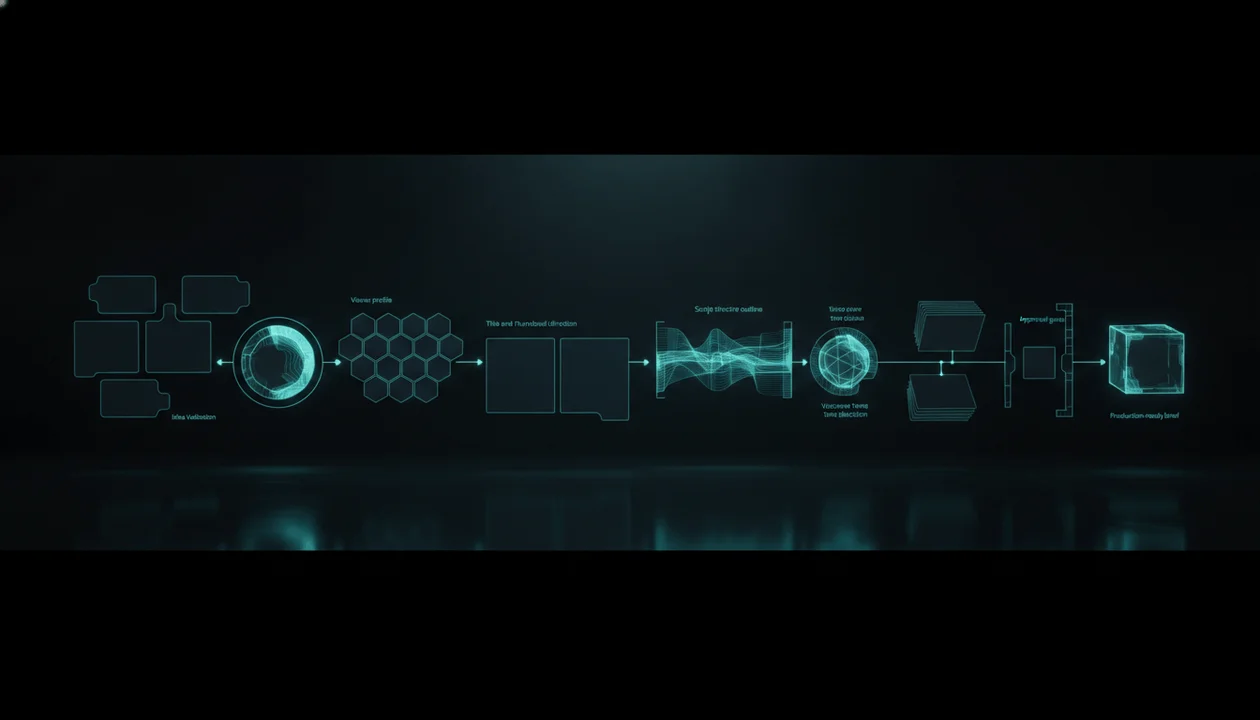
Idea → validation → viewer → promise → angle → title → thumbnail → structure → brief → approval → production
Do not let vague ideas become expensive videos.
Do not ask your team to guess.
Do not write scripts before the promise is clear.
Do not design thumbnails after the video is already confused.
Do not send editors assets without direction.
If you want to build this workflow faster, use OverseerOS to analyze channels, find breakout topics, validate ideas, plan content, generate scripts, create thumbnails, produce voiceovers, and keep your YouTube pre-production workflow connected.
The best videos are not saved in editing.
They are built correctly before production starts.
FAQ
What is YouTube pre-production?
YouTube pre-production is the planning process before a video enters scripting, thumbnail design, voiceover, editing, or publishing. It defines the viewer, promise, angle, title, thumbnail, script structure, visual direction, and production brief.
Why is pre-production important for YouTube?
Pre-production is important because it prevents confusion before the team spends time and money. It helps align the title, thumbnail, script, voiceover, visuals, and editing direction before production starts.
What should be included in a YouTube pre-production brief?
A YouTube pre-production brief should include the target viewer, viewer state, video promise, demand proof, original angle, working title, thumbnail concept, hook direction, script structure, visual direction, voiceover tone, production notes, and approval decision.
How is pre-production different from content planning?
Content planning organizes what videos will be made and when. Pre-production turns one approved video idea into a clear production-ready brief with creative direction for the team.
Do faceless YouTube channels need pre-production?
Yes. Faceless YouTube channels need pre-production because they often rely on separate writers, thumbnail designers, voiceover artists, and editors. A strong brief keeps everyone aligned.
What is the biggest pre-production mistake YouTube creators make?
The biggest mistake is starting the script before the viewer, promise, title, thumbnail, and angle are clear. This often creates generic scripts and disconnected videos.
Can AI help with YouTube pre-production?
Yes. AI can help brainstorm angles, titles, thumbnails, outlines, visual directions, voiceover tones, and briefs. But it works best when guided by validated ideas and clear strategy.
How does OverseerOS help with YouTube pre-production?
OverseerOS helps creators analyze channels, find proven topics, validate ideas, plan content, generate scripts, create thumbnails, produce voiceovers, and keep the pre-production workflow connected before production starts.