Most creators ask AI to write the full YouTube script too early.
They enter a topic, select a tone, request 2,000 words, and receive a polished draft within seconds.
The draft may sound complete.
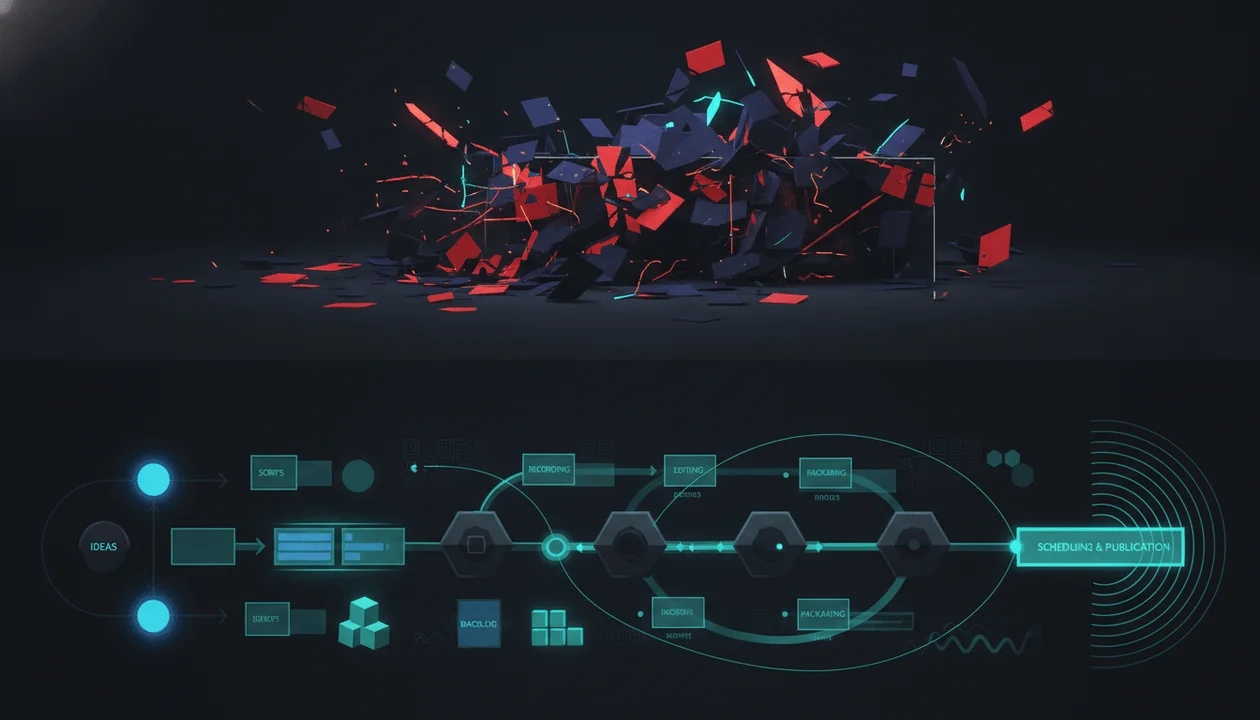
Its structure is often already broken.
The hook may not fulfill the title. The first section may repeat the introduction. The strongest evidence may appear too late. Every section may carry equal weight. The ending may summarize instead of delivering a payoff.
Fixing those problems after the script is written can require rewriting most of the video.
A YouTube outline generator solves the architecture before the language.
A full script generator turns that architecture into the exact words the creator or narrator will deliver.
That distinction creates a better workflow:
- Validate the video idea.
- Define the title and thumbnail promise.
- Build the outline.
- Stress-test the structure.
- Write the script.
- Improve the hook, pacing, transitions, and spoken delivery.
- Validate the finished video with real audience data.
The outline decides what happens and in what order.
The script decides exactly how it is said.
Quick Answer
Use a YouTube outline generator first for most long-form videos, documentaries, comparisons, educational videos, listicles, faceless videos, and research-heavy topics.
Use a full script generator first when the video is extremely short, the structure is already fixed, the creator is adapting a controlled source, or speed matters more than extensive structural planning.
The strongest workflow is usually:
Generate several outline directions, choose the strongest structure, edit the sections, and only then generate the complete script.
Key Takeaways
- A YouTube outline generator creates the structure of a video before the full narration is written.
- A full script generator writes the exact spoken draft.
- Outline-first workflows make structural mistakes cheaper to fix.
- A useful outline should connect the title promise, hook, sections, evidence, visuals, escalation, transitions, and final payoff.
- A full script is better for evaluating voice, sentence rhythm, spoken clarity, emotional delivery, and section-level pacing.
- Generating a script before validating the outline can produce thousands of polished words around a weak idea.
- YouTube’s own Inspiration tab can suggest outlines, titles, thumbnails, and hooks, but YouTube warns that AI-generated ideas may be inaccurate or vary in quality.
- The best outline is not always the most detailed one. It is the one that makes the viewer’s journey unmistakably clear.
- Search-led, Browse-led, documentary, tutorial, listicle, and Shorts videos need different outline structures.
- OverseerOS Script Studio can generate multiple outline directions, compare packaging-strength dimensions, and continue from the selected outline into section-by-section scriptwriting.
- OverseerOS MindOS can turn a visual map of ideas, research, and historical events into a script-ready outline.
- No outline or script generator can guarantee retention, views, or audience satisfaction before publication.
YouTube Outline Generator vs Full Script Generator
| Area | YouTube Outline Generator | Full Script Generator |
|---|---|---|
| Main question | What should happen in the video? | What exactly should the narrator say? |
| Primary output | Sections, sequence, key points, evidence, beats | Complete spoken draft |
| Best stage | Before writing | After structure approval |
| Best for | Architecture and planning | Language and delivery |
| Easier to revise | Yes | More expensive once fully written |
| Tests the title promise | Strong when designed properly | Possible, but often buried in prose |
| Tests section order | Strong | Harder to evaluate |
| Tests spoken rhythm | Limited | Strong |
| Tests creator voice | Limited | Strong |
| Supports improvisation | Yes | Less necessary |
| Best for production teams | Useful as a shared brief | Useful for voiceover and filming |
| Main risk | Too vague to guide writing | Polished language hiding structural weakness |
The simplest distinction is:
An outline is the video’s architecture. A script is the finished interior.
Strong writing cannot rescue a structure that leads the viewer nowhere.
What Is a YouTube Outline Generator?
A YouTube outline generator turns a topic, title, research packet, reference video, or creative brief into an ordered video structure.
A basic outline might include:
- Hook
- Introduction
- Main point one
- Main point two
- Main point three
- Conclusion
- Call to action
That is technically an outline.
It is not enough for a high-retention YouTube video.
A stronger outline should explain:
- What promise the video makes
- Who the video is for
- What the viewer believes at the beginning
- What question the hook opens
- What each section contributes
- Which evidence appears early
- How curiosity escalates
- Where the strongest reveal appears
- What visuals will support the narration
- Why each section leads into the next
- What the viewer understands at the end
- How the final payoff fulfills the title
The Main Question an Outline Generator Answers
A useful YouTube outline generator answers:
What is the strongest sequence for delivering this video’s promise while preserving curiosity, clarity, and momentum?
That is more valuable than generating a generic table of contents.
What Is a Full YouTube Script Generator?
A full YouTube script generator converts a topic, outline, brief, transcript, research packet, or reference into the complete narration.
Its output may include:
- Hook
- Introduction
- Spoken sections
- Transitions
- Rehooks
- Examples
- Stories
- Pattern breaks
- Calls to action
- Visual suggestions
- Closing payoff
The full script lets creators evaluate questions that an outline cannot fully answer:
- Does this sound natural when spoken?
- Are the sentences too long?
- Does the voice match the channel?
- Is the explanation clear?
- Are transitions smooth?
- Does the emotional tone change appropriately?
- Is the pacing too slow?
- Is the narrator repeating ideas?
- Does the hook sound generic?
- Can the voice actor perform it?
The Main Question a Script Generator Answers
A useful script generator answers:
How should this approved video structure be expressed in clear, compelling, spoken language?
Why Outline First Usually Wins
Writing the outline first creates several strategic advantages.
1. Structural Mistakes Are Cheaper to Fix
Suppose a 2,500-word script has six sections.
After reading the draft, you realize:
- Section two and section four repeat each other.
- The strongest evidence appears in section five.
- The title promises a comparison, but the script explains each product separately.
- The hook introduces a mystery the ending never resolves.
Fixing those problems may require rewriting most of the script.
The same changes inside an outline may take minutes.
You can:
- Delete a section
- Move the strongest evidence forward
- Merge repeated ideas
- Add a missing comparison
- Rewrite the payoff
The outline reduces sunk-cost attachment.
Creators are more willing to delete a bullet point than 600 polished words.
2. The Title Promise Becomes the Structural Rule
A strong title creates an expectation.
Title:
I Tested 12 AI YouTube Tools. Only Four Saved Time.
The structure should answer:
- Which 12 tools were tested?
- What workflow was used?
- How was “saved time” measured?
- Which tools failed?
- Which four survived?
- What did the complete process cost?
- Which type of creator should use each winner?
A weak outline may drift into:
- History of AI tools
- General benefits of automation
- Popular tool descriptions
- Broad predictions
Those sections may be interesting.
They do not fulfill the click.
A good outline forces every section to justify itself against the title.
3. The Strongest Evidence Can Appear Earlier
Many AI scripts delay proof.
They begin with:
- Definitions
- Background
- Historical context
- General explanations
- “In today’s rapidly changing world” introductions
The viewer clicked for a result.
The outline should determine where proof appears.
For the AI-tool test, the video might reveal within the opening minute:
Eight of the twelve tools added time to the workflow.
That result validates the title immediately while opening a larger question:
Which four actually worked?
4. The Video Can Escalate
A weak script presents information in the order it was researched.
A strong video presents information in the order that creates the best viewer experience.
Escalation can involve:
- Increasing stakes
- Increasing surprise
- Deeper consequences
- Stronger evidence
- Harder tests
- More valuable examples
- Narrowing toward the answer
- A final reversal
The outline makes escalation visible.
5. Research Gaps Appear Before Writing
An outline might contain:
Section four: The hidden financial cost
But the research packet contains no reliable cost data.
That gap should be resolved before the script invents a confident paragraph.
The creator can:
- Find better evidence
- Run a test
- Request data
- Remove the claim
- Reframe the section
An outline is also a research checklist.
6. Production Can Begin Earlier
Editors, designers, animators, and researchers can use an approved outline before the narration is complete.
The team can identify:
- Required screenshots
- Data visualizations
- Interviews
- Archive footage
- Custom graphics
- Product demonstrations
- Maps
- Charts
- Thumbnail assets
That shortens the gap between writing and production.
When a Full Script Generator Can Come First
Outline-first is not a law.
Some videos do not need a separate planning stage.
1. Very Short Videos
A 20-second Short may contain:
- Hook
- One claim
- One proof point
- Payoff
The script is almost the outline.
A separate planning step may add unnecessary friction.
2. Fixed-Format Videos
Some channels use a stable recurring format.
Example:
- State the problem
- Demonstrate the tool
- Show the result
- Explain the limitation
- Give the verdict
When the structure is already proven, the creator may generate the script directly inside that framework.
3. Simple Tutorials
A tutorial may follow an unavoidable sequence:
- Open the software
- Change the setting
- Export the file
- Verify the result
The process itself provides the outline.
4. Controlled Source Adaptation
The creator may already have:
- Interview transcript
- Research report
- Product demonstration
- Presentation
- Lecture
- Approved article
When the source has a clear structure, script generation can begin from that controlled material.
The creator should still ensure the new video has an original purpose and does not merely paraphrase another person’s work.
5. Breaking News
A fast-moving story may require immediate publication.
The creator can still use a micro-outline:
- What happened
- What is confirmed
- Why it matters
- What remains unknown
- What happens next
The goal is not to skip structure.
It is to compress the planning stage.
What a Strong YouTube Outline Should Include
A useful outline should function as a decision document, not a decorative list.
1. Working Title
The title defines the promise the outline must fulfill.
It can change later, but the structure needs one clear target.
2. Target Viewer
Define the intended viewer:
- Beginner creator
- Experienced channel operator
- AI enthusiast
- Small business owner
- Documentary viewer
- Software buyer
- Existing subscriber
- New casual viewer
Different viewers need different context.
3. Desired Viewer Outcome
Complete this sentence:
By the end of the video, the viewer should understand, believe, feel, or be able to __________.
Examples:
- Choose between two tools
- Understand why a company failed
- Avoid a specific mistake
- Complete a workflow
- Recognize a manipulation pattern
- Decide whether an opportunity is worth pursuing
4. Hook
The hook should establish:
- Relevance
- Tension
- Specificity
- Proof
- Open question
It does not need to reveal every sentence.
The outline should define the hook’s job.
5. Context
Include only the context required to understand the stakes.
Do not automatically begin with history.
Ask:
What is the minimum information the viewer needs before the interesting part makes sense?
6. Section Purpose
Every section should have one primary purpose.
Examples:
- Prove the problem exists
- Challenge the obvious explanation
- Introduce the test
- Reveal the first result
- Explain the mechanism
- Present the counterargument
- Deliver the final verdict
A section titled “More Information” has no clear job.
7. Evidence and Examples
Attach evidence directly to the section that needs it.
This may include:
- Statistics
- Studies
- Quotes
- Demonstrations
- Screenshots
- Original tests
- Case studies
- Public channel examples
- Historical records
- Product documentation
8. Open Loops and Rehooks
The outline should show where the video renews attention.
Examples:
- “But the cheapest tool caused the most expensive mistake.”
- “That explanation works until you compare the smaller channels.”
- “The result changed when we tested the same workflow a second time.”
Rehooks should emerge from the subject.
They should not feel pasted into the narration.
9. Escalation
Explain why the next section is more important than the previous one.
Possible escalation paths:
- Small problem to large consequence
- Surface explanation to hidden mechanism
- Common case to extreme case
- Cheap option to expensive failure
- Theory to real test
- Expected result to reversal
10. Visual Direction
Add production cues:
- Screen recording
- Data chart
- Product interface
- Animation
- Timeline
- Map
- Before-and-after image
- Quote card
- Archival footage
- On-camera demonstration
A script can be clear while remaining visually unproduceable.
The outline catches that problem early.
11. Final Payoff
The ending should resolve the title promise.
It may deliver:
- Winner
- Explanation
- Transformation
- Decision
- Lesson
- Framework
- Consequence
- Recommended next step
“Like and subscribe” is not the payoff.
12. Call to Action
The CTA should follow logically from the viewer’s need.
Examples:
- Watch the next part of the series
- Download the checklist
- Try the demonstrated workflow
- Compare another related tool
- Use the complete research system
Outline Generator vs Script Generator by Video Type
| Video Type | Better Starting Point | Recommended Structure |
|---|---|---|
| Long-form documentary | Outline generator | Hook, thesis, timeline, conflict, evidence, reversal, consequence |
| Tutorial | Outline or fixed template | Outcome, prerequisites, steps, mistakes, verification |
| Product review | Outline generator | Criteria, test, evidence, tradeoffs, verdict |
| Comparison | Outline generator | Shared criteria, direct comparison, winner by use case |
| Listicle | Outline generator | Hook, ordered items, escalation, strongest reveal, synthesis |
| Commentary | Micro-outline | Event, thesis, evidence, counterargument, implication |
| Breaking news | Micro-outline or script | Confirmed facts, context, significance, unknowns |
| Interview | Outline generator | Themes, questions, follow-ups, tension, closing insight |
| Personal story | Outline generator | Setup, desire, obstacle, decisions, lowest point, change |
| Short-form video | Full script or micro-outline | Hook, one claim, proof, payoff |
| Faceless explainer | Outline generator | Visualizable sections, evidence, narration, scene direction |
| Video essay | Outline generator | Thesis, supporting argument, counterpoint, synthesis |
Outline Quality Scorecard
Score each category from 1 to 5.
| Category | Question |
|---|---|
| Promise match | Does the outline fully deliver the title? |
| Hook strength | Does the opening create a clear reason to stay? |
| Clarity | Can each section’s purpose be understood immediately? |
| Evidence | Does every major claim have proof or an example? |
| Progression | Does each section move the argument forward? |
| Loop density | Are meaningful questions opened and resolved? |
| Escalation | Does the video become more valuable or interesting? |
| Originality | Does the structure contribute something distinct? |
| Visual potential | Can the ideas be shown rather than only narrated? |
| Payoff | Does the ending resolve the central promise? |
Score Interpretation
| Total | Verdict |
|---|---|
| 43 to 50 | Ready for scriptwriting |
| 35 to 42 | Strong, but improve the weakest dimension |
| 27 to 34 | Structurally incomplete |
| Below 27 | Rebuild the concept before writing |
This score is not predicted retention.
It is a pre-writing quality-control system.
Example: Topic to Outline to Script
Topic:
AI tools for YouTube creators
Weak Outline
- Introduction
- What are AI tools?
- Benefits of AI
- Best tools
- Future of AI
- Conclusion
The outline is broad and interchangeable.
It does not define:
- Which tools
- Which creators
- What was tested
- What “best” means
- What result the viewer receives
Stronger Title
I Tested 12 AI YouTube Tools. Only Four Saved Time.
Stronger Outline
Hook
Eight of the twelve tools added work instead of removing it.
Visual:
- Timer
- Twelve tool icons
- Eight crossed out
Test Rules
- One real video workflow
- Same topic
- Same quality standard
- Time measured from idea to production-ready asset
- Cost recorded separately
The First Failure Pattern
Generic output created more editing work.
Evidence:
- Before-and-after examples
- Revision time
The Most Expensive Tool
The highest monthly price did not produce the best result.
Open loop:
- The cheapest winner appears later
The Four Tools That Survived
One tool per job:
- Research
- Script
- Thumbnail
- Editing
What the “All-in-One” Tools Got Wrong
Convenience reduced control at the most important stages.
Final Workflow
The exact four-tool stack, total cost, and time saved.
Payoff
The best AI workflow is not the workflow with the most automation. It is the one that removes low-value work without removing editorial judgment.
Now the full script has a clear job.
How to Generate Better YouTube Outlines With AI
A weak prompt:
Create a YouTube outline about productivity.
A stronger prompt should provide:
- Working title
- Target viewer
- Desired outcome
- Video format
- Target duration
- Source material
- Traffic strategy
- Tone
- Required evidence
- Visual constraints
- Excluded topics
Better Prompt Template
Create three distinct YouTube outline options for the following video.
Working title: [TITLE]
Target viewer: [VIEWER]
Desired outcome: [OUTCOME]
Format: [DOCUMENTARY, TUTORIAL, COMPARISON, LISTICLE, COMMENTARY]
Target duration: [DURATION]
Discovery strategy: [SEARCH, BROWSE, SUGGESTED]
Available evidence: [RESEARCH, TESTS, EXAMPLES]
Creative constraint: [CONSTRAINT]
Each outline must:
- Deliver the title promise
- Open with proof or specific tension
- Give every section one clear purpose
- Avoid repeated sections
- Place strong evidence early
- Escalate toward a meaningful payoff
- Include visual opportunities
- Identify missing research
- End with a conclusion that changes how the viewer understands the topic
Explain how each option differs before recommending one.
Three Useful Outline Directions
Generating one outline encourages premature commitment.
Generate several structural hypotheses.
Retention-First Outline
Best for:
- Browse-led videos
- Entertainment
- Investigations
- Experiments
- Documentaries
Priorities:
- Fast proof
- Open loops
- Reversals
- Escalation
- Strong climax
Clarity-First Outline
Best for:
- Tutorials
- Search videos
- Comparisons
- Educational content
- Software guides
Priorities:
- Logical sequence
- Definitions only when required
- Explicit criteria
- Actionable steps
- Clear verdict
Story-First Outline
Best for:
- Founder stories
- Case studies
- History
- Personal transformations
- Business documentaries
Priorities:
- Character
- Desire
- Obstacle
- Decision
- Consequence
- Change
The same subject can produce three completely different videos.
Current YouTube Outline Tool Landscape
YouTube Studio Inspiration
YouTube Studio’s Inspiration tab can suggest:
- Ideas
- Hooks
- Titles
- Thumbnails
- Outlines
- Related videos
It is valuable because it can connect suggestions with topics the creator’s audience has recently watched.
YouTube also warns that AI-generated outputs may be inaccurate, inappropriate, or inconsistent in quality.
Best for:
- Native YouTube brainstorming
- Early ideas
- Audience-adjacent inspiration
Limitation:
- The outline still needs fact checking, originality, channel strategy, and human approval.
RightBlogger YouTube Outline Generator
RightBlogger generates a video outline from a topic or title.
It is useful for creators who want a simple speaking framework rather than a full word-for-word script.
Best for:
- Talking-head creators
- Podcasts
- Quick educational videos
- Creators who prefer improvisation
Limitation:
- A topic-to-outline workflow still depends heavily on the quality of the topic and title.
LenosTube YouTube Script Outline Generator
LenosTube offers a simple outline generator where creators enter a channel or video topic and choose the number of points.
Best for:
- Fast brainstorming
- Basic list structures
- Beginner creators
Limitation:
- Point count does not automatically create tension, proof, escalation, or a strong payoff.
Leaxor Script Outline Generator
Leaxor focuses on faceless Shorts and can generate scene-level structures containing elements such as:
- Hook
- Timing
- Visual cues
- Narration
- CTA
Best for:
- Short-form faceless videos
- Scene-oriented planning
- AI animation workflows
Limitation:
- Shorts structures are not automatically suitable for long-form videos.
TubeMagic Script Writer
TubeMagic includes outline generation as part of a wider YouTube scriptwriting workflow.
Best for:
- Creators who want outline and script tools in one suite
- Tutorials and repeatable script formats
Limitation:
- The creator still needs to validate the idea, sources, title promise, and final originality.
OverseerOS Script Studio
OverseerOS Script Studio treats the outline as part of a connected YouTube production system rather than a standalone text result.
Creators can begin from:
- Working title
- Planned topic
- Channel blueprint
- Reference video
- Trend to Script research
- Creator DNA profile
- Content Planner idea
The workflow can generate multiple outline directions and compare structural dimensions such as:
- Promise Match
- Loop Density
- Escalation
- Proof Early
- Climax Strength
The creator can then:
- Compare the options
- Select one outline
- Regenerate alternatives
- Edit the structure
- Continue into section-by-section scriptwriting
- Apply tone and retention commands
- Compile the final script
- Generate voiceover
- Create thumbnail concepts
- Save the project to a channel planner
The value is not simply that AI creates an outline.
The value is that the selected outline remains connected to the rest of the video workflow.
Build Visual Outlines With OverseerOS MindOS
OverseerOS MindOS is useful when the creator does not think in linear bullet points.
The creator can use an infinite canvas to organize:
- Topic branches
- Research
- Historical events
- Questions
- Hooks
- Supporting evidence
- Competing explanations
- Key points
The completed map can then become a script-ready outline.
This is especially useful for:
- Historical documentaries
- Complex explainers
- Investigations
- Multi-cause stories
- Research-heavy video essays
Build Research-First Outlines With OverseerOS Trend to Script
OverseerOS Trend to Script helps creators begin from:
- Current news
- Topic research
- Article URLs
- YouTube URLs
- Extracted key points
- Manual notes
Creators can review and approve research before building the outline.
This prevents the outline from becoming a confident structure built around unsupported information.
Extract Reference Structure With OverseerOS Viral X-Ray
OverseerOS Viral X-Ray can help analyze the structure of an existing public video.
The responsible workflow is:
- Study the reference structure.
- Identify the transferable principle.
- Choose a different original topic, thesis, evidence, examples, and execution.
- Build a new outline.
The goal is not to rewrite another creator’s script.
It is to understand how successful videos organize attention.
The Best OverseerOS Outline-to-Script Workflow
- Validate the idea with public YouTube evidence.
- Define the title and thumbnail promise.
- Collect research and sources.
- Use OverseerOS MindOS for complex topics when needed.
- Generate multiple outline directions in OverseerOS Script Studio.
- Compare promise match, loops, escalation, early proof, and climax strength.
- Select and edit the strongest structure.
- Attach approved evidence to each section.
- Generate the script section by section.
- Apply Creator DNA tone or channel blueprint context.
- Improve hooks, transitions, rehooks, and weak section openings.
- Compile the final script.
- Generate the voiceover and thumbnail direction.
- Save the project inside OverseerOS Content Planner.
- Publish and validate the hypothesis through YouTube Analytics.
The workflow becomes:
Evidence-backed idea → title promise → outline options → approved structure → script → production → real viewer data.
Common Mistakes
Mistake 1: Generating the Script From a Broad Topic
“Productivity” is not a video.
Define the promise first.
Mistake 2: Treating Section Names as a Complete Outline
“Introduction, benefits, mistakes, conclusion” does not explain what the video says.
Attach claims, evidence, visuals, and purpose.
Mistake 3: Adding the Hook After the Script
The hook should emerge from the title, evidence, and structure.
It is not a decorative paragraph.
Mistake 4: Using the Same Structure for Every Format
A tutorial, documentary, comparison, and personal story require different progression.
Mistake 5: Writing Every Section at Equal Length
Some sections provide context.
Others contain the central proof.
Word allocation should reflect importance.
Mistake 6: Hiding the Best Evidence
Do not save all value for the ending.
Give viewers enough proof early to trust the video.
Mistake 7: Confusing More Detail With Better Structure
A 70-point outline can still feel directionless.
Every point should serve the central promise.
Mistake 8: Letting AI Invent Missing Research
Mark the gap.
Do not fill it with plausible language.
Mistake 9: Locking the Outline Too Early
The structure may change when stronger evidence appears.
Treat it as a living document until the main claims are approved.
Mistake 10: Copying a Reference Video’s Exact Structure
A reference can reveal useful principles.
Your new video still needs original research, examples, wording, sequence, and creative direction.
Mistake 11: Ignoring Visual Feasibility
A faceless video cannot rely on ten minutes of abstract narration with no visual plan.
Mistake 12: Skipping the Read-Aloud Pass
An approved outline does not guarantee natural spoken writing.
Read the final script aloud.
Pre-Script Outline Checklist
Idea
- The video solves one clear viewer need.
- The topic has evidence-backed demand.
- The angle is meaningfully different from existing videos.
- The format fits the channel.
Packaging
- The working title makes a clear promise.
- The thumbnail can visualize the tension or result.
- The outline fulfills every important part of the title.
- The opening quickly reassures viewers that they clicked the right video.
Structure
- Every section has one purpose.
- Sections do not repeat one another.
- Strong evidence appears early.
- The sequence escalates.
- Open loops are eventually resolved.
- The final section delivers a real payoff.
Evidence
- Major claims have reliable support.
- Vendor claims are identified.
- Counterarguments are represented fairly.
- Missing evidence is flagged.
- Sources are preserved for fact checking.
Production
- Each section has visual possibilities.
- Required assets can be obtained legally.
- The planned duration is realistic.
- The structure can be produced with available time and budget.
Final Verdict
A YouTube outline generator and a full script generator solve different problems.
Use an outline generator when you need to decide:
- What the video should contain
- Which order creates the strongest progression
- Where proof should appear
- How the title promise will be fulfilled
- What the viewer should understand at each stage
- How the video will escalate
- What visuals production needs
- Whether the idea deserves a complete script
Use a full script generator when you need to decide:
- What the narrator should say
- How the creator’s voice should sound
- How long each explanation should be
- How sections should transition
- Where rehooks should appear
- Whether the language sounds natural
- How the final voiceover should flow
Which should you use first?
For most serious long-form videos, use the outline generator first.
A full script multiplies the quality of its structure.
When the structure is weak, AI gives you more weak material to edit.
When the structure is strong, script generation becomes faster, clearer, and more controllable.
The correct workflow is not outline versus script.
It is:
Outline before script, structure before polish, and evidence before narration.
Read the complete AI YouTube Script Outline Generator guide, then use OverseerOS Script Studio to move from outline options into a complete production-ready script.
FAQ
What is a YouTube outline generator?
A YouTube outline generator is an AI tool that turns a topic, title, research packet, or video idea into an ordered structure containing the hook, sections, key points, evidence, transitions, visuals, and final payoff.
What is the difference between an outline generator and a script generator?
An outline generator decides what the video should cover and in what order. A script generator writes the exact words the narrator or creator will deliver.
Should I create the outline or title first?
Create a working title before the outline. The title defines the promise the outline must fulfill. The title can be improved later as the video develops.
Should I use an outline before writing a YouTube script?
Most long-form videos benefit from an outline. It allows creators to fix structural problems before investing time in the complete draft.
Can AI generate a complete YouTube outline?
Yes. AI can generate hooks, sections, key points, evidence suggestions, visual cues, and CTAs. The creator should still verify facts, remove repetition, improve originality, and approve the structure.
Can YouTube Studio generate video outlines?
Yes. YouTube Studio’s Inspiration tab can suggest ideas, hooks, titles, thumbnails, and outlines. YouTube warns that AI-generated suggestions may be inaccurate or vary in quality.
Does using an AI outline require YouTube disclosure?
YouTube currently lists AI assistance for outlines, scripts, titles, thumbnails, and ideas as production assistance that generally does not require altered-content disclosure by itself.
How detailed should a YouTube outline be?
It should be detailed enough to show each section’s purpose, major claims, evidence, visuals, transition, and relationship to the title. It does not need every spoken sentence.
How many sections should a YouTube outline have?
There is no universal number. The correct count depends on the promise, format, duration, and complexity. Every section should contribute something distinct.
How long should a YouTube script be?
Length should match the topic and viewer need. A common planning estimate is roughly 130 to 160 spoken words per minute, but delivery speed varies by creator, tone, pauses, and visual format.
Can an outline improve audience retention?
A stronger outline can reduce structural problems such as slow openings, repetition, weak progression, delayed proof, and unresolved promises. It cannot guarantee retention because execution and audience response still matter.
What should a high-retention outline include?
It should include a strong title match, early proof, clear section purposes, meaningful open loops, escalation, specific evidence, visual opportunities, rehooks, and a final payoff.
Should the strongest point appear first?
Strong proof should appear early, but the complete answer does not always need to appear immediately. Give viewers enough value to trust the video while preserving meaningful progression.
Is an outline enough for recording?
Talking-head creators, podcasters, experts, and experienced presenters may record from a detailed outline. Faceless videos and voiceover productions usually benefit from a complete script.
Are outline generators useful for YouTube Shorts?
Yes, although Shorts often need only a micro-outline: hook, claim, proof, and payoff. Scene-level visual planning can also be useful.
Are outline generators useful for faceless videos?
Yes. Faceless videos require strong coordination between narration and visuals, making outlines especially useful for scene planning, evidence, pacing, and production.
Can I create an outline from an existing YouTube video?
Yes. Tools can extract the structure of a public video from its transcript or available content. The extracted structure should be used for learning and original planning, not for copying the source script.
Can an outline generator perform research?
Some tools can connect to web research or supplied sources. Any generated claims, examples, or statistics should still be verified before entering the script.
What is the best outline structure for a tutorial?
A useful tutorial structure is: outcome, prerequisites, overview, steps, common mistakes, verification, and next action.
What is the best outline structure for a documentary?
A useful documentary structure is: hook, central question, setup, conflict, evidence, escalation, turning point, consequence, and final meaning.
What is the best outline structure for a comparison video?
Use shared evaluation criteria and compare the options directly across those criteria. Avoid explaining product A completely and then product B without connecting the differences.
What is the best outline structure for a listicle?
Use a clear hook, distinct items, purposeful ordering, escalation, specific examples, and a final synthesis. Each promised item should receive meaningful coverage.
What is OverseerOS Script Studio?
OverseerOS Script Studio is a YouTube writing workspace that connects title, outline generation, research, Creator DNA tone, section-by-section drafting, retention commands, voiceover, thumbnails, and Content Planner.
How does OverseerOS generate outlines?
OverseerOS Script Studio can generate multiple structural directions, display section sequences, compare packaging dimensions such as promise match and escalation, recommend an option, and let the creator select or regenerate before writing.
What is OverseerOS MindOS?
OverseerOS MindOS is a visual AI mind-mapping workspace for brainstorming topics, organizing research, building historical timelines, connecting ideas, and converting the finished map into a script-ready outline.
Can OverseerOS turn an outline into a full script?
Yes. A selected outline can continue into the Script Studio workflow, where creators can write and refine the video section by section before compiling the complete script.
Does OverseerOS guarantee better retention?
No. OverseerOS helps creators plan stronger structures and scripts, but viewer retention depends on the idea, packaging, delivery, editing, audience fit, and real viewer response.
What is the best AI YouTube outline workflow?
Validate the idea, define the title promise, collect research, generate several outline directions, compare their strengths, edit the best option, attach evidence and visuals, write the script section by section, and validate the finished video through YouTube Analytics.