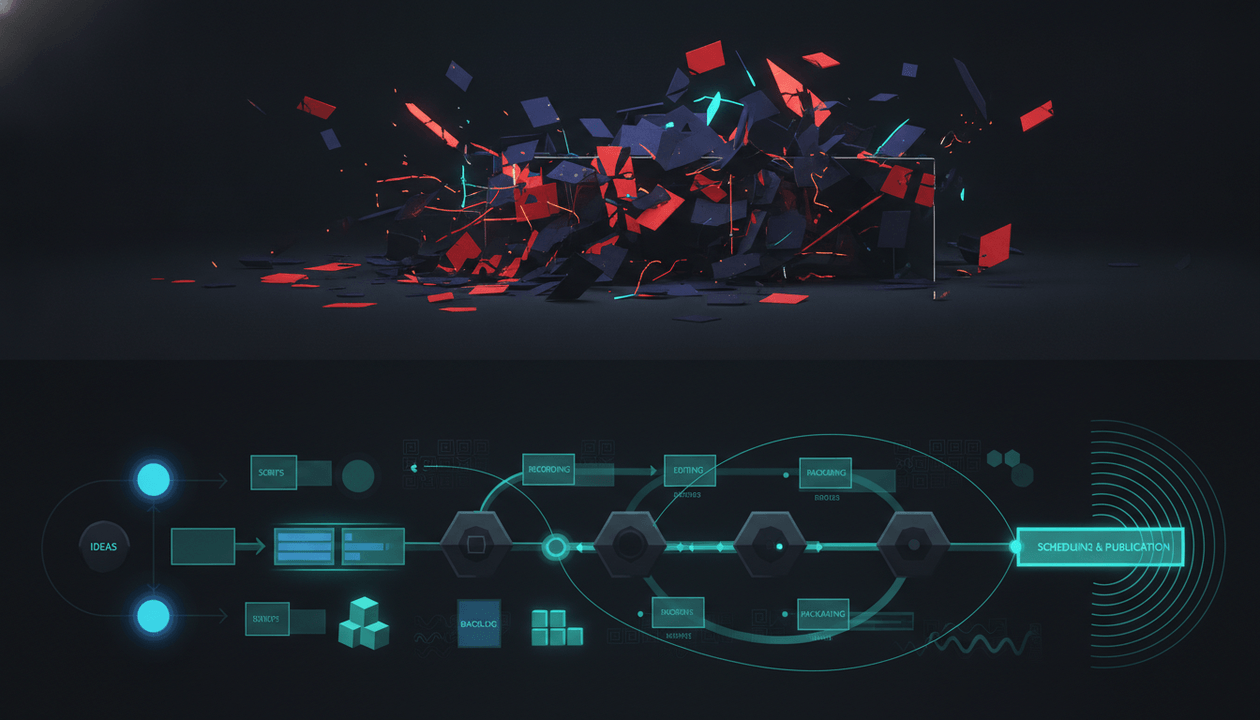
Most creators do not have a YouTube strategy.
They have a content habit.
They open a notes app, collect random ideas, copy titles from bigger channels, ask AI for scripts, make thumbnails at the last second, publish when the video is finished, check views too early, panic when the upload underperforms, then repeat the same messy process again.
That is not a system.
That is creative gambling.
A serious YouTube channel needs a content operating system.
A YouTube content operating system is the repeatable workflow that turns research into ideas, ideas into briefs, briefs into scripts, scripts into thumbnails, thumbnails into videos, videos into analytics, and analytics back into better decisions.
It is how creators stop asking:
“What should I post next?”
And start asking:
“What does the evidence say we should produce, package, publish, and improve next?”
This guide gives you the full YouTube content operating system for 2026, including research, competitor analysis, content planning, scripting, thumbnails, production, publishing, repurposing, analytics, team roles, SOPs, and monthly review workflows.
Use it if you run a faceless channel, creator brand, YouTube agency, founder-led channel, documentary channel, educational channel, or multi-channel media operation.
Key Takeaways
- A YouTube content operating system is the repeatable workflow behind a serious channel.
- The system should connect research, niche analysis, content planning, scripts, thumbnails, production, publishing, distribution, analytics, and improvement.
- Most channels fail because each video is treated like a separate creative project instead of part of a compounding content machine.
- The strongest YouTube teams separate idea quality, packaging quality, script quality, production quality, and post-publish learning.
- A good operating system reduces guessing, protects quality, improves team speed, and makes it easier to scale without losing control.
- YouTube growth is not only about posting more. It is about making better decisions faster.
- OverseerOS can help creators build this system by finding breakout channels, reverse-engineering proven patterns, analyzing videos, planning content, writing scripts, creating thumbnails, producing faceless videos, distributing assets, and tracking performance.
What Is a YouTube Content Operating System?
A YouTube content operating system is the complete workflow a creator or team uses to run a channel.
It includes:
- niche research
- competitor research
- topic discovery
- idea scoring
- title development
- thumbnail strategy
- scriptwriting
- retention planning
- visual direction
- production management
- editing
- voiceover
- publishing
- metadata
- Shorts and social repurposing
- analytics review
- post-mortems
- team communication
- SOPs
- monthly planning
- financial tracking
- experimentation
A weak channel treats every video as a one-off project.
A strong channel treats every video as part of a system.
The difference is huge.
A one-off project asks:
What is a good idea?
A system asks:
Which idea fits our audience, has proven demand, can be packaged clearly, can retain viewers, can be produced profitably, and teaches us something useful after publishing?
That is operator thinking.
Why Most YouTube Channels Feel Chaotic
YouTube chaos usually comes from one of six problems.
1. Ideas come from mood instead of evidence
The creator chooses topics based on:
- what sounds interesting today
- what a competitor just posted
- what AI suggested
- what seems easy to make
- what got views once
- what the team feels like producing
That creates inconsistent output.
The channel never builds a clear audience promise.
2. Titles and thumbnails happen too late
Many creators write the script first, edit the video, then figure out the title and thumbnail at the end.
That is backward.
If the video cannot be packaged clearly before production, the topic may not be strong enough.
Packaging should shape the video from the beginning.
3. Scripts are written without retention structure
A script is not just words.
A YouTube script needs:
- a strong opening
- a clear viewer promise
- tension
- curiosity loops
- examples
- transitions
- pacing
- emotional movement
- visual beats
- a satisfying payoff
Without structure, even good information feels flat.
4. Production is not tied to strategy
The editor may make the video look good, but if the topic is weak, the title is vague, and the hook is slow, editing cannot save it.
Production should execute strategy, not replace it.
5. Analytics do not change the next month
Creators check views, feel good or bad, then move on.
That is not analytics.
Analytics should change:
- topics
- formats
- intros
- thumbnails
- pacing
- upload cadence
- video length
- CTAs
- monetization
- production budget
If analytics do not change behavior, they are decoration.
6. The team has no shared workflow
A serious channel may involve:
- founder
- strategist
- researcher
- writer
- thumbnail designer
- editor
- voiceover artist
- channel manager
- sponsor manager
- assistant
- analytics lead
Without clear SOPs, the team creates delays, mistakes, duplicated work, missed deadlines, and inconsistent quality.
A content operating system fixes this.
The YouTube Content Operating System Map
A strong system has 10 layers.
| Layer | Purpose | Main output |
|---|---|---|
| 1. Channel thesis | Define who the channel is for and why it exists | Positioning statement |
| 2. Market research | Find what is already working | Competitor and breakout channel map |
| 3. Topic engine | Turn demand into ideas | Scored idea backlog |
| 4. Packaging system | Build titles and thumbnails before production | Title-thumbnail briefs |
| 5. Script system | Turn ideas into retention-focused scripts | Approved script |
| 6. Production system | Create the video efficiently | Final video asset |
| 7. Publishing system | Upload with consistency and metadata | Published video |
| 8. Distribution system | Repurpose the asset across platforms | Shorts and social posts |
| 9. Analytics system | Learn what worked and why | Post-mortem |
| 10. Strategy loop | Improve the next cycle | Updated content plan |
The system is circular.
Analytics should feed research.
Research should feed topics.
Topics should feed packaging.
Packaging should shape scripts.
Scripts should guide production.
Production should support publishing.
Publishing should create performance data.
Performance data should improve the next decision.
That loop is the machine.
Layer 1: The Channel Thesis
Before building a content system, define the channel thesis.
A channel thesis is the strategic sentence that explains:
- who the viewer is
- what problem the channel solves
- what format it uses
- why it is different
- what the viewer gets by subscribing
Weak thesis:
We make videos about AI.
Better thesis:
We help YouTube creators understand which AI tools and workflows are actually useful for growing a channel.
Weak thesis:
We make finance videos.
Better thesis:
We help young professionals who make decent money but still feel broke find the hidden money leaks in their monthly life.
Weak thesis:
We make history documentaries.
Better thesis:
We explain ancient civilizations through the systems that made them rise, survive, and collapse.
A strong thesis makes content decisions easier.
It tells you what to say yes to.
More importantly, it tells you what to reject.
Channel thesis template
Use this:
This channel helps [specific viewer] achieve, understand, avoid, or improve [specific outcome] by using [specific format or method], without [specific pain or frustration].
Examples:
This channel helps faceless YouTube creators find proven video ideas by reverse-engineering breakout channels, without guessing what to upload next.
This channel helps small business owners understand cash flow, taxes, pricing, and profit through simple visual explainers, without accounting jargon.
This channel helps curious viewers understand why empires collapse by explaining the food, water, trade, military, and political systems behind history.
If you cannot write this clearly, the channel is not ready to scale.
Layer 2: Market Research
YouTube research should not be random browsing.
It should answer four questions:
- Who is already winning?
- Which smaller channels are breaking out?
- Which topics repeat across winners?
- Which patterns are underserved?
Do not only study massive channels.
Big channels may win because they already have authority.
You need breakout proof.
Breakout proof means smaller or mid-sized channels are getting videos that outperform their baseline.
Research targets
Track:
- top channels in the niche
- fast-growing channels
- small breakout channels
- high-view videos
- recent high-performing videos
- evergreen videos
- videos that outperform subscriber count
- repeated title formulas
- repeated thumbnail structures
- repeated formats
- comment patterns
- sponsor patterns
- upload cadence
- video length
- production style
Use OverseerOS Viral Channel Finder to discover breakout and fast-growing channels in a niche. OverseerOS Viral Channel Finder uses public YouTube signals and can filter by niche, subscribers, video count, content format, and language, then return ranked channels with viral score, growth metrics, and the breakout videos behind each result.
That gives the system evidence.
Not vibes.
Layer 3: Competitor Reverse Engineering
Finding competitor channels is not enough.
You need to reverse-engineer the system behind them.
For each competitor, study:
| Area | Questions to answer |
|---|---|
| Positioning | Who is this channel for? What promise does it make? |
| Topics | What subjects repeat? What gets ignored? |
| Titles | What formulas appear repeatedly? |
| Thumbnails | What emotions and visual patterns repeat? |
| Hooks | How do videos open? What tension is introduced? |
| Structure | Are videos lists, stories, investigations, tutorials, rankings, or essays? |
| Pacing | How quickly do they move? How often do scenes change? |
| Voice | Serious, funny, dramatic, calm, aggressive, premium, simple? |
| Monetization | Sponsors, products, affiliates, memberships, courses? |
| Gaps | What could be done better, clearer, faster, deeper, or more useful? |
Use OverseerOS Channel Blueprint Cloner to turn a public YouTube channel URL into a structured content strategy blueprint with tone DNA, hook patterns, pacing, viral topic formulas, tags, keywords, hidden insights, and untapped topic opportunities.
The goal is not to copy another channel.
The goal is to understand why the system works.
Then build your own original version.
Layer 4: The Topic Engine
A topic engine is the system for finding, scoring, and prioritizing video ideas.
Most creators have an idea list.
Operators have a scored backlog.
Each idea should be scored before production.
Topic scorecard
Score each idea from 1 to 5.
| Category | 1 point | 3 points | 5 points |
|---|---|---|---|
| Viewer pain | Mild curiosity | Some relevance | Expensive, emotional, urgent, or identity-driven |
| Proven demand | No proof | Some proof | Multiple recent videos prove demand |
| Packaging clarity | Hard to title | Some angles | Clear title and thumbnail promise |
| Retention potential | Mostly informational | Some structure | Strong story, reveal, ranking, conflict, or transformation |
| Production feasibility | Hard or expensive | Manageable | Easy to produce with current workflow |
| Monetization fit | Weak | Some fit | Strong sponsor, affiliate, product, or lead path |
| Channel fit | Off-brand | Related | Perfect fit for channel thesis |
| Repeatability | One-off | Some follow-ups | Can become a series |
Score guide:
| Score | Decision |
|---|---|
| 34-40 | Produce soon |
| 28-33 | Develop further |
| 22-27 | Weak unless strategic |
| Below 22 | Reject or reframe |
This keeps the team from producing ideas just because someone likes them.
Topic backlog structure
Use these columns:
| Column | Purpose |
|---|---|
| Idea | Raw video idea |
| Pillar | Which content pillar it belongs to |
| Viewer problem | Why the viewer cares |
| Proof link | Similar videos or channels proving demand |
| Title angle | Possible title direction |
| Thumbnail angle | Visual promise |
| Format | Tutorial, case study, ranking, explainer, documentary |
| Score | Priority score |
| Status | Backlog, brief, scripting, production, published |
| Monetization fit | Sponsor, affiliate, product, AdSense, leads |
| Notes | Risks, sources, comments, revisions |
A creator without a topic engine is always one week away from panic.
Layer 5: Content Pillars
Content pillars prevent the channel from becoming random.
A channel should usually have 3-6 main pillars.
Example for a YouTube growth channel:
| Pillar | Purpose |
|---|---|
| Niche research | Help creators choose better markets |
| Competitor analysis | Teach creators how to study winners |
| Packaging | Improve titles and thumbnails |
| Scripting | Improve hooks, retention, and structure |
| Monetization | Turn channels into businesses |
| Production systems | Help creators scale content workflows |
Example for a faceless finance channel:
| Pillar | Purpose |
|---|---|
| Budget systems | Help viewers control monthly money |
| Debt mistakes | Help viewers avoid costly traps |
| Investing basics | Teach responsible long-term concepts |
| Money psychology | Explain behavior and spending |
| Scams | Protect viewers from bad actors |
| Tools | Compare apps, templates, and workflows |
Each pillar should have:
- target viewer problem
- repeatable formats
- example topics
- monetization path
- difficulty level
- publishing frequency
This creates balance.
The channel should not depend on one content type forever.
Layer 6: The Packaging System
Packaging means title and thumbnail.
Packaging should happen before scripting.
Why?
Because if you cannot package the idea clearly, the video may not deserve production yet.
A strong packaging brief includes:
- core viewer problem
- title options
- thumbnail concepts
- emotional trigger
- visual focal point
- curiosity gap
- promise
- risk of clickbait
- competing video examples
- differentiation angle
Title development process
Do not write one title.
Write 10-20.
Then choose the strongest.
Title types:
| Title type | Example |
|---|---|
| Mistake | “The YouTube Niche Mistake That Wastes 6 Months” |
| Hidden cost | “The Real Cost of Running a Faceless Channel” |
| Comparison | “Shorts vs Long-Form: Which Actually Builds a Channel?” |
| Contrarian | “Posting More Is Not Your Real Problem” |
| Checklist | “The YouTube Niche Checklist I’d Use Before Starting” |
| Outlier | “The Tiny Channel Beating Bigger Creators in This Niche” |
| Data reveal | “What 100 Breakout Channels Have in Common” |
| System | “The Content Operating System Behind Serious YouTube Channels” |
| Warning | “Do Not Start This Channel Until You Check These 10 Signals” |
| Transformation | “How to Turn Random Uploads Into a Repeatable Content Engine” |
Strong titles are specific.
Weak titles are abstract.
Weak:
YouTube Content Strategy Tips
Strong:
The Content System Serious YouTube Creators Use Before They Upload
Thumbnail system
A strong thumbnail should show one idea.
Not five.
Thumbnail checklist:
- one clear focal point
- readable on mobile
- emotional contrast
- title-thumbnail alignment
- no unnecessary text
- no clutter
- no misleading promise
- visually different from competitors
- curiosity without confusion
- matches channel brand
Use OverseerOS Thumbnail Analyzer to review thumbnail effectiveness, OverseerOS Thumbnail Cloner to learn from proven thumbnail structures, and the OverseerOS AI YouTube Thumbnail Generator to generate thumbnail concepts for your own videos.
The thumbnail should not summarize the video.
It should make the promise visible.
Layer 7: The Brief System
A video brief turns a good idea into a clear assignment.
Without a brief, the writer guesses.
The thumbnail designer guesses.
The editor guesses.
The team loses time.
Video brief template
Use this before scripting.
Video title:
[Working title]
Channel pillar:
[Niche research / packaging / scripting / monetization / etc.]
Viewer:
[Who is this video for?]
Viewer problem:
[What pain, curiosity, fear, decision, or ambition drives the click?]
Core promise:
By the end, the viewer will understand or be able to do [specific outcome].
Main argument:
[The central thesis of the video]
Why now:
[Why this topic matters now]
Proof of demand:
- Competitor video 1:
- Competitor video 2:
- Search/query evidence:
- Audience comments:
- Trend signal:
Title options:
1. 2. 3. 4. 5.
Thumbnail concept:
[One visual idea]
Hook angle:
[First 20 seconds]
Structure:
- Open loop:
- Section 1:
- Section 2:
- Section 3:
- Section 4:
- Payoff:
- CTA:
Sources needed:
- Source 1:
- Source 2:
- Source 3:
Production notes:
- Visual style:
- B-roll:
- Charts:
- Screen recordings:
- AI visuals:
- Voice tone:
- Music:
Monetization fit:
AdSense / sponsor / affiliate / product / newsletter / lead / authority
Risk notes:
Policy / accuracy / copyright / sponsor / legal / trust
A good brief saves hours later.
It also protects the video from becoming generic.
Layer 8: The Script System
A YouTube script is not an article read out loud.
It is a retention structure.
The script should be designed to keep viewers moving from one moment to the next.
Strong YouTube script structure
Use this:
- Pattern interrupt: Say something that breaks expectation.
- Problem mirror: Show the viewer you understand their pain.
- Promise: Explain what the video will reveal or solve.
- Credibility: Give enough proof to earn trust.
- Roadmap: Create a clean path without overexplaining.
- Section loops: Open and close curiosity loops across the video.
- Examples: Make abstract points concrete.
- Escalation: Make each section feel more useful than the last.
- Payoff: Deliver the promised insight.
- Next action: Tell the viewer what to do or watch next.
Weak opening:
In today’s video, we are going to talk about how to build a YouTube content strategy.
Strong opening:
Most creators do not have a YouTube strategy. They have a content habit. They publish, check views, panic, and repeat. The problem is not that they need more ideas. The problem is that they do not have a system for deciding which ideas deserve production.
The strong opening creates tension.
It tells the viewer:
“This video understands my problem.”
Script quality checklist
Before approving a script, check:
- Does the first 20 seconds create a reason to keep watching?
- Is the viewer problem clear?
- Is the title promise paid off?
- Is the structure easy to follow?
- Does every section add something new?
- Are there examples?
- Are transitions smooth?
- Are claims supported?
- Is the pacing tight?
- Are there visual opportunities?
- Is the CTA natural?
- Does the script sound like the channel?
Use OverseerOS Script Studio to draft scripts based on proven viral frameworks. Use OverseerOS Script ReSpark to strengthen hooks, pacing, emotional delivery, clarity, and retention. Use OverseerOS Creator DNA to analyze a creator’s voice, tone, pacing, phrasing, and emotional delivery style.
The goal is not just to write faster.
The goal is to write scripts that are easier to watch.
Layer 9: The Production System
Production should not start until the brief, title, thumbnail direction, and script are approved.
Otherwise, production becomes expensive guessing.
Production workflow
A clean workflow looks like this:
- Research approved
- Video brief approved
- Title direction approved
- Thumbnail concept approved
- Script approved
- Voiceover recorded or generated
- Visual plan created
- Edit assembled
- First cut reviewed
- Revisions completed
- Thumbnail finalized
- Metadata prepared
- Upload scheduled
- Final QA completed
- Video published
- Post-publish tracking begins
Each step should have an owner.
Production status board
Use these statuses:
| Status | Meaning |
|---|---|
| Backlog | Idea exists but not approved |
| Researching | Evidence and sources being collected |
| Briefing | Video brief being created |
| Packaging | Title and thumbnail direction being developed |
| Scripting | Script being written |
| Script review | Script awaiting approval |
| Voiceover | Narration being recorded or generated |
| Editing | Video being assembled |
| Thumbnail design | Final thumbnail being created |
| QA | Final checks before publishing |
| Scheduled | Uploaded and ready |
| Published | Live |
| Review | Analytics being monitored |
| Post-mortem | Lessons documented |
This prevents the “where is the video?” problem.
Layer 10: Publishing System
Publishing is not just pressing upload.
A publishing system includes:
- final title
- thumbnail
- description
- tags if used
- chapters
- end screens
- cards
- pinned comment
- playlist placement
- sponsor disclosure
- affiliate disclosure
- captions
- Shorts plan
- community post
- email or newsletter mention
- social repurposing
- analytics tracking
YouTube’s Partner Program has requirements around eligibility and monetization policies, and creators should keep channels original, authentic, and policy-safe if they want long-term monetization. Source: YouTube Partner Program overview
If a video includes sponsored content or affiliate links, disclosures should be clear. The FTC says creators should disclose material connections to brands and make disclosures hard to miss. Source: FTC Disclosures 101
Do not treat publishing as admin.
Publishing affects trust, monetization, and discoverability.
Publishing checklist
- Final title approved.
- Final thumbnail approved.
- Title and thumbnail match the actual video.
- Description includes useful context.
- Sponsor disclosure included if needed.
- Affiliate disclosure included if needed.
- Chapters added if useful.
- End screens added.
- Pinned comment drafted.
- Playlist selected.
- Captions checked.
- Audio levels checked.
- Thumbnail checked on mobile size.
- Video watched at 1.5x for errors.
- Publish time confirmed.
- Tracking sheet updated.
A serious channel does not publish from memory.
It publishes from a checklist.
Layer 11: Distribution System
A video should not die after one upload.
A strong operating system turns one content asset into multiple distribution assets.
One long-form video can become:
- YouTube Shorts
- TikTok clips
- Instagram Reels
- LinkedIn posts
- X threads
- Reddit posts
- newsletter section
- blog article
- carousel
- community post
- email sequence
- sales asset
- sponsor recap
- internal training asset
This matters because production is expensive.
Distribution increases the value of each video.
Use OverseerOS Distribution Studio to turn one piece of content into platform-native posts for other platforms. OverseerOS Distribution Studio can take a video, article, or page and create posts for X, Reddit, Facebook, and more, with each post written to match the way that platform speaks.
The key is platform-native adaptation.
Not copy-paste.
A YouTube title is not a LinkedIn post.
A Reddit post is not an X thread.
A Short is not a random clip.
Each platform needs its own hook, pacing, and context.
Layer 12: Analytics System
Analytics should be reviewed in layers.
Do not jump straight to “views.”
First 24 hours
Check:
- impressions
- click-through rate
- first 30-second retention
- average view duration
- traffic source
- comments
- like/dislike signal
- title-thumbnail match
Questions:
- Is YouTube testing the video?
- Is the packaging getting clicks?
- Is the intro keeping viewers?
- Are viewers confused?
- Is the title promise accurate?
First 7 days
Check:
- views
- CTR by traffic source
- retention curve
- average percentage viewed
- subscriber conversion
- comments
- returning viewers
- suggested videos
- search terms
- audience demographics
- end screen clicks
Questions:
- Did the video find the right audience?
- Where did viewers drop?
- Which traffic source worked best?
- Did the format deserve repeating?
First 30 days
Check:
- total revenue
- RPM
- affiliate clicks
- sponsor performance
- product sales
- subscribers gained
- returning viewers
- long-tail search
- suggested traffic
- content pillar performance
- cost vs return
Questions:
- Was the video worth producing?
- Did it support the channel thesis?
- Did it create business value?
- Should the topic become a series?
- Should the format be scaled, changed, or stopped?
Use OverseerOS Channel Pulse to track your own channel performance in one place, including traffic sources, retention, and per-video stats, so you can see what is working and what to improve.
Analytics should not be a scoreboard.
Analytics should be a steering wheel.
Layer 13: Post-Mortem System
Every major video should get a post-mortem.
A post-mortem turns performance into learning.
Video post-mortem template
Video:
[Title]
Publish date:
[Date]
Goal:
Views / subscribers / sponsor / affiliate / product / authority / test
Performance summary:
[Short summary]
Packaging:
- CTR:
- Thumbnail notes:
- Title notes:
- Did packaging match the video?
Retention:
- First 30-second retention:
- Average view duration:
- Biggest drop:
- Best section:
Traffic:
- Search:
- Suggested:
- Browse:
- External:
Audience response:
- Top comments:
- Confusion:
- Requests:
- Objections:
Business result:
- AdSense:
- Sponsor:
- Affiliate:
- Product:
- Leads:
- Strategic value:
What worked:
[Bullet points]
What failed:
[Bullet points]
Repeat?
Yes / No / Modified
Next action:
[What this changes in future videos]
Without post-mortems, the same mistakes repeat.
With post-mortems, the system compounds.
Layer 14: Monthly Strategy Review
A serious channel needs a monthly strategy review.
This should happen before the next content calendar is approved.
Monthly review questions
- Which videos performed best?
- Which videos underperformed?
- Which topics got the strongest click-through rate?
- Which intros held attention?
- Which thumbnails created the clearest promise?
- Which content pillar grew?
- Which content pillar declined?
- Which format had the best ROI?
- Which videos gained the most subscribers?
- Which videos attracted the right audience?
- Which videos attracted the wrong audience?
- Which comments revealed future topics?
- Which competitors broke out this month?
- Which sponsor categories fit best?
- Which costs increased?
- Which workflow step caused delays?
- Which experiments should continue?
- Which experiments should stop?
- What should we publish more of next month?
- What should we stop producing?
This is where the channel improves.
Not in random brainstorming sessions.
Layer 15: Team Roles
A content operating system becomes even more important when a team is involved.
Common YouTube team roles
| Role | Responsibility |
|---|---|
| Channel owner | final strategy, brand, budget, approvals |
| Channel strategist | market research, content direction, experiments |
| Researcher | sources, competitor analysis, fact checks |
| Writer | briefs, scripts, hooks, structure |
| Thumbnail strategist | title-thumbnail concept, click psychology |
| Designer | final thumbnail design |
| Voiceover artist | narration |
| Editor | video assembly, pacing, sound, visuals |
| Channel manager | timeline, publishing, coordination |
| Distribution lead | Shorts, social, newsletter, repurposing |
| Analytics lead | post-mortems, dashboards, recommendations |
| Sponsor manager | brand deals, integrations, reporting |
One person can own multiple roles.
But each responsibility must be clear.
Confusion creates delays.
RACI template
Use a simple RACI system:
- Responsible: does the work
- Accountable: owns the outcome
- Consulted: gives input
- Informed: receives updates
Example:
| Task | Responsible | Accountable | Consulted | Informed |
|---|---|---|---|---|
| Topic selection | Strategist | Channel owner | Researcher | Team |
| Script | Writer | Strategist | Researcher | Editor |
| Thumbnail concept | Thumbnail strategist | Strategist | Designer | Owner |
| Final thumbnail | Designer | Strategist | Owner | Team |
| Editing | Editor | Channel manager | Writer | Owner |
| Publishing | Channel manager | Strategist | Editor | Team |
| Post-mortem | Analytics lead | Strategist | Team | Owner |
This prevents everyone from owning everything.
Which means nobody owns it.
Layer 16: SOPs
SOPs are standard operating procedures.
They make quality repeatable.
A YouTube channel should have SOPs for:
- niche research
- competitor research
- topic scoring
- video briefs
- title writing
- thumbnail concepts
- scriptwriting
- script review
- voiceover
- editing
- thumbnail QA
- publishing
- Shorts repurposing
- sponsor integrations
- analytics review
- post-mortems
- monthly planning
SOP template
Use this format.
SOP name:
[Example: Video Brief SOP]
Goal:
What does this SOP help us produce?
Owner:
Who owns the result?
Inputs:
What is needed before starting?
Steps:
1.
2.
3.
4.
5.
Quality checklist:
- [ ]
- [ ]
- [ ]
Output:
What should exist when done?
Common mistakes:
What should be avoided?
Approval:
Who signs off?
Tools:
Which tools are used?
SOPs are not bureaucracy.
They are how a team stops relying on memory.
The 30-Day YouTube Content Operating System Build
You do not need to build everything at once.
Use this 30-day rollout.
Week 1: Strategy foundation
Build:
- channel thesis
- target viewer
- content pillars
- competitor list
- initial research workflow
- topic scorecard
Output:
Clear channel direction and research foundation.
Week 2: Packaging and scripting system
Build:
- video brief template
- title writing process
- thumbnail concept process
- script structure
- script review checklist
Output:
Every video can move from idea to approved script without chaos.
Week 3: Production and publishing system
Build:
- production board
- status columns
- team responsibilities
- editing checklist
- publishing checklist
- sponsor disclosure checklist
- QA process
Output:
Videos move through production with fewer delays and mistakes.
Week 4: Analytics and improvement loop
Build:
- analytics dashboard
- post-mortem template
- monthly review process
- experiment log
- content calendar review
- P&L connection
Output:
Performance data changes the next content cycle.
By the end of 30 days, the channel has a real operating system.
Not a pile of scattered tasks.
The YouTube Content Calendar
A content calendar should not just list upload dates.
It should show strategic balance.
Content calendar columns
| Column | Purpose |
|---|---|
| Publish date | When the video goes live |
| Channel pillar | Which strategic category it supports |
| Topic | Main idea |
| Working title | Packaging direction |
| Format | Tutorial, case study, ranking, documentary, etc. |
| Viewer problem | Why the viewer cares |
| Status | Research, script, edit, scheduled |
| Owner | Person responsible |
| Monetization fit | AdSense, sponsor, affiliate, product, lead |
| Experiment | What is being tested |
| Expected difficulty | Low, medium, high |
| Post-mortem date | When performance will be reviewed |
A weak calendar says:
Video goes live Friday.
A strong calendar says:
This video tests a buyer-intent topic in our packaging pillar using a comparison format, with sponsor fit and a planned 7-day post-mortem.
That is a real operating system.
The Experiment Log
Every month should include experiments.
Not random changes.
Structured experiments.
Experiment log template
| Experiment | Hypothesis | Videos | Metric | Result | Decision |
|---|---|---|---|---|---|
| Shorter intros | Faster hooks improve first 30-second retention | 4 | retention | TBD | continue / stop |
| Comparison titles | Comparison titles improve CTR | 3 | CTR | TBD | continue / stop |
| Data thumbnails | Chart-based thumbnails increase curiosity | 3 | CTR | TBD | continue / stop |
| Longer scripts | 12-minute videos increase session value | 2 | AVD | TBD | continue / stop |
| Sponsor placement | Mid-roll sponsor protects retention | 2 | retention + sponsor clicks | TBD | continue / stop |
A channel should always know what it is testing.
Otherwise, performance becomes noise.
The Creator P&L Connection
A content operating system should connect to the business model.
If you track only views, you may scale the wrong thing.
Connect content to:
- AdSense
- sponsorships
- affiliate revenue
- product sales
- membership growth
- email signups
- qualified leads
- production cost
- profit margin
- payback period
- format ROI
A video with fewer views may be more valuable if it attracts buyers.
A video with huge views may be weaker if it attracts the wrong audience.
Use a YouTube Creator P&L to track revenue, costs, profit margin, and video ROI. Then use the content operating system to make better decisions next month.
The goal is not just more content.
The goal is better content economics.
How OverseerOS Helps Build a YouTube Content Operating System
OverseerOS is built for creators who want to stop guessing and run YouTube from evidence.
A complete OverseerOS workflow can look like this:
- Use OverseerOS Viral Channel Finder to discover breakout channels in your niche.
- Use OverseerOS Channel Blueprint Cloner to reverse-engineer successful channels into strategy blueprints with tone DNA, hook patterns, pacing, viral topic formulas, keywords, tags, hidden insights, and untapped opportunities.
- Use OverseerOS Viral X-Ray to analyze individual high-performing videos and understand why the title, thumbnail, hook, structure, and audience promise worked.
- Use OverseerOS Channel Content Planner to turn research into a data-backed publishing calendar with titles, topics, briefs, and content ideas.
- Use OverseerOS Script Studio to generate and improve YouTube scripts based on proven viral frameworks.
- Use OverseerOS Script ReSpark to strengthen hooks, pacing, emotional delivery, clarity, and retention structure.
- Use OverseerOS Creator DNA to understand and replicate tone, pacing, phrasing, and delivery style.
- Use OverseerOS Thumbnail Analyzer, OverseerOS Thumbnail Cloner, and the OverseerOS AI YouTube Thumbnail Generator to build better title-thumbnail packaging from proven visual patterns.
- Use OverseerOS Auto Edit Studio to turn finished scripts and voiceovers into structured faceless video workflows with scene-by-scene structure, AI visuals, style direction, captions, music, motion, FX, and export controls.
- Use OverseerOS Distribution Studio to turn one video, article, or script into platform-native posts for other platforms.
- Use OverseerOS Channel Pulse to track your own channel performance, including traffic sources, retention, and per-video stats.
The value is not just one feature.
The value is the loop.
Research → plan → package → script → produce → publish → distribute → analyze → improve.
That is the operating system.
Common Mistakes
Mistake 1: Building a content calendar before doing research
A calendar without research is just scheduled guessing.
Do research first.
Then plan.
Mistake 2: Letting AI pick the strategy
AI can help you move faster.
But AI should not invent the channel strategy from nothing.
Use public evidence from real channels, real videos, real comments, real performance patterns, and real viewer demand.
Then use AI to help execute.
Mistake 3: Treating thumbnails as design instead of strategy
A beautiful thumbnail can still fail.
The thumbnail must communicate the video’s promise.
Design supports strategy.
It does not replace it.
Mistake 4: Approving scripts without title-thumbnail alignment
If the title promises one thing and the script delivers another, retention suffers.
The script should fulfill the click.
Mistake 5: Publishing without a QA checklist
Small mistakes damage quality:
- wrong title
- weak description
- missing disclosure
- bad audio
- typo in thumbnail
- incorrect sponsor link
- wrong export settings
- missing captions
- broken end screen
- low-resolution asset
Use a checklist.
Mistake 6: Checking analytics emotionally
Do not treat analytics like judgment.
Treat analytics like feedback.
A bad video is not a personal failure.
It is data.
Mistake 7: Scaling before the system is stable
If one video per week is chaotic, three videos per week will be worse.
Fix the workflow before increasing output.
Mistake 8: Never documenting lessons
If lessons stay in someone’s head, the system does not compound.
Write post-mortems.
Update SOPs.
Improve the next brief.
Should You Build a YouTube Content Operating System?
Yes, if:
- you publish consistently
- you work with freelancers
- you run more than one channel
- you want to scale output
- you feel chaotic every upload
- you keep choosing topics randomly
- your thumbnails happen too late
- scripts take too long
- videos miss deadlines
- analytics do not change future content
- you want YouTube to become a real business
You do not need a huge team.
Even a solo creator needs a system.
A system protects your attention.
Final Verdict
YouTube growth is not only a creative problem.
It is an operating problem.
The creators who win are not always the ones with the most ideas.
They are the ones with the best process for deciding which ideas deserve production.
A strong YouTube content operating system turns the channel into a loop:
- research the market
- find proven demand
- score ideas
- package before production
- write for retention
- produce with clear SOPs
- publish with a checklist
- distribute intelligently
- review performance
- improve the next cycle
That is how a channel compounds.
Not by guessing harder.
Not by posting randomly.
Not by copying bigger creators.
By building a system that gets smarter every time a video goes live.
If you want to build that system faster, use OverseerOS to find breakout channels, reverse-engineer successful patterns, plan content, write scripts, create thumbnails, produce faceless videos, distribute assets, and track performance inside one YouTube growth operating system.
FAQ
What is a YouTube content operating system?
A YouTube content operating system is the repeatable workflow a creator or team uses to run a channel. It connects research, topic selection, title and thumbnail packaging, scripting, production, publishing, distribution, analytics, and post-mortems into one structured process.
Why do creators need a content operating system?
Creators need a content operating system because random ideas, last-minute thumbnails, inconsistent scripts, messy production, and emotional analytics reviews make growth harder. A system helps creators make better decisions, produce consistently, reduce chaos, and improve after each upload.
What should be included in a YouTube content workflow?
A complete YouTube content workflow should include niche research, competitor analysis, topic scoring, video briefs, title writing, thumbnail concepts, scriptwriting, production management, editing, publishing checklists, repurposing, analytics review, and monthly strategy updates.
Should titles and thumbnails come before scripts?
Yes. Titles and thumbnails should usually be developed before scripting because they define the viewer promise. If the idea cannot be packaged clearly before production, the video may not be strong enough yet. The script should fulfill the title-thumbnail promise.
How do you build a YouTube content calendar?
A strong YouTube content calendar should include publish date, content pillar, topic, working title, format, viewer problem, status, owner, monetization fit, experiment, production difficulty, and post-mortem date. It should reflect strategy, not just upload dates.
How often should creators review YouTube analytics?
Creators should review early signals in the first 24 hours, deeper performance after 7 days, and business impact after 30 days. A monthly strategy review should use analytics to decide which topics, formats, thumbnails, scripts, and production workflows to repeat or change.
Can AI help build a YouTube content operating system?
Yes. AI can help with research organization, topic ideation, scripting, repurposing, thumbnail concepts, and workflow speed. But AI should not replace evidence. The strongest system uses real channel data and public performance patterns, then uses AI to execute faster.
How can OverseerOS help with a YouTube content operating system?
OverseerOS helps creators find breakout channels, reverse-engineer successful patterns, analyze viral videos, plan content calendars, generate scripts, improve hooks, create thumbnails, produce faceless video workflows, repurpose content, and track channel performance. It helps turn YouTube from random uploading into a repeatable operating system.