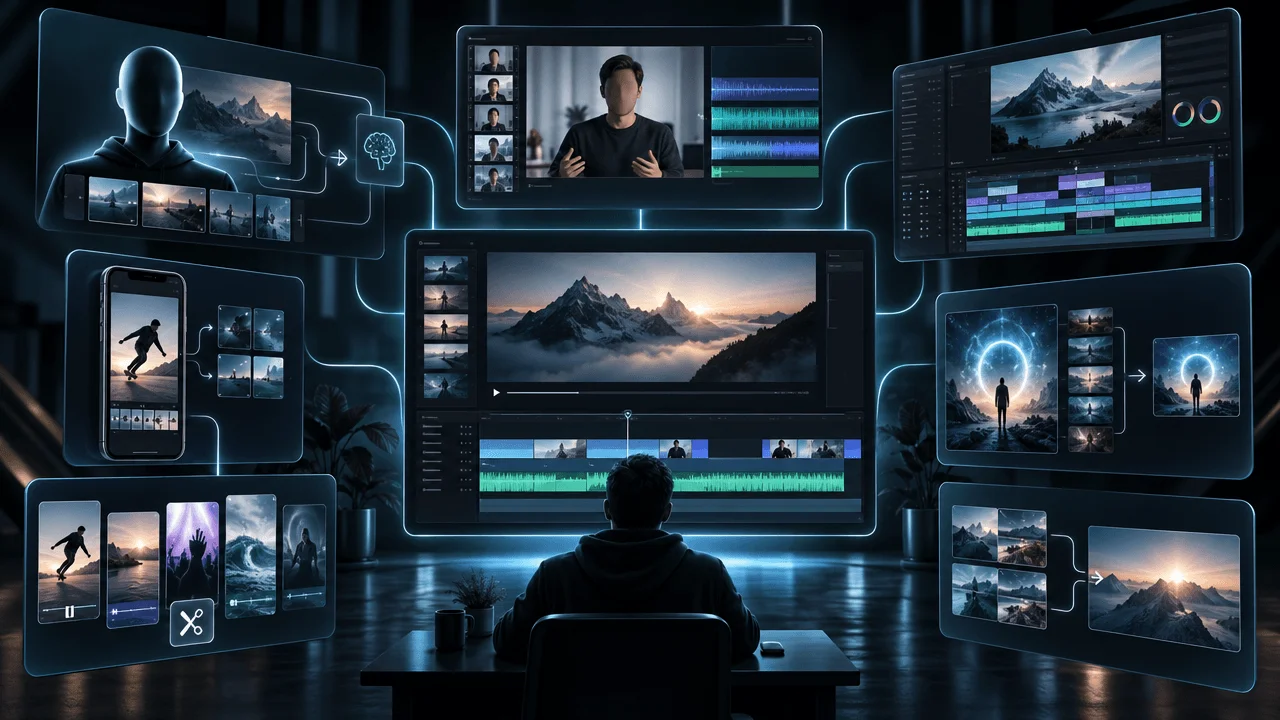
InVideo AI is no longer just a template-based video maker. Its current Agent Two experience is positioned as an AI production environment for storyboarding, multi-shot editing, model selection, collaboration, and longer creative projects.
That evolution makes choosing an InVideo AI alternative more complicated.
Some creators need an alternative to InVideo Agent Two. Others want to replace the older InVideo Studio workflow for turning scripts, articles, stock footage, and templates into publishable videos. A tool that excels at cinematic AI shots may be poor at long-form YouTube production, while a fast script-to-video platform may offer little creative control.
The best InVideo AI alternative for most faceless YouTube creators is OverseerOS because it connects channel research, video strategy, scripting, voiceover, scene creation, editing, and export inside one YouTube-focused workflow.
However, OverseerOS is not the right answer for every production style.
LTX Studio is stronger for storyboards and AI filmmaking. Runway offers more control over individual generative shots. Fliki is excellent for multilingual narration. Descript remains one of the best options for editing recorded dialogue.
This guide compares the best InVideo AI alternatives based on the work they actually help creators complete, not the length of their feature lists.
The Best InVideo AI Alternatives at a Glance
The ten best InVideo AI alternatives in 2026 are:
- OverseerOS: Best overall for faceless YouTube production
- LTX Studio: Best for storyboarding and AI filmmaking
- Runway: Best for cinematic generative video
- Pictory: Best for turning scripts and articles into stock-led videos
- Fliki: Best for multilingual AI voiceovers
- VEED: Best browser-based AI video editor
- Descript: Best for transcript-based video editing
- HeyGen: Best for AI avatars and video localization
- CapCut: Best for Shorts and social video editing
- Adobe Firefly: Best for commercially safer AI-generated clips
Quick recommendation
Choose OverseerOS if you want to discover promising YouTube opportunities, develop a channel strategy, write original scripts, generate voiceovers, create scenes, and assemble faceless videos.
Choose LTX Studio if your workflow starts with a film concept and requires characters, shots, storyboards, camera direction, and animatics.
Choose Runway if your priority is generating or editing individual cinematic shots with advanced AI video models.
Choose Pictory if you primarily want to convert scripts, blog posts, presentations, or URLs into stock-footage videos.
Choose Fliki if narration quality, voice selection, and multilingual publishing matter more than advanced video editing.
Choose Descript if you already have recorded audio or video and want to edit it by editing the transcript.
What Are You Actually Replacing?
The phrase “InVideo AI alternative” now describes two different searches.
An alternative to InVideo Agent Two
As of August 2026, InVideo presents Agent Two as an AI video platform for serious creative production. Its workflow includes capabilities such as:
- Script and concept development
- Storyboarding
- Multi-shot editing
- Project memory
- AI model selection
- Character and scene consistency
- Collaborative production
- Custom creative agents
- AI-generated visuals, sound, and video
This version of InVideo competes more directly with tools such as LTX Studio, Runway, Adobe Firefly, and other generative production environments.
An alternative to InVideo Studio
InVideo Studio remains closer to a traditional online video maker. It emphasizes templates, stock media, text-to-video workflows, voiceovers, social formats, and browser-based editing.
Creators trying to replace this workflow are more likely to compare InVideo with Pictory, Fliki, VEED, CapCut, or Descript.
An alternative for YouTube channel production
A third group does not simply need a different editor. These creators want help deciding:
- Which niche or audience to target
- Which channels and formats are working
- Which video idea deserves production
- How to create an original angle
- How to structure the script
- Which visual style fits the subject
- How to turn the finished script into a complete faceless video
This is where a YouTube-specific platform such as OverseerOS becomes more relevant than a general AI video generator.
No single InVideo alternative is best at all three jobs.
InVideo AI Alternatives Comparison
| Tool | Best for | Typical starting point | Main output | Biggest advantage | Main limitation |
|---|---|---|---|---|---|
| OverseerOS | Faceless YouTube production | Channel opportunity, idea, or script | Complete YouTube video workflow | Connects research, strategy, scripting, voiceover, and editing | Not a frame-level professional VFX editor |
| LTX Studio | AI films and storyboards | Story concept or script | Storyboard, animatic, or AI film | Strong shot planning and character continuity | Can require significant iteration and credits |
| Runway | Cinematic AI shots | Prompt, image, or existing clip | Generated or edited video clips | Advanced generative models and visual control | Not designed to research or plan YouTube channels |
| Pictory | Stock-led script-to-video | Script, article, URL, or presentation | Narrated stock-footage video | Fast content repurposing | Results can feel generic without manual editing |
| Fliki | Multilingual narration | Text, blog, presentation, or idea | Voice-led faceless video | Large voice and language library | Less precise editing than dedicated video editors |
| VEED | Browser-based editing | Prompt, script, image, or recorded media | Edited social or business video | Accessible editor, captions, and branding | AI usage can become credit intensive |
| Descript | Recorded speech and podcasts | Audio, video, or screen recording | Edited dialogue-led video | Edit media through its transcript | Less suitable for visual-first faceless documentaries |
| HeyGen | Avatars and localization | Script, deck, URL, or existing video | Avatar or translated video | Strong presentation and localization workflow | Avatar style does not suit every YouTube niche |
| CapCut | Shorts and social editing | Raw clips or long video | Edited short-form content | Fast manual editing and social effects | Complex projects can become difficult to manage |
| Adobe Firefly | AI B-roll and commercial projects | Prompt, image, or Adobe project | Generated clips and creative assets | Native Firefly model emphasizes commercial safety | Usually one component of a larger workflow |
How We Evaluated the Alternatives
This comparison was reviewed against current official product and pricing pages on August 4, 2026.
Each tool was evaluated on the following factors:
- Quality of its finished output
- Control over scripts, scenes, pacing, and visual direction
- Support for long-form and short-form video
- Ability to maintain style or character consistency
- Editing flexibility
- Voiceover and localization capabilities
- YouTube-specific research and strategy
- Collaboration and review features
- Credit consumption and pricing clarity
- Time required to turn an idea into a publishable video
- Risk of producing repetitive or generic content
OverseerOS is our platform. That relationship is disclosed because it affects how readers should interpret the recommendation. The goal of this comparison is not to claim that OverseerOS replaces every feature of every product. It is to show which platform is better suited to each production job.
Pricing, model access, credit costs, and plan limits can change. Confirm current terms on each product’s official pricing page before subscribing.
1. OverseerOS: Best Overall InVideo AI Alternative for Faceless YouTube
OverseerOS Auto Edit Studio is the best InVideo AI alternative for creators whose real objective is building and operating a faceless YouTube channel.
Most AI video tools enter the process after the creator already knows what to make. OverseerOS covers more of the decision-making that happens before production.
The broader workflow can include:
- OverseerOS Viral Channel Finder for discovering relevant channels and opportunities
- OverseerOS Channel Analyzer for understanding channel patterns
- OverseerOS Channel Blueprint Cloner for translating a proven structure into an original strategy
- OverseerOS Viral X-Ray for examining individual video concepts
- OverseerOS Script Studio for developing complete scripts
- OverseerOS Creator DNA for establishing a consistent creative voice
- OverseerOS Thumbnail tools for packaging and visual direction
- OverseerOS Auto Edit Studio for turning a script and voiceover into edited scenes
This makes OverseerOS fundamentally different from a general prompt-to-video generator.
Why OverseerOS is a strong InVideo alternative
InVideo can help generate the video itself. OverseerOS is designed to help a creator determine which video is worth generating.
That distinction matters because production quality cannot rescue a weak topic.
A faceless channel needs a repeatable system for researching demand, selecting ideas, writing original scripts, defining a visual identity, producing scenes, and packaging each upload. When these jobs happen in disconnected tools, the creator must repeatedly transfer context from one application to another.
OverseerOS keeps more of that context inside one YouTube-focused environment.
How OverseerOS Auto Edit Studio works
OverseerOS Auto Edit Studio can start with a completed script and voiceover. It segments the narration into scenes and helps the creator develop:
- AI-generated visuals
- Visual style direction
- Character direction
- Captions
- Music
- Motion
- Effects
- Export settings
It supports both long-form videos and Shorts.
In supported workflows, creators can also use a public YouTube video or an uploaded image as style inspiration. The objective is to extract high-level creative direction while producing original scenes, not to copy frames, logos, people, captions, or protected assets.
Where OverseerOS is better than InVideo
OverseerOS is the stronger choice when you need:
- YouTube channel research before production
- Competitor and format analysis
- Content opportunity discovery
- Original scripts connected to channel strategy
- A repeatable faceless production workflow
- Long-form YouTube scene planning
- A consistent creative system across multiple uploads
- Fewer disconnected research, writing, and production tools
Where InVideo may be better
InVideo Agent Two may be the better option if your primary goal is:
- Multi-shot AI filmmaking
- Microdrama production
- Collaborative film development
- Accessing many frontier media models from one interface
- Building custom agents for specialized production roles
- Generating advertising concepts and cinematic sequences
OverseerOS is not a replacement for professional frame-level compositing, VFX, or advanced timeline finishing. AI-generated scenes also require human review and may need regeneration or refinement.
Who should choose OverseerOS?
Choose OverseerOS if you run or plan to run:
- A faceless documentary channel
- A business or finance channel
- An educational explainer channel
- A history, science, technology, or mystery channel
- A list-based or narrative YouTube channel
- A content operation publishing across several channels
- A channel where research and idea selection are as important as editing
Best for: Faceless YouTube creators who want a connected research-to-video system.
Pricing approach: Free and paid subscriptions are available. Production usage or credits may apply to specific AI workflows, so review current plan and credit terms before production.
Verdict: The best InVideo AI alternative when the goal is not merely generating videos, but building a stronger YouTube operation.
2. LTX Studio: Best InVideo Alternative for AI Filmmaking
LTX Studio is one of the closest alternatives to the new creative direction of InVideo Agent Two.
It is designed around the filmmaking process rather than simple template assembly. A creator can begin with an idea or script, develop characters and locations, generate a storyboard, direct individual shots, and organize the result on a timeline.
Key LTX Studio features
LTX Studio supports:
- AI-assisted script development
- Dynamic storyboards
- Shot and scene planning
- Character references
- An Actor Library
- Camera angle and movement controls
- Motion direction
- Timeline editing
- Storyboard video exports
- Designed pitch-deck exports
- Visual concept development
This makes it useful for creators producing narrative films, advertisements, music videos, fictional series, concept trailers, or cinematic YouTube essays.
LTX Studio vs. InVideo AI
Both products now address more than basic text-to-video generation.
LTX Studio’s advantage is the clarity of its filmmaking metaphor. The interface is built around scenes, shots, characters, cameras, and storyboards. That can make it easier to reason about a narrative before consuming credits on final generations.
InVideo Agent Two places greater emphasis on agent-driven decisions, multi-model access, project memory, and collaborative production. It may feel more automated, while LTX Studio can feel more like a virtual preproduction studio.
Where LTX Studio is better
Choose LTX Studio over InVideo if you prioritize:
- Storyboards before final generation
- Character and location planning
- Shot-by-shot visual direction
- Animatics and pitch decks
- Narrative filmmaking
- A structured preproduction process
Limitations
LTX Studio is not built specifically around YouTube opportunity research, channel analysis, or SEO. Its best results also require creative judgment. A generated storyboard is a starting point, not a substitute for directing, editing, and quality control.
Some advanced workflows and AI generations require paid plans or tokens. Credit consumption can increase when scenes require several attempts.
Best for: AI filmmakers, narrative creators, advertisers, and visual storytellers.
Verdict: The best direct InVideo Agent Two alternative for creators who think in shots, scenes, characters, and storyboards.
3. Runway: Best for Cinematic AI Video Generation
Runway is one of the strongest InVideo AI alternatives for generating individual cinematic shots.
Its product ecosystem gives creators access to advanced video and image generation, transformation, extension, and editing capabilities. Runway also makes multiple creative models available through the same environment.
Key Runway features
Depending on the selected plan and model, Runway can help with:
- Text-to-video generation
- Image-to-video generation
- Video transformation
- Clip extension
- Object or background removal
- Consistent characters and locations
- Camera and motion direction
- Reference-based generation
- Image generation and editing
- Audio and performance workflows
Runway is especially valuable when the visual itself is the product.
Runway vs. InVideo AI
Runway provides more control over individual generative shots than traditional script-to-video platforms. If you want to create a specific camera movement, visual atmosphere, transformation, or cinematic sequence, it is often a stronger option than an automatic stock-footage workflow.
InVideo is better suited to creators who want an agent to coordinate more of the production process. Runway is better for creators who want to direct, generate, compare, and refine specific visual assets.
Where Runway is better
Choose Runway if you need:
- High-quality cinematic B-roll
- Visual effects and transformations
- Controlled image-to-video motion
- Short narrative sequences
- Concept shots for advertisements or music videos
- Access to several advanced visual models
- More control over individual generations
Limitations
Runway does not research YouTube audiences, validate topics, or build channel strategies. It also does not automatically turn every long-form script into a coherent finished video.
Most generated shots are short. Building a ten-minute documentary may require dozens of generations, manual asset management, narration, sound design, and editing in another application.
Credits can disappear quickly when a difficult shot requires repeated attempts.
Best for: Filmmakers and creators who care more about shot quality than automatic end-to-end assembly.
Pricing approach: Free and paid plans are available. Advanced models, higher usage, and longer workflows consume credits.
Verdict: The best InVideo AI alternative for creators who want to direct individual AI-generated shots rather than delegate the entire video.
4. Pictory: Best for Turning Scripts and Articles Into Videos
Pictory is a practical InVideo alternative for creators who want to transform existing written material into narrated videos.
It can work from scripts, articles, URLs, presentations, images, and recorded media. Pictory then helps match the content with visuals, narration, captions, music, and a structured edit.
Key Pictory features
Pictory offers workflows for:
- Script-to-video
- Blog-to-video
- URL-to-video
- Presentation-to-video
- Automatic captions
- AI voices
- Stock footage
- Templates
- Video summarization
- Content repurposing
- Basic branding
The experience is closer to the traditional InVideo Studio use case than to InVideo Agent Two.
Pictory vs. InVideo AI
Pictory is generally easier to understand if your starting point is a completed article or script. It focuses on converting information into a watchable stock-led video.
InVideo offers a broader creative environment and more ambitious generative workflows. Pictory is more specialized and can be faster when the required format is straightforward.
Where Pictory is better
Choose Pictory if you want to:
- Convert blog content into video
- Repurpose webinars or recordings
- Produce stock-led explainers
- Add narration and captions quickly
- Create simple educational or list-based videos
- Avoid a complex editing interface
Limitations
Automatic visual matching can produce literal, repetitive, or generic footage. Creators should replace weak scene choices, adjust pacing, and introduce original visual devices.
Pictory also does not provide the same depth of channel research and idea validation as OverseerOS, or the same cinematic shot control as Runway.
For a deeper head-to-head evaluation, read our guide to the best Pictory alternatives for faceless YouTube videos.
Best for: Bloggers, educators, marketers, and creators repurposing written content.
Pricing approach: Paid plans begin around the entry-level creator software range, with limits varying by plan. Confirm current pricing and included video minutes before subscribing.
Verdict: A strong InVideo Studio alternative for fast script, article, and URL-to-video production.
5. Fliki: Best for Multilingual AI Voiceovers
Fliki combines text-to-video production with a large AI voice library.
The platform can transform an idea, script, blog post, presentation, or document into a narrated video. It is particularly attractive to creators publishing in multiple languages or testing localized versions of the same concept.
Key Fliki features
Fliki provides:
- Text-to-video
- Blog-to-video
- Presentation-to-video
- AI voiceovers
- More than 2,000 voices on supported plans
- More than 80 languages
- Voice cloning
- AI avatars
- Stock and AI-generated visuals
- Automatic captions
- Background music
- Multiple export options
Fliki vs. InVideo AI
Fliki is more voice-centered than InVideo. Its interface and plan structure make sense for creators who measure production in narrated minutes rather than individual cinematic shots.
InVideo provides broader generative video and creative-agent capabilities. Fliki is often simpler when the format is a narrated explainer, list video, short documentary, training video, or localized content series.
Where Fliki is better
Choose Fliki if you need:
- A wide selection of AI voices
- Multilingual publishing
- Voice cloning
- Fast narrated videos
- Localized versions of existing scripts
- A simple text-first production workflow
Limitations
A strong voice does not guarantee a strong video. Automatic visual selection can still feel generic, and Fliki provides less granular editing control than dedicated editors.
Creators should also verify pronunciation, emphasis, names, numbers, abbreviations, and emotional delivery before publishing.
Fliki’s free plan is useful for testing, but its watermark and export limits make it unsuitable for a serious publishing workflow.
Best for: Multilingual faceless channels, educational videos, training content, and narrated explainers.
Pricing approach: A limited free plan is available. Paid plans expand video length, voice access, export quality, cloning, avatars, and usage credits.
Verdict: The best InVideo alternative when voice choice and language coverage are more important than advanced filmmaking.
6. VEED: Best Browser-Based InVideo Alternative
VEED combines AI generation with an accessible browser-based editor.
Creators can begin with prompts, scripts, images, or existing media. They can then add narration, avatars, subtitles, text, music, brand assets, and other finishing elements without installing desktop software.
Key VEED features
VEED includes tools for:
- AI video generation
- Text-to-video
- Image-to-video
- Automatic subtitles
- Translation
- AI avatars
- Voice cloning
- Screen recording
- Background removal
- Brand kits
- Social video resizing
- Collaborative review
- Browser-based timeline editing
It also connects users with several generative models, although availability and credit costs can vary.
VEED vs. InVideo AI
VEED is more editor-led. InVideo Agent Two aims to make more production decisions through agents, while VEED gives the user a familiar editing workspace with AI features added throughout.
This makes VEED useful for teams that need to generate content, apply consistent branding, add subtitles, and make manual adjustments inside the same browser tab.
Where VEED is better
Choose VEED if you need:
- An approachable browser editor
- Fast subtitle generation
- Brand templates and reusable assets
- Team review and collaboration
- Screen recording
- Social video resizing
- A mix of AI generation and manual editing
Limitations
VEED is not a YouTube research platform or a dedicated cinematic production system. Generative features can also involve separate credit costs, which makes it important to understand exactly which models are included in a plan.
Long or visually complex projects may be easier to finish in a dedicated desktop editor.
Best for: Marketing teams, educators, social creators, and businesses needing an accessible collaborative editor.
Pricing approach: A free starting experience and paid plans are available. Review AI credit allowances separately from core editing features.
Verdict: The best InVideo alternative for creators who want AI tools inside a practical browser editor.
7. Descript: Best for Editing Video Through Text
Descript is different from most InVideo alternatives because it is built around recorded speech.
After Descript transcribes an audio or video file, the creator can edit the media by editing the transcript. Delete a sentence from the text and Descript removes the corresponding media.
Key Descript features
Descript supports:
- Transcript-based video editing
- Multitrack timeline editing
- Podcast editing
- Screen recording
- Automatic captions
- Studio Sound
- Filler-word removal
- Eye-contact correction
- AI voice tools
- Translation
- Scene layouts
- Team collaboration
- An AI co-editor called Underlord
Descript vs. InVideo AI
InVideo is stronger when the creator begins with an idea or prompt and needs new visuals generated or assembled.
Descript is stronger when the creator already has a podcast, interview, talking-head recording, tutorial, webinar, or voice track that needs editing.
Its transcript-first interface is especially efficient for removing weak sections, tightening explanations, rearranging arguments, and producing clips from long recordings.
Where Descript is better
Choose Descript if you produce:
- Podcasts
- Video podcasts
- Interviews
- Talking-head videos
- Screen-recorded tutorials
- Courses
- Webinars
- Dialogue-heavy content
- Short clips extracted from long recordings
Limitations
Descript is less suited to visually dense faceless documentaries that require hundreds of original scenes, maps, diagrams, archive assets, or cinematic sequences.
Its AI tools can accelerate editing, but creators still need to make editorial decisions. Removing every pause or filler word can make natural speech sound rushed.
Best for: Podcasters, educators, interview channels, and creators editing recorded dialogue.
Pricing approach: A free plan is available. Paid plans increase transcription hours, AI credits, export quality, collaboration, and access to advanced features.
Verdict: The best InVideo AI alternative when editing begins with recorded speech rather than a blank prompt.
8. HeyGen: Best for AI Avatars and Localization
HeyGen is one of the strongest InVideo alternatives for creating presenter-led videos without recording a human presenter for every version.
Its AI avatars, voice cloning, translation, and localization features make it particularly useful for businesses, educators, product teams, and creators publishing across several markets.
Key HeyGen features
HeyGen supports:
- AI avatars
- Custom avatars
- Voice cloning
- Text-to-video
- Script generation
- Video translation
- Lip synchronization
- Automatic captions
- Localization
- URL and document inputs
- AI-generated scenes
- Presentation-style videos
- A Video Agent workflow
HeyGen vs. InVideo AI
InVideo is better suited to mixed-media videos built from generated shots, stock media, narration, and creative scenes.
HeyGen is stronger when a presenter is central to the format. It can generate consistent spokesperson-led videos without requiring the creator to film every script or language version.
Where HeyGen is better
Choose HeyGen if you need:
- AI presenter videos
- Product demonstrations
- Internal training
- Sales enablement
- Course modules
- Personalized outreach
- Multilingual localization
- Consistent presenter identity
Limitations
An avatar-led format can feel unnatural in niches that depend on documentary immersion, personal authenticity, cinematic storytelling, or spontaneous commentary.
Creators must also obtain the necessary rights and consent for any cloned face or voice. An AI avatar should never be used to impersonate a real person without authorization.
Best for: Businesses, educators, sales teams, and multilingual presenter-led channels.
Pricing approach: A free plan and paid creator plans are available. Higher tiers expand generation, export, avatar, translation, and team capabilities.
Verdict: The best InVideo alternative for scalable avatar videos and localized presenter content.
9. CapCut: Best Free InVideo Alternative for Shorts
CapCut is a strong alternative for creators who want manual control without the learning curve of a professional editing suite.
It is available across mobile, desktop, and web. Its combination of timeline editing, effects, captions, templates, AI tools, and social formats makes it particularly effective for Shorts and vertical video.
Key CapCut features
CapCut includes:
- Timeline editing
- Automatic captions
- Text-to-speech
- AI voices
- Background removal
- Templates
- Effects and transitions
- Speed controls
- Keyframes
- Social aspect ratios
- Long-video-to-Shorts workflows
- AI dubbing
- AI avatars
- AI video generation
- Image enhancement and relighting
CapCut vs. InVideo AI
CapCut gives creators more direct manual control over timing, cuts, layers, effects, and social packaging. InVideo is more focused on generating and assembling a video from instructions.
For a creator with existing footage, voiceover, and assets, CapCut may provide a faster path to a polished Short. For a creator beginning with only a topic, InVideo offers more automation.
Where CapCut is better
Choose CapCut if you need:
- Fast vertical editing
- Shorts, Reels, or TikTok production
- Manual timing control
- Trend-oriented effects
- Mobile editing
- Social templates
- An accessible free editor
Limitations
CapCut can become difficult to manage for long, research-heavy projects with many scenes and revisions. Premium templates, cloud features, storage, and some AI functions may require a paid plan.
It also does not replace channel research, script development, source verification, or strategic planning.
Best for: Shorts creators, social editors, mobile-first creators, and beginners.
Pricing approach: A useful free editor is available. CapCut Pro adds premium tools, assets, storage, and AI features.
Verdict: The best free InVideo alternative for hands-on Shorts and social video editing.
10. Adobe Firefly: Best for Commercial AI Video Assets
Adobe Firefly is a strong InVideo alternative when the creator needs generated B-roll, product shots, motion concepts, or creative assets inside the Adobe ecosystem.
Firefly supports both Adobe’s native generation models and selected partner models. Its unified environment lets creators generate, compare, refine, and incorporate assets into a broader production workflow.
Key Adobe Firefly features
Firefly can help creators:
- Generate video from text
- Animate images
- Create product shots
- Generate B-roll
- Extend or refine clips
- Explore multiple creative models
- Create images and design assets
- Generate sound effects, music, or voice elements
- Move assets into Adobe editing applications
- Work inside a unified creative workspace
Adobe Firefly vs. InVideo AI
InVideo aims to assemble a larger video production through agents and automation. Firefly is often strongest as an asset-generation layer.
A creator might use Firefly to generate a difficult establishing shot, product scene, background, transition, or visual metaphor, then assemble the full video elsewhere.
Commercial safety requires an important distinction
Adobe states that its native Firefly Video Model is trained on licensed Adobe Stock and public-domain content and is designed with commercial use in mind.
That assurance should not automatically be applied to every partner model accessible through Firefly. Partner models can have different training approaches, usage terms, and restrictions.
Creators should review the terms attached to the exact model they use.
Where Adobe Firefly is better
Choose Firefly if you need:
- Commercial creative work
- Product and advertising visuals
- Integration with Adobe applications
- AI-generated B-roll
- Several generation models in one workspace
- Creative assets beyond video
- More control over individual visual components
Limitations
Most generated clips are still short. A complete long-form YouTube video requires scripting, narration, asset organization, editing, music, and quality control outside the generation step.
Firefly is therefore better viewed as a production component than a complete YouTube operating system.
For additional specialist options, compare the best AI scene generators for YouTube.
Best for: Creative professionals, advertisers, product teams, and Adobe users.
Pricing approach: Limited free generations and paid credit-based plans are available. Model access and credit consumption differ.
Verdict: The best InVideo alternative for generating commercially oriented creative assets inside an established professional ecosystem.
Which InVideo AI Alternative Should You Choose?
The correct choice depends on the bottleneck in your production process.
| Your main bottleneck | Best choice |
|---|---|
| Finding viable YouTube ideas | OverseerOS |
| Researching channels and formats | OverseerOS |
| Creating a complete faceless YouTube workflow | OverseerOS |
| Planning an AI film before generation | LTX Studio |
| Generating cinematic shots | Runway |
| Converting articles into videos | Pictory |
| Producing multilingual narrated videos | Fliki |
| Editing and branding in a browser | VEED |
| Editing podcasts or talking-head footage | Descript |
| Creating avatar presenters | HeyGen |
| Editing Shorts on mobile or desktop | CapCut |
| Generating commercial creative assets | Adobe Firefly |
Best alternative for faceless YouTube
Choose OverseerOS.
Its advantage is not that it offers the largest collection of general-purpose video models. Its advantage is that it connects production to YouTube research, positioning, scripts, style, and packaging.
Best direct alternative to InVideo Agent Two
Choose LTX Studio if storyboarding and narrative direction are your priorities.
Choose Runway if shot quality and visual generation are your priorities.
Best alternative to InVideo Studio
Choose Pictory for written-content repurposing, Fliki for narration, or VEED for browser-based editing.
Best free InVideo alternative
CapCut is the most capable free option for manual social editing.
Free plans from Runway, VEED, Descript, HeyGen, Fliki, and Adobe Firefly can also help with testing, but they usually include limits on credits, duration, exports, resolution, or premium features.
Best alternative for business videos
Choose HeyGen for avatar-led presentations and localization.
Choose VEED for collaborative editing and branding.
Choose Adobe Firefly when commercial asset generation and Adobe integration matter.
How to Compare Credit-Based AI Video Tools
Subscription price is a poor way to compare AI video generators.
A platform may appear inexpensive while giving you too few credits to finish a usable video. Another tool may cost more each month but require fewer failed generations and less manual cleanup.
Use this calculation:
Effective cost per usable minute = Subscription cost + top-ups + regeneration cost + editing labor, divided by approved finished minutes
Suppose a platform costs $30 per month.
That does not mean a ten-minute video costs $30. If the project consumes a $20 top-up, requires three hours of manual cleanup, and only half of the generated clips are usable, the real production cost is much higher.
Costs creators frequently overlook
Include the following when comparing InVideo AI alternatives:
- Failed generations
- Regenerated scenes
- Premium model surcharges
- Voice generation limits
- Stock licensing restrictions
- Export limits
- Watermark removal
- Storage
- Additional team members
- Translation usage
- Avatar minutes
- Upscaling
- Music licensing
- Manual editing time
- Time spent moving assets between applications
InVideo’s current pricing is credit based. Its official pricing information also explains that different models can consume different numbers of credits and that unused monthly credits may not roll over.
That means the best plan depends on the models and agents you actually use, not just the advertised monthly allowance.
Measure cost per approved scene
For generative video, track:
Cost per approved scene = Credits consumed across all attempts, divided by scenes accepted into the final edit
A tool that generates attractive clips but requires ten attempts per approved scene may be more expensive than a seemingly less advanced product with predictable results.
Measure human correction time
Automation should reduce production time without moving the work into another stage.
Track:
- Minutes spent correcting the script
- Minutes spent replacing visuals
- Minutes spent fixing pronunciation
- Minutes spent synchronizing scenes
- Minutes spent repairing captions
- Minutes spent checking rights and sources
- Minutes spent exporting and re-uploading assets
The best InVideo alternative is the one that lowers the total cost of a publishable video, not the one that produces the fastest first draft.
A Practical Test Before You Subscribe
Do not compare AI video tools using different projects. Give each shortlisted platform the same production brief.
Use one reference project
Create a 90-second test video with:
- A 200-word script
- One recurring character or product
- One location that appears more than once
- Three factual claims requiring verification
- One abstract visual metaphor
- One realistic scene
- One title card
- Captions
- Background music
- A specific visual style
- A 16:9 export
- A 9:16 derivative
This test reveals more than a polished product demonstration.
Score each platform on ten factors
Rate each factor from one to five:
- Script accuracy
- Visual relevance
- Scene consistency
- Character consistency
- Voice quality
- Editing control
- Caption accuracy
- Export quality
- Time to approved result
- Total credits consumed
Then record three additional numbers:
- Total human editing minutes
- Number of regenerated scenes
- Cost of the finished 90 seconds
Test the revision workflow
The first generation is only half the product.
Ask each tool to:
- Replace one weak scene
- Change the visual style of two scenes
- Correct a mispronounced name
- Shorten the introduction
- Preserve a character while changing the location
- Convert the result to vertical format
- Add a late script revision
A platform may generate a strong first draft but become frustrating during revisions. Since serious creators revise every video, revision quality should carry as much weight as initial generation quality.
Recommended Tool Stacks by Creator Type
The strongest workflow may combine two or three specialized platforms rather than forcing one tool to perform every job.
Faceless documentary channel
Recommended stack:
- OverseerOS for opportunity research, format analysis, scripting, creative direction, and production
- Runway or Adobe Firefly for difficult cinematic shots
- A professional editor for final frame-level adjustments when necessary
This stack keeps channel strategy connected to production while preserving access to specialist visual models.
Educational explainer channel
Recommended stack:
- OverseerOS for research, structure, and script development
- OverseerOS Auto Edit Studio or Pictory for scene assembly
- Descript for dialogue cleanup when the creator records narration
- Adobe Firefly for custom visual metaphors
Multilingual faceless channel
Recommended stack:
- OverseerOS for the original concept and script
- Fliki for multilingual voices
- VEED for subtitles and localized edits
Do not translate the words alone. Adapt examples, units, cultural references, pacing, titles, and thumbnails for each market.
AI filmmaking channel
Recommended stack:
- LTX Studio for storyboarding and shot planning
- Runway or Adobe Firefly for selected generations
- InVideo Agent Two if its agentic production workflow fits the project
- A dedicated editor for final sound and picture finishing
Podcast or interview channel
Recommended stack:
- Descript for transcript editing
- CapCut or VEED for social clips
- OverseerOS for researching adjacent video opportunities and developing original supporting content
Avatar-led business channel
Recommended stack:
- HeyGen for avatars and localization
- VEED for branding, subtitles, and team review
- OverseerOS for YouTube research and content planning when audience growth is a priority
When You Should Keep Using InVideo
An alternatives guide should also explain when switching is unnecessary.
Keep using InVideo if:
- Your current workflow is reliable
- Your team already understands the editor
- Existing projects and brand assets are organized there
- Its available AI models match your production style
- Agent Two reduces your preproduction workload
- You regularly create advertisements or microdramas
- Collaboration and project memory improve your process
- The credit cost is predictable for your typical projects
- Switching would create more migration work than production value
A new tool should solve an observed bottleneck.
Do not move because another platform has a longer feature list. Move because it improves quality, lowers cost, reduces turnaround time, or gives you control you currently lack.
How to Avoid Generic AI Videos
The largest risk with automated video software is not technical failure. It is creative sameness.
Many tools can generate a complete draft. If every decision comes from default templates, default voices, literal stock searches, and predictable transitions, the result may look interchangeable with thousands of other videos.
Start with an original thesis
A topic is not an angle.
“Why Rome collapsed” is a topic.
“Rome’s tax system became more dangerous than its enemies” is an angle that can be investigated, supported, challenged, and visualized.
Before generating scenes, define:
- What the video argues
- What the audience will understand afterward
- Which common assumption the video challenges
- Which evidence supports the conclusion
- Why this version deserves to exist
Build a visual system
Define a repeatable visual language for the channel:
- Color palette
- Typography
- Caption style
- Image treatment
- Camera behavior
- Transition rules
- Map style
- Diagram style
- Character design
- Archive treatment
- Music direction
- Sound-effects intensity
Consistency should come from deliberate art direction, not repeated templates.
Use several kinds of evidence
A credible educational video may combine:
- Primary documents
- Official reports
- Academic research
- Public datasets
- Expert commentary
- Maps
- Diagrams
- Archive material
- Original calculations
- Clearly labeled reconstructions
AI visuals should illustrate the argument, not impersonate evidence.
Review every generated scene
Check whether each visual:
- Supports the exact sentence
- Introduces an unsupported factual claim
- Depicts a real person inaccurately
- Misrepresents a place or historical event
- Contains broken text or impossible objects
- Uses protected brands or recognizable assets
- Matches the established style
- Advances the story
- Deserves its screen time
A beautiful but irrelevant scene weakens comprehension.
Can AI-Generated Videos Be Monetized on YouTube?
AI-assisted videos can be monetized, but using an AI tool does not guarantee eligibility.
YouTube’s channel monetization policies focus on whether a channel provides original and authentic value. In July 2025, YouTube clarified that repetitive or mass-produced material falls under its “inauthentic content” policy.
The policy is not a blanket ban on AI.
The risk comes from publishing content that appears automatically generated at scale with little meaningful variation, commentary, education, or creative contribution.
Strengthen monetization eligibility by adding
- Original research
- A distinct thesis
- Human editorial judgment
- Meaningful commentary
- Custom examples
- Source verification
- Original narration or carefully directed voiceover
- Deliberate visual storytelling
- Substantive differences between videos
- Clear audience value
Avoid building a channel around
- Near-identical scripts
- Repeated templates with only nouns changed
- Scraped articles read over generic footage
- Compilations with minimal transformation
- Misleading AI reconstructions
- Automatically generated uploads without review
- Repetitive videos created solely to target keyword variations
When AI disclosure is required
YouTube requires disclosure when AI meaningfully alters or generates realistic content that could cause viewers to believe something happened when it did not.
According to YouTube’s generative AI disclosure guidance, disclosure is generally required when content:
- Makes a real person appear to say or do something they did not do
- Alters realistic footage of a real event or place
- Generates a realistic event or scene that did not occur
Production assistance such as idea generation, script development, captions, minor visual corrections, and some non-realistic content may not require the same disclosure.
Evaluate the finished scene, not just the tool used to create it. If a reasonable viewer could mistake a realistic generation for authentic footage, disclose it.
Frequently Asked Questions
What is the best alternative to InVideo AI?
OverseerOS is the best InVideo AI alternative for faceless YouTube creators because it connects channel research, idea development, scripting, voiceover, scene generation, and editing.
LTX Studio is the best alternative for storyboarding and AI filmmaking. Runway is best for cinematic shot generation, while Pictory is best for turning written content into stock-led videos.
Is there a free alternative to InVideo?
CapCut is one of the best free InVideo alternatives for manual video editing and Shorts. Runway, VEED, Descript, HeyGen, Fliki, Adobe Firefly, and OverseerOS also provide free plans or limited starting experiences.
Free plans usually restrict credits, duration, export quality, watermarks, premium models, or storage.
What is the best InVideo alternative for YouTube automation?
OverseerOS is the strongest option for YouTube-focused automation because it covers more than video generation. It can connect opportunity research, channel analysis, scripts, creative direction, voiceover, scene creation, and editing.
Creators should still review facts, scripts, visuals, rights, voiceovers, captions, and final exports before publishing.
What is the best InVideo alternative without a watermark?
Watermark policies vary by tool, plan, and export type. Descript provides watermark-free exports under certain plan limits, while professional exports from most AI video platforms require a paid plan.
Check the current export terms before choosing a platform solely on watermark availability.
Is Pictory better than InVideo?
Pictory is better for quickly converting scripts, articles, presentations, and URLs into stock-led narrated videos.
InVideo is more suitable for creators who want broader generative capabilities, agent-driven production, templates, multi-model access, and more ambitious visual workflows.
Is Runway better than InVideo?
Runway is better for generating and refining individual cinematic shots. InVideo is better for coordinating more of the full production process from a prompt, script, or creative project.
Choose Runway for visual control. Choose InVideo for greater automatic assembly.
Is LTX Studio better than InVideo?
LTX Studio is better for creators who want structured storyboards, character planning, camera direction, animatics, and shot-based preproduction.
InVideo may be better for creators who prefer an agent-led workflow, collaborative production, or access to multiple media models through one project environment.
Is InVideo good for long-form YouTube videos?
InVideo can help produce long-form YouTube videos, but quality depends on the script, visual strategy, credit allowance, editing process, and amount of human review.
For research-driven faceless channels, a YouTube-specific workflow may be more useful because the hardest decisions often happen before video generation begins.
Which InVideo alternative has the best AI voices?
Fliki is one of the strongest options for voice selection and multilingual narration. HeyGen is especially useful when the voice must accompany an avatar or translated presenter.
Voice quality should be tested using the names, numbers, abbreviations, and emotional range common to your niche.
Which alternative is best for AI avatars?
HeyGen is the strongest choice for AI avatars, voice cloning, presenter-led videos, and localization.
VEED and Fliki also offer avatar features, but HeyGen’s workflow is more deeply centered on virtual presenters.
Can an InVideo alternative create a complete video from a script?
Yes. OverseerOS, Pictory, Fliki, VEED, HeyGen, and several other platforms can turn a script into a structured video.
However, “complete” does not mean “ready to publish without review.” Generated videos still need fact-checking, scene evaluation, pronunciation review, pacing adjustments, rights checks, and quality control.
Are credit-based AI video plans worth it?
They are worth it when the platform produces usable scenes with predictable credit consumption.
Before subscribing, calculate the effective cost per approved minute, including failed generations, top-ups, manual editing, and unused monthly credits.
What is the best AI video generator for beginners?
Pictory and Fliki are approachable for text-first videos. CapCut is accessible for manual social editing. VEED is useful for creators who want a browser editor.
For creators building a faceless YouTube channel rather than producing a single video, OverseerOS provides a broader guided workflow.
Final Verdict
The best InVideo AI alternative depends on which part of InVideo you are trying to replace.
Choose OverseerOS if you want a complete faceless YouTube workflow connecting research, strategy, scripts, voiceover, scenes, editing, and packaging.
Choose LTX Studio if you are creating narrative projects and need storyboards, characters, cameras, and shot planning.
Choose Runway if you want greater control over cinematic AI-generated clips.
Choose Pictory if you regularly convert scripts, blog posts, presentations, or URLs into narrated stock-footage videos.
Choose Fliki if multilingual voices and narration are your priority.
Choose VEED if you need an approachable browser editor with captions, branding, AI generation, and collaboration.
Choose Descript if your workflow begins with recorded speech.
Choose HeyGen if you need avatars or localized presenter videos.
Choose CapCut if you produce Shorts and want hands-on editing with a strong free option.
Choose Adobe Firefly if you need commercially oriented AI assets and work inside the Adobe ecosystem.
For most faceless YouTube creators, the decisive advantage comes from improving the decisions made before generation. A faster video generator can reduce editing time, but it cannot compensate for an unproven idea, derivative script, weak angle, or inconsistent channel strategy.
That is why OverseerOS is the strongest overall choice for this specific audience. It treats video generation as one stage of a larger YouTube system.
If you only need isolated AI video generation, compare the wider market in our guide to the best AI YouTube video generator tools.
If you want to connect your script and voiceover to an original faceless production workflow, explore OverseerOS Auto Edit Studio.