Updated November 2, 2026 | 8 tools compared | Features and pricing verified against official documentation
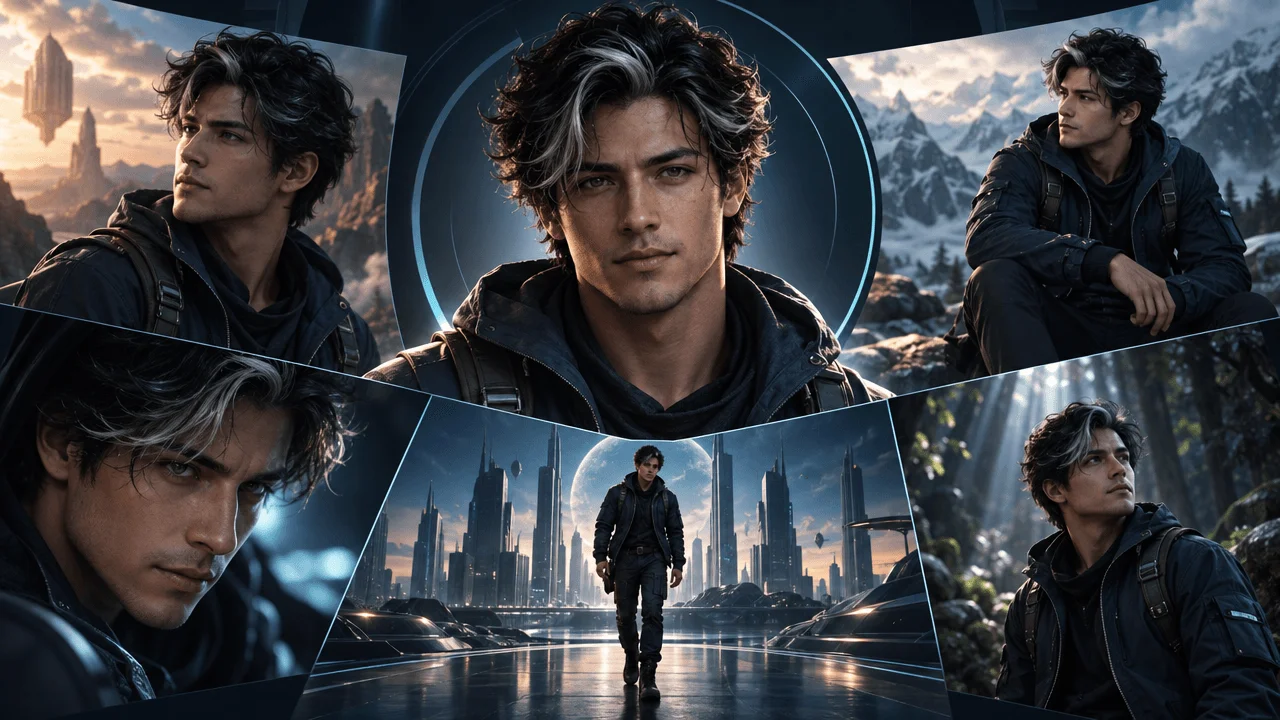
Your AI character looks perfect in the first scene.
Then the second scene starts.
Suddenly, the character has different eyes, a different face, and a completely different hairstyle.
By the fifth scene, your supposed main character looks like someone else entirely.
This is one of the biggest problems with AI-generated YouTube videos.
Creating an impressive image is relatively easy. Keeping the same character recognizable across twenty scenes, multiple camera angles, and an entire YouTube series is considerably harder.
That's why consistent character AI tools have become important for faceless YouTube channels, animated storytelling, documentary production, and AI-generated video.
But not every tool promising "consistent characters" solves the same problem.
Some use reference images. Others let you train a custom character model. A few connect character references directly to video generation.
And a character that looks consistent across five portraits might still change dramatically when you animate it or place it beside another character.
We compared eight leading AI character generation tools based on their documented reference systems, character-training features, image editing, pricing, and suitability for YouTube production.
The Best AI Consistent Character Generators at a Glance
Our top recommendations are:
- Leonardo AI: Best overall for reusable AI characters and visual asset generation.
- Ideogram: Best for generating consistent characters from a small number of reference images.
- Midjourney: Best for cinematic character artwork and distinctive visual styles.
- Runway: Best for bringing consistent characters into AI-generated video.
- Scenario: Best for training reusable character models for production teams.
- Krea: Best for experimenting with multiple image models and character LoRAs.
- Freepik / Magnific: Best for character assets, visual references, and broader creative workflows.
- OverseerOS: Best for keeping recurring characters connected to a faceless YouTube production workflow.
Our overall recommendation is Leonardo AI for creators who primarily need consistent character images.
Choose Runway if animating the characters is your priority.
Choose Scenario if your team needs trained character models reused across numerous projects.
Choose OverseerOS if you're producing narration-driven YouTube videos and want character references incorporated into scene generation, editing, and export.
The right purchase depends on whether your final deliverable is an image, an animated shot, or a complete video.
Quick Comparison: Features, Pricing, and Best Use Cases
| Rank | Tool | Best for | Advertised starting price | Consistency method |
|---|---|---|---|---|
| 1 | Leonardo AI | Recurring characters and image libraries | Free; Essential $12/month | Reference images and trained Elements |
| 2 | Ideogram | Single-reference character variations | Plus $20/month | Ideogram 4.5 references and saved characters |
| 3 | Midjourney | Cinematic character imagery | Basic $10/month | V8.2 Edit Model with up to four references |
| 4 | Runway | Characters across cinematic video shots | Free; Standard $15/month | Gen-4 References and video generation |
| 5 | Scenario | Trained character models for repeatable production | Starter $15/month; training from Pro $45/month | Reference images and custom model training |
| 6 | Krea | Multi-model character experimentation | Free; Basic $9/month | Reference workflows and LoRA training |
| 7 | Freepik / Magnific | Custom characters and creative asset production | Premium $20/month; training eligibility varies | Character references and custom LoRAs |
| 8 | OverseerOS | Faceless YouTube videos with recurring characters | Credit-based Auto Edit access | Character Lock and project-level Character DNA |
Prices are USD reference prices from official product pages reviewed around November 2, 2026. Annual billing can lower several advertised rates. Some important features require higher tiers, additional credits, or separate model-training allowances.
Which AI character generator should you choose?
If you want to generate the same fictional person in different outfits, poses, and environments, begin with Leonardo AI or Ideogram.
If you need premium cinematic artwork, Midjourney is particularly attractive.
If the character must appear in moving video clips, Runway deserves serious consideration.
If you're building an extensive reusable character library for a team, Scenario offers a more structured training approach.
And if you're making an entire faceless YouTube video around narration, rather than generating character images separately, OverseerOS provides a connected production workflow.
What Makes an AI Character Generator Actually Consistent?
Before comparing the tools, it's worth defining the problem.
Character consistency isn't one feature.
It involves several different requirements.
1. Facial identity consistency
The character's recognizable facial structure remains stable across generations.
That includes defining features such as:
- Face shape.
- Eye shape.
- Nose.
- Hairline.
- Age appearance.
- Distinctive markings.
A different facial expression should not create an entirely different person.
2. Outfit and appearance consistency
A character should retain specified clothing, colors, and accessories unless the scene deliberately changes them.
For example, a detective wearing a dark green coat and red scarf shouldn't randomly acquire a blue jacket in the next shot.
3. Style consistency
The character should remain visually coherent with the video's chosen artistic direction.
A realistic cinematic character shouldn't suddenly become a watercolor illustration.
4. Cross-scene consistency
The character remains recognizable when the camera changes.
A face that matches in two front-facing portraits may become inconsistent in profile, wide shots, or unusual lighting.
5. Cross-video consistency
If your channel uses a recurring animated host, the character should remain recognizable in future episodes.
That usually requires a saved reference, reusable character model, or repeatable visual specification.
6. Motion consistency
Moving characters introduce additional challenges.
Facial features, hands, clothing, and body proportions can distort during animation.
A tool that generates excellent static images does not necessarily produce equally consistent video.
The best tool is the one that preserves the characteristics your project cannot afford to lose.
1. Leonardo AI: Best Overall for Reusable AI Characters
Best for: Faceless YouTube creators, animated explainers, documentary visuals, recurring characters, and reusable visual assets.
Pricing: Free plan with 150 daily fast tokens. Essential is advertised at $12/month, Premium at $30/month, and Ultimate at $60/month.
Website: Leonardo AI
Leonardo AI is our overall recommendation because it offers two useful approaches to character consistency.
The first uses reference images.
The second uses trained Elements, Leonardo's implementation of LoRA technology.
This gives creators a straightforward starting point and a more structured option for recurring production.
How Leonardo maintains character consistency
Leonardo's newer Omni image models accept multiple reference images, allowing creators to describe how different references should influence the generated result.
Its official guidance supports using up to six reference images with eligible models.
You might provide:
- A portrait of the character.
- A full-body image.
- A side profile.
- A clothing reference.
- A visual-style reference.
Then request a new scene while retaining the character's identity.
For creators who need more reuse, Leonardo Elements can be trained on curated images of a character, subject, or visual style.
That creates a reusable model component rather than relying exclusively on a written description.
Why this matters for YouTube
Imagine producing an animated history channel.
One recurring narrator appears in dozens of videos.
You want the character standing in front of a map, walking through an ancient city, examining an artifact, and speaking to another character.
Using fresh text prompts every time creates opportunities for appearance drift.
Reference images and trained Elements provide stronger visual anchors.
Key features
- AI image generation.
- Character and style references.
- Up to six reference images with supported Omni workflows.
- Trained character and style Elements.
- Multiple artistic models.
- Image editing.
- Video-generation capabilities.
- Reusable collections.
- Private generations on paid plans.
Pros
- Reference-based and model-training workflows.
- Suitable for many artistic styles.
- Free plan for initial experiments.
- Reusable character assets.
- Useful for producing large visual libraries.
Cons
- High consistency may require carefully prepared reference images.
- Trained Elements require additional setup.
- Free generations are public.
- Tokens and model availability vary by plan.
- The software isn't a complete YouTube scripting and publishing system.
Who should choose Leonardo AI?
Choose Leonardo if you want to establish a recurring fictional character and generate many images of that character for YouTube.
It is especially relevant for animated storytelling, faceless educational content, and channels using consistent illustrated hosts.
Verdict: Best overall starting point for reusable character images and flexible creator workflows.
Official sources: Leonardo pricing, Image Guidance, and Element Training.
2. Ideogram: Best for Single-Reference Character Consistency
Best for: Character portraits, illustrated YouTube thumbnails, recurring hosts, visual storytelling, and creators who want to avoid complex training.
Pricing: Plus is $20/month or $15/month billed annually. Pro is $60/month or $42/month billed annually. Usage-based options are also available.
Website: Ideogram Character
Ideogram is one of the most interesting options for creators who want to start with an existing character reference rather than train a separate model.
Its Character workflow is built around preserving a character's recognizable identity while changing poses, clothing, environments, and visual treatments.
How Ideogram maintains consistency
The current Ideogram 4.5 workflow supports one to five reference images.
You can upload a clear portrait, identify the character in your prompt, and request a new composition.
For example:
"The person in reference image one, standing inside a futuristic control room, medium shot, cool cinematic lighting."
You can then reuse the same references in additional generations.
The aim is to preserve the character while changing the surroundings.
Why this approach is useful
Training a custom model takes time.
You may need several carefully selected images, generation credits, and additional setup.
For a creator who only needs ten or twenty images, a reference-driven workflow can be more convenient.
Ideogram also has editing tools that help modify selected parts of an image.
That can be useful when the face is correct but a costume or accessory needs adjustment.
Key features
- Character-reference generation.
- Multiple reference images.
- Pose and environment changes.
- Character-aware editing.
- Remixing.
- Background replacement.
- High-quality image generation.
- API access.
- Paid private generation.
Pros
- Simple character-reference workflow.
- No mandatory custom-model training.
- Strong fit for portraits and thumbnails.
- Useful image editing.
- Supports several character references.
Cons
- Identity consistency isn't guaranteed.
- Complex body poses can still introduce drift.
- Character generation is not the same as a complete video workflow.
- Paid plans use credit allowances and model-specific access.
Who should choose Ideogram?
Choose Ideogram if you already have a character image and want to generate that character in many different situations.
It's an especially practical candidate for thumbnails, character artwork, and illustrated social content.
Verdict: Best for quick reference-based character variations without a complicated training process.
Official sources: Ideogram Character and pricing.
3. Midjourney: Best for Cinematic Character Artwork
Best for: Cinematic YouTube documentaries, fictional storytelling, premium character artwork, fantasy scenes, and highly stylized channels.
Pricing: Basic $10/month, Standard $30/month, Pro $60/month, and Mega $120/month.
Website: Midjourney
Midjourney remains a strong option for creators who care about artistic direction and visual presentation.
But there's an important 2026 update.
Midjourney's current V8.2 workflow uses the Edit Model, not the older Character Reference feature used by many tutorials.
The Edit Model supports up to four reference images.
It can generate new compositions, change existing images, modify selected regions, and combine references.
How to keep a character consistent in Midjourney V8.2
Start with a high-quality character image.
Use the Edit Model to attach that reference.
Then describe the new scene.
For example:
"Keep the same character's facial identity and hairstyle. Show a medium shot of the character walking through a foggy Victorian street. Dark blue coat, warm gas lamps, cinematic lighting."
Repeat the process using the original reference.
You can also combine visual references with Style References and Moodboards to maintain a consistent artistic direction.
Character consistency vs. style consistency
This distinction matters.
A Style Reference helps reproduce a visual aesthetic.
It does not automatically preserve a specific character's facial identity.
For identity consistency, use the Edit Model's reference-image functionality.
For aesthetic consistency, use an appropriate style reference.
Combining those approaches can produce a more coherent series.
Key features
- V8.2 Edit Model.
- Up to four reference images.
- Localized image editing.
- Style References.
- Moodboards.
- Visual personalization.
- High-resolution images.
- Image-to-video features.
- Multiple generation modes.
Pros
- Strong cinematic visual direction.
- Good fit for distinctive artistic styles.
- Multiple reference-image support.
- Useful image editing.
- Suitable for story-driven visuals.
Cons
- No conventional free subscription plan.
- Reference use still requires careful prompting and iteration.
- Image generation does not guarantee consistent animation.
- Stealth Mode requires Pro or Mega.
- Commercial terms include additional conditions for larger companies.
An important licensing detail
Midjourney's terms state that companies generating more than $1 million in annual revenue must use its Pro or Mega plan for the specified asset-ownership rights.
That matters if your YouTube content operation belongs to a larger media business.
Review the current terms before using generated assets commercially.
Who should choose Midjourney?
Choose Midjourney if the visual identity of your YouTube channel is especially important.
It's well suited to cinematic narratives, fictional worlds, historical visualizations, fantasy storytelling, and distinctive thumbnail artwork.
Verdict: Best for creators prioritizing cinematic visual quality and art direction.
Official sources: Midjourney Edit Model, plans, and commercial-use terms.
4. Runway: Best for Consistent Characters in AI Video
Best for: AI short films, cinematic YouTube storytelling, animated character sequences, and creators moving from images into motion.
Pricing: Free plan with 125 one-time credits. Standard is $15/month or $12/month billed annually. Pro is $35/month or $28/month billed annually.
Website: Runway
Runway addresses an important problem that image-only tools cannot fully solve.
The character needs to move.
A still image can preserve facial features perfectly.
But once that character turns around, walks, speaks, or interacts with another character, new consistency challenges appear.
Runway provides reference-based image workflows and AI video generation tools designed for cinematic production.
How Runway handles character references
Runway's Gen-4 References system lets creators use reference images to generate new images containing consistent characters, locations, and objects.
According to its official documentation, you can use up to three references in a single Gen-4 image generation.
Runway recommends clear reference images with natural lighting and a relatively neutral expression.
The idea is to establish recognizable visual identity before generating additional compositions.
Moving from reference images to video
For a narrative YouTube project, you might:
- Create a reliable portrait.
- Generate a full-body view.
- Develop the character in the required location.
- Use an approved image as the visual starting point for a video shot.
- Review the animation for drift.
This image-first process can provide more control than generating each video clip directly from unrelated text prompts.
Key features
- Gen-4 image references.
- Character and location reference reuse.
- AI video generation.
- Image editing.
- Camera and motion generation tools.
- Multiple supported image and video models.
- Upscaling.
- Higher-tier production features.
Pros
- Strong image-to-video production focus.
- Reference-based character and location workflows.
- Useful for cinematic sequences.
- Can generate both images and motion.
- Free credits for experimentation.
Cons
- Video generation can consume credits quickly.
- Longer sequences may require many separate clips.
- Character consistency can deteriorate during complex motion.
- Final editing and sound design may still require additional tools.
Who should choose Runway?
Choose Runway if the character must move through cinematic scenes rather than appear only in static illustrations.
Verdict: Best for taking reference-based character imagery into AI-generated video shots.
Official sources: Runway pricing and Gen-4 Image References.
5. Scenario: Best for Training Consistent Character Models
Best for: Animation studios, game-inspired YouTube channels, production teams, recurring cast libraries, and larger character-based projects.
Pricing: Starter $15/month. Pro $45/month. Max $75/month. Custom character-model training requires Pro or higher.
Website: Scenario
Scenario is a particularly strong option when your goal is repeatability.
A creator producing one video may only need a reference image.
A team generating hundreds of images featuring the same cast may benefit from reusable trained models.
Scenario supports both approaches.
How custom character training works
Scenario recommends starting with reference images before committing to model training.
For more demanding projects, creators can train a custom character model using curated example images.
Official guidance recommends approximately five to fifteen high-quality images as a useful starting range.
Training access begins with the Pro plan.
The platform requires at least five training images.
The upper image limit varies by subscription.
Why this matters for YouTube series
Imagine producing a weekly animated detective series.
The main character appears in dozens of locations across multiple episodes.
You need more than a prompt that describes the character's jacket and hairstyle.
You need reusable character identity.
Scenario's custom model workflow can reduce the need to reconstruct that identity from scratch for every generation.
Reference images vs. trained models
Scenario's own documentation recommends trying reference images first.
That's important.
Training isn't automatically necessary just because your project has a recurring character.
If reference images already produce acceptable results, a custom model adds cost and complexity without necessarily adding enough value.
Train a character model when the reference-based approach fails to meet your consistency requirements or production scale.
Key features
- Reference-based image generation.
- Custom character models.
- LoRA training.
- Style models.
- Model merging.
- API access.
- Production workflows.
- Team collaboration on higher tiers.
- Image, video, and other creative model access.
Pros
- Structured custom-model training.
- Good for recurring production assets.
- Reusable character and style systems.
- Suitable for larger teams.
- API-first workflows.
Cons
- Character training is unavailable on Starter.
- Training requires a curated image dataset.
- Each training and generation task consumes compute.
- More complex than a beginner image generator.
- Higher initial cost for the primary consistency feature.
Who should choose Scenario?
Choose Scenario when you need a repeatable cast or brand character system across many projects.
Verdict: Best for production teams that need reusable, trained character models.
Official sources: Scenario pricing, character training guide, and model-training fundamentals.
6. Krea: Best for Multi-Model Character Experimentation
Best for: Creators experimenting with artistic styles, reference-driven image generation, AI video, and custom character training.
Pricing: Free plan. Basic $9/month, or approximately $5/month with annual billing. Pro $35/month, or $21/month billed annually.
Website: Krea
Krea's main advantage is flexibility.
Rather than committing to one image-generation model, creators can experiment with multiple models and creative workflows.
That can be valuable when a particular model struggles with your character's appearance or intended art style.
How Krea supports character consistency
Krea provides image-generation workflows and LoRA training capabilities.
LoRAs are smaller trained model adaptations that can help reproduce a particular character, object, or visual style.
Its pricing documentation also describes workflow tools and model options for creators who want to build more repeatable generation processes.
Why model flexibility matters
Imagine generating a recurring illustrated presenter.
One model may handle facial appearance well.
Another might produce better clothing consistency.
A third might be more effective for unusual camera angles.
A multi-model platform lets you compare approaches without necessarily moving all your assets between unrelated applications.
However, not every model supports the same reference-image or LoRA functionality.
Model availability also changes.
Key features
- Multiple image models.
- Reference-based generation where supported.
- LoRA training.
- Real-time image workflows.
- AI video models.
- Image editing.
- Upscaling.
- Node-based creative workflows.
- Custom reusable applications.
Pros
- Broad model selection.
- Free entry point.
- LoRA training capabilities.
- Flexible experimentation.
- Image and video generation.
Cons
- Different models have different reference capabilities.
- Compute-unit usage can be difficult to estimate.
- Training allowances vary by plan.
- More experimentation may mean more time spent evaluating outputs.
- Not a complete YouTube production-management platform.
Who should choose Krea?
Choose Krea if you want flexibility to experiment with different models, character references, and reusable workflows.
Verdict: Best for creators who value model choice and visual experimentation.
Official source: Krea pricing and features.
7. Freepik / Magnific: Best for Character Assets and Creative Workflows
Best for: Designers, marketing teams, character-based social campaigns, virtual influencers, and creators combining generated imagery with stock assets.
Pricing: The official pricing page advertises Premium at $20/month or $14.50/month with annual billing. Higher tiers provide larger credit allowances and additional generation features. Custom character training requires eligible paid access and training credits.
Website: Custom Characters
Freepik's AI creation ecosystem, presented under Magnific branding on its current pricing pages, provides custom character tools alongside a broader set of image, video, and design capabilities.
This makes it interesting for creators who want more than isolated character portraits.
How Custom Characters works
The feature uses LoRA-based character training.
Creators upload multiple images of a character, train a reusable representation, and generate new scenes using the resulting character asset.
Official guidance recommends twelve to twenty-four images containing varied angles and expressions.
This helps the system learn more than a single front-facing appearance.
Why this is useful
Suppose you run a faceless business channel featuring a recurring virtual presenter.
You need that person in:
- Studio environments.
- Offices.
- City scenes.
- Product demonstrations.
- Thumbnail compositions.
- Promotional graphics.
A trained character asset can help keep the visual identity more stable across those settings.
The wider ecosystem also provides supporting creative tools for editing and preparing assets.
Important pricing clarification
The cheapest advertised subscription should not automatically be treated as the price of the custom character-training workflow.
Freepik's current product and credit documentation distinguishes ordinary image-generation access from custom LoRA training.
Training can consume additional credits, and plan eligibility must be confirmed.
For commercial use, verify the rights attached to the specific subscription and models involved.
Key features
- Custom character training.
- LoRA-based character references.
- Image editing.
- Character and style guidance.
- Multiple generation models.
- Video-generation tools.
- Stock creative assets.
- Design and upscaling tools.
Pros
- Dedicated custom character workflow.
- Broader creative asset ecosystem.
- Multiple visual creation tools.
- Useful for marketing and branded imagery.
- Supports reusable character concepts.
Cons
- Character training requires eligible paid access.
- Credits complicate cost comparisons.
- Some feature descriptions and pricing differ by product.
- Character consistency still requires testing.
- Not purpose-built for assembling long-form narrated YouTube videos.
Who should choose Freepik / Magnific?
Choose it if you produce many visual assets across YouTube thumbnails, social media, marketing materials, and video projects.
Verdict: Best for creators who want custom character assets inside a broad creative-production platform.
Official sources: Custom Characters, pricing, and custom-model credit information.
8. OverseerOS: Best for Consistent Characters in Complete Faceless YouTube Videos
Best for: Faceless YouTube production, animated storytelling, educational explainers, documentary channels, and narration-driven content.
Pricing: Consistent Character functionality is part of supported OverseerOS Auto Edit workflows. Video and visual generation depend on available access and credits. Check current plan pricing and allowances before purchase.
Website: OverseerOS Consistent Character Generator
OverseerOS addresses a different part of the problem.
Most character generators concentrate on producing images.
OverseerOS focuses on keeping character direction connected to a larger YouTube video production project.
Its Character Lock workflow uses reference-based guidance and a reusable Character DNA specification inside Auto Edit.
How Character Lock works
A creator provides a reference image representing the intended character.
The system uses that reference to guide character-related scene visuals and prompts.
Character DNA can describe:
- Facial identity.
- Hair and body traits.
- Clothing.
- Signature colors.
- Accessories.
- Visual style.
- Features that must remain unchanged.
- Details the AI should avoid changing.
This gives the scene-generation workflow more structured direction than a generic request to "use the same character."
Why this matters for faceless YouTube
Imagine producing a twenty-minute psychology video with a recurring illustrated narrator.
You need the narrator to appear at multiple points.
But the rest of the video may contain diagrams, environments, supporting imagery, and animated scenes.
The character is one element within a much larger production.
OverseerOS connects character direction to:
Script → Voiceover → Scene planning → Visual generation → Scene review → Final video export
That makes it relevant for creators who care about producing finished YouTube videos rather than managing an external character-image library.
Key capabilities
- Reference-based Character Lock.
- Character DNA guidance.
- Script-first scene generation.
- Voiceover-aligned visual planning.
- AI-generated scenes.
- Visual-style presets.
- Scene review and regeneration.
- Motion and supported animation.
- Captions and music.
- Shorts and long-form export workflows.
What OverseerOS does not replace
It isn't a direct substitute for every capability offered by Leonardo, Scenario, or Runway.
For example, creators seeking advanced standalone LoRA training or highly specialized cinematic video model controls may prefer those dedicated platforms.
OverseerOS is more relevant when the character belongs inside a broader narrated-video production process.
Character Lock is a consistency aid, not an absolute guarantee that every generated scene will preserve the same face perfectly.
Pros
- Connected faceless-video workflow.
- Character references integrated into scene direction.
- Script and voiceover alignment.
- Supports both Shorts and long-form production.
- Scene-level review and replacement.
Cons
- Not primarily a standalone character-art generator.
- Does not replace specialist model-training platforms.
- Character consistency depends on supported scene workflows.
- Production uses credits.
- Generated visuals still require review.
Who should choose OverseerOS?
Choose OverseerOS if you regularly create faceless YouTube videos and want recurring characters to remain aligned with your production direction.
Verdict: Best for connecting character consistency with full faceless-video production rather than generating isolated character images.
Official sources: Consistent Character Generator and Auto Edit Studio.
Which AI Consistent Character Generator Is Best for Your YouTube Channel?
The best option depends on your content format.
| YouTube channel type | Recommended tool | Main advantage |
|---|---|---|
| Animated educational explainers | Leonardo AI | Reusable character images and references |
| Illustrated storytelling | Ideogram | Character variations from a few references |
| Cinematic fiction | Midjourney | Strong aesthetic direction |
| AI-generated short films | Runway | Image-to-video character workflows |
| Animated series with recurring casts | Scenario | Trainable character models |
| Experimental AI visual channels | Krea | Multi-model flexibility |
| Virtual influencer and branded content | Freepik / Magnific | Reusable marketing character assets |
| Faceless documentary production | OverseerOS | Character guidance inside full video production |
Best for YouTube Shorts
For a short animated story, Ideogram or Leonardo can produce recurring character imagery.
Runway becomes attractive if you want to animate that character.
OverseerOS is appropriate when the character appears within a complete narrated Short.
Best for long-form faceless YouTube videos
A long video needs more than good character references.
It needs a script, narration, scene structure, visual direction, pacing, music, and a practical editing workflow.
OverseerOS is designed around those requirements.
But creators prioritizing sophisticated cinematic shots may still use Runway or Midjourney for selected visual assets.
Best for recurring animated characters
If your channel revolves around the same character appearing in episode after episode, look closely at Leonardo's Elements and Scenario's trainable character models.
Those are more appropriate candidates when you need a reusable character asset across many projects.
Best for beginners
Start with a reference-based workflow before training custom models.
Ideogram, Leonardo, and supported Krea workflows are useful starting points.
Once you've proven your character works across multiple scenes, decide whether additional training is worth the cost.
Reference Images vs. LoRA Training: Which Is Better?
This is one of the most important buying decisions.
Reference-image generation
You provide one or more existing images.
The system uses those images to guide the next generation.
Advantages:
- Faster setup.
- Usually easier to learn.
- No separate training process.
- Useful for smaller projects.
- Easy to experiment with different references.
Limitations:
- Identity can drift.
- References may need to be supplied repeatedly.
- Different poses may require additional examples.
- Large-scale reuse can become cumbersome.
LoRA character training
You prepare multiple images and train a reusable character model.
Advantages:
- A reusable character representation.
- Useful for recurring production.
- Can reduce repeated manual setup.
- Suitable for specialized characters and styles.
Limitations:
- Requires suitable training images.
- Training takes time and credits.
- Poor datasets can produce poor results.
- A trained model still doesn't guarantee perfect identity retention.
- Additional retraining may be necessary after major character changes.
Which should you choose?
For a single video, start with reference images.
For a recurring series, test reference images first.
If they fail to meet your requirements across many scenes, evaluate LoRA training.
Don't pay for model training before establishing that your character actually needs it.
How to Create the Same AI Character Across Multiple YouTube Scenes
Here's a practical character-production workflow.
Step 1: Design one definitive character
Start with a clear portrait showing the intended character.
Avoid unnecessary visual complexity.
Decide what makes the character recognizable.
For example:
- Short black hair with one silver streak.
- Angular facial structure.
- Dark green jacket.
- Red scarf.
- Small scar above the left eyebrow.
Those details become the visual identity.
Step 2: Build a character reference sheet
Create several views:
- Front-facing portrait.
- Three-quarter portrait.
- Side profile.
- Full-body view.
- Neutral expression.
- Smiling expression.
Where possible, keep the reference images consistent with one another.
A reference set containing conflicting faces can make the generation problem worse.
Step 3: Write a Character DNA specification
Use the following template.
Character name: Inspector Vale
Age appearance: Approximately 40
Facial features: Angular face, pronounced cheekbones, narrow nose, calm brown eyes
Hair: Short black hair with one silver streak on the right side
Clothing: Dark green trench coat, charcoal shirt, red scarf
Signature elements: Red scarf, silver hair streak, small scar over left eyebrow
Art style: Cinematic semi-realistic illustration
Must preserve: Face shape, hairstyle, signature scarf, overall body proportions
May change: Pose, facial expression, lighting, camera angle, background, scene composition
Avoid: Different hairstyle, different coat color, missing scar, cartoon proportions, altered facial identity
This specification should remain stable between scenes.
Step 4: Generate new scenes from the same references
Don't rebuild your character description from memory each time.
Use the original reference images and Character DNA.
Change the scene instructions, not the identity instructions.
For example:
Scene 1: Inspector Vale examining an old map in a dimly lit office.
Scene 2: Inspector Vale walking along a rainy Victorian street.
Scene 3: Close-up of Inspector Vale discovering a hidden message.
Scene 4: Inspector Vale standing beside a train at dawn.
The character's appearance should remain stable while the action and environment change.
Step 5: Review the difficult shots
Pay particular attention to:
- Side profiles.
- Wide shots.
- Extreme close-ups.
- Dramatic lighting.
- Unusual facial expressions.
- Scenes containing multiple characters.
- Fast motion.
These conditions expose weaknesses that may not appear in simple portraits.
Step 6: Approve images before animating
If you're producing video, confirm that the source image looks right before spending credits animating it.
An incorrect face is usually easier to fix in a static image than in an already generated moving scene.
Step 7: Preserve approved assets
Save your accepted character references and note the model settings used.
When producing future episodes, begin from those approved materials rather than recreating everything.
The 20-Scene Character Consistency Test
Most AI tool comparisons use attractive sample images.
That isn't enough to determine whether a character generator is useful for an actual YouTube series.
A better test places the same character in difficult situations.
Here's a repeatable evaluation you can run before subscribing.
Use the same character in twenty scenes
| Test | Required scene | What it tests |
|---|---|---|
| 1 | Front-facing portrait | Baseline identity |
| 2 | Three-quarter portrait | Facial structure |
| 3 | Left profile | Side-view consistency |
| 4 | Right profile | Side-view consistency |
| 5 | Full-body standing | Body proportions |
| 6 | Sitting in a chair | Pose adaptation |
| 7 | Walking outdoors | Body and clothing consistency |
| 8 | Running | Dynamic pose |
| 9 | Smiling close-up | Expression change |
| 10 | Angry expression | Expression change |
| 11 | Bright daylight | Lighting stability |
| 12 | Dark nighttime setting | Lighting stability |
| 13 | Rainy environment | Environmental change |
| 14 | Indoor studio | Location change |
| 15 | Wide cinematic shot | Small-face recognition |
| 16 | Low camera angle | Perspective change |
| 17 | Different shirt | Controlled outfit change |
| 18 | Character holding an object | Hands and object interaction |
| 19 | Two characters together | Identity separation |
| 20 | Repeat scene one with new composition | Long-range consistency |
How to score the results
Evaluate each image in four categories.
| Criterion | Maximum score |
|---|---|
| Facial identity | 5 |
| Signature appearance | 5 |
| Body and clothing consistency | 5 |
| Prompt and scene accuracy | 5 |
| Total per scene | 20 |
Across twenty scenes, the maximum score is 400.
For facial identity, use a simple anchored rubric:
- 5: Clearly the same character.
- 4: Minor differences, still recognizable.
- 3: Noticeable drift but recognizable.
- 2: Substantial identity differences.
- 1: Barely recognizable.
- 0: Different character.
Use the same visual references and acceptance criteria for every tool.
Also record how many attempts you needed to achieve each acceptable result.
A tool that succeeds after one generation may be economically better than one that requires six retries, even when both eventually create a good image.
This is a proposed testing method. We have not claimed to have performed this twenty-scene benchmark across all eight products.
How Much Does Consistent AI Character Generation Actually Cost?
Subscription prices don't tell the full story.
The real expense is producing enough usable images or clips for your project.
Imagine your video needs forty images containing the same character.
You generate sixty images to obtain forty usable ones.
Now imagine a less reliable workflow requires 120 generations.
Even if the software subscription costs less, its effective cost per usable image may be higher.
The useful calculation
Effective cost per approved character image = Total generation cost ÷ Number of approved images
Suppose Tool A costs $20 for the workload and produces forty approved images.
Effective cost:
$20 ÷ 40 = $0.50 per approved image
Tool B costs $30 but produces sixty approved images.
Effective cost:
$30 ÷ 60 = $0.50 per approved image
Both have the same effective cost, despite different prices.
Now add the time spent reviewing and correcting outputs.
The comparison can change again.
What about video generation?
Animating a character introduces additional costs.
You may need several clips, each with its own generation allowance.
A failed animation can consume credits even when its starting image was correct.
For long-form YouTube production, calculate the entire project cost:
Image generations + character training + animation generations + revisions + editing labor
Don't compare tools solely by their cheapest advertised monthly subscription.
Five Mistakes That Make AI Characters Look Inconsistent
Mistake 1: Describing the character differently every time
"A young detective with dark hair" and "a serious investigator with black hair" are not identical instructions.
Preserve a stable identity description.
Mistake 2: Using only one flattering portrait
A front-facing image may provide limited information about the character's profile or body proportions.
Additional reference angles can help.
Mistake 3: Changing artistic styles between scenes
Even if the face remains similar, inconsistent rendering can make the character feel different.
Keep the visual style controlled unless a deliberate change is part of the story.
Mistake 4: Adding too many defining details
An elaborate costume containing numerous tiny accessories creates more opportunities for drift.
Prioritize a few highly recognizable traits.
Mistake 5: Animating before approving the character
If the starting image has already changed the character's face, animation may make the problem harder to correct.
Validate important still images before generating moving shots.
Can AI Keep the Same Character Across an Entire YouTube Series?
Yes, with limitations.
Reference-based generation and reusable trained models can help preserve character identity between episodes.
But no tool should be assumed to reproduce every facial feature, outfit detail, and movement perfectly under all conditions.
Long-running series need a repeatable character-management system.
That should include:
- One approved character reference collection.
- A stable written character specification.
- A defined visual style.
- Approved outfit variations.
- A consistent voice, where applicable.
- Reusable visual prompts.
- A review process before publishing.
For channels with multiple recurring characters, maintain separate references for each one.
When two characters appear together, review whether the generated scene blends their identities or swaps features.
The goal is not simply to create the same-looking face once.
It's to create a recognizable character your audience can follow from episode to episode.
AI Character Generator vs. AI Avatar Generator: What's the Difference?
These categories overlap, but they solve different problems.
AI character generator
Creates images or video assets featuring a recurring fictional or reference-based character.
Useful for:
- Animated stories.
- Documentary illustrations.
- Virtual characters.
- Character-based YouTube thumbnails.
- Narrative video production.
AI avatar generator
Often focuses on generating a talking digital presenter, sometimes based on a real person's appearance and voice.
Useful for:
- Presentations.
- Training videos.
- Business explainers.
- Talking-head content.
- Multilingual spokesperson videos.
For a consistent talking presenter, a dedicated avatar product may be more appropriate than an image generator.
For a cinematic fictional character who moves through changing environments, a reference-based image and video system may be more flexible.
Are AI-Generated Characters Safe to Use on Monetized YouTube Channels?
Using an AI-generated character doesn't automatically make a video ineligible for monetization.
But monetization depends on the finished content and YouTube's applicable policies.
YouTube evaluates whether content is original, authentic, and compliant with its monetization requirements.
It also has disclosure requirements for certain realistic altered or synthetic content.
If viewers could reasonably mistake an AI-generated depiction for a real person or event, review YouTube's synthetic-content disclosure rules.
See:
Important rights considerations
Before using a character commercially:
- Review the generator's commercial-use terms.
- Confirm any higher-tier licensing requirements.
- Use reference images you have rights to upload and use.
- Avoid impersonating real people without appropriate authorization.
- Check the rights associated with any third-party models or assets.
The character being AI-generated does not automatically remove copyright, privacy, publicity, or trademark concerns.
How OverseerOS Fits Into a Consistent Character YouTube Workflow
For creators, character generation is only one step.
A production-ready channel also needs good topics, scripts, voiceovers, scene structure, editing, and finished videos.
OverseerOS connects several of those processes.
Step 1: Find a promising topic
Use the OverseerOS Viral Outlier Library to research public videos performing unusually well relative to their channels.
Study the audience demand and develop an original content angle.
Step 2: Write the script
Develop a coherent narrative with the recurring character serving a clear purpose.
An animated presenter should support the explanation, not merely decorate the video.
Step 3: Define the character
Use a consistent reference image and Character DNA specification.
Identify the traits that must remain stable.
Step 4: Build the scenes
Use OverseerOS Auto Edit Studio to align the script and narration with visual scenes.
Apply character references in supported workflows.
Step 5: Review and regenerate
Check recurring character appearances before exporting.
Regenerate or replace visuals that fail to match the intended identity.
Step 6: Publish and evaluate
Export the finished video and evaluate audience response after publishing.
Character consistency can improve visual coherence, but it does not guarantee views or retention.
The topic, writing, pacing, and viewer experience still matter.
For more practical guidance, see Consistent Character AI for YouTube Videos: Keep the Same Person Across Scenes.
Frequently Asked Questions
What is the best AI consistent character generator in 2026?
Leonardo AI is our overall recommendation for recurring character image generation because it offers both image-reference workflows and trainable Elements. Ideogram is strong for reference-based variations, while Runway is more suitable when the character must move in AI-generated video.
What is the best free AI consistent character generator?
Leonardo offers a free daily token allowance. Krea also offers limited free image generation. Free access, reference features, generation limits, and commercial rights vary by service.
Which AI tool keeps the same face across images?
Leonardo, Ideogram, Midjourney, Runway, Scenario, Krea, and Freepik/Magnific offer relevant reference or character-training capabilities. Results vary by model, references, pose, lighting, and artistic style.
How do I generate the same AI character in different poses?
Create a clear character reference, then use a generator's reference-image or trained-character feature. Keep the identity instructions stable and specify the desired pose separately.
Can I create a consistent AI character from one image?
Yes. Ideogram, Runway, and other reference-based tools can begin with one image. Additional high-quality references may help with profile views, body proportions, and unusual camera angles.
Is Midjourney good for consistent characters?
Yes. Midjourney's V8.2 Edit Model supports up to four reference images and can help preserve recognizable characters across different compositions. The older Omni Reference workflow applies to earlier models.
Is Leonardo better than Midjourney for consistent characters?
Leonardo is our preferred option for a reusable character-asset workflow because it provides image references and trainable Elements. Midjourney is particularly attractive for cinematic art direction. We did not run a controlled identity-retention benchmark proving one has universally higher accuracy.
What is the difference between Character Reference and Style Reference?
A character reference guides the identity or appearance of a subject. A style reference guides aesthetic characteristics such as color, texture, lighting, and rendering style. They solve different problems and can sometimes be combined.
Is LoRA training better than reference images?
LoRA training may be useful for recurring characters used across large numbers of scenes. Reference images are usually simpler to start with. Training adds setup and cost and does not guarantee perfect consistency.
How many images do I need to train a consistent AI character?
Requirements vary. Scenario requires at least five training images and generally recommends five to fifteen well-curated images. Freepik/Magnific's character guidance recommends twelve to twenty-four images with varied poses and expressions.
Can AI characters stay consistent in video?
Reference-based image and video workflows can improve consistency, but motion introduces additional challenges. Runway and other video-capable systems can use controlled source images to generate moving scenes that should be reviewed for drift.
Can I create a recurring character for a faceless YouTube channel?
Yes. Create an original character, establish reference images and identity rules, then reuse them across videos. A production workflow such as OverseerOS Auto Edit can incorporate consistent character direction into supported scenes.
What is the best AI consistent character generator for YouTube Shorts?
For character images, start with Leonardo or Ideogram. For animated scenes, consider Runway. For complete narration-driven Shorts, OverseerOS provides a connected production workflow.
Can I create consistent anime characters with AI?
Yes. Multiple AI image generators support stylized and anime-like characters. Consistency depends on the model, references, and visual specifications. Test the chosen style across several camera angles.
Why does my AI character's face keep changing?
Possible causes include weak or conflicting references, vague descriptions, changes in artistic style, difficult camera angles, and model limitations. Use stable reference images and clearly defined must-keep traits.
Can I use AI-generated characters commercially?
Often, yes, subject to the specific product's licensing terms. Some plans limit commercial use or ownership rights. You must also have appropriate rights to reference images and other inputs.
Do consistent AI characters improve YouTube retention?
A recognizable recurring character may improve visual coherence, but there is no guarantee it improves retention. Topic selection, script quality, pacing, and the finished video's value remain important.
Can I use the same AI character in multiple YouTube episodes?
Yes. Save the approved character references, style direction, and identity specification. Reuse them across future projects and review results for continuity.
Which AI character generator is best for production teams?
Scenario is especially relevant for teams requiring reusable trained character models. Leonardo also provides custom Elements. The best choice depends on model-training needs, collaboration requirements, and production scale.
Does OverseerOS train a standalone character LoRA?
OverseerOS's documented Character Lock workflow uses reference-based Character DNA within Auto Edit. It should not be treated as equivalent to specialist standalone LoRA training platforms such as Scenario.
How can I stop AI characters changing clothes between scenes?
Include clothing in the character's must-preserve specification, reuse approved references, and make outfit changes explicit only when intended. Review images before animation.
Final Verdict: Which AI Consistent Character Generator Should You Choose?
Choose Leonardo AI if you want to build a reusable library of consistent character images for YouTube.
Choose Ideogram if you want to generate new character poses and scenes from a small number of references.
Choose Midjourney if artistic quality and cinematic style are your priorities.
Choose Runway if your character must move through AI-generated cinematic shots.
Choose Scenario if your team needs trained character models reused across numerous projects.
Choose Krea if you want to experiment with multiple models and LoRA-based workflows.
Choose Freepik / Magnific if you need character assets across a broader design and marketing workflow.
Choose OverseerOS if your main goal is producing finished faceless YouTube videos with recurring characters connected to your scripts and visual scenes.
The most important buying lesson is straightforward.
Don't judge character consistency from a single beautiful portrait.
Test the character in different poses, environments, lighting conditions, and camera angles.
Measure how many generations you need before the results are acceptable.
And choose the tool that fits the entire production process, not just the first image.
For script-driven faceless videos, explore OverseerOS Consistent Character Generator and Auto Edit Studio.
Because a recognizable character isn't created by one good AI prompt.
It's created by a repeatable visual system.
Research Methodology and Editorial Disclosure
Research date: November 2, 2026.
This guide compares eight AI character generation and production tools using official product documentation, published pricing, and their documented approaches to preserving character identity.
Evaluation factors included:
- Character-reference functionality.
- Custom-model training.
- Visual identity preservation mechanisms.
- Style controls.
- Image editing.
- Animation support.
- Production-workflow integration.
- Commercial-use terms.
- Price and usage constraints.
- Suitability for faceless YouTube creators.
The rankings are editorial assessments of product suitability, not independently measured character-consistency accuracy scores.
We did not run the twenty-scene test across all eight products. Readers should use the provided methodology to evaluate their own characters and workflows before subscribing.
Publisher disclosure: OverseerOS publishes this guide and appears in the comparison. Its placement reflects its documented faceless-video production use case. We distinguish that capability from dedicated image-generation, LoRA-training, and cinematic video tools. Any future paid placement or affiliate relationship must be disclosed clearly and should not be presented as independent testing evidence.
Primary sources include official documentation and pricing from Leonardo AI, Ideogram, Midjourney, Runway, Scenario, Krea, Freepik/Magnific, and OverseerOS.
All prices, model capabilities, and licensing conditions should be rechecked before publication and periodically afterward.