Most AI video generators can produce a beautiful clip.
That does not mean they can produce a good YouTube video.
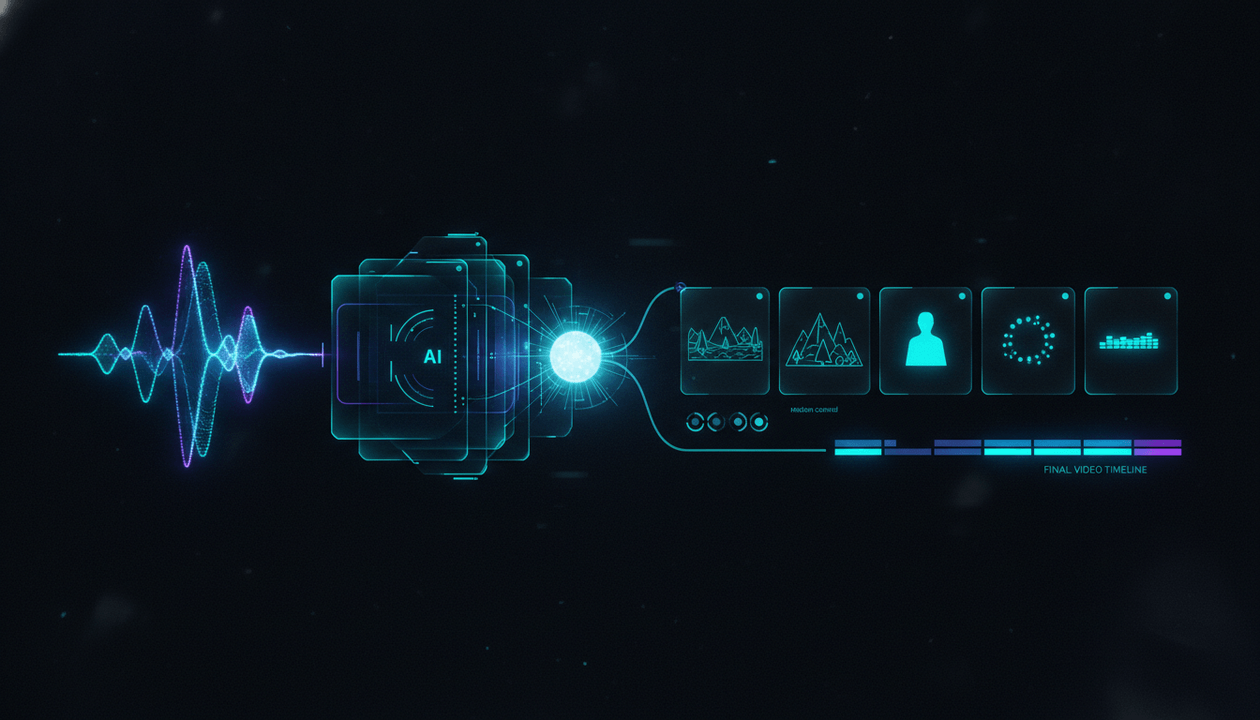
A complete faceless video requires far more than generating isolated visuals. The software must understand the script, divide the narration into meaningful scenes, choose the right visual for each moment, maintain a coherent style, synchronize visuals with the voiceover, support revisions, and carry the project through captions, music, motion, and export.
That is the difference between an AI clip generator and an AI scene generator for YouTube.
The best AI scene generators do not leave you with a folder of disconnected assets. They help turn a finished script or voiceover into a structured, editable video.
We compared the leading tools based on how well they handle that complete job.
Key Takeaways
- OverseerOS Auto Edit is the best overall AI scene generator for faceless YouTube videos because it is built around the finished script and voiceover, then turns the narration into scene-by-scene production blocks.
- Revid is a strong option for script-to-scene faceless YouTube and TikTok videos with generated visuals, voiceover, music, and captions.
- Fliki is the strongest choice for multilingual faceless videos and AI voiceovers.
- LTX Studio is best for cinematic storyboards, recurring characters, locations, and planned narrative sequences.
- Invideo AI is best for quickly turning a short prompt into a mostly complete video.
- Pictory is strongest for converting existing scripts, articles, documents, and audio into stock-led videos.
- Runway offers the most advanced toolkit for generating and controlling individual cinematic shots.
- VEED is best for creators who want AI generation and a conventional browser-based editor in one place.
- Steve AI is a strong option for animated explainers, educational videos, and story-based content.
- No tool should be trusted to generate a polished long-form YouTube video without human review.
- The most important buying criteria are scene relevance, narration synchronization, visual consistency, editability, and support for the complete production workflow.
The Best AI Scene Generators for YouTube in 2026
| Rank | Tool | Best For | Main Strength | Main Weakness |
|---|---|---|---|---|
| 1 | OverseerOS Auto Edit | Complete faceless YouTube production | Script and voiceover become structured scenes, visual prompts, AI visuals, captions, music, motion, and export controls | Works best when the script and narration are already prepared |
| 2 | Revid | Script-to-scene faceless YouTube / TikTok video | Generates the visuals, voiceover, music and captions for each scene from a script or one-line idea | Premium models use more credits |
| 3 | Fliki | Multilingual faceless videos | Strong script segmentation, voice library, captions, stock, AI visuals, and localization | Visual results can feel generic without manual scene refinement |
| 4 | LTX Studio | Cinematic storyboarding | Strong control over shots, characters, locations, sequences, and narrative planning | More complex than quick one-click video tools |
| 5 | Invideo AI | Prompt-to-video automation | Generates scripts, visuals, narration, subtitles, music, and editable scenes from a prompt | Automatic choices often need substantial human correction |
| 6 | Pictory | Repurposing existing content | Converts scripts, articles, audio, documents, and presentations into structured videos | Better suited to stock-led explainers than visually distinctive cinematic channels |
| 7 | Runway | High-end AI-generated shots | Advanced video models, multishot generation, visual transformation, and creative control | Not the simplest system for assembling an entire long-form YouTube video |
| 8 | VEED | AI generation plus browser editing | Combines scene generation, stock, generative video models, captions, audio, and a full editor | Broad feature set is less specialized for script-first faceless production |
| 9 | Steve AI | Animated explainers and storytelling | Multiple animation, generative, live-action, and multi-voice output styles | Less control over sophisticated cinematic consistency |
Editorial disclosure: OverseerOS is our platform. We rank OverseerOS Auto Edit first because it is the only tool in this comparison built specifically around the complete script-and-voiceover-to-faceless-YouTube workflow. The comparison also explains where every competing tool is stronger.
What Is an AI Scene Generator?
An AI scene generator is software that converts part of a script, narration, storyboard, or prompt into a visual production unit.
A complete scene normally includes some combination of:
- The narration assigned to that moment
- A visual concept
- Subjects or characters
- Location and environment
- Art direction
- Camera framing
- Motion
- Duration
- Transition
- Music or sound direction
- Captions
- A generated, uploaded, or stock visual
For YouTube creators, the useful output is not simply an impressive five-second clip.
It is an organized sequence of scenes that supports the meaning and rhythm of the finished video.
Simple Example
Narration:
In 2008, a small engineering flaw turned an ordinary software update into a billion-dollar failure.
A weak scene generator may search for:
Person typing on laptop
A stronger scene generator may create a sequence such as:
- Server room operating normally
- Close-up of a software update being deployed
- One warning indicator turning red
- Systems failing across a digital network
- Financial losses accelerating on a data display
The stronger version translates the idea, not merely the nouns.
AI Scene Generator vs AI Video Generator
The terms overlap, but they describe different levels of the workflow.
| Tool Type | Primary Output | Best Use |
|---|---|---|
| AI clip generator | One short generated clip | B-roll, cinematic inserts, visual experiments |
| AI image generator | One still visual | Illustrations, scene frames, thumbnails |
| AI avatar generator | A talking digital presenter | Training, explainers, product walkthroughs |
| Script-to-video generator | A complete video assembled from a script | Fast explainers, social videos, repurposing |
| AI scene generator | Structured visual units tied to narration | Faceless videos, documentaries, educational content |
| AI video editor | Timeline and editing tools | Refining, assembling, captioning, and exporting |
| AI scene production system | Script, narration, scenes, visuals, audio, and export | Repeatable YouTube production |
Many platforms now combine several of these categories.
The important question is not what the product calls itself.
Ask:
Can this tool reliably take my actual script and narration, break them into editable scenes, and help me finish the video?
Why Multi-Scene Video Is Harder Than Generating One Clip
Modern video models can create visually impressive short clips from a prompt. Long-form YouTube production introduces a different problem.
The system must maintain logic across time.
Research into multi-scene generation identifies two recurring challenges:
- Converting a broad narrative into a sequence of specific visual events.
- Preserving consistent subjects, environments, and visual language across those events.
The VideoStudio research project describes multi-scene generation as a problem of both logical scene planning and visual consistency. Its framework converts an input into a detailed scene script, identifies shared entities, and uses references to keep those entities recognizable across scenes.
That distinction explains why a tool can generate a stunning isolated shot while producing a weak complete video.
A ten-minute YouTube documentary may require 60 to 150 visual decisions.
When each scene is generated without knowledge of the previous one, the result can feel like 100 unrelated AI demonstrations placed beneath one voiceover.
What We Looked for in Each AI Scene Generator
We evaluated the tools against ten practical criteria.
1. Script Understanding
Can the system understand the meaning, argument, emotion, and progression of a complete script?
Keyword matching is not enough.
The tool should recognize whether a passage represents:
- A setup
- A revelation
- An example
- A flashback
- A warning
- A comparison
- A turning point
- A conclusion
2. Scene Segmentation
Does the tool divide narration at meaningful moments?
Weak segmentation creates one scene for every sentence regardless of pacing or visual logic.
Strong segmentation considers:
- Idea changes
- Emotional beats
- Visual opportunities
- Narration timing
- Desired pacing
- Short-form versus long-form structure
3. Voiceover Synchronization
Can scenes be organized around the actual duration of the narration?
A finished voiceover is more reliable than estimating timing from word count.
The best workflow treats the voiceover as the source of truth.
4. Visual Relevance
Does the visual explain, dramatize, or strengthen the narration?
A scene should not merely contain an object mentioned in the sentence.
It should help the viewer understand or feel the point.
5. Cross-Scene Consistency
Can the tool help maintain:
- Character identity
- Clothing
- Location
- Color palette
- Lighting
- Art style
- Time period
- Object design
- Camera language
Perfect consistency is still difficult, but reference-based workflows can reduce visible drift.
6. Style Control
Can the creator define or reuse a visual identity?
Useful controls include:
- Presets
- Custom prompts
- Saved styles
- Reference images
- Reference videos
- Brand kits
- Character references
- Color direction
- Composition rules
7. Scene-Level Editing
Can individual scenes be changed without rebuilding the entire project?
Creators should be able to:
- Rewrite a visual prompt
- Replace one visual
- Regenerate one scene
- Upload custom media
- Adjust timing
- Reorder scenes
- Change captions
- Keep approved scenes untouched
8. Visual Source Flexibility
The strongest systems do not force every moment through one model.
A complete video may need:
- AI-generated images
- AI-generated clips
- Stock footage
- Screenshots
- Charts
- Archival material
- Uploaded media
- Text animation
- Maps
- Product footage
9. Complete Production Support
We considered whether the tool also supports:
- Voiceovers
- Captions
- Music
- Motion
- Transitions
- Sound effects
- Branding
- Aspect ratios
- Rendering
- Export
10. Long-Form YouTube Fit
Short social videos and ten-minute YouTube videos are not the same production job.
A strong long-form system must handle:
- More scenes
- Longer scripts
- Narrative continuity
- Repeated characters
- Visual variation
- Project persistence
- Selective revisions
- Cost control
1. OverseerOS Auto Edit
Best for: Turning a finished script and voiceover into a structured faceless YouTube video.
OverseerOS Auto Edit is built around a different starting point from most AI video generators.
It does not assume that the creator wants a complete video invented from one vague prompt.
The workflow begins with the actual content.
You provide:
- A finished script
- A voiceover
- The intended video format
- A visual direction
OverseerOS Auto Edit then organizes the narration into scene-by-scene production blocks and prepares visual prompts for those scenes.
This is important because a YouTube creator usually does not need another tool to invent a generic script.
They need a tool that respects the script they already approved.
How OverseerOS Auto Edit Works
The core workflow is:
- Paste a finished script or load a prepared topic from the OverseerOS planner.
- Upload or generate the voiceover.
- Choose a Shorts or long-form format.
- Select a preset, custom style, saved style, or OverseerOS Style DNA direction.
- Generate the scene structure and visual prompts.
- Create or refine the scene visuals.
- Adjust captions, music, motion, effects, and other supported controls.
- Move the project toward final export.
The narration acts as the timing foundation.
That produces a more dependable structure than generating arbitrary clips first and trying to force them beneath the audio later.
Why It Is Strong for Faceless YouTube
OverseerOS Auto Edit is not only a scene generator.
It is connected to a broader YouTube workflow that can begin before production:
Channel research → content idea → script → voiceover → scenes → visuals → captions → export
That matters for channel operators producing content every week.
The bottleneck is rarely one beautiful scene. It is moving an approved idea through an entire production system without rebuilding the context at every stage.
OverseerOS Style DNA
Creators can choose a preset or provide custom visual direction.
OverseerOS Style DNA can also study supported visual references to guide an original look across the project.
The responsible use is to analyze principles such as:
- Lighting
- Color palette
- Texture
- Camera language
- Composition
- Image density
- Mood
- Contrast
- Visual era
It should not be used to reproduce another creator’s protected assets or distinctive work exactly.
The goal is visual direction, not duplication.
OverseerOS Consistent Character
For stories that use recurring fictional or original characters, OverseerOS Consistent Character provides a reference-based workflow designed to guide more stable character appearances across scenes.
This is useful for:
- Psychology stories
- Animated explainers
- Historical reconstructions
- Fictional narratives
- Educational scenarios
- Recurring channel mascots
Character consistency is not guaranteed by any current generation system.
The practical advantage is having a reference and scene workflow that reduces random reinvention.
For a deeper breakdown, read this guide to consistent character AI for YouTube videos.
Best Use Cases
OverseerOS Auto Edit is particularly well suited to:
- AI and technology explainers
- Documentary-style videos
- Psychology channels
- History videos
- Finance explainers
- Self-improvement channels
- Educational videos
- Faceless storytelling
- YouTube Shorts
- Long-form faceless videos
- Multi-channel operations
- YouTube automation agencies
Where OverseerOS Auto Edit Is Strongest
Its biggest advantage is not a single video model.
It is the production architecture.
A scene remains part of:
- The narration
- The script
- The style
- The complete project
- The final video
That is more useful for repeatable YouTube production than creating isolated clips in separate tools and manually tracking which line each asset belongs to.
Main Weakness
OverseerOS Auto Edit works best when you already have a strong script and voiceover.
Creators looking for a single sentence to automatically become a generic promotional video may find Invideo AI or VEED faster.
It is also not positioned as a full replacement for professional nonlinear editors such as Adobe Premiere Pro, DaVinci Resolve, or Final Cut Pro.
Verdict
Choose OverseerOS Auto Edit when your main goal is to produce complete faceless YouTube videos from approved scripts and narration, not merely experiment with AI clips.
2. Revid
Best for: Script-to-scene faceless YouTube / TikTok video where every scene is generated rather than searched for.
Revid turns a script or a one-line idea into a complete multi-scene video. It splits the script into scenes, then generates the visuals, voiceover, music and captions for each one and exports a finished cut sized for YouTube, TikTok, Instagram, whatever you need. Because each scene is generated rather than pulled from a stock library, the footage matches the line it belongs to. Creators publish 30,000+ videos a month through Revid, and the models run at cost with no markup.
3. Fliki
Best for: Multilingual faceless videos, AI narration, and fast script-to-video production.
Fliki combines script segmentation, voice generation, visuals, captions, music, branding, and export in one browser-based workflow.
Creators can begin with:
- A script
- A one-line idea
- A blog URL
- A presentation
- A PDF
- A document
Fliki then divides the content into scenes, creates narration, and pairs each section with stock media or AI-generated visuals.
Why Fliki Ranks Highly
Fliki is particularly strong when voice is central to the production workflow.
Its official product page currently lists more than 2,000 AI voices across more than 80 languages. It also supports per-scene voice adjustments, captions, multiple aspect ratios, and multilingual versions.
That makes it valuable for:
- International channels
- Educational content
- Localized brand channels
- Faceless explainers
- List videos
- History channels
- True-crime channels
- Training content
- Short-form distribution
Scene Workflow
Fliki says it segments text at natural sentence boundaries and gives creators control over every scene.
Creators can:
- Edit narration
- Swap a voice
- Replace media
- Regenerate a scene
- Upload custom visuals
- Reorder scenes
- Change fonts and colors
- Add an avatar
- Apply a brand kit
Its long-form workflow is positioned for videos between roughly five and fifteen minutes, with chaptered scenes, B-roll, narration, and captions.
Where Fliki Is Strongest
Fliki is an efficient choice when the desired output is:
Narrated script + relevant media + captions + music
Its voice library and localization workflow are difficult to ignore for creators publishing in multiple languages.
Main Weakness
Automatic stock and AI visual matching can produce scenes that are technically relevant but creatively predictable.
For example, narration about “the collapse of trust in financial institutions” may become:
- Person looking worried
- City skyline
- Stock chart
- Handshake
Those visuals match the nouns but may not communicate the deeper argument.
Creators should expect to replace important scenes manually.
Verdict
Choose Fliki when voice quality, language support, speed, and accessible faceless production matter more than cinematic visual originality.
4. LTX Studio
Best for: Storyboarding cinematic sequences and maintaining planned characters, objects, and locations.
LTX Studio approaches AI video more like a pre-production and filmmaking environment than a simple script-to-stock-video tool.
Creators can use prompts or scripts to develop:
- Scenes
- Shots
- Storyboards
- Characters
- Locations
- Objects
- Camera direction
- Visual sequences
- Timelines
This makes it especially useful when a project has a narrative world that must remain understandable across multiple shots.
Why Storyboarding Matters
A scene and a shot are not the same thing.
A scene may contain several shots:
Scene: A whistleblower enters an abandoned office and discovers the hidden files.
Possible shots:
- Wide exterior of the empty building
- Low-angle shot of the character entering
- Close-up of a flickering hallway light
- Over-the-shoulder view of the locked office
- Insert shot of the key turning
- Close-up of confidential documents
A basic generator may treat the entire scene as one prompt.
LTX Studio gives creators a stronger framework for planning the sequence.
Where LTX Studio Is Strongest
It is a strong choice for:
- Narrative documentaries
- Short films
- Fictional stories
- Concept trailers
- Cinematic explainers
- Historical reconstructions
- Storyboards for human production
- Recurring characters and environments
The creator can think in terms of camera angle, framing, subject continuity, and shot order rather than only selecting generic B-roll.
Main Weakness
LTX Studio requires more creative direction.
It is not the fastest option for someone who wants to paste a ten-minute article and receive a finished stock-led explainer.
Its generative workflow can also consume considerable resources when creators repeatedly regenerate characters, shots, or storyboards.
Verdict
Choose LTX Studio when scene planning, storytelling, camera direction, and world consistency matter more than one-click convenience.
5. Invideo AI
Best for: Turning a short idea into a mostly complete video with minimal setup.
Invideo AI begins with a prompt.
The platform can:
- Write a script
- Generate or select visuals
- Add an AI voiceover
- Add subtitles
- Add music
- Build scenes
- Export the video
Creators can also edit through text commands, including requests to delete scenes, change narration, or add a new introduction.
Why Invideo AI Is Popular
The workflow is easy to understand:
- Describe the video.
- Choose the audience, platform, duration, and appearance.
- Generate.
- Revise through prompts.
- Export.
That is attractive to beginners, social media teams, and creators who need a usable first draft quickly.
The platform can combine a large stock library with AI-generated media, which helps when one source alone does not provide enough visual variety.
Best Use Cases
Invideo AI works well for:
- Quick YouTube explainers
- Marketing videos
- Social campaigns
- List videos
- Promotional content
- News summaries
- Short-form content
- Videos where speed matters more than precise art direction
Where Invideo AI Is Strongest
Its biggest strength is reducing setup.
A creator does not need to arrive with:
- A final script
- A voiceover
- A scene list
- A detailed visual plan
The system can generate the first version of all four.
Main Weakness
The more decisions a tool makes automatically, the more decisions the creator must audit.
Common issues can include:
- Generic script sections
- Repetitive B-roll
- Literal visual matching
- Inconsistent tone
- Scenes that do not support the narration
- Incorrect assumptions
- Weak pacing
- Excessive reliance on stock footage
A fast first draft is not the same as a finished YouTube video.
Verdict
Choose Invideo AI when you want the shortest route from a simple prompt to an editable complete video.
6. Pictory
Best for: Turning existing scripts, articles, documents, presentations, and audio into videos.
Pictory is built around content transformation.
Its input options include:
- Ideas
- URLs
- Images
- Scripts
- Documents
- PDFs
- Presentations
- Audio
- Existing recordings
Pictory can then help produce scenes, subtitles, voiceovers, music, highlights, and social clips.
Why Pictory Is Useful
Many businesses and creators already have valuable content.
They may possess:
- A long blog post
- A podcast
- A webinar
- A training document
- A YouTube script
- A presentation
- A recorded interview
Their problem is not ideation.
Their problem is converting the material into a usable video without starting again.
Pictory serves that workflow well.
Voiceover and Scene Matching
Pictory supports uploaded voiceovers with automatic synchronization, which is valuable when the creator wants to preserve a human narrator or an independently generated voice.
It can then assemble visual material around that audio.
The platform also includes:
- Captions
- Translations
- Brand kits
- Layouts
- Style libraries
- Team collaboration
- API access
Best Use Cases
Pictory is a practical choice for:
- Blog-to-video workflows
- Podcast repurposing
- Corporate training
- Educational explainers
- Webinars
- Content marketing
- Social clips
- Narrated list videos
- Agencies repurposing client assets
Main Weakness
Pictory is better at making information visual than building a distinctive cinematic world.
Channels that depend on:
- Original characters
- Complex narrative continuity
- Highly stylized scenes
- Bespoke animation
- Sophisticated camera language
may need a more generative or production-focused platform.
Verdict
Choose Pictory when your valuable content already exists and you need a dependable way to convert it into stock-led, captioned, branded video assets.
7. Runway
Best for: Generating high-quality cinematic shots and controlling individual visual moments.
Runway is one of the most advanced creative AI video environments in this comparison.
Its current toolkit spans:
- Text-to-video
- Image-to-video
- Video transformation
- Multishot generation
- Storyboarding
- Animatics
- Character performance
- Visual effects
- Scene relighting
- Object removal
- Background replacement
- Custom workflows
- Multiple generation models
Runway is less like a traditional automatic YouTube maker and more like a creative AI production suite.
Where Runway Is Strongest
Runway is valuable when a creator needs a specific shot that stock footage cannot provide.
Examples:
- A futuristic city slowly losing power
- A microscopic machine moving through a bloodstream
- A medieval marketplace reconstructed cinematically
- A fictional character walking through a surreal memory
- A product transforming inside an impossible environment
- An archival-style scene that was never filmed
Its multishot tools can also move beyond one isolated clip and create several connected shots from a prompt.
The Right Way to Use Runway for YouTube
Runway often works best as the visual engine inside a wider production system.
A practical workflow could be:
- Divide the script into scenes.
- Identify scenes requiring original generated video.
- Use stock, screenshots, charts, or still images for simpler moments.
- Generate the high-value cinematic shots in Runway.
- Assemble everything in a scene-based editor.
- Synchronize the visuals with the voiceover.
- Add captions, music, and sound design.
Generating every second of a ten-minute video through a premium video model can be unnecessary and expensive.
Use generative video where it adds visible value.
Main Weakness
Runway is not the easiest tool for automatically turning a complete YouTube script and voiceover into a finished long-form video.
It offers the visual power, but creators may still need a separate system for:
- Script segmentation
- Narration timing
- Scene tracking
- Captions
- Complete-project assembly
- YouTube planning
Verdict
Choose Runway when visual quality, cinematic generation, transformation, and shot-level control matter more than automatic end-to-end assembly.
8. VEED
Best for: Creators who want AI scene generation and a familiar browser-based video editor in the same workspace.
VEED combines generative video tools with conventional editing features.
Creators can begin with:
- Text
- A script
- Images
- Existing footage
- A video concept
VEED can generate initial scenes, narration, avatars, and subtitles. Creators can then open the full editor to replace footage, upload custom media, add branding, edit captions, and refine the video.
Why VEED Is Useful
Some AI generators create a first draft but provide limited control after generation.
VEED’s main advantage is that the generated result remains inside a broader editing environment.
Creators can combine:
- Stock footage
- Uploaded footage
- AI-generated media
- Images
- Avatars
- Voiceovers
- Captions
- Music
- Brand assets
The platform also provides access to multiple AI video models, allowing creators to choose different generation approaches for different scenes.
Best Use Cases
VEED is suitable for:
- YouTube explainers
- Tutorials
- Product videos
- Marketing content
- Social videos
- Internal communications
- Avatar-led content
- Creator-led videos enhanced with AI B-roll
- Teams that need collaborative browser editing
Main Weakness
VEED is designed for many video use cases.
That breadth makes it flexible, but it is less specialized around the exact needs of a faceless YouTube channel moving from research to script, voiceover, scene generation, and production planning.
Verdict
Choose VEED when you want AI generation to sit inside a flexible browser editor rather than inside a narrowly defined faceless YouTube workflow.
9. Steve AI
Best for: Animated explainers, educational videos, children’s stories, and multi-voice narrative content.
Steve AI supports several starting points:
- Prompt to video
- Script to video
- Audio to video
- Image to video
- Text to video
It also offers multiple visual output styles, including animation, live-action media, and generative AI.
Why Steve AI Stands Out
Many AI video platforms lean heavily toward:
- Stock-footage slideshows
- Cinematic generated clips
- Talking avatars
Steve AI has a stronger animation identity.
That makes it useful for topics where literal footage is difficult or unnecessary.
Examples include:
- Educational concepts
- Children’s stories
- Business explainers
- Simplified science lessons
- Workplace scenarios
- Character-led narratives
- Geopolitical explainers
- Training content
Its multi-voice support can also help with dialogue, scenarios, and story-based videos.
Motion and Visual Styles
Steve AI includes options for zooms, camera movement, kinetic text, and other motion effects.
Creators can choose different production styles rather than forcing every topic into one visual template.
Main Weakness
The system is designed for accessibility and fast production.
Creators seeking highly controlled cinematic character continuity, precise shot composition, or advanced visual storytelling may prefer LTX Studio or Runway.
Verdict
Choose Steve AI when animation, clear explanation, multiple voices, and speed are more important than photorealistic cinematic control.
Best AI Scene Generator by Use Case
| Use Case | Best Tool | Why |
|---|---|---|
| Best overall for faceless YouTube | OverseerOS Auto Edit | Connects finished scripts and voiceovers to scenes, visuals, captions, music, motion, and export |
| Best for multilingual channels | Fliki | Strong voice and localization workflow |
| Best for cinematic storyboards | LTX Studio | Plans shots, characters, locations, and narrative sequences |
| Best for one-prompt automation | Invideo AI | Generates the script, visuals, narration, and first edit |
| Best for content repurposing | Pictory | Converts articles, audio, documents, and scripts into video |
| Best for cinematic generated clips | Runway | Advanced models and shot-level creative control |
| Best browser-based editor | VEED | Combines AI generation with a conventional editor |
| Best for animated explainers | Steve AI | Multiple animation and storytelling styles |
| Best for long-form script-first production | OverseerOS Auto Edit | Uses the actual narration to organize the complete scene workflow |
| Best for recurring fictional characters | LTX Studio or OverseerOS Consistent Character | Both offer reference-driven approaches to visual continuity |
| Best for stock-led explainers | Pictory or Fliki | Strong automatic media matching and narration workflows |
| Best for agencies producing multiple channels | OverseerOS Auto Edit | Connected planning, scripts, voiceovers, scenes, and production workflow |
The 100-Point AI Scene Generator Scorecard
Use this scorecard before committing to a tool.
| Criterion | Maximum Score | What to Test |
|---|---|---|
| Script understanding | 15 | Does it understand the meaning behind each passage? |
| Scene segmentation | 15 | Are scene changes logically timed? |
| Visual relevance | 15 | Does each visual strengthen the narration? |
| Voiceover synchronization | 10 | Do scenes align with the finished audio? |
| Cross-scene consistency | 10 | Are characters, styles, and locations stable? |
| Scene-level control | 10 | Can one scene be changed without rebuilding everything? |
| Visual flexibility | 5 | Can you mix AI, stock, and uploaded media? |
| Style and brand control | 5 | Can you define and reuse a visual identity? |
| Captions, music, and motion | 5 | Are finishing tools included? |
| Long-form production workflow | 10 | Can the system manage a complete YouTube project? |
| Total | 100 |
How to Interpret the Score
| Score | Meaning |
|---|---|
| 85–100 | Strong complete-production candidate |
| 70–84 | Strong tool with one or two workflow gaps |
| 55–69 | Useful for selected stages of production |
| Below 55 | Better treated as a supplemental asset generator |
Do not score a platform from its marketing page alone.
Use the same real script to test every tool.
How to Test an AI Scene Generator Properly
Most comparisons are unreliable because every product is tested with a different prompt.
Use one standardized test.
Step 1: Choose a Difficult 60-Second Script
The script should include:
- One concrete scene
- One abstract idea
- One character
- One change of location
- One emotional shift
- One fact or explanation
- One visual reveal
Example:
At 2:13 a.m., the final engineer left the control room believing the test had succeeded. But one sensor had stopped reporting eleven minutes earlier. The screen still showed green because the software treated silence as safety. By sunrise, the system responsible for protecting the entire facility had become its most dangerous failure point.
Step 2: Use the Same Inputs
Give every tool:
- The exact script
- The same voiceover
- The same aspect ratio
- The same style direction
- The same target duration
- The same character reference, where supported
Step 3: Evaluate the First Draft
Record:
- Number of scenes
- Relevance of each scene
- Character consistency
- Visual repetition
- Timing errors
- Incorrect claims
- Unusable scenes
- Time required to reach the first draft
Step 4: Make the Same Revision
Ask each system to:
Replace the third scene with a close-up of the failed sensor while preserving the established visual style and character.
Then assess:
- Did only the selected scene change?
- Was the style preserved?
- Did the timing remain intact?
- Was the prompt followed?
- Did the tool consume a full regeneration?
Step 5: Finish the Video
Track the real production time.
Include:
- Scene replacement
- Prompt editing
- Caption cleanup
- Voice synchronization
- Music
- Branding
- Export
- External editor work
The fastest generator is not always the fastest production system.
The Best Script-to-Scene Workflow for Faceless YouTube
A reliable workflow separates strategic decisions from automatic generation.
Step 1: Finalize the Script
Do not generate visuals around a script that is still changing.
Confirm:
- Hook
- Structure
- Claims
- Examples
- Transitions
- Conclusion
- Calls to action
Late script changes can force dozens of scene revisions.
Step 2: Produce the Voiceover
The voiceover establishes the real timing.
A 1,500-word script does not always produce the same duration.
Timing changes based on:
- Narrator speed
- Pauses
- Emotional delivery
- Emphasis
- Pronunciation
- Dialogue
- Music breaks
Build scenes around the recorded narration whenever possible.
Step 3: Divide the Narration Into Story Beats
Do not create a new scene after every sentence.
Change scenes when:
- The subject changes
- The location changes
- The argument advances
- The emotional state changes
- A new example begins
- The viewer needs visual refreshment
- A reveal occurs
Step 4: Assign a Visual Function
Every scene should have a job.
| Visual Function | Purpose |
|---|---|
| Establish | Show location, time, or context |
| Explain | Make an idea easier to understand |
| Prove | Display evidence, data, or documentation |
| Dramatize | Increase emotional impact |
| Humanize | Show the people affected |
| Contrast | Compare two states or ideas |
| Orient | Help viewers follow a process |
| Refresh | Change visual rhythm without distracting |
| Reveal | Deliver the answer or consequence |
A scene without a clear function is often filler.
Step 5: Choose the Right Visual Source
Not every scene should be AI-generated.
| Scene Need | Best Source |
|---|---|
| Real company or product | Licensed footage, screenshots, or official media |
| Abstract future concept | AI-generated image or video |
| Data explanation | Chart or motion graphic |
| Historical event | Licensed archival material or responsible reconstruction |
| Recurring fictional character | Reference-guided AI visuals |
| Software tutorial | Screen recording |
| Emotional transition | Symbolic AI visual or purposeful B-roll |
| Quote or document | On-screen text and source image |
Step 6: Establish a Visual Bible
Before generating 80 scenes, define:
- Color palette
- Lighting
- Era
- Texture
- Lens language
- Character details
- Wardrobe
- Locations
- Image density
- Camera movement
- Elements to avoid
This reduces visual drift and wasted generations.
Step 7: Generate a Five-Scene Test
Do not generate the full project immediately.
Test:
- Opening scene
- Character scene
- Abstract scene
- Complex action scene
- Final reveal
Fix the visual direction before scaling it across the video.
Step 8: Generate and Review in Batches
Work in sections.
For example:
- Hook
- Act one
- Act two
- Act three
- Conclusion
This makes it easier to detect:
- Repetition
- Character drift
- Pacing problems
- Style changes
- Excessive visual intensity
Step 9: Add Motion Selectively
Motion should support attention, not announce that the video was generated by AI.
Use movement for:
- Reveals
- Transitions
- Spatial explanation
- Emotional emphasis
- Camera progression
- Important environmental changes
A slow image with intelligent composition can be stronger than an unstable generated clip.
Step 10: Perform a Meaning Audit
Watch the complete video without judging visual beauty.
Ask:
- Does every scene match what is being said?
- Could any scene create a false impression?
- Are real people or events represented responsibly?
- Does the sequence remain understandable?
- Are there repeated visual clichés?
- Does the viewer receive evidence where evidence is needed?
- Are important concepts visually clear?
The AI Scene Brief Template
Use this template for important scenes.
Narration:
[Exact voiceover line]

Scene purpose:
[Establish, explain, prove, dramatize, contrast, reveal, or refresh]

Core visual:
[What the viewer should see]

Subject:
[Character, object, environment, diagram, or footage]

Action:
[What changes or happens during the scene]

Location and time:
[Where and when the scene occurs]

Composition:
[Wide shot, close-up, overhead, centered, negative space, etc.]

Camera movement:
[Static, push-in, pan, handheld, orbit, tracking, etc.]

Visual style:
[Documentary, cinematic realism, 2D animation, watercolor, archival, etc.]

Lighting and color:
[Palette, mood, contrast, time of day]

Continuity requirements:
[Character, clothing, object, location, or style details that must remain stable]

Avoid:
[Unwanted objects, text, logos, distortions, clichés, or unsafe representations]

Duration:
[Target scene length]

Transition:
[Cut, dissolve, match cut, motion transition, or none]
Example: Weak Scene vs Strong Scene
Narration:
The company did not collapse because nobody saw the warning. It collapsed because everyone believed someone else would act.
Weak Scene
Office workers in a meeting.
The scene is technically related but communicates nothing specific.
Better Scene
Wide shot of a corporate meeting room. A red warning report sits unopened in the center of the table while executives leave through different doors. Slow push-in toward the document.
The stronger scene visualizes distributed responsibility.
Stronger Multi-Scene Sequence
- Analyst notices the warning on a monitor.
- Analyst forwards the report to a manager.
- Manager places it in a crowded approval queue.
- Department heads leave a meeting assuming another team owns the problem.
- Unopened report remains on the table as the building lights turn off.
The sequence translates the underlying mechanism, not merely the setting.
Common AI Scene Generation Mistakes
Mistake 1: Generating From a Weak Script
A scene generator cannot repair a video with:
- No clear argument
- Repeated points
- Weak transitions
- Unsupported claims
- No emotional movement
- No payoff
The visual system amplifies the script it receives.
Mistake 2: Treating Every Sentence as a Scene
One sentence may need three scenes.
Three sentences may belong in one visual sequence.
Scene boundaries should follow meaning and rhythm, not punctuation alone.
Mistake 3: Using Literal Keyword Matching
Narration:
The policy created a bottleneck.
Weak visual:
A literal glass bottle with a narrow neck.
The correct visual may be:
Hundreds of applications entering a system while only one can pass through the approval stage.
Visualize the concept.
Mistake 4: Generating Everything With One Medium
An entire video made from similar AI images can become visually flat.
A stronger documentary may combine:
- Generated establishing shots
- Real screenshots
- Archival footage
- Maps
- Documents
- Charts
- Motion typography
- Character scenes
- Product visuals
Visual consistency does not require visual sameness.
Mistake 5: Prioritizing Beauty Over Meaning
A beautiful scene can still be wrong.
When the narration describes a small 1970s laboratory and the generator creates a futuristic megafacility, the scene damages trust.
Accuracy comes before spectacle.
Mistake 6: Ignoring Character Continuity
Without a reference system, a character may change:
- Face
- Age
- Clothing
- Body type
- Hair
- Ethnicity
- Accessories
- Art style
Create a character sheet before generating the complete project.
Mistake 7: Changing the Style Midway
Creators often refine prompts during production and accidentally evolve the visual identity.
Scene 1 may be:
Grainy cinematic realism with muted blue lighting.
Scene 30 becomes:
Glossy hyperrealistic digital art with neon colors.
Save and reuse the same style framework.
Mistake 8: Overusing AI Motion
Common generation problems include:
- Warped hands
- Melting objects
- Random camera movement
- Unstable faces
- Incorrect physics
- Unwanted background changes
A carefully animated still image can look more professional than a broken generated clip.
Mistake 9: Trusting Automatic B-Roll
Automatic media selection is a draft.
Review every scene for:
- Factual accuracy
- Emotional tone
- Diversity
- Repetition
- Licensing
- Brand safety
- Cultural appropriateness
- Misleading implications
Mistake 10: Ignoring Production Cost
The cost is not only the subscription.
Track:
- Generation credits
- Failed generations
- Regenerations
- Premium model usage
- Stock licenses
- Voice generation
- Rendering
- Human editing time
A visually advanced workflow can become unprofitable when every scene requires five attempts.
Mistake 11: Copying Another Creator’s Visual Identity
Responsible inspiration studies principles such as:
- Lighting
- Pacing
- Composition
- Shot density
- Color logic
- Story structure
It does not reproduce:
- Exact artwork
- Protected characters
- Distinctive thumbnails
- Another creator’s branding
- Scripts
- Unique scenes
- Copyrighted footage
Use visual research to build an original system.
Mistake 12: Hiding Materially Altered Content
YouTube requires creators to disclose realistic altered or synthetic content in circumstances where viewers could mistake it for a real person, place, scene, or event.
Review YouTube’s altered and synthetic content disclosure guidance before publishing realistic AI-generated scenes.
Disclosure is especially important when content depicts:
- A real person doing something they did not do
- A realistic event that did not happen
- Altered footage of a real location
- Fabricated news-like scenes
- Realistic historical or political reconstructions
Should You Use One AI Tool or a Stack?
For simple videos, one platform may be enough.
For high-quality long-form channels, a stack is often stronger.
Simple Faceless Explainer Stack
- Script
- AI voiceover
- Fliki or Pictory
- Manual scene replacement
- Export
Cinematic Documentary Stack
- Script and narration
- OverseerOS Auto Edit for scene structure and production workflow
- Runway or LTX Studio for selected cinematic shots
- Real archival and documentary evidence
- Captions, music, motion, and final export
Animated Psychology Channel Stack
- Recurring character design
- Finished script and voiceover
- OverseerOS Consistent Character
- OverseerOS Auto Edit
- Selective animation and motion
- Final quality review
Multilingual Education Stack
- Master script
- Fliki voice and localization
- Scene review by a native speaker
- Localized captions and on-screen text
- Separate quality control for each language
The best stack is not the stack with the most tools.
It is the smallest system that gives you acceptable quality, control, speed, and cost.
Final Verdict
The best AI scene generator for faceless YouTube videos in 2026 is OverseerOS Auto Edit.
It wins because it is built around the part most general AI video tools treat as an afterthought: the complete production relationship between the script, voiceover, scenes, visual direction, captions, audio, motion, and final output.
Choose Fliki when multilingual voiceovers and rapid faceless production are the priority.
Choose LTX Studio when you need cinematic storyboards, planned shots, recurring characters, and narrative environments.
Choose Invideo AI when you want the fastest route from one prompt to a complete first draft.
Choose Pictory when you are converting existing articles, recordings, documents, or scripts into stock-led videos.
Choose Runway when you need advanced cinematic shots, visual transformations, or generative video control.
Choose VEED when you want AI generation inside a flexible browser-based editing environment.
Choose Steve AI when animation, educational storytelling, and multiple visual styles matter most.
The central lesson is simple:
Do not choose an AI scene generator because it produced the most impressive demo clip. Choose it because it can help you finish the kind of videos your channel publishes every week.
A successful YouTube production system must do more than generate.
It must understand, organize, preserve, revise, and deliver.
That is the standard the best AI scene generators now need to meet.
Frequently Asked Questions
What is the best AI scene generator for YouTube?
OverseerOS Auto Edit is the best overall AI scene generator for creators producing complete faceless YouTube videos from finished scripts and voiceovers.
Fliki is stronger for multilingual voice generation. LTX Studio is stronger for cinematic storyboarding. Runway is stronger for individual high-end generated video shots.
Can AI turn a YouTube script into scenes?
Yes.
Modern script-to-video systems can divide a script into scenes, prepare visual prompts, select or generate media, add narration, and assemble a first draft.
The creator should still review scene timing, visual relevance, factual accuracy, and consistency.
Can AI generate a complete faceless YouTube video?
Yes, several tools can generate a complete first version.
However, “complete” does not necessarily mean publication-ready.
A human should review:
- Script accuracy
- Scene relevance
- Character consistency
- Captions
- Pronunciation
- Music
- Visual repetition
- Copyright
- Synthetic-content disclosure
- Final pacing
What is the difference between an AI scene generator and a text-to-video model?
A text-to-video model normally produces a short visual clip from a prompt.
An AI scene generator places visual generation inside a larger narrative structure. It may connect each visual to a script section, voiceover timing, character reference, style, and final video timeline.
What is the best AI scene generator for long-form YouTube videos?
OverseerOS Auto Edit is the strongest option for script-first, voiceover-led long-form faceless production.
Fliki also supports long-form narrated videos. Pictory is useful for long-form stock-led explainers and repurposed content.
Runway is better used selectively for important cinematic shots rather than as the only long-form assembly system.
What is the best AI scene generator for consistent characters?
LTX Studio and OverseerOS Consistent Character are strong options for reference-guided character workflows.
No current tool guarantees perfect consistency. Creators should establish a detailed character reference, reuse the same design, and review every scene.
What is the best free AI scene generator?
Several platforms offer limited free access, but allowances, watermarks, export quality, and generation credits change frequently.
Use free plans to test scene quality and workflow. Check the current product pages before choosing based on price.
Can ChatGPT create video scenes?
ChatGPT can help divide a script into scenes and write visual prompts.
It does not automatically provide the complete production workflow needed to synchronize narration, generate and track every visual, manage revisions, add captions, mix audio, and export a finished YouTube video.
A specialized platform is more practical for full production.
How many scenes should a ten-minute faceless video have?
There is no universal number.
The correct scene count depends on:
- Narration speed
- Visual style
- Topic complexity
- Audience
- Pacing
- Use of animation
- Length of each shot
- Whether a scene contains multiple shots
A ten-minute video may contain 50 scenes or more than 150 visual changes.
Quality and relevance matter more than hitting a fixed number.
How long should each AI-generated scene last?
Many faceless videos use visual changes every three to eight seconds, but the rhythm should follow the content.
A complex chart may need fifteen seconds.
A high-energy hook may need several rapid shots.
A strong emotional image may benefit from remaining on screen longer.
Should I use AI-generated video or AI-generated images?
Use AI-generated video when motion materially improves the scene.
Use generated images when:
- The visual is mostly atmospheric
- Consistency matters
- The scene needs precise composition
- The video model introduces artifacts
- Cost is a concern
Motion effects, camera movement, and layered editing can turn a strong still image into an effective scene.
Can AI scene generators use my own voiceover?
Many tools support uploaded audio or generated narration.
OverseerOS Auto Edit is specifically designed around the script and voiceover as the foundation of the scene workflow. Pictory also offers voiceover synchronization, while Fliki provides a large built-in AI voice library.
Are AI-generated YouTube videos monetizable?
AI-assisted content is not automatically ineligible for monetization.
The video must still comply with YouTube’s monetization, reused-content, copyright, spam, and disclosure policies.
Low-effort, repetitive, or mass-produced content may face greater risk than original videos that provide meaningful writing, editing, commentary, education, or entertainment.
Do I need to disclose AI-generated scenes on YouTube?
YouTube requires disclosure when altered or synthetic content is realistic enough that viewers could mistake it for a real person, place, scene, or event.
Clearly fantastical or obviously animated content may not require the same disclosure, but creators should review YouTube’s current guidance for each video.
Can I model another channel’s visual style?
You can study general visual principles such as composition, color, lighting, pacing, and camera language.
You should not duplicate another creator’s thumbnails, artwork, scripts, branding, protected characters, or distinctive creative work.
The goal should be an original visual identity informed by responsible research.