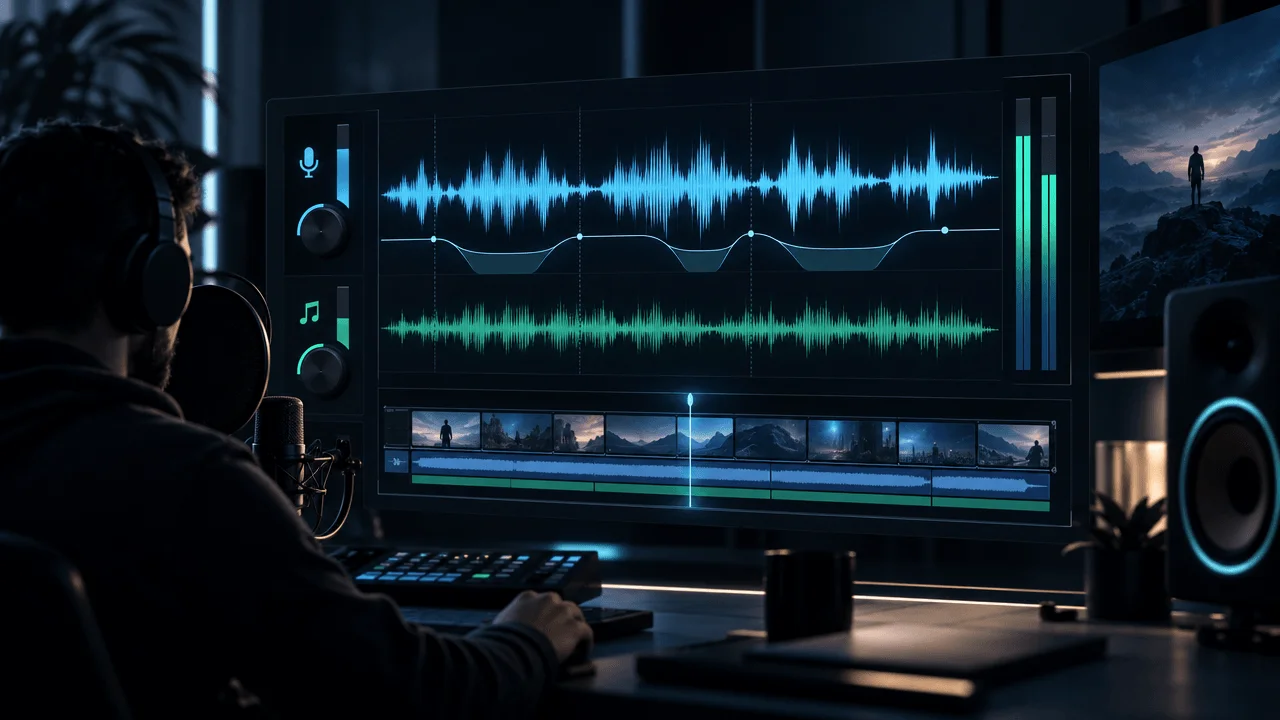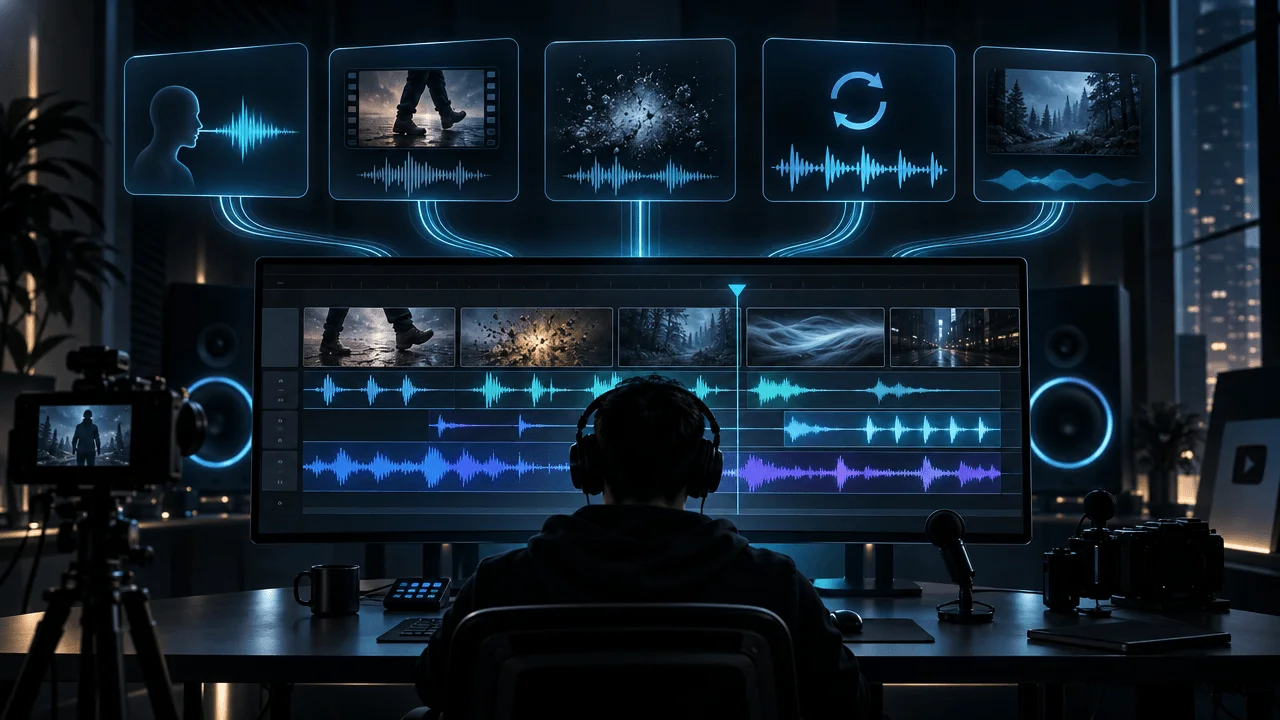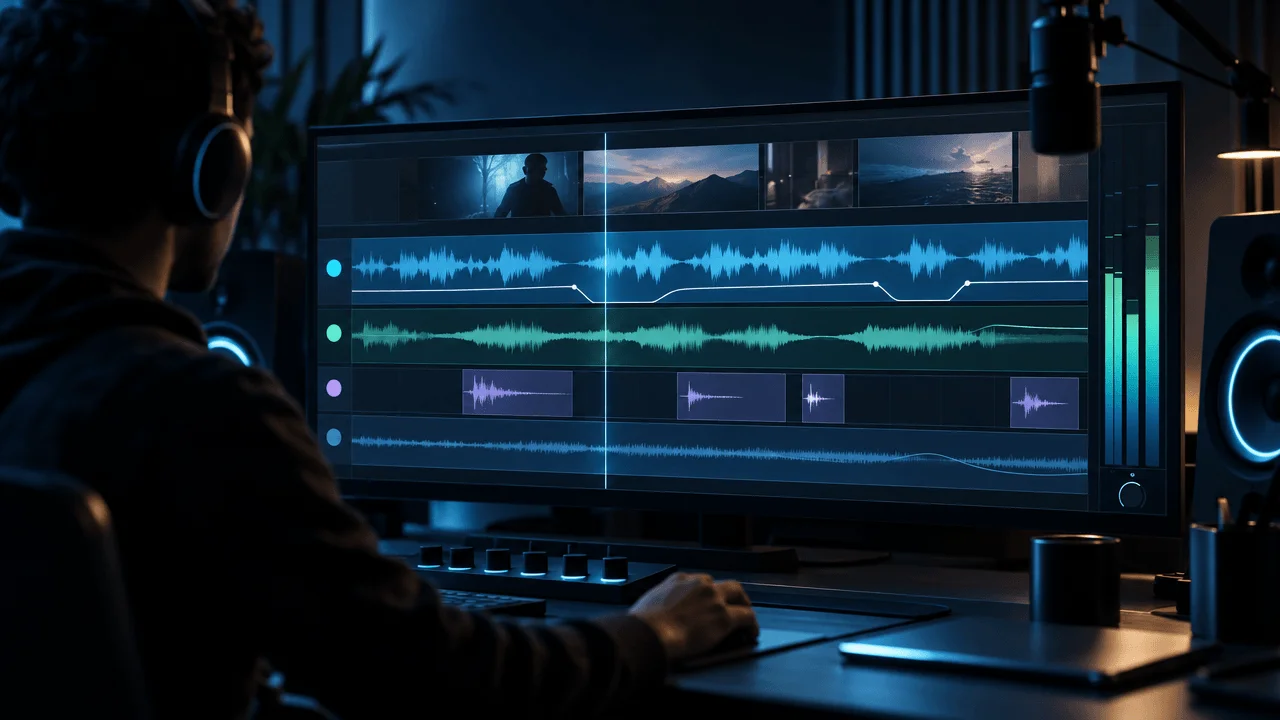
Most YouTube videos do not need more sound effects.
They need better sound hierarchy.
A weak mix often contains all the right ingredients:
- voiceover
- background music
- impacts
- whooshes
- ambience
- transition sounds
but everything is fighting for attention at the same time.
A strong mix does the opposite.
It tells your ears what matters.
For most narration-led YouTube videos, the hierarchy should be:
Voiceover
↓
Important sound effects
↓
Background music
↓
Ambient texture
That does not mean sound effects must always be quieter than music.
A major impact can briefly become huge.
Music can temporarily become the foreground during a montage.
Silence can become the loudest creative decision in the video.
But while the viewer is supposed to understand an important sentence:
the narration should win.
This guide explains how to design and mix YouTube audio from the voice outward, where sound effects should go, how often to use them, how to layer ambience without creating noise, and why adding another whoosh is usually not the answer.
Quick Answer: How Should You Mix Audio for YouTube?
For narration-heavy videos, use this order:
- Clean and level the voice first.
- Add background music underneath it.
- Add ambience only where it creates a believable environment.
- Place sound effects on actions, transitions, reveals, and important moments.
- Lower competing sounds whenever important speech occurs.
- Use automation or ducking instead of one fixed music level.
- Check the final mix on headphones, phone speakers, laptop speakers, and ideally a TV.
- Export and listen to the actual rendered file before publishing.
The most important rule is:
Every sound should have a job.
If you cannot explain what a sound is doing:
remove it.
What Is Sound Design in a YouTube Video?
Sound design is everything in the soundtrack beyond the spoken voice and main music track.
It can include:
- footsteps
- doors
- clicks
- typing
- mechanical sounds
- wind
- rain
- crowds
- city ambience
- room tone
- impacts
- risers
- drops
- whooshes
- UI sounds
- transition sounds
- drones
- rumbles
- texture
- silence
The purpose is not simply to make the video:
sound busy.
Sound design can make a scene:
- believable
- clearer
- heavier
- faster
- more tense
- more immersive
- more satisfying
- easier to follow
The best sound design often works without the viewer consciously noticing it.
The Four Main Layers of YouTube Audio
Think of your soundtrack as four different systems.
| Layer | Main Job |
|---|---|
| Voice / dialogue | Carries explicit information |
| Music | Carries emotional direction |
| Sound effects | Reinforce actions, movement, emphasis and transitions |
| Ambience | Establishes place and continuity |
Each layer should solve a different problem.
If all four are trying to create:
impact
at the same moment, the mix becomes exhausting.
Layer 1: Voiceover
For most:
- explainers
- documentaries
- tutorials
- finance videos
- business videos
- history videos
- faceless channels
the voice is the most important sound in the project.
Everything else should be built around it.
This is why professional post-production workflows usually treat dialogue clarity as a first-order problem rather than simply turning every track up.
Adobe's current Premiere workflow separates dialogue, music, sound effects and ambience into distinct audio types, while its ducking system can automatically lower competing music or ambience around other important tracks.
Blackmagic's DaVinci Resolve 20 Audio Assistant follows the same conceptual hierarchy: it classifies the soundtrack, processes dialogue, mixes music, then handles sound effects and ambience before final mastering.
Different software.
Same principle:
Build the mix around what the audience must hear.
Layer 2: Music
Music tells the viewer how to interpret the scene emotionally.
The same narration can feel:
- inspiring
- ominous
- sad
- urgent
- mysterious
- playful
depending on the music underneath it.
That gives music enormous power.
It also means music can easily become too important.
The viewer should not have to fight through:
- drums
- vocals
- aggressive synths
- bright piano
- distorted guitars
- huge cinematic brass
to understand the narrator.
For a deeper level-setting guide, see:
How Loud Should Background Music Be Under a YouTube Voiceover?
Layer 3: Sound Effects
Sound effects create:
events.
They tell the ear:
Something just happened.
Examples:
- a button clicks
- a door closes
- a chart slams onto screen
- a section changes
- an object lands
- the camera whips
- a revelation hits
- a machine starts
- a notification appears
The mistake is using sound effects merely because:
the visual changed.
A sound should reinforce something meaningful.
Layer 4: Ambience
Ambience establishes:
the world.
Examples:
City
- traffic
- distant horns
- crowd wash
Forest
- wind
- birds
- leaves
Office
- room tone
- air conditioning
- distant keyboard
- quiet movement
Factory
- machinery
- ventilation
- industrial hum
Spaceship
- low mechanical drone
- ventilation
- subtle electronic texture
Ambience is different from a spot sound effect.
A door slam happens once.
Room ambience creates continuity underneath the scene.
Voice Carries Meaning. Music Carries Emotion. SFX Carry Events.
This is one of the simplest ways to avoid overmixing.
Use:
Voice
for:
what the viewer needs to know
Music
for:
how the moment should feel
Sound Effects
for:
what physically or emotionally happens
Ambience
for:
where the moment exists
When two layers perform the same job aggressively, they start competing.
Sound Design Is Not the Same as Adding Whooshes
Many YouTube editors reduce sound design to:
transition
→ whoosh

text appears
→ pop

zoom
→ whoosh

new image
→ whoosh

graph
→ hit

next image
→ whoosh
After thirty seconds:
the viewer understands the pattern.
After ten minutes:
the effect has no impact left.
Good sound design contains:
contrast.
Some scenes have:
- detailed Foley
- ambience
- impact
Others have:
- voice
- music
Others have:
almost nothing.
That variation creates dynamics.
The Sound Effect Test
Before adding any effect, ask:
OverseerOS helps creators reverse-engineer the channels that already work in their niche, then turn those patterns into hooks, titles, and content plans.
What changes if I remove this sound?
If the answer is:
Nothing, but it feels slightly emptier.
that may not be enough reason to keep it.
If the answer is:
The movement loses weight.
The location stops feeling real.
The transition becomes confusing.
The reveal stops landing.
The interface action becomes harder to follow.
then the sound is doing real work.
The Six Jobs of Sound Effects
Most useful YouTube sound effects fit into six categories.
1. Foley
Foley represents physical interaction.
Examples:
- footsteps
- clothing
- object handling
- switches
- doors
- paper
- keyboard
- glass
- tools
Use Foley to make actions feel tangible.
2. Ambience
Continuous environmental sound.
Examples:
- rain
- city
- office
- forest
- crowd
- room tone
- machinery
Use ambience to create:
place.
3. Transition Effects
Examples:
- whoosh
- swipe
- reverse swell
- blur movement
- air pass
Use them when motion itself needs reinforcement.
4. Impact Effects
Examples:
- hit
- slam
- boom
- low-frequency impact
- cinematic punch
Use them for:
- major reveal
- statistic
- title card
- consequence
- dramatic visual change
5. UI Effects
Examples:
- click
- tap
- notification
- confirmation
- digital beep
Useful for:
- software videos
- screen recordings
- tutorials
- tech explainers
6. Textures
Examples:
- drone
- rumble
- tension bed
- subtle noise
- abstract electronic layer
Textures sit between:
music
and:
ambience.
They create mood without necessarily becoming a melody.
How Often Should You Use Sound Effects?
There is no correct:
effects per minute
target.
A finance explainer may need very few.
A high-energy Short may contain dozens.
A cinematic documentary may contain hundreds of subtle layers that the viewer barely notices.
The better rule is:
Use sound effects at meaningful audio events, not on a timer.
What Counts as a Meaningful Audio Event?
Good SFX opportunities include:
- a visible physical action
- important transition
- reveal
- visual impact
- location change
- UI interaction
- sudden interruption
- title card
- major statistic
- emotional turn
- object entering frame
- section ending
Not every:
- cut
- caption
- image
- sentence
needs a sound.
Use Fewer Sounds, Better
Take this hypothetical 20-second sequence.
Version A
- 6 whooshes
- 4 impacts
- 3 clicks
- constant music
- narration
- caption pops
Technically rich.
Potentially exhausting.
Version B
- quiet ambience
- one subtle UI click
- narration
- music
- one major impact at the reveal
Much less audio.
Possibly much stronger.
Why?
Because the final impact still has:
contrast.
Sound Effects Lose Power Through Repetition
Imagine hearing the same:
WHOOSH
every four seconds.
The first one is noticeable.
The tenth one is predictable.
The fiftieth one is part of the noise floor.
You have two ways to fix this.
Use Fewer Effects
Best solution.
Create Variation
If the effect genuinely needs repetition, vary:
- sample
- pitch
- timing
- stereo position
- level
- duration
Repeated physical actions should not sound like:
the exact same WAV file copied 15 times.
Sound Design Density Should Follow Story Density
Fast sequence:
The company launched, expanded into six countries, raised $400 million and collapsed less than two years later.
The visuals may change rapidly.
The sound design can become denser.
Now:
But the real reason it failed had nothing to do with growth.
Pause.
Hold.
Maybe remove several layers.
The soundscape should respond to:
story rhythm.
Not remain permanently maxed out.
How Loud Should Sound Effects Be?
There is no universal dB value for every sound effect.
A:
- mouse click
- explosion
- footstep
- cinematic hit
- crowd
- whoosh
should obviously not all have the same level.
Even Blackmagic's professional Fairlight training frames sound-effects level as context-dependent: dialogue remains the priority, while the appropriate effect level depends on the scene, perspective, environment and dramatic intent.
So instead of asking:
What dB should my SFX be?
ask:
What role does this effect have relative to the narration?
Three SFX Level Classes
A useful mental model:
Background SFX
Examples:
- footsteps underneath narration
- room movement
- distant traffic
- keyboard
- subtle mechanical sound
These should usually sit:
behind speech.
Supporting SFX
Examples:
- transition sound
- interface click
- visual reveal
- moderate hit
These can become clearly audible without becoming the main event.
Foreground SFX
Examples:
- explosion
- crash
- major cinematic hit
- dramatic slam
These may briefly become:
the loudest sound in the video.
But ideally:
not on top of the sentence you most need the viewer to understand.
Do Not Put the Loudest Effect on the Most Important Word
Narration:
The company lost $4.2 billion in a single year.
Weak sound design:
Huge impact lands directly on:
$4.2 billion
and masks the number.
Better:
"The company lost..."
        ↓
 "$4.2 billion."
        ↓
      IMPACT
or:
IMPACT
  ↓
brief pause
  ↓
"$4.2 billion."
The sound emphasizes the information without destroying it.
Use Pauses as SFX Space
If an important sound needs room:
write room into the edit.
Narration:
And then...
pause
CRASH
...everything stopped.
The effect becomes much more powerful than if it sits underneath continuous speech.
This is why sound design starts partly in:
script and pacing.
Not only in the audio mixer.
Duck Music Around Important SFX
Ducking is not only useful for narration.
Suppose:
- music is playing
- a giant mechanical door closes
- the effect matters
Instead of simply making the door louder:
lower the music briefly.
Now the effect becomes clear without forcing the entire mix upward.
Audio is a limited space.
Sometimes the better solution is:
make competing sounds quieter
rather than:
make the desired sound louder.
Volume Is Not the Only Reason Sounds Clash
Imagine:
- narrator
- bright snare
- metallic impact
- electric guitar
- sharp whoosh
all containing a lot of energy in similar frequency ranges.
The mix can feel crowded even when individual meter levels look reasonable.
This is called:
masking.
Two sounds occupy similar frequency space and make each other harder to distinguish.
When SFX Fight the Voice, Try This
Before making the voice louder:
1. Lower the SFX
Simplest solution.
2. Move the SFX
Place it in a pause.
3. Shorten It
You may only need the transient.
4. Use a Different Sound
Choose something less bright or dense.
5. EQ the Effect
Reduce frequencies that compete with the voice.
6. Duck the Effect During Speech
Automation can preserve the sound without masking words.
The correct fix is not always:
+3 dB.
Gain vs Loudness
Another common mistake is treating:
peak level
and:
perceived loudness
as the same thing.
They are not.
Two sound effects can peak at:
the same meter level
while one feels much louder because it contains:
- more sustained energy
- different frequency content
- more compression
- greater density
That is why you should:
mix with meters and ears.
Not meters alone.
What Is Audio Ducking?
Ducking automatically lowers one sound when another becomes active.
The classic use case is:
voice starts
↓
music goes down

voice stops
↓
music rises
Adobe Premiere's current ducking controls let editors choose what should trigger the duck, the amount of reduction, and how quickly the level change happens.
This can save enormous time on:
- narration-heavy documentaries
- tutorials
- faceless videos
- interviews
But automatic ducking still needs:
human review.
Bad Ducking Sounds Like Breathing
If music goes:
LOUD
quiet
LOUD
quiet
LOUD
quiet
around every short pause:
the viewer starts noticing the automation.
This is sometimes called:
pumping.
Fix it by adjusting:
- sensitivity
- fade speed
- reduction amount
- manual keyframes
The music should move naturally.
Music Should Rise When Narration Gives It Space
A professional-sounding mix is not:
music always quiet.
It is:
music dynamically controlled.
Example:
Narration:
For three years, nobody knew what had happened.
Voice ends.
Music swells.
Aerial shot.
Then narration resumes.
Music ducks.
That feels alive.
One fixed music level for twenty minutes often feels:
flat.
What Is Ambience?
Ambience is the continuous environmental sound beneath a scene.
It creates:
sonic location.
If the visual shows:
rainy Tokyo street
but the soundtrack contains:
- dry studio voice
- music
- nothing else
the image may feel disconnected.
Add subtle:
- rain
- traffic
- distant pedestrians
and suddenly the scene feels:
inhabited.
Ambience Should Usually Be Felt More Than Heard
Solo the ambience:
it may sound ridiculously quiet.
Good.
Its job in many narration-heavy videos is to add:
texture.
Not demand attention.
If viewers begin thinking:
That wind is loud.
you may have gone too far.
Do Not Restart Ambience at Every Cut
Suppose five shots all happen inside:
the same factory.
Do not treat each visual as a completely new audio world.
Let factory ambience continue across cuts.
This creates continuity.
The visual changes.
The acoustic space remains.
That makes edits feel smoother.
Ambience Can Hide Hard Cuts
Visual cut:
Shot A → Shot B
If room tone disappears at the cut:
the viewer may feel the edit.
If ambience continues naturally:
the transition feels smoother.
Audio continuity can make:
hard visual cuts
feel invisible.
What Is Room Tone?
Room tone is the low-level natural sound of a location when nobody is speaking.
Every space has it.
A real room may contain:
- HVAC
- distant road noise
- electrical hum
- subtle reflections
Cutting between dialogue recordings without matching that background can create:
unnatural silence gaps.
Room tone helps fill those gaps.
For talking-head and interview production:
record some.
Foley vs Sound Effects
The terms overlap, but the distinction is useful.
Foley
Recreates physical human or object actions.
Examples:
- footsteps
- clothing
- cup placed on desk
- drawer opened
Sound Effects
Broader category including:
- explosions
- notifications
- cinematic hits
- whooshes
- interface sounds
- designed effects
A faceless YouTube channel may use very little Foley but a lot of:
- impacts
- transition sounds
- ambience
A documentary reconstruction may need more physical detail.
Transition SFX: Use Them Selectively
A whoosh works because:
something moves.
So use it where movement exists.
Good:
- fast whip transition
- object entering frame
- map flying to new location
- rapid camera motion
Weak:
- static photo hard cuts to another static photo
- quiet emotional scene
- every sentence ending
Match the sound to:
motion.
Sound Should Follow Direction
If a visual moves:
left → right
a stereo movement can reinforce that direction.
For headphone listeners, subtle panning can create convincing space.
Do not overdo it.
Important narration usually belongs:
centered.
But sound effects can move around the stereo field more freely.
Impact Sounds: Reserve Them for Hierarchy
If every statistic gets:
BOOM
then none of the statistics feels important.
Use impacts for:
- major number
- reveal
- reversal
- conclusion
- title
- chapter moment
Create levels.
Minor Point
No effect.
Useful Point
Small accent.
Major Point
Clear impact.
Central Reveal
Biggest treatment.
Audio should reflect:
information hierarchy.
Risers and Reverse Swells
A riser tells the viewer:
Something is coming.
This makes it powerful for:
- reveal
- section transition
- tension
- before/after
- major statement
But if every section contains:
RIIIIISE → HIT
the structure becomes predictable.
Use anticipation sounds where:
anticipation exists.
Silence Is Sound Design
One of the most powerful audio effects costs nothing.
Silence.
Suppose a video has:
- narration
- music
- SFX
- ambience
for three straight minutes.
Then everything stops.
Narrator:
They had seven minutes left.
That silence creates focus.
Not because silence is inherently dramatic.
Because it contrasts with:
what came before.
The Contrast Principle
Audio impact depends on:
difference.
A loud hit feels loud because something before it was quieter.
A music swell feels large because the music was lower.
Silence feels powerful because sound existed.
If the entire video stays at:
100% intensity
you have no contrast left.
The Five-Minute Sound Design Audit
Watch five minutes of your edit and mark every time you hear:
- transition whoosh
- impact
- pop
- click
- riser
If the marks form a perfectly regular rhythm:
you may be designing from habit rather than meaning.
Now mark:
- major reveals
- physical actions
- location changes
- emotional shifts
Sound effects should align more closely with:
those moments.
Sound Design for Faceless YouTube Videos
Faceless content often depends heavily on audio because there is no permanent human presence anchoring the viewer.
A strong faceless soundtrack may contain:
Voiceover
The story.
Music
The emotional continuity.
Ambience
The world.
Spot Effects
The events.
This can make:
- AI images
- archive
- stock
- maps
- graphics
feel like they belong to:
one coherent video.
Sound Design Can Make Still Images Feel More Alive
Imagine a still image of:
ancient marketplace.
Visual movement:
minimal.
But add:
- distant crowd
- footsteps
- cloth movement
- animals
- subtle wind
and the scene becomes more immersive.
You did not need:
AI video generation.
Sometimes sound creates more perceived life than another visual effect.
Sound Design for History Videos
Useful sounds:
- environment
- crowds
- battle texture
- horse movement
- fire
- wind
- machinery
- period-appropriate physical details
Avoid:
Hollywood explosion every 12 seconds.
History sound design should support:
place and consequence.
Not turn every event into an action trailer.
Sound Design for Finance and Business Videos
Keep it restrained.
Useful:
- subtle UI clicks
- restrained impacts
- paper/document sounds
- keyboard
- office texture
- low transition movement
- occasional tension risers
Avoid excessive:
- explosions
- bass drops
- cartoon cash-register sounds
especially during serious analysis.
Credibility matters.
Sound Design for Psychology Videos
Useful:
- phone vibration
- notification
- footsteps
- door
- room ambience
- subtle emotional textures
- environmental sound
If the story describes a real-life social situation:
small physical sounds can make it feel:
lived.
Sound Design for Horror and Mystery
Audio can carry more of the production.
Useful:
- low drones
- distant movement
- room tone
- footsteps
- wind
- mechanical noises
- silence
- reverse textures
The mistake is:
making everything loud.
Horror often works because the viewer is waiting to hear something.
Sound Design for Tutorials
Prioritize:
clarity.
Use:
- clicks
- confirmations
- subtle UI sounds
only if they improve understanding.
The viewer needs to hear:
Click Export.
not:
WHOOSH POP DING
Sound Design for YouTube Shorts
Shorts can support denser SFX.
But every sound still needs purpose.
Useful:
- rapid impacts
- UI clicks
- transition movement
- beat accents
Keep effects:
- short
- clear
- synchronized
The small runtime makes repetition obvious quickly.
Sound Design for Documentaries
Documentary sound benefits from layering.
Example:
Narration:
By dawn, more than 20,000 people had gathered outside the station.
Possible audio:
- narrator
- restrained score
- distant crowd
- station ambience
- occasional public-address texture
The soundtrack helps create:
scale.
You do not necessarily need a giant cinematic impact.
How to Mix Voiceover, Music and SFX Step by Step
This order matters.
Step 1: Lock the Voiceover
Get:
- edits
- timing
- pronunciation
- pauses
right first.
Do not carefully design audio around narration that may still change.
Step 2: Clean the Voice
Fix:
- noise
- obvious artifacts
- inconsistent level
- harshness
- distracting breaths where necessary
Do not overprocess until it sounds artificial.
Step 3: Establish Voice Level
The narration becomes your anchor.
Do not start with:
music.
Step 4: Add Music
Bring it in underneath the voice.
Do not ask:
Is the music loud enough?
Ask:
Is the narration effortless to understand?
Step 5: Add Ambience
Only where it establishes or maintains a believable world.
Step 6: Spot Sound Effects
Watch the visual edit and mark moments needing sound.
Do not add anything yet.
Step 7: Add Only High-Value Effects
Start with:
- major actions
- reveals
- important transitions
- key UI events
Then decide whether more is actually necessary.
Step 8: Automate Levels
Lower:
- music
- ambience
- effects
where important narration needs room.
Step 9: Add Fades
Abruptly starting or ending audio clips can create:
- clicks
- pops
- unnatural cuts
Small fades often make edits much smoother.
Step 10: Review the Whole Mix
Not each sound individually.
A perfect:
whoosh
can still ruin the final mix.
The Solo Button Trap
When you listen to one track alone:
you naturally want it to sound:
great.
You make the music full.
You make the ambience immersive.
You make the effects punchy.
Then you unmute everything.
Chaos.
The viewer hears:
the combined mix.
That is what matters.
Mix in Context
Solo tracks to:
- inspect noise
- edit
- troubleshoot
But make level decisions while hearing:
the complete soundtrack.
The Low-Volume Test
Play the finished sequence quietly.
Can you still understand:
- every name
- every statistic
- every instruction
without effort?
If not:
reduce the competition around the voice.
A good information-heavy mix should remain intelligible at modest playback volume.
The Eyes-Closed Test
Play a minute without looking at the screen.
Ask:
- Can I understand the story?
- Do effects feel random?
- Does music distract?
- Are level jumps surprising?
- Does ambience establish place?
- Are important sounds obvious?
Audio problems become much easier to notice when:
you stop looking.
The No-Music Test
Mute the music.
Play the sequence.
Does the video suddenly become:
more understandable?
If yes:
the music may be doing too much.
Now restore it gradually.
The No-SFX Test
Mute all effects.
Play the sequence.
Ask:
Which moments genuinely became worse?
Those are the effects worth keeping.
If removing half the SFX changes almost nothing:
you have your answer.
The Phone Test
Export the mix.
Play it on your phone.
Check:
- voice clarity
- bass
- impacts
- music level
- tiny UI sounds
Phone speakers reveal:
bad priority.
Subtle stereo details disappear.
The main information should not.
The Mono Test
YouTube notes that poor stereo-to-mono compatibility can cause audio quality problems on devices that collapse the stereo mix.
So test your video in mono.
Make sure:
- narration stays clear
- important effects do not disappear
- music does not collapse strangely
Fancy stereo design is useless if the core mix breaks on a phone speaker.
The Laptop Test
Laptop speakers expose:
- midrange congestion
- harsh impacts
- weak narration
- overly bright effects
If your content targets:
- students
- professionals
- office viewers
this matters.
The TV Test
On TV:
- bass can become much larger
- music can fill the room
- quiet speech can feel distant
- impact sounds can become aggressive
Long-form YouTube increasingly needs to survive:
living-room playback.
Stable Volume Is Not an Excuse for a Bad Mix
YouTube currently offers Stable Volume on many videos, which reduces variation between louder and quieter portions of playback. It also offers Voice Boost on supported videos and devices, emphasizing vocals while reducing competing background sound.
Useful for viewers.
Not a production strategy.
Do not assume:
YouTube will fix it.
Build the hierarchy correctly before upload.
How Loud Should the Final YouTube Mix Be?
This is where a lot of bad internet advice begins.
You will often see:
YouTube requires exactly -14 LUFS.
Be careful.
YouTube's current official recommended upload settings specify audio format and bitrate recommendations, but do not publish a universal creator instruction saying every uploaded video's master must equal exactly -14 LUFS.
YouTube may also apply playback-level processing and viewer-side loudness features.
So do not optimize your entire mix around one magic internet number.
Instead:
- create a balanced mix
- preserve headroom
- avoid clipping
- maintain dialogue clarity
- check the final master with a loudness meter
- test the uploaded video
The mix comes first.
Mastering comes second.
Mixing vs Mastering
They are not the same.
Mixing
Controls the relationship between:
- voice
- music
- ambience
- SFX
Mastering
Controls the final combined output.
If your music buries the voice:
mastering cannot intelligently undo that relationship.
Fix:
the mix.
Then master it.
Do Not Solve Mix Problems With a Limiter
A limiter can control peaks.
It cannot fix:
- bad music balance
- distracting SFX
- unclear narration
- frequency masking
- over-dense ambience
A messy mix pushed through a limiter becomes:
a louder messy mix.
YouTube Audio Export Settings
YouTube currently recommends AAC-LC audio with a 48 kHz sample rate for uploads. Its recommended bitrate for stereo is 384 kbps.
Your editor may expose slightly different export options depending on:
- codec
- container
- software
The bigger priority is:
do not destroy a good mix with an unnecessarily poor export.
The Sound Design Priority Ladder
When time is limited, prioritize sounds in this order.
1. Voice Clarity
Non-negotiable.
2. Music Balance
Controls the emotional bed.
3. Important Physical Actions
Sounds the viewer expects.
4. Major Reveals and Transitions
Selective emphasis.
5. Ambience
Immersion and continuity.
6. Decorative Details
Only after everything above works.
Do not spend an hour finding:
the perfect soft cloth movement
while your narration is buried.
A Better SFX Decision Framework
For each potential sound, score:
Synchronization
Does it match a visible event?
Information
Does it help the viewer understand something?
Emotion
Does it strengthen the intended feeling?
Continuity
Does it connect the scene?
Emphasis
Does it make an important moment land?
If the answer is:
no
to all five:
you probably do not need it.
The Sound Design Budget
Treat viewer attention like a budget.
A frame may already contain:
- important narration
- large caption
- visual movement
- chart
- background music
Do you really need:
a sound effect too?
Sometimes adding another layer does not make the scene richer.
It makes it:
harder to process.
Match Audio Complexity to Visual Complexity
Complex visual:
simplify the sound.
Simple visual:
you may have more room for detailed sound design.
Example:
Detailed Financial Chart
Use:
- narration
- light music
Maybe no effect at all.
Simple Logo Slam
Use:
- impact
- short music accent
The brain has limited bandwidth.
Design the layers together.
Sound Design Should Begin in the Script
You can actually write sound opportunities into the production plan.
Example:
The elevator doors closed. [SFX: metal doors]

Nobody inside knew the building had already lost power. [music drops]

Then the emergency lights disappeared. [SILENCE]
Now sound design supports:
story beats.
It is no longer decoration added at the end.
Create an Audio Spotting Pass
Professional sound workflows use a process often called:
spotting.
You watch the cut and identify where sound is needed.
You can use a simple table:
| Time | Visual | Sound | Job |
|---|---|---|---|
| 0:04 | Title reveal | Low impact | Emphasis |
| 0:18 | Factory exterior | Industrial ambience | Context |
| 0:31 | Door closes | Metal door | Physical realism |
| 0:47 | Statistic reveal | Short hit | Emphasis |
| 1:06 | New city | Traffic bed | Location |
| 1:24 | Major reversal | Music drop | Tension |
Now you know:
why each sound exists.
The Best YouTube Sound Design Workflow
Use this:
Step 1
Lock narration.
Step 2
Finish the main visual edit.
Step 3
Clean and level the voice.
Step 4
Add music.
Step 5
Watch once with no effects.
Step 6
Mark meaningful audio events.
Step 7
Add environment and necessary physical sounds.
Step 8
Add selective impacts and transitions.
Step 9
Automate music and SFX around narration.
Step 10
Remove effects that do not earn their place.
Step 11
Test multiple devices.
Step 12
Listen to the final exported file.
This is much better than:
edit
↓
search "whoosh pack"
↓
put whooshes everywhere
Searching vs Generating Sound Effects
You do not need AI for every effect.
If you need:
wooden door close
a licensed sound library probably has hundreds.
AI becomes more useful when you need something highly specific.
Example:
A huge ancient bronze mechanism rotating underground, with stone grinding, low metallic resonance and dust falling from the ceiling.
That is where generative SFX become interesting.
For current tools, see:
5 Best AI Sound Effect Generators for YouTube in 2026
How to Prompt AI Sound Effects
Describe:
source + action + material + environment + intensity + duration
Example:
Weak:
scary door
Better:
Heavy old wooden cellar door opening slowly on rusted metal hinges in a stone basement, deep creak with subtle room resonance, tense but realistic, approximately three seconds, no music or voices.
Prompt One Sound Event at a Time
Weak:
footsteps, thunder, door opens, man screams, glass breaks
That is a full sound scene.
If you need control:
generate the layers separately.
Layer 1
Rain ambience.
Layer 2
Footsteps.
Layer 3
Door.
Layer 4
Thunder.
Now you can:
- time
- mix
- replace
each one independently.
Do Not Bake Music Into Generated SFX
If you request:
epic cinematic boom with dramatic music
you may receive an effect that becomes difficult to mix with:
your actual music.
Ask for:
- isolated sound
- no music
- no voice
when you need production flexibility.
Use SFX Libraries and AI Together
A strong workflow is hybrid.
Use Libraries For
- common Foley
- doors
- UI
- basic whooshes
- crowd
- weather
- common impacts
Use AI For
- fictional technology
- impossible objects
- highly specific environments
- unusual combinations
- bespoke sonic moments
Do not generate:
everything
simply because you can.
Sound Design and B-Roll
B-roll becomes much more convincing when its audio world makes sense.
Example:
Visual:
busy market
Without ambience:
feels like stock footage.
With:
- crowd
- vendors
- footsteps
it starts feeling like:
a place.
For visual planning, see:
How to Use B-Roll in YouTube Videos
Sound Design and Transitions
A transition SFX should match:
- type
- speed
- direction
of the transition.
Fast blur:
short airy movement.
Heavy reveal:
impact.
Slow dissolve:
often:
nothing.
Do not force sound onto every transition.
See:
How Long Should Video Transitions Be?
Sound Design and Captions
Sound effects should not make:
spoken words harder to hear.
That sounds obvious.
But complex edits often contain:
- captions
- voice
- music
- transition
- SFX
at once.
Protect the information.
Closed captions are also not a replacement for clear audio.
For caption strategy, see:
Should You Add Captions to YouTube Videos?
Sound Design and Visual Pacing
Fast visual pacing does not require:
fast sound effects on every cut.
The audio can actually create continuity while visuals move rapidly.
This is important.
If the image changes:
15 times per minute
you do not need:
15 whooshes.
The music, narration and ambience can hold the sequence together while only important moments receive effects.
The Biggest Sound Design Mistakes
Mistake 1: Sound on Every Cut
Why it fails:
The viewer starts hearing the editing system.
Better
Sound meaningful movement and events.
Mistake 2: Effects Cover Important Words
Why it fails:
You sacrifice information for impact.
Better
Move the effect into a pause or lower it.
Mistake 3: Same Whoosh Repeated Constantly
Why it fails:
Predictability kills impact.
Better
Use fewer sounds and vary necessary repeats.
Mistake 4: Music and SFX Both Fighting the Voice
Why it fails:
The viewer has to work to understand narration.
Better
Build everything around speech clarity.
Mistake 5: Everything Is Cinematic
Every:
- statistic
- transition
- sentence
- image
does not need:
BOOM.
Better
Reserve scale for important moments.
Mistake 6: No Ambience
The visuals feel disconnected from the audio world.
Better
Add subtle environmental continuity where appropriate.
Mistake 7: Ambience Too Loud
Now the viewer is listening to:
air conditioning
instead of the story.
Better
Make ambience supportive.
Mistake 8: No Dynamic Range
Everything stays equally intense.
Better
Create quiet and loud moments.
Mistake 9: Mixing Tracks in Solo
Each track sounds great alone.
Together:
mess.
Better
Make final decisions in context.
Mistake 10: Mixing Only on Headphones
Headphones hide problems that:
- phones
- laptops
- TVs
reveal.
Better
Test the delivery environment.
Mistake 11: Using Mastering to Fix the Mix
Better
Balance tracks before mastering.
Mistake 12: Using Effects Because the Video Feels Boring
Sound design cannot rescue:
- weak topic
- weak script
- irrelevant visuals
If nothing interesting is happening:
another whoosh is not the solution.
The YouTube Sound Design Checklist
Before publishing:
Voice
- Every word is understandable.
- Names and numbers remain clear.
- Voice level stays consistent.
- Noise is controlled.
- Processing does not sound unnatural.
Music
- Music supports emotion.
- Music stays behind narration.
- Music rises intentionally during gaps.
- Ducking sounds natural.
- No vocals compete with important speech.
Sound Effects
- Every noticeable effect has a reason.
- SFX do not cover important words.
- Repeated effects have variation.
- Impacts are reserved for meaningful moments.
- Transition sounds match visual movement.
- UI effects support understanding.
- Effects have clean fades.
Ambience
- Ambience matches the environment.
- Continuous scenes maintain acoustic continuity.
- Ambience is not distracting.
- Scene changes are intentional.
Dynamics
- Quiet sections exist.
- Major moments have enough contrast.
- Effects do not create painful jumps.
- Nothing clips unexpectedly.
Translation
- Mix works on headphones.
- Mix works on a phone.
- Mix works on a laptop.
- Mix survives mono.
- Long-form video has been checked on TV if relevant.
Export
- Final rendered file has been listened to.
- Audio remains synchronized.
- No missing clips.
- No pops at edit boundaries.
- Upload settings preserve audio quality.
The 10-Minute Sound Design Pass
If you are short on time:
Minutes 0–2
Listen only to narration.
Fix anything unclear.
Minutes 2–4
Add and balance music.
Minutes 4–6
Mark:
- actions
- reveals
- transitions
that truly need sound.
Minutes 6–8
Add only those effects.
Minute 8–9
Add ambience where the environment feels empty.
Minute 9–10
Play the sequence quietly.
If the voice loses:
lower everything else.
Simple.
The "Remove 50%" Test
After finishing sound design:
duplicate the sequence.
Mute half the decorative effects.
Watch again.
If the video feels:
cleaner
rather than:
emptier
keep the simpler version.
You will be surprised how often this happens.
The Best Sound Design Is Usually Invisible
The viewer should think:
That scene felt huge.
Not:
Nice bass impact.
They should think:
I felt like I was there.
Not:
Nice ambience layer.
They should think:
That reveal hit hard.
Not:
Nice riser.
Sound design is successful when it improves:
the story
without stealing attention from it.
Final Answer
So, how should you mix voiceover, music and sound effects for YouTube?
Start with:
the voice.
Make every important word effortless to understand.
Then add music underneath it.
Use ambience to create:
place and continuity.
Add sound effects only where they reinforce:
- action
- movement
- transitions
- reveals
- emotion
- physical reality
Do not add effects on a timer.
Do not make every cut whoosh.
Do not solve masking by endlessly turning tracks louder.
Use:
- level
- timing
- EQ
- ducking
- automation
- silence
to create space.
The best hierarchy for most narration-led YouTube videos is:
VOICE
↓
IMPORTANT SFX
↓
MUSIC
↓
AMBIENCE
with temporary exceptions for intentional dramatic moments.
And remember:
Sound design should make the viewer feel the edit, not hear the editor working.
FAQ
What is sound design for YouTube videos?
YouTube sound design is the deliberate use of sound effects, ambience, Foley, transitions, impacts and other audio layers to support the voice, visuals, emotion and storytelling of a video.
How should I mix voiceover, music and sound effects for YouTube?
Set the narration first, place music underneath it, add ambience where it establishes environment, then add selective sound effects. Lower competing sounds whenever important speech occurs.
What should be loudest in a YouTube video?
For most narration-heavy videos, the voice should be the clearest foreground element while someone is speaking. Major effects or music can temporarily become louder during intentional moments when narration is absent.
How loud should sound effects be compared with voiceover?
There is no universal dB difference because different effects have very different frequency content and perceived loudness. Background effects should generally remain beneath speech, while important impacts can briefly become more prominent if they do not obscure essential dialogue.
Should sound effects be louder than background music?
Important spot effects often need to read more clearly than the music at the moment they occur. Subtle effects and ambience may sit below the music. The hierarchy depends on the story.
How often should I use sound effects in a YouTube video?
Use sound effects at meaningful events such as actions, reveals, transitions, UI interactions, location changes and major emphasis points. Do not target a fixed number of effects per minute.
Should every transition have a sound effect?
No. Hard cuts and slow transitions often work without sound. Use transition effects when sound reinforces real visual movement or helps the transition communicate something.
Should every visual change have a sound effect?
No. Frequent visual changes can be connected by narration, music and ambience. Adding SFX to every visual change can quickly make the edit feel repetitive.
What is Foley?
Foley is sound created or added to represent physical actions such as footsteps, clothing movement, doors, objects and hand movements.
What is ambience in video editing?
Ambience is continuous environmental sound that establishes a location, such as city traffic, rain, wind, room tone, a crowd or machinery.
What is the difference between ambience and sound effects?
Ambience generally creates a continuous environmental bed, while spot sound effects represent individual events such as a door closing or button clicking.
Should I use ambience under YouTube voiceover?
Yes, when it helps establish a believable environment. Keep it subtle enough that it does not interfere with narration.
What is audio ducking?
Audio ducking automatically lowers one track, commonly music or ambience, when another important track such as dialogue becomes active.
Should I duck sound effects under narration?
If a sound effect masks speech, yes. You can lower it, move it into a pause, shorten it, EQ it, or automate its level around the narration.
Why do my sound effects overpower the voice even when they are quieter?
Frequency masking may be the problem. Effects with strong energy in the same frequency region as speech can reduce intelligibility even when their meter level appears lower.
What is frequency masking?
Frequency masking occurs when two sounds occupy similar frequency ranges and make one another harder to distinguish.
How do I stop music and sound effects from fighting the voice?
Reduce their level, automate or duck them during speech, use EQ to create space, choose less dense sounds, and avoid placing loud effects on important words.
Should I add sound effects to YouTube Shorts?
You can use denser sound design in Shorts, but every effect should still reinforce movement, action or emphasis. Excessive SFX can make short-form content feel cheap very quickly.
What sound effects work well in faceless YouTube videos?
Useful categories include impacts, subtle whooshes, ambience, UI sounds, Foley, risers, drones, mechanical sounds and scene-specific environmental effects.
What sound design works for documentary YouTube videos?
Documentaries often benefit from restrained music, location ambience, contextual Foley and selective impacts. The soundtrack should make the world believable without overwhelming the narration.
Should finance videos use sound effects?
Yes, selectively. UI clicks, subtle impacts, restrained transitions and light office or technological textures can work, but excessive cinematic effects may reduce credibility.
How do I use sound design in history videos?
Use environmental ambience, physical sounds, archival-style texture and restrained cinematic effects to reinforce place, scale and consequence. Avoid turning every historical moment into an action trailer.
Is silence useful in YouTube editing?
Yes. Silence creates contrast and can make an important sentence, reveal or emotional moment feel significantly stronger.
How do I make a sound effect feel more powerful?
Create contrast around it. Lower competing music, place it in a pause, simplify surrounding audio and reserve your strongest effects for genuinely important moments.
Should I mix YouTube audio with headphones?
Use headphones, but do not rely on them alone. Test the final mix on phone speakers, laptop speakers, mono playback and, for long-form content, a TV when possible.
Why does my YouTube audio sound different on a phone?
Phone speakers reproduce less low-end and may collapse stereo playback toward mono, exposing masking, weak dialogue and stereo-compatibility problems that were less obvious on headphones.
Does YouTube change video volume?
YouTube currently provides playback features such as Stable Volume on many videos and Voice Boost on supported content and devices. Creators should still build a clear mix before uploading rather than relying on playback processing to repair it.
Does YouTube require -14 LUFS?
YouTube's current official recommended upload settings do not specify a universal rule requiring every creator to master every video to exactly -14 LUFS. Use loudness metering as part of mastering, but prioritize a clean, unclipped and intelligible mix.
What audio format does YouTube recommend?
YouTube currently recommends AAC-LC audio at a 48 kHz sample rate for uploads and lists 384 kbps as the recommended stereo audio bitrate.
Can AI generate YouTube sound effects?
Yes. AI SFX generators can create custom effects from text prompts and are particularly useful for unusual, fictional or difficult-to-source sounds.
What is the best prompt format for AI sound effects?
Describe the sound source, action, material, environment, intensity and approximate duration. Request isolated audio without music or voices when you need maximum control in the mix.
Should I generate every sound effect with AI?
No. Traditional sound libraries are often faster for common Foley, ambience, UI sounds and transitions. AI is most useful when the sound you need is unusually specific.
What is the biggest YouTube sound-design mistake?
Adding effects because the video feels empty rather than because the sound communicates something useful. Every layer should support the story, clarity, realism or emotion.