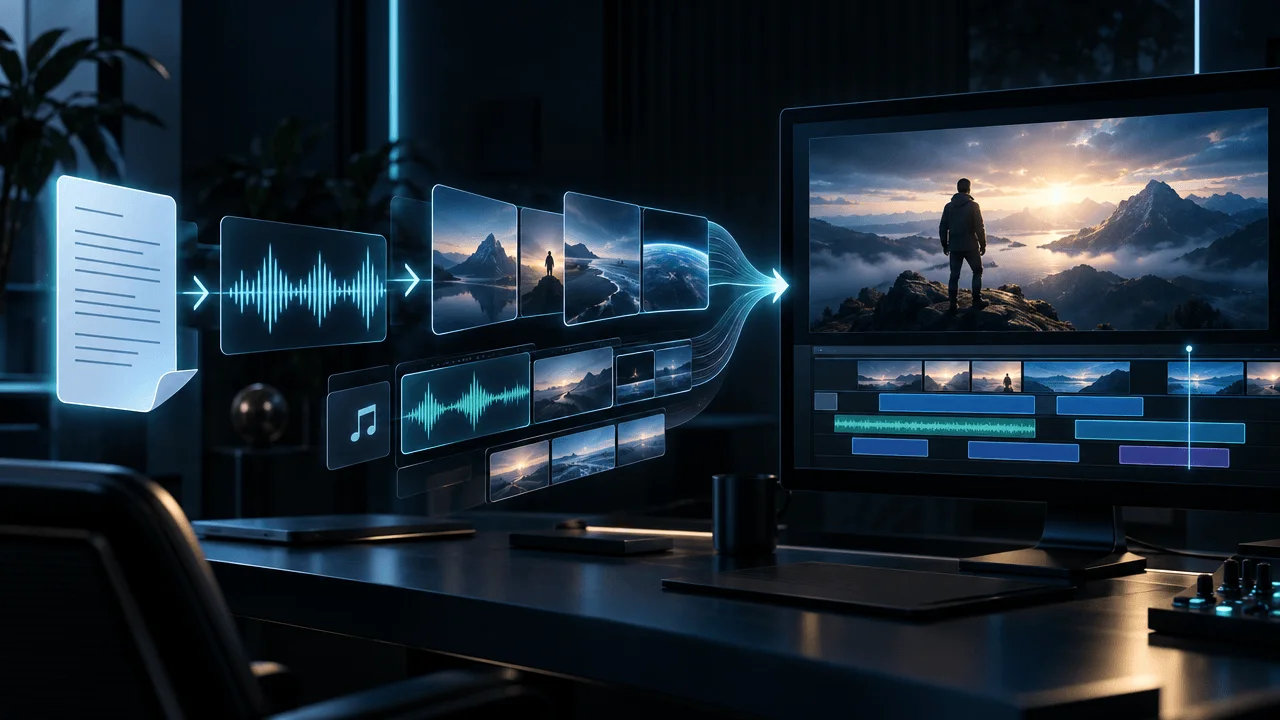
The best AI sound effect generator for YouTube is ElevenLabs for most creators.
It is fast, easy to prompt, supports exact duration controls up to 30 seconds, can create seamless loops, exports production-ready audio on paid plans, and fits the kinds of sounds YouTubers actually need:
- footsteps
- impacts
- whooshes
- ambience
- rain
- crowds
- machinery
- UI sounds
- cinematic hits
- environmental texture
But it is not the best choice for every job.
If you need a sound to follow the exact timing of an action in your video, Adobe Firefly is more interesting because you can guide the timing and intensity with your own vocal performance.
If you need long ambience, deeper sound-design experimentation, or broader control over generated audio, Stable Audio 3.0 is stronger.
If you want AI generation plus a large conventional stock library as a fallback, Envato AI Sound Generator makes more sense.
And if you want the system to generate sound effects from the actual video rather than only from a text prompt, Sonilo deserves a look.
The important point is this:
The best AI sound effect generator is not the one that makes the coolest sound in isolation. It is the one that gives you the right sound, at the right duration, with the right timing, under licensing that actually covers your video.
That is how we ranked them.
Best AI Sound Effect Generators for YouTube at a Glance
| Tool | Best For | Commercial YouTube Use | Standout Feature | Main Limitation |
|---|---|---|---|---|
| ElevenLabs | Best overall for YouTube SFX | Paid plans support commercial use | Text-to-SFX, duration control, looping | Individual clips max out at 30 sec |
| Adobe Firefly | Syncing effects to specific actions | Firefly outputs are designed for commercial workflows | Voice-guided timing and intensity | Best value if you already use Adobe |
| Stable Audio 3.0 | Ambience and advanced sound design | Commercial use supported under applicable Stability terms | Long generation, audio-to-audio, inpainting | More technical than basic SFX tools |
| Envato AI Sound | AI + stock SFX in one subscription | Commercial licensing for end products | Generated SFX plus huge stock fallback library | Less specialized than dedicated SFX platforms |
| Sonilo | Video-to-SFX workflows | Commercial rights on qualifying plans | Can generate sound effects from video | Commercial rights depend on plan |
If you simply want:
"Generate a believable door slam, whoosh, thunder hit, crowd sound, or ambience and let me download it."
Start with ElevenLabs.
If you want:
"Make the sound happen exactly when this object moves."
Try Adobe Firefly.
If you want:
"Build a complete atmospheric soundscape."
Try Stable Audio.
What Makes a Good AI Sound Effect Generator for YouTube?
Most AI audio comparisons evaluate whether a generated sound:
sounds realistic.
That is only one part of the job.
YouTube production adds several additional constraints.
A useful SFX generator needs to answer:
1. Can It Generate the Exact Sound You Describe?
There is a huge difference between:
footsteps
and:
Heavy leather boots walking slowly across loose wet gravel inside a narrow stone tunnel, close microphone perspective, individual deliberate steps, natural reflections, no music, no voices.
Strong sound models understand:
- source
- action
- material
- environment
- perspective
- texture
- intensity
- duration
Weak systems produce something vaguely related.
2. Can You Control Duration?
A 24-second thunderstorm and a 0.4-second impact are both "sound effects."
Your generator needs to understand the difference.
For video editing, duration matters because the effect has to fit:
the picture.
3. Can You Loop the Sound?
Ambience is different from a one-shot effect.
You may need:
- rain
- wind
- city traffic
- office ambience
- forest sounds
- crowd noise
- machinery
- room tone
to continue for minutes.
A clean loop is much more valuable than regenerating dozens of disconnected clips.
4. Can You Use It Commercially?
If your channel is monetized, this matters.
You need to understand whether the plan permits:
- monetized YouTube videos
- sponsored content
- client projects
- advertising
- commercial distribution
Do not assume that:
free generation = commercial permission.
5. Can You Actually Use the File in an Editor?
Look for practical exports such as:
- WAV
- MP3
and enough audio quality for post-production.
6. Can It Match the Edit?
This is where newer systems become more interesting.
Text-to-SFX answers:
What should this sound like?
Video-conditioned or performance-guided generation can also answer:
When exactly should it happen?
For serious editing, both matter.
1. ElevenLabs: Best AI Sound Effect Generator for Most YouTubers
Best for: Foley, impacts, transitions, ambience, cinematic SFX, and general YouTube sound design.
ElevenLabs is our top recommendation because its sound-effects workflow is unusually close to what a video editor actually needs.
You describe the sound.
Then you can control things such as:
- duration
- prompt influence
- looping
The current maximum generated clip length is:
30 seconds.
For longer continuous ambience, ElevenLabs supports seamless looping so the output can repeat without an obvious beginning or end.
That makes it suitable for both:
one-shot effects
and:
background environmental sounds.
Where ElevenLabs Works Especially Well
YouTube creators commonly need sounds like:
Heavy metal vault door slamming shut in a large underground chamber, deep mechanical impact, long industrial reverb.
Or:
Fast cinematic whoosh passing from left to right, sharp beginning, short metallic tail.
Or:
Light rain hitting the roof of a parked car at night, interior listening perspective, distant occasional thunder, seamless ambience.
These are specific physical descriptions.
That is exactly where text-to-sound generation becomes useful.
Commercial Use
ElevenLabs currently separates personal/free use from its commercially licensed paid plans.
Its Starter tier and above include a commercial license.
ElevenLabs' sound-effects terms also allow qualifying output to be incorporated into productions such as:
- video
- film
- advertising
- games
- applications
subject to the applicable plan and terms.
There is an important distinction:
The license is designed for using the generated effect inside a larger production.
It does not automatically give you permission to build a competing standalone sound-effects library from generated files.
For YouTube creators, that usually fits the intended use perfectly.
Current Pricing Structure
ElevenLabs currently lists:
- Free
- Starter
- Creator
- Pro
- higher-volume plans
with commercial licensing beginning on the applicable paid tier.
Pricing changes, so verify the current plan before purchasing solely for commercial rights.
Best ElevenLabs Use Cases
Use it for:
- footsteps
- impacts
- explosions
- weather
- ambience
- room tone
- machinery
- doors
- crowds
- animals
- transitions
- UI sounds
- cinematic booms
- risers
- tension sounds
Main Weakness
Thirty seconds is plenty for most individual effects.
It is less convenient if your goal is:
Generate five uninterrupted minutes of evolving environmental ambience.
You can loop the output, but Stable Audio is more interesting when long-form generated audio itself is part of the creative requirement.
Verdict
Best overall AI sound effect generator for most YouTube creators.
It combines strong text prompting with the duration and looping controls that matter in an actual editing workflow.
2. Adobe Firefly: Best for Matching Sound Effects to Video Timing
Best for: Editors who need the effect to happen at a specific moment.
Adobe Firefly approaches the problem differently.
You can generate effects from text.
But you can also use your own voice performance as a timing guide.
That is a much bigger feature than it first sounds.
Imagine you have a video of:
a giant steel door closing.
You could type:
Massive industrial steel door closing with a deep metallic slam and heavy mechanical resonance.
But there is still a timing problem.
When should:
- the movement begin?
- the impact happen?
- the resonance peak?
Firefly's voice-guided workflow lets you perform the timing yourself.
You can essentially vocalize:
whoooooosh... BANG
while describing what the resulting sound is supposed to be.
The generated effect can then use that performance as guidance for:
- timing
- energy
- intensity
while replacing your mouth-made approximation with the actual requested sound.
That makes Firefly particularly useful for synchronization.
Why Timing Matters More Than Realism
Imagine a perfectly realistic footstep.
It lands:
five frames after the person's foot touches the ground.
It feels wrong.
Now imagine a slightly less perfect footstep.
It lands exactly on impact.
Most viewers will accept the second one more naturally.
Video sound is temporal.
A sound effect does not only need to be:
correct.
It needs to happen:
correctly.
Uploading Existing Media
Firefly can also work with uploaded video or audio in its sound-effects workflow.
That allows the sound-design process to happen in context rather than generating a folder of audio clips first and trying to fit them later.
Commercial Use
Adobe positions Firefly-generated sound effects as commercially safe under the applicable Firefly terms.
Adobe says its Firefly models are trained using licensed and public-domain material and permits Firefly output in professional and commercial workflows, subject to its terms.
Export
Firefly supports downloadable generated sound effects, including WAV output for audio-only sound-effects workflows.
That matters if you are moving the asset into:
- Premiere Pro
- DaVinci Resolve
- Final Cut
- CapCut
- another timeline editor
Best Use Cases
Adobe Firefly is particularly strong for:
- footsteps synchronized to movement
- object impacts
- doors opening and closing
- vehicle movement
- product videos
- physical actions
- sports
- precise cinematic moments
Main Weakness
If all you want is:
Generate a whoosh in ten seconds.
ElevenLabs can be more direct.
Firefly becomes more interesting when:
the picture already exists.
Verdict
Best AI SFX generator for effects that need to match a specific action or moment in a video.
3. Stable Audio 3.0: Best for Ambience and Advanced Sound Design
Best for: Long ambience, textures, experimentation, sound design, and creators who want more control over the audio itself.
Stable Audio is broader than a sound-effects generator.
The current Stable Audio 3.0 family is designed for:
- music
- samples
- sound effects
- audio-to-audio
- inpainting
- continuation
That changes what you can do.
Instead of thinking only:
Generate sound.
you can think:
Generate, modify, extend, and redesign sound.
Long-Form Generation
Stable Audio 3.0 supports much longer generation windows than a simple short-effect tool.
Depending on the model, Stable Audio can generate audio lasting several minutes.
That makes it far more interesting for:
- continuous ambience
- environmental beds
- extended soundscapes
- long machinery sounds
- weather
- room environments
- cinematic texture
Example
Instead of generating:
20 seconds of rainy forest
then looping it repeatedly, you can create a longer evolving soundscape where:
- rain changes
- wind changes
- distant thunder occurs
- the environment develops naturally
That can make a long scene feel less synthetic.
Audio-to-Audio
Stable Audio also supports workflows where existing audio becomes part of the input.
That means you can begin with:
- a rough recording
- a texture
- an existing generated effect
and transform it rather than always starting from text.
Inpainting
Audio inpainting is especially powerful.
Suppose you like:
95% of a generated ambience.
But something strange happens from:
0:18 to 0:23.
A basic system may force you to regenerate everything.
An inpainting workflow can let you regenerate only the problematic region.
For professional sound design, that is much more efficient.
Commercial Rights
Stability AI's current Stable Audio licensing permits commercial use under the applicable terms.
For its hosted Stable Audio subscriptions, Stability says commercial use is allowed, including use in:
- monetized YouTube videos
- social videos
- advertisements
- podcasts
- client projects
Stable Audio 3.0 also has open-weight options governed by the Stability AI Community License.
If you are self-hosting, pay close attention to the current licensing threshold and requirements rather than assuming the web product and downloadable models have identical conditions.
Output Ownership
Stability's documentation currently says creators own outputs generated with Stable Audio 3.0 under the applicable license.
That may matter more if your generated audio becomes a reusable production asset rather than a throwaway transition sound.
Best Use Cases
Use Stable Audio for:
- environmental ambience
- long sound beds
- tension textures
- room tone
- science-fiction environments
- mechanical soundscapes
- experimental audio
- unusual effects
- longer evolving sounds
Main Weakness
Stable Audio gives you more possibilities.
That also means:
more decisions.
For a creator who just needs three impacts and a whoosh, that extra depth may be unnecessary.
Verdict
Best for advanced sound design and long-form ambience rather than simple one-shot YouTube effects.
4. Envato AI Sound Generator: Best AI + Stock Sound Effects Workflow
Best for: Creators who want AI generation and a conventional asset library in the same subscription.
If you want to make this process less guessy, OverseerOS helps you study proven channels and turn working patterns into content plans.
AI does not always win.
Sometimes you prompt:
Glass bottle falling onto concrete, rolling twice, then stopping.
and the result is perfect.
Sometimes it is not.
At that point, you can:
- keep regenerating
- open a traditional sound library and find a professionally recorded version
Envato's advantage is that both workflows exist in the same ecosystem.
You can generate custom effects with AI.
And if generation fails, Envato already has a large conventional library of:
- sound effects
- music
- video
- graphics
- templates
- other production assets
That creates a valuable fallback.
Why the Hybrid Workflow Is Strong
AI is better when the sound is:
specific.
Example:
Cheap plastic cassette recorder button pressed in a quiet 1980s office.
Stock libraries are better when the sound is:
common and already professionally recorded.
Example:
Camera shutter.
You do not necessarily need AI to reinvent a sound that already exists in thousands of high-quality recordings.
A hybrid workflow lets you decide:
search or generate
depending on the job.
Commercial Licensing
Envato states that AI-generated assets can be used commercially as part of an end product under its AI product terms.
Its conventional stock assets also use project licensing designed for uses such as:
- client projects
- monetized content
- commercial videos
You should still keep your project records and licenses, especially when using stock items.
Best Use Cases
Envato makes sense if you also need:
- stock footage
- music
- templates
- graphics
- fonts
- conventional SFX
and do not want another specialized subscription solely for AI audio.
Main Weakness
It is not as focused on deep sound generation as Stable Audio.
And it does not have Adobe's unique voice-guided synchronization workflow.
The advantage is the ecosystem.
Verdict
Best for creators who want AI generation plus a traditional licensed asset library when AI is not the right tool.
5. Sonilo: Best for Video-to-Sound-Effects Generation
Best for: Creators who want AI to examine the video itself and generate matching audio.
Most SFX generation starts like this:
text prompt
→
sound
Sonilo adds another interesting path:
video
→
sound effects
That is potentially more useful for editors because sound effects exist in relation to visuals.
A video may contain:
- bicycle movement
- gravel
- wind
- mechanical clicking
- body movement
- environmental ambience
Instead of describing every moment independently, video-conditioned generation attempts to create audio informed by the visual input.
Sonilo currently offers both:
- text-to-SFX
- video-to-SFX
along with broader music and audio-generation workflows.
Why Video-to-SFX Matters
Imagine a mountain-bike clip.
You could manually generate:
- tire on gravel
- chain movement
- clothing movement
- wind
- suspension impact
Then align everything.
Or a video-aware system can use the actual footage as context.
That does not eliminate editing.
You still need to check:
- timing
- realism
- unwanted sounds
- mix
- levels
But it can reduce the prompting burden.
Commercial Rights
Sonilo currently distinguishes plan rights.
Its commercial plans permit generated output in uses such as:
- monetized channels
- ads
- client work
while lower/free tiers have more restrictive usage.
Sonilo also provides licensing information for qualifying commercial output.
Always verify your active plan before publishing commercially.
Best Use Cases
Sonilo is interesting for:
- action footage
- sports
- cinematic sequences
- B-roll
- outdoor footage
- product videos
- automatically sound-designing existing clips
Main Weakness
It is less established than Adobe or ElevenLabs.
That is worth considering if you are building a long-term production stack around one provider.
Verdict
Best specialized option for creators interested in video-conditioned sound generation rather than text-only prompting.
Which AI Sound Effect Generator Should You Choose?
Use this decision tree.
You Mainly Need Whooshes, Foley, Impacts, and Ambience
Choose:
ElevenLabs
You Already Have Video and Need Exact Timing
Choose:
Adobe Firefly
You Need Long Ambience or Deep Audio Editing
Choose:
Stable Audio
You Want Generated SFX and a Huge Stock Library
Choose:
Envato
You Want the Video Itself to Drive the Sound Generation
Choose:
Sonilo
The best tool depends on the input you already have.
That pattern appears across almost every creator AI category.
AI Sound Effects vs Stock Sound Effects
AI does not eliminate stock SFX libraries.
Each is better at different jobs.
| Need | Better Starting Point |
|---|---|
| Generic camera shutter | Stock |
| Very specific historical environment | AI |
| Standard applause | Stock |
| Custom sci-fi machine | AI |
| Normal door close | Stock |
| Massive fantasy vault door | AI |
| Standard keyboard typing | Stock |
| Broken 1980s computer terminal | AI |
| Generic city ambience | Stock |
| Fictional cyberpunk city atmosphere | AI |
| Exact timed physical action | AI with timing/video guidance |
The mistake is assuming:
AI must generate everything because the project uses AI.
No.
Use the fastest path to the best sound.
When YouTube's Audio Library Is Better
YouTube itself provides royalty-free music and sound effects through the YouTube Audio Library.
That should not be ignored.
If you need:
- a simple impact
- applause
- a transition
- basic ambience
- a common sound
check the Audio Library.
YouTube specifically recommends its Audio Library as a source of copyright-safe music and sound effects for creators.
AI becomes more valuable when:
the sound in your head is too specific to search for efficiently.
AI Sound Effects Are Not the Same as AI Music
This distinction matters.
AI Music
Usually deals with:
- rhythm
- melody
- harmony
- long structure
- emotion over minutes
AI Sound Effects
Usually deal with:
- physical events
- ambience
- impact
- movement
- texture
- transitions
A 15-minute documentary may use:
three music tracks
but:
dozens of sound effects.
They solve different production problems.
If you need the music layer, see our guide to the best AI music generators for YouTube.
The Four Types of Sound Effects You Actually Need
YouTube creators often use the term:
SFX
for completely different things.
It helps to separate them.
1. Foley
Foley represents physical actions.
Examples:
- footsteps
- clothing
- doors
- keys
- paper
- objects placed on tables
- body movement
The effect should usually feel like it belongs naturally inside the world.
2. Ambience
Ambience creates the environment.
Examples:
- rain
- wind
- office room tone
- traffic
- forest
- restaurant
- factory
- crowd
Ambience can continue much longer than ordinary one-shot SFX.
3. Designed Effects
These are stylized sounds.
Examples:
- cinematic impacts
- whooshes
- risers
- glitches
- transitions
- low-frequency booms
These do not necessarily correspond to a literal sound in the scene.
They help control:
attention.
4. Information Sounds
These support interfaces or data.
Examples:
- click
- notification
- confirmation
- error
- digital blip
- counter
- transition tick
They are especially useful in:
- software videos
- finance explainers
- tech videos
- charts
- motion graphics
Each category should be prompted differently.
The Best AI Sound Effect Prompt Formula
Do not prompt:
footsteps
Use:
source + action + material + environment + perspective + texture + behavior
Example
Source
Heavy leather boots.
Action
Walking slowly.
Material
Wet loose gravel.
Environment
Narrow underground tunnel.
Perspective
Close microphone, slightly behind the subject.
Texture
Natural stone reflections and small gravel movements.
Behavior
Individual steps, no music, no voices.
Combined:
Heavy leather boots walking slowly over wet loose gravel in a narrow underground stone tunnel, close listening perspective slightly behind the walker, detailed individual stones shifting under each step, natural reflections, realistic Foley, no music, no voices.
That gives the model much more information than:
footsteps in tunnel.
Prompt the Physical Source
One of the biggest mistakes is describing:
the emotion
instead of:
the sound.
Weak:
scary creepy tension sound
Better:
Low metallic pipe resonance inside a large empty industrial basement, occasional distant structural creak, irregular sub-bass vibration, long cold reflections.
The second prompt gives the model physical information.
Specify the Material
Compare:
Door closes.
with:
Heavy solid oak door closing.
or:
Lightweight hollow aluminum door closing.
or:
Thick steel security door locking shut.
Those should not sound the same.
Material matters.
Use descriptions such as:
- wood
- steel
- plastic
- glass
- gravel
- concrete
- carpet
- snow
- mud
- paper
- leather
Specify the Environment
The same effect sounds different in:
- bedroom
- cathedral
- cave
- forest
- tunnel
- warehouse
- street
- bathroom
- open field
The environment affects:
- reflections
- reverb
- space
- background texture
Tell the model where the sound exists.
Specify the Perspective
This is one of the most overlooked prompt controls.
Consider:
Car engine starting.
Now compare:
Car engine starting, recorded from inside the driver's seat.
versus:
Car engine starting, recorded twenty meters behind the vehicle.
Same event.
Completely different sound.
Useful perspective terms include:
- extreme close
- close
- inside
- outside
- distant
- behind
- overhead
- enclosed
- wide environmental perspective
Do Not Ask for "Cinematic" When You Mean "Loud"
"Cinematic" is vague.
It can produce:
- huge bass
- dramatic reverb
- music
- multiple impacts
Be more specific.
Instead of:
cinematic explosion
try:
Large fuel explosion in an open desert, immediate sharp blast followed by deep low-frequency pressure and a long distant decay, no music, no additional impacts.
Now the model knows what "cinematic" means in this context.
How to Generate Better Whoosh Sound Effects
Weak:
whoosh
Better:
Fast narrow air whoosh moving left to right, sharp attack, smooth high-frequency air texture, approximately half a second, short clean tail, no impact.
For a heavier transition:
Deep cinematic displacement whoosh, low-frequency body with a fast air sweep, one second long, ending in a soft sub impact.
How to Generate Better Impact Sounds
Specify:
- what hits what
- how hard
- size
- environment
- decay
Example:
Massive steel beam striking a concrete floor once inside an empty warehouse, deep metallic initial impact, heavy low-frequency body, scattered small debris, long industrial reflections.
How to Generate Ambience
Ambience should usually avoid obvious foreground events.
Example:
Continuous nighttime city ambience heard from a sixth-floor apartment window, distant traffic, occasional tire movement, soft wind, very distant indistinct crowd presence, no horns, no voices in foreground, no music, stable texture suitable for looping.
Notice the negative instructions.
They help prevent the generator from inserting something distracting.
Generate One Event, Not Five
Weak prompt:
Door opens, footsteps, phone rings, man runs, explosion.
The model has to build an entire scene.
That can produce unpredictable timing.
For serious editing, break it apart.
Generate:
door
footsteps
phone
running
explosion
separately.
Then place them yourself.
You gain:
- timing control
- volume control
- replacement control
- mixing control
AI Sound Effects Should Be Generated to Picture
Whenever possible:
watch the visual first.
Do not generate:
generic punch
then force it under every hit.
Look at:
- speed
- material
- distance
- size
- environment
- camera perspective
The audio should reinforce what the eye already believes.
Timing Matters More Than People Think
A realistic effect placed badly feels fake.
If the visual impact happens at:
00:12.417
but the sound lands at:
00:12.650
the difference may only be:
233 milliseconds.
It can still feel wrong.
For important synchronized events:
zoom into the timeline.
Align:
the transient
with:
the visual impact.
Do not align the beginning of the entire audio file if there is silence before the actual transient.
Trim AI-Generated Effects
AI outputs are not automatically edit-ready.
They may contain:
- silence
- an unwanted lead-in
- multiple versions of the event
- unnecessary tail
- strange artefacts
Trim aggressively.
The fact that a model generated:
8 seconds
does not mean the edit needs eight seconds.
Do Not Add a Sound Effect to Every Cut
This is how videos become exhausting.
Imagine:
whoosh
cut
click
cut
boom
cut
whoosh
cut
pop
cut
boom
for ten minutes.
The viewer becomes numb.
Sound effects need hierarchy.
Use them for:
- meaningful transitions
- physical actions
- reveals
- key visual changes
- emphasis
- environmental realism
Not because:
a new scene appeared.
Sound Design Should Have a Budget
Treat viewer attention like a limited resource.
A simple scene may contain:
- narration
- music
- captions
- visual motion
It may not need:
another sound.
Before adding SFX, ask:
What job is this sound performing?
Good answers:
- makes an action believable
- establishes the place
- emphasizes the reveal
- guides attention
- supports transition
- creates tension
Bad answer:
The video felt empty.
Sometimes the correct fix is not another sound effect.
Keep SFX Below Important Narration
The voice should usually remain the foreground element.
That is especially true during:
- numbers
- names
- sponsor reads
- explanations
- important evidence
- key conclusions
A giant impact directly on top of the most important word defeats the purpose of the effect.
Move it:
- before the line
- after the line
- into a pause
The viewer should feel the impact without losing the information.
For the full audio relationship, see how loud background music should be under a YouTube voiceover.
Sound Effects Can Replace Excessive Visual Editing
Sound can create perceived motion without requiring another visual.
Imagine a scene showing:
a dark hallway.
Narration continues for six seconds.
Instead of cutting to three unrelated images, you could keep the visual and add:
- distant pipe movement
- subtle room ambience
- one far-off metallic impact
Now the scene feels alive.
This connects directly to visual pacing.
You do not always need:
another image.
Sometimes you need:
another layer of information.
See our analysis of how often visuals should change in a YouTube video.
Should You Use AI Sound Effects in Every YouTube Video?
No.
Some videos benefit enormously.
Others barely need them.
Strong SFX Use Cases
- history documentaries
- storytelling
- mystery
- true crime
- cinematic explainers
- science
- horror
- finance storytelling
- animation
- gaming
- product videos
Lower-Need Use Cases
- screen-recorded tutorials
- podcasts
- simple talking-head education
- interviews
- low-key commentary
Production should serve the format.
Do not add cinematic sound design to prove that you own an AI sound generator.
Can You Monetize YouTube Videos With AI Sound Effects?
The use of AI-generated sound effects does not automatically prevent YouTube monetization.
There are two separate questions:
1. Does the Tool License Allow Commercial Use?
That depends on:
- provider
- plan
- asset
- terms
Verify it.
2. Does the Video Meet YouTube's Monetization Policies?
YouTube separately evaluates whether monetized content is sufficiently:
- original
- authentic
- valuable
and not simply mass-produced or repetitive.
An original documentary using:
- original research
- an original script
- narration
- purposeful editing
- licensed AI-generated SFX
is fundamentally different from low-effort mass-produced content.
AI sound effects are a production tool.
They do not replace originality.
Do AI Sound Effects Need YouTube Disclosure?
Not every use of generative AI automatically requires disclosure.
YouTube's current rules focus particularly on realistic generated or altered content that could cause viewers to misunderstand whether something actually happened.
That creates an important distinction.
Ordinary Production Sound
Example:
You have an illustrated scene of a medieval castle and add AI-generated:
- wind
- footsteps
- door creak
The effects are clearly part of the production.
Potentially Misleading Synthetic Sound
Example:
You show footage of a real event and generate realistic:
- gunshots
- screaming
- explosions
that did not occur.
Now the synthetic audio could materially change what viewers believe happened.
That is a completely different situation.
If realistic generated audio meaningfully changes the apparent reality of a real person, place, or event, review YouTube's current AI disclosure rules carefully.
The principle is:
Do not use generated sound to manufacture false evidence.
The Best YouTube Sound-Design Workflow
Use this process.
Step 1: Lock the Narration
The voiceover establishes the timeline.
Step 2: Finish the Main Visual Edit
Do not design detailed sound for scenes that may still be deleted.
Step 3: Add the Music Bed
Establish the emotional baseline.
Step 4: Watch the Video Without Adding SFX
Mark moments that genuinely need sound.
Step 5: Separate Those Moments Into Categories
Label them:
- Foley
- ambience
- transition
- impact
- UI
- texture
Step 6: Search Before Generating
If a perfect licensed effect already exists:
use it.
Step 7: Generate the Missing Sounds
Use AI for:
- unusual
- highly specific
- hard-to-find
- fictional
audio.
Step 8: Place to Picture
Align effects to the actual visual event.
Step 9: Mix Around the Narration
Do not bury speech.
Step 10: Remove Half the Unnecessary Effects
This step is intentionally aggressive.
Sound design often improves when you subtract.
Step 11: Test the Final Export
Listen on:
- headphones
- phone
- laptop
- TV if long-form is important to your audience
The final video matters.
Not the isolated SFX file.
Where AI Sound Effects Fit in a Faceless YouTube Workflow
A complete faceless production system might look like:
channel research
→
topic
→
title + thumbnail promise
→
script
→
voiceover
→
scene structure
→
visuals
→
music
→
sound effects
→
captions + motion
→
review
→
export
OverseerOS Auto Edit handles the script-first production side of this workflow by turning finished scripts and voiceovers into structured faceless-video projects with scene-based visuals, captions, music, motion, FX, and export controls.
A dedicated SFX generator can then complement that workflow when you need custom audio assets for the final sound-design pass.
The important idea is not:
Automate every possible layer.
It is:
Keep the creative decisions connected.
The footsteps should fit:
this scene.
The music should fit:
this narration.
The visual should fit:
this line.
Automation becomes useful when it preserves those relationships.
AI Sound Effects vs Traditional Sound Libraries: Final Verdict
Use a traditional library when:
- the sound is common
- a professional recording already exists
- you want maximum predictability
- search takes less time than prompting
Use AI when:
- the sound is unusual
- you need a specific environment
- the event is fictional
- the perspective matters
- stock search keeps failing
- you need multiple variations
- you need something created for the exact scene
The strongest production workflow uses both.
Our Final Recommendations
If you want the best overall AI sound effect generator for YouTube, choose ElevenLabs.
If you need effects to follow specific video timing or action, choose Adobe Firefly.
If you want long ambience, advanced sound design, audio-to-audio, or iterative editing, choose Stable Audio 3.0.
If you want AI SFX plus a traditional stock library, choose Envato AI Sound Generator.
If you want video-to-SFX generation, consider Sonilo.
But do not choose based only on which demo sounds most impressive.
For YouTube, evaluate:
- prompt accuracy
- timing
- duration
- looping
- export quality
- commercial rights
- editability
- workflow fit
The best sound effect is not the loudest.
It is not the most cinematic.
It is not the most technically impressive.
It is the sound that makes the viewer believe the scene a little more without making them think about the sound at all.
FAQ
What is the best AI sound effect generator for YouTube?
ElevenLabs is the strongest overall option for most YouTube creators because it supports text-to-sound-effects generation, duration control up to 30 seconds, seamless looping, commercial licensing on qualifying plans, and practical MP3/WAV workflows.
What is the best free AI sound effect generator?
Several platforms let you experiment with sound generation for free, including ElevenLabs, Adobe Firefly, and other providers. Free-tier commercial rights differ significantly, so verify the active license before using generated sounds in monetized videos.
Can AI generate sound effects from text?
Yes. Modern text-to-SFX systems can generate Foley, ambience, impacts, transitions, weather, machinery, UI sounds, animals, crowds, and many other effects from natural-language descriptions.
Can AI generate sound effects from a video?
Yes. Some newer tools support video-conditioned sound generation. Sonilo offers video-to-SFX workflows, while Adobe Firefly lets creators upload media and generate effects around the existing visual timeline.
Can AI synchronize sound effects to video?
Yes, although the level of control varies. Adobe Firefly is particularly interesting because a voice performance can guide the timing and intensity of a generated effect.
Can I monetize YouTube videos using AI-generated sound effects?
Yes, provided the sound-effect generator's license covers commercial use and your video complies with YouTube's monetization policies. Commercial rights vary by provider and subscription plan.
Can I use ElevenLabs sound effects commercially?
ElevenLabs currently provides commercial licensing through qualifying paid plans. Its sound-effects terms permit licensed output to be incorporated into productions such as videos, subject to the applicable plan and terms.
How long can ElevenLabs sound effects be?
ElevenLabs currently supports generated sound-effect durations from fractions of a second up to 30 seconds. It also supports seamless looping for effects intended to continue longer.
Can Adobe Firefly generate sound effects?
Yes. Adobe Firefly can generate sound effects from text prompts and supports a voice-guided workflow where your vocal performance helps control the generated effect's timing and energy.
Are Adobe Firefly sound effects commercially usable?
Adobe currently positions Firefly-generated sound effects as commercially safe under its applicable Firefly terms. Always review the current terms if commercial rights are critical to your project.
Can Stable Audio generate sound effects?
Yes. Stable Audio 3.0 supports sound effects, samples, music, audio-to-audio workflows, inpainting, and continuation.
Can Stable Audio create long ambience?
Yes. Stable Audio 3.0 includes models capable of generating substantially longer audio than typical short-form SFX systems, making it particularly useful for environmental ambience and long sound textures.
Do I own AI-generated sound effects?
It depends on the provider. Some services assign or recognize output ownership, while others grant a commercial license for using generated output inside a larger project. Commercial permission and exclusive copyright ownership are not the same thing.
Are AI sound effects royalty-free?
Some providers describe their generated output as royalty-free, but the exact rights vary. Always check whether your plan covers monetized YouTube, client work, ads, redistribution, and standalone audio use.
Can AI sound effects cause copyright problems on YouTube?
They can still create rights questions depending on the provider, source material, similarity to protected works, or how the audio is used. Use reputable services, understand the license, and keep records for commercially important projects.
Does YouTube allow AI-generated sound effects?
YouTube does not categorically prohibit AI-generated production audio. Its policies focus on issues such as originality, authenticity, rights, and whether realistic synthetic content could mislead viewers.
Do AI-generated sound effects need to be disclosed on YouTube?
Not simply because AI was involved. YouTube's disclosure rules focus on realistic synthetic or meaningfully altered content that could mislead viewers about real people, events, or places. If generated audio changes what viewers could reasonably believe happened in a real event, review the current disclosure requirements.
Are AI sound effects better than stock sound effects?
Not always. Stock libraries are often better for common sounds that already have excellent professional recordings. AI becomes particularly valuable for unusual, fictional, highly specific, or hard-to-search sounds.
How should I prompt an AI sound effect generator?
Describe the physical source, action, material, environment, perspective, texture, and desired behavior. "Heavy boots walking slowly on wet gravel in a narrow stone tunnel, close perspective, realistic individual steps, no music" will generally provide more useful direction than simply "footsteps."
Should I add sound effects to every visual change?
No. Excessive effects become distracting and quickly lose impact. Add sound when it improves realism, directs attention, establishes an environment, supports a meaningful transition, or strengthens an important moment.
What types of sound effects are best for faceless YouTube videos?
Useful categories include Foley, ambience, impacts, whooshes, risers, UI sounds, environmental sounds, and subtle textures. The correct mix depends on the channel format.
What is the best AI sound effect generator for documentaries?
ElevenLabs is a strong overall choice for Foley and custom effects, while Stable Audio is particularly useful for atmospheric ambience and extended soundscapes. Adobe Firefly is strong when effects need to synchronize closely with specific footage.
What is the best AI sound effect generator for cinematic videos?
Stable Audio is strong for experimental and atmospheric sound design, ElevenLabs for specific one-shot effects, and Adobe Firefly for precisely timed effects tied to visual action.
What is the best AI sound effect generator for long-form YouTube?
Long-form creators will usually benefit from combining tools: ElevenLabs for one-shot Foley and impacts, Stable Audio for longer ambience, and conventional stock libraries for common effects that do not need to be generated from scratch.