Most YouTube script templates are too basic.
They give you the same structure:
Hook. Intro. Main points. CTA. Outro.
That is fine for beginners.
But if you want people to keep watching, a script template needs to do more than organize your thoughts. It needs to control attention.
A strong YouTube script should make the viewer feel like leaving would cost them something.
That is the difference between a script that sounds clean and a script that holds retention.
The best creators do not just write what they want to say. They build a sequence of reasons to keep watching:
- a sharp opening promise
- a reason the viewer should care now
- an open loop
- a clear payoff
- pacing shifts
- proof
- examples
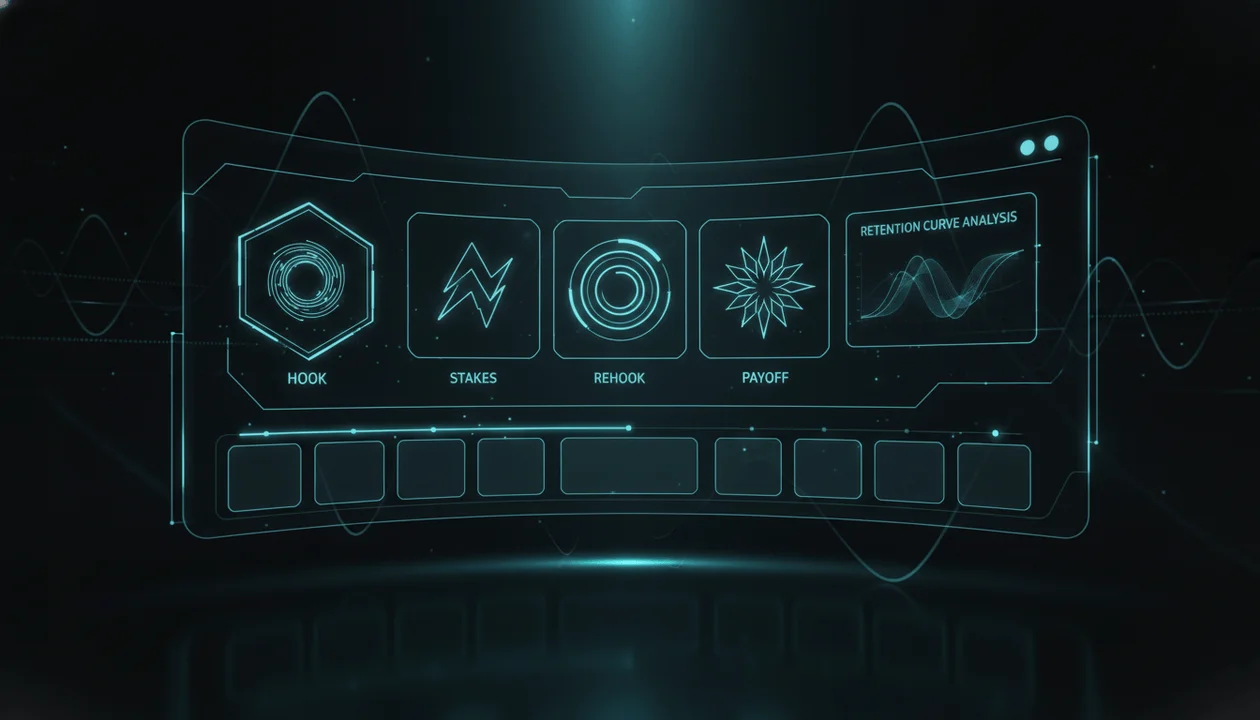
- rehooks
- tension
- a final takeaway that feels worth the watch
This guide gives you a practical YouTube script template built for retention, not filler. You will learn the full structure, how to use it for different video formats, what most script templates miss, and how to turn proven YouTube patterns into better scripts with OverseerOS.
Key Takeaways
- A YouTube script template should protect attention, not just organize talking points.
- The hook is only the first retention moment. The middle of the video needs rehooks, proof, examples, and payoff loops.
- The title, thumbnail, intro, and script must all deliver the same promise.
- The best scripts are written around viewer questions, not creator notes.
- YouTube Studio’s audience retention report can show where viewers stay, drop off, rewind, or lose interest. Source: YouTube Help
- A good template gives you repeatable structure, but the strongest scripts come from studying what already works in your niche.
- OverseerOS helps creators reverse-engineer winning channels, study script patterns, and turn proven structures into original scripts.
What Is a YouTube Script Template?
A YouTube script template is a repeatable structure for planning and writing a video.
At the basic level, it helps you decide:
- what to say first
- how to introduce the topic
- how to organize the main points
- where to add examples
- when to include a call to action
- how to end the video
But a serious YouTube script template should do more.
It should help you design the viewing experience.
That means the template should answer:
- Why would someone click this video?
- What does the title promise?
- What does the thumbnail make them expect?
- What must the first 30 seconds prove?
- Where could viewers get bored?
- Where should the script add a new reason to keep watching?
- What payoff is the viewer waiting for?
- What should they believe by the end?
That is the difference between a writing template and a retention template.
Why Most YouTube Script Templates Fail
Most templates fail because they are built from the creator’s perspective.
They ask:
What do I want to say?
Strong scripts are built from the viewer’s perspective.
They ask:
What does the viewer need to hear next to stay?
That one shift changes everything.
A weak script says:
In today’s video, I’m going to talk about five AI tools that can help you save time.
A stronger script says:
I tested 47 AI tools this week. Most were useless. But five of them actually saved me enough time to replace entire parts of my workflow.
Same topic.
Completely different level of tension.
The weak version announces the topic.
The strong version creates a reason to stay.
The Retention-First YouTube Script Template
Use this structure for most long-form YouTube videos, especially education, commentary, AI, finance, business, psychology, faceless channels, and documentary-style videos.
| Section | Job | What It Must Do |
|---|---|---|
| Packaging Promise | Align title, thumbnail, and topic | Make the viewer know why the video exists |
| Hook | Stop the scroll from turning into a bounce | Confirm the click was worth it |
| Stakes | Make the topic matter now | Show what the viewer gains or loses |
| Roadmap | Give structure without killing curiosity | Tell viewers what is coming, but not everything |
| Core Sections | Deliver the value | Teach through examples, proof, contrast, and story |
| Rehooks | Reset attention | Add new questions, reveals, tension, or pattern shifts |
| Payoff | Close the main loop | Deliver the answer the viewer came for |
| CTA | Move the viewer to the next action | Keep it short and relevant |
| Final Line | End with clarity | Make the video feel complete |
Now let’s break it down properly.
Step 1: Start With the Packaging Promise
Before you write the script, write the promise.
The promise is not the topic.
The topic is what the video is about.
The promise is why the viewer should care.
Example:
Topic:
AI productivity tools
Weak promise:
Learn about the best AI productivity tools.
Strong promise:
I tested dozens of AI tools and found the few that actually remove work instead of adding another dashboard to manage.
That stronger promise gives you a script direction.
It tells you the video should include:
- testing
- comparison
- disappointment
- proof
- winners and losers
- practical workflow examples
That is much stronger than “here are some tools.”
Packaging Promise Template
Use this before writing:
This video is for:
The specific viewer.
They clicked because:
The curiosity or pain behind the click.
They are afraid of:
The problem, mistake, loss, or missed opportunity.
They want:
The outcome.
The video promises:
The transformation, answer, reveal, or shortcut.
The thumbnail creates this question:
The visual curiosity gap.
The title creates this expectation:
The verbal promise.
The script must prove:
The thing the viewer needs to believe by the end.
Example:
This video is for:
Creators who want to start a faceless YouTube channel but do not know which niches still work.
They clicked because:
They want proof before wasting months.
They are afraid of:
Picking a dead niche.
They want:
A niche with real demand and repeatable video ideas.
The video promises:
A research-backed way to find faceless niches with breakout potential.
The thumbnail creates this question:
How are these no-face channels getting huge views?
The title creates this expectation:
The creator studied real channels and found patterns.
The script must prove:
The winning niches are not random. They share visible patterns.
If you cannot fill this out, do not start writing yet.
Your idea is not sharp enough.
Step 2: Write a Hook That Confirms the Click
The first job of the hook is not to introduce yourself.
It is not to explain the topic.
It is not to welcome people back.
The first job is to make the viewer feel:
Good. This is the video I clicked for.
A weak hook delays the promise.
A strong hook confirms the promise immediately.
Weak Hook Examples
Hey guys, welcome back to the channel. Today we’re going to talk about how to write better YouTube scripts.
In this video, I’ll be sharing some tips that can help improve your videos.
YouTube scripts are important because they help you structure your content.
These are not terrible sentences.
They are just slow.
Strong Hook Examples
Most YouTube scripts lose viewers before the real value even starts. Not because the topic is bad, but because the first 30 seconds give the viewer no reason to trust the video.
I rewrote the same YouTube intro three different ways. One sounds professional. One sounds clear. One actually makes people want to keep watching.
If your videos get clicks but viewers leave early, the problem is probably not your thumbnail. It is the script failing to continue the promise.
The strong versions create immediate tension.
They tell the viewer:
- there is a real problem
- the video understands it
- the answer is coming
- leaving now would be premature
Step 3: Add Stakes Before Teaching
Most creators teach too early.
They jump into tips before the viewer fully cares.
That creates a retention problem.
Before you teach, show why the lesson matters.
Weak:
Tip number one is to write a strong hook.
Better:
The hook matters because YouTube viewers make a decision fast. If the intro feels slower than the title promised, they do not wait for the value. They leave before the video has a chance to prove itself.
Now the viewer understands the cost.
You are not just giving advice.
You are explaining why the advice matters.
Stakes Template
Use this structure:
The mistake:
What creators usually do wrong.
The hidden cost:
What that mistake causes.
The viewer consequence:
Why it hurts the person watching.
The better approach:
What you will show instead.
Example:
The mistake:
Most creators start with context.
The hidden cost:
Context delays the payoff.
The viewer consequence:
The viewer feels the video is slower than promised.
The better approach:
Start with the result, conflict, or question, then add context only when the viewer wants it.
This makes the script feel tighter instantly.
Step 4: Give a Roadmap Without Killing Curiosity
A roadmap helps viewers know the video has structure.
But most creators make the roadmap boring.
Weak roadmap:
First we’ll talk about hooks, then structure, then pacing, then CTAs.
Better roadmap:
I’m going to show you the exact script structure I’d use before recording, including the first 15 seconds, the mid-video rehooks most creators forget, and the final line that makes the video feel complete instead of just ending.
The second version still gives structure.
But it also creates curiosity.
The viewer now wants to see:
- the first 15 seconds
- the forgotten rehooks
- the final line
That is how you roadmap without flattening the video.
Step 5: Build the Body Around Viewer Questions
The body of your script should not be a list of points.
It should be a chain of viewer questions.
Weak structure:
- What is a script?
- Why scripts matter
- How to write scripts
- Common mistakes
- Conclusion
Better structure:
- Why do viewers leave even when the topic is good?
- What should the first 30 seconds actually do?
- How do you structure the middle so it does not sag?
- Where should you add rehooks?
- How do you make the ending feel worth it?
- What template can you use immediately?
That structure pulls the viewer forward.
Each section answers the next question in their mind.
Viewer Question Template
For every section, write:
Viewer question:
What the viewer is wondering at this point.
Section promise:
What this section will answer.
Example:
What proves it.
Transition:
Why the next section matters.
Example:
Viewer question:
Why are people leaving after the intro?
Section promise:
Because the intro confirms the topic but fails to create momentum.
Example:
Compare “Today I’ll show you five tools” with “I tested 47 tools and only five survived.”
Transition:
But even a strong hook fails if the middle becomes predictable.
This creates flow.
The viewer does not feel like they are watching disconnected tips.
They feel like the video is moving.
Step 6: Add Rehooks Before Attention Drops
Most creators only think about the opening hook.
That is a mistake.
The middle of the video needs rehooks.
A rehook is a moment that resets attention.
It gives the viewer a new reason to stay.
Rehooks can be:
- a surprising example
- a contradiction
- a mini-reveal
- a warning
- a before-after comparison
- a mistake to avoid
- a question
- a new open loop
- a change in format
- a shift from theory to proof
Rehook Examples
Instead of:
Another thing to remember is pacing.
Use:
This is where most scripts quietly die. The viewer does not leave because the information is bad. They leave because they can predict the next three minutes.
Instead of:
Now let’s talk about examples.
Use:
Let me show you the difference, because this one change can make the same idea feel twice as clickable.
Instead of:
CTAs are important.
Use:
The CTA is where many good videos suddenly feel like ads. Here is how to avoid that.
A rehook does not need to be dramatic.
It just needs to make the viewer lean forward again.
Step 7: Use Examples So the Script Feels Real
Generic advice kills retention.
Examples create trust.
Weak:
Make your hook more interesting.
Better:
Weak hook: “Today I’ll show you the best AI tools.”
Stronger hook: “I tested 47 AI tools. Most were useless. These five actually saved me hours.”
Weak:
Use storytelling.
Better:
Instead of saying “This tool saves time,” show the before-after: “Before using it, I had 31 tabs open and three unfinished scripts. After 20 minutes, I had a full outline, thumbnail direction, and intro.”
The viewer should not have to imagine what you mean.
Show them.
Example Rule
For every major point, include one of these:
- a weak vs strong example
- a mini case study
- a before-after
- a mistake and fix
- a script line
- a title and thumbnail pairing
- a real creator workflow
- a practical checklist
If a section has no example, it is probably too abstract.
Step 8: Close the Main Loop Before the CTA
The payoff should happen before the CTA.
Do not ask the viewer to subscribe before delivering the reason they watched.
Weak ending:
So that’s how you write a better YouTube script. Make sure to like and subscribe.
Better ending:
The best YouTube script template is not “hook, intro, body, CTA.” It is a sequence of retention moments. Start with the promise, confirm the click, raise the stakes, answer viewer questions, add rehooks before attention drops, and close the loop with a payoff that feels earned.
Now the viewer feels complete.
Then you can add a short CTA.
The Full YouTube Script Template
Use this as your working structure.
1. Packaging Promise
Title:
What the viewer sees before clicking.
Thumbnail question:
What the image makes them wonder.
Viewer pain:
What problem they want solved.
Viewer desire:
What outcome they want.
Core promise:
What the video must deliver.
Proof needed:
What would make the viewer believe you.
2. Hook
Open with one of these:
- a surprising result
- a painful mistake
- a direct contradiction
- a curiosity gap
- a strong before-after
- a bold observation
- a mini story already in motion
Avoid:
- long greetings
- slow background
- “in today’s video”
- vague promises
- generic excitement
3. Stakes
Explain why the topic matters.
Use this formula:
Most creators think the problem is [obvious issue]. But the real problem is [hidden issue]. That matters because [cost]. In this video, I’ll show you [better approach].
Example:
Most creators think weak retention comes from bad editing. But often, the real problem is that the script stops creating reasons to continue. That matters because even a great topic can die if the viewer feels they already understand where the video is going. In this video, I’ll show you how to structure a script so each section creates the next reason to stay.
4. Roadmap
Give the viewer a simple map.
Use this formula:
We’ll start with [urgent part], then break down [main framework], and by the end you’ll have [clear outcome].
Example:
We’ll start with the first 30 seconds, then break down the middle structure most creators ignore, and by the end you’ll have a script template you can use before recording your next video.
5. Main Sections
For each section, use:
Point:
The idea.
Reason:
Why it matters.
Example:
Show it in action.
Mistake:
What creators usually do wrong.
Fix:
What to do instead.
Transition:
Why the next section matters.
6. Rehooks
Add a rehook every time the script risks becoming predictable.
Use lines like:
- “But this is where most creators get it wrong.”
- “Here is the part nobody talks about.”
- “This sounds simple, but watch what happens when we apply it.”
- “The mistake is not what you think.”
- “Before you use this, there is one trap to avoid.”
- “This is where the template becomes dangerous if you use it wrong.”
- “Now let’s turn this into a real script.”
7. Payoff
Close the main promise.
Answer the question the viewer clicked for.
Make the conclusion feel earned.
8. CTA
Keep it short.
The CTA should match the video.
Examples:
If you want to turn this into a full workflow, try OverseerOS and build your next script from proven YouTube patterns instead of starting from a blank page.
If this helped, watch the next video where I break down the title and thumbnail system that makes the script easier to click in the first place.
Download the template, use it on your next video, and compare your retention curve after publishing.
9. Final Line
End with a line that feels complete.
Examples:
A good script does not just say the right words. It makes the viewer feel like the next minute is worth watching.
The goal is not to sound scripted. The goal is to make every second feel intentional.
If the viewer always has a reason to stay, the script is doing its job.
YouTube Script Template by Video Type
Different videos need different script structures.
Do not force every video into the same format.
Educational Video Script Template
Best for tutorials, strategy videos, software walkthroughs, and how-to content.
| Section | What to Include |
|---|---|
| Hook | The costly mistake or desired result |
| Stakes | Why this matters now |
| Roadmap | What the viewer will learn |
| Step 1 | First action with example |
| Step 2 | Second action with example |
| Step 3 | Third action with example |
| Mistakes | What ruins the result |
| Template | Give the viewer something usable |
| CTA | Send them to the next workflow |
Example hook:
If your YouTube scripts sound clear but people still leave early, the problem is probably not your writing. It is the order you reveal information.
Faceless YouTube Script Template
Best for documentary, commentary, finance, psychology, AI, and story-driven channels.
| Section | What to Include |
|---|---|
| Cold open | Start inside the conflict |
| Context | Explain only what the viewer needs |
| First reveal | Show the first surprising detail |
| Escalation | Make the situation bigger |
| Pattern | Explain what this reveals |
| Second reveal | Add proof, twist, or consequence |
| Takeaway | Explain why it matters |
| Final line | End with a strong thought |
Example hook:
At first, this looked like another small AI tool launch. Then developers noticed something strange: the tool was not just answering prompts. It was changing how people worked around it.
List Video Script Template
Best for “best tools,” “top mistakes,” “best niches,” “top strategies,” and ranking videos.
| Section | What to Include |
|---|---|
| Hook | Why this list is different |
| Criteria | How items were selected |
| Preview | Tease the most surprising item |
| Item structure | Problem, why it matters, example, verdict |
| Rehooks | Add contrast between items |
| Final ranking | Show the best option |
| CTA | Link to tool, template, or next video |
Bad list intro:
Here are the top 10 AI tools.
Better list intro:
I tested dozens of AI tools creators keep recommending. Most were either overhyped, too slow, or only useful once. These are the few I’d actually keep in my workflow.
Case Study Script Template
Best for channel breakdowns, growth analysis, business stories, and “how they did it” videos.
| Section | What to Include |
|---|---|
| Hook | The surprising result |
| Setup | Who or what is being studied |
| Baseline | What things looked like before |
| Turning point | What changed |
| Pattern | What caused the result |
| Proof | Examples, numbers, repeat signals |
| Lesson | What viewers can apply |
| CTA | Analyze their own channel or niche |
Example hook:
This channel looked average for months. Then one video changed the entire trajectory. But the breakout was not random. The pattern was visible before the spike happened.
Product Review Script Template
Best for software reviews, AI tool reviews, sponsor integrations, and affiliate videos.
| Section | What to Include |
|---|---|
| Hook | The problem or result |
| Viewer context | Who the tool is for |
| Test setup | How you evaluated it |
| Feature walkthrough | Show real use cases |
| Pros | What works well |
| Cons | What is limited |
| Verdict | Who should use it |
| CTA | Link naturally |
Example hook:
I do not care if an AI tool looks impressive. I care if it removes real work from my day. So I tested this one inside an actual creator workflow.
The 30-Second Intro Template
The intro is where most scripts lose momentum.
Here is a simple structure.
Line 1: Confirm the click
Say something that directly matches the title and thumbnail promise.
Example:
If your videos get clicks but viewers leave early, your script is probably breaking the promise your title and thumbnail made.
Line 2: Add tension
Show the hidden problem.
Example:
Most creators try to fix this with faster editing, but editing cannot save a script that stops creating reasons to watch.
Line 3: Give the payoff
Tell the viewer what they will get.
Example:
By the end, you’ll have a script template that keeps the viewer moving from hook to payoff without feeling like a boring outline.
Line 4: Start immediately
Do not over-explain.
Example:
Let’s start with the part most templates get wrong.
Put together:
If your videos get clicks but viewers leave early, your script is probably breaking the promise your title and thumbnail made. Most creators try to fix this with faster editing, but editing cannot save a script that stops creating reasons to watch. By the end, you’ll have a script template that keeps the viewer moving from hook to payoff without feeling like a boring outline. Let’s start with the part most templates get wrong.
That intro works because it:
- confirms the click
- creates tension
- promises a useful outcome
- starts fast
The Mid-Video Retention Template
The middle is where many videos quietly die.
The viewer made it past the hook.
Now the script must keep earning attention.
Use this pattern:
Teach:
Give the point.
Prove:
Show why it is true.
Example:
Make it concrete.
Shift:
Move to a new angle before it gets stale.
Rehook:
Create the next reason to stay.
Example:
Teach:
Your script should not be built around topics. It should be built around viewer questions.
Prove:
A topic tells you what to talk about. A viewer question tells you what the audience needs next.
Example:
Instead of “Talk about hooks,” use “Why do viewers leave even when the hook sounds good?”
Shift:
Now the section is not just about hooks. It is about expectation.
Rehook:
And this is where the title and thumbnail can actually damage retention if the script does not continue the same promise.
That is much stronger than stacking tips.
The Ending Template
A weak ending makes the video feel like it ran out.
A strong ending makes the viewer feel like the promise was completed.
Use this ending structure:
- Restate the core lesson.
- Show the new belief.
- Give the next action.
- End with a clean final line.
Example:
The best YouTube script template is not a rigid outline. It is a retention system. Your job is to confirm the click, build stakes, answer viewer questions, add rehooks, and deliver the payoff the title promised. Use this on your next script before you record, then check your retention graph after publishing to see where viewers stayed and where they left. A good script does not just sound good. It makes every next minute feel worth watching.
That ending teaches, closes, and moves the viewer forward.
How to Use YouTube Analytics to Improve Your Script Template
Your script template should improve over time.
Do not only ask:
Did the video get views?
Ask:
Where did the script lose people?
YouTube Studio’s audience retention report helps creators see how viewers engage across the video, including key moments like intros, top moments, spikes, and dips. Source: YouTube Help
After publishing, check:
- Where did viewers drop in the first 30 seconds?
- Did they leave during the context?
- Did the first example hold attention?
- Did the middle flatten?
- Did any section create a spike?
- Did people rewatch a moment?
- Did the CTA cause a drop?
- Did the ending keep viewers or lose them?
Then connect the data back to the script.
| Retention Signal | Likely Script Issue | Fix |
|---|---|---|
| Sharp early drop | Hook did not match title/thumbnail promise | Rewrite intro to confirm the click faster |
| Drop during context | Too much setup before value | Start with result, then add context |
| Flat middle decline | No rehooks or pattern shifts | Add reveals, examples, contrast, or mini-loops |
| Spike | Viewer found a valuable or surprising moment | Study it and repeat the pattern |
| Drop before CTA | Video felt complete too early | Move CTA earlier or make it more relevant |
| Drop during example | Example was too long or unclear | Tighten setup and make the point faster |
This is how your template becomes sharper.
You are not guessing.
You are using viewer behavior to improve the next script.
How OverseerOS Helps You Write Scripts From Proven Patterns
A blank page is a bad starting point.
The smartest creators do not start with random ideas.
They study what already works.
OverseerOS helps creators reverse-engineer successful channels and turn proven patterns into repeatable content workflows.
When you are starting from a reference video instead of a blank page, our guide to rewriting a proven video into a script that is yours covers how to keep the winning pattern while making the script original.
For scripts, OverseerOS can help you:
- analyze successful channels before writing
- study breakout videos in your niche
- identify title, thumbnail, and topic patterns
- generate scripts in a cloned channel’s tone and structure
- build scripts from a Smart Content Planner
- connect scripts with titles, thumbnails, and voiceovers
- use ElevenLabs-powered voiceover generation inside the workflow
- turn research into scripts instead of disconnected notes
That matters because script quality is not only about writing.
It is about strategy.
A good script starts before the first sentence.
It starts with:
- the right topic
- the right angle
- the right title
- the right thumbnail promise
- the right structure
- the right tone
- the right examples
- the right payoff
That is why OverseerOS is built around patterns, not blank-page AI output.
You can use the YouTube retention script generator workflow to build scripts that focus on hooks, pacing, rehooks, and payoffs. You can also compare tools in the best AI YouTube script generators guide or start earlier with a YouTube video research template before writing.
The better workflow is simple:
- Find what is already working.
- Extract the pattern.
- Build your own original script around that pattern.
- Record with a stronger structure.
- Use retention data to improve the next one.
That is how scripting becomes a system.
Common YouTube Script Mistakes
Mistake 1: Starting With Too Much Context
Context feels useful to the creator.
It often feels slow to the viewer.
Weak:
Before we get into the tools, let me explain what AI automation is and why it matters.
Better:
I tried using AI to automate my entire content workflow. Three tools saved time. Most created more work.
Start with the result or conflict.
Add context once the viewer wants it.
Mistake 2: Writing for Reading Instead of Listening
YouTube scripts are heard, not read.
A sentence can look good on the page and sound dead in voiceover.
Bad:
The utilization of a retention-focused scripting methodology can significantly enhance viewer engagement.
Better:
A better script gives the viewer fewer reasons to leave.
Read every script out loud.
If it sounds like an essay, rewrite it.
Mistake 3: Making the Hook Bigger Than the Video
A hook should create curiosity, not make a promise the video cannot pay off.
Weak:
This one trick will completely change your YouTube channel forever.
Better:
This one script change can make your intro feel faster without cutting any real value.
The second line is more believable.
Trust matters.
Mistake 4: Treating the CTA Like a Commercial Break
A CTA should not interrupt the video.
It should feel like the next logical step.
Weak:
Before we continue, make sure to like, subscribe, comment, share, and check the links below.
Better:
If you want the full workflow, I’ll link the script template below. Now let’s apply it to a real example.
Short. Relevant. Then back to value.
Mistake 5: Ending Without a Payoff
Some videos just stop.
They deliver points, then fade into a generic outro.
A strong ending should make the viewer feel the video landed.
Bad:
That’s it for today. Thanks for watching.
Better:
If your script gives the viewer a new reason to stay every minute, retention stops being random. It becomes designed.
That final line has weight.
YouTube Script Checklist
Before recording, check your script against this list.
- The first line confirms the title and thumbnail promise.
- The intro starts with tension, result, proof, or curiosity.
- The viewer understands why the topic matters.
- The roadmap creates curiosity instead of spoiling everything.
- Each section answers a real viewer question.
- Every major point includes an example.
- The middle has rehooks before attention drops.
- The script avoids long context before value.
- The tone sounds spoken, not written.
- The CTA is short and relevant.
- The ending closes the main loop.
- The video delivers what the title and thumbnail promised.
If your script fails more than three of these, fix the structure before recording.
Editing cannot fully save a script that was weak from the start.
Copy This YouTube Script Template
Use this version when writing your next video.
Title:
Write the working title.
Thumbnail question:
What the thumbnail makes the viewer ask.
Core promise:
What the video must deliver.
Viewer pain:
What problem they want solved.
Viewer desire:
What outcome they want.
Hook:
Open with tension, proof, contradiction, or result.
Stakes:
Why this matters and what happens if they ignore it.
Roadmap:
What the video will cover without killing curiosity.
Section 1 viewer question:
What the viewer needs first.
Section 1 point:
Your answer.
Section 1 example:
Make it concrete.
Rehook:
Why the next section matters.
Section 2 viewer question:
What they wonder next.
Section 2 point:
Your answer.
Section 2 example:
Make it concrete.
Rehook:
Add contrast, warning, reveal, or tension.
Section 3 viewer question:
What they need before the payoff.
Section 3 point:
Your answer.
Section 3 example:
Make it concrete.
Payoff:
Deliver the main answer.
CTA:
One clear next action.
Final line:
End with a strong takeaway.
Example Script Using the Template
Topic:
How to write better YouTube hooks
Title:
Why Your YouTube Hooks Are Losing Viewers
Thumbnail question:
Why did they leave?
Core promise:
Show creators how to write hooks that continue the title and thumbnail promise.
Hook:
If people click your video but leave in the first 30 seconds, your hook is probably not continuing the promise your title and thumbnail made.
Stakes:
That matters because the viewer does not judge your intro in isolation. They judge it against what they expected when they clicked.
Roadmap:
I’ll show you the three jobs of a strong hook, the mistake that makes intros feel slow, and a simple rewrite template you can use before recording.
Section 1 viewer question:
What should a hook actually do?
Section 1 point:
A hook should confirm the click, create tension, and point toward a payoff.
Section 1 example:
Weak: “Today I’ll show you five ways to improve your hooks.”
Better: “I rewrote the same intro three ways. Only one made the video feel impossible to leave.”
Rehook:
But even a strong first line can fail if the next sentence slows everything down.
Section 2 viewer question:
Why do hooks lose momentum?
Section 2 point:
They add context before the viewer wants it.
Section 2 example:
Instead of explaining why hooks matter, show the consequence of a bad hook first.
Rehook:
Now here is the part most creators miss: the hook is not just the intro. It is the first promise in a chain.
Section 3 viewer question:
How do you keep the viewer after the hook?
Section 3 point:
Build the next question before answering the current one completely.
Section 3 example:
“The first line gets attention. But the second line decides whether the viewer trusts you.”
Payoff:
A strong hook is not a loud opening. It is a clean promise that makes the viewer believe the next minute matters.
CTA:
Use this template on your next script and compare your first 30 seconds in YouTube Studio after publishing.
Final line:
If the intro continues the promise, the viewer has a reason to stay.
Final Verdict
A YouTube script template should not make your video sound scripted.
It should make your video feel intentional.
The best structure is not just:
Hook. Body. CTA.
The better structure is:
Promise. Hook. Stakes. Roadmap. Viewer questions. Examples. Rehooks. Payoff. CTA. Final line.
That is how you write for retention.
Not by adding fluff.
Not by sounding more dramatic.
Not by stuffing the script with generic advice.
But by making every section answer the question the viewer is already asking:
Why should I keep watching?
If you want to build scripts from proven YouTube patterns instead of starting from a blank page, try OverseerOS and turn channel research, titles, thumbnails, scripts, and voiceovers into one connected workflow.
FAQ
What is a YouTube script template?
A YouTube script template is a repeatable structure for planning and writing videos. A basic template organizes the hook, intro, body, CTA, and outro. A stronger template also includes stakes, rehooks, viewer questions, examples, payoffs, and title-thumbnail alignment.
What is the best YouTube script structure?
The best YouTube script structure is: packaging promise, hook, stakes, roadmap, main sections, rehooks, payoff, CTA, and final line. This structure works because it is built around viewer attention, not just creator talking points.
How do you start a YouTube script?
Start by confirming the click. The first line should match the promise created by the title and thumbnail. Avoid long greetings, slow context, and generic introductions. Open with a result, contradiction, painful mistake, curiosity gap, or strong viewer problem.
How long should a YouTube script be?
A YouTube script should be as long as needed to deliver the promise without wasting time. Short videos need tighter scripting. Long-form videos need stronger structure, rehooks, examples, and pacing shifts. Do not measure script quality by word count alone. Measure whether the viewer has a reason to keep watching.
Should I script YouTube videos word for word?
It depends on the format. Faceless videos, documentaries, essays, educational videos, and voiceover-heavy channels usually benefit from word-for-word scripts. Talking-head creators may prefer detailed outlines. The key is not whether every word is scripted. The key is whether the structure protects retention.
What should every YouTube script include?
Every strong YouTube script should include a clear promise, strong hook, stakes, examples, rehooks, a payoff, and a relevant CTA. It should also match the title and thumbnail so the viewer feels the video delivers what they clicked for.
How do I make my YouTube script more engaging?
Make your script more engaging by writing around viewer questions, adding examples, removing slow context, using rehooks, varying pacing, and creating open loops that get paid off. Avoid generic advice unless you can show it through a real example.
Can AI write YouTube scripts?
Yes, AI can help write YouTube scripts, but generic AI output often sounds clean without being retention-focused. The best results come when AI is guided by a strong structure, proven niche patterns, channel tone, and a clear title-thumbnail promise.
What is the difference between a YouTube script template and a YouTube script generator?
A script template gives you the structure. A script generator creates the draft. The strongest workflow uses both: start with a proven template, guide the AI with real channel research, then rewrite the script for pacing, examples, rehooks, and tone.
How can OverseerOS help with YouTube scripts?
OverseerOS helps creators reverse-engineer successful channels, study proven video patterns, plan content, generate titles, write scripts, create thumbnail directions, and generate voiceovers inside one workflow. Instead of writing from a blank page, creators can build scripts from patterns already working on YouTube.