An AI YouTube script generator can write words.
That is not the same as writing a video.
Most AI-generated YouTube scripts fail because they start too late in the workflow.
The creator picks a topic.
They ask AI for a script.
The AI writes a clean intro, a few broad sections, a generic conclusion, and a basic call to action.
It looks finished.
But when the video is produced, it feels flat.
The hook is weak.
The pacing is predictable.
The examples are vague.
The structure does not build tension.
The title and thumbnail promise are not paid off fast enough.
The voiceover sounds like an article.
The visuals have nothing specific to show.
The viewer leaves.
The problem is not that AI cannot help with scripts.
The problem is that most creators ask AI to write before they have a proven idea, a clear title, a thumbnail promise, a viewer question, a thesis, an evidence list, and a retention structure.
A strong YouTube script is not just text.
It is the operating system of the video.
It tells the voiceover what to emphasize.
It tells the editor what to show.
It tells the thumbnail what promise to pay off.
It tells the viewer why to keep watching.
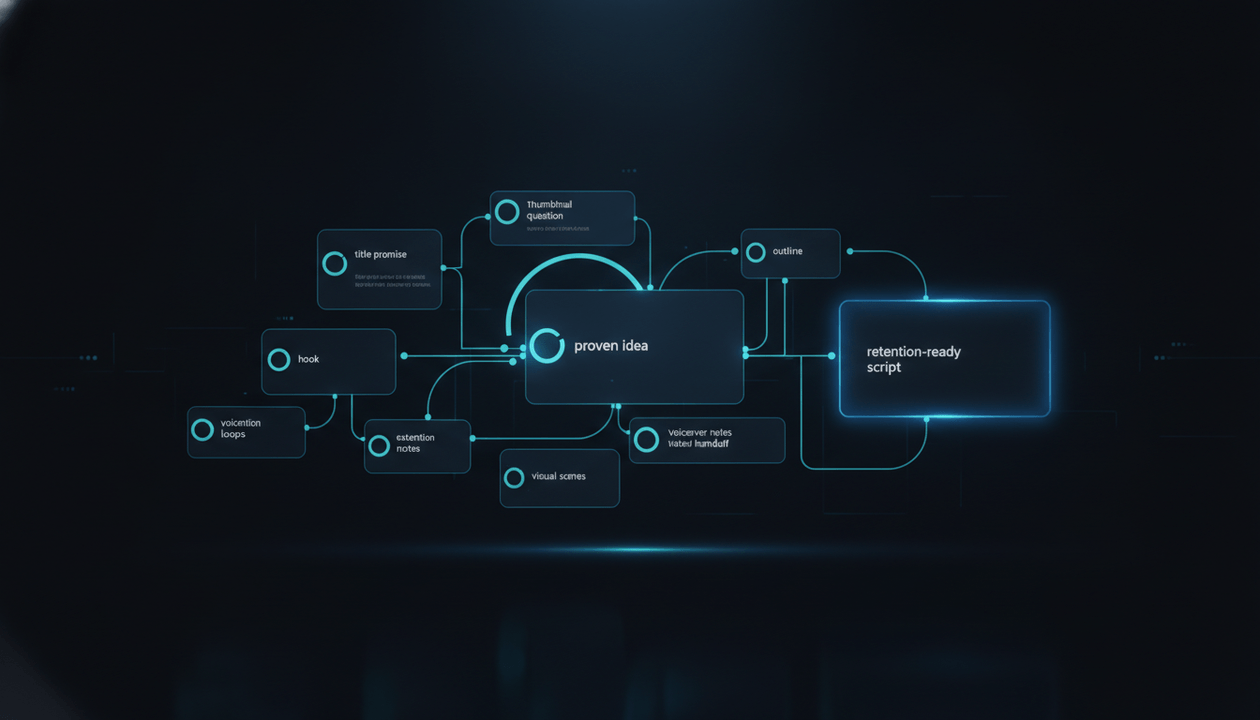
This guide shows you the complete AI YouTube script workflow: how to turn a proven idea into a hook, outline, retention structure, production-ready script, voiceover brief, visual plan, and final video workflow without creating generic AI filler.
Key Takeaways
- An AI YouTube script should not start from a blank prompt. It should start from proven demand, title direction, thumbnail concept, audience promise, and a clear thesis.
- The biggest mistake is asking AI to write a full script before validating the idea and packaging.
- A strong script needs a hook, stakes, structure, examples, retention loops, visual moments, pacing, and a payoff.
- YouTube’s monetization policies reward original and authentic content and warn against repetitive, mass-produced, or reused content with little original value. Source: YouTube Help
- YouTube says viewers often see the title and thumbnail first, and misleading packaging can cause viewers to stop watching. Source: YouTube Help
- The best script workflow is: research first, packaging second, outline third, hook fourth, script fifth, voiceover sixth, production seventh.
- OverseerOS Script Studio helps creators turn validated YouTube ideas into structured scripts connected to title, hook, tone, retention, voiceover, thumbnail, and production workflow.
- OverseerOS Script ReSpark helps improve weak drafts when the script feels generic, slow, repetitive, or disconnected from the video promise.
The Core Problem: AI Writes Scripts Too Early
Most creators use AI like this:
Write me a 10-minute YouTube script about [topic].
That prompt creates output.
It does not create strategy.
The AI does not know:
- Who the exact viewer is
- Why this topic should work now
- Which competitor videos proved demand
- What title promise got the click
- What thumbnail question the viewer saw
- What the hook must prove
- What the unique thesis is
- Which examples are needed
- What sections should create retention
- What visual moments the editor needs
- What the voiceover tone should be
- What makes the video original
So it fills the gaps with generic language.
That is why so many AI YouTube scripts sound like this:
In today’s fast-paced digital world, artificial intelligence is transforming the way creators produce content. From scripting to editing, AI tools are changing the landscape of YouTube automation. In this video, we will explore the top ways AI can help you create better videos.
This is not a hook.
It is filler.
It says nothing sharp.
It creates no tension.
It does not prove the viewer clicked the right video.
It gives the editor no visual direction.
It sounds like AI because it has no specific job.
The fix is simple:
Do not ask AI to invent the script from nothing.
Give it a script system.
What a YouTube Script Actually Needs to Do
A YouTube script has more jobs than a blog post.
It must:
- Pay off the title and thumbnail quickly.
- Give the viewer a reason to stay.
- Create a clear emotional direction.
- Explain the thesis.
- Open loops.
- Answer loops.
- Add examples.
- Change rhythm.
- Give visuals something to show.
- Build toward a payoff.
- Make the viewer feel the video was worth the click.
- Support the channel promise.
- Create trust.
- Lead naturally to the next video, product, or action.
A weak script explains.
A strong script directs attention.
A weak script says:
Here are some tips.
A strong script says:
Here is the real problem, why it happens, what most people miss, and what to do instead.
That is the difference.
The AI YouTube Script Workflow
Here is the full workflow.
| Step | Goal | Output |
|---|---|---|
| 1 | Validate the idea | Proven demand and source patterns |
| 2 | Define the viewer | Specific audience and pain |
| 3 | Create the title promise | What the viewer expects |
| 4 | Create the thumbnail question | What the viewer wonders |
| 5 | Write the thesis | What the video argues |
| 6 | Build the hook | First 15 to 30 seconds |
| 7 | Create the outline | Section structure |
| 8 | Add retention loops | Reasons to keep watching |
| 9 | Add evidence and examples | Specific proof |
| 10 | Draft the script | Full narration |
| 11 | Rewrite for voiceover | Better rhythm and delivery |
| 12 | Add visual notes | Production-ready script |
| 13 | Run originality check | Avoid generic or copied content |
| 14 | Prepare voiceover brief | Tone, pacing, emphasis |
| 15 | Move into production | Scenes, visuals, captions, edit |
Most creators only do step 10.
That is the problem.
Step 1: Validate the Idea Before Writing
A script should not be written just because an idea sounds good.
It should be written because the idea earned production.
Before scripting, prove:
- Similar videos have worked.
- The topic fits your channel promise.
- The title can be packaged.
- The thumbnail can create one clear question.
- The viewer pain or curiosity is specific.
- The video has an original angle.
- The format can hold attention.
- The video can become part of a larger content system.
Weak idea:
AI tools for YouTube
Stronger validated idea:
Creators using AI tools are still getting no views because they start with production instead of research, title, thumbnail, hook, and script strategy.
Now the script has a problem to solve.
Idea validation checklist
- Which public videos prove this demand?
- Which channels are already serving this viewer?
- Which breakout videos reveal the pattern?
- What viewer frustration does this topic solve?
- What does the video say that existing videos do not?
- Can the idea become a strong title?
- Can the idea become a clear thumbnail?
- Can the video hold attention for 6 to 12 minutes?
- Does it fit the channel promise?
- Does it attract the right viewer?
If you cannot answer these, do not write the script yet.
Research more.
Step 2: Define the Viewer Before the Script
A script written for “everyone” sounds like it was written for no one.
Define the viewer before drafting.
Weak:
This video is for people interested in YouTube automation.
Better:
This video is for creators using ChatGPT, AI voiceovers, and AI video tools to make faceless YouTube videos, but their videos are getting low views because they skipped research and packaging.
That viewer is specific.
Now the script knows what pain to hit.
Viewer definition template
This video is for [specific viewer] who is struggling with [specific problem] and wants [specific outcome], but they currently believe [wrong belief].
Example:
This video is for faceless YouTube creators who are using AI tools to produce videos faster and want more views, but they currently believe the video generator is the main problem when the real issue is weak research, title, thumbnail, hook, and script structure.
This gives the script emotional direction.
The viewer should feel:
This is exactly what I am doing wrong.
That is stronger than generic education.
Step 3: Create the Title Promise
The title decides what the script must deliver.
YouTube says titles and thumbnails are often what viewers see first, and misleading titles can cause viewers to stop watching. Source: YouTube Help
That means the script must serve the title.
If the title says:
Why Your AI Faceless Videos Get No Views
The script cannot become:
Here are 10 AI tools for faceless videos.
Wrong promise.
The title promises diagnosis.
The script must diagnose.
If the title says:
How to Use a YouTube Channel Link to Generate 30 Video Ideas
The script cannot become:
Why competitor research matters.
Wrong promise.
The title promises a workflow.
The script must give the workflow.
Title promise template
Write this before the script:
The title promises that the viewer will understand [specific payoff] by the end of the video.
Examples:
| Title | Title Promise |
|---|---|
| Why Your AI Faceless Videos Get No Views | The viewer will understand the hidden reasons their AI videos fail and what workflow fixes it. |
| ChatGPT Is Not Enough for YouTube Automation | The viewer will understand why prompts help but do not replace a full YouTube workflow. |
| YouTube Video Analyzer Workflow | The viewer will learn how to break down a viral video into title, thumbnail, hook, script, and original angle. |
| From Competitor Channel to Content Calendar | The viewer will learn how to turn public competitor patterns into original videos. |
The title promise is the script’s contract.
Break the contract and viewers leave.
Step 4: Create the Thumbnail Question
The thumbnail creates a visual question.
The script must answer it.
Example:
Title:
Why Your AI Faceless Videos Get No Views
Thumbnail concept:
A polished AI video stuck at 37 views beside a missing research layer.
Thumbnail question:
What is missing from this workflow?
The script must answer that fast.
If the opening spends 40 seconds explaining what AI faceless videos are, the viewer feels betrayed.
They clicked for diagnosis.
Give diagnosis.
Thumbnail question template
The thumbnail makes the viewer wonder: [one clear question].
Examples:
| Thumbnail Concept | Thumbnail Question |
|---|---|
| Chat prompt box vs full YouTube workflow dashboard | Is a prompt enough to build a channel? |
| Competitor channel turning into 30-day calendar | How does research become publishable videos? |
| Viral video split into title, thumbnail, hook, script | What made this video work? |
| Script and voiceover transforming into scenes | How does this become a real video? |
| AI script page disconnected from visuals | Why does this script feel unfinished? |
If the script does not answer the thumbnail question, the package is broken.
Step 5: Write the Thesis
A topic is not a thesis.
A topic says what the video is about.
A thesis says what the video argues.
Weak topic:
AI YouTube scripts
Strong thesis:
AI can write YouTube scripts, but the script only works when it starts from proven demand, title-thumbnail promise, viewer pain, evidence, and retention structure.
Weak topic:
Faceless YouTube automation
Strong thesis:
Faceless YouTube automation fails when creators automate production before validating the idea.
Weak topic:
YouTube thumbnails
Strong thesis:
A thumbnail is not a design asset. It is the visual front door of the video promise.
A strong thesis gives the video a spine.
Without it, the script becomes a list.
Thesis template
This video argues that [common belief] is incomplete because [deeper truth].
Examples:
This video argues that AI script generators are not the problem. The problem is asking them to write before the idea, title, thumbnail, hook, and evidence are clear.
This video argues that a YouTube script is not just narration. It is the production plan for the voiceover, visuals, captions, pacing, and retention structure.
The thesis should be strong enough that every section supports it.
If a section does not support the thesis, cut it.
Step 6: Build the Hook Before the Full Script
Do not write the full script and then “add a hook.”
The hook is not a decoration.
It is the opening argument.
A good hook does three things:
- Pays off the title and thumbnail.
- Creates stakes.
- Opens a loop.
Weak hook:
In this video, we are going to talk about how to write YouTube scripts with AI and why scripts are important for growing your channel.
Better hook:
An AI script can look finished and still be dead on arrival. If the idea was not proven, the title was unclear, the thumbnail had no question, and the hook had no stakes, the script is just polished filler.
The second hook is stronger because it starts with the hidden problem.
Hook formulas
| Hook Type | Formula | Example |
|---|---|---|
| Diagnosis hook | “Your problem is not X. It is Y.” | Your problem is not the AI writer. It is the missing strategy before the prompt. |
| Reversal hook | “Most people think X. The real issue is Y.” | Most creators think the script starts with the first line. It starts with the title promise. |
| Consequence hook | “If X is weak, Y does not matter.” | If the title and thumbnail are weak, the script may never get watched. |
| Missing layer hook | “Everyone focuses on X, but skips Y.” | Everyone focuses on script generation, but skips the viewer question the script is supposed to answer. |
| Pain hook | “You can feel the failure when X happens.” | You know the script is weak when the voiceover sounds clean but nothing pulls the viewer forward. |
| System hook | “This is not a writing problem. It is a workflow problem.” | AI scripts fail because creators treat them like text instead of production systems. |
Write 5 to 10 hook options before choosing one.
The first version is rarely the best.
Step 7: Build the Outline Around Retention
A YouTube outline is not just a list of sections.
It is a sequence of reasons to continue watching.
Weak outline:
- Introduction
- What is an AI script generator?
- Benefits
- Tips
- Conclusion
That is generic.
Strong outline:
- The hidden reason AI scripts feel finished but fail.
- Why scripts should start from title and thumbnail, not a blank prompt.
- The 6 inputs every AI script needs before drafting.
- How to turn a proven idea into a hook.
- How to structure sections so viewers keep watching.
- How to add examples, loops, and visual moments.
- How to rewrite the draft for voiceover and production.
- How OverseerOS Script Studio connects the workflow.
- Final script checklist.
This outline has movement.
It starts with pain.
It reveals the cause.
It gives a system.
It ends with action.
Outline structure template
Use this for most educational or strategy videos:
| Section | Job |
|---|---|
| Hook | Earn the click and open the loop |
| Problem | Show the viewer you understand their pain |
| Reframe | Explain why the common solution is incomplete |
| Framework | Give the new way to think about it |
| Steps | Show the workflow |
| Examples | Make it concrete |
| Mistakes | Prevent failure |
| Tool or workflow bridge | Show how to execute |
| Checklist | Make it actionable |
| Payoff | Close the loop and leave a clear takeaway |
This structure works because it does not just explain.
It moves the viewer from confusion to clarity.
Step 8: Add Retention Loops
Retention loops are open questions that make viewers keep watching.
A script without loops feels flat.
A script with loops creates forward motion.
Examples:
- “But that is only the first problem.”
- “The next mistake is where most AI scripts become unusable.”
- “In a minute, I will show you the exact script brief template.”
- “This is why the hook cannot be written last.”
- “The real fix is not a better prompt. It is a better input.”
- “Once you see this, you will notice why so many AI videos feel dead.”
- “The final check is the one that decides whether the video should go into production.”
Do not overuse them.
Use loops at section transitions.
Retention loop types
| Loop Type | What It Does | Example |
|---|---|---|
| Curiosity loop | Opens a question | The next step is what separates a script from filler. |
| Stakes loop | Raises consequence | If you skip this, the voiceover will sound clean but the video will drag. |
| Promise loop | Teases payoff | I’ll give you the exact brief template in a minute. |
| Contrast loop | Creates tension | The weak version looks polished. The strong version gives the editor direction. |
| Pattern loop | Makes viewer anticipate insight | Once you understand this pattern, script generation becomes much easier. |
| Mistake loop | Creates prevention | This is where most creators ruin the script without realizing it. |
A good script does not beg viewers to stay.
It gives them reasons to stay.
Step 9: Add Specific Examples
Generic AI scripts fail because they explain without showing.
Every major point should include an example.
Weak:
A strong hook should create curiosity.
Better:
Weak hook: “Today we will discuss AI YouTube scripts.”
Strong hook: “An AI script can look finished and still fail because it was written before the title, thumbnail, and viewer question were clear.”
Now the viewer understands.
Examples create credibility.
They also help editors create better scenes.
Example types to include
- Weak vs strong title
- Weak vs strong hook
- Weak vs strong script paragraph
- Bad prompt vs good prompt
- Generic outline vs retention outline
- Script line vs visual moment
- Topic vs thesis
- Filler sentence vs voiceover-ready sentence
- Random AI output vs production-ready brief
- Copied structure vs original angle
A YouTube script should constantly move from abstract to concrete.
If the script stays abstract for too long, viewers drift.
Step 10: Create an Evidence List Before Drafting
AI often invents or overstates claims when the input is weak.
Do not let the script create facts from vibes.
Before drafting, collect the evidence.
Evidence can include:
- Public competitor videos
- YouTube Help pages
- Product documentation
- Company pages
- Public reports
- Screenshots
- Examples
- Channel observations
- User comments
- Data from your own channel
- Clearly labeled assumptions
- Expert quotes or source material
- Video transcripts
For factual or current topics, do not rely on memory.
Use sources.
Evidence list template
| Claim | Evidence Needed | Source |
|---|---|---|
| AI scripts fail when they start from generic prompts | Example comparison of weak vs strong prompts | Internal examples |
| YouTube values original and authentic content | YouTube monetization policies | YouTube Help |
| Title and thumbnail affect viewer expectations | YouTube title and thumbnail guidance | YouTube Help |
| This competitor format works | Public competitor video pattern | YouTube URL |
| This hook style creates faster stakes | Script analysis examples | Video transcript |
A strong evidence list prevents generic claims.
It also gives the script more authority.
Step 11: Draft the Script From a Brief, Not a Prompt
Now you can use AI.
But the prompt should be a full script brief.
Weak prompt
Write me a 10-minute YouTube script about AI YouTube scripts.
Strong script brief
Write a 9-minute faceless YouTube script.

Title:
AI YouTube Script Workflow: Turn a Proven Idea Into a Retention-Ready Script

Viewer:
Creators using AI tools to write YouTube scripts, but their videos feel generic, slow, or disconnected from the title and thumbnail.

Thumbnail question:
Why does this AI script still feel unfinished?

Thesis:
AI can help write YouTube scripts, but the script only works when it starts from proven demand, title-thumbnail promise, viewer pain, evidence, and retention structure.

Tone:
Direct, skeptical, practical, premium creator strategy. No guru language. No generic AI filler.

Structure:
1. Hook: AI scripts can look finished and still fail.
2. Problem: creators write before validating the idea.
3. Reframe: a YouTube script is a production system, not just text.
4. Workflow: validated idea, viewer, title promise, thumbnail question, thesis, hook, outline, retention loops, examples, evidence.
5. Examples: weak vs strong prompts, hooks, outlines, script lines.
6. Tool bridge: OverseerOS Script Studio and Script ReSpark.
7. Checklist: what to verify before voiceover and production.
8. Final takeaway: do not ask AI for a script until the video promise is clear.

Requirements:
Use specific examples.
Avoid vague claims.
Add retention loops.
Write for voiceover rhythm.
Include visual notes where useful.
Do not guarantee views.
Do not suggest copying other creators.
This brief gives AI the job.
The better the brief, the better the script.
Step 12: Rewrite for Voiceover Rhythm
A script can read well and sound bad.
Voiceover needs rhythm.
Bad voiceover writing:
In order to successfully create an effective AI-generated YouTube script, it is important to first understand that the process requires multiple strategic components that contribute to the final video’s overall performance.
Too heavy.
Better:
A good AI script does not start with writing. It starts with a promise. What did the title promise? What did the thumbnail make the viewer wonder? What does the first 15 seconds need to prove?
Voiceover-friendly writing has:
- Shorter sentences
- Clear emphasis
- Natural pauses
- Strong transitions
- Fewer nested ideas
- More contrast
- Less filler
- More spoken rhythm
Voiceover rewrite checklist
- Does the first line sound natural when spoken?
- Are sentences too long?
- Are there enough pauses?
- Are key lines punchy?
- Does each section open with a clear point?
- Are there too many abstract nouns?
- Are examples easy to follow out loud?
- Does the script avoid robotic phrases?
- Does it create visual moments?
- Can a narrator perform it without sounding fake?
Read the script out loud.
If you stumble, rewrite.
Step 13: Add Visual Notes to the Script
A faceless YouTube script should give the editor something to show.
Add visual notes beside key lines.
Example:
| Script Line | Visual Note |
|---|---|
| “An AI script can look finished and still be dead on arrival.” | Script document stamped as incomplete beside empty timeline |
| “The title is the promise.” | Title card feeding into script outline |
| “The thumbnail is the question.” | Thumbnail concept turning into viewer curiosity bubble |
| “The hook must prove the click was worth it.” | First 15 seconds highlighted on timeline |
| “A script is not text. It is a production system.” | Script connecting to voiceover, visuals, captions, music, export |
This helps production.
It also forces the script to become more visual.
If a section has no possible visual, it may be too abstract.
Step 14: Run the Generic AI Filler Check
AI filler has patterns.
Look for these phrases:
- “In today’s fast-paced world”
- “It’s important to understand”
- “This is a game-changer”
- “Unlock your potential”
- “Take your content to the next level”
- “Whether you’re a beginner or an expert”
- “Let’s dive in”
- “At the end of the day”
- “The possibilities are endless”
- “AI is revolutionizing everything”
These phrases are not always forbidden.
But they usually signal weak writing.
Replace filler with specific claims.
Weak:
AI is revolutionizing the way creators make videos.
Better:
AI made script generation easier, which means the advantage moved to the parts before the script: research, packaging, and structure.
Weak:
A strong script is essential for success.
Better:
A weak script gives the voiceover words to read. A strong script gives the entire video a reason to move forward.
Weak:
Let’s dive into the top tips.
Better:
The first fix happens before you write a single line.
Specific beats generic.
Step 15: Run the Originality Check
YouTube’s monetization policies warn against repetitive, mass-produced, or reused content with little original value. Source: YouTube Help
So before using an AI script, ask:
- Does the script have a unique thesis?
- Does it include original examples?
- Does it avoid copying competitor structure too closely?
- Does it add meaningful interpretation?
- Does it sound like our channel?
- Does it avoid generic template sections?
- Does it have a clear point of view?
- Does it transform research into something new?
- Does it give the viewer a reason to watch this version?
- Would the script still be valuable without the source inspiration?
A script that only rearranges common internet advice is weak.
A script that adds a new framework, diagnosis, example set, or workflow is stronger.
Step 16: Prepare the Voiceover Brief
The script is not ready for production until the voiceover direction is clear.
Voiceover brief template
Tone:
Direct, skeptical, documentary, calm, urgent, premium, practical.
Audience relationship:
Are we teaching, warning, diagnosing, explaining, or challenging?
Pacing:
Fast hook, controlled framework, slower payoff.
Energy:
Where should the voice rise or tighten?
Pause moments:
Where should the narrator let a line breathe?
Emphasis lines:
List 5 to 10 lines.
Pronunciation notes:
Names, products, acronyms, technical terms.
Avoid:
Robotic delivery, hype voice, corporate narration, fake excitement.
Example:
Tone:
Direct and strategic.
Pacing:
Fast first 20 seconds, medium explanation, slower during checklist.
Emphasis lines:
- “A script is not a video.”
- “The title is the promise.”
- “The thumbnail is the question.”
- “The hook proves the click was worth it.”
- “AI should write after the strategy is clear.”
This gives the voiceover a job.
Step 17: Convert the Script Into a Production Brief
Before the video moves into editing or OverseerOS Auto Edit Studio, create a production brief.
Production brief template
Title:
Thumbnail concept:
Viewer:
Thesis:
Hook:
Script length:
Voiceover tone:
Visual style:
Main visual metaphors:
Scene types:
Caption strategy:
Music direction:
Motion direction:
Originality notes:
Policy or disclosure notes:
CTA:
Example:
Visual style:
Dark premium creator command center.
Main visual metaphors:
Script page, title promise, thumbnail question, voiceover waveform, retention timeline, script-to-video pipeline.
Scene types:
Dashboard scenes, script cards, timeline scenes, weak vs strong comparisons, workflow diagrams.
Caption strategy:
Emphasize short phrases like “title promise,” “thumbnail question,” “retention loop,” “voiceover rhythm.”
Now the script can become a video.
The AI YouTube Script Scorecard
Score every script before voiceover.
| Factor | Question | Score |
|---|---|---|
| Title alignment | Does the script deliver the title promise? | |
| Thumbnail alignment | Does the opening answer the thumbnail question? | |
| Hook strength | Does the first 15 to 30 seconds create stakes? | |
| Thesis clarity | Is the main argument clear? | |
| Structure | Does each section move the video forward? | |
| Retention loops | Are there reasons to keep watching? | |
| Examples | Are claims supported by specific examples? | |
| Voiceover rhythm | Does it sound natural when spoken? | |
| Visual readiness | Can the editor clearly visualize scenes? | |
| Originality | Does it add unique value? |
Decision rule:
- 42 to 50: Ready for voiceover.
- 34 to 41: Good, but rewrite weak sections.
- 25 to 33: Needs serious revision.
- Below 25: Rebuild the brief before rewriting.
Do not send weak scripts to voiceover.
Voiceover makes weak writing more obvious.
Weak AI Script vs Strong AI Script
Weak version
Artificial intelligence has changed the way creators write scripts for YouTube. With AI tools, creators can save time, generate ideas, and improve their workflow. In this video, we will explore how AI can help you create better scripts for your YouTube channel.
Problem:
- Generic
- No tension
- No viewer pain
- No thesis
- No visual direction
- No reason to stay
Strong version
An AI script can look finished and still fail the moment it becomes a video. If the idea was never validated, the title did not create a clear promise, the thumbnail had no visual question, and the hook had no stakes, the script is just polished filler. The problem is not the AI writer. The problem is what you gave it before writing.
Why stronger:
- Starts with a problem
- Creates stakes
- Diagnoses the real issue
- Sets up the workflow
- Gives visual direction
- Speaks to the target viewer
The difference is not vocabulary.
It is strategy.
The Best AI Script Prompt Framework
Use this structure when asking AI to write.
You are writing a faceless YouTube script.

Title:
[title]

Viewer:
[specific viewer]

Viewer pain:
[problem they feel]

Thumbnail question:
[what the thumbnail makes them wonder]

Thesis:
[what the video argues]

Evidence:
[list source material, examples, competitor patterns, facts]

Tone:
[voice and style]

Structure:
[section-by-section outline]

Retention requirements:
[loops, stakes, callbacks, examples]

Visual requirements:
[what editors should be able to show]

Originality rules:
[what not to copy, what must be unique]

Length:
[target runtime or word count]

Output:
Write a voiceover-ready script with clear section beats and optional visual notes.
The prompt is long because the job is complex.
A short prompt creates a shallow script.
The Script Rewriting Workflow
The first draft is not the final script.
Use this rewrite process.
Rewrite 1: Hook rewrite
Ask:
- Does the hook start fast?
- Does it pay off the title?
- Does it answer the thumbnail question?
- Does it open a loop?
- Does it avoid generic setup?
Rewrite 2: Structure rewrite
Ask:
- Does every section support the thesis?
- Is the order logical?
- Does the video build?
- Are there slow sections?
- Are there repeated points?
Rewrite 3: Example rewrite
Ask:
- Are there enough examples?
- Are weak vs strong comparisons included?
- Are claims concrete?
- Does each major idea become visible?
Rewrite 4: Voiceover rewrite
Ask:
- Does it sound natural?
- Are sentences too long?
- Are there clear emphasis lines?
- Is the rhythm strong?
Rewrite 5: Production rewrite
Ask:
- Can scenes be planned from this?
- Does the editor know what to show?
- Are visual notes clear?
- Does it avoid generic visuals?
This is how a script becomes production-ready.
How OverseerOS Script Studio Fits the Workflow
OverseerOS Script Studio is built for the missing layer between a good idea and a finished faceless video.
Use OverseerOS Script Studio after you have:
- A validated topic
- A clear viewer
- A title direction
- A thumbnail concept
- A hook direction
- A channel tone
- A content planner item
- A production goal
OverseerOS Script Studio helps connect:
- Topic
- Title
- Outline
- Hook
- Tone
- Retention
- Voiceover
- Thumbnail
- Planner workflow
- Production path
That matters because most AI script tools treat the script as isolated text.
But in YouTube, the script is not isolated.
It is connected to the full video.
A good script must serve:
- The title
- The thumbnail
- The hook
- The voiceover
- The visuals
- The captions
- The edit
- The channel promise
That is why a connected workflow beats a blank prompt.
How OverseerOS Script ReSpark Fits the Workflow
Sometimes the first draft is not good enough.
The script may be:
- Too slow
- Too generic
- Too repetitive
- Too broad
- Too weak in the hook
- Too disconnected from the title
- Too hard to visualize
- Too article-like
- Too thin on examples
- Too close to source inspiration
That is where OverseerOS Script ReSpark fits.
Use OverseerOS Script ReSpark to improve weak drafts, transcripts, or rough scripts by sharpening:
- Hook
- Pacing
- Structure
- Clarity
- Tone
- Retention
- Examples
- Originality
- Voiceover flow
- Production readiness
A weak script does not always need to be thrown away.
Sometimes it needs a better structure and a stronger thesis.
The Full OverseerOS Script-to-Video Workflow
Here is how the workflow connects.
1. Find proven demand with OverseerOS Viral Channel Finder
Use OverseerOS Viral Channel Finder to discover breakout channels and topic opportunities.
This helps you avoid writing scripts for ideas nobody wants.
2. Analyze channels with OverseerOS Channel Analyzer
Use OverseerOS Channel Analyzer to inspect public channel signals, top videos, upload rhythm, title patterns, hooks, scripts, and blueprint opportunities.
This helps you understand what kind of scripts the audience already responds to.
3. Extract strategy with OverseerOS Channel Blueprint Cloner
Use OverseerOS Channel Blueprint Cloner to turn a public YouTube channel into a structured blueprint with tone DNA, hooks, pacing, viral formulas, tags, keywords, and topic opportunities.
This gives your script a strategic foundation.
4. Analyze specific videos with OverseerOS Viral X-Ray
Use OverseerOS Viral X-Ray to break down video title, thumbnail, hook, structure, tone, audience, emotions, CTA, and script strategy.
This helps you understand what worked before writing your own script.
5. Plan the idea with OverseerOS Smart Content Planner
Use OverseerOS Smart Content Planner to save the idea, source pattern, title direction, thumbnail concept, hook, script status, and production status.
This keeps research connected to execution.
6. Generate titles with OverseerOS Viral Title Architect
Use OverseerOS Viral Title Architect to create title options from proven patterns, breakout videos, and planner context.
This helps the script start from a strong promise.
7. Create thumbnails with OverseerOS AI YouTube Thumbnail Generator
Use OverseerOS AI YouTube Thumbnail Generator to create original thumbnail concepts from scratch, model visual DNA from a YouTube URL, clone from analyzed channels, or start from a 1M+ view thumbnail style library.
This gives the script a visual promise to pay off.
8. Write with OverseerOS Script Studio
Use OverseerOS Script Studio to create the hook, outline, full script, tone, retention structure, voiceover direction, and production-ready script.
This is where the idea becomes a video script.
9. Improve with OverseerOS Script ReSpark
Use OverseerOS Script ReSpark if the script needs stronger pacing, clearer structure, better examples, or more original flow.
This helps remove generic AI filler before voiceover.
10. Produce with OverseerOS Auto Edit Studio
Use OverseerOS Auto Edit Studio after the script and voiceover are ready.
OverseerOS Auto Edit Studio helps turn finished scripts and voiceovers into structured faceless videos with scenes, AI visuals, captions, music, motion, style direction, and export workflows.
For the full workflow, explore the OverseerOS creator tools.
The correct order is:
research → title → thumbnail → hook → outline → script → voiceover → production.
Not:
prompt → script → video → hope.
AI Script Mistakes That Kill Retention
Mistake 1: Starting with context instead of stakes
Weak:
YouTube has become one of the biggest platforms in the world.
Better:
Most creators lose viewers before the video even reaches the first real point.
Start with the problem.
Mistake 2: Writing like an article
Weak scripts explain in long paragraphs.
Strong scripts move in beats.
Use short lines, examples, transitions, and visual moments.
Mistake 3: No thesis
If the script does not argue anything, it becomes a list.
Fix:
Write the thesis before the outline.
Mistake 4: No examples
Abstract advice does not hold attention.
Fix:
Add weak vs strong examples every few minutes.
Mistake 5: No retention loops
If each section ends cleanly, viewers have no reason to continue.
Fix:
End sections with a question, contrast, or next-step promise.
Mistake 6: Hook written after the script
The hook should shape the video.
Fix:
Write the hook before the full draft.
Mistake 7: Title and script mismatch
If the title promises a diagnosis, the script must diagnose.
If the title promises a workflow, the script must show steps.
Fix:
Write the title promise at the top of the script brief.
Mistake 8: Voiceover-unfriendly sentences
Long sentences make narration sound fake.
Fix:
Rewrite for spoken rhythm.
Mistake 9: No visual plan
A faceless video needs scenes.
Fix:
Add visual notes or scene beats.
Mistake 10: Generic AI language
AI filler makes the channel sound replaceable.
Fix:
Use specific claims, examples, and a clear point of view.
The Production-Ready Script Template
Use this structure.
Video Package
Title:
Thumbnail question:
Viewer:
Viewer pain:
Thesis:
Promise:
Tone:
Hook
First line:
Opening stakes:
Loop opened:
What the first 30 seconds proves:
Outline
| Section | Job | Retention Loop | Visual Direction |
|---|---|---|---|
| 1 | Hook | ||
| 2 | Problem | ||
| 3 | Reframe | ||
| 4 | Framework | ||
| 5 | Examples | ||
| 6 | Mistakes | ||
| 7 | Workflow | ||
| 8 | Checklist | ||
| 9 | Payoff |
Evidence
| Claim | Source or Example |
|---|---|
Script
Write the full voiceover-ready script here.
Visual Notes
Add notes for:
- Hook scene
- Framework scene
- Weak vs strong examples
- Product workflow
- Checklist
- Final takeaway
Voiceover Notes
Add:
- Tone
- Pacing
- Emphasis lines
- Pause moments
- Pronunciation notes
Originality Check
- What pattern inspired this?
- What are we not copying?
- What original angle do we add?
- What examples are unique?
- What makes this useful to the viewer?
This template is the difference between script text and video direction.
The Final Script Checklist
Before sending the script to voiceover, check this.
- The title promise is clear.
- The thumbnail question is clear.
- The first 15 seconds pays off the click.
- The thesis is sharp.
- The viewer is specific.
- The structure moves forward.
- Every section has a job.
- There are retention loops.
- Examples are specific.
- Generic AI filler is removed.
- Claims are supported.
- The script sounds natural out loud.
- Visual moments are clear.
- The script is original.
- The voiceover direction is included.
- The production team knows what to show.
If the script fails this checklist, do not generate the voiceover yet.
Fix the script first.
Final Verdict: AI Should Write After Strategy, Not Before It
AI can help write YouTube scripts.
But AI should not be the first step.
A strong YouTube script starts before the draft.
It starts with:
- Proven demand
- Viewer clarity
- Title promise
- Thumbnail question
- Thesis
- Hook
- Outline
- Retention loops
- Evidence
- Examples
- Voiceover rhythm
- Visual direction
- Originality check
Then AI becomes useful.
Without those inputs, AI creates polished filler.
With those inputs, AI can help turn a proven idea into a production-ready script.
That is the difference between asking for words and building a video.
If you want to do this manually, use the templates in this guide.
If you want the workflow connected, OverseerOS helps creators turn public YouTube patterns into original videos. Use OverseerOS Viral Channel Finder to find demand, OverseerOS Channel Analyzer to study public channels, OverseerOS Channel Blueprint Cloner to extract strategy, OverseerOS Viral X-Ray to analyze breakout videos, OverseerOS Smart Content Planner to organize the idea, OverseerOS Viral Title Architect and OverseerOS AI YouTube Thumbnail Generator to create the package, OverseerOS Script Studio to write the hook, outline, script, tone, retention structure, and voiceover direction, OverseerOS Script ReSpark to improve weak drafts, and OverseerOS Auto Edit Studio to move the finished script and voiceover into production.
Do not ask AI for a script first.
Build the video promise first.
Then write.
FAQ
What is an AI YouTube script workflow?
An AI YouTube script workflow is a structured process for turning a proven video idea into a production-ready script using AI. It includes idea validation, viewer definition, title promise, thumbnail question, thesis, hook, outline, retention loops, examples, evidence, voiceover rhythm, visual notes, originality checks, and production planning.
Can AI write YouTube scripts?
Yes, AI can help write YouTube scripts. But the quality depends on the input. A vague prompt creates generic scripts. A strong brief with viewer pain, title, thumbnail concept, thesis, evidence, structure, tone, and retention requirements creates much better scripts.
Why do AI YouTube scripts sound generic?
AI YouTube scripts sound generic when they start from broad prompts like “write a script about AI tools.” Without specific viewer context, proven demand, title promise, thumbnail question, examples, and a unique thesis, AI fills the gaps with common phrases and broad explanations.
What should I give AI before asking for a YouTube script?
Before asking AI for a YouTube script, give it the title, viewer, viewer pain, thumbnail question, thesis, evidence, tone, structure, retention requirements, visual direction, originality rules, and desired length. The more specific the brief, the stronger the script.
Should I write the title before the script?
Yes. The title should usually come before the full script because it defines the viewer promise. The script must deliver what the title promises. If the title and script are disconnected, viewers may click and leave.
Should I create the thumbnail before writing the script?
You should create at least the thumbnail concept before writing the full script. The thumbnail creates a visual question, and the script should answer that question quickly. The final design can come later, but the thumbnail promise should guide the hook and structure.
What makes a YouTube script retention-ready?
A retention-ready script has a strong hook, clear thesis, specific viewer, structured sections, open loops, examples, pacing changes, visual moments, and a satisfying payoff. It should give viewers reasons to keep watching after the first click.
How do I improve a weak AI YouTube script?
Improve a weak AI YouTube script by rewriting the hook, clarifying the thesis, removing generic filler, adding examples, restructuring sections around retention, shortening long sentences, adding visual notes, and making sure the script delivers the title and thumbnail promise.
How does OverseerOS Script Studio help?
OverseerOS Script Studio helps creators turn validated YouTube ideas into structured scripts connected to title, hook, tone, retention, voiceover, thumbnail, planner workflow, and production. It is designed for YouTube workflows, not just generic text generation.
What is the biggest mistake in AI YouTube scripting?
The biggest mistake is asking AI to write the script before the strategy is clear. AI should write after the idea is validated, the viewer is defined, the title and thumbnail promise are clear, the thesis is sharp, and the outline has a retention structure.