Most AI YouTube script generators can write words.
That is not the problem anymore.
The problem is that most of them write scripts that sound like AI: clean, logical, generic, and completely forgettable.
A real YouTube script has to do more than explain a topic. It has to hold attention, build curiosity, match the title promise, support the thumbnail idea, move between sections without feeling robotic, and sound like the channel it belongs to.
That is why the best AI YouTube script generator in 2026 is not just the one that creates the fastest draft.
It is the one that helps you create a script worth producing.
This guide compares the best AI YouTube script generators, what each tool is actually good for, where they fall short, and which one fits your workflow if you care about retention, channel voice, faceless content, and repeatable YouTube production.
Quick Verdict: Best AI YouTube Script Generators in 2026
| Tool | Best For | Main Strength | Main Weakness |
|---|---|---|---|
| OverseerOS | YouTube creators who want research-backed scripts, channel tone, outlines, section-by-section writing, rewrites, and agentic drafting | Full Script OS: Script Studio, Writing Agent, Creator DNA, ReSpark, Trend-to-Script, planner handoff, and channel-style writing | Best for creators who want a YouTube workflow, not a simple one-click text box |
| vidIQ | Creators who want a simple free YouTube script generator | Turns an idea into a full script with hooks, talking points, transitions, and CTA | More limited if you need deep channel tone, source rewrites, or multi-step script craft |
| TubeAnalytics | Creators looking for retention-structured script generation | Positions around an 8-section viral script framework and YouTube retention patterns | More analytics-script focused than full research-to-script-to-planner workflow |
| ChatGPT | Flexible custom script prompting | Extremely adaptable if you know how to prompt | Starts from your prompt quality, not YouTube-native competitor patterns by default |
| Claude | Long-form drafting, rewrites, structure, and tone refinement | Strong for collaborative writing and detailed script shaping | Needs a strong YouTube framework and research inputs from the user |
| Jasper | Brand voice and marketing-style scripts | Strong for teams that want brand-consistent content | More general marketing writer than YouTube-specific script system |
| Kapwing | Short-form YouTube scripts and script-to-video workflows | Generates hooks, talking points, pacing, CTAs, and can connect scripts to video creation | Better for shorter creator scripts than deep long-form YouTube strategy |
| VEED | Script generation connected to video production | Generates scripts and can move into text-to-video, voice, and editing tools | Strong production workflow, but not deep competitor research |
| Pictory | Script generation plus script-to-video | Generates scripts by video type, platform, tone, and goal, then sends to video/storyboard | Best after the idea is already validated |
| InVideo | Fast AI scripts and video generation | Creates scripts with hooks, structure, CTAs, and can turn scripts into videos | Can feel generic if the research, angle, and script direction are weak |
Key Takeaways
- The best AI YouTube script generator is not just a writer. It should help with idea validation, title promise, thumbnail promise, hook, structure, tone, retention, and editing.
- Generic AI scripts fail because they start from a blank prompt instead of proven YouTube patterns.
- OverseerOS is the strongest fit if you want a YouTube-native scripting workflow because Script Studio, Writing Agent, ReSpark, Trend-to-Script, Creator DNA, and Channel Planner context all feed into the same script system.
- vidIQ, TubeAnalytics, Jasper, Kapwing, VEED, Pictory, and InVideo are useful, but they solve different parts of the scripting and production workflow.
- ChatGPT and Claude are powerful general AI writers, but they need strong prompts, examples, and structure to behave like YouTube script strategists.
- YouTube’s own guidance says viewers usually see thumbnails and titles first, so your script should be built around the promise your packaging creates. Source: YouTube Help
- AI-assisted scripts still need originality. YouTube says reused content needs meaningful difference from the original work, and repetitive content can create monetization problems. Source: YouTube Help
What Makes a Good AI YouTube Script Generator?
A good AI YouTube script generator should help you write for how YouTube actually works.
That means it should understand:
- The title promise
- The thumbnail promise
- The target viewer
- The video format
- The hook
- The first 30 seconds
- Section flow
- Open loops
- Stakes
- Pattern breaks
- Examples
- Pacing
- Tone
- Ending
- CTA
- Channel voice
A weak script generator gives you this:
Hey everyone, welcome back to the channel. In today’s video, we’re going to talk about the best AI tools for YouTube creators. Make sure to like and subscribe.
That is dead writing.
A strong YouTube script starts closer to this:
I tested 12 AI tools that claim they can help YouTube creators save time. Most of them were either too generic, too slow, or created content that sounded exactly like everyone else. But four tools actually changed the workflow, and one of them exposed the biggest mistake creators are making with AI right now.
The second version creates:
- Proof
- Tension
- Curiosity
- Specificity
- A reason to keep watching
- A clear retention engine
That is what AI script tools should help you build.
Not just paragraphs.
A video.
The Problem With Most AI YouTube Scripts
Most AI scripts fail for five reasons.
| Problem | What It Looks Like | Why It Hurts Retention |
|---|---|---|
| Generic opening | “In today’s video…” | No tension, no curiosity |
| Flat structure | Point 1, point 2, point 3 | Feels like a blog post read aloud |
| No packaging alignment | Script does not deliver the title and thumbnail promise | Viewer feels tricked or bored |
| Weak transitions | “Next, let’s talk about…” | Kills momentum between sections |
| No channel voice | Sounds like any AI tool wrote it | Reduces trust and uniqueness |
This is why a script generator should not only ask:
What is your topic?
It should ask:
- Who is the viewer?
- What are they afraid of?
- What do they want?
- What did the title promise?
- What did the thumbnail imply?
- What proof or example can support the claim?
- What should the viewer feel in the first 30 seconds?
- What should make them keep watching?
- What does this channel normally sound like?
That is the difference between a script writer and a YouTube script system.
1. OverseerOS: Best Overall AI YouTube Script Generator for Serious Creators
OverseerOS is the best fit if you want more than a blank AI writing box.
It is built around the way YouTube creators actually work: research, channel patterns, ideas, titles, outlines, tone, scripts, rewrites, planner topics, and production handoff.
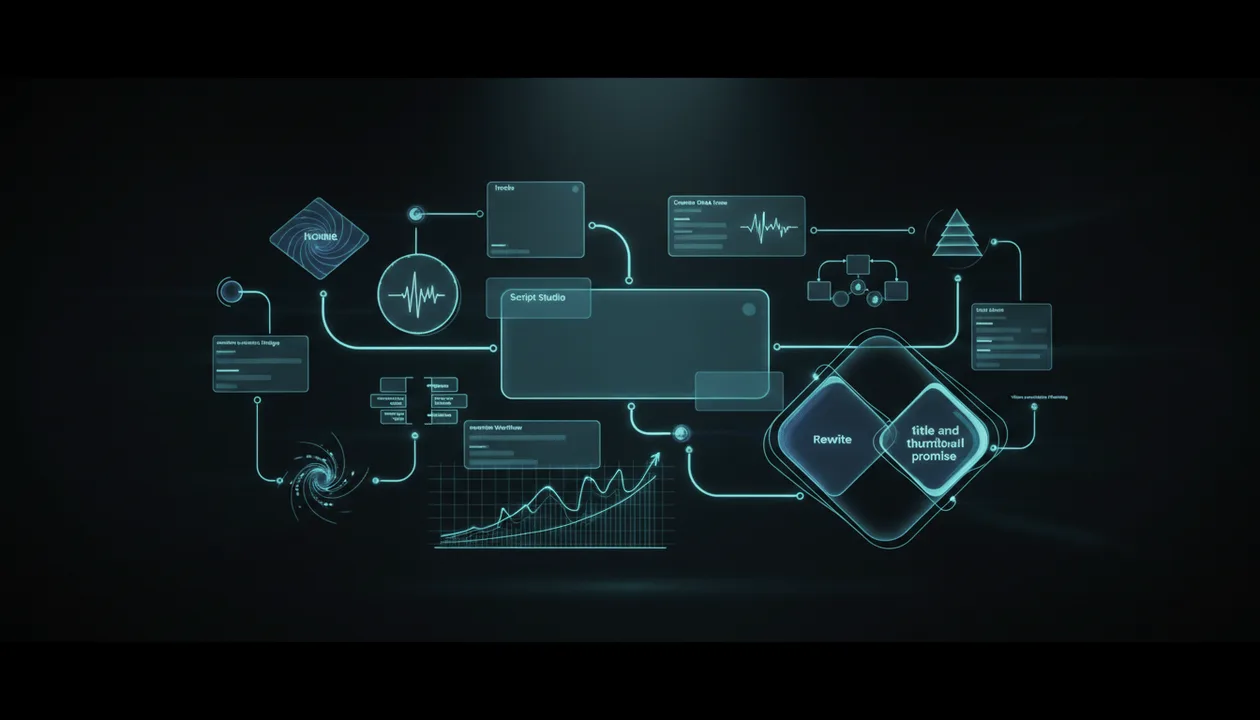
The scripting system is not just one feature.
It has three main doors:
| Script Door | What It Does | Best For |
|---|---|---|
| Script Studio | Build a script from your idea, outline, channel context, or handoff | New scripts, long-form, short-form, section writing, Writing Agent |
| Script ReSpark | Rewrite a YouTube URL, article, or pasted script into something original | Turning existing material into a fresh script with optional Creator DNA tone |
| Trend-to-Script | Research a trending topic, approve facts, build an outline, then send it into Script Studio | Timely videos, research-led scripts, trend angles |
That makes OverseerOS closer to a Script OS than a simple AI script generator.
Why OverseerOS Is Different
Most script tools start with this:
Enter your idea.
OverseerOS can start from more useful inputs:
- A title or topic
- A Channel Planner topic
- A Blueprint seed
- A reference video tone
- A Creator DNA profile
- Trend research
- Approved facts
- A URL
- A pasted script
- A selected outline
- A creative brief
- Long-form or short-form format
- Non-negotiables and must-avoid rules
That matters because YouTube scripts are not written in isolation.
A good script depends on the channel, the tone, the video format, the audience, and the promise of the title.
Script Studio
Script Studio is the main workshop.
It helps creators build long-form or short-form scripts from a title, topic, outline, or handoff.
The workflow can include:
- Title or topic setup
- Creative brief
- AI-assisted creative direction
- Multiple outline options
- Hook-first structure
- Section-by-section editor
- Global tone
- Per-section tone
- Creator DNA profiles
- Reference-video tone
- Non-negotiables
- Inline AI commands
- Highlight edits
- Quick Start starters
- Compile and packaging support
- Saving to Channel Planner topics
This is important because many YouTube scripts fail during structure, not grammar.
The issue is not “can AI write this?”
The issue is:
Is the hook strong? Are the sections in the right order? Do transitions create curiosity? Does the ending land? Does the script sound like the channel?
Script Studio is designed around those questions.
Writing Agent
The Writing Agent is the more agentic layer inside Script Studio.
In plain English, it can help draft and shape a full script section by section.
It can:
- Fill empty sections in order
- Use varied openers so every section does not start the same way
- Add small expansion moves like stakes, examples, twists, or momentum
- Respect target length
- Add length where the script needs it instead of bloating the wrong section
- Avoid overusing the same writing trick
- Preserve strong cliffhanger-style section endings where possible
- Rewrite section endings into punchy curiosity bridges
- Run a quality pass for generic openings, missing topic anchors, thin proof, or weak stakes
- Use an optional Brain layer as a light editor-in-chief when enabled
That matters because a full YouTube script is not just a pile of paragraphs.
It needs progression.
The Writing Agent helps turn an outline into a more watchable draft.
Creator DNA
Creator DNA is one of the most important differences.
A generic script generator writes in a generic voice.
OverseerOS can use saved Creator DNA tone profiles so the script can sound closer to your channel style.
That can influence:
- Global script tone
- Section tone
- DNA-style hooks
- Rewrites in ReSpark
- Blueprint-to-Script Studio handoff
- Reference-style writing patterns
This does not mean copying another creator word for word.
That would be the wrong goal.
The better goal is:
Use the voice, pacing, structure, and style patterns that fit your channel while creating an original script.
That is much more valuable than asking a generic AI tool to “make it engaging.”
Script ReSpark
Script ReSpark is for rewriting existing content.
You can start from:
- A YouTube URL
- An article URL
- A pasted script
Then you can rewrite it into a fresh version.
That is useful for creators who already have source material but want a new script that does not feel copied.
It also supports Creator DNA rewrites when available, so a source script can be reshaped into a saved channel tone.
This is a strong workflow for:
- Refreshing old scripts
- Turning research into narration
- Rewriting transcripts
- Repurposing source material
- Matching your channel tone
- Saving the result to a Channel Planner topic
The key distinction:
ReSpark is for rewriting supplied text.
Script Studio is where the deeper section-by-section YouTube craft lives.
Trend-to-Script
Trend-to-Script is the research-to-outline lane.
It helps with:
- Trending or timely topics
- Suggested angles
- Fact approval
- Working title
- Outline building
- Storytelling settings
- Word budget planning
- Handoff into Script Studio
This is useful because trend videos need speed, but speed without fact control is dangerous.
For a full breakdown of tools built for this exact speed problem, read our comparison of the news-to-YouTube script generators that turn fresh trends into videos.
Trend-to-Script helps structure the research before the script is written.
Best For
- Faceless YouTube creators
- Creator teams
- YouTube automation workflows
- Business case study channels
- AI and tech channels
- Education channels
- Long-form explainers
- Channels that care about retention
- Creators who want a repeatable script workflow
- Creators who want channel-style writing instead of generic AI scripts
Main Strength
OverseerOS connects scripting to the full YouTube workflow.
It does not only write from a prompt.
It can use research, channel context, Creator DNA, outlines, planner topics, trend research, reference tone, and rewrite flows.
That makes it the strongest choice if your goal is not simply “write me a script.”
Your real goal is:
Write a script that fits this channel, delivers the title promise, keeps attention, and can move into production.
Main Weakness
OverseerOS is not the simplest tool if you only need a quick throwaway paragraph.
It is best for creators who want a real scripting system.
Creators comparing that scripting depth against an all-in-one AI suite can read our best TubeMagic alternatives breakdown.
Verdict
Use OverseerOS if scripts are a serious part of your content business.
It is the strongest choice for creators who want to reverse-engineer high-performing YouTube channels with OverseerOS, build scripts from proven patterns, match channel tone, rewrite source material, and turn research into production-ready drafts.
2. vidIQ: Best Free AI YouTube Script Generator for Simple Drafts
vidIQ has a free AI YouTube Script Generator that lets creators enter an idea and generate a video script with hooks, transitions, talking points, and a call-to-action. Its page describes a simple workflow: enter your idea, generate a script, refine tone or pacing, then copy the script for production. Source: vidIQ
That makes it a good option for creators who want a fast first draft.
Best For
- Beginners
- Quick script drafts
- Simple YouTube ideas
- Creators already using vidIQ
- SEO-focused YouTubers
- Shorter scripts and basic outlines
Main Strength
vidIQ is easy.
The value is speed.
You enter the topic and get a script structure quickly.
That can help creators who get stuck staring at a blank page.
Main Weakness
vidIQ is not as deep as a full script workflow.
If you need Creator DNA, trend research, section-by-section agentic drafting, URL rewrites, planner handoff, or channel-specific tone systems, you will likely need something more advanced.
Verdict
Use vidIQ if you want a fast free starting point.
Use OverseerOS if you want the script to come from channel patterns, tone, outlines, research, and deeper YouTube craft.
3. TubeAnalytics: Best for Retention-Structured Script Generation
TubeAnalytics positions its Viral Script Generator around YouTube retention patterns. Its site says it can create structured YouTube scripts with an 8-section format, multiple tones, and hook styles. Source: TubeAnalytics
That makes TubeAnalytics relevant because it understands a key problem: YouTube scripts need retention structure, not just good grammar.
Best For
- Creators who want retention-oriented script structure
- YouTubers looking for viral-style frameworks
- Analytics-minded creators
- Channels that want structured script sections
- Creators comparing YouTube-specific script tools
Main Strength
TubeAnalytics is more YouTube-specific than a general AI writer.
Its positioning around structure, hooks, and retention gives it a stronger YouTube angle than tools that only say “write a script.”
Main Weakness
TubeAnalytics appears more focused on script generation and analytics positioning than a full research-to-outline-to-DNA-to-planner scripting system.
If your workflow depends on Creator DNA, rewriting URLs or source scripts, Trend-to-Script handoffs, and section-level agentic refinement, OverseerOS has the stronger workflow depth.
Verdict
Use TubeAnalytics if you want a retention-structured script generator.
Use OverseerOS if you want scripts connected to channel analysis, Creator DNA, Trend-to-Script, ReSpark, and production planning.
4. ChatGPT: Best Flexible AI Writer if You Know How to Prompt
ChatGPT is not a YouTube-specific script generator, but it is one of the most flexible AI writing tools.
OpenAI describes ChatGPT as a conversational model that can answer follow-up questions, challenge incorrect premises, admit mistakes, and follow instructions in a prompt. Source: OpenAI
For scripts, that flexibility can be powerful.
But only if you bring the framework.
Best For
- Custom prompts
- Brainstorming
- Script rewrites
- Hook variations
- Outline creation
- Section expansion
- Tone experiments
- Creator teams with strong prompt systems
Main Strength
ChatGPT is adaptable.
You can ask it to write:
- Long-form scripts
- Shorts scripts
- Hook options
- Open loops
- Section outlines
- CTAs
- Rewrites
- Different tones
- Narration-style scripts
- Documentary scripts
- Explainer scripts
Main Weakness
ChatGPT starts from your input.
If your prompt is generic, the script will probably be generic.
It does not automatically know your channel blueprint, saved Creator DNA, planner topic, reference video tone, or outlier research unless you provide that context.
Verdict
Use ChatGPT if you are good at prompting and already have a strong YouTube script framework.
Use OverseerOS if you want that framework built into the product workflow.
5. Claude: Best for Long-Form Drafting, Rewrites, and Collaborative Script Thinking
Claude is strong for writing, analysis, and long-form collaboration.
Anthropic describes Claude as helpful for summarization, search, creative and collaborative writing, Q&A, coding, and more, with the ability to take direction on tone, personality, and behavior. Source: Anthropic
That makes Claude useful for creators who want help shaping long scripts, rewriting sections, or thinking through structure.
Best For
- Long-form YouTube scripts
- Rewrite passes
- Structural analysis
- Tone refinement
- Explainer scripts
- Documentary scripts
- Business case study scripts
- Creators who like back-and-forth drafting
Main Strength
Claude is strong at collaborative writing.
It can help expand ideas, restructure sections, improve clarity, and make scripts feel more natural.
Main Weakness
Like ChatGPT, Claude is general-purpose.
It does not automatically come with YouTube-specific workflows like Creator DNA hooks, Channel Planner save-to-topic, Trend-to-Script handoff, or section-by-section Writing Agent behavior unless you manually recreate that process.
Verdict
Use Claude as a powerful writing partner.
Use OverseerOS if you want YouTube-native structure and channel workflow built into the scripting system.
6. Jasper: Best for Brand Voice and Marketing Scripts
Jasper offers a YouTube Script Writer and positions it as a way to create engaging video scripts quickly with AI. Source: Jasper
Jasper is better known as a marketing content platform, so it is especially useful for teams that care about brand voice, campaign assets, and consistent messaging.
Best For
- Marketing teams
- Brand voice consistency
- Product videos
- YouTube ads
- Business content
- Social media teams
- Content teams that already use Jasper
Main Strength
Jasper is strong when consistency matters.
If you are creating branded videos, product scripts, or marketing content, its brand voice angle can be useful.
Main Weakness
Jasper is not built specifically around YouTube competitor analysis, outlier videos, title-thumbnail alignment, Creator DNA hooks, or planner-connected creator workflows.
It can write scripts, but it is not a YouTube-first strategy system.
Verdict
Use Jasper if your YouTube scripts are part of a broader marketing content workflow.
Use OverseerOS if your scripts are part of a creator growth workflow.
7. Kapwing: Best for Short-Form YouTube Scripts and Script-to-Video
Kapwing has an AI YouTube Script Generator for short-form YouTube scripts, including hooks, talking points, pacing, CTAs, and creator-friendly structure. Source: Kapwing
Kapwing also has script-to-video workflows, which makes it useful for creators who want to move quickly from script to finished content.
Best For
- YouTube Shorts
- Short-form creator scripts
- Social video scripts
- Script-to-video workflows
- Simple hooks and talking points
- Creators who also need editing tools
Main Strength
Kapwing connects writing to production.
That is useful if your goal is to create short social videos, edit them, and publish quickly.
Main Weakness
Kapwing is not the best fit for deep long-form YouTube scripts, channel DNA, competitor-based scripting, or complex section-by-section retention writing.
Verdict
Use Kapwing for short-form scripts and fast production.
Use OverseerOS for deeper YouTube scripting, long-form structure, channel tone, and pattern-based script workflows.
8. VEED: Best for Script Generation Connected to Editing
VEED offers an AI script generator that can create scripts for YouTube, marketing campaigns, educational content, social media videos, and presentations. Its page also connects scripts to text-to-speech and script-to-video tools. Source: VEED
That makes VEED useful if you want script generation inside a broader video editing workflow.
Best For
- YouTube scripts
- Social video scripts
- Marketing videos
- Educational content
- Text-to-speech
- Script-to-video
- AI video editing
Main Strength
VEED is a production-friendly option.
You can generate the script, then keep moving toward voice, video, subtitles, and editing.
That is useful for creators who want fewer tools in the stack.
Main Weakness
VEED is stronger as a production workflow than a strategic script system.
It does not replace competitor analysis, outlier research, Creator DNA, or detailed channel-style scripting.
Verdict
Use VEED when you want script generation connected to editing.
Use OverseerOS when the main problem is writing the right script for the right video idea.
9. Pictory: Best for Script Generation Plus Script-to-Video
Pictory has an AI Script Generator that lets users choose video type, platform, tone, and goal, then generate a script and send it into Pictory’s video creation workflow. Source: Pictory
It also has script-to-video features that convert scripts into videos with AI voices, matched visuals, and music. Source: Pictory
That makes it useful for faceless creators who want to create simple videos from scripts quickly.
Best For
- Script-to-video
- Faceless explainers
- Blog-to-video workflows
- Educational videos
- Simple narration videos
- Creators who want speed
Main Strength
Pictory is useful once you already have a script direction.
It helps move from text to video faster.
That can be valuable for faceless channels with repeatable production systems.
Main Weakness
Pictory cannot decide whether your topic is worth making.
It can help generate and produce, but strategy still needs to happen before the script.
Verdict
Use Pictory when you want scripts to become videos quickly.
Use OverseerOS before Pictory to decide what the script should be about and how it should be structured.
10. InVideo: Best for Fast Script and Video Creation
InVideo offers an AI script generator that says it creates scripts with hooks, structured messages, and CTAs, and can also turn scripts into videos. Source: InVideo
Its AI video generator also says users can create videos from text prompts with AI-generated scripts, visuals, voiceovers, music, and transitions. Source: InVideo
That makes InVideo useful for creators who want to move quickly from idea to draft video.
Best For
- Prompt-to-script
- Prompt-to-video
- Marketing clips
- Simple YouTube videos
- Beginner-friendly video creation
- Template-based workflows
Main Strength
InVideo is fast and beginner-friendly.
It can help creators go from idea to production without advanced editing skills.
Main Weakness
Fast video creation can become generic fast.
If the idea, script, title, and thumbnail are weak, a polished AI video will still struggle.
Verdict
Use InVideo if you need speed.
Use OverseerOS first if you need stronger video ideas, script direction, and YouTube-specific strategy.
Feature Comparison: Which Script Tool Wins?
| Use Case | Best Tool |
|---|---|
| Full YouTube script workflow | OverseerOS |
| Agentic section-by-section script writing | OverseerOS |
| Creator DNA / channel tone | OverseerOS |
| Rewriting URLs or pasted scripts into fresh scripts | OverseerOS Script ReSpark |
| Trend research to outline to script | OverseerOS Trend-to-Script + Script Studio |
| Fast free script draft | vidIQ |
| Retention-structured viral script framework | TubeAnalytics |
| Flexible custom prompting | ChatGPT |
| Long-form drafting and rewrites | Claude |
| Brand voice marketing scripts | Jasper |
| Short-form YouTube scripts | Kapwing |
| Script plus editing workflow | VEED |
| Script-to-video workflow | Pictory, InVideo |
| Faceless channel scripting | OverseerOS, Claude, ChatGPT, Pictory |
| Business case study scripts | OverseerOS, Claude, ChatGPT |
| YouTube Shorts scripts | Kapwing, vidIQ, VEED, ChatGPT |
How to Choose the Right AI YouTube Script Generator
Choose based on your actual bottleneck.
Choose OverseerOS if:
- You want a YouTube-native scripting system
- You want scripts based on proven channel patterns
- You want Creator DNA tone profiles
- You want long-form or short-form scripts
- You want outline-driven section writing
- You want an agentic Writing Agent
- You want URL or script rewrites through ReSpark
- You want trend research to become an outline
- You want scripts saved to Channel Planner topics
- You run faceless, business, AI, education, psychology, or creator channels
Choose vidIQ if:
- You want a simple free script generator
- You need a quick draft
- You already use vidIQ
- You want hooks, talking points, transitions, and CTA quickly
Choose TubeAnalytics if:
- You want retention-structured script frameworks
- You care about analytics-led writing
- You want a YouTube-specific script generator
Choose ChatGPT if:
- You already know how to prompt
- You want maximum flexibility
- You want many variations
- You can provide examples and structure yourself
Choose Claude if:
- You want thoughtful long-form writing
- You need script rewrites
- You want help with structure and clarity
- You like collaborative drafting
Choose Jasper if:
- Your scripts are part of a brand or marketing workflow
- You need brand consistency
- You are creating product or campaign videos
Choose Kapwing if:
- You create short-form YouTube content
- You want hooks and talking points
- You want to move from script into video editing
Choose VEED if:
- You want scripts connected to text-to-speech and video editing
- You create social videos, tutorials, or educational content
- You want an all-in-one production tool
Choose Pictory or InVideo if:
- You want script-to-video workflows
- You create faceless explainers
- You want faster production
- You already have a validated script direction
The YouTube Script Workflow That Actually Works
A strong script workflow does not start with:
Write me a YouTube script about AI tools.
That produces generic output.
A better workflow looks like this:
1. Find a proven idea
2. Study competitor outliers
3. Choose the title promise
4. Choose the thumbnail promise
5. Define the viewer pain
6. Build the outline
7. Write the hook
8. Draft each section
9. Add examples and stakes
10. Create curiosity bridges
11. Cut generic filler
12. Match channel tone
13. Write the ending
14. Package the video
That is why OverseerOS has an advantage.
Its scripting system is connected to the YouTube workflow around channel patterns, outlines, DNA, trends, rewrites, and planner topics.
It is not only asking:
What should the AI write?
It is helping answer:
What should this video be?
The Best AI Script Generator for Faceless YouTube
For faceless channels, scripts are even more important.
If the creator is not on camera, the script has to carry more weight.
A faceless script needs:
- Strong narration
- Clear pacing
- Visual-friendly structure
- Short sentences
- Smooth transitions
- Open loops
- Specific examples
- Clear scene direction
- A strong hook
- A reason to keep watching
- A voice that does not sound generic
That is why a simple script generator is usually not enough.
Faceless creators need a workflow that connects:
- Research
- Script
- Voiceover
- Visuals
- Editing
- Thumbnail
- Planner topic
- Production handoff
OverseerOS is the strongest script option in this list for faceless creators because it can help create scripts from channel context, Creator DNA, outlines, trends, rewrites, and structured section writing.
For production, you may still pair it with:
- ElevenLabs for voiceover
- Pictory or InVideo for script-to-video
- VEED or Descript for editing
- Canva for visuals
- YouTube Studio for analytics
But the script strategy should come first.
For the full tool stack, see the guide to faceless YouTube automation tools.
Common Mistakes With AI YouTube Script Generators
Mistake 1: Starting From a Blank Prompt
Blank prompts create average scripts.
Weak prompt:
Write a YouTube script about AI tools.
Better input:
Write a 1,800-word faceless YouTube script for creators who are overwhelmed by AI tools. The title promise is “I Tested 12 AI Tools for YouTube. Only 4 Were Useful.” The thumbnail shows a pile of messy AI logos with four highlighted winners. The tone is skeptical but helpful. The structure should be test-driven, with a strong hook, clear stakes, examples, and a final ranking.
The second prompt gives the AI a video.
Not just a topic.
Mistake 2: Writing the Script Before the Title and Thumbnail
The script should deliver the packaging promise.
YouTube says viewers usually see the title and thumbnail first, which means those elements shape what the viewer expects. Source: YouTube Help
If the title promises a teardown, the script must be a teardown.
If the thumbnail implies a shocking mistake, the script must reveal that mistake.
If the title says “I tested,” the script needs real testing or a clear test structure.
Do not write in isolation.
Mistake 3: Letting AI Use Generic Openings
Cut these instantly:
- “In today’s video…”
- “Welcome back to the channel…”
- “Make sure to like and subscribe…”
- “Have you ever wondered…”
- “In this digital age…”
- “Let’s dive in…”
A strong YouTube opening should create tension immediately.
Weak:
In today’s video, we’ll discuss the best AI tools for YouTube.
Better:
I tested 12 AI tools that promise to help YouTube creators. Most of them created the same generic output. But four actually changed the workflow, and one exposed the biggest lie in AI content creation.
That is a hook.
Mistake 4: No Section Bridges
Bad AI scripts often feel like disconnected paragraphs.
A strong script uses curiosity bridges.
Weak bridge:
Next, let’s talk about thumbnails.
Better bridge:
But the script is only half the problem. The real failure usually happens before anyone hears the first word.
That pulls the viewer into the next section.
This is one reason OverseerOS’ Writing Agent is useful: it can rewrite section endings into punchy curiosity lines instead of tour-guide transitions.
Mistake 5: Overusing the Same Trick
AI loves repetition.
It will keep using the same structure:
- “But here’s the thing…”
- “The truth is…”
- “And that’s why…”
- “This is where it gets interesting…”
- “But there’s a catch…”
A good script needs variation.
Different sections should open differently.
Some need examples.
Some need stakes.
Some need proof.
Some need contrast.
Some need a pattern break.
That is why section-level control matters.
Mistake 6: No Channel Voice
A script can be technically good and still wrong for your channel.
A psychology channel, AI news channel, business documentary channel, and gaming commentary channel should not sound the same.
Generic AI writing destroys channel identity.
This is where Creator DNA-style workflows matter.
Your script should sound like it belongs on your channel.
Mistake 7: Treating Rewrites Like Copying
Rewriting a source video or article is not the same as making original content.
If you use another script, transcript, or URL as source material, your version needs meaningful transformation, new structure, new wording, new angle, and original value.
YouTube’s monetization policies say reused content can be allowed when viewers can tell there is a meaningful difference between the original video and your video. Source: YouTube Help
That is why ReSpark-style workflows should be used to create fresh scripts, not clone someone else’s work.
The Best AI YouTube Script Generator Overall
If you want a quick free draft, use vidIQ.
If you want a general AI writer, use ChatGPT or Claude.
If you want brand voice marketing scripts, use Jasper.
If you want short-form scripts and video editing, use Kapwing or VEED.
If you want script-to-video, use Pictory or InVideo.
But if you want the best YouTube-native scripting workflow, use OverseerOS.
The reason is simple:
OverseerOS is not just trying to generate a script.
It is built around the whole script decision process:
- What is the video?
- What is the angle?
- What is the outline?
- What is the tone?
- What channel voice should it match?
- What should each section do?
- How should sections bridge?
- How long should it be?
- What source material should be rewritten?
- What trend research should inform it?
- Which planner topic should it attach to?
- How does this connect to production?
That is the difference between an AI writer and a script system.
Final Verdict
The best AI YouTube script generator in 2026 is the one that helps you create scripts people actually want to watch.
Not just scripts that read well.
YouTube scripts need hooks, stakes, structure, examples, transitions, pacing, tone, and payoff.
Generic AI tools can help, but they need a strong framework.
OverseerOS gives creators that framework through Script Studio, Writing Agent, Creator DNA, Script ReSpark, Trend-to-Script, Channel Planner context, and section-level AI editing.
That makes it the strongest option for serious YouTube creators who want to move from research to script to production without starting from a blank page every time.
If you want scripts based on proven channel patterns instead of generic AI output, use OverseerOS to reverse-engineer high-performing YouTube channels and turn those patterns into stronger YouTube scripts.
FAQ
What is the best AI YouTube script generator in 2026?
The best AI YouTube script generator depends on your workflow. OverseerOS is best for serious creators who want a full YouTube script system with Script Studio, Writing Agent, Creator DNA, ReSpark, Trend-to-Script, and Channel Planner context. vidIQ is good for quick free drafts. ChatGPT and Claude are strong flexible writers. Pictory, InVideo, Kapwing, and VEED are useful when you want script generation connected to video production.
What makes a good YouTube script generator?
A good YouTube script generator should help with the hook, title promise, thumbnail promise, audience pain, outline, section flow, examples, stakes, open loops, transitions, tone, and ending. It should write for retention, not just grammar.
Can AI write a full YouTube script?
Yes, AI can write a full YouTube script. But the quality depends on the input, structure, examples, research, and editing. A generic prompt usually creates a generic script. Better scripts come from clear title direction, viewer context, outline structure, and channel tone.
Is ChatGPT good for YouTube scripts?
ChatGPT can be very useful for YouTube scripts if you know how to prompt it. It can help with hooks, outlines, section drafts, rewrites, and tone variations. But it is not a YouTube-specific script workflow by default, so you need to provide structure and examples.
Is Claude good for YouTube scripts?
Claude is strong for long-form writing, rewrites, structure, and collaborative drafting. It can help shape YouTube scripts, especially explainers and documentary-style videos. Like ChatGPT, it works best when you provide a strong YouTube framework.
What is the best AI script generator for faceless YouTube?
OverseerOS is the strongest option for faceless YouTube scripts because it connects research, channel patterns, Creator DNA, outlines, section writing, rewrites, and planner topics. For production, creators can pair it with voiceover and video tools like ElevenLabs, Pictory, InVideo, VEED, or Descript.
What is Creator DNA in scriptwriting?
Creator DNA is a saved tone profile that helps the script match a creator or channel style. In OverseerOS, Creator DNA can influence global tone, section tone, hook generation, and ReSpark rewrites so scripts sound more like the intended channel instead of generic AI.
What is the difference between Script Studio and Script ReSpark?
Script Studio is for building a new script from an idea, title, outline, channel context, or trend handoff. Script ReSpark is for rewriting existing source material, such as a YouTube URL, article URL, or pasted script, into a fresh version with optional Creator DNA tone.
Can AI rewrite a YouTube script without copying?
AI can help rewrite scripts, but the result must be meaningfully different and original. You should change the angle, structure, wording, examples, and value, not just paraphrase another creator. YouTube’s reused content policy says viewers should be able to tell there is a meaningful difference from the original work.
Should I use a script generator or write scripts manually?
Use both. A script generator can speed up outlines, hooks, drafts, rewrites, and polish. But creators should still control the angle, research, tone, examples, and final edit. The best workflow is AI-assisted, not AI-abandoned.