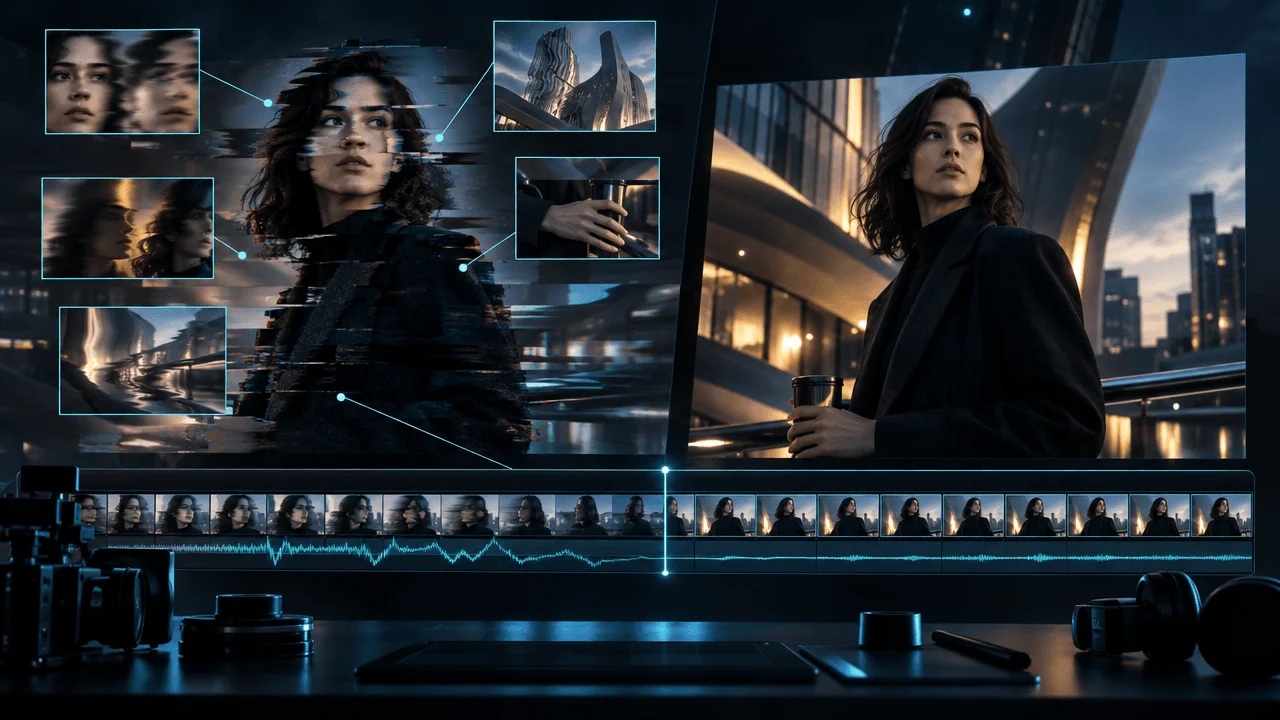
AI video has a strange problem in 2026.
A single frame can look:
almost perfect.
Then the video starts moving.
The face shifts.
A building bends slightly.
The camera floats in a way no real camera would.
A hand touches an object without quite holding it.
The lighting changes even though nothing in the scene should have changed.
The subject walks with almost the right weight.
Almost.
And that tiny:
almost
is enough.
The viewer may not know exactly what failed.
They simply feel:
This looks AI-generated.
The biggest giveaway in modern AI video is increasingly not one terrible frame.
It is:
continuity.
Real footage obeys a persistent world.
If a person turns their head:
they remain the same person.
If a cup sits on a table:
it does not quietly change size.
If sunlight enters from the left:
the scene does not suddenly behave as if the light moved to the right.
If someone walks:
gravity, weight, friction, balance and momentum all cooperate.
Generative video can create extremely convincing images.
But video asks for something harder:
The same world has to remain believable across time.
That is where the illusion often breaks.
This guide explains the most common reasons AI-generated videos still look fake, how to diagnose each problem, and what to change in:
- source images
- prompts
- camera movement
- character motion
- physics
- lighting
- sound
- editing
- scene length
to make AI-assisted YouTube videos feel more deliberately produced and less obviously synthetic.
Quick Answer: Why Do AI Videos Look Fake?
AI videos usually look fake because one or more parts of the scene fail to remain consistent over time.
The most common tells are:
| AI Video Tell | What the Viewer Notices |
|---|---|
| Identity drift | Face subtly changes |
| Texture swimming | Skin, hair, clothing or walls seem to crawl |
| Object drift | Objects change shape, size or position |
| Bad physics | Weight, collisions or gravity feel wrong |
| Floaty movement | People or objects move without convincing momentum |
| Camera drift | Camera moves even when the shot should be stable |
| Lighting drift | Shadows or light direction change unnaturally |
| Background morphing | Architecture or scenery quietly reshapes |
| Hand errors | Grip, fingers or interactions become implausible |
| Text instability | Signs, screens and labels distort |
| Excessive motion | Everything moves at once |
| Frozen people | Character is too unnaturally still |
| Style inconsistency | Adjacent shots feel like different productions |
| Bad audio sync | Sound arrives at the wrong moment |
| Repetition | Every shot uses the same synthetic camera language |
The solution is usually not:
Write a much longer prompt.
A better production rule is:
Reduce how many things the model must solve at the same time.
Use:
- stronger source frames
- simpler actions
- motivated camera movement
- shorter shots
- stable visual styles
- real footage or graphics where precision matters
- post-production to connect clips
instead of forcing one generation to do everything.
The Core Problem: A Great Frame Is Not a Great Shot
An image only has to work:
once.
A video has to work:
24 or 30 times every second.
And every frame must remain compatible with:
- the frame before it
- the frame after it
- the subject's identity
- object geometry
- lighting
- camera position
- physical movement
That is why an AI image can look photorealistic while its animated version feels artificial.
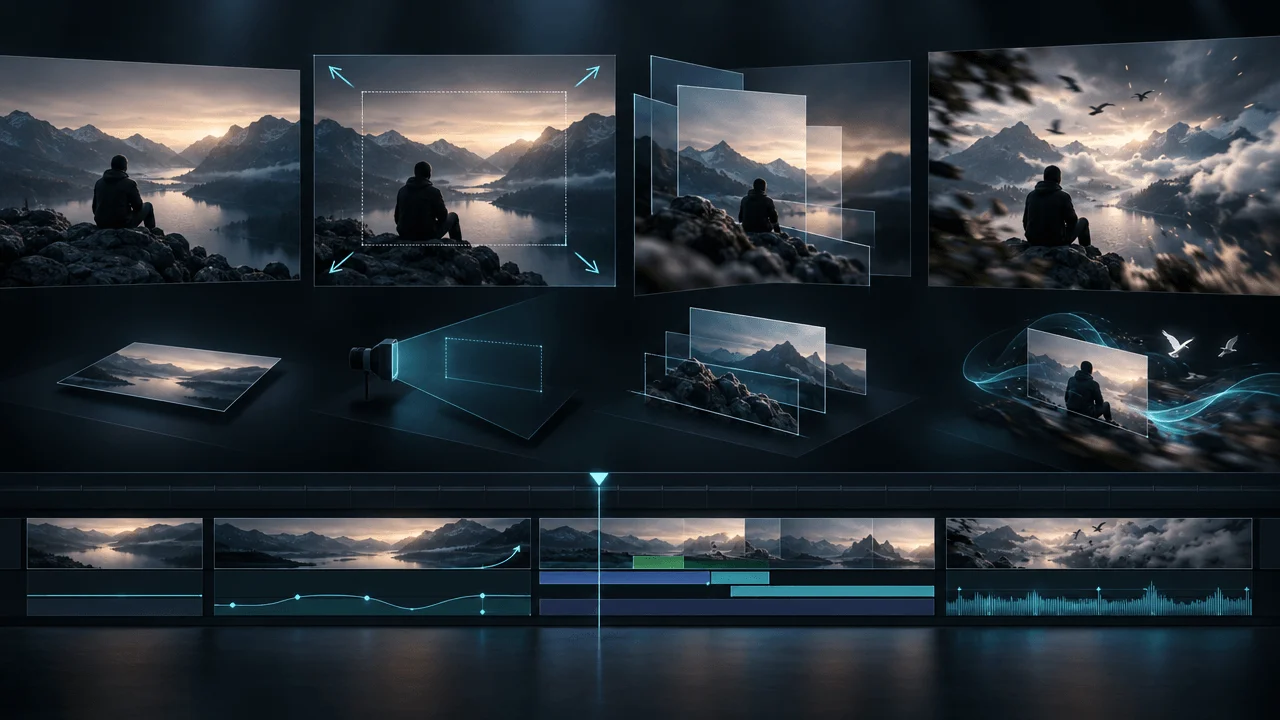
Runway's current image-to-video documentation treats the input image as the first frame that establishes composition, subject, lighting and style, while the prompt primarily defines how that world moves. Google's current video-generation guidance gives almost the same advice: use a strong source image and focus image-to-video prompting primarily on camera, subject and environmental motion.
That leads to the first major principle.
Realism begins before the video is generated.
Tell #1: Identity Drift
This is one of the easiest AI tells to notice.
A person's face begins one way.
Then during motion:
- jaw changes
- eyes shift
- nose changes
- age changes
- hairstyle changes
- facial proportions drift
Nothing becomes dramatically monstrous.
The person simply stops being:
exactly the same person.
Humans are extremely sensitive to faces.
Tiny inconsistencies feel wrong.
Why Identity Drift Happens
Once a character:
- turns
- moves closer
- changes expression
- becomes partially occluded
the model has to infer information that was not fully visible in the starting frame.
More movement creates more uncertainty.
A frontal portrait becoming a:
180-degree orbit
requires the model to invent much of the person's unseen geometry.
How to Fix Identity Drift
Reduce what changes.
Instead of:
The man turns around, walks forward, looks toward the camera and smiles while the camera circles around him.
Try:
Locked camera. The man remains seated and slowly raises his eyes toward the window. Subtle breathing.
Or:
Slow push toward the subject. Minimal natural facial movement.
If identity matters:
camera motion is often safer than large character motion.
Use Reference Images Carefully
A strong clean starting image gives the model:
- exact face
- clothing
- lighting
- framing
to begin from.
Both Runway and Google currently recommend high-quality source images because visual errors already present in the input can become more noticeable once the image is animated.
Before animating a person, inspect:
- eyes
- hands
- teeth
- ears
- clothing
- jewelry
- background edges
If frame one is wrong:
fix frame one.
Tell #2: Texture Swimming
Sometimes the subject stays recognizable.
But the surface seems alive.
You may see:
- skin crawling
- hair changing strand patterns
- fabric moving without cause
- bricks subtly sliding
- grass boiling
- painted surfaces shimmering
This is often called:
texture swimming.
The scene looks detailed on any individual frame.
But the details do not stay:
locked to the physical object.
How to Fix Texture Swimming
Use cleaner textures.
Avoid asking for excessive micro-detail when it is not necessary.
Instead of:
hyper-detailed ultra-complex ornate embroidered fabric with thousands of tiny metallic patterns
consider a simpler material if the scene will move substantially.
Also reduce:
- aggressive camera motion
- long clip duration
- complex subject movement
The more the viewpoint changes, the harder it becomes to preserve tiny visual details consistently.
Color Grade Can Help, But Not Fix Everything
A consistent grade across clips can make small visual differences less noticeable.
It can unify:
- contrast
- saturation
- black levels
- warmth
- overall mood
But grading cannot repair:
geometry that changes.
Use post-production to unify good generations.
Do not use it to hide fundamentally broken ones.
Tell #3: Object Drift
Watch background objects.
AI failures often happen where the viewer is not initially looking.
A:
- chair
- window
- lamp
- cup
- door
- car
may slowly:
- move
- stretch
- shrink
- disappear
- merge into another object
The main subject remains impressive.
The background quietly reveals the generation.
The Background Audit
Watch the clip a second time.
Ignore the main subject.
Look only at:
- corners
- furniture
- architecture
- horizon
- windows
- props
This catches many AI artifacts.
Fix Object Drift by Simplifying the Scene
Instead of:
crowded restaurant with 40 detailed objects
try:
clean café booth with one table, cup and window
when the extra complexity adds no value.
Every extra object is another thing that has to remain coherent.
Tell #4: Physics That Is Almost Right
Physics failures are particularly uncomfortable because viewers have spent their entire lives watching:
- gravity
- weight
- friction
- inertia
- collisions
Nobody needs to study physics to notice:
That object did not fall correctly.
Common failures:
- heavy object moves like foam
- fabric moves underwater
- person stops without momentum
- wheel rotates incorrectly
- object is held without pressure
- liquid flows against gravity
- impact creates no reaction
Use Weight Words
Motion prompts can benefit from concrete physical language.
Instead of:
The metal door opens.
Try:
The heavy steel door slowly swings inward on its hinges with visible weight and momentum.
Instead of:
The paper falls.
Try:
A lightweight sheet of paper drifts downward irregularly through the air.
You are giving the model physical expectations.
Avoid Complex Interactions When They Are Not Necessary
A person:
standing near a table
is relatively easy.
A person:
picking up a transparent glass, pouring water into another glass, drinking, placing it down
requires:
- hands
- object interaction
- liquid physics
- occlusion
- changing reflections
all at once.
If that complex action is not critical:
do not create unnecessary failure opportunities.
Tell #5: Floaty Human Movement
This is one of the most recognizable AI-video signatures.
The person walks.
Technically.
But:
- feet barely connect with ground
- body weight does not transfer
- hips drift
- legs move without impact
- speed changes strangely
- movement feels frictionless
The character seems to:
glide through reality.
How to Fix Floaty Motion
Use simpler movement.
Good:
She walks slowly toward the doorway at a natural pace.
Better still when appropriate:
Locked camera. She takes two slow steps toward the doorway and stops.
The more precisely bounded the action:
the easier it is to evaluate.
Use Real Motion When Motion Quality Is the Product
If the scene depends on:
- dancing
- sport
- complex performance
- precise physical interaction
consider:
video-to-video
or real reference motion rather than generating the entire movement from nothing.
Runway currently recommends video-to-video/reference-based workflows when exact complex human motion matters because real motion provides a stronger temporal foundation than pure generation.
Tell #6: Unmotivated Camera Motion
This is probably the biggest stylistic giveaway in faceless AI channels.
Narration:
The company opened its first office in 1986.
Visual:
ordinary office.
Camera:
dramatic drone-like orbit, crane rise, push-in and sweeping rotation.
Why?
Because:
AI video.
The movement may be technically impressive.
It still feels fake because a real director probably would not have chosen it.
Camera Motion Should Answer a Story Question
Use a:
Push-In
when attention should narrow.
Pull-Out
when context or scale should be revealed.
Pan
when the viewer needs to explore laterally.
Tilt
when vertical scale matters.
Tracking Shot
when following movement.
Locked Camera
when the subject should carry the motion.
Camera movement should be:
motivated by meaning.
Stop Using "Cinematic Camera Movement"
That phrase delegates too much.
What does cinematic mean?
- dolly?
- handheld?
- crane?
- orbit?
- static?
Runway's current prompting guidance recommends concrete, observable motion rather than abstract concepts because ambiguous language leaves more room for unintended movement.
Replace:
cinematic dynamic camera
with:
Slow controlled dolly forward toward the doorway.
Now the model has an instruction.
Tell #7: Everything Moves
This is the opposite problem.
The camera moves.
The character moves.
Hair moves.
Curtains move.
Smoke moves.
Lights flicker.
Objects move.
Background people move.
Every element screams:
Look! Video!
Real shots often contain:
less movement than AI generations.
Use One Dominant Motion
A strong rule:
One main motion per shot.
Example:
Dominant Motion
Person slowly turns.
Supporting Motion
Curtain moves subtly.
Camera
Locked.
That feels controlled.
Now compare:
Person turns, walks, gestures, camera orbits, rain starts, lights flash.
Too much.
Motion Hierarchy
Use:
1. Main motion
2. Optional subtle secondary motion
3. Everything else stays stable
This creates a clearer shot.
Tell #8: Lighting Drift
The face starts:
warmly lit from the left.
Three seconds later:
the right cheek becomes brighter.
A shadow moves even though the source did not.
The room subtly changes color temperature.
The viewer might not consciously identify the problem.
But their brain knows:
the light makes no physical sense.
Lighting Should Have a Source
When creating the initial image:
think about where the light actually comes from.
Examples:
- window camera-left
- overhead fluorescent lighting
- desk lamp
- sunset behind subject
- monitor glow
The clearer the source:
the easier it is to maintain visual logic.
Match Lighting Across Cuts
Even if every individual generation is good:
Scene A:
warm sunset.
Scene B:
blue midday.
Scene C:
orange studio lighting.
The sequence will still feel AI-generated if the story supposedly takes place:
in the same room, five seconds apart.
Continuity happens:
between clips
as well as within them.
Build a Scene Continuity Sheet
For recurring locations, define:
LOCATION
Small modern office

TIME
Night

KEY LIGHT
Cool monitor light from front-right

PRACTICAL
Warm desk lamp camera-left

BACKGROUND
Dark windows

COLOR
Muted blue + warm amber

CAMERA
Eye-level restrained documentary
Reuse this logic across scenes.
Now you are directing:
a world.
Not generating isolated images.
Tell #9: Background Morphing
AI video often looks convincing when you stare at:
the face.
Then you notice:
- windows changing
- room dimensions shifting
- buildings bending
- doorway moving
- horizon reshaping
Background drift becomes more obvious when the camera:
orbits
or moves aggressively.
Why?
Because new spatial information must be invented.
Avoid Unnecessary Orbit Shots
An orbit reveals:
parts of the scene the source image never showed.
The model must invent:
- back of objects
- side geometry
- hidden architecture
- lighting from new angles
That is a huge request.
Use orbit when:
revealing 3D form is actually the point.
Not as default movement.
Tell #10: Bad Hands and Object Contact
Hands have improved enormously.
Interactions can still fail.
The bigger problem is often not:
six fingers.
It is:
contact.
A hand:
- grips through an object
- floats above surface
- changes grip
- passes through material
- loses pressure
The action lacks physical connection.
Hide the Hard Part
Real filmmakers do this too.
If the story only needs:
He picks up the phone.
You do not necessarily need:
macro close-up of five fingers gripping the exact phone.
Use:
- medium shot
- cutaway
- reaction
- sound effect
- second angle
Editing can solve problems generation struggles with.
Do Not Demand Perfection From One Shot
Instead of one clip:
Man reaches, grips phone, raises it, unlocks it, reads screen.
Break it into:
Shot 1
Hand approaches phone.
Cut.
Shot 2
Phone already in hand.
Cut.
Shot 3
Reaction to screen.
That is:
filmmaking.
Tell #11: AI Text Starts Correct and Then Melts
A sign may look perfect in frame one.
Then:
- letters morph
- numbers change
- logo reshapes
- interface becomes gibberish
This is especially dangerous for:
- financial data
- historical evidence
- product interfaces
- brand names
- documents
Do Not Generate Important Text Into Moving Footage
If words matter:
add them in post-production.
Use:
- real screenshot
- real document
- graphics
- tracked overlay
- editor-created title
AI video should provide:
the scene.
Your editor should provide:
the information.
Evidence Should Stay Evidence
If narration says:
The filing reported a $117 million loss.
Do not generate:
a fake photorealistic annual report
with fake financial data.
Show:
- real filing
- real chart
- clean graphic
where appropriate.
AI realism is not worth:
factual ambiguity.
Tell #12: People Are Too Still
There is another uncanny failure mode:
not enough movement.
A person stands for five seconds with:
- no breathing
- no weight shift
- no blinking
- no facial micro-movement
They look like:
a still image pretending to be video.
Add Micro-Motion
Try:
Locked camera. Subtle breathing and natural eye movement. Hair shifts gently in the breeze.
But do not overcorrect.
If you prompt:
natural subtle human micro-movements
and then receive:
- constant blinking
- head bobbing
- random gestures
simplify again.
Stillness Can Be Intentional
There is nothing wrong with a nearly static shot.
If you need:
stillness,
it may be better to use:
- the actual still
- subtle editor-based push-in
rather than generating artificial micro-movement.
This is why the question:
Does this need AI animation?
should come before:
Which model should animate it?
For the full decision framework, see:
How to Animate Still Images for YouTube Videos: AI Motion vs Pan & Zoom
Tell #13: Every Scene Has the Same AI Camera Language
Watch enough AI-assisted videos and you start recognizing the vocabulary:
- slow push
- dramatic orbit
- extreme shallow depth of field
- perfect center framing
- volumetric lighting
- slow-motion particles
One scene looks impressive.
Twenty scenes using the same language feel:
generated.
Build Shot Variety
A real visual system might include:
- wide establishing shot
- medium locked shot
- close detail
- real screenshot
- archive photograph
- chart
- slow push
- static evidence
- generated animation
- map
- text card
Not:
130 cinematic AI clips.
Use Different Visual Types, Not Just Different Prompts
This is critical for faceless YouTube.
If the entire video is:
AI video → AI video → AI video → AI video
the medium itself becomes visible.
Mix:
- real footage
- screenshots
- charts
- documents
- archive
- maps
- generated imagery
- generated motion
according to what the story needs.
The video begins to feel:
edited
rather than:
generated.
Tell #14: The Sound Does Not Belong to the Picture
A visual can be almost perfect.
Then the sound reveals it.
Example:
A massive steel door closes.
Sound:
tiny generic click.
Or:
A character walks on gravel.
There are no footsteps.
Or:
Rain pounds against the street.
The soundtrack is:
studio-clean narration + music.
The brain sees a physical world.
The ears hear:
nothing.
The illusion breaks.
Sound Creates Physical Weight
Add:
- footsteps
- impact
- wind
- rain
- room tone
- machinery
- traffic
- surface contact
when they support the scene.
Sound can make even:
a still image
feel more alive.
That is why realistic AI video is not only a visual problem.
Synchronization Matters
If an object hits the floor:
the impact should occur:
when it hits.
Not:
0.4 seconds later.
Small sync errors are surprisingly noticeable.
For a full audio workflow, see:
YouTube Sound Design: How to Mix Voiceover, Music & Sound Effects
Tell #15: The Video Is Technically Good but Still Feels Generic
This may be the most important one.
No:
- warped hands
- changing face
- broken physics
The video still feels:
AI-generated.
Why?
Because everything is too:
- polished
- obvious
- generic
- evenly cinematic
- predictable
The visual may be technically excellent.
But it does not feel:
authored.
Technical Realism Is Not Editorial Realism
A real creator makes selective decisions.
They may show:
- ugly screenshot
- imperfect archival image
- simple chart
- long static hold
- abrupt hard cut
because:
that is the strongest storytelling choice.
An automated system often tries to make:
everything visually impressive.
That itself becomes a tell.
The Most Important Fix: Stop Trying to Make Every Shot Impressive
Some shots should simply:
communicate.
Narration:
The company filed for bankruptcy on September 14.
Best visual may be:
the actual filing.
Not:
a cinematic founder walking through a rain-soaked office in slow motion.
Specific beats impressive.
The 15 AI Video Tells at a Glance
| Tell | First Fix |
|---|---|
| Identity drift | Reduce subject movement |
| Texture swimming | Simplify detail + motion |
| Object drift | Simplify scene |
| Bad physics | Describe weight/action concretely |
| Floaty movement | Shorter, bounded actions |
| Camera drift | Specify exact camera behavior |
| Everything moves | One dominant motion |
| Lighting drift | Lock source + continuity |
| Background morphing | Avoid unnecessary 3D reveal |
| Hand/contact errors | Reframe or cut around interaction |
| Text degradation | Add text in post |
| Frozen characters | Add subtle micro-motion |
| Repetitive camera language | Mix shot types |
| Weak audio realism | Add synchronized environment/SFX |
| Generic perfection | Use evidence + editorial variety |
The First-Frame Rule
Before generating motion:
pause.
Inspect the source image.
Ask:
- Does the face look correct?
- Are the hands correct?
- Is the pose physically plausible?
- Is the composition useful?
- Is the lighting intentional?
- Does the environment make sense?
- Is there space for the planned movement?
Runway and Google's current image-to-video documentation both emphasize the quality of the source frame because the image establishes the visual world the model is then asked to animate.
Think:
Frame one is casting, set design, lighting and cinematography all at once.
Get it right.
Design the Source Image for the Motion
This is one of the biggest upgrades you can make.
Do not:
Generate image
↓
Decide motion later
Use:
Narration
↓
Decide shot
↓
Decide movement
↓
Compose starting frame for that movement
↓
Generate source
↓
Animate
Example:
You want the character to walk:
left to right.
Do not place them against the right edge of the source image.
Give them:
space to travel.
You want a slow push-in:
start wider.
You want a reveal:
hide something that can actually be revealed.
The Image-to-Video Prompt Rule: Describe Change
If the image already shows:
- woman
- red coat
- rainy city
- nighttime
- cinematic lighting
you usually do not need to repeat all of that.
Google currently recommends focusing image-to-video prompts on motion rather than redundantly redescribing the source. Runway gives the same advice and breaks motion into subject action, environmental motion, camera motion, timing, direction and speed.
A better prompt:
Locked camera. The woman slowly looks toward the approaching headlights. Rain falls steadily. Minimal natural movement.
Use This AI Video Prompt Structure
For image-to-video:
Camera
+
Main subject action
+
Optional environmental motion
+
Speed / timing
+
Continuity
Example:
Slow controlled dolly toward the subject as he lowers the document and looks toward the doorway. Curtains move gently. Continuous shot.
You do not have to fill every category.
Often:
less is better.
The One-Motion Rule
Start with:
one main movement.
Example:
Slow push toward the abandoned building.
Test.
Then add:
Fog moves slowly across the road.
Test.
Then perhaps:
One distant light flickers.
Test.
Runway's current Gen-4 guidance explicitly recommends starting with simple essential movement and adding details incrementally so you can understand which instruction changed the result.
That is much more efficient than writing:
a 150-word masterpiece
and having no idea which sentence caused the problem.
Use Positive, Observable Instructions
Weak:
Don't make the camera move.
Depending on the model, negative prompting may be unreliable.
Better:
Locked camera. The camera remains completely still.
Runway currently specifically recommends positive phrasing for its Gen-4 family.
More importantly:
the instruction is:
observable.
Avoid Emotional Instructions Without Physical Direction
Weak:
The man moves nervously.
What exactly happens?
Better:
He shifts his weight, briefly looks toward the door, then lowers his eyes.
Now the emotion is expressed through:
physical behavior.
Use Camera Reference When Prompting Is Not Enough
Some current generation systems are moving beyond text-only camera direction.
Adobe Firefly, for example, now supports motion-reference input that can extract camera movement from a reference clip and apply that motion to a generated video.
That can be valuable when you need:
- specific pan
- complex push
- camera path
- repeatable movement
that is difficult to describe precisely with language.
The broader lesson:
If motion is important, give the system stronger motion information.
Text-to-Video vs Image-to-Video for Realism
If realism matters:
image-to-video often gives you more control.
Why?
The image already locks:
- identity
- composition
- lighting
- wardrobe
- style
The model can focus more heavily on:
time.
Text-to-video has to invent:
everything.
That freedom is useful for exploration.
It is harder for consistency.
When Text-to-Video Makes Sense
Use it when:
- exploring concepts
- generating establishing shots
- exact character identity does not matter
- the scene is atmospheric
- stylization is acceptable
- you need something impossible
Use image-to-video when:
- character identity matters
- composition matters
- style consistency matters
- you already have the perfect starting shot
Video-to-Video Can Be Even More Grounded
If realistic motion matters more than everything else:
start from:
real movement.
Film or obtain appropriate source motion.
Then transform:
- style
- environment
- subject appearance
where the workflow allows it.
The physical timing is already solved.
Stop Generating Long Shots Just Because You Can
Longer AI clips create more opportunities for drift.
Suppose the narration needs:
3.2 seconds.
Do you need a:
10-second generated shot?
Probably not.
Every extra second creates more:
- identity drift
- background changes
- motion errors
- review work
Generate for:
the timeline.
Not for the model's maximum duration.
Cut Before the Clip Breaks
Suppose you generate:
8 seconds.
Seconds 0–5:
beautiful.
Second 6:
hand starts changing.
Second 7:
background bends.
Do not reject the entire generation automatically.
Use:
the good five seconds.
Editing is part of AI production.
AI Video Is Not a One-Shot Workflow
Weak workflow:
Prompt
↓
Generate
↓
Publish
Better:
Plan
↓
Generate
↓
Inspect
↓
Trim
↓
Regenerate weak shots
↓
Combine
↓
Color match
↓
Sound design
↓
Review
↓
Publish
That is why:
AI video generator
and:
AI video production
are not the same thing.
The Frame-by-Frame Test
Do not only watch at normal speed.
Pause:
- beginning
- 25%
- midpoint
- 75%
- final frame
Check:
Face
Same person?
Hands
Still plausible?
Clothing
Same details?
Background
Same architecture?
Objects
Same size and position?
Lighting
Same source?
If a shot fails badly:
replace it.
The Reverse Test
Scrub the video backward.
Some drift becomes much easier to notice.
You suddenly see:
- chair changing
- face shrinking
- background breathing
because temporal motion is reversed.
This is a simple quality-control trick.
The Mute Test
Mute the audio.
Does the video still feel believable?
This exposes:
- visual physics
- camera movement
- continuity
Then do the opposite.
The Eyes-Closed Test
Listen without looking.
Does the sound imply:
the same physical world
that the picture shows?
If:
- metal door has no weight
- crowd has no ambience
- steps make no sound
the scene may need audio support.
The Source-vs-Final Test
Place:
first frame
beside:
final frame.
For recurring characters or important objects, ask:
Could these clearly belong to the same continuous shot?
This makes identity drift obvious.
The Three-Regeneration Rule
If the same shot keeps failing after several good-faith attempts:
do not keep paying for:
the same mistake.
Change one of:
- source frame
- action
- framing
- camera
- duration
- model
- method
The problem may be:
the shot design.
Not bad luck.
Simplify the Shot Before Changing the Model
Creators often jump straight to:
This model is bad.
But perhaps the request is:
too complicated.
First simplify.
From:
Two men shake hands, turn, walk through a door while the camera circles them and cars move behind them.
To:
Medium locked shot. Two men shake hands once.
If the simple version works:
you found the problem.
AI Video Realism Is Mostly Constraint Management
Every scene has a:
complexity budget.
You can spend it on:
- character motion
- camera motion
- environment
- interaction
- detail
- duration
If you max out every category:
failure probability rises.
A useful way to think:
Complex Character Action
+
Complex Camera
+
Crowded Environment
+
Object Interaction
+
Long Duration

=
High Generation Risk
Reduce one or more.
The AI Shot Complexity Score
Give one point for each:
- major character action
- major camera move
- multiple people
- object interaction
- readable text
- complex hands
- changing environment
- long continuous duration
- intricate architecture
- identity-critical subject
0–2
Relatively easy.
3–4
Moderate risk.
5–6
High risk.
7+
Consider splitting the shot or using another method.
This is not a model benchmark.
It is a production-planning framework.
Use Editing to Lower Generation Complexity
This is the secret many AI-generation tutorials miss.
You can replace:
one impossible shot
with:
three easy shots.
Narration:
He enters the room, reads the note and realizes the building is empty.
Instead of generating all three actions:
Shot 1
Door opens.
Shot 2
Close-up of note.
Shot 3
Reaction.
You get:
- better control
- stronger pacing
- fewer artifacts
Editing becomes a:
generation-quality tool.
Hard Cuts Hide AI Weaknesses
Real movies cut.
Your AI video can too.
You do not need:
continuous one-shot perfection.
A hard cut can hide:
- change of hand position
- spatial reset
- character angle
- background inconsistency
as long as the shots remain:
logically compatible.
The Best AI Video Often Uses Less AI Video
This sounds contradictory.
But imagine a documentary.
Strong visual sequence:
- generated establishing reconstruction
- real map
- historical photograph
- generated motion detail
- real document
- chart
- archive
- generated emotional reconstruction
Now AI is used where it adds:
visualization.
Not everywhere.
That looks much more intentional than:
eight AI clips in a row.
Real Evidence Is a Realism Shortcut
Want a finance video to feel credible?
Use:
- real filings
- charts
- screenshots
- logos where appropriate
Want history to feel grounded?
Use:
- maps
- photographs
- documents
- artifacts
Want tech to feel real?
Use:
- real interface
- screen recording
- device footage
Your entire video does not need to prove realism through synthetic imagery.
Match Shot Type to Information Type
| Information | Strong Visual Choice |
|---|---|
| Real statistic | Chart / graphic |
| Software action | Screen recording |
| Historical evidence | Archive / document |
| Abstract concept | AI visualization |
| Impossible scene | AI generation |
| Character emotion | Close-up / reconstruction |
| Geography | Map |
| Physical process | Real footage / animation |
This alone can remove a huge amount of:
AI-looking filler.
Why Generic AI B-Roll Looks Fake Even When It Is Perfect
Narration:
Operating expenses were increasing.
Visual:
hands typing on glowing laptop.
No artifact.
No physics problem.
Still feels cheap.
Why?
Because the shot has:
no semantic specificity.
The problem is not visual realism.
It is:
editorial irrelevance.
For a complete visual-selection framework, see:
How to Use B-Roll in YouTube Videos
Realism Requires Semantic Match
The viewer expects:
what they see
to help explain:
what they hear.
Narration:
Operating expenses rose 41%.
Better:
expense chart.
Or:
relevant report.
The video feels more real because it behaves like:
a deliberate documentary.
Character Consistency Across Scenes
Even if every individual clip is stable:
Scene 1 person:
- brown jacket
- short hair
Scene 2:
- black jacket
- slightly different face
Scene 3:
- taller
- different lighting
Now the video feels:
generated scene by scene.
Build a Character Bible
Store:
- face reference
- age
- hairstyle
- eye color
- clothing
- accessories
- body type
- visual style
For important recurring characters:
do not reinvent them in every prompt.
Clothing Continuity Is Extremely Important
Faces attract attention.
Clothing is often the giveaway.
If a detective changes from:
- black wool coat
to:
- leather jacket
then back:
the sequence breaks.
Define wardrobe by:
scene / timeline.
Location Continuity Needs the Same Treatment
Create:
location references.
If an office returns throughout the video:
it should remain recognizably:
the office.
Not three unrelated AI offices.
Style Consistency Beats Maximum Quality
Suppose:
Clip A:
9/10 quality.
Clip B:
9/10 quality.
But:
A = gritty documentary.
B = polished commercial.
Together:
they feel worse than two consistent:
8/10 clips.
For a long-form YouTube video:
cohesion often matters more than:
one spectacular generation.
Save a Visual Style System
Define:
- realism level
- contrast
- saturation
- lighting
- lens feeling
- composition
- texture
- camera behavior
- movement intensity
Use that system throughout the video.
OverseerOS Auto Edit currently supports reusable visual styles, saved styles and Style DNA so scene generation can stay closer to one channel-level visual direction instead of treating every shot as an isolated blank prompt.
What OverseerOS Auto Edit Does Differently
A standalone AI video model sees:
one prompt.
A narration-first production workflow has more context.
OverseerOS Auto Edit currently builds a scene-based first cut around the finished script and voiceover, then lets creators work with visuals, reusable styles, captions, motion, transitions and music before export.
That matters because realistic-looking faceless production is not only about:
how one clip looks.
It is about:
- why the clip is there
- how long it lasts
- what came before
- what comes after
- whether it matches narration
- whether it matches the visual world
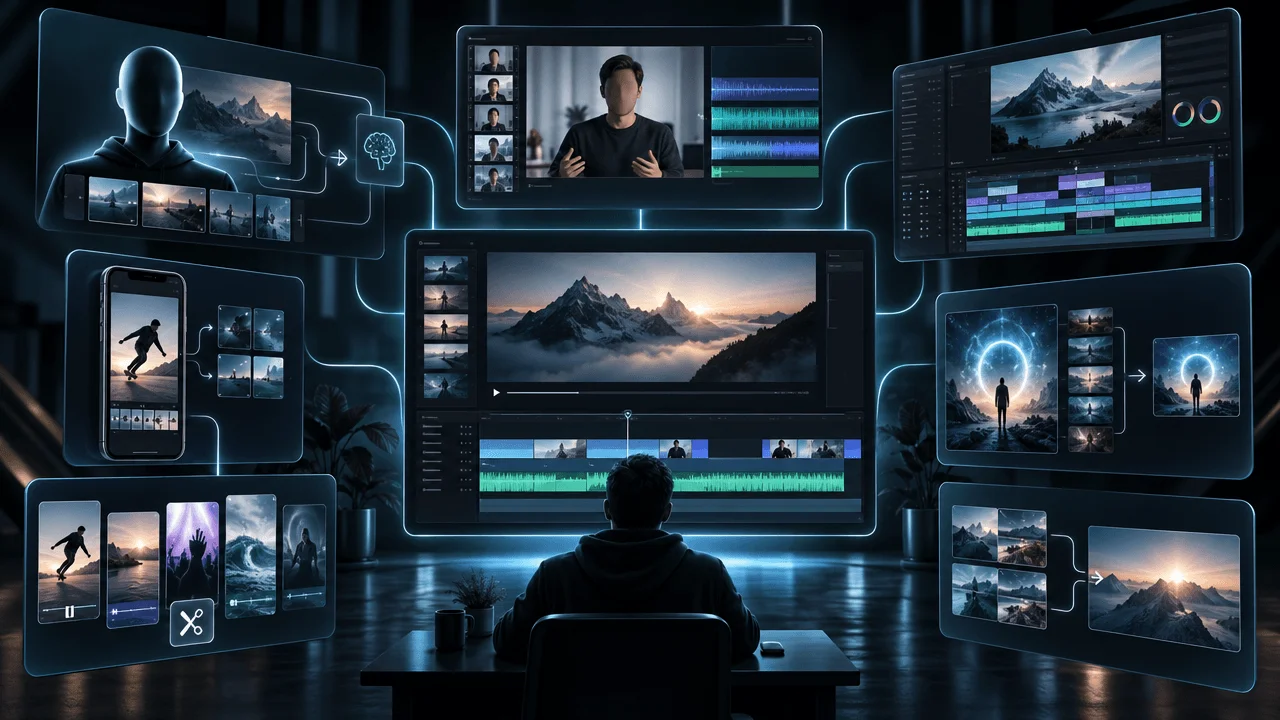
The Realistic AI Video Workflow
Use this order.
Step 1: Lock the Narration
Know exactly:
- what is said
- how long it takes
- where pauses exist
Step 2: Split Into Visual Beats
Do not create one clip per sentence automatically.
Change visuals when:
meaning changes.
Step 3: Choose the Right Visual Method
For every beat:
- real footage?
- screenshot?
- chart?
- still image?
- AI image?
- AI video?
Step 4: Define Continuity
Before generation:
- character
- wardrobe
- location
- time
- lighting
- style
Step 5: Design the First Frame
Compose the source around:
the movement you need.
Step 6: Generate Simple Motion
Start with:
one main movement.
Step 7: Review Frame by Frame
Reject:
- identity drift
- geometry drift
- physics errors
- bad interactions
Step 8: Trim Aggressively
Use only:
the good part.
Step 9: Match Clips in Post
Unify:
- grade
- scale
- audio
- timing
Step 10: Add Sound
Create a coherent:
physical world.
Step 11: Watch the Entire Sequence
A great clip can still be:
wrong for the video.
Step 12: Replace AI Where Reality Works Better
If real evidence is stronger:
use it.
The 80/20 Realism Rule
Spend most of your review effort on the scenes viewers are most likely to scrutinize.
High-priority:
- opening
- human close-ups
- recurring characters
- important evidence
- product details
- major reveal
- emotional climax
Lower priority:
- atmospheric background
- very short transitional insert
- abstract texture
Not all errors have equal impact.
Faces Deserve More QA Than Clouds
A slightly strange cloud:
often irrelevant.
A slightly changing face:
immediately noticeable.
Prioritize quality control according to:
human sensitivity.
Opening Shots Need the Highest Standard
The opening defines:
production trust.
If the first ten seconds contain:
- warped hand
- floating movement
- obvious AI orbit
the viewer learns:
This is cheap automated content.
Even if the rest improves.
Spend your best generation effort:
early.
Do Not Accept "Good Enough" Because It Cost Credits
This is another AI-production trap.
You spent credits.
You waited.
The clip is:
almost right.
So you keep it.
That is sunk-cost thinking.
If a generation visibly damages the video:
replace it.
The viewer does not care:
what it cost.
The Professional Question Is Not "Is This AI?"
Ask:
Does anything pull attention away from the story?
A stylized AI video can work beautifully.
A photorealistic AI video can fail badly.
Realism is not automatically the goal.
Believability inside the chosen style is.
Stylization Can Be Smarter Than Photorealism
If your workflow struggles with:
- realistic faces
- physics
- exact objects
a consistent:
- 2D illustration
- graphic novel
- painterly
- stylized documentary
look may be much stronger.
A stylized world establishes:
different expectations.
The viewer is not constantly comparing it to:
real camera footage.
Stylization Still Needs Continuity
Cartoon does not mean:
anything goes.
Characters should still keep:
- clothing
- proportions
- color
- identity
Locations should still:
feel consistent.
Style reduces the realism burden.
It does not remove:
story logic.
Do You Need to Hide That a Video Uses AI?
No.
That is the wrong objective.
The goal should be:
professional, intentional output.
Not deception.
If your content includes realistic AI-generated or meaningfully altered scenes that could make viewers believe something real happened when it did not, YouTube's current policy requires disclosure. YouTube also states that applying the AI disclosure itself does not automatically reduce a video's audience or monetization eligibility.
So:
Realistic does not mean misleading.
AI Disclosure Is Not the Quality Problem
Creators sometimes worry:
If I disclose AI, viewers will know.
But the bigger production problem is:
bad content.
YouTube's current monetization policy explicitly allows creative tools, including AI, when the finished work demonstrates original creative, educational or entertainment value. What it targets is generic, repetitive, mass-produced or interchangeable content.
That reinforces the real strategy:
Use AI to execute authorship.
Do not use automation to remove authorship.
The AI Video Realism Checklist
Before accepting a generated shot:
Source
- Starting image is clean.
- Face is correct.
- Hands are correct.
- Composition supports the motion.
- Lighting source makes sense.
Identity
- Face remains stable.
- Hair remains consistent.
- Clothing does not change.
- Accessories remain present.
Motion
- There is one clear dominant action.
- Movement has weight.
- Feet/contact points behave plausibly.
- Camera motion has a reason.
- Motion speed feels natural.
Physics
- Gravity looks correct.
- Objects maintain weight.
- Collisions make sense.
- Liquids behave plausibly.
- Contact between hands/objects holds.
Environment
- Background does not morph.
- Architecture remains stable.
- Props do not disappear.
- Horizon remains coherent.
Lighting
- Light direction stays consistent.
- Shadows make sense.
- Color temperature does not drift.
Text
- Important text is not generated into moving footage.
- Logos and interfaces remain accurate where required.
Continuity
- Shot matches previous scene.
- Character matches previous scene.
- Location matches.
- Style matches.
- Grade matches.
Audio
- Physical actions have appropriate sound.
- Effects synchronize with the visual.
- Ambience matches the environment.
- Narration remains clear.
Editorial
- Visual actually matches narration.
- AI is the best visual method for this moment.
- Shot is not longer than necessary.
- Generation adds more value than a still or real asset.
- Nothing distracts from the story.
The Five-Pass AI Video Review
Do not review everything at once.
Pass 1: Story
Ignore artifacts.
Ask:
Is this the right visual?
Pass 2: Identity
Check:
- face
- clothing
- recurring objects
Pass 3: Physics
Check:
- movement
- hands
- contact
- gravity
Pass 4: Environment
Check:
- architecture
- props
- lighting
- backgrounds
Pass 5: Edit
Check:
- timing
- sound
- transitions
- continuity
This is faster than trying to diagnose:
all problems simultaneously.
The "Would a Real Camera Do This?" Test
When a shot feels strange:
ask:
If a human camera operator were filming this scene, would the camera actually move this way?
If the answer is:
probably not,
simplify.
This one question catches:
- pointless orbit
- floating dolly
- constant push-ins
- impossible camera paths
The "Would the Object Do This?" Test
For physics:
If this object had real mass, would it move this way?
If not:
reject or simplify.
The "Did Anything Change That Shouldn't?" Test
Compare start and finish.
Ask:
- Did face change?
- Did clothing change?
- Did room change?
- Did light change?
- Did object disappear?
If yes:
you found temporal drift.
The "Does Motion Add Meaning?" Test
Replace the animated clip mentally with:
a still image + slow push.
Would the story become worse?
If no:
you probably do not need full AI video.
This can save enormous:
- credits
- time
- failed generations
The Best AI Video Prompt Is Often Boring
Creators expect:
gigantic cinematic prompt = gigantic cinematic quality.
Often the better prompt is:
Locked camera. The man slowly turns toward the window. Curtains move gently in the breeze.
Clear.
Physical.
Controlled.
You can create complexity:
in the edit.
Real Filmmaking Is Often Simple Too
Watch professional documentaries.
You will see:
- static interviews
- slow pushes
- locked details
- archive
- establishing shots
- simple pans
Not every shot is:
a technical spectacle.
AI-assisted production looks more professional when it learns:
restraint.
Final Answer
So, why do AI videos look fake?
Not because every frame looks bad.
Modern models can create extraordinary individual frames.
The illusion usually breaks because:
the world does not remain perfectly coherent while time passes.
Faces drift.
Textures move.
Objects change.
Physics feels almost right.
Lighting shifts.
Cameras move without motivation.
Audio does not match the visual world.
And when every scene uses the same dramatic AI camera language, even technically flawless shots begin to feel synthetic.
The solution is not:
more prompting.
It is better production design.
Start with:
- a stronger source frame
- one clear action
- restrained camera movement
- fewer simultaneous moving elements
- shorter clips
- consistent characters, locations and lighting
- real evidence where precision matters
- sound that supports the physical world
- aggressive quality control
- editing that combines multiple simple shots instead of demanding one impossible generation
The most important principle is:
Reduce what the model has to invent.
Use AI for the parts where generation adds something genuinely useful.
Use:
- real footage
- charts
- screenshots
- documents
- still images
- editor motion
when they are stronger.
A professional AI-assisted video should not feel like:
Look what this model generated.
It should feel like:
Someone directed this.
That is the difference between:
AI footage
and:
a finished video.
FAQ
Why do AI videos look fake?
AI videos often look fake because details fail to remain consistent across time. Faces, objects, backgrounds, lighting, textures and physical movement can drift between frames even when individual frames look realistic.
Why do AI-generated videos look uncanny?
Humans are extremely sensitive to subtle errors in faces, body motion, eye movement, gravity, object contact and timing. Small inconsistencies can make a clip feel wrong even when the viewer cannot identify the exact artifact.
What is identity drift in AI video?
Identity drift occurs when a character's facial features, hair, age, body, clothing or other identifying traits change during a generated clip or between scenes.
How do I prevent face changes in AI video?
Start with a strong reference image, reduce large character movements, avoid unnecessary camera orbits, use supported character-reference controls and review the start and end frames for identity changes.
Why do AI video backgrounds move?
Generative video models may reinterpret background geometry from frame to frame, especially during large camera movements or long clips. Simplifying the scene and camera motion can reduce background drift.
What is texture swimming in AI video?
Texture swimming is when surface detail such as skin, fabric, hair, bricks or grass appears to crawl, shimmer or change independently of the physical object.
Why do AI videos have bad physics?
Generated video models predict plausible visual motion rather than running a perfect simulation of gravity, mass, friction and collisions. Complex physical interactions can therefore look almost correct without behaving exactly like the real world.
How do I make AI movement look more natural?
Use simple actions, specify natural speed and physical weight, reduce simultaneous movement, use a locked camera when appropriate and split complicated sequences into several shots.
Why do AI people look like they are floating?
Walking and body movement require precise weight transfer, foot contact, balance and momentum. If those signals do not remain consistent, movement can appear frictionless or floaty.
How do I stop unwanted camera movement in AI video?
Explicitly request a locked or static camera using terminology appropriate for the model you are using. Also give the model clear subject or environmental motion so it does not need to invent movement elsewhere.
Why do AI videos use too much camera movement?
Video-generation models are designed to create motion, and vague prompts can leave camera behavior open to interpretation. Specify the exact movement you want rather than asking for generic cinematic motion.
What camera movement looks most realistic in AI video?
Simple locked shots, restrained push-ins, gentle pans and controlled tracking movements are often easier to keep believable than aggressive orbits and complicated camera choreography.
Should I use orbit shots in AI video?
Use them selectively. Orbiting forces the model to invent parts of the subject and environment that were not visible in the source image, increasing the chance of identity and geometry drift.
How do I keep lighting consistent in AI video?
Begin with a clear source image, define a logical light source, keep camera and environment changes restrained and match the grade, direction and color temperature across adjacent clips.
Why does AI-generated text change during video?
Text requires exact symbol consistency across frames. Generative video may treat letters as visual texture, causing them to warp or change as the scene moves.
Should I generate text inside AI videos?
Avoid generating important text, charts, interfaces or evidence into moving footage when accuracy matters. Add them as controlled overlays or use real source materials during editing.
How do I fix AI hands in video?
First fix any errors already present in the source image. Simplify hand actions, avoid unnecessary close-ups, split complicated interactions into separate shots or choose framing where hand precision is less critical.
Why does an AI character change clothes between scenes?
Each independently generated scene can reinterpret wardrobe details. Use consistent references, saved character specifications and a production bible for recurring characters.
What is a character bible for AI video?
A character bible is a reusable reference containing the character's face, age, hair, clothing, accessories, proportions and visual style so multiple scenes follow the same identity.
How do I keep AI locations consistent?
Define recurring location details such as architecture, furniture, lighting, time of day, palette and camera style, and use reference imagery where supported.
Is image-to-video more realistic than text-to-video?
Image-to-video often provides more visual control because the source frame already establishes composition, identity, lighting and style. Text-to-video provides more freedom but requires the model to invent more of the scene.
Is video-to-video better for realistic motion?
It can be when precise human or camera motion matters, because the underlying motion already exists in the reference video rather than being invented entirely by the model.
How long should AI video clips be?
Generate only the duration the edit needs. Longer clips create more opportunities for identity, object and background drift, so shorter shots can be easier to control.
Should I generate one long AI shot or several short ones?
Several simple short shots are often easier to control than one complicated continuous shot. Editing can combine them into a more believable sequence.
How many actions should an AI video prompt contain?
Start with one dominant action. Add secondary movement only when necessary. Too many independent actions make temporal consistency harder.
What is the best AI image-to-video prompt format?
A useful starting structure is camera movement + main subject action + optional environmental motion + speed or timing + continuity. Keep it direct and observable.
Should I describe the entire source image again in an image-to-video prompt?
Usually not. Current guidance from Runway and Google recommends focusing image-to-video prompts primarily on motion because the source image already provides visual composition and style.
How do I make AI video look less AI-generated?
Use stronger source frames, simpler movement, restrained camera work, consistent lighting and characters, shorter clips, real evidence where appropriate, selective sound design and deliberate editing between multiple visual types.
Why does my AI video look generic even without artifacts?
A technically clean clip can still feel generic if it uses predictable AI aesthetics, excessive cinematic motion, irrelevant visuals or the same visual treatment in every scene. Editorial specificity is as important as technical realism.
Should every scene in a faceless video be AI-generated?
No. Strong faceless videos can combine AI visuals with real footage, charts, screenshots, maps, archive, documents, graphics and still images depending on what communicates each idea best.
Does sound make AI video look more realistic?
Sound can substantially improve perceived physical presence. Matching footsteps, impacts, room tone, weather, machinery and other effects to visible actions helps the scene feel grounded.
Should AI videos use background ambience?
Use ambience when it supports the environment. A busy city, factory, forest or room can feel disconnected when the visual world has no corresponding environmental sound.
Do realistic AI videos need disclosure on YouTube?
YouTube currently requires disclosure when AI-generated or meaningfully altered content appears realistic and could make viewers believe a real person, place or event appeared or occurred in a way that did not actually happen.
Does disclosing AI hurt YouTube monetization?
YouTube states that applying its AI disclosure label by itself does not reduce a video's audience or monetization eligibility. The finished content still has to comply with YouTube's other policies.
Can AI-generated videos be monetized on YouTube?
AI use itself does not automatically make content ineligible. YouTube currently emphasizes original, authentic value and restricts generic, repetitive, mass-produced or interchangeable content.
What is the biggest mistake when making realistic AI videos?
Trying to make one generation solve too many problems simultaneously. Complex character movement, camera motion, object interaction, detailed environments and long duration should often be split into simpler shots.
How does OverseerOS help make AI faceless videos more consistent?
OverseerOS Auto Edit builds around a finished script and voiceover, organizes production into scenes, and supports reusable visual styles, Style DNA, captions, motion, transitions, music and scene-level review. This allows consistency and editing decisions to happen in the context of the complete video rather than as disconnected generations.