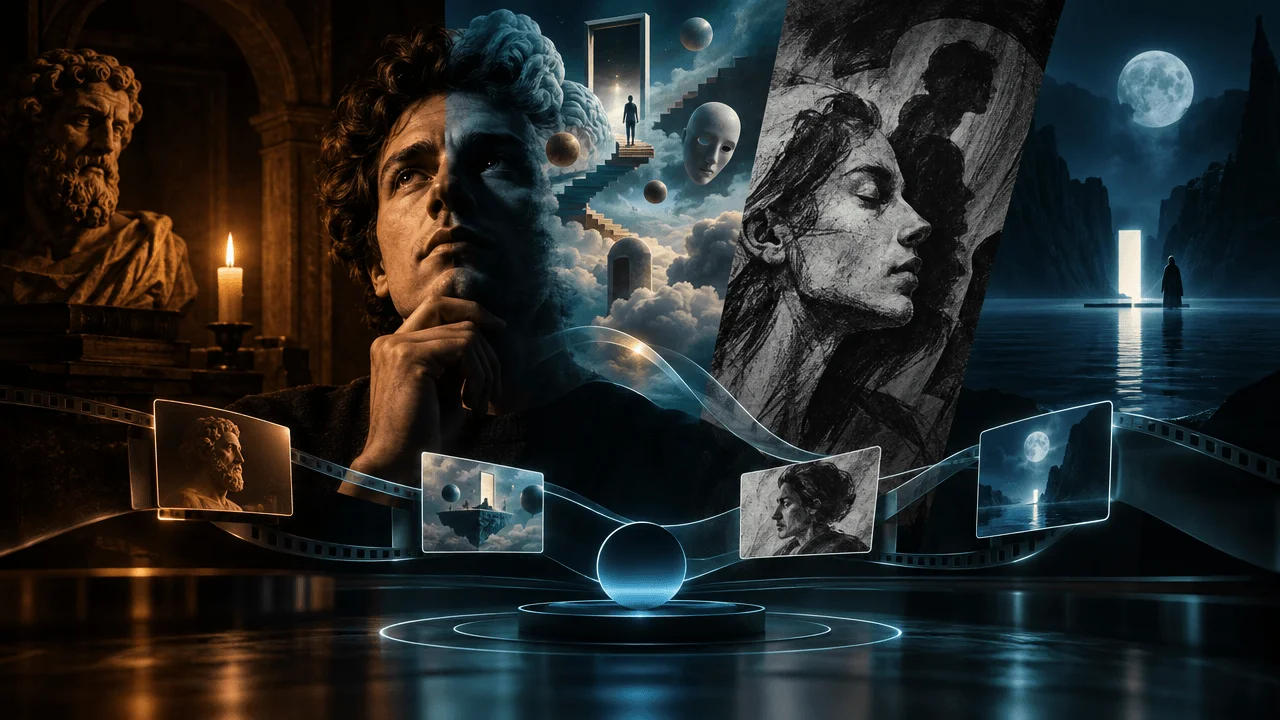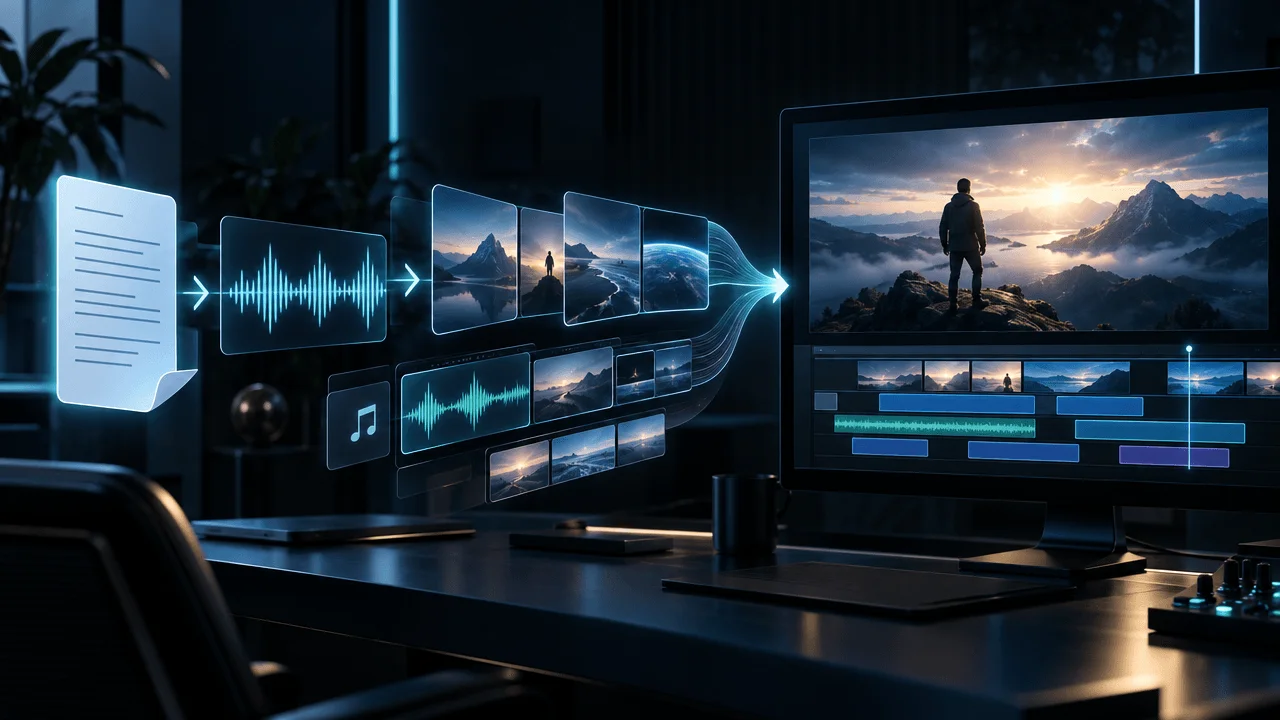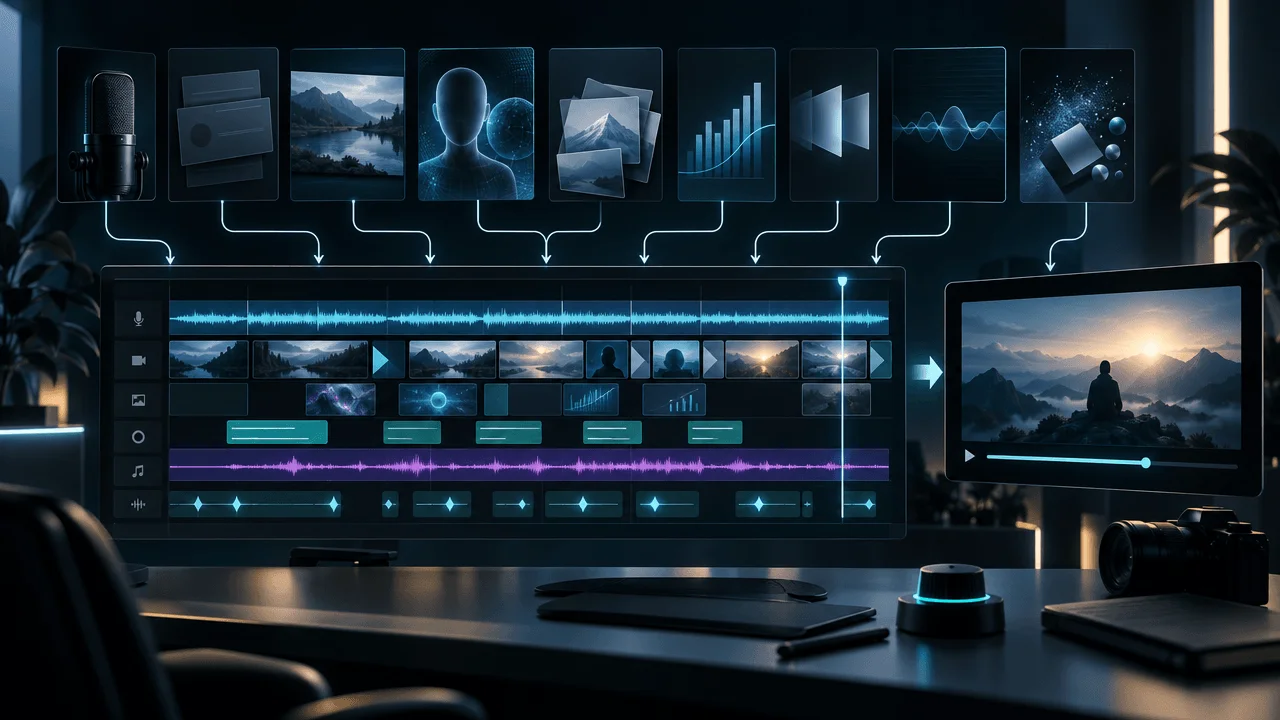
You can make cinematic faceless psychology videos with AI without filming yourself, hiring an animator, or filling the screen with generic stock footage. The key is to start with an original script, establish a distinctive visual style, generate meaningful scenes around the narration, and assemble everything into a consistent video.
Most creators get the order wrong.
They generate a voiceover, find a handful of AI images, add some zoom effects, and call it a psychology video.
The result often looks familiar:
A lonely person standing in the rain. A shadowy figure in an empty hallway. Someone staring into a mirror. A glowing brain. Repeat.
The problem isn't that AI made the visuals.
The problem is that the visuals don't tell the story.
A psychology video about emotional avoidance should look different from one about cognitive biases, loneliness, or Carl Jung's ideas about the unconscious.
You need visuals that express what the narration actually means.
This guide shows you how to create an original, cinematic faceless psychology video using AI, including the script, visual direction, scene prompts, narration, editing, and final production.
We'll also show how to do it using OverseerOS Auto Edit Studio, which includes visual styles designed specifically for psychology, wisdom, and philosophy content.
How to Make Faceless Psychology Videos With AI: Quick Answer
The workflow has seven steps:
- Choose a specific psychology topic with a compelling question or emotional conflict.
- Write an original script grounded in credible research or clearly attributed psychological theory.
- Choose a cinematic visual style, such as dark classical painting, Jungian surrealism, or charcoal illustration.
- Prepare the voiceover and use it to establish the video's timing.
- Turn the narration into individual visual scenes, each with a specific purpose.
- Generate, review, and edit the scenes using appropriate motion, captions, and music.
- Export and publish with a title and thumbnail that accurately represent the video.
You can perform these steps with separate AI tools, but a scene-based production platform such as OverseerOS Auto Edit combines several of them into one workflow.
The important principle is:
The script determines the visuals. The visuals should not determine the script.
Why Most AI Psychology Videos Look Cheap
A cinematic psychology video doesn't need expensive footage.
It needs deliberate creative direction.
Here are five common reasons AI-generated psychology videos look generic.
| Problem | What viewers see | Better approach |
|---|---|---|
| Random stock footage | Generic people using phones or looking sad | Create visuals illustrating the exact psychological situation |
| Inconsistent image styles | Realistic photos mixed with cartoons and paintings | Use a defined visual style throughout |
| Repeated symbols | Mirrors, masks, silhouettes, and glowing brains in every scene | Develop metaphors specific to the script |
| Unnecessary scene changes | A new image appears every few seconds without adding meaning | Let the emotional and explanatory content control the pacing |
| Weak visual storytelling | Beautiful images that don't explain anything | Give every important scene a clear narrative function |
Imagine a narrator saying:
"Some people become so accustomed to criticism that receiving kindness feels suspicious."
A generic visual might show a sad person sitting alone.
It communicates sadness, but not the psychological conflict.
A stronger illustration might show:
A woman standing in a dimly lit room, hesitating to accept a small glowing flower offered by another person. Behind her, enormous shadows resemble pointing fingers. The flower is warm and gentle, while the room remains cold.
That visual expresses the tension between an offered kindness and an expectation of criticism.
It's specific.
It's memorable.
And it gives the viewer something meaningful to interpret.
That is the difference between adding pictures to narration and using images to tell a story.
Step 1: Choose a Psychology Topic That Can Become a Visual Story
Not every psychology topic is equally easy to visualize.
Compare these two ideas.
Generic topic: Understanding Emotional Avoidance
Stronger video angle: Why Some People Run Away When Someone Gets Too Close
The second idea introduces a situation.
It suggests a character, an internal conflict, and an unanswered question.
That makes it easier to develop both the narrative and visual direction.
Other possible angles include:
- Why Some People Feel Guilty When They Rest
- Why Silence Makes Certain People Uncomfortable
- Why You Keep Replaying Conversations That Already Ended
- Why Some People Struggle to Accept Compliments
- The Strange Reason Familiar Problems Can Feel Comforting
- Why People Sometimes Avoid the Things They Want Most
These are illustrative editorial concepts, not claims that each topic has proven search demand or viral potential.
Before choosing one, investigate what your intended audience actually watches.
Look for recurring questions, viewer comments, and topics that repeatedly attract attention within your niche.
A tool such as OverseerOS can help with channel research, competitor analysis, and video-idea development.
Build the visual story before you write the full script
Ask three questions:
Who is experiencing the problem?
A person who fears intimacy? Someone who struggles with criticism? A character who avoids uncertainty?
What is the internal conflict?
A desire for connection versus a fear of rejection. A desire for rest versus a feeling of obligation.
What can visually represent that conflict?
Distance, inaccessible spaces, opposing environments, repeating actions, contrasting light, or a character facing a meaningful choice.
This gives the video a visual foundation before the first image is generated.
Step 2: Write a Psychology Script That Actually Deserves Cinematic Visuals
An impressive video cannot rescue a script that says nothing interesting.
For psychology content, the script needs a clear argument, credible explanations, and a progression of ideas.
A useful structure is:
Recognizable experience → central question → explanation → example → deeper insight → practical takeaway.
Let's build an example.
Example video: Why You Feel Guilty When You Rest
Opening:
"Have you ever sat down to relax, only to feel like you're doing something wrong? Nothing is demanding your attention. No one is criticizing you. But somehow, doing nothing feels uncomfortable."
This establishes a recognizable experience.
Central question:
"Why can rest feel like something you have to earn?"
Now the viewer knows what the video is exploring.
Explanation:
Introduce possible influences, such as expectations around productivity, learned habits, internalized standards, and reactions to unfinished work.
These should be explained carefully and supported with appropriate evidence.
Avoid presenting a single psychological explanation as universal.
Example:
Describe someone finishing a demanding workday but still feeling compelled to find another task.
Deeper insight:
Explore how personal expectations can influence the experience of rest, without implying that every viewer shares the same underlying cause.
Takeaway:
Offer a grounded perspective that helps viewers reflect on their own experiences.
Write for spoken delivery
A psychology script is meant to be heard.
Avoid making it sound like an academic abstract.
Instead of:
"Individuals may experience discomfort associated with perceived failures to maintain productive engagement."
Write:
"You finally have time to relax. But the moment you sit down, you start thinking about everything you should be doing instead."
The second version is more concrete and easier to visualize.
Keep the psychology accurate
Psychology and philosophy content often discusses emotionally sensitive subjects.
Avoid making unsupported claims about trauma, attachment styles, personality disorders, or mental health conditions.
Distinguish:
- Established findings
- Research hypotheses
- Historical psychological theories
- Artistic interpretations
- Personal advice
For example, Jungian symbolism can be a useful artistic framework without being presented as a scientifically verified explanation of every dream or behavior.
The goal is emotionally engaging content that still respects the evidence.
Step 3: Choose a Visual Style That Gives Your Channel an Identity
This is one of the most important production decisions.
Many faceless channels make every new video with a different-looking collection of AI images.
One scene is photographic.
The next is cartoon-like.
Then comes an oil painting.
Then a futuristic 3D render.
Even if the images look good individually, the finished video can feel visually disconnected.
A better approach is to establish one dominant art direction.
Six cinematic styles worth using for psychology videos
OverseerOS Auto Edit includes six visual styles developed for psychology, wisdom, and related storytelling.
| Visual style | Appearance | Best suited to |
|---|---|---|
| Dark Classical Painting | Candlelit oil paintings, deep shadows, classical compositions | Philosophy, introspection, human conflict |
| Jungian Surrealism | Dreamlike paintings, unusual symbolism, impossible environments | Dreams, introspection, Jungian themes |
| Dark Editorial Collage | Archival-style imagery, textured paper, layered compositions | Social psychology, cultural ideas, documentary commentary |
| Ethereal Nightscape | Moonlit landscapes, deep blues, atmospheric mist | Reflection, contemplative narration, spirituality |
| Philosophical Ink Wash | Expressive black brushwork, restrained compositions | Stoicism, mindfulness, philosophy |
| Charcoal Psychology | Expressive, monochrome hand-drawn illustrations | Emotions, relationships, internal struggles |
These are built-in style choices, not merely examples of styles you could manually request.
Which style should you choose?
For a channel focused on human behavior and emotional experiences, Charcoal Psychology is a good starting point.
For a darker, more dramatic philosophy channel, consider Dark Classical Painting.
For symbolic narratives involving dreams or the unconscious, Jungian Surrealism is a natural creative option.
For calm, reflective philosophy videos, try Philosophical Ink Wash.
You don't need to make every scene identical.
You need a consistent visual language.
That means maintaining recognizable choices around lighting, texture, composition, color, and level of realism while letting individual scenes tell different parts of the story.
Step 4: Create a Visual Treatment Before Generating the Scenes
A visual treatment is a short description of how the entire video should look.
Think of it as instructions for the art direction.
Here's an example for a cinematic psychology channel.
Example visual treatment
Project: Why You Feel Guilty When You Rest
Style: Dark Classical Painting
Mood: Intimate, contemplative, emotionally restrained
Lighting: Warm candlelight contrasted with deep, natural shadows
Colors: Muted browns, charcoal blacks, desaturated gold, restrained amber highlights
Characters: Ordinary adults in believable environments, with expressive but subtle body language
Composition: Strong foreground subjects, meaningful negative space, varied close-ups and wide shots
Visual storytelling: Use symbolic objects and environments only when they communicate an idea from the narration
Avoid: Random floating symbols, exaggerated expressions, horror imagery, inconsistent character appearances, meaningless visual decoration, or text embedded in the generated images
This treatment gives the production a coherent direction.
It also gives you a consistent standard for reviewing the results.
A reusable prompt for cinematic psychology illustrations
When manually generating images, you can adapt this prompt:
Create an original cinematic illustration for a psychology documentary.
Scene: A person sits at a wooden desk late at night, surrounded by completed work. Their shoulders are tense despite having nothing left to do. A single warm lamp illuminates the room while the surrounding space falls into soft darkness.
Visual style: Dark classical oil painting, subtle chiaroscuro, restrained earth tones, realistic anatomy, textured brushwork, carefully composed negative space, emotionally believable body language.
Storytelling purpose: Express the inability to relax after finishing one's responsibilities.
Composition: Medium-wide shot, subject slightly off-center, clear focal point, cinematic depth, horizontal 16:9 framing.
Avoid: Visible text, watermarks, exaggerated facial expressions, glowing brains, random symbolic objects, distorted hands, and unrelated background activity.
This is a manually reusable art-direction prompt.
Inside Auto Edit, you can choose an existing style and review or refine the generated scene prompts rather than rebuilding the entire treatment from scratch.
Step 5: Turn the Psychology Script Into Meaningful Visual Scenes
Now the narration needs to become a sequence of images.
The key is not to generate a new image for every sentence.
It's to identify the moments where a new visual communicates something important.
Let's develop the opening of our example video.
Scene-by-scene storyboard: Why You Feel Guilty When You Rest
| Scene | Narration | Visual direction |
|---|---|---|
| 1 | "Have you ever sat down to relax..." | A person sinks into an armchair in a quiet, candlelit room |
| 2 | "...only to feel like you're doing something wrong?" | A close-up of tense hands gripping the chair despite the peaceful setting |
| 3 | "Nothing is demanding your attention." | A wide shot of a still room, an empty desk, and a silent clock |
| 4 | "No one is criticizing you." | The subject looks toward an empty doorway, as though anticipating someone |
| 5 | "But somehow, doing nothing feels uncomfortable." | The subject sits alone while the surrounding shadows subtly emphasize unease |
Notice what happens.
The scenes belong to the same visual world.
They explore different aspects of the narration without introducing random objects.
The imagery grows more emotionally specific as the opening progresses.
How to build better visual metaphors
A metaphor should communicate the story, not simply make the image look mysterious.
Consider these examples.
| Psychological concept | Generic image | More meaningful visual |
|---|---|---|
| Fear of rejection | Person looking sad | A figure hesitating at a half-open door |
| Social pressure | Crowd of people | One person trying to stand still while a crowd moves in the opposite direction |
| Rumination | Glowing brain | A character repeatedly returning to the same room through different doors |
| Emotional distance | Two people arguing | Two people seated across an impossibly long dining table |
| Avoidance | Person walking alone | A character taking increasingly complicated paths around one ordinary doorway |
| Inner conflict | Face divided in half | A figure holding two incompatible objects while standing between contrasting environments |
These are creative interpretations, not clinical descriptions of psychological conditions.
The best metaphors are understandable without requiring the viewer to decode an elaborate puzzle.
Step 6: Create the Narration Before Finalizing the Video Timeline
For a narration-led psychology channel, the voiceover determines how the story unfolds in time.
A reflective sentence might need a pause.
A surprising revelation may benefit from a brief silence before the next point.
A complex explanation may require a visual to remain on screen longer.
This is why the narration should generally be prepared before final scene timing.
You can record your own voice, hire a narrator, or use an AI voice service.
Choose based on your channel's identity and production requirements.
What makes psychology narration work?
The delivery should match the content.
A dramatic psychological story might call for a restrained, intimate tone.
An educational explanation may benefit from a clearer, more conversational style.
Avoid assuming that every psychology video needs a whispering, overly serious narrator.
Good narration is understandable, emotionally appropriate, and paced for the viewer.
Editing principle: Let important moments breathe
A common mistake is adding excessive motion and frequent visual changes to make the video feel exciting.
But a powerful image can sometimes become more effective when the viewer has time to absorb it.
Use pacing deliberately.
A moment of emotional recognition may benefit from a longer hold.
A comparison may need rapid changes between examples.
A complicated explanation may require an illustration or diagram to stay visible.
There's no universal cut interval that guarantees better audience retention.
The correct pacing depends on what the viewer is trying to understand.
Step 7: Make the Video in OverseerOS Auto Edit Studio
Here's how to translate the workflow into an actual production process.
1. Prepare your script and voiceover
Finalize the psychology script and record or generate the narration using a supported method.
For our example, the project is:
Why You Feel Guilty When You Rest
The script should already have its main argument, factual details, and narrative structure established.
2. Open Auto Edit Studio
Go to OverseerOS Auto Edit Studio.
Use the supported standalone script-and-voiceover workflow or a prepared project from your content-planning workflow.
3. Choose the video format and visual style
For a standard YouTube documentary, use a horizontal format.
Select Dark Classical Painting, Charcoal Psychology, or another suitable style from the style picker.
The style selection provides a consistent direction for the visual-generation process.
4. Review preparation and credit estimates
Before generating the full project, check the prepared content, limits, and image-generation estimate.
Auto Edit's customer configuration currently supports projects up to 30 minutes, 480 scenes, and 7,500 script words, subject to applicable account and runtime restrictions.
The default public image model charges one visible credit per generated scene image.
Optional operations and later regenerations may involve additional credits.
A 20-minute video can require hundreds of distinct visual assets, depending on the scene structure.
For a deeper cost breakdown, see What Really Makes a 20-Minute AI Video So Expensive?.
5. Generate the scene visuals
Auto Edit organizes the narration into scenes and generates visuals using the chosen configuration.
The result is a sequence of images and scene timings that can be reviewed in the editing workflow.
It's important to understand the difference between this and a completely AI-generated moving film.
The standard process is scene-based production using generated visual assets and editing effects. Optional animation workflows are separate from simply creating the images.
6. Inspect the scenes
Open the project in Auto Edit Studio.
Check whether each visual supports its corresponding narration.
Look for:
- Incorrect objects or settings
- Unintended changes in character appearance
- Inconsistent visual styles
- Scenes that communicate the wrong idea
- Repeated or irrelevant imagery
- Unnatural transitions
- Factually misleading representations
If an image is wrong, revise the scene prompt and use the supported regeneration control.
If the issue is timing or presentation, consider the available editing controls before paying to generate another image.
7. Apply motion, captions, and sound
Use supported motion and editing effects to make the visual sequence feel coherent.
Avoid adding movement merely because an effect is available.
Make sure captions remain legible and accurately represent the narration.
Background music should reinforce the mood without overpowering the voiceover.
8. Export and perform a final review
Review the complete video before publishing.
A good final review should examine the actual viewing experience, not merely whether every scene generated successfully.
Watch the opening closely.
Verify important factual claims.
Check the transitions between sections.
Make sure the overall visual quality matches the channel's intended identity.
The goal is a publishable psychology video, not merely a completed AI render.
How to Make Your Psychology Videos Feel Like a Film
"Cinematic" is often used as shorthand for dark images and dramatic music.
But cinematic storytelling involves more than appearance.
For faceless psychology videos, five elements make a meaningful difference.
1. Visual continuity
Use consistent lighting, colors, texture, and artistic treatment.
The scenes should feel like they belong to the same production.
2. Intentional framing
Vary your compositions.
A wide shot can establish isolation.
A close-up can focus attention on a meaningful gesture.
A symmetrical composition can express order or tension.
An off-center character can emphasize uncomfortable negative space.
These are artistic choices, not rigid psychological laws.
3. Emotional progression
Your visuals should develop with the argument.
If a video begins with uncertainty and ends with understanding, its images can reflect that progression.
You might begin with confined interior scenes and gradually introduce more open compositions as the story changes.
Don't force this pattern into every video, but make sure the visual storytelling has direction.
4. Controlled motion
A slow camera movement can work well over a detailed illustration.
An abrupt transition can emphasize contrast.
A restrained sequence can give the narration room to breathe.
Effects should support the intended emotional experience rather than constantly demand attention.
5. Originality
A recurring visual style gives the channel an identity.
Original scene concepts keep individual videos interesting.
You need both.
A channel that uses the same character, location, and symbolic image for every psychological idea may look consistent but quickly become repetitive.
A Complete 60-Second Psychology Video Example
Let's combine the ideas into a short demonstration.
Video title: Why You Feel Guilty When You Rest
Format: Horizontal faceless explainer
Visual style: Dark Classical Painting
Narration tone: Calm, thoughtful, conversational
Visual identity: Warm candlelight, dark interiors, realistic human gestures, restrained symbolism
Opening narration
"Have you ever finally had a moment to yourself, but instead of enjoying it, you felt uncomfortable?
You sit down. Everything is quiet. There's nothing urgent you need to do.
But then your mind begins listing unfinished tasks.
And suddenly, rest feels less like a reward and more like something you're not allowed to have.
There isn't one explanation that fits everyone. Expectations about productivity, the habits we learn, and the way we respond to unfinished work can all influence how we experience downtime.
The interesting question is not simply why you're busy.
It's why being still can sometimes feel so difficult."
Visual sequence
Scene 1: The promise of rest
A middle-aged figure sits in a soft armchair near a window. Golden afternoon light falls across the room. The composition is peaceful.
Scene 2: The discomfort
Close-up of the character's hands, tightly clasped despite the quiet surroundings.
Scene 3: The mental list
A desk with closed notebooks, unfinished handwritten pages, and a clock. Objects are ordinary, not supernatural.
Scene 4: The contrast
The figure sits motionless while the light in the room slowly changes. The image expresses the passage of time.
Scene 5: The question
A wide shot reveals the figure alone in a comfortable room, emphasizing the contrast between external calm and internal unease.
Why this works
The scenes are specific to the narration.
There is visual continuity.
The symbolism is restrained.
And the psychological claims are framed as possibilities rather than universal diagnoses.
You can expand this concept into a longer video by introducing credible research, varied examples, competing explanations, and a clear conclusion.
How Many Scenes Do You Need for a Faceless Psychology Video?
There is no ideal number for every format.
Scene density depends on narration speed, visual complexity, and the role each image plays.
Consider a hypothetical 10-minute video.
| Average scene duration | Approximate scene count |
|---|---|
| 12 seconds | 50 |
| 10 seconds | 60 |
| 8 seconds | 75 |
| 6 seconds | 100 |
| 5 seconds | 120 |
These are planning calculations, not tested retention recommendations.
A psychology video with deliberate painted illustrations may use longer holds for reflective passages.
An animated cognitive-bias explainer may change visuals more frequently to demonstrate situations and consequences.
The important thing is that the visual changes should be meaningful.
For most creators, choosing a tool that supports scene review and selective correction will be more useful than blindly maximizing scene count.
How to Avoid YouTube's AI Slop and Repetitive Content Problem
Using AI to create a psychology video does not automatically make it ineligible for monetization.
But the final content still matters.
YouTube's channel monetization policies emphasize original, authentic content and identify mass-produced or highly repetitive material as a problem.
A channel can maintain the same recognizable visual style while making substantially different videos.
What matters is that the episodes deliver genuine new value.
For example:
Distinctive and original: A researched video exploring competing explanations for why some people struggle with rest, supported by original narration and visuals designed around the argument.
Potentially low-value repetition: Hundreds of videos using essentially the same motivational script structure, interchangeable psychological claims, and minimally varied images.
Visual polish does not replace substance.
You should also review YouTube's altered and synthetic content disclosure requirements.
Clearly unrealistic artistic illustrations and realistic synthetic depictions can be treated differently. When generated content creates realistic depictions of people, events, or places, the applicable disclosure rules need careful review.
The safest creative approach is to make original, truthful videos and represent generated material accurately.
What to Do After Publishing Your First Psychology Video
Your first video establishes a production workflow.
Your next videos should improve it.
YouTube's official creator guidance on recommendations describes three broad performance considerations:
- Appeal
- Engagement
- Satisfaction
Those are more useful goals than chasing a fixed number of scene changes.
After publishing, inspect the data available in YouTube Studio.
Pay particular attention to audience retention.
YouTube's retention reporting documentation explains how to inspect intros, top moments, spikes, and dips.
Look for patterns, not magic numbers
If many viewers leave immediately, investigate whether the opening delivers on the title and thumbnail.
If a section loses attention, examine its explanation, pacing, and visual clarity.
If an important moment is frequently rewatched, ask whether it was compelling or confusing.
Do not assume that every dip is caused by the visual style.
The narration, subject, structure, viewer expectations, and editing can all influence the experience.
Use the results to improve the next episode.
Common Mistakes When Making AI Psychology Videos
Making everything unnecessarily dark
Dark visuals can be powerful.
But if every image has the same lighting, emotional tone, and composition, the video may feel monotonous.
Use contrast and variation within your chosen style.
Using symbolism instead of explanation
A mysterious image doesn't explain cognitive dissonance.
Sometimes an ordinary everyday example or a diagram is much more useful.
Choose clarity when the viewer needs clarity.
Treating popular psychology claims as scientific facts
Don't turn an attractive psychological idea into an unsupported diagnosis.
Verify important claims and distinguish theories from established findings.
Generating all the images before finalizing the script
Large script changes can force unnecessary image and timing revisions.
Stabilize the narrative before committing to the full visual-generation workload.
Copying another creator's entire visual identity
Studying successful channels can provide inspiration.
But your channel needs its own creative choices, subjects, and presentation.
Use references to understand patterns, not to reproduce someone else's work.
Assuming beautiful visuals guarantee views
They don't.
The topic must be compelling, the title and thumbnail must create a truthful expectation, and the video must satisfy that expectation.
Cinematic visuals are part of the product, not a substitute for content quality.
Frequently Asked Questions
How do you make faceless psychology videos with AI?
Start with a psychology topic, write an original script, prepare narration, choose a consistent visual style, generate scenes that illustrate the script, and assemble the video with appropriate editing, captions, and music. Tools such as OverseerOS Auto Edit can combine scene generation and editing into one workflow.
What is the best AI tool for cinematic psychology videos?
For narration-led faceless psychology videos using classical painting, surrealist, and charcoal visual styles, OverseerOS Auto Edit is a relevant option. Other tools may be preferable for fully animated characters or specialized cinematic clips. See our comparison of AI video tools for psychology channels.
Can AI create dark classical painting videos?
Yes. AI image generators can create classical-painting-style illustrations, which can then be assembled into narrated videos. OverseerOS Auto Edit includes a built-in Dark Classical Painting style.
Can I create Jungian psychology videos using AI?
Yes. AI can produce dreamlike illustrations and symbolic scenes for content discussing Jungian psychology. Creators should distinguish Jungian theory and artistic interpretation from scientifically established findings.
How do I keep the same visual style throughout an AI video?
Define the visual style before generating scenes. Keep lighting, colors, artistic medium, and composition principles consistent. Use reusable styles or reference-based tools where supported, and review the generated scenes for unexpected differences.
How do I make psychology videos without stock footage?
Use AI-generated illustrations or animated scenes instead of relying on stock footage. A script-first workflow helps create visuals that correspond to the actual narration rather than selecting generic clips by keyword.
Do faceless psychology videos need animation?
No. Many videos can work with carefully composed illustrations, diagrams, camera movement, and thoughtful pacing. Generative animation is useful where actual movement contributes to the explanation or story.
How long should a faceless psychology video be?
There is no universal ideal length. Choose a duration that allows the subject to be explained thoroughly without unnecessary repetition. Start with a manageable format, study audience response, and expand when the content justifies it.
Can AI psychology videos be monetized on YouTube?
Potentially, yes, provided the channel and videos comply with YouTube's monetization and other relevant policies. AI-assisted production does not guarantee eligibility, and repetitive or inauthentic content can create monetization problems.
Can OverseerOS create long-form psychology videos?
Yes. OverseerOS Auto Edit supports long-form, narration-led production, currently with customer configuration limits of up to 30 minutes, 480 scenes, and 7,500 script words, subject to account and runtime limits.
How much does it cost to generate a psychology video with AI?
Costs depend on the software, models, generated scene count, subscription allowance, and revisions. In OverseerOS Auto Edit, the default public image model uses one visible credit per generated scene image. Other features can consume additional credits.
Final Verdict: Stop Making Psychology Videos That Look Like Everyone Else's
The opportunity isn't simply to create psychology videos faster.
It's to make them more distinctive.
A strong faceless psychology video combines an original point of view, credible explanations, meaningful visual storytelling, and a consistent artistic identity.
You don't need to show your face.
You don't necessarily need a production team.
And you don't have to rely on generic footage of people staring out windows.
You need a compelling script, an appropriate visual style, and a process that turns the narration into scenes with meaning.
That's the difference between a slideshow of AI images and a cinematic psychology video.
If you want to build that workflow around dark classical paintings, Jungian surrealism, charcoal illustrations, or other visual styles, explore OverseerOS Auto Edit Studio.
Sources and Editorial Notes
Last reviewed: November 15, 2026.
This practical guide is based on the current OverseerOS Auto Edit workflow, its registered visual styles and production limits, and YouTube's published creator guidance.
The storyboard, example narration, visual treatments, and prompts are original illustrative examples, not results from a controlled experiment. No specific visual style or editing technique is claimed to guarantee retention, clicks, monetization, or growth.
References: