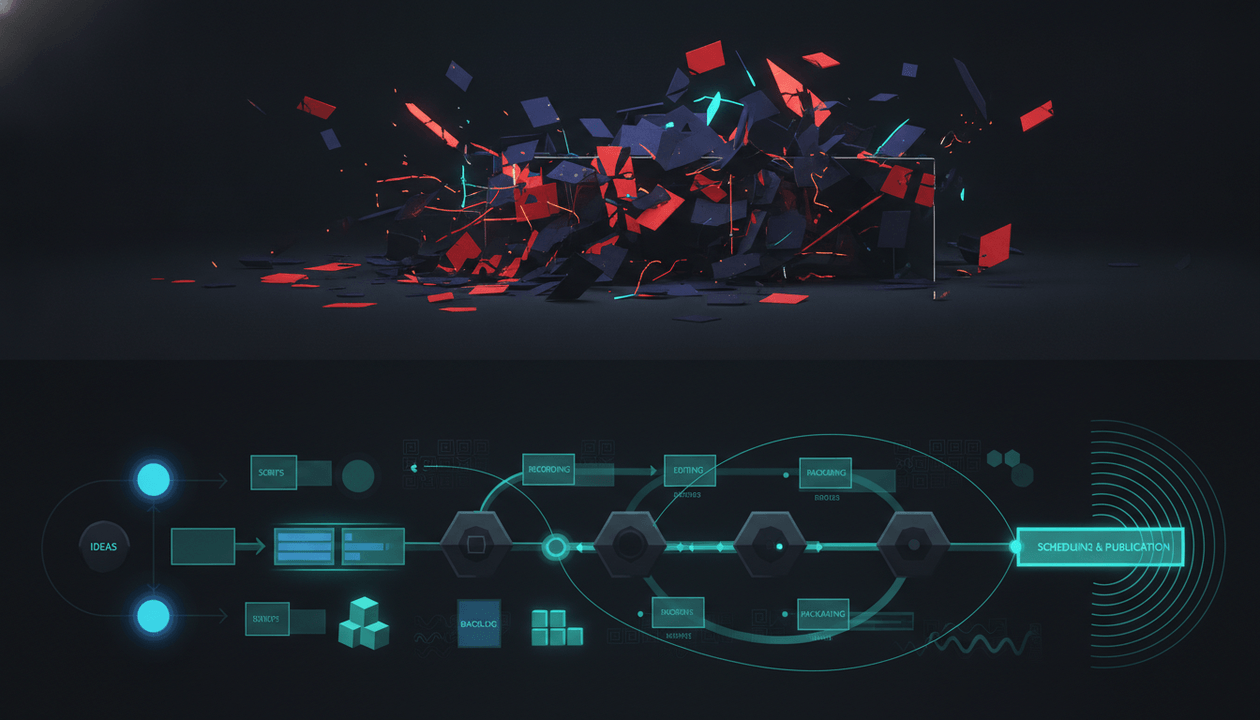
A YouTube workflow is not a checklist.
It is the system that takes a creator from:
“What should I make?”
to:
“This video is ready to produce.”
That gap is where most channels lose.
Not because the creator is lazy. Not because they have no ideas. Not because they need one more random AI writing tool.
They lose because their workflow is scattered.
They research in YouTube. They check trends in Google Trends. They watch competitors manually. They ask ChatGPT for scripts. They design thumbnails in Canva. They track production in Notion or Trello. They generate voiceovers somewhere else. They edit in CapCut or Descript. Then they wonder why every video feels disconnected from the original strategy.
The best YouTube workflow tools in 2026 do not just help you do one task faster.
They reduce the distance between research, strategy, packaging, scripting, voiceover, planning, and production.
That is the real goal.
Not more tools.
A smoother system.
Key Takeaways
- A YouTube workflow tool should help creators move from idea research to production planning with less friction.
- The best workflow tools connect multiple stages: research, competitor tracking, trend discovery, titles, thumbnails, scripts, voiceovers, planning, and editing.
- Most creator tools are strong at one stage but weak at the handoff between stages.
- OverseerOS is the best fit for YouTube strategy and pre-production because it connects channel analysis, competitor tracking, Smart Content Planners, Overseer Feed, Trend to Script, scripts, titles, thumbnails, and ElevenLabs-powered voiceovers.
- TubeBuddy and vidIQ are strong for optimization, SEO, and keyword workflows, but they are not full pre-production strategy systems.
- Notion and Trello are useful for organizing production, but they do not help you decide what to make.
- Canva, CapCut, Descript, and ElevenLabs are strong production tools, but they work best after the strategy is already clear.
- The smartest creator stack is not built around the most tools. It is built around the fewest disconnected decisions.
Quick Verdict: Best YouTube Workflow Tools in 2026
| Tool | Best For | Main Strength | Main Weakness |
|---|---|---|---|
| OverseerOS | YouTube research, strategy, scripts, thumbnails, voiceovers, and planning | Connects competitor tracking, trend discovery, channel analysis, Smart Content Planners, scripts, titles, thumbnails, and voiceovers | Focused on strategy and pre-production, not full public video editing yet |
| TubeBuddy | YouTube SEO, optimization, and testing | Keyword tools, thumbnail/title testing, SEO, and channel management | Better for optimization than full content strategy |
| vidIQ | Keyword research, daily ideas, and YouTube SEO | Keyword ideas, search volume, competition, and creator insights | Can be too keyword-first for creators who need full workflow execution |
| ViewStats | Competitor research and public YouTube analytics | Strong channel, video, outlier, and thumbnail visibility | Research-heavy, not a complete production workflow |
| Notion | Manual content planning and documentation | Flexible workspace for tasks, calendars, docs, and team planning | Does not provide YouTube-native research or content intelligence |
| Trello | Simple production boards | Easy visual workflow for task movement and team handoff | Requires manual research, scripting, and strategy elsewhere |
| Canva | Thumbnail and visual asset creation | Easy thumbnail templates, design editor, and AI media tools | Not built around YouTube pattern intelligence or competitor research |
| ElevenLabs | AI voiceovers | High-quality text-to-speech and voice generation | Voice layer only, not a full YouTube workflow |
| Descript | Video and audio editing | Text-based video/audio editing, transcription, captions, and publishing workflows | Editing-focused, not a full research and strategy layer |
| CapCut | Fast video editing, Shorts, templates, and effects | Easy editing, templates, captions, and mobile-friendly production | Editing-focused, not a YouTube strategy system |
What Is a YouTube Workflow Tool?
A YouTube workflow tool helps creators manage one or more stages of the video creation process.
That can include:
- Researching topics.
- Tracking competitors.
- Finding trends.
- Planning content.
- Writing scripts.
- Generating titles.
- Creating thumbnails.
- Producing voiceovers.
- Editing videos.
- Managing team tasks.
- Preparing uploads.
- Testing titles and thumbnails.
- Reviewing performance.
But here is the important part:
A real YouTube workflow tool should not only help you complete tasks.
It should help you make better decisions between tasks.
That is where most tools fail.
A script tool can write a script, but it may not know why the topic matters.
A design tool can create a thumbnail, but it may not know what thumbnail pattern works in your niche.
A planner can organize your calendar, but it may not know which video idea deserves a slot.
A keyword tool can show search volume, but it may not tell you whether the idea has a strong title, thumbnail, and retention angle.
A workflow tool becomes valuable when it connects the chain.
The 7 Stages of a Strong YouTube Workflow
A serious YouTube workflow has seven stages.
| Stage | Creator Question | What the Workflow Tool Should Help With |
|---|---|---|
| Research | What should I make? | Topics, trends, competitors, outliers, audience demand |
| Strategy | Why does this idea have a chance? | Validation, pattern analysis, niche fit, competitor signals |
| Packaging | Why would someone click? | Titles, thumbnails, curiosity, emotional trigger |
| Writing | What should the video say? | Hooks, structure, scripts, tone, retention |
| Production | How do we make it? | Voiceover, assets, editing, tasks, deadlines |
| Publishing | How do we upload and optimize? | Metadata, testing, scheduling, checklist |
| Feedback | What did we learn? | Performance review, retention, CTR, next topics |
Most creators use separate tools for each stage.
That is not automatically bad.
The problem is when every stage loses context from the previous one.
Example:
You find a winning competitor topic, but when you open your script tool, the script has no memory of the competitor pattern.
You create a title, but your thumbnail tool has no understanding of the title promise.
You write a script, but your planner does not connect it to the original trend.
You publish the video, but the lesson never feeds back into your next idea.
That is why “workflow” matters.
A YouTube workflow is not about being organized for the sake of being organized.
It is about preserving strategic context from idea to execution.
Why Most YouTube Workflows Break
The most common YouTube workflow looks like this:
- Watch random videos for ideas.
- Save a few links in a document.
- Ask AI for a script.
- Rewrite half of it.
- Make a thumbnail in Canva.
- Send assets to an editor.
- Track everything in Notion, Trello, or a spreadsheet.
- Publish.
- Forget what worked.
- Repeat the chaos next week.
The problem is not that the tools are bad.
The problem is that the workflow has no center.
Every tool holds a different piece of the truth:
| Tool | What It Holds |
|---|---|
| YouTube | Competitor videos and viewer behavior |
| Google Trends | Search momentum |
| ChatGPT or Claude | Script drafts |
| Canva | Thumbnail assets |
| Notion or Trello | Production tasks |
| ElevenLabs | Voiceover files |
| CapCut or Descript | Editing timeline |
| YouTube Studio | Post-publish analytics |
That creates friction.
The creator has to manually carry context from one tool to another.
At scale, that kills speed and consistency.
A better workflow starts with a central strategy layer.
That layer should answer:
- What topics are working?
- Which competitors are moving?
- Which trends are fresh?
- Which titles and thumbnails are proven?
- Which script style fits the channel?
- Which idea should be produced next?
- What stage is every video in?
That is where OverseerOS has a strong advantage.
Best YouTube Workflow Tools in 2026
1. OverseerOS
Best for: creators who want a YouTube strategy and pre-production workflow in one place.
OverseerOS is built for creators who want to stop guessing what to make and start building from evidence.
It is not just a script generator.
It is not just a thumbnail tool.
It is not just a competitor tracker.
It is a YouTube pre-production workflow built around reverse-engineering what already works and turning those patterns into original content.
OverseerOS connects the most important parts of the creator workflow:
- Channel analysis to study successful channels and their videos.
- Competitor tracking inside Smart Content Planners.
- Overseer Feed to keep competitor and niche movement visible.
- Trend to Script to see fresh web news from the last 24 hours across many categories and turn trending topics into scripts.
- Viral Channel Finder to discover channels showing public breakout momentum.
- Smart Content Planners to organize topics, scripts, voiceovers, and production ideas.
- “Find Winning Topics” to scan competitors in a planner and surface strong topic opportunities.
- “Take Inspiration” to study one competitor channel at a time.
- Channel blueprint cloning to understand tone, structure, title patterns, thumbnail patterns, and content style.
- Script generation based on channel strategy and tone.
- Thumbnail generation from scratch, from YouTube URLs, from analyzed channel style, or from a 1M+ view thumbnail style library.
- ElevenLabs-powered voiceover generation inside the workflow.
That matters because YouTube pre-production has become too complex for disconnected tools.
A creator does not only need:
Write me a script.
They need:
Help me find the right topic, validate it, package it, write it in the right tone, generate the voiceover, and keep it organized.
That is the bigger workflow.
A strong OverseerOS workflow can look like this:
- Analyze a successful channel in your niche.
- Add competitors to a Smart Content Planner.
- Use Find Winning Topics to identify strong ideas from competitor activity.
- Use Trend to Script when you need fresh 24-hour news-based topics.
- Turn the winning idea into a title, script, and thumbnail concept.
- Generate the voiceover inside OverseerOS through the ElevenLabs integration.
- Keep the topic organized inside the planner.
The key advantage is context.
When research, competitor signals, title strategy, scripting, thumbnail direction, and planning live closer together, the final video is less random.
Use OverseerOS if you want a YouTube workflow tool for research, scripts, thumbnails, voiceovers, and planning.
2. TubeBuddy
Best for: YouTube SEO, optimization, testing, and channel management.
TubeBuddy is a strong tool for creators who care about optimization inside the YouTube workflow.
It offers tools around keyword research, SEO, thumbnails, A/B testing, channel insights, productivity, and video optimization. TubeBuddy’s Keyword Explorer helps creators research search demand and keyword opportunities, and its Search Explorer supports keyword discovery inside YouTube search. Source: TubeBuddy Keyword Explorer and TubeBuddy Search Explorer
TubeBuddy also offers thumbnail preview and testing tools, plus A/B testing for thumbnails and metadata. Source: TubeBuddy Thumbnail Preview and TubeBuddy A/B Testing
This makes TubeBuddy useful for:
- Keyword research.
- Search optimization.
- Thumbnail previews.
- A/B testing.
- Metadata testing.
- Channel management.
- Upload workflow support.
The strength is optimization.
The weakness is that optimization usually happens after you already have an idea.
TubeBuddy can help improve packaging and SEO, but it is not built as a complete research-to-script-to-thumbnail-to-planner system.
Best use case:
Use TubeBuddy when you want to improve the optimization layer of your YouTube workflow, especially around SEO, metadata, and testing.
3. vidIQ
Best for: YouTube keyword research, daily ideas, and search-focused strategy.
vidIQ is useful for creators who want keyword ideas, search volume, competition scores, trend data, related suggestions, and YouTube SEO support. Source: vidIQ Keyword Tools
It is especially useful for:
- Finding search-based topics.
- Checking keyword demand.
- Exploring related keywords.
- Evaluating competition.
- Getting video ideas.
- Supporting YouTube SEO decisions.
vidIQ is strong if your workflow starts with search demand.
For example, if your channel makes tutorials, tool reviews, comparison videos, or evergreen educational content, keyword research can help you avoid making content nobody searches for.
The weakness is that keywords are only one layer.
A keyword is not a video.
A video also needs:
- A clear viewer problem.
- A clickable title.
- A strong thumbnail.
- A hook.
- A structure.
- A reason to keep watching.
- A unique angle.
- A production plan.
Best use case:
Use vidIQ when your workflow needs stronger keyword research and SEO signals.
4. ViewStats
Best for: competitor research, outliers, public YouTube analytics, and thumbnail visibility.
ViewStats is useful for creators who want to study YouTube channels, video performance, outliers, thumbnails, and trends. It positions itself around YouTube analytics, competitor visibility, outlier discovery, and thumbnail research. Source: ViewStats
This makes it valuable in the research stage.
You can use it to ask:
- Which channels are growing?
- Which videos are outperforming?
- Which topics are getting traction?
- What thumbnails are competitors using?
- What content patterns are showing up?
- Which videos look like outliers?
The strength is visibility.
The weakness is execution.
A tool can show you an outlier, but you still need to turn that outlier into:
- An original topic.
- A new angle.
- A stronger title.
- A thumbnail concept.
- A script.
- A production task.
Research without execution becomes procrastination.
Best use case:
Use ViewStats when you want stronger visibility into public YouTube performance and competitor patterns.
For a deeper workflow around competitor monitoring, read the YouTube competitor tracking tools guide.
5. Notion
Best for: manual content planning, documentation, and team organization.
Notion is a flexible workspace for notes, docs, projects, tasks, knowledge bases, and collaboration. Source: Notion
Many creators use Notion to build:
- Content calendars.
- Script databases.
- Sponsorship trackers.
- Idea banks.
- Team dashboards.
- SOPs.
- Video checklists.
- Publishing schedules.
The strength is flexibility.
You can build almost anything.
The weakness is that Notion does not give you YouTube-native intelligence by default.
It can organize your ideas, but it does not automatically tell you:
- Which competitor topics are breaking out.
- Which thumbnail patterns are working.
- Which trends are fresh.
- Which channel formats are gaining momentum.
- Which title formulas repeat across winners.
- Which video idea deserves priority.
Best use case:
Use Notion when you already have a strategy and need a flexible place to document, organize, and manage production.
6. Trello
Best for: simple visual production boards.
Trello is useful for creators who want a simple board-based workflow.
A typical YouTube board might include columns like:
- Ideas
- Researching
- Script in progress
- Voiceover ready
- Editing
- Thumbnail
- Scheduled
- Published
Trello’s own editorial calendar guidance positions it as a command center for content curation, revisions, handoff, and publishing workflows. Source: Trello Editorial Calendar
The strength is simplicity.
Trello is easy to understand, easy to move tasks through, and useful for teams.
The weakness is that it is mostly a project management layer.
It does not solve the strategic question:
What should we make next?
It helps once you already know what the task is.
Best use case:
Use Trello if you need a lightweight production board for managing video status and team handoffs.
7. Canva
Best for: thumbnail design and visual assets.
Canva is one of the easiest tools for creating YouTube thumbnails. Its YouTube thumbnail maker includes templates, drag-and-drop editing, AI media features, and export options. Source: Canva YouTube Thumbnail Maker
Canva is useful for:
- Thumbnail design.
- Channel banners.
- Social media graphics.
- YouTube community posts.
- Presentation-style visuals.
- Brand kits.
- Simple image editing.
The strength is accessibility.
Almost anyone can open Canva and create something decent.
The weakness is that templates are not strategy.
A nice thumbnail is not automatically a high-performing thumbnail.
A strong YouTube thumbnail needs:
- One clear focal point.
- A simple visual question.
- Strong contrast.
- Emotional tension.
- A clear connection to the title.
- No unnecessary clutter.
- A structure that fits the niche.
This is where OverseerOS has a different angle. Its thumbnail workflow is designed around proven YouTube packaging patterns, including creation from scratch, cloning style from YouTube URLs, cloning from analyzed channel style, and using a 1M+ view thumbnail style library.
If thumbnails are central to your workflow, use the AI YouTube thumbnail generator built from proven thumbnail patterns.
Best use case:
Use Canva for general design and fast thumbnail creation, especially if you already know the thumbnail strategy.
8. ElevenLabs
Best for: AI voiceovers.
ElevenLabs is one of the most recognized AI voice platforms. It offers text-to-speech, speech-to-text, voice changing, voice cloning, voice design, sound effects, music, and API access. Its site describes access to thousands of voices across many languages. Source: ElevenLabs
For YouTube creators, ElevenLabs is useful for:
- Faceless channel voiceovers.
- Explainer narration.
- Shorts narration.
- Multilingual voice content.
- Draft narration.
- Faster production without recording manually.
The strength is voice quality and speed.
The weakness is that voiceover is only one part of the YouTube workflow.
A great voiceover cannot save a weak idea, boring hook, bad title, or confusing thumbnail.
That is why OverseerOS includes an ElevenLabs-powered voiceover workflow inside the broader pre-production system. The goal is not to replace ElevenLabs. The goal is to reduce context switching by letting creators generate voiceovers where their topics and scripts already live.
Best use case:
Use ElevenLabs when you need fast, high-quality AI narration.
9. Descript
Best for: text-based audio and video editing.
Descript is strong for creators who want to edit audio and video like a document. Its platform includes recording, transcription, text-based editing, captions, screen recording, and video editing workflows. Source: Descript
Descript also has a YouTube video editor page that positions it around scriptwriting, recording, transcription, editing, and YouTube publishing workflows. Source: Descript YouTube Video Editor
It is especially useful for:
- Talking head videos.
- Podcasts.
- Interviews.
- Screen recordings.
- Educational videos.
- Captioned clips.
- Repurposing content.
The strength is editing speed.
The weakness is that Descript starts to shine after you already have content to edit.
It does not replace YouTube-specific strategy, competitor research, topic validation, packaging research, or channel blueprint analysis.
Best use case:
Use Descript when editing, transcription, captions, and spoken-video workflows are your bottleneck.
10. CapCut
Best for: fast editing, Shorts, templates, captions, and creator-friendly effects.
CapCut is a popular video editing platform with desktop, mobile, and online tools. Its site positions it around AI-powered editing, templates, effects, and video creation for platforms including YouTube and Instagram. Source: CapCut
CapCut’s YouTube video maker page highlights YouTube templates, exporting, resolution settings, FPS, and formats like MP4 and MOV. Source: CapCut YouTube Video Maker
CapCut is useful for:
- Shorts.
- Simple long-form edits.
- Captions.
- Templates.
- Effects.
- Social-first editing.
- Fast mobile workflows.
- Beginner-friendly editing.
The strength is speed and ease.
The weakness is that editing is not strategy.
CapCut helps you make the video.
It does not tell you whether the idea deserves to be made.
Best use case:
Use CapCut when you need fast, simple editing and social-friendly output.
The Best YouTube Workflow by Creator Type
Different creators need different workflows.
Here is the clean breakdown.
| Creator Type | Biggest Workflow Problem | Best Tool Stack |
|---|---|---|
| Solo YouTube creator | Too many tabs, inconsistent output | OverseerOS + Canva or CapCut |
| Faceless channel owner | Needs topics, scripts, thumbnails, voiceovers, and planning | OverseerOS + ElevenLabs workflow + editing tool |
| YouTube agency | Needs research, planning, scripting, team handoff | OverseerOS + Trello or Notion + editing stack |
| Tutorial creator | Needs keyword research and clear production process | vidIQ or TubeBuddy + OverseerOS + Descript |
| Shorts creator | Needs speed and trend execution | OverseerOS Trend to Script + CapCut |
| Podcast/video creator | Needs recording, transcription, editing | Descript + YouTube Studio + planning tool |
| SEO-focused creator | Needs keyword demand and optimization | TubeBuddy or vidIQ + YouTube Studio |
| Thumbnail-heavy creator | Needs better packaging and testing | OverseerOS Thumbnail Designer + Canva + YouTube A/B testing |
The Ideal YouTube Workflow in 2026
Here is the workflow I would build if I wanted consistent output without guessing.
Step 1: Research What Is Already Working
Before writing anything, gather evidence.
Use:
- Channel analysis.
- Competitor tracking.
- YouTube search.
- Trend tools.
- Outlier research.
- Viewer comments.
- Google Trends.
- YouTube Studio.
Ask:
- What is working in this niche?
- Which topics are gaining traction?
- Which competitors are breaking out?
- Which videos are overperforming?
- Which formats are spreading?
- Which audience questions keep appearing?
This is where tools like OverseerOS, ViewStats, vidIQ, TubeBuddy, Google Trends, and YouTube Studio can help.
If you want the deeper breakdown, read the best YouTube research tools guide.
Step 2: Validate the Idea Before You Script
Do not write the script yet.
First, validate the idea.
Ask:
- Does this topic have demand?
- Is it fresh or evergreen?
- Are competitors getting views with similar ideas?
- Is there an outlier signal?
- Can we create a better angle?
- Can our channel credibly cover it?
- Is the topic too saturated?
- Can the thumbnail be strong?
- Can the title create curiosity?
A video idea is not ready until it has a reason to exist.
Weak idea:
Make a video about AI tools.
Validated idea:
Make a video comparing the AI tools creators actually use in their YouTube workflow, because competitor videos about AI tools are overperforming and search demand is rising.
That is a real direction.
Step 3: Build the Packaging Before the Script
Most creators write the script first and figure out the title and thumbnail later.
That is backwards.
The title and thumbnail define the promise.
The script must deliver that promise.
Before writing, create:
- Working title.
- Thumbnail concept.
- Main hook.
- Viewer promise.
- Emotional trigger.
- Curiosity gap.
Example:
Weak title:
Best YouTube Tools
Better title:
I Built a YouTube Workflow With AI Tools. Here’s What Actually Saved Time.
Thumbnail concept:
One messy “too many tools” side versus one clean workflow dashboard side.
Viewer promise:
Save time by seeing which tools actually belong in the workflow.
Now the script has a clear job.
Step 4: Write the Script From the Strategy
A script should not be generated from a blank prompt.
It should be generated from:
- The audience.
- The topic.
- The title promise.
- The thumbnail promise.
- The competitor pattern.
- The format.
- The tone.
- The retention structure.
- The desired takeaway.
That is where many AI writing workflows fail.
They produce clean sentences but weak videos.
A good YouTube script needs:
- A strong first line.
- A reason to keep watching.
- Clear structure.
- Tension.
- Examples.
- Pattern interrupts.
- Payoffs.
- No filler.
- A strong ending.
OverseerOS is useful here because scripts can be created closer to the channel strategy, competitor signals, and tone blueprint instead of being written as generic AI output.
Step 5: Generate the Voiceover Without Losing Context
For faceless channels, voiceover is a production bottleneck.
A good voiceover workflow should be connected to the final script version, not copied manually across five tools.
That is why having ElevenLabs-powered voiceover generation inside OverseerOS matters.
It keeps the script and voiceover closer together.
The fewer manual handoffs, the fewer mistakes.
Step 6: Move the Video Through a Planner
Once the idea, title, script, thumbnail, and voiceover are ready, the video needs to move through production.
A clear production workflow might look like:
| Stage | Task |
|---|---|
| Idea selected | Topic approved |
| Script draft | Script generated or written |
| Script final | Reviewed and cleaned |
| Voiceover | Generated or recorded |
| Thumbnail | Concept created and finalized |
| Edit | Sent to editor or edited internally |
| Review | Quality check |
| Scheduled | Uploaded and prepared |
| Published | Live |
| Analyzed | Performance reviewed |
You can do this in Notion, Trello, or inside a YouTube-focused planner.
The advantage of OverseerOS is that Smart Content Planners are already connected to YouTube-specific research and writing workflows, not just generic project management.
For more on planning, read the best AI YouTube content planner tools guide.
Step 7: Publish and Learn
Publishing is not the end of the workflow.
It is the feedback loop.
After publishing, track:
- CTR.
- Average view duration.
- Retention drop-off.
- Traffic sources.
- Comments.
- Search terms.
- Returning viewers.
- New viewers.
- Suggested traffic.
- Video performance compared to channel average.
YouTube now supports A/B testing for titles and thumbnails in Studio for eligible creators and videos, letting creators test title-only, thumbnail-only, or title-and-thumbnail combinations. Source: YouTube Help
That means testing is becoming a normal part of the workflow.
But testing does not replace strategy.
You still need strong variants to test.
A good workflow helps you create better variants before you upload.
The YouTube Workflow Scorecard
Use this to audit your current process.
| Workflow Question | Yes/No |
|---|---|
| Do you know where your next 10 video ideas came from? | |
| Can you connect each idea to evidence? | |
| Are you tracking competitor movement weekly? | |
| Do you know which topics are overperforming in your niche? | |
| Do you build title and thumbnail concepts before scripting? | |
| Do your scripts deliver the exact promise from the packaging? | |
| Is your voiceover workflow connected to your scripts? | |
| Does every video have a clear production status? | |
| Can your team see what to do next without asking you? | |
| Do you review performance and feed lessons into the next idea? |
If you answer “no” to most of these, you do not have a workflow.
You have a collection of tools.
The Best YouTube Workflow Stack
If you want a practical stack, here is the clean version.
Minimal Solo Creator Stack
| Need | Tool |
|---|---|
| Research and strategy | OverseerOS |
| Thumbnail finishing | Canva or OverseerOS Thumbnail Designer |
| Voiceover | OverseerOS ElevenLabs integration or ElevenLabs directly |
| Editing | CapCut or Descript |
| Analytics | YouTube Studio |
This is enough for most solo creators.
Faceless Channel Stack
| Need | Tool |
|---|---|
| Niche and competitor research | OverseerOS |
| Trend discovery | OverseerOS Trend to Script |
| Content planning | OverseerOS Smart Content Planner |
| Scriptwriting | OverseerOS |
| Voiceover | OverseerOS ElevenLabs integration |
| Thumbnail concepts | OverseerOS Thumbnail Designer |
| Editing | CapCut, Descript, Premiere Pro, or editor |
| Publishing analytics | YouTube Studio |
This stack is strong because it keeps strategy, scripting, voiceover, and planning connected.
Team Workflow Stack
| Need | Tool |
|---|---|
| Strategy and research | OverseerOS |
| Production board | OverseerOS planner, Trello, or Notion |
| Script approval | OverseerOS + docs if needed |
| Thumbnail workflow | OverseerOS + Canva |
| Voiceover | OverseerOS or ElevenLabs |
| Editing | Descript, CapCut, Premiere Pro, DaVinci Resolve, or editor |
| Communication | Slack, email, or project comments |
| Analytics review | YouTube Studio |
Teams need clarity more than complexity.
The workflow should answer:
- Who owns this?
- What stage is it in?
- What is blocking it?
- What is the next action?
- What assets are ready?
- What needs review?
How OverseerOS Fits Into the YouTube Workflow
The strongest position for OverseerOS is clear:
OverseerOS is the YouTube strategy and pre-production layer.
It helps before the video is edited.
That is the stage where the biggest decisions happen:
- What niche should we attack?
- Which competitors should we track?
- What topics are already working?
- Which trends are fresh?
- What angle should we take?
- What title pattern fits?
- What thumbnail structure fits?
- What script should we write?
- What voiceover should we generate?
- Where does this topic sit in the planner?
That is where most creators waste the most time.
Editing matters.
But editing a weak idea beautifully is still a weak video.
OverseerOS helps creators improve the decisions before production begins.
A strong workflow inside OverseerOS can look like this:
Analyze the market
Use channel analysis, competitor tracking, Viral Channel Finder, and Overseer Feed to see what is working.Find the opportunity
Use Find Winning Topics, Take Inspiration, Trend to Script, and planner-based competitor research.Create the content package
Generate titles, scripts, thumbnail concepts, and voiceovers from a stronger strategic base.Move it through the planner
Keep ideas, scripts, and voiceovers organized instead of scattered.Send to production
Hand off to editing tools or your team with a clearer direction.
That is the main conversion point.
OverseerOS does not need to replace every tool.
It replaces the chaos before production.
Common YouTube Workflow Mistakes
Mistake 1: Starting With the Script
A script is not the first step.
The first step is evidence.
Before writing, know:
- Why this topic?
- Why now?
- Why this audience?
- Why this angle?
- Why this title?
- Why this thumbnail?
If you cannot answer those questions, the script is premature.
Mistake 2: Using AI Before Research
AI can speed up execution, but it should not replace strategy.
Bad workflow:
Ask AI for 20 video ideas.
Better workflow:
Analyze competitors, find outliers, check trends, choose a proven angle, then use AI to help write the script.
AI is strongest when it has evidence to work with.
Mistake 3: Treating Thumbnails as Design Instead of Strategy
A thumbnail is not decoration.
It is the visual half of the click promise.
Bad thumbnail workflow:
Finish script, then make a thumbnail quickly.
Better thumbnail workflow:
Build the title and thumbnail together before scripting.
Ask:
- What is the visual question?
- What is the emotional trigger?
- What is the contrast?
- What is the curiosity?
- Can it be understood in one second?
Mistake 4: Using a Planner With No Intelligence
Notion and Trello are useful.
But a planner full of random ideas is still random.
The planner should be connected to:
- Competitor signals.
- Trend signals.
- Outlier videos.
- Search demand.
- Channel strategy.
- Audience pain.
- Production priority.
Otherwise, it becomes a storage room for ideas you will never make.
Mistake 5: Letting Tools Create More Work
Some tools save time.
Some tools create admin work.
If your workflow requires:
- 15 tabs.
- 6 exports.
- 4 copy-pastes.
- 3 spreadsheets.
- 2 project boards.
- 1 lost script version.
Your workflow is broken.
The best tool stack should reduce handoffs, not increase them.
Mistake 6: Forgetting the Feedback Loop
Every published video should teach you something.
Track:
- Did the title and thumbnail earn clicks?
- Did the first 30 seconds hold attention?
- Did the viewer get what was promised?
- Did comments reveal follow-up ideas?
- Did the topic outperform baseline?
- Should this become a series?
- Should we avoid this format next time?
A workflow that does not learn will repeat mistakes.
What to Look For in a YouTube Workflow Tool
Before choosing a tool, use this checklist.
- Does it help you find better video ideas?
- Does it connect research to production?
- Does it help with competitor tracking?
- Does it help identify trends or fresh opportunities?
- Does it support title and thumbnail strategy?
- Does it help write scripts from a clear angle?
- Does it support voiceover or asset handoff?
- Does it keep topics organized?
- Does it reduce tab switching?
- Does it help teams know what to do next?
- Does it support repeatable workflows?
- Does it make publishing faster without making content more generic?
A good workflow tool should make your process clearer.
A great workflow tool should make your videos smarter.
The Simple YouTube Workflow Template
Use this for every video.
1. Research
Topic:
Source of idea:
Competitor signal:
Trend signal:
Search signal:
Audience pain:
Why now:
2. Strategy
Main angle:
Why this can work:
What existing videos miss:
What our video will do better:
Target viewer:
3. Packaging
Working title:
Backup title:
Thumbnail concept:
Main curiosity gap:
Emotional trigger:
One-sentence viewer promise:
4. Script
Hook:
Open loop:
Main sections:
Examples:
Retention moments:
Ending:
CTA:
5. Production
Voiceover status:
Thumbnail status:
Editor:
Assets needed:
Deadline:
Review date:
Upload date:
6. Publishing
Description:
Tags:
End screen:
Pinned comment:
A/B test variants:
7. Review
CTR:
Average view duration:
Retention drop-off:
Traffic source:
Comments:
What worked:
What to improve:
Next related topic:
Final Verdict
The best YouTube workflow tool depends on the part of the process that is breaking.
Use TubeBuddy if your bottleneck is SEO, optimization, and testing.
Use vidIQ if your bottleneck is keyword research and search-based video ideas.
Use ViewStats if your bottleneck is competitor visibility and outlier research.
Use Notion or Trello if your bottleneck is project organization.
Use Canva if your bottleneck is visual design.
Use ElevenLabs if your bottleneck is voiceover production.
Use Descript or CapCut if your bottleneck is editing.
Use OverseerOS if your bottleneck is the most important one:
Knowing what to make, why it should work, and how to turn that idea into a script, thumbnail, voiceover, and production plan.
That is the workflow creators actually need in 2026.
Not another disconnected tool.
A system that turns research into production.
FAQ
What are YouTube workflow tools?
YouTube workflow tools help creators manage the process of creating videos. They can support research, competitor tracking, trend discovery, scripting, thumbnail creation, voiceovers, production planning, editing, publishing, and analytics.
What is the best YouTube workflow tool?
For YouTube strategy and pre-production, OverseerOS is the strongest fit because it connects research, competitor tracking, Smart Content Planners, Overseer Feed, Trend to Script, scripts, titles, thumbnails, and voiceovers. For editing, tools like Descript and CapCut are stronger. For SEO optimization, TubeBuddy and vidIQ are useful.
Is OverseerOS a video editing tool?
OverseerOS is currently best positioned as a YouTube strategy and pre-production workflow. It helps with channel analysis, competitor tracking, content planning, titles, scripts, thumbnails, and ElevenLabs-powered voiceovers. Full public video editing is not the core released workflow yet, so creators can pair OverseerOS with editing tools like CapCut, Descript, Premiere Pro, or DaVinci Resolve.
What is the best workflow for a faceless YouTube channel?
A strong faceless YouTube workflow starts with research and competitor validation, then moves into title, thumbnail, script, voiceover, editing, and publishing. OverseerOS can handle the strategy, planning, scripting, thumbnails, and voiceover side, while an editing tool or editor handles the final video production.
Do I need both a YouTube workflow tool and an editing tool?
Yes, in most cases. A workflow tool helps you decide what to make and organize production. An editing tool helps you create the final video. OverseerOS is strongest before editing. Tools like CapCut, Descript, Premiere Pro, or DaVinci Resolve are stronger during editing.
What is the difference between a YouTube planner and a YouTube workflow tool?
A planner organizes content ideas and production stages. A workflow tool can go further by helping with research, strategy, scripting, thumbnails, voiceovers, and task movement. A planner tells you where an idea is. A stronger workflow tool helps you decide whether the idea deserves to be made.
Can Notion or Trello manage a YouTube workflow?
Yes. Notion and Trello are useful for manual planning, team handoffs, and content calendars. But they do not provide YouTube-native research, competitor tracking, trend discovery, or title and thumbnail pattern analysis by default.
What tools should a beginner YouTuber use?
A beginner can start with YouTube Studio, YouTube Search, Google Trends, Canva, and a simple planner. If the creator wants a more strategic workflow, OverseerOS can help with research, competitor tracking, content planning, scripts, thumbnails, and voiceovers.
What tools should a YouTube team use?
A YouTube team should use a strategy layer, a planning layer, a production layer, and an editing layer. For example: OverseerOS for strategy and pre-production, Trello or Notion for team task management if needed, Canva or OverseerOS for thumbnail workflows, ElevenLabs or OverseerOS voiceover generation for narration, and CapCut, Descript, Premiere Pro, or DaVinci Resolve for editing.
How do I improve my YouTube workflow?
Start by finding the biggest broken handoff. If ideas are weak, improve research. If videos get impressions but no clicks, improve titles and thumbnails. If production is slow, improve planning and asset handoff. If scripts feel generic, connect scripting to research and channel tone. If everything is scattered, use a workflow system like OverseerOS to bring research, planning, scripts, thumbnails, and voiceovers closer together.