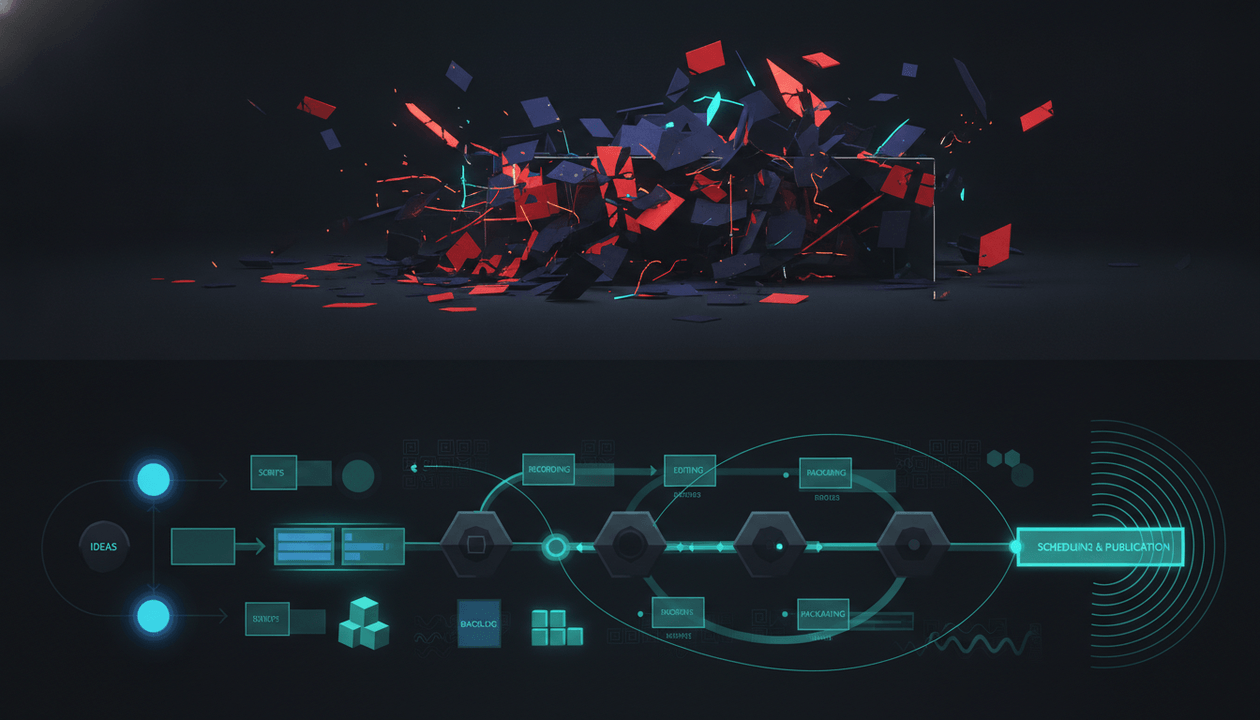
A YouTube operating system is not a fancy content calendar.
It is the control center for your channel.
A calendar tells you when a video goes live. A YouTube operating system helps you decide what video should exist, why it has a chance, how to package it, how to write it, how to produce it, and how to turn the result into the next decision.
That is the difference.
Most creators do not have a YouTube OS. They have scattered tools.
They research in YouTube. They check competitors manually. They write scripts in an AI chat. They design thumbnails somewhere else. They track production in Notion, Trello, ClickUp, Airtable, or a spreadsheet. They generate voiceovers in another platform. They edit in CapCut, Descript, Premiere Pro, or DaVinci Resolve. Then they try to remember why the video idea made sense in the first place.
That is not an operating system.
That is tab chaos.
A real YouTube operating system connects the full pre-production brain of the channel:
- Research
- Competitor tracking
- Trend discovery
- Topic planning
- Title strategy
- Thumbnail strategy
- Scriptwriting
- Voiceover
- Production status
- Feedback loop
The goal is simple:
Stop running your channel from random tabs. Build a system that turns proven signals into repeatable videos.
Key Takeaways
- A YouTube operating system is the command layer that connects research, strategy, planning, packaging, scripting, production, and feedback.
- A Notion template can organize a channel, but it usually does not find winning topics, track competitor breakouts, analyze thumbnail patterns, or write scripts from proven YouTube signals.
- The best YouTube OS helps creators move from “what should I make?” to “this video is ready to produce.”
- OverseerOS is built as an AI-powered YouTube operating system for research, competitor tracking, trend discovery, Smart Content Planners, scripts, titles, thumbnails, and ElevenLabs-powered voiceovers.
- General project tools like Trello, ClickUp, Notion, and Airtable are useful for organization, but they need a strategy layer on top.
- YouTube-native tools like TubeBuddy, vidIQ, ViewStats, and YouTube Studio help with research and optimization, but most do not connect the full pre-production workflow.
- The winning setup is not “more tools.” It is fewer disconnected decisions.
Quick Verdict: Best YouTube Operating System Tools in 2026
| Tool | Best For | Main Strength | Main Weakness |
|---|---|---|---|
| OverseerOS | AI-powered YouTube operating system for creators | Connects research, competitors, trends, scripts, titles, thumbnails, voiceovers, and planning | Focused on strategy and pre-production, not full public video editing yet |
| Masters of Engagement | YouTube teams and media companies | Built for ideation, concept scoring, competitor tracking, and team workflows | Invite-only and more team/media-company focused |
| Notion YouTube OS templates | Organizing a channel workspace | Flexible databases, calendars, task views, and documentation | Templates organize work, but do not create YouTube-native strategy by default |
| ClickUp | Team project management and content calendars | Strong task management, deadlines, docs, and workflow views | Not built specifically for YouTube pattern intelligence |
| Trello | Simple visual production boards | Easy Kanban workflow for moving videos through stages | Needs separate tools for research, scripts, thumbnails, and analytics |
| Airtable | Structured content databases | Strong for custom content calendars and production databases | Requires manual setup and does not provide YouTube-native insights |
| ViewStats | YouTube analytics and competitor visibility | Strong public channel, video, outlier, and thumbnail research | Research-heavy, not a full operating system for production |
| TubeBuddy | YouTube SEO and optimization | Keyword tools, thumbnail/title testing, SEO, and workflow support | Better for optimization than full strategy and production planning |
| vidIQ | YouTube keyword research and idea discovery | Keyword demand, competition, trends, and creator insights | Can be too keyword-first if you need a full operating system |
| Descript or CapCut | Editing-side workflow | Great for editing, captions, repurposing, and short-form production | Editing tools do not solve research, strategy, or topic validation |
What Is a YouTube Operating System?
A YouTube operating system is a centralized workflow that helps creators run a channel from strategy to execution.
It should answer:
| Question | OS Function |
|---|---|
| What should we make next? | Research and topic discovery |
| Why does this idea have a chance? | Validation and competitive intelligence |
| What are competitors doing? | Competitor tracking |
| What is trending right now? | Trend monitoring |
| Why would someone click? | Title and thumbnail strategy |
| What should the video say? | Scriptwriting and structure |
| How do we produce it? | Voiceover, asset, and production planning |
| Where is every video in the pipeline? | Content planner |
| What did we learn after publishing? | Feedback loop |
A YouTube OS is not just a place to store ideas.
It is the system that turns signals into decisions.
That distinction matters because creators rarely fail from lack of information. They fail because their information is scattered.
They know competitors matter, but they do not track them consistently.
They know thumbnails matter, but they make them after the script.
They know trends matter, but they react too late.
They know AI can write scripts, but the scripts sound generic because the AI never got the right context.
They know analytics matter, but lessons from one upload rarely shape the next upload.
A YouTube operating system fixes the handoffs.
YouTube Operating System vs Content Calendar vs Workflow Tool
These terms get mixed together, but they are not the same.
| Type | What It Does | Main Limitation |
|---|---|---|
| Content calendar | Shows publishing dates | Does not decide what deserves to be published |
| Workflow tool | Tracks production stages | Does not always improve content decisions |
| Project management tool | Assigns tasks and deadlines | Not YouTube-native by default |
| YouTube operating system | Connects research, strategy, packaging, scripts, production, and learning | Needs to be built around the actual creator process |
A content calendar says:
Publish video on Friday.
A workflow tool says:
This video is in editing.
A YouTube operating system says:
This topic came from a competitor breakout, matches a fresh trend, has a proven title pattern, uses a thumbnail structure that fits the niche, has a script written in the correct channel tone, and is ready for production.
That is the difference.
A calendar organizes time.
An OS organizes decisions.
Why Creators Need a YouTube OS in 2026
YouTube is not getting simpler.
AI has made production faster. More creators can generate scripts, voiceovers, thumbnails, and short-form clips faster than ever.
That means the bottleneck is no longer just production.
The bottleneck is judgment.
Creators need to decide:
- Which idea is worth making?
- Which trend is still fresh?
- Which competitor signal matters?
- Which title angle is strongest?
- Which thumbnail pattern fits the video?
- Which script structure will hold attention?
- Which topic deserves a series?
- Which analytics lesson should shape the next upload?
Without an operating system, every decision becomes manual.
That is why creators end up with:
- Too many tabs
- Too many half-saved ideas
- Too many generic AI scripts
- Too many weak thumbnails
- Too many disconnected tools
- Too many forgotten competitor insights
- Too many videos that should never have been produced
A YouTube OS is how you stop rebuilding your process every week.
It gives the channel a brain.
The 8 Modules of a Real YouTube Operating System
A serious YouTube OS should have eight modules.
| OS Module | What It Controls | Why It Matters |
|---|---|---|
| Market intelligence | What is working in the niche | Prevents blind content creation |
| Competitor tracking | What rival channels are doing | Helps detect breakout topics and patterns |
| Trend discovery | What is fresh right now | Helps creators move before topics go stale |
| Topic planning | What to make next | Turns scattered ideas into a production pipeline |
| Packaging | Why people click | Connects titles, thumbnails, and viewer curiosity |
| Scripting | What the video says | Turns strategy into a watchable video |
| Production handoff | How the video gets made | Keeps voiceover, assets, and status clear |
| Feedback loop | What improves next | Makes the system smarter over time |
If your “YouTube OS” only has tasks and deadlines, it is incomplete.
Organization is not enough.
You need intelligence.
Best YouTube Operating System Tools in 2026
1. OverseerOS
Best for: creators who want an AI-powered YouTube OS for research, scripts, thumbnails, voiceovers, and planning.
OverseerOS is built around a simple idea:
Creators should not start from a blank page. They should start from patterns that already worked.
That is what makes OverseerOS different from a normal planner or template.
It is not just a place to store video ideas. It helps creators research, validate, package, write, and plan content from YouTube-native signals.
Inside OverseerOS, creators can use:
- Channel analysis to study successful channels and their videos.
- Competitor tracking inside Smart Content Planners.
- Overseer Feed to monitor competitor and niche movement.
- Trend to Script to see fresh web news from the last 24 hours across many categories and turn trending topics into scripts.
- Viral Channel Finder to discover channels showing public breakout momentum.
- Smart Content Planners to organize topics, scripts, voiceovers, and production ideas.
- “Find Winning Topics” to scan competitors in a planner and surface strong topic opportunities.
- “Take Inspiration” to study one competitor channel at a time.
- Channel blueprint cloning to understand tone, title patterns, thumbnail patterns, emotional structure, pacing, and content formulas.
- Title generation based on proven patterns.
- Script generation based on channel tone and strategy.
- Thumbnail generation from scratch, from a YouTube URL, from an analyzed channel style, or from a 1M+ view thumbnail style library.
- ElevenLabs-powered voiceover generation inside the workflow.
That makes OverseerOS strongest before editing.
It is the strategy and pre-production operating system.
A strong OverseerOS workflow looks like this:
- Analyze a channel.
- Add competitors.
- Find winning topics.
- Watch fresh trends.
- Choose a validated idea.
- Generate titles and thumbnail concepts.
- Write the script.
- Generate voiceover.
- Move the topic through the planner.
- Send the video into editing with a clear strategy.
That is the key.
OverseerOS does not need to replace every tool in your stack.
It replaces the chaos before production.
2. Masters of Engagement
Best for: YouTube teams, media companies, and concept scoring workflows.
Masters of Engagement positions itself as “the operating system for YouTube teams,” with tools for ideating, rating and prioritizing video concepts, tracking competitors, grading videos, and managing cast and crew. Source: Masters of Engagement
This is a strong category signal because it confirms what serious YouTube operators already know:
YouTube teams need more than a calendar. They need a system for decisions.
Masters of Engagement appears more focused on teams, creators with structured production crews, and media-company-style workflows.
Its strengths are:
- Concept rating.
- Competitor tracking.
- Team workflows.
- Video grading.
- Cast and crew management.
The weakness for many solo creators or smaller creator teams is access and fit. It is positioned as invite-only, and it may feel more like a team operations platform than an AI-powered creator strategy and content generation workflow.
Best use case:
Use Masters of Engagement if you run a serious YouTube team and need a structured platform for concept evaluation, competitor tracking, and production coordination.
3. Notion YouTube OS Templates
Best for: creators who want a flexible manual workspace.
Notion has multiple YouTube OS and YouTube creator templates. One Notion template describes itself as a comprehensive workspace to manage and grow a YouTube channel. Source: Notion YouTube OS
Other Notion templates position themselves around managing YouTube workflows, content planning, tasks, metrics, and channel organization.
The strength of Notion is flexibility.
You can build:
- Video idea databases.
- Content calendars.
- Script libraries.
- Sponsorship trackers.
- Thumbnail swipe files.
- Team dashboards.
- Publishing checklists.
- SOPs.
- Analytics logs.
- Creator journals.
The weakness is that Notion is mostly a blank system.
A Notion template can organize your work, but it usually does not automatically:
- Analyze competitors.
- Find winning topics.
- Spot outlier videos.
- Decode thumbnail patterns.
- Monitor fresh 24-hour news.
- Generate scripts from channel tone.
- Create thumbnails from proven YouTube styles.
- Generate voiceovers inside the content pipeline.
Notion is a great container.
But a container is not the same as intelligence.
Best use case:
Use Notion if you want a flexible manual YouTube workspace and you are willing to bring your own strategy, research, and creative judgment.
4. ClickUp
Best for: content calendars, task management, and team production workflows.
ClickUp has YouTube content calendar resources and templates for organizing video ideas, setting deadlines, tracking performance, and collaborating with teams. Source: ClickUp YouTube Content Calendar Template
ClickUp is useful for:
- Team task assignment.
- Content calendars.
- Deadline tracking.
- Docs.
- Approval workflows.
- Production views.
- Team collaboration.
- Project management.
The strength is operations.
If you already know what videos to make, ClickUp can help manage the process.
The weakness is YouTube-native strategy.
ClickUp can organize video ideas, but it does not automatically know:
- Which competitor video broke out.
- Which title pattern is spreading.
- Which niche trend is fresh.
- Which thumbnail style fits your category.
- Which script tone matches a cloned channel blueprint.
Best use case:
Use ClickUp if your bottleneck is team coordination, not idea validation.
5. Trello
Best for: simple Kanban-style YouTube production boards.
Trello is useful for creators who want a visual board for moving videos through stages. Trello’s editorial calendar guidance positions it as a command center for content curation, revisions, handoff, and publishing. Source: Trello Editorial Calendar
A YouTube Trello board might include:
- Ideas
- Researching
- Scripting
- Voiceover
- Thumbnail
- Editing
- Review
- Scheduled
- Published
The strength is simplicity.
Trello is easy to understand and easy to use with freelancers.
The weakness is that Trello tracks work. It does not decide what work matters.
A Trello card called “AI tools video” does not tell you:
- Why that topic matters.
- Whether competitors are winning with it.
- What angle to use.
- What title will create curiosity.
- What thumbnail pattern fits.
- What script structure to follow.
Best use case:
Use Trello if you need a simple visual production board and already have a separate strategy system.
6. Airtable
Best for: structured content databases and custom production systems.
Airtable is useful when you want spreadsheet-style structure with database flexibility. Airtable describes editorial calendars as tools that organize and track a content pipeline from planning to publication. Source: Airtable Editorial Calendar Guide
For YouTube teams, Airtable can work well for:
- Video databases.
- Asset tracking.
- Publishing calendars.
- Sponsor tracking.
- Multi-channel planning.
- Analytics logging.
- Team assignments.
- Custom views and filters.
The strength is structure.
Airtable is more database-like than Trello and more structured than many simple calendar tools.
The weakness is that it requires manual setup and strategy. It can track YouTube data you put into it, but it does not automatically become a YouTube intelligence engine.
Best use case:
Use Airtable if you need a custom production database and have the operational discipline to maintain it.
7. ViewStats
Best for: YouTube analytics, competitors, outliers, and public performance research.
ViewStats is valuable for creators who want visibility into public YouTube performance. It positions itself around channel statistics, outliers, competitor visibility, thumbnail research, and trends. Source: ViewStats
This is useful for the intelligence layer of a YouTube OS.
You can study:
- Channels.
- Videos.
- Outliers.
- Thumbnails.
- Trends.
- Public performance patterns.
The strength is research visibility.
The weakness is workflow continuity.
Finding a strong outlier is only one step.
A complete OS should then help you:
- Turn that outlier into an original topic.
- Build a title.
- Create a thumbnail direction.
- Write a script.
- Assign the production task.
- Review performance later.
ViewStats is strong for seeing what is working. It is less complete as the full command center for turning that research into production.
Best use case:
Use ViewStats as a research and intelligence layer inside a broader YouTube operating system.
8. TubeBuddy
Best for: YouTube SEO, optimization, testing, and channel management.
TubeBuddy is a well-known YouTube tool with features around keyword research, SEO, search exploration, thumbnail previews, A/B testing, and channel workflows. Its Keyword Explorer helps creators find keyword opportunities, and its Search Explorer helps creators explore keyword and trend data inside search. Source: TubeBuddy Keyword Explorer and TubeBuddy Search Explorer
TubeBuddy also offers thumbnail preview and A/B testing tools. Source: TubeBuddy Thumbnail Test
Its strength is optimization.
TubeBuddy is useful when you need:
- Keyword research.
- Search optimization.
- Metadata support.
- Thumbnail testing.
- Title testing.
- Channel management tools.
- Upload workflow support.
The weakness is that optimization is not the whole operating system.
You still need upstream strategy:
- What topic?
- Which competitor signal?
- Which angle?
- Which script?
- Which thumbnail concept?
- Which production priority?
Best use case:
Use TubeBuddy when YouTube SEO and testing are important parts of your workflow.
9. vidIQ
Best for: YouTube keyword research, content ideas, and SEO signals.
vidIQ offers keyword tools for search volume, competition, related suggestions, trend data, and ranking opportunities. Source: vidIQ Keyword Tools
This makes vidIQ useful for creators who need help with:
- Keyword research.
- Search demand.
- Video ideas.
- Competition checks.
- Trend-backed suggestions.
- SEO optimization.
The strength is search and ideation.
The weakness is that a keyword is not an operating system.
A keyword can tell you there is demand.
It does not automatically tell you:
- Which title angle is strongest.
- Which thumbnail will work.
- Which competitor pattern to adapt.
- Which script structure fits.
- Which production stage the idea belongs in.
- Which voiceover or thumbnail asset is ready.
Best use case:
Use vidIQ if your workflow depends heavily on keyword-led video creation.
10. Descript or CapCut
Best for: editing-side workflow.
Descript is strong for text-based audio and video editing, transcription, captions, screen recording, and editing workflows. Source: Descript
CapCut is strong for fast video editing, templates, captions, effects, Shorts, and social-first content creation. Source: CapCut
These tools matter because every YouTube OS eventually has to hand off into production.
But editing tools are not strategy tools.
They help create the final video.
They do not usually help you decide:
- Which topic deserves production.
- Which competitors are moving.
- Which trend is fresh.
- Which thumbnail pattern fits.
- Which title should lead the video.
- Which channel tone the script should follow.
Best use case:
Use Descript or CapCut as the editing layer after the idea, title, thumbnail, script, and production plan are already clear.
Why Notion Templates Are Not Enough
Notion templates are useful.
But a template is not a YouTube operating system by itself.
A template can give you:
- A content calendar.
- A video database.
- A task board.
- A sponsorship tracker.
- A script archive.
- A publishing checklist.
- A metrics log.
That is valuable.
But most templates cannot automatically answer the most important YouTube questions:
- What should I make next?
- Which competitors are breaking out?
- Which topic is gaining momentum?
- Which thumbnail pattern is working?
- Which title formula fits this niche?
- Which video format is spreading?
- Which script tone should we use?
- Which idea has the strongest evidence?
That is the gap.
A template organizes information.
A real YouTube OS creates decisions.
This is why the best stack is often:
YouTube intelligence layer + production management layer + editing layer.
OverseerOS is built to be that intelligence and pre-production layer.
The Core Difference: Tool Stack vs Operating System
A tool stack is a list.
An operating system is a connected workflow.
A typical creator tool stack looks like this:
| Job | Tool |
|---|---|
| Research | YouTube, Google Trends, ViewStats |
| Keywords | TubeBuddy or vidIQ |
| Planning | Notion, Trello, ClickUp, Airtable |
| Scripts | ChatGPT or Claude |
| Thumbnails | Canva |
| Voiceover | ElevenLabs |
| Editing | CapCut, Descript, Premiere Pro |
| Analytics | YouTube Studio |
This can work.
But the creator becomes the glue.
They manually move context from research to script to thumbnail to production.
That works at small scale. It breaks when you try to publish consistently.
A YouTube OS reduces the amount of glue needed.
It keeps the important context closer together:
- The competitor signal.
- The trend.
- The topic.
- The title.
- The thumbnail.
- The script.
- The voiceover.
- The production status.
- The next decision.
That is what makes the system faster.
What a Real AI YouTube Operating System Should Do
An AI YouTube OS should not just generate random scripts.
It should help with the decisions before writing.
A strong AI YouTube OS should support:
- Channel analysis.
- Competitor tracking.
- Trend discovery.
- Outlier detection.
- Topic validation.
- Title pattern analysis.
- Thumbnail pattern analysis.
- Scriptwriting based on strategy.
- Tone matching.
- Content planning.
- Voiceover generation.
- Production handoff.
- Feedback loops.
The key phrase is based on strategy.
Bad AI workflow:
Write me a viral YouTube video about AI tools.
Better AI OS workflow:
This topic came from a competitor breakout, is connected to a fresh AI trend, has a strong creator pain point, uses a proven title structure, needs a high-retention script, and should match this channel’s tone.
The second workflow creates better output because the AI has context.
AI without context creates polished randomness.
AI inside a system creates leverage.
How OverseerOS Works as a YouTube Operating System
OverseerOS can sit at the center of the creator’s pre-production workflow.
Here is how the operating system works.
1. Market Intelligence
Use channel analysis and Viral Channel Finder to understand which channels, topics, and formats are showing public momentum.
This helps creators avoid picking niches and topics blindly.
Instead of asking:
What should I make?
you ask:
What is already getting attention, and how can I create an original version?
2. Competitor Tracking
Inside Smart Content Planners, users can add competitors and track what similar channels are doing.
This matters because your niche changes every week.
Competitor tracking helps creators see:
- New uploads.
- Topic patterns.
- Breakout videos.
- Format shifts.
- Repeated title styles.
- Thumbnail patterns.
- Fresh opportunities.
For deeper strategy, read the YouTube competitor tracking tools guide.
3. Trend Discovery
Trend to Script gives users access to fresh web news from the last 24 hours across many categories, then lets them move into script creation.
This is powerful for fast-moving niches like:
- AI
- Tech
- Finance
- Sports
- Gaming
- Business
- Creator economy
- Entertainment
- News commentary
A trend has a short window.
The faster you move from trend to script, the better chance you have to publish while the topic is still alive.
For more, read the YouTube trend analysis tools guide.
4. Smart Topic Planning
A YouTube OS needs a place where ideas become production candidates.
Smart Content Planners help creators organize:
- Topics.
- Competitors.
- Scripts.
- Voiceovers.
- Production ideas.
- Content stages.
The planner is not just storage. It connects to the research workflow.
That matters because a planner filled with random ideas is still random.
A planner filled with validated topics becomes a growth system.
5. Packaging System
Every video needs a click promise.
That promise comes from the title and thumbnail.
OverseerOS helps creators work from proven YouTube patterns instead of blank-page guessing.
For thumbnails, users can create from scratch, clone style from a YouTube URL, clone from analyzed channel style, or use a 1M+ view thumbnail style library.
This does not mean copying another creator pixel for pixel.
It means studying visual patterns, adapting the structure, and creating a unique version.
If thumbnails are your bottleneck, use the AI YouTube thumbnail generator built from proven thumbnail patterns.
6. Scriptwriting System
Scripts should be written from the strategy, not from a generic prompt.
OverseerOS helps creators create scripts connected to:
- Channel tone.
- Topic angle.
- Competitor patterns.
- Trend signals.
- Blueprint style.
- Title and thumbnail promise.
That helps avoid the biggest problem with generic AI scripts:
They sound fine, but they do not feel like a video people want to watch.
7. Voiceover System
OverseerOS includes ElevenLabs-powered voiceover generation inside the workflow.
This matters for faceless channels and creators who want to reduce context switching.
The script and voiceover belong close together.
If you write in one tool, export to another, rename files manually, and then track them in a third place, mistakes happen.
A better OS keeps the asset chain cleaner.
8. Production Handoff
OverseerOS is strongest before editing.
That means once the topic, title, thumbnail concept, script, and voiceover are ready, creators can send the work into their editing stack.
That stack might include:
- CapCut
- Descript
- Premiere Pro
- DaVinci Resolve
- A freelance editor
- An internal production team
OverseerOS does not need to replace editing tools.
It makes the video better before editing begins.
The YouTube OS Blueprint
Use this blueprint to build your own YouTube operating system.
| Module | What to Track | Output |
|---|---|---|
| Channel strategy | Niche, audience, promise, formats | Clear positioning |
| Competitor intelligence | Channels, outliers, topics, thumbnails | Pattern library |
| Trend engine | Fresh news, rising topics, platform changes | Timely topic list |
| Idea validation | Demand, fit, competition, originality | Approved ideas |
| Packaging | Titles, thumbnails, hooks, curiosity gaps | Click-ready concept |
| Script system | Structure, tone, examples, retention | Final script |
| Voiceover and assets | Narration, visuals, references | Production-ready assets |
| Production board | Status, owner, deadline, review | Clear pipeline |
| Publishing checklist | Description, metadata, end screen, tests | Clean launch |
| Feedback loop | CTR, retention, comments, lessons | Better next videos |
A good OS is not complicated.
It is complete enough that your channel does not depend on random memory.
YouTube OS Example: Faceless AI Channel
Let’s say you run a faceless AI channel.
Weak workflow:
- Ask AI for video ideas.
- Pick “Top 10 AI Tools.”
- Generate a generic script.
- Create a basic thumbnail.
- Publish.
- Hope.
YouTube OS workflow:
- Track AI competitors.
- Find breakout videos.
- Use Trend to Script to catch fresh AI news.
- Validate whether the topic fits your channel.
- Study title and thumbnail patterns.
- Create a stronger angle.
- Write a script from that angle.
- Generate voiceover.
- Move the video into the planner.
- Review performance after publishing.
Example topic:
A new AI agent launches.
Weak title:
New AI Agent Tool Explained
Stronger OS-based title:
This AI Agent Could Replace Half Your Creator Workflow
Why it works:
- It has stakes.
- It connects to a viewer pain.
- It is more specific.
- It creates curiosity.
- It turns news into a story.
That is what an OS does.
It turns raw information into a stronger video.
YouTube OS Example: Business Case Study Channel
Weak workflow:
Make a video about a failed startup.
OS workflow:
- Track business channels.
- Find outlier videos about company collapses.
- Identify which story structures are working.
- Choose a company with a clear rise and fall.
- Package around one fatal decision.
- Write the script like a story, not a Wikipedia summary.
Weak title:
The Story of a Failed Startup
Stronger title:
The Billion-Dollar Company That Collapsed From One Bad Bet
Why it works:
- Clear stakes.
- Specific tension.
- Strong curiosity.
- Simple thumbnail direction.
- Better retention setup.
YouTube OS Example: Psychology Channel
Weak workflow:
Make a relationship advice video.
OS workflow:
- Track psychology channels.
- Find topics with repeated breakouts.
- Notice that emotional distance videos are outperforming generic attraction advice.
- Read comments for pain points.
- Package the topic around a deeper emotional moment.
- Script the video around story and insight.
Weak title:
Signs Someone Is Losing Interest
Stronger title:
The Moment Someone Emotionally Leaves Before They Physically Leave
Why it works:
- More emotional.
- More specific.
- More curious.
- Less generic.
- Easier to structure as a story.
YouTube OS Checklist
Use this to audit your current system.
Strategy
- We know our target viewer.
- We know our channel promise.
- We know our main content formats.
- We know which competitors matter.
- We know what a winning video looks like in our niche.
Research
- We track competitors weekly.
- We monitor trends in our niche.
- We look for outlier videos.
- We study title and thumbnail patterns.
- We collect viewer questions and pain points.
Planning
- Every video idea has a source.
- Every idea gets validated before scripting.
- We know which ideas are urgent.
- We know which ideas can wait.
- We have a clear production pipeline.
Packaging
- Every video has title options.
- Every video has a thumbnail concept before scripting.
- The title and thumbnail create the same curiosity.
- The packaging matches the viewer’s real pain or desire.
- We avoid misleading clickbait.
Scripting
- The script delivers the title promise.
- The first 30 seconds are strong.
- The structure creates forward motion.
- The script matches channel tone.
- The ending creates a clear takeaway or next step.
Production
- Voiceover status is clear.
- Thumbnail status is clear.
- Editing status is clear.
- Ownership is clear.
- Deadlines are clear.
Feedback
- We review CTR.
- We review retention.
- We review comments.
- We compare performance to channel baseline.
- We feed lessons into the next content cycle.
If you cannot check most of these boxes, you do not have a YouTube OS yet.
You have a content habit.
That is not enough for serious growth.
Common Mistakes When Building a YouTube Operating System
Mistake 1: Thinking a Template Is the System
A template is helpful.
But it is not the system.
If your Notion dashboard is beautiful but every idea inside it is random, the system is weak.
The value is not the layout.
The value is the decision process behind the layout.
Mistake 2: Building Around Tasks Instead of Signals
Many creators build production boards with columns like:
- Ideas
- Scripting
- Editing
- Published
That is fine, but it misses the intelligence layer.
Better boards also capture:
- Source of idea.
- Competitor signal.
- Trend signal.
- Outlier evidence.
- Title pattern.
- Thumbnail pattern.
- Viewer pain.
- Reason to make now.
That is how the OS gets smarter.
Mistake 3: Letting AI Replace Judgment
AI can generate scripts, titles, outlines, and ideas.
But AI should not replace strategy.
Bad:
Give me 10 viral YouTube ideas.
Better:
Based on these competitor outliers, this trend, this audience pain, and this channel tone, create 10 original video angles.
AI is only as good as the context you give it.
A YouTube OS gives AI better context.
Mistake 4: Treating Editing as the Main Bottleneck
Editing matters.
But editing a weak idea beautifully still creates a weak video.
Most creator problems happen before editing:
- Wrong topic.
- Weak title.
- Confusing thumbnail.
- Generic script.
- No clear hook.
- No audience pain.
- No reason to care.
A YouTube OS strengthens the video before production begins.
Mistake 5: Tracking Too Much
A bloated OS becomes a graveyard.
Do not track 100 fields if nobody uses them.
Track what helps decisions:
- Topic.
- Source.
- Competitor signal.
- Trend signal.
- Packaging.
- Script status.
- Voiceover status.
- Thumbnail status.
- Production stage.
- Performance lesson.
Simple systems get used.
Overbuilt systems get abandoned.
Mistake 6: Not Closing the Feedback Loop
If published videos do not teach the system anything, the OS is incomplete.
Every upload should answer:
- Did the topic work?
- Did the title and thumbnail earn clicks?
- Did the intro hold viewers?
- Did comments reveal follow-up ideas?
- Did the format outperform?
- Should this become a series?
- What should we make next?
A real YouTube operating system learns.
YouTube Studio Still Matters
A YouTube OS does not replace YouTube Studio.
YouTube Studio is still essential for understanding your own performance.
YouTube’s docs explain that impressions click-through rate measures how often viewers watched after seeing a registered impression. Source: YouTube Help
YouTube also suggests using research insights and the Audience tab to find thumbnail and title ideas based on what your audience watches. Source: YouTube Help
And YouTube now supports testing up to three title or thumbnail variations for eligible videos, with the winner based on watch time. Source: YouTube Help
This is important.
A YouTube OS should not ignore native analytics.
It should use them as feedback.
The best setup is:
OverseerOS for strategy and pre-production. YouTube Studio for native performance feedback. Editing tools for final production.
The Best YouTube OS Stack
Here is the practical stack I would recommend.
Solo Creator Stack
| Need | Tool |
|---|---|
| Strategy and pre-production | OverseerOS |
| Analytics feedback | YouTube Studio |
| Thumbnail finishing | OverseerOS Thumbnail Designer or Canva |
| Voiceover | OverseerOS ElevenLabs workflow or ElevenLabs directly |
| Editing | CapCut or Descript |
Faceless Channel Stack
| Need | Tool |
|---|---|
| Niche and competitor research | OverseerOS |
| Fresh trends | OverseerOS Trend to Script |
| Topic planning | OverseerOS Smart Content Planners |
| Scripts | OverseerOS |
| Voiceover | OverseerOS ElevenLabs workflow |
| Thumbnail concepts | OverseerOS Thumbnail Designer |
| Editing | CapCut, Descript, Premiere Pro, DaVinci Resolve, or editor |
| Analytics | YouTube Studio |
YouTube Team Stack
| Need | Tool |
|---|---|
| Strategy and intelligence | OverseerOS |
| Team operations | ClickUp, Trello, Airtable, or Notion if needed |
| Concept scoring | OverseerOS workflows or dedicated team tools |
| Thumbnail workflow | OverseerOS + Canva if needed |
| Voiceover | OverseerOS or ElevenLabs |
| Editing | Descript, CapCut, Premiere Pro, DaVinci Resolve, or editor |
| Analytics | YouTube Studio |
The goal is not to use every tool.
The goal is to make every tool play a clear role.
What to Look For in a YouTube Operating System
Before choosing a YouTube OS, use this checklist.
- Does it help you find video ideas from evidence?
- Does it support competitor tracking?
- Does it help identify fresh trends?
- Does it organize topics into a planner?
- Does it help with titles?
- Does it help with thumbnails?
- Does it help with scripts?
- Does it support voiceover or production handoff?
- Does it reduce context switching?
- Does it help creators avoid generic AI output?
- Does it connect research to production?
- Does it support a feedback loop?
- Does it make the next video easier to decide?
If a tool only manages tasks, call it a planner.
If it only creates scripts, call it a script tool.
If it only edits videos, call it an editor.
A YouTube operating system should connect the decisions that make the channel grow.
Final Verdict
The best YouTube operating system is the one that helps you run your channel from strategy to production without losing context.
A Notion template can organize your ideas.
Trello can move cards.
ClickUp can manage tasks.
Airtable can structure databases.
ViewStats can show competitor and outlier data.
TubeBuddy and vidIQ can help with SEO and keyword research.
Descript and CapCut can help with editing.
But if you want a system that connects research, competitor tracking, trends, topics, titles, thumbnails, scripts, voiceovers, and planning, OverseerOS is the strongest fit.
That is the real category.
Not another isolated YouTube tool.
An AI YouTube operating system for creators who want to stop guessing and run their channel like a content machine.
FAQ
What is a YouTube operating system?
A YouTube operating system is a centralized workflow for running a YouTube channel. It connects research, competitor tracking, trend discovery, topic planning, title strategy, thumbnails, scripts, production, publishing, and feedback.
Is a YouTube OS the same as a Notion template?
No. A Notion template can organize a YouTube channel, but a real YouTube OS should help with the strategic decisions behind content creation. That includes research, competitor signals, trends, titles, thumbnails, scripts, and performance feedback.
What is the best YouTube operating system?
For creators who want strategy and pre-production in one place, OverseerOS is the strongest fit because it connects channel analysis, competitor tracking, Smart Content Planners, Overseer Feed, Trend to Script, scripts, titles, thumbnails, and ElevenLabs-powered voiceovers.
Can I build a YouTube OS in Notion?
Yes, you can build a manual YouTube OS in Notion using databases, calendars, checklists, and dashboards. But you will still need separate systems for competitor tracking, trend discovery, title research, thumbnail strategy, script generation, and voiceovers.
What should a YouTube OS include?
A strong YouTube OS should include market research, competitor tracking, trend discovery, topic validation, title and thumbnail packaging, scriptwriting, voiceover workflow, production tracking, publishing checklists, and analytics feedback.
Is OverseerOS a video editing tool?
OverseerOS is best positioned as a YouTube strategy and pre-production operating system. It helps with research, planning, titles, scripts, thumbnails, and voiceovers. Full public video editing is not the core released workflow yet, so creators can pair OverseerOS with editing tools like CapCut, Descript, Premiere Pro, or DaVinci Resolve.
Who needs a YouTube operating system?
A YouTube OS is useful for solo creators, faceless channel owners, YouTube agencies, content teams, media companies, and anyone trying to publish consistently without guessing what to make next.
What is the difference between a YouTube workflow and a YouTube operating system?
A YouTube workflow tracks stages like scripting, editing, and publishing. A YouTube operating system connects the strategy behind those stages, including research, competitors, trends, titles, thumbnails, scripts, production, and feedback.
Can AI build my YouTube OS?
AI can help generate titles, scripts, outlines, thumbnails, and content ideas, but it should be guided by real YouTube signals. The best AI YouTube OS uses competitor data, trend signals, channel tone, and proven patterns instead of generating random content from a blank prompt.
How does OverseerOS work as a YouTube OS?
OverseerOS helps creators analyze channels, track competitors, find fresh trends, plan topics, generate scripts, create thumbnail concepts, generate voiceovers through ElevenLabs, and organize production inside Smart Content Planners. It is designed to reduce the chaos between research and production.