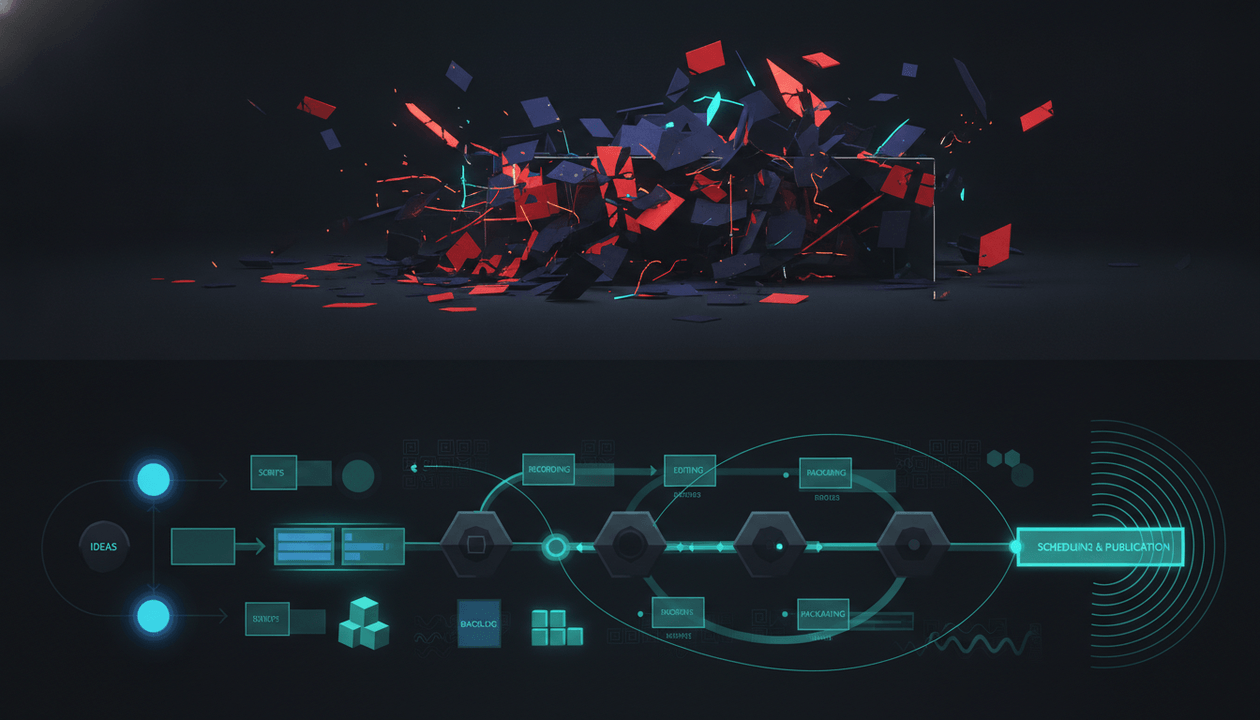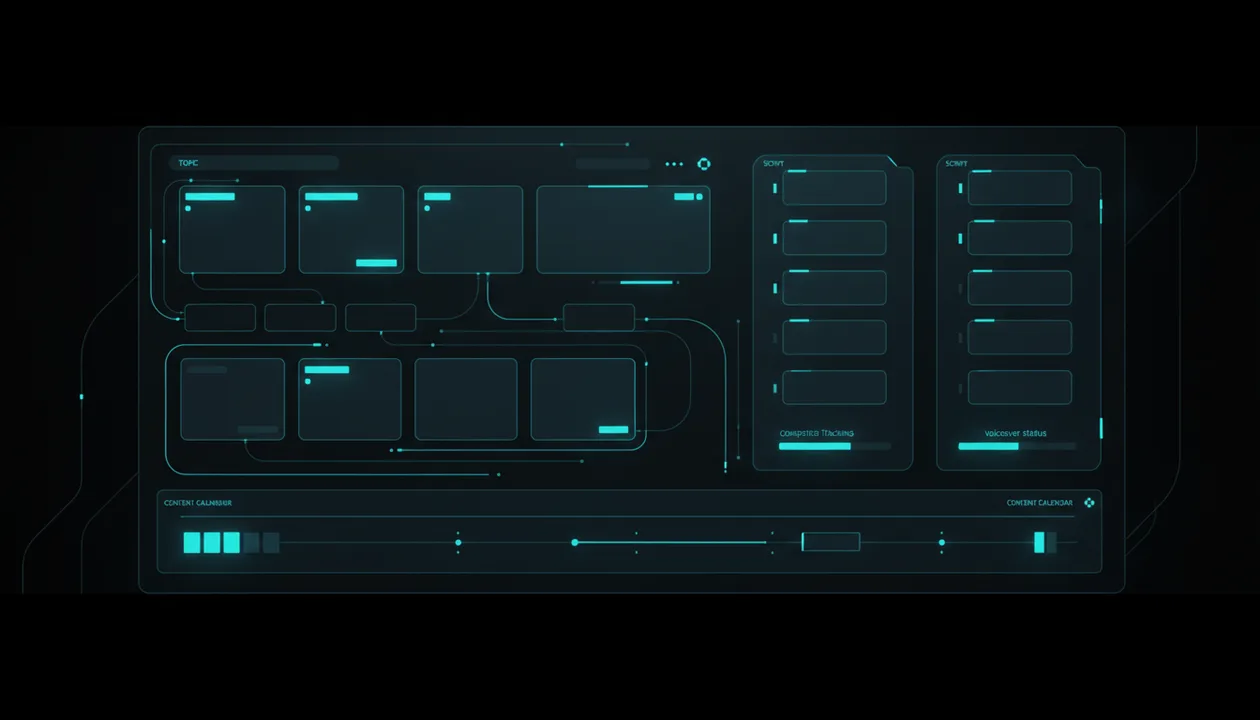
Most YouTube content planners are just calendars.
They help you store ideas, assign dates, add statuses, and keep production organized.
That is useful.
But it is not enough.
A calendar does not tell you which ideas deserve to be made. It does not study competitor channels. It does not find breakout topics. It does not learn the tone of a successful channel. It does not turn a topic into a script. It does not generate a voiceover. It does not help you move from research to production.
That is the real problem.
Creators do not only need a place to store ideas.
They need a system that helps them find better ideas, validate them against what is already working, turn them into content assets, and move them through production without losing momentum.
That is where AI YouTube content planner tools become valuable.
This guide compares the best AI YouTube content planner tools in 2026, what each one is actually good for, and how to choose the right planner if your goal is not just “stay organized,” but build a real YouTube upload system.
Key Takeaways
- A normal YouTube content planner helps you organize ideas. A serious AI YouTube content planner helps you decide which ideas are worth planning.
- The best YouTube planner should connect research, competitors, topics, titles, scripts, thumbnails, voiceovers, and production stages.
- OverseerOS is the best AI YouTube content planner for creators who want a source-aware workflow: empty planners, cloned-channel planners, competitor tracking, winning topic discovery, scripts, voiceovers, and future production handoff.
- Notion, Trello, ClickUp, and Airtable are strong for flexible organization, but they are not YouTube-native strategy tools.
- vidIQ and TubeBuddy are useful for video ideas, SEO, keywords, and optimization, but they are not full production planners.
- YouTube Studio is the best free first-party planning layer because the Inspiration tab can suggest ideas based on your channel data, and YouTube also supports title and thumbnail A/B testing for eligible creators. Source: YouTube Inspiration Tab, Source: YouTube A/B Testing
- If your content planner only stores random ideas, it becomes a graveyard. The best planner helps you move from proven opportunity to finished video.
Quick Verdict: Best AI YouTube Content Planner Tools in 2026
| Tool | Best For | Main Strength | Main Weakness |
|---|---|---|---|
| OverseerOS | YouTube creators who want research, planning, scripts, voiceovers, and competitor-driven topic discovery | Source-aware planners, cloned-channel tone, competitor tracking, winning topics, scripts, voiceovers, and workflow depth | Best for creators who want a YouTube-specific system, not a generic task board |
| Notion | Flexible creator databases and custom dashboards | Highly customizable pages, databases, docs, and AI workspace features | Requires manual setup and does not natively reverse-engineer YouTube competitors |
| Trello | Simple Kanban-style production boards | Easy visual workflow with cards, lists, deadlines, and editorial calendar templates | Strong organization, weak YouTube intelligence |
| ClickUp | Teams managing multi-channel content operations | AI-powered content calendar, statuses, custom fields, docs, and team workflows | Can become too broad for solo YouTube creators |
| Airtable | Spreadsheet-style content planning with structured data | Powerful databases, calendar views, templates, and team collaboration | Great for operations, not YouTube-native ideation |
| Taskade | AI-assisted planning and collaborative workflows | AI agents, apps, automations, and structured workspaces | Better for general productivity than YouTube strategy |
| vidIQ | YouTube ideas, keywords, and SEO | Daily Ideas, keyword research, trend data, and optimization tools | More ideation and SEO than full content production planning |
| TubeBuddy | YouTube SEO and upload optimization | Keyword Explorer, SEO Studio, A/B testing, title tools, and thumbnail tools | Better after you already know what to make |
| Buffer | Scheduling and social publishing | YouTube Shorts planning, previewing, collaboration, and publishing support | More publishing-focused than research-focused |
| Metricool | Cross-platform scheduling and analytics | Analyze, schedule, and manage YouTube plus other platforms | Better for social media management than deep YouTube planning |
| Google Sheets | Free manual content planning | Simple, flexible, and easy to share | No built-in intelligence unless you build it yourself |
| YouTube Studio | Free first-party creator insights | Inspiration tab, analytics, trends, and native title/thumbnail testing | Limited competitor planning and workflow management |
What Is an AI YouTube Content Planner?
An AI YouTube content planner is a tool that helps creators plan, organize, and develop video ideas using AI.
But that definition is too broad.
A weak AI YouTube content planner does this:
- You type a niche.
- It gives you generic ideas.
- You copy them into a calendar.
- Nothing else happens.
A strong AI YouTube content planner does this:
- Helps you study what is already working.
- Finds competitor patterns and breakout topics.
- Helps you choose which ideas are worth making.
- Turns ideas into titles, scripts, thumbnails, and voiceovers.
- Organizes production stages.
- Helps you repeat the process every week.
That second version is much more valuable.
Because YouTube does not reward calendars.
YouTube rewards videos people click and watch.
So the best planner is not the one with the prettiest calendar view.
The best planner is the one that helps you plan better videos.
Why Normal YouTube Content Calendars Fail
Most content calendars fail because they solve the wrong problem.
They assume the hard part is scheduling.
For serious creators, scheduling is not the hard part.
The hard part is deciding what deserves to be scheduled.
A basic YouTube content calendar helps you track:
- Video title
- Publish date
- Status
- Assigned editor
- Thumbnail status
- Script status
- Description
- Keywords
- Notes
That is helpful once you already have strong ideas.
But if the ideas are weak, the calendar only organizes failure.
A bad idea with a deadline is still a bad idea.
A weak title in a calendar is still a weak title.
A thumbnail with no click trigger is still invisible.
A script that does not match the promise is still a retention problem.
That is why the next generation of YouTube content planners has to go deeper.
The planner should not only ask:
When will this video be published?
It should also ask:
Why should this video exist?
That is the shift.
What a Good AI YouTube Content Planner Should Include
A serious YouTube planner should help with the full workflow.
Not just organization.
Here is what to look for.
| Feature | Why It Matters |
|---|---|
| Topic planning | Keeps your video pipeline organized |
| Competitor tracking | Helps you study what is working in your niche |
| Outlier discovery | Shows which videos overperformed recently |
| Tone awareness | Helps keep scripts and topics consistent with a channel style |
| Title generation | Turns topics into clickable packaging |
| Thumbnail planning | Connects the visual promise to the topic |
| Script writing | Moves ideas from concept to production |
| Voiceover generation | Helps creators move faster from script to video asset |
| Production statuses | Keeps the team aligned |
| Research notes | Prevents ideas from becoming disconnected from evidence |
| One-click topic saving | Turns research into a real content pipeline |
| Workflow handoff | Moves content from planning into production |
The best AI YouTube content planner should feel less like a spreadsheet and more like a content operating system.
Best Overall AI YouTube Content Planner: OverseerOS
OverseerOS is the best AI YouTube content planner if you want a YouTube-specific system that connects research, planning, scripting, voiceovers, competitors, and future video production.
This is important because OverseerOS is not just a calendar.
It is a source-aware YouTube planner.
That means the planner can be built around a channel, a competitor set, or a creator’s own content workflow.
Normal planners store ideas.
OverseerOS helps you find the ideas worth planning.
How OverseerOS Content Planners Work
OverseerOS has two main planner modes.
1. Empty Planner
An empty planner is for creators who want a clean AI-powered content board without cloning a specific channel first.
This is best when you want to:
- Start a new content workflow
- Plan topics manually
- Add your own competitor channels
- Track content stages
- Write scripts
- Generate voiceovers
- Build a production pipeline from scratch
Think of it like Trello, but built for YouTube creators and powered by AI.
Instead of just moving cards across lists, you can develop topics into actual content assets.
2. Cloned Channel Planner
A cloned channel planner is built when a user clones a channel inside OverseerOS.
This is where the product becomes much more powerful.
When a channel is cloned, OverseerOS learns from that channel and creates a planner using the cloned channel as a source.
That means users can plan topics, write in the learned channel tone, study the cloned channel’s videos, and take inspiration from patterns that already worked.
This is valuable because most creators do not struggle with “having ideas.”
They struggle with making ideas feel like they belong to a specific winning content style.
A cloned-channel planner helps close that gap.
It gives creators a planning environment built around a real channel source, not a blank database.
Why the Cloned Channel Planner Is a Big Advantage
Most planners start from a blank page.
OverseerOS can start from a proven channel.
That changes everything.
A normal planner asks:
What video ideas do you want to add?
A cloned-channel planner can help answer:
What kind of topics fit this channel’s tone, structure, and proven content pattern?
That is much closer to how serious YouTube strategy works.
The smartest creators do not start by brainstorming randomly.
They study what already worked.
Then they adapt those patterns into original content.
That is why the cloned-channel planner is a serious product moat.
Competitor Tracking Inside OverseerOS Planners
For all planner types, users can add competitor channels and track them inside the planner.
This matters because a YouTube planner without competitor research becomes isolated.
You are planning in a vacuum.
Competitor tracking helps you understand:
- What competitors are publishing
- Which topics are breaking out
- Which channels are gaining momentum
- Which formats are repeating
- Which topics keep showing demand
- Which ideas are worth adding to your own planner
This connects planning to the actual market.
That is the difference between a content calendar and a content strategy system.
Smart Content Planner: Find Winning Topics
When a user adds at least one competitor channel to a planner, OverseerOS unlocks the Smart Content Planner.
One of the key actions is Find Winning Topics.
This scans the competitor channels added to that planner and surfaces the best breakout or viral topics from the last 6 months.
That is extremely useful because it removes the most annoying part of competitor research:
Manually digging through channels, opening videos, checking dates, comparing performance, and guessing what is worth saving.
Instead, OverseerOS brings the winners to the user.
Then the creator can one-click add those winning topics into the topic planner.
That is the kind of workflow that saves time and increases output quality.
Smart Content Planner: Take Inspiration
The second key action is Take Inspiration.
This works more focused than Find Winning Topics.
Instead of scanning all competitor channels at once, Take Inspiration lets the user study one channel at a time.
That is useful when a creator wants to spy on a specific competitor and take inspiration from that channel’s topics.
This matters because broad research and focused research are different.
Find Winning Topics is for scanning the whole competitor set.
Take Inspiration is for studying one channel deeply.
Both workflows are valuable.
Scripts and Voiceovers Inside the Planner
OverseerOS planners are not only for storing topics.
Inside the planner, users can:
- Plan topics
- Write scripts
- Generate voiceovers for topics
- Move content through the workflow
This is where OverseerOS becomes more than an ideation tool.
A normal content planner stops at the idea.
OverseerOS helps move the topic toward production.
That is a big difference.
Because a YouTube idea is not useful until it becomes a video.
Auto Edit Direction
OverseerOS also offers a deeper production workflow.
When a topic has a script and voiceover file ready, the user can enter a full AI-powered studio and generate full-length Shorts and long-form videos.
This Auto Edit workflow is now live, so it can be treated as a finished, generally available feature.
But strategically, it matters.
It shows where the planner is going:
topic → script → voiceover → AI studio → video production
That is the right direction.
The planner is not meant to be a dead-end board.
It is designed to become the bridge between research, scripting, voiceover, and production.
Who Should Use OverseerOS?
Use OverseerOS if you want to:
- Plan YouTube topics inside a dedicated creator workflow
- Clone a winning channel and build a planner around it
- Write topics in a learned channel tone
- Track competitor channels
- Find winning topics from the last 6 months
- Take inspiration from one competitor channel at a time
- One-click add promising topics to your planner
- Write scripts from planned topics
- Generate voiceovers
- Build a repeatable YouTube production system
- Move into an AI-powered video workflow with Auto Edit, now live
OverseerOS is especially strong for:
- Faceless YouTube creators
- YouTube automation teams
- AI channels
- Business channels
- Psychology channels
- Education channels
- Finance channels
- Self-improvement channels
- Creators building repeatable content systems
If you want a planner that connects research, competitor tracking, topic selection, scripting, and voiceovers, use OverseerOS to reverse-engineer high-performing YouTube channels.
Best Flexible AI Workspace for YouTube Planning: Notion
Notion is one of the most popular tools for building custom content planning systems.
Its official site positions it as an AI workspace with docs, projects, knowledge base, calendar, automations, and AI tools for work. Source: Notion
For YouTube creators, Notion can be useful because you can build a custom database for:
- Video ideas
- Scripts
- Research notes
- Competitor links
- Thumbnail references
- Publish dates
- Statuses
- Team assignments
- Sponsor notes
- Production checklists
Notion is flexible.
That is its strength.
You can make it as simple or as advanced as you want.
Who Should Use Notion?
Use Notion if you want:
- A custom YouTube content database
- A clean writing space
- Flexible templates
- Team documentation
- AI-assisted notes and drafts
- A single workspace for many parts of your business
Where Notion Is Weaker
Notion is not YouTube-native.
It does not automatically know which competitor videos are breaking out.
It does not clone a channel’s tone.
It does not scan competitors and one-click add winning topics.
It does not generate a YouTube-specific planner from a cloned channel.
You can build a great system in Notion, but you have to design and maintain it yourself.
Best use:
Use Notion if you want a flexible command center.
Use OverseerOS if you want the YouTube strategy layer built in.
Best Simple Kanban Planner: Trello
Trello is a simple and effective tool for managing a YouTube production workflow.
Trello’s official site says it helps teams organize work using boards, lists, and cards. Source: Trello
Trello also has editorial calendar templates for coordinating content creation, editing, production, and publishing. Source: Trello Editorial Calendar
For YouTube teams, Trello can work well because the workflow is visual.
You can create lists like:
- Ideas
- Researching
- Script in progress
- Voiceover needed
- Editing
- Thumbnail
- Scheduled
- Published
That is simple and useful.
Who Should Use Trello?
Use Trello if you want:
- A simple board
- Visual cards
- Easy collaboration
- Deadlines
- Checklists
- A basic production pipeline
- A lightweight tool your team can understand quickly
Where Trello Is Weaker
Trello is organization-first.
It is not YouTube intelligence-first.
It will not tell you:
- Which ideas are backed by competitor demand
- Which topics are breaking out
- Which competitor videos performed best in the last 6 months
- What title pattern to use
- What thumbnail direction fits the idea
- How to write in a cloned channel’s tone
Trello is great for moving cards.
OverseerOS is stronger for knowing which cards should exist.
Best Team Content Calendar: ClickUp
ClickUp is strong for teams that need a broad content operations system.
Its content calendar feature page says ClickUp lets users view content initiatives in a single calendar, color-code or filter by custom fields, and track progress with statuses, tags, and campaign connections. Source: ClickUp Content Calendar
That makes it useful for teams managing multiple content channels, not just YouTube.
You can use ClickUp to manage:
- YouTube videos
- Blog posts
- Shorts
- TikToks
- Newsletters
- Social posts
- Team assignments
- Approval workflows
- Campaigns
- Deadlines
Who Should Use ClickUp?
Use ClickUp if you want:
- A serious content operations tool
- Team dashboards
- Custom statuses
- Calendar and timeline views
- Multi-channel planning
- Docs and tasks in one place
- Production management at scale
Where ClickUp Is Weaker
ClickUp is broad.
That is good for operations, but not always ideal for YouTube strategy.
It will help you manage work, but it will not natively reverse-engineer a YouTube channel, learn a cloned channel tone, scan competitor videos, or generate winning topics from the last 6 months.
ClickUp is a strong operating system.
OverseerOS is a YouTube-specific strategy and production planner.
Best Database Planner: Airtable
Airtable is a strong choice for creators and teams who like spreadsheet-style databases with more structure.
Airtable’s content calendar template says it helps teams avoid juggling spreadsheets, calendar reminders, and scattered tools. Source: Airtable Content Calendar Template
Airtable is useful if you want a structured base for:
- Video ideas
- Publish schedule
- Statuses
- Assignments
- Sponsors
- Performance tracking
- Topic categories
- Content pillars
- Thumbnail links
- Script links
- Production owners
It is more powerful than a simple spreadsheet and more structured than a basic board.
Who Should Use Airtable?
Use Airtable if you want:
- Custom databases
- Calendar views
- Multiple views of the same content pipeline
- Filtering and sorting
- Team collaboration
- Structured content operations
Where Airtable Is Weaker
Airtable does not give you YouTube strategy by default.
You have to build the system manually.
It is excellent for tracking content, but it does not automatically tell you what topics are winning, which competitors to study, or how to turn a cloned channel’s style into content ideas.
Use Airtable if you want database control.
Use OverseerOS if you want YouTube-native intelligence.
Best AI Workflow Builder: Taskade
Taskade is an AI workspace for building apps, agents, and automations.
Its homepage positions Taskade around AI agents, apps, automations, and collaborative workspaces. Source: Taskade
For YouTube creators, Taskade can be useful for:
- Brainstorming ideas
- Creating workflows
- Managing content tasks
- Collaborating with a team
- Building AI-assisted checklists
- Automating parts of a content process
Taskade is more AI-native than many traditional planning tools.
Who Should Use Taskade?
Use Taskade if you want:
- AI-assisted task planning
- Collaborative workspaces
- Custom workflows
- AI agents
- Automation experiments
- A general planning system that can adapt to many use cases
Where Taskade Is Weaker
Taskade is not built specifically for YouTube competitor analysis.
It does not natively clone a YouTube channel into a planner, scan competitor channels for winning topics, or connect YouTube outliers into scripts and voiceovers.
It can help you create systems.
But you still need to bring the YouTube strategy.
Best AI YouTube Idea Tool: vidIQ
vidIQ is a strong option if your planning bottleneck is idea generation and YouTube SEO.
vidIQ’s Daily Ideas page says it generates 50 video ideas daily, analyzes millions of YouTube video titles across niches, and tailors recommendations based on a creator’s channel, past content, and trends. Source: vidIQ Daily Ideas
vidIQ also has keyword tools, SEO tools, and optimization features.
That makes it useful for creators who want ideas connected to search and trends.
Who Should Use vidIQ?
Use vidIQ if you want:
- Daily video ideas
- YouTube keyword research
- SEO scoring
- Trend-based suggestions
- Competitor tracking
- Optimization help
- A YouTube growth tool with idea support
Where vidIQ Is Weaker
vidIQ is useful for ideation and SEO.
But it is not the same as a full content planner.
A video idea is not a workflow.
You still need to manage:
- Scripts
- Voiceovers
- Thumbnail concepts
- Production status
- Team handoff
- Competitor research
- Tone consistency
- Content pipeline
vidIQ can help you decide what to explore.
OverseerOS is stronger if you want the idea to move through a YouTube-specific production system.
Best YouTube SEO and Optimization Planner: TubeBuddy
TubeBuddy is a strong tool for YouTube optimization.
Its homepage lists features like Keyword Explorer, SEO Studio, Click Magnet, Channel Insights, Niche Leaderboard, A/B Testing, Topical Analysis, Title Generator, Thumbnail Analyzer, and Thumbnail Generator. Source: TubeBuddy
TubeBuddy also has content calendar education showing how creators can plan content, organize video topics, and build a consistent publishing workflow. Source: TubeBuddy Content Calendar
That makes TubeBuddy useful when your planning process is tightly connected to SEO and upload optimization.
Who Should Use TubeBuddy?
Use TubeBuddy if you want:
- Keyword Explorer
- SEO Studio
- Title tools
- Thumbnail tools
- A/B testing
- Upload optimization
- Content planning education
- Channel growth utilities
Where TubeBuddy Is Weaker
TubeBuddy is stronger after you know what video you want to make.
It helps optimize and test.
But if your main challenge is finding winning topics from competitors, writing in a cloned channel tone, generating scripts, generating voiceovers, and managing a YouTube-native production board, TubeBuddy is not the complete planner.
It is a strong optimization layer.
Not the full planning system.
Best Scheduling Tool for YouTube Shorts: Buffer
Buffer is useful if your planning needs are closer to scheduling and social publishing.
Buffer’s YouTube page says creators can plan, preview, collaborate, and publish YouTube Shorts. Source: Buffer YouTube Shorts
That makes it helpful for creators who are publishing across platforms and want one place to manage scheduled content.
Who Should Use Buffer?
Use Buffer if you want:
- YouTube Shorts scheduling
- Social media planning
- Previewing posts
- Collaboration
- Publishing support
- A simple cross-platform scheduler
Where Buffer Is Weaker
Buffer is not a YouTube strategy engine.
It helps you publish.
It does not deeply answer:
- What topic should I make?
- Which competitor topics are breaking out?
- Which title formula should I use?
- What thumbnail pattern should I model?
- How should the script be written?
- Which channel tone should this topic follow?
Use Buffer if scheduling is the problem.
Use OverseerOS if planning and strategy are the problem.
Best Cross-Platform Social Planner: Metricool
Metricool is useful for creators who manage YouTube alongside other social platforms.
Its YouTube page says users can analyze a channel, schedule Shorts and videos, and manage YouTube with Metricool. Source: Metricool YouTube
Metricool is useful when YouTube is one part of a broader social media system.
Who Should Use Metricool?
Use Metricool if you want:
- YouTube analytics
- YouTube scheduling
- Cross-platform planning
- Social media reporting
- One dashboard for multiple channels
- Performance tracking across platforms
Where Metricool Is Weaker
Metricool is more social media management than YouTube strategy.
It can help manage publishing and analytics, but it is not built around cloning successful YouTube channels, finding competitor winners, writing in a learned channel tone, or generating topic-specific scripts and voiceovers.
Use Metricool if you manage many platforms.
Use OverseerOS if YouTube is the core business.
Best Free Manual Planner: Google Sheets
Google Sheets is still one of the most useful planning tools if you want something free and simple.
You can create columns like:
| Field | Example |
|---|---|
| Topic | I Tested 10 AI Video Tools |
| Status | Script in progress |
| Competitor source | Channel name or URL |
| Outlier proof | 8x normal views |
| Title | I Tested 10 AI Video Tools. Only 2 Were Worth Using. |
| Thumbnail idea | 8 tools crossed out, 2 glowing |
| Script link | Google Doc |
| Voiceover status | Needed |
| Editor | Assigned |
| Publish date | June 14 |
| Notes | Use stronger first 30 seconds |
This works.
It is not fancy, but it is clear.
Who Should Use Google Sheets?
Use Google Sheets if you want:
- A free planner
- Full manual control
- A simple team tracker
- No learning curve
- Easy sharing
- Custom columns
Where Google Sheets Is Weaker
Google Sheets has no built-in YouTube intelligence.
It will not:
- Find winning topics
- Track competitors automatically
- Learn channel tone
- Write scripts
- Generate voiceovers
- Create thumbnail concepts
- Connect research to production
It is a good tracker.
Not a growth system.
Best Free First-Party Planner: YouTube Studio
YouTube Studio is not a full content planner, but it should be part of every creator’s workflow.
The Inspiration tab can show suggested ideas based on a channel’s data and let creators brainstorm topics with prompts and suggestion chips. Source: YouTube Inspiration Tab
YouTube’s title and thumbnail A/B testing feature also lets eligible creators test titles, thumbnails, or combinations inside YouTube Studio. Source: YouTube A/B Testing
That makes YouTube Studio valuable because it is connected to your own channel data.
Who Should Use YouTube Studio?
Use YouTube Studio if you want:
- Free first-party analytics
- Inspiration from your own channel data
- Audience insights
- Retention data
- CTR and impression data
- Title and thumbnail testing
- Performance feedback after publishing
Where YouTube Studio Is Weaker
YouTube Studio is strongest for your own channel.
It is weaker for competitor-led planning.
It does not give you a full production board where you can clone channels, track competitors, find winning topics across competitor channels, write scripts, generate voiceovers, and prepare content for a production workflow.
Use YouTube Studio as your truth layer.
Use a YouTube planner to build the system around it.
AI YouTube Content Planner Comparison by Use Case
| Use Case | Best Tool |
|---|---|
| Best overall AI YouTube content planner | OverseerOS |
| Best planner for cloned-channel workflows | OverseerOS |
| Best planner for competitor-driven topic discovery | OverseerOS |
| Best planner for scripts and voiceovers | OverseerOS |
| Best flexible custom workspace | Notion |
| Best simple Kanban board | Trello |
| Best team operations system | ClickUp |
| Best database planner | Airtable |
| Best AI workflow builder | Taskade |
| Best YouTube idea generator | vidIQ |
| Best YouTube SEO planner | TubeBuddy |
| Best YouTube Shorts scheduler | Buffer |
| Best cross-platform social planner | Metricool |
| Best free manual planner | Google Sheets |
| Best free first-party insight layer | YouTube Studio |
The Research-to-Calendar Workflow
A good YouTube planner should not start with random ideas.
It should start with research.
Here is the workflow I would use.
Step 1: Pick the Channel or Niche Source
Start with one of these:
- Your own channel
- A cloned successful channel
- A competitor channel
- A niche cluster
- A topic category
Do not start with:
Give me 50 video ideas.
That usually creates generic ideas.
Start with evidence.
Step 2: Study What Already Worked
Look for:
- Breakout videos
- Outlier topics
- Repeating title structures
- Thumbnail patterns
- Formats that appear more than once
- Recent videos with unusual performance
- Competitors growing quickly
- Topics that keep returning across multiple channels
This is where tools like YouTube outlier finder tools and YouTube competitor analysis tools become valuable.
Step 3: Extract the Pattern
Do not copy the topic.
Extract the pattern.
Weak note:
Competitor made a video about AI tools.
Better note:
Competitor tested many AI tools, rejected most, and promised the viewer a shortcut to avoid wasting money.
That pattern is useful.
Now you can adapt it.
Step 4: Add the Topic to the Planner
A good planner should store more than the title.
It should store:
- Topic
- Source
- Why it is worth making
- Competitor proof
- Outlier proof
- Target audience pain
- Title angle
- Thumbnail direction
- Script status
- Voiceover status
- Production status
- Publish target
That is the difference between an idea list and a content system.
Step 5: Turn the Topic Into Assets
A planned topic should move into:
- Title options
- Thumbnail concept
- Script outline
- Full script
- Voiceover
- Editing brief
- Final video
- Published upload
- Performance review
If your planner stops at the idea, the workflow is incomplete.
The Outlier-to-Planner Workflow
Use this when you find a breakout video.
Step 1: Find the Outlier
Look for a video that performed far above the channel’s normal baseline.
Example:
Channel usually gets 10K to 20K views. One video got 180K views.
That is worth studying.
Step 2: Identify the Outlier Type
| Outlier Type | What It Means |
|---|---|
| Topic outlier | The subject had unusually strong demand |
| Format outlier | The structure made the video easier to watch |
| Title outlier | The title created a stronger curiosity gap |
| Thumbnail outlier | The visual promise was unusually clickable |
| Timing outlier | The creator posted at the perfect moment |
| Authority outlier | It worked because the creator had unique credibility |
| Transformation outlier | The video promised a clear before/after |
You need to know why it worked before adding it to your planner.
Step 3: Decide if It Fits Your Channel
Ask:
- Can my channel make a credible version?
- Does my audience care about this?
- Can I add something original?
- Is the topic still relevant?
- Is the format repeatable?
- Can I package it differently?
- Does it fit my content pillars?
If yes, add it.
If no, skip it.
Step 4: Create Your Original Version
Use this formula:
Proven pattern + your niche + your audience pain + your unique angle
Example pattern:
I tested many tools and found only a few worth using.
Adaptations:
| Niche | Original Topic |
|---|---|
| AI | I Tested 10 AI Video Tools. Only 2 Were Worth Using. |
| Finance | I Tried 7 Budgeting Apps. Only One Changed My Spending. |
| Fitness | I Followed 5 Morning Routines. One Actually Worked. |
| Psychology | I Tried 6 Dopamine Detox Methods. One Made Everything Easier. |
| YouTube Growth | I Studied 100 Small Channels That Exploded. One Pattern Kept Showing Up. |
Now the topic is not copied.
It is adapted.
Step 5: Move It Through the Planner
The topic should move through stages:
- Idea added
- Research reviewed
- Title selected
- Thumbnail planned
- Script written
- Voiceover generated
- Editing ready
- Scheduled
- Published
- Performance reviewed
That is how a planner becomes a machine.
How OverseerOS Turns Planning Into a YouTube System
OverseerOS is built around one core idea:
The smartest creators do not start from a blank page. They start from patterns that already worked.
That is exactly what a YouTube content planner should do.
It should not just store ideas.
It should help creators find better ideas, understand the source behind them, and turn them into content.
Inside OverseerOS, planners can be empty or built from cloned channels.
That gives creators two paths:
- Start fresh and build a planner around their own workflow.
- Clone a successful channel and build a planner around that channel’s learned tone and source patterns.
Then users can add competitors, unlock Smart Content Planner, find winning topics, take inspiration from individual channels, add topics to the planner, write scripts, generate voiceovers, and prepare content for production.
That is a much stronger system than a normal content calendar.
A normal planner says:
Here are your ideas.
OverseerOS says:
Here are the topics winning in your market, here is why they matter, now turn them into scripts, voiceovers, and production-ready content.
That is the difference.
For thumbnail workflows, creators can also use the AI YouTube thumbnail generator built around proven YouTube patterns to create thumbnails from scratch, clone a style from a YouTube URL, use analyzed channel style, or work from a 1M+ view thumbnail style library.
This matters because YouTube planning is not only about topics.
It is about packaging.
The title, thumbnail, script, and production flow all need to connect.
What Most YouTube Content Planner Articles Get Wrong
Most content planner articles are too basic.
They say things like:
- Create a calendar.
- Pick your upload days.
- Add content pillars.
- Batch your ideas.
- Stay consistent.
- Track your progress.
That advice is not wrong.
It is just incomplete.
Consistency only matters if the content is worth publishing.
A creator can upload every Tuesday and still fail if the ideas are weak.
The better question is:
How do you consistently plan videos that have a real chance to win?
That requires:
- Competitor research
- Outlier analysis
- Title thinking
- Thumbnail thinking
- Audience pain
- Topic validation
- Production discipline
- Performance review
A real planner should connect those pieces.
Common Mistakes Creators Make With YouTube Content Planners
Mistake 1: Filling the Planner With Random Ideas
A full content board feels productive.
But if the ideas are random, the board is not valuable.
Do not measure your planner by how many ideas it contains.
Measure it by how many strong, validated ideas it contains.
A good planner should have fewer better ideas.
Not hundreds of weak ones.
Mistake 2: Planning Topics Without Packaging
A topic is not enough.
You need:
- Title angle
- Thumbnail direction
- Hook
- Script promise
- Audience pain
- Reason to click
Weak topic:
AI tools for creators
Better planned concept:
Title: I Tested 10 AI Video Tools. Only 2 Were Worth Using.
Thumbnail: 8 tools crossed out, 2 glowing
Hook: “Most AI video tools promise to save time. I tested 10, and most created results I would never publish.”
That is a real video plan.
Mistake 3: Treating the Planner Like a Storage Folder
A planner should move ideas forward.
If ideas sit forever, the system is broken.
Every topic should have a next action:
- Research more
- Write title
- Plan thumbnail
- Write script
- Generate voiceover
- Send to editor
- Schedule
- Review performance
No next action means no momentum.
Mistake 4: Ignoring Competitors
Planning without competitor research is guessing.
You do not need to copy competitors.
But you should know what is working around you.
Study:
- Which topics are breaking out
- Which formats repeat
- Which thumbnails are working
- Which titles keep appearing
- Which content gaps exist
- Which audience pains are underserved
A good planner should make competitor research easier, not separate.
Mistake 5: Copying Instead of Modeling
Competitor research does not mean stealing.
The ethical way is to model patterns.
Copying:
Same title, same thumbnail, same script, same examples.
Modeling:
Same underlying structure, but new angle, new examples, new research, new voice, and different creative execution.
That is the line.
A good YouTube planner should help you extract patterns, not duplicate surface-level work.
Mistake 6: Not Reviewing Performance
Your planner should not end at publishing.
After each video, track:
- CTR
- Average view duration
- Retention drops
- Views compared with baseline
- Traffic source
- Comments
- Subscriber gain
- Topic performance
- Packaging performance
This creates a feedback loop.
Without performance review, every new plan starts from zero again.
Practical YouTube Content Planner Template
Use this structure if you are building your own planner manually.
| Field | What To Add |
|---|---|
| Topic | The core video idea |
| Source | Competitor, trend, cloned channel, audience question, or manual idea |
| Source URL | Link to reference video or channel |
| Outlier proof | Why the idea is worth studying |
| Audience pain | What the viewer wants solved |
| Title angle | The main promise or curiosity gap |
| Thumbnail concept | The visual question |
| Script status | Not started, outline, draft, final |
| Voiceover status | Needed, generated, approved |
| Editing status | Not ready, ready, editing, final |
| Publish date | Target date |
| Owner | Person responsible |
| CTA | What the video should drive |
| Performance review | Results after publishing |
This is the minimum.
A stronger planner also includes:
- Competitor cluster
- Content pillar
- Video format
- Hook draft
- Thumbnail text
- Retention notes
- Sponsor status
- Repurpose plan
- Shorts cutdown ideas
- Internal links or website CTA
- Next related video idea
The Ideal YouTube Content Planning Workflow
Here is the full workflow I recommend.
1. Build Your Source List
Add:
- Your own channel
- Competitor channels
- Inspiration channels
- Niche leaders
- Small channels breaking out
- Channels with similar audience pain
2. Find Winning Topics
Look for:
- Recent outliers
- Competitor winners
- Repeating formats
- Topics with multiple winners
- Gaps competitors have not covered well
3. Add Only Strong Ideas
Do not add everything.
Add ideas that pass this test:
- Clear audience pain
- Proven demand
- Adaptable angle
- Strong title potential
- Clear thumbnail direction
- Fits your channel
- Can be produced well
4. Build the Packaging Before the Script
For each topic, create:
- 3 title options
- 2 thumbnail directions
- 1 hook
- 1 core promise
Do this before writing the script.
The script should fulfill the packaging.
5. Write the Script
The script should continue the promise from the title and thumbnail.
Bad intro:
In today’s video, we are going to talk about AI tools.
Better intro:
I tested 10 AI video tools that all promise to make YouTube production faster. Most of them were either generic, overpriced, or useless. But two actually changed how I would build a channel from scratch.
The second version has momentum.
6. Generate or Record Voiceover
Once the script is approved, move to voiceover.
Track:
- Voiceover generated
- Voiceover reviewed
- Timing checked
- Revisions needed
- Final voiceover approved
7. Move to Editing
The editor should receive:
- Final script
- Voiceover
- Thumbnail direction
- Visual references
- Retention notes
- Scene notes
- Style notes
- Any brand or channel requirements
8. Publish and Review
After publishing, review:
- Did the topic work?
- Did the title get clicks?
- Did the thumbnail support the title?
- Did the intro hold attention?
- Where did viewers drop?
- Did the video beat your baseline?
- Should this become a series?
This creates the loop.
Final Verdict: What Is the Best AI YouTube Content Planner?
The best AI YouTube content planner depends on what you need.
If you want a flexible workspace, use Notion.
If you want a simple visual board, use Trello.
If you want team operations, use ClickUp.
If you want a structured database, use Airtable.
If you want AI workflow experiments, use Taskade.
If you want YouTube ideas and SEO, use vidIQ.
If you want optimization and A/B testing, use TubeBuddy.
If you want scheduling, use Buffer or Metricool.
If you want free first-party data, use YouTube Studio.
But if you want a YouTube-specific planner that connects competitor research, cloned-channel tone, winning topic discovery, scripts, voiceovers, and future production workflow, OverseerOS is the strongest choice.
Because the real job is not filling a calendar.
The real job is building a system that helps you create better videos more consistently.
A normal planner stores your ideas.
OverseerOS helps you find the ideas worth planning.
Start by using OverseerOS to reverse-engineer high-performing YouTube channels, then turn the patterns you find into topics, scripts, voiceovers, thumbnails, and a real upload system.
FAQ
What is an AI YouTube content planner?
An AI YouTube content planner is a tool that helps creators plan, organize, and develop YouTube videos using AI. Basic planners help with idea storage and scheduling. Advanced planners can help with competitor research, topic discovery, scripts, voiceovers, thumbnails, and production workflows.
What is the best AI YouTube content planner?
The best AI YouTube content planner for a full YouTube workflow is OverseerOS. It supports empty planners, cloned-channel planners, competitor tracking, Smart Content Planner, winning topic discovery, scripts, voiceovers, and a workflow designed around YouTube strategy.
What makes OverseerOS different from a normal content planner?
Most content planners store ideas. OverseerOS helps creators find better ideas by using cloned channels, competitor tracking, winning topic discovery, and AI-powered planning workflows. Users can plan topics, write scripts, generate voiceovers, and build a stronger YouTube content pipeline.
What is a cloned-channel planner?
A cloned-channel planner is an OverseerOS planner built after a user clones a channel. The planner uses the cloned channel as a source, allowing the user to plan topics and write in the learned channel tone. It also lets the user study the cloned channel’s videos and take inspiration from proven patterns.
What is an empty planner in OverseerOS?
An empty planner is a planner that is not built on a cloned channel. It gives creators a clean AI-powered content board where they can plan topics, write scripts, generate voiceovers, add competitors, and unlock Smart Content Planner features after adding competitor channels.
What is Smart Content Planner in OverseerOS?
Smart Content Planner unlocks when a user adds at least one competitor channel to a planner. It includes actions like Find Winning Topics and Take Inspiration. Find Winning Topics scans all added competitors and surfaces the best breakout or viral topics from the last 6 months. Take Inspiration lets users study one competitor channel at a time.
What is the difference between Find Winning Topics and Take Inspiration?
Find Winning Topics scans all competitor channels added to a planner and returns the strongest breakout or viral topics from the last 6 months.
Take Inspiration focuses on one channel at a time, helping users study that specific channel and add topic inspiration to their planner.
Can OverseerOS generate voiceovers from planned topics?
Yes. Inside the OverseerOS planner workflow, users can plan topics, write scripts, and generate voiceovers for topics. This helps move content from idea to production-ready assets faster.
Does OverseerOS generate full videos from the planner?
OverseerOS now offers an Auto Edit workflow where topics with a script and voiceover file can move into an AI-powered studio for Shorts and long-form video creation. This Auto Edit workflow is live, so it can be treated as a finished, generally available feature.
Is Notion good for YouTube content planning?
Yes. Notion is good for flexible YouTube content planning if you want custom databases, docs, calendars, and team workspaces. It is not YouTube-native, so you have to build the strategy system yourself.
Is Trello good for YouTube content planning?
Yes. Trello is good for simple YouTube production boards. You can create lists for ideas, scripts, voiceovers, editing, thumbnails, scheduled videos, and published videos. It is easy to use, but it does not provide YouTube-specific competitor research or AI strategy.
Is ClickUp good for YouTube content planning?
ClickUp is good for teams managing larger content operations across multiple channels. It supports content calendars, statuses, custom fields, docs, and collaboration. It is stronger for operations than YouTube-specific strategy.
Is Google Sheets enough for a YouTube content planner?
Google Sheets is enough if you want a free manual planner. It can track topics, statuses, publish dates, scripts, thumbnails, voiceovers, and performance. But it has no built-in YouTube intelligence unless you create the system yourself.
Should I use YouTube Studio as a content planner?
YouTube Studio should be part of your planning workflow because it gives first-party data, analytics, Inspiration, and title/thumbnail testing for eligible creators. But it is not a complete competitor-driven content planner.
What should a YouTube content planner include?
A strong YouTube content planner should include topic ideas, source proof, competitor research, outlier signals, title angles, thumbnail concepts, script status, voiceover status, editing status, publish dates, owners, and performance review.
What is the biggest mistake creators make with content planners?
The biggest mistake is filling the planner with random ideas. A planner should not be an idea graveyard. It should be a system for selecting, developing, producing, and reviewing videos based on real demand and proven patterns.