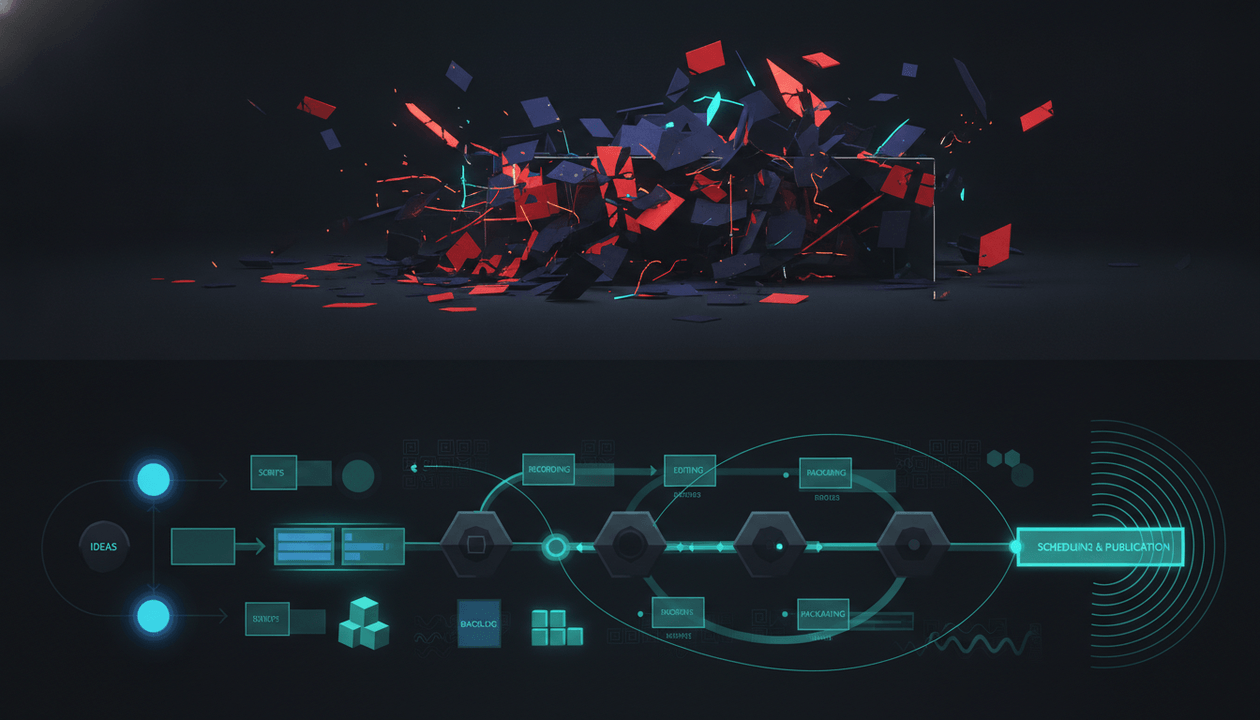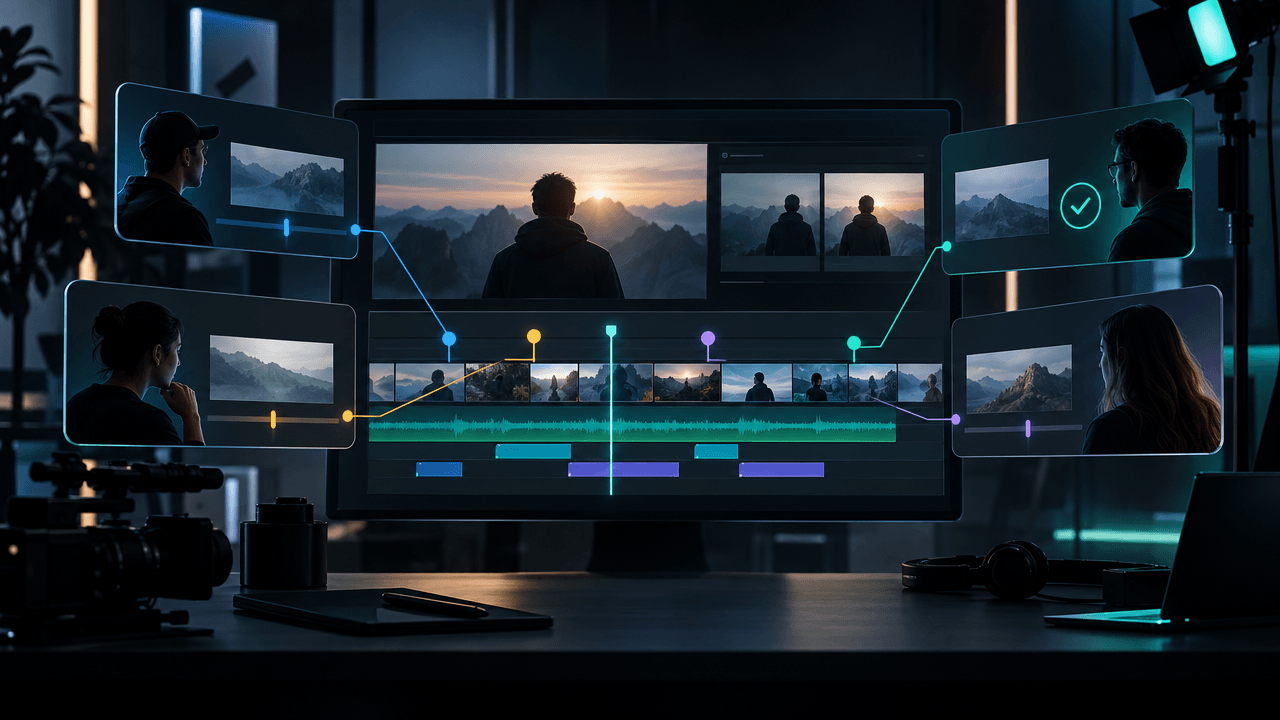
Most YouTube teams do not need another random productivity app.
They need a production workflow that understands how YouTube videos are actually made.
A normal video production tool can help you assign tasks, upload files, and collect feedback. That is useful. But YouTube production has a different problem: the video has to be researched, packaged, scripted, voiced, edited, reviewed, uploaded, tested, and improved as one connected system.
If the research is weak, the script starts wrong.
If the title and thumbnail are unclear, the hook has nothing to prove.
If the brief is vague, the editor has to guess the story.
If the workflow is scattered across five tools, the channel starts producing more chaos than content.
That is why YouTube production workflow software needs to do more than manage tasks.
It needs to help creators and teams move from idea to published video without losing the strategy along the way.
This guide breaks down the best YouTube production workflow software in 2026, what each tool is actually good for, and how to build a serious workflow from research to script, thumbnail, voiceover, editing, review, upload, and performance learning.
Key Takeaways
- YouTube production workflow software should help teams manage the full path from research to upload, not just tasks.
- OverseerOS is the strongest fit for YouTube strategy and pre-production because it helps creators reverse-engineer successful channels, find winning topics, generate titles, plan thumbnails, write scripts, generate voiceovers, and organize ideas inside Smart Content Planners.
- Project management tools like ClickUp, Notion, Airtable, Trello, Asana, and Monday can organize production, but they do not understand YouTube packaging or competitor patterns by default.
- YouTube Studio is still required for native uploads, permissions, analytics, comments, and title/thumbnail testing. Source: YouTube Help and Source: YouTube Help
- Frame.io is excellent for review and approval, especially when editors, clients, and teams need precise video feedback. Source: Frame.io
- Descript is useful for transcript-based editing, captions, audio, screen recordings, and creator-friendly post-production. Source: Descript
- The best stack is not one tool for everything. It is one clear workflow where each tool has a job.
Quick Verdict: Best YouTube Production Workflow Software in 2026
| Tool | Best For | Main Strength | Main Weakness |
|---|---|---|---|
| OverseerOS | YouTube strategy and pre-production | Turns research, competitor patterns, titles, thumbnails, scripts, voiceovers, and planners into one workflow | Not a generic task manager or native YouTube uploader |
| YouTube Studio | Native upload, analytics, permissions, and testing | Required for publishing, channel access, comments, analytics, and title/thumbnail tests | Not built for team-wide production planning |
| ClickUp | Task management and production operations | Tasks, docs, statuses, assignments, proofing, and team workflow | Needs a YouTube strategy layer |
| Airtable | Structured content pipeline databases | Great for custom production trackers, calendars, and asset organization | Requires setup and does not understand YouTube growth by default |
| Notion | Flexible docs and content planning | Great for briefs, calendars, SOPs, and team knowledge | Can become messy without strict process |
| Trello | Simple Kanban workflow | Easy idea-to-upload boards for small teams | Too lightweight for complex multi-channel operations |
| Frame.io | Review and approval | Precise creative feedback and approval workflows for video assets | Does not solve research, packaging, or scripts |
| Descript | Editing and transcript workflows | Edit audio/video through text, captions, recording, and cleanup | Not a strategy or content planning tool |
| TubeBuddy | YouTube SEO and optimization | SEO tools, title/thumbnails, A/B testing, bulk tools, channel optimization | More optimization-focused than production workflow-focused |
| vidIQ | Competitor signals and YouTube growth insights | Competitor tracking, performance insights, keyword and content signals | Does not replace briefs, production planning, or editing workflow |
| Canva | Thumbnail and design workflow | Fast thumbnails, brand assets, design templates, collaboration | Does not automatically know what thumbnail pattern should work |
| OpusClip | Repurposing long videos into short clips | Turns long-form videos into short clips for social distribution | Not built for original YouTube strategy or full production |
What Is YouTube Production Workflow Software?
YouTube production workflow software helps creators and teams move a video from idea to upload through a repeatable process.
A complete YouTube workflow includes:
- Idea research
- Competitor analysis
- Topic validation
- Title direction
- Thumbnail planning
- Hook planning
- Script writing
- Voiceover direction or generation
- Visual planning
- Editor handoff
- Asset management
- Review and revisions
- Upload notes
- Analytics review
- Learning loop for the next video
Generic project management software usually handles:
- Tasks
- Deadlines
- Assignees
- Comments
- Files
- Statuses
- Approvals
That helps, but it is not enough for YouTube.
YouTube production software should also help answer:
Why should this video exist?
And:
What proven pattern is it built from?
That is the part most normal workflow tools miss.
Why YouTube Production Needs Its Own Workflow
YouTube is not a normal content calendar.
A blog post can be updated later.
A tweet can be posted quickly.
A short social clip can be treated as disposable.
A serious YouTube video is different.
Before it goes live, the team has already invested in research, writing, design, voiceover, editing, captions, music, review, and upload. If the idea is weak, the production cost is already wasted.
The workflow needs to protect the video before production starts.
A strong YouTube workflow connects:
| Stage | Main Question |
|---|---|
| Research | Is this idea proven or just a guess? |
| Packaging | Why would someone click? |
| Hook | Does the first 30 seconds prove the promise? |
| Script | Does the structure keep the viewer moving? |
| Thumbnail | Does the visual create the same curiosity as the title? |
| Voiceover | Does the delivery match the emotion of the video? |
| Editing | Does the edit support the story, not just add motion? |
| Review | Are revisions tied to strategy or random taste? |
| Upload | Are title, thumbnail, description, CTA, and end screen aligned? |
| Analytics | What did we learn for the next video? |
If those stages are disconnected, the video becomes weaker at every handoff.
The 9 Layers of a Serious YouTube Production Workflow
The best workflow is not just a board with columns like “To Do,” “Editing,” and “Done.”
That is too shallow.
A serious YouTube production workflow has 9 layers.
| Layer | Job | Best Tool Types |
|---|---|---|
| Research | Find proven ideas and competitor patterns | OverseerOS, vidIQ, TubeBuddy |
| Planning | Turn ideas into briefs and content plans | OverseerOS, Notion, Airtable, ClickUp |
| Packaging | Create title and thumbnail direction | OverseerOS, Canva, TubeBuddy, YouTube Studio |
| Scripting | Build the hook, structure, and narration | OverseerOS, Google Docs, Notion |
| Voiceover | Generate or manage narration | OverseerOS, ElevenLabs, Descript |
| Editing | Assemble the video | Descript, Premiere Pro, DaVinci Resolve, CapCut |
| Review | Collect feedback and approvals | Frame.io, ClickUp proofing, Google Drive |
| Publishing | Upload, schedule, test, and manage | YouTube Studio |
| Learning | Read performance and improve the next video | YouTube Studio, OverseerOS, vidIQ, TubeBuddy |
Your stack should cover each layer.
If it does not, your team will fill the gap with Slack messages, messy docs, random screenshots, and guesswork.
1. OverseerOS: Best YouTube Production Workflow Software for Strategy and Pre-Production
OverseerOS is the best fit when the real problem is not “we need to assign tasks.”
The real problem is:
We need to know what to make, how to package it, how to script it, and how to move it into production without guessing.
That is the highest-leverage part of YouTube production.
OverseerOS helps creators and teams reverse-engineer successful channels and turn proven patterns into repeatable workflows.
Use it for:
- Channel analysis
- Competitor research
- Breakout video discovery
- Smart Content Planners
- Winning topic discovery
- Channel blueprints
- Tone-matched scriptwriting
- Title generation
- Thumbnail direction
- Thumbnail generation from proven patterns
- Trend to Script workflows
- ElevenLabs-powered voiceover generation
- Planning content from research instead of random brainstorming
The key advantage is that OverseerOS connects strategy to production.
Most tools store ideas.
OverseerOS helps you find better ideas first.
Most tools let you write a task called “make thumbnail.”
OverseerOS helps you understand what thumbnail pattern should be created.
Most tools let you assign a script.
OverseerOS helps you build that script from a channel tone, topic pattern, and video structure.
This matters because YouTube teams rarely fail only because they forgot a deadline.
They fail because they made the wrong video.
Best for
- Faceless YouTube teams
- YouTube agencies
- Multi-channel operators
- Solo creators who want a serious system
- Channel managers
- Scriptwriters and thumbnail teams
- Operators producing multiple videos per week
- Creators who want to build from proven patterns
Main weakness
OverseerOS is not a generic project management app, native YouTube uploader, or professional video review platform.
You will still likely use YouTube Studio for publishing, an editing tool for post-production, and possibly Frame.io or ClickUp for review.
The right role for OverseerOS is the strategy and pre-production layer: the part where the idea becomes a real YouTube video plan.
If you want to build the front half of your production workflow from proven channel patterns, use OverseerOS to reverse-engineer successful YouTube videos and turn them into content plans.
2. YouTube Studio: Best Native Publishing and Analytics Workflow
YouTube Studio is mandatory.
No external workflow tool replaces it.
You need YouTube Studio for:
- Uploading videos
- Scheduling videos
- Editing titles and descriptions
- Managing thumbnails
- Managing comments
- Reviewing analytics
- Managing channel permissions
- Running title and thumbnail tests where available
- Checking monetization and policy status
- Managing end screens, playlists, and video details
YouTube’s official docs explain that channel owners can add or remove access through YouTube Studio permissions, which matters for teams and agencies managing channels without sharing passwords. Source: YouTube Help
YouTube also supports A/B testing for titles and thumbnails for eligible videos inside Studio. Source: YouTube Help
That makes YouTube Studio part of the production workflow, not just the upload step.
Best for
- Native YouTube publishing
- Analytics
- Permissions
- Comments
- Title and thumbnail testing
- Final channel management
Main weakness
YouTube Studio tells you what happened.
It does not fully help you decide what to make next, build a production brief, write a script, plan a thumbnail, brief an editor, or manage an agency workflow.
Use it as the native publishing and learning layer.
3. ClickUp: Best for Team Production Operations
ClickUp is useful when your team needs structured production operations.
Use it for:
- Tasks
- Assignees
- Deadlines
- Docs
- Statuses
- Production boards
- Approvals
- Comments
- Dashboards
- Client workflows
- Video proofing
ClickUp’s proofing feature supports comments on videos, images, and PDFs, including video proofing with comments. Source: ClickUp Help
That makes it useful for production teams that want operations and feedback in the same workspace.
A good ClickUp YouTube workflow might include statuses like:
- Idea research
- Approved topic
- Brief ready
- Script in progress
- Script approved
- Thumbnail in progress
- Voiceover in progress
- Editing
- Review
- Revision
- Ready to upload
- Published
- Performance review
Best for
- Agencies
- Multi-person creator teams
- Production managers
- Teams that need task ownership
- Teams that want proofing plus project management
Main weakness
ClickUp can manage the workflow, but it does not know what makes a YouTube video likely to work.
You still need a YouTube-native strategy layer before tasks enter production.
4. Airtable: Best for Custom YouTube Content Pipelines
Airtable is strong when you want a custom database for your content operation.
It works well for:
- Content calendars
- Video databases
- Asset tracking
- Multi-channel pipelines
- Writer/editor assignments
- Status tracking
- Publishing schedules
- Sponsor tracking
- Production metadata
- Reporting views
Airtable positions its media and entertainment solution around coordinating media and video production processes, production scheduling, assets, and team workflows. Source: Airtable
This makes it useful for teams that want more structure than a simple board.
Example Airtable fields for YouTube production:
| Field | Example |
|---|---|
| Channel | AI Uncovered |
| Video format | Documentary |
| Topic status | Approved |
| Scriptwriter | Assigned |
| Editor | Assigned |
| Thumbnail status | In progress |
| Voiceover URL | Added |
| Final upload date | Scheduled |
| CTA | Try tool |
| Performance note | Low CTR, strong retention |
Best for
- Custom databases
- Multi-channel tracking
- Content operations
- Agencies with structured workflows
- Teams that want flexible views
Main weakness
Airtable is powerful, but it is not YouTube-native by default.
You have to design the system yourself.
It can track production, but it will not automatically tell you which competitor format is breaking out or which title pattern to use.
5. Notion: Best for Briefs, SOPs, and Lightweight Planning
Notion is useful for teams that want flexible docs and databases.
Use it for:
- YouTube SOPs
- Production briefs
- Script drafts
- Content calendars
- Team guidelines
- Client notes
- Research libraries
- Thumbnail examples
- Editing instructions
- Sponsor requirements
Notion works well when your workflow is still evolving.
You can build a simple workspace with:
- Video ideas database
- Production brief template
- Script database
- Thumbnail swipe file
- Editor instructions
- Publishing checklist
- Team SOPs
Best for
- Documentation
- Templates
- Small teams
- Solo creators
- SOPs
- Creative notes
Main weakness
Notion can become messy fast.
If every team member creates their own pages and fields, your workflow becomes a beautiful graveyard of unfinished systems.
Use Notion for flexible planning, but keep the production process strict.
6. Trello: Best Simple Kanban Workflow for Small YouTube Teams
Trello is simple and useful for small teams.
A basic YouTube board might include:
- Ideas
- Researching
- Script in progress
- Thumbnail in progress
- Voiceover
- Editing
- Review
- Ready to upload
- Published
This is easy to understand and fast to use.
For small faceless channels or beginner teams, Trello can be enough.
Best for
- Simple workflows
- Small teams
- Solo creators
- Visual production boards
- Fast setup
Main weakness
Trello gets limited when production becomes complex.
If you manage multiple channels, editors, sponsors, voiceovers, assets, revisions, and analytics, you will probably need a stronger database or project management system.
7. Frame.io: Best Review and Approval Software for YouTube Production
Frame.io is one of the strongest tools for creative review and approval.
It is especially useful when you have:
- Editors
- Clients
- Channel managers
- Stakeholders
- Multiple revisions
- Timestamped feedback
- Approval workflows
- Creative asset reviews
Frame.io’s review and approval feature is built around sharing media, collecting feedback, managing reviews, and moving finished work through the process faster. Source: Frame.io
For YouTube teams, this solves a common problem:
“Can you change the part near the middle where it feels slow?”
That feedback is useless.
Better:
Comment directly on the exact timestamp where the pacing drops.
That reduces confusion and revision cycles.
Best for
- Video feedback
- Client approval
- Editor collaboration
- Timestamped revisions
- Creative teams
- Agencies
Main weakness
Frame.io starts after the asset exists.
It does not help you pick the topic, validate the idea, write the hook, generate the title, plan the thumbnail, or build the script.
Use it for review, not strategy.
8. Descript: Best for Transcript-Based Editing and Audio Workflows
Descript is useful for creators who want to edit video and audio through text.
Descript describes its workflow as editing video and audio as easily as editing text, with tools for recording, transcription, video editing, podcasting, screen recording, captions, and media generation. Source: Descript
Use it for:
- Talking-head videos
- Podcasts
- Founder-led YouTube content
- Tutorials
- Interview clips
- Audio cleanup
- Captions
- Screen recordings
- Rough cuts
- Transcript editing
Descript works especially well when the content is speech-led.
If your video starts with a recording, interview, or long voice track, text-based editing can speed up cleanup.
Best for
- Transcript-based editing
- Podcasts
- Talking-head videos
- Captions
- Audio cleanup
- Screen recordings
Main weakness
Descript does not replace YouTube strategy.
It helps you edit faster, but the video still needs the right idea, title, thumbnail, hook, and structure before editing starts.
9. TubeBuddy: Best for YouTube SEO and Optimization Workflow
TubeBuddy is a YouTube growth and optimization tool with SEO, keyword, thumbnail, A/B testing, content strategy, AI, and bulk workflow features. Source: TubeBuddy
Use it for:
- Keyword research
- SEO optimization
- Title ideas
- Thumbnail support
- Channel optimization
- Bulk tools
- A/B testing workflows
- Metadata improvements
TubeBuddy is useful after or during production when you want to optimize the video for discoverability and performance.
It is especially relevant for search-driven channels, tutorials, reviews, education content, and channels where metadata matters heavily.
Best for
- YouTube SEO
- Keyword research
- Channel optimization
- Metadata workflows
- Testing and bulk tools
Main weakness
TubeBuddy is not a full YouTube production operating system.
It helps optimize and improve content, but you still need a strategy-to-production workflow that turns research into briefs, scripts, thumbnails, and editor instructions.
10. vidIQ: Best for Competitor Signals and YouTube Growth Insights
vidIQ is useful for YouTube competitor tracking, channel insights, and growth signals.
Its competitor tool is positioned around tracking and analyzing YouTube competitors to understand content performance, growth patterns, and audience engagement. Source: vidIQ
Use it for:
- Competitor tracking
- Content signals
- Keyword ideas
- Growth insights
- Performance research
- SEO support
- Trend discovery
For production teams, vidIQ can help identify which competitor videos and topics deserve attention.
Best for
- YouTube competitor tracking
- SEO research
- Growth signals
- Topic validation
- Optimization support
Main weakness
vidIQ helps you find signals, but it does not automatically turn those signals into a full production workflow.
You still need to convert research into a title, thumbnail, hook, script, voiceover direction, and editor brief.
11. Canva: Best for Fast Thumbnail and Brand Asset Production
Canva is useful for fast design workflows.
Use it for:
- Thumbnail drafts
- Channel banners
- Community posts
- Social graphics
- Brand kits
- Client templates
- Presentation assets
- Design collaboration
Canva is especially good when you need visual consistency across multiple channels or clients.
For YouTube thumbnails, though, “clean design” is not enough.
A thumbnail needs:
- One clear focal point
- Strong contrast
- A visual question
- Title-thumbnail alignment
- Emotional clarity
- Low clutter
- A reason to click
That is why Canva works best when paired with a YouTube-native packaging strategy.
Use OverseerOS for thumbnail pattern direction, then Canva or a designer for execution if needed.
You can also use the AI YouTube thumbnail generator built from proven thumbnail styles if you want a more YouTube-specific thumbnail workflow.
Best for
- Fast design
- Brand consistency
- Templates
- Thumbnail drafts
- Social graphics
Main weakness
Canva helps you design the asset.
It does not tell you which YouTube thumbnail pattern is most likely to create curiosity in your niche.
12. OpusClip: Best for Repurposing Long Videos Into Short Clips
OpusClip is useful when your workflow includes turning long videos into short-form content.
Use it for:
- Podcast clips
- Webinar clips
- Long-form YouTube repurposing
- Shorts
- TikTok
- Reels
- Social distribution
This can be valuable for creator businesses and agencies that want more output from each long-form asset.
Best for
- Long-form to short-form repurposing
- Shorts workflows
- Podcast clipping
- Social distribution
Main weakness
OpusClip does not decide what long-form video should be produced.
It extracts value after the content exists.
You still need a strategy and production workflow before repurposing starts.
Best YouTube Production Workflow Stack by Team Type
Solo Creator Stack
| Workflow Layer | Recommended Tool |
|---|---|
| Research and planning | OverseerOS |
| Writing and briefs | OverseerOS, Notion, Google Docs |
| Thumbnails | OverseerOS Thumbnail Designer, Canva |
| Voiceover | OverseerOS voiceover workflow, ElevenLabs, Descript |
| Editing | Descript, CapCut, Premiere Pro, DaVinci Resolve |
| Upload and analytics | YouTube Studio |
For solo creators, keep the stack light.
The goal is fewer tabs, better decisions, and faster publishing.
Faceless YouTube Team Stack
| Workflow Layer | Recommended Tool |
|---|---|
| Channel research | OverseerOS |
| Competitor tracking | OverseerOS, vidIQ |
| Topic planning | OverseerOS Smart Content Planner |
| Scripts | OverseerOS |
| Voiceovers | OverseerOS ElevenLabs-powered workflow |
| Thumbnails | OverseerOS Thumbnail Designer, Canva, designer |
| Task management | Trello, ClickUp, Airtable |
| Editing | Editor team, Premiere Pro, DaVinci Resolve, CapCut |
| Review | Frame.io, ClickUp proofing |
| Upload | YouTube Studio |
Faceless teams need strong briefs because production is split between multiple people.
The more people involved, the more important the pre-production system becomes.
YouTube Agency Stack
| Workflow Layer | Recommended Tool |
|---|---|
| Client/channel research | OverseerOS |
| Competitor analysis | OverseerOS, vidIQ, TubeBuddy |
| Content planning | OverseerOS, Airtable, ClickUp |
| Production briefs | OverseerOS, Notion, Google Docs |
| Design | OverseerOS Thumbnail Designer, Canva, designers |
| Editing | Editor team, Descript, Premiere Pro, DaVinci Resolve |
| Review and approvals | Frame.io, ClickUp proofing |
| Publishing | YouTube Studio |
| Reporting | YouTube Studio, Looker Studio, agency dashboard |
Agencies need two things at once:
- A strategy layer that knows YouTube.
- An operations layer that keeps the team moving.
Do not confuse them.
ClickUp can manage tasks, but it will not tell you which video format is breaking out.
OverseerOS can shape the video strategy, but you may still want ClickUp or Airtable to manage client deadlines.
Multi-Channel Operator Stack
| Workflow Layer | Recommended Tool |
|---|---|
| Niche and channel research | OverseerOS |
| Viral channel discovery | OverseerOS Viral Channel Finder |
| Competitor tracking | OverseerOS |
| Topic pipeline | OverseerOS Smart Content Planner |
| Production database | Airtable or ClickUp |
| Scripts and voiceovers | OverseerOS |
| Thumbnails | OverseerOS Thumbnail Designer |
| Editing | Editor team |
| Review | Frame.io |
| Upload | YouTube Studio |
| Performance learning | YouTube Studio, OverseerOS |
For multi-channel operators, the main problem is not creativity.
It is repeatability.
You need a system where every channel can move from research to production with clear standards.
The Best YouTube Production Workflow
Here is the workflow I would build for a serious YouTube team.
Step 1: Research the Channel and Competitors
Start with evidence.
Look for:
- Competitor channels
- Breakout videos
- Repeated topic formats
- Title patterns
- Thumbnail patterns
- Audience comments
- Upload frequency
- Content gaps
- Videos that overperformed compared to the channel average
This is where OverseerOS should lead the workflow.
The goal is to find ideas that already have proof behind them.
Step 2: Choose the Video Format
Do not only pick a topic.
Pick a format.
Weak:
AI tools
Better:
I tested 7 AI tools for building a faceless YouTube workflow
Weak:
YouTube thumbnails
Better:
I redesigned 10 thumbnails that got impressions but no clicks
Weak:
Productivity
Better:
I copied the daily routine of 5 high-output founders
A topic tells you what the video is about.
A format tells you what the video is.
Step 3: Create the Production Brief
Before scripting, create a brief.
A good brief includes:
- Viewer problem
- Main promise
- Discovery mode
- Competitor pattern
- Title options
- Thumbnail direction
- Hook plan
- Script structure
- Voiceover tone
- Visual direction
- Editor notes
- Sources
- CTA
If you need the structure, use the YouTube production brief template.
Step 4: Build Title and Thumbnail Before the Full Script
This is where many teams get it wrong.
They write the full script first, then ask for the title and thumbnail later.
That creates disconnected videos.
For YouTube, the title and thumbnail define the promise. The hook and script should deliver that promise.
Use this sequence:
- Research
- Title direction
- Thumbnail direction
- Hook
- Script
- Voiceover
- Edit
Not the other way around.
Step 5: Write the Script From the Brief
The script should not start from a blank page.
It should start from:
- Viewer problem
- Title promise
- Hook plan
- Section structure
- Competitor gaps
- Proof points
- Visual direction
- CTA
That creates a script that feels like a video, not an essay.
Step 6: Generate or Record the Voiceover
Voiceover should follow the emotion of the video.
Define:
- Tone
- Speed
- Emphasis
- Pauses
- Pronunciation
- Energy level
- What to avoid
For faceless channels, this matters even more because the voice carries the authority.
Step 7: Give the Editor a Real Handoff
Do not send the editor a script and say:
Make it engaging.
Send:
- Production brief
- Script
- Voiceover
- Thumbnail direction
- Visual references
- B-roll notes
- On-screen text notes
- Caption style
- Music direction
- Pacing notes
- CTA placement
- Export requirements
The editor should know what the video is trying to prove.
Step 8: Review With Timestamped Feedback
Use Frame.io, ClickUp proofing, or another review tool.
Feedback should be specific:
Weak:
This part feels boring.
Better:
At 02:14, the explanation repeats the intro. Cut faster into the example.
Weak:
Add more visuals.
Better:
From 03:20 to 03:45, add a simple diagram showing the difference between topic, format, and title promise.
Specific feedback protects the edit.
Step 9: Upload, Test, and Learn
Use YouTube Studio for upload and analytics.
Review:
- Impressions
- CTR
- Average view duration
- Retention dips
- Traffic sources
- Comments
- Title/thumbnail test results
- End screen clicks
- Returning viewers
- Subscriber conversion
Then feed the lesson back into the next research cycle.
That is how the workflow improves.
YouTube Production Workflow Template
Use this as your base system.
Stage 1: Research
- Channel:
- Competitors:
- Breakout videos:
- Repeated topic patterns:
- Repeated title patterns:
- Repeated thumbnail patterns:
- Audience comment insights:
- Content gap:
- Final idea:
Stage 2: Packaging
- Main title:
- Alternate title 1:
- Alternate title 2:
- Thumbnail concept:
- Thumbnail text:
- Main visual:
- Curiosity gap:
- What to avoid:
Stage 3: Production Brief
- Viewer problem:
- Main promise:
- Discovery mode:
- Hook plan:
- Script structure:
- Voiceover tone:
- Visual direction:
- Editor notes:
- CTA:
Stage 4: Script
- Scriptwriter:
- Script status:
- Intro:
- Sections:
- Examples:
- CTA:
- Approval status:
Stage 5: Thumbnail
- Designer:
- Concept:
- Draft 1:
- Draft 2:
- Final thumbnail:
- Approval status:
Stage 6: Voiceover
- Voiceover artist/tool:
- Tone:
- File URL:
- Duration:
- Approval status:
Stage 7: Edit
- Editor:
- Assets received:
- Rough cut:
- Revision 1:
- Revision 2:
- Final export:
- Approval status:
Stage 8: Upload
- Uploader:
- Final title:
- Description:
- Thumbnail:
- Tags/keywords:
- End screen:
- Pinned comment:
- Schedule date:
Stage 9: Performance Review
- Publish date:
- CTR:
- Average view duration:
- Retention notes:
- Traffic source notes:
- Comment insights:
- What worked:
- What to improve:
- Next video idea:
Common Mistakes When Choosing YouTube Production Workflow Software
Mistake 1: Buying a Task Tool and Calling It a Strategy System
A task board can organize work.
It cannot tell you what video is worth making.
If your strategy is weak, a project management tool only helps you produce bad ideas more efficiently.
You need research and pattern recognition before task management.
Mistake 2: Separating Title and Thumbnail From Production
The title and thumbnail are not upload details.
They are the promise.
If the title and thumbnail are created too late, the script may not deliver the click.
Create packaging direction early.
Mistake 3: Giving Editors Strategy Problems
Editors should improve pacing, rhythm, visual clarity, and emotional flow.
They should not be forced to figure out the whole video strategy because the brief is unclear.
If the edit is messy, check the brief before blaming the editor.
Mistake 4: Using Too Many Tools With No Owner
A messy stack creates more work.
Every workflow stage needs an owner:
| Stage | Owner |
|---|---|
| Research | Strategist or channel manager |
| Brief | Strategist or producer |
| Script | Writer |
| Thumbnail | Designer |
| Voiceover | VO artist or producer |
| Edit | Editor |
| Review | Producer or client |
| Upload | Channel manager |
| Analytics | Strategist |
If nobody owns the stage, the tool does not matter.
Mistake 5: Ignoring the Learning Loop
Publishing is not the end of production.
It is the start of the next research cycle.
Every video should teach you something about:
- Topics
- Formats
- Titles
- Thumbnails
- Hooks
- Retention
- Audience expectations
- CTA performance
- Search vs browse behavior
The best workflow gets smarter with every upload.
How to Choose the Right YouTube Production Workflow Software
Use this checklist before choosing a tool.
Strategy Fit
- Does it help you find proven video ideas?
- Does it help you analyze competitors?
- Does it show breakout patterns?
- Does it support title and thumbnail planning?
- Does it help you avoid blank-page guessing?
Production Fit
- Does it help you create briefs?
- Does it connect scripts, thumbnails, voiceovers, and editor notes?
- Does it reduce handoff confusion?
- Does it make production repeatable?
Team Fit
- Can your team actually use it daily?
- Does it clarify ownership?
- Does it reduce Slack chaos?
- Does it support approvals?
- Does it fit your current production volume?
YouTube Fit
- Is it built around YouTube-specific problems?
- Does it account for title, thumbnail, hook, and retention?
- Does it help with competitor patterns?
- Does it support search and browse-driven content?
- Does it improve the next video based on performance?
Business Fit
- Does it save production time?
- Does it reduce revisions?
- Does it help you publish more consistently?
- Does it protect creative quality?
- Does it reduce wasted spend on weak ideas?
The best tool is not the one with the longest feature list.
It is the one that removes your biggest bottleneck.
Recommended Stack: The Smartest Setup for Most Teams
For most serious YouTube teams, I would use this stack:
| Workflow Need | Tool |
|---|---|
| Research, strategy, titles, scripts, thumbnails, voiceovers, planners | OverseerOS |
| Native upload, analytics, permissions, title/thumbnail testing | YouTube Studio |
| Task management | ClickUp, Airtable, Notion, or Trello |
| Video review and approval | Frame.io or ClickUp proofing |
| Editing | Descript, Premiere Pro, DaVinci Resolve, CapCut, or editor team |
| Design execution | OverseerOS Thumbnail Designer, Canva, or designer |
| SEO and optimization support | TubeBuddy or vidIQ |
| Repurposing | OpusClip |
This works because each tool has a clear job.
OverseerOS handles YouTube strategy and pre-production.
YouTube Studio handles publishing and analytics.
ClickUp, Airtable, Notion, or Trello handles operations.
Frame.io handles review.
Descript or editors handle post-production.
TubeBuddy or vidIQ helps with optimization.
Canva helps with design execution.
OpusClip helps with short-form repurposing.
Do not force one tool to do every job.
Build a workflow where strategy does not get lost.
Why OverseerOS Should Sit at the Front of the Workflow
The front of the workflow is where the biggest decisions happen.
That is where you decide:
- Which niche or channel to study
- Which competitor videos matter
- Which ideas have demand
- Which title pattern to use
- Which thumbnail direction to test
- Which hook should open the video
- Which script structure fits the format
- Which voiceover tone supports the emotion
- Which video should enter production
This is where the money is made or wasted.
A bad video idea costs money at every stage after approval.
The writer spends time.
The thumbnail designer spends time.
The voiceover gets generated or recorded.
The editor spends hours assembling the video.
The channel manager uploads it.
Then the video dies because the idea was never strong.
OverseerOS is built to stop that earlier.
It helps creators and teams start from patterns that already worked, then turn those patterns into original videos.
That is the difference between a production workflow and a production machine.
If you want to build a YouTube workflow that starts with evidence instead of guessing, start with OverseerOS as your YouTube strategy and pre-production system.
Final Verdict: The Best YouTube Production Workflow Software Depends on the Bottleneck
If your bottleneck is uploading and analytics, use YouTube Studio.
If your bottleneck is task management, use ClickUp, Airtable, Notion, or Trello.
If your bottleneck is review and approval, use Frame.io.
If your bottleneck is editing, use Descript, Premiere Pro, DaVinci Resolve, CapCut, or a strong editor.
If your bottleneck is SEO and optimization, use TubeBuddy or vidIQ.
But if your bottleneck is the most expensive one:
We keep producing videos without a strong strategy, clear packaging, proven topic pattern, or production-ready brief.
Then OverseerOS should be the first tool in the workflow.
Because YouTube teams do not win by managing weak ideas more efficiently.
They win by building a repeatable system that turns proven patterns into better videos.
FAQ
What is YouTube production workflow software?
YouTube production workflow software helps creators and teams manage the process of creating YouTube videos from idea to upload. A complete workflow includes research, title planning, thumbnail direction, scripts, voiceovers, editing, review, upload, analytics, and performance learning.
What is the best YouTube production workflow software?
For YouTube strategy and pre-production, OverseerOS is the strongest fit because it helps creators analyze successful channels, find winning topics, generate titles, plan thumbnails, write scripts, generate voiceovers, and organize content inside Smart Content Planners. For native upload and analytics, YouTube Studio is still required.
Is ClickUp good for YouTube production?
Yes. ClickUp is useful for managing tasks, deadlines, assignments, production statuses, and proofing. It is best used as the operations layer, not the YouTube strategy layer.
Is Airtable good for YouTube content production?
Yes. Airtable is strong for custom content pipelines, video databases, production calendars, asset tracking, and multi-channel workflows. It works well for teams that want structured views and custom fields.
Is Notion good for YouTube workflow?
Yes. Notion is useful for briefs, SOPs, scripts, research libraries, and lightweight content calendars. It works best when the workflow is simple and the team keeps the structure clean.
What software do YouTube agencies use?
YouTube agencies often use a mix of tools: OverseerOS for strategy and pre-production, YouTube Studio for upload and analytics, ClickUp or Airtable for operations, Frame.io for review, Canva or designers for thumbnails, Descript or professional editing software for editing, and vidIQ or TubeBuddy for optimization.
What is the difference between project management software and YouTube production software?
Project management software organizes tasks and deadlines. YouTube production software should also help with YouTube-specific strategy, including competitor research, title and thumbnail planning, hook structure, script direction, voiceover notes, and performance learning.
Do I still need YouTube Studio if I use other tools?
Yes. YouTube Studio is still needed for native uploads, permissions, analytics, comments, title and thumbnail testing, and channel management.
What is the best workflow for a faceless YouTube channel?
A strong faceless YouTube workflow starts with research, then moves into topic validation, title and thumbnail planning, script writing, voiceover generation or recording, editing, review, upload, and analytics. OverseerOS fits strongly at the research, planning, script, thumbnail, and voiceover stages.
How does OverseerOS help with YouTube production workflow?
OverseerOS helps creators reverse-engineer successful YouTube channels, find breakout video patterns, track competitors, plan topics, generate titles, create thumbnail directions, write scripts, generate voiceovers through an ElevenLabs-powered workflow, and organize ideas inside Smart Content Planners.