The old version of YouTube automation was simple.
Find a niche.
Outsource a script.
Use stock footage.
Add an AI voiceover.
Upload as many videos as possible.
That playbook is weaker now.
YouTube is more sensitive to mass-produced content. Viewers are more sensitive to AI slop. Competition is higher. Generic faceless videos are easier to make, which means they are also easier to ignore.
So if you are searching for YouTube automation software in 2026, the real question is not:
“Which tool can make videos fastest?”
The real question is:
“Which software helps me build a channel that feels original, research-backed, and worth watching?”
That is the difference between low-effort automation and a real faceless YouTube production system.
This guide breaks down what YouTube automation software actually means, what features matter, what red flags to avoid, how AI changes the workflow, and how OverseerOS helps creators move from channel research to topics, scripts, thumbnails, voiceovers, video production, and planning without starting from a blank page.
Key Takeaways
- YouTube automation software should not only automate production. It should help creators make better strategic decisions.
- The strongest faceless channel workflows start with research, not generation.
- A good tool stack should cover niche validation, competitor analysis, viral topic discovery, title strategy, thumbnail creation, scriptwriting, voiceover, video production, and planning.
- Low-effort automation is risky because YouTube expects monetized channels to publish original and authentic content that is not repetitive, mass-produced, or built from generic templates.
- The best software does not replace creative direction. It helps creators apply creative direction faster.
- OverseerOS is built as a complete YouTube command center, combining channel analysis, viral pattern research, content planning, script generation, thumbnail workflows, voiceover, Trend-to-Script, and OverseerOS Auto Edit.
- The goal is not to automate spam. The goal is to systemize original YouTube production.
What Is YouTube Automation Software?
YouTube automation software is software that helps creators run parts of a YouTube channel with less manual work.
That can include:
- Finding niches
- Researching competitors
- Discovering viral topics
- Planning content
- Writing scripts
- Generating titles
- Creating thumbnails
- Producing voiceovers
- Generating visuals
- Editing videos
- Managing content workflows
- Tracking competitors
- Optimizing video metadata
But the term “YouTube automation” is often misunderstood.
Some people use it to mean:
“Make lazy videos at scale.”
That is not a real business.
A better definition is:
YouTube automation software helps creators systemize the research, strategy, production, and optimization work needed to publish original YouTube videos more consistently.
That definition matters because automation alone does not create a strong channel.
A system does.
The Old YouTube Automation Model Is Breaking
The old model was built around volume.
Creators were told to publish as much as possible using:
- Generic AI scripts
- Stock footage
- AI voiceovers
- Reused clips
- Template edits
- Basic thumbnails
- Keyword-heavy titles
- Repetitive formats
That worked for some channels in the past because competition was lower and AI content was less common.
But now, every creator has access to AI.
That means low-effort automation is no longer an advantage.
It is the baseline.
And when everyone can generate content, the winners are the creators who use better strategy.
Not just faster tools.
YouTube Automation in 2026: What Actually Matters
Modern YouTube automation is not about removing humans.
It is about removing repetitive work so humans can focus on better decisions.
The best creators still make judgment calls about:
- Which niche to enter
- Which topic has demand
- Which title creates curiosity
- Which thumbnail pattern fits the audience
- Which script angle is original
- Which scenes match the narration
- Which videos deserve more production quality
- Which competitors are worth studying
- Which trend is worth covering
Software should support those decisions.
Not hide them.
A strong YouTube automation system helps creators answer questions like:
- What channels are growing in my niche?
- Which videos are breaking out?
- What title patterns keep working?
- What thumbnail styles are getting clicks?
- What topics are competitors repeating?
- What trend should I cover now?
- What script structure fits this video?
- How can I turn this script into a finished video faster?
- How do I keep the video original enough to be worth watching?
That is the difference between software that generates content and software that helps build a channel.
YouTube’s Policy Problem With Lazy Automation
Anyone buying YouTube automation software needs to understand one thing:
YouTube does not reward content simply because it exists.
YouTube’s monetization policies say creators in the YouTube Partner Program should publish original and authentic content. YouTube also says monetized content should not be mass-produced or repetitive and should be made for the enjoyment or education of viewers rather than only to get views. Source: YouTube Help
YouTube’s policy also calls out inauthentic content, including content that looks like it is made with a template with little variation across videos, content easily replicable at scale, and AI-generated content made with generic templates that gives the impression of mass production without original insight or perspective. Source: YouTube Help
This does not mean AI is banned.
It means generic, repetitive, low-value automation is risky.
The safer path is:
Use AI to improve research, planning, production, and originality, not to flood YouTube with thin videos.
That is why the software you choose matters.
A tool that only generates generic videos can create risk.
A tool that helps you research, differentiate, plan, script, package, and produce original content is much stronger.
The Complete YouTube Automation Software Stack
A serious faceless YouTube workflow needs more than one AI generator.
It needs a stack.
| Workflow Stage | What the Software Should Do | Why It Matters |
|---|---|---|
| Niche research | Find channels, topics, and demand signals | Prevents building in a weak niche |
| Competitor analysis | Study what already works | Removes guesswork |
| Viral topic discovery | Find breakout videos and rising trends | Helps you publish before saturation |
| Content planning | Organize ideas, scripts, and production stages | Keeps the channel consistent |
| Title strategy | Generate and improve titles from proven patterns | Increases click potential |
| Thumbnail creation | Create concepts from proven visual patterns | Improves packaging |
| Scriptwriting | Turn ideas into structured scripts | Speeds up production |
| Voiceover | Generate or manage narration | Connects script to production |
| Video production | Turn script and voiceover into visuals and scenes | Creates the actual video |
| Optimization | Improve metadata, intros, and packaging | Helps performance after upload |
| Team workflow | Organize freelancers, managers, and production tasks | Makes scaling possible |
If a tool only solves one small part, you still need many other tools.
That is where costs, confusion, and quality problems start.
What to Look for in YouTube Automation Software
1. Channel Research
Do not start with video generation.
Start with channel research.
Before producing anything, you need to know:
- Which channels are winning
- How fast they are growing
- Which videos drive most of their views
- What their content pillars are
- What upload patterns they follow
- What titles they use
- What thumbnails they repeat
- What audience they attract
This is why OverseerOS Channel Analyzer is important. It helps creators study successful channels before creating similar content, including performance metrics, growth patterns, top videos, upload frequency, content strategy, and engagement signals.
A creator who studies the market first has a major advantage over a creator who simply asks AI to “make a video.”
2. Viral Video Analysis
A channel may be successful because of a few breakout videos.
That means you need to study individual winners.
A good YouTube automation tool should help you analyze:
- Why the title worked
- What the thumbnail did
- How the hook started
- What structure the video followed
- What emotions were used
- What made the topic clickable
- What the audience responded to
OverseerOS Viral X-Ray is built for this. It helps creators analyze individual videos, identify hooks, study titles, examine thumbnails, and understand the structure behind viral performance.
That matters because you do not want to copy the video.
You want to understand the pattern.
3. Viral Channel Finder
One of the strongest opportunities in YouTube automation is finding channels before they become obvious.
Huge channels are useful for inspiration, but smaller breakout channels often reveal opportunities earlier.
A strong tool should help you find:
- Emerging channels
- High-growth niches
- Channels with unusual momentum
- Repeated formats that are working
- Topics that are growing before they become saturated
OverseerOS Viral Channel Finder is designed to discover rapidly growing channels in any niche and help creators identify opportunities before they become mainstream.
This is buyer-intent gold because serious creators are not only asking:
“How do I make videos?”
They are asking:
“Where is the opportunity?”
4. Breakout Video Discovery
A breakout video is one of the best signals in YouTube.
If a small channel gets a video that massively outperforms its normal baseline, that topic may have market demand.
A strong YouTube automation software should help creators find:
- Videos with unusual growth
- High view velocity
- Engagement spikes
- Trend signals
- Topics gaining traction before they peak
OverseerOS Breakout Video analysis is built around this exact idea.
This is much stronger than looking at “most popular videos” only.
Most popular videos tell you what already won.
Breakout videos help you find what may be winning now.
5. Smart Content Planning
A faceless channel is not one video.
It is a pipeline.
You need to manage:
- Topics
- Scripts
- Voiceovers
- Thumbnails
- Editors
- Publishing dates
- Competitor inspiration
- Statuses
- Priorities
- Reference videos
- Revisions
Most creators fail here because their workflow is scattered across:
- Google Docs
- Trello
- Notion
- ChatGPT
- Canva
- ElevenLabs
- Drive
- Slack
- random folders
A good YouTube automation platform should reduce that chaos.
OverseerOS Smart Content Planner and Channel Content Planner help creators organize topics, track competitors, manage scripts, generate voiceovers, link reference videos, and move content through statuses like planned, in progress, completed, and archived.
This is what makes automation useful.
Not just output.
Workflow control.
6. Trend-to-Script
Trend speed matters.
A creator who finds a trend but takes two weeks to produce the video may still be late.
A good YouTube automation tool should help you move from:
Trend → Angle → Title → Outline → Script
OverseerOS Trend-to-Script is built to convert trending topics into full YouTube scripts with topic research, viral potential analysis, and multiple variations.
That matters because trend content needs both speed and quality.
Fast but generic is weak.
High quality but late is also weak.
The best workflow is fast and directed.
7. Script Generation That Understands YouTube
A normal AI writing tool can write words.
That does not mean it can write YouTube scripts.
A YouTube script needs:
- A strong hook
- Simple language
- Retention loops
- Story structure
- Clear pacing
- Emotional movement
- Examples
- Transitions
- Payoff
- A natural ending
A generic AI script often sounds like an article.
A good YouTube script sounds like a video.
OverseerOS Quality Script Generation is designed for high-retention YouTube scripts, hook suggestions, structured outlines, storytelling frameworks, multiple variations, tone customization, and CreatorDNA integration.
That is a major difference.
YouTube automation software should not only write.
It should write for YouTube.
8. CreatorDNA and Tone Matching
One of the hardest parts of scaling a channel is keeping the voice consistent.
If every script sounds different, the channel feels unstable.
That is why tone systems matter.
A strong YouTube automation tool should help creators:
- Analyze a successful channel’s tone
- Save reusable tone profiles
- Write in a consistent voice
- Match pacing and style
- Maintain channel identity across scripts
OverseerOS CreatorDNA is built to clone a channel’s tone, style, and writing voice into saved DNA profiles for reuse.
This is useful for teams, agencies, faceless channel owners, and creators who want a repeatable style.
9. Thumbnail and Packaging Tools
A video does not win only because the script is good.
It needs packaging.
A strong YouTube automation tool should help with:
- Thumbnail concepts
- Thumbnail analysis
- Thumbnail psychology
- Text overlay ideas
- Color and composition suggestions
- Title-thumbnail fit
- Proven style references
OverseerOS Thumbnail Analyzer and OverseerOS Thumbnail Generator help creators understand what makes thumbnails effective and generate thumbnail ideas from scratch or from proven visual patterns.
This matters because thumbnails are not decoration.
They are the first click test.
10. Voiceover Generation
Faceless videos often depend on voiceover.
A good workflow should let creators generate, manage, and organize voiceovers without leaving the production system.
Inside OverseerOS content planning workflows, creators can generate AI voiceovers for scripts, use multiple voice options, download audio files, and link voiceovers to topics.
This reduces tool switching.
More importantly, it keeps the script and production timeline connected.
11. AI Video Production and Auto Editing
This is where many “YouTube automation software” tools overpromise.
They say:
“Generate full videos instantly.”
But the real question is:
“Does the final video look publishable?”
A useful AI video production workflow should help with:
- Script-to-scene structure
- Voiceover alignment
- AI visuals
- Style direction
- Consistent characters
- Captions
- Music
- Motion
- Export controls
That is where OverseerOS Auto Edit fits.
OverseerOS Auto Edit helps creators move from script and voiceover into a structured faceless video workflow with matching scenes, AI visuals, captions, music, supported motion, style direction, and export-ready production.
The goal is not just “generate something.”
The goal is to turn an idea into a video that feels intentional.
Best YouTube Automation Software Features by Creator Type
Different creators need different automation features.
Beginner Faceless Creator
Needs:
- Niche research
- Competitor analysis
- Topic ideas
- Script generation
- Thumbnail concepts
- Voiceover
- Basic video production
Best focus:
Learn what works before publishing too much.
Serious Channel Owner
Needs:
- Viral Channel Finder
- Breakout Video analysis
- Smart Content Planner
- CreatorDNA
- Thumbnail Generator
- Trend-to-Script
- Auto Edit
- Competitor tracking
Best focus:
Build a repeatable system, not random videos.
Agency or Channel Manager
Needs:
- Multiple content pipelines
- Topic tracking
- Script workflows
- Voiceover management
- Thumbnail systems
- Competitor monitoring
- Repeatable templates
- Team handoff
Best focus:
Reduce chaos and make production predictable.
Existing YouTuber
Needs:
- Viral X-Ray
- Retention optimization
- Thumbnail analysis
- Title improvement
- Script upgrades
- Repurposing workflows
- Packaging diagnosis
Best focus:
Improve performance, not just output volume.
AI Video Creator
Needs:
- Script-to-scene workflow
- Style direction
- Consistent characters
- Voiceover-to-video production
- Captions
- Music
- Motion
- Export controls
Best focus:
Make AI videos feel directed, not random.
YouTube Automation Software Comparison: Point Tools vs Full Workflow Platforms
There are two types of tools.
Point Tools
These solve one problem.
Examples:
- Script writer
- Thumbnail generator
- Voiceover tool
- AI image generator
- Video editor
- Keyword tool
- Trend tool
Point tools can be useful.
But they create a fragmented workflow.
You still have to connect everything manually.
Full Workflow Platforms
These connect multiple steps.
A full workflow platform should help you move from:
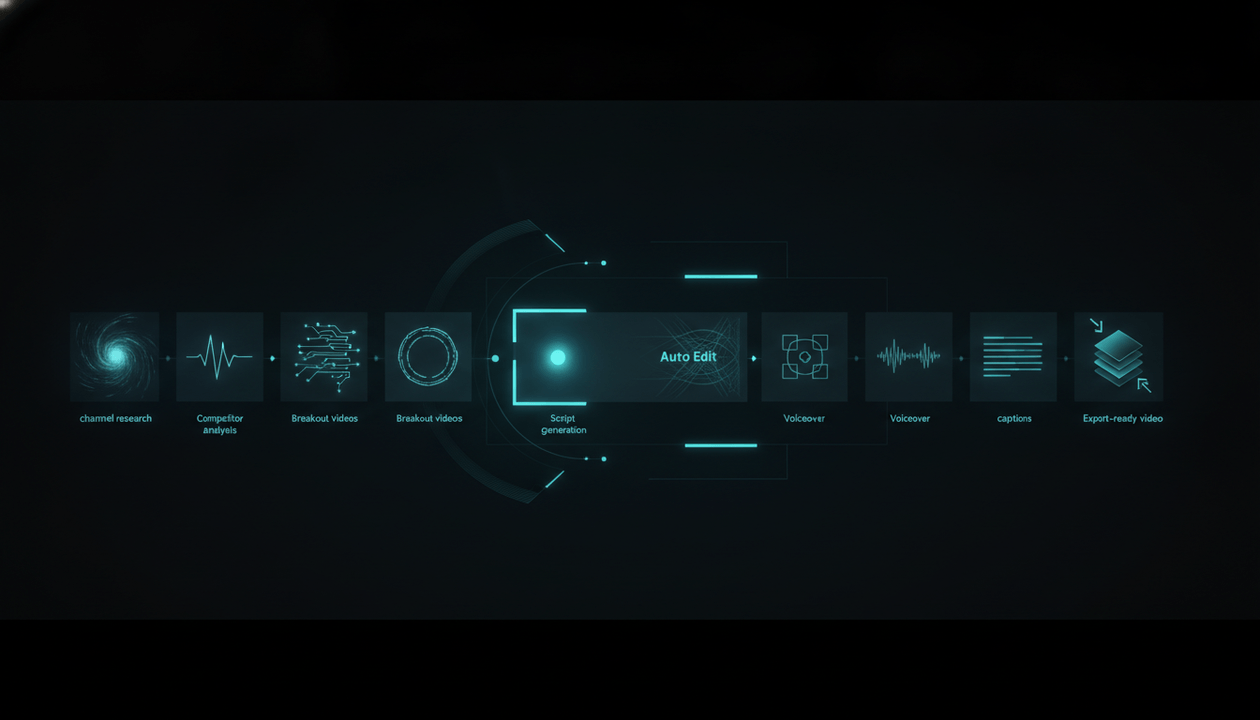
Research → Topic → Title → Thumbnail → Script → Voiceover → Video → Planning
This is where OverseerOS is positioned.
It is not only one AI tool.
It is a YouTube workflow system designed to help creators research what works, plan smarter, create faster, and produce more original faceless content.
That is the buyer decision.
Do you want one small tool?
Or do you want a system?
The Buyer’s Checklist for YouTube Automation Software
Before paying for any YouTube automation software, ask these questions.
Strategy
- Does it help me choose better niches?
- Does it analyze real channels?
- Does it show competitor patterns?
- Does it find breakout videos?
- Does it help me avoid guessing?
Creation
- Does it write YouTube-native scripts?
- Does it help with hooks and retention?
- Does it generate strong titles?
- Does it create thumbnail concepts?
- Does it support voiceovers?
- Does it help produce actual videos?
Workflow
- Does it organize content ideas?
- Does it track scripts and topics?
- Does it support competitor tracking?
- Does it keep assets connected?
- Does it reduce tool switching?
Quality
- Does it help create original content?
- Does it avoid generic templates?
- Does it support style direction?
- Does it help maintain consistency?
- Does it give me control before publishing?
Risk
- Does it encourage spammy mass production?
- Does it rely on reused content?
- Does it create generic AI videos?
- Does it help me add original insight?
- Does it align with YouTube monetization expectations?
If a tool fails the risk section, be careful.
Fast output is not useful if it creates low-value videos.
Red Flags When Buying YouTube Automation Software
Avoid tools that promise:
- “Fully passive YouTube income”
- “Unlimited videos with no work”
- “Copy viral channels instantly”
- “Guaranteed monetization”
- “No research needed”
- “No editing needed”
- “No originality required”
- “Just generate and upload”
These are dangerous promises.
A real YouTube business still needs judgment.
Software can help you move faster, but it cannot remove the need for:
- Taste
- Strategy
- Originality
- Audience understanding
- Packaging
- Quality control
- Policy awareness
The best automation software makes you a better operator.
The worst automation software makes you publish faster garbage.
The Best YouTube Automation Workflow in 2026
Here is the workflow serious creators should use.
Step 1: Pick a Niche With Evidence
Use channel research and viral channel discovery.
Look for:
- Growing channels
- Recent breakout videos
- Clear viewer demand
- Repeatable formats
- Strong monetization potential
- Enough topic depth
Do not choose a niche only because someone on YouTube said it makes money.
Validate it.
Step 2: Study Competitors
Analyze:
- Top videos
- Titles
- Thumbnails
- Hooks
- Upload rhythm
- Audience comments
- Content pillars
- Recurring formats
The goal is not to copy.
The goal is to understand the market.
Step 3: Find Breakout Topics
Look for topics that are outperforming.
Ask:
- Which small channels are getting abnormal views?
- Which videos are gaining fast?
- Which topic angles repeat?
- Which comments show demand?
- Which trends are early?
This is where OverseerOS Viral Channel Finder, Breakout Video analysis, and Overseer Feed become useful.
Step 4: Build the Packaging First
Before writing the full script, define:
- Title
- Thumbnail idea
- Hook
- Click promise
- First 30 seconds
- Main payoff
Packaging guides the script.
Do not leave packaging until the end.
Step 5: Write the Script
Use a YouTube-native script workflow.
A strong script should include:
- Pattern interrupt hook
- Clear stakes
- Simple language
- Retention loops
- Examples
- Story progression
- Payoff
- Strong ending
OverseerOS Quality Script Generation and CreatorDNA can help turn proven patterns into original scripts faster.
Step 6: Generate Voiceover
Create or upload the narration.
The voiceover becomes the timing spine of the video.
For faceless content, the voiceover matters because it controls pacing and emotion.
Step 7: Produce the Video
Use OverseerOS Auto Edit or your production workflow to turn the script and voiceover into scenes.
Focus on:
- Matching scenes
- Consistent style
- Clear visuals
- Captions
- Music
- Motion
- Export quality
Do not publish random AI visuals.
Direct the video.
Step 8: Review Before Upload
Check:
- Does the video deliver the title promise?
- Does the intro match the thumbnail?
- Are visuals consistent?
- Is the script original?
- Does it add value?
- Is it too repetitive compared to other videos?
- Would a viewer feel satisfied?
This final review is what separates operators from spammers.
Where OverseerOS Fits in the Stack
OverseerOS is built for creators who want one system for the full YouTube workflow.
It can help with:
- Channel analysis
- Viral video analysis
- Viral Channel Finder
- Breakout Video analysis
- Channel Clone Blueprints
- Viral Title Architect
- SEO descriptions and tags
- Thumbnail analysis
- OverseerOS Thumbnail Generator
- Quality Script Generation
- Script ReSpark
- Trend-to-Script
- CreatorDNA
- Smart Content Planner
- Competitor tracking
- Voiceover generation
- Overseer Feed
- OverseerOS Auto Edit
That makes OverseerOS different from a basic AI writer, a single thumbnail tool, or a generic AI video generator.
It is built around the full creator workflow:
Analyze what works → Plan better videos → Write stronger scripts → Create better packaging → Produce faceless videos faster
That is what YouTube automation software should do.
Why OverseerOS Is Not Just Another AI Video Tool
Most AI video tools start at the end.
They ask:
“What video do you want to generate?”
OverseerOS starts earlier.
It helps answer:
- What niche should I study?
- Which channels are winning?
- Which videos are breaking out?
- What topic should I make?
- What title pattern should I use?
- What thumbnail style fits this video?
- What script structure should I follow?
- What voiceover should support it?
- What scenes should match the script?
That matters because the biggest YouTube decisions happen before editing.
If the topic is weak, the video struggles.
If the title is weak, people do not click.
If the thumbnail is weak, people scroll past.
If the hook is weak, people leave.
If the scenes are random, the video feels cheap.
Automation should not only make the video faster.
It should make the decision chain stronger.
YouTube Automation Software Pricing: What You Are Really Paying For
When comparing tools, do not only compare price.
Compare the workflow cost.
A cheap tool may look affordable, but if you still need:
- A trend tool
- A competitor tool
- A script tool
- A thumbnail tool
- A voiceover tool
- An AI image tool
- A video editor
- A planning tool
- A freelancer workflow system
The real cost becomes higher.
The more fragmented your stack is, the more time you lose.
The best software saves:
- Research time
- Planning time
- Writing time
- Thumbnail concept time
- Voiceover time
- Editing time
- Revision time
- Team management time
That is the real ROI.
Not “how many videos can it generate?”
But:
“How much smarter and faster does it make the whole channel workflow?”
The Final Buyer Decision
Choose YouTube automation software based on your goal.
If you only want a script, use a script tool.
If you only want a thumbnail, use a thumbnail tool.
If you only want a voiceover, use a voice tool.
If you want to build a serious faceless YouTube operation, you need more than that.
You need a system that helps with:
- Research
- Strategy
- Planning
- Packaging
- Scripting
- Voiceover
- Production
- Optimization
That is where OverseerOS becomes the stronger choice.
It is built for creators who do not want to guess, jump between ten tools, or generate random content.
It is built for creators who want to start from patterns that already work and turn them into original videos.
Final Verdict
YouTube automation software is changing.
The old promise was:
“Make videos with no work.”
The new standard is:
“Build a smarter content system with better research, faster production, and more original output.”
That shift matters.
YouTube is pushing creators toward original, authentic, valuable content.
Viewers are getting tired of generic AI videos.
Competition is increasing.
So the winning creators will not be the ones who automate the most.
They will be the ones who automate the right parts of the workflow while keeping strategy, originality, and quality in control.
If you want a serious YouTube automation platform for faceless channels, OverseerOS gives you the full workflow: channel analysis, viral pattern research, content planning, titles, thumbnails, scripts, voiceovers, trend workflows, competitor tracking, and OverseerOS Auto Edit.
Do not buy software that helps you publish more weak videos.
Buy software that helps you build a better YouTube system.
FAQ
What is YouTube automation software?
YouTube automation software helps creators systemize parts of the YouTube workflow, including niche research, competitor analysis, topic discovery, scripting, thumbnails, voiceover, video production, planning, and optimization.
Is YouTube automation allowed?
Automation itself is not the issue. The risk comes from low-quality, repetitive, mass-produced, or reused content that does not add original value. YouTube expects monetized channels to publish original and authentic content.
What is the best YouTube automation software for faceless channels?
The best software depends on your workflow, but serious faceless creators should look for tools that cover research, planning, titles, thumbnails, scripts, voiceovers, competitor analysis, and video production. OverseerOS is built as a full YouTube workflow platform for these needs.
Can AI-generated YouTube videos be monetized?
AI-generated content can be eligible if it meets YouTube’s monetization policies and adds original, authentic value. Generic AI templates, repetitive videos, reused content, and mass-produced content with little originality can create monetization risk.
What features should YouTube automation software include?
A strong platform should include channel analysis, viral video research, competitor tracking, topic discovery, title tools, thumbnail tools, script generation, voiceover generation, content planning, and video production workflows.
Is YouTube automation the same as faceless YouTube?
No. Faceless YouTube means the creator does not appear on camera. YouTube automation means parts of the channel workflow are systemized, outsourced, or supported by software. Many faceless channels use automation, but they are not the same thing.
Why do many YouTube automation channels fail?
Many fail because they focus on volume instead of value. Weak niches, generic scripts, poor thumbnails, repetitive formats, reused content, and random AI visuals make videos easy to ignore.
How does OverseerOS help with YouTube automation?
OverseerOS helps creators analyze channels, find breakout videos, discover trends, plan content, generate scripts, create thumbnails, produce voiceovers, track competitors, and use OverseerOS Auto Edit for faceless video production workflows.
Do I still need freelancers if I use YouTube automation software?
Maybe. Software can reduce manual work, but creators may still use freelancers for editing, quality control, voiceover review, thumbnail refinement, or channel management. The best software makes the team faster and more organized.
What is the safest way to automate a YouTube channel?
The safest way is to automate research, planning, production support, and workflow management while keeping the content original, useful, and varied. Avoid reused content, generic templates, misleading packaging, and mass-produced videos with little human direction.