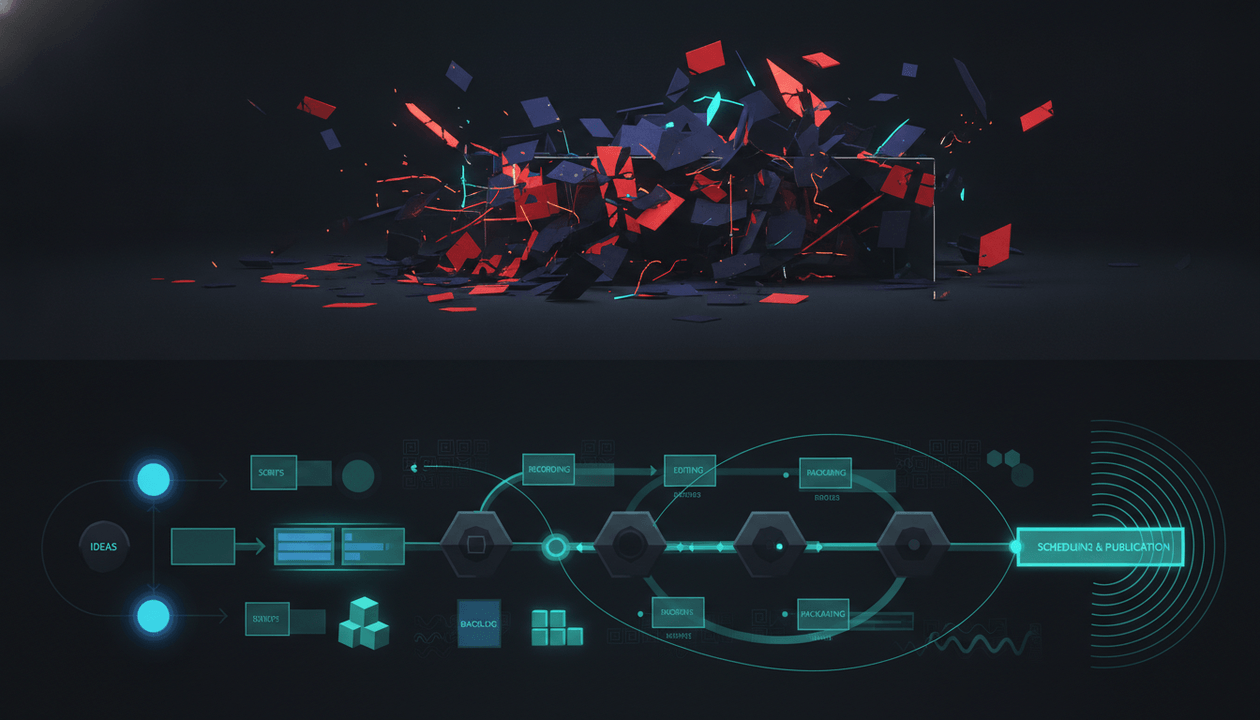
Most YouTube production problems do not start in the edit.
They start before the editor ever opens the project.
The topic is vague. The title is unfinished. The thumbnail promise does not match the script. The hook says one thing, the voiceover says another, and the editor is forced to “make it work” with half a plan.
That is what a YouTube production brief fixes.
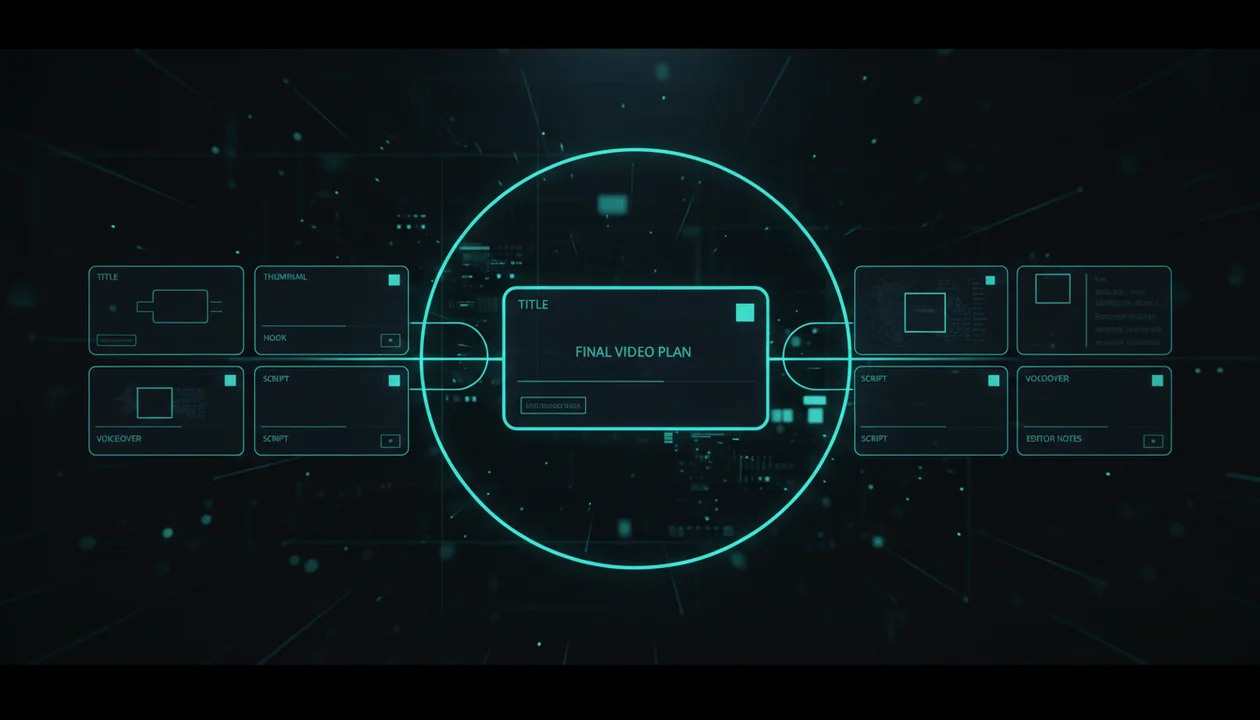
A good production brief turns one video idea into a clear execution plan: what the video is about, why viewers should care, what the title and thumbnail need to promise, how the hook should open, what the script must deliver, what visuals the editor needs, and what the final upload should be optimized for.
This guide gives you a practical YouTube production brief template built for creators, faceless channels, agencies, and multi-channel operators who want fewer messy handoffs and better videos.
Key Takeaways
- A YouTube production brief is not the same as a generic video brief. It needs to connect the topic, title, thumbnail, hook, script, voiceover, visuals, edit notes, and upload strategy.
- The brief should be written before production starts, not after the script is already finished.
- The title and thumbnail promise must be locked early because they shape the hook, pacing, examples, and editing direction.
- A strong brief gives editors creative direction without forcing them to guess the story.
- The best production briefs are built from proven patterns, not random inspiration.
- OverseerOS helps creators reverse-engineer successful channels and turn those patterns into titles, scripts, thumbnails, voiceovers, and content plans.
- The goal is not to make a longer document. The goal is to make the video easier to produce and harder to misunderstand.
What Is a YouTube Production Brief?
A YouTube production brief is a planning document that explains how a video should be made before the team starts producing it.
It should answer:
- What is the video about?
- Who is it for?
- Why would someone click it?
- What question keeps them watching?
- What title and thumbnail are we building toward?
- What should happen in the first 30 seconds?
- What emotional tone should the video have?
- What visuals, B-roll, screenshots, examples, or animations are needed?
- What should the voiceover sound like?
- What should the editor emphasize?
- What must be avoided?
- What is the final CTA?
Generic video brief templates usually focus on brand goals, budget, deliverables, audience, tone, and deadlines. That is useful for corporate video, agency work, commercials, product videos, or client campaigns.
But YouTube needs more than that.
YouTube production lives or dies on packaging, retention, pacing, clarity, and viewer payoff. A normal “video brief” can help a production company understand the project. A YouTube production brief helps a creator make a video people actually want to click and finish.
YouTube Production Brief vs Generic Video Brief
| Brief Type | Main Purpose | Usually Includes | What It Often Misses for YouTube |
|---|---|---|---|
| Generic video brief | Explain a video project to a production team | Objective, audience, budget, timeline, deliverables, brand message | Click strategy, title, thumbnail, retention, hook, viewer curiosity |
| Creative brief | Align brand, tone, and campaign direction | Brand message, audience insight, visual mood, campaign goal | YouTube-specific pacing, video structure, competitor patterns |
| Editor brief | Tell the editor how to assemble the video | Footage notes, music style, pacing, captions, examples | Why the video should work strategically |
| YouTube production brief | Turn a video idea into a full production plan | Topic, angle, title, thumbnail, hook, structure, script direction, visual plan, voiceover, edit notes, upload notes | Nothing if done properly |
The mistake most creators make is using an editor brief as a production brief.
An editor brief says:
Make this feel dramatic. Use fast pacing. Add B-roll.
A production brief says:
The viewer clicked because the title promises that a normal beginner can build a profitable AI channel without showing their face. The first 30 seconds must prove that this is not generic advice. Open with the failed version, then show the hidden pattern behind three channels that made it work. The edit should feel investigative, not motivational.
That is a completely different level of direction.
Why YouTube Creators Need a Production Brief
A YouTube channel is not just a content machine. It is a decision machine.
Every video requires decisions:
- Which topic should we choose?
- What angle makes it clickable?
- What title creates curiosity without lying?
- What thumbnail creates the same question as the title?
- What hook keeps the promise?
- What examples prove the point?
- What should the editor show on screen?
- What should the voiceover emphasize?
- What should the viewer feel by the end?
Without a brief, those decisions get made randomly across the workflow.
The scriptwriter makes one version of the video.
The thumbnail designer makes another.
The editor makes another.
The voiceover artist reads it with a different emotion.
The uploader writes a title that does not match any of it.
That is how videos become disconnected.
A production brief gives everyone the same target.
The YouTube Production Brief Template
Use this template before writing the full script or assigning the edit.
You can keep it in Google Docs, Notion, Trello, ClickUp, Airtable, or inside your content planner. The format matters less than the thinking.
1. Video Overview
Start with the simple version.
| Field | What to Write |
|---|---|
| Working title | The rough title idea before final packaging |
| Channel | Which channel this video is for |
| Video type | Tutorial, documentary, commentary, list, case study, news, challenge, review, explainer |
| Target length | Example: 8 to 12 minutes, 15 minutes, 45 to 60 seconds |
| Target audience | Who this video is for |
| Main promise | What the viewer will get if they watch |
| Main emotion | Curiosity, fear, ambition, shock, relief, inspiration, urgency |
| CTA | Subscribe, watch next video, try tool, join newsletter, click sponsor link |
Weak overview:
Video about AI tools.
Strong overview:
A 10-minute faceless YouTube video for beginner creators showing why most AI tool channels fail, using three real channel patterns to explain what actually works. The emotional angle is “you are not too late, but you are probably copying the wrong format.”
The strong version gives the team a real direction.
2. Viewer Problem and Search Intent
Every video needs a viewer problem.
Not a topic. A problem.
Topic:
YouTube thumbnails
Problem:
My videos are getting impressions, but nobody clicks.
Topic:
AI automation
Problem:
I want to use AI to build a channel, but every tutorial feels fake, recycled, or too complicated.
Topic:
Productivity
Problem:
I keep planning my day, but I still waste the first three hours.
Add this section to your brief:
| Field | Example |
|---|---|
| Viewer problem | They are creating videos but do not know why some get views and others die. |
| Viewer belief before watching | “The algorithm is random.” |
| Viewer belief after watching | “There are patterns I can study before I create.” |
| Search or browse intent | They are looking for a practical way to find better video ideas. |
| Pain level | High, because producing the wrong video wastes hours or money. |
This is where YouTube briefs become sharper than normal video briefs.
A normal client video might ask:
What is the goal?
A YouTube brief asks:
What frustration made this viewer click?
3. Competitive Pattern Research
Do not start from a blank page.
Before producing a YouTube video, study what already works in the niche.
Look for:
- Videos with unusually high views compared to the channel average
- Repeated title patterns
- Thumbnail styles that appear again and again
- Common hook structures
- Audience questions in comments
- Gaps in the current top videos
- Outdated examples you can update
- Weak explanations you can simplify
- Formats that appear across multiple successful channels
This does not mean copying another creator. It means finding evidence.
A production brief should include 3 to 5 reference videos.
| Reference | Why It Matters | Pattern to Study | What We Should Not Copy |
|---|---|---|---|
| Competitor video 1 | Strong title angle | “I tried X for Y days” structure | Do not copy thumbnail layout |
| Competitor video 2 | Great first 30 seconds | Opens with failure before solution | Do not reuse examples |
| Competitor video 3 | High comment demand | Audience asks for beginner version | Do not copy script sequence |
This section is where a tool like OverseerOS becomes useful. Instead of guessing which videos matter, you can reverse-engineer high-performing YouTube videos with OverseerOS, study breakout patterns, and turn competitor research into a usable content plan.
4. Title and Thumbnail Direction
The title and thumbnail are not decoration.
They are the promise of the video.
If the production team does not know the promise, they cannot make the right video.
Add this section before the script is written:
| Field | Example |
|---|---|
| Main title idea | I Studied 100 Faceless Channels. These 7 Formats Still Work |
| Alternate title 1 | The Faceless YouTube Formats Nobody Talks About |
| Alternate title 2 | Why Most Faceless Channels Fail Before 10 Videos |
| Thumbnail concept | Split between “dead channel” and “breakout format” |
| Thumbnail text | Still Works |
| Main visual | Creator dashboard, blurred channel grid, red/green contrast, one obvious focal point |
| Curiosity gap | Which formats still work and why? |
| Avoid | Generic robot, too much text, random money screenshots |
YouTube now has native A/B testing options for titles and thumbnails in YouTube Studio for eligible videos. YouTube’s own help docs explain that creators can upload up to three thumbnails and/or titles to test inside Studio. Source: YouTube Help
That makes title and thumbnail variants more important, not less.
The brief should give the team multiple packaging directions early so the final video can support the strongest promise.
5. Hook Plan
The hook is where the video proves the packaging was not a lie.
Your production brief should define the first 30 seconds clearly.
Use this format:
| Hook Element | What to Write |
|---|---|
| Opening line | The first sentence or opening idea |
| Pattern interrupt | What makes the intro feel different from generic videos |
| Stakes | Why this matters now |
| Proof | What evidence appears early |
| Open loop | What question keeps the viewer watching |
| Transition | How the video moves into the first section |
Weak hook plan:
Start with an exciting intro about faceless YouTube.
Strong hook plan:
Open by showing two faceless channels in the same niche: one posts daily and gets 400 views, the other posts twice a week and gets 200,000 views. Then say: “The difference is not the niche. It is the format.” The open loop is: which formats are still working in 2026, and which ones are quietly dying?
The editor can work with that.
The voiceover artist can work with that.
The scriptwriter can work with that.
6. Script Structure
A production brief does not need to include the full script, but it should include the structure.
For YouTube, structure is retention.
Use a simple section map:
| Section | Purpose | Key Point | Visual Direction |
|---|---|---|---|
| Intro | Create curiosity | Same niche, different results | Show contrast between weak and strong channels |
| Section 1 | Explain the hidden mistake | Most creators copy topics, not formats | Simple diagram: topic vs format |
| Section 2 | Show winning patterns | Break down 3 proven formats | Use channel examples and title patterns |
| Section 3 | Make it practical | How to choose your own format | Checklist on screen |
| Final | Push next action | Build from patterns, not guesses | Show workflow, dashboard, or planner |
This keeps the script from becoming a rambling essay.
It also helps the editor understand which parts need proof, which parts need energy, and which parts need visual explanation.
7. Visual and Editing Direction
Editors should not have to guess what the video should feel like.
Add clear visual direction:
| Editing Field | Example |
|---|---|
| Pacing | Fast in intro, slower during framework explanation |
| Visual style | Premium dark SaaS, clean diagrams, zoomed examples |
| B-roll | YouTube dashboards, search pages, content calendars, blurred competitor grids |
| On-screen text | Short labels only, max 3 to 5 words |
| Motion | Push-ins on reveals, subtle zooms on examples, no chaotic transitions |
| Captions | Highlight key phrases, not every word if long-form |
| Music | Low tension in research sections, lift during solution |
| Avoid | Random stock footage, overused AI robot visuals, fake analytics screenshots |
Bad editor note:
Make it engaging.
Better editor note:
Treat the video like an investigation. Each section should reveal a pattern. Use zooms and highlights when showing examples. Avoid motivational stock footage. The visuals should make the viewer feel like they are seeing the system behind the channel.
That is the difference between a usable brief and a wish.
8. Voiceover Direction
Voiceover changes the entire video.
The same script can feel premium, cheap, dramatic, boring, urgent, or fake depending on the read.
Include:
| Voiceover Field | Example |
|---|---|
| Tone | Calm, confident, investigative |
| Speed | Medium-fast, but slow down on key insights |
| Emotion | Serious but not fearmongering |
| Pronunciation notes | Brand names, creator names, technical terms |
| Emphasis | Stress the contrast between guessing and pattern-based production |
| Avoid | Overhyped “You won’t believe this” delivery |
For faceless channels, this section matters even more because the voice often carries the authority of the entire video.
If your workflow uses AI voiceover, the brief should still define tone clearly. A voice generator can only follow direction if the direction exists.
9. Source Links and Evidence
A strong YouTube video should not be built from vague claims.
Add a source section:
| Source Type | What to Include |
|---|---|
| Competitor examples | URLs to videos or channels being studied |
| Data references | View counts, upload dates, outlier notes |
| Official sources | Platform docs, company pages, help pages |
| Screenshots needed | Exact pages or timestamps |
| Quotes or clips | Timestamp and usage note |
| Claims to verify | Anything that could become outdated |
This protects the video from sloppy research.
It also makes the editor’s life easier because they know where visuals and proof should come from.
10. Production Checklist
Before production starts, check the brief against this list:
- The video has one clear viewer problem.
- The title and thumbnail promise are aligned.
- The hook continues the promise from the packaging.
- The first 30 seconds include stakes or proof.
- The structure has clear section purposes.
- The editor knows what visuals to use.
- The voiceover tone is defined.
- Sources and references are included.
- The CTA is clear.
- The video has a reason to exist beyond “we need to upload.”
If you cannot check these boxes, the video is not ready for production.
Full YouTube Production Brief Template
Use this compact production brief template before assigning a script, thumbnail, voiceover, or edit.
| Brief Area | What to Fill In |
|---|---|
| Video overview | Working title, channel, video type, target length, target audience, main promise, main emotion, final CTA |
| Viewer problem | Viewer problem, belief before watching, belief after watching, discovery mode, why this matters now |
| Competitive pattern research | 3 to 5 reference videos or channels, why each matters, pattern to study, what not to copy |
| Title and thumbnail direction | Main title idea, alternate titles, thumbnail concept, thumbnail text, main visual, curiosity gap, what to avoid |
| Hook plan | Opening line or opening idea, pattern interrupt, stakes, proof, open loop, transition into the first section |
| Script structure | Main sections, purpose of each section, key point, visual direction, final section, CTA |
| Visual and editing direction | Pacing, visual style, B-roll, on-screen text style, motion or animation notes, caption style, music or SFX direction, what to avoid |
| Voiceover direction | Tone, speed, emotion, pronunciation notes, emphasis, what to avoid |
| Sources and assets | Source links, screenshots, timestamps, brand assets, thumbnail assets, voiceover file, music or SFX assets |
| Upload notes | Final title, description angle, tags or keywords, end screen, pinned comment, related video to recommend, publish date |
The goal is not to create a long blank document.
The goal is to make sure the writer, thumbnail designer, voiceover artist, editor, and uploader are all building the same video.
Example YouTube Production Brief
Here is what a filled-out brief could look like.
| Brief Area | Example |
|---|---|
| Video overview | A 12-minute faceless video explaining why most AI YouTube channels fail and which formats are still working. |
| Viewer problem | The viewer wants to start an AI channel but is overwhelmed by recycled advice and fake-looking examples. |
| Main promise | Show the formats that still have real opportunity and the mistakes that make most channels fail early. |
| Discovery mode | Browse-driven and competitor-inspired. The title and thumbnail need curiosity, not only search clarity. |
| Competitive pattern | Use real channel examples, breakout videos, and repeated formats. Do not copy titles or thumbnails directly. |
| Title direction | Why Most AI YouTube Channels Fail Before 10 Videos |
| Thumbnail direction | Split screen: dead AI channel vs breakout format. Short text: “WRONG FORMAT” |
| Hook plan | Open with two similar channels. One fails, one breaks out. Reveal that the difference is format, not niche. |
| Script structure | Intro, mistake, pattern examples, winning formats, how to choose one, final CTA. |
| Visual direction | Use channel grids, blurred analytics-style cards, simple diagrams, and clean pattern labels. |
| Voiceover direction | Calm, investigative, confident. Avoid fake hype. |
| CTA | Watch the next video about finding breakout topics before starting a channel. |
This is short, but it gives the full team a direction.
That is what a production brief should do.
How to Use a YouTube Production Brief in Your Workflow
A production brief should sit between research and scripting.
The best order is:
- Find the idea.
- Validate the angle.
- Study competitor patterns.
- Build the production brief.
- Create title and thumbnail directions.
- Write the script.
- Generate or record the voiceover.
- Design the thumbnail.
- Edit the video.
- Upload and review performance.
Most teams do this in the wrong order.
They write the script first, then try to force a title and thumbnail onto it later.
That is backwards.
For YouTube, the title and thumbnail promise should shape the video from the beginning.
How OverseerOS Helps Create Better Production Briefs
A production brief is only as strong as the research behind it.
If the idea comes from guessing, the brief will still be weak.
OverseerOS helps creators build stronger briefs by starting from real YouTube patterns.
You can use OverseerOS to:
- Analyze successful channels
- Study breakout videos
- Track competitors
- Find winning topics
- Generate title directions
- Plan thumbnail concepts
- Build Smart Content Planners
- Write scripts
- Generate voiceovers through the ElevenLabs-powered workflow
- Turn trends into script ideas with Trend to Script
The point is simple.
Instead of starting with:
Let’s make a video about AI tools.
You start with:
This format is breaking out, the viewer problem is clear, the thumbnail pattern is proven, and we can create an original version with a stronger hook.
That makes the production brief more useful.
It gives the team evidence instead of opinions.
If you want to build videos from proven patterns instead of random ideas, use OverseerOS to turn channel research into production-ready content plans.
Production Brief vs Script Outline
A production brief and a script outline are connected, but they are not the same.
| Document | Purpose | Created When |
|---|---|---|
| Production brief | Defines the strategy and execution direction | Before the script |
| Script outline | Maps the sections and talking points | After the brief |
| Full script | Writes the narration or spoken content | After the outline |
| Editor brief | Gives specific edit instructions | After or alongside the script |
| Upload checklist | Finalizes title, description, thumbnail, and publishing details | Before publishing |
The production brief comes first because it tells every other document what to do.
A script outline without a strong production brief can still drift.
A production brief gives the script a target.
Common Mistakes With YouTube Production Briefs
Mistake 1: Writing the Brief After the Script
The brief should not be a summary of a finished script.
It should guide the script before it is written.
If the script already exists, the brief has less power.
Mistake 2: Leaving the Thumbnail Until the End
The thumbnail should not be an afterthought.
It should be part of the brief because it defines what the viewer expects before clicking.
If the script and thumbnail are created separately, the video often feels disconnected.
Mistake 3: Giving Vague Editor Notes
“Make it engaging” is not a direction.
“Use fast pacing” is better, but still incomplete.
A strong note explains what the viewer should feel and what the editor should show.
Example:
Make the intro feel like an investigation. Use visual contrast between failed channels and breakout channels. Show pattern labels on screen. Avoid motivational stock footage.
That gives the editor something real to execute.
Mistake 4: Copying Competitors Instead of Studying Patterns
Competitor research should not turn into plagiarism.
Do not copy exact titles, thumbnail layouts, scripts, examples, or branding.
Study:
- Format
- Viewer problem
- Hook structure
- Packaging promise
- Pacing
- Gaps
- Audience demand
Then create your own version.
Mistake 5: Making the Brief Too Long
A production brief should be clear, not bloated.
If the team cannot use it quickly, it becomes another ignored document.
Use enough detail to remove confusion.
Do not create a 20-page document nobody reads.
YouTube Production Brief Checklist
Before you send a video into production, check this list:
- The viewer problem is specific.
- The main promise is clear.
- The discovery mode is defined.
- The title direction is strong enough to guide the script.
- The thumbnail direction supports the title.
- The hook proves the promise quickly.
- The script structure has a clear job for each section.
- The visual direction is specific.
- The voiceover tone is defined.
- The editor knows what to avoid.
- Sources and assets are listed.
- The final CTA is clear.
- The upload notes are included.
- The team can understand the same video without extra explanation.
If the brief fails this checklist, fix the brief before production starts.
Final Verdict: Better Briefs Make Better Videos
A YouTube production brief is not just paperwork.
It is the bridge between strategy and execution.
It turns a rough idea into a shared plan for the writer, thumbnail designer, voiceover artist, editor, and uploader.
Without it, every person in the workflow is forced to guess.
With it, the team knows:
- Why the viewer should care
- Why the viewer should click
- What the video must prove
- What the title and thumbnail promise
- What the hook needs to do
- What the editor should show
- What the voiceover should feel like
- What the final CTA should push
That is how a video becomes more than a script.
It becomes a clear production system.
If you want to stop producing videos from scattered instructions, start with OverseerOS and turn proven YouTube patterns into production-ready briefs.
FAQ
What is a YouTube production brief?
A YouTube production brief is a planning document that explains how a video should be produced before the team starts working on it. It usually includes the viewer problem, title direction, thumbnail concept, hook, script structure, visual direction, voiceover tone, editor notes, sources, upload notes, and CTA.
Why do YouTube creators need a production brief?
Creators need a production brief because YouTube videos require alignment between the idea, title, thumbnail, hook, script, voiceover, visuals, edit, and upload strategy. Without a brief, each part of the workflow can move in a different direction.
Is a YouTube production brief the same as an editor brief?
No. An editor brief usually explains how to edit the video. A YouTube production brief explains the full strategy and execution plan before production starts, including title, thumbnail, hook, script direction, visuals, voiceover, and upload notes.
What should a YouTube production brief include?
A strong YouTube production brief should include the video overview, viewer problem, competitive pattern research, title and thumbnail direction, hook plan, script structure, visual and editing direction, voiceover direction, sources and assets, and upload notes.
Should the title and thumbnail be planned before the script?
Yes. For YouTube, title and thumbnail direction should usually be planned before the full script because they define the promise of the video. The hook, script, and edit should then deliver that promise.
How long should a YouTube production brief be?
A production brief should be long enough to remove confusion but short enough that the team actually uses it. For most YouTube videos, a compact one-page or two-page brief is enough.
Can AI help create a YouTube production brief?
Yes. AI can help create a production brief, but the output is much stronger when it has real context such as competitor patterns, viewer problems, title examples, thumbnail direction, hooks, and sources.
How does OverseerOS help with production briefs?
OverseerOS helps creators analyze channels, find breakout videos, track competitors, generate titles, plan thumbnails, write scripts, generate voiceovers, and organize ideas inside Smart Content Planners. That gives the production brief better input than a blank AI prompt.
What is the biggest mistake creators make with production briefs?
The biggest mistake is creating the brief too late. A production brief should guide the video before scripting, designing, recording, or editing starts.
Can agencies use this YouTube production brief template?
Yes. Agencies can use this template to align strategists, writers, thumbnail designers, voiceover artists, editors, clients, and upload managers around one clear video plan.