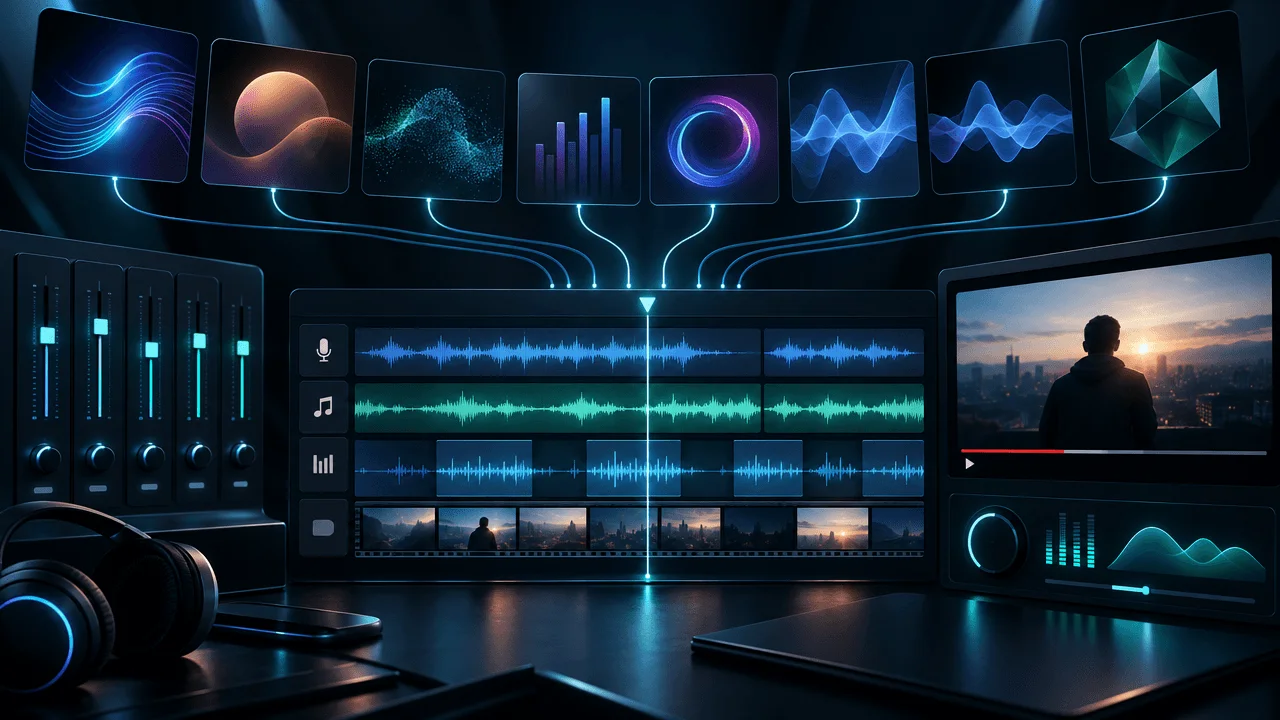
The best AI music generator for YouTube is not automatically the one that makes the most impressive song.
For most YouTubers, the job is very different.
You need music that can sit underneath narration for eight, ten, or twenty minutes without becoming distracting.
You need to know whether you can monetize the video.
You need to understand whether you own the track or merely have permission to use it.
You need to know what happens if YouTube's Content ID system flags the music anyway.
And if you publish several videos every week, the workflow has to be fast enough that finding music does not become another editing bottleneck.
For those reasons, our top pick for most YouTube creators is SOUNDRAW.
Beatoven.ai is one of the strongest alternatives if licensing clarity and background scoring matter most.
Loudly is better for creators who want deeper control over stems, arrangement, mastering, and music production.
Stable Audio is especially interesting if you want commercially usable generated audio with more experimental control.
Suno is better when you actually want a song, vocal track, theme, or musical centerpiece rather than quiet background music.
Mubert makes sense for long ambient beds and high-volume background generation.
AIVA remains particularly useful for cinematic, orchestral, and composition-driven music.
There is also one major tool we are not recommending for normal YouTube production right now:
Udio, because audio, video, and stem downloads remain disabled.
That makes the decision much easier than most AI music roundups make it sound.
Best AI Music Generators for YouTube at a Glance
| Tool | Best For | YouTube Monetization | Main Strength | Main Limitation |
|---|---|---|---|---|
| SOUNDRAW | Background music for YouTube | Supported under its creator licensing | Built specifically around usable background tracks | You do not own the underlying SOUNDRAW recording |
| Beatoven.ai | Narration-friendly scoring | Licensed for monetized content | Clear project licensing and background-music focus | License is non-exclusive |
| Loudly | Advanced creator music workflow | Commercial use supported on paid plans | Stems, structure, BPM, mastering, remixing | More production depth than simple creators may need |
| Stable Audio | Original instrumentals, sound design, experimentation | Commercial use supported under current terms | Output ownership and flexible generation | Less focused on simple one-click YouTube background beds |
| Suno | Songs, vocal tracks, intros, themes | Commercial rights on qualifying paid plans | Full songs and vocals | Often more music than a narration-heavy video needs |
| Mubert | Long-form background beds and continuous mixes | Monetized use requires the appropriate commercial plan | Long-duration and ambient use cases | Licensing tiers require careful attention |
| AIVA | Cinematic and orchestral music | Supported depending on plan | Composition-oriented workflow | Less optimized for fast everyday creator background music |
The real winner depends on one question:
Is the music supposed to support the video, or become part of the content itself?
That distinction changes everything.
How We Ranked These AI Music Generators
We did not rank these tools by listening to a ten-second demo and declaring one "more realistic."
For YouTube creators, that is not enough.
We compared them around the questions that actually affect publishing:
- Can the music be used in monetized YouTube videos?
- Is the licensing clear enough for a creator to understand?
- Is the tool designed for background music or full songs?
- Can you control duration, mood, energy, instruments, or structure?
- Can you export usable audio?
- What happens if you cancel the subscription?
- Who owns the generated music?
- Can you register it with Content ID?
- Does it fit narration-heavy long-form YouTube?
- Can it scale across a repeatable publishing workflow?
We also gave extra weight to something most comparison articles barely discuss:
the difference between commercial permission and copyright ownership.
Those are not the same thing.
Before Choosing a Tool, Understand These Four Music Rights Terms
AI music licensing becomes confusing because four very different concepts are often collapsed into the phrase:
"copyright-free music."
That phrase can be dangerously imprecise.
Royalty-Free
Royalty-free usually means you do not pay a royalty every time the track is used.
It does not automatically mean:
- nobody owns the copyright
- you own the song
- you can redistribute it
- you can register it with Content ID
- you can sell the track as your own music
Commercial Use
Commercial use means the license permits certain money-making uses.
For YouTubers, the important question is:
Can I use this music inside a monetized YouTube video?
Always check the specific plan.
A free plan and a paid plan may have completely different commercial rights.
Ownership
Some AI music services retain ownership and grant you a license.
Others assign certain output rights to you.
Others allow commercial use while explicitly warning that copyright protection for purely AI-generated material may not exist in every jurisdiction.
Those are very different arrangements.
Content ID
YouTube Content ID is an identification and rights-management system.
Having permission to use a track does not necessarily mean:
you are allowed to register that track as your exclusive property.
Several AI music services specifically prohibit users from registering generated tracks with Content ID.
That restriction can actually protect the shared licensing model.
1. SOUNDRAW: Best Overall AI Music Generator for YouTube Background Music
Best for: YouTubers who need original background music underneath narration.
SOUNDRAW makes the strongest case for the typical YouTube creator because its Creator workflow is explicitly designed around using generated music as background music inside content.
That distinction matters.
A documentary creator usually does not need:
- a three-minute pop song
- AI vocals
- a chorus
- lyrics
- a musical identity competing with narration
They need:
"Give me a tense cinematic bed that supports this section without distracting from the narrator."
That is a different product requirement.
SOUNDRAW lets creators work with attributes such as:
- genre
- mood
- energy
- length
- instrumentation
- arrangement
rather than relying entirely on a giant text prompt.
Why SOUNDRAW Fits YouTube Well
Imagine you are editing a 12-minute business documentary.
The video moves through:
- optimistic introduction
- rapid company growth
- hidden warning signs
- collapse
- final explanation
You do not necessarily need five completely unrelated songs.
You might need one or two tracks whose energy can support several sections.
That is where a background-first music system becomes useful.
Commercial Use
SOUNDRAW's current licensing supports personal and commercial use in creator projects under its applicable plans.
The Creator plan is specifically positioned around:
background music inside creative projects.
The service retains rights in the generated recordings while licensing creators to use them.
That means:
You are buying permission to use the music.
Not necessarily exclusive ownership of the underlying recording.
Content ID
SOUNDRAW explicitly prohibits registering its generated music with Content ID.
For a YouTuber, that is not necessarily a downside.
You do not need to register the background music with Content ID to monetize the video containing it.
The restriction prevents users from taking a track from a shared licensing ecosystem and asserting exclusive control over it.
Where SOUNDRAW Wins
Choose SOUNDRAW when your workflow looks like:
script
→
voiceover
→
edit
→
find fitting background music
→
publish
It is particularly suitable for:
- documentaries
- finance channels
- history videos
- educational channels
- psychology videos
- explainer channels
- faceless YouTube
- client video production
Where SOUNDRAW Is Not the Best Choice
If your goal is:
Generate a full vocal song that could itself become the main content.
Use Suno.
If your goal is:
Build tracks from individual musical layers and experiment like a producer.
Stable Audio or Loudly may be more interesting.
Verdict
Best overall for creators who primarily need AI-generated background music rather than AI-generated songs.
2. Beatoven.ai: Best for Background Scoring and Licensing Clarity
Best for: Creators who want music made specifically to sit underneath video, podcasts, narration, or other content.
Beatoven.ai is one of the most natural fits for YouTube because it does not require creators to pretend they are music producers.
The goal is straightforward:
describe the background music you need.
Beatoven can generate music for:
- YouTube
- podcasts
- games
- short films
- trailers
- social media
- audiobooks
- livestreams
- advertising
The Licensing Model Is Easy to Understand
For downloaded music, Beatoven states that creators receive a:
non-exclusive perpetual license
that can be used with their content and monetized.
Beatoven itself retains ownership of the generated music.
That means the relationship is essentially:
Beatoven owns the music. You receive durable permission to synchronize and use it in your project.
That is a perfectly reasonable model for a YouTube creator who simply wants background music.
Why the License Certificate Matters
Beatoven provides licensing information alongside downloads.
This is valuable because YouTube music issues are not always caused by actual infringement.
Automated systems can make mistakes.
If a legitimate licensed track is flagged, having:
- track information
- a license
- proof of download
- account records
makes disputes much easier.
Beatoven and Content ID Claims
Beatoven does not promise that an automated claim is literally impossible.
That is actually a more realistic position.
Its guidance acknowledges that a claim can occur and provides a process for dealing with it using the track license information.
That is an important distinction:
Licensed does not mean automated systems can never make a mistake.
Where Beatoven Wins
Beatoven is particularly attractive when you want:
- background scoring
- narration-friendly music
- simple licensing
- downloadable MP3 or WAV files
- a track attached to a specific content project
- commercial YouTube use without becoming a music distributor
Main Limitation
You receive a non-exclusive license rather than exclusive ownership of the generated track.
For normal YouTube background music, that is usually fine.
For someone trying to build a standalone music catalog, it may not be.
Verdict
One of the best choices for YouTubers who care more about usable background scoring and licensing clarity than generating full commercial songs.
3. Loudly: Best for Advanced Creator Control
Best for: Creators who want AI generation plus production controls.
Loudly goes further toward a music-production environment.
Its current workflow includes controls and features around:
- genre
- BPM
- key
- energy
- structure
- instruments
- duration
- stems
- samples
- effects
- mastering
- remixing
That makes it more powerful than a basic:
prompt → MP3
generator.
Why This Matters for YouTube
Suppose the track is almost right.
The first 40 seconds work.
Then the arrangement becomes too busy under narration.
A simple AI music generator may force you to:
regenerate the whole thing.
A more production-oriented workflow gives you a better chance of changing:
- energy
- arrangement
- musical elements
- structure
- stems
- mix
without abandoning the core idea.
Licensing
Loudly describes its generated music as royalty-free and commercially licensed under its applicable subscription terms.
Its license supports use inside:
- YouTube videos
- podcasts
- advertising
- games
- social content
- branded projects
Loudly also supports wider music-distribution workflows for creators who want to release eligible music separately.
What Happens If You Cancel?
This is the kind of detail creators should check before buying any music subscription.
Loudly states that projects created and published while the applicable subscription was active remain covered.
But once the subscription ends, you should not assume that an unused downloaded track can automatically be placed into a brand-new commercial project later.
That distinction matters for anyone building a giant offline music archive.
Best Use Cases
Loudly is strong for:
- agencies
- professional creators
- YouTube channels with recurring audio identities
- creators who want stems
- custom music beds
- advanced editing
- branded sound
- creators who also distribute music
Main Limitation
If you simply need:
"quiet cinematic background music for my next video"
the platform may offer more depth than you actually require.
Verdict
Best for YouTubers who want AI music generation to behave more like a production tool than a simple stock-music replacement.
4. Stable Audio: Best for Ownership, Sound Design, and Experimentation
Best for: Creators who want generated music, sound effects, samples, stems, or more experimental audio workflows.
Stable Audio has evolved considerably beyond a basic prompt-to-song generator.
Current Stable Audio workflows can support:
- music composition
- instrumental generation
- samples
- sound effects
- audio-to-audio
- continuation
- inpainting
- multitrack workflows
That makes it particularly interesting for creators who need more than generic background music.
Commercial Use
Stability's current licensing guidance permits commercial use of generated audio under its applicable service terms, including examples such as:
- monetized YouTube videos
- podcasts
- advertisements
- client projects
- games
- commercial releases
Stable Audio 3.0 is also positioned around creator ownership of generated outputs under the applicable license.
That is a meaningful distinction from platforms that retain ownership and provide only synchronization rights.
Why Stable Audio Is Interesting for Video Creators
You might need:
- a low cinematic drone
- a six-second tension sting
- mechanical ambience
- a custom transition sound
- an orchestral background
- a futuristic texture
- an individual drum layer
Those are not all "songs."
Stable Audio's broader audio-generation approach can make it much more useful for creative editing.
Sound Design Is Underrated
Most AI music comparisons focus on entire tracks.
But YouTube editing often needs smaller assets:
- risers
- hits
- impacts
- ambience
- transitions
- environmental textures
- loops
A creator who can generate those alongside music may replace several separate audio tools.
Main Limitation
If all you want is:
"give me safe background music and let me move on"
SOUNDRAW or Beatoven may feel simpler.
Verdict
Best for creators who want AI-generated audio as a creative production layer, not only a background-music library.
5. Suno: Best for Full Songs, Vocals, Themes, and Intros
Best for: Creators who want the music itself to be noticeable.
Suno is one of the most capable tools in this list.
It is also the easiest one to use for the wrong job.
Suno shines when you want:
- a full song
- lyrics
- vocals
- a theme song
- musical comedy
- parody-style original concepts
- branded intros
- channel themes
- songs that become part of the video's entertainment
That is not always what background music should do.
Background Music Has a Different Job
Imagine a narrator saying:
By the end of 2022, the company had burned through nearly all of its cash.
The music should help create tension.
It should not make the viewer think:
Wow, listen to that chorus.
The soundtrack is supporting the information.
That is why the technically most impressive music generator is not automatically the best YouTube background-music generator.
Commercial Rights
Suno's current free tier does not include commercial rights.
Qualifying paid tiers include commercial-use rights for permitted downloads under Suno's terms.
Suno's terms also make an important distinction around ownership.
For qualifying paid users, Suno assigns whatever rights it has in eligible outputs, but it explicitly does not promise that copyright protection will necessarily exist in the generated work.
That is a much more precise way to think about AI music ownership.
Use Suno When the Music Is Part of the Idea
Strong Suno use cases for YouTube:
- custom channel anthem
- original joke song
- documentary theme
- musical storytelling
- song challenge
- fictional artist concept
- custom intro or outro
- music-focused Shorts
Less obvious use case:
quiet background music for 150 narration-heavy scenes.
It can do it.
But that is not where its biggest differentiation lies.
Verdict
Best when you actually want a song rather than merely a soundtrack.
6. Mubert: Best for Long Background Beds and High-Volume Use
Best for: Creators producing long videos, ambient content, podcasts, streams, or repeated background-music needs.
Mubert's workflow is particularly relevant when duration matters.
Its music-generation modes include approaches designed for:
- tracks
- loops
- longer mixes
- continuous background audio
That can be useful when the alternative is stitching several three-minute songs across a 30-minute video.
Where Mubert Fits
Think:
- long YouTube documentaries
- livestreams
- podcasts
- study content
- ambience
- tutorials
- background-heavy channels
The music does not need to constantly demand attention.
It needs to continue working.
The Licensing Detail You Need to Know
Mubert has different licensing levels.
Do not assume that seeing:
Creator
automatically means:
monetized YouTube.
Mubert's own licensing guidance distinguishes non-commercial/personal creator use from plans designed for monetized commercial publishing.
For monetized content, use the plan that explicitly covers monetization.
This is exactly why creators should read the license rather than buying based on the plan name.
Content ID and Distribution
Mubert's licensing also restricts certain uses such as independently registering its music with Content ID or distributing generated tracks as though you were the music platform.
Again:
permission to use music inside a video is not the same as ownership of the standalone track.
Verdict
Best for creators who need scalable, continuous background music and are willing to select the correct commercial license.
7. AIVA: Best for Cinematic and Orchestral Composition
Best for: Documentary, film-style, dramatic, fantasy, orchestral, and composition-heavy workflows.
AIVA has been around the AI-composition category longer than many newer prompt-first music generators.
Its biggest strength is not:
viral AI songs.
It is composition.
That makes it particularly relevant to creators producing:
- documentaries
- history videos
- cinematic essays
- fantasy content
- storytelling
- trailers
- games
- orchestral backgrounds
The Plan Difference Is Important
AIVA's licensing structure makes ownership differences particularly clear.
On its Standard plan, AIVA retains copyright while providing limited monetization rights that include major creator platforms such as YouTube.
On its Pro plan, the creator receives broader rights and is positioned as owning the copyright in compositions generated under that plan.
That difference matters.
If all you need is:
background music in a YouTube video
limited platform monetization may be enough.
If you need:
- broader commercial exploitation
- ownership
- music releases
- client rights
- distribution flexibility
the higher licensing tier becomes more important.
Main Limitation
AIVA is not the obvious choice for creators who want:
fast lo-fi background music for three uploads tonight.
Its strength is in a more composition-oriented workflow.
Verdict
Best for YouTubers who care about cinematic composition more than one-click generation speed.
Why Udio Is Not in Our Top 7 Right Now
Normally, Udio would belong in almost any serious AI music comparison.
But there is a practical problem for YouTubers:
downloads remain disabled.
That includes audio, video, and stems.
For a creator trying to place music into:
- Premiere
- Resolve
- CapCut
- Final Cut
- Auto Edit
- another production workflow
that limitation is decisive.
A music generator that produces something beautiful but cannot currently give you a normal downloadable production asset is difficult to recommend for this use case.
This may change.
If Udio restores a normal export workflow, it should be reconsidered.
But buyers should evaluate what a tool can do today, not what it may do later.
Which AI Music Generator Has the Best Licensing for YouTube?
There is no single definition of "best licensing."
It depends on what you want to own.
You Only Need Background Music in Your Videos
Consider:
- SOUNDRAW
- Beatoven.ai
- Loudly
- Mubert with the appropriate commercial plan
You primarily need:
synchronization rights for monetized content.
You Want Broader Control Over the Generated Output
Look more closely at:
- Stable Audio
- qualifying Suno paid plans
- AIVA Pro
Their rights structures may be more suitable when the generated music itself becomes a meaningful asset.
You Want to Release the Music as a Standalone Song
Do not assume a YouTube background-music license covers that.
Check:
- distribution rights
- ownership
- streaming rights
- Content ID restrictions
- modification requirements
- your specific subscription plan
The safest question is:
Am I licensing this track to support a video, or am I trying to become the rights holder of the music itself?
Those are different products.
Can AI Music Get a Copyright Claim on YouTube?
Yes.
Even if you legitimately licensed the music.
That does not automatically mean you infringed copyright.
YouTube's detection systems operate at enormous scale.
A claim can occur because:
- another recording resembles the track
- a distributor registered related material
- a user improperly registered non-exclusive music
- an automated match is wrong
- the service's catalog interacts with Content ID
That is why you should keep:
- license certificates
- download receipts
- subscription records
- track IDs
- generation dates
- project records
for every important commercial video.
A Claim Is Not the Same as a Strike
A Content ID claim and a copyright strike are different things.
Do not panic merely because an automated claim appears.
Check:
- who made the claim
- which section of the video was matched
- whether your license covers the use
- whether the AI music provider has a dispute process
Then follow the platform's normal dispute process where appropriate.
"Royalty-Free" Does Not Mean "No Copyright"
This is worth repeating.
Imagine a company owns a track.
It gives you a perpetual license to use that track in monetized videos without paying per-view royalties.
That track is:
royalty-free for your licensed use.
It can still be copyrighted.
The correct mental model is:
copyright ownership
and:
license to use
are separate.
A YouTuber usually needs the second one.
A musician trying to release the generated track independently may care much more about the first.
Can You Monetize YouTube Videos With AI-Generated Music?
Using AI-generated music does not automatically make a video ineligible for monetization.
YouTube's monetization rules focus heavily on whether the channel provides original, authentic value rather than looking repetitive, generic, or mass-produced.
That distinction matters.
A documentary containing:
- original research
- an original script
- narration
- custom editing
- licensed AI-generated background music
- meaningful visual storytelling
is very different from uploading:
- hundreds of generic generated songs
- near-identical static images
- repetitive templates
- minimal creator contribution
AI is a production method.
It is not a substitute for originality.
Do You Need to Disclose AI-Generated Music on YouTube?
YouTube has expanded its AI disclosure system.
Creators should pay attention to whether generated or altered content falls under YouTube's disclosure requirements.
YouTube specifically identifies AI-generated music that is the main focus of a video as a category where disclosure may be required.
The practical rule is simple:
If AI generation is materially part of what the viewer is consuming, use YouTube's disclosure controls when required.
YouTube also states that making the appropriate AI disclosure by itself does not remove monetization eligibility.
Do not hide AI usage because you are worried that the label automatically kills monetization.
Follow the current upload rules.
Best AI Music Generator for Faceless YouTube
For narration-heavy faceless videos, our ranking changes from a general music ranking.
We would start with:
- SOUNDRAW
- Beatoven.ai
- Loudly
- Stable Audio
- Mubert
Why?
Because faceless YouTube usually needs music that:
- stays underneath the narrator
- supports emotion
- can run for long sections
- does not demand attention
- can be reproduced consistently across videos
- has clear monetization rights
A beautiful vocal song is often worse background music than a restrained instrumental.
Best AI Music Generator for Documentaries
For documentaries, prioritize:
- cinematic mood
- slow development
- restrained percussion
- emotional progression
- tension
- atmosphere
- clean space for voiceover
Strong options:
SOUNDRAW
for practical background scoring.
AIVA
for more composition-heavy cinematic music.
Stable Audio
for custom textures, tension, sound design, and unusual audio assets.
Loudly
for deeper arrangement and production control.
Best AI Music Generator for YouTube Shorts
Shorts have different requirements.
Music has less time to develop.
You may need:
- immediate energy
- a recognizable first second
- fast transitions
- beat-driven edits
- short custom durations
- stronger sonic identity
Suno becomes more interesting here if music is part of the entertainment.
Loudly can work well when you want tight control.
Stable Audio can be useful for generating specific sounds, transitions, and custom short audio.
For simple background use, SOUNDRAW remains practical.
Best AI Music Generator for Long-Form YouTube
Long-form creators should prioritize:
listenability.
A track that sounds impressive for 20 seconds can become unbearable underneath 15 minutes of narration.
Look for:
- restrained arrangements
- long-duration support
- predictable energy
- instrumental control
- easy looping
- multiple variations
- low vocal density
- repeatable licensing
For this use case, start with:
SOUNDRAW, Beatoven.ai, Loudly, or Mubert.
The Best Music Is Sometimes Barely Noticeable
This is one of the biggest mistakes in AI-generated YouTube videos.
Creators hear a generated track and think:
This sounds amazing.
Then they place it under narration.
Now the viewer is hearing:
- busy drums
- melodic hooks
- huge strings
- vocals
- narration
- sound effects
- captions
- rapidly changing visuals
Everything is fighting for attention.
Background music has a different job.
Its job is often to make the viewer feel something without consciously listening to the track.
Under Narration, Avoid Too Much
Be cautious with:
- vocals
- lead melodies
- sharp percussion
- extreme bass movement
- sudden drops
- dramatic arrangement changes
- high-frequency instruments competing with speech
Ask for Musical Space
A stronger prompt is:
Restrained cinematic documentary underscore, slow-building tension, minimal percussion, warm low strings, subtle pulse, no vocals, no dominant lead melody, sparse arrangement with space for spoken narration.
That is much better than:
Epic cinematic song.
AI Music Prompt Formula for YouTube
Use:
purpose + mood + genre + energy + instrumentation + pacing + narration constraint + duration
Example:
Background score for a ten-minute investigative YouTube documentary. Tense and mysterious but restrained. Cinematic ambient style, low strings, subtle electronic pulse, minimal percussion, slow development, no vocals, no dominant melody, leave space for continuous narration.
For a finance video:
Modern documentary background music for a business and finance explainer. Serious, intelligent, slightly tense, subtle electronic pulse, soft percussion, restrained bass, no vocals, no catchy lead melody, steady enough to sit underneath narration.
For history:
Cinematic historical documentary underscore, dark and atmospheric, slow strings, distant percussion, subtle tension, organic textures, no modern pop elements, no vocals, designed to support narration rather than dominate it.
For psychology:
Minimal emotional underscore for a psychology video, intimate and reflective, warm piano textures, soft ambient pads, very light percussion, gradual emotional development, no vocals, leave clear space for narration.
Should You Use One Track for the Whole Video?
Usually not.
But you also do not need 20 different songs.
For a typical long-form faceless video, a practical approach might be:
Opening
Higher tension.
Immediate emotional direction.
Main Explanation
Lower intensity.
Music disappears behind the information.
Major Reveal
Increase energy or change tonal direction.
Reflective Section
Reduce rhythm.
Create space.
Ending
Resolve the emotional arc.
This might require:
three or four musical states
rather than a new song every thirty seconds.
Don't Change Music Every Time the Scene Changes
Visual pacing and musical pacing are different.
A ten-minute video might contain:
120 visual scenes
but only:
four musical sections.
That is normal.
Changing the track every few visual cuts can make the video feel chaotic.
Music should follow:
- emotional chapters
- tension
- narrative progression
not every image.
How Loud Should Background Music Be?
There is no universal number that works for every:
- narrator
- track
- recording
- platform
- mix
Use your ears and meters.
The basic test is:
Can you understand every word of narration effortlessly without consciously trying to ignore the music?
If not, the music is too competitive.
The best background mix often feels slightly too quiet when you listen only to the music track by itself.
That is because it was not designed to be heard by itself.
It was designed to sit underneath speech.
A Better AI Music Workflow for YouTube
Do not start with:
Find a song.
Start with the video's emotional structure.
Step 1: Finish the Script
Know what the story is doing.
Step 2: Finish the Voiceover
The narration determines the real pacing.
Step 3: Divide the Video Into Emotional Chapters
For example:
curiosity
→
confidence
→
warning
→
tension
→
collapse
→
reflection
Step 4: Assign Music Functions
Ask:
- Does this section need tension?
- Energy?
- Calm?
- Sadness?
- Momentum?
- Nothing?
Silence is also an option.
Step 5: Generate Fewer, Better Tracks
Do not generate 40 random songs.
Generate the tracks the structure actually needs.
Step 6: Edit Around Narration
The voice is primary.
Step 7: Check the License Before Publishing
Do this before a video generates revenue.
Not after the claim arrives.
Step 8: Save the License
Keep proof with the project.
How AI Music Fits Into a Faceless Video Workflow
For a faceless channel, music is only one layer.
The production system might look like:
topic
→
title + thumbnail promise
→
script
→
voiceover
→
scene structure
→
visuals
→
background music
→
captions + motion + FX
→
review
→
export
This is important because creators often obsess over tiny production details while ignoring the parts with greater impact.
A better soundtrack cannot rescue:
- a weak topic
- a generic script
- an unclickable title
- a confusing thumbnail
- irrelevant visuals
Music should strengthen the video.
Not become the reason the video exists unless music itself is the content.
Using AI-Generated Music Inside Auto Edit
A script-first production workflow can make this much easier.
Inside OverseerOS Auto Edit, the core video is built around:
- script
- voiceover
- scene structure
- visuals
- captions
- motion
- effects
- music
- export
If you generate a track externally, the important next step is not simply attaching it to the video.
You still need to decide:
- where it begins
- how loud it should be
- whether it fits the narration
- whether another section needs a different emotional bed
- whether silence would be stronger
AI can create the music.
The editor still needs to make the music serve the story.
AI Music Generator vs Stock Music Library
AI music is not automatically better than traditional licensed music.
Choose AI Music When You Want
- unique variations
- custom moods
- custom durations
- rapid experimentation
- specific instrumentation
- less dependence on overused stock tracks
- repeatable generation
Choose a Stock Library When You Want
- professionally produced existing tracks
- fast browsing
- known catalog quality
- predictable licensing
- minimal prompting
- a specific real musical performance
The strongest creator workflow can use both.
There is no prize for making every asset with AI.
Use the method that gives the video the best result.
A Non-AI Alternative: YouTube Creator Music
YouTube itself also offers Creator Music to eligible creators.
In 2026, YouTube began phasing out its paid-license model for Creator Music and shifted the catalog toward:
- no-cost tracks
- revenue-sharing arrangements
Availability and specific rights depend on the track and creator eligibility.
Creator Music is not an AI generator.
But if your goal is simply:
get usable music into a monetized YouTube video
it deserves consideration.
The correct comparison is not:
AI vs non-AI.
It is:
Which music workflow gives this video the strongest soundtrack with rights I understand?
Our Final Recommendations
If you want background music for narration-heavy YouTube videos, choose SOUNDRAW.
If you want clear project licensing and background scoring, choose Beatoven.ai.
If you want stems, mastering, arrangement controls, and a deeper creator workflow, choose Loudly.
If you want output ownership, sound effects, experimental audio, or multitrack creation, choose Stable Audio.
If you want full songs, vocals, channel themes, or music that becomes part of the entertainment, choose Suno.
If you need long continuous music and high-volume background generation, choose Mubert, but make sure your selected license covers monetized publishing.
If you want cinematic and orchestral composition, choose AIVA.
And for normal external YouTube editing workflows, we would currently skip Udio until downloads return.
The most important buying question is not:
Which AI music generator sounds the best?
It is:
What exactly am I legally and creatively trying to do with the music?
Background soundtrack?
Full commercial song?
Cinematic score?
Thirty-minute ambient bed?
YouTube Short?
Podcast?
Standalone Spotify release?
Those are different jobs.
Choose the tool that matches yours.
FAQ
What is the best AI music generator for YouTube?
For most narration-heavy YouTube creators, SOUNDRAW is our top choice because its workflow and licensing are designed around generated background music for creator projects. Beatoven.ai is another strong option for background scoring, while Loudly is better if you want deeper control over stems, arrangement, and production.
What is the best AI background music generator for YouTube?
SOUNDRAW and Beatoven.ai are particularly strong for background music because they focus on music designed to accompany other content rather than only generating standalone songs.
Can I monetize YouTube videos using AI-generated music?
Yes, when your chosen AI music service and subscription provide the necessary commercial-use rights. Always check the specific plan because free and paid tiers can have different licensing conditions.
Can AI music cause copyright claims on YouTube?
It can. A legitimate license does not guarantee that an automated Content ID claim can never occur. Keep your license certificate, track information, account records, and proof of generation so you can respond appropriately if a mistaken claim occurs.
Is AI-generated music copyright-free?
Not necessarily. Some services retain ownership and license the music to you. Others assign output rights or allow you to own generated outputs under certain plans. "Royalty-free," "commercially licensed," and "copyright-free" do not mean the same thing.
Can I put AI-generated music into YouTube Content ID?
It depends on the provider, but several AI music services explicitly prohibit this. SOUNDRAW, for example, does not allow users to register its generated tracks with Content ID. Always check the licensing terms before attempting registration.
Is Suno good for YouTube background music?
It can generate background music, but Suno's strongest differentiation is full-song creation, including vocals and musical structure. For narration-heavy videos, a dedicated background-music system such as SOUNDRAW or Beatoven may provide a more natural workflow.
Can I use Suno music on a monetized YouTube channel?
Qualifying paid Suno plans provide commercial-use rights for eligible outputs under Suno's terms. The free tier does not provide commercial rights. Check the current plan terms before publishing monetized content.
Can I monetize Beatoven.ai music on YouTube?
Beatoven provides a non-exclusive license for downloaded tracks that allows the music to be synchronized with and used in monetized content under its terms.
Can I use SOUNDRAW for monetized YouTube videos?
SOUNDRAW's applicable creator licensing supports commercial background-music use in creator projects such as YouTube videos. It retains rights in the generated music and licenses its use rather than transferring exclusive ownership to normal Creator-plan users.
Can I use Mubert on a monetized YouTube channel?
Yes, with an appropriate Mubert license that explicitly covers monetized commercial content. Do not assume every Mubert plan includes the same monetization rights.
Can I monetize AIVA music on YouTube?
AIVA's Standard plan supports limited monetization on specified creator platforms including YouTube while AIVA retains copyright. Its Pro plan provides broader monetization rights and positions the creator as owning the copyright in eligible compositions.
Can I use Stable Audio in monetized YouTube videos?
Current Stability AI licensing guidance permits generated Stable Audio output in commercial uses including monetized YouTube videos, subject to the applicable terms and use policy.
Is Udio good for YouTube in 2026?
Udio remains a major AI music platform, but its audio, video, and stem downloads are currently disabled. That makes it difficult to recommend for normal YouTube editing workflows that require an exported audio file.
Does YouTube allow AI-generated music?
Yes, but creators still need to comply with YouTube's copyright, disclosure, spam, and monetization policies. AI use alone does not automatically make a channel ineligible for monetization.
Do I have to disclose AI-generated music on YouTube?
YouTube requires disclosure for certain AI-generated or meaningfully altered content and specifically identifies AI-generated music when it is the main focus of the video as a disclosure case. Use YouTube Studio's current AI-use controls when your upload falls under those requirements.
Is AI music better than Epidemic Sound, Artlist, or Creator Music?
Not automatically. AI generators are strong when you need customization, original variations, or specific moods and durations. Traditional music libraries can be better when you want professionally produced tracks with minimal prompting and established catalog workflows.
What should I look for in an AI music generator for YouTube?
Prioritize commercial licensing, narration-friendly music, duration control, export quality, Content ID rules, ownership terms, revision speed, and whether the music can scale across your publishing workflow.
What kind of music works best under YouTube narration?
Usually restrained instrumental music with space for speech. Avoid dense vocals, dominant melodies, aggressive percussion, or dramatic arrangement changes unless the video intentionally calls for them.
How many music tracks should a 10-minute YouTube video use?
There is no universal number. Many videos can work with a few musical states tied to major emotional sections rather than changing music every time the visuals change. Choose music based on narrative progression, not arbitrary scene counts.
Should I generate AI music before or after the voiceover?
For narration-led videos, create or finalize the voiceover first. Once the real pacing and emotional structure are clear, it becomes much easier to choose music that supports the video rather than fighting it.