For narration-heavy YouTube videos, a useful starting point is to change the main visual roughly every 3 to 5 seconds.
But that does not mean forcing a hard cut every four seconds.
In an anonymized production sample of 33 completed long-form Auto Edit sessions containing 4,412 scenes, the median scene lasted:
3.62 seconds.
When every video was given equal weight rather than letting videos with more scenes dominate the result, the typical video's median scene duration was:
3.70 seconds.
The middle half of videos had median scene durations between:
3.30 and 4.32 seconds.
And the first 30 seconds were slightly faster:
- median scene duration in the opening: 3.20 seconds
- median scene duration after the opening: 3.70 seconds
That does not prove that a 3.7-second cut improves retention.
It does reveal something useful about how real long-form faceless-video production is being structured:
A static visual held for 10 or 15 seconds is the exception, not the default.
The stronger rule is not:
"Change the visual every four seconds."
It is:
Change the visual when the viewer has extracted what they need from the current one, then use pacing to match the information and emotion of the narration.
That can mean two seconds.
It can mean eight.
Sometimes it can mean twenty.
The goal is not maximum cutting.
The goal is continuous visual progress.
Quick Answer: How Often Should You Change Visuals?
For long-form narration-led YouTube videos, start here:
| Moment | Practical Starting Range |
|---|---|
| Fast hook | 2–4 sec |
| Standard faceless narration | 3–5 sec |
| Dense explainer | 3–6 sec |
| Documentary storytelling | 4–7 sec |
| Important photograph or evidence | 6–10+ sec |
| Chart or diagram the viewer must read | 5–12+ sec |
| Emotional pause | As long as the moment earns |
| Shorts | Often faster than long-form |
These are editing starting points, not platform rules.
A new visual is justified when it gives the viewer something useful:
- a new subject
- evidence
- context
- scale
- emotion
- clarification
- contrast
- progress
If nothing meaningful changes, cutting just to hit a timer can make the video worse.
What We Found in 4,412 Long-Form Scenes
Instead of inventing one universal scene-length recommendation, we looked at completed Auto Edit production data.
For this analysis, we used:
- 33 completed long-form sessions
- videos longer than 3 minutes
- videos up to 20 minutes
- 4,412 timed scenes
- completed projects through October 20, 2026
The median video runtime was:
9.1 minutes.
The middle half of videos ran approximately:
8.1 to 10.1 minutes.
The median video contained:
128 scenes.
The middle half contained roughly:
101 to 161 scenes.
Scene Duration Distribution
Across all 4,412 timed scenes:
| Scene Duration | Share of Scenes |
|---|---|
| Under 2 sec | 18.4% |
| 2–4 sec | 37.9% |
| 4–6 sec | 24.8% |
| 6–8 sec | 10.9% |
| 8–12 sec | 6.6% |
| 12+ sec | 1.3% |
That means approximately:
62.7% of scenes lasted between 2 and 6 seconds.
And roughly:
81.2% lasted less than 6 seconds.
Only about:
1.3%
ran for 12 seconds or longer.
Again, this is not evidence that YouTube rewards a specific scene duration.
It is a description of how these completed long-form production timelines were structured.
The Overall Distribution
| Metric | Scene Duration |
|---|---|
| 10th percentile | 1.54 sec |
| 25th percentile | 2.30 sec |
| Median | 3.62 sec |
| 75th percentile | 5.25 sec |
| 90th percentile | 7.46 sec |
This tells us something a simple "cut every four seconds" rule misses.
There is a rhythm.
Not uniformity.
Some scenes move almost immediately.
Others breathe.
That variation is part of pacing.
Why We Also Calculated the Numbers Per Video
There is a statistical problem with analyzing every scene as though it were independent.
A video containing 200 scenes contributes more rows than a video containing 80 scenes.
If you simply pool everything together, high-scene-count videos influence the result more heavily.
So we also calculated the median scene duration inside each individual video, then compared those video-level medians.
That produced:
| Video-Level Metric | Median Scene Duration |
|---|---|
| 25th percentile video | 3.30 sec |
| Median video | 3.70 sec |
| 75th percentile video | 4.32 sec |
That is why:
roughly 3 to 5 seconds per main scene
is a reasonable production starting point for this type of content.
Not because 3.7 seconds is magical.
Because the pattern remained fairly stable even after reducing the influence of unusually scene-heavy projects.
The First 30 Seconds Were Faster
We also compared scenes beginning in the first 30 seconds with everything after them.
Across all scenes:
| Section | Median Scene Duration |
|---|---|
| First 30 seconds | 3.10 sec |
| After 30 seconds | 3.70 sec |
When each video was weighted equally:
- opening median: 3.20 sec
- rest-of-video median: 3.70 sec
Among the 33 videos:
- 22 had a faster median scene pace in the opening
- 2 were effectively equal
- 9 had a slower opening
The typical difference was approximately:
0.5 seconds per scene.
That is a subtle change.
Not:
Edit the opening like TikTok and suddenly slow everything down.
More like:
The opening often benefits from slightly higher visual density while the viewer is still deciding whether the video is worth their attention.
That is a far more usable editing principle.
A Scene Change Is Not the Same as a Visual Change
This distinction is critical.
Suppose one scene lasts:
8 seconds.
That does not necessarily mean the screen remains frozen for eight seconds.
The same visual can contain:
- a slow push
- camera movement
- parallax
- animated text
- highlighted evidence
- a crop change
- an object appearing
- a chart animating
- a map route developing
- a character moving
- an internal transition
So there are really several layers of visual pacing.
Layer 1: Scene Change
The primary visual changes.
Example:
ancient village
→
human skeleton
Layer 2: Framing Change
Same visual subject, new presentation.
Example:
wide skeleton image
→
close crop on skull
Layer 3: Information Change
The underlying asset may remain, but new information appears.
Example:
map
→
map + migration route
Layer 4: Motion Change
The scene stays conceptually the same but movement keeps it alive.
Example:
static landscape
→
slow cinematic push
Layer 5: Narrative Change
The words themselves move the story forward enough that the current visual still works.
This is why counting cuts alone is an incomplete way to evaluate pacing.
A beautifully animated six-second scene can feel faster than four unrelated images changing every two seconds.
The Real Rule: Change the Visual When the Meaning Changes
This is the most important editing principle in this article.
Do not cut because:
four seconds passed.
Cut because:
the viewer now needs something different.
Imagine the narration:
The company doubled its revenue in two years. But its customer acquisition costs had tripled.
There are at least two visual ideas.
Scene 1
Narration:
The company doubled its revenue in two years.
Visual:
Revenue climbing.
Scene 2
Narration:
But its customer acquisition costs had tripled.
Visual:
Costs rising even faster.
The cut reinforces the contrast.
Now imagine:
Its customer acquisition costs had tripled from $40 to $120.
You may not need another new visual.
You might keep the same graphic and update the number.
The viewer sees progression without unnecessary cutting.
That is better editing.
Do Not Use One Sentence = One Scene
Sentence boundaries are grammatical.
Scene boundaries are visual.
Those are different systems.
Consider:
The expedition entered the valley before sunrise, expecting to find an abandoned settlement, but when they reached the ruins they found fresh footprints in the mud.
One sentence.
But visually it contains several beats:
- expedition enters valley
- abandoned ruins
- fresh footprints
- realization that someone was recently there
One sentence might need four scenes.
Now consider:
Nobody moved.
Nobody spoke.
For almost a minute, they simply stared.
Three sentences.
Those might belong to one strong visual.
The punctuation does not decide the cut.
The meaning does.
Why Cutting Too Slowly Can Hurt a Faceless Video
Talking-head footage has built-in movement.
Even when the camera does not change, viewers see:
- facial expressions
- eye movement
- gestures
- body language
- mouth movement
A faceless video may not have those advantages.
A static AI image can exhaust its information very quickly.
Once the viewer understands:
"This is a Roman soldier standing in a street."
the visual has stopped delivering new information.
Holding it another eight seconds requires something else to justify the time.
That could be:
- camera motion
- new detail
- emotional tension
- text
- sound design
- the importance of the image itself
Without that, the visual simply waits for the narration to finish.
That is when faceless video begins to feel like a slideshow.
Why Cutting Too Fast Can Be Just as Bad
The opposite mistake is assuming:
more cuts = more retention.
A new image every second can create:
- cognitive overload
- visual randomness
- weak comprehension
- reduced emotional weight
- no time to inspect evidence
- constant resetting
- a frantic AI-generated feeling
The viewer needs enough time to understand what appeared.
If you show:
- a complex graph
- a historical document
- a map
- a quote
- a detailed scene
- a technical diagram
for two seconds, you may technically have "high visual pacing."
You have not necessarily communicated anything.
The correct duration depends partly on:
information density.
Use This Scene-Length Framework
Instead of one universal number, classify the visual.
1–2 Seconds: Flash or Emphasis
Use very short scenes for:
- fast hooks
- impact moments
- quick reveals
- montage
- establishing fragments
- transitions
- visual punctuation
Example:
He had three hours left.
You might rapidly show:
- clock
- face
- locked door
Short scenes create pressure.
Do not build an entire 15-minute video this way.
2–4 Seconds: Fast Narrative Progress
Useful for:
- action
- simple visual concepts
- hooks
- lists
- quick comparisons
- obvious images
- high-energy narration
If the viewer can understand the image almost instantly, it does not need to remain indefinitely.
4–6 Seconds: Strong Default Territory
This is often enough time for the viewer to:
- recognize the image
- connect it to the narration
- absorb a little detail
- move on
That makes this range useful for ordinary narration-led scenes.
It also overlaps heavily with what we observed in the production dataset.
6–8 Seconds: Let the Idea Breathe
Useful for:
- emotional images
- important characters
- slower narration
- detailed environments
- maps
- evidence
- visual reveals
- dramatic storytelling
Longer does not automatically mean boring.
A scene that still has something to offer can hold.
8–12+ Seconds: Earn the Hold
Long scenes should usually have a reason.
Examples:
- viewer is reading something
- diagram is developing
- camera is moving
- emotional tension is building
- historical evidence deserves inspection
- demonstration is happening
- animation is evolving
- one visual is central to the entire point
In our sample, only a small minority of scenes lasted beyond 12 seconds.
That does not mean 13 seconds is bad.
It means a long hold should generally be deliberate.
How Many Scenes Does a 10-Minute YouTube Video Need?
There is no universal number.
But the math helps reveal the production burden.
If the average scene lasted:
3 seconds
a ten-minute video would contain around:
200 scenes.
At:
4 seconds
approximately:
150 scenes.
At:
5 seconds
approximately:
120 scenes.
At:
6 seconds
approximately:
100 scenes.
| Average Scene Length | Approx. Scenes in 10 Minutes |
|---|---|
| 2 sec | 300 |
| 3 sec | 200 |
| 4 sec | 150 |
| 5 sec | 120 |
| 6 sec | 100 |
| 8 sec | 75 |
| 10 sec | 60 |
This is one reason faceless production becomes expensive so quickly.
A ten-minute video is not:
make one AI video.
It may be:
make 100 to 150 individual visual decisions.
And that is before:
- captions
- music
- motion
- sound effects
- corrections
- regeneration
are added.
Why 100 Scenes Can Still Feel Slow
Scene count by itself tells you very little about perceived pacing.
Imagine a ten-minute video with 120 scenes.
Technically:
12 scenes per minute.
But every scene is:
- similar composition
- same camera angle
- same color
- same subject
- same type of AI image
The video can still feel visually dead.
Now imagine another video with 80 scenes.
But scenes contain:
- moving maps
- screenshots
- animated charts
- archival photographs
- text reveals
- camera movement
- demonstrations
That video may feel far more dynamic.
So separate:
scene frequency
from:
information frequency.
The viewer needs progression.
Not merely cuts.
Visual Change vs Pattern Interrupt
These terms are often treated as synonyms.
OverseerOS helps creators reverse-engineer the channels that already work in their niche, then turn those patterns into hooks, titles, and content plans.
They should not be.
Visual Change
Normal progression.
Example:
The narration moves from:
factory
to:
warehouse
and the visual follows.
Pattern Interrupt
A deliberate break in the established rhythm.
Example:
The video has used cinematic illustrations for 40 seconds.
Then suddenly:
- music drops
- screen becomes black
- one number appears
- narrator pauses
That interruption has impact because it breaks a pattern.
If every three seconds is a "pattern interrupt," none of them are interruptions anymore.
They are just the pattern.
Do Not Turn Your Video Into a Slot Machine
Retention editing can be misunderstood as:
Something must explode on the screen every two seconds.
That leads to:
- zoom
- subtitle animation
- sound effect
- image change
- pop-up
- transition
- more text
- another zoom
all happening simultaneously.
The viewer's attention is not an enemy you need to attack.
You need to direct it.
Sometimes that means:
change.
Sometimes it means:
focus.
The strongest edit is the one that makes it obvious what the viewer should notice next.
How Fast Should the First 30 Seconds Be?
Usually:
slightly faster than the rest.
Our production sample supports that as a descriptive pattern.
The median opening scene was approximately:
3.2 seconds
when videos were weighted equally.
After the opening:
3.7 seconds.
The difference was only around half a second.
That is important.
You do not necessarily need:
0:00–0:30 = visual chaos
then:
0:31 onward = normal video
Instead, the opening can simply contain:
- less dead visual time
- stronger images
- quicker progress
- fewer redundant scenes
- faster establishment of stakes
The quality of the visual matters more than shaving another 0.3 seconds from every cut.
How Fast Should Documentary Videos Change Visuals?
For documentary-style content, a useful starting pattern is:
roughly 4–7 seconds for ordinary scenes
with faster changes for:
- opening hooks
- action
- escalation
- reveals
and longer holds for:
- evidence
- emotional moments
- important photographs
- maps
- archival material
Documentary pacing needs rhythm.
If every image lasts exactly four seconds, viewers can begin to feel the machinery of the edit.
Variation makes it feel directed.
How Fast Should History Videos Change Visuals?
History content often requires longer viewing time than a generic motivational video because viewers may need to inspect:
- people
- locations
- objects
- maps
- artifacts
- architecture
- historical documents
A useful rhythm could include:
- 2–4 sec for battle/action sequences
- 4–6 sec for standard narration
- 6–10 sec for evidence or maps
- longer when the image itself is the subject
Do not rush an important historical photograph simply because a rule told you to cut.
How Fast Should Finance Videos Change Visuals?
Finance videos often contain abstract information.
The challenge is not simply visual speed.
It is:
visual translation.
Instead of constantly switching between generic:
- office
- businessman
- skyscraper
- laptop
show:
- company
- number
- graph
- transaction
- comparison
- timeline
A chart may remain for eight seconds if it keeps changing with the explanation.
That can communicate more than four unrelated stock clips shown for two seconds each.
How Fast Should Educational Videos Change Visuals?
Education requires comprehension.
If the narration explains:
The mitochondria convert chemical energy from nutrients into ATP.
a viewer may need enough time to understand:
- where the mitochondrion is
- what enters
- what happens
- what exits
Cutting to four unrelated biology images does not improve the explanation.
The visual should evolve with the idea.
For educational content:
clarity beats cut count.
How Fast Should Psychology Videos Change Visuals?
Psychology and relationship content often benefits from:
- faces
- micro-behaviors
- situational scenes
- emotional context
A narrated sentence such as:
He still answers your messages, but the warmth disappears.
might work as one scene for several seconds because the viewer is reading subtle emotion.
You do not necessarily need:
- phone
- man
- message bubble
- sad woman
- clock
in five seconds.
Sometimes one strong visual carries more emotional information.
How Often Should Shorts Change Visuals?
Short-form generally tolerates and often demands faster visual progression.
But do not automatically apply Shorts pacing to long-form.
A 40-second video can sustain:
- constant cuts
- aggressive captions
- zooms
- rapid transitions
because the viewer only experiences them briefly.
A 20-minute video edited at the same intensity may become exhausting.
Long-form needs:
rhythm.
Not constant maximum stimulation.
The Visual Exhaustion Test
Before deciding whether to cut, ask:
Has the viewer already understood everything this visual has to communicate?
If yes:
change it.
If no:
keep it.
That single question is more useful than most rigid editing formulas.
Example
Visual:
A simple portrait.
Viewer understands it almost immediately.
Possible duration:
2–4 seconds.
Visual:
A complicated battlefield map showing three armies.
Viewer needs more time.
Possible duration:
6–12 seconds.
Same video.
Different scene lengths.
Correct.
The Narration Alignment Test
A visual can also become stale when the narration moves ahead of it.
Narration:
The disease first appeared in the port city.
Visual:
Port city.
Good.
Narration continues:
Within six weeks, it had reached villages hundreds of miles inland.
Visual:
Still the same port.
Now the picture is behind the story.
The viewer is hearing:
spread
but seeing:
origin.
That creates friction.
The cut should follow the new meaning.
A map showing the spread would be stronger.
The "Can I Explain Why This Scene Exists?" Test
Every scene should have a job.
Possible jobs:
- establish
- prove
- explain
- reveal
- compare
- locate
- demonstrate
- intensify
- humanize
- transition
- give emotional space
If the reason is:
The previous image had been on screen for four seconds.
that is not a strong reason.
How to Edit a Script Into Visual Beats
Take the narration:
The company looked unstoppable. Revenue had tripled in eighteen months, investors kept pouring in money, and the founder was appearing on magazine covers. But internally, almost none of the growth was profitable.
Do not split it mechanically.
Identify meaning.
Beat 1: Perception
The company looked unstoppable.
Visual:
Confident founder or dominant company presence.
Beat 2: Growth
Revenue had tripled in eighteen months.
Visual:
Revenue acceleration.
Beat 3: Funding
Investors kept pouring in money.
Visual:
Funding rounds or capital visualization.
Beat 4: Public Status
The founder was appearing on magazine covers.
Visual:
Media attention.
Beat 5: Reversal
But internally, almost none of the growth was profitable.
Visual:
Costs overtaking revenue.
Now the edit follows the argument.
That is much more important than whether each scene lasts exactly:
3.8 seconds.
Use Motion to Reduce Unnecessary Scene Changes
Sometimes you do not need a second asset.
You need movement.
Suppose you have a strong aerial image of an ancient city.
Narration lasts seven seconds.
Instead of:
image A
→
random image B
after four seconds, you could use:
- wide view
- slow push
- crop toward palace
- subtle atmosphere
- text marker
The scene remains visually coherent while continuing to progress.
This reduces:
- unnecessary generation
- style inconsistency
- scene count
- production cost
without creating a static experience.
Use Evidence Instead of Decorative B-Roll
If the narration says:
Subscribers doubled after the channel changed its thumbnail style.
Weak visual:
Generic YouTube creator at computer.
Strong visual:
Before/after thumbnail comparison plus subscriber trend.
The second visual can stay longer because the viewer has something to inspect.
Visual usefulness often matters more than visual frequency.
The Best Visual Is Not Always an AI Image
Long-form faceless videos improve when the visual vocabulary expands.
Use:
- generated images
- generated video
- archival material
- stock footage
- screenshots
- maps
- charts
- timelines
- documents
- quotes
- interface recordings
- photographs
- diagrams
- text
- animation
A hundred AI images can become more repetitive than 50 carefully chosen mixed-media scenes.
What Our Data Does Not Prove
This section matters.
The production analysis does not establish that:
- 3.7-second scenes cause higher retention
- videos with more scenes get more views
- faster cuts make YouTube recommend a video
- the observed pacing is optimal
- every niche should use the same scene density
- Auto Edit's pacing is better than manual editing
We analyzed:
production structure.
Not causal viewer outcomes.
The useful result is therefore:
These numbers provide a real-world production baseline for how long-form faceless timelines can be structured.
You should test performance using your own:
- audience retention
- average view duration
- viewer feedback
- niche
- audience
- video format
The final judge is not the scene counter.
It is the viewer.
How to Find Your Channel's Best Visual Pace
Do not guess forever.
Use your own videos.
Step 1: Select 5–10 Comparable Videos
Keep them reasonably similar in:
- length
- format
- niche
- presentation style
Step 2: Measure Scene Pace
Record:
- total scenes
- total runtime
- average scenes per minute
- approximate median scene length
Step 3: Mark the First 30 Seconds Separately
Your opening may need its own pacing standard.
Step 4: Identify Long Static Sections
Look for moments where one visual remains on screen without:
- movement
- new information
- emotional reason
Step 5: Compare With Retention
Look at your own audience behavior.
Do dips repeatedly appear around:
- static scenes?
- long explanations?
- charts?
- visual mismatches?
- topic transitions?
Do not assume the cut caused the dip.
Investigate.
Step 6: Test One Variable
For the next few videos, try:
- slightly faster opening
- fewer unnecessary cuts
- more evidence visuals
- longer chart holds
- stronger scene-to-narration alignment
Then compare.
That is how a channel develops an actual pacing system.
A Better Metric: Meaningful Visual Changes Per Minute
Raw cuts per minute can be misleading.
A better qualitative metric is:
meaningful visual changes per minute.
A meaningful visual change adds:
- information
- context
- emotion
- evidence
- contrast
- progression
A meaningless change simply replaces:
AI image
with:
different AI image
because a timer fired.
If your video changes 18 times per minute but only six changes actually help the viewer, you do not have high-density editing.
You have visual noise.
How Many Scenes Per Minute Is Normal?
In the same long-form Auto Edit production data, scene pacing broadly landed in the mid-teens per minute for typical projects.
The equivalent scene duration is roughly:
around four seconds per scene.
For planning:
| Scenes per Minute | Approx. Average Duration |
|---|---|
| 6 | 10 sec |
| 8 | 7.5 sec |
| 10 | 6 sec |
| 12 | 5 sec |
| 15 | 4 sec |
| 20 | 3 sec |
| 30 | 2 sec |
This table is more useful for production planning than for declaring a "correct" editing speed.
A 15-minute project at:
15 scenes per minute
requires approximately:
225 scenes.
That is a very different workload from:
8 scenes per minute
which would require:
120 scenes.
Pacing decisions directly affect production complexity.
AI Changes the Economics of Visual Pacing
Before generative tools, producing 150 custom visuals could be impractical for many solo creators.
That pushed faceless channels toward:
- repeated stock footage
- long holds
- reused clips
- simple slideshows
AI changes that constraint.
You can now generate:
- more scene-specific visuals
- custom historical reconstructions
- conceptual images
- original environments
- stylistically consistent assets
But that creates a new problem:
Because you can generate 200 visuals does not mean you should.
Generation supply is no longer the only bottleneck.
Editorial judgment becomes the bottleneck.
The important question shifts from:
Can I get another image?
to:
Does this moment actually need one?
How OverseerOS Handles Scene Pacing
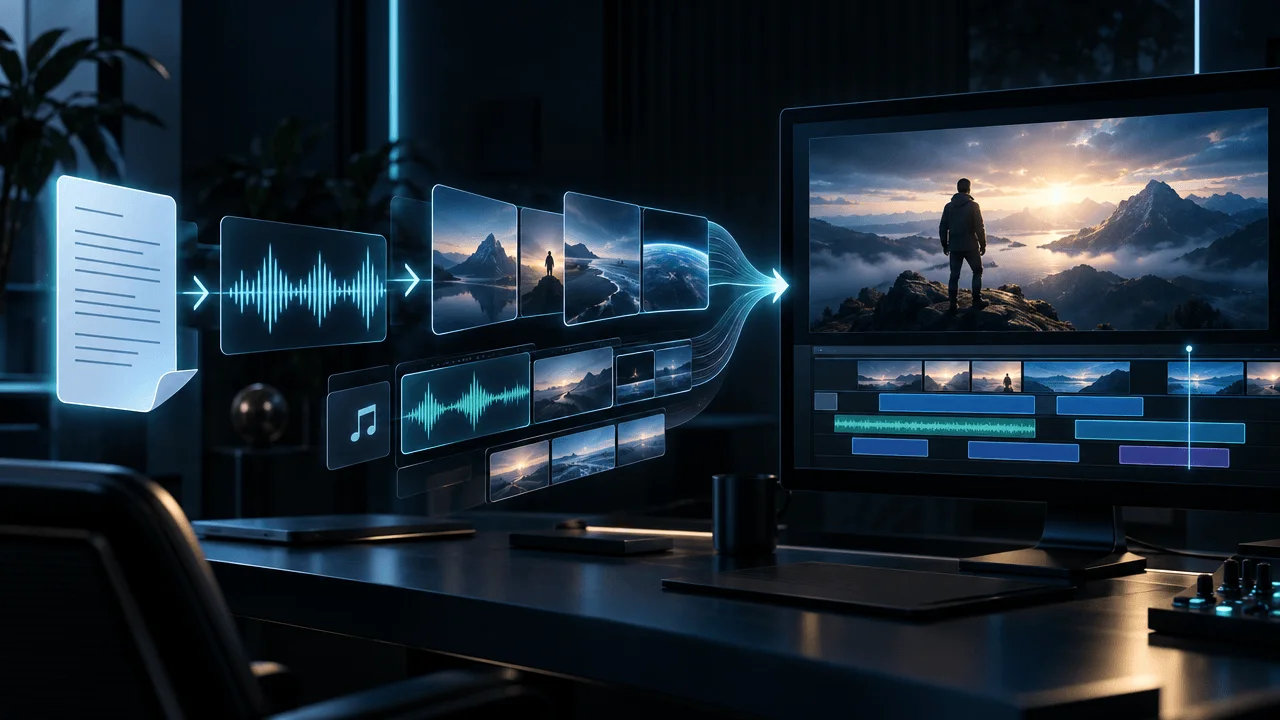
OverseerOS Auto Edit begins with the narration rather than generating an arbitrary video length from a prompt.
The production flow is:
script
→
voiceover
→
scene structure
→
visual prompts
→
visuals
→
motion + captions + music + FX
→
export
The important part for pacing is:
the voiceover provides the timeline first.
That allows scene boundaries to follow the actual narration rather than estimated sentence length.
Auto Edit can then turn narration into scene-by-scene production blocks while preserving the relationship between:
- words
- timing
- visuals
- style
- motion
This matters because a 1,500-word script is not simply:
1,500 words of visuals.
It may become:
100+ separate visual decisions.
If you want the complete process, see how to turn a script into a video with AI.
If you are still planning the narration itself, see our guide to YouTube script length and word count.
The Practical Scene-Pacing Workflow
Use this process for your next faceless video.
1. Finish the Narration
Do not finalize scene timing from word count alone.
2. Listen to the Voiceover
Mark where the meaning changes.
3. Create the First Scene Map
Do not generate visuals yet.
4. Ask What Each Scene Must Communicate
Write a one-line visual purpose.
5. Remove Redundant Scene Changes
If two consecutive scenes communicate the same thing:
merge them.
6. Split Overloaded Scenes
If one scene contains three different ideas:
split it.
7. Make the Opening Slightly Denser
Prioritize visual progress in the first 30 seconds.
8. Let Important Evidence Stay Longer
Do not rush information the viewer needs to inspect.
9. Add Motion Before Adding More Assets
A useful image may only need:
- push
- pan
- crop
- highlight
- animation
10. Review the Entire Sequence
Scene pacing only makes sense in context.
11. Look for Rhythmic Monotony
If every scene lasts:
exactly four seconds
change the rhythm.
12. Look for Dead Visual Time
If a visual has finished its job:
move on.
The 5-Question Scene Test
Before approving any scene, ask:
- What is the viewer hearing?
- What do they need to see to understand it?
- How quickly can they understand this visual?
- Does anything meaningful change if I keep it longer?
- What should they see next?
If you can answer those five questions, scene timing becomes much easier.
The Biggest Visual-Pacing Mistakes
Mistake 1: Using a Fixed 4-Second Timer
This creates mechanical pacing.
Fix:
cut according to meaning.
Mistake 2: Holding Every Image Until the Sentence Ends
Long sentences can produce painfully static visuals.
Fix:
split complex narration into visual beats.
Mistake 3: Cutting Every Sentence
Several sentences may describe one visual idea.
Fix:
merge when the picture still works.
Mistake 4: Changing Images Without Adding Information
The video moves but does not progress.
Fix:
make each visual change earn its place.
Mistake 5: Showing Complex Visuals Too Briefly
Viewers cannot inspect them.
Fix:
give evidence reading time.
Mistake 6: Using the Same Pace for the Entire Video
The viewer begins to feel the pattern.
Fix:
vary scene duration with the story.
Mistake 7: Copying Shorts Pacing Into Long-Form
Twenty minutes of maximum intensity becomes exhausting.
Fix:
use rhythm, not permanent acceleration.
Mistake 8: Trying to Fix a Weak Script With More Cuts
Editing cannot manufacture substance.
Fix:
make the idea progress first.
The Visual-Pacing Checklist
Before exporting your next video:
- The opening has no unnecessary static moments.
- Each scene has a clear purpose.
- Scene boundaries follow meaning rather than punctuation.
- Complex visuals stay long enough to understand.
- Simple visuals do not remain after their information is exhausted.
- The video does not cut at one perfectly uniform rhythm.
- Important reveals receive visual emphasis.
- Maps and charts evolve with the explanation.
- Visuals match what the narrator is currently saying.
- Generated images are not being swapped merely to create movement.
- Motion is used when a second image is unnecessary.
- Long scenes have a deliberate reason to be long.
- Fast scenes have a deliberate reason to be fast.
- The first 30 seconds feel slightly denser than the body.
- The viewer always has something relevant to look at.
- The final sequence feels directed rather than automatically generated.
Final Answer
So, how often should visuals change in a YouTube video?
For narration-heavy long-form content:
Start around one main scene every 3 to 5 seconds, then adjust according to the information, emotion, and complexity of each moment.
In our analysis of:
4,412 scenes across 33 completed long-form Auto Edit sessions
the pooled median scene lasted:
3.62 seconds.
When each video received equal weight, the median was:
3.70 seconds.
The middle half of videos had median scene durations between:
3.30 and 4.32 seconds.
The opening was slightly faster:
3.20 seconds
versus:
3.70 seconds
after the first 30 seconds.
But the number is not the strategy.
The strategy is:
Keep changing what the viewer sees when the story gives you a reason to change it.
Use faster scenes when the story accelerates.
Hold longer when the viewer needs to inspect, understand, or feel something.
Use motion when the visual is still useful.
Change the visual when its job is finished.
That is the difference between:
a video with lots of cuts
and:
a video with good pacing.
FAQ
How often should visuals change in a YouTube video?
For narration-heavy long-form YouTube videos, one main scene every three to five seconds is a useful starting point. In an analysis of 4,412 timed scenes across 33 completed long-form Auto Edit sessions, the median scene duration was 3.62 seconds. This is a production benchmark, not a universal retention rule.
How long should each scene be in a YouTube video?
Many ordinary narration scenes can work in the three-to-six-second range, but scene duration should depend on what the viewer needs to understand. Simple images can be shorter, while maps, charts, documents, emotional moments, and demonstrations may need considerably more time.
How many scenes should a 10-minute YouTube video have?
It depends on the editing style. At an average of four seconds per scene, a ten-minute video would contain about 150 scenes. At five seconds, it would contain about 120. At six seconds, approximately 100.
Is changing visuals every 3 seconds good?
It can work for fast sections, hooks, action, or simple visual concepts. But forcing every scene to last exactly three seconds can make a long-form video feel frantic and mechanical. Vary the timing according to the narration.
Is changing visuals every 5 seconds good?
Five seconds is a reasonable starting point for many long-form narration scenes. Some moments should be shorter and others longer. The viewer should have enough time to understand the visual without being forced to stare at it after its purpose is complete.
How fast should visuals change in the first 30 seconds?
The opening can usually be slightly faster than the rest of the video. In our long-form production sample, the equal-weight median scene duration was 3.20 seconds in the first 30 seconds versus 3.70 seconds afterward.
Does faster editing increase YouTube retention?
Not automatically. Fast editing can remove dead visual time, but excessive cutting can also make a video harder to understand. Scene timing alone does not prove or cause retention. Compare your pacing with actual audience behavior on your own channel.
Should every sentence have a new visual?
No. Sentence boundaries are grammatical rather than visual. One sentence can contain multiple visual ideas, while several sentences can sometimes be supported by one visual.
How long is too long for one image in a faceless YouTube video?
There is no universal limit. In our production sample, only about 1.3% of timed scenes lasted 12 seconds or longer, but a long scene can still work when the viewer is reading evidence, studying a map, watching movement, processing an emotional moment, or following a demonstration.
How long is too short for a YouTube scene?
A scene is too short when the viewer cannot understand what it is showing before it disappears. Very short scenes can work for montage and emphasis, but complex visuals need more viewing time.
How many scenes per minute should a YouTube video have?
Around 12 to 20 scenes per minute corresponds to average scene durations of approximately five to three seconds. There is no universal target. Use scene density as a production-planning metric rather than a guarantee of performance.
How many scenes per minute should a faceless YouTube video have?
A practical long-form starting range is roughly 12 to 20 main scenes per minute depending on the niche and visual complexity. Documentary and educational content may move more slowly, while fast explainers and hooks may move faster.
Should documentary videos change visuals every few seconds?
Often, but not mechanically. Documentary videos can use shorter scenes during action or reveals and longer scenes for photographs, evidence, maps, emotional moments, or explanations.
Do I need a completely new image for every visual change?
No. You can create visual progress with camera motion, crops, text, charts, animation, highlighted details, maps, or other changes inside the same main scene.
Why does my faceless YouTube video feel like a slideshow?
Common causes include holding static images too long, using unrelated visuals, changing images at a uniform rhythm, weak motion, poor alignment between narration and visuals, and generating decorative images instead of visuals that communicate something useful.
Is more B-roll always better?
No. B-roll should clarify, prove, contextualize, or emotionally support what the narrator is saying. More footage does not automatically create better pacing.
Should every visual change match the narration?
Usually, yes. The strongest scene changes happen when the narrator introduces a new subject, action, place, piece of evidence, comparison, emotional beat, or concept.
What is the difference between scene pacing and visual pacing?
Scene pacing measures how frequently the primary scene changes. Visual pacing is broader and also includes motion, zooms, text, graphics, animation, reframing, and information changes within a scene.
How do I know if a scene should stay longer?
Keep a scene longer when the viewer still has useful information to extract from it, the visual is evolving, the narration still refers directly to it, or the emotional moment benefits from space.
How do I know when to change a visual?
Change it when the current visual has completed its job and the narration introduces something the viewer would understand better by seeing something different.
What is the best visual pacing for faceless YouTube videos?
There is no universal ideal. A strong starting point for narration-led long-form videos is roughly one main scene every three to five seconds, with faster pacing for hooks and action and slower pacing for complex, emotional, or evidence-heavy moments.