Updated November 2, 2026 | 9 tools compared | Features and pricing checked against official sources
You record a 90-minute podcast.
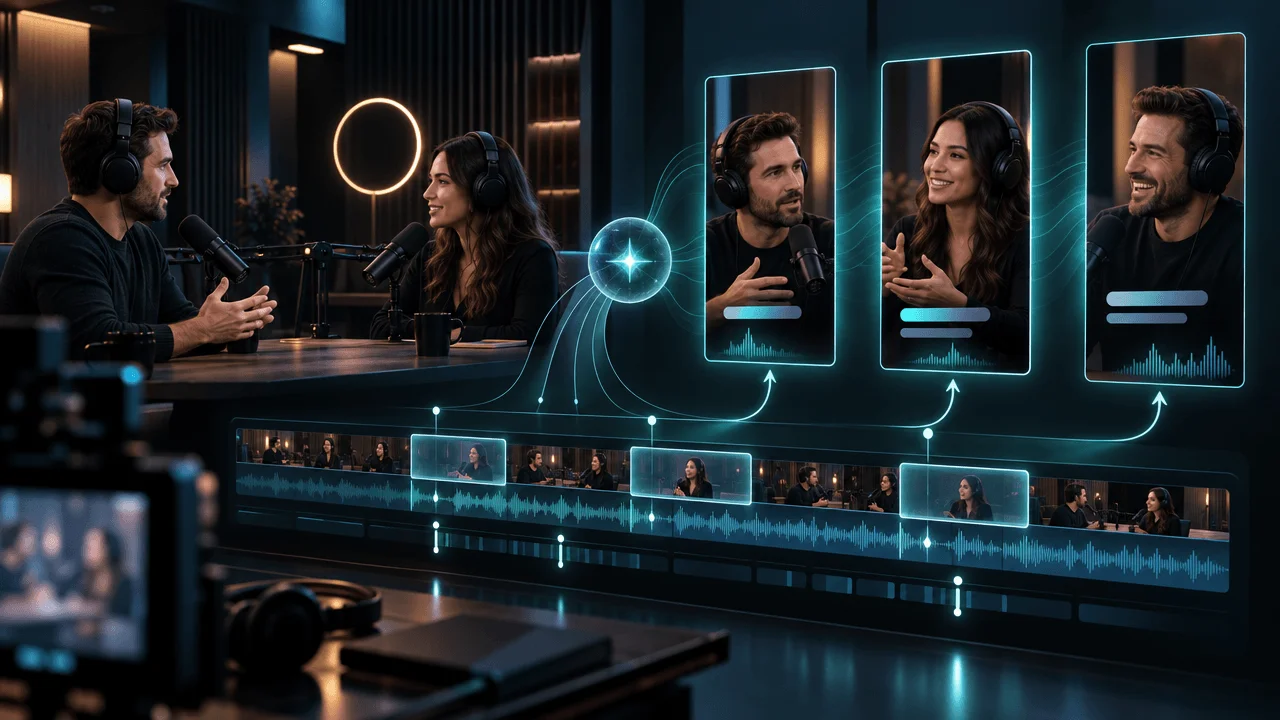
Somewhere inside it are probably several moments worth sharing: a surprising admission, a strong opinion, a useful explanation, or a story that works without the surrounding conversation.
Finding those moments is the hard part.
Then you still need to cut the footage, reframe the speakers for vertical video, fix captions, add branding, and prepare clips for YouTube Shorts, Instagram Reels, and TikTok.
AI podcast clip generators promise to automate much of that work.
But there's a difference between generating ten clips and finding ten clips people actually want to watch.
A tool might select a sentence that sounds exciting but makes no sense without the previous five minutes. It might crop the wrong speaker, introduce caption errors, or cut away before the payoff.
And some supposedly affordable tools charge based on how much source footage you upload, while others charge for the clips you generate.
We compared nine AI podcast clip generators using their documented features, current pricing, limitations, and suitability for real creator workflows.
The best AI podcast clip generators at a glance
Our top recommendations are:
- OpusClip: Best overall for automatically identifying highlights from long videos.
- Vizard: Best for clipping high volumes of podcast footage and managing social publishing.
- Descript: Best for editing full podcast episodes and repurposing them in the same workspace.
- Riverside: Best for recording interviews and generating clips without leaving the recording platform.
- Klap: Best for straightforward, clip-count-based pricing.
- Headliner: Best for audio-only podcasts and audiograms.
- Flowjin: Best for repurposing both audio and video into multiple content formats.
- Submagic: Best for polishing short clips with captions, effects, and branding.
- Podsqueeze: Best for podcast clips combined with show notes, transcripts, and promotional assets.
Our overall pick is OpusClip for video-first creators who primarily want automatic highlight discovery.
But if you already edit your full episodes in Descript or record interviews in Riverside, buying a separate clipping tool may add unnecessary cost.
And if your podcast is audio-only, Headliner or Podsqueeze may be a better fit than video-first clipping software.
Quick comparison: Features, pricing, and limitations
| Rank | AI podcast clip generator | Best for | Starting price | Main limitation |
|---|---|---|---|---|
| 1 | OpusClip | Automatic video highlight discovery | Free; Starter $15/month | Source-minute credits |
| 2 | Vizard | High-volume clipping and scheduling | Free; Creator around $29/month | Credit usage and free-plan limits |
| 3 | Descript | Full podcast editing and clips | Free; Hobbyist $24/month | Broader editor with AI usage limits |
| 4 | Riverside | Recording and clipping interviews | Free; paid plans available | Best value within Riverside's recording workflow |
| 5 | Klap | Fast automated clips with predictable output quotas | From $14/month billed annually | Clip quotas don't guarantee usable results |
| 6 | Headliner | Audio podcasts and audiograms | Free; Basic $9.99/month | Less focused on cinematic video clipping |
| 7 | Flowjin | Audio/video podcast repurposing | Free trial; Starter from $9.50/month annually | Processing-minute limits |
| 8 | Submagic | Captions and final clip polish | Starter $19/month | Long-video clipping costs extra |
| 9 | Podsqueeze | Podcast marketing asset bundles | Starter $8.99/month | Limited clip allowance |
Prices are advertised USD reference prices checked against official vendor pages in late October and early November 2026. Monthly versus annual billing is specified in the individual reviews. Plans, promotions, credit limits, and regional prices may change.
Which tool should you choose?
Choose OpusClip if your main task is uploading long podcast videos and finding promising excerpts automatically.
Choose Vizard if you regularly process hours of video and want clips, editing, social publishing, and team workflows together.
Choose Descript if you need to repair, restructure, and edit full episodes before creating clips.
Choose Riverside if you already record your podcast there.
Choose Klap if you prefer paying for a defined number of clips rather than calculating source-minute credits.
Choose Headliner if you produce an audio-first podcast and need audiograms.
The remaining tools serve more specialized workflows, which we'll explain below.
1. OpusClip: Best Overall AI Podcast Clip Generator
Best for: Video podcasters, interview channels, creator teams, and businesses converting long videos into Shorts.
Pricing: Free plan with 60 credits per month. Starter costs $15/month for 150 credits. Pro costs $29/month for 300 credits, or $14.50/month when billed annually at the advertised promotional rate.
Website: OpusClip
OpusClip is our top recommendation for creators whose main bottleneck is finding and producing short clips from long videos.
Its core workflow is straightforward.
Upload a video or import it from a supported source, let AI identify potential highlights, then review and export clips formatted for vertical social platforms.
But OpusClip's main advantage isn't simply trimming footage.
Its ClipAnything system can analyze visual action, dialogue, and other signals to identify candidate moments.
That makes it more flexible than a tool built exclusively around finding interesting spoken sentences.
Key features
OpusClip offers:
- Automatic highlight discovery.
- Prompt-guided clipping with ClipAnything.
- AI-generated virality scores.
- Smart speaker and subject reframing.
- Animated captions.
- Filler-word and silence removal.
- Social-ready vertical exports.
- Direct posting and scheduling.
- Team workspaces on eligible plans.
- Advanced exports and integrations on higher tiers.
The ability to direct clipping with prompts is particularly useful.
For example, rather than simply asking for the most exciting moments, you can search for a specific type of excerpt:
"Find the strongest explanation of why this business failed."
That helps when your editorial priorities differ from whatever the AI considers broadly entertaining.
What we like
OpusClip is designed around automatic discovery.
That's valuable when your team produces several long episodes every week.
Its higher-tier features also address practical publishing needs, including branding, scheduling, and more advanced editing handoffs.
Where it falls short
The biggest issue is that generated highlights still require editorial judgment.
An AI virality score is a proprietary estimate, not a verified prediction of future YouTube views.
A clip can score highly because it sounds dramatic while omitting the context that makes the statement accurate.
The pricing model is another consideration.
OpusClip charges credits against imported source footage, with approximately one credit per source-video minute.
A creator uploading four 60-minute episodes needs roughly 240 credits before considering additional processing.
The 150-credit Starter allowance would not cover that example.
Pros
- Strong automatic highlight-discovery workflow.
- Prompt-guided clip selection.
- Smart reframing and captions.
- Multiple supported import sources.
- Social publishing and scheduling options.
Cons
- Credits limit how much source footage you can process.
- The free plan includes a watermark and export restrictions.
- AI-selected moments can lack context.
- Virality scores should not be treated as performance guarantees.
Verdict: Best overall for creators who want to turn long-form video into batches of candidate Shorts with minimal manual searching.
Official source: OpusClip pricing and ClipAnything.
2. Vizard: Best for High-Volume Podcast Clipping and Social Publishing
Best for: Podcast networks, agencies, social media teams, and creators regularly repurposing long recordings.
Pricing: Free plan with 60 credits/month. Creator pricing has been advertised around $29/month or $14.50/month when billed annually, with a standard 600-credit allowance. Confirm the live checkout price because Vizard's pricing display is dynamic.
Website: Vizard
Vizard combines AI clipping with a browser-based video editor and social publishing workflow.
Its appeal becomes clear when clipping is a recurring production task rather than an occasional experiment.
A podcast team might need to import several interviews, generate candidate clips, correct captions, apply consistent branding, and schedule selected videos.
Vizard is built to support that sequence.
Key features
- Automatic long-video clipping.
- AI highlight selection.
- Speaker-aware reframing.
- Caption generation and translation.
- Text-based video editing.
- Timeline adjustments.
- Branded templates.
- Multiple export formats.
- Social scheduling on eligible plans.
- Team collaboration.
Why Vizard is attractive for agencies
Unlike a simple clip downloader, Vizard provides a workflow for processing footage and preparing it for publication.
Editors can adjust cuts and captions after the AI makes its selections.
That's important because automatic highlight selection is rarely perfect.
The ability to correct a promising clip is often more valuable than receiving twenty unusable drafts.
Pricing considerations
Vizard's published pricing documentation uses one credit per uploaded video minute.
The free tier includes 60 monthly credits, 720p exports, and limited storage.
Paid plans add watermark-free exports, higher resolutions, more storage, and publishing functionality.
For a weekly 60-minute podcast, 240 source minutes per month fits within a 600-credit allowance.
However, advanced AI features may have additional limits.
Pros
- Good combination of clipping, editing, and publishing.
- Useful for recurring content operations.
- Team-oriented workflow.
- Free entry option.
- Browser-based editing without complex software installation.
Cons
- Free-tier watermark and storage limitations.
- Source-minute credits require planning.
- Pricing varies by billing interval and selected allowance.
- Generated clips still need review for context and accuracy.
Verdict: Best for agencies and creators managing frequent podcast-to-Shorts production.
Official source: Vizard pricing and AI clipping features.
3. Descript: Best for Editing Full Podcasts and Creating Clips
Best for: Interview podcasters, educational creators, production teams, and anyone who wants one editor for the full episode and its short clips.
Pricing: Free plan available. Hobbyist costs $24 per person monthly, or $16/month billed annually. Creator costs $35 per person monthly, or $24/month billed annually.
Website: Descript
Descript has a different advantage from most dedicated clipping tools.
It starts with the full recording.
You can transcribe the episode, edit the spoken content through text, remove mistakes, improve audio, and create clips from the same project.
For a professional podcast workflow, that integration can be more valuable than a slightly cheaper standalone clipping subscription.
Key features
- Transcript-based video and audio editing.
- AI clip creation through Underlord.
- Automatic transcription.
- Filler-word removal.
- Studio Sound audio enhancement.
- Multitrack podcast editing.
- Caption generation.
- Visual layouts and branding.
- Screen recording and remote recording capabilities.
- AI-assisted editing and repurposing.
Why Descript stands out
Imagine recording a conversation with several interruptions and repeated answers.
Before clipping the episode, you want to remove tangents, tighten explanations, and clean the audio.
Descript lets you do much of that through its transcript.
You can then use Create Clips to identify promotional moments.
Each resulting clip remains editable within the broader project.
Where it falls short
Descript is a larger editing platform, not just a highlight generator.
That brings a learning curve.
It also introduces multiple usage measurements, including media hours and AI credits.
A creator who only needs to extract clips from one weekly podcast may prefer a narrower tool.
Pros
- Full episode and clips in one workspace.
- Strong transcript-based editing.
- Audio cleanup.
- Creative control over individual clips.
- Suitable for both audio and video podcasts.
Cons
- More complex than a one-click clip maker.
- Paid plans are priced per person.
- AI usage and media-hour limits require attention.
- Some workflows involve more hands-on editing.
Verdict: Best for podcasters who want to improve the full episode and create promotional clips without moving between multiple applications.
Official source: Descript pricing and Create Clips.
4. Riverside: Best for Recording Interviews and Generating Clips Together
Best for: Remote interview podcasts, video conversations, founders, educators, and interview-based YouTube channels.
Pricing: Free plan available. Riverside's published pricing page lists Standard from $15/month billed annually and Pro from $24/month billed annually, with higher month-to-month rates. Verify current checkout pricing and plan availability.
Website: Riverside
Riverside is particularly attractive if your podcast begins with remote recording.
Instead of recording in one platform, downloading files, and uploading them elsewhere for clipping, you can keep the workflow inside Riverside.
Its Magic Clips feature identifies candidate highlights from recordings and prepares them for social platforms.
Key features
- Remote podcast recording.
- Separate participant tracks.
- Magic Clips AI highlight discovery.
- Automatic transcription.
- Text-based editing.
- Speaker-focused layouts.
- Vertical, square, and landscape formats.
- Captions.
- Branded clip templates.
- High-resolution recording on eligible plans.
Why Riverside can be the smarter purchase
Suppose your current workflow is:
Record interview → download video → upload to clip generator → generate clips → export.
If you already pay for Riverside, using Magic Clips may eliminate the need for another subscription.
That's especially appealing when you produce weekly interviews with multiple guests.
Where it falls short
If you have a large archive of YouTube videos recorded elsewhere, a dedicated clipping tool may be more straightforward.
Riverside provides import and editing functionality, but its biggest economic advantage comes from combining recording and clipping.
Also, the more advanced clip controls depend on the plan.
Pros
- Recording and clipping in one platform.
- Separate guest tracks.
- AI-generated highlight suggestions.
- Built-in transcript editing.
- Useful layouts for interviews.
Cons
- Less compelling if you don't use Riverside to record.
- Free plan has quality and watermark restrictions.
- Higher-end recording and editing features require paid access.
- Clip selections still require human review.
Verdict: Best choice for interview podcasts already using Riverside.
Official source: Riverside Magic Clips and pricing.
5. Klap: Best for Simple, Clip-Based Pricing
Best for: Solo creators, short-form repurposing freelancers, and teams that prefer output quotas to source-minute calculations.
Pricing: Basic costs $29/month with monthly billing or $14/month billed annually. That plan advertises 100 clips per month. Higher tiers provide 300 or 1,000 clips.
Website: Klap
Klap focuses on automatically turning longer videos into shorter social-ready clips.
You can provide a YouTube URL or upload source footage.
The system identifies potential moments, produces vertical edits, adds captions, and prepares clips for social distribution.
Key features
- Automatic video clipping.
- YouTube URL importing.
- AI highlight selection.
- Vertical video reframing.
- Automatic captions.
- Clip scoring.
- Social publishing.
- Analytics and multiple social account connections.
Klap's pricing makes it easier to think in terms of final generated clips.
Instead of asking how many hours of source footage you can upload, the advertised plans emphasize monthly clip counts.
However, you still need to check accepted source length and other workflow limitations.
The important limitation
A plan that includes 100 generated clips does not promise 100 worthwhile clips.
A 45-minute podcast might contain three genuinely excellent standalone moments and several ordinary ones.
Automatically producing more clips doesn't create more compelling material.
Pros
- Straightforward clipping workflow.
- YouTube URL support.
- Clear clip-count pricing.
- Captions and reframing.
- Useful for repeatable repurposing.
Cons
- Free access is primarily a limited trial.
- Downloading and publishing require paid access.
- The quoted $14/month entry rate requires annual billing.
- Generated-clip quotas should not be confused with editorial quality.
Verdict: Best for creators who prefer an understandable clip-output allowance and straightforward automated clipping.
Official source: Klap pricing and AI Shorts Maker.
6. Headliner: Best for Audio-Only Podcasts and Audiograms
Best for: Audio-first podcasters, interview shows, educational podcasts, and creators promoting episodes without camera footage.
Pricing: Forever Free plan. Basic is advertised at $9.99/month and Pro at $25.99/month with monthly billing.
Website: Headliner
Headliner is one of the most relevant choices for audio-only podcasts.
Many AI clip generators assume you have video of the speakers.
But what if your podcast is audio-only?
You need something else: a visual format that presents the audio in a compelling way.
Headliner specializes in audiograms, captions, podcast promotion, and related video assets.
Key features
- Audiogram creation.
- Audio waveform animations.
- Podcast transcription.
- Captioned videos.
- Automatic podcast imports.
- Templates and branding.
- Video clipping.
- Social and YouTube publishing.
- Podcast-focused promotion tools.
What is an audiogram?
An audiogram combines audio with a visual presentation.
It may contain:
- Cover artwork.
- Animated audio waveforms.
- Captions.
- Speaker information.
- Background graphics.
This gives audio-only content a visual format suitable for social distribution.
Why Headliner stands out
If your podcast is an audio conversation, you don't necessarily need realistic AI avatars or an invented talking-head video.
A clean audiogram can communicate the conversation without pretending the recording contains visuals it doesn't have.
Pros
- Built for audio podcasts.
- Useful free plan.
- Audiogram and caption workflows.
- Podcast-oriented automation.
- Branded templates and publishing features.
Cons
- Less specialized for complex multicamera video clipping.
- Free outputs have watermark or other limits.
- Audiograms may need more creative variation for visually competitive Shorts.
- Advanced options require higher tiers.
Verdict: Best for turning audio-only podcast highlights into captioned promotional videos.
Official source: Headliner pricing.
7. Flowjin: Best for Repurposing Audio and Video Into Multiple Assets
Best for: Podcast marketers, business owners, educators, and teams that want more than video clips.
Pricing: Free trial with a one-time 60-minute processing allowance. Starter is advertised at $19/month, or $9.50/month billed annually, for 150 source minutes per month.
Website: Flowjin
Flowjin combines AI clip generation with broader content repurposing.
Its workflow can begin with either audio or video.
The system identifies potentially useful sections and produces promotional content for different channels.
Key features
- Audio and video importing.
- AI highlight generation.
- Reframed video clips.
- Audio-friendly social formats.
- Quote graphics.
- Social copy generation.
- Video editing.
- Multiple aspect ratios.
- Social repurposing workflows.
Why this is useful
A podcast episode is more than a source of Shorts.
It can also contain:
- Quotes for LinkedIn.
- Explanations worth turning into written posts.
- Short-form video moments.
- Educational highlights.
- Promotional captions.
Flowjin is useful when one recording must support several marketing formats.
Pricing consideration
The free allowance is a one-time trial, not a recurring monthly allowance.
The Starter plan includes 150 minutes of source processing.
For four 60-minute episodes, that allowance would be insufficient.
Also, check the actual live plan comparison before paying, because publicly accessible Flowjin pricing descriptions have not always presented their higher-tier processing allowances consistently.
Pros
- Audio and video support.
- Multiple repurposing formats.
- AI highlight selection.
- Low annual-billing entry price.
- Useful for content marketers.
Cons
- Source-minute limitations.
- Free processing allowance doesn't renew.
- Higher-tier limits need careful checkout verification.
- Less narrowly focused than dedicated podcast-video clipping software.
Verdict: Best for turning podcast recordings into several kinds of social marketing content.
Official source: Flowjin pricing.
8. Submagic: Best for Captions and Final Clip Polish
Best for: Video editors, social media teams, agencies, and creators who want more engaging captions and visual presentation.
Pricing: Starter $19/month, Pro $39/month, and Business $69/month on monthly billing. Long-video Magic Clips is advertised as an additional $19/month add-on with ten video uploads.
Website: Submagic
Submagic is frequently included in lists of AI podcast clipping tools.
But an important distinction gets lost in many comparisons.
Submagic's core subscription focuses on editing and polishing short-form videos. Automatic clipping of long videos is a separate workflow.
This matters when comparing real costs.
Key features
- AI-generated captions.
- Animated caption styles.
- Text-based trimming.
- AI B-roll.
- Automatic zooms on eligible plans.
- Filler-word and silence removal.
- Audio cleanup.
- Branding controls.
- Social publishing.
- Long-video Magic Clips functionality through its add-on.
What Submagic is particularly good for
Imagine you already have a strong 45-second excerpt from a podcast.
The content is good.
But it needs:
- Cleaner captions.
- Better visual pacing.
- Strategic zooms.
- Supporting B-roll.
- Stronger branding.
That's the use case where Submagic is most relevant.
The hidden pricing distinction
A $19/month Starter subscription is not the same as a complete long-podcast clipping package.
Submagic's official help center states that the Magic Clips add-on costs an additional $19/month.
So a creator who specifically needs that add-on should budget around $38/month at the published monthly rates, subject to current plan eligibility and checkout terms.
That's different from tools whose core subscriptions already include long-video highlight discovery.
Pros
- Strong caption and visual-polish workflow.
- Useful branding options.
- Text-based editing.
- B-roll and effects.
- Can complement another clipping tool.
Cons
- Long-video clipping requires extra spending.
- Entry plans restrict video length.
- Feature availability depends on tier.
- Better positioned as a finishing tool than a dedicated podcast discovery system.
Verdict: Best for creators who have selected their clips and want to improve presentation quality.
Official source: Submagic pricing and Magic Clips pricing documentation.
9. Podsqueeze: Best for Podcast Clips Plus Show Notes and Promotional Content
Best for: Independent podcasters, small podcast agencies, and creators who need a complete episode-marketing package.
Pricing: Starter $8.99/month with 120 podcast minutes and eight video clips or audiograms. Pro $49/month with 320 minutes and twenty clips or audiograms.
Website: Podsqueeze
Podsqueeze approaches the problem from a podcast-marketing perspective.
It doesn't focus exclusively on generating video highlights.
Instead, it helps creators repurpose recorded episodes into multiple promotional and publishing assets.
Key features
- Podcast transcription.
- Short video clips.
- Audiograms.
- Show notes.
- Quote images.
- Podcast landing pages.
- Audio enhancement.
- Transcript chat.
- Podcast editing tools.
- Marketing content generation.
Why Podsqueeze is useful
Suppose you publish a weekly business interview.
Beyond the episode itself, you need:
- A description.
- Show notes.
- Promotional quotes.
- Social content.
- Short clips.
- Audiograms.
Creating each asset in a different tool adds overhead.
Podsqueeze aims to consolidate much of that work.
The limitation
Its Starter plan allows 120 minutes of podcast processing and eight clips or audiograms.
That's a relatively modest allowance.
For a weekly 60-minute show, four episodes would require approximately 240 source minutes.
You'd need to evaluate a higher plan or a different service.
Pros
- Podcast-specific workflow.
- Audio-friendly promotional content.
- Show notes and related assets.
- Clear entry pricing.
- Suitable for smaller podcast operations.
Cons
- Starter source-minute allowance is limited.
- Clip count is capped.
- Not primarily a professional multicamera video editor.
- Advanced publishing and agency requirements may need higher tiers.
Verdict: Best for podcasters who want clips, audiograms, and promotional material from the same episode.
Official source: Podsqueeze pricing.
AI Podcast Clip Generator Pricing: The Four-Episode Test
This is where pricing comparisons become interesting.
Imagine a podcast publishes:
Four episodes per month, each 60 minutes long.
That's 240 minutes of source footage every month.
The creator wants roughly five usable Shorts from each episode.
That's twenty finished clips per month.
The same workload can create very different costs because vendors measure usage differently.
What would that workload require?
| Tool | Published entry allowance | Does it cover 240 source minutes? |
|---|---|---|
| OpusClip Starter | 150 credits, approximately 150 source minutes | No |
| OpusClip Pro | 300 credits | Yes, for the base source processing |
| Vizard Creator | Common advertised allowance of 600 source-minute credits | Yes, subject to current checkout |
| Klap Basic | 100 generated clips | Potentially, but verify source-input limits |
| Descript Hobbyist | 10 media hours plus AI credits | Media hours yes; AI operation quota must be checked |
| Riverside | Recording and clipping quotas by plan | Depends on recording/import workflow |
| Headliner | Podcast/audio workflow limits by plan | Depends on format and export needs |
| Flowjin Starter | 150 processing minutes | No |
| Submagic | Short-video limits; long-video add-on separately | Depends on add-on limits and episode eligibility |
| Podsqueeze Starter | 120 processing minutes and 8 clips | No |
| Podsqueeze Pro | 320 processing minutes and 20 clips | Yes, based on published quotas |
Illustrative workload comparison, not a live checkout quotation. Some plans include additional conditions involving recording hours, file lengths, processing limits, exports, or credits.
What does this tell us?
The cheapest advertised subscription isn't necessarily the cheapest workable plan.
A $9 subscription that only processes two hours per month cannot cover four hours of source footage.
Likewise, a $14 clip-based plan might be excellent if your content and usage fit its input requirements.
But the output allowance tells you little about whether the resulting clips will be worth publishing.
A better cost metric
Calculate:
Effective cost per usable published clip = Total clipping software cost ÷ Number of clips that pass editorial review
Suppose Tool A costs $15 per month and produces twenty candidate clips.
Only five are good enough to publish.
Its effective software cost per usable clip is:
$15 ÷ 5 = $3 per usable clip
Now suppose Tool B costs $29 and produces fifteen candidate clips.
Ten are usable.
Its effective software cost is:
$29 ÷ 10 = $2.90 per usable clip
Tool B costs more per month but slightly less per publishable clip.
That's before accounting for editing labor.
The real metric that matters
For teams, add the time required to:
- Review generated clips.
- Fix missing context.
- Correct captions.
- Repair speaker framing.
- Adjust branding.
- Export.
- Schedule or publish.
The best clip generator reduces the total cost of publishing good content, not merely the price of generating draft clips.
Audio-Only Podcasts vs. Video Podcasts: Which AI Tool Should You Use?
A common mistake is comparing these formats as though they're identical.
They aren't.
Video podcasts
The source recording contains actual footage of speakers.
You may need:
- Automatic highlight discovery.
- Speaker detection.
- Vertical reframing.
- Multicamera layouts.
- Captions.
- Social exports.
Best starting points: OpusClip, Vizard, Riverside, Klap, and Descript.
Audio-only podcasts
The source contains narration or conversation without camera footage.
You may need:
- Audiograms.
- Animated waveforms.
- Cover artwork.
- Captions.
- Quote graphics.
- Supporting stock or generated visuals.
Best starting points: Headliner, Flowjin, and Podsqueeze.
Descript is also useful when the audio itself needs substantial editing.
The distinction matters
A video-first clipping tool may be excellent at detecting the active speaker.
But if there is no speaker footage, that feature doesn't solve the actual production requirement.
Choose a tool designed for your source format.
How to Turn a Long Podcast Into YouTube Shorts Using AI
A good workflow involves more than uploading a recording and accepting everything the AI generates.
Here's a practical process.
Step 1: Prepare the source recording
Start with a clear audio or video file.
If possible, remove major recording failures, long interruptions, and unusable sections.
Good source quality reduces unnecessary editing later.
Step 2: Identify the strongest standalone ideas
The best short clips communicate something valuable without forcing viewers to watch the full episode.
Look for moments containing:
- A specific lesson.
- A surprising answer.
- A compelling story.
- A clear disagreement with useful context.
- An actionable insight.
- A counterintuitive explanation.
- A memorable result or example.
Avoid selecting something purely because the speaker sounds excited.
Step 3: Generate candidate clips
Use your chosen tool to identify excerpts.
When supported, provide instructions about the intended audience and subject.
For example:
"Find complete explanations that are understandable without earlier conversation. Prioritize concrete examples and remove generic introductions."
Step 4: Check context carefully
This is the most important editorial step.
A podcast guest might say:
"That strategy destroyed the company."
But what strategy?
Which company?
What happened?
Without that context, the line may create curiosity but fail to communicate anything meaningful.
Either expand the clip to include the necessary setup or reject it.
Step 5: Fix the beginning and ending
The first seconds should communicate why the moment matters.
Remove unnecessary conversational setup.
But don't remove information essential to accuracy.
Similarly, a clip should end after its meaningful conclusion.
Avoid cutting off the actual answer just to manufacture suspense.
Step 6: Reframe the video
For a vertical Short, check whether the right speaker stays visible.
Interviews with two or three participants can create framing errors.
Choose between:
- Active-speaker framing.
- Split-screen.
- Stacked speaker layouts.
- Wider shots when both speakers matter.
Step 7: Correct captions
AI captions may fail on:
- Proper nouns.
- Technical terminology.
- Company names.
- Accents.
- Numbers.
- Acronyms.
- Overlapping dialogue.
Review the transcript before publishing.
Step 8: Export and publish
Choose the correct aspect ratio and duration.
YouTube supports eligible square or vertical Shorts up to three minutes.
For current classification and eligibility details, see YouTube's official three-minute Shorts guidance.
Step 9: Measure results
Don't judge the process by how many clips were generated.
Evaluate actual published performance.
Track:
- Views.
- Engaged views.
- Stayed-to-watch rate.
- Average view duration.
- Average percentage viewed.
- Subscribers gained.
- Visits or conversions to the full episode.
Those metrics can help identify which types of moments are worth clipping again.
What Actually Makes a Podcast Clip Worth Publishing?
This is where AI clip-generation marketing often becomes misleading.
A tool can analyze a transcript, detect emotional language, and assign a virality score.
But those features don't guarantee viewer interest.
A more useful approach evaluates five editorial qualities.
1. Standalone comprehension
Can someone understand the point without watching the full podcast?
If not, the clip needs context.
2. Specificity
Does the clip communicate an actual insight?
Compare:
"Marketing has changed so much."
With:
"We reduced acquisition costs by removing half the steps from our signup flow."
The second statement offers a clearer idea.
3. A compelling opening
Does the clip begin with something relevant and interesting?
You don't need an artificial hook for every excerpt.
But viewers should quickly understand why the moment matters.
4. A satisfying payoff
Does the excerpt deliver the promised answer?
An interesting setup without a conclusion can frustrate viewers.
5. Accurate representation
Does the clip preserve what the speaker meant?
This is particularly important for discussions involving finance, health, law, politics, or controversial subjects.
A short excerpt can easily distort a nuanced statement.
The strongest clip is not necessarily the most dramatic moment. It's the strongest meaningful moment that survives being separated from the full conversation.
How to Test AI Podcast Clip Generators Before Paying
Most tool roundups compare pricing and feature lists.
Those are useful, but they don't establish how well the products work for your actual show.
A better approach is to run the same source material through two or three candidates.
The 60-minute comparison test
Choose one episode containing:
- At least two speakers.
- A few compelling stories.
- Several technical terms or names.
- One discussion that requires context.
- One emotional or humorous exchange.
- An example involving numbers.
- A section with interruptions or overlapping dialogue.
Before using any tool, identify five moments you consider good clip candidates.
This gives you a human reference.
Then evaluate the generated results.
Scorecard
| Criterion | Question | Score |
|---|---|---|
| Highlight quality | Did it identify the strongest meaningful moments? | 0–5 |
| Context accuracy | Did clips preserve the speakers' intended meaning? | 0–5 |
| Hook clarity | Would a new viewer understand the topic quickly? | 0–5 |
| Caption accuracy | Were names, terms, and numbers correct? | 0–5 |
| Reframing | Did the correct speaker remain visible? | 0–5 |
| Editing control | Could you repair poor clips without rebuilding them? | 0–5 |
| Export quality | Was the output usable for Shorts and Reels? | 0–5 |
| Workflow efficiency | How much human correction was required? | 0–5 |
Maximum: 40 points.
This is a proposed evaluation framework, not a benchmark we secretly ran across the nine products.
Record the real costs
For every tool, note:
- Source minutes consumed.
- Number of candidates generated.
- Number of usable clips.
- Human review time.
- Export restrictions.
- Total spend.
Then compare the results.
A tool that produces fewer clips but requires less correction may be the better purchase.
Common Mistakes When Repurposing Podcasts Into Shorts
Mistake 1: Publishing every AI-generated clip
Quantity is not proof of quality.
Reject excerpts that lack context, clarity, or a useful payoff.
Mistake 2: Trusting virality scores as predictions
AI virality scores are estimates generated by proprietary systems.
They're not guarantees of distribution.
Use them as an initial sorting signal, not as the final editorial decision.
Mistake 3: Ignoring the full conversation
A sentence may sound sensational when isolated.
Make sure the excerpt preserves the speaker's actual meaning.
Mistake 4: Cropping important visual information
A tool may focus on the speaker while removing a chart, demonstration, or visual reference.
Reframe manually when needed.
Mistake 5: Using attractive captions with factual errors
Animated captions aren't useful if they misrepresent the words.
Accuracy comes before decoration.
Mistake 6: Failing to connect Shorts to the full episode
A great clip can become a discovery point for the broader show.
Use relevant links, descriptions, channel organization, and available YouTube features to help interested viewers discover the full conversation.
Mistake 7: Repurposing footage without the necessary rights
A clipping tool doesn't grant copyright permission.
If you don't own the recording or have appropriate rights, generating a new crop or adding captions doesn't automatically make publication lawful.
YouTube's monetization policies also distinguish meaningful original content from reused or mass-produced material.
For Shorts longer than one minute, certain active Content ID claims can result in the video being blocked.
Review YouTube's copyright documentation before publishing third-party material.
How to Find Better Podcast Clip Ideas With OverseerOS
Most AI clipping tools answer one question:
Which moments from this recording should become clips?
A different question is equally valuable:
Which topics and formats already demonstrate audience demand on YouTube?
That matters before recording the next episode.
OverseerOS focuses on public YouTube research, channel analysis, topic planning, and video production.
It is not presented here as a dedicated automatic podcast highlight detector.
Instead, it can complement a clipping tool.
Step 1: Research promising video topics
Start with the OverseerOS YouTube Channel Analyzer.
Analyze channels in your niche and review the subjects, formats, and public performance of their strongest uploads.
Step 2: Identify breakout ideas
Explore the OverseerOS Viral Outlier Library.
Look for videos that substantially outperform a channel's typical results.
These may suggest promising questions or story angles worth investigating.
A breakout is a research lead, not a guarantee of future results.
Step 3: Prepare stronger episodes
Use the OverseerOS YouTube Content Planner to organize topics and production ideas.
A more focused episode can produce stronger standalone moments.
That's useful before any clipping software touches the recording.
Step 4: Repurpose the finished recording
Use OpusClip, Vizard, Descript, or another appropriate clipping product to identify and prepare excerpts.
Review those excerpts before publication.
Step 5: Build original supporting content
If the conversation reveals an especially promising topic, consider developing a separate original explanation, documentary, or educational video.
OverseerOS supports connected research, scripts, voiceovers, and faceless video production workflows.
That provides another way to expand a successful subject beyond simply extracting additional clips.
For a broader guide to the process, see Podcast to Shorts Generator: Turn Episodes Into Short-Form Video.
Frequently Asked Questions
What is the best AI podcast clip generator in 2026?
OpusClip is our best overall recommendation for automatic highlight discovery from long-form video podcasts. Vizard is a strong option for high-volume clipping, Descript for full-episode editing, and Riverside for integrated recording and clipping.
What is the best free AI podcast clip generator?
OpusClip and Vizard offer recurring limited free plans. Riverside and Headliner also have free options. Check watermark, storage, processing-minute, and export restrictions before choosing.
Can AI automatically turn a podcast into YouTube Shorts?
Yes. Several tools can identify candidate moments, trim footage, reframe speakers, add captions, and export short-form videos. Human review remains important for context, accuracy, and quality.
Can I turn a YouTube podcast into Shorts using only a URL?
Some tools, including OpusClip, Vizard, and Klap, support YouTube URL-based imports under their applicable plan and source restrictions. Only process content you have the necessary rights to use.
Which AI tool is best for clipping long podcasts?
OpusClip and Vizard are strong candidates because they are built around processing longer source videos and producing multiple short clips. The better choice depends on source-minute allowances, editing control, and publishing needs.
Is OpusClip better than Vizard?
OpusClip is our default recommendation for automated highlight discovery and prompt-guided clipping. Vizard is especially attractive for ongoing batch production, browser editing, scheduling, and team workflows. Neither was declared a measured quality winner through a controlled hands-on benchmark.
Is Klap cheaper than OpusClip?
Klap advertises a lower annual-billing entry price of $14/month, while OpusClip Starter is $15/month on monthly billing. However, the products meter usage differently, so actual value depends on how much source footage you process and how many clips you publish.
Can Descript make podcast clips automatically?
Yes. Descript's Underlord AI assistant supports Create Clips, which identifies candidate highlights from audio or video projects. You can then edit the results in Descript.
Does Riverside automatically generate podcast clips?
Yes. Riverside offers Magic Clips to identify highlights from recorded or imported content. Its strongest fit is an integrated record-edit-clip workflow.
Is Submagic an AI podcast clip generator?
Submagic supports long-video clipping through its Magic Clips add-on, but its core subscriptions focus heavily on captions and short-form video editing. Budget for the additional clipping feature when comparing prices.
What is the best AI clip generator for audio-only podcasts?
Headliner is a strong choice for audiograms and promotional audio clips. Flowjin and Podsqueeze are also designed to support audio-first podcast repurposing.
What is an AI audiogram?
An audiogram combines an audio excerpt with visuals such as cover artwork, animated waveforms, and captions. It allows audio-only podcasts to create video assets for social platforms.
How many Shorts should I make from one podcast episode?
There is no universal number. Select clips based on how many genuinely compelling, self-contained moments the recording contains. Five excellent clips may be more useful than twenty repetitive ones.
How long should podcast clips be for YouTube Shorts?
Choose the length needed to communicate the complete idea. YouTube supports eligible square or vertical Shorts up to three minutes. A shorter excerpt may work for a quick insight, while a longer clip may be necessary for context.
Do podcast clips need captions?
Captions can make clips more accessible and easier to follow, particularly in environments where viewers watch without sound. Review automatic captions for errors.
Do AI virality scores predict YouTube views?
No score guarantees future views. Treat proprietary virality ratings as editorial suggestions rather than validated forecasts.
Can I monetize AI-generated podcast clips on YouTube?
Potentially, provided the content meets YouTube's monetization requirements and you have the necessary rights. Reused or mass-produced material may create monetization problems. AI editing alone does not establish originality.
How much does AI podcast clipping cost?
Some tools have free tiers. Paid subscriptions in this comparison begin below $10 per month for certain podcast-focused workflows, while more advanced clipping and editing plans can cost $20–$40 or more. Compare actual usage limits rather than advertised entry prices alone.
Which podcast clip generator is best for agencies?
Vizard and OpusClip are strong candidates for repeatable clip production and publishing. Descript is especially useful when agencies also handle full-episode editing. Team permissions, client review, and account limits should determine the final choice.
Can I use AI podcast clipping tools for webinars and interviews?
Yes. Many of the tools support webinars, interviews, tutorials, and other long-form recordings. The most important requirement is that the source contains meaningful moments that work independently as short clips.
Final Verdict: Which AI Podcast Clip Generator Should You Choose?
For most video podcasters, start with OpusClip.
It offers a focused workflow for identifying highlights, generating social-ready clips, and reducing manual editing.
If you're managing high volumes of footage, compare it with Vizard.
If you also need to edit full episodes, consider Descript.
If you already record in Riverside, try Magic Clips before paying for another service.
For simpler output-based pricing, examine Klap.
For audio-only podcasts, start with Headliner, Flowjin, or Podsqueeze.
And if your main challenge is making selected clips visually polished, Submagic deserves consideration.
But don't buy a clipping tool because it promises to produce the largest number of clips.
Buy it because it helps your team identify, edit, and publish the most valuable moments with less wasted effort.
The real objective isn't twenty clips from every episode. It's finding the few moments that deserve to become videos of their own.
For creators who want to strengthen the research and planning behind their YouTube content, OverseerOS can help identify promising topics, analyze competing channels, and organize original content production.
Editorial Methodology and Sources
Research date: November 2, 2026.
This guide compares nine products using publicly available vendor pricing pages, product documentation, and published feature descriptions. It also considers the requirements of video podcasts, audio-only podcasts, YouTube Shorts production, agencies, and creator teams.
Evaluation factors: Highlight discovery, editing control, source-format compatibility, captions, speaker reframing, exports, pricing structure, and overall workflow suitability.
We did not conduct an identical paid, hands-on benchmark across all nine products. Rankings are reasoned editorial recommendations based on documented capabilities and intended use, not experimentally measured accuracy, speed, or video performance.
Official product sources:
- OpusClip pricing
- Vizard pricing
- Descript pricing
- Riverside Magic Clips
- Klap pricing
- Headliner pricing
- Flowjin pricing
- Submagic pricing
- Podsqueeze pricing
YouTube documentation:
- YouTube Shorts performance metrics
- Three-minute YouTube Shorts
- YouTube monetization policies
- YouTube copyright claims
Editorial independence and sponsorship disclosure: OverseerOS publishes this guide and offers related YouTube research and production tools. No paid placement was supplied as part of preparing this draft. Any subsequent sponsorship or affiliate relationship should be clearly identified, and commercial arrangements should not be presented as independent performance-testing evidence.