Most AI YouTube script generators make the same mistake.
They jump straight into the full script.
That sounds useful until you realize the structure is weak, the hook does not match the title, the sections drift, the examples feel random, and the final script sounds like a clean essay instead of a video people want to keep watching.
That is why the outline matters.
An AI YouTube script outline generator should not just give you bullet points. It should help you build the skeleton of the video before writing the full script: the hook, the viewer problem, the promise, the section order, the curiosity loops, the examples, the visual direction, and the CTA.
The best creators do not start with a blank script.
They start with structure.
This guide breaks down what an AI YouTube script outline generator should do, what most outline tools miss, and how to build a script structure that gives the final video a better chance before production starts.
Key Takeaways
- An AI YouTube script outline generator helps you plan the structure of a video before writing the full script.
- Most free outline generators create basic bullet points, but YouTube needs more than “intro, main points, conclusion.”
- A strong YouTube script outline should connect the title promise, thumbnail direction, hook, viewer problem, retention flow, examples, visual notes, and CTA.
- The outline should be created after research and packaging direction, not before the video idea is validated.
- YouTube’s own Inspiration tab can help creators brainstorm ideas, titles, thumbnails, and outlines, but YouTube says AI-generated outputs may vary in quality. Source: YouTube Help
- OverseerOS helps creators build from proven channel patterns, then turn those patterns into titles, thumbnails, scripts, voiceovers, and content plans.
- The goal is not to write faster. The goal is to stop producing scripts with weak structure.
What Is an AI YouTube Script Outline Generator?
An AI YouTube script outline generator is a tool that turns a video idea into a structured outline before the full script is written.
A basic outline generator usually creates:
- Intro
- Main points
- Subtopics
- Conclusion
- CTA
That is useful, but it is not enough for YouTube.
A real YouTube script outline should include:
- The viewer problem
- The title promise
- The thumbnail promise
- The opening hook
- The first 30-second structure
- The section order
- The curiosity loops
- The examples or proof
- The emotional pacing
- The visual direction
- The CTA
- The retention risk points
A normal outline says:
Section 1: Explain the problem.
A YouTube-native outline says:
Section 1: Show the viewer why their current workflow is broken by comparing a random AI script to a structured YouTube outline. This section must create the belief shift: “The script is not bad because the AI is bad. It is bad because the structure was never designed.”
That is the difference.
One gives you headings.
The other gives you a video.
Why You Should Outline Before Writing the Full Script
Writing the full script too early feels productive.
But it often creates expensive problems later.
If the outline is weak, the full script usually becomes:
- Too slow
- Too generic
- Too linear
- Too repetitive
- Too educational without curiosity
- Too disconnected from the thumbnail
- Too hard for the editor to visualize
- Too weak in the first 30 seconds
An outline lets you fix the video while it is still cheap to fix.
Before you write 2,000 words, you can ask:
- Does the hook prove the title?
- Does the first section create enough tension?
- Does each section have a purpose?
- Are there enough examples?
- Is the pacing too flat?
- Is the CTA natural?
- Can the editor understand what to show?
- Does the video build toward a clear belief shift?
A full script hides structural problems under more words.
An outline exposes them early.
AI YouTube Script Outline Generator vs Full Script Generator
A script outline generator and a full script generator solve different problems.
| Tool Type | Best For | Output | Main Risk |
|---|---|---|---|
| AI YouTube script outline generator | Planning structure before writing | Hook, sections, examples, flow, CTA | Can be too generic if it ignores title and thumbnail |
| AI YouTube script generator | Writing the full narration | Complete script | Can write a long but weak script if the outline is bad |
| AI video brief generator | Planning the whole production | Title, thumbnail, hook, script, visuals, editor notes | Can be too broad if it does not go deep on script structure |
| AI content planner | Organizing topics and production | Ideas, calendar, pipeline, status | Can store ideas without improving the script |
The best workflow is not:
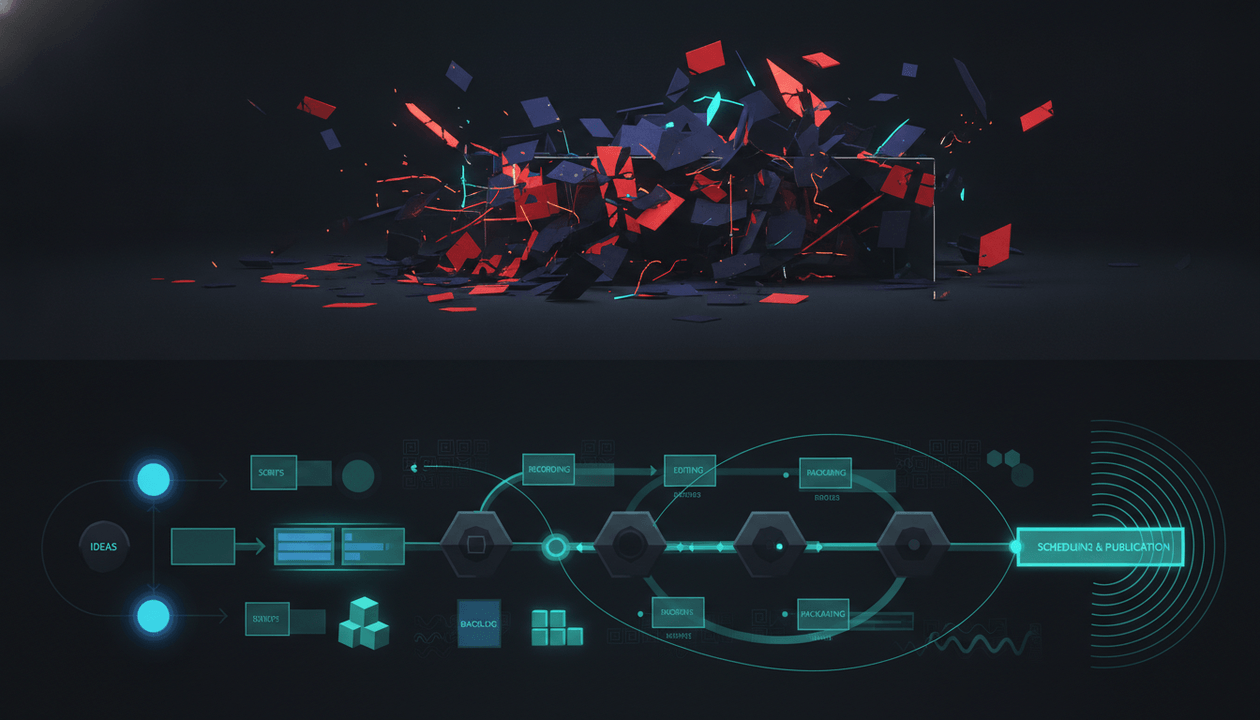
Idea → Full script → Thumbnail → Edit
The better workflow is:
Research → Title/thumbnail direction → Script outline → Full script → Voiceover → Edit
That order matters.
The outline is the bridge between strategy and writing.
Quick Verdict: Best AI YouTube Script Outline Tools
| Tool | Best For | Main Strength | Main Weakness |
|---|---|---|---|
| OverseerOS | YouTube-native strategy, outlines, scripts, and production planning | Builds from channel research, winning patterns, titles, thumbnails, scripts, voiceovers, and planners | Not a generic free prompt box |
| YouTube Inspiration tab | Brainstorming ideas, titles, thumbnails, and outlines inside YouTube Studio | Native YouTube ideation support | AI outputs may vary in quality and still need strategy |
| HyperWrite YouTube Script Outline Generator | Fast outline generation from topic and audience | Simple, direct outline workflow | Basic input can lead to generic structure |
| RyRob YouTube AI Script Generator | Free outline-style script help | Quick starting point for creators | Less YouTube-strategy depth |
| TubeMagic Script Outline Generator | Script outline inside a broader YouTube AI tool suite | Useful for YouTube creators who want script templates | Still needs strong research and packaging direction |
| StudioBinder YouTube Script Generator | Structured scripts with production-friendly features | Segments, runtime, visuals, collaboration | More script production-oriented than YouTube growth strategy |
| ChatGPT | Flexible custom outlines | Can produce strong outlines with the right prompt | Generic prompts create generic scripts |
What Most Script Outline Generators Miss
Most outline generators are built around the wrong question.
They ask:
What is your topic?
Then they generate:
Introduction, point one, point two, point three, conclusion.
That is not enough.
A serious YouTube outline needs to answer a better set of questions.
1. Why Would Someone Click?
The outline should start from the title and thumbnail promise.
If the video title is:
I Studied 100 Faceless Channels. These 7 Formats Still Work
The outline cannot start with:
Faceless YouTube is a popular way to create content without showing your face.
That is dead.
The title promised research, patterns, and proof.
The outline should start with something like:
Open with the contrast between two faceless channels in the same niche: one uploads constantly and gets no traction, while another repeats a specific format and breaks out. Introduce the central idea: most creators copy topics, but winners repeat formats.
Now the outline supports the click.
2. What Viewer Problem Is Driving the Video?
A YouTube outline should not be built around information only.
It should be built around a viewer problem.
Topic:
YouTube scripts
Viewer problem:
My scripts are organized, but people still leave early.
Topic:
AI tools
Viewer problem:
I have too many AI tools and no workflow that actually produces better videos.
Topic:
Thumbnail design
Viewer problem:
My thumbnails look clean, but nobody clicks.
The viewer problem decides the emotional tension of the video.
Without that, the outline becomes a school essay.
3. What Is the Belief Shift?
A strong YouTube video changes what the viewer believes.
Before:
I need a better AI script writer.
After:
I need a better script structure before I generate the full script.
Before:
My editor is the problem.
After:
My production brief is unclear.
Before:
My niche is dead.
After:
My format is weak.
A good outline should define this belief shift before writing.
That is what gives the video direction.
4. Where Are the Curiosity Loops?
Most AI outlines are too flat.
They explain everything in a logical order, but they do not create reasons to keep watching.
A stronger outline includes open loops.
Examples:
- “The third mistake is the one that makes most AI scripts sound fake.”
- “The outline looks simple, but one missing section ruins the whole video.”
- “Before we write the hook, we need to fix the promise.”
- “This is where most creators accidentally disconnect the thumbnail from the script.”
Curiosity loops should not be cheap clickbait.
They should create forward motion.
5. What Should the Editor Show?
A YouTube script outline should help production, not just writing.
For each section, add visual direction.
Weak:
Explain the three-part outline.
Strong:
Show three connected cards: Title Promise → Hook → Section Flow. Highlight how a weak outline skips the promise and jumps straight into talking points.
This makes the final video easier to edit.
The 9-Part AI YouTube Script Outline Framework
A strong AI YouTube script outline should include these 9 parts.
1. Title Promise
Start with the promise.
| Field | Example |
|---|---|
| Working title | AI YouTube Script Outline Generator: Build the Structure Before Writing |
| Viewer expectation | They want a better way to structure scripts before generating the full draft |
| Promise | Show how to turn one idea into a retention-aware YouTube outline |
| Risk | The video could become generic if it only lists outline steps |
The title promise is the target.
Everything in the outline should support it.
2. Thumbnail Promise
Even if the thumbnail is not final, define the visual direction early.
| Field | Example |
|---|---|
| Main visual | Messy AI script vs clean script structure |
| Thumbnail text | FIX THE OUTLINE |
| Emotion | Clarity, control, relief |
| Curiosity gap | What part of the outline fixes weak scripts? |
The title and thumbnail should create the same question.
If they create two different questions, the script will feel disconnected.
3. Hook Plan
The hook should prove the promise immediately.
Use this structure:
| Hook Element | Purpose |
|---|---|
| Opening line | Break the pattern |
| Problem | Show what is broken |
| Stakes | Explain why it matters |
| Proof or contrast | Make the issue visible |
| Open loop | Give viewers a reason to continue |
| Transition | Move into the first section |
Example hook outline:
Open by saying most AI scripts are not bad because the AI cannot write. They are bad because the creator skipped the outline. Show a weak AI script structure with generic sections, then contrast it with a YouTube-native outline built around title, thumbnail, hook, proof, examples, and retention flow.
This is much stronger than:
Today we will talk about how to outline a YouTube script.
4. Setup Section
The setup explains what most people get wrong.
For this topic, the setup might be:
Most creators ask AI to write a full YouTube script too early. They give it a topic, maybe a tone, and expect a great video. But AI fills the missing strategy with generic structure. That is why the script sounds clean but forgettable.
The setup should create the “aha.”
It should make the viewer feel:
That is exactly what I have been doing wrong.
5. Main Framework
This is the core teaching section.
For a script outline video, the framework could be:
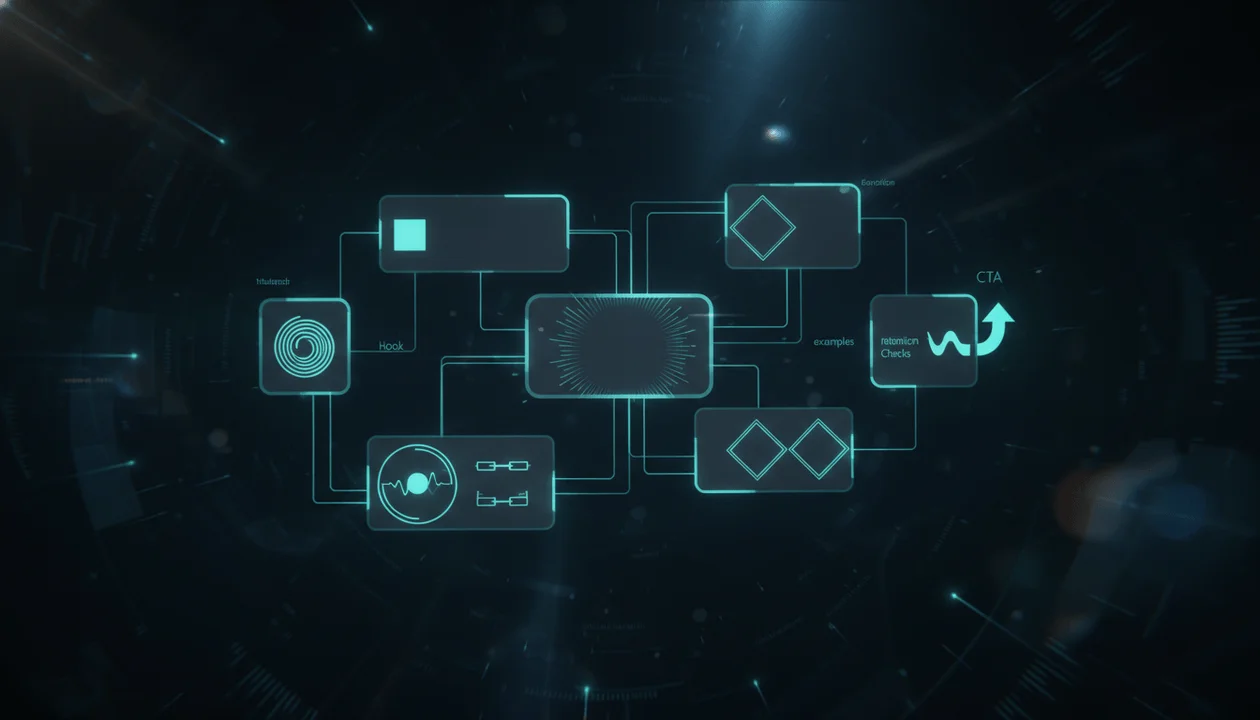
- Start with the title promise.
- Define the viewer problem.
- Build the hook.
- Map the section flow.
- Add proof and examples.
- Add visual notes.
- Add retention checks.
- Only then write the full script.
This turns the video into a system.
Not random tips.
6. Examples
Every strong outline needs examples.
Do not just say:
Make stronger hooks.
Show weak vs strong.
Weak outline:
Intro: Explain why thumbnails matter.
Point 1: Use bright colors.
Point 2: Use short text.
Point 3: Use contrast.
Outro: Subscribe.
Strong outline:
Hook: Show two thumbnails from the same niche, one clean but boring, one curiosity-driven.
Setup: Explain why good design is not the same as clickable packaging.
Section 1: One focal point.
Section 2: Title-thumbnail tension.
Section 3: Visual proof or emotional contrast.
Mistake section: Too many elements, unclear text, no visual question.
CTA: Test your next thumbnail against these rules before publishing.
Examples make the framework real.
7. Retention Checks
A strong outline should include moments where the viewer might leave.
Ask:
- Is the intro too slow?
- Does section two repeat section one?
- Are examples spaced out?
- Is there a payoff after each open loop?
- Is the video too abstract?
- Does the ending introduce a clear next step?
Retention check example:
| Section | Retention Risk | Fix |
|---|---|---|
| Intro | Too much context before the problem | Open with contrast first |
| Framework | Feels like a list | Add examples between steps |
| Mistakes | Repeats earlier advice | Make each mistake specific |
| CTA | Feels bolted on | Tie CTA to the viewer’s next problem |
This is what most outline generators ignore.
8. Visual Direction
A YouTube outline should help the editor.
Add visual notes like:
- Show a messy script document
- Show title and thumbnail cards
- Use a simple before/after structure
- Add section labels
- Use zooms only on important examples
- Use diagrams for framework steps
- Avoid random stock footage
- Avoid generic AI robot visuals
Visual direction makes the outline production-ready.
9. CTA and Next Video
A good outline should not end with:
Don’t forget to like and subscribe.
That is lazy.
The CTA should match the viewer’s next step.
Examples:
| Video Topic | Strong CTA |
|---|---|
| Script outlines | “Before writing your next script, build the outline from the title promise first.” |
| Thumbnail strategy | “Test whether your title and thumbnail create the same question.” |
| YouTube research | “Research 5 competitor outliers before approving the topic.” |
| AI workflow | “Build the workflow before stacking more tools.” |
The CTA should feel like the natural conclusion of the video.
Full AI YouTube Script Outline Template
Copy this into your workflow.
VIDEO IDEA

Working topic:
Target channel:
Target viewer:
Video format:
Target length:
Main viewer problem:
Main promise:
Desired belief shift:

TITLE AND THUMBNAIL PROMISE

Working title:
Alternate title 1:
Alternate title 2:
Thumbnail concept:
Thumbnail text:
Main visual:
Curiosity gap:
What the viewer expects after clicking:

HOOK PLAN

Opening line:
Pattern interrupt:
Problem:
Stakes:
Proof or contrast:
Open loop:
Transition into section one:

SECTION FLOW

Section 1:
Purpose:
Key point:
Example:
Visual direction:
Retention risk:

Section 2:
Purpose:
Key point:
Example:
Visual direction:
Retention risk:

Section 3:
Purpose:
Key point:
Example:
Visual direction:
Retention risk:

Section 4:
Purpose:
Key point:
Example:
Visual direction:
Retention risk:

PROOF AND EXAMPLES

Competitor example:
Data/source:
Screenshot needed:
Comment insight:
Personal example:
Before/after comparison:

VISUAL NOTES

B-roll:
Screen recordings:
Diagrams:
On-screen text:
Caption style:
Motion notes:
What to avoid:

VOICEOVER NOTES

Tone:
Speed:
Emotion:
Emphasis:
Pause moments:
What to avoid:

CTA

Final takeaway:
Viewer next action:
CTA line:
Recommended next video:
Example: Weak Outline vs Strong YouTube Outline
Let’s say the topic is:
Best AI tools for YouTube creators
A weak AI outline might look like this:
Intro:
Talk about how AI tools help YouTubers.

Section 1:
AI tools for research.

Section 2:
AI tools for scripting.

Section 3:
AI tools for thumbnails.

Section 4:
AI tools for editing.

Conclusion:
Summarize the best tools and ask viewers to subscribe.
This is organized, but weak.
It has no angle.
No tension.
No title promise.
No thumbnail direction.
No retention flow.
No real viewer problem.
A stronger outline looks like this:
Title direction:
Most Creators Use AI Tools Wrong. Here’s the Workflow That Actually Works.

Viewer problem:
Creators are collecting AI tools but still producing average videos because the tools are disconnected.

Thumbnail direction:
Messy stack of tools vs clean YouTube production workflow.

Hook:
Open by saying most creators do not need more AI tools. They need the tools in the right order. Show the broken workflow: idea → AI script → random thumbnail → edit. Then show the better workflow: research → title/thumbnail → outline → script → voiceover → edit.

Section 1:
The tool-stack trap.
Purpose: Show why more tools do not fix weak strategy.
Visual: Messy dashboard of disconnected cards.

Section 2:
Research comes before writing.
Purpose: Explain why the best AI output starts with proven patterns.
Example: Competitor outlier becomes a video format.

Section 3:
Title and thumbnail shape the script.
Purpose: Show why packaging should come before the full draft.
Visual: Title card connected to hook and section flow.

Section 4:
The outline is the control system.
Purpose: Show how the outline prevents generic AI writing.
Example: Weak outline vs strong outline.

Section 5:
Turn the outline into a production brief.
Purpose: Connect writing to voiceover, visuals, and editing.

CTA:
Build your next script from research and structure before generating the full draft.
This is a video.
Not just a list.
How OverseerOS Helps Build Better YouTube Script Outlines
The best script outline does not start with a random prompt.
It starts with evidence.
That is where OverseerOS fits.
OverseerOS helps creators and teams:
- Analyze successful YouTube channels
- Study breakout videos
- Track competitors
- Find winning topics
- Build Smart Content Planners
- Generate titles
- Plan thumbnails
- Write scripts
- Generate voiceovers through the ElevenLabs-powered workflow
- Turn trends into script ideas
This matters because a script outline is only as strong as the strategy behind it.
If the input is:
Write an outline about productivity.
The output will usually be generic.
If the input is:
This competitor format is breaking out, the comments show viewers want a beginner version, the title promise is about fixing the first three hours of the day, and the thumbnail shows chaos vs control.
Now the outline has something to work with.
That is the real advantage.
OverseerOS helps you move from proven pattern to title, thumbnail direction, script structure, full script, and voiceover inside the same YouTube-native workflow.
If you want to stop generating generic scripts from blank prompts, use OverseerOS to build YouTube scripts from proven channel patterns.
Best AI YouTube Script Outline Tools Compared
OverseerOS
OverseerOS is the best fit if you want script outlines to come from YouTube strategy, not just a prompt.
It helps you analyze channels, study competitors, find breakout topics, create content planners, generate titles, plan thumbnails, write scripts, and generate voiceovers.
The strength is not only writing.
The strength is context.
A script outline built inside a YouTube-native workflow can connect:
- Competitor pattern
- Viewer problem
- Title
- Thumbnail
- Hook
- Script structure
- Voiceover
- Production plan
That is much stronger than a generic outline.
Best for:
- Creators who care about strategy
- Faceless channels
- YouTube agencies
- Multi-channel operators
- Teams that want repeatable production
- Creators who want to build from proven patterns
Main weakness:
OverseerOS is not trying to be a tiny free outline widget. It is better suited for creators who want a serious YouTube workflow.
YouTube Inspiration Tab
YouTube’s Inspiration tab helps creators generate and brainstorm suggestions for ideas, titles, thumbnails, and outlines with AI tools. YouTube also notes that AI-generated outputs may be inaccurate, inappropriate, or vary in quality, so creators should use discretion. Source: YouTube Help
Best for:
- Native YouTube brainstorming
- Quick idea suggestions
- Early outline inspiration
- Creators already inside YouTube Studio
Main weakness:
It is a brainstorming tool, not a complete production workflow. You still need to validate the idea, shape the title and thumbnail, build the hook, and turn the outline into a full production plan.
HyperWrite YouTube Script Outline Generator
HyperWrite’s YouTube Script Outline Generator is built to create structured script outlines from a video topic and target audience. Source: HyperWrite
Best for:
- Quick outlines
- Simple creator planning
- Starting from a topic and audience
Main weakness:
If the input is basic, the outline can still be basic. It does not automatically solve competitor research, title-thumbnail alignment, or YouTube-specific production strategy.
RyRob YouTube AI Script Generator
RyRob offers a free YouTube AI script generator positioned around creating detailed script outlines quickly. Source: RyRob
Best for:
- Free quick starts
- Simple outline drafts
- Creators who want an easy first version
Main weakness:
Good for momentum, but you still need to improve the structure with title promise, hook strategy, examples, visual direction, and retention checks.
TubeMagic Script Outline Generator
TubeMagic includes a Script Outline Generator as part of its AI YouTube script writing tools. It says users can input a video title or additional context and receive a high-level bullet-point outline. Source: TubeMagic
Best for:
- YouTube creators who want scripts and outlines
- Template-driven writing
- Tool-assisted script creation
Main weakness:
A bullet outline still needs strong strategic input. The outline should be checked against research, packaging, hook, and retention logic before becoming a full script.
StudioBinder YouTube Script Generator
StudioBinder’s YouTube script generator focuses on structured script creation, script segments, runtime, visuals, collaboration, and templates. Source: StudioBinder
Best for:
- Production-friendly script formatting
- Runtime planning
- Script collaboration
- Visual references and structured segments
Main weakness:
It is strong for script organization, but creators still need a YouTube growth strategy layer to decide what the script should be built around.
ChatGPT
ChatGPT can create excellent YouTube script outlines if you give it the right context.
But generic prompts create generic outlines.
Weak prompt:
Write me a YouTube script outline about AI tools.
Better prompt:
Create a YouTube script outline for a video titled “Most Creators Use AI Tools Wrong.” The target viewer is a faceless YouTube creator who has too many tools but no workflow. The thumbnail shows a messy tool stack vs a clean production system. Build the outline around the idea that research should come before scripting. Include hook, section purpose, examples, visual direction, retention risks, and CTA.
The tool is flexible.
The output depends on the strategy you provide.
The Best Workflow for AI YouTube Script Outlines
Use this workflow before writing the full script.
Step 1: Research the Idea
Do not outline a random topic.
First, research:
- Competitor videos
- Outlier topics
- Title patterns
- Thumbnail patterns
- Audience comments
- Search or browse intent
- Content gaps
If you need a structure for this, use the YouTube video research template.
Step 2: Choose the Title and Thumbnail Direction
The outline should not come before the promise.
Define:
- Working title
- Alternate titles
- Thumbnail concept
- Curiosity gap
- Viewer expectation
A script outline without a title and thumbnail promise is usually too generic.
Step 3: Build the Hook
The hook is not just the first line.
It is the first proof that the click was worth it.
The hook should:
- Confirm the title promise
- Create tension
- Show stakes
- Open a loop
- Move quickly into the first section
Step 4: Map the Section Flow
Each section should have a job.
Do not write:
Section 2: Benefits
Write:
Section 2: Show why benefits do not matter if the viewer does not understand the workflow. Use the example of creators stacking tools but still producing weak scripts.
Every section should move the belief shift forward.
Step 5: Add Examples and Proof
Examples prevent the script from sounding like AI.
Add:
- Competitor examples
- Before/after comparisons
- Real-world scenarios
- Comment insights
- Screenshots
- Mini case studies
- Mistake examples
A script without examples feels like a lecture.
Step 6: Add Visual Notes
For each section, ask:
What should the viewer see?
Add notes for:
- B-roll
- Screen recordings
- Diagrams
- On-screen text
- Highlight moments
- Pacing
- Caption emphasis
This makes the outline useful for production.
Step 7: Add Retention Checks
Before writing the full script, check:
- Is the intro too slow?
- Is the setup too long?
- Do sections repeat?
- Is there enough contrast?
- Are examples placed early enough?
- Is the payoff clear?
- Does the CTA feel natural?
Fix the structure before writing more words.
AI YouTube Script Outline Prompt
Use this prompt when you want a stronger outline.
Create a YouTube-native script outline for this video.
Working title: Thumbnail concept: Target viewer: Channel niche: Video format: Main viewer problem: Main promise: Desired belief shift: Search or browse intent: Competitor pattern or reference: CTA:
The outline should include:
- Title promise
- Thumbnail promise
- Hook plan
- First 30-second structure
- Section-by-section flow
- Purpose of each section
- Examples or proof for each section
- Visual direction for each section
- Retention risks
- Voiceover tone
- CTA
Do not create a generic intro/body/conclusion outline. Make it feel like a real YouTube video structure built for click promise, retention, and production handoff.
Common Mistakes With AI YouTube Script Outlines
Mistake 1: Outlining Before Research
If the idea is weak, the outline will only make the weak idea look organized.
Research first.
Outline second.
Mistake 2: Ignoring the Thumbnail
The thumbnail changes the script.
If the thumbnail creates a mystery, the hook must address it.
If the thumbnail shows a before/after, the script must deliver the transformation.
If the thumbnail shows fear or risk, the intro must carry that tension.
Do not outline in isolation.
Mistake 3: Creating a School Essay Structure
Bad YouTube outline:
Introduction
Point 1
Point 2
Point 3
Conclusion
Better YouTube outline:
Hook
Tension
Proof
Framework
Example
Mistake
Workflow
CTA
YouTube needs movement.
Mistake 4: Forgetting the Editor
A script outline should help the editor understand the video.
If the outline has no visual direction, the editor has to guess.
That creates generic edits.
Mistake 5: Treating AI Output as Final
AI gives you a draft.
You still need judgment.
Check:
- Is the hook strong?
- Is the structure too predictable?
- Are the examples specific?
- Is the title promise delivered?
- Is the pacing flat?
- Does each section have a reason to exist?
The best creators edit the outline before generating the script.
Script Outline Checklist Before Writing the Full Script
Use this checklist before moving from outline to full script.
- The title promise is clear.
- The thumbnail direction supports the title.
- The viewer problem is specific.
- The desired belief shift is defined.
- The hook creates tension quickly.
- The first 30 seconds prove the click.
- Each section has a clear purpose.
- Examples are included throughout the outline.
- Visual direction is included.
- Retention risks are identified.
- The CTA connects naturally to the video.
- The outline can be understood by the writer, voiceover artist, and editor.
If the outline fails this checklist, do not write the full script yet.
How to Turn an Outline Into a Full Script
Once the outline is strong, write the full script in layers.
Once the outline is ready, you still need a script writer to fill it in. See how the leading AI script tools stack up in our Subscribr alternatives comparison.
Layer 1: Expand the Hook
Write the first 30 seconds carefully.
This is not the place for generic context.
Start with contrast, stakes, proof, or a sharp problem.
Weak:
Today I’m going to talk about how to write better YouTube scripts.
Better:
Most AI YouTube scripts are not bad because the AI cannot write. They are bad because the creator skipped the one step that gives the video structure: the outline.
The first version introduces a topic.
The second version creates a problem.
Layer 2: Expand Each Section by Purpose
Do not just add words.
For each section, ask:
What does this section need to make the viewer believe?
Then write toward that.
If the section purpose is:
Show why full scripts fail without a structure.
Do not fill it with generic writing advice.
Show the specific failure:
The AI writes a clean intro, then three predictable points, then a CTA. It looks organized, but there is no tension. No proof. No visual plan. No reason to keep watching.
That is useful.
Layer 3: Add Transitions
Bad AI scripts feel like stacked sections.
Good YouTube scripts feel like one continuous thought.
Use transitions like:
But this is where most creators make the next mistake.
That sounds simple until you compare two real examples.
Now the outline is stronger, but it still needs one thing before becoming a full script.
Transitions create flow.
Layer 4: Add Visual Cues
Add notes like:
Show dashboard.
Cut to thumbnail comparison.
Display three-card framework.
Highlight the weak hook.
This helps the editor.
Even if you do not include visual cues in the final narration, you should include them in the production version of the script.
Layer 5: Cut the Repetition
AI scripts often repeat the same idea with different wording.
After writing, remove:
- Repeated definitions
- Soft introductions
- Generic hype
- Empty transitions
- Obvious advice
- Long explanations without examples
- Sentences that sound good in writing but bad in narration
The best script feels tight because the outline was tight.
How This Fits Into a Full YouTube Production Workflow
A script outline is not a standalone document.
It sits inside a larger YouTube production workflow.
The strongest workflow looks like this:
- Research the video idea.
- Choose the title and thumbnail direction.
- Build the script outline.
- Write the full script.
- Add voiceover direction.
- Generate or record the voiceover.
- Create thumbnail drafts.
- Edit the video.
- Review against the original promise.
- Upload, test, and learn.
This is why the outline is so important.
It connects the strategy to the script.
If you skip it, every later stage becomes harder.
The writer guesses.
The voiceover sounds flat.
The editor lacks visual direction.
The thumbnail does not match the script.
The viewer clicks for one thing and gets another.
A strong outline protects the video from that.
For teams, the outline should eventually become part of the production brief. If you need the full handoff structure, use the YouTube production brief template after the outline is ready.
When Should You Use an AI YouTube Script Outline Generator?
Use it when:
- You have a strong topic but no structure.
- You are about to write a long YouTube script.
- Your scripts feel clean but boring.
- Your intros are weak.
- Your editor keeps asking what to show.
- Your videos drift away from the title.
- Your AI scripts sound generic.
- Your team needs better writer handoffs.
- You want to turn research into a repeatable script structure.
Do not use it as a replacement for judgment.
Use it as a structure tool.
AI can help you build the first version faster, but you still need to check whether the outline actually delivers the promise.
Final Verdict: The Outline Decides the Script
An AI YouTube script outline generator is not just a writing shortcut.
It is a quality control step.
A weak outline creates a weak script faster.
A strong outline gives the script direction before a single full paragraph is written.
The best outline connects:
- Research
- Title
- Thumbnail
- Hook
- Viewer problem
- Belief shift
- Section flow
- Examples
- Visual direction
- Retention checks
- CTA
That is what most generic AI outline tools miss.
If you only need quick bullet points, a free outline generator can help.
But if you want a YouTube video worth producing, the outline needs to come from real strategy.
Start with proven patterns.
Build the promise.
Map the hook.
Structure the sections.
Add examples.
Plan the visuals.
Then write the full script.
That is how you avoid generic AI scripts.
If you want to build stronger scripts from proven YouTube patterns, start with OverseerOS and turn channel research into better titles, outlines, scripts, thumbnails, and voiceovers.
FAQ
What is an AI YouTube script outline generator?
An AI YouTube script outline generator is a tool that creates the structure of a YouTube script before the full script is written. It usually helps plan the hook, sections, examples, talking points, visual notes, and CTA.
What should a YouTube script outline include?
A strong YouTube script outline should include the title promise, thumbnail direction, viewer problem, hook, first 30-second structure, section flow, examples, proof, visual direction, retention risks, voiceover tone, and CTA.
Is a script outline the same as a full script?
No. A script outline is the structure. The full script is the complete narration. The outline should be created first so the full script has better direction.
Why use an AI script outline generator before writing?
Use an AI script outline generator before writing because it helps you fix the structure early. It is easier to improve the hook, section flow, examples, and pacing before writing the full script.
Can AI write a good YouTube script outline?
Yes, but only if it gets strong input. A generic topic usually creates a generic outline. Better results come from giving AI the target viewer, title direction, thumbnail concept, viewer problem, competitor pattern, desired belief shift, and CTA.
What is the best AI YouTube script outline generator?
The best tool depends on the workflow. Free tools can create quick bullet outlines. OverseerOS is stronger for creators who want outlines connected to YouTube research, competitor patterns, titles, thumbnails, scripts, voiceovers, and content planners.
Should I create the title before the script outline?
Yes. For YouTube, the title should usually come before the full outline because it defines the promise. The outline should then build a hook and section flow that delivers that promise.
Should I create the thumbnail before the script outline?
You do not need the final thumbnail before outlining, but you should have a thumbnail direction. The thumbnail direction helps shape the hook, examples, emotion, and visual flow of the video.
How do I make an AI-generated outline less generic?
Add specific context: target viewer, title promise, thumbnail concept, competitor pattern, viewer problem, examples, visual direction, retention risks, and desired belief shift. Then edit the outline before generating the full script.
How does OverseerOS help with YouTube script outlines?
OverseerOS helps creators analyze successful channels, find breakout patterns, generate titles, plan thumbnails, write scripts, generate voiceovers, and organize ideas inside Smart Content Planners. This gives the outline stronger input than a blank AI prompt.