Looking for the best AI long-form video generator for YouTube? The right tool depends on whether you want to create faceless documentaries, educational videos, animated stories, talking-head presentations, or fully automated YouTube content.
The biggest mistake is choosing an AI video generator that produces impressive 10-second clips but cannot assemble a complete 20-minute video.
Long-form YouTube production requires considerably more than generating visuals.
You need a coherent script, natural voiceover, relevant scenes, consistent visual direction, accurate timing, captions, music, and a reliable export process.
And if you're producing videos every week, you also need predictable costs.
We researched ten AI video creation platforms with documented support for longer videos, examining their production workflows, advertised duration limits, pricing structures, editing capabilities, and suitability for different YouTube formats.
Our top recommendations for the 2027 planning season are:
- OverseerOS: Best for turning researched scripts and voiceovers into long-form faceless YouTube videos.
- Crreo AI: Best for AI-generated educational and storytelling videos up to 30 minutes.
- Pictory: Best for converting scripts, articles, and written content into stock-footage videos.
- Fliki: Best for narration-focused videos with multilingual AI voices.
- InVideo AI: Best for prompt-driven video creation with AI-assisted editing.
- MagicLight: Best for longer AI-animated stories and recurring characters.
- VidRush: Best for documentary-style videos using real-world footage.
- HeyGen: Best for long-form videos featuring AI presenters.
- Synthesia: Best for training, instructional, and presentation-style videos.
- Steve AI: Best for animated explainers and educational content.
There is no universal winner.
A documentary creator producing 25-minute faceless videos has different requirements from a business producing 30-minute avatar presentations.
And a tool that allows a 30-minute project does not necessarily include enough monthly credits to produce one.
This comparison explains those differences so you can choose software that fits your actual production workflow.
Last researched: November 10, 2026. This is a forward-looking 2027 buying guide based on currently documented product capabilities and pricing, not a claim that future 2027 features or prices have already been confirmed.
Disclosure: OverseerOS publishes this guide and is included as one of the competing products. Comparisons are based on published vendor information and product capabilities, not an identical hands-on rendering benchmark across all ten platforms.
Best AI Long-Form Video Generators: Quick Comparison
| AI video generator | Best for | Published maximum project length | Pricing reference |
|---|---|---|---|
| OverseerOS | Faceless YouTube production from scripts and voiceovers | Up to 30 minutes | Creator $29/mo; credits apply |
| Crreo AI | AI-generated stories and explainers | Up to 30 minutes on Ultra | Ultra $79/mo or $45/mo annually |
| Pictory | Script-to-video with stock footage | Up to 30 minutes | From $25/mo, billed annually |
| Fliki | AI narration and multilingual videos | Up to 40 minutes on Premium | Credit-based; check current pricing |
| InVideo AI | Agentic prompt-to-video and editing | Workflow-dependent; verify at purchase | Credit-based; Starter listed from $20/mo |
| MagicLight | AI-animated storytelling | Up to 50 minutes | Standard advertised from $6/mo annually |
| VidRush | Narrated documentaries with real footage | 6 to 60 minutes | From $99/mo |
| HeyGen | AI-presenter videos | 30 minutes on Creator; 60 on Business | Creator $29/mo |
| Synthesia | Training and instructional presentations | Editor documentation supports up to 4 hours; allowance applies | Credit-based |
| Steve AI | Animated explainers | Up to 20 minutes in initial generation | Basic from $10/mo annually |
Prices are in USD where published in USD and were researched in November 2026. Introductory promotions, billing terms, regional prices, credits, and access restrictions may change. A per-project duration limit does not guarantee that one subscription includes sufficient generation capacity to reach it.
Quick buying advice: If you already have a researched script and narration and want a scene-by-scene faceless video workflow, start with OverseerOS Auto Edit Studio. If you need a complete story generated from a simple idea, investigate Crreo or MagicLight. If your videos rely mainly on licensed stock footage, compare Pictory and VidRush. If you want a digital presenter, look at HeyGen or Synthesia.
What Makes an AI Video Generator Good for Long-Form YouTube?
A tool's maximum video duration is only one part of the decision.
A 30-minute video can contain hundreds of individual scenes, transitions, graphics, and narration segments.
Creating those components consistently is often harder than producing the final file.
Before choosing software, evaluate six requirements.
1. Real long-form project support
Some AI tools generate individual clips lasting only a few seconds.
That is useful for cinematic B-roll but not equivalent to producing a complete YouTube episode.
For a 20-minute video, you need a tool that can manage the entire project or provide a practical way to assemble it.
2. Script and narration support
The software should accommodate the way you actually produce content.
Some creators want to enter a one-sentence idea and receive a generated script.
Others already have carefully researched scripts and want the tool to respect their existing narration.
For factual documentaries, preserving editorial control can be particularly important.
3. Scene-level editing
Long-form AI-generated videos rarely produce a perfect first draft.
You should be able to inspect, replace, regenerate, or adjust individual scenes without starting the whole project again.
Otherwise, one inaccurate visual can make the entire workflow inefficient.
4. Visual consistency
A video that abruptly changes illustration styles or character appearances can feel unprofessional.
Look for style controls, reusable visual directions, character consistency features, or a media library.
5. Predictable production economics
A $20 subscription can be more expensive in practice than a $79 subscription if the cheaper plan requires substantial top-ups.
Compare how many finished minutes you can reasonably produce, how revisions consume credits, and whether exports require additional payments.
6. Export quality and publishing suitability
For most standard YouTube workflows, a 1080p horizontal export is a useful baseline.
But resolution alone does not determine quality.
Audio clarity, readable text, scene selection, factual accuracy, and viewer experience remain essential.
1. OverseerOS: Best for Long-Form Faceless YouTube Production
Best for: YouTube creators producing faceless documentaries, educational videos, psychology content, history explanations, and narration-led channels.
Website: OverseerOS Auto Edit Studio
OverseerOS approaches long-form AI video creation differently from tools designed primarily around text prompts.
Instead of starting with a random prompt and immediately generating visuals, its workflow is built around a script and voiceover.
The underlying idea is that the narration should determine the video's structure.
Once the script and audio are ready, Auto Edit organizes the video into scenes, develops visual direction, generates AI imagery, and adds supported production elements.
How OverseerOS works
The typical workflow is:
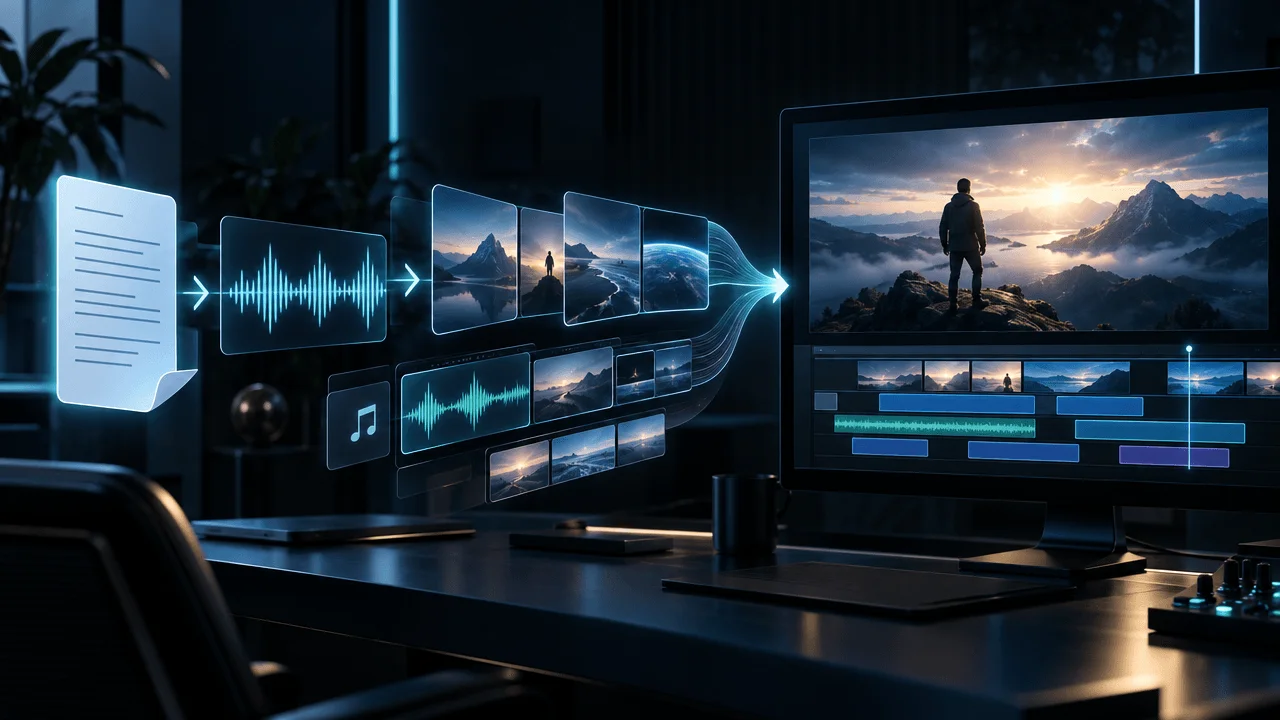
Research → Script → Voiceover → Scene planning → AI visuals → Captions and motion → Review → Export
The wider OverseerOS platform also includes channel analysis, content planning, Creator DNA, Script Studio, and thumbnail workflows.
This makes it particularly relevant to creators managing repeatable YouTube production rather than generating occasional AI clips.
Key capabilities
OverseerOS currently documents support for:
- Long-form projects up to 30 minutes.
- Scripts up to 7,500 words, within supported project limits.
- Up to 480 scenes per project.
- Narration-based scene organization.
- AI-generated scene visuals.
- Visual style presets and saved styles.
- Style analysis from supported references.
- Character consistency features.
- Captions, motion, music, and supported visual effects.
- Scene review and revision.
- Full HD 1080p export on paid plans.
These capabilities make it suitable for videos built around narration rather than a visible presenter.
For example, a creator producing a 20-minute astronomy documentary can develop the script, prepare a voiceover, and use Auto Edit to build the visual sequence.
The creator still needs to verify scientific claims, review the images, and inspect the completed edit.
OverseerOS pricing
OverseerOS uses Auto Edit credits rather than a simple unlimited per-video subscription.
Published plan references list:
| Plan | Monthly subscription | Included Auto Edit allowance |
|---|---|---|
| Creator | $29 | 70 credits, approximately 5 minutes |
| Pro | $79 | 250 credits, approximately 18 minutes |
| Elite | $199 | 700 credits, approximately 50 minutes |
These minute figures are published estimates, not guaranteed amounts for every production style or generation setting.
Additional credits can be purchased where available.
Starter access uses a different credit arrangement, so verify the current Plans page before purchasing.
Important: A 30-minute project limit does not mean the $29 Creator subscription includes 30 minutes of generation.
If you regularly produce 20- to 30-minute videos, calculate your credit needs and any top-up costs before choosing a plan.
Pros
- Designed specifically around YouTube production.
- Connects research and scripting with the video workflow.
- Supports narration-led faceless videos.
- Provides scene-level visual controls.
- Includes multiple visual directions and character consistency features.
- Supports 1080p exports on paid plans.
- Useful for creators managing recurring production.
Cons
- Not a pure one-prompt video generator.
- Requires a completed script and voiceover for the main production workflow.
- AI visuals can require corrections.
- Production length and volume depend on credit allowances.
- Not a replacement for detailed manual footage editing or professional VFX software.
- Longer projects still require generation time and human review.
Our verdict
OverseerOS is a strong choice for creators who already think in terms of YouTube topics, scripts, narration, and repeatable production workflows.
Its advantage is the connection between content research and production, not an ability to create a flawless documentary from one sentence.
For creators who want more control over their faceless videos, that distinction is valuable.
For creators who primarily want to type a quick prompt and accept whatever comes back, InVideo AI or MagicLight may be more appropriate.
Explore: Turn your script into a faceless YouTube video with OverseerOS
2. Crreo AI: Best for AI-Generated Educational and Storytelling Videos
Best for: Creators who want AI-assisted video creation from an idea or script with animated or generated visuals.
Website: Crreo AI
Crreo focuses on converting written ideas and scripts into complete video projects.
Its workflow includes script generation, visual styles, AI narration, characters, scene editing, and video export.
Crreo is especially relevant for educational explainers, storytelling videos, and creators who want the platform to handle more of the initial content generation.
What makes Crreo different?
Crreo provides an integrated video-building workflow with explicit duration options.
Creators can choose an AI-generated script or supply their own.
The system then helps build the video's scenes and narration.
Its storyboard and review tools allow creators to adjust prompts and individual visual segments.
Video duration limits
The maximum depends on the plan:
| Crreo plan | Maximum video length |
|---|---|
| Free | Short trial output |
| Start | 10 minutes |
| Grow | 15 minutes |
| Pro | 15 minutes |
| Ultra | 30 minutes |
If you need a 25-minute video, the lower plans are insufficient for a single project.
Crreo's Ultra plan currently lists 480 video minutes of monthly capacity and a maximum individual project length of 30 minutes.
Those are separate limits.
Pricing
Crreo advertises Ultra at approximately $79 per month with monthly billing or $45 per month when billed annually.
Other tiers provide shorter per-video limits.
Verify the current checkout because pricing and included model access can change.
Pros
- Supports idea-to-video and script-to-video workflows.
- Offers AI-generated visuals and narration.
- Includes a storyboard and scene-level revision.
- Supports multiple visual styles.
- Ultra supports 30-minute videos.
- Offers character-related controls.
Cons
- Maximum duration depends heavily on the plan.
- The 30-minute option is limited to Ultra.
- Generated scenes may need visual corrections.
- Character and motion quality depend on selected models.
- Generated footage is not a substitute for verified documentary evidence.
Our verdict
Crreo is a compelling alternative if you want the AI to generate a larger portion of the video directly from a concept.
It is particularly worth evaluating for animated storytelling and educational content.
Choose OverseerOS when your priority is the wider research-to-script-to-video workflow; choose Crreo when the immediate problem is turning an idea or script into an AI-generated story.
3. Pictory: Best for Turning Long Scripts and Articles Into Videos
Best for: Educational channels, narrated explainers, blog-to-video production, and stock-footage-based content.
Website: Pictory
Pictory is one of the more established tools in text-to-video production.
Instead of relying entirely on newly generated cinematic footage, it can assemble videos from scripts and articles using stock media, narration, captions, and a storyboard editor.
This makes it useful for straightforward informational videos.
How Pictory works
You can provide a script or other written source.
Pictory organizes the content into scenes and proposes corresponding visuals.
Creators can then review and replace footage, adjust scene timing, add voiceovers, and apply branding.
For a long-form tutorial or educational explainer, this can be a more predictable workflow than generating every scene from scratch.
Video length
Pictory's pricing documentation currently states a 30-minute maximum for script- or URL-based video creation on paid plans.
This is distinct from the duration of source videos that may be accepted by other editing features.
Pricing
Published pricing starts at approximately $25 per month when billed annually.
Its Starter plan provides a 30-minute individual video limit, with additional usage allowances defined by the subscription.
Check the current plan for stock, AI credits, voiceover, and export entitlements.
Pros
- Suitable for long scripts and articles.
- Stock-footage-based production workflow.
- Editable storyboard.
- Supports captions and voiceovers.
- Useful for informational and educational content.
- Clear documented 30-minute creation limit.
Cons
- Stock footage may feel generic if not carefully selected.
- Visual choices can require manual replacement.
- Less suitable for distinctive animated character storytelling.
- AI-generated visual usage may involve separate credits.
- Not designed to perform channel strategy research.
Our verdict
Pictory is a good fit when you already have text and want an organized, stock-based video draft.
It is especially attractive for explainers that don't require highly distinctive original visual worlds.
For channels where consistent illustration styles and original AI imagery matter more, consider OverseerOS, Crreo, or MagicLight.
4. Fliki: Best for AI Voiceovers and Multilingual Long-Form Videos
Best for: Narration-heavy YouTube videos, educational content, localization, and multilingual production.
Website: Fliki
Fliki combines text-to-video creation with a substantial AI voice library.
It is useful for creators who care about narration quality and want to produce videos in different languages.
The platform supports several starting points, including ideas, scripts, articles, and presentations.
Why creators choose Fliki
A long-form video can succeed or fail based on narration.
A visually impressive video with an unpleasant or unsuitable voice is difficult to watch for twenty minutes.
Fliki's voice-focused workflow gives creators a broad range of voices and language options, together with stock visuals and supported AI generation features.
Video length limits
Its published plan comparison lists:
- Free: one-minute export limit.
- Standard: up to 15 minutes.
- Premium: up to 40 minutes.
Premium is therefore the relevant tier for creators producing 20- to 40-minute videos.
Pricing
Fliki uses subscription tiers and credits.
The current pricing page clearly documents duration and credit allowances, but the monetary plan amounts were not consistently available in the publicly retrieved pricing text during this review.
Check the official pricing page for the exact current cost before buying.
Pros
- Broad AI voice and language options.
- Script-to-video workflow.
- Up to 40-minute exports on Premium.
- Supports stock media and AI-generated assets.
- Useful for multilingual and educational videos.
- Integrated narration and video creation.
Cons
- Standard is capped at 15 minutes.
- Longer projects require Premium.
- AI assets and voice settings can change credit usage.
- Stock or generated visuals may need manual review.
- Script research and factual verification remain the creator's responsibility.
Our verdict
Fliki is particularly attractive when voiceovers and language flexibility are the most important requirements.
For multilingual explainers or narrated educational videos, it deserves serious consideration.
If you want the content strategy, script, voiceover, and video connected to a single YouTube channel workflow, OverseerOS takes a different approach.
5. InVideo AI: Best for Prompt-Driven Video Creation
Best for: Creators who want to begin with an idea and let an AI agent handle substantial parts of scripting, assembly, and editing.
Website: InVideo AI
InVideo AI is a broad video creation platform with AI agents, stock media, generative models, and editing tools.
Its main attraction is flexibility.
Rather than requiring every user to enter a finished script and narration, it can assist with developing the project from an initial prompt.
How InVideo differs
InVideo combines agent-driven creation with an editing environment.
Its workflow can involve writing, storyboarding, generating media, adjusting footage, and assembling a video.
It is suitable for creators who want a general-purpose AI-assisted production system.
Does InVideo support long-form videos?
InVideo supports multi-scene video workflows, but its current pricing structure does not provide one simple, universal maximum long-form duration covering every agent, model, and generation mode.
The practical limit depends on the workflow and available credits.
A generated cinematic clip may be only seconds long, while an assembled project can contain many scenes.
Before purchasing, confirm that the exact plan and workflow supports your target duration.
Pricing
InVideo currently advertises credit-based subscriptions, with Starter listed around $20 per seat per month before annual-billing discounts.
Higher tiers provide more credits and model access.
Exact project costs depend on the models and number of generations used.
Pros
- Prompt-driven creative workflow.
- AI agents for production tasks.
- Stock and generative video options.
- Timeline editing.
- Multiple AI models.
- Useful for creators who want flexibility across video types.
Cons
- Credit usage can be difficult to predict.
- Long-form duration depends on the selected workflow.
- Generative model usage can consume credits quickly.
- Complex projects may require significant manual intervention.
- Less specialized around faceless documentary narration.
Our verdict
InVideo AI is a strong option for flexible, prompt-driven video creation.
It is particularly relevant if you want to experiment with several visual formats and AI models.
If your production process already revolves around researched scripts and prepared narration, a narration-first tool may be more predictable.
6. MagicLight: Best for Long AI-Animated Stories
Best for: Fictional storytelling, illustrated stories, fantasy videos, children's narratives, and recurring characters.
Website: MagicLight
MagicLight focuses on turning stories into multi-scene AI videos.
Its story-to-video workflow can interpret narrative text, identify scene changes, and create a visual sequence.
This is a different production challenge from assembling an informational video from stock footage.
What makes MagicLight interesting?
Long stories need continuity.
Characters, locations, environments, and visual styles should remain recognizable throughout the narrative.
MagicLight advertises character creation and reusable character features to support that requirement.
It also markets story-video generation lasting up to 50 minutes.
Video length and pricing
MagicLight's official pricing page currently advertises 50-minute generation support.
Its Standard plan has been advertised from approximately $6 per month when billed annually, with higher tiers providing larger credit allowances.
That headline price should not be interpreted as the guaranteed cost of a finished 50-minute video.
The amount of footage generated, model selection, revisions, and credit usage can substantially change the economics.
Pros
- Designed for story-to-video workflows.
- Supports longer narrative projects.
- Character consistency features.
- Multiple visual styles.
- Integrated narration and scenes.
- Published 50-minute capability.
Cons
- Particularly oriented toward visual storytelling rather than factual documentary sourcing.
- Long narratives still need editorial review.
- Consistent-character claims need real project validation.
- Credit cost depends on production settings.
- Not a dedicated YouTube channel research platform.
Our verdict
MagicLight is worth evaluating for animated storytelling channels.
If your videos involve fictional characters, fantasy environments, or illustrated narratives, it may align better with your workflow than a stock-footage editor.
For fact-heavy documentaries, the creator should be especially careful to verify scripts and distinguish illustrative scenes from factual evidence.
7. VidRush: Best for Long Documentaries Using Real Footage
Best for: Documentary-style YouTube channels using real-world footage, including history, technology, science, nature, and geopolitical explainers.
Website: VidRush
VidRush is positioned specifically around longer, narration-led videos.
The platform advertises production of complete videos lasting 6 to 60 minutes.
It uses sourced footage rather than relying primarily on generating each visual from scratch.
How VidRush works
The workflow is designed to accept a prompt, script, or existing voiceover and assemble a video with relevant footage.
Users can then edit the finished project.
VidRush documents controls for replacing clips, changing timing, editing captions, and adjusting audio.
That matters for long documentaries, where correcting individual visual choices is often unavoidable.
Video length and pricing
VidRush's official pricing starts at $99 per month.
The Starter plan includes 2,000 credits.
The platform's documentation lists approximate generation capacity, but the displayed number of finished minutes varies between some published pricing surfaces.
That is a reason to verify your expected consumption inside the product before purchasing.
Higher plans increase monthly capacity.
Pros
- Explicitly designed for longer documentary videos.
- Supports 6- to 60-minute projects.
- Accepts existing scripts and voiceovers.
- Uses real-world footage.
- Provides an editing interface after generation.
- Built around recurring YouTube production.
Cons
- Higher entry price than several competitors.
- Currently focused on English-language output.
- Not intended for Shorts-first workflows.
- Depends on suitable source footage being available.
- Creators should verify licensing and usage rights for footage in their projects.
- Costs rise with production volume.
Our verdict
VidRush is a relevant option for documentary creators who prioritize real footage over AI-generated illustrations.
It is especially worth investigating when a subject has substantial usable archival or documentary media.
For a channel built around original illustrations, specific visual styles, or AI-generated scenes, OverseerOS or Crreo may be a better fit.
8. HeyGen: Best for Long-Form AI Presenter Videos
Best for: Courses, business explainers, commentary presentations, tutorials, and creator videos featuring an AI presenter.
Website: HeyGen
HeyGen specializes in AI avatars, digital presenters, voice generation, and video localization.
Instead of building a faceless montage from hundreds of images, HeyGen can place a presenter on screen.
For certain types of long-form content, that is exactly what the creator needs.
Why HeyGen is different
Some video formats benefit from a recognizable host.
A course instructor, business presenter, or educational narrator can provide consistency across an entire series.
HeyGen allows creators to use stock presenters or eligible custom avatars.
It also supports multilingual video creation and translation.
Video length limits
Current pricing documentation lists:
| Plan | Maximum video duration |
|---|---|
| Free | 1 minute |
| Creator | 30 minutes |
| Pro | 30 minutes |
| Business | 60 minutes |
| Enterprise | Custom |
The limits can differ by generation mode or feature.
Pricing
HeyGen currently lists:
- Creator: $29 per month.
- Pro: from $49 per month.
- Business: $149 per month.
Each plan provides different monthly credit allowances and capabilities.
Pros
- Strong AI presenter focus.
- Custom avatar options.
- Voice and localization features.
- 30-minute projects on Creator.
- Longer limits for business plans.
- Useful for presenter-led educational and business content.
Cons
- Not primarily a faceless documentary scene-generation tool.
- Some avatar and advanced model usage consumes credits quickly.
- Long presentations can feel visually repetitive without supporting media.
- Realism and natural delivery should be checked over the full runtime.
- Less suitable for channels without an on-screen host concept.
Our verdict
HeyGen is an excellent category fit when an AI presenter is central to your video format.
But it is not directly interchangeable with a scene-by-scene faceless documentary generator.
If you want narration supported by hundreds of thematic images and cinematic visual changes, choose a tool built for that workflow instead.
9. Synthesia: Best for Long Training and Presentation Videos
Best for: Corporate training, instructional courses, onboarding, educational presentations, and structured business video content.
Website: Synthesia
Synthesia is another major AI avatar video platform.
Its workflow supports prompts, scripts, documents, presentations, templates, and scene-based editing.
It is particularly relevant when the goal is to deliver structured information through an AI presenter.
What makes Synthesia useful?
Unlike tools primarily built for viral YouTube videos, Synthesia is heavily oriented toward instructional and business communication.
You can organize material into scenes, add presenters, use templates, and work from existing scripts or presentations.
That can be useful for long educational projects.
How long can Synthesia videos be?
Synthesia's creation documentation supports projects containing up to 150 scenes, with individual scenes up to five minutes, and an overall project duration of up to four hours.
However, that editor-level maximum is not the same as your monthly generation allowance.
Synthesia changed its plan structure in October 2026 to use a shared credit system alongside included video allowances.
The actual amount of video you can generate depends on your plan and credits.
Pricing
Synthesia offers a free entry point and paid subscription tiers.
Its current pricing is credit-based, so buyers should calculate the cost of their expected monthly generated minutes rather than relying on the maximum supported project duration.
Pros
- Strong presentation and training workflow.
- Supports long structured projects.
- AI presenters and voice options.
- Script and presentation import.
- Scene-level organization.
- Useful for business and educational content.
Cons
- Not optimized for cinematic faceless documentaries.
- Monthly credits can limit practical video volume.
- Long avatar presentations require careful visual planning.
- More appropriate for training than most entertainment channels.
- Some advanced capabilities depend on higher plans.
Our verdict
Synthesia is a good fit for long-form educational presentations where the presenter and instructional structure matter most.
It is less suitable for creators whose main goal is automatically generating hundreds of visual scenes for a faceless documentary.
For that use case, a narration-first production tool will generally be a more natural starting point.
10. Steve AI: Best for Animated Long-Form Explainers
Best for: Animated educational videos, simple storytelling, business explainers, and creators who prefer template-driven animation.
Website: Steve AI
Steve AI provides text-to-video and text-to-animation workflows.
Its emphasis on animation makes it useful for creators who don't want their videos to look like conventional stock-footage montages.
What makes Steve AI different?
Creators can provide scripts and select animation-oriented visual approaches.
The platform supports characters, backgrounds, and templates that can help create an illustrated presentation style.
This is especially relevant for educational channels that value visual explanation over cinematic footage.
Video duration
Steve AI's help documentation states that its initial AI video maker workflow supports projects up to 20 minutes.
Users may be able to extend projects by adding scenes manually, but that should not be confused with a guaranteed longer one-pass generation.
The platform also documents scene limits that vary by format.
Pricing
Steve AI advertises annual-billing plans starting around $10 per month, with higher subscriptions providing more video minutes, media, and export capabilities.
Prices differ between monthly and annual billing.
Pros
- Animation-oriented workflow.
- Text-to-video and text-to-animation.
- Useful for simple educational explainers.
- Character and template options.
- Supports relatively long animated projects.
- Entry-level subscription options.
Cons
- Initial generation capped at 20 minutes.
- Templates may look repetitive.
- Advanced visual consistency may require manual adjustment.
- Not primarily a documentary research platform.
- Generative motion and subscription allowances are separate considerations.
Our verdict
Steve AI is worth considering for animated explainers that don't require photorealistic or cinematic output.
For a creator producing a 15-minute illustrated educational video, it may be a suitable option.
For a 30-minute documentary with highly customized visual scenes, consider tools with a stronger long-form production focus.
Which AI Long-Form Video Generator Should You Choose?
The easiest way to decide is to start with the video format you actually produce.
| Your goal | Best tools to shortlist |
|---|---|
| 10–30-minute faceless documentary with your own script | OverseerOS, VidRush, Pictory |
| 20–30-minute AI-generated story | Crreo, MagicLight |
| 30–40-minute narrated educational video | Fliki Premium, MagicLight |
| AI presenter for 20–30 minutes | HeyGen, Synthesia |
| Script or blog post turned into a stock-footage video | Pictory |
| Prompt-driven video creation with AI editing | InVideo AI |
| Long animated explanations | Steve AI, Crreo |
| YouTube research, scripting, and production in one ecosystem | OverseerOS |
These are use-case recommendations, not a claim that every shortlisted product performs identically.
Best overall for faceless YouTube creators
Our recommendation is OverseerOS when you already have or want to develop a research-to-script-to-video workflow.
It is particularly relevant for creators producing original narrated content repeatedly.
But it is not the cheapest way to generate a long video in every scenario.
If you only want stock footage assembled around a script, Pictory may be simpler.
If you want the AI to invent and animate a complete story, Crreo or MagicLight may fit better.
If you want a human-like digital presenter, HeyGen is the clearer choice.
What Does a 30-Minute AI YouTube Video Actually Cost?
This is where many AI video comparisons become misleading.
A subscription can advertise a maximum video length without including enough monthly generation capacity to use it regularly.
Consider a creator producing four 30-minute videos per month.
That's 120 finished minutes.
But finishing 120 minutes may require more than 120 minutes of billable generation because of revisions, regeneration, and failed attempts.
Three different cost models
Model 1: Subscription minutes
A platform includes a particular number of video minutes per billing cycle.
You need to verify how exports, regenerations, and different AI models consume that allowance.
Model 2: Credits
A platform assigns credit costs to generated images, scenes, voices, clips, or finished footage.
Your actual cost depends on the visual style and number of generations.
Model 3: Editing-assisted production
A platform supplies an editing workflow, but significant work remains manual.
The subscription cost may be low while the human editing cost remains substantial.
A realistic example
Suppose you are producing a 25-minute educational documentary.
Your workflow requires:
- A researched script.
- 25 minutes of narration.
- Approximately 150 visual scenes.
- Captions.
- Background music.
- Several visual corrections.
- A final 1080p export.
Two tools might both advertise 30-minute videos.
But one may include enough credits to produce the initial project, while the other requires additional payment for more scenes.
One may use stock footage.
The other may generate original AI images.
One may preserve the exact narration.
The other may rewrite the script during its own generation process.
Those differences determine the real cost.
Questions to ask before subscribing
- Can the tool create the entire target runtime in one project?
- How many finished minutes does the subscription actually cover?
- Are voiceovers included?
- Are AI visuals included?
- Does regenerating a scene consume more credits?
- Can you edit individual scenes?
- Is 1080p export included?
- Do commercial-use rights cover your intended distribution?
- What happens if a long export fails?
- Can you test a smaller sample before committing?
The most useful comparison is not the cheapest advertised monthly plan.
It's the total cost of producing an acceptable, publish-ready video.
AI Long-Form Video Generators vs Traditional Editing Software
There is another distinction worth understanding.
AI video generation platforms and conventional editing applications solve different problems.
A traditional editor such as Premiere Pro, DaVinci Resolve, CapCut, or Descript provides varying levels of timeline control, footage editing, audio processing, and assisted production.
An AI long-form video generator aims to automate larger parts of scene creation or assembly.
Choose an AI generator when:
- You produce narration-led videos.
- You don't film most of your own footage.
- You want AI to create or select visuals.
- You need a repeatable scene-building process.
- You want to reduce manual asset sourcing and assembly.
Choose a traditional editor when:
- Your content relies heavily on footage you've already filmed.
- You need precise timeline control.
- You create elaborate motion graphics.
- You need detailed sound design or compositing.
- Every shot requires individual creative direction.
For some channels, the strongest workflow combines both.
An AI production system can create the initial scene structure and visuals.
A traditional editor can handle the final detailed corrections.
That can be more efficient than expecting either category to solve every production task.
Can AI-Generated Long-Form YouTube Videos Be Monetized in 2027?
Using AI does not automatically make a YouTube video ineligible for monetization. However, AI-generated content must still comply with YouTube's originality, authenticity, reuse, and disclosure policies.
This is particularly important for creators evaluating automated production software.
In July 2025, YouTube clarified its policy concerning mass-produced and repetitive material, using the term inauthentic content.
YouTube emphasizes original, authentic content and may reject channels that publish large volumes of highly repetitive or minimally differentiated videos.
Source: YouTube Channel Monetization Policies.
The key issue is not whether AI helped generate the visuals.
It's whether the channel delivers meaningful original value.
What creators should avoid
A risky approach is producing large numbers of nearly identical videos with superficial differences.
For example:
- Repeating the same template with trivial wording changes.
- Reusing other creators' material without meaningful transformation.
- Publishing generic slideshows with little original explanation.
- Making factual claims without checking their accuracy.
- Producing videos solely to maximize upload volume.
What creates stronger original value?
An original YouTube video can include:
- Independent research.
- A distinctive explanation or argument.
- Original narration and editorial structure.
- Unique visual direction.
- Genuine educational or entertainment value.
- Meaningful commentary.
- Human review and factual verification.
An AI tool should help execute those decisions.
It should not replace the creator's responsibility for the finished work.
Do you have to disclose AI-generated video?
YouTube requires disclosure in specified cases involving realistic AI-generated or meaningfully altered content.
For example, realistic synthetic scenes depicting events that did not occur may require disclosure.
Not every use of AI assistance requires a label.
YouTube's guidance distinguishes realistic synthetic content from ordinary production assistance and clearly non-realistic material.
Source: YouTube's AI Disclosure Requirements.
As a creator, check the current policies before publishing.
No AI video generator can guarantee YouTube monetization approval.
How to Create a Long-Form YouTube Video With AI
A reliable production workflow starts before video generation.
Step 1: Research a topic with genuine audience demand
Choose a subject worth exploring.
For example:
"Why Scientists Still Don't Know What Most of the Universe Is Made Of"
Instead of generating a generic video immediately, research the scientific evidence, audience interest, and competing explanations.
Step 2: Write the script
A 20-minute video requires a clear structure.
The script should progress logically, with each section contributing to the overall viewer promise.
Use AI to assist with organization and drafting, but verify factual claims and source material.
Step 3: Prepare the voiceover
Narration establishes the real timing.
A paragraph that looks short on the page may take longer to read than expected.
For narration-led videos, it is often useful to finalize the voiceover before locking scene durations.
Step 4: Build the scene plan
Divide the script into visual sections.
Each scene should support the narration.
For example:
- An explanation of a galaxy could use an astronomical visualization.
- A historical claim could use properly sourced archival material.
- A numerical comparison might benefit from a simple graphic.
- An abstract scientific concept may need an illustration.
Step 5: Generate or select visuals
Use a style that suits the channel.
Documentaries may benefit from real footage and diagrams.
Animated explainers may use consistent illustrated scenes.
Business presentations may use an AI presenter with supporting graphics.
Step 6: Review and correct
Check for:
- Factual inaccuracies.
- Misleading imagery.
- Repeated scenes.
- Inconsistent characters.
- Incorrect on-screen text.
- Awkward pacing.
- Audio synchronization problems.
This is especially important for long-form videos, where small errors accumulate.
Step 7: Export and review the actual file
Don't assume the preview is identical to the final export.
Watch the rendered video.
Verify that captions, audio, visuals, transitions, and titles appear correctly throughout.
Step 8: Publish with appropriate packaging
A strong video still needs a compelling title and thumbnail.
The topic promise, opening, and packaging should align.
Then use YouTube Analytics to learn from how viewers respond.
Why OverseerOS Is Different From a Standalone AI Video Generator
Most tools in this comparison focus primarily on generating or assembling video.
OverseerOS includes that production step within a wider YouTube workflow.
A creator can begin by researching public channels, investigating successful content concepts, planning an original video, writing a script, and preparing narration.
Auto Edit then provides the scene-production layer.
The difference is the connection between deciding what to make and actually making it.
A standalone video generator might create a polished video from a weak idea.
That doesn't solve the underlying problem of choosing topics viewers want to watch.
OverseerOS is designed to address the research and strategy stages as well as the production stages.
But its AI video workflow has boundaries.
It isn't a substitute for a professional film editor.
It doesn't guarantee that every generated scene will be accurate.
And it doesn't promise that every completed upload will perform well on YouTube.
Its advantage is providing a more integrated production process for creators who already take content research and channel strategy seriously.
If that describes your workflow, explore OverseerOS Auto Edit Studio and see how scripts and narration become editable faceless video projects.
Final Verdict: Which AI Long-Form Video Generator Is Best for YouTube in 2027?
The best tool depends on what you're trying to produce.
For narration-led faceless YouTube videos, OverseerOS is our recommended starting point because it connects research, scripting, voiceover, scene creation, and production in one workflow.
For AI-generated stories, consider Crreo or MagicLight.
For stock-footage explainers, consider Pictory.
For multilingual narration, consider Fliki.
For flexible prompt-driven creation, consider InVideo AI.
For documentaries built from real footage, consider VidRush.
For presenter-led videos, choose between HeyGen and Synthesia based on the type of presentation and credit requirements.
For animated educational content, Steve AI is worth testing.
But don't buy a tool based on its advertised maximum video length alone.
Calculate the credits required for your actual publishing schedule.
Confirm that the plan supports your preferred visual style.
Make sure you can correct individual scenes.
And test the quality of a real video before committing to a high-volume production workflow.
The winning software is the one that helps you consistently produce original, worthwhile long-form videos at an acceptable cost, not the one promising the most automation.
For creators who want to turn researched YouTube ideas into scripts, voiceovers, and finished faceless videos, start with OverseerOS.
Frequently Asked Questions
What is the best AI long-form video generator for YouTube in 2027?
OverseerOS is a strong choice for narration-led faceless YouTube production, while Crreo and MagicLight are better suited to AI-generated stories. Pictory is useful for stock-based explainers, and HeyGen or Synthesia are better fits for AI-presenter videos. The best option depends on your production format.
Can AI generate a full 30-minute YouTube video?
Yes. Several platforms document support for 30-minute video projects, including OverseerOS, Crreo Ultra, Pictory, and HeyGen. However, production capabilities, credits, and editing requirements vary.
Which AI video generator can create the longest videos?
Among the platforms compared here, Synthesia documents an editor-level limit of up to four hours, subject to scene and account allowances. VidRush supports projects up to 60 minutes, MagicLight advertises 50 minutes, and Fliki Premium supports up to 40 minutes. These tools serve different content formats.
What is the best AI video generator for faceless YouTube channels?
OverseerOS is particularly relevant for creators producing original faceless videos from scripts and voiceovers. Pictory is better suited to stock-based explainers, while Crreo and MagicLight suit AI-generated storytelling.
Is there a free AI long-form video generator?
Several platforms offer free plans or trials, including OverseerOS, Crreo, Fliki, HeyGen, and Synthesia. However, free access often includes strict duration, credit, watermark, or export limitations. A free account should not be assumed to include a complete 30-minute production.
Can AI create a two-hour YouTube video?
Some specialized products advertise very long projects, but most mainstream long-form generators impose shorter limits or require substantial assembly. Check both per-project runtime and credit allowances before selecting a tool for a two-hour video.
Is InVideo AI better than Pictory for long-form YouTube?
InVideo is better aligned with flexible prompt-driven creation and AI-assisted editing. Pictory is generally more directly suited to assembling videos from scripts or articles using stock media and an editable storyboard. Their strengths are different.
Is OverseerOS better than InVideo AI?
OverseerOS is a better fit when you want a YouTube-focused workflow built around researched scripts and narration-led faceless videos. InVideo AI is a better fit when you want broad prompt-driven generation and access to different AI models and editing workflows.
Which AI tool is best for YouTube documentaries?
For faceless documentaries with original AI visuals, consider OverseerOS or Crreo. For documentaries relying heavily on real-world footage, consider VidRush or Pictory. The right choice depends on how you source and use visuals.
Can AI video generators make animated YouTube documentaries?
Yes. Tools such as Crreo, MagicLight, Steve AI, and OverseerOS support different AI-generated or animated visual workflows. Consistency, motion, and scene quality vary and require review.
Can AI video generators create long videos from a script?
Yes. OverseerOS, Pictory, Crreo, Fliki, and several others support script-based workflows. Some preserve a prepared narration more directly, while others generate or restructure the content.
How much does a 30-minute AI-generated YouTube video cost?
There is no universal price. Cost depends on the subscription, credits, visual generation method, number of scenes, revisions, and whether voiceover and export are included. Compare estimated total production cost rather than advertised monthly plan prices alone.
Can AI-generated long-form YouTube videos be monetized?
AI assistance does not automatically prevent monetization. Videos must comply with YouTube's originality, inauthentic-content, reused-content, and disclosure policies. Mass-produced repetitive content may be ineligible for monetization.
Does YouTube penalize AI-generated videos?
YouTube does not universally penalize content simply because AI was used. However, creators must comply with its content and monetization policies, including applicable realistic AI-content disclosure requirements.
Which AI video generator supports consistent characters?
Crreo and MagicLight provide character-related workflows. OverseerOS offers supported character consistency and visual style controls. The actual consistency of generated characters should be tested over a complete project.
Which AI video generator is best for 20-minute videos?
For narration-led faceless content, consider OverseerOS or Pictory. Crreo supports 20-minute projects on Ultra, while MagicLight and Fliki Premium support longer outputs. HeyGen is suitable if you need a presenter.
Can AI replace a human YouTube video editor?
AI can automate significant parts of scripting, visual generation, scene assembly, captioning, and editing. However, many projects still require human review, factual verification, visual corrections, and final quality control.
Which AI video generator has the best voiceovers?
Fliki is especially focused on multilingual AI voices. HeyGen and Synthesia emphasize presenter and voice workflows, while OverseerOS connects voiceover creation and narration-based video production. Voice preference is subjective, so listen to samples before buying.
Are AI long-form video generators worth paying for?
They can be worthwhile when they save meaningful production time and support a repeatable workflow. But the real value depends on how much manual work remains, the quality of the output, and the total cost of completing acceptable videos.
How do I choose an AI video generator for my YouTube channel?
Start by defining your preferred video length, visual format, production volume, script workflow, and monthly budget. Then compare per-project limits, credits, editing controls, commercial rights, and final export quality using a small test project.
Sources and Comparison Methodology
This guide was researched on November 10, 2026, using publicly available product documentation, pricing pages, and official YouTube policies.
Vendor sources
- OverseerOS Auto Edit Studio
- OverseerOS AI Faceless Video Generator
- Crreo AI Pricing
- Pictory Pricing
- Fliki Pricing
- InVideo AI Pricing
- MagicLight Pricing
- VidRush Pricing
- HeyGen Pricing
- Synthesia Pricing
- Synthesia Video Creation Documentation
- Steve AI Pricing
- Steve AI Maximum Video Duration
YouTube sources
How tools were evaluated
The editorial comparison considered documented project duration, script and voiceover support, scene creation, editing flexibility, visual consistency, export capabilities, pricing structure, and suitability for long-form YouTube workflows.
No standardized hands-on benchmark was conducted across all ten products. The recommendations are based on their documented fit for specific use cases rather than invented test scores or unsupported performance claims.
OverseerOS is the publisher of this article and a commercial participant in the comparison. Other products may be a better fit depending on whether the buyer needs stock footage, digital avatars, animation, or prompt-first creation.
Prices, generation limits, and credit allowances may change during 2027. Verify the latest vendor information before purchasing.
Editorial update policy: Refresh this guide when material product capabilities, plan limits, pricing, or YouTube policies change. Do not treat a 2027 edition label as confirmation of future vendor changes.