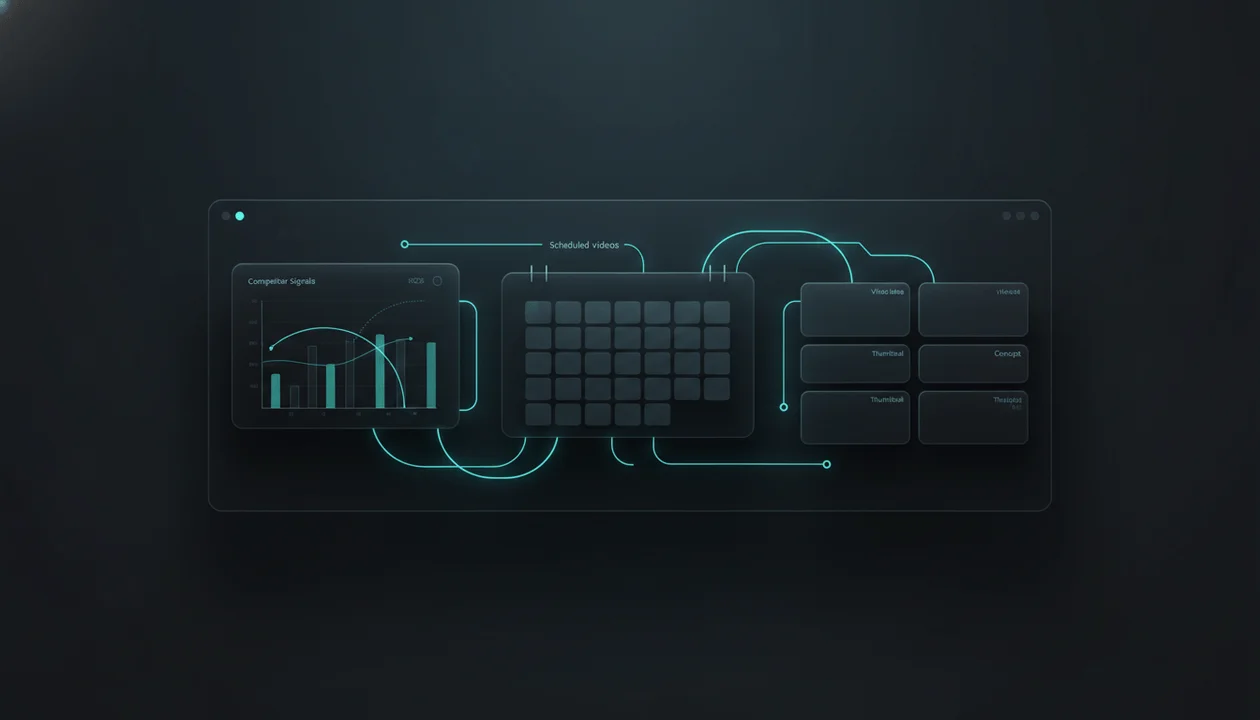
Most YouTube content calendars fail because they organize bad ideas beautifully.
A creator opens Notion, Trello, Google Sheets, or a generic AI content calendar generator. The calendar looks clean. The columns are color-coded. The upload dates are filled.
Then the videos go live and nothing happens.
That is because a YouTube calendar is not valuable because it has dates. It is valuable because it helps you choose the right videos before you waste hours scripting, editing, designing thumbnails, and publishing into silence.
A strong AI YouTube content calendar generator should not just ask:
What do you want to post this month?
It should help you answer:
What has already proven demand in my niche, how can I make my own version, and when should I publish each idea so the channel builds momentum?
That is the difference between a normal content calendar and a demand-backed YouTube planning system.
This guide breaks down how to build an AI YouTube content calendar the right way: using competitor demand, breakout topics, repeatable formats, title and thumbnail patterns, trend timing, production capacity, and a simple workflow you can actually follow.
Key Takeaways
- An AI YouTube content calendar generator should help you plan videos from evidence, not random prompts.
- The best calendars start with proven demand: competitor videos, outliers, search interest, trends, audience questions, and repeatable formats.
- A weak calendar only tells you when to post. A strong calendar tells you what to post, why it has a chance, how to package it, and what production stage comes next.
- Generic AI calendars are useful for structure, but they usually miss YouTube-native signals like title patterns, thumbnail angles, outlier videos, and competitor momentum.
- YouTube’s own Inspiration tab can help brainstorm ideas, titles, thumbnails, and outlines, but YouTube also warns that AI-generated ideas can vary in quality and should be reviewed carefully. Source: YouTube Help
- Inside OverseerOS, creators can use competitor tracking, Smart Content Planners, channel analysis, Trend to Script, titles, scripts, thumbnails, and voiceovers to turn proven patterns into a repeatable YouTube planning workflow.
- The goal is not to fill 30 empty calendar slots. The goal is to build a smarter queue of videos worth making.
What Is an AI YouTube Content Calendar Generator?
An AI YouTube content calendar generator is a tool that helps creators plan upcoming videos using AI.
At the basic level, it can generate:
- Video ideas
- Working titles
- Upload dates
- Content pillars
- Production stages
- Script deadlines
- Thumbnail deadlines
- Publishing notes
- Promotion reminders
That sounds useful.
But for YouTube, it is not enough.
A normal social media calendar can plan posts around campaigns, holidays, or brand themes. YouTube is different because each video has to survive a much harder test:
Will someone click this instead of every other video on the homepage?
That means a YouTube content calendar should not be built from vibes. It should be built from signals.
Those signals include:
- Which topics are already pulling views in your niche
- Which competitors are gaining momentum
- Which videos are outperforming a channel’s normal baseline
- Which formats repeat across successful channels
- Which titles create curiosity without misleading viewers
- Which thumbnail patterns keep showing up on high-performing videos
- Which topics are trend-sensitive and need fast execution
- Which ideas are evergreen and can be scheduled further out
- Which videos naturally lead to the next video
A real AI YouTube content calendar generator should combine planning with validation.
Not:
“Here are 30 video ideas about fitness.”
Better:
“Here are 12 video ideas based on competitor breakouts, current trend angles, proven formats, and your production capacity for the next four weeks.”
That second version is where the money is.
Why Generic AI Content Calendars Are Usually Weak for YouTube
Most AI content calendar tools are built for general marketing.
They work fine if you need a month of LinkedIn posts, Instagram captions, blog ideas, or campaign reminders. But YouTube has different rules.
A YouTube video is not just a content slot. It is a full package:
- Topic
- Angle
- Title
- Thumbnail
- Hook
- Script structure
- Pacing
- Retention moments
- Viewer promise
- Upload timing
- Follow-up potential
Generic AI tools usually skip the most important part: whether the idea has evidence behind it.
They generate ideas like:
10 Productivity Tips for Entrepreneurs
My Morning Routine for Success
How to Stay Motivated Every Day
Best AI Tools for Beginners
These are not automatically bad topics.
The problem is that they are unvalidated. They are not attached to a competitor pattern, search signal, current trend, or channel-specific opportunity.
A YouTube-native calendar should ask harder questions before an idea earns a place:
- Has this topic recently worked for someone in the niche?
- Did it overperform compared to that channel’s usual views?
- Is the title angle fresh or overused?
- Can the thumbnail communicate the idea instantly?
- Does the topic fit the channel’s audience?
- Can this become a series?
- Is this evergreen, trend-based, or seasonal?
- Is the production effort worth the upside?
A generic calendar gives you activity.
A YouTube strategy calendar gives you selectivity.
That is the advantage.
The Demand-First YouTube Calendar Framework
The best YouTube calendar is built backward from demand.
Do not start with:
What should I upload on Monday?
Start with:
What does the audience already care about?
Then build the calendar from there.
Here is the simple framework.
| Calendar Layer | What It Answers | Why It Matters |
|---|---|---|
| Demand | What topics are already getting attention? | Stops you from guessing |
| Competitors | Who is winning in this niche right now? | Shows proven patterns |
| Outliers | Which videos overperformed their channel average? | Reveals breakout angles |
| Packaging | What titles and thumbnails made the idea clickable? | Improves CTR potential |
| Format | What structure does the video use? | Helps you repeat what works without copying |
| Timing | Is this urgent, evergreen, seasonal, or trend-based? | Helps you schedule intelligently |
| Production | Can you actually make this at a high level? | Keeps the calendar realistic |
| Sequencing | What should come before or after this video? | Builds channel momentum |
This is how professional creators think.
They are not asking AI for random ideas.
They are using AI to organize, sharpen, and execute ideas that already have a reason to exist.
Random AI Calendar vs Demand-Backed YouTube Calendar
Here is the difference in practice.
| Weak AI Calendar | Demand-Backed YouTube Calendar |
|---|---|
| Starts with a prompt | Starts with competitor and audience signals |
| Generates broad topics | Filters for proven demand |
| Fills dates first | Validates ideas first |
| Treats every idea equally | Prioritizes ideas by upside |
| Ignores thumbnails | Plans title and thumbnail early |
| Creates one-off uploads | Builds sequences and series |
| Focuses on consistency only | Balances consistency with strategy |
| Looks productive | Actually improves decision quality |
Consistency matters.
But consistency with weak ideas just helps you publish more videos nobody asked for.
The better goal is consistent validation.
Every week, your system should help you find ideas that have a stronger chance than whatever you would have guessed from a blank page.
What a Strong AI YouTube Content Calendar Should Include
A good AI YouTube content calendar generator should include more than topic names and dates.
At minimum, each planned video should have these fields.
| Field | Example |
|---|---|
| Video idea | “I Tried 7 AI Agents That Claim They Can Replace Employees” |
| Demand source | Competitor breakout, trend, audience question, keyword, news event |
| Content type | Evergreen, trend, reaction, tutorial, case study, list, comparison |
| Priority score | High, medium, low |
| Working title | “I Tested 7 AI Agents. One Was Terrifyingly Good.” |
| Thumbnail concept | Split-screen human vs AI dashboard, shocked expression, simple text |
| Hook angle | “Everyone talks about AI agents, but I wanted to know which ones actually work.” |
| Script status | Not started, outline, draft, final |
| Voiceover status | Needed, generated, approved |
| Thumbnail status | Concept, draft, final |
| Publish window | This week, next week, evergreen queue |
| Follow-up idea | “The AI Agent Stack I’d Use to Run a One-Person Business” |
This turns the calendar into a production brain.
Now each video has context.
The creator, scriptwriter, thumbnail designer, and editor are not just seeing a title. They understand why the video exists and what job it needs to do.
The 5 Inputs Your AI Calendar Should Use Before Planning Videos
If you want a YouTube calendar that actually helps growth, feed it better inputs.
1. Competitor Channels
Competitors show you what the audience is already rewarding.
This does not mean copying their videos.
It means studying:
- Topics that keep returning
- Formats that repeat
- Titles that get clicked
- Thumbnail styles that keep showing up
- Upload frequency
- Video length patterns
- Content gaps they are not covering
- Breakout videos that performed unusually well
If five channels in your niche keep getting views from the same format, that is a signal.
For a deeper workflow, read the guide on YouTube competitor analysis.
2. Outlier Videos
An outlier is a video that performs far above a channel’s normal baseline.
This is one of the strongest planning signals because it shows unusual audience interest.
Example:
A business channel usually gets 40,000 views per video.
Then one video gets 430,000 views:
“How a 19-Year-Old Built a $10M AI App With No Employees”
That does not mean you copy the video.
It means you study the pattern:
- Young founder angle
- AI business curiosity
- Big revenue number
- Low team size
- Implied unfair advantage
- Aspirational story
- Clear transformation
A demand-backed calendar would turn that into several original angles:
“The One-Person AI Business Model Everyone Is Missing”
“How Tiny AI Startups Are Beating Big Teams”
“I Studied 12 Solo AI Founders. They All Use This Pattern.”
Now your calendar is not random. It is built from market response.
3. Search and Audience Questions
Search-based videos can be powerful because they capture existing demand.
These are usually topics like:
- How to start a faceless YouTube channel
- Best AI tools for YouTube creators
- How to make better YouTube thumbnails
- How to write a YouTube script
- How to find viral video ideas
Search topics are often less explosive than trend topics, but they can compound over time.
A good calendar should include both:
- Evergreen search videos that can rank
- Trend-driven videos that need faster execution
- Authority videos that build trust
- Comparison videos that attract buyers
- Story videos that create emotional retention
4. Trend Signals
Trends are not just “what is popular.”
For YouTube planning, a trend is useful only if your channel can create a strong angle on it fast enough.
A weak trend calendar says:
“AI is trending, make a video about AI.”
A strong trend calendar says:
“This AI model launched yesterday. Competitor channels are covering the announcement, but nobody has explained what it means for faceless creators yet. Publish within 48 hours with a creator-specific angle.”
That is how trends become useful.
Inside OverseerOS, Trend to Script is designed for this type of workflow: find fresh web news, turn it into a YouTube angle, and move it into your planning system before the trend goes cold.
For a deeper breakdown, read the guide on YouTube trend analysis tools.
5. Production Capacity
This is where many creators lie to themselves.
They build a calendar that looks good but cannot be executed.
A strong AI YouTube content calendar generator should account for production reality:
- How many videos can you publish per week?
- Are they long-form, Shorts, or both?
- Who writes scripts?
- Who creates thumbnails?
- Who edits?
- How long does approval take?
- Which videos require research?
- Which videos need custom visuals?
- Which videos can be made faster?
If your team can produce two high-quality videos per week, do not build a calendar that requires five.
A realistic calendar beats an ambitious calendar that collapses by week three.
The Best YouTube Calendar Format for Creators
Most creators do not need a complicated calendar.
They need a simple system with three views.
View 1: Idea Backlog
This is where raw opportunities go.
Include:
- Competitor breakouts
- Trend ideas
- Audience questions
- Search topics
- Title concepts
- Thumbnail references
- Content gaps
- Follow-up ideas
Do not schedule everything immediately.
The backlog is where ideas compete.
View 2: Validated Pipeline
This is where serious video candidates go.
A topic should move here only if it has a reason to exist.
For example:
- It came from a competitor outlier
- It matches an active trend
- It targets a buyer-intent keyword
- It answers a recurring audience question
- It fits a proven format
- It supports an upcoming launch or channel goal
This prevents your calendar from becoming a graveyard of random ideas.
View 3: Production Calendar
This is where execution happens.
Include:
- Script due date
- Voiceover due date
- Thumbnail due date
- Editing due date
- Publish date
- Owner
- Status
- Notes
- Final title
- Final thumbnail concept
The mistake is trying to make the production calendar do everything.
Do not turn it into a research system, strategy board, production tracker, and analytics review all at once.
Separate the flow:
Backlog → Validated → Production → Published → Reviewed
That is clean.
Example: A 4-Week Demand-Backed YouTube Content Calendar
Here is what a practical AI YouTube content calendar could look like for a faceless AI/business channel.
| Week | Video Type | Topic | Why It Belongs | Packaging Angle |
|---|---|---|---|---|
| Week 1 | Trend | “The New AI Agent That Can Run an Entire Workflow” | Fresh news, fast-moving AI niche | “It Replaced My Assistant” |
| Week 1 | Evergreen | “7 AI Tools I’d Use to Start a One-Person Business” | Proven list format, high search/commercial interest | “My $0 AI Team” |
| Week 2 | Competitor-inspired | “I Studied 10 Viral AI Channels. They All Use This Format.” | Pattern from competitor analysis | “The Hidden Formula” |
| Week 2 | Tutorial | “How to Turn One AI Trend Into 5 YouTube Video Ideas” | Audience pain: idea generation | “Never Run Out Again” |
| Week 3 | Case study | “How a Tiny AI Startup Got Millions of Views Without a Big Team” | Story format, business curiosity | “No Team. Massive Reach.” |
| Week 3 | Comparison | “Best AI Tools for Faceless YouTube Creators” | Buyer-intent topic | “The Stack I’d Use” |
| Week 4 | System video | “My 30-Day AI YouTube Content Calendar System” | Meta topic, strong creator appeal | “Plan a Month in 1 Hour” |
| Week 4 | Follow-up | “The Biggest Mistake New AI Channels Make” | Builds on prior videos | “This Kills Growth” |
Notice what this calendar does.
It balances:
- Trends
- Evergreen ideas
- Competitor patterns
- Tutorials
- Case studies
- Buyer-intent topics
- System content
- Follow-ups
That is how you avoid a random upload schedule.
Each video has a job.
The 4-Week YouTube Calendar Template
Use this if you want a simple planning system.
Week 1: Demand Discovery
Goal: find the best opportunities before planning the month.
Tasks:
- Add 5 to 10 competitor channels to your research list.
- Find their best recent videos.
- Mark any outliers.
- Save strong titles and thumbnail patterns.
- Check fresh trends in your niche.
- Write down recurring audience questions.
- Build a raw backlog of 20 to 30 ideas.
Do not write scripts yet.
This week is about finding demand.
Week 2: Validation and Prioritization
Goal: choose the ideas worth producing.
Score each idea from 1 to 5 across:
| Criteria | Question |
|---|---|
| Demand | Has something similar already worked? |
| Audience fit | Would your viewers care? |
| Packaging | Can you make a strong title and thumbnail? |
| Production ease | Can you make it well with your current resources? |
| Follow-up potential | Can it lead to more videos? |
Prioritize the ideas with the highest total score.
A video with a score of 22 out of 25 deserves a production slot.
A video with a score of 11 belongs in the backlog.
Week 3: Packaging Before Scripting
Goal: make sure the idea can be clicked before you write the full script.
For each chosen video, create:
- 3 title options
- 2 thumbnail concepts
- 1 hook angle
- 1 viewer promise
- 1 reason the viewer should care now
Example:
Topic:
AI tools for faceless YouTube creators
Weak title:
Best AI Tools for YouTube
Better title options:
I Built a Faceless YouTube Stack With Only AI Tools
The AI Tool Stack I’d Use If I Started YouTube Today
7 AI Tools That Make Faceless YouTube Actually Possible
Thumbnail ideas:
Laptop screen with tool stack cards and simple text: “AI CHANNEL STACK”
Creator silhouette surrounded by AI tools, text: “NO TEAM?”
Hook:
“Most people ask which AI tool can make videos. That is the wrong question. The real question is which tools help you pick videos people actually want to watch.”
Now the video is much stronger before the script even starts.
Week 4: Production and Review
Goal: turn the plan into output and learn from results.
Track:
- Script completed
- Voiceover generated or recorded
- Thumbnail finished
- Edit completed
- Upload scheduled
- Title finalized
- Description finalized
- First 24-hour performance
- Click-through rate
- Average view duration
- Viewer comments
- Follow-up opportunities
A calendar becomes powerful when it learns.
If one format works, create a follow-up.
If one thumbnail direction gets weak clicks, adjust the next one.
If one topic gets strong comments but weak retention, improve the opening structure.
This is how the system compounds.
How OverseerOS Helps You Build a Smarter YouTube Calendar
The fastest way to improve a YouTube content calendar is to stop treating it like a blank spreadsheet.
The better workflow is:
- Find channels already winning in your niche.
- Analyze what topics, titles, thumbnails, and formats are working.
- Track competitors inside a planner.
- Find winning topics from recent competitor activity.
- Turn validated ideas into titles, scripts, thumbnails, and voiceovers.
- Move the best ideas into a repeatable planning workflow.
That is where OverseerOS helps creators reverse-engineer high-performing YouTube videos and turn proven patterns into content plans.
Inside OverseerOS, creators can build Smart Content Planners in two main ways:
- Start with an empty planner and add competitors.
- Clone a channel and build a planner based on that channel’s blueprint.
When competitors are added, the planner becomes more than a task board. It becomes a YouTube-native research system.
You can use it to:
- Track competitor channels
- Study what is working in your niche
- Find winning topics from competitor activity
- Take inspiration from one channel at a time
- Save strong ideas into your planner
- Generate titles and scripts from proven patterns
- Create thumbnail concepts based on YouTube packaging logic
- Generate voiceovers through the ElevenLabs-powered workflow
This is the key distinction:
A normal calendar stores your ideas.
OverseerOS helps you find better ideas before they enter the calendar.
That matters because the biggest cost in YouTube is not planning.
The biggest cost is spending days producing a video that never had a strong reason to exist.
For broader workflow context, read the guide on building a complete YouTube content system.
What to Look For in an AI YouTube Content Calendar Generator
If you are comparing tools, use this checklist.
- It helps you find ideas from real YouTube demand, not only prompts.
- It supports competitor tracking or competitor research.
- It helps identify breakout topics or outlier videos.
- It connects topics to titles and thumbnails.
- It supports content pillars, formats, and production stages.
- It helps prioritize ideas instead of treating every topic equally.
- It can support trend-based and evergreen content.
- It gives you a clear workflow from idea to script to thumbnail to publish.
- It makes collaboration easier if you work with writers, editors, or designers.
- It helps you review what worked after publishing.
A tool does not need to do everything.
But if it only generates random calendar slots, it is not enough for serious YouTube growth.
The Creator’s Content Calendar Scorecard
Before you publish your next month of videos, score your calendar.
Give each category a score from 1 to 5.
| Category | Question | Score |
|---|---|---|
| Demand | Are the topics based on real audience or competitor signals? | /5 |
| Packaging | Does every video have a strong title and thumbnail angle? | /5 |
| Variety | Are you balancing trends, evergreen topics, tutorials, stories, and comparisons? | /5 |
| Production fit | Can your team realistically execute this calendar? | /5 |
| Sequencing | Do the videos build momentum together? | /5 |
| Originality | Are you adapting patterns instead of copying creators? | /5 |
| Review loop | Will you learn from performance and improve the next calendar? | /5 |
Score guide:
| Total Score | Meaning |
|---|---|
| 26 to 35 | Strong calendar. Start producing. |
| 18 to 25 | Decent, but needs stronger validation or packaging. |
| 10 to 17 | Too random. Do more research before producing. |
| Below 10 | This is a schedule, not a strategy. Rebuild it. |
This is simple, but it forces better decisions.
Common Mistakes When Building an AI YouTube Content Calendar
Mistake 1: Planning Too Many Videos
More videos do not automatically mean more growth.
If quality drops, packaging gets rushed, and scripts become generic, the calendar is working against you.
A better target:
Publish the maximum number of videos you can make well.
Not the maximum number you can imagine on a spreadsheet.
Mistake 2: Writing Scripts Before Testing the Idea
Many creators write full scripts too early.
Before scripting, validate:
- The topic
- The angle
- The title
- The thumbnail
- The hook
If you cannot create a strong title and thumbnail for the idea, the script will probably not save it.
Mistake 3: Treating Competitor Research Like Copying
Competitor research is not about stealing.
It is about understanding patterns.
Copying says:
“That video worked. I will make the same one.”
Modeling says:
“That format worked because it combined curiosity, proof, contrast, and a clear transformation. I can apply that structure to my own topic.”
That is the ethical and strategic way to use competitor demand.
Mistake 4: Ignoring the Thumbnail Until the End
For YouTube, thumbnails are not decoration.
They are part of the idea.
A video should not enter production until you know the visual promise.
Ask:
- What is the main emotion?
- What is the focal point?
- What contrast makes the idea clear?
- What can be understood in one second?
- Does the title and thumbnail create the same question?
If the thumbnail is weak, the calendar slot is not ready.
Mistake 5: Building a Calendar With No Review Loop
A content calendar should improve every month.
After publishing, review:
- Which ideas got clicked?
- Which videos held attention?
- Which topics earned comments?
- Which titles felt strongest?
- Which thumbnails underperformed?
- Which formats deserve a follow-up?
- Which competitors are gaining momentum?
Then feed those lessons into the next calendar.
That is how a creator becomes sharper.
A Practical AI YouTube Calendar Workflow
Here is the workflow I would use if I were building a serious YouTube channel from scratch.
Step 1: Pick 5 Competitors
Choose channels that are:
- In your niche
- Reaching the audience you want
- Publishing consistently
- Getting real views
- Using formats you can realistically produce
Do not only pick giant channels.
Add smaller channels with breakout videos too. They often reveal fresher opportunities.
Step 2: Pull 20 Winning Videos
Look for videos that:
- Performed above the channel’s normal baseline
- Use strong titles
- Have clear thumbnails
- Spark comments
- Fit your audience
- Can inspire original angles
Save the topic, title, thumbnail notes, format, and reason it worked.
Step 3: Turn Patterns Into Original Ideas
Do not copy the topic directly.
Extract the pattern.
Example competitor video:
“I Tried Living With AI for 7 Days”
Pattern:
- Personal experiment
- Time-bound challenge
- AI curiosity
- Outcome uncertainty
Original ideas:
“I Let AI Plan My YouTube Channel for 7 Days”
“I Used AI to Build a Faceless Channel in One Week”
“I Replaced My Content Team With AI for 7 Days”
Now the calendar has stronger raw material.
Step 4: Score Each Idea
Use a simple score:
- Demand: /5
- Audience fit: /5
- Packaging: /5
- Production ease: /5
- Follow-up potential: /5
Only schedule the strongest ideas.
Step 5: Build the Month Around Content Roles
A healthy monthly calendar usually includes several roles.
| Role | Purpose | Example |
|---|---|---|
| Growth video | Reach new viewers | “7 AI Tools I’d Use to Start a Channel Today” |
| Authority video | Build trust | “I Studied 100 Viral Thumbnails. Here’s the Pattern.” |
| Trend video | Capture urgency | “This New AI Update Changes Faceless YouTube” |
| Search video | Compound over time | “How to Make a YouTube Content Calendar” |
| Conversion video | Move viewers closer to action | “The YouTube Workflow I’d Use If I Started Over” |
| Follow-up video | Build momentum | “Part 2: The Thumbnail System Behind Viral AI Videos” |
This creates balance.
You are not just chasing trends. You are building a channel.
Step 6: Create Packaging Before Production
For each scheduled video, create:
- 3 titles
- 2 thumbnail concepts
- 1 hook
- 1 viewer promise
- 1 retention risk
The retention risk is important.
Example:
Topic:
“Best AI tools for YouTube creators”
Retention risk:
“Viewer may leave if this becomes a generic list with no workflow.”
Fix:
Structure the video around an actual creator workflow: research, title, thumbnail, script, voiceover, editing, publishing.
That one note can save the video.
Step 7: Review and Repeat
After publishing, mark each video:
- Winner
- Solid
- Underperformed
- Failed
Then ask why.
Do not just blame the algorithm.
Check:
- Was the idea strong?
- Was the title clear?
- Did the thumbnail create curiosity?
- Did the intro deliver on the promise?
- Did the video lose momentum?
- Did comments reveal a better follow-up?
This turns your calendar into a learning machine.
Final Verdict: The Best AI YouTube Calendar Is Not Just a Calendar
An AI YouTube content calendar generator is useful only if it improves your decisions.
A pretty schedule does not grow a channel.
A longer list of AI ideas does not grow a channel.
A calendar full of generic topics does not grow a channel.
What helps is a system that connects:
- Competitor demand
- Breakout videos
- Trend signals
- Search intent
- Audience fit
- Title and thumbnail packaging
- Production reality
- Follow-up planning
- Performance review
That is the real job.
The smartest creators do not start from a blank page. They start from patterns that already worked, then adapt those patterns into something original.
If you want to build that kind of workflow, use OverseerOS to reverse-engineer successful YouTube channels and turn proven patterns into smarter content plans.
Start with demand.
Then build the calendar.
That order matters.
FAQ
What is the best AI YouTube content calendar generator?
The best AI YouTube content calendar generator is one that helps you plan videos from real demand, not just random prompts. Look for a tool that supports competitor research, trend discovery, topic validation, title and thumbnail planning, script workflow, production tracking, and performance review.
Can ChatGPT create a YouTube content calendar?
Yes, ChatGPT can help create a basic YouTube content calendar if you give it strong inputs. The problem is that it will usually rely on what you provide. If you do not feed it competitor examples, audience data, trends, and channel context, it may generate generic ideas.
How far ahead should YouTubers plan content?
Most creators should plan 2 to 4 weeks ahead. Fast-moving niches like AI, finance, sports, celebrity commentary, and news may need a shorter trend window. Evergreen education, psychology, business, and tutorial channels can plan further ahead, but should still leave room for new opportunities.
What should a YouTube content calendar include?
A strong YouTube content calendar should include the topic, title options, thumbnail concept, demand source, content type, production status, owner, publish date, script status, thumbnail status, editing status, and review notes after publishing.
Is a YouTube content calendar the same as a YouTube content strategy?
No. A content calendar organizes what gets published and when. A content strategy explains why those videos should exist, who they are for, how they are packaged, and how they help the channel grow. The best calendars are built from strategy.
How do I know if a YouTube video idea deserves a calendar slot?
Score it across demand, audience fit, packaging strength, production ease, and follow-up potential. If the idea has no evidence, weak packaging, and no clear viewer promise, it should stay in the backlog until improved.
Should I plan thumbnails before writing the script?
Yes. You do not need the final thumbnail design before scripting, but you should know the thumbnail concept early. If the idea cannot be communicated visually, it may struggle to earn clicks.
How can OverseerOS help with YouTube content calendars?
OverseerOS helps creators build smarter content calendars by starting with YouTube-native research. Creators can analyze channels, track competitors, find winning topics, use Smart Content Planners, turn trends into scripts, generate titles, create thumbnail concepts, and move ideas through a repeatable planning workflow.
Should I use a spreadsheet, Notion, Trello, or a dedicated YouTube tool?
Use a spreadsheet, Notion, or Trello if you only need organization. Use a YouTube-native tool if you need help deciding what to make, why it should work, how to package it, and how to turn research into scripts and thumbnails.
What is the biggest mistake creators make with content calendars?
The biggest mistake is filling dates before validating ideas. A calendar should not be a dumping ground for random topics. It should be a filtered queue of videos with real reasons to exist.