The worst time to find out your YouTube idea was weak is after the video is edited.
By then, you have already spent the money.
The script is done. The thumbnail is done. The voiceover is done. The editor has delivered the final file. The upload is scheduled. Everyone feels productive.
Then the video goes live and dies.
Not because the edit was bad.
Not because YouTube “hated” the channel.
Because the idea was never strong enough to deserve production in the first place.
That is what most creators miss. They do not have a production problem. They have a validation problem.
They pick video ideas because they sound interesting in their head, because an AI tool generated them, because a competitor made something similar, or because the topic feels “hot.” But none of that automatically means the video is worth making.
A YouTube idea validation tool should help you answer one question before you waste time:
Is this video idea strong enough to record, or should I refine it, delay it, or kill it?
That one decision can save weeks of wasted work.
This guide gives you a practical YouTube idea validation system you can use before scripting, filming, editing, or designing the thumbnail.
Not a motivational brainstorm.
A real decision filter.
The Core Rule: Do Not Produce Until the Idea Survives Pressure
Most creators treat ideas like fragile little sparks.
They get one thought and immediately protect it:
“This could be good.”
“I think my audience will like this.”
“It feels like something people need.”
“AI gave me this topic, so maybe it works.”
That is backwards.
A video idea should earn its way into production.
Before it gets a script, it should survive pressure from seven angles:
- Audience demand
- Competitor evidence
- Packaging strength
- Timing
- Channel fit
- Production effort
- Follow-up potential
If the idea cannot survive those seven checks, it probably should not be made yet.
That does not mean the idea is dead forever. It might just need a better angle.
This is the part weak AI tools miss.
They create ideas.
They do not stress-test them.
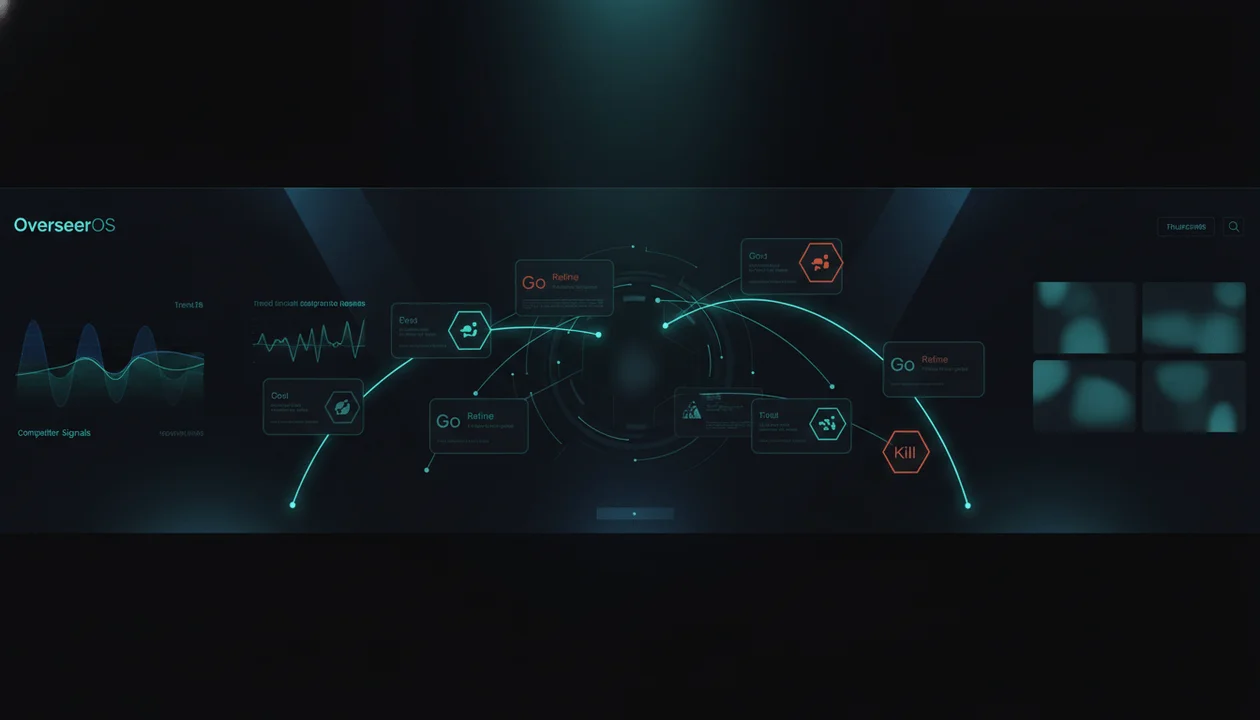
The Go, Refine, Kill Framework
Every YouTube idea should land in one of three buckets.
| Verdict | Meaning | What to Do |
|---|---|---|
| Go | The idea has demand, strong packaging, clear audience fit, and realistic production effort | Move it into production |
| Refine | The topic has potential, but the angle, title, thumbnail, or format is weak | Fix the weak part before producing |
| Kill | The idea has no clear demand, weak packaging, poor fit, or too much production cost | Drop it or save it for later |
This is simple, but it changes everything.
Most creators have only two categories:
- Ideas they like
- Ideas they have not made yet
That is not strategy.
A serious creator needs the discipline to say:
“This idea is not ready.”
That one sentence protects your time, your team, your budget, and your channel momentum.
Example: Three Ideas, Three Different Verdicts
Imagine you run a faceless AI/business channel.
Here are three possible ideas.
| Idea | First Impression | Verdict |
|---|---|---|
| “Best AI Tools in 2026” | Broad, searchable, but generic | Refine |
| “I Let AI Build My YouTube Content Calendar for 30 Days” | Specific, visual, experiment-driven | Go |
| “My Thoughts on Artificial Intelligence” | Too vague, no clear viewer promise | Kill |
The first idea is not bad. It just needs a sharper angle.
Weak:
Best AI Tools in 2026
Better:
I Built a One-Person YouTube Team With 7 AI Tools
Now the viewer understands the promise. It is not just a list. It is a workflow, a result, and a story.
The second idea is stronger because it has:
- A clear experiment
- A time frame
- A specific creator pain
- Strong thumbnail potential
- Built-in curiosity
- A natural follow-up
The third idea should be killed. Not because AI is a bad topic, but because the packaging is dead. There is no tension, no outcome, no promise, and no reason to click.
This is what validation does.
It separates “interesting to me” from “clickable to the audience.”
Signal 1: Is There Real Audience Demand?
Demand is not the same as interest.
You can be interested in a topic that nobody is actively clicking right now.
Before producing a video, look for demand signals:
- Are people searching for this topic?
- Are related videos getting views?
- Are viewers asking questions about it?
- Are Reddit, X, forums, or comments discussing it?
- Are competitors getting recent traction from similar angles?
- Is this connected to a trend, controversy, product launch, or recurring pain?
You do not need all of these signals.
But you need something.
A video idea with no visible demand is a gamble.
Sometimes gambles work. But if every video is a gamble, you do not have a strategy.
For search-driven topics, you can use tools like YouTube autocomplete, Google Trends, YouTube Studio, and keyword tools to check whether people are actively looking for the topic. YouTube’s own Inspiration tab also helps creators brainstorm ideas, titles, thumbnails, and outlines with AI assistance, but YouTube notes that AI-generated suggestions can vary in quality and should be reviewed before use. Source: YouTube Help
That warning matters.
AI suggestions are not validation.
They are raw material.
Signal 2: Has Something Similar Already Worked?
A strong idea usually has proof somewhere.
That proof might be:
- A competitor outlier
- A high-performing video in a neighboring niche
- A recurring format that keeps working
- A trend that several creators are covering
- A comment section full of the same question
- A product or news event people are reacting to
The best proof is not:
“A huge channel got views on this topic.”
Huge channels get views on weak topics because they are huge.
Better proof is:
“A smaller or mid-sized channel got unusually high views from this topic compared to its normal baseline.”
That is an outlier.
Outliers are powerful because they reveal unusual audience interest.
For a step-by-step method to source those outliers before you validate them, read how to find viral YouTube video ideas from outlier videos.
Example:
A channel normally gets 20,000 views.
One video gets 280,000 views:
“I Tried 5 AI Agents So You Don’t Have To”
That is a signal.
Not a script to copy.
A signal.
The pattern might be:
- AI agents are hot
- Viewers want practical testing
- The title reduces risk for the viewer
- The video promises a shortcut
- The format is easy to understand
Now you can create original versions:
“I Tested 7 AI Tools for YouTube Creators. Only 2 Were Worth It.”
“I Let AI Agents Run My Content Workflow for a Week.”
“I Tried Building a Faceless Channel With AI Agents.”
This is how smart creators validate ideas without stealing.
They model the pattern, not the content.
For a deeper workflow, read the guide on YouTube outlier videos.
Signal 3: Can the Idea Become a Strong Title and Thumbnail?
This is where many ideas collapse.
A topic can sound smart but still be impossible to package.
Before you write the script, test the packaging.
Ask:
- Can I write three strong titles for this?
- Can I imagine the thumbnail in one second?
- Is there a clear emotion?
- Is there visual contrast?
- Does the title create curiosity?
- Does the thumbnail support the same promise?
- Would a stranger understand the video instantly?
If the answer is no, the idea is not ready.
Here is the uncomfortable truth:
If you cannot package the idea before writing, you probably do not understand the idea yet.
Example.
Weak idea:
AI productivity tools
Weak title:
Best AI Productivity Tools
Weak thumbnail:
Logos of different AI tools
This is generic.
Now pressure-test it.
What is the actual promise?
- Save time?
- Replace a team?
- Build a system?
- Automate a task?
- Avoid bad tools?
- Show a real experiment?
Better angle:
I Tried Replacing My Assistant With AI Tools for 7 Days
Now the title and thumbnail become easier.
Thumbnail:
Split-screen: overwhelmed creator vs clean AI dashboard
Text: “REPLACED?”
That is a stronger idea because the packaging exposes the story.
YouTube also now lets eligible creators test titles and thumbnails through Studio A/B testing, where up to three variations can be compared on certain long-form videos. Source: YouTube Help
That is useful after upload.
But validation should start before production.
Do not wait until the video is live to discover that the packaging was weak.
Signal 4: Does the Idea Fit Your Channel’s Promise?
Not every good idea is good for your channel.
This is one of the hardest lessons.
A topic can have demand, strong packaging, and competitor proof but still be wrong for you.
Example:
You run a channel about AI tools for creators.
A celebrity AI deepfake scandal is trending.
Should you cover it?
Maybe.
But only if you can connect it to your audience’s reason for watching:
Weak fit:
“Celebrity AI Deepfake Drama Explained”
Better fit:
“What the AI Deepfake Scandal Means for YouTube Creators”
Now the trend serves your channel.
A channel’s promise should filter every idea.
If your channel promise is:
Helping creators use AI to grow on YouTube
Then ideas should usually connect to:
- YouTube growth
- Content workflows
- Creator tools
- AI production
- Packaging
- Automation
- Monetization
- Audience psychology
A random AI news story might get clicks, but if it trains the wrong audience to click your channel, it can damage long-term direction.
Validation is not only about views.
It is about attracting the right viewers.
Signal 5: Is the Timing Right?
Some ideas expire.
Others compound.
You need to know which one you are holding.
There are four timing buckets.
| Timing Type | Example | How to Treat It |
|---|---|---|
| Urgent trend | New AI model launch, platform update, creator controversy | Publish fast or skip |
| Seasonal | “Best YouTube tools for 2026” | Plan around search cycles |
| Evergreen | “How to make better YouTube thumbnails” | Package strongly and update over time |
| Momentum follow-up | Part 2 after a winning video | Publish quickly while interest is warm |
A trend idea that takes three weeks to produce may not be worth it.
An evergreen idea that takes three weeks to produce might be fine.
This is why content calendars should separate trend videos from evergreen videos.
A good YouTube idea validation tool should not just ask:
“Is this idea good?”
It should ask:
“Is this idea good right now?”
That is a different question.
Inside OverseerOS, Trend to Script is designed around this exact problem: helping creators find fresh web news and turn it into video script angles while the topic is still alive. For strategy-heavy channels, that matters because speed is part of the opportunity.
Signal 6: Is the Production Effort Worth the Upside?
Some ideas are good but too expensive.
That does not mean you never make them.
It means you need to know the tradeoff.
A simple faceless commentary video might take:
- 1 hour research
- 2 hours scripting
- 1 hour voiceover
- 4 hours editing
- 1 hour thumbnail
A serious case study might take:
- 6 hours research
- 4 hours scripting
- 1 hour voiceover
- 10 hours editing
- 2 hours thumbnail
The case study might perform better.
But if the upside is not clear, it can drain the channel.
Use this question:
If this video performs only average, would I still be happy we made it?
If the answer is no, the idea needs stronger validation.
High-effort videos need stronger proof.
Low-effort videos can tolerate more experimentation.
That is not lazy. That is resource management.
Signal 7: Can This Idea Lead to More Videos?
A strong YouTube idea is rarely a dead end.
It can lead to:
- A sequel
- A series
- A comparison
- A tutorial
- A case study
- A reaction
- A deeper breakdown
- A tool list
- A beginner version
- An advanced version
Example:
Original video:
I Let AI Plan My YouTube Channel for 30 Days
Follow-ups:
The AI Content Calendar That Actually Worked
I Used AI to Write 10 YouTube Titles. Here’s What Won.
I Tested AI Thumbnail Ideas Against Real Viral Videos
The Biggest Mistake AI Made When Planning My Channel
How I’d Build a Faceless Channel With AI From Scratch
That is a strong idea cluster.
A one-off idea can still work, but series potential increases strategic value.
This is especially important for smaller channels.
You do not want isolated uploads. You want learning loops.
Each video should make the next video smarter.
The 10-Minute Idea Validation Test
Before you commit to a video, run this fast test.
Minute 1: Write the Raw Idea
Write the idea in one sentence.
Bad:
AI tools
Better:
I will test whether AI tools can create a full YouTube content workflow from research to script to thumbnail.
If you cannot write the idea clearly, stop.
Minute 2: Define the Viewer Promise
Complete this sentence:
The viewer clicks because they want to know...
Example:
The viewer clicks because they want to know whether AI can actually replace parts of their YouTube workflow or if it is just hype.
No clear promise, no production.
Minute 3: Check Demand
Look for at least one demand signal:
- Competitor video worked
- Topic is trending
- Search demand exists
- Audience is asking about it
- Similar format has worked in another niche
No signal means high risk.
Minute 4: Check Channel Fit
Ask:
Would my ideal viewer care about this?
Not “would someone care?”
Your viewer.
Minute 5: Write Three Titles
If all three are boring, the angle is probably weak.
Example:
Weak:
Best AI Tools for YouTube
Better:
I Built a YouTube Workflow Using Only AI Tools
I Replaced My YouTube Team With AI for 7 Days
The AI Tool Stack I’d Use If I Started Over
Minute 6: Sketch the Thumbnail
Describe it in one sentence.
If the thumbnail needs five explanations, it is too complicated.
Minute 7: Identify the Hook
What happens in the first 10 seconds?
Weak:
“Today I’m going to talk about AI tools.”
Better:
“I wanted to know if AI could plan, write, and package a YouTube video better than a real creator. So I gave it one job: build my next upload from scratch.”
Minute 8: Check Production Cost
Is this a quick video, normal video, or heavy video?
Match effort to proof.
Minute 9: Find the Follow-Up
If the video works, what do you make next?
No follow-up does not kill the idea, but it lowers the score.
Minute 10: Give the Verdict
Choose:
- Go
- Refine
- Kill
Do not cheat.
If the answer is “Refine,” do not produce yet.
The Validation Scorecard
Use this table before adding an idea to your production calendar.
| Signal | Question | Score |
|---|---|---|
| Demand | Is there evidence people care now? | /5 |
| Competitor proof | Has something similar worked recently? | /5 |
| Packaging | Can this become a strong title and thumbnail? | /5 |
| Channel fit | Does it match your audience promise? | /5 |
| Timing | Is now the right time to publish it? | /5 |
| Production ROI | Is the effort worth the upside? | /5 |
| Follow-up potential | Can this lead to more videos? | /5 |
Score guide:
| Total | Verdict |
|---|---|
| 29 to 35 | Go |
| 20 to 28 | Refine |
| 0 to 19 | Kill or park for later |
This is not perfect science.
But it is much better than vibes.
The Most Common False Positives
Some ideas look strong but are secretly weak.
Watch for these.
False Positive 1: “This Topic Is Trending”
Trend does not mean fit.
If the trend does not connect to your audience, it can bring the wrong viewers or confuse your channel positioning.
Fix it by translating the trend through your niche.
Weak:
“New AI Model Released”
Better:
“What This New AI Model Means for Faceless YouTube Creators”
False Positive 2: “A Big Channel Did It”
Big creators can make average ideas work because their audience already trusts them.
You need to ask:
Did the idea work because of the topic, or because of the creator?
If the answer is “because of the creator,” be careful.
False Positive 3: “The Keyword Has Search Volume”
Search demand is useful, but YouTube is not only search.
A keyword can have demand and still be hard to package for browse, suggested, or homepage traffic.
A search topic needs a strong angle.
Weak:
How to Make a YouTube Thumbnail
Better:
I Studied 100 Viral Thumbnails. Here’s the Pattern.
False Positive 4: “AI Generated 50 Ideas”
More ideas can actually make decisions worse.
If the AI gives you 50 unvalidated ideas, you now have 50 distractions.
Do not ask AI for more ideas.
Ask for better filters.
False Positive 5: “The Topic Is Important”
Important does not always mean clickable.
Viewers do not click because something is objectively useful. They click because the promise feels urgent, specific, emotional, or valuable.
Turn importance into tension.
Weak:
Why Consistency Matters on YouTube
Better:
The Consistency Trap That Keeps Small YouTube Channels Stuck
How to Turn a Weak Idea Into a Stronger One
Most ideas do not need to be killed.
They need to be sharpened.
Use these upgrades.
| Weak Idea | Problem | Stronger Version |
|---|---|---|
| Best AI tools | Too broad | I Built a YouTube Workflow With 7 AI Tools |
| How to grow on YouTube | Too generic | I Studied 50 Breakout Channels. Here’s What They Did Differently |
| YouTube thumbnails | No angle | The Thumbnail Pattern Small Channels Keep Missing |
| Faceless YouTube ideas | Common SERP topic | 9 Faceless YouTube Ideas With Proof of Demand |
| Content calendar tips | Sounds boring | The YouTube Content Calendar That Stops You From Making Dead Videos |
| AI automation | Vague | I Automated My YouTube Research Process for One Week |
The pattern is simple.
Add one of these:
- A test
- A result
- A mistake
- A time frame
- A contrast
- A specific audience
- A clear transformation
- A surprising observation
- A strong enemy
Weak ideas become stronger when the viewer understands why they should care now.
Where Normal AI Idea Generators Fail
Most AI YouTube idea generators solve the wrong problem.
They answer:
What could I make?
But creators need:
What should I make?
That is a much harder question.
A generic AI tool can generate:
10 video ideas for a productivity channel
But it usually does not know:
- Which ideas are overdone
- Which topics are rising now
- Which competitors are breaking out
- Which thumbnails can carry the idea
- Which titles match your channel tone
- Which topics fit your production capacity
- Which ideas create a follow-up sequence
- Which ideas deserve to be killed
This is why AI brainstorming feels exciting for five minutes and useless by the next day.
It creates options without judgment.
A YouTube idea validation tool needs judgment.
Or at least a workflow that helps the creator make better judgments.
How OverseerOS Helps Validate YouTube Ideas Before Production
OverseerOS is built around a simple belief:
The smartest creators do not start from a blank page. They start from patterns that already worked.
That makes it a natural fit for YouTube idea validation.
Instead of generating random ideas, OverseerOS helps creators look at real YouTube patterns first.
You can use it to:
- Analyze successful channels
- Study recent videos and breakout patterns
- Clone a channel into a strategic blueprint
- Track competitors inside Smart Content Planners
- Find winning topics from competitor activity
- Take inspiration from one competitor at a time
- Turn promising topics into titles and scripts
- Create thumbnail concepts based on proven YouTube packaging
- Use Trend to Script for fresh news-driven angles
- Generate voiceovers inside the workflow through ElevenLabs integration
The important part is not that OverseerOS magically predicts views.
No honest tool can guarantee that.
The value is that it helps you make decisions from evidence instead of guessing.
A practical workflow looks like this:
- Add competitor channels to a planner.
- Look for videos that recently outperformed.
- Study the topic, title, thumbnail, and format.
- Save promising ideas into the planner.
- Rewrite the idea into an original angle.
- Generate multiple title directions.
- Check whether the thumbnail concept is strong.
- Move only the strongest ideas into production.
- Turn the winner into a script, thumbnail direction, and voiceover workflow.
That is idea validation in practice.
Not a fake guarantee.
A smarter filter.
If you want to build this kind of workflow, use OverseerOS to reverse-engineer high-performing YouTube videos and turn proven patterns into smarter content plans.
For a related planning system, read the guide on AI YouTube content calendar generators.
The Brutal Pre-Production Decision Table
Before your next video enters production, use this.
| If This Is True | Verdict |
|---|---|
| The idea has no demand signal | Kill |
| The idea has demand but weak packaging | Refine |
| The idea has a strong title but no thumbnail concept | Refine |
| The topic is trending but does not fit your audience | Refine or kill |
| A competitor succeeded with the same pattern recently | Continue testing |
| The video requires heavy production with weak proof | Kill or simplify |
| The idea fits your channel and has follow-up potential | Strong signal |
| The title, thumbnail, hook, and audience promise all align | Go |
This is the filter most creators skip.
They move from idea to production too fast.
The better move is to slow down before production so you can move faster after validation.
Before You Make the Video, Ask These 12 Questions
Use this as the final gate.
- Can I explain the idea in one sentence?
- Is there evidence people care about this topic?
- Has a similar idea or format worked recently?
- Is my version meaningfully different?
- Can I write at least three strong titles?
- Can I describe the thumbnail in one sentence?
- Does the title and thumbnail create the same promise?
- Does the idea match my channel’s audience?
- Is the timing right?
- Is the production effort worth it?
- Can this lead to another video?
- Do I know the first 10 seconds?
If you cannot check most of these, the idea is not ready.
Do not rush it.
Refine it.
Final Verdict: Validate Before You Create
The best creators are not the ones with the most ideas.
They are the ones who kill weak ideas early.
That is the hidden advantage.
Every bad video you do not make saves you time, money, and momentum.
Every weak idea you refine before production gives the final video a better chance.
A YouTube idea validation tool should not just give you more topics. It should help you decide which ideas deserve your resources.
The goal is not to predict the algorithm.
The goal is to stop making videos with no evidence, no packaging, no timing, no channel fit, and no follow-up path.
Before your next video enters production, force it through the filter:
Go, refine, or kill?
If it survives, make it properly.
If it does not, be grateful you found out before editing.
And if you want a faster way to validate ideas using real YouTube patterns, competitor research, breakout topics, title angles, thumbnails, and planning workflows, start with OverseerOS.
Do not make more videos.
Make better bets.
FAQ
What is a YouTube idea validation tool?
A YouTube idea validation tool helps creators decide whether a video idea is worth producing before they spend time on scripting, filming, editing, and thumbnail design. A good tool checks signals like audience demand, competitor proof, packaging strength, timing, channel fit, production effort, and follow-up potential.
How do I validate a YouTube video idea?
Validate a YouTube video idea by checking demand, studying competitor videos, looking for outliers, writing multiple title options, sketching the thumbnail concept, testing the hook, checking channel fit, and scoring whether the production effort is worth the potential upside.
Can AI validate YouTube video ideas?
AI can help validate YouTube ideas if it is connected to strong inputs like competitor examples, trend signals, audience questions, titles, thumbnails, and channel context. Generic AI prompts alone are not enough because they usually generate ideas without proving demand.
How do I know if a YouTube video idea is good?
A YouTube video idea is usually strong when it has visible demand, a clear viewer promise, strong title and thumbnail potential, good timing, a natural fit with your channel, realistic production effort, and room for follow-up videos.
Should I use search volume to validate YouTube ideas?
Search volume can help, especially for evergreen topics, but it should not be your only validation method. Many successful YouTube videos grow through browse, suggested, trends, or audience curiosity rather than pure search. Combine search signals with competitor proof and packaging strength.
What does Go, Refine, or Kill mean?
Go means the idea is strong enough to move into production. Refine means the topic has potential but needs a better angle, title, thumbnail, hook, or format. Kill means the idea is too weak, too vague, too off-brand, or not worth the production effort right now.
Why do good YouTube ideas fail?
Good ideas often fail because the packaging is weak, the timing is wrong, the title is unclear, the thumbnail does not create curiosity, the video does not fit the audience, or the intro fails to deliver on the promise.
How does OverseerOS help validate YouTube ideas?
OverseerOS helps creators validate ideas by starting from real YouTube patterns. Users can analyze channels, track competitors, find winning topics, study titles and thumbnails, use Smart Content Planners, turn trends into scripts, and move stronger ideas into a repeatable production workflow.