Most creators do not want another random AI video generator.
They want something more specific:
They found a YouTube video with the exact pacing, mood, structure, visual language, and editing energy they want. Now they want to create an original video that feels like it belongs in that style without copying the original creator’s script, footage, thumbnail, or idea.
That is the real use case behind a YouTube video style cloner from URL.
Not theft. Not pixel-for-pixel copying. Not “steal this viral video.”
The smart version is pattern extraction.
You study the video’s style DNA, understand why it works, then apply those patterns to a new topic, new script, new voiceover, new visuals, and your own channel identity.
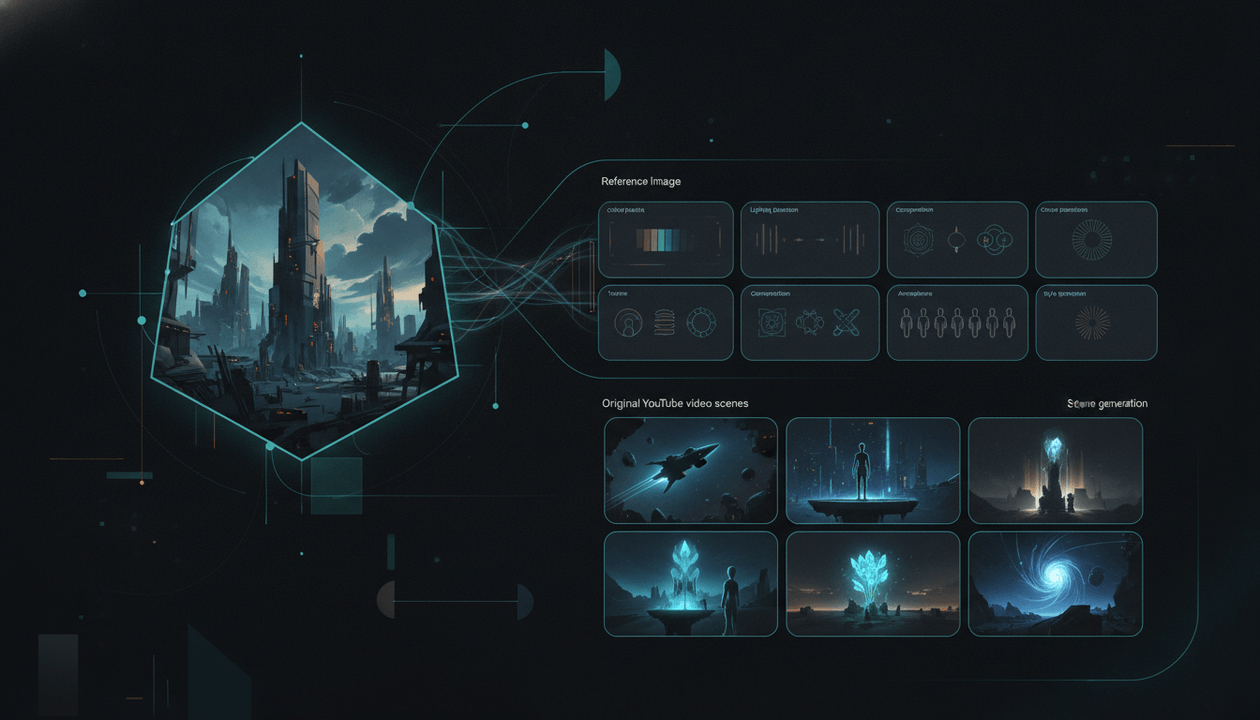
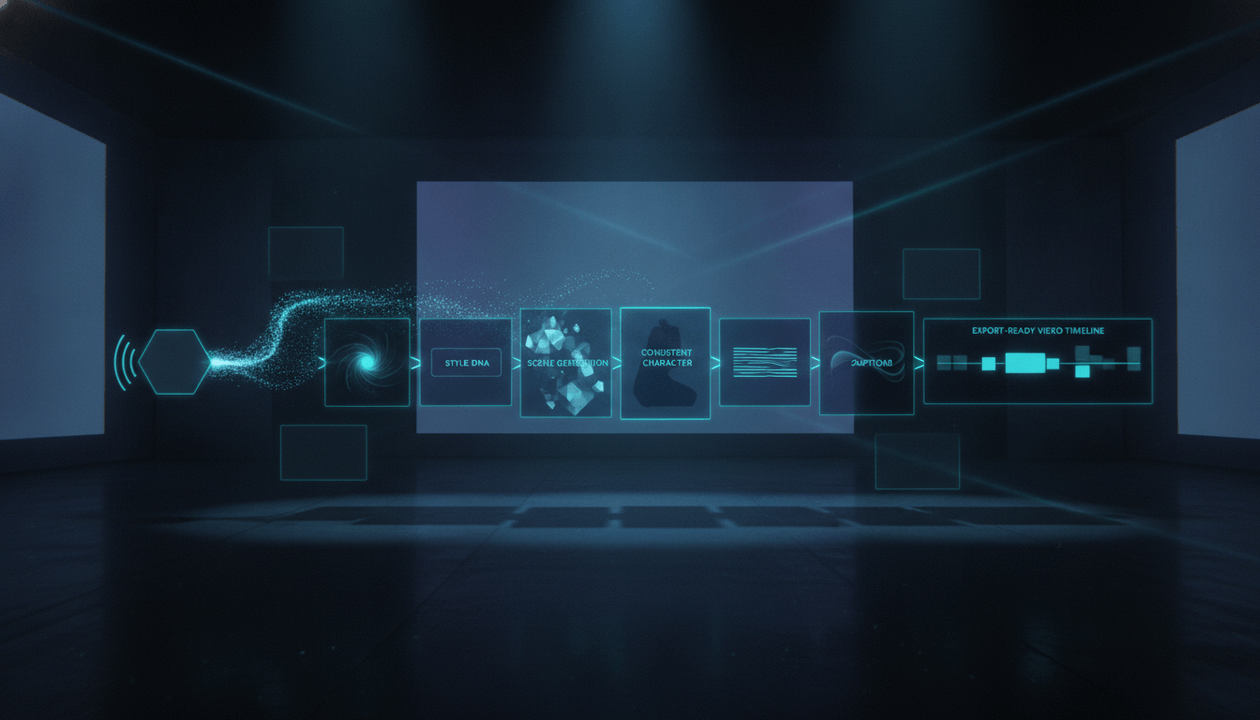
That is where tools like OverseerOS Auto Edit matter. OverseerOS Auto Edit can help creators move from a YouTube URL or image reference into a guided production workflow for original faceless videos with matching scenes, consistent visual direction, character continuity, animation, captions, and export-ready output.
Key Takeaways
- A YouTube video style cloner from URL should help you model visual style, pacing, scene rhythm, tone, and structure, not copy someone else’s video.
- The best workflow starts with a reference URL, extracts style direction, then applies it to a new script and voiceover.
- For faceless YouTube creators, style consistency matters because random AI scenes break trust and make the video feel cheap.
- OverseerOS Auto Edit is strongest when you already have a script, voiceover, or clear video idea and want to turn it into matching scenes.
- Ethical style cloning means changing the topic, angle, script, visuals, examples, title, thumbnail, and final message.
- YouTube requires creators to disclose certain realistic AI-generated or meaningfully altered content, especially when it could mislead viewers. Source: YouTube Help
- The goal is not to copy a video. The goal is to build original videos from proven creative patterns.
What Is a YouTube Video Style Cloner From URL?
A YouTube video style cloner from URL is a tool or workflow that uses a YouTube video link as a creative reference.
The tool studies the video and helps extract signals like:
- Visual mood
- Scene pacing
- Camera movement style
- Caption energy
- Color direction
- Editing rhythm
- Story structure
- Hook style
- Scene density
- Character or object consistency
- Background style
- Transition style
- Thumbnail and packaging direction
Then those signals can guide a new video.
The key word is guide.
A good workflow does not say:
“Copy this video.”
It says:
“This video works because of these patterns. Now apply those patterns to your own original idea.”
That difference matters.
One is copying. The other is creative reverse-engineering.
Style Cloning vs Copying: The Difference Creators Need to Understand
A lot of creators get this wrong.
They see a video performing well and think the goal is to recreate it as closely as possible.
That is the weak approach.
It creates three problems:
- The audience can sense the imitation.
- The video has no original angle.
- The creator becomes dependent on copying instead of building taste.
The stronger approach is to clone the style system, not the asset.
| Bad Copying | Smart Style Modeling |
|---|---|
| Reusing the same script idea | Writing a new script around a different angle |
| Matching the exact thumbnail | Using similar visual psychology with a new design |
| Duplicating the same examples | Using your own examples for your niche |
| Recreating the same scenes | Creating new scenes with similar pacing and mood |
| Taking the same title | Using the same title formula with a new promise |
| Copying the creator’s identity | Building your own identity from proven patterns |
Here is the simplest rule:
Clone the pattern. Change the substance.
That means the reference video can influence the rhythm, mood, and structure, but the final video should still be yours.
Why Creators Search for “Video Style Cloner From URL”
This keyword has strong buyer intent because the person searching already knows what they want.
They are not asking:
“What is AI video?”
They are asking:
“Can I paste a video URL and create something in that style?”
That tells you a lot.
They probably already have:
- A competitor video they admire
- A viral video they want to learn from
- A faceless channel style they want to model
- A visual format they want to recreate in their niche
- A desire to produce faster without starting from scratch
This is not beginner curiosity. This is workflow intent.
The pain is clear:
“I know the style I want. I just do not know how to turn it into my own video.”
That is exactly where a style-based production workflow beats a blank prompt box.
Why Normal AI Video Generators Often Fail at This
Most AI video tools are built around prompts.
You type something like:
Create a dark cinematic video about AI replacing jobs.
Then the tool generates something.
Sometimes it looks good. Sometimes it looks completely random.
The problem is that YouTube videos are not just visuals.
A YouTube video has a system:
- The hook creates curiosity.
- The narration controls the rhythm.
- The scenes support the script.
- The visual style keeps the video coherent.
- The captions help the viewer stay locked in.
- The music supports the emotion.
- The pacing keeps attention moving.
- The thumbnail and title sell the click.
A normal prompt-to-video tool might generate a nice clip, but it often misses the bigger YouTube structure.
That is why faceless creators run into this problem:
Scene 1 looks cinematic. Scene 2 looks like a different channel. Scene 3 has a different character. Scene 4 has random lighting. Scene 5 has nothing to do with the voiceover.
That is not a video style.
That is a pile of disconnected generations.
What a Good YouTube Video Style Cloner Should Actually Extract
A strong video style cloning workflow should not only look at “aesthetic.”
Aesthetic is surface-level.
For YouTube, the deeper value is in the production logic.
1. Visual Style
This includes the look and feel of the video.
Examples:
- Dark documentary
- Clean SaaS explainer
- High-contrast AI news
- Minimal educational animation
- Cinematic faceless storytelling
- Luxury finance breakdown
- Retro history documentary
- Fast-paced Shorts commentary
Weak prompt:
Make it cinematic.
Better style direction:
Dark cinematic documentary style, high-contrast lighting, slow zooms, dramatic city shots, shallow depth of field, realistic AI-generated scenes, minimal text overlays, suspenseful pacing.
That is much easier to reproduce.
2. Scene Rhythm
Some videos cut every 1 to 2 seconds.
Others hold shots for 5 to 8 seconds.
Some use constant visual change. Others use slower cinematic buildup.
For YouTube, scene rhythm affects retention.
A strong video style cloner should help answer:
- How fast does the reference video move?
- How often does the visual change?
- Does the video rely on quick cuts or slow tension?
- Are scenes literal, symbolic, emotional, or explanatory?
- Does the visual always match the narration, or does it create contrast?
Example:
A psychology video might say:
“The most dangerous people are not always loud.”
A literal visual would show a dangerous person yelling.
A better visual might show:
A calm person sitting alone in a dim room, half their face hidden in shadow.
Same message. Stronger style.
3. Hook Structure
A video style is not only how it looks. It is how it starts.
A good reference analysis should identify the hook type.
Common YouTube hook types:
| Hook Type | Example |
|---|---|
| Contradiction | “The most successful creators are not the ones posting the most.” |
| Hidden problem | “Your videos may be failing before the script even starts.” |
| Threat | “This one mistake can make an AI video feel instantly fake.” |
| Curiosity gap | “There is a reason this faceless channel looks expensive.” |
| Transformation | “I turned one reference video into a full production style.” |
| Pattern reveal | “Every viral video in this niche uses the same structure.” |
When you clone a video style, you should not copy the original hook.
You should copy the hook mechanism.
4. Caption and Text Overlay Style
Captions change the feel of a video fast.
A luxury finance video should not use the same captions as a high-energy TikTok commentary clip.
Look at:
- Font weight
- Text size
- Word count per caption
- Caption speed
- Placement
- Color contrast
- Highlight words
- Whether captions are full, partial, or selective
A faceless documentary may need clean, minimal captions.
A Shorts-style video may need bold, fast captions with emotional emphasis.
5. Camera and Motion Direction
Motion is part of style.
A reference video might use:
- Slow zoom-ins
- Smooth pans
- Handheld-style movement
- Drone-like movement
- Quick push-ins
- Parallax
- Subtle animation
- Hard cuts
- Match cuts
For faceless videos, motion is often what separates a “static slideshow” from a video that feels alive.
This is one reason OverseerOS Auto Edit matters for faceless creators. OverseerOS Auto Edit can help move beyond still AI images by supporting animation and motion inside the production workflow.
6. Character and Object Consistency
If your video uses a recurring person, mascot, product, office, or fictional character, consistency matters.
Viewers notice when:
- The face changes between scenes
- The outfit changes randomly
- The room changes for no reason
- The object shape changes
- The same character looks like a different person every shot
That destroys quality.
This is why reference-based AI video workflows are becoming important. Even AI video tools now emphasize multi-reference control because consistent characters, objects, scenes, and style help videos feel coherent. Source: Vidu
For YouTube, consistency is not only visual polish. It is trust.
If the visuals feel random, the viewer assumes the whole video is low effort.
The Best Workflow: From YouTube URL to Original Video Style
Here is the clean workflow creators should follow.
Step 1: Pick the Right Reference Video
Do not pick a video just because it has views.
Pick a video because the style fits your channel.
A good reference video should have:
- A style you can realistically produce often
- A pacing level that fits your niche
- Visual language your audience would accept
- A structure you can adapt without copying
- A tone that matches your brand
- Enough scenes to analyze the pattern
Bad reference:
A one-off viral video with a crazy idea that only worked once.
Better reference:
A video from a channel that repeatedly gets strong views using a recognizable style.
The repeatability matters.
A style is only useful if you can build a system from it.
Step 2: Extract the Style DNA
This is where you break the video down into production signals.
Use this table:
| Style Layer | What to Look For | Example Output |
|---|---|---|
| Visual mood | Lighting, color, realism, texture | Dark cinematic, realistic, high contrast |
| Pacing | Scene duration and cut speed | New visual every 3 to 5 seconds |
| Scene type | Literal, symbolic, emotional, educational | Symbolic visuals with occasional literal examples |
| Motion | Zooms, pans, animation, cuts | Slow push-ins and subtle parallax |
| Captions | Full captions or selective emphasis | Minimal captions, only key phrases |
| Hook | How the video opens | Hidden problem plus curiosity gap |
| Structure | How the story develops | Problem, pattern, example, consequence, solution |
| Sound | Music mood and intensity | Suspenseful background music, low intensity |
| Visual continuity | Character, locations, objects | Same main character and consistent environment |
This is the part most creators skip.
They jump from:
“I like this style.”
Straight to:
“Make me a video like this.”
That is too vague.
You need to define the style before you can reproduce it.
Step 3: Change the Topic and Angle
This is where ethical modeling happens.
Never keep the same core video.
Change the topic.
Change the angle.
Change the promise.
Change the examples.
Example:
Reference video:
Why AI Agents Will Replace Most Office Jobs
Original adapted idea:
Why Small YouTube Teams Will Replace Traditional Content Agencies
Same possible style:
- Dark AI documentary
- Futuristic office visuals
- Suspenseful pacing
- Expert tone
- High-retention curiosity structure
Completely different content.
That is the sweet spot.
Step 4: Write the Script Around the New Video
Do not generate visuals first.
Write the script first.
The script gives the video a spine.
Without a script, the AI is just creating scenes with no clear purpose.
A strong faceless script should include:
- A direct hook
- A clear viewer problem
- A strong promise
- A logical structure
- Scene-worthy beats
- Specific examples
- Emotional escalation
- A clean ending
Weak script beat:
AI is changing YouTube.
Better script beat:
The creators who win with AI will not be the ones generating the most videos. They will be the ones using AI to produce videos that still feel intentional.
That beat gives the scene generator something real to work with.
Step 5: Generate or Upload the Voiceover
For faceless YouTube, the voiceover controls timing.
A style cloner that ignores voiceover will struggle to produce a real YouTube video because the scenes need to match the narration.
The best order is:
- Reference style
- New topic
- New script
- Voiceover
- Scene breakdown
- Visual generation
- Motion and animation
- Captions
- Export
OverseerOS Auto Edit fits this type of workflow because it is designed around faceless YouTube production, not just isolated AI clips.
Step 6: Create Matching Scenes
This is where most AI videos fall apart.
Every scene should answer one question:
What should the viewer see while this part of the narration plays?
Bad scene direction:
Show AI technology.
Better scene direction:
A small creator working alone at night with multiple AI dashboards open, cinematic lighting, dark room, blue glow, focused expression, premium documentary style.
Bad scene direction:
Show money.
Better scene direction:
A faceless creator checking a revenue dashboard while a half-finished video timeline is open beside it, realistic SaaS interface, warm desk lighting, focused mood.
Specific scenes create specific videos.
Generic scenes create generic AI slop.
How OverseerOS Auto Edit Helps Apply This Workflow
The faster way to use this framework is inside OverseerOS Auto Edit.
OverseerOS Auto Edit is built for creators who want to turn ideas, scripts, and voiceovers into faceless video production workflows instead of juggling separate tools for visuals, captions, motion, and export.
For this specific URL-to-style use case, OverseerOS Auto Edit can help creators:
- Use a YouTube video URL as style inspiration
- Extract creative direction from the reference style
- Apply that direction to an original video
- Work from a script and voiceover
- Generate matching scenes instead of random visuals
- Use consistent character direction when needed
- Support animation and motion for scenes
- Add captions and music
- Move toward export-ready faceless videos
That is the difference between a generic AI video generator and a creator workflow.
A generic tool asks:
What do you want to generate?
OverseerOS Auto Edit helps answer:
What style are we following, what script are we producing, what scenes need to exist, and how do we make the final video feel consistent?
If you are building faceless YouTube videos, that distinction matters.
You can also use OverseerOS for AI faceless video generation if your goal is to turn scripts and voiceovers into structured YouTube-ready production faster.
Example: Turning One Reference Video Into a New Original Style
Let’s say you find a viral AI documentary video.
The reference video has:
- Dark futuristic visuals
- Slow cinematic zooms
- Suspenseful music
- Minimal captions
- A serious narrator
- Scenes showing offices, servers, robots, and people working late
- A hook built around fear and curiosity
You do not copy the video.
You extract the style.
Reference Pattern
Dark cinematic AI documentary about a major shift happening quietly before most people notice.
New Original Topic
Why Faceless YouTube Teams Are Becoming AI-Powered Media Studios
New Hook
The next generation of YouTube channels will not look like creators. They will look like tiny media studios run by three people and a stack of AI tools.
Scene Style
- Small creator team working from laptops
- AI dashboards and content planners
- Dark office visuals
- YouTube analytics on screens
- Script timelines
- Voiceover waveforms
- AI-generated scene boards
- Export-ready faceless video preview
- Founder reviewing multiple channels
Why This Works
The style feels inspired by the reference, but the video is original.
New topic.
New script.
New message.
New visuals.
New audience promise.
That is how creators should use a YouTube video style cloner from URL.
What Makes a Style-Cloned Video Feel Premium?
A premium AI-generated YouTube video does not feel premium because every image is beautiful.
It feels premium because every part belongs together.
Use this checklist.
- The video has one clear visual style.
- The scenes match the narration.
- The pacing matches the niche.
- The same character does not randomly change identity.
- The caption style matches the video tone.
- The music supports the emotion without overpowering the voiceover.
- The video uses the reference as inspiration, not a copy target.
- The final topic, title, script, examples, and visuals are original.
- The video feels like a finished YouTube asset, not a demo clip.
- The thumbnail and title match the style of the video.
If a generated video fails this checklist, the problem is usually not “AI quality.”
The problem is weak direction.
The Ethical Rule: Model the Style, Not the Creator
This is important.
A YouTube video URL can be a reference, but it should not become a shortcut to copying another creator’s work.
YouTube’s Help docs make it clear that YouTube cannot grant you rights to use someone else’s uploaded content. If you want to use another creator’s content, you generally need to handle permissions yourself. Source: YouTube Help
For style cloning, the safest creative standard is:
Do not reuse their assets. Do not copy their script. Do not recreate their exact idea. Do not impersonate their identity. Use the reference to understand patterns, then build your own original video.
That means:
- Do not copy exact visuals.
- Do not clone a real creator’s likeness.
- Do not imitate a real creator’s voice without permission.
- Do not reuse copyrighted footage.
- Do not make viewers think your video is from someone else.
- Do not use AI to fabricate realistic events without proper disclosure.
- Do not mislead viewers with synthetic people, places, or events.
Responsible AI video creation is not only safer. It is better branding.
You do not build a serious channel by looking like a knockoff.
A Practical URL-to-Style Template
Use this before creating your next faceless video.
Reference Video URL:
[Paste URL]

What I like about the style:
[Describe the pacing, mood, visuals, editing, captions, music, structure]

My original video topic:
[New topic]

My new angle:
[What is different from the reference?]

Target viewer:
[Who is this for?]

Video format:
[Shorts, long-form, explainer, documentary, educational, commentary, etc.]

Visual style:
[Dark cinematic, clean SaaS, luxury finance, history documentary, colorful education, etc.]

Pacing:
[Fast cuts, medium rhythm, slow cinematic, high-energy Shorts, etc.]

Caption style:
[Minimal, bold, full captions, selective captions, kinetic text, etc.]

Character consistency needed?
[Yes / No]

Recurring visual elements:
[Main character, product, room, objects, dashboard, city, device, etc.]

Music direction:
[Suspenseful, calm, energetic, premium, emotional, futuristic, etc.]

Motion direction:
[Slow zooms, pans, parallax, quick cuts, animated scenes, minimal movement]

What I must avoid copying:
[Exact title, script, scenes, footage, thumbnail, creator likeness, voice, unique phrases]

Final CTA:
[What should the viewer do after watching?]
This template turns style cloning into a production brief.
And production briefs create better videos than vague prompts.
Best Use Cases for YouTube Video Style Cloning
This workflow is especially useful for faceless creators because faceless content depends heavily on production style.
AI and Tech Channels
Use style cloning to model:
- Futuristic documentary pacing
- Clean SaaS visuals
- AI lab scenes
- Dashboard shots
- Dark technology storytelling
- Product explainer structure
Example original idea:
“The AI Tool Stack Behind One-Person YouTube Channels”
Finance Channels
Use style cloning to model:
- Luxury visuals
- Calm narration
- Charts and dashboards
- Investor psychology
- Documentary-style risk framing
Example original idea:
“Why Most People Lose Money Before They Understand Risk”
Psychology Channels
Use style cloning to model:
- Emotional pacing
- Symbolic scenes
- Dark room visuals
- Slow camera movement
- Minimal text overlays
- Human behavior storytelling
Example original idea:
“The Silent Habit That Makes People Lose Respect for You”
Education Channels
Use style cloning to model:
- Clear visual explanations
- Simple scene transitions
- Diagram-like visuals
- Friendly pacing
- Strong structure
Example original idea:
“How Dopamine Actually Shapes Your Daily Motivation”
History Channels
Use style cloning to model:
- Documentary visuals
- Archival-style scenes
- Map movement
- Dramatic narration
- Timeline structure
Example original idea:
“The Forgotten Decision That Changed an Empire”
Common Mistakes With Video Style Cloning
Mistake 1: Copying the Surface Only
Creators see a cinematic video and think:
“I just need dark visuals.”
No.
The style might also depend on pacing, narration, music, scene progression, and emotional buildup.
A dark image alone does not create a documentary.
Mistake 2: Keeping the Same Idea
If your reference video is about “AI replacing jobs,” do not make another video about “AI replacing jobs” with the same structure.
That is too close.
Use the pattern for a new angle.
Better:
“AI will not replace creators. Creators using AI will replace slow teams.”
Now you have a new argument.
Mistake 3: Ignoring the Voiceover
A faceless video is narration-led.
If the visuals do not match the voiceover timing, the video feels broken.
Start with the script and voiceover before finalizing scene structure.
Mistake 4: Using Too Many Styles at Once
One scene looks like a Netflix documentary.
The next looks like anime.
The next looks like a corporate slideshow.
The next looks like a mobile game ad.
That kills trust.
Pick one style direction and stay with it.
Mistake 5: Forgetting the Thumbnail and Title
The video style should not stop at the video.
Your title and thumbnail need to match the same promise.
If the video is dark and cinematic, but the thumbnail looks like a cheap template, the packaging breaks the brand.
Creators can pair this workflow with an AI YouTube thumbnail generator built around proven patterns so the click promise matches the video style.
The Best Way to Use a YouTube Video Style Cloner From URL
The best way is not:
Paste viral URL. Generate copy. Upload.
That is lazy.
The best way is:
- Find a reference video with repeatable style.
- Extract the style DNA.
- Choose a new original topic.
- Write a new script.
- Generate or upload a voiceover.
- Create matching scenes.
- Keep characters, objects, and visual mood consistent.
- Add motion, captions, and music.
- Review every scene for quality.
- Export a video that fits your channel.
This is how serious creators use AI.
They do not start from nothing.
They start from evidence.
Final Verdict
A YouTube video style cloner from URL is powerful when you use it correctly.
Not to copy another creator.
Not to duplicate a viral video.
Not to trick viewers.
The real value is turning a proven style into a repeatable production system for your own original videos.
That means extracting the visual DNA, pacing, structure, captions, motion, and mood from a reference video, then applying it to a new script, new voiceover, new scenes, and your own channel strategy.
For faceless YouTube creators, this is a serious advantage.
Because the biggest bottleneck is no longer only writing the script.
It is making the final video feel intentional, consistent, and publishable.
That is where OverseerOS Auto Edit fits.
If you want to turn a YouTube URL, script, voiceover, or image reference into an original faceless video with matching scenes, consistent style, supported animation, captions, music, and export-ready production, try OverseerOS Auto Edit.
The smartest creators do not copy.
They reverse-engineer what works, then build something original from it.
FAQ
What is a YouTube video style cloner from URL?
A YouTube video style cloner from URL is a tool or workflow that uses a YouTube video link as a creative reference. It helps analyze the video’s visual style, pacing, scene rhythm, captions, motion, and structure so you can create a new original video inspired by that style.
Can I clone any YouTube video style?
You can use public YouTube videos as style inspiration, but you should not copy another creator’s exact script, footage, thumbnail, voice, likeness, or unique creative assets. The best approach is to model the style pattern and create a new original video.
Is video style cloning the same as copying?
No. Copying means duplicating someone else’s content. Style cloning, when done responsibly, means studying the creative patterns behind a video and applying those patterns to your own original topic, script, visuals, and voiceover.
Can OverseerOS Auto Edit clone a video style from a YouTube URL?
OverseerOS Auto Edit can help creators use a YouTube URL as style inspiration and apply that direction inside a faceless video production workflow. It is designed to help create original videos with matching scenes, consistent style direction, captions, music, supported motion, and export-ready output.
Can I use an image instead of a YouTube URL?
Yes. OverseerOS Auto Edit can also use image style direction when you want the final video to follow a specific visual look from an uploaded image reference.
Why do AI videos often look random?
AI videos often look random because the creator starts with vague prompts instead of a clear production brief. Without style direction, scene structure, character consistency, pacing rules, and voiceover alignment, each scene can look like it came from a different video.
What should I change when modeling a viral video style?
Change the topic, title, script, examples, scenes, thumbnail, voiceover, and final message. Keep only the broad style principles, such as pacing, mood, structure, and visual direction.
Do I need to disclose AI-generated videos on YouTube?
YouTube requires creators to disclose when AI is used to meaningfully alter or generate realistic content that could make viewers think something real happened when it did not. Clearly unrealistic, animated, minor, or production-assistance AI uses may not require disclosure, but creators should review YouTube’s current guidance before uploading. Source: YouTube Help
Is a YouTube video style cloner useful for Shorts?
Yes. It can be useful for Shorts because Shorts rely heavily on pacing, captions, rhythm, visual hooks, and fast scene changes. The key is to adapt the reference style to your own idea instead of copying the original Short.
Is a YouTube video style cloner useful for long-form faceless videos?
Yes. It is especially useful for long-form faceless videos because long videos need consistent visual direction across many scenes. Style cloning can help keep the video coherent instead of turning it into disconnected AI-generated clips.