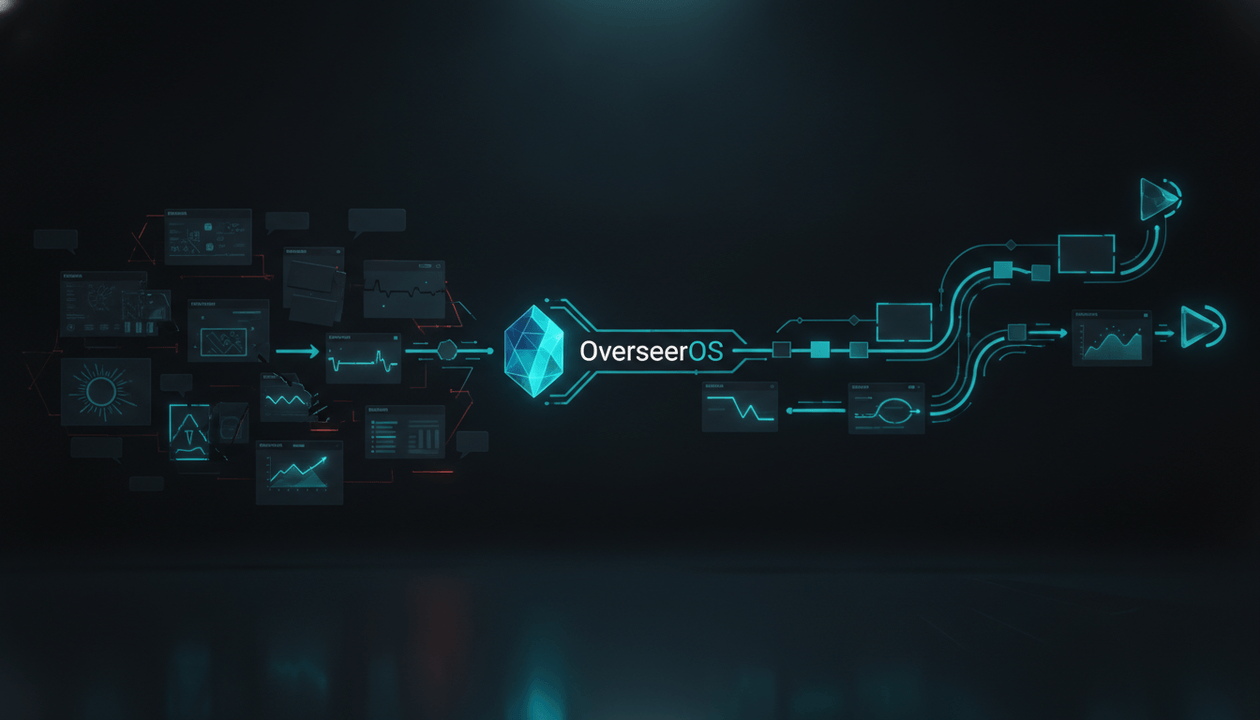
Most “AI video cloner” lists compare tools that solve completely different problems.
One tool cuts your existing podcast into Shorts. Another restyles uploaded footage. Another lets you remix part of a YouTube video inside the YouTube app. A fourth studies a public reference video, rewrites the idea into an original script, generates new visuals, and builds a new faceless video.
Those are not interchangeable workflows.
The best AI YouTube video cloner depends on what you are trying to reproduce:
- The idea and content structure
- The best moments from footage you already own
- The visual treatment of an existing clip
- The format of a remix-enabled YouTube Short
- A complete reference video to original video workflow
For creators who want to paste a public YouTube URL and turn the underlying concept into an original Short, OverseerOS Auto Edit is the strongest overall choice. It is built around reverse-engineering useful patterns, not downloading and reposting another creator’s finished video.
This guide compares the best AI YouTube video cloner tools in 2026, explains what each one actually does, and shows how to model successful videos without becoming a weaker copy of the original.
Key Takeaways
- OverseerOS Auto Edit is the best fit for turning a public YouTube reference into an original faceless Short.
- OpusClip and Vizard are better for repurposing long videos you already own into shorter clips.
- Descript is strongest when you want to edit existing footage through its transcript.
- Runway is better for transforming the visuals inside an uploaded clip than rebuilding a complete YouTube video strategy.
- Adobe Firefly is useful for generating and refining visual assets inside a broader creative workflow.
- YouTube Remix is the safest native option when a creator has enabled remixing on their content.
- A responsible video cloner should model patterns, pacing, hooks, and design principles, not copy scripts, footage, voices, thumbnails, or branded assets.
Quick Verdict: Best AI YouTube Video Cloner Tools in 2026
| Tool | Best For | Uses a YouTube Reference | Creates a New Script | Produces a Full Video Workflow | Main Limitation |
|---|---|---|---|---|---|
| OverseerOS Auto Edit | Turning a public YouTube URL into an original faceless Short | Yes | Yes | Yes | Reference workflow is focused on original short-form production |
| OpusClip | Turning your own long videos into social clips | Yes | No | Clip workflow | Reuses source footage instead of rebuilding the idea |
| Vizard | High-volume repurposing for creators and teams | Yes or upload | No | Clip workflow | Designed around clipping existing recordings |
| Descript | Transcript-based editing of video and audio | Upload existing media | Optional AI assistance | Editing workflow | Not designed to reverse-engineer a public reference URL |
| Runway Aleph | Transforming or restyling existing video footage | Uploaded video | No | Visual transformation | Does not handle YouTube strategy, scripting, or packaging |
| Adobe Firefly | Generating, editing, and refining visual assets | Images, prompts, and media | Prompt-led | Creative production workflow | Not a dedicated YouTube reference-video cloner |
| YouTube Remix | Native Shorts remixes from eligible videos | Yes, inside YouTube | No | Native remix workflow | Limited by remix permissions and available formats |
| InVideo AI | Generating a fresh video from a prompt or script | Primarily prompt or script | Yes | Yes | Does not deeply reverse-engineer a specific YouTube reference |
What Is an AI YouTube Video Cloner?
An AI YouTube video cloner is a tool that uses an existing video as a reference to reproduce one or more reusable elements, such as its topic angle, hook structure, pacing, visual direction, or content format, while creating a separate output.
The phrase can describe four very different types of software.
1. Structure Cloners
These tools study what makes a reference video work and help create a new version using:
- A different script
- New narration
- Original scenes
- New visual assets
- A distinct title and thumbnail
- A modified argument or story
This is the category that best describes OverseerOS Auto Edit.
2. Video Repurposing Tools
These tools take footage you already have and extract shorter clips from it.
For example, they can turn:
- A 60-minute podcast into ten Shorts
- A webinar into LinkedIn clips
- A long interview into vertical highlights
- A livestream into social posts
OpusClip and Vizard fit this category.
3. Video-to-Video Transformation Tools
These tools modify the appearance of footage you upload.
They may help you:
- Change the environment
- Restyle a scene
- Replace objects
- Adjust lighting
- Create visual effects
- Generate variations of a shot
Runway is a strong example.
4. Native Remix Tools
These use part of an existing video inside a platform-controlled remix workflow.
YouTube allows eligible videos to be used through features such as:
- Use this sound
- Use this template
- Cut
- Green Screen
- Collab
This is closer to an attributed remix than an independent video-cloning system.
The Difference Between Cloning a Pattern and Copying a Video
The word “clone” creates confusion because creators often use it to describe two completely different behaviors.
| Responsible Pattern Modeling | Direct Copying |
|---|---|
| Studying the hook mechanism | Reusing the original hook word for word |
| Identifying the story structure | Following every story beat in the same order |
| Learning the pacing range | Matching every cut and reveal |
| Adapting a proven topic angle | Rewriting the transcript with synonyms |
| Using similar design principles | Recreating the thumbnail pixel for pixel |
| Creating original visuals | Downloading and reusing source footage |
| Developing a new thesis | Repeating the same claims and examples |
| Building for your own audience | Imitating another creator’s identity |
The smartest creators do not begin from a completely blank page. They study patterns that have already earned attention, then rebuild those patterns around their own audience, evidence, voice, and creative direction.
That is fundamentally different from duplicating another creator’s work.
How We Evaluated the Tools
This comparison ranks tools by how well they satisfy the actual search intent behind “AI YouTube video cloner.”
We evaluated each tool across ten criteria:
- Reference input: Can it begin with a YouTube link or existing video?
- Originality: Does it help produce a distinct result?
- Script intelligence: Can it analyze, rewrite, or generate narration?
- YouTube awareness: Is it designed around YouTube formats and creator workflows?
- Voiceover support: Can narration be generated or added?
- Scene production: Can it convert a script into visual scenes?
- Style direction: Can visual principles be extracted or applied?
- Editing control: Can the creator refine the result?
- Output completeness: Does it produce a clip, an asset, or a complete video workflow?
- Best-fit clarity: Does the tool solve the job its marketing suggests it solves?
The ranking is based on suitability for the keyword, not on which company has the most features overall.
1. OverseerOS Auto Edit: Best Overall AI YouTube Video Cloner
Best for: Turning a public YouTube reference into an original faceless Short
OverseerOS Auto Edit is the closest match to what most creators expect an AI YouTube video cloner to do.
Instead of merely cutting the source footage or applying a visual filter, OverseerOS Auto Edit helps move from a public YouTube reference to a separate production workflow.
How the OverseerOS Auto Edit Reference Workflow Works
- Paste a public YouTube video URL.
- Retrieve and clean the available transcript.
- Review the original reference transcript.
- Generate an original short-form rewrite.
- Edit the rewritten script before continuing.
- Generate a voiceover or upload your own audio.
- Open the project inside OverseerOS Auto Edit.
- Optionally analyze visual direction using OverseerOS Video Style DNA.
- Break the narration into scenes.
- Generate new visual assets and refine the video.
- Adjust captions, music, motion, transitions, and other production settings.
- Export the supported final output.
The important distinction is that the source video acts as strategic reference material.
OverseerOS Auto Edit is not designed to download another creator’s finished video and republish it. The goal is to retain useful principles such as the promise, hook mechanism, pacing, and visual direction while rebuilding the actual content.
Why OverseerOS Auto Edit Ranks First
Most competing tools begin at one of two places:
- A blank prompt
- Footage you already recorded
OverseerOS Auto Edit can begin with a video that has already demonstrated a compelling concept.
That matters because the hardest part of content creation is often not generating scenes. It is deciding:
- Which idea deserves to become a video
- What promise will make someone stop scrolling
- How quickly the idea should unfold
- Which information should be revealed first
- How to turn the reference into something genuinely original
OverseerOS Auto Edit connects that strategic layer to production.
You can also use a broader YouTube video analysis workflow before production to understand why the source worked, rather than blindly treating its view count as proof that every element was strong.
Where OverseerOS Auto Edit Is Strongest
- Public YouTube reference input
- Transcript retrieval and cleanup
- Original short-form rewriting
- Editable scripts
- Generated or uploaded voiceovers
- New scene creation
- AI-generated visual assets
- Optional OverseerOS Video Style DNA
- Caption, music, motion, and transition controls
- A direct path from reference research to video production
Main Limitation
The YouTube reference workflow is designed primarily for producing an original Short rather than rebuilding an unlimited-length source video line by line.
Feature availability can also depend on the user’s plan, account, and current rollout. Pricing and limits can change, so check the current OverseerOS plan page before choosing a subscription.
Best For
OverseerOS Auto Edit is best for:
- Faceless YouTube creators
- Shorts channels
- Content teams researching successful formats
- Creators who struggle to start from a blank page
- Operators building repeatable video systems
- Agencies producing original content across multiple niches
Not Best For
It is not intended for:
- Downloading and reposting another creator’s footage
- Copying a transcript with minor word changes
- Reproducing someone’s thumbnail exactly
- Impersonating a creator or cloning an identity
- Replacing a full professional nonlinear editor for complex manual productions
Turn a public YouTube reference into an original faceless video with OverseerOS Auto Edit.
2. OpusClip: Best for Repurposing Long Videos Into Shorts
Best for: Extracting short clips from podcasts, interviews, webinars, and other long-form videos
OpusClip is one of the strongest AI clipping platforms.
You can provide a supported video link or upload a file, and the platform identifies moments that can become shorter social videos. It also offers features such as automated reframing, captions, editing tools, and publishing workflows.
What OpusClip Actually Clones
OpusClip does not primarily rebuild a reference video into a new original concept.
It repurposes the source video itself.
That makes it ideal when:
- You own the original recording
- You want to preserve the original speaker
- You need more output from existing footage
- You want to publish clips across several platforms
- You do not want to rebuild every Short manually
Example
You upload a 45-minute interview about personal finance.
OpusClip may identify:
- A controversial opinion about credit cards
- A concise story about paying off debt
- A practical three-step budgeting framework
- A surprising statistic discussed by the guest
Each moment can become a separate vertical clip using the original footage.
Main Weakness for YouTube Video Cloning
If your goal is to study another successful video and produce a new script, voiceover, scene sequence, and set of visuals, OpusClip is solving a different problem.
It is a repurposing tool, not a complete reference-to-original production system.
Best For
- Podcasters
- Coaches
- Interview channels
- Livestreamers
- Media companies
- Creators with large archives of owned footage
3. Vizard: Best for Teams Repurposing Content at Scale
Best for: Turning long-form recordings into large numbers of social clips
Vizard also focuses heavily on converting long videos into shorter pieces of content.
Its workflow is well suited to:
- Podcasts
- Courses
- Webinars
- Interviews
- Coaching calls
- Marketing videos
- Recorded business content
Vizard can identify engaging sections, cut them into clips, reframe the footage for vertical formats, and support team-based production.
Why Teams May Prefer Vizard
The platform is especially attractive when multiple people need to:
- Manage shared projects
- Review clips
- Create content for several clients
- Repurpose webinars or calls
- Produce many social deliverables from one recording
Main Weakness for YouTube Video Cloning
Like OpusClip, Vizard generally works by extracting material from existing source footage.
It does not specialize in taking the strategic DNA of a public YouTube reference and rebuilding it as an original faceless production.
Best For
- Marketing teams
- Agencies
- Course creators
- Consultants
- Podcasters
- Businesses with frequent recorded content
4. Descript: Best for Transcript-Based Video Editing
Best for: Editing existing audio and video by editing text
Descript approaches video editing like a document editor.
Upload or record media, let Descript transcribe it, then edit the video by changing the transcript. Deleting a sentence removes that portion of the recording. Moving text can rearrange the corresponding footage.
This is particularly useful for creators who find traditional timelines slow or intimidating.
What Descript Does Well
- Automatic transcription
- Text-based editing
- Filler-word removal
- Audio cleanup
- Clip creation
- Captions
- AI-assisted script work
- Generated media and B-roll
- Collaboration
Where It Fits in a Cloning Workflow
Descript can help after you have:
- Recorded a new version of an idea
- Written an original script
- Collected your own footage
- Created a voice-led video
- Decided which sections need to be shortened
For example, you could study a successful interview format, record your own interview, and use Descript to tighten the pacing through the transcript.
Main Weakness for YouTube Video Cloning
Descript is an editor first.
It does not natively center the workflow around pasting a public competitor video, reverse-engineering its strategic structure, and turning that reference into a complete original YouTube production.
Best For
- Talking-head creators
- Podcast teams
- Educators
- Product marketers
- Interview channels
- Creators who prefer text editing over timelines
5. Runway Aleph: Best for Transforming Existing Video Footage
Best for: Creative video-to-video editing and visual transformation
Runway Aleph is designed for manipulating existing video through generative instructions.
Depending on the input and requested change, video transformation tools can help creators:
- Modify an environment
- Add or remove visual elements
- Change lighting or atmosphere
- Restyle a shot
- Create variations
- Alter the appearance of a scene
Where Runway Is Powerful
Imagine you filmed a presenter in a basic room but want the scene to feel like:
- A futuristic research facility
- A cinematic financial trading floor
- A stylized animated environment
- A dark documentary reenactment
A video transformation tool can help change the presentation of footage without rebuilding every element manually.
Main Weakness for YouTube Video Cloning
Runway does not solve the full YouTube problem.
It does not inherently determine:
- Why the reference topic worked
- Which hook mechanism to preserve
- How to rewrite the script
- What title should package the idea
- Whether the concept fits your channel
- How to turn the result into a repeatable content system
It is a powerful production layer, not a complete YouTube strategy layer.
Best For
- Filmmakers
- Visual artists
- Music video creators
- Commercial production teams
- Creators who already have source footage
- Editors needing advanced generative transformations
6. Adobe Firefly: Best for Generating and Refining Visual Assets
Best for: Creating AI video assets within an Adobe-centered creative workflow
Adobe Firefly supports text-to-video, image-to-video, visual generation, and video editing capabilities.
Creators can use it to generate:
- B-roll
- Product shots
- Concept scenes
- Motion graphics
- Storyboard visuals
- Environmental animations
- Short cinematic clips
Its editing workspace can also help trim, reorder, regenerate, extend, and refine individual segments.
Where Adobe Firefly Fits
Adobe Firefly is useful when you already understand the video you want to make but need original visual material.
For example:
Script line: “The first artificial intelligence bubble did not begin with ChatGPT. It began decades earlier, in rooms filled with machines that could barely understand a sentence.”
You could use Adobe Firefly to generate:
- An archival-inspired computer laboratory
- A slow tracking shot through vintage mainframes
- A symbolic market bubble forming over computer hardware
- A cinematic researcher silhouette
Main Weakness for YouTube Video Cloning
Adobe Firefly is not designed specifically to analyze the strategic structure of a public YouTube URL.
It can help produce the visual pieces, but you still need to determine:
- Which idea to model
- How to make the script original
- How the hook should change
- What sequence will retain attention
- How the final package fits your YouTube audience
Best For
- Adobe users
- Marketing teams
- Designers
- Commercial creators
- YouTubers needing custom B-roll
- Teams concerned with controlled production workflows
7. YouTube Remix: Best Native Option for Eligible YouTube Content
Best for: Creating an attributed Short using YouTube’s own remix tools
YouTube’s native remix tools allow creators to use eligible content through formats such as:
- Sound
- Templates
- Cut
- Green Screen
- Collab
The exact options depend on the video, its privacy status, copyright ownership, and whether the original creator allows remixing.
Why This Is Different
A native YouTube remix is designed to remain connected to the source ecosystem.
You are not pretending the original asset is yours. You are using a platform-provided remix format that can attribute or connect the new Short to its source.
Strong Use Cases
- Reacting to a creator’s claim
- Responding to a Short
- Adding commentary through Collab
- Using a permitted video as a Green Screen background
- Building on an available template
- Sampling eligible audio
Main Weakness for YouTube Video Cloning
YouTube Remix does not generate a new research-backed script and full faceless video from the source concept.
It also depends on which remix options are available for that specific video.
Best For
- Reaction creators
- Commentary channels
- Music and dance creators
- Short-form collaborations
- Creators who want a native, source-connected workflow
8. InVideo AI: Best for Prompt-to-Video Generation
Best for: Turning a new idea or script into a generated video
InVideo AI is built around prompt-led video creation.
Creators can describe a video, develop a script, create a storyboard, generate shots, and refine the result using AI-assisted production tools.
Where InVideo AI Is Strong
It can be useful when you already know:
- The subject
- The intended audience
- The format
- The tone
- The desired length
- The main argument
You can then use a prompt to begin assembling the production.
Main Weakness for YouTube Video Cloning
A generic prompt-to-video workflow does not automatically understand why a specific YouTube reference succeeded.
You may still need to manually identify:
- The reference video’s promise
- Its strongest curiosity gap
- Its narrative progression
- Its evidence structure
- The pattern behind its packaging
That makes InVideo AI more suitable for creating from a defined idea than for deep reference-driven YouTube reverse-engineering.
Best For
- Prompt-first creators
- Marketing videos
- Explainer content
- Fast storyboarding
- Creators who already have a finished concept
Which AI YouTube Video Cloner Should You Choose?
Use this decision framework.
| Your Goal | Best Choice |
|---|---|
| Turn a public YouTube reference into an original faceless Short | OverseerOS Auto Edit |
| Extract Shorts from a long video you own | OpusClip |
| Repurpose webinars, podcasts, and calls with a team | Vizard |
| Edit an existing recording through its transcript | Descript |
| Transform the appearance of uploaded footage | Runway Aleph |
| Generate custom B-roll and visual assets | Adobe Firefly |
| Use a creator-permitted native YouTube remix | YouTube Remix |
| Generate a new video from a prompt or script | InVideo AI |
The mistake is not choosing a weak tool. It is choosing a strong tool for the wrong job.
A clip generator will disappoint you when you need an original script.
A text-to-video generator will disappoint you when your real problem is topic selection.
A visual transformation model will disappoint you when you need a full YouTube strategy.
A reference-based workflow will disappoint you if all you wanted was to cut your own podcast into ten clips.
Define the job first.
The Better Way to Clone a YouTube Video Without Copying It
A strong reference video contains several layers.
Your job is to separate the reusable principles from the protected or creator-specific execution.
Layer 1: The Audience Problem
Ask:
- What problem does the video solve?
- What fear, desire, or curiosity does it activate?
- Who feels compelled to click?
- What outcome does the viewer expect?
Example:
Reference promise: “These five behaviors reveal that someone secretly dislikes you.”
The underlying audience problem is not the exact list of five behaviors.
It is:
“I am uncertain how someone feels about me, and I want signals that reduce that uncertainty.”
That broader problem can support dozens of original videos.
Layer 2: The Hook Mechanism
Identify the mechanism rather than copying the sentence.
Common hook mechanisms include:
- A contradiction
- A hidden cause
- An unresolved threat
- A surprising comparison
- A costly mistake
- A personal confession
- A prediction
- A counterintuitive result
Reference hook:
“The person who compliments you the most may be the one who resents you.”
Original mechanism:
Surface behavior contradicts hidden emotion.
New hook:
“Sometimes resentment does not sound like criticism. It sounds like support that always leaves you doubting yourself.”
The psychological mechanism is similar. The language, argument, and execution are new.
Layer 3: The Information Structure
Map the source into functional sections:
- Opening tension
- Core question
- First reveal
- Supporting explanation
- Pattern interruption
- Strongest insight
- Practical takeaway
- Final payoff
Do not automatically reuse the same number of sections or the same order.
Change the structure when it improves the new argument.
Layer 4: The Visual System
Study principles such as:
- Average shot duration
- Amount of on-screen text
- Close-up versus wide framing
- Color contrast
- Camera movement
- Use of diagrams
- Character consistency
- Transition density
- Documentary versus animated treatment
Then create a new visual identity.
OverseerOS Video Style DNA can help extract visual direction from a public reference, while the creator remains responsible for building a distinct final treatment inside OverseerOS Auto Edit.
Layer 5: The Packaging Promise
A reference video may have succeeded because of its title and thumbnail, not because every section of the video was exceptional.
Analyze:
- What question does the title create?
- What does the thumbnail reveal?
- What does it deliberately withhold?
- Is the emotion fear, greed, surprise, status, urgency, or hope?
- Does the packaging promise one clear outcome?
You can also use an AI-assisted YouTube channel cloning workflow to examine repeated patterns across a channel instead of overreacting to one successful upload.
A 7-Step Reference-to-Original Workflow
Here is a practical system you can use with or without an AI video cloner.
Step 1: Choose the Right Reference
Do not select a video only because it has a large view count.
Look for:
- Strong performance relative to the channel’s normal baseline
- A topic relevant to your audience
- A format you can realistically produce
- A promise you can improve or reinterpret
- Enough room for original evidence and examples
A ten-million-view celebrity interview may be a poor reference for a faceless educational channel.
A 400,000-view breakout from a channel that normally earns 20,000 views may be far more useful.
Step 2: Write the Video’s Core Promise in One Sentence
Use this template:
This video helps [specific viewer] understand or achieve [specific outcome] by showing [mechanism].
Example:
This video helps overwhelmed freelancers earn more without working longer by showing which low-value tasks silently consume their week.
If you cannot explain the promise clearly, you are not ready to model the video.
Step 3: Extract the Structural DNA
Create a simple map:
| Section | Function | What the Reference Does | Your New Direction |
|---|---|---|---|
| Hook | Create tension | Claims common productivity advice wastes time | Show why “being busy” can reduce income |
| Setup | Define the problem | Lists typical freelancer tasks | Follow one freelancer through a chaotic day |
| Reveal | Explain the cause | Introduces task value | Introduce a revenue-per-hour filter |
| Proof | Make it credible | Uses general examples | Use a detailed before-and-after schedule |
| Payoff | Give action | Recommends delegation | Provide a three-tier elimination system |
This forces you to understand the structure instead of borrowing the surface language.
Step 4: Create a New Thesis
A rewrite is not original merely because the words changed.
The new video should add at least one meaningful difference:
- A different conclusion
- A more specific audience
- New evidence
- A stronger framework
- A contrary argument
- A new story
- A different time horizon
- A new consequence
- A more useful application
Reference:
“Seven signs you are emotionally exhausted.”
Weak variation:
“Eight signs you may be emotionally drained.”
Stronger variation:
“Why Rest Does Not Fix Emotional Exhaustion”
The stronger version changes the thesis from identification to causation.
Step 5: Rewrite the Hook From Scratch
Do not look at the original sentence while drafting.
Write at least five new openings based on the underlying mechanism.
Example topic: Why rest does not fix emotional exhaustion.
You sleep eight hours, cancel your plans, and spend the weekend doing nothing. Monday arrives, and somehow you feel even heavier.
Emotional exhaustion has a cruel trick: it can survive the exact rest that was supposed to cure it.
If time off is not making you feel better, the problem may not be how much energy you are spending. It may be what keeps taking it back.
Each hook enters through a different emotional door.
Step 6: Build New Visual Evidence
Avoid recreating the reference shot by shot.
Create original visual categories:
- New characters
- New locations
- New metaphors
- New diagrams
- New timelines
- New text treatments
- New color logic
- New image composition
For a psychology video about emotional exhaustion, one version might use:
- A recurring illustrated character
- An energy account metaphor
- Messages that visually drain the account
- A split-screen comparison between rest and recovery
- A final scene showing the hidden source of depletion
That visual concept is more defensible and memorable than imitating another creator’s scene sequence.
Step 7: Run an Originality Audit
Before publishing, compare your video against the source.
Ask:
- Is the script independently written?
- Did I introduce new evidence?
- Is the thesis meaningfully different?
- Are the examples original?
- Are the visuals newly created or properly licensed?
- Is the voiceover mine or authorized?
- Is the title independently developed?
- Is the thumbnail composition distinct?
- Would a viewer describe this as a new work rather than a remake?
If several answers are no, the video needs another creative pass.
How OverseerOS Turns This Into a Repeatable System
Manually performing every step is possible.
The problem is scale.
Once you are publishing several videos per week, the workflow becomes fragmented:
- Research happens in one tool
- Transcripts are copied into another
- Scripts are rewritten in a chatbot
- Voiceovers are generated elsewhere
- Visual prompts live in a document
- Images are scattered across folders
- Editing begins without a consistent style
- Nobody remembers why the reference was chosen
OverseerOS is designed to connect these stages around one principle:
Build from evidence, not random output.
A creator can use OverseerOS to:
- Find channels and videos already outperforming their normal baseline.
- Analyze repeated topic, title, thumbnail, and structural patterns.
- Select a reference relevant to their own audience.
- Use OverseerOS Auto Edit to retrieve the reference transcript.
- Generate and refine an original short-form script.
- Generate or upload narration.
- Use OverseerOS Video Style DNA for optional visual direction.
- Generate new scenes and visual assets.
- Refine the project inside the production workflow.
- Save the process as something that can be repeated.
The real value is not producing one cloned video.
It is building a reliable system for moving from:
Proof of demand → original idea → script → voiceover → visual production → finished video
Explore the complete OverseerOS Auto Edit production workflow.
AI YouTube Video Cloner Checklist
Use this before choosing a tool or publishing a reference-inspired video.
Reference Selection
- The reference is publicly accessible or belongs to me.
- The topic fits my actual audience.
- The performance is strong relative to the source channel.
- I understand why the video earned attention.
- I have something new to add.
Script Originality
- The script was written independently.
- The hook is not a paraphrase of the original.
- The thesis has meaningfully changed.
- The examples and evidence are new.
- The section order is not copied automatically.
- The conclusion reflects my own argument.
Visual Originality
- I am not reusing source footage without permission.
- I created or licensed the visual assets.
- The scene sequence is distinct.
- The visual identity fits my channel.
- The thumbnail is not a recreation of the reference.
- Any recognizable brands, people, or characters are handled responsibly.
Production Quality
- The first scene immediately continues the title and thumbnail promise.
- Every scene has a clear purpose.
- Captions are readable on mobile.
- Music supports rather than competes with narration.
- Visual changes happen often enough to maintain clarity and attention.
- The voiceover sounds natural and is authorized for use.
- I reviewed the final video manually before publishing.
Common AI Video Cloning Mistakes
Mistake 1: Treating a Synonym Rewrite as Original
Changing “seven signs” to “eight signals” does not create a new idea.
Originality comes from changing the argument, evidence, structure, perspective, or application.
Mistake 2: Copying the Strongest Visual
Creators often avoid copying the script but recreate the thumbnail, opening frame, or central metaphor.
That can still make the result feel derivative.
The most recognizable element of the reference is often the element that needs the greatest transformation.
Mistake 3: Choosing a Clipping Tool When You Need a Generator
OpusClip and Vizard are excellent when you own the footage.
They are not the right answer when your input is a competitor reference and your desired output is an original script with new scenes.
Mistake 4: Choosing a Generator Without a Strategy
A generic AI video generator can create attractive scenes from almost any prompt.
It cannot rescue a weak topic.
Production quality multiplies the strength of the idea. It does not replace it.
Mistake 5: Assuming High Views Prove Every Element Worked
A video may have succeeded because of:
- Existing audience size
- Timing
- Topic demand
- A strong thumbnail
- External distribution
- A recognizable guest
- News relevance
- Channel authority
Study multiple videos before declaring one element the cause of success.
Mistake 6: Matching Every Scene
Even when every asset is newly generated, reproducing the original scene sequence beat for beat can create a visibly derivative result.
Change:
- The order
- The metaphors
- The examples
- The narrator’s perspective
- The visual language
- The final payoff
Mistake 7: Removing the Human Review
AI can generate a coherent draft that still contains:
- Repetitive explanations
- Weak factual claims
- Generic visuals
- Awkward pacing
- Mispronunciations
- Inconsistent characters
- A conclusion that does not repay the hook
Always review the final result as a viewer, not merely as the person who created it.
Mistake 8: Expecting the Tool to Guarantee Performance
No AI YouTube video cloner can guarantee views, retention, subscribers, or revenue.
A tool can improve research, speed, consistency, and execution. The audience still decides whether the finished video deserves attention.
Final Verdict
The best AI YouTube video cloner in 2026 depends on what “clone” means in your workflow.
Choose OpusClip or Vizard when you want to cut footage you already own into shorter social videos.
Choose Descript when you want to edit existing recordings through text.
Choose Runway Aleph or Adobe Firefly when visual generation and transformation are the main job.
Choose YouTube Remix when you want to build directly from eligible content inside YouTube’s native remix system.
Choose InVideo AI when you already have a prompt or script and want a general AI production workflow.
Choose OverseerOS Auto Edit when you want to begin with a public YouTube reference, understand the source material, create an original short-form script, add narration, generate new visual scenes, and move into a complete faceless video workflow.
That is the core difference.
Most tools help you edit media.
OverseerOS helps you move from a pattern that already earned attention to an original video built for your own channel.
Create an original faceless Short from a YouTube reference with OverseerOS Auto Edit.
Frequently Asked Questions
What is the best AI YouTube video cloner?
OverseerOS Auto Edit is the best overall choice for creators who want to paste a public YouTube URL and turn the underlying concept into an original faceless Short.
OpusClip and Vizard are stronger when the goal is to repurpose long-form footage you already own. Runway is better for transforming uploaded video, while Descript is better for transcript-based editing.
Can AI clone a YouTube video from a URL?
Yes, but different tools interpret “clone” differently.
Some tools import a YouTube URL and cut the original footage into clips. OverseerOS Auto Edit can use a public YouTube URL as the starting point for transcript extraction, original short-form rewriting, voiceover creation, optional visual direction, and new video production.
Does OverseerOS Auto Edit download the original YouTube video?
No. OverseerOS Auto Edit is not designed to download and repost another creator’s finished video.
The reference workflow uses the available public reference, transcript, and optional style signals to help create a separate script and production direction.
Can I clone a YouTube Short with AI?
You can use a public Short as reference material for an original short-form workflow, subject to the tool’s current support and the source content’s availability.
YouTube also provides native remix options for eligible Shorts, including templates, sound, Cut, Green Screen, and Collab.
What is the difference between a YouTube video cloner and a clip generator?
A clip generator extracts shorter sections from existing footage.
A reference-based YouTube video cloner studies elements of the source, such as the concept, structure, hook, or style, and helps create a new output.
OpusClip and Vizard are primarily clip generators. OverseerOS Auto Edit is designed around a reference-to-original workflow.
Is it legal to clone a YouTube video?
Copyright and permitted use depend on what you reuse, how much you transform, the rights you hold, and the laws that apply to you. This article is not legal advice.
The safer creative approach is to model general ideas and patterns while producing a new script, new narration, new visual assets, new packaging, and a meaningfully distinct final work.
Can OverseerOS Auto Edit copy another creator’s exact style?
OverseerOS Video Style DNA is intended to guide visual direction using principles such as mood, framing, pacing, and design language.
It should be used to develop an original treatment, not to reproduce another creator’s identity or finished work exactly.
Can an AI YouTube video cloner guarantee more views?
No.
Performance depends on the idea, packaging, audience fit, execution, competition, timing, viewer satisfaction, and other factors. AI can accelerate the workflow and improve decision-making, but it cannot guarantee results.
Which tool is best for converting my own podcast into Shorts?
OpusClip and Vizard are both strong choices for turning owned long-form recordings into shorter social clips.
Descript is another good option when you want more control over the edit through a transcript.
Which tool is best for faceless YouTube channels?
OverseerOS Auto Edit is the strongest option in this comparison for faceless YouTube production because it connects reference research, original script creation, voiceover, scene generation, visual direction, captions, motion, and final editing inside one workflow.