A YouTube transcript is not a script.
That is the mistake most creators make.
They take a transcript from a successful video, paste it into an AI tool, ask for a rewrite, and think they now have an original YouTube script.
They do not.
They have a paraphrased transcript.
A transcript is raw spoken text. It includes filler, repetition, missing context, weak section breaks, messy pacing, and the exact structure of someone else’s video. A real YouTube script needs a new angle, new hook, new structure, new examples, new title promise, new thumbnail promise, and a voice that fits your channel.
That is the difference between copying and transforming.
This guide shows you how to turn a YouTube transcript into an original script the right way. You will learn the difference between transcript extraction and script rewriting, the workflow serious creators should use, the tools that help, and how OverseerOS Script ReSpark turns YouTube URLs, articles, or pasted scripts into fresh, channel-ready scripts.
Key Takeaways
- A YouTube transcript is raw material, not a finished script.
- Simply paraphrasing a transcript is risky because the structure, examples, hook, and pacing may still be too close to the original.
- YouTube says reused content can be allowed only when viewers can tell there is a meaningful difference between the original video and your video. Source: YouTube Help
- Transcript tools like Tactiq, Kome, NoteGPT, TubeTranscript, Sonix, and Opus help you extract video text, but most do not turn that transcript into an original YouTube script.
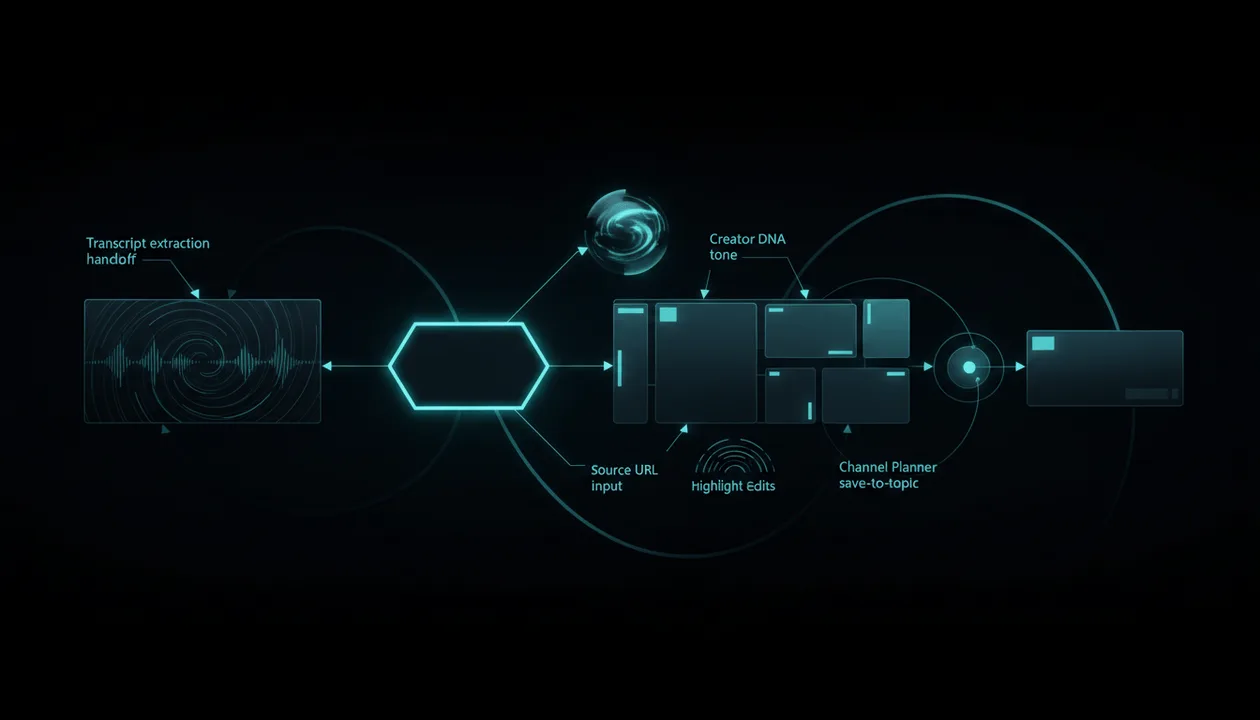
- OverseerOS Script ReSpark is built for the next step: rewriting YouTube URLs, article URLs, or pasted scripts into fresh scripts with optional Creator DNA tone, highlight edits, version comparison, and Channel Planner save-to-topic workflows.
- The best transcript-to-script workflow is: extract source → identify the core idea → change the angle → rebuild the outline → rewrite in your channel voice → polish sections → move into production.
- If you want to compare dedicated rewriting tools, read the guide to best YouTube script rewriter tools.
What Is “YouTube Transcript to Script”?
“YouTube transcript to script” means taking the spoken text from a YouTube video and transforming it into a usable video script.
That can mean a few different things:
| Workflow | What It Means | Risk Level |
|---|---|---|
| Transcript extraction | Pulling the spoken words from a video | Low |
| Transcript cleanup | Removing filler, fixing grammar, improving readability | Low |
| Transcript summary | Turning the video into notes or a short summary | Low |
| Transcript rewrite | Rewriting the transcript into new wording | Medium |
| Transcript transformation | Turning the source into a new angle, structure, and script | Best |
| Transcript copying | Rephrasing someone else’s video while keeping the same structure | High |
The goal should not be:
How do I rewrite this transcript so it sounds different?
The better goal is:
How do I use this transcript as research, then create a new original script from the core idea?
That is the difference between a weak rewrite and a creator-safe workflow.
Transcript vs Script: The Difference That Matters
A transcript captures what was said.
A script decides what should be said.
That difference is huge.
| Transcript | Script |
|---|---|
| Captures spoken words after the video exists | Plans the video before production |
| Often messy and repetitive | Structured for pacing and retention |
| Follows the original creator’s flow | Should follow your new angle |
| May include filler and tangents | Should be concise and intentional |
| Does not include production strategy | Supports title, thumbnail, voiceover, and edit |
| Belongs to the source video | Must become your own original work |
A transcript might show:
So today we’re going to talk about this company and how it started, and then we’ll get into why it became so big, and then some of the mistakes it made later.
A script should sound more like:
This company looked unstoppable.

Investors loved it. Customers trusted it. Competitors copied it.

But underneath the growth, one weakness was getting worse every year, and by the time the market noticed, the collapse had already started.
That is not just cleaner wording.
It is a different YouTube experience.
Why Simply Rewriting a Transcript Is Risky
A transcript rewrite can still be too close to the original video if it keeps the same creative structure.
Our guide on how to turn any transcript into an original, retention-first script breaks down how to change the angle, outline, and examples so the rewrite stops resembling the source.
That includes:
- Same hook
- Same title idea
- Same thumbnail concept
- Same section order
- Same examples
- Same jokes
- Same conclusion
- Same pacing
- Same emotional beats
- Same visual sequence
Changing words is not enough.
A weak AI rewrite might turn this:
In this video, I’m going to show you the five mistakes that kill most faceless YouTube channels.
Into this:
In today’s video, I’ll explain five common errors that cause most faceless YouTube channels to fail.
That is not transformation.
That is paraphrasing.
A stronger original angle could be:
Most faceless YouTube channels do not fail because the niche is bad.

They fail because the creator copies the surface of successful channels without understanding the system underneath.

After studying dozens of faceless channels, the same five failure patterns keep showing up.
Now the script has a new frame.
That is what you want.
The Better Workflow: How to Turn a YouTube Transcript Into an Original Script
Use this process before you rewrite anything.
Step 1: Extract the Transcript
First, get the transcript text.
You can use YouTube’s own transcript feature when available, or tools like:
- Tactiq YouTube Transcript Generator
- Kome YouTube Transcript Generator
- NoteGPT YouTube Transcript Generator
- TubeTranscript
- Opus YouTube Video Transcript
- Sonix YouTube transcription
These tools mostly solve one job:
YouTube video → text
That is useful, but it is only the first step.
A transcript tool gives you the source.
It does not automatically make the script original.
Step 2: Identify the Core Idea
Before rewriting, identify what is actually worth keeping.
Ask:
- What is the main idea?
- What is the viewer pain?
- What is the strongest insight?
- What question did the video answer?
- What made the topic interesting?
- What did the original video explain well?
- What did it miss?
- What could be improved?
- What audience would I serve differently?
This helps you separate the useful idea from the source creator’s execution.
Example:
Source topic:
How to start a faceless YouTube channel
Core idea:
Beginners need a repeatable system for picking a niche, finding ideas, scripting, editing, and packaging without showing their face.
Now you can build a new video from that idea without copying the structure.
Step 3: Change the Angle
This is where originality begins.
Do not keep the same angle.
Change the promise.
Weak transcript rewrite:
How to Start a Faceless YouTube Channel
Stronger original angles:
Why Most Faceless YouTube Channels Fail Before 1,000 Subscribers
I Studied 50 Faceless Channels. The Winners Had 5 Patterns.
15 High-Income Faceless YouTube Niches I’d Actually Consider in 2026
The Faceless YouTube Workflow I’d Build From Zero Today
Same general topic.
Different videos.
That is what you want.
Step 4: Rebuild the Outline
Do not keep the original structure.
A new script needs a new skeleton.
If the source video uses:
Intro
Mistake 1
Mistake 2
Mistake 3
Mistake 4
Mistake 5
Conclusion
You could rebuild it as:
Hook: the real reason faceless channels fail
Why beginners copy the wrong things
The niche selection mistake
The packaging mistake
The script mistake
The production workflow mistake
The better system
Final checklist
That is already a more original structure.
The outline is where you stop the rewrite from becoming a copy.
Step 5: Create a New Title and Thumbnail Promise
YouTube says viewers usually see the title and thumbnail first, and those elements help them decide whether they want to watch. Source: YouTube Help
That means the transcript-to-script process should not ignore packaging.
A script should deliver the title and thumbnail promise.
If the source title is:
How to Grow on YouTube
Do not rewrite the script and keep the same idea.
Create a sharper promise:
I Studied 50 Small Channels That Suddenly Exploded. Here’s What Changed.
Thumbnail concept:
Flat channel graph suddenly spiking, one breakout video circled.
Now the script has a new job.
It must reveal what changed.
That creates a different video.
Step 6: Rewrite in Your Channel Tone
A transcript rewrite should sound like your channel, not like the source channel.
This matters even more for faceless creators.
If the voiceover is the main personality, the script needs a consistent voice.
Tone examples:
| Channel Type | Script Tone |
|---|---|
| Business case study | cinematic, analytical, high-stakes |
| AI tools | skeptical, practical, fast-moving |
| Psychology | emotional, clear, human |
| Finance | cautious, direct, evidence-led |
| Education | simple, structured, calm |
| Commentary | sharp, opinionated, reactive |
| Faceless documentary | narrative, visual, suspenseful |
This is where Creator DNA inside OverseerOS becomes valuable.
Instead of rewriting into a generic “engaging” tone, Script ReSpark can use a saved Creator DNA profile so the rewritten script better fits the channel’s voice and pattern.
Step 7: Add New Examples and Proof
A rewritten script should add value.
Do not use only the same examples from the transcript.
Add your own:
- Examples
- case studies
- comparisons
- frameworks
- checklists
- warnings
- updated context
- stronger analogies
- clearer explanations
- original conclusions
Example:
If the source video says:
Most creators fail because they are inconsistent.
A better rewritten section could say:
Consistency is not the root problem.

A creator can publish every week and still fail if every video is built on a weak idea.

The real issue is inconsistent demand. One video solves a clear pain. The next video is a random topic. The audience never learns what the channel is actually for.
That adds a sharper insight.
Step 8: Polish for Retention
A transcript is usually not optimized for retention.
A YouTube script needs:
- Strong hook
- clear stakes
- short sentences
- open loops
- section bridges
- examples
- tension
- payoff
- clean ending
Bad bridge:
Next, let’s talk about thumbnails.
Better bridge:
But even if the idea is strong, most faceless channels lose the click before anyone hears the first sentence.
That pulls the viewer forward.
This is the kind of section-level craft that belongs in Script Studio after the source has been rewritten.
Step 9: Move the Script Into Production
A script is only useful if it becomes a video.
After rewriting, connect it to:
- title
- thumbnail
- voiceover
- editor brief
- channel topic
- production date
- planner workflow
This is why saving rewritten scripts to a Channel Planner topic inside OverseerOS matters.
It turns the rewrite into an actual production asset.
How OverseerOS Turns YouTube Transcripts Into Original Scripts
OverseerOS has a dedicated workflow for this through Script ReSpark.
Script ReSpark is built for creators who already have source material and want to transform it into something usable.
You can start from:
- A YouTube URL
- An article URL
- A pasted script
- A transcript you already extracted
Then OverseerOS helps you rewrite it into a fresh script.
Rewrite From URL
If you have a YouTube URL or article URL, Script ReSpark can pull the source text and help rewrite it.
That is useful when you want to turn research into a script without manually copying everything into a document.
This is the workflow:
Paste source URL
→ extract source text
→ rewrite into a fresh script
→ refine and edit
→ save to planner topic if needed
Rewrite From Script
If you already have a transcript or draft, you can paste it directly.
This is useful when you used a transcript tool first.
Workflow:
Extract transcript from YouTube
→ paste into ReSpark
→ rewrite into a fresh script
→ use Creator DNA if available
→ edit specific sections
→ save into production
Creator DNA Rewrites
Creator DNA is the tone-matching layer.
If you have a saved Creator DNA profile, Script ReSpark can rewrite the source into that channel voice.
This is powerful because a transcript rewrite should not sound like the source creator.
It should sound like you.
Creator DNA helps with:
- channel voice
- pacing
- narration style
- word choice
- rhythm
- hook style
- overall tone
This is especially useful if you run multiple channels or faceless channels with different voices.
Original vs Rewritten vs Edited Tabs
Script ReSpark lets you compare versions:
- Original
- Rewritten
- Edited
That is important because you can see the transformation clearly.
You can check whether the rewrite is too close, whether the structure needs more change, and whether the final script feels production-ready.
Highlight Edits
You can select a specific part of the rewritten script and ask AI to improve only that span.
This is useful for:
- sharpening hooks
- simplifying dense sections
- making one paragraph more dramatic
- improving transitions
- removing generic AI wording
- making a section sound more like your channel
- fixing weak endings
That gives you surgical control instead of regenerating the whole script.
Save to Channel Planner
After the rewrite, you can save the script to a Channel Planner topic.
That matters because the script now belongs inside your production workflow.
It can stay connected to the topic, voiceover, content calendar, and next production steps.
Script Studio Handoff
Script ReSpark is best for rewriting supplied source material.
If you want deeper YouTube craft, Script Studio is where you can build section-by-section, use outlines, run the Writing Agent, improve bridges, target length, and polish the full structure.
A strong workflow looks like this:
Transcript or URL
→ Script ReSpark
→ Creator DNA rewrite
→ highlight edits
→ save to planner
→ polish in Script Studio if needed
This is much stronger than basic paraphrasing.
Transcript Tools vs Script Rewriter Tools
Most SERP results for “YouTube transcript to script” solve the transcript side.
That is not the same as solving the script side.
| Tool Type | What It Does | What It Does Not Do |
|---|---|---|
| Transcript generator | Extracts spoken text from YouTube videos | Does not make the script original |
| Transcript summarizer | Summarizes the video | Does not create a production-ready script |
| General AI writer | Rewrites or expands text | Needs strong instructions to avoid copying |
| Script generator | Creates scripts from ideas or outlines | May not handle source transformation |
| Script rewriter | Turns existing material into a new script | Quality depends on how much transformation happens |
| OverseerOS Script ReSpark | Rewrites URLs, articles, or scripts into fresh channel-ready scripts | Best when used with real source material and creator judgment |
Use transcript tools for extraction.
Use script rewrite workflows for transformation.
Example: Raw Transcript to Original Script
Here is what the process should look like.
Source Transcript Idea
In this video, I’m going to show you how to start a faceless YouTube channel. First, you need to choose a niche. Then you need to write scripts, get voiceovers, edit videos, make thumbnails, and upload consistently.
This is useful information, but it is generic.
Weak Rewrite
Today, I’ll explain how to begin a faceless YouTube channel. You should start by picking a niche, then create scripts, record or generate voiceovers, edit your videos, design thumbnails, and post on a regular schedule.
This is not enough.
It keeps the same idea, same order, same basic promise, and same structure.
Stronger Original Script Angle
Most faceless YouTube channels do not fail because the creator picked a bad niche.

They fail because the creator picked a niche before studying what already works.

They start with production, not proof.

So instead of asking “what faceless channel should I start,” the better question is: which faceless channels are already getting views, which videos broke out, and what pattern can I turn into my own original format?
This is better because it changes the angle.
It shifts from:
How to start
To:
Why most beginners start wrong
That creates a new video.
The YouTube Transcript to Script Template
Use this before rewriting any transcript.
| Field | Notes |
|---|---|
| Source video URL | |
| Transcript source | |
| Original video topic | |
| Core idea worth keeping | |
| What the original did well | |
| What the original missed | |
| New viewer angle | |
| New title promise | |
| New thumbnail promise | |
| New hook | |
| New outline | |
| Creator DNA / channel tone | |
| New examples to add | |
| Sections to remove | |
| Sections to expand | |
| Production destination |
Example:
| Field | Example |
|---|---|
| Original topic | Faceless YouTube automation |
| Core idea | Creators need a repeatable production workflow |
| Original missed | Idea validation before production |
| New angle | Most faceless automation fails because creators automate weak ideas |
| New title promise | Best Faceless YouTube Automation Tools in 2026 |
| Thumbnail promise | Workflow dashboard from research to production |
| New hook | Most faceless YouTube automation fails before the video is made |
| Channel tone | direct, strategic, skeptical |
| New examples | AI tools, script tools, voiceover, thumbnails, analytics |
| Destination | Channel Planner topic |
This template forces transformation.
The Best Workflow for Competitor Transcripts
If you are using competitor transcripts, be careful.
The goal is not to rewrite a competitor’s video.
The goal is to learn from it.
Use this workflow:
1. Study the Transcript
Look for:
- hook style
- structure
- examples
- pacing
- open loops
- transitions
- emotional triggers
- title promise
- conclusion
2. Extract the Pattern
Do not copy the script.
Extract the pattern.
Example:
The video opens with a strong contradiction, explains why the common belief is wrong, then shows three examples before giving a new framework.
That is a usable pattern.
3. Build Your Own Version
Use a different:
- topic
- title
- thumbnail
- hook
- section order
- examples
- tone
- final takeaway
4. Add Your Own Value
Your version should be better in at least one way:
- clearer
- more current
- more useful
- more specific
- better examples
- stronger framework
- different audience
- better production angle
That is how competitor research becomes strategy instead of copying.
Common Mistakes When Turning YouTube Transcripts Into Scripts
Mistake 1: Keeping the Same Structure
This is the biggest mistake.
Even if you change the wording, the video still feels copied if the structure is the same.
Change the outline.
Mistake 2: Keeping the Same Hook
The hook is highly identifiable.
Do not reuse it.
Write a new opening based on your own angle.
Mistake 3: Copying the Same Examples
Examples make a script feel specific.
If you use the same examples in the same order, the rewrite will feel too close.
Add your own examples.
Mistake 4: Ignoring the Title and Thumbnail
The transcript is not the whole video.
The title and thumbnail create the viewer’s expectation.
Create a new packaging promise before rewriting the script.
Mistake 5: Using Transcript Tools as If They Are Script Tools
A transcript generator gives you text.
That is not enough.
You still need to transform the material.
Mistake 6: Skipping Channel Tone
A rewritten script should not sound like a generic AI narrator.
It should sound like your channel.
Use tone profiles, Creator DNA, or clear style instructions.
Mistake 7: Not Adding Original Insight
If the final script does not add anything new, it should not be published.
Add a sharper framework, stronger examples, new research, better structure, or a different audience angle.
Mistake 8: Trying to Automate the Whole Thing Blindly
AI can help rewrite.
But creators still need judgment.
You decide:
- what is worth keeping
- what must change
- what feels too close
- what fits the channel
- what the audience needs
- what the final video should become
When Should You Use a Transcript-to-Script Workflow?
Use it when:
- You are researching competitor videos.
- You want to study a winning structure.
- You want to turn an interview into a scripted video.
- You want to repurpose your own old videos.
- You want to transform long-form content into a new script.
- You want to turn article research into video narration.
- You want to build faceless scripts from source material.
- You want to rewrite rough drafts into a stronger channel voice.
Do not use it when:
- You only want to copy someone else’s video.
- You have no new angle.
- You cannot add original value.
- You plan to keep the same title and thumbnail.
- You do not understand the source.
- The final video would feel almost identical to the original.
How This Fits Into the Full OverseerOS Script Workflow
OverseerOS has more than one script path.
Use the right one.
| Need | Best OverseerOS Workflow |
|---|---|
| Rewrite a YouTube URL | Script ReSpark |
| Rewrite an article URL | Script ReSpark |
| Rewrite a pasted transcript | Script ReSpark |
| Match your channel tone | Creator DNA |
| Edit one weak section | Highlight edits |
| Build from scratch | Script Studio |
| Draft section by section | Writing Agent |
| Turn trend research into an outline | Trend-to-Script |
| Save to production | Channel Planner |
This is why OverseerOS is stronger than a basic transcript tool.
A transcript tool extracts text.
OverseerOS helps turn source material into a script that can actually move through production.
Final Verdict
Turning a YouTube transcript into a script is not about changing words.
It is about transforming raw source material into a new video.
A transcript is not a strategy.
A transcript is not a hook.
A transcript is not a title.
A transcript is not a thumbnail.
A transcript is not your channel voice.
You still need to find the core idea, change the angle, rebuild the outline, add your own examples, match your tone, polish for retention, and move the script into production.
That is why basic transcript tools are useful but limited.
Use Tactiq, Kome, NoteGPT, TubeTranscript, Sonix, or Opus when you need to extract the transcript.
Use OverseerOS Script ReSpark when you want to turn that transcript, URL, article, or pasted script into an original, channel-ready YouTube script.
If you want to transform source material into videos without becoming a copy, rewrite YouTube scripts into original content with OverseerOS.
FAQ
How do I turn a YouTube transcript into a script?
Start by extracting the transcript using YouTube’s transcript feature or a transcript tool. Then identify the core idea, change the angle, rebuild the outline, create a new title and thumbnail promise, rewrite in your channel tone, add original examples, polish for retention, and move the script into production.
Is a YouTube transcript the same as a script?
No. A transcript is the spoken text from an existing video. A script is a planned piece of writing designed for a new video. A script should include structure, pacing, hooks, transitions, examples, and a clear title and thumbnail promise.
Can AI turn a YouTube transcript into a script?
Yes. AI can help turn a YouTube transcript into a script, but you need to guide it carefully. The output should change the angle, structure, examples, tone, and hook. If AI only paraphrases the transcript, the result may be too close to the original.
What is the best YouTube transcript to script tool?
The best tool depends on the workflow. Transcript tools like Tactiq, Kome, NoteGPT, TubeTranscript, Sonix, and Opus can extract the transcript. OverseerOS Script ReSpark is best when you want to rewrite the transcript, URL, article, or pasted script into an original channel-ready YouTube script.
Can I rewrite a competitor’s YouTube transcript?
You can study competitor transcripts for research, but you should not simply rewrite them and publish the same video. A responsible workflow changes the angle, structure, hook, examples, title, thumbnail concept, tone, and final takeaway.
Is rewriting YouTube transcripts allowed?
Rewriting transcripts is not automatically safe or original. YouTube’s reused content policy says reused content can be allowed when viewers can tell there is a meaningful difference between the original video and your video. The final work should be clearly transformed and original. Source: YouTube Help
How do I avoid copying when using a transcript?
Use the transcript as research only. Extract the main idea, then create a new title, new thumbnail concept, new outline, new examples, new hook, and new channel tone. Do not keep the same structure and simply change words.
What is Script ReSpark in OverseerOS?
Script ReSpark is an OverseerOS workflow for rewriting existing content. You can start from a YouTube URL, article URL, or pasted script, rewrite it into a fresh version, optionally use Creator DNA tone, compare original vs rewritten vs edited versions, make highlight edits, and save the script to a Channel Planner topic.
Should I use Script ReSpark or Script Studio?
Use Script ReSpark when you have source material to rewrite, such as a YouTube URL, article URL, transcript, or pasted script. Use Script Studio when you want to build a new script from scratch, develop an outline, use the Writing Agent, or polish sections with deeper YouTube craft.
What is the safest transcript-to-script workflow?
The safest workflow is: extract transcript, identify the core idea, change the angle, rebuild the outline, write a new hook, add original examples, use your channel tone, polish for retention, and make sure the final video feels meaningfully different from the source.