Most YouTube hook generators give you opening lines.
That is useful, but it is not enough.
A hook is not just the first sentence of a script. It is the moment where the viewer decides whether the video is worth their attention.
A weak hook says:
In today’s video, we’re going to talk about how to grow on YouTube.
A strong hook says:
I studied 50 small channels that suddenly exploded, and almost all of them fixed the same mistake before their breakout video.
That second hook creates proof, curiosity, specificity, and a reason to keep watching.
That is why the best YouTube hook generator in 2026 should do more than generate catchy first lines. It should help you create hooks that match the title promise, thumbnail promise, channel tone, viewer pain, and retention structure of the video.
This guide compares the best YouTube hook generator tools in 2026, what each one does well, where each one falls short, and how to write hooks that actually keep viewers watching.
Quick Verdict: Best YouTube Hook Generator Tools in 2026
| Tool | Best For | Main Strength | Main Weakness |
|---|---|---|---|
| OverseerOS | YouTube creators who want hooks tied to Script Studio, Creator DNA, title promise, section flow, and retention | DNA Hooks, Quick Start starters, Writing Agent, inline hook commands, section-level rewrites, and channel-tone matching | Best for creators who want a full YouTube script workflow, not just one-line hooks |
| CreatorUnlock | Creators who want hooks from YouTube URLs, transcripts, or channel videos | Generates hooks from a channel, video URL, or transcript with narrative structure analysis and visual suggestions | More hook-focused than full script production workflow |
| Subscribr | Creators who want YouTube-specific hook generation and script support | Dedicated YouTube Hook Generator plus broader script-writing ecosystem | Strong for hooks, but not as deeply tied to OverseerOS-style channel blueprints, planner topics, and thumbnail/title pattern workflows |
| vidIQ | Creators who want fast YouTube script generation with hooks included | AI script generator creates full scripts with hooks, transitions, talking points, and CTAs | More script-generator focused than dedicated hook refinement system |
| Kapwing | Short-form creators who need hooks, talking points, pacing, and CTAs | AI YouTube Script Generator supports hooks and creator-friendly short-form structure | Better for quick scripts than deep retention and channel-tone work |
| Jasper | Marketing teams and branded YouTube channels | Video Script Hook and Introduction template creates hooks based on title and tone | More general marketing writer than YouTube-native retention system |
| Quso | Short-form creators who want free video hooks | Free Video Hook Generator creates quick hooks for social videos | Broad social tool, not deep YouTube competitor-pattern research |
| Copy.ai | Marketers who need hooks for multiple content types | Free hook generator creates attention-grabbing openings for many formats | Not YouTube-specific by default |
| StoryLab.ai | Creators who need simple video hook ideas | Generates video hooks from a topic for YouTube, TikTok, and Reels | Good for brainstorming, limited for strategic YouTube scripting |
| ChatGPT / Claude | Flexible hook brainstorming and rewrites | Can generate and refine hooks if prompted well | Needs your research, tone, title, thumbnail, and retention framework |
Key Takeaways
- A YouTube hook is not just an opening line. It is the first retention decision point of the video.
- A good hook should connect directly to the title and thumbnail promise. If the packaging promises a test, the hook should start the test. If the packaging promises a warning, the hook should create stakes immediately.
- OverseerOS is the strongest fit if you want hooks inside a full YouTube script workflow because Script Studio supports Quick Start starters, DNA Hooks, inline hook commands, Writing Agent drafts, section-level edits, and Creator DNA tone.
- Generic hook generators are useful for brainstorming, but they often create vague openings that are not connected to the actual video structure.
- YouTube’s audience retention report helps creators see which moments hold attention and where viewers drop off, which makes hook performance something you can improve over time. Source: YouTube Help
- Tools like CreatorUnlock, Subscribr, vidIQ, Kapwing, Jasper, Quso, Copy.ai, and StoryLab.ai can help generate hook ideas, but they solve different parts of the workflow.
- The best workflow is: title promise → thumbnail promise → viewer pain → hook type → first 30 seconds → section bridge → retention review.
What Is a YouTube Hook?
A YouTube hook is the opening moment of a video that gives the viewer a reason to keep watching.
It can be:
- A bold claim
- A surprising result
- A painful truth
- A strong question
- A curiosity gap
- A contradiction
- A visual reveal
- A warning
- A fast payoff
- A story setup
- A mistake the viewer recognizes
- A promise that creates urgency
The hook is not always one sentence.
For long-form YouTube videos, the hook can be the first 10 to 30 seconds.
For Shorts, it may be the first one to three seconds.
But the job is the same:
Make the viewer feel that leaving now would cost them something.
That “cost” can be:
- Missing the answer
- Missing the mistake
- Missing the proof
- Missing the result
- Missing the twist
- Missing the lesson
- Missing the reveal
A weak intro gives information.
A strong hook creates a reason to stay.
Why Most YouTube Hooks Fail
Most hooks fail because they start too slow.
Common weak openings:
Hey guys, welcome back to the channel.
In today’s video, we’re going to talk about...
Before we begin, make sure to like and subscribe.
Have you ever wondered...
In this digital age...
These openings waste the viewer’s attention.
The viewer clicked because the title and thumbnail promised something. The hook needs to continue that promise immediately.
If the title says:
I Tested 12 AI Tools for YouTube. Only 4 Were Useful.
Do not start with:
AI tools are becoming more popular for creators.
Start with:
I tested 12 AI tools that promised to help YouTube creators. Most of them created generic content I would never publish. But four actually changed the workflow, and one exposed the biggest mistake creators are making with AI right now.
That hook works because it delivers the title promise immediately.
What Makes a Good YouTube Hook Generator?
A good YouTube hook generator should not only ask:
What is your topic?
It should help answer:
- Who is the viewer?
- What did the title promise?
- What did the thumbnail imply?
- What pain does the viewer feel?
- What curiosity gap should open?
- What proof does the video contain?
- What tone fits the channel?
- What type of video is this?
- What should happen in the first 30 seconds?
- What should the hook lead into?
A weak hook generator gives you:
Want to grow your YouTube channel? Here are the tips you need.
A stronger hook generator helps you get:
Most small YouTube channels are not failing because their videos are bad. They are failing because every video starts from a guess instead of a pattern that already worked.
That is a real hook.
It has a belief shift.
The 7 Best YouTube Hook Types
Use these patterns when generating hooks.
| Hook Type | Example | Best For |
|---|---|---|
| Proof hook | I studied 50 small channels that suddenly exploded. | Strategy, analysis, teardowns |
| Warning hook | Most creators ruin the video before the first sentence ends. | Education, mistakes, growth |
| Result-first hook | This thumbnail got ignored until one change made it impossible to scroll past. | Experiments, before/after videos |
| Contrarian hook | Better editing is not what saved this channel. The idea did. | Commentary, strategy, business |
| Pain hook | You are not out of video ideas. You are choosing ideas too early. | Creator education, self-improvement |
| Mystery hook | This video looked ordinary, but it broke the channel’s normal view baseline by 20x. | Outlier videos, case studies |
| Transformation hook | I turned a weak topic into five titles that could actually get clicked. | Tools, tutorials, workflows |
The best hook type depends on the video.
Do not force every hook into the same formula.
Best YouTube Hook Generator Tools in 2026
1. OverseerOS: Best Overall YouTube Hook Generator for Serious Creators
OverseerOS is the best YouTube hook generator if you want hooks connected to an actual YouTube script workflow.
Most hook generators only create opening lines.
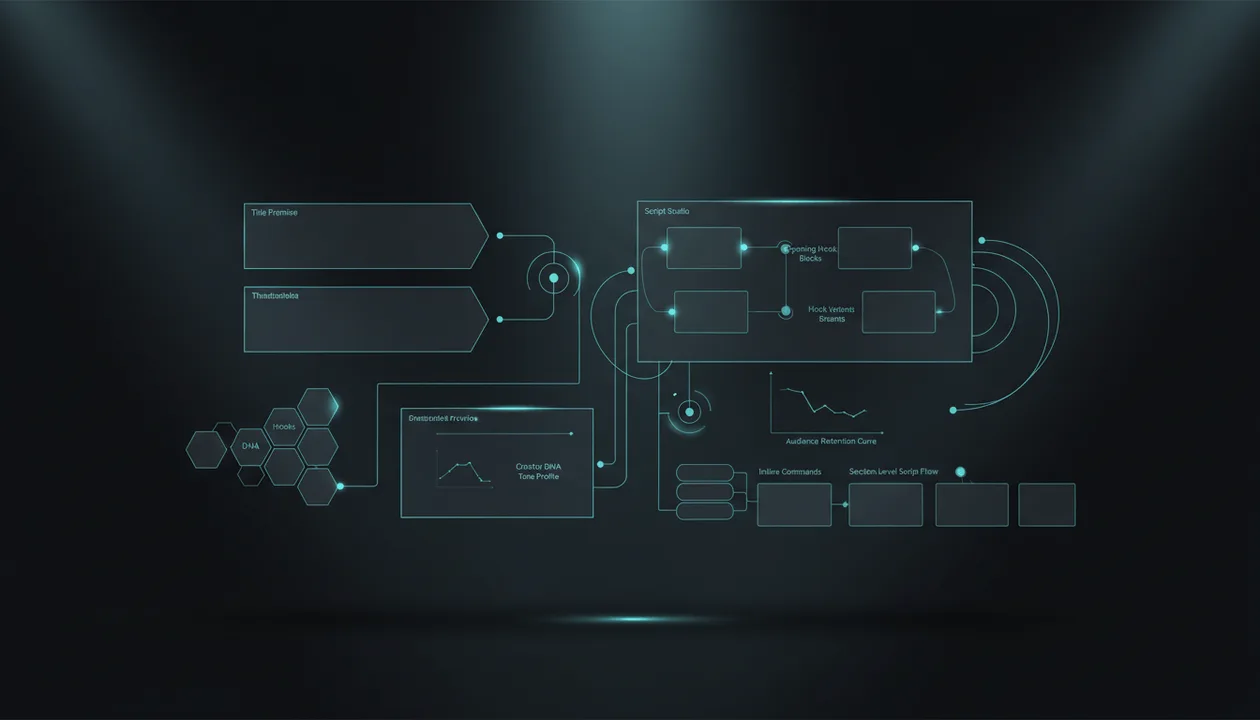
OverseerOS helps creators build hooks inside Script Studio, where the hook is connected to the title, outline, section flow, tone, non-negotiables, Creator DNA, and the rest of the script.
That makes it more useful for serious creators because hooks do not live alone.
A hook has to lead into the video.
How OverseerOS Generates Better Hooks
Inside Script Studio, hooks can be created and improved through several workflows:
| Feature | How It Helps Hooks |
|---|---|
| Quick Start | Offers starter paragraphs for empty sections, including the hook |
| DNA Hooks | Generates hook options tuned to the selected Creator DNA profile |
| Global tone | Keeps hook style consistent with the whole script |
| Per-section tone | Lets the hook use a different intensity or style if needed |
| Inline AI commands | Can make a hook stronger, add stakes, create a pattern break, or sharpen momentum |
| Highlight edits | Lets you select only the hook and rewrite it surgically |
| Writing Agent | Drafts sections in order and uses varied openers so the script does not feel repetitive |
| Quality pass | Can remove generic openers and add stakes or topic anchors where the draft is thin |
| Non-negotiables | Keeps must-include and must-avoid rules inside the AI context |
That is much stronger than a tool that simply gives you 10 opening lines.
DNA Hooks
This is one of the biggest advantages.
When your global tone is a Creator DNA profile, hook generation can prefer DNA-style hooks.
That means the hook is not just “engaging.”
It is shaped toward your channel’s voice, rhythm, patterns, and style.
This matters because a hook for a psychology channel should not sound like a hook for an AI tools channel.
Example:
Same topic:
Why small YouTube channels stop growing
Generic hook:
Are you struggling to grow on YouTube? In this video, I’ll show you why.
AI tools / strategy channel hook:
Most small channels are not stuck because their videos are bad. They are stuck because every upload starts from a guess instead of evidence.
Psychology/self-improvement channel hook:
The hardest part of growing on YouTube is not the algorithm. It is watching your effort get ignored and slowly believing you are the problem.
Business case study channel hook:
This channel looked dead for months. Then one video broke the pattern, and the reason was hiding in the title, not the edit.
The topic is the same.
The hook changes because the channel voice changes.
That is where Creator DNA matters.
Writing Agent and Hook Variety
OverseerOS’ Writing Agent can draft the script section by section.
For hooks and openings, the key advantage is variety.
Bad AI scripts often start every section the same way:
But here’s the thing...
Now let’s talk about...
This is important because...
The Writing Agent is designed to vary openers and apply small expansion moves like stakes, examples, twists, and momentum without overusing the same trick.
That helps the script feel more watchable.
Inline Hook Commands
OverseerOS also supports inline AI commands inside Script Studio.
That means you can improve a hook with actions like:
- stronger hook
- add momentum
- pattern break
- raise stakes
- add example
- bridge toward the next section
- cautious proof wording
- ending or closing line
This matters because a hook is rarely perfect on the first generation.
The best hook usually comes from iteration.
Best For
- YouTube creators who care about retention
- Faceless channel operators
- Creator teams
- Script-heavy channels
- Business case study channels
- AI and tech channels
- Psychology and self-improvement channels
- Education channels
- Channels using Creator DNA
- Creators who want hooks connected to the full script
Main Strength
OverseerOS does not treat hooks as isolated one-liners.
It builds hooks inside the full YouTube script system.
That means the hook can match the title promise, thumbnail promise, channel tone, outline, section flow, and final script.
Main Weakness
OverseerOS is not the simplest choice if you only want five random hook lines instantly.
It is best for creators who want better hooks as part of a real script workflow.
Verdict
Use OverseerOS if you want hooks that fit your actual YouTube video, channel tone, and retention structure.
If you want hooks that sound like your channel instead of generic AI, use OverseerOS to write YouTube hooks with Creator DNA and Script Studio.
2. CreatorUnlock: Best for Hooks From Channels, URLs, and Transcripts
CreatorUnlock has an AI Video Hook & Narrative Creator for YouTube. Its page says creators can generate hooks from their channel videos, any YouTube URL, or a pasted video transcript, with narrative structure analysis and visual suggestions. Source: CreatorUnlock
That makes it one of the more relevant tools in this category because it can use existing video material, not just a topic prompt.
Best For
- Generating hooks from YouTube URLs
- Transcript-based hook ideas
- Channel-based hook generation
- Narrative structure analysis
- Visual hook suggestions
- Creators studying existing videos
Main Strength
CreatorUnlock is strong because it can generate hooks from real video inputs.
That is better than a generic hook generator asking only for a topic.
A hook based on a transcript or URL has more context.
Main Weakness
CreatorUnlock is more focused on hooks and narrative creator workflows.
If you need a broader system that includes Script ReSpark, Script Studio, Creator DNA, planner workflows, title generation, thumbnail generation, and full section-level writing, OverseerOS is stronger.
Verdict
Use CreatorUnlock if you mainly want hook generation from URLs, transcripts, or existing channel videos.
Use OverseerOS if you want hooks connected to the full content workflow.
3. Subscribr: Best YouTube-Specific Hook Generator
Subscribr has a dedicated YouTube Hook Generator page and positions it around creating better hooks for YouTube videos. Source: Subscribr
Subscribr also has a broader AI YouTube script writer workflow that includes idea generation, scripts, and channel voice.
Best For
- YouTube hook ideas
- Creator-specific hook generation
- YouTube script workflows
- Channels that want help opening videos
- Creators who want a YouTube-native tool
Main Strength
Subscribr is YouTube-specific.
That gives it an advantage over broad hook generators built for blogs, ads, emails, or social captions.
Main Weakness
Subscribr is not built around OverseerOS’ exact workflow: Blueprint seeds, Script Studio, Creator DNA hooks, ReSpark rewrites, Trend-to-Script handoffs, and planner save-to-topic production.
Verdict
Use Subscribr if you want a dedicated YouTube hook generator.
Use OverseerOS if you want hooks integrated into a wider scripting and channel strategy system.
4. vidIQ: Best for Fast Script Generation With Hooks Included
vidIQ’s AI Script Generator creates full YouTube scripts from a video idea. Its page says the script includes an intro, talking points, transitions, and a closing call-to-action. It also lets creators adjust tone, pacing, or voice. Source: vidIQ
vidIQ also has an AI Content Generator that creates scripts, outlines, titles, descriptions, tags, and thumbnail ideas. Source: vidIQ
That makes vidIQ useful if you want hooks as part of a fast script-generation workflow.
Best For
- Fast script drafts
- YouTube beginners
- Simple hooks and intros
- SEO-focused creators
- Creators already using vidIQ
- Video idea to script workflows
Main Strength
vidIQ is easy.
You enter the idea and get a script that includes the opening structure.
That is useful if you need speed.
Main Weakness
vidIQ is stronger as a broad script generator than a deep hook refinement tool.
If you need DNA-style hooks, section-level edits, rewritten openers, or hooks tied to analyzed channel tone, OverseerOS is stronger.
Verdict
Use vidIQ if you want a fast draft with a hook included.
Use OverseerOS if the hook needs to match a specific channel voice and script structure.
5. Kapwing: Best for Short-Form YouTube Hooks
Kapwing’s AI YouTube Script Generator says it creates scripts for short-form YouTube videos, including hooks, intros, talking points, pacing, CTAs, and creator-friendly structure. Source: Kapwing
That makes it useful for Shorts and quick creator-led scripts.
Best For
- YouTube Shorts
- Short-form scripts
- Creator-led videos
- Simple hooks and talking points
- Fast script drafts
- Social video production
Main Strength
Kapwing connects hooks to short-form pacing.
That matters because Shorts need the hook to land fast.
You do not have 30 seconds to warm up.
Main Weakness
Kapwing is better for fast short-form scripts than deep long-form hook strategy.
For long-form YouTube, you need hooks that connect to title promise, section flow, and retention structure.
Verdict
Use Kapwing for quick short-form hooks.
Use OverseerOS for deeper long-form and channel-matched hook workflows.
6. Jasper: Best for Branded Hook and Intro Writing
Jasper has a YouTube Script Writer and says its Video Script Hook and Introduction template can create powerful hooks by using the video title and desired tone of voice. Source: Jasper
That makes it useful for branded channels and marketing teams.
Best For
- Branded YouTube channels
- Product videos
- Marketing content
- Teams already using Jasper
- Hook and intro templates
- Brand voice consistency
Main Strength
Jasper is strong when tone and brand consistency matter.
If your YouTube videos are part of a larger marketing system, Jasper can fit that workflow.
Main Weakness
Jasper is not specifically built around YouTube competitor patterns, Creator DNA hooks, Script Studio section flow, or title-thumbnail-script alignment.
Verdict
Use Jasper for branded hook writing.
Use OverseerOS for YouTube-native hook strategy and creator workflow.
7. Quso: Best Free Video Hook Generator for Quick Ideas
Quso has a free Video Hook Generator that creates engaging video hooks designed to draw viewers in and keep watching. The tool is free and does not require login. Source: Quso
Quso is also a broader social video platform focused on clips, captions, blogs, show notes, and scheduling.
Best For
- Free hook ideas
- Short-form videos
- Social media creators
- Quick brainstorming
- Creators who want no-login hook generation
Main Strength
Quso is fast and accessible.
If you need quick hook inspiration, it can help.
Main Weakness
It is not a deep YouTube scripting system.
It does not understand your full title promise, thumbnail promise, channel tone, script outline, or Creator DNA unless you manually provide that context somewhere else.
Verdict
Use Quso for fast free hook ideas.
Use OverseerOS when the hook needs to fit a full YouTube script.
8. Copy.ai: Best General Hook Generator for Marketers
Copy.ai has a free hook generator designed to create attention-grabbing openings for content and boost engagement. It also offers a broader AI Hook Generator for different content types. Source: Copy.ai
This is useful if you need hooks for marketing content, not only YouTube.
Best For
- Marketing hooks
- Ads
- Landing pages
- social posts
- content marketing
- general copywriting
- multi-format hook brainstorming
Main Strength
Copy.ai is versatile.
It can generate hooks across many formats.
That makes it useful for marketers working across YouTube, ads, email, landing pages, and social.
Main Weakness
It is not YouTube-specific by default.
A marketing hook is not always a good YouTube hook.
YouTube hooks need to connect to retention, title promise, thumbnail promise, and video structure.
Verdict
Use Copy.ai for broad hook brainstorming.
Use OverseerOS if YouTube retention is the real goal.
9. StoryLab.ai: Best Simple Video Hook Generator for Multi-Platform Creators
StoryLab.ai has an AI Video Hook Generator for YouTube, TikTok, and Reels. Its page says the tool helps generate video hooks based on your idea. Source: StoryLab.ai
This is useful for creators who need quick hook variations across platforms.
Best For
- Simple video hooks
- TikTok, Reels, and Shorts
- Multi-platform creators
- Quick idea expansion
- Short-form brainstorming
Main Strength
StoryLab.ai is easy to use and multi-platform.
It can help creators get unstuck when they need opening ideas.
Main Weakness
It is not built for deep YouTube long-form strategy.
It does not fully replace a script workflow where hooks must connect to outline, section flow, and channel tone.
Verdict
Use StoryLab.ai for fast multi-platform hook ideas.
Use OverseerOS for YouTube-specific hook strategy.
10. ChatGPT and Claude: Best Flexible Hook Brainstormers
ChatGPT and Claude can generate excellent YouTube hooks if you give them the right inputs.
But most creators prompt them too vaguely.
Weak prompt:
Give me hooks for a YouTube video about AI tools.
Better prompt:
Create 12 YouTube hook options for a 10-minute faceless video titled: "I Tested 12 AI Tools for YouTube. Only 4 Were Useful."

The thumbnail shows 12 tool cards, with four highlighted winners and the rest faded out.

Target viewer: faceless YouTube creators overwhelmed by AI tools.

Create hooks in these categories:
- proof
- warning
- contrarian
- result-first
- pain
- mystery

Each hook should be 2 to 4 sentences and lead naturally into a test-driven video.
That gives the model context.
Best For
- Flexible hook generation
- Hook rewrites
- Hook categories
- Testing different angles
- Turning weak hooks into stronger ones
- Creators who already have research
Main Strength
General AI models are flexible.
You can ask for any hook type, tone, structure, or rewrite style.
Main Weakness
They do not automatically know your channel, title, thumbnail, outline, or Creator DNA unless you provide it.
That means the quality depends on your prompting.
Verdict
Use ChatGPT or Claude when you know what to ask.
Use OverseerOS when you want the hook workflow built into the YouTube script system.
Feature Comparison: Which YouTube Hook Generator Wins?
| Use Case | Best Tool |
|---|---|
| Full YouTube script workflow | OverseerOS |
| Creator DNA / channel-tone hooks | OverseerOS |
| Section-level hook edits | OverseerOS |
| DNA-style hook generation | OverseerOS |
| Hooks from YouTube URLs or transcripts | CreatorUnlock, OverseerOS via ReSpark + Script Studio workflow |
| Dedicated YouTube hook generator | Subscribr |
| Fast script with intro included | vidIQ |
| Short-form hook scripts | Kapwing, Quso, StoryLab.ai |
| Branded video hooks | Jasper |
| General marketing hooks | Copy.ai |
| Flexible custom hook prompting | ChatGPT, Claude |
| Retention review after publishing | YouTube Studio |
The Better YouTube Hook Workflow
Do not use this workflow:
Ask AI for a hook
Pick the one that sounds dramatic
Paste it into the script
Publish
Use this instead.
Step 1: Start With the Title Promise
The hook must continue the title promise.
Title:
I Tested 12 AI Tools for YouTube. Only 4 Were Useful.
Bad hook:
AI is changing the future of content creation.
Good hook:
I tested 12 AI tools that promised to save YouTube creators time. Most of them created generic output I would never publish. But four actually changed the workflow.
The hook starts the video the viewer clicked for.
Step 2: Match the Thumbnail Promise
If the thumbnail shows a failure, the hook should mention the failure.
If the thumbnail shows a result, the hook should lead with the result.
If the thumbnail shows a mystery, the hook should deepen the mystery.
Title and thumbnail get the click.
The hook earns the next 30 seconds.
Step 3: Pick the Hook Type
Choose the hook type based on the video format.
| Video Format | Best Hook Type |
|---|---|
| Tool test | Proof hook, result-first hook |
| Mistakes video | Warning hook, pain hook |
| Business case study | Mystery hook, stakes hook |
| Tutorial | Fast value promise |
| Faceless niche video | Contrarian hook, proof hook |
| Commentary | Hot take, contradiction |
| Documentary | Story setup, unresolved tension |
| Product comparison | Decision hook, conflict hook |
Do not use the same hook type for every video.
Step 4: Write 5 to 10 Variants
Never use the first hook.
Generate multiple angles:
- Proof
- fear
- curiosity
- pain
- result
- contradiction
- story
- transformation
Then pick the one that best matches the video.
Step 5: Test the Hook Against the Script
Ask:
- Does the rest of the script deliver this promise?
- Is the hook too dramatic for the actual content?
- Does it create curiosity without lying?
- Does it lead naturally into the first section?
- Does it attract the right viewer?
A hook that overpromises can hurt retention.
Step 6: Review Audience Retention After Publishing
YouTube’s audience retention report shows how well moments in the video held viewers’ attention and can reveal dips, spikes, and strong segments. Source: YouTube Help
After publishing, check:
- Did viewers drop instantly?
- Did the first 30 seconds hold?
- Did the hook match the title and thumbnail?
- Did the first section move too slowly?
- Did the payoff arrive too late?
- Did the viewer get the video they expected?
Use that data to improve the next hook.
YouTube Hook Formula Library
Use these formulas.
| Formula | Example |
|---|---|
| I studied X and found Y | I studied 50 small channels that suddenly exploded, and almost all of them fixed the same mistake. |
| Most people think X, but Y | Most creators think their thumbnails are the problem. But the failure usually starts one step earlier. |
| I tested X. Here’s what failed. | I tested 12 AI tools for YouTube. Most of them were not worth opening twice. |
| You are doing X, and it costs Y | You are choosing video ideas too early, and it is costing you weeks of production time. |
| This looked normal until X happened | This video looked like a normal upload until it outperformed the channel’s average by 19x. |
| The hidden reason X happens | The hidden reason your videos stop growing is not the algorithm. It is the idea filter. |
| If I had to start over | If I had to start a faceless channel from zero today, I would not start with a niche. I would start here. |
| Before you do X, watch this | Before you publish another YouTube video, check whether the idea passes this one test. |
| The mistake nobody sees | The mistake that kills most AI-generated scripts happens before the first sentence is written. |
| The uncomfortable truth | The uncomfortable truth is that most creators do not need more ideas. They need fewer bad ones. |
Weak Hook vs Strong Hook Examples
Example 1: YouTube Growth
Weak:
In today’s video, I’m going to share some tips to help you grow your YouTube channel.
Strong:
Most small channels are not stuck because their videos are bad. They are stuck because every upload starts from a guess instead of evidence.
Example 2: AI Tools
Weak:
AI tools are very useful for YouTube creators.
Strong:
I tested 12 AI tools that promised to help YouTube creators. Most of them made the workflow slower. Four were actually useful.
Example 3: Thumbnails
Weak:
Thumbnails are important if you want more views.
Strong:
I rebuilt 20 bad thumbnails using viral patterns, and the biggest improvement had nothing to do with brighter colors.
Example 4: Faceless Channels
Weak:
Faceless YouTube channels are a great way to make money online.
Strong:
Most faceless channels fail because they copy the surface of successful channels without understanding the system underneath.
Example 5: Business Case Study
Weak:
Today we’re going to talk about how this company became successful.
Strong:
This company looked unstoppable until one decision turned its biggest advantage into the reason it collapsed.
Common Mistakes With YouTube Hook Generators
Mistake 1: Generating Hooks Before the Title Is Clear
If the title is unclear, the hook will be unclear.
Fix the title promise first.
Mistake 2: Writing Hooks That Sound Like Ads
Hooks should create curiosity, not sound like a sales page.
Weak:
This amazing tool will revolutionize your workflow.
Strong:
I thought this tool would save me hours. Instead, it exposed the one part of my workflow AI still could not fix.
Mistake 3: Using the Same Hook Type Every Time
If every video starts with a bold claim, the channel becomes predictable.
Rotate hook types.
Mistake 4: Making the Hook Too Long
A hook should not become a full introduction.
It should open the loop, create stakes, and move fast.
Mistake 5: Starting With Context Instead of Tension
Context is useful later.
The hook needs tension first.
Weak:
YouTube has changed a lot over the years.
Strong:
The advice that helped channels grow five years ago is now killing small channels before they get traction.
Mistake 6: Writing a Hook the Video Cannot Deliver
Do not overpromise.
If the hook says you tested something, show the test.
If it says you found a pattern, reveal the pattern.
If it says one mistake caused the problem, prove it.
Mistake 7: Ignoring Channel Voice
A hook can be strong and still wrong for your channel.
Use Creator DNA, tone profiles, or clear style rules so your hooks feel consistent.
How OverseerOS Fits Into the Full Hook Workflow
OverseerOS belongs at the start and middle of the hook process.
It helps creators connect hooks to the whole video, not just the first line.
A strong workflow looks like this:
Analyze winning channels
→ choose proven idea
→ generate title
→ define thumbnail promise
→ open Script Studio
→ generate DNA Hook options
→ refine with inline commands
→ write the rest of the script
→ review retention after publishing
This matters because the hook is not isolated.
If the hook creates a promise the script does not deliver, viewers leave.
If the hook sounds different from the channel, the video feels wrong.
If the hook ignores the thumbnail, the viewer feels disconnected.
OverseerOS helps solve that by connecting hook generation to:
- title
- outline
- channel tone
- Creator DNA
- section structure
- script polish
- content workflow
That is the serious creator workflow.
Once the hook and script are done and the video is live, repurposing becomes the next bottleneck, so review the best Taja AI alternatives for turning one video into clips and posts.
Best Overall YouTube Hook Generator
If you want quick free hooks, use Quso, StoryLab.ai, Copy.ai, or ChatGPT.
If you want hooks from URLs or transcripts, CreatorUnlock is useful.
If you want a dedicated YouTube hook generator, Subscribr is relevant.
If you want hooks inside a fast YouTube script draft, vidIQ or Kapwing can help.
If you want branded hooks, Jasper is a good option.
But if you want the best YouTube hook generator for serious creators, use OverseerOS.
The reason is simple:
OverseerOS does not just create hook lines.
It helps you create hooks that match the title promise, thumbnail promise, channel tone, Creator DNA, and full script structure.
That is what makes a hook actually work.
Final Verdict
The best YouTube hook generator in 2026 is not the one that gives you the most dramatic opening line.
It is the one that helps you write an opening that makes the right viewer keep watching.
That requires more than a catchy sentence.
It requires title alignment, thumbnail alignment, viewer psychology, channel tone, retention structure, and script flow.
Generic hook generators are useful for brainstorming.
But serious creators need a deeper workflow.
OverseerOS gives you that workflow through Script Studio, DNA Hooks, Quick Start starters, inline commands, highlight edits, Writing Agent support, Creator DNA tone, and full script structure.
If you want hooks that feel native to your channel and lead into scripts people actually watch, use OverseerOS to write YouTube hooks with Creator DNA and Script Studio.
FAQ
What is the best YouTube hook generator in 2026?
The best YouTube hook generator depends on your workflow. OverseerOS is best for serious creators who want hooks connected to Script Studio, Creator DNA, title promise, thumbnail promise, and full script structure. CreatorUnlock is useful for hooks from URLs and transcripts. Subscribr is useful for YouTube-specific hook generation. Quso, StoryLab.ai, Copy.ai, ChatGPT, and Claude are useful for quick hook brainstorming.
What is a YouTube hook?
A YouTube hook is the opening moment of a video that gives the viewer a reason to keep watching. It can be a bold claim, question, warning, result, contradiction, mystery, or story setup.
How long should a YouTube hook be?
For Shorts, the hook usually needs to land in the first one to three seconds. For long-form YouTube, the hook can be the first 10 to 30 seconds, but it should create curiosity quickly and lead directly into the video.
What makes a good YouTube hook?
A good hook matches the title and thumbnail promise, speaks to the viewer’s pain or curiosity, creates tension, and gives the viewer a reason to stay. It should not waste time with generic intros.
Can AI write good YouTube hooks?
Yes, AI can write strong YouTube hooks if it has the right context: title, thumbnail concept, target viewer, video format, tone, and script structure. Without that context, AI hooks often become generic.
What are examples of strong YouTube hooks?
Strong hooks include: “I tested 12 AI tools for YouTube. Most of them were not worth opening twice.” Another example: “Most small channels are not stuck because their videos are bad. They are stuck because every upload starts from a guess instead of evidence.”
What is a DNA Hook in OverseerOS?
A DNA Hook is a hook generated with a selected Creator DNA profile, so the opening matches the channel’s voice, rhythm, and style patterns instead of sounding like generic AI.
Should I write the hook before the full script?
Usually yes. The hook should be shaped early because it defines the promise and energy of the video. But it should be refined after the script is drafted to make sure the rest of the video actually delivers what the hook promises.
How do I know if my YouTube hook worked?
Use YouTube Studio’s audience retention report. Look at where viewers drop off, whether the beginning holds attention, and whether dips happen during the intro. YouTube’s key moments for audience retention report helps creators understand which parts of a video held attention and where improvement is needed. Source: YouTube Help
How can OverseerOS help me write better YouTube hooks?
OverseerOS helps through Script Studio, Quick Start starters, DNA Hooks, Creator DNA profiles, inline commands, highlight edits, Writing Agent support, and section-level script polishing. This lets creators generate and refine hooks inside the full YouTube script workflow instead of treating hooks as isolated lines.