Most creators collect thumbnails the wrong way.
They save a few screenshots, throw them into a folder, forget why they liked them, and call it a “thumbnail library.”
That is not a library.
That is visual hoarding.
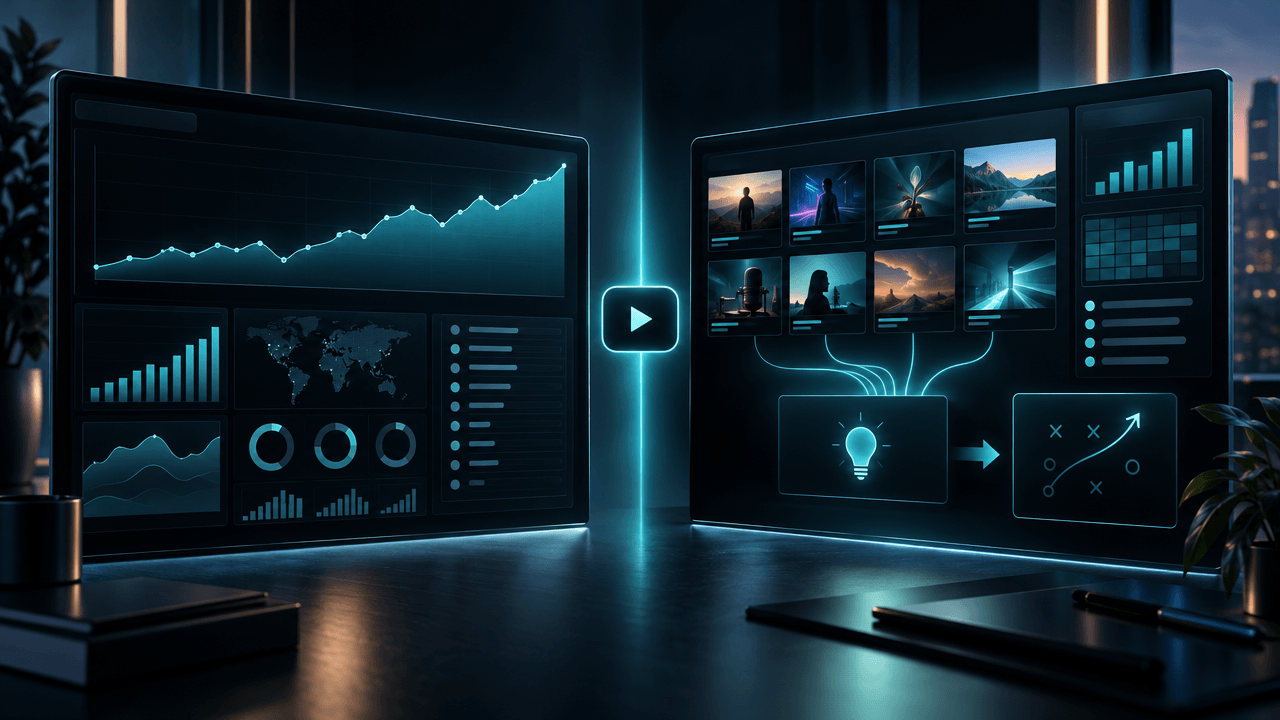
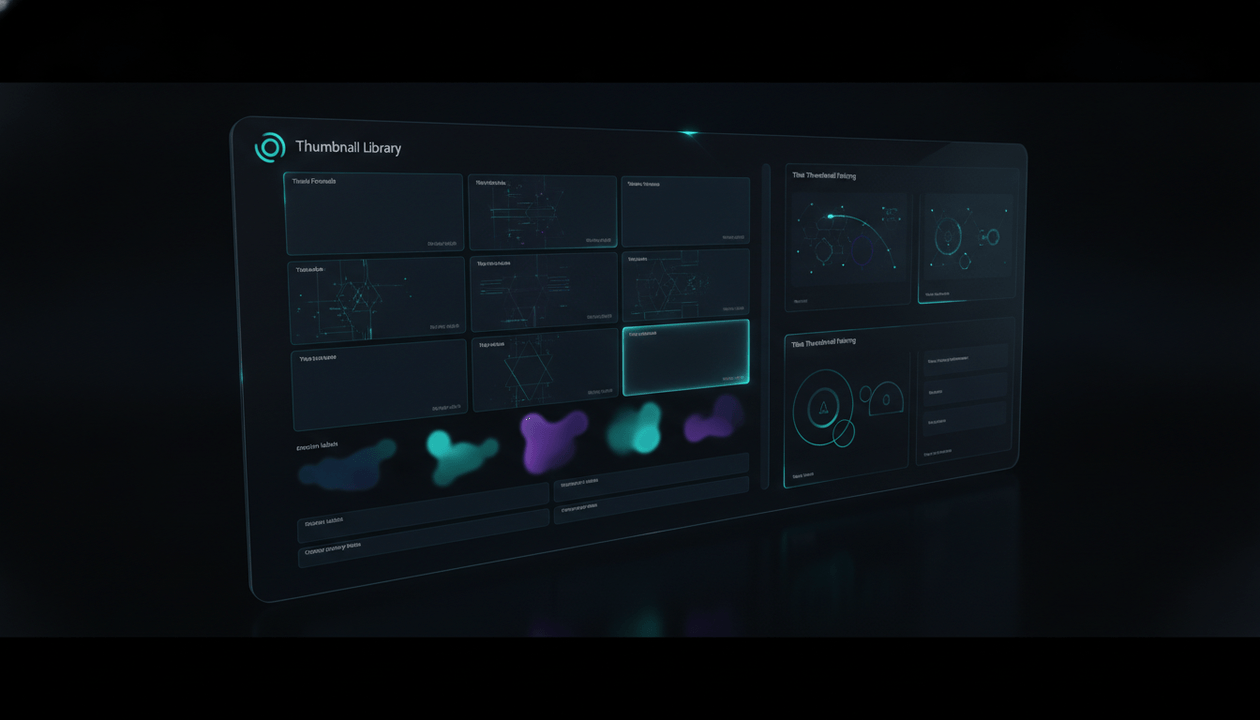
A real YouTube thumbnail library is a searchable system of proven visual patterns: what clicked, why it clicked, what emotion it triggered, what title it paired with, what niche it worked in, and how you can adapt the principle it worked in, and how you can adapt the principle without copying the original design.
That difference matters.
The best creators do not copy thumbnails. They study visual patterns.
They learn what makes viewers stop scrolling, understand the video promise, feel curiosity, and trust that the click will be worth it.
This guide shows you how to build a YouTube thumbnail library that actually improves your videos: what to collect, how to tag thumbnails, how to analyze 1M+ view patterns, what to avoid, and how to turn thumbnail research into original packaging with OverseerOS.
Key takeaways
- A YouTube thumbnail library is not a folder of screenshots. It is a pattern database for click psychology, visual structure, niche language, and title-thumbnail fit.
- The goal is not to copy successful thumbnails. The goal is to understand why they worked and create a unique version for your own video.
- The best thumbnail libraries track the title, niche, emotion, visual formula, focal point, contrast, text, promise, view count, and repeatability.
- YouTube recommends custom thumbnails with a 16:9 aspect ratio and says thumbnails must follow Community Guidelines. YouTube also lists recommended upload specs on its official custom thumbnail help page. Source: YouTube Help
- YouTube’s A/B testing feature lets eligible creators test up to three titles and thumbnails, and YouTube says it chooses winners based on watch time rather than click-through rate alone. Source: YouTube Help
- OverseerOS helps creators analyze thumbnail patterns, generate thumbnail concepts from proven styles, and connect thumbnail research to titles, scripts, and content strategy.
- The highest-value thumbnail library is organized by pattern, not only by niche.
What is a YouTube thumbnail library?
A YouTube thumbnail library is a collection of thumbnail examples organized so you can study, compare, and reuse the underlying design principles.
A weak thumbnail library stores images.
A strong thumbnail library stores decisions.
It helps you answer:
- What made this thumbnail clickable?
- What emotion does it trigger?
- What is the focal point?
- What is the visual contrast?
- How does the title complete the thumbnail?
- What niche does this pattern belong to?
- Is this design repeatable?
- Can I adapt this ethically?
- What should I avoid copying?
- What original version could work for my video?
The point is not to build a museum of thumbnails.
The point is to build a packaging intelligence system.
Thumbnail library vs thumbnail swipe file
People often use these terms interchangeably, but they should not mean the same thing.
| System | What it usually contains | Best use | Main risk |
|---|---|---|---|
| Thumbnail swipe file | Saved thumbnail screenshots | Fast inspiration | Easy to copy without understanding |
| Thumbnail library | Tagged patterns, titles, metrics, notes, and examples | Strategic packaging research | Takes more work to maintain |
| Thumbnail database | Larger searchable archive of thumbnails | Scaled research and comparison | Can become noisy without tags |
| Thumbnail pattern library | Reusable design formulas and emotional triggers | Repeatable creative direction | Needs human judgment |
| Thumbnail template folder | Editable layouts | Production speed | Can make every video look the same |
A swipe file is fine for inspiration.
A thumbnail library is better for strategy.
The difference is tagging and interpretation.
If you save a thumbnail but do not know why it worked, it is not useful yet.
Why thumbnail libraries matter more in 2026
YouTube packaging is more competitive now.
Creators are not only competing with channels in their niche. They are competing with every other video on the home feed.
That means your thumbnail has to do several jobs fast:
- Stop the scroll.
- Create instant recognition.
- Make the promise clear.
- Create enough curiosity to click.
- Match the title.
- Avoid misleading the viewer.
- Attract the right viewer, not just any click.
The last point is important.
A thumbnail that gets clicks but attracts the wrong audience can hurt the video. YouTube’s title and thumbnail A/B testing documentation says its tests choose winners based on watch time, and YouTube explains that great titles and thumbnails help viewers understand what the video is about so they do not waste time clicking the wrong video. Source: YouTube Help
That is the real goal.
Not maximum clicks.
Maximum qualified clicks.
What to save in a YouTube thumbnail library
Do not save every thumbnail you like.
Save thumbnails with a reason.
The best examples usually fall into one of these categories:
| Thumbnail type | Why it is worth saving |
|---|---|
| 1M+ view thumbnails | Proven broad appeal |
| Small-channel outliers | Strong signal because the thumbnail helped beat the baseline |
| Niche leaders | Shows category visual language |
| New breakout channels | Shows emerging patterns before they become saturated |
| Strong title-thumbnail pairs | Shows how packaging works as a system |
| Weak thumbnails with high views | Suggests topic demand was strong despite bad packaging |
| Good thumbnails with low views | Helps identify where topic or title failed |
| Repeated series thumbnails | Shows repeatable brand systems |
| High buyer-intent thumbnails | Useful for SaaS, reviews, comparisons, and tools |
| Contrarian thumbnails | Shows how tension is created visually |
A 1M+ view thumbnail is useful, but it is not automatically good.
Ask:
- Did the thumbnail create the click?
- Did the topic create the click?
- Did the creator’s brand create the click?
- Was the video boosted by news timing?
- Was it a celebrity-driven video?
- Is the pattern repeatable for a smaller creator?
A big number is a signal.
It is not the full explanation.
The 12 fields every thumbnail library should track
Use this structure.
| Field | What to record | Why it matters |
|---|---|---|
| Video title | Exact title | Thumbnails do not work alone |
| Video URL | Source link | Lets you review context |
| Channel | Creator/channel name | Shows brand and niche context |
| Niche | AI, finance, psychology, gaming, etc. | Helps compare within category |
| View count | Public views when saved | Measures evidence |
| Channel size | Subscriber count range | Helps identify small-channel outliers |
| Thumbnail image | Screenshot or saved image | Visual reference |
| Main emotion | Fear, curiosity, awe, anger, desire, relief | Shows psychological driver |
| Focal point | Face, object, text, result, contrast, scene | Shows what catches the eye |
| Visual formula | Before/after, human vs machine, object close-up, etc. | Makes pattern reusable |
| Text style | No text, 1 word, 3 words, label, number, warning | Shows how text supports the click |
| Adaptation note | How to use the principle without copying | Turns research into original work |
This turns your library from a folder into a decision engine.
The 15 thumbnail patterns worth collecting
1. The before/after pattern
This is one of the most common high-performing thumbnail structures.
It creates instant transformation.
Examples:
- Poor → rich
- Small channel → viral channel
- Messy setup → clean workflow
- Old design → new design
- Human editor → AI editor
- Empty room → dream studio
- Confused face → clear result
Why it works:
Viewers understand the payoff instantly.
Best for:
- Tutorials
- Makeovers
- Creator growth
- Fitness
- Finance
- Productivity
- Software workflows
- AI tools
Library tag:
before-after
2. The human vs object pattern
This creates conflict between a person and a thing.
Examples:
- Human vs AI robot
- Creator vs algorithm
- Worker vs machine
- Founder vs giant company
- Student vs exam
- Driver vs car
- Designer vs bad thumbnail
Why it works:
It gives the viewer a story before the video starts.
Best for:
- AI
- business
- tech
- psychology
- social commentary
- documentary
- productivity
Library tag:
human-vs-object
3. The tiny human, huge object pattern
This makes the subject feel powerful, dangerous, mysterious, or overwhelming.
Examples:
- Tiny person standing before giant AI brain
- Creator under giant YouTube logo-like interface
- Investor facing huge market chart
- Explorer standing before massive pyramid
- Person staring at enormous phone screen
Why it works:
Scale creates stakes.
Best for:
- documentaries
- science
- technology
- history
- finance
- mystery
- future predictions
Library tag:
scale-contrast
4. The single impossible object pattern
This thumbnail centers one strange object that creates curiosity.
Examples:
- A phone with a warning symbol
- A money printer on fire
- A robot hand holding a wedding ring
- A cracked trophy
- A red button labeled visually, not literally
- A floating house
- A broken YouTube play-button-style shape without using the real logo
Why it works:
The object becomes the question.
Best for:
- tech
- mystery
- finance
- commentary
- storytelling
- documentaries
Library tag:
impossible-object
5. The face plus contradiction pattern
A face works when the emotion is clear and the surrounding context creates tension.
Examples:
- Happy face next to bad result
- Calm face next to chaos
- Shocked face next to tiny object
- Confused face next to huge number
- Serious face next to childish-looking product
Why it works:
Humans read emotion quickly.
Best for:
- personality channels
- commentary
- reaction
- education
- business
- psychology
Library tag:
face-contradiction
6. The no-face evidence pattern
Faceless channels need thumbnails that work without facial emotion.
Common replacements:
- Objects
- Silhouettes
- Charts
- Screens
- Documents
- Before/after visuals
- Characters
- Hands
- Environments
- Abstract conflict
Why it works:
It creates story without needing a host.
Best for:
- faceless YouTube
- AI documentaries
- finance explainers
- history channels
- mystery channels
- business case studies
- psychology animations
Library tag:
faceless-evidence
7. The 1-word tension pattern
Some thumbnails use only one word.
Examples:
Replaced
Exposed
Gone
Trapped
Broke
Fake
Banned
Sold
Alone
Worthless
Why it works:
One word can sharpen the emotional frame.
Best for:
- documentaries
- psychology
- business
- commentary
- drama
- tech
Library tag:
one-word-text
8. The red flag pattern
This uses a visual warning signal.
Examples:
- Warning triangle
- Red glow
- Cross mark
- Danger sign
- Burned document
- Red arrow
- Broken object
- Censored section
Why it works:
Threat is visually fast.
Best for:
- scams
- mistakes
- tech warnings
- finance risk
- drama
- safety
- “do not do this” videos
Library tag:
warning-signal
9. The comparison pattern
This is powerful for buyer-intent topics.
Examples:
- Tool A vs Tool B
- Old method vs new method
- Cheap vs expensive
- Human vs AI
- Beginner vs expert
- Manual vs automated
- Free vs paid
Why it works:
The viewer is already deciding.
Best for:
- SaaS
- tools
- product reviews
- tutorials
- finance
- creator software
- education
Library tag:
comparison
10. The hidden system pattern
This shows an invisible mechanism behind something familiar.
Examples:
- A creator inside a recommendation machine
- Money flowing behind a simple app
- Hidden pipeline behind a video
- AI training data behind a normal worker
- A network behind a viral trend
Why it works:
People love seeing what is happening behind the surface.
Best for:
- documentaries
- creator economy
- business
- AI
- tech
- finance
- society
Library tag:
hidden-system
11. The result-first pattern
This shows the outcome before explaining the process.
Examples:
- 0 → 1M views
- $0 → $10K
- Empty channel → viral graph
- Bad thumbnail → high CTR-style result
- No audience → comments exploding
Why it works:
The viewer sees the payoff before the method.
Best for:
- creator growth
- finance
- tutorials
- case studies
- experiments
- AI workflows
Library tag:
result-first
12. The mystery gap pattern
This thumbnail deliberately hides just enough information.
Examples:
- Blurred object
- Half-visible face
- Covered number
- Door slightly open
- Censored label
- Shadowed figure
- Cropped document
Why it works:
The brain wants completion.
Best for:
- mystery
- commentary
- documentaries
- investigations
- psychology
- tech reveals
Library tag:
mystery-gap
13. The identity threat pattern
This works when the thumbnail suggests something about the viewer.
Examples:
- Your job is not safe
- You are being watched
- You are doing this wrong
- You are falling behind
- You are being manipulated
- You are not seeing the trap
Why it works:
The viewer clicks because the video feels personally relevant.
Best for:
- AI
- psychology
- productivity
- finance
- education
- self-improvement
- creator strategy
Library tag:
identity-threat
14. The authority proof pattern
This uses credibility as the click driver.
Examples:
- Expert visual
- Lab-like scene
- Data dashboard
- Official-looking report
- Historical archive
- Courtroom visual
- Scientific object
- Case study board
Why it works:
It tells the viewer this is not random opinion.
Best for:
- education
- finance
- science
- business
- documentary
- SaaS
- health content
Library tag:
authority-proof
15. The absurd contrast pattern
This pairs two things that should not belong together.
Examples:
- Luxury car in a bedroom
- Robot at a wedding
- Baby holding a stock chart
- Medieval knight using a laptop
- Tiny creator controlling a giant platform
- Old painting with a smartphone
Why it works:
Visual mismatch creates immediate curiosity.
Best for:
- entertainment
- education
- tech
- history
- commentary
- storytelling
Library tag:
absurd-contrast
How to build a YouTube thumbnail library step by step
Step 1: Pick the purpose of the library
Do not collect thumbnails randomly.
Choose the job.
Common library goals:
| Goal | What to collect |
|---|---|
| Improve faceless thumbnails | No-face visual storytelling, objects, contrast, characters |
| Build better SaaS videos | Tool comparisons, workflow visuals, buyer-intent thumbnails |
| Create documentary packaging | scale, mystery, danger, hidden systems, evidence visuals |
| Improve psychology videos | loneliness, identity, emotion, relationship tension |
| Improve AI channel thumbnails | human vs machine, replacement, future, hidden systems |
| Build agency reports | competitor thumbnails, niche patterns, repeated formulas |
| Train a thumbnail designer | pattern examples, do/don’t examples, style references |
A library without a purpose gets messy fast.
Step 2: Collect from proven sources
Good sources include:
- Your own best videos
- Competitor outlier videos
- Channels discovered through OverseerOS Viral Channel Finder
- Videos analyzed with OverseerOS Viral X-Ray
- 1M+ view videos in your niche
- Small-channel breakout videos
- YouTube search results
- Browse page recommendations
- Sponsor-heavy channels
- Product comparison videos
- Old videos that still attract views
- Recent videos that broke the channel’s baseline
Do not only collect from huge creators.
Small-channel outliers are often more useful because they prove the packaging worked without massive brand power.
Step 3: Save the title with the thumbnail
A thumbnail without its title is incomplete.
The title and thumbnail work together.
Example:
Thumbnail text:
Replaced
Title:
Big Tech Is Quietly Turning Workers Into AI Training Data
The thumbnail creates emotional punch.
The title explains the story.
If you save only the image, you miss the packaging system.
Step 4: Tag the thumbnail by pattern
Do not tag only by niche.
Bad tags:
AI
Finance
Psychology
Business
Better tags:
human-vs-machine
warning-signal
one-word-text
before-after
identity-threat
hidden-system
result-first
faceless-evidence
Pattern tags make the library reusable across niches.
A “human vs machine” thumbnail can work in AI, jobs, education, dating, productivity, and healthcare.
That is the advantage.
Step 5: Write a one-sentence diagnosis
For every strong thumbnail, write one sentence.
Use this format:
This thumbnail works because it uses [visual pattern] to make the viewer feel [emotion] about [specific promise].
Example:
This thumbnail works because it uses a tiny human vs giant AI interface to make the viewer feel threatened by the scale of automation.
Another:
This thumbnail works because it uses a simple before/after contrast to make the result instantly understandable before the title is read.
This one sentence forces you to understand the thumbnail instead of blindly saving it.
Step 6: Write the ethical adaptation note
This is the most important field.
Use this format:
Do not copy [specific elements]. Adapt [underlying principle] for [your original topic].
Example:
Do not copy the robot, pose, or layout. Adapt the human-vs-machine tension for a video about AI replacing junior analysts.
Another:
Do not copy the exact red warning design. Adapt the danger signal into a unique visual about creators losing trust from misleading thumbnails.
This keeps your library useful without becoming a copying machine.
How to analyze a 1M+ view thumbnail
A million views does not automatically mean the thumbnail is good.
Use this analysis checklist.
1. What is the click promise?
Every strong thumbnail makes a promise.
Common promises:
- You will learn a hidden truth.
- You will avoid a mistake.
- You will see a transformation.
- You will understand why something happened.
- You will compare two options.
- You will discover a shortcut.
- You will see proof.
- You will feel emotionally understood.
- You will get an answer you were missing.
Write the promise in one sentence.
2. What is the main emotion?
Most thumbnails are not neutral.
They push an emotion.
Common emotions:
| Emotion | Visual cues |
|---|---|
| Fear | red, danger, collapse, threat, dark contrast |
| Curiosity | mystery, blur, missing information, strange object |
| Desire | money, status, transformation, success, beauty |
| Anger | unfairness, betrayal, exposed truth, villain framing |
| Awe | scale, beauty, future, impossible visuals |
| Relief | simplicity, clarity, solved problem, before/after |
| Identity | “this is about me” visual framing |
If you cannot name the emotion, the thumbnail may be unclear.
3. What is the focal point?
The viewer’s eye needs somewhere to go first.
Possible focal points:
- Face
- Object
- Text
- Number
- Before/after split
- Red mark
- Gesture
- Product
- Animal
- Screenshot
- Chart
- Scene
A thumbnail with five focal points usually has none.
4. What is removed?
Great thumbnail design is often about removal.
Ask:
- What details were left out?
- What background was simplified?
- What words were cut?
- What object was enlarged?
- What did the designer choose not to explain?
A thumbnail should not tell the whole story.
It should create the right question.
5. How does the title complete it?
The thumbnail should not repeat the title word for word.
Weak pairing:
Thumbnail text:
Best AI Tools
Title:
Best AI Tools for YouTube
Better pairing:
Thumbnail text:
I Replaced My Team
Title:
I Tested 7 AI Tools for Faceless YouTube Production
The thumbnail creates emotion.
The title creates context.
Together, they create the click.
The thumbnail library template
Use this table in Notion, Airtable, Google Sheets, or your own internal system.
| Field | Example |
|---|---|
| Date saved | 2026-07-09 |
| Niche | AI / Faceless YouTube |
| Channel | Example Channel |
| Video title | “I Replaced My Editing Team With AI” |
| Video URL | Public YouTube URL |
| Views when saved | 1.4M |
| Channel size | 80K subscribers |
| Outlier? | Yes, 8x channel average |
| Thumbnail pattern | human-vs-machine, result-first |
| Main emotion | fear + curiosity |
| Focal point | creator silhouette vs AI interface |
| Thumbnail text | “Replaced” |
| Color logic | dark background, bright red warning, blue AI glow |
| Title-thumbnail relationship | thumbnail shows threat, title explains experiment |
| Why it works | clear replacement story with personal stakes |
| What not to copy | exact AI interface, red layout, wording |
| Adaptation idea | AI replacing scriptwriters / AI replacing researchers |
| Status | saved, tested, adapted, rejected |
This is what turns thumbnail inspiration into reusable intelligence.
How to use a thumbnail library without copying
This is the line that matters.
Copying says:
This thumbnail worked. I will recreate the same layout, object, pose, colors, and text.
Modeling says:
This thumbnail worked because it used scale contrast to show one person facing a huge invisible system. I can use that principle for a different topic, different object, different composition, and different story.
Use this adaptation framework:
Step 1: Extract the principle
Example:
Tiny person vs massive system.
Step 2: Change the subject
Original:
Tiny person vs giant AI robot.
New:
Tiny creator vs giant content machine.
Step 3: Change the visual metaphor
Original:
Robot face.
New:
Overwhelming dashboard, video thumbnails, growth graph, or algorithm-like maze.
Step 4: Change the emotional angle
Original:
fear of replacement.
New:
fear of being invisible.
Step 5: Change the title promise
Original:
AI Is Replacing Everyone
New:
Why Small YouTube Channels Feel Invisible in 2026
Same underlying visual principle.
Completely different video.
That is how you model without copying.
How OverseerOS helps build and use a thumbnail library
This is where OverseerOS fits naturally.
OverseerOS is built around studying public YouTube patterns and turning them into original work.
For thumbnail research, the workflow can look like this:
- Use OverseerOS Viral Channel Finder to discover breakout channels in your niche.
- Use OverseerOS Viral X-Ray to analyze individual videos and understand how the title, thumbnail, hook, and structure work together.
- Use OverseerOS Thumbnail Analyzer to evaluate thumbnail effectiveness through visual psychology, composition, text placement, emotional triggers, and click-through optimization principles.
- Use OverseerOS Thumbnail Cloner to start from proven thumbnail styles or analyze a thumbnail’s layout, colors, and text placement, then generate original thumbnail concepts for your own video.
- Use OverseerOS AI YouTube Thumbnail Generator to create thumbnail concepts from proven packaging patterns.
- Use OverseerOS Channel Blueprint Cloner when you want the thumbnail direction to match the channel’s broader tone, hooks, pacing, and topic formulas.
The goal is not to duplicate another creator’s thumbnail.
The goal is to use public performance patterns to create a better original package.
OverseerOS helps because it connects the pieces:
- channel research
- video analysis
- thumbnail psychology
- title generation
- script direction
- content planning
- thumbnail creation
A thumbnail library is much more valuable when it is connected to the rest of the content workflow.
The 5 thumbnail library categories every creator should build
1. Niche winners
These are the thumbnails that define your category.
Save:
- biggest channels
- mid-size winners
- recent breakout videos
- recurring series
- high-performing evergreen videos
Use this category to learn the visual language of the niche.
2. Small-channel outliers
These are the most valuable examples.
A small channel with an unusually high-performing video often proves that the idea and packaging did real work.
Save:
- channels below 100K subscribers
- videos above their normal baseline
- recent breakouts
- thumbnails with clear visual formulas
Use this category to find patterns you can realistically adapt.
3. Buyer-intent thumbnails
These matter for SaaS, affiliate, sponsor, and tool-related content.
Save thumbnails from:
- product comparisons
- best tools lists
- software reviews
- tutorials
- alternatives videos
- pricing breakdowns
- “is it worth it?” videos
Buyer-intent thumbnails often need clarity more than drama.
The viewer is deciding.
4. Emotional pattern examples
These are organized by emotion, not niche.
Tags:
- fear
- awe
- curiosity
- desire
- anger
- relief
- confusion
- trust
- loneliness
- ambition
- urgency
This helps when you know what emotion your video needs.
5. Anti-examples
Save bad thumbnails too.
Anti-examples teach you what to avoid.
Save thumbnails with:
- too much text
- unclear focal point
- weak contrast
- misleading promise
- bad title match
- cluttered composition
- confusing object choice
- generic stock visuals
- no emotional trigger
A good anti-example library can save your channel from expensive mistakes.
Thumbnail library workflow for faceless YouTube channels
Faceless channels need stronger visual systems because they cannot rely on a creator’s face.
Build your library around visual storytelling.
Collect:
- objects with emotional meaning
- before/after transformations
- scale contrast
- silhouettes
- hands
- abstract systems
- symbolic scenes
- simple character illustrations
- dramatic lighting
- clear text labels
- product screenshots
- proof visuals
Avoid:
- generic AI faces
- overused robot heads
- fake shocked expressions
- unreadable screenshots
- random stock photos
- too much thumbnail text
- copying another channel’s exact design identity
Faceless channels win when the thumbnail tells a story without needing a host.
Thumbnail library workflow for SaaS and tool videos
SaaS thumbnails need clarity.
The viewer is often comparing tools, solving a workflow problem, or deciding what to buy.
Collect thumbnails that use:
- tool vs tool comparison
- dashboard visuals
- simple workflow diagrams
- before/after results
- cost comparison
- “old way vs new way”
- screenshots with simplified overlays
- hands-on testing visuals
- ranked tool stacks
- warning labels
- result proof
Good SaaS thumbnail questions:
- Can the viewer understand the topic in one second?
- Does the thumbnail show the problem or the result?
- Does the title handle the nuance?
- Is the design clear on mobile?
- Does it look trustworthy enough for a buyer?
- Does it avoid fake hype?
For SaaS, trust matters as much as curiosity.
Thumbnail library workflow for documentary channels
Documentary thumbnails need stakes.
Collect patterns around:
- one strange object
- hidden system
- huge scale
- before/after collapse
- powerful figure vs powerless subject
- mystery gap
- danger signal
- dramatic contrast
- archive-style evidence
- symbolic scene
- timeline or transformation
Good documentary thumbnail questions:
- What is the central conflict?
- Is the story clear without reading the title?
- What is the emotional tension?
- Is there a visual mystery?
- Does the thumbnail feel premium?
- Does it avoid looking like cheap clickbait?
Documentary thumbnails should feel like a story poster, not a random screenshot.
Thumbnail library workflow for psychology channels
Psychology thumbnails need emotional recognition.
Collect:
- lonely character scenes
- relationship distance visuals
- split emotional states
- empty room symbolism
- phone/message tension
- shadow or mirror metaphors
- simple facial emotions
- soft but clear contrast
- one emotional word
- body language
Good psychology thumbnail questions:
- Does the viewer feel seen?
- Is the emotional situation instantly recognizable?
- Is the thumbnail too vague?
- Does the text support the hidden wound?
- Does the title complete the emotional promise?
Psychology thumbnails work when the viewer thinks:
That is exactly how I feel.
How to turn a thumbnail library into better thumbnails
Use this production workflow.
Step 1: Define the video promise
Before opening your library, write the video promise.
Example:
This video shows creators why their thumbnails get ignored even when the topic is good.
Step 2: Choose the emotional lane
Pick one:
- fear
- curiosity
- relief
- desire
- anger
- awe
- trust
- identity threat
- transformation
Example:
emotion: frustration + relief
Step 3: Search your library by pattern
Look for:
- ignored creator
- before/after
- hidden mistake
- weak vs strong
- dashboard evidence
- warning signal
Step 4: Pick 3 pattern references
Do not pick one reference.
Pick three.
Example:
- one for composition
- one for emotion
- one for color/contrast
This reduces copying risk.
Step 5: Create 3 original concepts
Concept A:
Before/after: ignored thumbnail vs clear thumbnail.
Concept B:
Tiny creator buried under giant wall of thumbnails.
Concept C:
One thumbnail with a red “invisible” stamp while competitors glow around it.
Step 6: Pair each with a title
Thumbnail A:
bad vs good thumbnail
Title:
Why Good YouTube Videos Get Ignored
Thumbnail B:
creator buried under thumbnails
Title:
Your Thumbnail Is Losing Before Viewers Read the Title
Thumbnail C:
invisible stamp
Title:
The Thumbnail Mistake That Makes Your Video Invisible
Now you are packaging strategically.
Common mistakes when building a YouTube thumbnail library
Mistake 1: Saving only famous creators
Big creators have brand power.
Their thumbnails may work partly because viewers already know them.
Save famous creators, but prioritize small-channel outliers too.
Mistake 2: Saving images without titles
A thumbnail is half of the packaging.
The title changes the meaning.
Always save the title with the thumbnail.
Mistake 3: Tagging only by niche
Niche tags are useful, but pattern tags are stronger.
Tag by:
- emotion
- visual structure
- focal point
- text style
- title relationship
- format
This makes the library reusable.
Mistake 4: Copying layout too closely
If your thumbnail looks like a slightly edited version of someone else’s, you went too far.
Change:
- composition
- subject
- focal point
- color system
- text
- metaphor
- title relationship
- emotional frame
The principle can be similar. The creative execution should be yours.
Mistake 5: Ignoring mobile readability
Most thumbnails need to work small.
Check:
- Can you understand it at phone size?
- Is the text readable?
- Is the focal point clear?
- Is the background too busy?
- Is the contrast strong enough?
If not, simplify.
Mistake 6: Optimizing only for click-through rate
A misleading thumbnail can win the click and lose the viewer.
YouTube’s A/B testing documentation says it optimizes title and thumbnail test winners by watch time, not CTR alone. Source: YouTube Help
That is the right mindset.
A thumbnail should attract the right viewer and set the right expectation.
Mistake 7: Never updating the library
Thumbnail trends change.
Review your library monthly.
Archive patterns that feel stale.
Add new outliers.
Update tags.
Delete duplicates.
Keep the library alive.
YouTube thumbnail library checklist
Use this checklist when saving a thumbnail.
- The video has proof of performance or strategic value.
- The title is saved with the thumbnail.
- The channel and niche are recorded.
- The main emotion is identified.
- The focal point is clear.
- The visual pattern is tagged.
- The title-thumbnail relationship is noted.
- The thumbnail is not saved only because it “looks cool.”
- The adaptation note explains how to model without copying.
- The example can help future videos, not just this one.
Thumbnail library scoring system
Score each thumbnail before adding it to your “best examples” section.
| Factor | Question | Score |
|---|---|---|
| Performance proof | Did the video perform well relative to channel size? | 1 to 5 |
| Clarity | Can the viewer understand it fast? | 1 to 5 |
| Emotion | Does it trigger a clear feeling? | 1 to 5 |
| Title fit | Does it work with the title? | 1 to 5 |
| Originality | Does it avoid looking generic? | 1 to 5 |
| Repeatability | Can the pattern be adapted to other videos? | 1 to 5 |
| Ethical adaptability | Can you model it without copying? | 1 to 5 |
Scoring:
- 30 to 35: add to core pattern library
- 24 to 29: useful reference
- 18 to 23: save only if niche-relevant
- below 18: skip or save as anti-example
Final verdict
A YouTube thumbnail library is not about stealing ideas.
It is about training your eye.
The more you study proven thumbnails, the faster you see patterns: emotion, contrast, visual hierarchy, title support, niche language, and click psychology.
But the library only becomes valuable when it leads to original work.
Save the thumbnail. Save the title. Tag the pattern. Diagnose why it worked. Write the ethical adaptation note. Then create a new version that fits your video, your audience, and your channel.
That is the difference between copying and building a real packaging system.
Use OverseerOS Viral Channel Finder to find channels worth studying, OverseerOS Viral X-Ray to analyze video packaging, OverseerOS Thumbnail Analyzer to break down visual effectiveness, OverseerOS Thumbnail Cloner to turn proven styles into original concepts, and OverseerOS AI YouTube Thumbnail Generator to create thumbnails from proven YouTube patterns.
The creators who win are not the ones with the biggest inspiration folder.
They are the ones who understand why the click happened.
FAQ
What is a YouTube thumbnail library?
A YouTube thumbnail library is a collection of thumbnail examples organized by patterns, emotions, titles, niches, and performance signals. A good library helps creators understand why thumbnails work and how to adapt visual principles into original designs.
How do I build a YouTube thumbnail library?
Start by collecting thumbnails from high-performing videos, small-channel outliers, competitor channels, and videos in your niche. Save the title, URL, channel, niche, view count, main emotion, focal point, visual formula, thumbnail text, and adaptation notes. Tag by pattern, not just niche.
Is a thumbnail library the same as a swipe file?
No. A swipe file is usually a folder of inspiration. A thumbnail library is more structured. It includes tags, notes, patterns, title relationships, performance signals, and ethical adaptation ideas. A library is better for strategy.
Can I copy thumbnails from my library?
No. You should not copy another creator’s exact thumbnail, layout, colors, text, or visual identity. Use your library to study patterns and create original versions. Model the principle, not the execution.
What thumbnails should I save?
Save thumbnails from 1M+ view videos, small-channel outliers, strong title-thumbnail pairs, repeated series, high buyer-intent videos, niche leaders, and videos with clear emotional or visual patterns. Also save bad examples so you know what to avoid.
What makes a YouTube thumbnail good?
A strong thumbnail has one clear focal point, a clear emotion, strong contrast, simple composition, a visual question, and a strong relationship with the title. It should attract the right viewer and set an accurate expectation for the video.
What size should YouTube thumbnails be?
YouTube recommends custom thumbnails use a 16:9 aspect ratio and be uploaded in formats such as JPG, GIF, or PNG. YouTube’s current help page recommends high-resolution thumbnails and lists specific upload limits by device. Check YouTube’s official custom thumbnail documentation for the latest specs. Source: YouTube Help
Should I organize thumbnails by niche or pattern?
Use both, but pattern tags are more powerful. Niche tags tell you where the thumbnail came from. Pattern tags tell you how the thumbnail works. Good tags include before-after, human-vs-machine, warning-signal, result-first, comparison, one-word-text, identity-threat, and hidden-system.
How does OverseerOS help with thumbnail libraries?
OverseerOS helps creators find and use thumbnail patterns through connected YouTube research workflows. OverseerOS Viral Channel Finder helps discover breakout channels, OverseerOS Viral X-Ray analyzes video packaging, OverseerOS Thumbnail Analyzer evaluates visual effectiveness, OverseerOS Thumbnail Cloner helps turn proven styles into original concepts, and OverseerOS AI YouTube Thumbnail Generator helps ceate thumbnails from proven YouTube patterns.