Most creators do not have a thumbnail problem.
They have a pattern problem.
They open Canva, Midjourney, Photoshop, or a random AI thumbnail tool and ask the same weak question:
“Can you make me a good thumbnail?”
That is not how strong YouTube packaging works.
The best creators do not start with a blank canvas. They study what is already earning attention, break down the visual pattern, then build a unique thumbnail around their own topic.
That is the real value of a YouTube thumbnail style cloner.
Not copying another creator’s thumbnail.
Not stealing someone’s face, artwork, title, or brand identity.
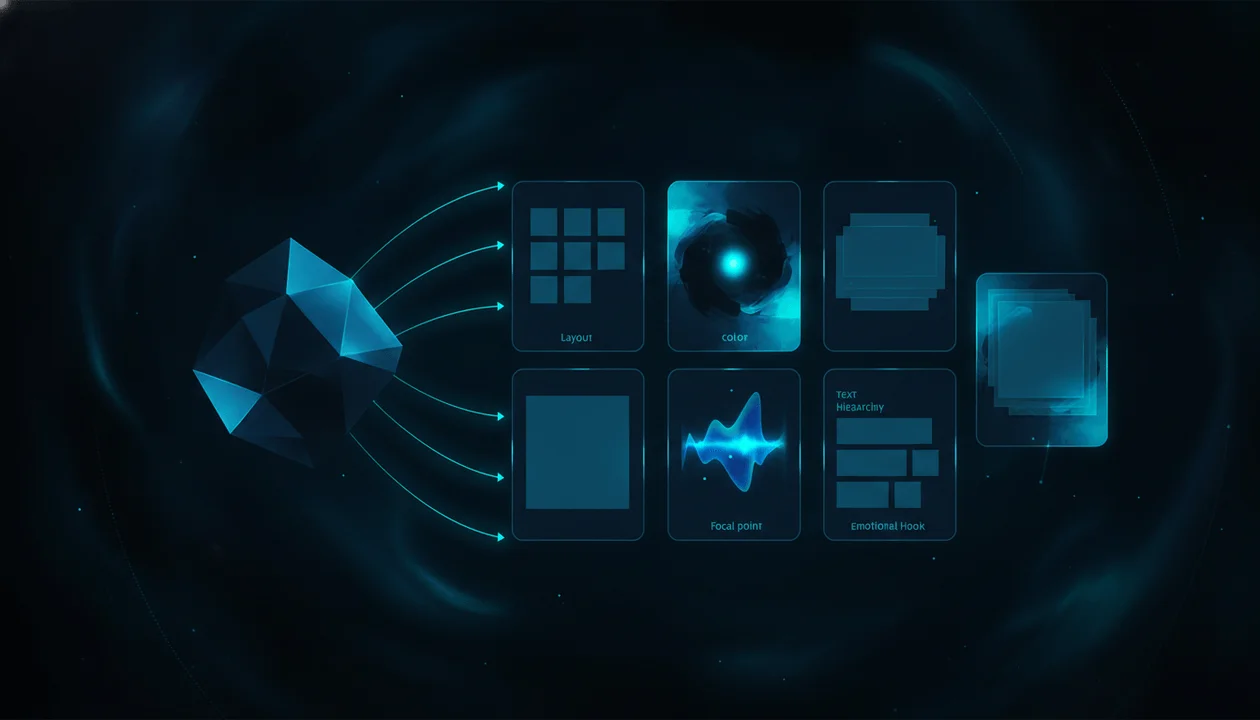
A smart thumbnail style cloner helps you reverse-engineer the composition, contrast, emotional hook, subject placement, color palette, and text hierarchy behind a high-performing thumbnail, then apply those principles to your own video.
This guide breaks down how to clone YouTube thumbnail styles ethically, what separates style modeling from copying, why most AI thumbnail generators produce weak results, and how OverseerOS Thumbnail Generator helps creators create thumbnails from scratch, clone styles from YouTube URLs, clone from analyzed channels, and start from thumbnail styles pulled from videos with 1M+ views.
Key Takeaways
- A YouTube thumbnail style cloner should model design principles, not duplicate another creator’s finished thumbnail.
- The best thumbnails are built from click psychology: one clear idea, one emotional trigger, one focal point, and one promise that matches the video.
- Generic AI thumbnail tools often fail because they generate attractive images instead of YouTube-native packaging.
- OverseerOS Thumbnail Generator can create from scratch, clone a thumbnail style from a YouTube URL, clone from analyzed channels, and use a library of 1M+ view thumbnail styles.
- Ethical thumbnail cloning means changing the topic, subject, text, layout details, imagery, and final concept while preserving the high-level visual pattern.
- YouTube custom thumbnails must follow YouTube’s Community Guidelines, and misleading thumbnails can create policy and trust problems. Source: YouTube Help
- The goal is not to trick viewers into clicking. The goal is to make the value of your video instantly visible.
What Is a YouTube Thumbnail Style Cloner?
A YouTube thumbnail style cloner is a tool or workflow that analyzes a reference thumbnail and helps create a new thumbnail based on the same visual principles.
It may study:
- Composition
- Subject placement
- Color palette
- Contrast
- Text hierarchy
- Emotional framing
- Background style
- Lighting
- Negative space
- Object placement
- Visual tension
- Before-and-after structure
- Curiosity gap
- Thumbnail-to-title relationship
The important part is this:
A thumbnail style cloner should not copy the exact thumbnail.
It should extract the “visual DNA” behind it.
For example, a reference thumbnail might work because it uses:
- A close-up subject on the left
- A high-contrast object on the right
- Two-word emotional text
- Dark background
- Bright colored outline
- A clear before-and-after contrast
You can apply that pattern to your own topic without copying the original creator’s asset.
That is style modeling.
Not theft.
Thumbnail Style Cloning vs Copying
This distinction matters.
A lot of AI thumbnail tools got backlash because creators felt they were being used as raw material for imitation. The safest and strongest way to use thumbnail inspiration is to model patterns, not steal finished work.
| Copying | Ethical Style Modeling |
|---|---|
| Recreating the same thumbnail | Studying why the layout works |
| Using another creator’s face | Using your own face, product, object, or original subject |
| Keeping the same text | Writing text for your own video promise |
| Duplicating the same composition exactly | Adapting the composition to a new concept |
| Reusing brand colors or logos | Using your own brand identity |
| Making viewers think it is someone else’s video | Making your own video more clickable and clear |
The simple rule:
Clone the pattern. Change the substance.
That means the reference can influence the structure, but the final thumbnail should be clearly original.
Why Thumbnail Style Matters More Than “Good Design”
A thumbnail can look beautiful and still fail.
YouTube thumbnails are not posters.
They are decision triggers.
They have to work in a split second while competing against dozens of other videos on the homepage, search results, suggested videos, and mobile feeds.
A strong thumbnail usually does four things fast:
- Shows the viewer what the video is about.
- Creates an emotional reason to care.
- Opens a curiosity gap.
- Matches the title promise.
Pretty design is not enough.
The thumbnail has to sell the click without lying.
That is why thumbnail style matters.
Different niches need different packaging patterns.
A finance thumbnail should not look like a gaming thumbnail.
A psychology thumbnail should not look like a SaaS product launch.
An AI documentary thumbnail should not look like a lifestyle vlog.
The style needs to match the viewer’s expectation and the channel’s promise.
Why Generic AI Thumbnail Generators Often Fail
Most AI thumbnail generators start from a prompt.
You type:
Make a YouTube thumbnail about AI automation.
The tool gives you something that looks polished.
Maybe a robot.
Maybe a laptop.
Maybe glowing text.
Maybe a futuristic background.
The problem is that it probably does not understand YouTube packaging.
It may not know:
- Which layout pattern fits the niche
- Whether the text is readable at small size
- Whether the emotional hook is strong
- Whether the thumbnail and title create the same question
- Whether the image feels clickable or just decorative
- Whether the design looks like a real YouTube thumbnail
- Whether the concept has already worked in your market
That is why generic AI thumbnails often feel like AI art.
They look nice.
They do not sell the video.
OverseerOS Thumbnail Generator is built around a different idea: start from proven YouTube patterns, not random image generation.
The Thumbnail Pattern Framework
Use this framework to break down any strong thumbnail.
1. The Promise
The thumbnail must show what the viewer gets.
Not every detail.
Just the core promise.
Examples:
| Weak Promise | Stronger Promise |
|---|---|
| AI tools | This tool replaced my editor |
| Finance tips | I wasted 5 years doing this |
| Productivity | I deleted my to-do list |
| YouTube growth | This thumbnail killed the video |
| Psychology | They lost respect instantly |
A thumbnail should not only show the topic.
It should show the tension inside the topic.
2. The Focal Point
A strong thumbnail usually has one dominant thing the eye notices first.
That could be:
- A face
- An object
- A result
- A transformation
- A chart
- A product
- A mistake
- A contrast
- A shocking visual
- A simple symbol
Bad thumbnail:
Five objects, three faces, huge text, arrows, icons, and a busy background.
Better thumbnail:
One subject, one visual conflict, one emotional idea.
If the viewer does not know where to look first, the thumbnail is weak.
3. The Emotion
Thumbnails need emotional pressure.
That does not mean fake shock faces.
It means the design should create a feeling.
Common thumbnail emotions:
- Curiosity
- Fear
- Desire
- Surprise
- Doubt
- Urgency
- Relief
- Suspicion
- Transformation
- Regret
Example:
Weak:
YouTube Thumbnail Tips
Better:
I Fixed One Thing
The second creates curiosity.
4. The Contrast
Contrast is not only color.
It can be:
- Before vs after
- Old vs new
- Poor vs rich
- Human vs AI
- Safe vs risky
- Easy vs hard
- Normal vs shocking
- Small creator vs giant channel
- Broken workflow vs clean system
Contrast makes the viewer understand the idea faster.
5. The Text Hierarchy
Thumbnail text should be short, readable, and emotionally useful.
Bad thumbnail text:
How to Improve Your YouTube Thumbnail Click Through Rate Using Better Design Principles
Better:
It Wasn’t The Title
Or:
0.9% CTR
Or:
I Changed This
Your title can do the explaining.
Your thumbnail should do the triggering.
What a YouTube Thumbnail Style Cloner Should Analyze
A good thumbnail style cloner should look deeper than colors.
It should analyze the full packaging system.
| Layer | What to Analyze | Why It Matters |
|---|---|---|
| Layout | Where the subject, text, and objects sit | Controls eye movement |
| Composition | How the visual is arranged | Creates clarity |
| Contrast | Light, color, size, emotion, before-after | Creates instant recognition |
| Text | Words, size, placement, hierarchy | Communicates the hook |
| Subject | Face, product, object, chart, scene | Creates the focal point |
| Emotion | Fear, surprise, desire, curiosity | Gives the viewer a reason to click |
| Color | Palette, saturation, background, accent | Makes the thumbnail stand out |
| Negative space | Empty areas around important elements | Improves readability |
| Title relationship | How the thumbnail supports the title | Makes the click promise stronger |
| Niche fit | Whether the style matches audience expectations | Prevents “wrong market” packaging |
If a tool only copies colors, it is not doing enough.
If it only generates an image, it is not doing enough.
The real value is pattern extraction.
How OverseerOS Thumbnail Generator Helps You Clone Styles Ethically
OverseerOS Thumbnail Generator is designed for creators who want thumbnails based on proven YouTube patterns, not random AI art.
It gives you three main workflows.
Create From Scratch
You can enter a video title or topic and generate thumbnail concepts with thumbnail text and editable image prompts.
This is useful when you know the video idea, but you do not know the visual angle yet.
Example input:
Why Most AI YouTube Videos Look Fake
Possible concept direction:
Split-screen thumbnail showing a messy AI video timeline on one side and a clean cinematic scene board on the other. Large text: “Looks Fake?” High contrast, dark SaaS documentary style, blue glow, clear focal point.
Clone From Any YouTube URL
You can paste a YouTube video URL and OverseerOS Thumbnail Generator analyzes the thumbnail’s visual structure.
That can include:
- Colors
- Layout
- Text style
- Subject placement
- Emotional framing
- Contrast
- Composition
- Visual hook
Then it applies those principles to your own topic.
The result should be a new thumbnail based on the same design logic, not a duplicate.
Clone From Analyzed Channels
If you have already analyzed a channel inside OverseerOS, you can use that channel’s thumbnail style as a creative reference.
This is useful when you want a channel-level visual pattern instead of a single thumbnail pattern.
For example:
- A psychology channel with dark emotional thumbnails
- A finance channel with clean chart-based thumbnails
- An AI channel with futuristic documentary visuals
- A history channel with cinematic reconstruction thumbnails
- A business channel with founder-focused layouts
This connects thumbnail creation to the broader OverseerOS idea:
Do not guess. Reverse-engineer what already works.
Why the 1M+ View Thumbnail Style Library Matters
A lot of tools generate thumbnails from imagination.
OverseerOS Thumbnail Generator also gives creators access to a library of thumbnail styles from videos that crossed 1M+ views.
That matters because a high-performing thumbnail is not proof by itself, but it is a better starting point than a blank prompt.
The library helps creators ask better questions:
- What visual patterns repeat in my niche?
- What type of thumbnail does this audience already click?
- How much text do winning thumbnails use?
- Are faces common or not?
- Do winners use bright colors or dark contrast?
- Is the hook emotional, shocking, analytical, or curiosity-based?
- What patterns can I adapt without copying?
That is how serious creators think.
They do not ask AI to be creative from nothing.
They give AI evidence.
The 5 Thumbnail Styles Worth Modeling
Most viral thumbnails fit into repeatable categories.
1. The Before vs After Thumbnail
This style works because it creates instant contrast.
Examples:
| Niche | Thumbnail Angle |
|---|---|
| Fitness | “30 Days Later” transformation |
| YouTube growth | Old thumbnail vs new thumbnail |
| Finance | Empty bank account vs clean portfolio |
| AI | Manual workflow vs automated workflow |
| Productivity | Messy desk vs focused setup |
Prompt direction:
Split-screen before-and-after YouTube thumbnail. Left side shows a messy, low-quality workflow. Right side shows a clean, premium result. Strong contrast, clear separation line, large readable text, one focal subject, 16:9 YouTube thumbnail style.
2. The Mistake Thumbnail
This style works because people want to avoid pain.
Examples:
- “Don’t Do This”
- “This Killed It”
- “Wrong Move”
- “Big Mistake”
- “I Lost Views”
Prompt direction:
High-contrast YouTube thumbnail showing one clear mistake as the focal point. Main subject looking at a broken result, red warning accent, dark background, minimal text, strong emotional tension, clean composition.
3. The Result Thumbnail
This style works because it shows the outcome.
Examples:
- Revenue dashboard
- Growth chart
- Finished video export
- Weight loss result
- New workflow
- Improved CTR
- Time saved
Prompt direction:
YouTube thumbnail focused on one impressive result. Large visual result on the right, curious subject or object on the left, clean dark background, bright highlight around the result, short bold text, premium creator style.
4. The Mystery Object Thumbnail
This style works because one object becomes the curiosity gap.
Examples:
- A hidden tool
- A strange device
- A blurred dashboard
- A red button
- A black box
- A document
- A strange chart
Prompt direction:
YouTube thumbnail with one mysterious object as the central focal point. Dark background, strong glow around the object, subject reacting subtly, short curiosity text, cinematic lighting, high contrast, clean negative space.
5. The Human Emotion Thumbnail
This style works because faces and body language communicate fast.
But it only works if the emotion is connected to the title.
Examples:
- Shock
- Doubt
- Suspicion
- Relief
- Regret
- Confidence
- Fear
Prompt direction:
YouTube thumbnail with one expressive human subject, clear emotion, strong eye direction toward the main object, high contrast background, simple text, dramatic but believable lighting, no clutter.
The Thumbnail-to-Title Connection
A thumbnail should not repeat the title.
It should complete the title.
Bad:
Title:
How to Make Better YouTube Thumbnails
Thumbnail text:
Better YouTube Thumbnails
That is wasted space.
Better:
Title:
How I Fixed a Video That Was Getting No Clicks
Thumbnail text:
0.9% CTR
Now the title and thumbnail create one bigger question:
What was wrong, and how did they fix it?
Use this table.
| Title | Weak Thumbnail Text | Strong Thumbnail Text |
|---|---|---|
| Why Most AI Videos Look Fake | AI Videos | Looks Fake? |
| I Tested 7 Thumbnail Styles | Thumbnail Test | One Won |
| How to Find Viral YouTube Ideas | Viral Ideas | Before They Blow Up |
| This Mistake Kills Retention | Retention Mistake | They Left Here |
| I Rebuilt My Content Workflow | New Workflow | 5 Tools Gone |
The thumbnail should create tension.
The title should explain the promise.
Together, they earn the click.
Ethical Thumbnail Cloning Workflow
Use this workflow whenever you use a reference thumbnail.
Step 1: Pick a Reference for the Pattern, Not the Creator
Do not choose a thumbnail because you want to copy a creator.
Choose it because the pattern teaches something.
Good reference reasons:
- Strong layout
- Clear contrast
- Smart text hierarchy
- Effective emotional hook
- Niche-fit visual language
- Strong title-thumbnail relationship
Bad reference reasons:
- “I want mine to look exactly like this.”
- “I want to use the same face.”
- “I want the same text.”
- “I want people to think my video is from that channel.”
Step 2: Extract the Pattern
Break it down:
Reference thumbnail pattern:
- Main subject on left
- Result object on right
- Dark background
- Blue glow around result
- 2-word text
- Emotional contrast: doubt vs proof
- Title creates curiosity
Now you have the structure.
Step 3: Change the Substance
Change:
- Topic
- Subject
- Text
- Image assets
- Objects
- Colors if needed
- Brand elements
- Final promise
- Emotional angle
- Layout details
Keep:
- Broad composition logic
- Contrast type
- Text hierarchy principle
- Visual tension
- Niche-fit style
Step 4: Generate Your Own Concept
Example:
Reference pattern:
Shocked creator on left, strange object on right, dark background, two-word text.
Original thumbnail concept:
Faceless creator staring at a messy AI video timeline on the left, polished scene board on the right, text: “FIX THIS”.
Same pattern.
Different concept.
Step 5: Check for Similarity Risk
Before publishing, ask:
- Would someone think this is the same video?
- Did I use their face, logo, character, or unique asset?
- Is the text too similar?
- Is the layout too exact?
- Does the thumbnail misrepresent my video?
- Is the click promise delivered inside the content?
If the answer is yes, change it.
YouTube Thumbnail Rules Creators Should Know
YouTube allows custom thumbnails for verified accounts, but custom thumbnails must follow YouTube’s Community Guidelines. YouTube’s thumbnail help page also lists image recommendations and notes that thumbnails may be rejected or custom thumbnail privileges may be affected if rules are violated. Source: YouTube Help
YouTube’s spam policy also warns against misleading metadata and malicious clickbait, including titles, thumbnails, descriptions, or imagery that trick viewers into clicking on something the video does not deliver. Source: YouTube Help
That means a good thumbnail should be:
- Clickable
- Clear
- Accurate
- Original
- Relevant to the video
- Not misleading
- Not impersonating another creator
- Not using assets you do not have rights to
Strong packaging is not the same as deception.
The best thumbnail makes the video’s real value impossible to ignore.
Thumbnail Style Cloning Examples by Niche
AI and Technology
Reference pattern:
Futuristic object, dark background, glowing result, short text.
Original concept:
A creator looking at two screens: one shows a messy AI workflow, the other shows a finished video timeline. Text: “TOO EASY?”
Best for:
- AI tools
- Automation videos
- Product comparisons
- Future-of-work videos
- AI business content
Finance
Reference pattern:
Before-after money contrast, clean chart, emotional subject.
Original concept:
Left side shows chaotic spending apps, right side shows a calm investment dashboard. Text: “BROKE LOOP”.
Best for:
- Personal finance
- Investing
- Business
- Wealth psychology
- Money habits
Psychology
Reference pattern:
Dark emotional scene, close-up subject, minimal text.
Original concept:
A person sitting alone in a dim room while a phone glows beside them. Text: “THEY KNOW”.
Best for:
- Relationships
- Human behavior
- Dark psychology
- Self-respect
- Social dynamics
Education
Reference pattern:
One simple object, bright background, clear transformation.
Original concept:
A confused student looking at a messy diagram that turns into a clean 3-step visual. Text: “FINALLY”.
Best for:
- Science
- Learning
- Study tips
- Explainers
- Tutorials
Faceless YouTube
Reference pattern:
Creator workflow, timeline, dashboard, contrast.
Original concept:
A messy folder of AI assets on one side, polished video export on the other. Text: “NO MORE”.
Best for:
- YouTube automation
- AI video workflows
- Editing
- Creator tools
- Faceless channel strategy
The Thumbnail Pattern Scorecard
Before publishing, score your thumbnail from 1 to 5 in each category.
| Category | Question | Score |
|---|---|---|
| Clarity | Can the viewer understand the basic idea in one second? | /5 |
| Curiosity | Does it create a question the viewer wants answered? | /5 |
| Relevance | Does it match the actual video? | /5 |
| Contrast | Is there strong visual or emotional contrast? | /5 |
| Focus | Is there one clear focal point? | /5 |
| Readability | Is the text readable on mobile? | /5 |
| Originality | Is it clearly your own version? | /5 |
| Title fit | Does it work with the title instead of repeating it? | /5 |
| Niche fit | Does it match what your audience expects? | /5 |
| Trust | Does it avoid misleading or manipulative framing? | /5 |
A thumbnail under 35 needs work.
A thumbnail over 42 is probably strong enough to test.
A thumbnail over 45 is worth turning into a repeatable pattern.
How to Use OverseerOS Thumbnail Generator for This Workflow
Here is the fastest workflow inside OverseerOS.
- Start with your video title or topic.
- Find a reference thumbnail or choose a style from the 1M+ view style library.
- Use OverseerOS Thumbnail Generator to create concepts from scratch, from a YouTube URL, or from an analyzed channel.
- Review the generated thumbnail text and visual prompt.
- Edit the prompt if the concept needs more contrast, clearer subject placement, stronger text, darker background, more glow, or cleaner composition.
- Generate variations.
- Pick the version that best matches your title promise.
- Make sure the thumbnail is original and not misleading.
- Upload it to YouTube or test it against alternatives where possible.
This workflow is stronger than starting from a blank prompt because it gives the AI direction.
And direction beats randomness.
The Difference Between a Good Thumbnail and a Winning Thumbnail
A good thumbnail looks professional.
A winning thumbnail creates the right click.
That difference matters.
A polished thumbnail can still fail if:
- The idea is boring.
- The text is too generic.
- The focal point is unclear.
- The title and thumbnail repeat each other.
- The emotional hook is weak.
- The thumbnail looks like every other video.
- The promise is not specific.
- The video does not deliver what the thumbnail implies.
A winning thumbnail does not just look nice.
It creates tension.
Examples:
| Generic | Stronger |
|---|---|
| AI Automation | It Replaced Me |
| YouTube Growth Tips | I Fixed This |
| Money Habits | Still Broke? |
| Productivity System | 5 Tools Gone |
| Thumbnail Tutorial | 0.9% CTR |
Strong thumbnails make the viewer feel an unresolved question.
Then the video answers it.
Common Mistakes With Thumbnail Style Cloning
Mistake 1: Copying Too Literally
If your thumbnail looks like a cheaper version of someone else’s, you failed.
Use the pattern.
Do not duplicate the asset.
Mistake 2: Using Too Much Text
Most thumbnails do not need a sentence.
They need a trigger.
Use fewer words.
Make each word earn its space.
Mistake 3: Making the Thumbnail and Title Say the Same Thing
The title and thumbnail should work together.
If both say the same thing, one of them is wasted.
Mistake 4: Choosing a Reference From the Wrong Niche
A gaming thumbnail pattern may not work for finance.
A finance thumbnail pattern may not work for psychology.
A psychology thumbnail pattern may not work for AI news.
Study patterns from the audience you want to reach.
Mistake 5: Making It Beautiful but Not Clickable
Aesthetic is not the goal.
Click clarity is the goal.
The thumbnail needs to create a fast reason to care.
Mistake 6: Misleading the Viewer
Do not promise something the video does not deliver.
Misleading thumbnails may increase clicks short term, but they damage trust, retention, and channel quality.
A Practical Thumbnail Style Cloning Template
Use this before creating your next thumbnail.
Video title:
[Your working title]

Video promise:
[What the viewer gets]

Target viewer:
[Who this video is for]

Reference thumbnail:
[Paste URL or describe the thumbnail]

What works in the reference:
[Layout, contrast, subject, text, emotion, style]

Pattern to model:
[The high-level structure]

What I will change:
[Topic, subject, text, colors, imagery, objects, brand elements]

Thumbnail emotion:
[Curiosity, fear, desire, surprise, regret, doubt]

Focal point:
[The one thing the eye should see first]

Text:
[1 to 4 words max if possible]

Background:
[Simple, dark, bright, blurred, contextual, clean]

Contrast type:
[Before-after, old-new, human-AI, mistake-fix, poor-rich, messy-clean]

Must include:
[Subject, object, chart, product, result, etc.]

Must avoid:
[Copying face, logo, exact layout, misleading promise, unreadable text]

Title-thumbnail relationship:
[How the thumbnail completes the title]
This turns thumbnail creation from guessing into strategy.
Final Verdict
A YouTube thumbnail style cloner is powerful when it is used correctly.
Not to copy another creator.
Not to steal artwork.
Not to trick viewers.
The real value is pattern intelligence.
You find a thumbnail that already earned attention, study why it worked, then create your own original version around your own topic, title, assets, and viewer promise.
That is the future of AI thumbnail creation.
Not random AI art.
Not blank prompts.
Not lazy imitation.
Evidence-based packaging.
If you want to create thumbnails from scratch, clone thumbnail styles from YouTube URLs, clone from analyzed channels, or start from thumbnail styles pulled from videos with 1M+ views, try OverseerOS Thumbnail Generator.
The smartest creators do not guess what looks clickable.
They reverse-engineer what already earned the click, then make it their own.
FAQ
What is a YouTube thumbnail style cloner?
A YouTube thumbnail style cloner is a tool or workflow that analyzes a reference thumbnail and helps create a new thumbnail based on the same visual principles, such as layout, color, contrast, text hierarchy, subject placement, and emotional hook.
Is cloning a YouTube thumbnail the same as copying?
No. Copying means duplicating another creator’s finished thumbnail, assets, face, text, or brand identity. Style cloning means modeling the high-level design pattern and creating a new original thumbnail for your own video.
Can OverseerOS Thumbnail Generator clone a thumbnail from a YouTube URL?
Yes. OverseerOS Thumbnail Generator can use a YouTube URL as a reference, analyze the thumbnail’s visual structure, and create unique thumbnail concepts for your own topic based on similar design principles.
Can I create thumbnails from scratch with OverseerOS Thumbnail Generator?
Yes. You can enter a video title or topic and OverseerOS Thumbnail Generator can generate thumbnail concepts with thumbnail text and editable image prompts.
What is the 1M+ view thumbnail style library?
The 1M+ view thumbnail style library inside OverseerOS Thumbnail Generator lets creators browse thumbnail styles from videos that crossed 1M+ views. You can use those proven patterns as inspiration for your own unique thumbnails.
What makes a YouTube thumbnail clickable?
A clickable thumbnail usually has one clear focal point, strong contrast, a specific emotional hook, readable text, and a clear relationship with the title. It should create curiosity without misleading the viewer.
How much text should a YouTube thumbnail have?
Most thumbnails work better with very short text, usually one to four words. The text should add tension, not repeat the full title.
Can I use another creator’s face in my thumbnail?
You should not use another creator’s face, likeness, logo, or assets without permission. Build original thumbnails using your own assets, licensed assets, or AI-generated elements that do not impersonate someone else.
Are misleading YouTube thumbnails allowed?
YouTube’s policies warn against misleading metadata and malicious clickbait, including thumbnails that trick viewers into clicking on something the video does not deliver. Creators should make thumbnails clickable but accurate. Source: YouTube Help
What size should a YouTube thumbnail be?
YouTube recommends large 16:9 thumbnails and lists recommended image formats and upload limits in its official thumbnail help documentation. OverseerOS Thumbnail Generator outputs YouTube-ready 16:9 thumbnail concepts for creator workflows. Source: YouTube Help