A YouTube thumbnail generator from URL sounds simple.
Paste a video link. Get a thumbnail.
But the best version of this workflow is not about downloading someone else’s thumbnail or copying it pixel for pixel. It is about using a YouTube URL as a creative reference, analyzing why that thumbnail works, and turning the same visual logic into a unique thumbnail for your own video.
That distinction matters.
A weak tool turns a URL into a lazy copy.
A strong tool turns a URL into a strategy.
If you are trying to grow on YouTube, that strategy is the real advantage. Because most creators do not struggle with opening a design tool. They struggle with deciding what their thumbnail should look like in the first place.
Should it use a face?
Should it use a bold text hook?
Should it show the result?
Should it create mystery?
Should it use a split-screen?
Should it copy the niche style or break the pattern?
A URL-based AI thumbnail generator helps answer those questions faster by starting from a video that already exists.
In this guide, you will learn how YouTube thumbnail generators from URL work, when to use them, what to avoid, and why the strongest workflow is not copying thumbnails but turning proven thumbnail styles into unique visuals for your own videos.
What Is a YouTube Thumbnail Generator From URL?
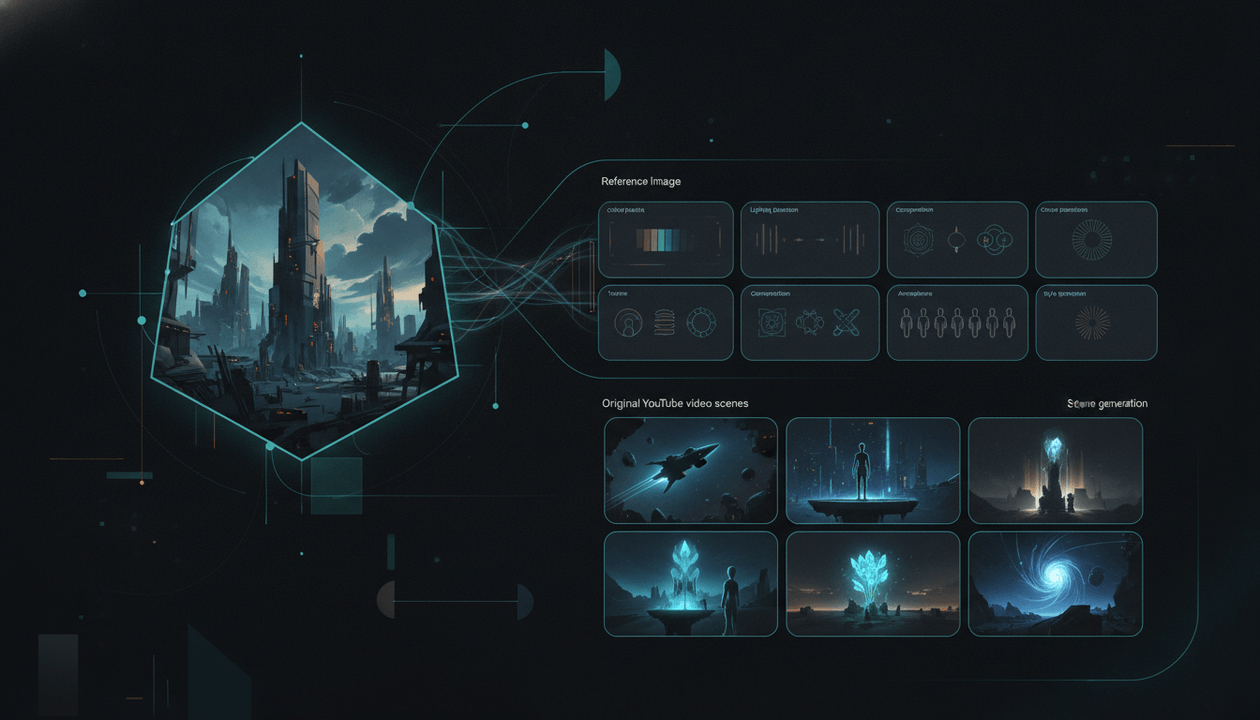
A YouTube thumbnail generator from URL is a tool that lets you paste a YouTube video link and use that video or its thumbnail as the starting point for a new thumbnail.
Depending on the tool, it may analyze:
- the existing thumbnail
- the video title
- the visual layout
- the subject placement
- the text style
- the color palette
- the emotional hook
- the niche style
- the composition
- the overall click appeal
Then it generates new thumbnail ideas based on that input.
This is different from a thumbnail downloader.
A thumbnail downloader simply saves the existing thumbnail image.
A thumbnail generator from URL should create something new.
| Tool Type | What It Does | Best Use |
|---|---|---|
| Thumbnail downloader | Saves an existing thumbnail | Research and swipe files |
| AI thumbnail generator | Creates a thumbnail from a prompt | New ideas and quick drafts |
| Thumbnail generator from URL | Uses a video link as reference | Adapting a proven style into a unique thumbnail |
The last one is the most interesting because it gives creators a better starting point than a blank prompt.
Instead of asking:
What should my thumbnail look like?
You ask:
What visual pattern already worked, and how can I apply it to my own topic?
That is a much stronger question.
Why Creators Search for Thumbnail Generators From URL
Creators are not searching for URL-based thumbnail tools because they want more software.
They are searching because thumbnail decisions are painful.
A video can have a strong topic, good script, and clean editing, but if the thumbnail does not earn the click, the video never gets a real chance.
The problem is that most creators design thumbnails too late.
They finish the video, open a design tool, and try to invent the packaging from nothing.
That creates three problems:
They guess the visual angle.
They do not know whether the thumbnail should be emotional, shocking, result-based, or curiosity-driven.They copy too closely.
They see a high-performing thumbnail and recreate it without understanding why it worked.They make pretty images that do not perform.
The thumbnail looks good at full size but disappears in the YouTube feed.
A URL-based thumbnail generator can fix this if it is used properly.
It lets you start from a real video reference, extract the design logic, and create a thumbnail that feels native to the niche without becoming a direct copy.
The Big Difference: URL-Based Generation vs Prompt-Based Generation
Most AI thumbnail tools start with a prompt.
That can work, but it creates a problem: the quality of the output depends on how good your prompt is and how good your thumbnail judgment is.
A prompt like:
Make me a viral YouTube thumbnail about AI tools
is too vague.
The AI might generate something cinematic and colorful, but that does not mean it will work on YouTube.
A URL-based workflow is different.
Instead of starting from imagination, you start from a reference.
That reference gives the AI more context:
- what kind of composition fits the niche
- how much text the thumbnail uses
- where the subject is placed
- what emotional tone is used
- whether the style is clean, chaotic, dramatic, or minimal
- how the title and thumbnail work together
This matters because YouTube thumbnails are not normal images. They are feed assets.
They have to communicate fast, usually at a small size, surrounded by competitors.
That is why a URL-based thumbnail generator can be stronger than a blank prompt tool.
It gives the creative process a proven direction.
How a Good YouTube Thumbnail Generator From URL Should Work
The best workflow should not be:
Paste URL → copy thumbnail → download
That is weak.
The better workflow is:
Paste URL → analyze style → adapt pattern → generate unique concepts → tweak → export
Here is what each stage should do.
Step 1: Paste a Relevant YouTube URL
Start with a video that matches your niche, audience, or topic style.
Do not paste a random viral video just because it has a lot of views.
A gaming thumbnail may not transfer to a finance channel. A finance thumbnail may not transfer to a psychology channel. A documentary thumbnail may not transfer to a Shorts commentary channel.
The best reference video should be:
- in your niche
- adjacent to your topic
- visually clear
- high-performing
- built around a transferable thumbnail pattern
If the thumbnail only works because the creator is famous, it may not be a useful reference.
If the thumbnail has a clear hook that would work even without the creator’s name, it is much more valuable.
Step 2: Extract the Visual Pattern
A good thumbnail generator from URL should look beyond surface design.
It should detect the structure.
Ask what the thumbnail is really doing:
- Is there one main subject?
- Is the subject close-up or wide?
- Is the text big or minimal?
- Is the background clean or chaotic?
- Is the color palette warm, cold, dark, or bright?
- Is there a clear before-and-after?
- Is there an arrow, circle, or object highlight?
- Does the image create fear, curiosity, shock, desire, or urgency?
- Does the thumbnail ask a question the title answers?
This is the visual DNA.
You are not trying to copy the thumbnail. You are trying to understand the system behind it.
Step 3: Replace the Topic
The reference thumbnail belongs to someone else’s video.
Your thumbnail needs to belong to your video.
That means the tool should replace the topic while keeping the useful structure.
Example:
Reference pattern:
shocked creator + red arrow + mysterious object + bold warning text
Your AI niche version:
confused creator silhouette + glowing software dashboard + teal arrow + “It Replaced Me”
Your finance version:
stressed investor + falling chart + red arrow + “Too Late?”
Your psychology version:
isolated subject + shadow figure + bold text + “They Notice This”
Same structural idea. Different topic. Different visual message. Unique thumbnail.
Step 4: Rewrite the Thumbnail Text
A strong thumbnail generator should not just copy the reference text style. It should help you create a new text hook.
Thumbnail text should usually be short.
It should not repeat the title.
It should add emotional pressure.
Example:
Bad:
- Title: I Tried AI Automation for 30 Days
- Thumbnail text: AI Automation for 30 Days
Better:
- Title: I Tried AI Automation for 30 Days
- Thumbnail text: It Replaced Me
The title explains.
The thumbnail creates the emotional pull.
When using a URL-based thumbnail generator, the goal is not to copy the original thumbnail’s words. The goal is to copy the role of the words.
Is the text:
- a warning?
- a result?
- a contradiction?
- a reveal?
- a number?
- a before-and-after label?
- a status shift?
- a question?
That function is what matters.
Step 5: Generate Multiple Concepts
One thumbnail is not enough.
A strong URL-based workflow should create multiple concepts from the same reference.
At minimum, generate three directions:
Curiosity version
Built around mystery, surprise, or an unanswered question.Emotion version
Built around fear, excitement, shock, regret, or tension.Result version
Built around outcome, transformation, or proof.
YouTube’s testing tools allow creators to test titles, thumbnails, or both, with up to three variations in YouTube Studio. That means creators should think in variations from the beginning, not one final design. Source: YouTube Help
Step 6: Tweak the Winner
The first AI output should be treated as a draft.
The best thumbnail usually comes after small edits:
- make the text bigger
- darken the background
- increase contrast
- remove clutter
- emphasize the subject
- change the expression
- add glow
- change the color palette
- simplify the composition
- regenerate a cleaner version
This is where prompt-based editing matters.
A good thumbnail generator should let you refine the output with simple instructions, not force you into complex design software.
Step 7: Check It at Feed Size
A thumbnail can look great in the editor and fail in the feed.
Before publishing, shrink it down.
Ask:
- Can I read the text?
- Can I understand the subject?
- Is the hook obvious?
- Is there one clear focal point?
- Does it stand out against light and dark YouTube backgrounds?
- Does it look like a thumbnail or like AI art?
If it fails small, it fails on YouTube.
Why “From URL” Is Powerful for YouTube Thumbnails
A URL gives context.
That is why this workflow is so useful.
When you paste a YouTube video URL, the tool can use an existing video as a reference point. That helps the AI understand what type of thumbnail belongs in that niche.
For example, if you paste a URL from a high-performing AI video, the tool can study whether that niche is using:
- glowing dashboards
- dramatic faces
- bold warning text
- futuristic colors
- red arrows
- dark backgrounds
- product close-ups
- comparison layouts
If you paste a finance video, the pattern may be different:
- charts
- money symbols
- stressed expressions
- red and green contrast
- before-and-after wealth signals
- simple warning text
If you paste a psychology video, the pattern changes again:
- emotional faces
- relationship tension
- dark backgrounds
- symbolic objects
- curiosity text
- social-status framing
A blank AI prompt does not automatically know these patterns.
A URL-based workflow gives it a map.
The Main Risk: Copying Too Closely
URL-based thumbnail generation is powerful, but it has one obvious risk.
It can tempt creators to copy.
That is a bad move.
Directly copying a thumbnail can make your channel look cheap. It can confuse viewers. It can create brand risk. It can create ethical problems. It can also fail because the original thumbnail was built for a different creator, different promise, and different audience.
There has already been creator backlash around AI thumbnail tools that made it too easy to imitate existing creator artwork. MrBeast’s ViewStats AI thumbnail tool was shut down after criticism from creators who felt the feature crossed a line. Source: Business Insider
The lesson is clear:
Do not copy the asset.
Clone the strategy.
That means you should avoid copying:
- the exact face
- the exact text
- the exact object
- the exact brand style
- the exact artwork
- the exact pose
- the exact thumbnail layout too closely
Instead, borrow:
- the composition logic
- the contrast structure
- the emotional framing
- the text role
- the curiosity gap
- the subject hierarchy
- the niche pattern
That is the ethical and strategic way to use a YouTube thumbnail generator from URL.
What Makes a Good URL Reference?
Not every YouTube URL is useful.
Some thumbnails get views because the creator is famous. Some get views because the topic is huge. Some get views because the video was promoted somewhere else. Some get views because the channel already has massive trust.
You want references with transferable structure.
Look for these five signs.
1. The Thumbnail Has One Clear Idea
The best reference thumbnails usually communicate one idea fast.
Not five ideas.
One.
Examples:
- this changed everything
- this went wrong
- before vs after
- I found the problem
- this is dangerous
- the result is shocking
If the thumbnail is messy, do not use it as a reference.
2. The Thumbnail Works Without Knowing the Creator
If the thumbnail only works because the viewer recognizes the creator, it may not transfer.
A stronger reference works because the visual idea itself is interesting.
3. The Text Is Short and Functional
Good reference thumbnails do not use text as decoration.
The text has a job.
It creates curiosity, fear, desire, urgency, contradiction, or transformation.
4. The Layout Matches Your Niche
Do not blindly copy styles across unrelated niches.
A gaming thumbnail can be too chaotic for a finance channel.
A finance thumbnail can be too dry for entertainment.
A documentary thumbnail can be too subtle for a fast-paced AI news channel.
Use niche-relevant references when possible.
5. The Thumbnail Creates a Question
The best thumbnails create a question in the viewer’s mind.
What happened?
Why is that there?
Did it work?
What changed?
Why is this dangerous?
What is the secret?
What is the catch?
If the thumbnail creates no question, it has no pull.
How OverseerOS Uses URL-Based Thumbnail Generation
OverseerOS was built around a simple idea:
Creators should not have to guess what works.
Inside the OverseerOS Thumbnail Designer, you can use a YouTube URL as a style reference and generate unique thumbnail concepts for your own topic.
But the URL workflow is only one part of the system.
OverseerOS gives you multiple ways to create thumbnails:
- create from scratch using your video title or topic
- clone the style of any YouTube video URL
- clone thumbnail styles from analyzed channels
- browse a library of thumbnail styles from videos that reached 1M+ views
- customize thumbnails with simple prompt-based edits
That makes it more powerful than a normal URL tool.
A normal tool says:
Paste a link and get a thumbnail.
OverseerOS says:
Start from a proven YouTube pattern, adapt it to your topic, and keep the thumbnail connected to your full content strategy.
That is the difference.
Explore the OverseerOS AI YouTube thumbnail generator from URL.
Why the 1M+ View Thumbnail Library Matters
A URL-based thumbnail generator is useful when you already have a reference video in mind.
But what if you do not?
That is where the 1M+ view thumbnail style library inside OverseerOS becomes the bigger advantage.
Instead of manually searching YouTube for references, you can browse thumbnail styles from videos that reached 1M+ views.
That means your starting point is not random.
It is based on thumbnails connected to videos that already earned attention.
You can browse styles by niche, search by topic, save the styles you like, and turn those patterns into unique thumbnails for your own videos.
This changes the workflow.
Instead of asking:
Can AI invent me a thumbnail?
You ask:
Which proven thumbnail style should I adapt?
That is a better question because it starts from evidence.
YouTube Thumbnail Generator From URL vs 1M+ Style Library
Both workflows are useful, but they solve different problems.
| Workflow | Best For | Starting Point | Main Advantage |
|---|---|---|---|
| Generate from scratch | New ideas | Your title or topic | Fast creative exploration |
| Generate from URL | Adapting a specific reference | A YouTube video link | Turn one proven style into your own |
| Generate from 1M+ style library | Finding proven inspiration | High-performing thumbnail styles | Start from market evidence without searching manually |
| Generate from analyzed channel | Matching a niche or competitor style | A channel’s visual patterns | Build consistent style direction |
The strongest creators use all four.
They do not rely on one prompt.
They build a thumbnail system.
Example: Turning a YouTube URL Into a New Thumbnail Concept
Let’s say you are making a video titled:
I Let AI Run My YouTube Channel for 30 Days
You find a high-performing video in the AI niche with a thumbnail that uses:
- dark background
- creator face on the left
- glowing dashboard on the right
- bold warning text
- red arrow pointing to the dashboard
- expression of shock or concern
A bad clone would copy the same face, same layout, same text, and same colors.
A good URL-based generator should create a new concept like:
Concept 1: “It Replaced Me”
- dark workspace background
- glowing AI dashboard
- human silhouette pushed to the side
- teal and red contrast
- short text: “It Replaced Me”
- subtle arrow toward the AI dashboard
Concept 2: “I Lost Control”
- creator-style subject looking concerned
- AI interface taking over the screen
- dramatic lighting
- text: “I Lost Control”
- strong contrast between human and machine
Concept 3: “30 Days Later”
- before-and-after split-screen
- left side: normal creator workflow
- right side: automated AI dashboard
- text: “30 Days Later”
- clear transformation hook
Same inspiration.
New thumbnails.
That is the correct workflow.
URL-Based Thumbnail Prompt Examples
If you are using a tool that accepts prompts or editing instructions, here are useful examples.
Prompt for Adapting a Style
Use the reference thumbnail as style inspiration only. Keep the same high-contrast composition and curiosity-driven structure, but create a unique thumbnail for my video topic. Do not copy the original text, face, brand assets, or exact layout.
Prompt for Changing the Topic
Apply this thumbnail’s visual structure to a video about AI tools replacing manual work. Use a dark background, one clear subject, strong contrast, and short readable text.
Prompt for Making It More Clickable
Simplify the composition, make the main subject larger, increase contrast, reduce clutter, and make the thumbnail text easier to read at mobile size.
Prompt for Avoiding Copying
Keep the design principles from the reference, but change the subject, text, colors, and visual elements enough that the final thumbnail feels original.
Prompt for Faceless Channels
Adapt the reference style for a faceless YouTube channel. Replace the human face with a strong symbolic object or dramatic scene that communicates the same emotional hook.
Best Use Cases for a YouTube Thumbnail Generator From URL
A URL-based thumbnail workflow is especially useful in these situations.
1. You Found a Competitor Style That Fits Your Niche
If a competitor’s thumbnail style keeps showing up in high-performing videos, it is worth studying.
Do not copy it.
Decode it.
Ask what the style is doing and adapt the useful parts.
2. You Want to Make Thumbnails Faster
Starting from a URL gives the AI a clear visual direction, which can reduce wasted time.
Instead of writing ten prompts from scratch, you start from a reference that already shows the type of layout you want.
3. You Run a Faceless Channel
Faceless channels often depend on:
- objects
- symbols
- visual metaphors
- dramatic scenes
- before-and-after frames
- emotional situations
URL-based style cloning can help faceless creators create thumbnails that feel native to their niche without needing a personal face.
4. You Want Consistency Across a Channel
If you are building a channel, one random thumbnail is not enough.
You need a repeatable visual system.
URL-based generation can help you study a channel’s style and create new thumbnails that follow a similar structure while staying original.
5. You Want Better Ideas Before Designing
Sometimes the hardest part is not editing.
It is choosing the concept.
A URL-based tool can give you concept direction before you spend time polishing.
6. You Want to Test Multiple Thumbnail Angles
If you already have a reference style, you can generate multiple variations faster:
- one more dramatic
- one more minimal
- one more curiosity-driven
- one more result-based
- one more emotional
That gives you better options before publishing.
The Best YouTube Thumbnail Generator From URL for Serious Creators
If all you need is a quick AI graphic, many tools can help.
Some tools let you paste a URL. Some let you upload a reference. Some let you generate thumbnails from video links, scripts, or prompts. Tools like vidIQ, OpusClip, Wayin, VisualKit, Thumber, ThumbnailCreator, and others all show that URL-based thumbnail workflows are becoming a real category. Source: vidIQ Source: OpusClip Source: Wayin Source: VisualKit Source: Thumber Source: ThumbnailCreator
But the strongest tool is not the one that only accepts a URL.
The strongest tool is the one that helps you understand what to do with the reference.
That is where OverseerOS stands out.
OverseerOS is built for the full YouTube growth workflow:
- finding proven video ideas
- analyzing channels
- understanding viral patterns
- creating titles
- writing scripts
- generating thumbnails
- cloning proven thumbnail styles
- browsing 1M+ view thumbnail references
So when you use a YouTube URL inside OverseerOS, it is not isolated from the rest of your strategy.
It is part of the bigger system.
The thumbnail is connected to the topic, the title, the channel style, and the proven patterns in your niche.
That is what serious creators need.
Not another image generator.
A packaging engine.
Try the OverseerOS YouTube thumbnail generator from URL.
Common Mistakes With URL-Based Thumbnail Generators
Mistake 1: Pasting a Random Viral Video
A viral video is not automatically a good reference.
Use niche-relevant references.
Mistake 2: Copying the Layout Too Closely
If viewers could confuse your thumbnail with the original, you went too far.
Change the subject, text, colors, and core visual message.
Mistake 3: Ignoring the Title
A thumbnail is not separate from the title.
They should create one combined promise.
Mistake 4: Using Too Much Text
Do not turn the thumbnail into a paragraph.
Use a short hook.
Mistake 5: Choosing the Most Beautiful Output
The prettiest version is not always the most clickable.
Choose the clearest version.
Mistake 6: Forgetting Mobile Size
Most thumbnails are judged small.
If the text or subject disappears, the thumbnail is not ready.
Mistake 7: Not Creating Variations
One output gives you one guess.
Multiple outputs give you options.
URL-Based Thumbnail Checklist
Before using a YouTube URL as a thumbnail reference, check this list.
- The reference video is relevant to your niche.
- The thumbnail has one clear visual idea.
- The style works even without the creator’s fame.
- The text is short and functional.
- The layout can transfer to your topic.
- You are cloning the pattern, not the asset.
- Your final thumbnail uses original text.
- Your final thumbnail uses your own subject or visual concept.
- The thumbnail and title work together.
- You generated at least three variations.
- The final image is readable at mobile size.
- The final thumbnail feels unique to your channel.
Final Verdict
A YouTube thumbnail generator from URL can be a powerful tool, but only if you use it correctly.
The goal is not to paste a link and copy the thumbnail.
The goal is to paste a link, understand the visual pattern, and turn that pattern into something unique for your own video.
That is how serious creators should use AI.
Not as a shortcut for stealing.
Not as a random art machine.
As a way to move faster from proven patterns to original thumbnails.
If you want the strongest version of that workflow, OverseerOS gives you more than URL-based generation. It gives you a full Thumbnail Designer with scratch generation, URL style cloning, analyzed channel style cloning, prompt-based edits, and a 1M+ view thumbnail style library.
That is the real advantage.
You do not have to start from a blank prompt.
You do not have to guess what works.
You can start from proven YouTube patterns and build your own thumbnail from there.
Explore the AI YouTube thumbnail generator from URL inside OverseerOS.
FAQ
What is a YouTube thumbnail generator from URL?
A YouTube thumbnail generator from URL is a tool that uses a YouTube video link as the starting point for creating a new thumbnail. The best tools analyze the reference style, layout, text structure, and visual hook, then help you create a unique thumbnail for your own video.
Can I generate a thumbnail from a YouTube video link?
Yes. Some AI thumbnail tools let you paste a YouTube URL, upload a video, or use a reference thumbnail to generate new thumbnail ideas. OverseerOS lets you use a YouTube video URL as style inspiration and create unique thumbnail concepts for your own topic.
Is a YouTube thumbnail generator from URL the same as a thumbnail downloader?
No. A thumbnail downloader saves the existing thumbnail image. A thumbnail generator from URL creates a new thumbnail inspired by the reference video or thumbnail style.
Can I copy a YouTube thumbnail from a URL?
You should not directly copy another creator’s thumbnail. The better approach is to study the visual structure and create a unique thumbnail for your own topic using different text, subjects, colors, and creative elements.
What is the best AI YouTube thumbnail generator from URL?
OverseerOS is one of the strongest options for creators who want URL-based thumbnail generation because it combines YouTube URL style cloning with scratch generation, analyzed channel styles, prompt-based editing, and a 1M+ view thumbnail style library.
Why use a URL instead of a prompt?
A URL gives the AI a reference style. Instead of starting from a blank prompt, the tool can study an existing thumbnail’s layout, contrast, text style, subject placement, and emotional hook. That usually gives you a stronger starting point.
Can I use a URL-based thumbnail generator for faceless YouTube channels?
Yes. Faceless channels can use URL-based thumbnail generation to adapt proven layouts, object-focused visuals, symbolic scenes, before-and-after structures, and curiosity hooks without needing a personal face.
How many thumbnails should I generate from one URL?
Generate at least three variations. One can focus on curiosity, one on emotion, and one on the result or transformation. Then compare them at small size before choosing the final thumbnail.
Does a better thumbnail guarantee more views?
No. A better thumbnail does not guarantee views. But it can improve your packaging, help your video stand out, and increase the chance that people click when YouTube gives your video impressions.
Should I use a YouTube thumbnail generator from URL or a normal AI thumbnail maker?
Use a normal AI thumbnail maker when you want to create from scratch. Use a YouTube thumbnail generator from URL when you already have a reference style that fits your niche and want to turn that visual pattern into your own unique thumbnail.