

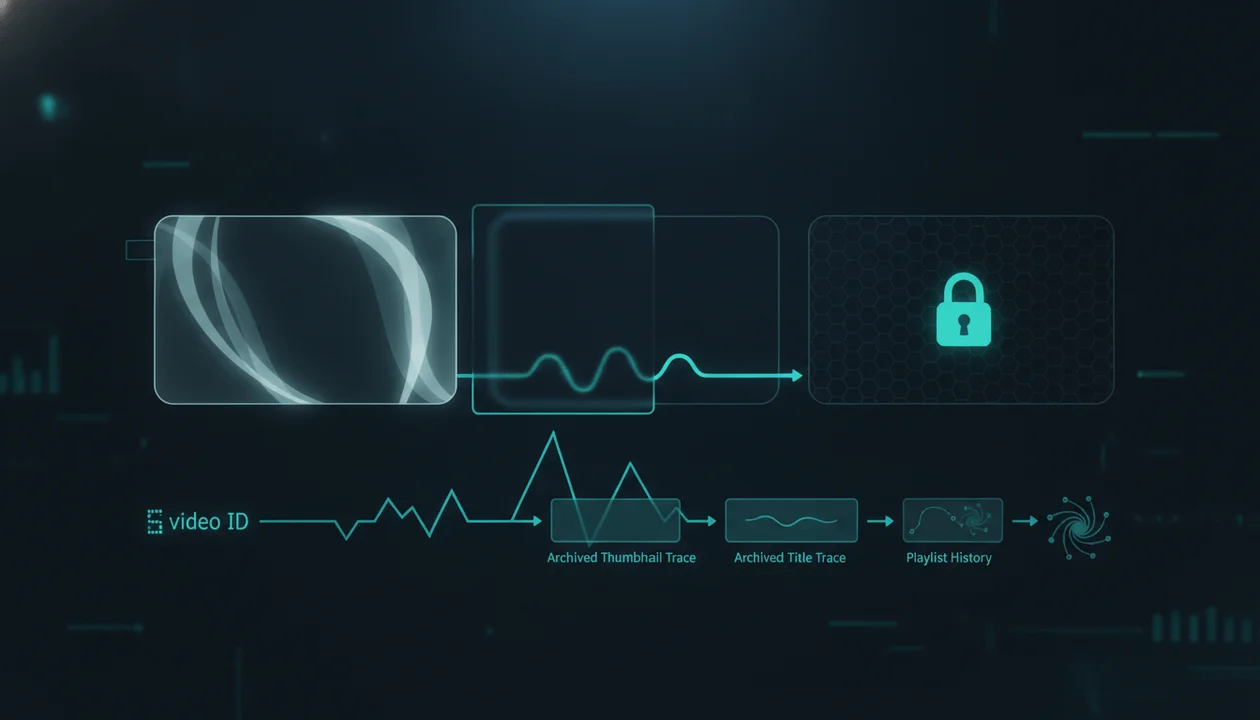
A "private YouTube video finder" sounds like it should do one simple thing:
Paste a channel.
Reveal the videos YouTube is hiding.
That is not how YouTube privacy works.
There are three very different problems hiding behind searches like:
- private YouTube video finder
- unlisted YouTube video finder
- find hidden YouTube videos
- find unlisted videos by channel
- recover private YouTube videos
- find deleted YouTube videos
And most tools blur them together.
The three real jobs are:
- Discover a video URL you do not know
- Recover information about a video URL you already know
- Actually watch a restricted video
Those are completely different capabilities.
The short answer is:
You cannot legitimately search a channel and reveal its private YouTube videos. Unlisted videos can be watched by anyone who already has the link, but they normally do not appear on the channel's Videos tab or in YouTube Search.
There are edge cases.
An unlisted link may already exist in:
- a public playlist
- an old website embed
- a forum post
- a social post
- an email
- browser history
- an archive snapshot
If the link has already escaped into one of those places, it may be recoverable.
That is not the same as a tool bypassing YouTube privacy.
And that distinction matters enormously.
The Direct Answer
Can you find private YouTube videos by channel?
No, not through legitimate public channel research.
Private videos are only available to the uploader and viewers the uploader explicitly allows. They do not appear on the public channel Videos tab or in YouTube Search. :contentReference[oaicite:0]{index=0}
Knowing that a private video exists does not grant access to it.
Knowing the URL does not grant access either.
Can you find unlisted YouTube videos by channel?
Usually not through normal public search or the channel's Videos tab.
Unlisted videos are deliberately omitted from those discovery surfaces.
However, anyone who already has the unlisted link can watch and reshare it, and YouTube notes that an unlisted video may become discoverable if someone adds it to a public playlist. :contentReference[oaicite:1]{index=1}
Can a tool recover a deleted or private video's old title?
Sometimes, if you already know the video's URL or ID and public traces were archived before it disappeared.
That is metadata recovery.
It is not private-video access.
Private vs Unlisted vs Public YouTube Videos
This is the distinction every video-finder article should make first.
| Visibility | Who can watch? | Appears on channel? | Appears in normal YouTube search? | Link alone enough? |
|---|---|---|---|---|
| Public | Anyone | Yes | Yes, potentially | Yes |
| Unlisted | Anyone with the link | No | Normally no | Yes |
| Private | Owner + explicitly permitted viewers | No | No | No |
YouTube's own visibility documentation states that unlisted videos can be viewed and shared by anyone with the URL, while private videos are limited to the owner and selected viewers. :contentReference[oaicite:2]{index=2}
That makes an unlisted video:
hidden from normal discovery
but not:
access-controlled like a private video.
Those are different security models.
The Biggest Confusion: "Find" Can Mean Three Different Things
Before judging any YouTube video finder, determine what it actually promises.
1. Discovery
You do not know the video URL or video ID.
You want the tool to identify previously unknown videos from a channel.
Example:
Show me every unlisted video ever uploaded by this creator.
That is the difficult claim.
Normal public YouTube discovery does not provide a complete list of a creator's unlisted or private uploads.
2. Metadata Recovery
You already know something like:
YouTube.com/watch?v=XXXXXXXXXXX
but the video now says:
- Private video
- Deleted video
- Video unavailable
You want to recover:
- title
- old thumbnail
- channel name
- description
- publication date
That may sometimes be possible through:
- old web archives
- cached pages
- public playlist history
- social posts
- old embeds
- external references
This is what many so-called "private video finders" actually do.
They are not finding an unknown private video.
They are searching for historical information associated with a known video ID.
3. Playback Access
You know the video exists.
You know the URL.
But YouTube says:
This video is private.
Now your problem is permissions.
No archive-search interface, channel analyzer, SEO tool, or competitor-research platform should claim it can legitimately bypass that permission.
The uploader must grant access.
Why You Cannot Search a Channel's Private Videos
Private is not merely:
hidden from the channel page.
It is an access-control state.
YouTube says private videos:
- do not appear on the public Videos tab
- do not appear in YouTube Search
- can only be viewed by the uploader and viewers the uploader chooses :contentReference[oaicite:3]{index=3}
The YouTube Data API also explicitly recognizes:
publicunlistedprivate
as separate privacy states. :contentReference[oaicite:4]{index=4}
Private user information requires authorization.
The public API is not a secret back door into another creator's Studio.
So when a site claims:
Enter any YouTube channel and reveal all private videos
ask:
Where would that data legally come from?
If the uploader never made the information public and never authorized the tool, there is no legitimate public channel endpoint that suddenly exposes the private catalog.
What If You Already Have the Private Video URL?
The URL still does not give you permission.
That is the crucial difference between:
unlisted
and:
private.
Unlisted URL
If the video remains unlisted:
anyone with the link can normally watch it.
Private URL
If the video is private:
the uploader still has to authorize your account.
The identifier proves you know which video you are asking for.
It does not prove you are allowed to watch it.
Why Unlisted Videos Are Different
Unlisted videos are intentionally built around possession of the link.
YouTube says an unlisted video:
- does not normally appear on the channel's Videos tab
- does not normally appear in search
- can be watched by anyone with the link
- can be reshared by somebody who receives that link :contentReference[oaicite:5]{index=5}
That creates a very different research problem.
The question becomes:
Has this URL already appeared somewhere accessible?
If yes, you may be able to recover the link.
If no, normal public channel research is not supposed to reveal it.
The Public Playlist Exception
This is the most important edge case.
YouTube explicitly notes that an unlisted video can appear through public discovery if someone adds it to a public playlist. :contentReference[oaicite:6]{index=6}
That means:
unlisted does not mean secret.
It means:
not normally listed by YouTube.
Imagine this sequence:
- A creator uploads a video as unlisted.
- They send the URL to someone.
- That person adds the video to a public playlist.
- The link now has a public discovery path.
The privacy setting did not become Public.
But possession of the link spread.
This is why creators should never use Unlisted for content that truly requires access control.
Use Private when access must actually be restricted.
Can an Unlisted Video Appear in Google?
Possibly, but the answer depends on whether the URL or page became publicly discoverable somewhere else.
The important principle is:
Unlisted videos are not intended to be surfaced through normal YouTube search.
But if the URL is posted on:
- a public website
- social media
- a public forum
- an indexed public playlist
- another crawlable page
then external traces can exist.
That is not YouTube publishing the video on the creator's channel.
It is the URL being exposed elsewhere.
Can You Find Unlisted Videos Through the YouTube API?
The public YouTube Data API is extremely useful for legitimate channel research.
For example, its search endpoint supports filtering public search results by a channelId, and channel upload playlists can be used to retrieve uploaded video resources that are available through the request context. :contentReference[oaicite:7]{index=7}
But that should not be confused with:
an API method that reveals every hidden upload on somebody else's channel.
There is no legitimate public-data workflow you should treat as a universal unlisted/private channel dump.
This matters when evaluating YouTube research tools.
A tool can use the official API to analyze:
- public video titles
- public view counts
- publication dates
- public channel statistics
- upload patterns
without gaining magical access to restricted videos.
Why Some "Unlisted Video Finders" Claim They Can Find More
Several very different methods get marketed under the same phrase.
Method 1: Known-URL lookup
You paste:
YouTube.com/watch?v=VIDEO_ID
The service checks:
- current YouTube status
- Wayback Machine
- archived metadata
- mirrors
- search-engine traces
Useful?
Potentially.
But it did not discover the video from the channel.
You supplied the identifier.
Method 2: Public-playlist discovery
The tool scans public playlists for unlisted videos whose links are already exposed.
That can reveal genuinely unlisted content.
But again:
the link was already public somewhere.
Method 3: Your own authorized account data
A tool asks you to connect your own Google/YouTube account using legitimate OAuth.
It may then help you search:
- your own playlists
- videos you previously interacted with
- your own uploaded content
That is fundamentally different from accessing another creator's private data.
Authorization matters.
Method 4: Archive recovery
The tool searches old snapshots for a video that:
- used to be public
- used to be embedded
- appeared in an archived playlist
- was mentioned elsewhere
This can recover old metadata.
It may even help identify a removed video.
It does not change the video's current permissions.
Method 5: Claims of secret access
This is where caution is warranted.
If a service claims it can reveal another creator's current private catalog without:
- uploader permission
- an existing public trace
- a known URL
- authorized account access
you should be skeptical.
Especially if it asks you to:
- enter your Google password directly
- install suspicious software
- provide session cookies
- disable browser protections
- download an unknown executable
A legitimate YouTube research tool does not need your Google password to inspect someone else's public channel.
Unlisted Does Not Mean Private
This misunderstanding causes many of the searches in this space.
Think of it this way.
Public
The address is listed in the directory.
Everyone can visit.
Unlisted
The address is removed from the directory.
Anyone who already knows the address can still visit.
Private
Knowing the address is not enough.
You need permission to enter.
That mental model is much closer to the real distinction.
What About Old Unlisted YouTube Videos?
There is one historical wrinkle worth knowing.
YouTube changed the handling of older unlisted content as part of a security update.
Starting July 23, 2021, many unlisted videos uploaded before January 1, 2017 were automatically changed to Private unless the creator opted out. :contentReference[oaicite:8]{index=8}
YouTube said the newer unlisted-link system introduced in 2017 included security improvements that made unlisted links harder to discover if they had not been shared. :contentReference[oaicite:9]{index=9}
So if an old link used to work but later became Private, this historical change may explain it.
That does not mean the video was deleted.
It may simply have changed visibility.
A Missing Video Is Not Always Private
You open an old playlist.
A video is gone.
Do not immediately assume:
The creator made it private.
Several different things could have happened.
The video may have been:
- deleted
- made private
- made unavailable
- removed with the channel
- restricted in a particular context
- moved or reuploaded under another video ID
The recovery method depends on which case you have.
Deleted vs Private YouTube Videos
A deleted video and a private video are fundamentally different.
Deleted
The original YouTube resource has been removed.
An archive may still have:
- title
- thumbnail
- description
- old page snapshot
- references
but the original video may no longer exist for playback.
Private
The video still exists under access restrictions.
An old public snapshot might reveal historical metadata if the video was once public.
But the current private upload remains restricted.
An archive of a title is not a bypass of the current video.
What You Can Recover From a Known Video ID
A known 11-character YouTube video ID can be extremely useful for historical research.
For example:
ABCDEFG1234
may have appeared in:
- a tweet
- a Reddit post
- a blog
- a playlist
- an embed
- a browser bookmark
- a Wayback snapshot
Searching the exact ID can sometimes recover:
- old title
- uploader
- thumbnail
- topic
- context
- why it was shared
This is one reason deleted-video recovery tools can legitimately provide value.
But notice the prerequisite:
You already had the identifier.
That is a much easier problem than discovering an unknown unlisted upload.
Where to Look If You Lost an Unlisted Video Link
If the video was legitimately shared with you in the past, start with your own records.
Check:
1. Browser history
Search for:
youtube.com/watchyoutu.be
and narrow by approximate date.
2. Email
Search old messages for:
- YouTube
- video title fragments
- sender name
youtu.be
3. Messaging apps
Look through:
- Slack
- Discord
- Messenger
- Telegram
- text messages
where the creator may have shared the URL.
4. Bookmarks and notes
A saved URL is enough for an unlisted video.
5. Public or personal playlists
The video may have been added to a playlist before you lost the original link.
6. Old websites or embeds
If the video was embedded on a site, the page source or an archived copy may still contain its ID.
7. Social posts
Search the exact creator name, topic, or old title on platforms where the link may have been shared.
This is recovery from existing traces.
Not privacy circumvention.
If It Is Your Own Video, Use YouTube Studio
If you are trying to locate your own private or unlisted upload, you do not need a mysterious finder.
Use the channel owner's YouTube Studio.
YouTube lets the owner manage content visibility as:
- Public
- Private
- Unlisted :contentReference[oaicite:10]{index=10}
The owner has access that an unrelated public researcher does not.
This sounds obvious, but it is important because many search results fail to distinguish:
finding your own hidden uploads
from:
discovering somebody else's hidden uploads.
Those are completely different permission contexts.
Can You Recover a Video From a Playlist That Now Says "[Private Video]"?
Sometimes you can recover information about what the entry used to be.
You may be able to inspect:
- old copies of the playlist
- browser history
- archived versions
- old social shares
- exported records
But a current [Private video] placeholder does not grant playback access.
If the owner has made the original video Private, you still need their permission to watch it.
Can You Watch a Private YouTube Video Through the Wayback Machine?
Usually, archive research should be thought of as:
metadata recovery
not:
private-video playback.
If a video was publicly available in the past, an archive might have captured its watch page or related metadata.
That does not mean the archive stored the original video file.
And if the upload was private from the beginning, a public crawler would not normally have had access to the watch page in the first place.
So:
Search the Wayback Machine
can be a useful answer to:
What was this deleted video called?
It is a poor answer to:
How do I bypass this private video's access control?
What a Legitimate YouTube Video Finder Can Actually Do
A useful video finder can still do a lot.
For a public channel, it can help surface:
- recent videos
- top public videos
- long-form uploads
- Shorts
- publication dates
- view counts
- titles
- channel-relative outliers
- recurring topics
- content patterns
That is valuable competitor intelligence.
The mistake is assuming:
better public research
requires:
secret private access.
It does not.
The Better Creator Research Question
Suppose you are researching a competitor.
Which is more valuable?
Option A
Trying to uncover one hidden unlisted upload.
Option B
Understanding:
- which public videos beat the channel's baseline
- which topics repeatedly work
- whether recent performance is improving
- which titles and thumbnails recur
- which formats produce repeated breakouts
- which ideas transfer across channels
For creator strategy, Option B usually contains far more actionable evidence.
That is why OverseerOS's YouTube Video Finder by Channel guide focuses on public videos, outliers, and content patterns instead of pretending restricted videos are available.
You can also use the free YouTube Channel Analyzer to inspect public channel statistics and visible video performance.
Why Public Videos Are Usually Enough for Competitor Research
A channel's public catalog can reveal:
- what it chose to publish
- what viewers responded to
- how frequently it uploads
- how the packaging evolved
- which topics became outliers
- which ideas failed
- whether the current strategy differs from historical strategy
That is already a substantial research surface.
And unlike guessed private metrics, public observations can be:
- verified
- reproduced
- compared
- revisited later
For responsible strategy research, that is a strength.
The Private Analytics Boundary Matters Too
There is another privacy myth worth correcting.
A competitor-analysis tool also cannot legitimately show you another creator's private YouTube Studio metrics unless the owner has authorized access.
That includes metrics such as:
- impressions
- click-through rate
- audience retention
- watch time
- returning viewers
- detailed traffic sources
- revenue
The public-data layer and private analytics layer are separate.
A responsible tool should label the difference.
That same principle applies to video visibility:
public research should not be marketed as private access.
A Quick Truth Table for "YouTube Video Finder" Claims
| Claim | Realistically possible? | What it usually means |
|---|---|---|
| Find public videos by channel | Yes | Public channel/API research |
| Find public video outliers | Yes | Compare public performance |
| Search recent public uploads | Yes | Public metadata |
| Watch an unlisted video with its valid link | Yes | Link-accessible |
| Find an unlisted video already exposed in a public playlist | Sometimes | Existing public trace |
| Recover old metadata for a known deleted video ID | Sometimes | Archive lookup |
| Recover old metadata for a known private video that used to be public | Sometimes | Historical public trace |
| Reveal every unknown unlisted video on a channel | No reliable legitimate public method | Be skeptical of the claim |
| Reveal another creator's private videos | No | Requires owner permission |
| Watch a private video because you know the URL | No | URL does not grant permission |
| Show a competitor's real private CTR/retention without authorization | No | Usually an estimate or misleading claim |
How to Evaluate a "Private YouTube Video Finder"
Before entering anything, ask five questions.
1. Does It Require the Video URL?
If yes, the tool is probably doing:
known-video recovery
not:
private-video discovery.
That can still be useful.
Just understand the product.
2. Does It Claim to Reveal Unknown Private Uploads?
That should immediately trigger skepticism.
Ask where that information comes from.
3. Does It Explain Its Data Source?
Look for clear statements such as:
- YouTube Data API
- public playlists
- archive services
- supplied video IDs
- your own OAuth-authorized account
Transparent provenance is a good sign.
4. Is It Asking for Credentials It Should Not Need?
Never hand a random website your Google password because it promises:
secret YouTube access.
Legitimate Google authorization should use Google's own OAuth permission flow, with clear requested scopes.
And even legitimate OAuth only gives the application access that the connected account is authorized to provide.
It does not turn your account into a key for somebody else's private channel.
5. Does It Distinguish Metadata From Playback?
A good tool should clearly say:
We found an archived title.
That is very different from:
We recovered the private video.
If it conflates those two things, the marketing is doing too much work.
The Safe Way to Research a Channel
For competitor research, use a process that stays entirely on the public side.
Step 1: Find the public channel
Use the:
- channel URL
- @handle
- channel ID
Step 2: Establish its current baseline
Look at a meaningful group of recent comparable uploads.
Do not judge the channel from one viral video.
Step 3: Find outliers
Compare each video's public views with the channel's normal recent performance.
Step 4: Study packaging
Analyze:
- title
- thumbnail
- promise
- topic
- format
Step 5: Compare repeatability
Ask:
Did the channel repeat this success?
Step 6: Validate across other channels
One viral video is a clue.
Independent winners are stronger evidence.
Step 7: Build something original
Extract:
- viewer demand
- format
- structural insight
Do not copy:
- exact title
- thumbnail
- script
- visual identity
That is far more useful than hunting for content a creator deliberately chose not to publish publicly.
What OverseerOS Does and Does Not Claim
OverseerOS is built for public YouTube strategy research.
For competitor channels, it can help creators analyze public signals such as:
- channel statistics
- public videos
- upload patterns
- breakout videos
- titles
- thumbnails
- topic patterns
It does not claim that public competitor analysis unlocks:
- another creator's private videos
- hidden YouTube Studio analytics
- private retention
- private CTR
- private revenue
That boundary is important enough that OverseerOS maintains a dedicated Responsible YouTube Research standard.
The goal is:
understand what is publicly observable well enough to make better original decisions.
Not:
bypass what the creator intentionally kept private.
Why "Find Every Video From a Channel" Is Technically a Misleading Promise
Even when a finder is working perfectly with public data, the phrase:
every video
can be misleading.
A public researcher may encounter:
- current public uploads
- removed videos
- deleted videos
- private videos
- unlisted videos
- historical visibility changes
So a more honest product promise is:
Find the channel's discoverable public videos and analyze them.
That wording respects the difference between:
the channel's entire internal upload history
and:
the public research surface.
The Oldest Unlisted Videos Need Extra Caution
Because YouTube changed many pre-2017 unlisted videos to Private in 2021, historical research can produce confusing cases. :contentReference[oaicite:11]{index=11}
You may find:
- old embeds that no longer play
- old comments referencing a video
- archived titles
- dead unlisted links
- private placeholders
That does not necessarily mean the creator deleted the video.
The underlying visibility may simply have changed.
This is why:
unavailable
should never automatically be translated into:
deleted.
Can Unlisted Videos Be Used for Paid Courses or Client Reviews?
They can, but creators should understand the tradeoff.
Because anyone with an unlisted link can reshare it, Unlisted is useful for:
- review links
- client previews
- limited distribution
- embeds where strict secrecy is not required
It is not strong access control.
If the content truly must be limited to specific viewers:
Private is the stronger visibility setting.
YouTube's own documentation makes this distinction explicit. :contentReference[oaicite:12]{index=12}
If You Find an Unlisted Link, Should You Share It?
An unlisted URL may technically be shareable, but that does not mean broad redistribution is always appropriate.
Context matters.
If a creator sent an unlisted video for:
- private review
- client feedback
- a course
- internal approval
- limited testing
the considerate assumption is not:
The link works, therefore it should be posted publicly.
Privacy settings and creator intent are not always identical.
Responsible research should respect both.
The Best "Private Video Finder" Is Often the Wrong Tool
If your real problem is:
I lost an old video I watched years ago.
Use:
- your browser history
- bookmarks
- messages
- known playlists
- old embeds
- archives
If your problem is:
I want to know what my competitor is doing.
Use:
- public channel analysis
- recent videos
- outlier analysis
- title research
- thumbnail research
- topic validation
If your problem is:
I have a private link but cannot watch it.
Ask the owner for access.
These are three different workflows.
Treating them as one "finder" problem creates most of the confusion.
Final Verdict
Can you find private YouTube videos by channel?
No legitimate public channel-analysis method should reveal another creator's private catalog.
Can you find unlisted YouTube videos?
Sometimes, if you already have the link or that link has previously become discoverable through a public playlist, website, embed, message, archive, or another public trace.
Can you recover information about a deleted or private video?
Sometimes, if you already know the video ID and historical public metadata was archived somewhere.
Can you watch a private video because a tool found its URL?
No. Permission still matters.
The key distinction is:
discovery is not recovery, and recovery is not access.
A trustworthy YouTube video finder should tell you exactly which of those jobs it performs.
And for competitor research, you usually do not need hidden videos at all.
The public catalog already contains the evidence that matters most:
what the creator published
what viewers chose
what broke out
and:
what they were able to repeat.
FAQ
Can I find private YouTube videos from a channel?
No. Private videos are restricted to the owner and viewers the owner explicitly permits. They do not appear on the channel's public Videos tab or in normal YouTube Search. :contentReference[oaicite:13]{index=13}
Can I find unlisted YouTube videos by channel?
Not reliably through normal channel browsing or YouTube Search. Unlisted videos are deliberately omitted from those surfaces, although they can sometimes become discoverable if the URL has already been exposed elsewhere, including a public playlist. :contentReference[oaicite:14]{index=14}
Can I watch an unlisted YouTube video if I have the link?
Yes, as long as the video is still Unlisted and otherwise available. YouTube says anyone with an unlisted video's link can watch it and can reshare the URL. :contentReference[oaicite:15]{index=15}
Can I watch a private YouTube video if I have the URL?
No. A private-video URL does not grant permission. The uploader must authorize your account.
Can a private YouTube video finder reveal hidden videos?
Be skeptical of any tool claiming it can reveal unknown current private uploads from arbitrary channels. Legitimate tools generally work with public data, authorized account data, known video IDs, public playlists, or historical archives.
Can deleted YouTube videos be recovered?
Sometimes the old metadata can be recovered if you know the video URL or ID and the page was archived or referenced elsewhere. Recovering the original playable video is a different problem and is often not possible.
Can unlisted videos appear in YouTube Search?
Normally no. YouTube says unlisted videos do not appear in search unless, for example, someone adds the unlisted video to a public playlist. :contentReference[oaicite:16]{index=16}
What happened to old unlisted YouTube videos?
Many unlisted videos uploaded before January 1, 2017 were changed to Private beginning July 23, 2021 unless creators opted out of the security update. :contentReference[oaicite:17]{index=17}
Can the YouTube Data API access private videos?
Private user information requires authorization. Public API access should not be treated as a method for revealing another creator's private catalog. :contentReference[oaicite:18]{index=18}
What is the difference between private and unlisted on YouTube?
Unlisted means anyone with the URL can watch and reshare the video, but it is normally hidden from public discovery. Private means viewing is restricted to the owner and explicitly permitted viewers.
How can I find an unlisted video I watched before?
Check your browser history, bookmarks, emails, messages, playlists, old embeds, notes, and any place where the original URL may have been shared.
What is the best way to find videos from a competitor's YouTube channel?
Use the creator's public videos, establish a recent performance baseline, identify channel-relative outliers, and analyze repeated topics, titles, thumbnails, formats, and breakout patterns. For that workflow, see YouTube Video Finder by Channel.


