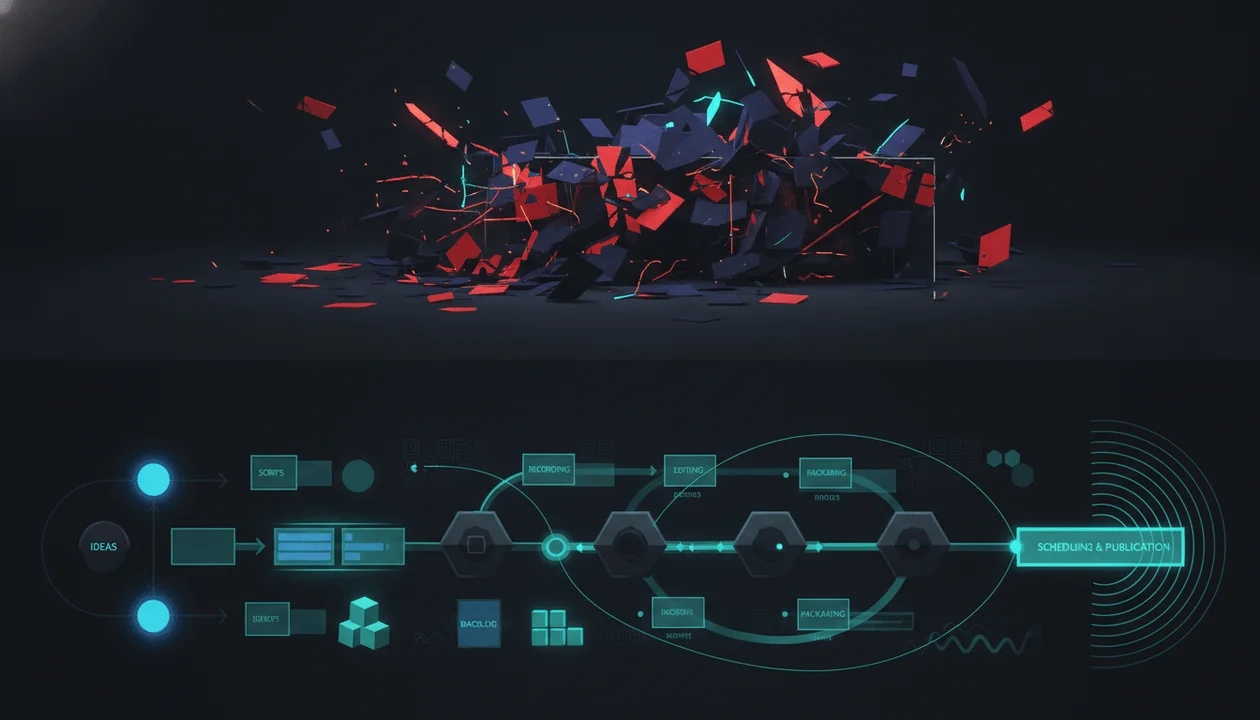
AI can finish a YouTube video faster than most teams can review one.
That is the new bottleneck.
The script sounds polished. The voiceover is clean. The visuals look cinematic. The captions are already timed. The thumbnail feels clickable. Everything appears finished enough to publish.
Then the hidden problems surface:
- A statistic was invented.
- The hook promises something the video never proves.
- The AI voice mispronounces the subject’s name.
- A realistic generated scene looks like real evidence.
- The same character changes appearance five times.
- The sponsor claim is stronger than the approved brief.
- The thumbnail implies an event that never happened.
- The music triggers a copyright claim.
- The final export contains a broken frame.
- The entire video feels like a template viewers have already seen 100 times.
A YouTube AI content QA checklist is the quality-control layer between generation and publication.
It does not ask only whether the video is technically complete.
It asks whether the finished video is:
- original
- accurate
- watchable
- visually coherent
- trustworthy
- advertiser-aware
- legally usable
- properly disclosed
- aligned with its title and thumbnail
- strong enough to build a channel around
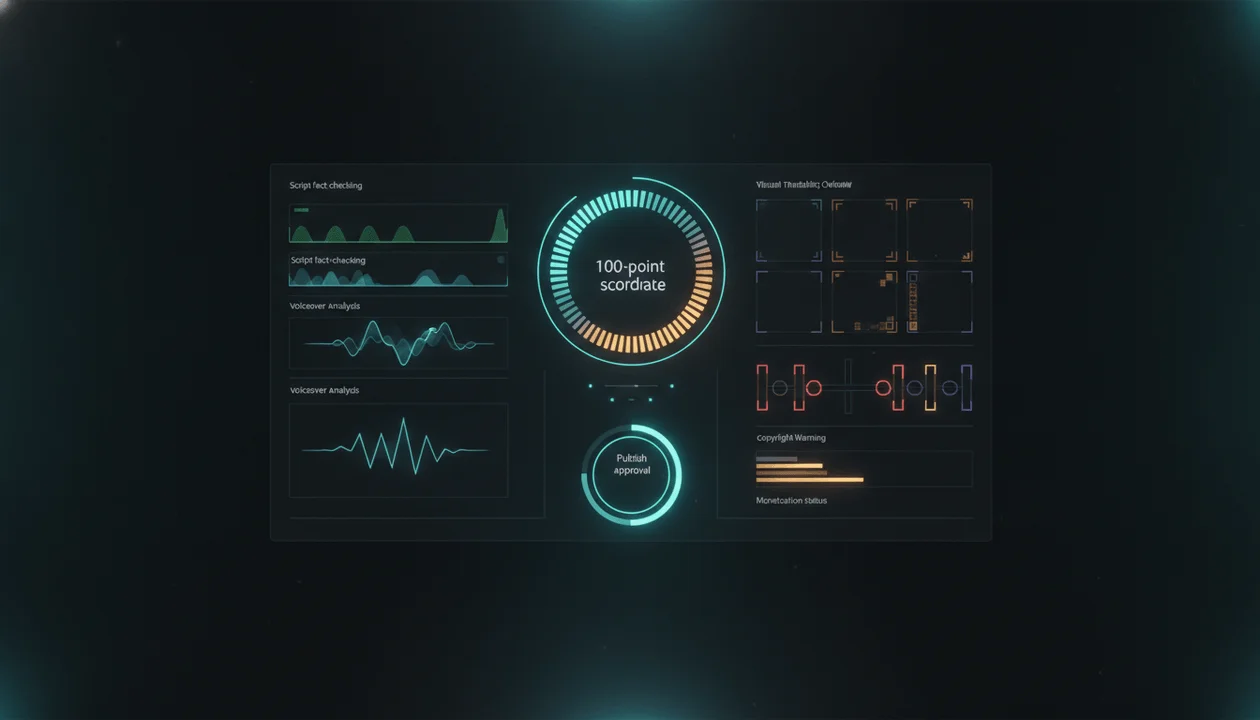
This guide gives you a complete pre-publish system for AI-assisted YouTube videos, including a 100-point scorecard, pass-or-fail approval gates, review templates, and a faster version for teams publishing at scale.
Key Takeaways
- AI-generated content is not automatically low quality or ineligible for monetization. The danger is generic, repetitive, misleading, or mass-produced content with little original value.
- YouTube evaluates more than the video file. Titles, thumbnails, descriptions, tags, channel context, and the overall pattern of content can matter.
- AI production assistance such as scripts, outlines, captions, title ideas, and minor visual repairs generally does not require disclosure. Realistic AI-generated or meaningfully altered content may require YouTube’s AI-use disclosure.
- The highest-return quality check happens before voiceover and editing, when weak facts, structure, and promises are still cheap to fix.
- Every AI-assisted video should pass separate checks for originality, facts, retention, voiceover, visuals, editing, packaging, rights, disclosure, monetization, and export quality.
- A technically flawless video can still fail because it offers no distinct perspective.
- The final approval question is not “Did the AI finish the video?” It is “Would a human editor confidently attach the channel’s reputation to it?”
What Is a YouTube AI Content QA Checklist?
A YouTube AI content QA checklist is a repeatable review process used to inspect an AI-assisted video before it becomes public.
It covers the complete asset:
- topic
- angle
- title
- thumbnail
- script
- sources
- voiceover
- visuals
- footage
- generated images
- generated video
- captions
- music
- sound effects
- sponsor integration
- description
- links
- upload settings
- disclosure choices
- final export
This is broader than a YouTube upload checklist.
A normal upload checklist asks:
- Did we add the description?
- Are the chapters correct?
- Is the thumbnail uploaded?
- Did we select the correct playlist?
An AI content QA checklist asks harder questions:
- Does this video contain original thinking?
- Can we prove its most important claims?
- Does every generated visual accurately support the narration?
- Could viewers mistake synthetic imagery for real footage?
- Does the voice sound natural throughout the entire video?
- Is the title-thumbnail promise actually fulfilled?
- Does the channel look mass-produced when several recent uploads are reviewed together?
- Are all commercial rights and disclosures handled?
- Is the video worth publishing under this brand?
Administrative completion is not the same as editorial approval.
AI-Assisted Content vs AI Slop
“AI slop” is an informal term, not the name of a specific YouTube policy.
It usually describes content that feels:
- mass-produced
- repetitive
- generic
- misleading
- incoherent
- visually careless
- factually unreliable
- emotionally manipulative
- created only to exploit attention
- missing meaningful human judgment
YouTube’s official monetization language focuses on original and authentic content.
Its channel monetization policies explain that monetized content should not be generic, repetitive, manipulative, or mass-produced. A recurring format can still be monetized when the substance of each video is materially different and provides creative, educational, or entertainment value.
That creates a critical distinction.
Repeatable Format
A finance channel uses the same:
- narrator
- intro animation
- chart style
- episode structure
- background music
- thumbnail system
But every video contains:
- different research
- a distinct company
- new financial analysis
- original conclusions
- different evidence
- a meaningful viewer takeaway
That is a repeatable format.
Interchangeable Content
A finance channel changes only:
- the company name
- the stock ticker
- a few numbers
- the thumbnail logo
- the AI voiceover
The argument, pacing, visuals, examples, and conclusion remain almost identical.
That is interchangeable content.
The problem is not consistency.
The problem is when the viewer receives no meaningful reason to watch the next video instead of the previous one.
The 10 Quality Gates Every AI YouTube Video Must Pass
| Quality Gate | Core Question | Failure Consequence |
|---|---|---|
| 1. Original Value | Does this video contribute something distinct? | The video feels generic or mass-produced |
| 2. Promise Alignment | Do the title, thumbnail, hook, and payoff match? | Viewers feel misled and leave |
| 3. Factual Integrity | Are important claims accurate and sourced? | Trust, legal, and sponsor risk |
| 4. Retention Structure | Does the script keep earning attention? | Early drop-off and weak watch time |
| 5. Voiceover Quality | Does the narration sound intentional and credible? | Robotic, distracting, or confusing delivery |
| 6. Visual Integrity | Do visuals support the narration accurately? | Incoherence, misinformation, and synthetic errors |
| 7. Editing Quality | Does the final cut feel controlled and watchable? | Pacing problems and visible production mistakes |
| 8. Packaging Quality | Does the video package create an honest, compelling click? | Low CTR or malicious clickbait risk |
| 9. Rights and Disclosure | Can every asset be used, and are disclosures handled? | Claims, takedowns, policy, or legal exposure |
| 10. Upload Readiness | Are technical settings and final checks complete? | Broken publishing experience or lost revenue |
A video should not pass because its average score looks acceptable.
Some gates are absolute.
A video with beautiful visuals and false medical claims is not publish-ready.
A strong script with unlicensed music is not publish-ready.
A cinematic documentary that falsely depicts a real person committing a crime is not publish-ready.
The 100-Point YouTube AI Content QA Scorecard
Use this scorecard for every video.
| Category | Maximum Points |
|---|---|
| Original value and channel fit | 10 |
| Promise alignment | 10 |
| Script accuracy and evidence | 15 |
| Hook and retention | 10 |
| Voiceover and audio | 10 |
| Visual quality and integrity | 15 |
| Editing and pacing | 10 |
| Title and thumbnail | 10 |
| Rights, disclosures, and sponsor safety | 5 |
| Upload and technical quality | 5 |
| Total | 100 |
Score Interpretation
| Score | Status | Decision |
|---|---|---|
| 90–100 | Publish-ready | Complete final administrative review |
| 80–89 | Conditional approval | Fix every flagged issue before publishing |
| 70–79 | Not approved | Return to the weakest production stage |
| Below 70 | Rebuild required | The asset needs more than final polish |
Automatic Failure Conditions
The video fails regardless of its total score when it contains:
- a major unsupported factual claim
- a misleading realistic AI depiction
- unlicensed or unauthorized material
- undisclosed paid promotion where disclosure is required
- a title or thumbnail that materially misrepresents the video
- an impersonated real person without authorization
- a known policy violation
- a severe audio, export, or synchronization failure
- sponsor copy that exceeds the approved claim
- private, confidential, or personally identifying information that should not be published
Phase 1: Original Value and Channel Fit
AI can generate a competent explanation of almost any topic.
Competence is not differentiation.
Before checking grammar, visuals, or export settings, determine whether the video deserves to exist.
The Original Value Test
The video should contribute at least one of these:
- original research
- a new argument
- a useful comparison
- a firsthand experience
- a proprietary framework
- a new visual explanation
- a stronger example
- a contrarian interpretation
- a clear synthesis of fragmented information
- access to a relevant expert
- a decision tool
- a practical template
- a niche-specific application
- a story that has not been told this way before
A video does not become original merely because the words were newly generated.
Weak AI-Assisted Angle
The 10 Best AI Tools in 2026
The video summarizes familiar product pages and repeats generic benefits.
Stronger Angle
I Rebuilt a Faceless YouTube Workflow Using Only Five AI Tools
The video can include:
- defined selection criteria
- a real production test
- failure points
- actual handoffs
- time saved
- costs
- output comparisons
- a final recommended stack
The second idea has an editorial reason to exist.
Channel-Fit Questions
- Does this topic belong on the channel?
- Does it serve the same viewer as recent successful videos?
- Does it deepen the channel’s positioning?
- Does it support a repeatable content pillar?
- Is the angle distinct from the channel’s previous uploads?
- Would a subscriber understand why this channel published it?
- Is the video designed for the audience or merely because the keyword exists?
- Can the channel credibly speak about this subject?
- Does the video move the channel toward its business goal?
Originality Checklist
- The video contains a clear original contribution.
- The script does more than summarize existing pages.
- The examples are specific to the viewer.
- The conclusion is not generic.
- The video has a recognizable point of view.
- The structure is not a template with nouns replaced.
- The video differs materially from recent uploads.
- The channel is qualified to make the claims it makes.
- The viewer receives something difficult to get from a basic AI prompt.
- A human editor can explain why this video deserves to exist.
Phase 2: Promise Alignment
The title, thumbnail, first 30 seconds, body, and conclusion are one contract.
Most weak videos treat them as separate assets.
The thumbnail creates one expectation. The title creates another. The introduction delays both. The body delivers a weaker version. The conclusion quietly changes the subject.
That disconnect damages both clicks and retention.
The Promise Chain
Use this sequence:
- Title: What outcome, question, conflict, or discovery is promised?
- Thumbnail: What emotional or visual tension sharpens that promise?
- Hook: Why should the viewer trust that the promise will be fulfilled?
- Body: What evidence, story, or progression delivers it?
- Payoff: What answer, transformation, or conclusion resolves it?
Promise Alignment Example
Title:
I Tested 10 AI Video Generators. Only 2 Could Finish the Job
Thumbnail:
8 FAILED
Hook:
Every tool generated an impressive demo. The real test was whether it could turn the same finished script into a coherent 10-minute video without breaking style, timing, or narration.
Body:
- defines the test
- uses the same inputs
- shows the failures
- compares finished outputs
- identifies the two that completed the workflow
Payoff:
- names the two winners
- explains which creator each one suits
- shows the final decision framework
Everything points to the same promise.
Misaligned Version
Title:
I Tested 10 AI Video Generators
Thumbnail:
THIS CHANGES EVERYTHING
Hook:
AI is becoming more powerful every day.
Body:
- lists product features
- uses no shared test
- provides no real comparison
Payoff:
Choose the tool that works best for you.
The package promised a test and delivered a listicle.
Promise QA Checklist
- The title promise can be stated in one sentence.
- The thumbnail strengthens rather than changes the promise.
- The first 30 seconds confirms what the viewer will receive.
- The body contains enough proof to support the package.
- The strongest reveal is not missing from the video.
- The conclusion answers the question created by the title.
- No visual implies something the narration cannot prove.
- The sponsor section does not interrupt the core promise before it is established.
- The video delivers the promised specificity.
- A viewer would not reasonably feel tricked after watching.
Phase 3: Script Accuracy and Evidence
A polished AI script can still contain:
- invented statistics
- false quotes
- outdated product details
- mixed timelines
- inaccurate names
- fabricated research
- overstated causation
- unsupported superlatives
- fake consensus
- misrepresented policies
Use the complete YouTube Script Fact Checker workflow before voiceover production.
Extract Every Checkable Claim
Highlight:
- dates
- numbers
- names
- quotes
- rankings
- product capabilities
- platform rules
- historical events
- medical statements
- legal statements
- finance statements
- cause-and-effect claims
- “first,” “only,” “best,” and “largest” claims
- current claims using “now,” “today,” or “recently”
- statements attributed to YouTube
- sponsor performance claims
Create a Claim Ledger
| Claim | Risk | Required Source | Status | Final Action |
|---|---|---|---|---|
| YouTube requires disclosure for realistic AI depictions | High | Official YouTube documentation | Verified | Keep with exact wording |
| AI scripts always require disclosure | High | Official YouTube documentation | False | Rewrite |
| Product saves 80% of editing time | High | Sponsor-approved evidence | Missing | Remove or qualify |
| Channel reached 10M monthly views | Medium | Dated analytics or public data | Needs date | Add timeframe |
| The format is growing in this niche | Medium | Comparable channel evidence | Partially supported | Explain methodology |
Source Hierarchy
Use the strongest available source.
| Claim Type | Preferred Source |
|---|---|
| YouTube policy | YouTube Help or official YouTube announcement |
| Product capability | Current official product documentation |
| Research finding | Original research paper |
| Company financial information | Regulatory filing or company report |
| Quote | Original interview, speech, transcript, or post |
| Public statistic | Original dataset or responsible authority |
| Legal requirement | Official government source or qualified counsel |
| Health claim | Recognized medical authority or peer-reviewed evidence |
| Channel performance | Dated YouTube Studio data or clearly labeled public estimate |
Fact-Check the Visual Instructions Too
Script direction:
Show the CEO being arrested.
Questions:
- Was the person actually arrested?
- Is the scene symbolic?
- Could viewers mistake it for real footage?
- Does the narration explicitly clarify what happened?
- Is the image defamatory or misleading?
- Does realistic AI generation require disclosure?
- Should the visual use documents, headlines, or abstract imagery instead?
A narration line can be technically cautious while its visual makes an unsupported accusation.
Script QA Checklist
- Every high-risk claim has a reliable source.
- Dates and timeframes are explicit where needed.
- Quotes match the original wording and context.
- Statistics use the correct population and period.
- Correlation is not presented as causation.
- Product features were checked on current official pages.
- Platform policies were checked on official documentation.
- Opinions are framed as opinions.
- Uncertainty is acknowledged where evidence is incomplete.
- Visual directions do not imply unsupported facts.
- Sponsor claims match approved language.
- The source log is saved with the project.
Phase 4: Hook and Retention Quality
A hook does not need to be loud.
It needs to create a reason to continue.
AI-generated hooks often fail in predictable ways:
- generic scene-setting
- exaggerated danger
- empty curiosity
- repeated title wording
- long disclaimers
- unnecessary biography
- fake urgency
- several rhetorical questions
- no proof that the video will deliver
Weak Hook
Artificial intelligence is changing the world faster than ever before. In this video, we are going to explore the exciting world of AI video generators and discover which tools are best.
Stronger Hook
Ten AI video tools produced ten beautiful opening clips. Only two could maintain the same character, visual style, and voiceover timing past the first minute. So I gave every tool the same finished script and measured where each workflow broke.
The stronger version establishes:
- a test
- a contradiction
- evaluation criteria
- stakes
- a reason to continue
First 30-Second QA
The opening should answer:
- What is this video about?
- Why does it matter?
- What will the viewer receive?
- Why should they trust this version?
- What unanswered question keeps the viewer watching?
Retention Friction to Remove
Search the script for:
- “Before we begin”
- “In this video”
- “Make sure to like and subscribe”
- repeated explanations
- obvious transitions
- unnecessary definitions
- long setup before the first example
- conclusions revealed without tension
- sections that do not change the viewer’s understanding
- paragraphs that could disappear without affecting the video
Retention Checklist
- The opening begins with consequence, conflict, proof, or curiosity.
- The title promise is confirmed immediately.
- The first useful detail arrives quickly.
- The intro does not repeat the title.
- The viewer understands the evaluation criteria.
- Each section advances the argument or story.
- Examples appear before concepts become abstract.
- New questions reopen attention naturally.
- Transitions create forward motion.
- The sponsor section enters after enough value has been established.
- The ending delivers a real payoff.
- The final CTA follows logically from the video.
Phase 5: Voiceover and Audio QA
AI voiceovers can sound convincing in a 15-second preview and fail across a full video.
Long-form problems include:
- emotional flatness
- repeated cadence
- incorrect names
- unnatural pauses
- inconsistent pronunciation
- emphasis on the wrong word
- sentence endings that all sound identical
- sudden voice changes
- clipping
- low-volume sections
- robotic transitions
- music overpowering narration
Voiceover Review Method
Listen to the full narration without watching the video.
This isolates the spoken experience.
Mark every moment where:
- a name sounds wrong
- a sentence is difficult to understand
- the pace becomes exhausting
- emotion contradicts the meaning
- a pause is missing
- the speaker sounds sarcastic unintentionally
- the tone changes
- the audio level jumps
- an edit is audible
- a sentence sounds written rather than spoken
Pronunciation Sheet
Create one before generation.
| Term | Required Pronunciation | Notes |
|---|---|---|
| Creator name | Phonetic spelling | Confirm from creator’s own introduction |
| Company | Approved pronunciation | Check official brand video |
| Acronym | Letters or spoken word | Keep consistent |
| Technical term | Phonetic guide | Review with subject expert |
| Foreign place | Local or accepted pronunciation | Pick one standard |
Voiceover QA Checklist
- The voice fits the channel and subject.
- The first 30 seconds sound confident.
- Names and terms are pronounced correctly.
- Important words receive natural emphasis.
- Pauses support meaning.
- Sentence cadence varies.
- The voice does not sound emotionally disconnected.
- No section changes voice unexpectedly.
- There are no clipped words or audible edit points.
- Loudness remains consistent.
- The narration remains clear under music.
- The voice has the required commercial-use rights.
- Any cloned voice was created and used with authorization.
- The clean narration master is stored separately from music.
Phase 6: Visual Quality and Integrity
A visual can be attractive and still fail QA.
Every scene should be checked for four things:
- Relevance: Does it support the narration?
- Accuracy: Does it depict the subject honestly?
- Consistency: Does it belong in the same visual world?
- Quality: Is it free from visible generation or editing defects?
Visual-to-Script Alignment
Narration:
The company’s revenue increased while its customer base declined.
Weak visual:
Generic people celebrating in an office.
Stronger visual:
A clean chart showing revenue rising while the customer-count line falls, followed by a visual explanation of higher revenue per customer.
The stronger visual helps the viewer understand the contradiction.
AI Visual Error Checklist
Inspect for:
- broken hands
- duplicate fingers
- asymmetrical eyes
- distorted teeth
- incorrect shadows
- warped objects
- unreadable generated text
- floating items
- inconsistent scale
- impossible reflections
- changing clothing
- changing faces
- background people merging
- logos with incorrect spelling
- historically inaccurate objects
- products that do not exist
- impossible interfaces
- frame-to-frame flicker
- unstable characters
- objects disappearing between frames
Character Consistency
For recurring characters, confirm:
- face
- approximate age
- hairstyle
- clothing
- body type
- skin tone
- accessories
- environment
- art style
- emotional continuity
A character who changes identity every 20 seconds makes the video feel assembled rather than directed.
Realistic AI Content Disclosure
YouTube requires creators to disclose AI-generated or meaningfully altered content when it appears realistic and:
- makes a real person appear to say or do something they did not do
- alters footage of a real event or place
- generates a realistic scene that did not occur
YouTube’s current GenAI disclosure guidance also explains that ordinary production assistance such as AI-supported outlines, scripts, captions, title ideas, thumbnail ideas, minor repairs, and non-realistic content generally does not require the same disclosure.
Disclosure itself does not automatically reduce monetization eligibility.
The question is not “Was any AI used?”
The question is:
Could a reasonable viewer mistake this generated or altered depiction for reality?
Disclosure Decision Table
| Use Case | Usually Requires YouTube AI Disclosure? |
|---|---|
| AI helps improve a script | No |
| AI suggests title ideas | No |
| Automatic captions | No |
| Color correction or audio repair | No |
| Clearly animated fantasy scene | No |
| Creator clones their own voice for a voiceover | Generally no under YouTube’s listed examples |
| Realistic generated footage of a real city during an event that never occurred | Yes |
| Real person made to appear to say something they did not say | Yes |
| Realistic AI-generated scene presented as documentary footage | Yes |
| AI-generated music | Listed by YouTube as requiring disclosure |
| Realistic synthetic depiction of an arrest that never happened | Yes |
The official guidance is not exhaustive. Review the current policy when the content is realistic, sensitive, or potentially misleading.
Visual QA Checklist
- Every scene supports the narration.
- No visual contradicts the script.
- Generated images are free from obvious defects.
- Generated video does not flicker or morph unintentionally.
- Recurring characters remain consistent.
- Real products and interfaces are depicted accurately.
- Generated text has been replaced with readable designed text.
- Historical visuals match the claimed period.
- Symbolic visuals cannot be mistaken for evidence.
- Realistic synthetic scenes are disclosed when required.
- Sensitive events are handled with context and restraint.
- No person is falsely depicted doing something harmful.
- Visuals have documented commercial-use rights.
- The video maintains one intentional visual language.
Phase 7: Editing and Pacing QA
Do one complete playback at normal speed.
Do not scrub.
Do not watch at 2x.
Do not fix issues during the first pass.
Watch as a viewer and record timestamps.
First-Pass Review
Mark moments where:
- attention drops
- a scene lasts too long
- a cut feels abrupt
- the visual arrives late
- the narration and image disagree
- captions cover important information
- music changes unnaturally
- a transition distracts from the story
- an effect feels excessive
- a repeated asset becomes obvious
- a section feels redundant
- the ending loses energy
Second-Pass Review
Review without sound.
This exposes:
- weak visual progression
- inconsistent styles
- repeated clips
- awkward transitions
- poor composition
- unreadable text
- sections with no visual information
- sudden quality changes
- distracting generated errors
Third-Pass Review
Listen without watching.
This exposes:
- narration problems
- music problems
- abrupt audio cuts
- inconsistent volume
- bad pronunciation
- pacing issues hidden by visuals
- weak transitions
- excessive sound effects
Editing QA Checklist
- The full video was watched at normal speed.
- Every pacing concern has a timestamp.
- The first visual immediately supports the hook.
- Visual changes occur for a reason.
- No scene is repeated unintentionally.
- Transitions match the tone.
- Effects support rather than compete with the story.
- Captions are correctly timed.
- Captions remain readable on mobile.
- Music supports the emotional progression.
- Music does not overpower speech.
- Sound effects are controlled.
- The ending feels intentional rather than abruptly generated.
- There are no blank frames, flash frames, or export artifacts.
- The final video was checked after export, not only inside the editor.
Phase 8: Title and Thumbnail QA
Packaging is not separate from quality assurance.
YouTube’s advertiser-friendly review can consider the video, title, thumbnail, description, and tags. Its spam policy also prohibits maliciously misleading titles and thumbnails that promise something the video does not deliver.
A thumbnail can damage trust before the video begins.
Title QA
Check whether the title:
- creates one clear promise
- accurately represents the video
- contains unnecessary filler
- uses a claim the video cannot prove
- relies on false urgency
- overstates the result
- names the correct product, person, or event
- remains readable on mobile
- differentiates the angle
- works with rather than repeats the thumbnail
Thumbnail QA
Check whether the thumbnail:
- has one dominant focal point
- communicates at small size
- contains readable text
- avoids unnecessary elements
- creates curiosity without changing the topic
- uses real logos accurately
- avoids fake screenshots
- avoids fabricated quotes
- avoids depicting a real event that did not happen
- does not falsely place a real person in a harmful situation
- matches the opening of the video
- remains within YouTube’s thumbnail policy
Packaging Stress Test
Show the title and thumbnail to someone who has not seen the script.
Ask:
- What do you think this video is about?
- What do you expect to learn or see?
- What emotion does the thumbnail create?
- What question do you expect the video to answer?
- What would make you feel misled?
Compare their answer with the finished video.
Packaging Checklist
- The title and thumbnail create the same viewer expectation.
- The video delivers the exact promised subject.
- No important word is factually misleading.
- The thumbnail remains clear at mobile size.
- Thumbnail text is short and readable.
- The design has one focal point.
- The image does not fabricate evidence.
- A real person is not falsely depicted.
- The opening confirms the package.
- The final payoff resolves the package.
- The title is distinct from recent channel uploads.
- The thumbnail follows a recognizable channel system without feeling duplicated.
Phase 9: Copyright, Rights, Disclosure, and Sponsor QA
AI generation does not automatically solve rights management.
You still need to know whether you can use:
- music
- stock footage
- photographs
- screenshots
- articles
- charts
- logos
- cloned voices
- generated voices
- real people’s likenesses
- AI model outputs
- third-party clips
- commissioned edits
- freelancer-created assets
Asset Rights Log
| Asset | Source | License or Permission | Commercial Use | Transferable | Evidence Saved |
|---|---|---|---|---|---|
| Background music | Provider | Subscription license | Yes | Check terms | Yes |
| Stock footage | Library | Commercial license | Yes | Project-specific | Yes |
| AI voice | Voice provider | Plan terms | Yes | Not applicable | Yes |
| Freelancer animation | Contractor | IP assignment | Yes | Yes | Yes |
| News screenshot | Publisher | Editorial context review | Review needed | No | Source logged |
YouTube’s copyright guidance explains that uploads are scanned against reference material submitted by copyright owners through Content ID. Passing the initial upload check does not guarantee that a future manual claim or strike will never occur.
Sponsor QA
When a video contains a paid placement, sponsorship, endorsement, free product, or another commercial relationship, the creator may need to declare the paid promotion inside YouTube Studio and satisfy additional local legal requirements.
YouTube’s paid promotion guidance states that creators and brands are responsible for understanding and complying with applicable disclosure obligations.
Review:
- approved sponsor wording
- mandatory talking points
- prohibited claims
- offer terms
- pricing
- discount code
- link
- landing page
- disclosure language
- placement timing
- competitor exclusions
- usage rights
- revision approval
- YouTube paid promotion setting
Sponsor Claim Comparison
Approved claim:
Designed to help creators organize their production workflow.
Unsafe rewrite:
This tool will double your views and cut production time by 90%.
The second version introduces two unsupported performance promises.
Rights and Disclosure Checklist
- Every asset has a known source.
- Commercial-use permissions are documented.
- Music licensing covers YouTube.
- Stock licenses cover the intended use.
- Freelancer agreements assign the necessary rights.
- Voice-cloning consent is documented.
- Real-person likeness use is authorized or defensible.
- AI-use disclosure was reviewed.
- Paid promotion disclosure was reviewed.
- Sponsor copy matches approval.
- Affiliate links are disclosed where required.
- Sensitive claims received specialist review where necessary.
- Sources and licenses are stored with the project.
Phase 10: Monetization and Advertiser-Suitability QA
A video can remain on YouTube and still receive limited or no advertising.
YouTube’s advertiser-friendly content guidelines apply to the complete package, including the video, Short, live stream, title, thumbnail, description, and tags.
Review potentially sensitive areas such as:
- profanity
- violence
- adult content
- shocking material
- harmful acts
- unreliable claims
- hateful or derogatory content
- drugs
- firearms
- controversial issues
- sensitive events
- dishonest behavior
- graphic imagery
- demeaning language
Context matters.
Documentary, educational, scientific, artistic, or news context may affect how content is evaluated, but context should be evident inside the video and metadata.
Monetization QA Questions
- Is sensitive material necessary to the story?
- Is it shown or described more graphically than needed?
- Does the title sensationalize a tragedy?
- Does the thumbnail use shocking imagery as clickbait?
- Is the video exploiting a sensitive event?
- Does the introduction establish educational or documentary context?
- Are profanity and disturbing visuals placed where they create avoidable risk?
- Does a sponsor appear next to unsuitable material?
- Is the self-certification answer accurate?
- Should monetization be disabled for this particular upload?
Monetization Checklist
- The complete package was reviewed against advertiser-friendly guidance.
- Sensitive material has clear context.
- The title does not exploit a tragedy or controversy.
- The thumbnail avoids unnecessary graphic material.
- Self-certification answers are accurate.
- Sponsor placement is suitable for the surrounding content.
- Potential restrictions were discussed before publishing.
- The team understands whether to request human review.
- Monetization was not treated as automatic approval of quality.
- The video remains valuable even without ad revenue.
Phase 11: Captions, On-Screen Text, and Accessibility QA
Automatic captions are a draft.
They frequently misinterpret:
- names
- brands
- acronyms
- technical language
- accents
- numbers
- foreign words
- homophones
- quiet speech
YouTube allows creators to edit caption text and timing inside YouTube Studio.
Caption QA
Check:
- spelling
- punctuation
- names
- numbers
- timing
- speaker changes
- sound cues where useful
- line length
- mobile readability
- text covering faces or evidence
- mismatch between burned-in captions and uploaded subtitles
On-Screen Text QA
Generated visuals commonly produce broken text.
Replace rather than tolerate:
- misspelled signs
- fake interface labels
- malformed logos
- unreadable charts
- invented quotes
- inaccurate dates
- inconsistent units
- impossible prices
- text clipped by safe areas
Accessibility Checklist
- Captions were manually reviewed.
- Names and technical terms are correct.
- Caption timing matches speech.
- Important on-screen text remains visible long enough.
- Text contrast is sufficient.
- Information is not communicated through color alone.
- Charts have clear labels.
- Music and effects do not obscure narration.
- The video remains understandable without perfect audio.
- Any important visual-only information is explained where appropriate.
Phase 12: Upload and Technical QA
YouTube’s upload flow includes checks that can screen for copyright and ad-suitability concerns before publication. The current upload documentation notes that copyright results are not final and that later claims, strikes, or changes can still affect a video.
The Checks stage may also run likeness detection for participating creators whose faces may have been altered or generated with AI.
Export Review
Confirm:
- resolution
- frame rate
- aspect ratio
- audio channels
- audio synchronization
- color
- compression
- file duration
- clean first and last frame
- no missing scenes
- no watermark
- no draft overlays
- no editor notes
- no low-resolution replacements
- no muted segment
Upload Metadata
Confirm:
- title
- description
- thumbnail
- playlist
- audience setting
- language
- captions
- chapters
- links
- paid promotion
- AI-use disclosure
- monetization
- ad suitability
- tags where used
- recording date or location where relevant
- cards
- end screen
- visibility
- schedule
- pinned-comment plan
Link QA
Click every link.
Check:
- destination
- tracking parameters
- affiliate disclosure
- sponsor URL
- discount code
- expiration date
- mobile page
- HTTPS
- regional availability
- accidental internal or staging links
Upload Checklist
- The final exported file was watched.
- Resolution and aspect ratio are correct.
- Audio remains synchronized.
- The correct title and thumbnail are attached.
- Description links work.
- Chapters match the final edit.
- Captions were uploaded or reviewed.
- Paid promotion was declared where required.
- AI-use disclosure was reviewed.
- Copyright checks completed or were consciously assessed.
- Ad-suitability checks completed where applicable.
- Audience setting is correct.
- Cards and end screens are correct.
- Visibility and schedule are correct.
- The video is not made public before final approval.
The Full YouTube AI Content QA Checklist
Use this condensed version inside your production system.
Strategy and Originality
- The topic serves the channel’s audience.
- The video contains a distinct contribution.
- The angle is stronger than a generic AI answer.
- The video differs materially from recent uploads.
- The team can explain why this video deserves to exist.
- The conclusion contains a real takeaway.
- The video supports the channel’s larger positioning.
Promise
- The title makes one clear promise.
- The thumbnail strengthens that promise.
- The hook confirms it immediately.
- The body provides enough evidence.
- The final section delivers the payoff.
- Nothing in the packaging is materially misleading.
Script and Facts
- Checkable claims were extracted.
- High-risk claims were verified.
- Official sources support platform claims.
- Primary sources support important numbers.
- Dates and timeframes are correct.
- Quotes are authentic and contextual.
- Opinions are labeled as analysis.
- Sponsor claims use approved wording.
- Visual directions do not imply false events.
- A source log is stored.
Retention
- The hook begins quickly.
- The first useful detail arrives early.
- The intro does not repeat the title.
- Each section advances the video.
- Repetition and filler were removed.
- Examples appear throughout.
- Pattern changes are purposeful.
- The middle does not collapse.
- The ending pays off the central question.
Voiceover
- The voice fits the channel.
- Pronunciation is correct.
- Pacing feels natural.
- Emphasis supports meaning.
- No clipped words remain.
- Audio levels are stable.
- Music remains below narration.
- The voice has the necessary usage rights.
- Voice cloning was authorized.
Visuals
- Every scene supports the narration.
- No visual contradicts the facts.
- AI defects were removed.
- Generated text was replaced.
- Characters remain consistent.
- Visual style remains coherent.
- Symbolic visuals are not presented as evidence.
- Realistic synthetic content was reviewed for disclosure.
- Real people are not falsely depicted.
- Visual rights are documented.
Editing
- The full video was watched at normal speed.
- The video was reviewed without sound.
- The audio was reviewed without visuals.
- Scene timing feels intentional.
- Captions do not cover important visuals.
- Transitions are controlled.
- Music supports the story.
- No repeated or missing assets remain.
- No export defects remain.
Packaging
- Title and thumbnail create one expectation.
- Thumbnail is readable on mobile.
- The design has one focal point.
- Text is short and readable.
- No fake evidence appears.
- No policy-sensitive image is used carelessly.
- The opening confirms the click.
- The video fully delivers the package.
Rights, Policy, and Commercial Review
- Asset sources are logged.
- Music and stock licenses are valid.
- Freelancer rights are assigned.
- AI voice permissions are documented.
- Sponsor claims are approved.
- Paid promotion disclosure is handled.
- AI-use disclosure is handled.
- Advertiser suitability was reviewed.
- Copyright risks were reviewed.
- Sensitive claims received appropriate review.
Upload
- The final export was reviewed.
- Metadata is correct.
- Description links work.
- Captions are accurate.
- Chapters are accurate.
- Upload checks were reviewed.
- Audience settings are correct.
- Cards and end screens are correct.
- Schedule and visibility are correct.
- Final human approval was recorded.
The Fast 15-Minute AI Video QA Process
A complete review is better.
When speed is unavoidable, use this compressed process.
Minutes 1–3: Review the Promise
Check:
- title
- thumbnail
- first 30 seconds
- final payoff
Reject the video immediately when these do not align.
Minutes 4–6: Review High-Risk Claims
Check:
- numbers
- names
- dates
- policy claims
- sponsor claims
- quotes
- health, finance, and legal statements
Do not spend these minutes checking grammar.
Minutes 7–10: Scan Visual and Audio Failures
Watch at normal speed and look for:
- broken AI visuals
- character changes
- bad pronunciation
- caption errors
- audio level changes
- irrelevant scenes
- fake text
- export defects
Minutes 11–13: Review Rights and Disclosure
Confirm:
- music
- footage
- AI-use disclosure
- paid promotion
- voice rights
- sponsor approval
Minutes 14–15: Review Upload Settings
Confirm:
- correct file
- title
- thumbnail
- description
- links
- captions
- visibility
- schedule
The fast review is a minimum gate, not a substitute for full editorial QA on high-risk content.
When to Fix, Regenerate, or Rebuild
Not every problem requires the same response.
| Problem | Best Action |
|---|---|
| One mispronounced name | Regenerate or replace that voiceover section |
| One weak stock clip | Replace the scene |
| Broken AI hand in a two-second shot | Repair or regenerate the visual |
| Captions contain errors | Edit the caption track |
| Hook is too slow | Rewrite and re-record the opening |
| Several claims are unsupported | Return to script research |
| Character changes throughout | Regenerate the affected visual system |
| The title promise is absent from the body | Rebuild the script or change the package |
| The entire video feels generic | Rework the angle, not the transitions |
| Most scenes are irrelevant | Rebuild the visual plan |
| The sponsor claim is unapproved | Replace it before publishing |
| Rights cannot be verified | Remove the asset |
| Realistic synthetic scene is misleading | Replace, contextualize, and review disclosure |
| The video has no original contribution | Do not publish it |
Polishing cannot rescue a weak premise.
How OverseerOS Helps Build a Stronger QA Workflow
The best time to catch a video problem is before that problem spreads into five other assets.
A weak factual claim begins in the script, then becomes:
- narration
- captions
- a visual
- a thumbnail implication
- a description claim
- a Short
- a social post
OverseerOS helps creators work from evidence and review quality earlier in the workflow.
OverseerOS Script Studio
OverseerOS Script Studio is built around active script development rather than one-click text generation.
Its writing workflow includes commands such as:
- OverseerOS Script Studio Killer Hook
- OverseerOS Script Studio Add Evidence
- OverseerOS Script Studio Add Proof Safely
- OverseerOS Script Studio Add a Concrete Example
- OverseerOS Script Studio Pattern Break Here
- OverseerOS Script Studio Raise the Stakes
- OverseerOS Script Studio Bridge to Next Section
- OverseerOS Script Studio Remove Fluff
These commands help creators strengthen the draft before voiceover and editing make corrections expensive.
They do not replace source verification or human judgment. They create clearer points where evidence, examples, pacing, and editorial decisions can be added.
OverseerOS Retention Optimizer
OverseerOS Retention Optimizer reviews a title and intro, including the opening portion of a longer script.
It evaluates areas such as:
- hook strength
- curiosity
- emotional tension
- pacing
- value-delivery speed
- specificity
- sensory or visual language
- viewer friction
- likely retention risks
The workflow can surface quick fixes and alternative opening versions.
That makes OverseerOS Retention Optimizer useful as a pre-voiceover gate:
Does the opening earn attention before we spend money producing it?
OverseerOS Thumbnail Analyzer
OverseerOS Thumbnail Analyzer examines the visual construction of a thumbnail, including:
- visible elements
- layout
- color
- text
- facial expression where present
- attention triggers
- emotional triggers
- persuasion techniques
- likely target audience
- click-through potential
Creators should still judge whether the thumbnail is accurate, ethical, and aligned with the video.
The value is turning thumbnail review from “I like it” into a more structured visual discussion.
OverseerOS Auto Edit
OverseerOS Auto Edit turns a finished script and voiceover into a structured faceless video workflow with:
- scene planning
- AI visuals
- style direction
- saved styles
- captions
- background music
- motion
- effects
- preview controls
- export controls
Because the workflow is scene-based, creators can inspect weak scenes instead of treating the first generated result as final.
The quality process becomes:
- Approve the script.
- Approve the narration.
- Generate the first visual structure.
- Review scene relevance and consistency.
- Replace weak visuals.
- check captions, music, and motion.
- Preview the full video.
- Export and review the actual file.
- Complete YouTube’s upload checks and disclosure decisions.
You can explore the full OverseerOS AI faceless video production workflow.
The AI Content QA Approval Template
Copy this into your project-management system.
| Field | Entry |
|---|---|
| Video title | |
| Channel | |
| Topic owner | |
| Script owner | |
| Editor | |
| Thumbnail owner | |
| Sponsor | |
| Planned publish date | |
| Final video URL | |
| QA score | /100 |
| Automatic failure found? | Yes / No |
| AI disclosure required? | Yes / No / Needs review |
| Paid promotion disclosure required? | Yes / No |
| Copyright check status | |
| Ad-suitability status | |
| Final approver | |
| Approval date | |
| Outstanding changes |
Approval Decision
- Approved
- Approved after listed corrections
- Returned to script
- Returned to voiceover
- Returned to visual production
- Returned to editing
- Returned to packaging
- Rejected
Mandatory Approval Statement
I reviewed the final exported video, title, thumbnail, description, captions, links, disclosures, rights documentation, and upload settings. All critical issues have been corrected, and the video is approved for publication.
Common AI Content QA Mistakes
Reviewing Only the Final Video
By the final edit, the most expensive errors are already embedded.
Review the script, voiceover, and visual plan separately.
Trusting the Same AI to Verify Its Own Claims
An AI model may confidently approve a claim it originally invented.
Use official and primary sources.
Treating Copyright Checks as Permanent Clearance
Upload checks can detect some copyrighted material, but YouTube explains that future manual claims, strikes, and changes can still occur.
Maintain your own rights records.
Assuming AI Disclosure Means Demonetization
YouTube states that correctly disclosing applicable AI-generated or altered content does not by itself limit audience reach or monetization eligibility.
Avoiding required disclosure creates the greater risk.
Checking Only the Spoken Words
The visual, thumbnail, caption, and description can create a false implication even when the narration is cautious.
Fixing Every Problem With More Editing
The problem may be:
- the idea
- the angle
- the facts
- the promise
- the script
- the production system
More transitions will not solve those.
Approving Each Video in Isolation
Review several recent uploads together.
Ask:
- Do they all use the same hook?
- Do they all reach the same conclusion?
- Are the visuals interchangeable?
- Does the channel feel automated?
- Is each episode materially different?
- Is there a recognizable human perspective?
Channel-level repetition can be easier to see in a batch than in one video.
Letting the Person Who Generated the Video Be the Only Reviewer
Creators become blind to familiar mistakes.
Use a second reviewer for:
- facts
- final export
- sponsor claims
- sensitive topics
- high-value uploads
Using “Good Enough” Without a Definition
A scorecard makes approval standards visible.
Without one, quality changes with:
- deadline pressure
- the reviewer
- the sponsor
- the editor
- the mood of the team
Final Verdict
AI has made production faster.
It has not made judgment optional.
A YouTube AI content QA checklist protects the parts of a channel that automation cannot rebuild after trust is lost:
- credibility
- originality
- audience loyalty
- sponsor confidence
- monetization stability
- brand reputation
The strongest workflow is not:
Generate, export, publish.
It is:
Research, create, verify, review, correct, approve, publish.
Use AI to accelerate execution.
Use evidence to control claims.
Use a defined visual system to control consistency.
Use human review to control meaning.
And never publish an AI-assisted video merely because the software says it is finished.
Frequently Asked Questions
What is a YouTube AI content QA checklist?
A YouTube AI content QA checklist is a structured pre-publish review covering the topic, script, facts, voiceover, visuals, editing, title, thumbnail, rights, disclosures, monetization, captions, export, and upload settings of an AI-assisted video.
Is AI-generated content allowed on YouTube?
Yes. YouTube does not prohibit content merely because AI was involved.
Monetized content is still expected to be original and authentic rather than generic, repetitive, manipulative, or mass-produced. All uploads must also follow YouTube’s wider policies.
Can AI-generated YouTube videos be monetized?
They can be eligible for monetization when they provide original value and comply with YouTube’s policies.
Using AI does not remove requirements related to originality, reused content, advertiser suitability, copyright, disclosure, and Community Guidelines.
Does using AI to write a YouTube script require disclosure?
YouTube lists production assistance such as generating or improving outlines, scripts, titles, thumbnails, captions, and ideas among examples that generally do not require AI disclosure.
Disclosure focuses on realistic content that has been meaningfully altered or generated in ways that could mislead viewers about real people, events, or places.
Do AI voiceovers need YouTube disclosure?
YouTube’s current examples indicate that cloning your own voice for voiceovers or dubs generally does not require disclosure.
Other cases may differ, especially when a real person’s voice is cloned to make them appear to say something they did not say. Authorization, transparency, impersonation rules, and local laws should also be considered.
What makes an AI YouTube video feel like AI slop?
Common signals include:
- generic scripts
- repetitive structures
- fake facts
- random visuals
- robotic narration
- broken generated imagery
- no point of view
- misleading thumbnails
- interchangeable episodes
- no meaningful human review
What should I check before publishing an AI-generated video?
At minimum, check:
- Original value
- Title-thumbnail-script alignment
- Important facts
- Hook and retention
- Voiceover quality
- Visual relevance and AI defects
- Editing and captions
- Asset rights
- AI and paid-promotion disclosures
- Monetization and upload settings
How do I fact-check an AI-written YouTube script?
Extract every important factual claim, score each claim by risk, find the strongest source, verify exact wording and timeframe, and rewrite or remove anything that cannot be supported.
Do not ask only whether the topic is accurate. Verify the exact sentence.
How do I quality-check an AI voiceover?
Listen to the complete narration without visuals.
Mark incorrect pronunciation, awkward pauses, repetitive cadence, emotional mismatch, clipping, inconsistent volume, and unnatural emphasis. Then listen again with music and the final video.
How do I quality-check AI-generated visuals?
Inspect each scene for relevance, accuracy, style consistency, character consistency, generated text, anatomy, shadows, reflections, logos, historical details, frame stability, and whether viewers could mistake synthetic imagery for real evidence.
When should realistic AI-generated content be disclosed on YouTube?
YouTube requires disclosure when AI-generated or meaningfully altered content appears realistic and depicts a real person doing something they did not do, alters footage of a real event or place, or generates a realistic event that did not occur.
Review YouTube’s current disclosure guidance before publishing sensitive or ambiguous content.
Does passing YouTube’s copyright check guarantee that my video is safe?
No.
YouTube states that upload-check results are not final. Future manual Content ID claims, copyright strikes, and other changes can still affect the video.
Keep your own license and permission records.
Should I publish while YouTube checks are still running?
YouTube permits creators to publish while some checks continue, but waiting can reduce the risk of launching with an avoidable copyright or monetization issue.
Time-sensitive teams should make that decision consciously rather than ignoring the check status.
What score should an AI YouTube video receive before publishing?
A useful internal standard is:
- 90–100: publish-ready
- 80–89: approve only after corrections
- 70–79: return to production
- below 70: rebuild
Critical issues such as false high-risk claims, missing rights, or misleading synthetic depictions should cause automatic failure regardless of score.
How does OverseerOS help with AI content quality?
OverseerOS Script Studio helps creators improve evidence, proof, examples, hooks, pacing, transitions, and clarity before production.
OverseerOS Retention Optimizer reviews the title and intro for hook strength, curiosity, pacing, friction, and likely viewer-loss risks.
OverseerOS Thumbnail Analyzer provides structured visual analysis.
OverseerOS Auto Edit turns approved scripts and voiceovers into editable scene-based faceless video workflows with visuals, style direction, captions, music, motion, effects, preview, and export controls.
These tools accelerate the workflow, while final factual, editorial, rights, and policy decisions remain the creator’s responsibility.