Most creators do not have a retention problem.
They have a design problem.
They write a script.
They add some hooks.
They edit faster.
They add captions.
They cut dead space.
Then they wonder why viewers still leave.
The problem is that retention is not something you “add” at the end.
Retention is architecture.
It is built into the topic, title, thumbnail, promise, first sentence, structure, pacing, transitions, examples, payoffs, tension, visuals, and ending.
A video does not hold attention because it is loud.
It holds attention because the viewer keeps feeling:
I still need to know what happens next.
That is the entire game.
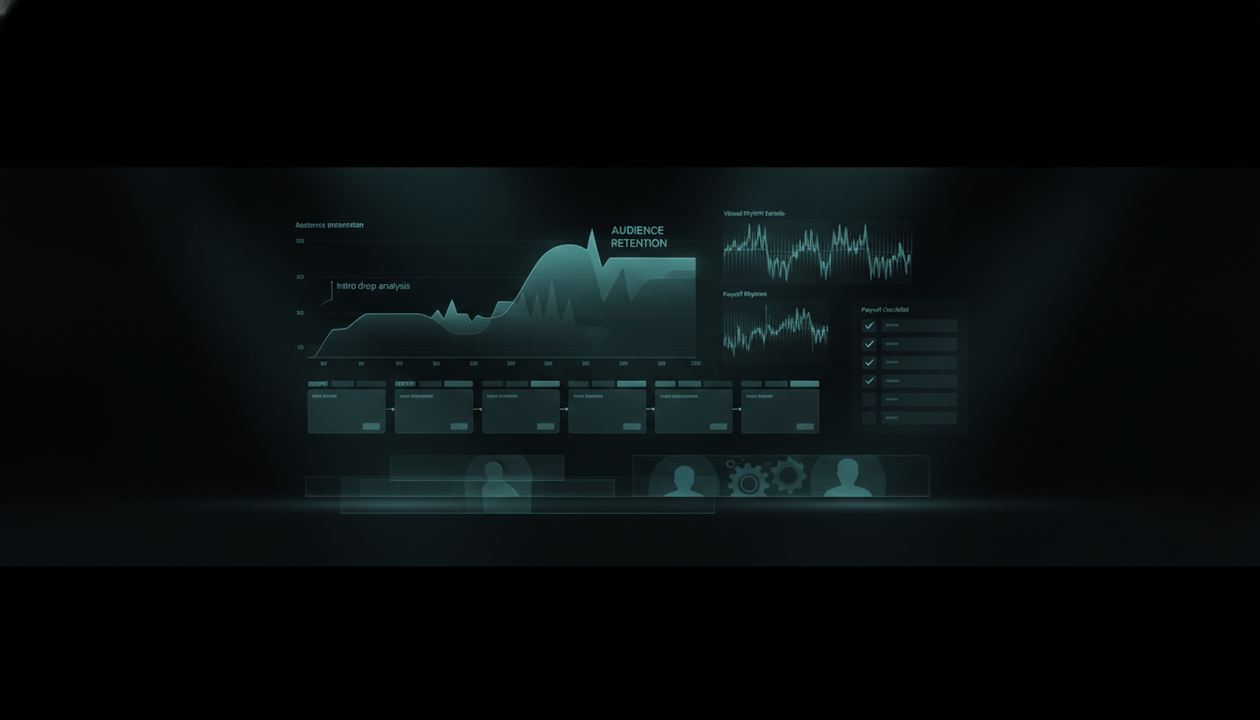
YouTube’s audience retention report helps creators see how well different moments of a video hold attention. YouTube highlights intros, top moments, spikes, and dips, and says the shape of the audience retention graph can reveal which parts of a video are most and least interesting to viewers. Source: YouTube Help.
That means retention is not a mysterious feeling.
It is visible.
You can study where viewers stay, where they rewatch, where they skip, and where they leave.
But most creators use retention analytics too late.
They look at the graph after the video fails.
World-class creators build videos so the graph has a better chance before the upload.
This guide shows how to build YouTube Retention Architecture: a practical system for designing videos that people keep watching from the first click to the final payoff.
Key Takeaways
- Retention is not only editing speed. It is the full structure that keeps viewers emotionally and intellectually engaged.
- YouTube’s audience retention report shows intros, top moments, spikes, and dips, helping creators identify what held attention and what caused viewers to leave.
- A high intro percentage can mean the first 30 seconds matched the title and thumbnail and kept the audience interested.
- Dips can show moments viewers skipped or abandoned, while spikes can show moments viewers rewatched, shared, or needed to understand again.
- Strong retention starts before the video is made: topic selection, title, thumbnail, promise, structure, and payoff all shape whether viewers stay.
- The strongest videos use open loops, pattern breaks, progress markers, emotional stakes, mini-payoffs, visual resets, and clear transitions.
- OverseerOS helps creators reverse-engineer successful videos, analyze hooks and structures, plan retention-first scripts, create stronger titles and thumbnails, generate voiceovers, and produce faceless videos through a better workflow.
What Is YouTube Retention Architecture?
YouTube Retention Architecture is the deliberate design of a video so viewers keep wanting the next moment.
It is not one trick.
It is a system.
It includes:
- Topic selection
- Viewer expectation
- Title promise
- Thumbnail promise
- Opening line
- First 30 seconds
- Story structure
- Information pacing
- Tension
- Curiosity
- Visual rhythm
- Audio rhythm
- Section order
- Transitions
- Examples
- Payoffs
- CTA placement
- Ending design
- Analytics review
Retention architecture asks:
What makes the viewer stay right now?
Every section of the video must answer that question.
If a section cannot answer it, it should be rewritten, moved, shortened, visualized, reframed, or removed.
Retention Is Not the Same as Fast Editing
Fast editing can help.
But speed is not retention.
Some fast videos are exhausting.
Some slow videos are hypnotic.
A documentary can hold attention for 40 minutes with minimal cuts if the story is strong.
A talking-head video can lose viewers in 30 seconds even with jump cuts.
A faceless video can feel premium with slow pacing if the narration, visuals, and structure create momentum.
Retention is not about how fast the video moves.
It is about whether the viewer feels forward motion.
Forward motion can come from:
- unanswered questions
- emotional stakes
- clear progress
- surprising facts
- useful steps
- visible transformation
- conflict
- comparison
- countdown
- mystery
- escalating consequences
- a promised payoff
- a final reveal
- practical value
Fast editing is just one tool.
The deeper skill is designing the reason to keep watching.
The Retention Triangle
Every high-retention video needs three things:
- Promise
- Progress
- Payoff
1. Promise
The viewer must know what they are watching for.
The promise comes from:
- title
- thumbnail
- first line
- intro
- framing
- stakes
Example:
Why good YouTube videos still get no impressions.
That promise is clear.
The viewer expects a diagnosis.
2. Progress
The viewer must feel the video is moving toward the answer.
Progress comes from:
- steps
- chapters
- countdowns
- story beats
- comparisons
- examples
- tests
- escalating tension
- “first, second, third” structure
- visual progress markers
Example:
There are five reasons this happens. The third one is the one most creators never check.
Now the viewer has a path.
3. Payoff
The viewer must get what they came for.
Payoff comes from:
- a clear answer
- a verdict
- a framework
- a reveal
- a transformation
- a final checklist
- a practical next step
- a satisfying conclusion
Example:
If your impressions are low, do not start by posting more. Start by checking whether your topic is easy for YouTube to test.
A video without payoff trains viewers not to trust the next one.
The Biggest Retention Mistake: Breaking the Promise
The title and thumbnail create an expectation.
The video must fulfill it.
YouTube says a high intro percentage can mean the content in the first 30 seconds matched the viewer’s expectation of the thumbnail and title and kept the audience interested. Source: YouTube Help.
That is extremely important.
If the title says:
I Tested 7 AI Tools for YouTube
But the video starts with:
AI is changing the world, and creators need to adapt...
The viewer may leave.
They came for the test.
Not a generic AI speech.
If the title says:
Why Your YouTube Impressions Are Low
But the video starts with:
Make sure to like and subscribe...
The viewer may leave.
They came for diagnosis.
Not admin.
If the title says:
Best Camera for YouTube Beginners
But the video spends three minutes explaining camera history...
The viewer may leave.
They came for a buying decision.
Not a lecture.
Retention starts with honesty.
The video must deliver the exact emotional and practical promise that earned the click.
The First 30 Seconds
The first 30 seconds decide whether the viewer believes the video will be worth their time.
YouTube’s audience retention report specifically measures intros by showing what percentage of the audience still watched after the first 30 seconds. Source: YouTube Help.
That means the intro is not decoration.
It is a trust test.
A strong intro should do four things:
- Confirm the viewer’s problem.
- Restate the promise.
- Create stakes.
- Start quickly.
Weak Intro
Hey guys, welcome back to the channel. Today we are going to talk about YouTube retention. Retention is very important because if people do not watch your videos, your videos will not perform. So make sure to like and subscribe.
This wastes time.
Strong Intro
Most creators think retention means editing faster. But the real reason viewers leave is usually that the video stops giving them a reason to stay. In this video, I’ll show you the retention architecture behind videos people finish, and how to fix the exact moments where viewers drop.
This works because it:
- challenges a belief
- names the real problem
- promises a system
- creates usefulness
- starts immediately
The 5-Second Retention Test
Before publishing, play only the first 5 seconds.
Ask:
- Does the viewer know what this video is about?
- Does it match the title?
- Does it match the thumbnail?
- Does it create curiosity?
- Does it sound specific?
- Does it avoid filler?
- Would a stranger keep watching?
If the first 5 seconds are weak, the video is already fighting uphill.
The 30-Second Retention Formula
Use this formula:
Problem + contradiction + promise + path
Example:
You do not lose viewers because they have no attention span. You lose them because the video stops giving them progress. In this breakdown, I’ll show you the 7 retention structures that keep people watching, and how to use them before you edit the video.
Breakdown:
- Problem: creators lose viewers
- Contradiction: attention span is not the full explanation
- Promise: 7 retention structures
- Path: use them before editing
This is much better than a generic intro.
The Retention Map
Every video should have a retention map before the script is written.
A retention map answers:
- What is the main promise?
- What is the first hook?
- What open loop starts the video?
- What is the viewer waiting for?
- What are the major sections?
- What mini-payoffs happen along the way?
- Where could viewers get bored?
- Where should visuals reset?
- Where should the strongest point appear?
- What is the final payoff?
- What should the viewer watch next?
Most creators write scripts line by line.
Better creators design retention beat by beat.
The Retention Beat Sheet
Use this structure.
| Beat | Purpose | Example |
|---|---|---|
| Cold open | Capture attention | “Most creators fix the wrong part of retention.” |
| Promise | Tell viewer what they get | “I’ll show you the architecture behind videos people finish.” |
| Stakes | Explain why it matters | “Without retention, even good ideas stop spreading.” |
| Roadmap | Create progress | “There are seven layers.” |
| Beat 1 | First useful payoff | Topic promise |
| Beat 2 | Deeper insight | First 30 seconds |
| Beat 3 | Tension | Where viewers leave |
| Beat 4 | Practical framework | Retention patterns |
| Beat 5 | Examples | Before and after |
| Beat 6 | Mistakes | What kills retention |
| Final payoff | Satisfying conclusion | Retention checklist |
| Next step | Continue session | Related video or tool |
This gives the video shape.
A shapeless video loses viewers.
The 7 Retention Layers
Layer 1: Topic Retention
Some topics hold attention more naturally than others.
High-retention topics usually have one of these:
- conflict
- curiosity
- transformation
- decision
- risk
- mystery
- challenge
- comparison
- story
- mistake
- consequence
- clear outcome
Weak topic:
YouTube tips for beginners
Stronger topic:
7 Mistakes That Make Beginner YouTube Channels Look Amateur
Weak topic:
AI tools overview
Stronger topic:
I Tested 7 AI Tools for YouTube. Only 2 Actually Saved Time.
Weak topic:
Productivity advice
Stronger topic:
I Rebuilt My Workday After Realizing I Was Busy, Not Productive.
Retention starts with the topic.
If the topic has no tension, the script must work much harder.
Layer 2: Packaging Retention
The title and thumbnail do not only create clicks.
They create a viewing contract.
If the video does not fulfill that contract, retention drops.
A strong title and thumbnail should create a question the video answers.
Example:
Title:
Why Good YouTube Videos Still Get No Impressions
Viewer question:
Why does that happen?
Video job:
Diagnose the hidden causes.
Title:
I Tested 7 AI Video Tools. Only 2 Saved Real Time.
Viewer question:
Which two? Why?
Video job:
Show the test and verdict.
Title:
The Thumbnail Mistake That Makes Good Videos Invisible
Viewer question:
What mistake?
Video job:
Reveal and explain the mistake.
Good packaging creates retention because it creates a reason to wait.
Bad packaging creates confusion.
Layer 3: Intro Retention
The intro must prove the video is the right answer.
A strong intro:
- starts with the viewer’s problem
- matches title and thumbnail
- avoids generic greetings
- creates stakes
- gives a roadmap
- starts delivering quickly
A weak intro:
- asks for likes too early
- repeats the title with no extra value
- gives too much background
- uses vague hype
- delays the first useful point
- starts with a sponsor before earning attention
The intro is not where you warm up.
It is where the viewer decides whether to trust you.
Layer 4: Structure Retention
Viewers stay longer when they understand the path.
Structure creates comfort.
Examples:
- 5 reasons
- 7 mistakes
- step-by-step tutorial
- before and after
- cheap vs expensive
- beginner to advanced
- problem to diagnosis to fix
- story in chapters
- case study timeline
- test results
- ranking
- checklist
- decision tree
A video without structure feels like wandering.
A video with structure feels like progress.
Layer 5: Moment Retention
Every section needs its own reason to stay.
Use moment-level retention devices:
- “But here is the catch...”
- “The second mistake is worse.”
- “This is where most creators get it wrong.”
- “The next part explains why this happens.”
- “Look at this example.”
- “Now compare that to this.”
- “Here is the part nobody talks about.”
- “This changes the entire strategy.”
- “Before you do that, check this.”
- “The final step is what makes this work.”
These are not empty tricks.
They signal movement.
They tell the viewer that the video is still alive.
Layer 6: Visual Retention
Visuals must help the brain stay oriented.
Faceless creators especially need visual rhythm.
Use:
- charts
- screenshots
- examples
- captions
- motion
- scene changes
- b-roll
- diagrams
- checklists
- progress bars
- comparison tables
- before-and-after frames
- zooms
- highlights
- on-screen keywords
- timeline graphics
But do not overload the viewer.
Visuals should clarify, not distract.
A visual reset should happen when the idea changes, when attention risks dropping, or when the viewer needs proof.
Layer 7: Payoff Retention
The video must deliver.
If the viewer watches until the end and feels the payoff was weak, the next video becomes harder to earn.
Strong payoff examples:
- final checklist
- clear verdict
- complete framework
- transformation
- solved mystery
- final reveal
- ranked list
- action plan
- mistake diagnosis
- decision tree
- “what to do next” section
Weak payoff examples:
- “So yeah, that’s basically it.”
- “Hope you liked the video.”
- “Make sure to subscribe.”
- ending without summary
- ending before the actual answer
- giving the best part too late with no build-up
- not delivering what the title promised
Retention is not only about keeping people until the end.
It is about making the end worth reaching.
The 12 Retention Patterns That Work
1. Open Loop
An open loop creates an unanswered question.
Example:
I found one mistake that appeared in almost every low-retention video I analyzed, but it was not the intro.
The viewer now wants the answer.
2. Countdown
A countdown creates progress.
Example:
There are five retention killers. The fifth one is the most expensive because it makes every future video harder to click.
3. Challenge
A challenge creates stakes.
Example:
I tried to rebuild a faceless video so it could hold retention without using faster editing.
4. Before and After
Transformation creates curiosity.
Example:
Here is the original intro. Now here is the rewritten version.
5. Diagnosis
Diagnosis gives viewers self-relevance.
Example:
If your retention drops in the first 20 seconds, one of three things is probably happening.
6. Mystery
Mystery creates anticipation.
Example:
The video looked perfect on paper, but viewers left at the same moment. The reason was hidden in one sentence.
7. Comparison
Comparison keeps the brain engaged.
Example:
This intro gets skipped. This intro keeps viewers. The difference is not the editing.
8. Escalation
Escalation makes each section feel more important.
Example:
The first problem hurts clicks. The second hurts retention. The third hurts the entire channel.
9. Contradiction
Contradiction challenges assumptions.
Example:
Better editing can actually make retention worse if the viewer does not understand why the next scene matters.
10. Specific Example
Examples make abstract ideas concrete.
Example:
Let’s take a video called “How to Grow on YouTube” and turn it into a retention-first script.
11. Viewer Participation
Make the viewer think.
Example:
Before I show you the fix, look at this intro and guess where viewers leave.
12. Final Reveal
A final reveal rewards patience.
Example:
The best retention trick is not faster pacing. It is making every section feel like the next necessary step.
These patterns are not gimmicks when used honestly.
They are structure.
The Retention Killers
Killer 1: Slow Setup
The creator explains too much before getting to the point.
Fix:
Start closer to the problem.
Killer 2: Promise Drift
The video drifts away from what the title promised.
Fix:
Keep every section connected to the original promise.
Killer 3: Generic Advice
The viewer has heard it before.
Fix:
Add specificity, examples, proof, and a stronger angle.
Killer 4: No Progress
The video feels like a pile of points.
Fix:
Use a clear structure, countdown, story, checklist, or timeline.
Killer 5: Weak Transitions
Sections feel disconnected.
Fix:
Use transitions that explain why the next section matters.
Killer 6: Visual Repetition
The viewer sees the same frame for too long.
Fix:
Add visual resets that support the idea.
Killer 7: Overlong Sponsor Segment
The sponsor interrupts the video instead of supporting it.
Fix:
Integrate the sponsor into the viewer’s problem and keep it tight.
Killer 8: False Open Loops
The creator teases something that never pays off.
Fix:
Only open loops you plan to close.
Killer 9: No Examples
The video stays abstract.
Fix:
Show real examples, scenarios, comparisons, or before-and-after sections.
Killer 10: Weak Ending
The video fades out without a satisfying conclusion.
Fix:
End with a clear payoff and next step.
How to Read YouTube Retention Analytics
After publishing, study the graph.
YouTube says flat lines mean viewers are watching that section from start to finish, gradual declines mean viewers are losing interest over time, spikes can mean viewers are rewatching or sharing parts of the video, and dips can mean viewers skipped or abandoned a specific part. Source: YouTube Help.
Use this interpretation.
| Retention Signal | What It May Mean | What to Check |
|---|---|---|
| Early drop | Intro did not match expectation or moved too slowly | Title, thumbnail, first 30 seconds |
| Gradual decline | Video lost energy or value over time | Pacing, structure, repetition |
| Sudden dip | Viewers skipped or left at one moment | Sponsor, filler, confusion, topic drift |
| Spike | Viewers rewatched or shared a moment | Important insight, unclear section, strong example |
| Flat section | Viewers stayed through that part | Strong moment, good pacing, useful information |
| Strong ending | Payoff worked | CTA, final reveal, conclusion |
| Weak ending | Viewers left before payoff | Ending too long, payoff too late, CTA too early |
Do not just ask:
Was retention good?
Ask:
What does this graph tell me about viewer expectation, interest, confusion, and satisfaction?
The Intro Drop Diagnosis
If viewers leave early, check:
- Did the title overpromise?
- Did the thumbnail imply something the video did not deliver?
- Did the first sentence match the topic?
- Did you waste time greeting?
- Did you ask for likes too early?
- Did you delay the answer?
- Did you use generic context?
- Was the audio or visual quality weak?
- Did the viewer understand what they would get?
- Did the intro create stakes?
Fixing the intro often means rewriting the promise, not adding more editing.
The Mid-Video Dip Diagnosis
If viewers leave in the middle, check:
- Did the section repeat earlier points?
- Did the pacing slow down?
- Did the sponsor interrupt?
- Did the visual style become repetitive?
- Did the viewer get enough payoff already?
- Did the topic drift?
- Did you add unnecessary background?
- Did the viewer lose the path?
- Was the section too abstract?
- Did the next section need stronger setup?
Mid-video dips often come from weak transitions.
The viewer does not know why the next part matters.
The Spike Diagnosis
A spike is not always good or bad.
It can mean:
- The section was valuable.
- The viewer rewatched because it was useful.
- The viewer shared that moment.
- The section was confusing.
- The visual example was interesting.
- The promise finally paid off.
When you see spikes, ask:
- What happened right before the spike?
- Was the moment clear or confusing?
- Can this become a future video?
- Should this type of moment appear earlier next time?
- Can this become a Short or clip?
- Can this become a thumbnail or title angle?
YouTube says if top moments occur later in the video, creators can consider introducing compelling content earlier because audience sizes typically decrease over the length of a video. Source: YouTube Help.
That is a powerful insight.
If your best moment is buried, move the energy earlier.
The Retention Rewrite Method
Use this method before filming or generating voiceover.
Take your script and mark every paragraph with one of these labels:
- Hook
- Context
- Proof
- Example
- Transition
- Payoff
- CTA
- Filler
Then delete or rewrite most filler.
Ask for every section:
- Does this move the viewer forward?
- Does it answer the promise?
- Does it create curiosity?
- Does it provide payoff?
- Does it set up the next section?
- Does it need a visual?
- Can it be shorter?
- Can it be more specific?
Retention rewriting is not about making everything shorter.
It is about making everything necessary.
The Retention-First Script Template
Use this template.
Cold Open
Start with the core tension.
Most creators fix retention after editing. But retention is usually broken before the first scene is made.
Promise
Tell the viewer exactly what they will get.
In this video, I’ll show you the retention architecture behind videos people finish.
Stakes
Explain why it matters.
If viewers leave, the topic, thumbnail, sponsor, and editing all stop mattering.
Roadmap
Create progress.
There are seven layers: topic, packaging, intro, structure, moments, visuals, and payoff.
Layer 1
Give first useful insight.
Transition
Explain why the next part matters.
But even a strong topic can fail if the title and thumbnail create the wrong expectation.
Layer 2
Continue.
Midpoint Reset
Bring back the stakes.
At this point, the viewer has clicked and survived the intro. Now the real danger begins: the middle of the video.
Examples
Show before and after.
Mistakes
Explain what kills retention.
Final Framework
Give checklist or system.
Ending
Deliver the main payoff and next step.
This gives the video spine.
The Retention-First Editing Checklist
Editing should support the architecture.
Check:
- Does the first frame match the title and thumbnail?
- Does the first sentence create immediate relevance?
- Are boring pauses removed?
- Are transitions clear?
- Do visuals change when ideas change?
- Are important words supported on screen?
- Are examples shown, not just explained?
- Are sections too long?
- Is the sponsor integrated smoothly?
- Is music supporting energy without distracting?
- Are captions readable?
- Are charts or screenshots clear?
- Are there visual resets before likely dips?
- Does the ending feel complete?
- Does the final CTA come after value?
Editing cannot save a weak structure.
But it can strengthen a good one.
Retention Architecture for Faceless Channels
Faceless channels need retention architecture even more because they cannot rely on facial expression, personality, or live human energy.
Faceless retention comes from:
- strong narration
- clear structure
- visual rhythm
- good examples
- motion
- text highlights
- sound design
- scene changes
- compelling research
- story tension
- clean pacing
- useful graphics
- consistent tone
- emotional framing
Faceless videos fail when they become:
- stock footage wallpaper
- AI voice reading generic text
- random b-roll
- slow listicles
- vague motivational narration
- overused visuals
- no examples
- no proof
- no structure
A faceless video should not feel like content generated around a script.
It should feel like a designed viewing experience.
Retention Architecture for AI-Assisted Videos
AI can help write scripts faster.
But AI can also create retention problems.
Common AI-script problems:
- too much setup
- generic phrasing
- repetitive structure
- weak transitions
- no concrete examples
- no real tension
- predictable points
- soft conclusions
- bland hooks
- no original angle
AI-assisted creators need a human retention pass.
Ask:
- Is the hook specific?
- Is the promise clear?
- Is there a fresh angle?
- Does every section move?
- Are there real examples?
- Does the script sound like the channel?
- Are claims accurate?
- Are transitions strong?
- Is there a satisfying payoff?
- Is the viewer rewarded for staying?
AI can create a draft.
Retention architecture turns it into a video.
How OverseerOS Helps Build Retention-First Videos
Retention should not start from guesswork.
The smartest creators do not start from a blank page. They start from patterns that already worked.
That is where OverseerOS helps.
OverseerOS Channel Analyzer helps creators study successful channels and understand what formats, content pillars, upload patterns, and positioning already perform in a niche.
OverseerOS Viral X-Ray helps creators break down individual breakout videos to understand the title, thumbnail, hook, structure, emotional promise, and engagement pattern behind performance.
OverseerOS Channel Blueprint helps creators turn a successful channel into a strategic reference with tone, title formulas, topic opportunities, visual direction, and repeatable video structures.
OverseerOS Smart Content Planner helps creators organize retention-first topics, scripts, voiceovers, competitor inspiration, status workflows, and launch plans in one place.
OverseerOS Viral Title Architect helps creators create stronger title options that set clearer viewer expectations before the click.
OverseerOS AI YouTube Thumbnail Generator helps creators create original thumbnail concepts that match the video promise and reduce expectation mismatch.
OverseerOS Script ReSpark helps creators improve hooks, pacing, structure, transitions, tension, and payoff before production.
OverseerOS Voiceover Generation helps creators generate voiceovers for scripts inside the workflow.
OverseerOS Auto Edit helps creators move faceless videos from script and voiceover into a production workflow with scenes, visuals, captions, motion, music, FX, and export support depending on the project setup.
The product bridge is simple:
Retention starts with structure. OverseerOS helps creators build that structure before the video is produced.
That is the advantage.
The Retention Design Workflow
Use this workflow before producing any serious video.
Step 1: Define the Viewer Promise
Write one sentence:
This video helps [viewer] understand/do/decide [specific outcome].
Example:
This video helps small creators diagnose why their YouTube impressions are low.
If the promise is vague, retention will be weak.
Step 2: Define the Main Question
What question keeps the viewer watching?
Example:
Why are good videos not getting shown?
The whole video should answer this.
Step 3: Build the Path
Choose a structure:
- 5 reasons
- 7 mistakes
- step-by-step
- case study
- comparison
- challenge
- test
- timeline
- mystery
- checklist
- decision tree
Step 4: Place the Strongest Moments
Do not bury everything.
Put one strong insight early.
Save one major payoff for later.
Use mini-payoffs throughout.
Step 5: Add Pattern Breaks
Plan visual and structural resets.
Examples:
- “Let’s look at an example.”
- “Now compare this.”
- “Here is the mistake.”
- “This is where the graph drops.”
- “Let’s rebuild the intro.”
- “Here is the checklist.”
Step 6: Write Transitions
Transitions are retention glue.
Weak transition:
Next point.
Strong transition:
But fixing the intro will not help if the rest of the video has no path. That brings us to the structure layer.
Step 7: Design the Ending
Do not improvise the ending.
End with:
- final framework
- clear verdict
- checklist
- answer
- next step
- related video
Step 8: Review Against the Retention Checklist
Before recording, check every section.
The Retention Architecture Scorecard
Score each video idea before production.
| Question | Score 1 to 5 |
|---|---|
| Is the viewer promise clear? | |
| Does the title create a question? | |
| Does the thumbnail match the video? | |
| Does the first 5 seconds create relevance? | |
| Does the first 30 seconds prove the value? | |
| Is there a clear structure? | |
| Does every section move the viewer forward? | |
| Are there mini-payoffs throughout? | |
| Are there strong examples? | |
| Are transitions intentional? | |
| Are visuals planned? | |
| Is the final payoff satisfying? | |
| Is there a clear next video or action? |
If the score is low, do not fix it in editing.
Fix the structure.
The 30-Day Retention Improvement Plan
Week 1: Audit
Choose your last 10 videos.
Review:
- first 30 seconds
- biggest dips
- biggest spikes
- top moments
- average view duration
- traffic source differences
- comments
- title and thumbnail match
Output:
A list of repeated retention problems.
Week 2: Rewrite Intros
Take your next 5 video ideas.
Write 3 intros for each:
- curiosity intro
- problem intro
- contradiction intro
Pick the strongest.
Output:
Stronger first 30 seconds.
Week 3: Build Retention Maps
For each upcoming video, create:
- promise
- main question
- structure
- open loops
- mini-payoffs
- pattern breaks
- ending
Output:
Scripts designed before editing.
Week 4: Publish and Measure
Publish one retention-first video.
After 1 to 2 days, review the retention report when data is available.
Study:
- intro percentage
- dips
- spikes
- top moments
- new vs returning viewers
- subscribers vs non-subscribers if available
- traffic source differences
Output:
A feedback loop for the next video.
Retention and Sponsorships
Sponsored videos need retention architecture too.
A sponsor segment can create a dip if it interrupts the promise.
To protect retention:
- earn value before the sponsor
- integrate the sponsor into the viewer problem
- keep the segment specific
- avoid generic ad copy
- use one clear use case
- disclose clearly
- return smoothly to the main video
- avoid overlong feature lists
The sponsor should feel like part of the video’s value.
Not a tax the viewer pays before getting back to the content.
Retention and YouTube Search
Search viewers are impatient.
They searched for a specific answer.
To retain search viewers:
- confirm the search in the first sentence
- answer quickly
- use clear chapters
- give steps
- avoid long backstory
- show examples
- give a checklist
- make the description useful
- connect to a related video
Search retention is about clarity.
Retention and Browse
Browse viewers did not necessarily search for you.
They clicked because the packaging created curiosity.
To retain Browse viewers:
- make the first line match the title and thumbnail
- create stakes fast
- avoid niche jargon too early
- use broader emotional framing
- keep momentum high
- use pattern breaks
- deliver on curiosity
- make the video easy to follow
Browse retention is about promise fulfillment.
Retention and Suggested
Suggested viewers often arrive from related videos.
To retain Suggested viewers:
- connect quickly to the previous interest
- make the topic adjacency clear
- do not assume deep context
- build off related curiosity
- use strong examples
- keep the path simple
- link to the next relevant video
Suggested retention is about continuing the session.
Retention and Video Chapters
YouTube says video chapters break a video into sections, each with an individual preview, adding information and context and helping viewers rewatch different parts. Creators can add their own chapters or use automatic video chapters where available. Source: YouTube Help.
Chapters are useful for:
- long tutorials
- podcasts
- documentaries
- reviews
- comparisons
- educational videos
- buyer guides
- strategy videos
- case studies
But chapters do not replace retention.
They support navigation.
A badly structured video with chapters is still badly structured.
A well-structured video with chapters becomes easier to use.
Use chapters when they help viewers trust the organization of the video.
The Retention Checklist Before Upload
Before uploading, check:
- The title creates a clear question.
- The thumbnail supports the same promise.
- The first sentence matches the click.
- The first 30 seconds creates value fast.
- The viewer understands why to keep watching.
- The structure is obvious.
- There are mini-payoffs throughout.
- The strongest point is not buried too late.
- Every transition explains why the next section matters.
- Examples are shown, not only described.
- Visuals reset when ideas change.
- The sponsor does not interrupt the promise.
- The ending delivers the payoff.
- The CTA comes after value.
- The next video is obvious.
This checklist matters more than any retention hack.
The Future of YouTube Retention
The future of YouTube retention is not louder editing.
It is smarter structure.
Viewers are surrounded by infinite content.
They leave quickly when a video feels generic, slow, misleading, repetitive, or unclear.
But they stay when a video gives them:
- a reason to care
- a path to follow
- a question to answer
- a story to complete
- a decision to make
- a useful transformation
- a payoff worth waiting for
AI will make average videos easier to produce.
That means retention architecture becomes more valuable.
Because when everyone can generate a script, the winners will be the creators who can design a better viewing experience.
Final Verdict
Retention is not a trick.
It is the result of good video architecture.
A strong video makes the viewer care before they click, trust the promise in the first 30 seconds, feel progress through the middle, receive useful payoffs along the way, and leave satisfied at the end.
Weak creators ask:
How do I make people watch longer?
Strong creators ask:
What reason does the viewer have to keep watching this exact moment?
That question changes the entire video.
Use OverseerOS to reverse-engineer successful channels, study viral videos, build retention-first topics, improve titles and thumbnails, plan stronger scripts, generate voiceovers, and produce faceless videos with OverseerOS Auto Edit.
Because YouTube retention is not about trapping viewers.
It is about making every next second feel worth watching.
FAQ
What is YouTube retention?
YouTube retention shows how well different moments of a video hold viewers’ attention. YouTube’s audience retention report can highlight intros, top moments, spikes, and dips, helping creators understand where viewers stayed, rewatched, skipped, or left.
What is a good YouTube audience retention rate?
There is no universal retention rate that applies to every video because video length, topic, format, audience, and traffic source all matter. A better approach is to compare videos of similar length and topic, study intro retention, dips, spikes, and top moments, and improve based on repeated patterns.
Why do viewers leave in the first 30 seconds?
Viewers often leave early when the video does not match the title and thumbnail, starts too slowly, wastes time with generic greetings, delays the answer, lacks stakes, or fails to prove that the viewer found the right video.
What do dips mean in YouTube audience retention?
Dips can mean viewers skipped or abandoned a specific part of the video. Common causes include filler, topic drift, confusing explanations, repetitive visuals, long sponsor segments, weak pacing, or sections that do not feel connected to the original promise.
What do spikes mean in YouTube audience retention?
Spikes can mean viewers rewatched or shared a moment. They may indicate a valuable section, an interesting example, a confusing explanation, or a moment worth turning into a future video, Short, clip, or stronger early hook.
How do I improve retention on YouTube?
Improve retention by matching the title and thumbnail promise, making the first 30 seconds specific, creating a clear structure, adding progress markers, using examples, removing filler, strengthening transitions, adding visual resets, and delivering a satisfying payoff.
Do faster edits improve retention?
Sometimes, but fast editing alone does not guarantee retention. Viewers stay when the video gives them a reason to keep watching. Structure, curiosity, progress, examples, stakes, and payoff matter more than speed alone.
How can faceless channels improve retention?
Faceless channels can improve retention with stronger narration, clear structure, better visuals, pattern breaks, examples, diagrams, captions, scene changes, sound design, and scripts that create curiosity and payoff. Faceless does not mean low-retention if the video is designed well.
Should YouTube videos use chapters?
Video chapters can help break videos into sections and make them easier to navigate. They are especially useful for tutorials, reviews, podcasts, educational videos, and long-form content. Chapters support structure, but they do not replace strong retention architecture.
How can OverseerOS help with YouTube retention?
OverseerOS helps creators study successful channels, analyze breakout videos, improve titles and thumbnails, plan retention-first scripts, generate voiceovers, and produce faceless videos with OverseerOS Auto Edit. It helps creators build videos around proven patterns instead of guessing.