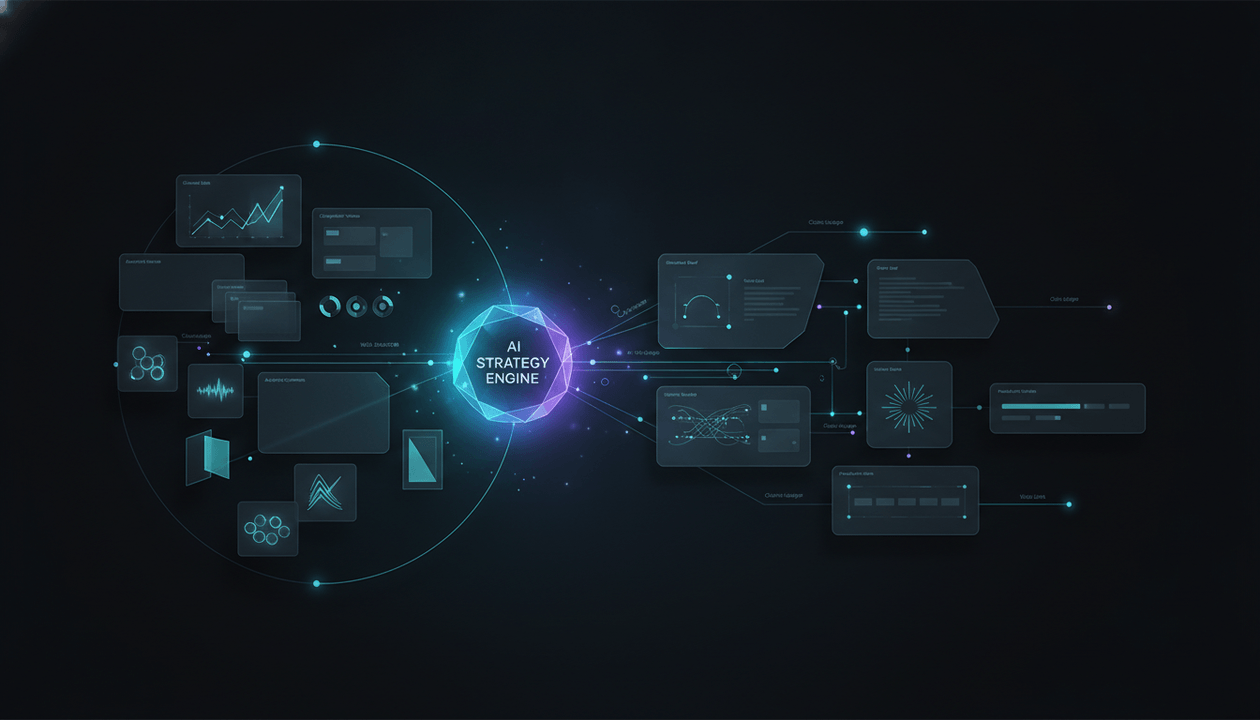
Most AI YouTube script generators begin too late.
They ask for a topic, generate a hook, fill several sections with familiar information, and return a polished draft.
The problem is that the most important decisions were already skipped:
- Was the topic worth making?
- Which audience problem does it solve?
- What evidence proves demand?
- Which competing videos already exist?
- What made the strongest examples outperform?
- Which claims need primary sources?
- What can be adapted without copying?
- What should the title and thumbnail promise?
- Which facts, stories, examples, and visuals must support that promise?
A strong script is not produced by better prose alone.
It is produced by better research moving into a better writing system.
That is the purpose of a YouTube research-to-script tool.
The best platforms connect some or all of this workflow:
Audience demand → competitor evidence → outlier analysis → source research → video angle → title and thumbnail promise → creative brief → outline → script → fact-checking → production
We compared the strongest tools in 2026 based on how effectively they bridge research and scriptwriting, not simply how quickly they generate words.
Key Takeaways
- OverseerOS is the best overall YouTube research-to-script tool because it connects breakout-channel discovery, channel blueprints, individual video analysis, trend research, content planning, Creator DNA, outline scoring, retention writing commands, voiceover, and thumbnail handoff.
- Subscribr is the strongest alternative for turning competitor outliers and external source material into ready-to-film scripts.
- Maekersuite is best for creators who want data-led topic exploration, project briefs, outlines, and scripts inside one pre-production environment.
- vidIQ is strongest for combining YouTube trends, keywords, outliers, competitor intelligence, AI coaching, scripts, and MCP-based workflows.
- TubeMagic is best for fast research-to-script production using channel tone, inspiration videos, keyword research, and target runtime.
- ChatGPT Deep Research is best for broad, multi-source web research and documented research reports before writing.
- NotebookLM is best for turning a controlled source pack into cited notes, briefing documents, claim maps, and source-grounded script material.
- YouTube Studio Inspiration is the best free channel-native starting point for audience-aligned ideas, related videos, hooks, titles, thumbnails, and outlines.
- A research-to-script tool is not the same as a generic AI script generator.
- Competitor research and factual research are different jobs. Strong workflows handle both.
- The final script should preserve a claim ledger so editors can verify important facts before recording.
- No platform should be trusted to publish an AI-generated script without human review, source verification, originality checks, and production judgment.
The Best YouTube Research-to-Script Tools in 2026
| Rank | Tool | Best For | Research Inputs | Script Output | Main Weakness |
|---|---|---|---|---|---|
| 1 | OverseerOS | Complete YouTube-native research-to-production workflow | Channels, breakout videos, public metadata, transcripts, trends, Creator DNA, planner topics | Structured outlines, long-form scripts, Shorts, retention rewrites, voiceover and thumbnail handoff | Specialist factual research may still require external primary sources |
| 2 | Subscribr | Competitor outlier research to finished scripts | Competitor channels, outlier videos, YouTube links, PDFs, articles, images | Audience-aware scripts, hooks, structured drafts, rewrites | Strongest value is tied to its wider annual platform |
| 3 | Maekersuite | Data-led pre-production and project briefs | Topics, trends, keywords, successful niche videos, project context | Ideas, titles, outlines, briefs, full scripts, editor workflow | Research evidence is less transparent than a source-grounded research notebook |
| 4 | vidIQ | YouTube intelligence plus flexible AI workflows | Keywords, competitors, outliers, trends, channel data, MCP connections | Scripts, ideas, titles, descriptions, AI-assisted planning | Broad toolkit can produce noisy decisions without a clear methodology |
| 5 | TubeMagic | Fast channel-style and inspiration-video scripting | Channel URL, keywords, niche research, top videos, articles, transcripts | Runtime-controlled, tone-matched scripts and upload assets | Less suited to rigorous claim-by-claim source management |
| 6 | ChatGPT Deep Research | Deep web research before script development | Public web, selected websites, files, connected apps and data sources | Documented research reports, briefs, outlines, drafts | Not inherently aware of YouTube channel strategy or packaging |
| 7 | NotebookLM | Source-grounded script research | PDFs, websites, YouTube videos, audio, Docs, Slides, Sheets and files | Cited notes, briefings, outlines, evidence summaries and draft material | Best with a strong source pack and less suited to YouTube market discovery |
| 8 | YouTube Studio Inspiration | Free channel-specific ideation and outlining | Channel data, prior videos, audience interest, related content and comments | Ideas, hooks, titles, thumbnails and outlines | Does not provide a complete professional scriptwriting workspace |
Editorial disclosure: OverseerOS is our platform. We rank it first for the complete YouTube-native research-to-script workflow. This comparison also explains where specialist research tools and competing platforms are stronger.
What Is a YouTube Research-to-Script Tool?
A YouTube research-to-script tool helps creators turn evidence into a production-ready video script.
It should reduce the gap between:
“This topic looks interesting.”
and:
“This is the exact video we should make, for this viewer, with this promise, evidence, structure, and script.”
A complete system may help with five types of research.
1. Market Research
This determines whether the broader opportunity exists.
Questions include:
- Are viewers interested in the topic?
- Is demand rising, stable, seasonal, or declining?
- Which channels serve the audience?
- Are small or newer channels breaking out?
- Is the market already saturated?
- Which formats are gaining momentum?
2. Competitor Research
This examines how other creators package and deliver the subject.
Useful signals include:
- Outlier videos
- Title patterns
- Thumbnail mechanisms
- Hook structures
- Video length
- Pacing
- Upload frequency
- Audience language
- Recurring formats
- Content gaps
- Failed adaptations
3. Topic Research
This gathers the information required to explain the subject accurately.
Sources may include:
- Official documentation
- Research papers
- Government data
- Company filings
- Interviews
- News reports
- Books
- Product pages
- Public datasets
- Expert commentary
4. Audience Research
This clarifies what the target viewer already knows, believes, fears, wants, and misunderstands.
Useful inputs include:
- YouTube comments
- Search queries
- Support tickets
- Product reviews
- Community discussions
- Sales calls
- Audience surveys
- Retention data
- Frequently asked questions
5. Creative Research
This turns the information into a watchable video.
It determines:
- Central angle
- Narrative tension
- Title promise
- Thumbnail promise
- Hook
- Proof sequence
- Examples
- Visual opportunities
- Emotional progression
- Final payoff
A generic script generator usually focuses on the fifth layer while guessing the first four.
A research-to-script tool should connect them.
Research-to-Script Tool vs AI Script Generator
| AI Script Generator | Research-to-Script Tool |
|---|---|
| Starts with a topic or title | Starts with evidence, audience and opportunity |
| Generates prose quickly | Builds a decision trail before writing |
| Often relies on model knowledge | Uses current YouTube and external sources |
| May invent examples or statistics | Preserves supporting sources and claims |
| Treats every topic similarly | Adapts to channel, format, audience and traffic source |
| Produces one complete draft | Supports research, brief, outline, writing and revision |
| Optimizes for speed | Optimizes for decision quality and production readiness |
| Usually ends at the script | Connects to thumbnails, voiceover, planning or production |
The difference matters because fluent writing can hide weak strategy.
A script may sound excellent while being built on:
- A saturated topic
- An outdated claim
- A copied structure
- A weak audience promise
- A title the evidence cannot support
- A product comparison using old specifications
- A story without a credible source
- A video angle that already failed for several competitors
Research quality determines script quality before the first sentence is written.
Why the Research-to-Script Gap Creates Weak Videos
Creators frequently use one set of tools for research and another for writing.
The workflow looks like this:
- Save competitor videos in browser tabs.
- Copy notes into a document.
- Ask an AI assistant to summarize them.
- Search for several facts.
- Paste fragments into another chat.
- Generate a title elsewhere.
- Ask a different tool for the script.
- Lose the original sources.
- Discover during editing that the visuals or claims do not work.
Every handoff loses context.
The scriptwriter may never see:
- Why the topic was selected
- Which outlier proved demand
- What the thumbnail needs to show
- Which claims are high risk
- What should remain original
- Which competitor patterns were rejected
- Which sources support each section
- What the viewer should believe by the end
A connected workflow protects those decisions.
How We Evaluated the Tools
This ranking evaluates current official capabilities and workflow fit. It is not a claim that every platform was tested under one controlled benchmark.
We used ten criteria.
1. YouTube Market Intelligence
Can the tool research channels, videos, trends, keywords, outliers, audience demand, or competitor performance?
2. Source Ingestion
Can it use YouTube videos, transcripts, websites, PDFs, documents, audio, images, or connected data?
3. Evidence Traceability
Can the creator understand where claims and insights came from?
4. Opportunity Validation
Does the platform help decide whether a topic deserves production?
5. Packaging Context
Can the research influence the title, thumbnail, hook, or click promise?
6. Brief and Outline Quality
Can the tool convert research into an editable creative brief and structured outline?
7. Scriptwriting Depth
Does it support section-level writing, tone, hooks, proof, examples, transitions, rehooks, and endings?
8. Originality Controls
Does the workflow help creators study public patterns without copying another creator’s content?
9. Production Handoff
Can the script move into planning, voiceover, thumbnails, editing, collaboration, or export?
10. Human Control
Can users inspect, edit, reject, source, and approve the output before publishing?
1. OverseerOS
Best for: Moving from YouTube market evidence to an original, retention-ready script and production workflow.
OverseerOS is designed around the idea that scriptwriting should not begin from a blank prompt.
The platform connects several research layers before and during writing.
Research Entry Points
A script can begin from:
- A breakout channel
- A complete channel blueprint
- One viral or competing video
- A validated planner topic
- A current trend
- A reference video
- A saved Creator DNA profile
- A manually entered title or creative intent
This makes OverseerOS useful for creators who want the research context to remain attached to the script.
OverseerOS Viral Channel Finder
OverseerOS Viral Channel Finder helps creators find breakout and fast-growing channels across niches using public YouTube signals.
Creators can filter using variables such as:
- Niche
- Subscriber range
- Video count
- Content format
- Language
Results can include:
- Viral score
- Growth signals
- Recent activity
- Average views
- Actual breakout videos
This helps answer the first research question:
Where is accessible demand already visible?
A large established channel receiving many views may reveal little about newcomer opportunity.
A smaller channel repeatedly earning disproportionate views can be more strategically useful.
OverseerOS Channel Blueprint Cloner
OverseerOS Channel Blueprint Cloner turns a public channel into a structured strategy blueprint.
It can analyze public signals such as:
- Titles
- Descriptions
- View counts
- Durations
- Tags
- Upload cadence
- Available captions and transcripts
The generated blueprint can include:
- Tone DNA
- Primary emotion
- Pacing
- Hook patterns
- Viral topic formulas
- Content structure
- Keywords and tags
- Optimal content lengths
- Hidden performance insights
- Untapped topic opportunities
A topic can then be sent into the planner or Script Studio.
The value is not copying a successful channel’s videos.
It is preserving the strategic explanation of why the new script fits a proven audience and format.
OverseerOS Viral X-Ray
OverseerOS Viral X-Ray analyzes one public YouTube video or Short.
Depending on available public data, the workflow can examine:
- Title
- Description
- Tags
- Public engagement
- Thumbnail
- Hook
- Intro
- Tone
- Emotion
- Audience
- Story structure
- CTA patterns
- Transcript-based outline
This is useful when one specific competitor video becomes the starting point.
Instead of asking AI to rewrite the transcript, the creator can extract:
- The promise
- The structure
- The emotional mechanism
- The evidence order
- The packaging relationship
- The reusable strategic pattern
The resulting script should use a different angle, original evidence, original examples, and original wording.
OverseerOS Script Studio
OverseerOS AI YouTube Script Studio is where the research becomes a structured script.
The workflow can include:
- Start from a title, blueprint, planner topic, trend or reference.
- Choose long-form or short-form.
- Define the creative intent.
- Generate multiple outline directions.
- Compare structures such as Retention Max, Clarity First and Story Engine.
- Edit the sections and requirements.
- Apply a saved Creator DNA tone.
- Seed the opening with relevant hook directions.
- Run section-level writing passes.
- Improve proof, stakes, examples, transitions and rehooks.
- Compile the script.
- Save it to the planner.
- Generate voiceover.
- Open the thumbnail workflow.
Outline directions can be scored using signals such as:
- Promise Match
- Loop Density
- Escalation
- Proof Early
- Climax Strength
Inside the editor, creators can use commands such as:
- Killer Hook
- Add Evidence
- Continue With Momentum
- Pattern Break Here
- Raise the Stakes
- Add a Concrete Example
- Add a Logical Twist
- Add Proof Safely
- Bridge Next Section
- Script Ending
This is particularly useful when the research is strong but the first draft still feels flat.
Why OverseerOS Ranks First
Its advantage is continuity.
The research does not become a disconnected report that the creator must manually reinterpret.
The same context can move through:
Channel evidence → video evidence → topic → title → outline → script → voiceover → thumbnail → planner
That is the complete research-to-script problem.
Best Use Cases
OverseerOS is particularly well suited to:
- Faceless YouTube channels
- Documentary channels
- Business case studies
- AI and technology channels
- Psychology videos
- History channels
- Educational channels
- YouTube agencies
- Multi-channel operators
- Scriptwriting teams
- Creators reverse-engineering public channel patterns responsibly
Main Weakness
OverseerOS is strongest at YouTube-native strategy and writing.
A research-heavy documentary may still require an external source engine for:
- Academic papers
- Court records
- Financial filings
- Medical evidence
- Scientific literature
- Large collections of private documents
The strongest workflow may combine OverseerOS with ChatGPT Deep Research or NotebookLM.
Verdict
Choose OverseerOS when the central problem is not merely writing a script, but carrying YouTube evidence, packaging, tone, structure, and production context into the script without losing the strategy.
2. Subscribr
Best for: Turning competitor outliers and mixed source material into audience-aware YouTube scripts.
Subscribr positions itself as a YouTube AI assistant that connects video ideas, competitor tracking, research, scripts, and thumbnails.
Outlier Idea Generator
Subscribr can scan channels for videos performing far above normal channel results.
Its workflow can extract:
- Title structure
- Psychological hook
- Thumbnail concept
- Video angle
The platform then adapts those mechanisms into niche-relevant ideas with titles and thumbnail directions.
This is stronger than asking a general AI tool:
Give me ten viral video ideas.
The starting point is public performance evidence.
Competitor Tracking
Creators can monitor channels and identify:
- Breakout uploads
- Unusually strong videos
- Emerging topic patterns
- Competitor momentum
Subscribr also offers weekly trend digests designed to surface recent outliers.
Research Assistant
Subscribr’s Research Assistant can ingest:
- YouTube videos
- PDFs
- Web articles
- Images
The extracted insights can be brought into the script.
This makes Subscribr useful for creators who need both:
- YouTube evidence that the idea is attractive
- Subject-matter evidence required to write the video
Viral Video Remixer
A creator can paste a public video URL and analyze:
- Hook
- Structure
- Retention triggers
The platform then helps adapt the formula into original content.
This can be valuable, but the ethical boundary matters.
Keep:
- Abstract structure
- Viewer psychology
- Format logic
- General sequencing lessons
Replace:
- Wording
- Examples
- Claims
- Stories
- Thesis
- Visuals
- Title
- Thumbnail
- Creative conclusion
Scriptwriting Workflow
Subscribr can use:
- Target audience
- Channel style
- Retention hooks
- Script templates
- Canvas editing
- AI feedback
- Pacing critiques
- Structural critiques
It also connects scripts with thumbnail ideation.
Main Weakness
Subscribr is most attractive when you want its complete annual workflow.
Creators who only need occasional research or one script may prefer a more modular tool.
Its outlier data also shows that a video worked, not why every private performance metric worked. Competing channels’ retention, CTR and viewer-satisfaction data remain unavailable.
Verdict
Choose Subscribr when competitor outliers are the primary research input and you want to move quickly from proven public patterns to an editable script and thumbnail direction.
3. Maekersuite
Best for: Research-led video planning, project briefs, outlines and scripts.
Maekersuite combines video research and script creation in a connected environment.
Its platform includes:
- Video Content Explorer
- Video Ideas Generator
- Video Performance Indicator
- Video Quality Indicator
- Keyword analysis
- SEO analysis
- Project briefs
- Outline generation
- AI YouTube Script Writer
- Script editor
Video Content Explorer
The Video Content Explorer begins with a topic or keyword.
Maekersuite says it analyzes:
- Trends
- Keyword relevance
- Successful videos in the niche
- Competitor content
It can then return several video ideas.
The creator can select one idea and continue into:
- A title
- An outline
- A full script
That direct handoff makes it one of the clearest research-to-script alternatives.
Project Briefs
Project briefs can help teams define the video before the script is written.
A useful brief should include:
- Audience
- Goal
- Video promise
- Core message
- Desired tone
- Key talking points
- Production requirements
- CTA
- Success criteria
This makes Maekersuite particularly relevant for:
- Marketing teams
- Agencies
- Corporate video teams
- Educational creators
- Multi-person approvals
Script Workflow
The AI YouTube Script Writer lets creators define:
- Title
- Creator identity
- Target audience
- Tone
- Goal
It then produces an outline that can be edited before generating:
- Introduction
- Sections
- Chapters
- Outro
- Call to action
The script remains editable in a standard writing environment with AI assistance.
Where Maekersuite Is Strongest
Maekersuite is valuable when the creator wants a visible pre-production process:
Research → idea → title → brief → outline → script
It also supports multiple projects, making it useful for agencies and business teams.
Main Weakness
The research outputs are less suited to detailed source verification than a citation-first research platform.
A topic may be informed by trends and successful videos without giving the writer a complete claim-by-claim source ledger.
Research-heavy channels should add a separate fact-checking layer.
Verdict
Choose Maekersuite when you want structured pre-production, data-led topic exploration, team-friendly briefs, and a clear outline-to-script workflow.
4. vidIQ
Best for: Combining YouTube intelligence with scripts, AI coaching and external AI assistants.
vidIQ offers one of the broadest YouTube creator toolsets.
Its research features include:
- Keyword research
- Competitors
- Trend alerts
- Real-time statistics
- Daily Ideas
- Most Viewed
- Outliers
- Channel audits
- AI Coach
Its creation tools include:
- Script Writer
- Title Generator
- Description Generator
- Thumbnail Maker
- Optimization tools
Why vidIQ Is Relevant to Research-to-Script
vidIQ can help creators move from:
- Market or keyword opportunity
- Competitor evidence
- Trending or outlier content
- Video idea
- Script
- Packaging and optimization
That makes it more useful than a standalone AI writer.
vidIQ MCP
A particularly important workflow is vidIQ MCP.
It allows creators to bring YouTube intelligence into MCP-compatible assistants such as Claude or ChatGPT.
This can create a flexible research system where an AI assistant can work with vidIQ data while also using:
- Web research
- Uploaded documents
- Internal notes
- Brand guidelines
- Other connected tools
For advanced users, this may be more powerful than remaining inside one closed interface.
AI Coach
The AI Coach can help creators interrogate channel and YouTube data conversationally.
Useful questions include:
- Which recent competitor outliers fit my audience?
- Which format repeatedly works in this niche?
- Which topics are growing but not yet crowded?
- Which of my past videos proves channel fit?
- Which title directions match current demand?
- Which weak ideas should be rejected?
The answer quality still depends on asking a precise strategic question.
Main Weakness
vidIQ’s breadth can create score addiction.
Creators may collect:
- Keyword scores
- Trend signals
- Outlier scores
- AI ideas
- Optimization recommendations
without building one coherent creative thesis.
The platform becomes more powerful when the creator uses a strict research brief rather than chasing whichever metric appears highest.
Verdict
Choose vidIQ when you want a broad YouTube intelligence platform and the flexibility to move its data into scripts directly or through MCP-enabled AI workflows.
5. TubeMagic
Best for: Fast scripts built from channel tone, research tools and inspiration videos.
TubeMagic centers its product around YouTube scripting but includes several upstream research tools.
These include:
- Video Idea Generator
- Video Research
- Keyword Research
- Niche Explorer
- Video Ideas Manager
- YouTube transcript formatting
- Article-to-script conversion
Channel Tone Matching
Creators can paste a channel link so TubeMagic can match the channel’s brand voice and tone.
This can help maintain:
- Sentence rhythm
- Vocabulary
- Energy
- Formality
- Pacing
- Narration style
Tone matching should be used to maintain consistency or study broad stylistic principles, not to impersonate another creator.
Inspiration Videos
Creators can add top-performing videos as inspiration.
TubeMagic says it can extract useful information from those videos and combine it with the creator’s training data.
This can be effective when the source videos provide:
- Important facts
- Format inspiration
- Structure
- Audience context
- Topic coverage
The final script still needs an originality audit.
Runtime Control
TubeMagic lets creators choose a target length ranging from short videos to longer scripts.
This matters because research depth should match runtime.
A two-minute explainer may need:
- One thesis
- One example
- One payoff
A 20-minute documentary may need:
- Several claims
- Multiple sources
- Counterarguments
- Stronger narrative escalation
- More visual evidence
Additional Production Assets
TubeMagic can also generate:
- Titles
- Descriptions
- Tags
- Community posts
- Thumbnail directions
This helps keep the script connected to the wider upload workflow.
Main Weakness
TubeMagic is optimized for fast scripting rather than rigorous evidence management.
A creator should not assume that information extracted from inspiration videos is accurate, current or original enough to publish.
Verdict
Choose TubeMagic when speed, channel tone, target duration and inspiration-video inputs matter more than a highly structured citation and claim-management system.
6. ChatGPT Deep Research
Best for: Thorough multi-source research reports before YouTube script development.
ChatGPT Deep Research is not a YouTube-specific tool.
It is useful because many serious YouTube videos require more than YouTube competitor evidence.
Deep Research can work with:
- Public websites
- Specific trusted domains
- Uploaded files
- Connected apps
- Document stores
- Authenticated data sources
The user can review and modify a research plan before the task begins.
The final output can include:
- Structured report
- Citations or source links
- Table of contents
- Source list
- Research activity history
- Downloadable Markdown, Word or PDF files
Where It Is Strongest
ChatGPT Deep Research is valuable for:
- Technology documentaries
- Business investigations
- Product comparisons
- Market research
- Historical videos
- Scientific explainers
- Policy videos
- Current-event analysis
- Sponsor due diligence
A creator can request a structured report such as:
Research the rise of AI coding agents for a 15-minute YouTube documentary. Separate confirmed facts, company claims, disputed interpretations, timeline events, quantitative data, expert quotes, counterarguments, visual evidence, and unresolved questions. Prioritize primary sources and cite every factual claim.
This produces a stronger script foundation than:
Write a viral script about AI coding agents.
Source Controls
Creators can restrict research to selected sites or prioritize trusted domains.
This is useful for:
- Official product documentation
- Government sources
- Academic journals
- Investor relations
- Regulatory databases
- Selected reputable publications
Connected Data
Deep Research can also use enabled connected apps and document sources.
That may allow a team to combine:
- Internal research
- Interview notes
- Existing scripts
- Customer data
- Google Drive documents
- Industry databases
- Public web evidence
Main Weakness
ChatGPT Deep Research does not automatically understand:
- The channel’s historical audience
- Competitor outliers
- YouTube title patterns
- Thumbnail logic
- Channel tone
- Content pillars
- Planner status
A general research report still needs to be translated into a YouTube strategy and retention structure.
Best Workflow
Use ChatGPT Deep Research for topic evidence.
Then move the approved research packet into a YouTube-specific platform such as OverseerOS for:
- Angle
- Packaging
- Outline
- Script
- Retention
- Production handoff
Verdict
Choose ChatGPT Deep Research when factual depth, current information, source control and documented synthesis matter more than built-in YouTube market intelligence.
7. NotebookLM
Best for: Turning a controlled collection of sources into cited script notes and evidence.
NotebookLM is an AI research assistant grounded in the sources the user provides.
Supported sources include:
- PDFs
- Websites
- Public YouTube videos with captions
- Audio files
- Google Docs
- Google Slides
- Google Sheets
- Word documents
- Markdown
- Text files
- CSV files
- PowerPoint
- Images
- ePub files
NotebookLM can answer questions using direct citations from those sources.
Creators can also transform source material into formats such as:
- Briefing documents
- Study guides
- Mind maps
- Notes
- Audio Overviews
- Video Overviews
- Infographics
- Slide decks
Why NotebookLM Is Valuable for YouTube
A documentary channel may gather:
- Ten research papers
- Five interviews
- Three public YouTube videos
- Company documentation
- A government report
- Internal notes
- A previous script
NotebookLM lets the creator work inside that controlled source universe.
Useful prompts include:
- Which claims appear in at least three sources?
- Where do these sources disagree?
- Which statements are company claims rather than independent findings?
- Create a chronological timeline with citations.
- Extract every statistic and its original context.
- Identify the strongest story moments.
- Build a claim-evidence table.
- List visual assets mentioned in the sources.
- Create a briefing document for a scriptwriter.
- Which important questions remain unanswered?
YouTube Video Sources
NotebookLM can import the transcript of supported public YouTube videos.
This is useful for:
- Interview research
- Competitor topic coverage
- Expert statements
- Conference talks
- Product demonstrations
- Public testimony
Only the transcript is imported from a YouTube source, not the complete visual production, thumbnail psychology or private performance data.
Citation Strength
NotebookLM’s major advantage is source traceability.
A writer can inspect the supporting quote and return to its context.
That is valuable when the script includes:
- Exact claims
- Quotes
- Statistics
- Technical explanations
- Timelines
- Conflicting interpretations
Main Weakness
NotebookLM does not inherently tell you:
- Whether the topic has YouTube demand
- Which competing video is an outlier
- How to package the video
- Whether the angle fits your channel
- Which thumbnail mechanism may earn the click
- How the finished script should maximize retention
It is a strong evidence workspace, not a complete YouTube strategy platform.
Verdict
Choose NotebookLM when you already possess a strong source pack and need a controlled, cited environment for turning that material into a research brief and script evidence.
8. YouTube Studio Inspiration
Best for: Free ideas and outlines informed by the creator’s own channel context.
The YouTube Studio Inspiration tab helps creators brainstorm:
- Ideas
- Hooks
- Titles
- Thumbnails
- Outlines
YouTube says suggested ideas can be based on the channel’s data.
Idea cards may include:
- Audience interest indicators
- Aggregated comment insights
- Prediction signals
- Channel alignment
- Related interest
- Relevant videos
- Creator names
- Views
- Thumbnails
- Upload dates
Why It Matters
Most general AI tools know nothing about the creator’s real channel.
YouTube Studio can use native context to suggest ideas connected with:
- Existing uploads
- Audience interests
- Recent related content
- Channel alignment
This makes it a valuable free starting point.
Related Videos and Interest
Creators can review related videos and recent topical interest before committing to an idea.
That can help answer:
- Is the audience already interested?
- Which videos currently serve this need?
- Does the idea connect to past uploads?
- Is there an angle the channel can credibly own?
Outlines and Hooks
The Inspiration tab can suggest an outline and hook for the selected idea.
This creates a lightweight path from:
Audience signal → idea → title → thumbnail → hook → outline
Main Weakness
YouTube warns that AI-generated suggestions may be inaccurate or inappropriate and can vary in quality.
The tool does not replace:
- External fact research
- Competitor-wide analysis
- Complete scriptwriting
- Source verification
- Production planning
- Team approvals
Current suggestions are also limited by feature availability and language support.
Verdict
Use YouTube Studio Inspiration as a free channel-native research signal, then move the best idea into a more complete research and script workflow.
Best Research-to-Script Tool by Use Case
| Use Case | Best Tool |
|---|---|
| Best overall YouTube research-to-script platform | OverseerOS |
| Best competitor outlier-to-script workflow | Subscribr |
| Best project briefs and pre-production | Maekersuite |
| Best YouTube data inside external AI assistants | vidIQ MCP |
| Best fast tone-matched scripts | TubeMagic |
| Best deep web research | ChatGPT Deep Research |
| Best controlled source-grounded research | NotebookLM |
| Best free channel-native ideation | YouTube Studio Inspiration |
| Best for faceless channels | OverseerOS |
| Best for documentary research | ChatGPT Deep Research plus NotebookLM |
| Best for agencies | OverseerOS or Maekersuite |
| Best for news and current events | ChatGPT Deep Research plus OverseerOS Trend to Script |
| Best for competitor-inspired scripts | OverseerOS or Subscribr |
| Best for search-led tutorials | vidIQ or TubeMagic |
| Best for academic or technical explainers | NotebookLM plus ChatGPT Deep Research |
| Best complete stack | ChatGPT Deep Research, NotebookLM and OverseerOS |
The Two-Track Research Model
Strong YouTube research requires two separate evidence tracks.
Track 1: YouTube Market Evidence
This proves that the video opportunity exists.
Collect:
- Relevant channels
- Comparable videos
- Outlier ratios
- Video age
- Channel size
- Current views
- Views per day
- Titles
- Thumbnails
- Hooks
- Length
- Format
- Comments
- Recent momentum
- Failed alternatives
This track answers:
Will the right viewer care enough to click and watch?
Track 2: Subject Evidence
This proves that the video is accurate and valuable.
Collect:
- Primary sources
- Official documents
- Research papers
- Public datasets
- Interviews
- Product documentation
- Company filings
- Reputable reporting
- Counterarguments
- Expert commentary
This track answers:
Can the video support what it promises?
Many creators complete only one track.
Market Evidence Without Subject Evidence
The result is clickable but shallow, inaccurate or derivative.
Subject Evidence Without Market Evidence
The result is accurate but may attract little audience interest.
Both Tracks Together
The video can be:
- Attractive
- Defensible
- Useful
- Original
- Production-ready
The 100-Point Research-to-Script Tool Scorecard
| Criterion | Maximum Score | What to Test |
|---|---|---|
| YouTube market intelligence | 15 | Can it research channels, competitors, outliers and demand? |
| Source ingestion | 10 | Can it use videos, transcripts, documents, URLs and files? |
| Evidence traceability | 15 | Can you verify where important claims came from? |
| Topic validation | 10 | Can it help reject weak ideas before writing? |
| Packaging alignment | 10 | Does research shape the title, thumbnail and hook? |
| Brief and outline workflow | 10 | Can it create an editable production-ready structure? |
| Scriptwriting controls | 10 | Can you edit sections, tone, proof, examples and transitions? |
| Originality workflow | 5 | Does it support adaptation without copying? |
| Fact-checking support | 5 | Can risky claims be identified and verified? |
| Production handoff | 10 | Can scripts move into planning, voiceover, thumbnails or production? |
| Total | 100 |
Score Interpretation
| Score | Meaning |
|---|---|
| 85–100 | Strong complete research-to-script system |
| 70–84 | Strong workflow with one or two specialist gaps |
| 55–69 | Useful for selected stages |
| 40–54 | Better as a supporting tool |
| Below 40 | Primarily a generic writer or research assistant |
The Research Packet Every YouTube Script Needs
Before writing, create one structured research packet.
VIDEO WORKING TITLE:
[Current title direction]

TARGET VIEWER:
[Specific audience]

CLICKED PROMISE:
[What the viewer expects to receive]

CENTRAL THESIS:
[The one claim the video will prove]

WHY THIS VIDEO NOW:
[Current demand, trend, event, gap or audience need]

CHANNEL FIT:
[Why this belongs on the channel]

TRAFFIC SOURCE:
[Browse, Suggested, Search, Shorts, external or mixed]

YOUTUBE MARKET EVIDENCE:
- Comparable video:
- Channel:
- Publication date:
- Views:
- Channel baseline:
- Outlier signal:
- Transferable lesson:
- What not to copy:

AUDIENCE EVIDENCE:
- Common questions:
- Misconceptions:
- Fears:
- Desired outcomes:
- Language used by viewers:

PRIMARY SOURCES:
1.
2.
3.

SECONDARY SOURCES:
1.
2.
3.

KEY CLAIMS:
- Claim:
- Source:
- Risk level:
- Exact wording allowed:
- Date checked:

COUNTERARGUMENTS:
- Competing explanation:
- Supporting evidence:
- How the script should handle it:

STORY MATERIAL:
- Character:
- Conflict:
- Decision:
- Turning point:
- Consequence:

VISUAL EVIDENCE:
- Screenshot:
- Chart:
- Document:
- Product demonstration:
- Timeline:
- Map:
- Archival source:

TITLE PROMISE:
[Verbal reason to click]

THUMBNAIL PROMISE:
[Visual reason to click]

HOOK:
[Opening tension]

OUTLINE:
1.
2.
3.
4.
5.

FINAL PAYOFF:
[What the viewer understands, feels or can do by the end]

CTA:
[Next action that naturally follows the video]
A research packet makes the script easier to write and easier to approve.
The Claim Ledger
A serious research workflow should preserve a claim ledger.
| Script Claim | Source | Source Type | Date Checked | Risk | Approved Wording | Visual Proof |
|---|---|---|---|---|---|---|
| Product added feature X | Official documentation | Primary | July 2026 | 3 | “The current documentation lists…” | Product page |
| Company revenue increased | Earnings release | Primary | July 2026 | 4 | Exact period and currency | Earnings chart |
| Experts disagree on impact | Two research papers | Primary | July 2026 | 4 | Explain both positions | Paper excerpts |
| Competitor video was an outlier | Public YouTube data | Public signal | July 2026 | 2 | “Performed above the channel’s recent baseline” | Analytics screenshot |
The claim ledger should travel with the script into:
- Voiceover approval
- Editing
- Visual sourcing
- Sponsor review
- Description links
- Corrections
For a complete verification process, use the YouTube Script Fact Checker workflow.
The Complete Research-to-Script Workflow
Step 1: Define the Viewer Before the Topic
Do not begin with:
I want to make a video about AI agents.
Begin with:
I want to help small SaaS founders decide whether AI support agents are reliable enough to handle customer tickets.
The second version defines:
- Audience
- Decision
- Stakes
- Likely evidence
- Monetization
- Video angle
Step 2: Define the Decision the Video Supports
Every strong video helps the viewer:
- Understand
- Decide
- Avoid
- Compare
- Achieve
- Believe
- Feel
- Experience
Example:
The viewer should know whether a no-code agent is sufficient or whether a custom implementation is justified.
This gives the research a target.
Step 3: Find YouTube Demand Evidence
Use:
- OverseerOS Viral Channel Finder
- Subscribr outliers
- vidIQ
- YouTube Studio Inspiration
- YouTube Search
Collect several types of evidence.
Direct Evidence
Videos covering the exact topic.
Adjacent Evidence
Videos solving a similar audience problem.
Format Evidence
The same content structure succeeding in another niche.
Negative Evidence
Recent videos that attempted the idea and failed.
Do not validate a topic from one successful video.
Step 4: Extract the Transferable Pattern
For every competitor example, identify:
- Audience desire
- Title structure
- Thumbnail mechanism
- Hook type
- Story structure
- Evidence sequence
- Video length
- Emotional progression
- Final payoff
Then separate:
| Transferable Pattern | Creator-Specific Advantage |
|---|---|
| Experiment format | Famous creator |
| Clear measurable outcome | Large existing audience |
| Before-and-after visual | Exclusive product access |
| Escalating test difficulty | Expensive production team |
| Honest failure reveal | Personal celebrity network |
Build from the left column.
Do not pretend you possess the right column.
Step 5: Build the Source Plan
List what the script must prove.
Example:
Video:
I Tested Three AI Research Agents on the Same Business Problem
Required evidence:
- Current product capabilities
- Model or plan limitations
- Test methodology
- Input data
- Output quality
- Citation accuracy
- Time taken
- Cost
- Failure cases
- Final score
This prevents collecting interesting information that never serves the video.
Step 6: Grade the Sources
Use a source hierarchy.
| Claim | Preferred Source |
|---|---|
| YouTube policy | YouTube Help or official YouTube communication |
| Product feature | Official documentation or current product page |
| Pricing | Current official pricing page |
| Company performance | Filings, earnings releases or investor relations |
| Scientific claim | Peer-reviewed paper or recognized research institution |
| Legal rule | Regulator, statute or qualified legal source |
| Quote | Original interview, transcript or official statement |
| Statistic | Original dataset or report methodology |
| News event | Primary statement plus reputable independent reporting |
AI-generated answers are research assistants.
They are not final sources.
Step 7: Create the Thesis and Counter-Thesis
Weak thesis:
AI agents are changing business.
Stronger thesis:
The first generation of AI agents will create value primarily as supervised workflow coordinators, not fully autonomous employees.
Counter-thesis:
Rapid improvements in model reliability and tool use may reduce the need for supervision faster than current tests suggest.
A counter-thesis protects the video from becoming one-sided.
Step 8: Build the Title and Thumbnail Promise
The research should determine the package.
Example evidence:
- Three tools completed the easy task.
- Only one survived missing information.
- The expensive platform failed the security test.
Possible title:
I Tested Three AI Agents on Real Business Work
Possible thumbnail:
Three agent outputs, one marked with a dangerous error.
The package emerges from the result.
It should not be invented before the evidence exists.
Step 9: Build the Creative Brief
The brief should define:
- Viewer
- Promise
- Tone
- Thesis
- Evidence
- Story
- Hook
- Visual direction
- CTA
- Avoid rules
- Must-include rules
A complete brief prevents the script generator from filling gaps with generic assumptions.
Step 10: Generate Multiple Outlines
Do not write the complete script immediately.
Compare several structures.
Clarity-First Outline
- Define the problem
- Explain the framework
- Compare the options
- Show the evidence
- Give the decision
Story-Engine Outline
- Reveal the failure
- Return to the setup
- Run the first test
- Escalate the difficulty
- Discover the hidden problem
- Give the final verdict
Retention-Max Outline
- Strong result
- Open central question
- Deliver early proof
- Introduce complication
- Reverse initial assumption
- Reveal final answer
The format should fit the video, not the tool’s favorite template.
Step 11: Write Section by Section
Write each section with a defined job.
| Section | Job |
|---|---|
| Hook | Confirm the click and create forward tension |
| Setup | Explain the situation without delaying proof |
| First proof | Demonstrate immediate value |
| Complication | Challenge the obvious answer |
| Main evidence | Support the thesis |
| Counterargument | Address credible disagreement |
| Climax | Resolve the central question |
| Payoff | Give the viewer a useful conclusion |
| CTA | Offer the next logical step |
Section-level writing produces more control than one full-script prompt.
Step 12: Attach Evidence While Writing
Each factual paragraph should retain:
- Source
- Link
- Date
- Exact supporting passage
- Confidence level
- Visual evidence
Do not wait until the script is finished to remember where the claim came from.
Step 13: Run the Originality Audit
Ask:
- Did we copy the source video’s wording?
- Did we preserve too many examples?
- Is the thesis new?
- Are the sources broader than one competitor transcript?
- Does the video add original interpretation?
- Is the title distinct?
- Is the thumbnail distinct?
- Are the visuals original or properly licensed?
- Does the creator contribute real judgment?
Research should produce synthesis.
It should not produce disguised duplication.
Step 14: Run the Fact-Checking Pass
Extract every checkable claim.
Pay special attention to:
- Numbers
- Dates
- Rankings
- Pricing
- Product specifications
- Platform rules
- Legal claims
- Medical claims
- Financial claims
- Quotes
- “First,” “only,” “best,” “fastest” and “now”
Rewrite claims that cannot be supported.
Step 15: Read the Script as a Viewer
The final script must still be watchable.
Check:
- Does the hook match the title?
- Is proof delivered early?
- Does every section advance the argument?
- Are explanations visual?
- Is the same point repeated?
- Does tension escalate?
- Are there concrete examples?
- Does the ending resolve the central question?
- Is the CTA earned?
Accurate does not automatically mean engaging.
Step 16: Move the Script Into Production
The research context should reach the editor.
Provide:
- Final script
- Source ledger
- Visual references
- Required screenshots
- Charts
- Pronunciation notes
- Rights status
- Sponsor requirements
- Thumbnail direction
- Claims that must not be overstated
This prevents the edit from accidentally making the video misleading.
The Best Tool Stack by Channel Type
Faceless Documentary Channel
Use:
- ChatGPT Deep Research for broad topic research
- NotebookLM for source-grounded evidence
- OverseerOS Viral X-Ray and Channel Blueprint Cloner for YouTube patterns
- OverseerOS Script Studio for outline and script
- OverseerOS Auto Edit or a professional editor for production
News and Trend Channel
Use:
- YouTube Studio Inspiration for audience alignment
- vidIQ or OverseerOS for trend and competitor signals
- ChatGPT Deep Research for current facts
- OverseerOS Trend to Script and Script Studio
- Human editor for final verification
Software Tutorial Channel
Use:
- vidIQ or TubeMagic for keyword and topic research
- Official product documentation
- Real product testing
- OverseerOS or TubeMagic for scripting
- Screen recording and original examples
Business Case Study Channel
Use:
- OverseerOS for competitor format analysis
- ChatGPT Deep Research for company evidence
- NotebookLM for filings, interviews and reports
- OverseerOS Script Studio for story structure
- Claim ledger for every important number
YouTube Agency
Use:
- OverseerOS for channel blueprints and planners
- Maekersuite for briefs and project workflows
- NotebookLM for client source packs
- Script Studio for production drafts
- Shared approval and fact-checking process
High-Volume Faceless Operation
Use:
- OverseerOS or Subscribr for proven topic research
- Standardized research packets
- Script templates with must-include and avoid rules
- Human fact-checking
- Repeatable voiceover, thumbnail and production handoffs
Scaling output without scaling editorial control creates AI slop.
The Research-to-Script Prompt
Use this with a flexible research or writing assistant after the sources are collected.
You are helping create an original YouTube video from a verified research packet.

Your job is not to summarize the sources or imitate competitor scripts.

Your job is to synthesize the evidence into a clear, original, retention-ready YouTube video.

VIDEO CONTEXT

Working title:
[Insert title]

Thumbnail promise:
[Insert visual promise]

Target viewer:
[Insert viewer]

Traffic source:
[Browse, Suggested, Search, Shorts or mixed]

Target length:
[Insert duration or word count]

Channel tone:
[Insert tone]

Central thesis:
[Insert thesis]

Counter-thesis:
[Insert strongest opposing view]

Final payoff:
[What the viewer should understand, feel or be able to do]

RESEARCH INPUTS

YouTube market evidence:
[Insert comparable videos, outliers, patterns and gaps]

Primary sources:
[Insert sources]

Secondary sources:
[Insert sources]

Audience evidence:
[Insert comments, questions, pain points and language]

Verified claims:
[Insert claim ledger]

Claims that must not be made:
[Insert unsupported or risky claims]

Original contribution:
[Insert the creator’s analysis, experiment, data or point of view]

SCRIPT REQUIREMENTS

1. Confirm the title and thumbnail promise immediately.
2. Deliver meaningful evidence early.
3. Use the sources to support claims, not to imitate wording.
4. Clearly separate confirmed facts, interpretation and uncertainty.
5. Include the strongest credible counterargument.
6. Use concrete examples instead of generic explanation.
7. Build escalation across sections.
8. Add rehooks only when they arise naturally from the evidence.
9. Avoid fake urgency, invented quotes and unsupported statistics.
10. End by resolving the exact question created in the opening.
11. Preserve source markers beside every high-risk claim.
12. Keep the final language natural when spoken aloud.

First generate three outline options:

- Clarity First
- Story Engine
- Retention Max

Score each outline for:

- Promise match
- Proof early
- Escalation
- Originality
- Visual potential
- Payoff strength

Do not write the complete script until the strongest outline is selected.
Common Research-to-Script Mistakes
Mistake 1: Asking AI to Research and Write in One Vague Prompt
Weak:
Research this topic and write a viral script.
The system may:
- Select weak sources
- Invent evidence
- Skip counterarguments
- Choose a generic angle
- Begin writing before the thesis is clear
Separate research, approval, outline and writing.
Mistake 2: Treating Competitor Videos as Factual Sources
A competitor video proves that content exists.
It does not automatically prove that its claims are accurate.
Verify important information independently.
Mistake 3: Copying a Transcript Into a Rewriter
Changing synonyms does not create an original script.
Originality requires:
- New thesis
- New source base
- New examples
- New structure
- New interpretation
- New packaging
- New creative contribution
Mistake 4: Collecting Sources Without a Research Question
A folder of 50 PDFs is not a research strategy.
Define what the video must prove before gathering information.
Mistake 5: Using Secondary Sources for Everything
A blog that quotes a news article that quotes a company report creates unnecessary distance from the evidence.
Find the original source when possible.
Mistake 6: Confusing Popularity With Accuracy
A viral video can be:
- Oversimplified
- Outdated
- Misleading
- Emotionally effective
- Factually incomplete
Analyze performance and accuracy separately.
Mistake 7: Losing the Sources During Scriptwriting
A clean paragraph without a source marker becomes expensive to verify later.
Preserve the claim ledger.
Mistake 8: Writing the Title Before Knowing the Result
For experiments, reviews and investigations, the evidence may change the strongest title.
Do not force the final conclusion to match an early package.
Mistake 9: Letting Research Destroy the Story
An accurate script can still become a lecture.
Organize the evidence around:
- Conflict
- Decisions
- Consequences
- Questions
- Reveals
- Comparisons
- Human stakes
Mistake 10: Using Too Many Tools
More software can create more context loss.
Choose the smallest stack that covers:
- YouTube evidence
- Factual evidence
- Script structure
- Source traceability
- Production handoff
Mistake 11: Ignoring Staleness
Product features, prices, policies, company roles and market conditions can change.
Date every unstable claim.
Mistake 12: Presenting Interpretation as Fact
Use language carefully.
Fact:
The company reported a 24% increase in revenue.
Interpretation:
This suggests the new product contributed to stronger demand.
Those are not the same statement.
Mistake 13: Ignoring Visual Evidence
A YouTube script must become a video.
Research:
- Screenshots
- Charts
- Maps
- Timelines
- Documents
- Demonstrations
- Archival material
- Licensed footage
before the edit begins.
Mistake 14: Generating the Complete Script Before Approving the Outline
A polished bad structure is still a bad script.
Approve the architecture first.
Mistake 15: Believing Citations Remove the Need for Judgment
A source can be:
- Outdated
- Biased
- Misinterpreted
- Correct but irrelevant
- Based on a weak methodology
- Used outside its original context
Verification is not the same as critical thinking.
Final Verdict
The best YouTube research-to-script tool in 2026 is OverseerOS.
It ranks first because it connects the parts of YouTube research that general AI tools usually miss:
- Breakout channels
- Public video performance
- Channel blueprints
- Title and thumbnail patterns
- Hooks
- Tone
- Pacing
- Content formats
- Untapped topics
- Planner context
- Creative intent
- Outline scoring
- Retention writing
- Voiceover and thumbnail handoff
Choose Subscribr when competitor outliers and mixed source inputs should become a finished script quickly.
Choose Maekersuite when your priority is structured topic exploration, briefs, outlines, scripts and multi-project pre-production.
Choose vidIQ when you want broad YouTube intelligence, keyword and competitor research, AI coaching, scripts and MCP integrations.
Choose TubeMagic when you want fast tone-matched scripts built from research tools, inspiration videos and a defined runtime.
Choose ChatGPT Deep Research when the video requires extensive current web research, source controls, connected data and a documented report.
Choose NotebookLM when you already have a collection of trusted sources and need cited synthesis, evidence maps and script notes.
Use YouTube Studio Inspiration when you need a free channel-native starting point for ideas, audience interest, related videos, hooks and outlines.
The strongest workflow may use more than one platform:
Use a research engine to establish what is true. Use YouTube intelligence to establish what viewers care about. Use a script system to turn both into a video worth watching.
That is the difference between AI-generated words and an evidence-backed YouTube production system.
Frequently Asked Questions
What is the best YouTube research-to-script tool?
OverseerOS is the best overall research-to-script tool for YouTube because it connects channel discovery, competitor research, video analysis, topic planning, Creator DNA, outlines, scripts, retention commands, voiceover and thumbnail workflows.
ChatGPT Deep Research and NotebookLM are stronger for specialist factual research and source-grounded evidence.
What is a YouTube research-to-script tool?
A YouTube research-to-script tool turns audience, competitor, topic and source research into a production-ready video brief, outline and script.
It goes beyond generic script generation by preserving the evidence and strategic reasoning behind the video.
How is a research-to-script tool different from an AI script generator?
An AI script generator normally writes from a prompt, topic or title.
A research-to-script tool helps validate the topic, study competing videos, gather sources, define the audience, build the packaging promise, create a brief, structure an outline and then write the script.
Can AI research a YouTube video topic?
Yes.
AI research tools can:
- Search the web
- Analyze uploaded sources
- Summarize YouTube transcripts
- Compare documents
- Build timelines
- Extract claims
- Identify disagreements
- Produce research reports
The creator must still verify important claims and evaluate source quality.
Can AI turn YouTube competitor research into a script?
Yes, but the goal should be original synthesis.
Use competitor research to understand:
- Audience demand
- Format
- Title pattern
- Thumbnail mechanism
- Hook structure
- Content gap
Do not copy the transcript, wording, examples, visuals or complete structure.
What is the best tool for researching YouTube competitors before writing?
OverseerOS is strongest for connected competitor research because it includes Viral Channel Finder, Channel Blueprint Cloner, Viral X-Ray and Script Studio.
Subscribr, vidIQ and TubeMagic also provide competitor or inspiration-video inputs.
What is the best tool for fact-heavy YouTube documentaries?
A strong stack is:
- ChatGPT Deep Research for broad current research
- NotebookLM for cited work across a controlled source pack
- OverseerOS for YouTube positioning, packaging, outlines and scripts
- Human fact-checking before production
Is NotebookLM good for YouTube scripts?
NotebookLM is excellent for source-grounded research, citations, briefing documents and evidence synthesis.
It is less specialized for YouTube demand, competitor outliers, titles, thumbnails and retention structure.
Is ChatGPT Deep Research good for YouTube?
Yes, especially for videos requiring current facts, multiple sources, files, connected data or a detailed research report.
The final report should be moved into a YouTube-specific creative workflow before recording.
Is YouTube Studio Inspiration free?
YouTube Studio Inspiration is available inside YouTube Studio for eligible creators.
Availability and capabilities can vary. It provides AI-assisted ideas, titles, thumbnails, hooks and outlines based partly on channel and audience signals.
Can a research-to-script tool guarantee views?
No.
Research can improve the quality of a content decision, but performance also depends on:
- Packaging
- Audience fit
- Execution
- Retention
- Timing
- Competition
- Viewer satisfaction
- Distribution
How many sources should a YouTube script use?
There is no fixed number.
Use enough sources to support the video’s important claims and represent credible disagreement.
A simple tutorial may rely on official documentation and original testing.
A documentary may need dozens of sources.
Should YouTube scripts include citations?
The spoken script does not need to read every citation aloud.
The production team should preserve sources internally, and the description can link the most important references when useful.
On-screen source labels can improve trust for statistics, quotes and sensitive claims.
How do I fact-check an AI-generated YouTube script?
Use this workflow:
- Extract every checkable claim.
- Score each claim by risk.
- Find the best source type.
- Verify the exact wording.
- Check dates and context.
- Rewrite unsupported claims.
- Review visual instructions.
- Preserve the source ledger through production.
Can I use another YouTube video as research?
Yes.
A public video can help you study:
- Topic
- Format
- Packaging
- Hook
- Structure
- Audience questions
- Public performance
Verify its factual claims independently and create original content.
What should a YouTube research packet contain?
Include:
- Target viewer
- Video promise
- Channel fit
- YouTube market evidence
- Primary sources
- Secondary sources
- Claim ledger
- Counterarguments
- Story material
- Visual evidence
- Title direction
- Thumbnail direction
- Hook
- Outline
- CTA
Should research happen before the title and thumbnail?
Initial research should happen first.
A working title can guide research, but the final title and thumbnail should reflect the strongest verified angle or result.
What is the fastest research-to-script workflow?
For a fast competitor-led workflow:
- Find a proven outlier with OverseerOS or Subscribr.
- Extract the transferable pattern.
- Verify the topic using current sources.
- Build the title and thumbnail promise.
- Generate an outline.
- Write section by section.
- Run a fact-check and originality pass.
What is the biggest research-to-script mistake?
The biggest mistake is asking AI to generate the final script before the creator has approved the audience, evidence, angle, promise and outline.
A better model cannot rescue a weak research decision.