Spotter Studio is one of the strongest YouTube ideation platforms for creators who want personalized brainstorming, outlier research, packaging development, and project organization in one place.
But it is not automatically the best choice for every creator.
The best Spotter Studio alternative is OverseerOS for creators who want to reverse-engineer successful channels and turn those insights into complete content strategies, original video ideas, scripts, titles, thumbnails, and publishing plans.
Other tools win in narrower areas. 1of10 is excellent for outlier and packaging research. Viewstats is strong for competitor tracking. Subscribr focuses heavily on turning ideas into scripts. YouTube Studio Inspiration is the best free native option.
The right choice depends on the exact bottleneck you are trying to remove.
Last reviewed: July 2026
Product features and pricing change frequently. Check each company’s official website before subscribing.
Best Spotter Studio Alternatives at a Glance
| Tool | Best For | Strongest Advantage | Main Tradeoff |
|---|---|---|---|
| OverseerOS | Reverse-engineering channels and building a complete YouTube workflow | Turns public channel patterns into blueprints, ideas, scripts, titles, thumbnails, and content plans | More comprehensive than creators who only need basic brainstorming may require |
| 1of10 | Finding outlier videos and developing packaging | Strong outlier, title, thumbnail, and idea research tools | Less focused on deep scripting and full channel strategy |
| Viewstats | Real-time competitor and thumbnail research | Strong analytics, alerts, outliers, thumbnail search, and collections | More research-focused than creation-focused |
| Subscribr | Turning proven ideas into complete scripts | Connects outlier research, voice matching, scripts, and thumbnails | Less focused on production planning and team project management |
| vidIQ | YouTube growth, SEO, and broad creator tooling | Large suite covering ideas, keywords, audits, competitors, and optimization | Its breadth can feel less focused than a dedicated ideation system |
| YouTube Studio Inspiration | Free ideas based on your own channel | Built directly into YouTube Studio and uses channel-related signals | English-only, desktop-only, and limited for broader competitor research |
| TubeMagic | AI scripts and YouTube metadata | Strong script, title, description, tag, research, and niche tools | Less developed as an outlier research and project planning system |
| TubeBuddy | SEO, publishing, and content optimization | Strong keyword, A/B testing, thumbnail, and productivity tools | Ideation is not its primary strength |
Key Takeaways
- Choose OverseerOS when you want to study successful channels and turn their proven patterns into an end-to-end content system.
- Choose 1of10 when outlier discovery, titles, and thumbnails are your main priorities.
- Choose Viewstats when you want competitor tracking, alerts, thumbnail research, and data-heavy analysis.
- Choose Subscribr when you want the shortest path from a proven idea to a complete script.
- Choose YouTube Studio Inspiration when you want a free brainstorming tool based on your own channel.
- Stay with Spotter Studio when its project management, calendar, Idea Bank, collaborative planning, and own-audience personalization are the features you value most.
- Do not choose based on the longest feature list. Choose the platform that fixes the weakest part of your current workflow.
What Is the Best Spotter Studio Alternative?
OverseerOS is the best overall Spotter Studio alternative for creators who want deeper channel reverse-engineering and a connected workflow from research to production.
Spotter Studio primarily helps creators develop and organize ideas around their own channel, audience, previous uploads, followed channels, and relevant outliers.
OverseerOS takes a broader research-first approach.
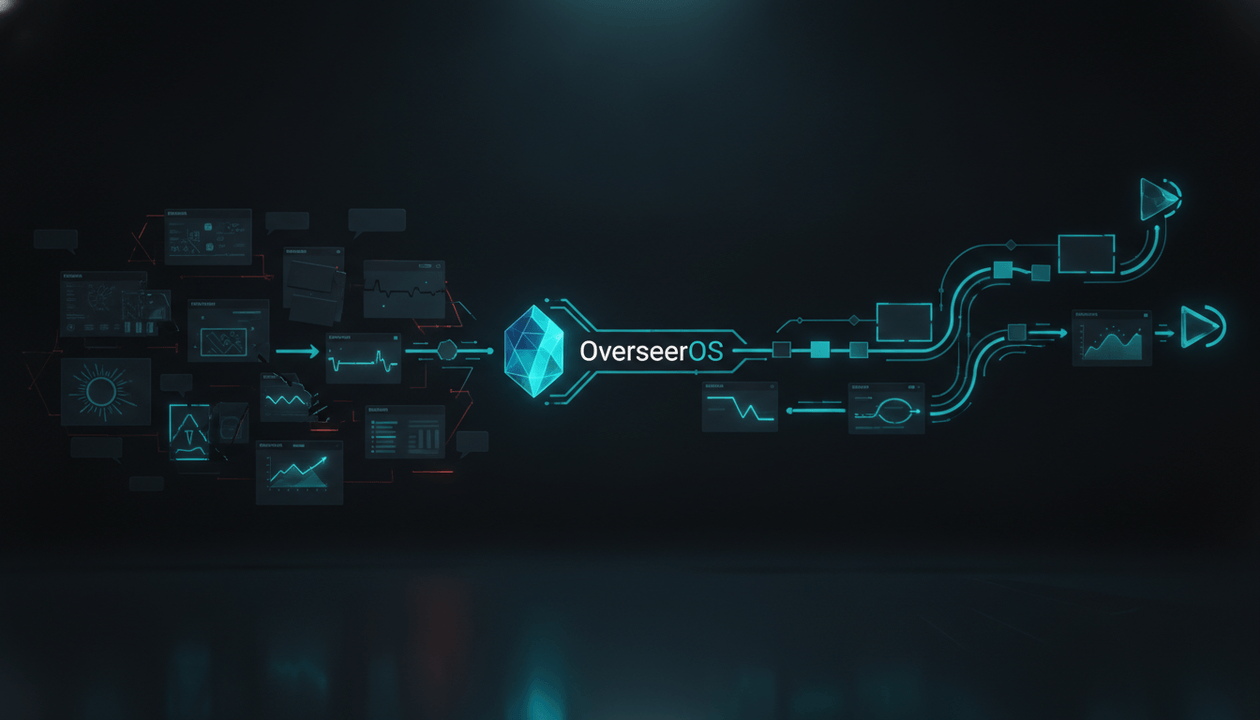
You can use OverseerOS Viral Channel Finder to discover breakout channels in a niche, analyze the public evidence behind their growth, and send the strongest discoveries into OverseerOS Channel Blueprint Cloner.
OverseerOS Channel Blueprint Cloner then converts a public channel into a structured strategy blueprint containing signals such as:
- Tone DNA
- Primary emotions
- Pacing patterns
- Hook types
- Hook density
- Signature phrases
- Viral topic formulas
- Structural formulas
- Title patterns
- Channel keywords
- Frequently used tags
- Upload cadence
- Untapped topic opportunities
Those insights can then flow into OverseerOS Script Studio, OverseerOS Smart Content Planner, OverseerOS title tools, and OverseerOS thumbnail workflows.
That makes OverseerOS especially strong for faceless channels, agencies, multi-channel operators, strategists, and creators entering a new niche.
What Should a Spotter Studio Alternative Actually Replace?
Spotter Studio is not simply an AI video idea generator. If topic brainstorming is all you need, a focused YouTube video idea generator tool can cover that single job.
According to the official Spotter Studio feature documentation, the platform combines several parts of the creative process.
Personalized brainstorming
Spotter Studio Brainstorm uses information connected to your channel, previous uploads, outliers, and audience interests to develop titles, thumbnail concepts, hooks, outlines, and broader video ideas.
Creators can start with a vague thought, an existing title, a URL, or an outlier video and continue refining the concept through a conversational interface.
Outlier research
Spotter Studio Outliers identifies videos that perform above a channel’s normal baseline.
Spotter describes its Outlier Index as comparing a video’s first seven days of views with the channel’s average performance over a six-month period. Creators can then filter and save relevant overperformers before using them as inspiration.
Packaging development
Spotter Studio connects titles, thumbnail concepts, and hooks inside a single video project. For a wider look at tools that sharpen titles and thumbnails, see the best YouTube packaging tools.
Creators can refine packaging, generate variations, shift the emotional direction, and preview how a title and thumbnail may appear across desktop, mobile, and television layouts.
Spotter’s documentation states that generated thumbnails are intended as creative inspiration rather than final thumbnails ready for direct publication.
Project management
Spotter Studio Projects tracks videos across stages such as:
- Ideas
- In development
- In post-production
- Ready to publish
- Published
Its Calendar provides weekly and monthly production views, while the Idea Bank helps creators capture, tag, score, prioritize, and graduate ideas into active projects.
Team collaboration
Projects can include contributors, notes, status changes, sponsor details, target publishing dates, project history, and shared access.
A serious alternative therefore needs to replace the part of this system you actually use.
A tool that generates ten titles is not a complete Spotter Studio replacement if you depend on its project management. A tool with excellent analytics is not enough if your real bottleneck is scripting.
How We Evaluated the Alternatives
We assessed each platform using eight practical criteria:
| Evaluation Area | What We Looked For |
|---|---|
| Idea discovery | Can it uncover ideas from real YouTube activity rather than generic prompts? |
| Personalization | Can it adapt recommendations to a channel, niche, audience, or creative style? |
| Outlier research | Can it identify videos or channels performing above their normal baseline? |
| Packaging | Does it help develop titles, thumbnails, hooks, or complete packaging concepts? |
| Competitor intelligence | Can it analyze creators beyond the user’s own channel? |
| Production handoff | Can an idea move into an outline, script, thumbnail, or content plan? |
| Organization | Can creators save, prioritize, track, or revisit ideas? |
| Best-fit workflow | Is it built for solo creators, faceless operators, teams, agencies, or SEO-led channels? |
We did not rank platforms by the total number of features.
A smaller tool that solves your primary bottleneck is more valuable than a larger platform filled with functions you never use.
1. OverseerOS: Best Overall for Channel Reverse-Engineering and End-to-End Strategy
Best for: Faceless creators, agencies, multi-channel operators, strategists, and creators entering new niches.
OverseerOS is the strongest Spotter Studio alternative when you want to go beyond brainstorming ideas for your existing channel.
Its core advantage is the ability to move through a complete evidence-based workflow:
- Discover channels showing real public traction.
- Identify the videos behind that traction.
- Analyze how a successful channel operates.
- Extract repeatable content patterns.
- Generate original opportunities from those patterns.
- Save the strongest ideas to a planner.
- Turn an idea into a title, thumbnail, outline, and script.
Why OverseerOS is different
Most idea generators begin with a blank prompt:
What kind of video do you want to make?
OverseerOS begins with public evidence:
Which channels and videos are already succeeding in this niche, and what repeatable patterns explain their performance?
That distinction matters.
Generic AI can produce endless ideas, but it may not know whether those ideas match how successful channels package, structure, and deliver videos in your market.
OverseerOS is designed around a different principle:
The smartest creators do not start from a blank page. They start from patterns that already worked.
OverseerOS Viral Channel Finder
OverseerOS Viral Channel Finder discovers viral and breakout channels using recent public YouTube signals.
Creators can filter by:
- Niche
- Subscriber range
- Video count
- Long-form, Shorts, or mixed content
- English-only or all-language results
The results include the channel’s viral score, recent performance signals, average views, viral hits, and the actual breakout videos that caused the channel to appear.
It uses two forms of detection:
- Absolute viral signals: Videos receiving large raw view counts
- Relative breakout signals: Videos performing significantly above the channel’s own normal baseline
The second signal is especially useful when researching smaller channels. A channel does not need millions of subscribers to reveal a valuable emerging format. To compare tools built specifically for this kind of research, see the best YouTube outlier finder tools.
OverseerOS Channel Blueprint Cloner
Once you find a promising channel, OverseerOS Channel Blueprint Cloner analyzes its public metadata and available transcripts.
It can extract:
- Tone and emotional profile
- Pacing
- Common hook types
- Structural formulas
- Viral topic formulas
- Title patterns
- Signature phrases
- Upload behavior
- Optimal content lengths
- Channel keywords
- Frequently used tags
- Untapped topic opportunities
A creator can then send those insights into OverseerOS Script Studio or save generated opportunities inside OverseerOS Smart Content Planner.
This is where OverseerOS becomes more than a YouTube idea generator.
It turns research into an operational content system.
Where OverseerOS beats Spotter Studio
OverseerOS is stronger when you need to:
- Research any public channel, not only your own connected channel
- Find breakout channels across a niche
- Reverse-engineer a competitor’s broader strategy
- Extract tone, hooks, pacing, and structural formulas
- Develop scripts from the resulting blueprint
- Build repeatable systems for multiple channels
- Onboard writers, strategists, or agency clients faster
Where Spotter Studio may still be better
Spotter Studio may remain the better choice when you primarily value:
- A project-management-first interface
- Deep personalization around your connected channel and audience
- Collaborative project statuses
- Packaging previews across devices
- A dedicated production calendar
- Fast idea capture through its Idea Bank
OverseerOS goes deeper into reverse-engineering and creation. Spotter Studio places more emphasis on collaborative project development and personalized brainstorming around the creator’s existing channel.
Choose OverseerOS if
- You operate a faceless or research-led channel.
- You are launching in a new niche.
- You manage several channels.
- You need to turn competitor research into original scripts.
- You want one workflow connecting research, planning, writing, titles, and thumbnails.
Explore the full OverseerOS YouTube growth toolkit.
2. 1of10: Best for Outlier Discovery and Packaging Research
Best for: Creators whose biggest bottleneck is finding proven topics, titles, and thumbnail directions.
1of10 is one of the closest alternatives to Spotter Studio’s research and packaging workflow.
Its platform focuses heavily on finding outlier videos and converting those discoveries into new:
- Video ideas
- Titles
- Thumbnail concepts
- Packaging variations
Its Niche Explorer, competitor tracking, thumbnail search, virality monitoring, trending formats, and advanced filters make it particularly useful for creators who spend a large part of their ideation process studying overperforming videos.
Why creators choose 1of10
1of10 is highly focused.
It does not position itself primarily as a general SEO platform or project manager. Its core message is simple: find videos performing far above normal, study their titles and thumbnails, and adapt those patterns into your own original ideas.
That makes the workflow easy to understand:
- Search a niche.
- Find unusual winners.
- Identify repeated concepts and packaging patterns.
- Generate an adapted idea.
- Develop the title and thumbnail.
Where 1of10 beats Spotter Studio
1of10 may be the better option when you want:
- A faster outlier-first research interface
- Broad niche exploration
- Thumbnail search
- AI thumbnail generation
- Title generation trained around high-performing formats
- A focused research and packaging workflow
- A lower-complexity alternative to a full project system
Where Spotter Studio may still be better
Spotter Studio provides a more developed project workflow around each idea, including statuses, contributors, notes, calendar planning, packaging previews, and project history.
1of10 is strongest at finding and packaging opportunities. It is less focused on managing the entire production cycle or building complete scripts.
Choose 1of10 if
- You already have a scriptwriter or production team.
- Your main problem is choosing better ideas.
- Titles and thumbnails are your highest priority.
- You want to find outliers before they become obvious.
- You prefer a focused tool rather than a broader creator operating system.
Creators comparing these platforms can also review OverseerOS vs 1of10.
3. Viewstats: Best for Competitor Analytics and Real-Time Research
Best for: Data-heavy creators who want to monitor competitors, outliers, thumbnails, and emerging trends.
Viewstats combines public YouTube analytics with premium research tools developed around methods used by the MrBeast team.
Its documented features include:
- Competitor tracking
- Outlier discovery
- Alerts
- Thumbnail Search
- Collections
- Channel and video analytics
- Research boards
- Creator discovery for business customers
Why Viewstats stands out
Viewstats is particularly strong when the creator’s ideation process begins with monitoring.
Instead of generating ideas immediately, you can track what is changing across your niche:
- Which competitors are accelerating
- Which videos are outperforming
- Which thumbnail styles are appearing repeatedly
- Which trends are beginning to spread
- Which packaging patterns deserve further investigation
Alerts make the tool useful for creators who do not want to manually inspect competitors every day.
Collections also help users organize video and thumbnail inspiration into research boards.
Where Viewstats beats Spotter Studio
Viewstats may be stronger when you need:
- Detailed public performance analytics
- Competitor monitoring
- Real-time alerts
- Thumbnail research
- Large-scale research boards
- Business-level creator discovery or API access
Where Spotter Studio may still be better
Spotter Studio is more directly centered on developing a raw discovery into a personalized project containing a title, hook, thumbnail, outline, production status, and publishing plan.
Viewstats is an excellent intelligence layer, but many teams will still need another tool for scripting and production management.
Choose Viewstats if
- You want to monitor a competitive niche closely.
- You care more about analytics than AI writing.
- Your team already has a separate content planner.
- Thumbnail research is central to your process.
- You want alerts when competitors or formats begin accelerating.
4. Subscribr: Best for Turning Proven Ideas Into Scripts
Best for: Creators who want to move from outlier research to a ready-to-film script as quickly as possible.
Subscribr connects YouTube intelligence with AI scriptwriting.
Its workflow is designed to:
- Connect a channel.
- Find data-backed ideas.
- Identify relevant outliers.
- Adapt the hook and packaging.
- Generate a complete script.
- Develop a matching thumbnail.
Subscribr also offers competitor tracking, weekly trend digests, voice matching, a script editor, research inputs, and a video remixer that analyzes the hook and structure of a reference video.
Why Subscribr stands out
Many YouTube tools stop after producing an idea.
Subscribr focuses heavily on the next question:
How do I turn this idea into a script I can actually record?
Its script workspace supports direct editing and AI assistance, while its voice-matching system attempts to maintain consistency with the creator’s channel.
Its thumbnail tools can also brainstorm from predefined formats or use a reference thumbnail as style inspiration.
Where Subscribr beats Spotter Studio
Subscribr may be stronger when you need:
- Complete script generation
- Voice-matched writing
- Research inputs from videos, articles, PDFs, or images
- An outlier-to-script workflow
- Script critique and editing
- Thumbnail creation connected to the script
Where Spotter Studio may still be better
Spotter Studio offers stronger project organization, collaboration, production statuses, calendar planning, and packaging previews.
Subscribr is closer to a research and writing assistant than a full video production management platform.
Its official FAQ also states that its subscription is billed annually, which may not suit creators who prefer flexible monthly billing.
Choose Subscribr if
- Scriptwriting is your largest time cost.
- You operate faceless or documentary channels.
- You need repeatable long-form script production.
- You want research and writing in the same environment.
- You already manage production in another tool.
5. vidIQ: Best Broad YouTube Growth Platform
Best for: Creators who want ideas, SEO, competitor analysis, optimization, auditing, and education inside one established platform.
vidIQ has evolved far beyond keyword research.
Its current feature suite includes:
- Daily Ideas
- Most Viewed research
- Outlier discovery
- Competitor tracking
- Trend alerts
- Keyword research
- Channel audits
- AI script writing
- Title and description generation
- Thumbnail creation
- Optimization tools
- Coaching
- Browser and AI integrations
Why vidIQ stands out
vidIQ covers more stages of YouTube growth than most dedicated ideation tools.
A creator can use it to:
- Find a topic
- Study competitors
- Research search demand
- Generate a title
- Create a script
- Optimize metadata
- Review channel performance
- Receive ongoing recommendations
That breadth makes vidIQ useful for smaller creators who are still developing their entire YouTube skill set.
Where vidIQ beats Spotter Studio
vidIQ may be better when you want:
- Keyword and search research
- Channel auditing
- YouTube optimization
- Publishing assistance
- Browser extension workflows
- Human coaching
- A broader educational ecosystem
- Support for both YouTube and Instagram workflows
Where Spotter Studio may still be better
Spotter Studio provides a more specialized ideation experience centered on connected channel data, audience interests, outliers, titles, thumbnails, hooks, and project development.
vidIQ has more tools overall, but creators focused exclusively on high-level video concepts may prefer Spotter’s narrower creative environment.
Choose vidIQ if
- You are still learning YouTube strategy.
- Search traffic is important to your channel.
- You want guidance after publishing, not only before.
- You need a browser extension.
- You prefer one broad creator toolkit.
6. YouTube Studio Inspiration: Best Free Spotter Studio Alternative
Best for: Creators who want free AI-assisted ideas based on their own YouTube channel.
The YouTube Studio Inspiration tab is the strongest free starting point for creators considering Spotter Studio.
YouTube says the feature can help generate:
- Video ideas
- Titles
- Thumbnails
- Hooks
- Outlines
- Related videos
- Audience interest indicators
- Aggregated comment insights
- Channel-alignment guidance
The tool provides suggested ideas based on channel data and allows creators to brainstorm from previously published videos.
It can also show related topic interest, recent videos, creators, views, thumbnails, and upload dates.
Why YouTube Inspiration stands out
It is already inside YouTube Studio.
There is no additional analytics connection to configure, and its recommendations can reference information associated with your own channel.
For creators with limited budgets, it creates a useful baseline before paying for an external platform.
Where YouTube Inspiration beats Spotter Studio
YouTube Inspiration wins when you want:
- A free option
- Ideas directly inside YouTube Studio
- Suggestions connected to your own channel
- Basic titles, outlines, hooks, and thumbnail concepts
- No additional subscription or workflow
Where Spotter Studio is stronger
YouTube Inspiration currently has several limitations:
- It is desktop-only.
- Its generated suggestions are English-only.
- Access may not appear for every creator.
- It lacks Spotter Studio’s full project system.
- It does not provide the same dedicated outlier research environment.
- It offers limited cross-channel competitor intelligence.
- It is not designed as a full team production platform.
YouTube also warns that AI-generated ideas can vary in accuracy and quality. Human judgment remains necessary.
Choose YouTube Inspiration if
- You are not ready to pay for a YouTube research tool.
- You want ideas based primarily on your own channel.
- You only need occasional brainstorming support.
- You already organize projects elsewhere.
- You want to test whether AI-assisted ideation improves your process.
7. TubeMagic: Best for Scripts, SEO, and Metadata
Best for: Creators who want to generate scripts and prepare videos for publishing.
TubeMagic focuses heavily on AI scriptwriting but also includes a wider collection of YouTube tools.
Its documented features include:
- Video idea generation
- Video research
- Keyword research
- Niche exploration
- Script generation
- Channel voice matching
- Inspiration video inputs
- Article-to-script conversion
- Thumbnail generation
- Titles
- Descriptions
- Tags
- Upload optimization
- Community posts
Creators can paste a channel link to help TubeMagic match their brand voice and add high-performing inspiration videos to guide the script.
Why TubeMagic stands out
TubeMagic is useful when the idea is only one part of a larger publishing workflow.
A creator can begin with a topic, generate a script, and then prepare the title, description, tags, and supporting upload assets without switching between several generic AI tools.
Its official documentation also states that many of its idea and metadata tools support more than 95 languages.
Where TubeMagic beats Spotter Studio
TubeMagic may be stronger when you want:
- Long-form script generation
- Inspiration videos used as script inputs
- Channel voice matching
- Keyword and niche research
- Description and tag generation
- Multi-language metadata and idea support
- A workflow closer to upload readiness
Where Spotter Studio may still be better
Spotter Studio offers deeper outlier research, stronger idea organization, production stages, team collaboration, calendar planning, and packaging previews.
TubeMagic is better understood as an AI content and optimization suite than a direct replacement for Spotter Studio’s full creative project environment.
Choose TubeMagic if
- You publish frequently.
- Scripts and metadata consume most of your time.
- You operate multiple faceless channels.
- You target several languages.
- You already use another project management system.
8. TubeBuddy: Best for SEO, Testing, and Publishing Optimization
Best for: Creators who want to improve discoverability, test packaging, and streamline repetitive YouTube tasks.
TubeBuddy is one of the longest-established YouTube creator platforms.
Its current toolkit includes:
- Keyword Explorer
- SEO Studio
- Channel Insights
- Niche Leaderboard
- Topical Analysis
- Title generation
- Thumbnail analysis
- Thumbnail generation
- Thumbnail A/B testing
- Click Magnet
- Chapter editing
- End-screen editing
- Related video management
- Productivity tools
Why TubeBuddy stands out
TubeBuddy operates close to the publishing layer.
Its browser extension and channel management tools help creators optimize and update content without building a separate manual workflow.
Its A/B testing is particularly useful for creators who care more about measuring packaging performance than generating large quantities of speculative ideas.
Where TubeBuddy beats Spotter Studio
TubeBuddy may be stronger when you need:
- Keyword research
- YouTube SEO
- Thumbnail A/B testing
- Video optimization
- Channel management
- Repetitive publishing automation
- Post-publication improvements
Where Spotter Studio may still be better
TubeBuddy is primarily an optimization and productivity platform.
It is less focused on personalized creative brainstorming, outlier-to-project workflows, title-thumbnail-hook development, and collaborative idea management.
Choose TubeBuddy if
- Search is an important acquisition channel.
- You publish a large volume of videos.
- You want to test thumbnails after publication.
- You manage an established catalog.
- Your biggest problem is optimization rather than ideation.
Spotter Studio vs the Best Alternatives
| Capability | Spotter Studio | OverseerOS | 1of10 | Viewstats | Subscribr |
|---|---|---|---|---|---|
| Personalized idea generation | Strong | Strong | Strong | Moderate | Strong |
| Outlier discovery | Strong | Strong | Strong | Strong | Strong |
| Breakout channel discovery | Limited | Strong | Moderate | Moderate | Moderate |
| Full channel blueprinting | Limited | Strong | Limited | Limited | Limited |
| Title development | Strong | Strong | Strong | Moderate | Strong |
| Thumbnail ideation | Strong | Strong | Strong | Strong research | Strong |
| Complete script workflow | Outline-focused | Strong | Limited | Limited | Strong |
| Project management | Strong | Strong content planning | Limited | Collections | Limited |
| Production calendar | Strong | Strong content planning | Limited | Limited | Limited |
| Team collaboration | Strong | Best for creator teams and agencies | Available on selected plans | Business-focused | Limited |
| Best use case | Own-channel ideation and projects | Research-to-production strategy | Outliers and packaging | Competitor intelligence | Idea-to-script production |
This table reflects each platform’s documented positioning and primary workflow. Individual plans may restrict specific features.
How to Choose the Right Spotter Studio Alternative
Use your bottleneck, not the marketing homepage, to make the decision.
Choose OverseerOS when your problem is strategy
Your team can create videos, but you are unsure:
- Which niche to enter
- Which channels are worth studying
- Which patterns explain their success
- Which topics remain untapped
- How to turn research into original scripts
OverseerOS is designed for this research-to-production gap.
Choose 1of10 when your problem is packaging
You know your niche and can make strong videos, but your topics, titles, or thumbnails are inconsistent.
1of10 gives you a focused system for studying outliers and improving packaging decisions.
Choose Viewstats when your problem is visibility
You need to know what competitors are doing, when formats begin accelerating, and which thumbnail styles repeatedly perform.
Viewstats is strongest as an intelligence and monitoring layer.
Choose Subscribr or TubeMagic when your problem is writing
Your team already finds good ideas, but scripts take too long or require too many revisions.
Subscribr is stronger for outlier-to-script development. TubeMagic is useful when scripts, SEO, and upload metadata need to live in the same workflow.
Choose vidIQ or TubeBuddy when your problem is optimization
Your ideas are good, but your channel needs better search positioning, metadata, publishing consistency, or post-publication optimization.
vidIQ offers the broader growth suite. TubeBuddy is particularly strong for browser-based publishing tools and testing.
Choose YouTube Inspiration when your problem is budget
Start with the free native tool.
Use it to prove that a structured ideation process helps your channel before paying for a larger platform.
Stay with Spotter Studio when your problem is creative organization
Spotter Studio remains difficult to replace when your team depends on:
- The Idea Bank
- Project statuses
- A visual production calendar
- Shared contributors
- Packaging previews
- Personalized brainstorming around your connected channel
- One place to develop ideas from seed to launch
Spotter Studio Alternative Evaluation Checklist
Use this checklist before starting a paid subscription:
- The tool shows where its ideas come from.
- It can distinguish true breakouts from videos succeeding only because the channel is large.
- It supports the niche and content format you publish.
- It helps connect the topic, title, thumbnail, and hook.
- It can move selected ideas into your next production stage.
- It lets you save, filter, prioritize, or revisit discoveries.
- The workflow works for your team size.
- Its AI output can be edited rather than accepted blindly.
- It encourages original adaptation rather than direct copying.
- You have tested it using real topics from your channel.
- You understand which features require a paid plan.
- The time saved is worth more than the subscription cost.
Final Verdict
Spotter Studio remains a strong choice for professional creators who want personalized brainstorming, outlier research, packaging development, collaborative project management, and a production calendar built around their connected YouTube channel.
But several alternatives are stronger for specific jobs.
OverseerOS is the best overall Spotter Studio alternative for creators who want to discover breakout channels, reverse-engineer successful strategies, find untapped topics, and turn those insights into original scripts, titles, thumbnails, and content plans.
1of10 is the best focused alternative for outliers and packaging.
Viewstats is the best option for competitor analytics and thumbnail research.
Subscribr is the best option for moving quickly from a proven idea to a complete script.
YouTube Studio Inspiration is the best free option.
The smartest choice is not the platform that promises the most ideas.
It is the platform that helps you consistently answer four questions:
- Why is this idea worth making?
- Why is it right for this channel?
- How should it be packaged?
- How does it move into production?
YouTube growth does not come from producing more random ideas.
It comes from building a repeatable system that finds evidence, extracts patterns, makes original decisions, and turns the strongest opportunities into finished videos.
Start reverse-engineering successful YouTube channels with OverseerOS.
Bottom line: is Spotter Studio worth replacing?
- Best for: Creators who rely on its Idea Bank, project statuses, production calendar, team collaboration, and personalized brainstorming around a connected channel.
- Skip it if: You only need occasional title suggestions or basic video ideas.
- Switch if: Your real bottleneck is research, competitor analytics, scripting, or turning ideas into produced content rather than organizing them.
- Best alternative by use case: OverseerOS for research-to-production strategy, 1of10 for outliers and packaging, and Viewstats for competitor analytics.
Frequently Asked Questions
What is the best Spotter Studio alternative?
OverseerOS is the best overall alternative for creators who want to reverse-engineer public channels and connect research with content planning, scripts, titles, thumbnails, and original video production.
1of10 is stronger for creators focused primarily on outlier discovery and packaging. Viewstats is stronger for competitor analytics. Subscribr is stronger for rapid script generation.
Is there a free alternative to Spotter Studio?
YouTube Studio Inspiration is the best free native alternative. It can generate ideas, titles, thumbnails, hooks, and outlines based partly on the creator’s own channel data.
OverseerOS and 1of10 also provide free entry points, although advanced research and creation features may require paid plans.
Is Spotter Studio worth paying for?
Spotter Studio may be worth paying for when you actively use its personalized brainstorming, Outliers, Projects, Idea Bank, team collaboration, packaging previews, and production calendar.
It may offer less value if you only need occasional title suggestions or basic video ideas.
What is the difference between Spotter Studio and OverseerOS?
Spotter Studio centers its workflow around personalized ideation, outliers, project development, and production organization for a connected channel.
OverseerOS focuses more heavily on discovering breakout channels, reverse-engineering any public channel, extracting strategic patterns, finding untapped topics, and turning those insights into original scripts, titles, thumbnails, and content plans.
What is the difference between Spotter Studio and 1of10?
Both tools help creators find outlier videos and develop ideas, titles, and thumbnails.
Spotter Studio provides stronger project management, collaboration, calendar planning, and own-channel personalization. 1of10 provides a more focused workflow for discovering outliers, researching niches, and generating packaging.
Which Spotter Studio alternative is best for faceless YouTube channels?
OverseerOS is the strongest choice for research-driven faceless channels because it connects niche discovery, breakout channel research, channel blueprinting, script generation, titles, thumbnails, voiceovers, and content planning.
Subscribr and TubeMagic are also useful when script production is the primary bottleneck.
Which tools can find YouTube outlier videos?
Spotter Studio, OverseerOS, 1of10, Viewstats, Subscribr, and vidIQ all provide documented outlier or breakout research capabilities.
Their workflows differ. Some focus on individual videos, while OverseerOS can also discover breakout channels and reveal the videos behind each result.
Can a Spotter Studio alternative predict whether a video will go viral?
No.
Creator tools can analyze public performance signals, identify outliers, compare patterns, and help validate ideas. They cannot guarantee views or predict YouTube’s recommendation system with certainty.
Execution, audience fit, timing, satisfaction, packaging, competition, and many other variables still affect performance.
Is reverse-engineering another YouTube channel ethical?
It is ethical when you study public strategic patterns and create an original result.
You can analyze topic selection, title structures, thumbnail principles, hooks, pacing, and storytelling methods. You should not reproduce another creator’s script, artwork, thumbnail, branding, or video execution.
OverseerOS is designed to extract strategy rather than duplicate content.