The upload button is not the finish line.
It is the handoff.
A video goes from production into the real market. The title, thumbnail, hook, structure, timing, audience fit, comments, playlists, end screens, traffic sources, and viewer behavior all start giving feedback.
This is where many creators waste leverage.
They spend days producing the video, then treat publishing like a single action:
Upload. Publish. Hope.
That is not a system.
A serious YouTube workflow does not end when the video goes live. It has a post-publish distribution system that helps the video reach the right viewers, guide them to the next asset, collect feedback, and improve future videos.
This matters because YouTube is not only a publishing platform.
It is a discovery system.
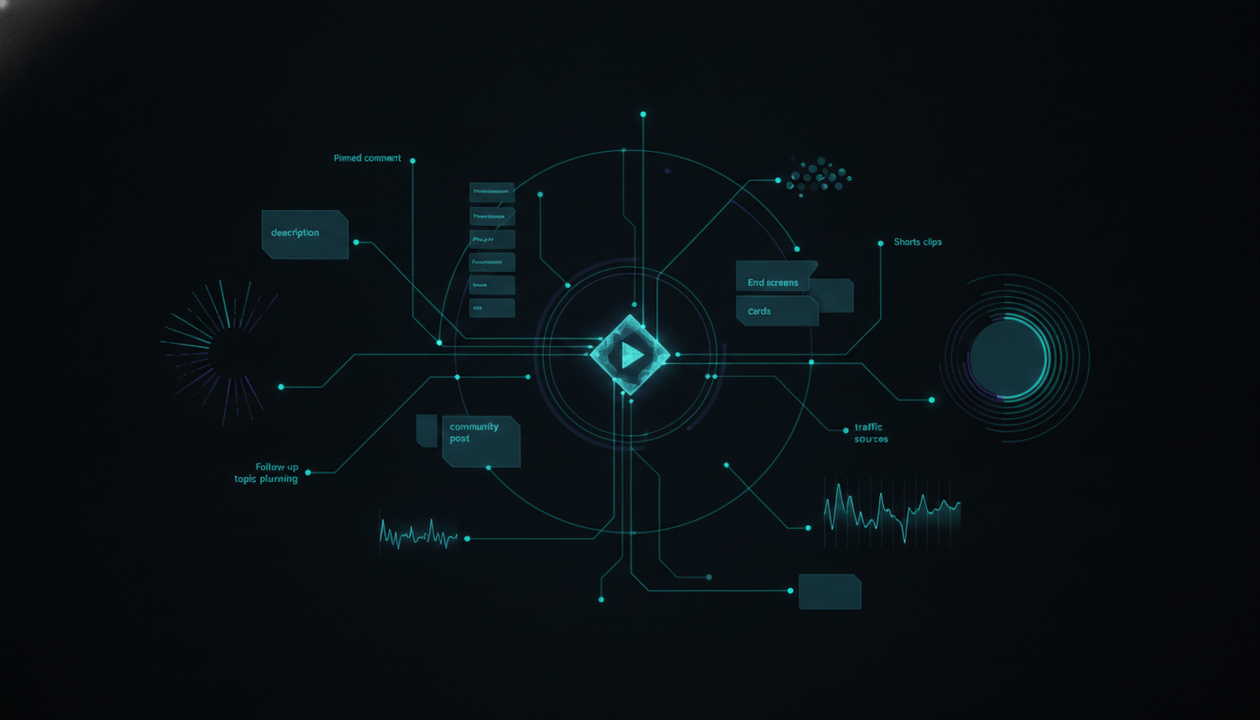
A video can be discovered through Browse, Search, Suggested videos, Playlists, End screens, Cards, Channel pages, Shorts, external sources, notifications, comments, community posts, and returning viewers.
The creator’s job is not to force the algorithm.
The creator’s job is to give the video the best possible launch environment.
That means planning what happens after upload.
This guide breaks down a world-class YouTube post-publish distribution system for personal creators, faceless channels, content teams, and AI-assisted production workflows.
Key Takeaways
- Post-publish distribution is the system creators use after upload to give a video stronger launch support, better internal navigation, more viewer feedback, and more long-term value.
- Publishing is not one action. It includes launch timing, pinned comments, playlists, end screens, cards, community posts, Shorts, email/social distribution, comment management, analytics review, and follow-up planning.
- A video should have a next-viewer path before it goes live.
- End screens, cards, playlists, descriptions, and pinned comments should guide viewers to the next logical video, not random content.
- Comments are not only engagement. They are audience intelligence.
- Shorts, clips, community posts, and external distribution should not repeat the full video. They should create curiosity, context, and re-entry points.
- The first 24 to 72 hours are important, but long-term library architecture matters too.
- OverseerOS helps creators connect post-publish learning back into research, planning, packaging, scripts, thumbnails, voiceovers, and OverseerOS Auto Edit production workflows.
What Is YouTube Post-Publish Distribution?
YouTube post-publish distribution is the set of actions taken after a video is uploaded to help it reach, guide, and learn from viewers.
It includes:
- Publishing strategy.
- description optimization.
- pinned comment strategy.
- playlist placement.
- end screen planning.
- card placement.
- community post support.
- Shorts or clips.
- email or social sharing.
- comment management.
- early analytics review.
- title and thumbnail monitoring.
- traffic-source analysis.
- retention review.
- follow-up topic planning.
- internal linking updates.
- content library maintenance.
A weak creator thinks:
“The video is live. Now we wait.”
A strong creator thinks:
“The video is live. Now the distribution system begins.”
That shift matters.
Because every video can do more than collect views.
It can:
- Send viewers to another video.
- strengthen a playlist.
- answer comments.
- create Shorts.
- drive product clicks.
- validate a format.
- reveal better titles.
- expose audience objections.
- create follow-up ideas.
- improve the next creative brief.
A video should never be treated as a dead asset after upload.
It should become part of a living system.
Why Post-Publish Strategy Matters
Creators often obsess over pre-production.
That is good.
The topic matters.
The title matters.
The thumbnail matters.
The hook matters.
The script matters.
The visuals matter.
But after the video goes live, the creator has a new job: helping the right viewers continue the journey.
Without post-publish strategy, the video may become a dead end.
The viewer watches and leaves.
The comments are ignored.
The description has no useful next steps.
The end screen points to the wrong video.
The pinned comment says nothing useful.
The video is not added to the right playlist.
No Shorts are created from the best moments.
No community post reframes the video.
No analytics review turns performance into learning.
That is a waste.
A video should work after publishing.
It should become a node inside the channel’s larger system.
The 9 Layers of a YouTube Post-Publish Distribution System
1. Launch Readiness Check
Post-publish distribution starts before the video goes public.
Before publishing, confirm:
- The final title matches the video promise.
- The thumbnail creates the right expectation.
- The description includes relevant next steps.
- The pinned comment is ready.
- The video is assigned to the correct playlist.
- The end screen points to the next logical asset.
- Cards are placed where they support the viewer.
- The CTA is aligned with the video’s job.
- The video has chapters if useful.
- The first comment question is intentional.
- The community post angle is ready.
- The Shorts or clips are planned.
- The analytics review window is scheduled.
This is the pre-flight checklist.
Without it, the video launches unfinished.
A video can be technically uploaded but strategically incomplete.
2. Description as Navigation
The description is not just a summary.
It is a navigation layer.
A strong description should help viewers understand:
- What the video covers.
- What to watch next.
- What playlist to continue.
- What tool or resource is relevant.
- What product page fits the viewer’s intent.
- What source or reference supports the topic.
- What chapter helps them jump to sections.
- What action they should take after watching.
Weak description:
“In this video, we talk about YouTube strategy. Like and subscribe.”
Stronger description:
“This video explains how to validate YouTube topics before production. After watching, continue with the YouTube Creative Brief System to turn validated ideas into production-ready videos, then watch YouTube Retention Architecture to structure the final script.”
The second description guides the viewer.
For product-led content, descriptions should also include natural next steps.
Example:
- For faceless production videos: link to OverseerOS Auto Edit Studio.
- For thumbnail strategy videos: link to OverseerOS AI YouTube Thumbnail Generator.
- For full creator workflow videos: link to OverseerOS.
The goal is not to stuff links.
The goal is to create a useful path.
3. Pinned Comment Strategy
The pinned comment is one of the simplest post-publish assets creators underuse.
It should not be random.
It should have a job.
Pinned comment jobs:
| Pinned Comment Job | Example |
|---|---|
| Continue the session | “Next step: watch the Creative Brief System to turn this idea into production.” |
| Ask for audience intelligence | “What part of your production workflow breaks most often: title, thumbnail, script, visuals, or edit?” |
| Correct or update | “Update: YouTube has changed X since this video was published. Here is the current note.” |
| Clarify the framework | “Use this checklist while watching: topic, title, thumbnail, hook, structure, CTA.” |
| Drive high-intent action | “Building faceless videos? Try the OverseerOS Auto Edit workflow here.” |
| Collect objections | “What would stop you from using this system?” |
| Create follow-up demand | “If you want a full breakdown of thumbnail testing, reply ‘thumbnail’ below.” |
A good pinned comment can turn passive viewers into active signals.
It can also guide serious viewers to the next asset.
The mistake is using pinned comments only for generic engagement.
Weak:
“What do you think?”
Stronger:
“Which part of your YouTube workflow needs the most structure right now: research, titles, thumbnails, scripts, voiceovers, visuals, or editing?”
The stronger comment creates useful audience intelligence.
4. End Screen Path
End screens should not be an afterthought.
They should be planned before the final edit because the video needs space and time for them.
The end screen should answer:
“What should this viewer watch next?”
Not:
“What video do we want to promote?”
The next video should match the viewer’s current intent.
Examples:
| Current Video | Best End Screen Direction |
|---|---|
| YouTube Topic-Market Fit | YouTube Creative Brief System |
| YouTube Creative Brief System | YouTube Retention Architecture |
| YouTube Retention Architecture | YouTube Packaging System |
| YouTube Content Library Architecture | YouTube Content System |
| AI Slop vs AI-Assisted YouTube | YouTube Trust Signals |
| Faceless video production workflow | OverseerOS Auto Edit Studio |
| Thumbnail strategy | OverseerOS AI YouTube Thumbnail Generator |
End screens should continue the journey.
If the viewer finishes a video about topic validation, sending them to a random AI news video breaks the journey.
Send them to the next logical step.
That is how videos become connected.
5. Card Placement
Cards can support the viewer while the video is still playing.
But cards should be used carefully.
A card is useful when:
- The video references another video.
- The viewer needs deeper context.
- A related playlist supports the point.
- A product or workflow page is directly relevant.
- A previous case study proves the idea.
- A next-step guide helps without interrupting the experience.
Card placement should match the script.
Example:
The script says:
“We covered YouTube Retention Architecture in detail in another guide.”
That is a good moment for a card.
The script says:
“If your problem is thumbnails, the issue may be packaging, not design.”
That may be a good moment for a packaging video card.
The mistake is placing cards randomly.
Cards should feel like helpful context, not distractions.
6. Playlist Placement
A playlist is not a folder.
It is a viewer journey.
After publishing, the video should be added to the right playlist immediately.
Playlist types:
| Playlist Type | Purpose |
|---|---|
| Beginner journey | Helps new viewers learn in order |
| Topic cluster | Groups related videos |
| Format playlist | Groups a repeated format |
| Product workflow | Shows how to solve a use case |
| Faceless production | Supports operators building videos |
| Strategy library | Builds authority around a big category |
| Trend analysis | Collects current-event explainers |
Example playlists for a creator strategy channel:
- YouTube Strategy Systems.
- YouTube Packaging and Thumbnails.
- YouTube Retention and Script Structure.
- Faceless YouTube Production.
- AI-Assisted Creator Workflows.
- OverseerOS Auto Edit Workflows.
- YouTube Content Planning.
Playlist placement helps YouTube and viewers understand how content connects.
More importantly, it helps the channel feel organized.
7. Community Post Support
A community post should not simply announce:
“New video is live.”
That is weak.
A better community post creates a reason to care.
It can:
- Ask a related question.
- share a strong takeaway.
- show a before-and-after.
- tease the core tension.
- poll the audience.
- ask which follow-up they want.
- summarize the framework.
- invite comments.
- revive the video later.
Examples:
Weak:
“New video is live. Watch now.”
Stronger:
“Quick question: when your videos underperform, where do you think the problem usually starts, topic, title, thumbnail, hook, script, or edit? Today’s video breaks down why the answer is usually earlier than creators think.”
This drives curiosity.
It also gives audience intelligence.
Community posts can support a video before launch, at launch, and after launch.
A strong post-publish system uses them as conversation starters, not announcements.
8. Shorts and Clip Distribution
Shorts should not be treated as chopped leftovers.
A clip should have its own purpose.
Shorts can:
- Introduce a core idea.
- tease a controversial point.
- show a before-and-after.
- answer one specific question.
- drive viewers to the full video.
- test a hook.
- validate a topic.
- revive an older video.
- create social proof around a framework.
A good Short does not say:
“Watch my full video.”
It creates enough value that the viewer wants more.
Example from a video about YouTube Creative Briefs:
Shorts ideas:
- “Your script is not the first step. The brief is.”
- “If your thumbnail promises one thing and the script opens somewhere else, retention will suffer.”
- “Faceless YouTube videos feel cheap when the visuals are not briefed.”
- “AI does not ruin scripts. Vague prompts do.”
Each Short can point back to the full video.
This creates multiple re-entry points into the library.
9. Analytics Review Loop
Post-publish distribution is not complete until the video teaches you something.
Review analytics in layers.
First Review: Launch Response
Look at:
- CTR.
- impressions.
- views.
- comments.
- first-hour or first-day audience response.
- subscriber reaction.
- traffic sources.
- whether the title and thumbnail are creating the right expectation.
Ask:
Is the video getting a fair chance from the package?
Second Review: Watch Behavior
Look at:
- average view duration.
- first 30 seconds.
- retention dips.
- retention spikes.
- top moments.
- where viewers leave.
- where viewers rewatch.
Ask:
Did the video deliver the promise after the click?
Third Review: Distribution Path
Look at:
- end screen clicks.
- playlist traffic.
- card traffic.
- suggested video sources.
- search terms.
- external sources.
- description or product clicks if tracked.
Ask:
Did the video become part of the library, or did it behave like a dead end?
Fourth Review: Audience Intelligence
Look at:
- comments.
- objections.
- repeated questions.
- praise patterns.
- complaints.
- follow-up requests.
- confusion.
- buyer signals.
Ask:
What should we make, improve, or clarify next?
A video should produce more than views.
It should produce learning.
The 24-Hour, 72-Hour, and 30-Day Distribution Workflow
Before Publish
Complete:
- Title.
- thumbnail.
- description.
- pinned comment.
- playlist placement.
- end screen.
- cards.
- community post.
- Short or clip plan.
- next-video path.
- CTA.
- tracking notes.
- analytics review reminder.
First 24 Hours
Focus:
- Watch comments closely.
- reply to high-value comments.
- identify confusion.
- look for early CTR signals.
- monitor traffic source mix.
- confirm title and thumbnail are not misleading.
- share community post.
- share externally if relevant.
- avoid panic changes unless there is a clear mismatch.
Questions:
- Are viewers getting the promise?
- Are comments aligned with the target viewer?
- Is the thumbnail attracting the right curiosity?
- Is there an obvious issue with the title or topic framing?
- Are subscribers responding?
First 72 Hours
Focus:
- Review first meaningful analytics.
- check retention shape.
- check traffic sources.
- identify suggested or search signals.
- review end screen and playlist behavior.
- consider thumbnail/title improvement if evidence supports it.
- publish one or more Shorts if planned.
- create a follow-up community post.
- collect comments into future topic ideas.
Questions:
- Did this video perform as expected for its job?
- Is it a gateway, support, authority, trend, or conversion asset?
- What should the next video be?
- What part of the brief was correct?
- What assumption was wrong?
First 30 Days
Focus:
- Compare to other videos in the same format or cluster.
- check search traffic.
- check suggested-video behavior.
- update description links if needed.
- add it to more relevant playlists if useful.
- create a follow-up article or video.
- refresh end screens on related older videos to point to this one.
- turn the best section into Shorts or social posts.
- update content planner with learnings.
Questions:
- Does this video deserve a follow-up?
- Did it strengthen a content cluster?
- Should older videos link to it?
- Did it attract the right audience?
- Did it create product interest?
- Did it reveal a new viewer pain?
This is how post-publish becomes a system.
Post-Publish System for Personal Creators
Personal creators should use post-publish distribution to deepen relationship.
Best actions:
- Reply to early comments with real attention.
- ask viewers for their own experience.
- use community posts to continue the conversation.
- clip the strongest personal insight into Shorts.
- pin a comment that asks a meaningful question.
- direct viewers to related personal stories or frameworks.
- use viewer replies as follow-up topics.
- track which stories create the strongest connection.
Personal creators should not automate the humanity out of post-publish.
The comment section is part of the product.
It is where viewers feel seen.
Post-Publish System for Faceless Channels
Faceless channels need post-publish distribution to build trust and continuity.
Best actions:
- Pin a comment with sources, updates, or next videos.
- guide viewers to related explainers.
- use playlists to create binge paths.
- publish Shorts that tease the strongest idea.
- use community posts to ask what angle viewers want next.
- update descriptions with corrections or follow-ups.
- track which formats create repeat viewers.
- use comments to understand what the faceless voice is missing.
Faceless channels do not have a visible personality carrying the relationship.
So the system must carry it.
A strong post-publish workflow makes the channel feel alive, not automated.
Post-Publish System for SaaS and Creator Businesses
For SaaS and creator businesses, post-publish distribution must support the full funnel.
Not every video should sell.
But every serious video should know what next step makes sense.
Examples:
| Video Type | Natural Next Step |
|---|---|
| Broad strategy guide | Related article or playlist |
| Workflow guide | Product use case page |
| Buyer-intent comparison | Feature or pricing page |
| Faceless production tutorial | OverseerOS Auto Edit Studio |
| Thumbnail strategy video | OverseerOS AI YouTube Thumbnail Generator |
| Content planning video | OverseerOS Smart Content Planner |
| Competitor research video | OverseerOS Channel Analyzer or OverseerOS Viral X-Ray |
| Trust/AI quality video | Quality control workflow |
The CTA should match awareness level.
A beginner may need another educational guide.
A serious operator may need a workflow demo.
A buyer may need the product.
This is where post-publish strategy becomes revenue strategy.
How OverseerOS Helps With Post-Publish Distribution Learning
OverseerOS is strongest before and during production, but post-publish learning should feed back into the system.
After a video publishes, creators should collect:
- Which topics worked.
- which titles worked.
- which thumbnails worked.
- which comments repeated.
- which formats created better retention.
- which videos created follow-up demand.
- which competitors moved into the same topic.
- which cluster needs support.
- which production assumptions were wrong.
Then use those learnings in OverseerOS workflows.
| Post-Publish Learning | OverseerOS Workflow |
|---|---|
| Comments reveal new demand | Add topic to OverseerOS Smart Content Planner |
| Title underperformed | Generate new title directions with OverseerOS Viral Title Architect |
| Thumbnail promise was weak | Create new directions with OverseerOS AI YouTube Thumbnail Generator |
| Competitor publishes related video | Track it through OverseerOS Overseer Feed |
| Topic becomes a cluster | Plan support videos in OverseerOS Channel Content Planner |
| Script had retention issues | Improve follow-up script with OverseerOS Script ReSpark |
| Faceless visuals felt inconsistent | Use OverseerOS Style DNA and OverseerOS Auto Edit workflows |
| Follow-up video needed | Move validated topic into production |
For faceless creators, OverseerOS Auto Edit Studio helps turn scripts and voiceovers into structured videos with visual direction, captions, music, motion, FX, and export workflows.
For packaging updates, OverseerOS AI YouTube Thumbnail Generator helps creators create thumbnail concepts from scratch, use style direction from YouTube URLs, and build visuals that better match the video promise.
For the full workflow, OverseerOS helps creators analyze channels, track competitors, plan topics, create titles and thumbnails, improve scripts, generate voiceovers, and move videos into production.
The key is feedback.
Post-publish data should not sit in analytics.
It should improve the next brief, title, thumbnail, script, and production plan.
The Post-Publish Distribution Checklist
Use this checklist for every important upload.
Before Publishing
- Final title selected.
- final thumbnail selected.
- description written.
- pinned comment prepared.
- end screen path chosen.
- cards placed.
- playlist selected.
- community post drafted.
- Shorts or clips planned.
- CTA matched to video job.
- next-video path chosen.
- analytics review time scheduled.
First 24 Hours
- Watch early comments.
- reply to useful comments.
- identify confusion.
- monitor CTR.
- monitor traffic sources.
- check subscriber response.
- publish community post if planned.
- share externally if relevant.
- avoid emotional panic changes.
First 72 Hours
- Review retention.
- review traffic sources.
- review comments.
- check end screen clicks.
- check playlist contribution.
- decide if title or thumbnail needs improvement.
- create follow-up topic notes.
- publish Shorts or clips if useful.
First 30 Days
- Compare against similar videos.
- update descriptions.
- update related older videos.
- add to playlists.
- create follow-up assets.
- refresh internal links.
- add learnings to planner.
- decide if the format or topic deserves more investment.
This checklist makes publishing repeatable.
Common Post-Publish Mistakes
Mistake 1: Publishing and Disappearing
The comment section, early analytics, and viewer response are part of the launch.
Do not disappear after publishing.
Mistake 2: Using Random End Screens
End screens should guide viewers to the next logical video.
Random promotion weakens session flow.
Mistake 3: Treating the Description Like an Afterthought
Descriptions should help viewers navigate.
They should include relevant next steps, playlists, resources, and product links when appropriate.
Mistake 4: Ignoring Comments as Data
Comments are audience intelligence.
They reveal confusion, desire, objections, and future topics.
Mistake 5: Making Panic Changes Too Early
Do not change title or thumbnail just because you feel nervous.
Look for evidence.
Is CTR unusually weak?
Are comments confused?
Is the wrong audience clicking?
Is the package misaligned with the video?
Then make a decision.
Mistake 6: Creating Shorts With No Strategy
Shorts should create re-entry points.
Do not just chop random clips.
Choose clips that carry a strong idea, hook, or emotional trigger.
Mistake 7: Not Updating Old Videos
If a new video becomes the best next step, update related older videos with new end screens, descriptions, pinned comments, or playlist placement.
Mistake 8: Not Feeding Learnings Back Into Production
Analytics should improve the next creative brief.
If every video teaches you something but nothing changes, the system is broken.
Final Verdict: Publishing Is Not the End. It Is the Start of Distribution.
A video does not finish when it goes live.
It enters the market.
That is when viewers tell you what they think through clicks, comments, retention, traffic sources, search terms, end screen behavior, playlist movement, and follow-up demand.
A strong creator listens.
A weak creator only checks views.
The post-publish system turns every upload into three things:
- A distribution asset.
- A learning asset.
- A library asset.
That is the real advantage.
The creator who only uploads is always starting from zero.
The creator who distributes, connects, studies, updates, and feeds learning back into the workflow is building a machine.
So before your next video goes live, do not only ask:
“Is it ready to publish?”
Ask:
“Is it ready to travel?”
Does it have a next-video path?
Does it have a pinned comment?
Does it belong to a playlist?
Does it have end screens?
Does it have a community angle?
Does it have Shorts potential?
Does it have a review plan?
Does it feed the next idea?
That is the difference between uploading videos and operating a YouTube channel.
FAQ
What is YouTube post-publish distribution?
YouTube post-publish distribution is the system creators use after uploading a video to support discovery, guide viewers to related content, manage comments, use playlists and end screens, share clips, review analytics, and turn performance data into better future videos.
What should I do after publishing a YouTube video?
After publishing a YouTube video, monitor comments, check early CTR, review traffic sources, guide viewers with pinned comments, add the video to playlists, use end screens and cards, share community posts, create Shorts or clips, and review analytics after enough data is available.
Are end screens important on YouTube?
Yes. End screens help guide viewers to another video, playlist, subscription action, channel, or eligible external link. They should be relevant to the video and planned before the final edit so the ending has enough space and time.
How should creators use pinned comments?
Creators should use pinned comments to guide viewers to the next video, ask a meaningful question, collect audience intelligence, clarify the framework, share updates, or create follow-up demand.
Should every YouTube video be added to a playlist?
Important videos should usually be added to relevant playlists when they fit a viewer journey or topic cluster. Playlists help organize the channel and can guide viewers through related content.
How can Shorts help a long-form YouTube video?
Shorts can introduce the core idea, tease a strong moment, answer one specific question, test a hook, revive an older video, or send viewers toward the full video when the Short creates enough curiosity.
When should I change a YouTube title or thumbnail after publishing?
You should consider changing a title or thumbnail when there is evidence that the packaging is underperforming or attracting the wrong expectation. Avoid panic changes based only on emotion.
How do comments help after publishing?
Comments reveal viewer questions, objections, confusion, praise, repeated language, and follow-up demand. They can become future video ideas, title angles, FAQs, product insights, and creative brief inputs.
How does OverseerOS help after publishing?
OverseerOS helps creators turn post-publish learning into better future videos by feeding comment insights, topic signals, competitor movement, title performance, thumbnail direction, script improvements, and faceless production needs back into planning and production workflows.
What is the best post-publish YouTube strategy in 2026?
The best post-publish YouTube strategy in 2026 is to treat every upload as part of a system: guide viewers with playlists, descriptions, pinned comments, cards, and end screens; support the video with community posts and clips; review analytics; and use the learning to improve the next video.