Most YouTube creators ask for the sale at the worst possible moment.
They spend the first 30 seconds telling viewers to subscribe before proving the video is worth watching. They interrupt the best part of the story with a random sponsor link. They end with five different requests: like, comment, subscribe, join the newsletter, watch another video, download the template, buy the product, and follow them everywhere.
Then they wonder why nobody clicks.
A YouTube CTA is not a line you throw at the end of a video.
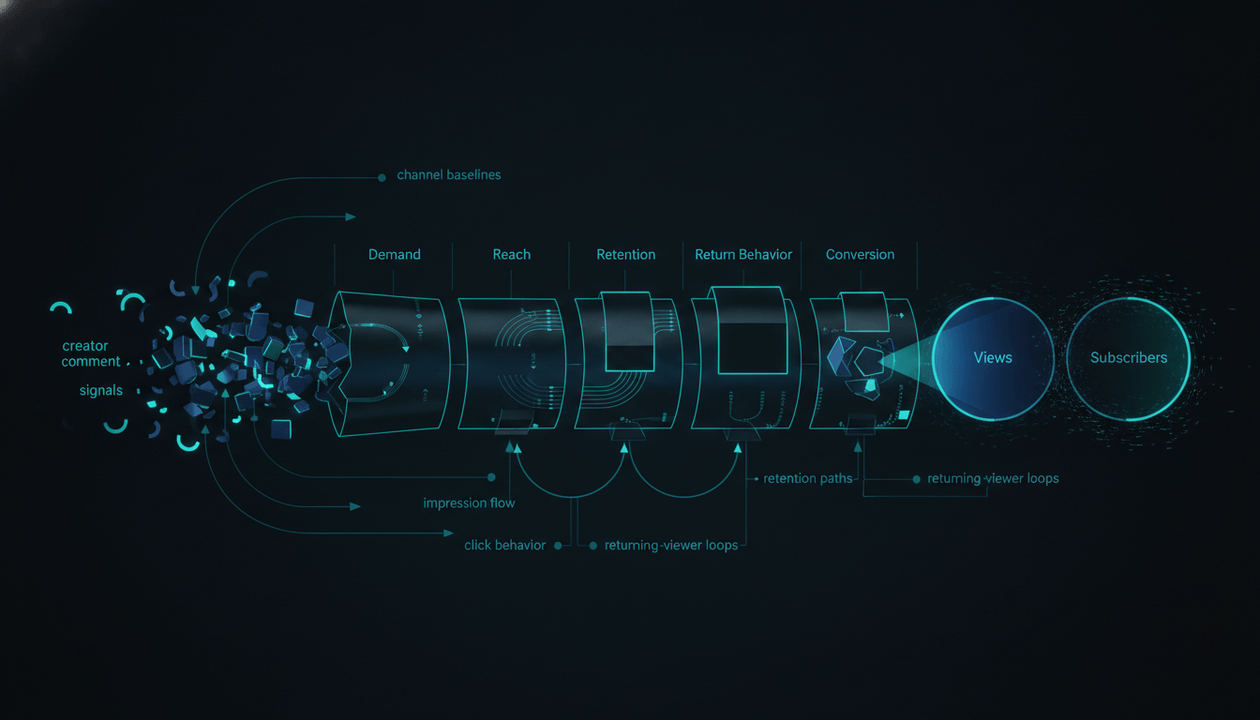
It is a conversion system.
The best creators do not ask for everything. They guide the viewer to the next logical action based on intent, trust, timing, and context. Sometimes the best CTA is to watch another video. Sometimes it is to download a template. Sometimes it is to join a waitlist. Sometimes it is to click an affiliate link. Sometimes it is to start a trial. Sometimes it is to do nothing except remember the brand.
This guide shows you how to build a YouTube CTA system that turns views into subscribers, leads, trials, sponsors, affiliates, product sales, and repeat viewers without making your videos feel like ads.
Key Takeaways
- A good YouTube CTA is not just “like and subscribe.” It is the next logical step in the viewer journey.
- The wrong CTA can hurt retention, trust, and conversion. The right CTA makes the video feel more useful.
- Match the CTA to the viewer’s intent. A tutorial viewer may want a template. A comparison viewer may want a buyer guide. A documentary viewer may need a watch-next video. A product demo viewer may be ready for a trial.
- Use one primary CTA per video. Secondary CTAs can exist in the description, pinned comment, cards, and end screen, but the spoken CTA should stay focused.
- The best CTA timing is usually after value has been delivered, not before the viewer trusts you.
- YouTube end screens, cards, descriptions, pinned comments, playlists, and verbal CTAs should work together as one system.
- Disclose sponsorships, affiliate links, and paid relationships clearly. Trust is part of the conversion system.
- Use OverseerOS Viral Channel Finder, OverseerOS Channel Blueprint Cloner, OverseerOS Viral X-Ray, OverseerOS Script Studio, OverseerOS Channel Content Planner, OverseerOS Thumbnail Cloner, and OverseerOS Distribution Studio to reverse-engineer how high-performing channels move viewers from attention to action.
What Is a YouTube CTA System?
A YouTube CTA system is the planned set of actions you ask viewers to take before, during, and after a video.
It includes:
- spoken CTAs
- on-screen text
- pinned comments
- description links
- end screens
- info cards
- playlists
- affiliate links
- sponsor links
- newsletter links
- templates
- product trials
- comments
- watch-next recommendations
- community posts
- retargeting content
- companion blog posts
- Shorts follow-ups
- email capture
- lead magnets
- sales pages
A weak CTA system says:
Like, comment, subscribe, and check the links below.
A strong CTA system says:
If you want to copy the exact scorecard I used in this video, I put the template in the first link below.
The second one works because it is specific, useful, and connected to the video.
A CTA system answers four questions:
- What does this viewer want next?
- What action is realistic at this trust level?
- Where should the CTA appear?
- How will we measure whether it worked?
That is the difference between asking and converting.
Why Most YouTube CTAs Fail
Most CTAs fail because they are selfish.
They ask the viewer to help the creator before the creator has helped the viewer.
Bad CTA:
Before we start, subscribe to the channel.
Why would they subscribe before they know if the video is good?
Better CTA:
If this workflow helps you plan your next video faster, subscribe because I publish systems like this every week.
That version earns the ask.
Most CTAs fail for one of five reasons.
| Failure | What it looks like | Why it fails |
|---|---|---|
| Too early | Subscribe before value | No trust yet |
| Too vague | Check the links below | No clear benefit |
| Too many asks | Subscribe, download, buy, comment, follow | Decision overload |
| Wrong intent | Asking for a sale on a cold educational video | Viewer is not ready |
| No connection | CTA has nothing to do with the video | Feels like an ad |
The best CTA does not feel like an interruption.
It feels like the next step.
The Core Rule: One Video, One Primary CTA
Every video should have one primary CTA.
Not five.
One.
That does not mean you cannot have multiple links in the description. It means the video itself should push one main action.
Examples:
| Video type | Primary CTA |
|---|---|
| Beginner tutorial | Download the template |
| Product comparison | Read the buyer guide or click affiliate link |
| Software demo | Start a free trial |
| Documentary | Watch the next related video |
| Educational explainer | Subscribe for the series |
| Product validation video | Join the waitlist |
| SaaS tutorial | Try the workflow |
| Sponsor integration | Visit sponsor link |
| Community video | Comment your use case |
| Deep guide | Join newsletter |
If you ask for too many things, the viewer does nothing.
A strong CTA system has a hierarchy:
- Primary CTA: the one action the video is built to drive.
- Secondary CTA: supporting action in description or pinned comment.
- Retention CTA: watch another video or playlist.
- Trust CTA: disclosure, context, or resource.
- Conversion CTA: trial, purchase, download, booking, affiliate link.
Do not treat every CTA as equal.
The YouTube CTA Ladder
Not all viewer actions are worth the same.
Use this ladder to match the ask to the viewer’s trust level.
| CTA | Trust required | What it proves |
|---|---|---|
| Like | Very low | Light appreciation |
| Comment | Low | Engagement or opinion |
| Subscribe | Medium | Wants more content |
| Watch next video | Medium | Topic interest |
| Download checklist | Medium | Workflow interest |
| Join newsletter | Medium to high | Ongoing interest |
| Click affiliate link | High | Product consideration |
| Start trial | High | Product intent |
| Join waitlist | High | Product curiosity |
| Book a call | Very high | Serious pain |
| Buy template | Very high | Purchase intent |
| Buy course/product | Very high | Strong trust |
| Refer/share | Very high | Strong belief |
A cold viewer may not buy.
But they might watch another video.
A repeat viewer may subscribe.
A tutorial viewer may download a template.
A comparison viewer may click the affiliate link.
A founder watching a workflow breakdown may book a call.
The CTA should match the trust level.
The 7 Types of YouTube CTAs
1. Retention CTA
Goal:
Keep the viewer watching more content.
Examples:
- Watch the next video
- Continue the playlist
- Watch the full case study
- Watch the comparison
- Watch the setup guide
Best for:
- documentaries
- educational series
- beginner videos
- channel growth
- session depth
- low-trust viewers
Example:
If you want the full workflow after this, watch the next video where I turn this research into a complete script and thumbnail brief.
This is often the best CTA for new viewers because it builds trust before asking for money.
2. Subscriber CTA
Goal:
Turn a viewer into a repeat viewer.
Examples:
- Subscribe for weekly breakdowns
- Subscribe for the next part
- Subscribe if you are building this workflow
- Subscribe for more creator systems
Bad version:
Subscribe to the channel.
Good version:
Subscribe if you want more YouTube growth systems based on real patterns, not random advice.
The second version tells the viewer why subscribing matters.
3. Engagement CTA
Goal:
Get comments, likes, or audience input.
Examples:
- Comment your niche
- Comment which tool you want tested next
- Vote on the next topic
- Tell me where you got stuck
- Share your current workflow
Best for:
- research
- product validation
- community building
- idea generation
- video follow-ups
Example:
Comment the tool you want me to test next. I’ll use the most repeated answers to build the next comparison.
This CTA is useful because it also gives you content research.
4. Lead Magnet CTA
Goal:
Capture email or first-party audience.
Examples:
- Download the template
- Get the checklist
- Copy the scorecard
- Get the prompt pack
- Download the worksheet
- Join the free mini-course
Best for:
- tutorials
- workflows
- product research
- SaaS demos
- creator education
- template businesses
- service businesses
Example:
I put the exact product comparison matrix from this video in the first link below so you can score your own review ideas before filming.
This works because the lead magnet extends the video.
5. Affiliate CTA
Goal:
Drive product clicks or affiliate revenue.
Examples:
- Try the tool
- Compare pricing
- Get the deal
- Use the setup link
- See the product I used
Best for:
- product reviews
- tutorials
- comparisons
- alternatives
- buyer guides
- software demos
Example:
If you want to try the tool I used in this workflow, I linked it below. I may earn a commission if you use that link, but the test and verdict are based on the workflow you just saw.
This CTA works because it is transparent and connected to proof.
6. Product CTA
Goal:
Drive trials, waitlists, purchases, or product usage.
Examples:
- Start a free trial
- Try the workflow
- Join the waitlist
- Buy the template
- Book the setup call
- Use the tool
- Create your first project
Best for:
- SaaS
- templates
- courses
- services
- product-led content
- founder channels
- software tutorial channels
Example:
If you want to turn your own channel research into scripts, titles, thumbnails, and a content plan, try OverseerOS and start by reverse-engineering one channel in your niche.
This works because it ties the product to the workflow, not a generic pitch.
7. Sponsor CTA
Goal:
Drive sponsor clicks while protecting trust.
Examples:
- Try the sponsor
- Get the offer
- Use the sponsor workflow
- Download the sponsor resource
- Start with the sponsor template
Best for:
- sponsored tutorials
- product demos
- review channels
- software education
- creator tools
- business channels
Example:
This section is sponsored by [Brand]. I’ll show the workflow first, then I’ll explain who I think it is actually useful for.
This is stronger than a hard sell because it frames the sponsor inside usefulness.
YouTube explains that paid promotions include paid product placements, endorsements, sponsorships, or other commercial relationships that may influence the content. If a video includes those relationships, creators should use the relevant disclosure tools and be clear with viewers. Source: YouTube Help
The CTA Timing Map
Where you place the CTA matters.
First 30 Seconds
Use only if the CTA supports the hook.
Good early CTA:
I put the template below so you can follow along while watching.
Bad early CTA:
Subscribe before we start.
The first 30 seconds should mostly earn attention, not extract value.
After the First Value Moment
This is one of the best places for a soft CTA.
Example:
If you want the exact worksheet I’m using, it is linked below.
At this point, the viewer has seen enough value to understand why the resource matters.
Mid-Video
Use carefully.
Good mid-video CTA:
Now that we’ve built the first part, download the template if you want to follow the next steps with your own channel.
Bad mid-video CTA:
Pause this video and buy my course.
Mid-video CTAs should be useful, not disruptive.
Before a Sponsor Segment
Set expectations.
Example:
Before the next step, this video is sponsored by [Brand]. I chose this sponsor because it fits the workflow we are building.
This makes the transition feel less random.
After the Main Payoff
This is usually the best place for conversion.
Example:
Now that you’ve seen the full workflow, the next step is to try it on your own channel. Use the first link below to start with the template.
The viewer has received value, so the ask feels earned.
Final 20 Seconds
Use for end screens and watch-next CTAs.
YouTube says end screens can be added to the last 5 to 20 seconds of a video, can promote videos, playlists, subscribe actions, channels, and links for eligible creators, and can include up to four elements for standard 16:9 videos. Source: YouTube Help
Final CTA example:
Watch this next because it shows how to turn the research from this video into a full content plan.
Do not end with:
Like, comment, subscribe, follow me on Instagram, download the guide, check the sponsor, and watch these three videos.
That is chaos.
The YouTube CTA Placement System
A strong CTA system uses multiple surfaces, but each surface has a job.
| Surface | Best use |
|---|---|
| Spoken CTA | Primary action |
| On-screen text | Reinforce the action visually |
| Description first line | Direct link or resource |
| Pinned comment | Repeat the most important next step |
| End screen | Watch next or subscribe |
| Info card | Relevant mid-video resource |
| Playlist | Build session depth |
| Community post | Follow-up discussion |
| Companion blog post | SEO and deeper conversion |
| Newsletter | Ongoing relationship |
| Short clip | Re-activate viewers |
Do not use every surface for every ask.
Use them as a funnel.
Example for a tutorial video:
- Spoken CTA: download the template
- Description: template link first
- Pinned comment: template plus question
- End screen: next tutorial
- Blog post: full step-by-step guide
- Newsletter: weekly templates
- Product CTA: try the tool after template value is proven
That is a system.
YouTube End Screens: How to Use Them Strategically
End screens should not be an afterthought.
They are best for:
- next video
- playlist
- subscribe
- related tutorial
- product demo
- comparison video
- case study
- series continuation
Bad end screen:
Random latest upload + subscribe button.
Better end screen:
The exact next video that solves the next problem.
Examples:
| Current video | Best end screen |
|---|---|
| How to find viral video ideas | How to turn ideas into scripts |
| Product comparison matrix | Product demo video script |
| AI tool review channel blueprint | Software tutorial channel blueprint |
| Thumbnail tutorial | Title packaging tutorial |
| SaaS demo video | Product comparison guide |
| Content planning video | Script workflow video |
YouTube’s own end screen best practices recommend using relevant elements and encouraging viewers to click with calls to action. Source: YouTube Help
The key word is relevant.
The best end screen answers:
What should this viewer watch next if they want the next logical step?
YouTube Info Cards: Use Them Like Context, Not Popups
Info cards can support the viewer during the video.
YouTube says cards can make videos more interactive and may feature a video, playlist, channel, or link for eligible creators; creators can add up to five cards to a video. Source: YouTube Help
Good uses:
- link to a deeper tutorial
- link to a source video
- link to a playlist
- link to a template at the moment it becomes useful
- link to a comparison when mentioning a tool
- link to a case study when showing a result
Bad uses:
- random sponsor link unrelated to the moment
- too many cards
- card before the viewer understands why it matters
- card that distracts from the strongest part of the video
Use cards when they add context.
Do not use them as digital billboards.
The CTA Intent Matrix
Match the CTA to the video intent.
| Video intent | Viewer mindset | Best CTA |
|---|---|---|
| Beginner tutorial | “Teach me.” | Download template or watch next setup video |
| Advanced tutorial | “Help me improve.” | Get checklist, join newsletter, try tool |
| Product review | “Should I buy?” | Affiliate link, buyer guide, comparison |
| Product demo | “Can this solve my problem?” | Trial, template, product workflow |
| Comparison | “Which one should I choose?” | Scorecard, affiliate links, deeper guide |
| Alternatives | “What should I use instead?” | Buyer guide or comparison table |
| Documentary | “Tell me more.” | Watch next video or subscribe |
| Case study | “Can I copy this?” | Download playbook or template |
| Founder video | “Is this real?” | Join waitlist or book call |
| Channel update | “What changed?” | Comment feedback or join community |
| Sponsor integration | “Is this useful?” | Sponsor link with disclosure |
| Shorts | “Quick idea.” | Watch full video or playlist |
The best CTA is not the one that makes you the most money today.
It is the one that matches where the viewer is right now.
CTA Scripts You Can Use
Subscribe CTA
If you want more breakdowns like this, practical YouTube systems based on proven patterns, not generic advice, subscribe. This channel is built for creators who want to stop guessing.
Watch-Next CTA
If you want the next step, watch this video next. It shows how to turn the research from this video into a full script and thumbnail plan.
Template CTA
I put the exact template from this video in the first link below. Use it to follow the same workflow with your own channel.
Newsletter CTA
If you want one practical YouTube workflow like this every week, join the newsletter below. I keep it focused on systems, examples, and templates.
Affiliate CTA
I linked the tool below if you want to test it yourself. Some links may be affiliate links, which means I may earn a commission at no extra cost to you. I only recommend it for the use case I showed in this video.
Product Trial CTA
If you want to run this workflow on your own channel, start inside OverseerOS. Use OverseerOS Viral Channel Finder to discover breakout channels, then use OverseerOS Channel Blueprint Cloner to turn one winning channel into a strategy blueprint.
Comment CTA
Comment your niche and I’ll use a few of them in the next breakdown.
Sponsor CTA
This video is sponsored by [Brand]. I used it for this workflow because it fits the exact problem we are solving today. Try it with the link below, and I’ll also show where I think it is not the right fit.
Waitlist CTA
If you want the tool version of this workflow, join the waitlist below. I’m using the replies to decide what to build first.
Service CTA
If you want this built for your channel or business, book a workflow audit below. I’ll review your current system and show where the bottleneck is.
The CTA Formula
Use this simple formula:
Because you watched [specific video], your next best step is [specific action] so you can [specific outcome].
Examples:
Because you watched this product comparison, your next best step is to download the scorecard so you can judge your own review ideas before filming.
Because you watched this software tutorial, your next best step is to copy the template so you can build the workflow without starting from scratch.
Because you watched this documentary, your next best step is to watch the follow-up video so you can understand the second half of the story.
Because you watched this product demo, your next best step is to try the workflow with one real project.
This formula works because it connects the action to the viewer’s current context.
The CTA Offer Ladder for Creators
A strong channel should not send every viewer directly to a paid product.
Build a ladder.
Level 1: Free Attention
- video
- Shorts
- community posts
- comments
- playlists
Goal:
Earn trust.
Level 2: Free Resource
- checklist
- template
- prompt pack
- scorecard
- worksheet
- mini-course
Goal:
Capture intent.
Level 3: Owned Audience
- newsletter
- private community
- email sequence
- webinar
- product updates
Goal:
Build relationship.
Level 4: Low-Ticket Product
- template pack
- mini-course
- paid guide
- workflow system
- research database
Goal:
Convert trust into first purchase.
Level 5: Core Product
- SaaS subscription
- membership
- course
- service
- coaching
- agency offer
Goal:
Monetize serious buyers.
Level 6: High-Value Offer
- consulting
- done-for-you setup
- enterprise plan
- sponsorship package
- partnership
- custom workflow build
Goal:
Serve highest-intent customers.
A YouTube CTA system works better when every video does not carry the entire business model.
Each video should move the viewer one step.
CTA Strategy by Channel Type
Faceless Documentary Channel
Best CTA:
- watch next video
- subscribe for the series
- comment opinion
- join newsletter for research notes
Avoid:
- hard selling too early
- interrupting the story
- sponsor pitch before emotional payoff
Good CTA:
If you want the next part of this story, watch this video next. It shows how the same pattern is happening in a completely different industry.
AI Tool Review Channel
Best CTA:
- affiliate link
- comparison scorecard
- watch next review
- newsletter with tool tests
- template or workflow download
Good CTA:
I linked the tools below, but if you want the exact testing scorecard I used, download it first. It will help you avoid choosing based on hype.
Software Tutorial Channel
Best CTA:
- template
- setup checklist
- next tutorial
- product trial
- newsletter
Good CTA:
Download the setup checklist below so you can follow this tutorial without missing a step.
SaaS Founder Channel
Best CTA:
- start trial
- join waitlist
- book demo
- download guide
- watch product walkthrough
Good CTA:
If this workflow is the problem your team is trying to solve, start with the free trial and test it on one real project.
Product Comparison Channel
Best CTA:
- buyer guide
- affiliate links
- scorecard
- comparison table
- watch alternatives video
Good CTA:
If you are still deciding, use the comparison table below. It breaks down which tool I would choose for each use case.
Creator Education Channel
Best CTA:
- subscribe
- download worksheet
- join newsletter
- watch next lesson
- buy template pack
Good CTA:
If you want to apply this to your own channel, the worksheet is below. Use it before writing your next video.
Agency Channel
Best CTA:
- book audit
- download SOP
- get template
- join webinar
- watch case study
Good CTA:
If you manage client content and want this system built for your team, book a workflow audit below.
How to Use OverseerOS to Build a Better CTA System
Most creators guess CTAs.
The smarter move is to reverse-engineer what already works.
OverseerOS helps creators analyze successful channels, videos, titles, thumbnails, hooks, and content structures so they can build original workflows from proven public patterns.
Step 1: Find Channels With Strong Conversion Patterns Using OverseerOS Viral Channel Finder
Use OverseerOS Viral Channel Finder to discover breakout channels in your niche.
Look for channels that:
- use clear lead magnets
- sell templates
- drive affiliate clicks
- attract sponsors
- push viewers into playlists
- build newsletters
- use strong pinned comments
- create series-based retention
- turn tutorials into product CTAs
- turn comparisons into buyer guides
Do not only study viral entertainment channels. Study channels that move viewers into action.
Step 2: Reverse-Engineer CTA Strategy With OverseerOS Channel Blueprint Cloner
Use OverseerOS Channel Blueprint Cloner to analyze channels that already reach your target audience.
Study:
- recurring video formats
- hook patterns
- tone DNA
- CTA style
- audience promise
- upload cadence
- topic formulas
- title structures
- how videos connect to each other
- where lead magnets or products appear
The goal is not to copy their CTA.
The goal is to understand how they move attention into trust.
Step 3: Analyze Individual Videos With OverseerOS Viral X-Ray
Use OverseerOS Viral X-Ray on specific high-performing videos.
Look for:
- first CTA timing
- whether the CTA appears before or after value
- what the pinned comment says
- what links are in the description
- how the end screen is used
- whether the sponsor segment fits the content
- how the creator transitions into the offer
- what viewers ask in comments
- what the next recommended video should be
This helps you build a CTA map based on evidence.
Step 4: Build a CTA Calendar With OverseerOS Channel Content Planner
Use OverseerOS Channel Content Planner to plan CTAs at the topic level.
Each video brief should include:
- viewer intent
- primary CTA
- secondary CTA
- pinned comment
- end screen target
- description link
- lead magnet
- product or sponsor fit
- success metric
Example:
| Field | Example |
|---|---|
| Video | Best AI Tools for Faceless YouTube |
| Intent | Buyer guide |
| Primary CTA | Download tool comparison scorecard |
| Secondary CTA | Affiliate links to tools |
| End screen | AI video generator comparison |
| Pinned comment | Scorecard + question |
| Product fit | OverseerOS workflow |
| Success metric | Downloads and affiliate clicks |
A CTA should be planned before the video is filmed, not added after editing.
Step 5: Write CTAs With OverseerOS Script Studio
Use OverseerOS Script Studio to write CTAs that fit the video’s structure.
For each CTA, define:
- viewer context
- action
- benefit
- timing
- trust note
- next step
Prompt style:
Write a 10-second CTA for a tutorial viewer who just learned how to build a YouTube content planner. The CTA should offer a template, sound useful, and not feel salesy.
The goal is not hype.
The goal is a natural next action.
Step 6: Package CTA-Driven Videos With OverseerOS Thumbnail Cloner and OverseerOS Viral Title Generator
A CTA works better when the title and thumbnail attract the right viewer.
If the video promises entertainment but the CTA asks for a product trial, the conversion will be weak.
Use OverseerOS Thumbnail Cloner and OverseerOS Viral Title Generator to package videos around the intent you want:
- tutorial intent
- comparison intent
- buyer intent
- workflow intent
- problem intent
- template intent
- product intent
Example:
Weak title:
I Tried a New Tool
Strong title:
I Built a Full YouTube Content System With One Tool
The second title attracts someone who wants a workflow. That viewer is more likely to download a template or try a product.
Step 7: Repurpose CTA Assets With OverseerOS Distribution Studio
Use OverseerOS Distribution Studio to turn one video into CTA-driven posts for other platforms.
A YouTube video can become:
- X thread with template CTA
- LinkedIn post with workflow CTA
- Reddit-safe discussion post
- newsletter section
- short-form teaser
- blog post
- sponsor outreach asset
- product update
- waitlist post
This matters because conversion rarely happens from one touch.
Distribution creates more chances for the right viewer to take action.
The YouTube Description CTA System
Your description should not be a junk drawer.
Use a clean structure.
Description Template
First line: direct value and main keyword. Primary CTA link: template, trial, buyer guide, or resource. Disclosure: affiliate/sponsor relationship if relevant. Tools/resources mentioned. Video chapters. Related videos. About the channel. Social/newsletter links.
Example:
Learn how to build a YouTube CTA system that turns views into subscribers, leads, trials, and sales without hurting retention.
Download the CTA planning worksheet: [link]
Disclosure: Some links may be affiliate links, which means I may earn a commission at no extra cost to you.
Watch next: [related video]
Chapters: 00:00 Why most CTAs fail 01:35 The CTA ladder 04:10 CTA timing 07:20 End screens and pinned comments 10:45 CTA templates
The description should make the next action easy.
The Pinned Comment CTA System
The pinned comment is one of the most useful CTA surfaces because viewers often scroll there for links, summaries, and discussion.
Use it for:
- main resource
- key question
- quick verdict
- update note
- sponsor disclosure reminder
- template link
- next video
- community prompt
Pinned comment formula:
Main resource + viewer question + next video.
Example:
Download the CTA worksheet here: [link] What is your main CTA right now: subscribe, template, trial, or product sale? Comment it below and I’ll use a few examples in the next video. Watch next: [link]
This creates both conversion and engagement.
The CTA Measurement System
You cannot improve what you do not measure.
Track CTA performance by video type.
Metrics to Track
| CTA type | Metric |
|---|---|
| Subscribe | subscribers gained per video |
| Watch next | end screen click rate, playlist views |
| Template | downloads, email opt-ins |
| Newsletter | signup conversion |
| Affiliate | clicks, conversions, revenue |
| Sponsor | clicks, sponsor-reported conversions |
| Product trial | trial starts |
| Waitlist | signups |
| Booking | calls booked |
| Comment | comment rate and quality |
| Blog | page visits and time on page |
YouTube says creators can check end screen metrics in YouTube Analytics, including end screen element click rate and top end screen element types. Source: YouTube Help
CTA Scorecard
Score each video after publishing.
| Question | Score |
|---|---|
| Was there one primary CTA? | 1 to 5 |
| Did the CTA match viewer intent? | 1 to 5 |
| Did the CTA appear after value? | 1 to 5 |
| Was the benefit clear? | 1 to 5 |
| Was the description link easy to find? | 1 to 5 |
| Did the pinned comment reinforce the CTA? | 1 to 5 |
| Did the end screen point to the logical next video? | 1 to 5 |
| Was disclosure clear if needed? | 1 to 5 |
| Did the CTA convert? | 1 to 5 |
| Did the CTA protect trust? | 1 to 5 |
Total score:
| Score | Decision |
|---|---|
| 42 to 50 | Strong CTA system |
| 34 to 41 | Good, but improve clarity or timing |
| 25 to 33 | Weak, likely too vague or mismatched |
| Under 25 | Rebuild the CTA from viewer intent |
CTA Mistakes That Kill Conversion
Mistake 1: Asking Before Earning Trust
Do not ask for a big action before the viewer has received value.
Fix:
Place bigger CTAs after proof, payoff, or transformation.
Mistake 2: Too Many CTAs
A video with six asks usually converts worse than a video with one clear ask.
Fix:
Choose one primary CTA.
Mistake 3: Generic “Link Below”
Nobody cares about “the link below.”
Fix:
Name the benefit.
Better:
Download the exact scorecard I used in this video.
Mistake 4: Wrong CTA for the Intent
A documentary viewer may not want a template.
A tutorial viewer may not want a 40-minute documentary.
A comparison viewer may not want to subscribe yet.
Fix:
Match CTA to intent.
Mistake 5: Hiding the Best Resource
If the template is the main CTA, put it first in the description and pinned comment.
Do not bury it under social links.
Mistake 6: Sponsor CTA Feels Random
A sponsor CTA fails when it interrupts the video and does not match the topic.
Fix:
Integrate sponsors into relevant workflows and disclose clearly.
Mistake 7: No End Screen Strategy
Random end screens waste warm viewers.
Fix:
Choose the next video before publishing.
Mistake 8: No Follow-Up Content
If the CTA is “watch next,” there must be a next video worth watching.
Fix:
Build clusters and playlists.
Mistake 9: No Tracking
If you do not track CTA performance, you are guessing.
Fix:
Use unique links, UTMs, affiliate dashboards, YouTube Analytics, and email tracking.
Mistake 10: CTA Sounds Like a Sales Script
Viewers hate being sold to before being helped.
Fix:
Make the CTA a continuation of the value.
Disclosure and Trust Rules for YouTube CTAs
CTAs often involve money. That means trust and disclosure matter.
Affiliate Links
If you earn commission from links, disclose it clearly.
The FTC says creators should disclose material connections with brands, including financial relationships, free products, discounts, or other value. It also says disclosures should be hard to miss and, for video endorsements, should be included in the video itself, not only in the description. Source: FTC
Simple affiliate disclosure:
Some links are affiliate links. If you buy through them, I may earn a commission at no extra cost to you.
Sponsorships
If a brand paid for placement, disclose it clearly.
Simple sponsor disclosure:
This video is sponsored by [Brand]. I’ll show the workflow and also explain who it is not right for.
Free Products or Credits
If you received free access, say it.
Example:
The company gave me access to test the product, but they did not control my final opinion.
Claims
Do not make claims you cannot support.
Avoid:
- guaranteed views
- guaranteed income
- guaranteed ranking
- guaranteed trial conversion
- “this works for everyone”
- “this will replace your team”
- “this is the only tool you need”
Better:
- “This works best if…”
- “Use this when…”
- “Skip this if…”
- “In my test…”
- “For this workflow…”
A trustworthy CTA converts longer than a hype CTA.
The Best CTA by Monetization Model
Affiliate Channel
Primary CTA:
- comparison table
- affiliate link
- buyer guide
- discount link
Best wording:
If you want to try the tool I would choose for this use case, I linked it below. I also included the alternatives so you can compare before buying.
SaaS Channel
Primary CTA:
- start trial
- use feature
- join waitlist
- book demo
Best wording:
If this is the workflow you are trying to fix, start with one project inside the tool and test whether it saves time before changing your whole system.
Template Business
Primary CTA:
- download free version
- buy template
- join newsletter
- watch walkthrough
Best wording:
I built the template version of this workflow. You can download it below and customize it for your own channel.
Course Business
Primary CTA:
- free lesson
- webinar
- waitlist
- course enrollment
Best wording:
If you want the full step-by-step system, I put the free first lesson below so you can see if the approach fits you.
Agency or Service
Primary CTA:
- book audit
- request proposal
- download checklist
- watch case study
Best wording:
If you want this built for your business instead of doing it yourself, book a workflow audit and I’ll show you the bottleneck first.
Newsletter
Primary CTA:
- join email list
- get weekly breakdown
- download resource
Best wording:
If you want one practical workflow like this every week, join the newsletter below. No generic tips, just systems, examples, and templates.
Community
Primary CTA:
- join community
- comment
- vote
- submit use case
Best wording:
If you are building this too, join the community below and share your current workflow. I’ll use member examples in future breakdowns.
The YouTube CTA Planning Template
Use this before writing any script.
Video title: [Title]
Viewer intent: [Tutorial, comparison, documentary, product demo, review, case study, beginner guide]
Viewer temperature: [Cold, warm, hot]
Primary CTA: [One main action]
Why this CTA fits: [Reason]
CTA timing: [After first value moment, mid-video, after payoff, final 20 seconds]
CTA wording: [Exact sentence]
Description first link: [Resource/product/video]
Pinned comment: [Resource + question + next step]
End screen target: [Specific next video or playlist]
Secondary CTA: [Optional]
Disclosure needed: [Sponsor, affiliate, free access, none]
Success metric: [Downloads, clicks, subscribers, watch-next clicks, trials, calls, purchases]
Example: CTA System for a Software Tutorial Video
Video:
How to Build a YouTube Content Calendar in Notion
Viewer intent:
Wants a working workflow.
Primary CTA:
Download the Notion template.
Secondary CTA:
Watch the next video on tracking scripts and thumbnails.
Pinned comment:
Download the template here: [link] What do you currently use to plan videos: Notion, Sheets, Trello, or something else?
End screen:
“How to Track Scripts and Thumbnails in Notion”
Description:
Template link first, then related videos, then tools.
Why it works:
The CTA extends the tutorial.
The viewer just learned the workflow, so downloading the template is natural.
Example: CTA System for a Product Comparison Video
Video:
ChatGPT vs Claude for YouTube Scripts
Viewer intent:
Choosing a tool.
Primary CTA:
Download the script comparison scorecard.
Secondary CTA:
Affiliate links to both tools.
Pinned comment:
I put the scorecard here: [link] Which tool do you want me to test next?
End screen:
“Best AI Tools for YouTube Creators”
Why it works:
The CTA helps the viewer make the decision instead of pushing a single product too aggressively.
Example: CTA System for a Documentary Video
Video:
The AI Race Just Changed Forever
Viewer intent:
Wants a compelling story and next chapter.
Primary CTA:
Watch the next related documentary.
Secondary CTA:
Subscribe for future investigations.
Pinned comment:
Watch the follow-up here: [link] What part of this story do you think matters most?
End screen:
Next documentary in the same topic cluster.
Why it works:
A documentary viewer is often not ready for a product CTA. Session depth is the better conversion.
Example: CTA System for an OverseerOS Tutorial
Video:
How to Find Breakout YouTube Channels Before Picking a Niche
Viewer intent:
Wants a research workflow.
Primary CTA:
Try the workflow inside OverseerOS Viral Channel Finder.
Secondary CTA:
Watch the next video on turning a breakout channel into a content plan.
Pinned comment:
Start by searching your niche inside OverseerOS Viral Channel Finder, then watch the next video where I show how to turn one breakout channel into a blueprint.
End screen:
“How to Reverse-Engineer a Winning Channel With OverseerOS Channel Blueprint Cloner”
Why it works:
The CTA does not say “buy our software” randomly.
It connects the tool to the exact workflow the viewer just learned.
How to Turn One CTA Into a Full Funnel
A CTA should not end at the click.
Build the path after the click.
Example funnel:
- YouTube video teaches a workflow.
- CTA offers template.
- Viewer downloads template.
- Email shows how to use it.
- Next email shows common mistake.
- Third email introduces product workflow.
- Product page shows demo.
- Trial starts with the same workflow.
- User gets guided first action.
- Follow-up content brings them back.
This is how content becomes a business system.
The video creates attention.
The CTA captures intent.
The follow-up converts trust.
SEO, AEO, and GEO for CTA Content
CTA strategy itself can rank if structured well.
Create companion posts around:
- YouTube CTA examples
- YouTube CTA templates
- YouTube end screen strategy
- YouTube pinned comment templates
- YouTube affiliate disclosure examples
- YouTube description templates
- YouTube sponsor CTA examples
- YouTube lead magnet strategy
- YouTube funnel for SaaS
- YouTube CTA for product reviews
- YouTube CTA for tutorials
- YouTube CTA for faceless channels
For Google SEO, include:
- definitions
- examples
- templates
- tables
- FAQs
- screenshots where useful
- video embed
- updated date
- internal links
- clear next steps
Google’s video SEO documentation recommends making video content easy to discover and understand with clear pages, titles, descriptions, thumbnails, and structured data where relevant. Source: Google Search Central
For AEO and GEO, include direct answers.
Example:
The best YouTube CTA depends on viewer intent. Tutorial videos usually convert best with templates or checklists. Product comparison videos convert best with scorecards, buyer guides, and affiliate links. Documentary videos often convert best with watch-next CTAs. SaaS demo videos convert best with trial or workflow CTAs after the product has proven the result.
That is the kind of answer AI systems can summarize.
Final Verdict
A YouTube CTA is not a random closing line.
It is the bridge between attention and action.
The best CTA system starts with the viewer:
- What did they come for?
- What value did the video deliver?
- What is the next logical step?
- What action is realistic at this trust level?
- Where should the CTA appear?
- How will you measure it?
If you answer those questions, your CTAs become cleaner, more useful, and more profitable.
Use OverseerOS Viral Channel Finder to find channels that already convert attention into action, OverseerOS Channel Blueprint Cloner to reverse-engineer proven channel patterns, OverseerOS Viral X-Ray to study CTA placement inside individual videos, OverseerOS Channel Content Planner to plan CTAs before filming, OverseerOS Script Studio to write natural CTA lines, and OverseerOS AI YouTube Thumbnail Generator to attract the right viewer before the CTA ever appears.
Do not ask every viewer for everything.
Give each viewer the next step that makes sense.
That is how views become subscribers.
Subscribers become leads.
Leads become trials.
Trials become customers.
And customers become the reason the channel becomes a real business.
FAQ
What is a YouTube CTA?
A YouTube CTA, or call to action, is the specific action you ask a viewer to take after or during a video. It can be subscribing, watching another video, downloading a template, clicking an affiliate link, joining a newsletter, starting a trial, booking a call, or buying a product.
What is the best CTA for YouTube videos?
The best CTA depends on viewer intent. Tutorial videos often work best with templates or checklists. Product reviews work well with buyer guides and affiliate links. Documentary videos often work best with watch-next CTAs. SaaS demo videos work best with trials or workflow CTAs after the viewer has seen proof.
When should I ask viewers to subscribe?
Ask viewers to subscribe after you have delivered value or explained why the channel will keep helping them. A generic “subscribe before we start” is weaker than “subscribe if you want more practical YouTube systems like this every week.”
How many CTAs should a YouTube video have?
A YouTube video should usually have one primary CTA. You can support it with secondary links in the description, pinned comment, cards, and end screen, but the spoken CTA should stay focused.
What is a good CTA for a tutorial video?
A good CTA for a tutorial video is usually a template, checklist, worksheet, setup guide, or next tutorial. The CTA should help the viewer apply what they just learned.
What is a good CTA for a product review video?
A good CTA for a product review video can be a comparison scorecard, affiliate link, buyer guide, alternatives video, or trial link. The CTA should help the viewer make a better purchase decision.
What is a good CTA for a faceless YouTube channel?
For faceless documentary or educational channels, the best CTA is often to watch the next related video, subscribe for the series, or join a newsletter for deeper research. Hard product CTAs should usually come after trust is built.
How do I use YouTube end screens for CTAs?
Use end screens to send viewers to the next most relevant video, playlist, subscribe action, or eligible external link. The best end screen is not random. It should continue the viewer journey from the video they just watched.
Should I disclose affiliate links and sponsors in YouTube CTAs?
Yes. If you have a financial relationship, sponsorship, affiliate commission, free product access, discount, or other material relationship with a brand, disclose it clearly. For video endorsements, disclosures should appear in the video itself, not only in the description.
How does OverseerOS help with YouTube CTAs?
OverseerOS helps creators study how successful channels structure videos, titles, thumbnails, hooks, and viewer journeys. You can use OverseerOS Viral Channel Finder to discover channels with strong conversion patterns, OverseerOS Channel Blueprint Cloner to study channel strategy, OverseerOS Viral X-Ray to analyze CTA placement in individual videos, and OverseerOS Channel Content Planner to plan the right CTA for each video before filming.